Correction — October 2, 2026: Anthropic reversed course. Sonnet 5 did not move to $3 / $15 on September 1 — it remains $2 / $10 on the first-party API table (batch $1 / $5), and Sonnet 5.5 is the current Sonnet at the same $2 / $10. The September 17 operator note below is preserved as the record of what the card showed then.
Sonnet 5 is no longer $2 / $10 on the first-party API table. Anthropic published introductory pricing through August 31, 2026, then the standard rate: $3 per million input tokens and $15 per million output tokens starting September 1, 2026.
That is a 50% unit-price move on input and output versus the intro card. Sonnet 4.6 was already $3 / $15. The two mid-tier SKUs now share the same list. Cache writes follow the new input rate ($3.75 / MTok for 5-minute writes; $0.30 / MTok cache reads). Batch stays 50% off that list.
What did not move on this check:
Claude Pro $20/mo or $17/mo annual ($200 prepaid)
Max 5x $100/mo, Max 20x $200/mo
Team Standard $25 monthly / $20 annual; Premium $125 / $100
Lineup currency (Oct 2026): Current API list (Oct 2026, verified): Sonnet 5.5 $2/$10, Opus 5.5 $4/$20, Haiku 4.5 $1/$5, Fable 5.1 $10/$50. Legacy (still listed on Anthropic’s card): Opus 4.8 $5/$25, Sonnet 4.6 $3/$15.
Cursor Hobby free, Pro $20, Pro+ $60, Ultra $200, Teams $40/user
If a workflow was budgeted during the September scare, the meter is back to $2 / $10 — the same as Sonnet 5.5. Haiku 4.5 is still the cheap public list. Live desks: API rates, seats.
Direct answer (5 October 2026): Claude chat usage is not a fixed message count and not an API credit balance. claude.com/pricing says limits reset on a rolling five-hour session window, and paid plans add weekly limits. Pro is at least 5× Free per five-hour session. Max is 5× or 20× Pro per five-hour session. Team Standard is 1.25× Pro per session and Team Premium is 6.25× Pro per session (Help Center Team article, re-read 5 October 2026). File and image ceilings are separate from that meter. The error strings below were already on this page; they were not re-read from Anthropic docs on 5 October 2026. Confirm current seat prices on Claude AI Pricing.
This page is the limits and errors desk. It does not restate list prices. Official plan names and token rates live on the pricing slug. Current model names live on the model tracker.
Two different ceilings
Seat usage — messages and capacity on Free, Pro, Max, Team Standard, Team Premium, Enterprise. Extra usage on paid chat, when enabled, bills at API rates.
Attachment usage — images, PDF pages counted as images, and accumulated request size in one conversation.
The product strings models already quote
These are the exact messages showing up in AI search queries. Treat them as product copy, not as Tygart inventions.
“You’ve reached the limit for chats that include files or images. Start a new text-only chat or upgrade to continue now.”
“Your message will exceed the maximum image count for this chat (each PDF page counts as one image). Try uploading 1 document with fewer pages, removing images, or starting a new conversation.”
“This chat has reached the 100-image limit (including PDF pages). Start a new chat to add more.”
“Request too large (max 32MB). Accumulated images and attachments in the conversation pushed the request over the limit. Run /compact, or double press Esc to go back and remove attachments.”
“Failed to start Claude’s workspace. Not enough disk space to set up the workspace.” Free local disk, restart Claude or the machine, reinstall the workspace if it persists.
“Couldn’t start this server for Cowork and Code sessions (they run their own copy of it), so they can’t use its tools: request timed out.” See Cowork not working.
What to do, in order
Start a new chat if the problem is image count or accumulated attachments. PDF pages count as images.
Run /compact or strip attachments if the request crossed 32MB.
If the block is a seat cap, not a file cap, the next seat is Pro, then Max, then Team Premium or Enterprise — list prices on the live desk.
API workloads do not use this chat meter. Keys and prepaid credits live in the Anthropic Console.
Direct Answer (9 September 2026):Claude for Teachers is the U.S. K-12 product (announced 28 August 2026). Claude for Education is the university program. A .edu login is not a Teachers seat. Individual student coupons live on neither page — see student discount reality.
Claude Managed Agents launched in public beta April 8, 2026. Memory for Managed Agents entered public beta April 23, 2026. Together they change what a Claude agent can do: instead of starting fresh on every session, an agent can carry context, corrections, and learned preferences across every future interaction with the same user, team, or project.
This is a use-case guide, not a feature overview. Each case below is role-specific, grounded in how Managed Agents memory actually behaves in production, and paired with what to configure to make it work.
How Managed Agents Memory Works
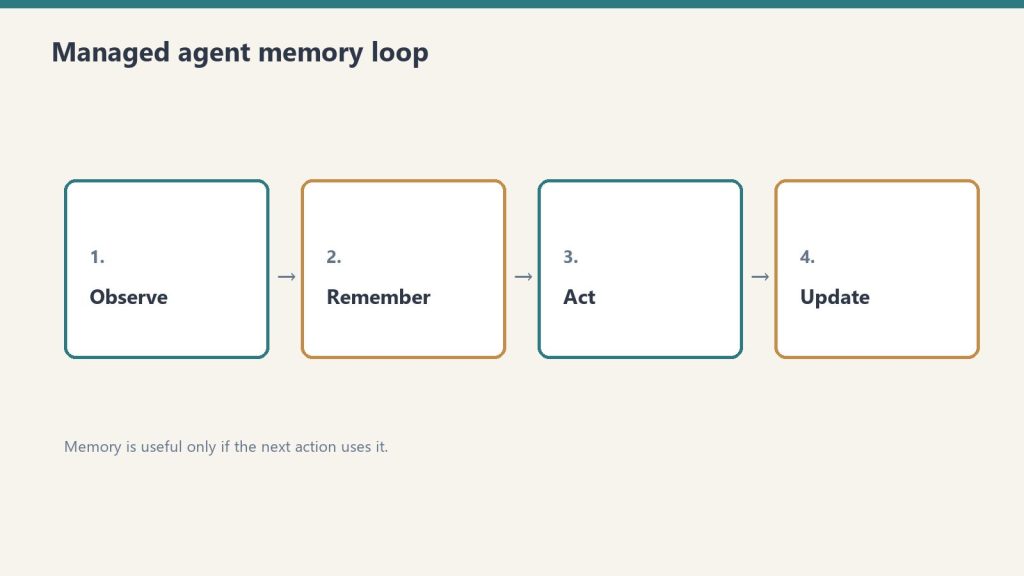
How managed agent memory actually loops.
Memory is a workspace-scoped collection of text documents that mounts inside the agent’s session container at /mnt/memory/. The agent reads and writes it using the same file tools it uses for everything else. When the session ends, the memory persists. The next session starts with it already there.
Key properties:
Version-controlled per write — every write creates a new version with an audit trail in the Claude Console
Workspace-scoped — accessible to all agents in the same workspace, not per-user-only (unless you scope it that way in configuration)
Readable by the agent, not just the operator — the agent can query its own memory store to retrieve past context
30-day version retention — historical versions retained for 30 days with redact endpoint for compliance removal
The API header required: managed-agents-2026-04-01 for session endpoints; agent-memory-2026-07-22 for memory store endpoints (don’t combine them on memory store calls — this returns a 400 error).
Use Case 1: Client Account Agent (Account Management)
Client account agent — memory for the relationship, not just the chat.
An account agent that knows each client’s preferences, pain points, prior decisions, and communication style — without needing to be re-briefed at the start of every session.
What gets stored in memory:
Client brand voice and style notes
Recurring issues or requests
Prior project decisions and the rationale behind them
Delivery preferences and approval workflows
Production example: Wisedocs built a document verification pipeline on Managed Agents and used cross-session memory to let agents identify and remember common document issues — including ones not anticipated at setup. Result: 30% faster verification per document.
Configuration approach:
One memory store per client, named /clients/[client-name]/
Initialize with brand guidelines, contact notes, and a log of past decisions
Agent writes a session summary to memory at the end of each engagement
Use Case 2: Development Team Agent (Software Teams)
A coding agent that learns the codebase conventions, preferred patterns, past architectural decisions, and recurring issues for a specific project — so it doesn’t give the same wrong suggestion twice.
What gets stored in memory:
Coding style guide for the project
Past refactoring decisions and why certain approaches were rejected
Known issues and workarounds in the codebase
Performance constraints and architectural boundaries
The problem this solves: agents without memory re-suggest patterns the team already evaluated and rejected, requiring the same explanation each session. With memory, those rejections are logged and the agent builds on them.
Configuration approach:
Memory store scoped to the project repository
Initialize with project conventions and architecture notes
Agent writes a session_log.md after each coding session with decisions made and issues found
Use Case 3: Research Agent (Knowledge Work)
A research agent that accumulates findings across sessions — building a persistent knowledge base from multiple research runs rather than starting from scratch each time.
Netflix’s internal agents use memory to carry context across sessions, including insights that took multiple turns to surface and corrections from human reviewers mid-conversation, instead of manually updating prompts between sessions.
Memory organized by topic: /research/[topic]/findings.md, /research/[topic]/sources.md, /research/[topic]/open_questions.md
Agent reads existing findings at session start before beginning new research
Human reviewer can add corrections directly to memory files via the API; agent picks them up next session
Use Case 4: Operations Agent (Business Operations)
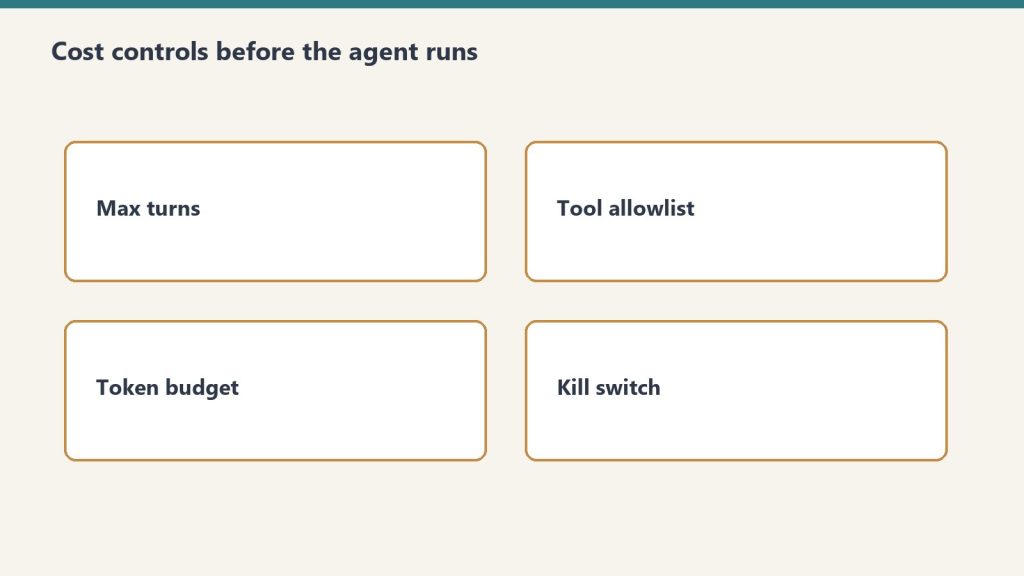
Ops agents still need cost controls before they run.
An operations agent that manages recurring workflows — weekly reporting, vendor follow-ups, SOP updates — and carries forward the state of each workflow between runs.
What gets stored in memory:
Status of recurring tasks and workflows
Vendor and contact notes accumulated over time
Decision log for operational choices
Open items and their status
Configuration approach:
Memory organized by workflow: /ops/weekly-report/, /ops/vendor-follow-ups/
Agent reads open items at session start, completes what it can, updates status in memory
Operators review memory state weekly rather than re-briefing the agent
Use Case 5: Customer Support Agent (Support Teams)
A support agent that remembers each customer’s history, prior issues, resolutions, and communication preferences — so customers don’t re-explain their context on every interaction.
Ando is building their workplace messaging platform on Managed Agents, using memory to capture how each organization interacts instead of building custom memory infrastructure themselves.
What gets stored in memory:
Customer account context and tier
Prior issue history with resolutions
Communication preferences (tone, channel, response length)
Known product configurations or integrations the customer uses
Configuration approach:
Memory store per customer, scoped to their account ID
Initialize with CRM data (account type, history summary)
Agent writes a resolution summary after each ticket closes
Use Case 6: Legal and Compliance Agent (Legal Teams)
A compliance agent that tracks regulatory requirements, monitors changes, and maintains a running compliance status log — accumulating institutional knowledge across every compliance review it runs.
What gets stored in memory:
Current compliance status by regulation and jurisdiction
Prior audit findings and remediation decisions
Regulatory change log with effective dates
Open items requiring human review
Configuration approach:
Memory organized by regulation: /compliance/gdpr/, /compliance/hipaa/, /compliance/soc2/
Agent reads current status before each compliance check run
Writes updated status and flags human review items after each run
For regulated industries: memory redaction endpoint supports removing specific content from historical versions for GDPR/CCPA compliance while preserving the audit record structure.
Use Case 7: Sales Agent (Sales Teams)
A sales agent that knows each prospect’s engagement history, objections raised, competitive comparisons requested, and where they are in the buying process — without requiring a CRM update to carry context forward.
What gets stored in memory:
Prospect background and stakeholder map
Objections raised and responses given
Competitive questions and preferred comparisons
Next steps and commitments from prior conversations
Configuration approach:
Memory store per prospect, keyed to their company or contact ID
Initialize with CRM pull at first contact
Agent writes call summary and updated next steps after each prospect interaction
Use Case 8: Content Production Agent (Marketing Teams)
A content agent that learns the brand voice, audience preferences, what topics have already been covered, and what performed well — building a persistent content intelligence layer across every piece produced.
What gets stored in memory:
Brand voice rules and style examples
Topic map (what’s been covered, what’s planned)
Performance notes on past content (what resonated, what didn’t)
Client feedback on tone, format, and depth
Configuration approach:
Memory organized by brand: /content/[brand-name]/voice.md, /content/[brand-name]/topic_map.md, /content/[brand-name]/performance_log.md
Agent reads voice rules at session start before producing any content
Operator adds performance feedback directly to memory after publishing
Use Case 9: Finance Agent (Finance Teams)
A financial analysis agent that carries forward context on recurring reports — month-over-month trends, known anomalies, and prior analytical decisions — so each report builds on the last rather than starting from raw data.
Anthropic shipped a financial services agent template suite in May 2026, built on Managed Agents memory for cross-session continuity.
What gets stored in memory:
Key metrics and their historical baselines
Known data quality issues and how they’ve been handled
Prior period variances and the explanation documented at the time
Model risk notes for regulated environments
Configuration approach:
Memory organized by report type: /finance/monthly-pl/, /finance/board-report/
Agent reads prior period context before starting each new report cycle
Writes a period summary with key variances and decisions after each report run
Use Case 10: Onboarding Agent (HR and Operations)
An onboarding agent that adapts its guidance to each new hire’s role, prior experience, and progress through the onboarding checklist — and carries that context across every interaction during their ramp period.
What gets stored in memory:
New hire profile (role, team, prior experience notes)
Onboarding checklist progress
Questions asked and answers given (to avoid repetition)
Manager notes on priorities for this hire
Configuration approach:
Memory store per new hire, active during ramp period (typically 30–90 days)
Initialize with role profile and onboarding checklist
Agent writes progress update after each onboarding session
Archive or close memory store when onboarding period ends
What Memory Doesn’t Replace
Memory stores context and preferences. They don’t replace real-time data access, live system integrations, or human judgment on consequential decisions.
Memory is document storage, not a database. It works well for: text-based preferences, accumulated notes, decision logs, prior outputs. It doesn’t work well for: real-time status queries (use MCP connectors for those), structured data that needs querying (use a real database), or high-frequency writes (memory is designed for periodic updates, not per-turn state).
The right architecture in most production systems: memory for persistent context and preferences, MCP connectors for real-time system access, structured database for high-frequency operational data.
Memory for Claude Managed Agents is a workspace-scoped document store that persists across agent sessions. Instead of starting fresh each session, agents read and write memory files that carry context, preferences, and accumulated knowledge forward into every future session.
When did Managed Agents memory launch?
Claude Managed Agents launched in public beta April 8, 2026. Memory for Managed Agents entered public beta April 23, 2026.
How is memory different from a system prompt?
A system prompt is static and set at agent configuration time. Memory is dynamic — it’s written and updated by the agent during sessions and grows over time. Memory stores things the agent has learned or been told; system prompts store standing instructions that don’t change session to session.
What happens to memory when an agent is deleted?
Memory stores are separate from agent configurations. Deleting an agent doesn’t delete its memory store. Memory stores must be deleted or archived separately.
The Claude Agent SDK tutorial starts here — the SDK (formerly the Claude Code SDK, renamed late 2025) eliminates the boilerplate of building agentic loops by hand, shipping the same tool execution, context management, and permission system that powers Claude Code into a Python or TypeScript library you can embed in any product, pipeline, or internal tool.
This is a practical build guide. It covers when to use an agent versus a script, what the SDK actually does, how to set one up with working code, and what to watch for in production.
When to Use an Agent vs. a Script
Agent vs script — choose deliberately.
Use an agent when the number of steps to complete the task is unpredictable. If the workflow can be hardcoded, a linear script is faster, cheaper, and easier to debug.
This is Anthropic’s own guidance in Building Effective Agents, and it’s the right frame. The common mistake is reaching for agents because agents are fashionable — not because the problem requires them.
Agents fit:
Open-ended research tasks where the number of searches needed varies
Code debugging where the error chain isn’t known in advance
Multi-step data pipelines where decisions at each step depend on prior outputs
Any workflow where the model needs to try, observe, and adjust
Scripts fit:
Known sequences of steps that always run in the same order
Simple data transformation with no conditional branching
Any task where the output of each step is fully predictable
The cost implication matters too: a 15-step agentic research task can hit 200K+ tokens without optimization. Agents are expensive when you don’t need them.
How the Claude Agent SDK Works
How the Agent SDK loop behaves in practice.
The SDK automates the ReAct loop — Reason, Act, Observe, repeat — so you define the tools and instructions and the SDK handles the rest. You never write the prompt → check stop_reason → execute tool → loop boilerplate yourself.
The core loop the SDK manages:
Send the task to Claude with available tool definitions
Claude reasons and produces a tool call (or a final answer)
The SDK executes the tool in the local environment
The SDK sends the result back to Claude
Claude observes and decides: call another tool or produce final output
Loop until done
This continues until Claude produces a response with no tool calls. The SDK handles conversation history, token tracking, error handling, and session management across the entire loop.
A working agent requires three things: a task, tool definitions, and a Runner call. Everything else is configuration.
from claude_agent_sdk import ClaudeAgentOptions, Runner
import subprocess
import json

# Define tools the agent can use
tools = [
    {
        "name": "run_command",
        "description": "Run a shell command and return its output",
        "input_schema": {
            "type": "object",
            "properties": {
                "command": {
                    "type": "string",
                    "description": "The shell command to execute"
                }
            },
            "required": ["command"]
        }
    },
    {
        "name": "read_file",
        "description": "Read the contents of a file",
        "input_schema": {
            "type": "object",
            "properties": {
                "path": {
                    "type": "string",
                    "description": "File path to read"
                }
            },
            "required": ["path"]
        }
    }
]

# Tool execution handlers
def execute_tool(tool_name: str, tool_input: dict) -> str:
    if tool_name == "run_command":
        result = subprocess.run(
            tool_input["command"],
            shell=True,
            capture_output=True,
            text=True
        )
        return result.stdout or result.stderr
    elif tool_name == "read_file":
        with open(tool_input["path"], "r") as f:
            return f.read()
    return f"Unknown tool: {tool_name}"

# Configure and run the agent
options = ClaudeAgentOptions(
    model="claude-sonnet-4-6",
    max_turns=20,               # safety ceiling
    tools=tools,
    tool_executor=execute_tool
)

result = Runner.run_sync(
    task="Check the disk usage on this machine and report the top 5 largest directories under /home",
    options=options
)

print(result.final_output)
That’s a complete working agent. The SDK handles the loop; the tool definitions and executor are the only custom code.
Adding Cost Controls
Add cost controls before multi-turn agents hit production.
Always set a max_turns ceiling and a token budget. An uncapped agent loop can run indefinitely on an ambiguous task.
options = ClaudeAgentOptions(
    model="claude-sonnet-4-6",
    max_turns=20,
    max_tokens_per_turn=4000,   # cap per individual turn
    tools=tools,
    tool_executor=execute_tool
)
Cost at 20 turns using Claude Sonnet 4.6 with an average of 2,000 tokens per turn:
Input: 40,000 tokens × $3/M = $0.12
Output: 10,000 tokens × $15/M = $0.15
Total per agent run: ~$0.27
At 1,000 agent runs per month: ~$270. At 10,000: ~$2,700. Budget from these numbers, not from seat prices.
Switching the inner loop to Haiku 4.5 for tool selection and Sonnet only for synthesis cuts cost significantly:
# Route lighter reasoning to Haiku, reserve Sonnet for synthesis
light_options = ClaudeAgentOptions(model="claude-haiku-4-5-20251001", ...)
heavy_options = ClaudeAgentOptions(model="claude-sonnet-4-6", ...)
Multi-Turn Agents (Conversational)
For agents where a human asks follow-up questions across multiple turns, maintain conversation history and pass it on each call.
from claude_agent_sdk import ClaudeAgentOptions, Runner

conversation_history = []

def chat_with_agent(user_message: str) -> str:
    conversation_history.append({
        "role": "user",
        "content": user_message
    })

    options = ClaudeAgentOptions(
        model="claude-sonnet-4-6",
        max_turns=10,
        tools=tools,
        tool_executor=execute_tool,
        messages=conversation_history  # full history each call
    )

    result = Runner.run_sync(task=user_message, options=options)

    conversation_history.append({
        "role": "assistant",
        "content": result.final_output
    })

    return result.final_output

# Usage
print(chat_with_agent("What Python packages are installed on this system?"))
print(chat_with_agent("Which of those are outdated?"))
Claude Managed Agents vs. the Agent SDK
The Agent SDK runs locally in your environment. Claude Managed Agents runs in Anthropic’s cloud infrastructure with persistent sessions, built-in tools, and cross-session memory. Choose based on where you need the agent to execute.
Agent SDK
Managed Agents
Where it runs
Your server / local machine
Anthropic-managed cloud
Persistent sessions
Manual (maintain history)
Built-in
Cross-session memory
Manual
Built-in (public beta)
Built-in tools
Bring your own
20+ included
Multi-agent coordination
Manual
Built-in
Cost
API tokens only
API tokens + platform fee
Control
Full
Managed
The Agent SDK is right for custom environments, data that can’t leave your infrastructure, and workflows deeply embedded in existing systems. Managed Agents is right when you want to skip infrastructure and get to the agent behavior faster.
What Goes Wrong in Production
The most common production failures are uncapped loops, conversation history that grows without bound, and tool definitions written too vaguely.
Uncapped loops: An agent on an ambiguous task will keep calling tools indefinitely without a max_turns ceiling. Always set one. Always check message.subtype rather than is_error — a max-turns termination doesn’t set is_error: true correctly in some SDK versions.
Growing conversation history: Each turn adds tokens to history. At 20 turns on a complex task, history can push 100K+ tokens. Summarize aggressively between phases for long-running agents: prompt Claude to summarize phase 1 outputs before starting phase 2.
Vague tool definitions: Tool descriptions are how Claude decides which tool to call and how to use it. Vague descriptions produce tool call errors and unnecessary retry loops. Write tool descriptions as precisely as you would write a function docstring — what it does, what inputs it expects, what it returns.
camelCase vs snake_case mismatch:AgentDefinition uses camelCase (disallowedTools); ClaudeAgentOptions uses snake_case (disallowed_tools). This caught teams in early SDK versions.
The Claude Agent SDK is Anthropic’s Python and TypeScript library for building autonomous AI agents. It wraps the same agentic loop that powers Claude Code — tool execution, context management, and session handling — so developers don’t build that infrastructure from scratch. It was formerly called the Claude Code SDK and was renamed in late 2025.
What is the difference between the Agent SDK and Claude Code?
Claude Code is Anthropic’s interactive terminal-based development tool for agentic coding. The Agent SDK is the programmatic library for embedding agent behavior in custom applications and pipelines. They share the same underlying agent loop and tool system. Claude Code stays in the picture for interactive development; the SDK is for production automation.
How much does it cost to run an agent?
Agent cost is API token cost only (no platform fee for the SDK itself). A 20-turn agent on Claude Sonnet 4.6 with 2,000 tokens average per turn costs approximately $0.27. At 10,000 agent runs per month, that’s about $2,700. Switching the tool selection loop to Haiku 4.5 and reserving Sonnet for synthesis significantly reduces cost.
When should I use Managed Agents instead of the Agent SDK?
Use Managed Agents when you want cloud-hosted execution, persistent cross-session memory, built-in tools (20+ included), and multi-agent coordination without building that infrastructure yourself. Use the Agent SDK when you need local execution, full control over the environment, or your data can’t leave your infrastructure.
Claude wins on coding quality and long-context reliability. GPT-5 wins on raw speed at the prior mid-tier list. Pick the SKU, not the family name.
Claude figures checked October 8, 2026 against platform.claude.com pricing and Haiku 5.5. OpenAI rows below are the October 1 figures on this page; they were not re-verified on this pass.
The Models Being Compared
Compare APIs by job shape — not by hype.
Compare Claude Haiku 5.5 / Sonnet 5.5 / Opus 5.5 against GPT-5 / gpt-6.1-sol. Fable 5.1 sits above Opus on Anthropic’s list price.
Model
Provider
Input (per 1M tokens)
Output (per 1M tokens)
Context
Claude Haiku 5.5 (≤100k / >100k)
Anthropic
$0.10 / $0.50
$0.50 / $2.50
priced by prompt length
Claude Haiku 4.5
Anthropic
$1
$5
still listed
Claude Sonnet 5.5
Anthropic
$2
$10
1M tokens; cache read $0.10
Claude Sonnet 5
Anthropic
$2
$10
1M tokens; cache read $0.20
Claude Sonnet 4.6
Anthropic
$3
$15
1M tokens
Claude Opus 5.5
Anthropic
$4
$20
1M tokens
Claude Opus 5 / 4.8
Anthropic
$5
$25
1M tokens
Claude Fable 5.1
Anthropic
$10
$50
1M tokens
GPT-5
OpenAI
$1.25
$10
400K tokens (Oct 1 figure)
gpt-6.1-sol (short-context standard)
OpenAI
$2
$10
long-context row was $4 / $15 (Oct 1 figure)
Sonnet 5.5 remains $2 / $10. Its cache read moved from $0.20 to $0.10 on October 7. Opus 5.5 remains $4 / $20 with cache reads at $0.20. Haiku 5.5 is the new cheap band: $0.10 / $0.50 under 100,000 prompt tokens, $0.50 / $2.50 over. Haiku 4.5 stays $1 / $5. GPT-5 standard list on the prior check ($1.25 / $10) was cheaper per input token than Sonnet 5.5. Do not average Haiku 5.5’s two bands, and do not treat the OpenAI rows as re-checked today.
Coding Performance
Use Claude Opus 5.5 or Sonnet 5.5 for interactive coding and agentic runs. Use Haiku 5.5 when the task is a subagent, summary, or classification and the prompt stays under 100k tokens.
Latency and Context
Claude Sonnet and Opus SKUs publish a 1M token context window at one rate. Haiku 5.5 raises the rate above 100,000 prompt tokens. Opus 5.5 fast mode is $8 / $40 on the Claude API only.
Cost Comparison for Real Workloads
On Claude, cache reads are now 5% of input on Sonnet 5.5 ($0.10) and Opus 5.5 ($0.20), and 2.5% on Fable 5.1 ($0.25). Haiku 5.5 cache reads are $0.01 under 100k. The 50% batch API still applies. For stateless high-frequency calls, Haiku 5.5 under 100k is the Claude list to beat. gpt-6.1-sol short-context matched Sonnet 5.5 at $2 / $10 on the October 1 check; that OpenAI pair was not re-read today.
Which API to Choose
Use Claude for coding, long-context document work, and agentic workflows. Use Haiku 5.5 for the cheap loop. Running both vendors is normal.
The Anthropic roadmap 2027 comes into focus after Fable 5 launched in June 2026 as Anthropic’s most capable widely available model — a new Mythos-class tier above Opus — and the signals from Anthropic’s research agenda, model release cadence, and safety roadmap point clearly toward what comes next.
This is a forward-looking read grounded in public signals: what Anthropic has shipped, what they’ve said, and what the patterns suggest for 2027. It’s relevant for developers planning integrations, enterprises making multi-year platform commitments, and anyone tracking where Claude’s capabilities are heading.
Where Anthropic Stands as of Mid-2026
Where Anthropic stands as of mid-2026.
Claude has grown from a single chat model in 2021 to a four-tier family — Haiku, Sonnet, Opus, and the new Mythos class — with a 1-million-token context window, native vision, tool use, Computer Use, extended thinking, and persistent memory across managed agents.
The model lineup as of August 2026:
Tier
Model
Best For
Mythos
Claude Fable 5
Most demanding reasoning, long-horizon agentic work
Opus
Claude Opus 4.8
Flagship reasoning, fallback for Fable 5 safety filters
Sonnet
Claude Sonnet 4.6
Everyday development, high-volume production
Haiku
Claude Haiku 4.5
Fast, cheap, high-throughput
Fable 5 launched June 9, 2026 alongside Claude Mythos 5 — a restricted version available only through Project Glasswing for vetted cybersecurity and infrastructure partners. The distinction matters: Fable 5 is the general-availability frontier model; Mythos 5 is the same model with certain safety filters lifted for specific use cases.
The June 2026 launch was followed by a brief government-imposed deployment pause after Amazon researchers identified a method of prompting Fable 5 to surface software vulnerabilities. Anthropic worked with government partners to add new classifiers and redeployed the model globally July 2, 2026.
What the Fable 5 Launch Signals About 2027
The Fable 5 launch established that Anthropic is building a two-track release model — a general-availability tier with conservative safety filters and a restricted frontier tier for vetted partners — and that cadence will continue into 2027.
Several specific signals point forward:
The Mythos class will expand access. Anthropic said explicitly at Fable 5 launch that Project Glasswing would expand to more vetted partners over time. The current restriction is a staged rollout, not a permanent ceiling. By 2027, Mythos-class access is likely to be more widely available to enterprise customers who can meet Anthropic’s trust and verification requirements.
Safety classifiers will improve. Fable 5 launched with classifiers that trigger on roughly 5% of sessions, routing those queries to Opus 4.8 instead. Anthropic committed to reducing false positives “as more capable models arrive in the coming months.” More capable models arriving implies at least one Mythos/Opus generation release before end of 2026 or early 2027.
Token unbundling sets up the next Enterprise pricing tier. The April 2026 decoupling of Enterprise seat fees from token bundles — moving from $40–200/seat with bundled tokens to $20/seat with usage billed separately — creates a cleaner structure for consumption-based tiers as model capability increases. Expect the 2027 pricing architecture to track closely with Mythos access tiers.
Agentic infrastructure is the platform bet. Managed Agents launched April 8, 2026, Memory entered public beta April 23, and the Agent SDK (formerly Claude Code SDK) now handles the entire agent loop automatically. The infrastructure is being built to support long-running, multi-session, multi-agent workflows. The 2027 roadmap is almost certainly agentic-first.
What Anthropic’s Research Agenda Suggests
Anthropic’s published research priorities — interpretability, Constitutional AI, alignment, and scaling — point toward a 2027 model that is more self-correcting, better at long-horizon planning, and safer to deploy with reduced human oversight.
Interpretability is Anthropic’s differentiator. Chris Olah’s interpretability team is the most distinct research group at any frontier lab. Their work on understanding what’s actually happening inside neural networks feeds directly into how future models are trained and where safety filters are placed. Advances in interpretability in 2026–2027 will likely show up in more precise, less overreaching safety classifiers — meaning fewer false positives on legitimate requests.
Long-horizon agency is the capability frontier. Fable 5’s headline capability over Opus 4.8 isn’t raw reasoning quality on static benchmarks — it’s how little friction there is in multi-step agentic workflows. Fable 5’s AutomationBench scores are the clearest signal of where Anthropic is competing. The 2027 research agenda will push this further: more steps, less human intervention, better recovery from errors mid-task.
Multi-agent coordination is early. The current Managed Agents platform supports multi-agent orchestration, but the tooling is young. 2027 is when production multi-agent deployments at scale become routine rather than experimental for most enterprise customers.
What It Means for Developers
What it means for developers building agents.
Developers building on Claude in 2026 should architect for the Agent SDK and Managed Agents platform, not just the Messages API — that’s where Anthropic is investing, and it’s where the capability gains will be most significant in 2027.
Practical implications:
Plan for Fable 5 as the default frontier model. Opus 4.8 remains the strong fallback and the model most workflows should run on today. But product architectures that don’t account for Fable 5 as the primary reasoning layer within 12–18 months are likely to require significant refactoring.
The Fallback API is now infrastructure. Any integration calling Fable 5 needs fallback logic configured. Anthropic’s safety classifiers will route some queries to Opus automatically — your integration needs to handle that gracefully, not treat it as an error.
Memory changes what agents can do. Agents that don’t retain context across sessions are meaningfully less capable than those that do. The Managed Agents memory API (public beta since April 23, 2026) is the right surface to build persistent agent behavior on now, before it becomes a standard expectation.
What to Watch
What to watch next on the roadmap.
The clearest leading indicators for 2027 Anthropic roadmap developments:
Project Glasswing expansion announcements — any broadening of Mythos-class access is a signal that the trust-gating model is maturing
Interpretability research publications — Anthropic publishes regularly; major interpretability papers tend to precede model releases by 3–6 months
Managed Agents general availability — currently in public beta; GA signals the platform is production-ready for the long-term
Context window changes — the 1M token context window is already the industry standard; what comes next is likely structural, not just larger
Claude Fable 5 is Anthropic’s most capable widely released model, launched June 9, 2026. It sits in the new Mythos class above the Opus tier and is built for the most demanding reasoning and long-horizon agentic work. It launched alongside Claude Mythos 5, which is restricted to vetted partners through Project Glasswing.
What is Project Glasswing?
Project Glasswing is Anthropic’s program for giving vetted cybersecurity and infrastructure partners access to Claude Mythos 5 — the same underlying model as Fable 5, but with certain safety filters lifted for specific use cases. Access is currently limited and application-based.
When will Anthropic release the next model after Fable 5?
Anthropic has not announced a release date. Their historical cadence — roughly one major model generation per 6–9 months — suggests a 2026 Q4 or early 2027 release is plausible. Anthropic has stated that more capable models are coming and that safety classifiers will improve as they arrive.
What is Claude Managed Agents?
Claude Managed Agents is Anthropic’s managed infrastructure for running autonomous Claude agents in cloud sandboxes, launched in public beta April 8, 2026. It handles session management, tool execution, credential management, and multi-agent coordination without requiring developers to build that infrastructure themselves. Memory for Managed Agents entered public beta April 23, 2026
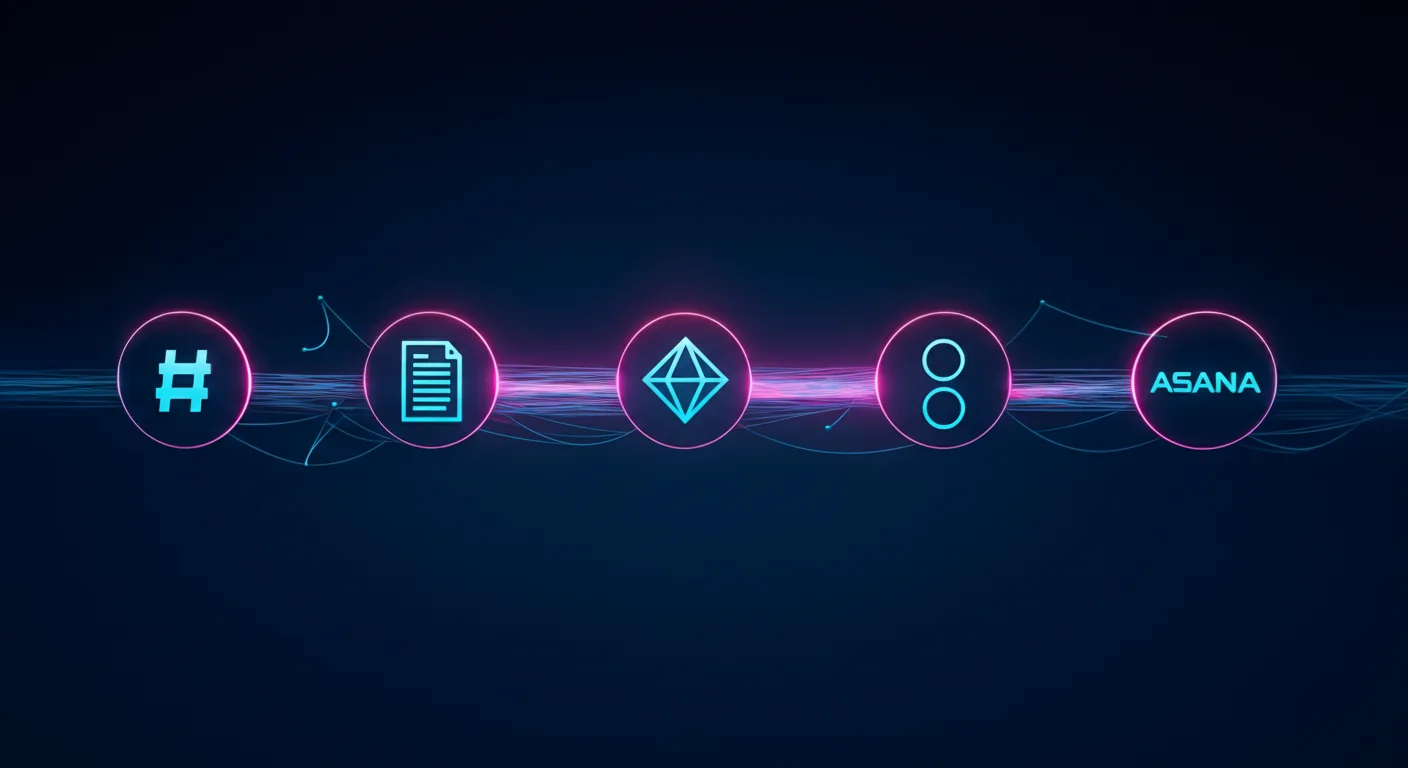
Claude Managed Agents is the product. Slack, Notion, Jira, and Asana are just the interface. Anthropic is building the invisible execution layer that powers the next generation of enterprise software.
Last refreshed: October 8, 2026 (Pacific)
There is a pattern emerging in enterprise AI that most people are reading wrong. They see Anthropic launch Claude Tag in Slack and think “chatbot upgrade.” They see Claude show up inside Notion and think “productivity feature.” They see AI agents appear in Jira and Asana and think “automation plugin.”
They are missing the architecture underneath all of it.
Anthropic is not building a better chatbot. It is building the invisible agent runtime that sits beneath every collaboration tool your team already uses. The company’s Claude Managed Agents (CMA) platform — launched in public beta on April 8, 2026 — is the infrastructure layer that makes this possible. And the speed at which partners are embedding it tells you everything about where enterprise software is heading.
What Claude Managed Agents Actually Is
What Claude Managed Agents actually is — the runtime layer.
Claude Managed Agents is a set of composable APIs for building and deploying production AI agents on Anthropic’s cloud infrastructure. The service handles sandboxed code execution, session persistence, credential management, scoped permissions, and end-to-end tracing — all the operational complexity that previously kept agents stuck in proof-of-concept limbo.
The architecture rests on three primitives: the Agent (configuration and behavior), the Environment (sandboxed execution), and the Session (the event log that tracks everything the agent does). What makes this interesting architecturally is how Anthropic decoupled the “brain” from the “hands.” Claude’s reasoning runs on Anthropic’s own infrastructure while the code execution sandbox spins up independently — and in parallel. The brain starts reasoning immediately while the sandbox provisions, delivering roughly 60% faster time-to-first-token at the p50 level and over 90% faster at p95, according to Anthropic’s engineering team.
Pricing follows a transparent model: standard Claude API token rates plus $0.08 per session-hour of active runtime during the current beta period. Runtime is measured to the millisecond and only accrues while the agent is actively executing — idle time waiting for input or tool confirmations does not count.
For teams that need to keep execution inside their own perimeter, CMA supports self-hosted sandboxes through partners including Cloudflare, Daytona, Modal, and Vercel, or custom VPC deployments. MCP tunnels allow agents to connect to private Model Context Protocol servers inside your network without exposing them to the public internet. A Vaults system keeps credentials out of the sandbox entirely using envelope encryption. And a feature called Dreaming runs scheduled reviews of past sessions to curate agent memory — essentially letting agents learn from their own operational history.
The Embedded Layer: Where CMA Actually Lives
Embedded layer: where CMA actually lives in the stack.
The real story is not the infrastructure. It is where that infrastructure shows up. In the ten weeks since CMA launched, Anthropic has embedded its agent runtime inside the collaboration tools that enterprises already depend on. This is not a roadmap — these integrations are live or in active beta.
Slack: Claude Tag as Persistent Team Member
Claude Tag, launched in late August 2026, replaces Anthropic’s original Claude in Slack integration with something fundamentally different. This is not a chatbot you summon with a slash command. It is a persistent AI team member that lives in your channels, builds memory across conversations, and can take initiative through what Anthropic calls “ambient mode” — proactively surfacing information, following up on forgotten threads, and keeping teams updated across the organization.
Claude Tag is multiplayer by design: one Claude identity per channel, accessible to everyone, with the ability to hand off half-finished tasks between team members. It launched on Claude Opus 4.8 and now runs on Claude Opus 5.5 (see our Claude Tag pricing guide). And internally, Anthropic reports that Claude Tag is already approving and incorporating 65% of the code changes their product team submits. The existing Claude in Slack app will be retired on August 3, 2026. Claude Tag is available on Enterprise and Team plans.
Notion: Claude as External Agent
On May 13, 2026, Notion launched its Developer Platform version 3.5, which introduced the External Agents API. This API lets AI agents — including Claude — operate inside your Notion workspace as first-class participants. They can read pages, write to databases, create tasks, trigger automations, and be @-mentioned directly in documents. Claude operating through this API can chain actions together: read a project brief, check the task database for related work, draft a new document, and create a linked task entry — all in a single session, running on CMA infrastructure with full sandboxing.
Asana: AI Teammates
Asana built AI Teammates on CMA — agents that pick up assigned tasks inside projects, draft deliverables, and hand back outputs for human review. Specialist agents handle specific workflows: the Campaign Brief Writer turns scattered notes into structured briefs, the Workflow Optimizer identifies process gaps and builds automations, and the Compliance Specialist checks work against regulatory standards. Asana’s CTO said CMA let them ship these features “dramatically faster” than any prior approach to agent development.
Atlassian: Claude Agent for Jira
Atlassian released Claude Agent for Jira, built on CMA infrastructure, which lets teams assign work items directly to Claude from the Jira UI. The agent clones the repository, analyzes the codebase, implements changes on an independent branch, pushes the code, and opens a draft pull request — streaming real-time status updates back to the Jira work item throughout the process.
Sentry: From Bug Detection to Merge-Ready PR
Sentry’s existing AI debugging agent, Seer, already used Claude for root cause analysis. With CMA, Sentry extended the workflow from diagnosis to automated fixing — the agent takes Seer’s root cause output, generates a fix, opens a branch with the changes, and creates a pull request for developer review. Sentry processes over one million root cause analyses per year and provides near-immediate reviews on over 600,000 pull requests per month. The CMA integration was built by a single engineer in weeks, eliminating months of custom agent runtime development.
Rakuten: Specialist Agents Across the Enterprise
Rakuten deployed specialist agents across product, sales, marketing, and finance using CMA, with each agent deployed in approximately one week. Agents plug into Slack and Teams, letting employees assign tasks and receive deliverables including spreadsheets, slides, and applications. In the pilot, Rakuten reported a 97% drop in critical first-pass errors, with cost down more than 30% and latency reduced by 34%, without any loss in output quality.
KPMG: Global Professional Services Alliance
On May 19, 2026, KPMG and Anthropic announced a global alliance and launched “Digital Gateway Powered by Claude.” The partnership embeds Claude, Cowork, and CMA directly into KPMG’s client delivery platform, with an initial focus on tax and private equity clients. Building an AI agent for tax regulation workflows previously took weeks and required switching between multiple tools. With CMA integrated into Digital Gateway, KPMG says the same capability takes minutes. The alliance extends to KPMG’s 276,000-person global workforce.
The Strategic Pattern: Agent Runtime as a Service
Step back from the individual integrations and the strategic pattern becomes clear. Anthropic is not trying to own the interface. It is deliberately positioning CMA as the execution layer underneath interfaces that other companies own. Slack owns the messaging UI. Notion owns the workspace UI. Jira owns the project tracking UI. Anthropic owns the agent brain that powers all of them.
This is a fundamentally different strategy from its two largest competitors.
OpenAI chose vertical integration. When OpenAI launched Workspace Agents on April 22, 2026, it positioned ChatGPT itself as the central hub — a no-code successor to custom GPTs that connects to Slack, Salesforce, Google Drive, and Notion through plugins. Agents are created inside ChatGPT, accessed from ChatGPT, and managed through ChatGPT. OpenAI wants to own the surface area.
Google chose platform depth. At Google Cloud Next on April 22, 2026, Google unveiled the Gemini Enterprise Agent Platform — a reimagined evolution of Vertex AI — alongside Workspace Intelligence, a semantic unifying layer that connects data across Docs, Slides, Gmail, and the broader Google Cloud ecosystem. Google’s agent platform supports 200+ models including Claude, and the Agent2Agent (A2A) protocol enables distributed peer-to-peer agent communication. Google is leveraging its data moat and distribution at the platform level.
Anthropic chose tool-centric orchestration. Rather than owning the UI (OpenAI) or the platform (Google), Anthropic is embedding its agent runtime into every tool through composable APIs and the Model Context Protocol. The platform you use becomes irrelevant — whether it is Slack, Notion, Jira, Asana, or Sentry — because the agent brain running underneath is Claude on CMA.
This is the agent-as-a-service model. And it may be the most defensible position of the three, because it does not require users to change their behavior or migrate to a new platform. The agent shows up where they already work.
What the Numbers Say About Enterprise Agent Adoption
The macro context supports Anthropic’s timing. Gartner predicts that 40% of enterprise applications will include embedded task-specific agents by the end of 2026, up from less than 5% in 2025. McKinsey’s April 2026 analysis found that agentic AI can enable automation of 60 to 80 percent of routine infrastructure work over time, translating to a 20 to 40 percent run-rate cost reduction in initial deployments.
The gap between experimentation and production remains the defining challenge. Industry research compiled from major firms shows that nearly four in five enterprises have experimented with or deployed agents in some form, but fewer than one in nine are running them in production at a scale that generates measurable business value. For the agents that do reach production, the average return on investment is 171% — though 19% of deployments never reach payback at all.
That production gap is exactly what CMA is designed to close. The infrastructure burden — sandboxing, session persistence, credential isolation, error recovery, observability — is the bottleneck. Engineering teams routinely dedicated significant senior engineering resources for months before a single agent reached production. CMA eliminates that layer entirely, which is why partners like Asana, Sentry, and Rakuten report shipping production agents in days or weeks rather than quarters.
What This Means for Businesses Already Using These Tools
If your organization uses Slack, Notion, Jira, or Asana — and statistically, you use at least two of them — you are about to encounter Claude whether you planned to adopt it or not. This is not a technology decision your IT team is making. It is a feature that your existing vendors are shipping.
The practical implications are significant. Claude Tag in Slack means your team channels will have an AI participant that remembers past conversations, can be handed tasks asynchronously, and may proactively surface information. Claude in Notion means your project documentation, databases, and task boards can be read, analyzed, and acted upon by an agent that chains actions together. Claude Agent for Jira means development tickets can be assigned to an AI that clones your repo, writes code, and opens pull requests.
For agencies and service providers managing client work across multiple tools, the embedded agent layer changes the economics fundamentally. Work that previously required a human to context-switch between Slack, Notion, and a project management tool — reading a brief here, updating a task there, drafting a document somewhere else — can be handled by an agent that operates across all of them simultaneously. The coordination tax that consumes a substantial share of knowledge work time is the exact problem embedded agents are built to solve.
The companies that benefit most will be the ones that have clean operational systems — structured task boards, documented processes, well-organized project databases — because agents can only act on information they can read. Messy Notion workspaces and disorganized Jira boards will limit what agents can accomplish. Operational hygiene just became a competitive advantage.
What This Means for Solo Operators Already Running Agent Infrastructure
There is a specific audience that should be paying very close attention to CMA: the solo operators and small agency owners who have already built their own agent stacks from scratch. If you are running scheduled Claude tasks on a GCP Compute Engine VM, connecting to WordPress via REST API proxies, piping work orders through Notion, monitoring Gmail for client replies, and publishing content through MCP-connected pipelines — you have already built a version of what CMA is productizing.
The economics question is worth doing the math on. A lightweight GCP VM running 24/7 to host recurring agent tasks — news desk monitors, outreach reply checks, newsletter extraction, scheduled content audits — costs a fixed monthly rate whether the agents are actively working or sitting idle. CMA at $0.08 per session-hour of active runtime only charges when agents are executing. For tasks that run for a few minutes every few hours, the per-session billing model could be substantially cheaper than keeping a VM warm around the clock. A task that runs for ten minutes six times a day would cost roughly $0.08 per day on CMA, versus the cost of a VM instance that never sleeps.
But the migration path is not ready yet, and solo operators should understand exactly where the gaps are before making any infrastructure decisions.
The biggest gap is MCP tunnels. CMA’s ability to connect agents to private MCP servers inside your network is still in research preview — not production-ready. If your agent stack depends on a private WordPress REST API proxy, a Notion workspace connected via MCP, or any internal tool that is not exposed to the public internet, CMA cannot reach it today. The Vaults system for credential management is promising, but it does not solve the network connectivity problem for self-hosted infrastructure.
The second gap is orchestration control. Solo operators who have built their own agent infrastructure typically have precise control over scheduling, retry logic, error handling, and the exact sequence of tool calls. CMA’s Dreaming feature — which reviews past sessions to curate agent memory — is an interesting approach to agent learning, but it is not the same as having direct control over a cron job that fires at 6:00 AM, checks three data sources in a specific order, and writes results to a specific Notion database with a specific schema.
The thesis for solo operators is straightforward: CMA is almost certainly the future migration path for self-hosted agent infrastructure. The economics favor it for intermittent workloads, the managed security and sandboxing eliminate operational risk you are currently carrying yourself, and the session persistence model solves problems that custom agent runtimes handle poorly. But the plumbing — particularly MCP tunnels to private infrastructure — is not production-ready. Track it closely. Do not migrate yet. When MCP tunnels graduate from research preview to general availability, revisit the math and the connectivity story. That is the trigger point.
The Risk Nobody Is Talking About
The risk nobody talks about — agents that act with memory.
There is a tension in this model that deserves attention. When Claude operates as an invisible layer inside tools you already trust, the boundary between the tool’s native capabilities and the AI agent’s actions blurs. A Jira ticket that was “completed” might have been implemented by Claude, reviewed by a human for thirty seconds, and merged. A Notion project plan that looks thorough might have been generated by an agent that filled in the sections with plausible-sounding content.
The embedded model works precisely because it reduces friction — but reduced friction also means reduced scrutiny. Organizations adopting embedded agents need to build review processes that match the speed at which agents can produce output. The 171% average ROI from agent deployments accounts for the value created, but it does not account for the subtle quality risks of production work generated by systems that are confident, fluent, and occasionally wrong.
Anthropic has built guardrails into CMA — sandboxed execution, credential isolation, session logging — but the governance layer for reviewing agent output at enterprise scale is still largely unsolved. This is a space where internal operational discipline matters more than the technology itself.
Where This Goes Next
Claude Tag launched on Slack first. Anthropic has indicated plans for wider rollout beyond Slack. If the pattern holds, expect Claude Tag’s persistent team member model to appear in Microsoft Teams, Discord, and any other collaboration surface where teams coordinate work.
The CMA primitives are designed to be composable, which means the partner integration list will grow rapidly. Any SaaS company with an API and a workflow that involves reading context, making decisions, and taking actions is a candidate for CMA integration. Customer support platforms, CRM systems, design tools, analytics dashboards, HR systems — the addressable surface is essentially every tool that knowledge workers touch.
Gartner’s long-term projection estimates that agentic AI could drive approximately 30% of enterprise application software revenue by 2035, surpassing $450 billion. If Anthropic’s embedded strategy succeeds, a meaningful slice of that revenue flows through CMA as the underlying runtime — regardless of whose logo is on the interface.
The chatbot era is ending. The embedded agent era is starting. And Anthropic is betting that the company that owns the invisible execution layer wins the market, even if no end user ever sees its name.
Claude Managed Agents is a set of composable APIs launched by Anthropic on April 8, 2026 in public beta. CMA lets developers build and deploy production AI agents on Anthropic’s cloud infrastructure, handling sandboxed code execution, session persistence, credential management, and end-to-end tracing. The architecture separates the “brain” (Claude reasoning) from the “hands” (code execution sandbox), enabling parallel processing and faster agent responses.
How much do Claude Managed Agents cost?
During the current public beta, CMA pricing is standard Claude API token rates plus $0.08 per session-hour of active runtime. Runtime is measured to the millisecond and only accrues while the agent is actively executing — idle time does not count. GA pricing has not been finalized and may differ from the beta rate.
What is Claude Tag in Slack?
Claude Tag is Anthropic’s persistent AI team member for Slack, launched in late August 2026. Unlike a traditional chatbot, Claude Tag lives in channels, builds memory across conversations, takes initiative through ambient mode, and works asynchronously. It is multiplayer — one Claude identity per channel that all team members interact with. Claude Tag now runs on Claude Opus 5.5 (launched on Opus 4.8) and is available on Enterprise and Team plans. It replaces the original Claude in Slack app, which retired August 3, 2026.
Which tools have Claude Managed Agents embedded?
As of October 2026, CMA is embedded in Slack (via Claude Tag), Notion (via the External Agents API), Asana (AI Teammates), Atlassian Jira (Claude Agent for Jira), and Sentry (extending the Seer debugging agent). Enterprise deployments include Rakuten (specialist agents across product, sales, marketing, and finance) and KPMG (Digital Gateway Powered by Claude for tax and private equity clients).
How does Anthropic’s agent strategy differ from OpenAI and Google?
Anthropic uses a tool-centric orchestration approach, embedding its agent runtime inside existing tools via composable APIs and the Model Context Protocol (MCP). OpenAI chose vertical integration with Workspace Agents, positioning ChatGPT as the central hub. Google chose platform depth with the Gemini Enterprise Agent Platform and Workspace Intelligence semantic layer. Anthropic’s approach does not require users to change platforms — the agent shows up where they already work.
What percentage of enterprise apps will have embedded AI agents by end of 2026?
Gartner predicts that 40% of enterprise applications will include embedded task-specific agents by the end of 2026, up from less than 5% in 2025. However, fewer than one in nine enterprises currently run agents in production at scale, suggesting significant growth ahead.
Can Claude Managed Agents run inside a private network?
Yes. CMA supports self-hosted sandboxes through partners including Cloudflare, Daytona, Modal, and Vercel, or custom VPC deployments. MCP tunnels allow agents to connect to private Model Context Protocol servers inside your network without public exposure. A Vaults system keeps credentials out of the sandbox using envelope encryption.
Claude is far more than a chatbot. Anthropic calls Claude Code and Cowork “general agents — broad-domain systems that handle research, operations, analysis, and code with equal fluency.” In practice, that means the same AI that writes software can also run your marketing, draft grant proposals, analyze a spreadsheet, and automate the busywork that fills your week. This guide maps what people actually use Claude for, organized by the job you’re trying to get done — with a deeper walkthrough behind each one.
Last refreshed: October 8, 2026 (Pacific)
Content & marketing
Content, ops, build, knowledge — pick the lane first.
The most popular non-technical use. Claude researches, drafts, edits, and optimizes — from a single blog post to an entire editorial pipeline.
Where Claude started. Claude Code is an agentic coding tool that reads your codebase, writes and refactors, runs tests, and ships — from the terminal, an IDE, or a desktop app.
Which Claude is right for you depends on the job, not the brand.
Chatbot, coding agent, knowledge-work agent, Slack teammate — these are different doors into the same models. Match the surface to your job first, then size the plan.
Content creation, software development, business operations, data analysis, and knowledge work. Anthropic positions Claude Code and Cowork as general-purpose agents, not just a chat assistant.
Do you need to know how to code to use Claude?
No. Claude’s chat, Cowork, and Slack surfaces require no coding, and even Claude Code can be driven by non-developers for writing, research, and file work.
What’s the difference between Claude, Claude Code, and Cowork?
Same underlying models, different surfaces: Claude (chat) for conversation, Claude Code for agentic coding, and Cowork for agentic knowledge work. See the full comparison.
Is there a version of Claude for my industry?
Yes — see the industry walkthroughs above (marketing, real estate, agencies, restoration, local news, B2B SaaS, and nonprofits) for sector-specific workflows.
New to Claude? Start with pricing & plans, then pick the surface that fits the job you have in mind.
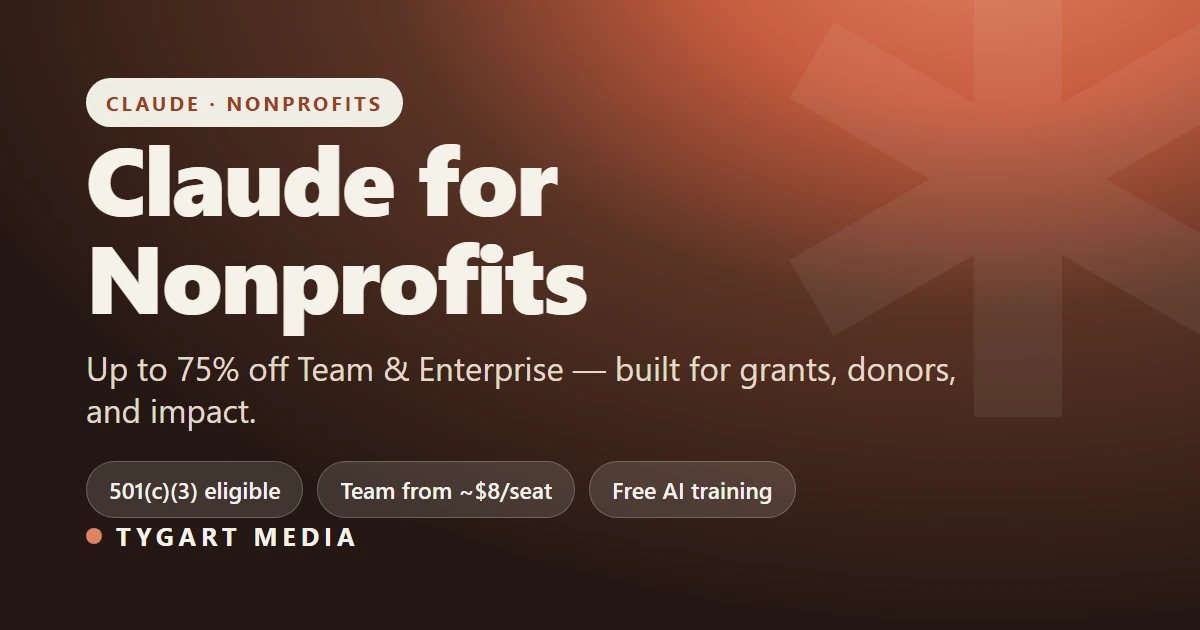
Claude for Nonprofits is Anthropic’s program that gives qualifying nonprofits up to 75% off Claude’s Team and Enterprise plans — with Team seats starting around $8 per user per month — plus nonprofit-specific data connectors, free AI training, and access to a $150M fellowship. If your organization holds 501(c)(3) status (or an international equivalent), you almost certainly qualify. Here’s what’s included, who’s eligible, and how mission-driven teams are putting it to work.
Direct Answer (August 2026): Anthropic offers discounted Claude Team subscriptions and grants for verified 501(c)(3) nonprofit organizations, charities, and educational foundations, facilitating grant writing, donor communications, and operational reporting.
What is Claude for Nonprofits?
What Claude for Nonprofits actually is.
Launched by Anthropic in 2026, Claude for Nonprofits packages the same Claude models used by enterprise teams into an offering built for the realities of mission-driven work: tight budgets, lean staff, and a constant need to do more with less. It bundles three things nonprofits rarely get together — steep pricing discounts, sector-specific integrations, and free training — into one program. It runs on the same foundation as Anthropic’s commercial plans, so nonprofits get the latest Claude models (Opus, Sonnet, and Haiku), not a stripped-down version.
Who qualifies?
Who qualifies — check eligibility before budgeting.
Eligibility is broad, and Anthropic validates organizations through its partner Goodstack. The program covers:
501(c)(3) nonprofits in the U.S., and organizations with equivalent charitable designations internationally
K–12 schools, public and private
Mission-based healthcare organizations with 501(c)(3) status — including independent Critical Access Hospitals (CAHs), Rural Emergency Hospitals (REHs), HRSA-designated Federally Qualified Health Centers (FQHCs) and FQHC Look-Alikes, and CMS-certified Rural Health Clinics (RHCs)
If you can document charitable status, eligibility is usually straightforward.
How much does it cost?
Qualifying organizations receive up to 75% off Claude’s Team and Enterprise plans:
Team plan — discounted pricing starts around $8 per user, per month, which makes it realistic to roll Claude out to an entire staff rather than a single power user.
Enterprise plan — custom pricing for larger organizations; you contact Anthropic’s sales team.
The highest-leverage uses cluster around the work that eats the most staff time:
Grant writing — drafting proposals aligned to a specific funder’s priorities, then tailoring them per application.
Donor stewardship — personalizing outreach and acknowledgements at a scale a small development team could never manage by hand.
Program evaluation & impact analysis — turning messy program data into the impact narratives boards and funders want.
Board & compliance documentation — generating board materials, reports, and compliance documents from source data.
The common thread: Claude removes the blank-page tax on the writing- and analysis-heavy work that keeps nonprofit staff at their desks instead of in the field.
Connectors built for the nonprofit stack
Anthropic built integrations with the platforms nonprofits already run on, so Claude can work against real organizational data:
Benevity — access to 2.4M+ validated organizations for volunteering and donation research
Blackbaud — CRM and fundraising tools for donor management, campaign tracking, and donation optimization
Candid — data on nonprofits and funders to discover organizations, grants, and philanthropic opportunities
Free training and the Claude Corps fellowship
Two things set this apart from a plain discount:
AI Fluency for Nonprofits — a free course Anthropic developed with GivingTuesday, covering grant writing, program evaluation, donor engagement, and organizational efficiency. It’s aimed at staff, not engineers.
Claude Corps — a $150M fellowship initiative pairing nonprofits with AI expertise and resources to implement Claude across their operations. Anthropic also works with partners including The Bridgespan Group, Idealist Consulting, Vera Solutions, and Slalom to support adoption.
How to get started
Confirm your charitable status (501(c)(3) or international equivalent).
Apply through Anthropic’s nonprofit page — eligibility is validated via Goodstack.
Choose Team (self-serve, discounted seats) or contact sales for Enterprise.
Enroll staff in the free AI Fluency for Nonprofits course to get value quickly.
Not free, but heavily discounted — up to 75% off Team and Enterprise plans, with Team seats starting around $8 per user per month for qualifying organizations.
Who qualifies for Claude for Nonprofits?
501(c)(3) nonprofits (and international equivalents), K–12 public and private schools, and mission-based healthcare organizations with 501(c)(3) status. Eligibility is validated by Goodstack.
Which Claude models do nonprofits get?
The discounted plans include Claude’s current lineup — Opus, Sonnet, and Haiku — the same models on the commercial plans, not a limited version.
What can a nonprofit do with Claude?
Common uses include grant writing, donor stewardship, program evaluation, and board and compliance documentation, plus integrations with Benevity, Blackbaud, and Candid.
Is there training for nonprofit staff?
Yes. Anthropic and GivingTuesday offer a free “AI Fluency for Nonprofits” course, and the $150M Claude Corps fellowship provides hands-on implementation support.