
Last refreshed: August 2026
Claude Managed Agents launched in public beta April 8, 2026. Memory for Managed Agents entered public beta April 23, 2026. Together they change what a Claude agent can do: instead of starting fresh on every session, an agent can carry context, corrections, and learned preferences across every future interaction with the same user, team, or project.
This is a use-case guide, not a feature overview. Each case below is role-specific, grounded in how Managed Agents memory actually behaves in production, and paired with what to configure to make it work.
How Managed Agents Memory Works
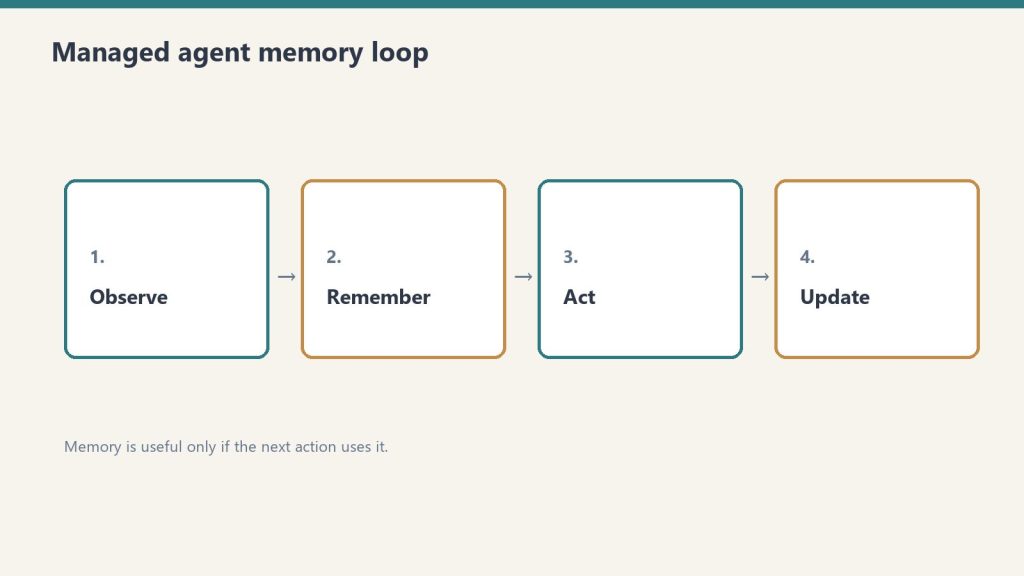
Memory is a workspace-scoped collection of text documents that mounts inside the agent’s session container at /mnt/memory/. The agent reads and writes it using the same file tools it uses for everything else. When the session ends, the memory persists. The next session starts with it already there.
Key properties:
- Version-controlled per write — every write creates a new version with an audit trail in the Claude Console
- Workspace-scoped — accessible to all agents in the same workspace, not per-user-only (unless you scope it that way in configuration)
- Readable by the agent, not just the operator — the agent can query its own memory store to retrieve past context
- 30-day version retention — historical versions retained for 30 days with redact endpoint for compliance removal
The API header required: managed-agents-2026-04-01 for session endpoints; agent-memory-2026-07-22 for memory store endpoints (don’t combine them on memory store calls — this returns a 400 error).
Use Case 1: Client Account Agent (Account Management)

An account agent that knows each client’s preferences, pain points, prior decisions, and communication style — without needing to be re-briefed at the start of every session.
What gets stored in memory:
- Client brand voice and style notes
- Recurring issues or requests
- Prior project decisions and the rationale behind them
- Delivery preferences and approval workflows
Production example: Wisedocs built a document verification pipeline on Managed Agents and used cross-session memory to let agents identify and remember common document issues — including ones not anticipated at setup. Result: 30% faster verification per document.
Configuration approach:
- One memory store per client, named
/clients/[client-name]/ - Initialize with brand guidelines, contact notes, and a log of past decisions
- Agent writes a session summary to memory at the end of each engagement
Use Case 2: Development Team Agent (Software Teams)
A coding agent that learns the codebase conventions, preferred patterns, past architectural decisions, and recurring issues for a specific project — so it doesn’t give the same wrong suggestion twice.
What gets stored in memory:
- Coding style guide for the project
- Past refactoring decisions and why certain approaches were rejected
- Known issues and workarounds in the codebase
- Performance constraints and architectural boundaries
The problem this solves: agents without memory re-suggest patterns the team already evaluated and rejected, requiring the same explanation each session. With memory, those rejections are logged and the agent builds on them.
Configuration approach:
- Memory store scoped to the project repository
- Initialize with project conventions and architecture notes
- Agent writes a
session_log.mdafter each coding session with decisions made and issues found
Use Case 3: Research Agent (Knowledge Work)
A research agent that accumulates findings across sessions — building a persistent knowledge base from multiple research runs rather than starting from scratch each time.
Netflix’s internal agents use memory to carry context across sessions, including insights that took multiple turns to surface and corrections from human reviewers mid-conversation, instead of manually updating prompts between sessions.
What gets stored in memory:
- Research findings with source attribution
- Hypotheses confirmed or ruled out
- Sources already evaluated (to avoid re-reviewing them)
- Running list of open questions
Configuration approach:
- Memory organized by topic:
/research/[topic]/findings.md,/research/[topic]/sources.md,/research/[topic]/open_questions.md - Agent reads existing findings at session start before beginning new research
- Human reviewer can add corrections directly to memory files via the API; agent picks them up next session
Use Case 4: Operations Agent (Business Operations)
An operations agent that manages recurring workflows — weekly reporting, vendor follow-ups, SOP updates — and carries forward the state of each workflow between runs.
What gets stored in memory:
- Status of recurring tasks and workflows
- Vendor and contact notes accumulated over time
- Decision log for operational choices
- Open items and their status
Configuration approach:
- Memory organized by workflow:
/ops/weekly-report/,/ops/vendor-follow-ups/ - Agent reads open items at session start, completes what it can, updates status in memory
- Operators review memory state weekly rather than re-briefing the agent
Use Case 5: Customer Support Agent (Support Teams)
A support agent that remembers each customer’s history, prior issues, resolutions, and communication preferences — so customers don’t re-explain their context on every interaction.
Ando is building their workplace messaging platform on Managed Agents, using memory to capture how each organization interacts instead of building custom memory infrastructure themselves.
What gets stored in memory:
- Customer account context and tier
- Prior issue history with resolutions
- Communication preferences (tone, channel, response length)
- Known product configurations or integrations the customer uses
Configuration approach:
- Memory store per customer, scoped to their account ID
- Initialize with CRM data (account type, history summary)
- Agent writes a resolution summary after each ticket closes
Use Case 6: Legal and Compliance Agent (Legal Teams)
A compliance agent that tracks regulatory requirements, monitors changes, and maintains a running compliance status log — accumulating institutional knowledge across every compliance review it runs.
What gets stored in memory:
- Current compliance status by regulation and jurisdiction
- Prior audit findings and remediation decisions
- Regulatory change log with effective dates
- Open items requiring human review
Configuration approach:
- Memory organized by regulation:
/compliance/gdpr/,/compliance/hipaa/,/compliance/soc2/ - Agent reads current status before each compliance check run
- Writes updated status and flags human review items after each run
For regulated industries: memory redaction endpoint supports removing specific content from historical versions for GDPR/CCPA compliance while preserving the audit record structure.
Use Case 7: Sales Agent (Sales Teams)
A sales agent that knows each prospect’s engagement history, objections raised, competitive comparisons requested, and where they are in the buying process — without requiring a CRM update to carry context forward.
What gets stored in memory:
- Prospect background and stakeholder map
- Objections raised and responses given
- Competitive questions and preferred comparisons
- Next steps and commitments from prior conversations
Configuration approach:
- Memory store per prospect, keyed to their company or contact ID
- Initialize with CRM pull at first contact
- Agent writes call summary and updated next steps after each prospect interaction
Use Case 8: Content Production Agent (Marketing Teams)
A content agent that learns the brand voice, audience preferences, what topics have already been covered, and what performed well — building a persistent content intelligence layer across every piece produced.
What gets stored in memory:
- Brand voice rules and style examples
- Topic map (what’s been covered, what’s planned)
- Performance notes on past content (what resonated, what didn’t)
- Client feedback on tone, format, and depth
Configuration approach:
- Memory organized by brand:
/content/[brand-name]/voice.md,/content/[brand-name]/topic_map.md,/content/[brand-name]/performance_log.md - Agent reads voice rules at session start before producing any content
- Operator adds performance feedback directly to memory after publishing
Use Case 9: Finance Agent (Finance Teams)
A financial analysis agent that carries forward context on recurring reports — month-over-month trends, known anomalies, and prior analytical decisions — so each report builds on the last rather than starting from raw data.
Anthropic shipped a financial services agent template suite in May 2026, built on Managed Agents memory for cross-session continuity.
What gets stored in memory:
- Key metrics and their historical baselines
- Known data quality issues and how they’ve been handled
- Prior period variances and the explanation documented at the time
- Model risk notes for regulated environments
Configuration approach:
- Memory organized by report type:
/finance/monthly-pl/,/finance/board-report/ - Agent reads prior period context before starting each new report cycle
- Writes a period summary with key variances and decisions after each report run
Use Case 10: Onboarding Agent (HR and Operations)
An onboarding agent that adapts its guidance to each new hire’s role, prior experience, and progress through the onboarding checklist — and carries that context across every interaction during their ramp period.
What gets stored in memory:
- New hire profile (role, team, prior experience notes)
- Onboarding checklist progress
- Questions asked and answers given (to avoid repetition)
- Manager notes on priorities for this hire
Configuration approach:
- Memory store per new hire, active during ramp period (typically 30–90 days)
- Initialize with role profile and onboarding checklist
- Agent writes progress update after each onboarding session
- Archive or close memory store when onboarding period ends
What Memory Doesn’t Replace
Memory stores context and preferences. They don’t replace real-time data access, live system integrations, or human judgment on consequential decisions.
Memory is document storage, not a database. It works well for: text-based preferences, accumulated notes, decision logs, prior outputs. It doesn’t work well for: real-time status queries (use MCP connectors for those), structured data that needs querying (use a real database), or high-frequency writes (memory is designed for periodic updates, not per-turn state).
The right architecture in most production systems: memory for persistent context and preferences, MCP connectors for real-time system access, structured database for high-frequency operational data.
Related on Tygart Media: how to use Claude · Anthropic API key.
Frequently Asked Questions
What is Claude Managed Agents memory?
Memory for Claude Managed Agents is a workspace-scoped document store that persists across agent sessions. Instead of starting fresh each session, agents read and write memory files that carry context, preferences, and accumulated knowledge forward into every future session.
When did Managed Agents memory launch?
Claude Managed Agents launched in public beta April 8, 2026. Memory for Managed Agents entered public beta April 23, 2026.
How is memory different from a system prompt?
A system prompt is static and set at agent configuration time. Memory is dynamic — it’s written and updated by the agent during sessions and grows over time. Memory stores things the agent has learned or been told; system prompts store standing instructions that don’t change session to session.
What happens to memory when an agent is deleted?
Memory stores are separate from agent configurations. Deleting an agent doesn’t delete its memory store. Memory stores must be deleted or archived separately.
What to Read Next
Claude AI Pricing — All Plans and API Rates
Anthropic Console: API Keys and the Workbench
Leave a Reply