Tag: AI agents 2026

  • Beyond the Chatbox: 10 Practical Use Cases for Claude Managed Agents Memory

    Last refreshed: August 2026

    Claude Managed Agents launched in public beta April 8, 2026. Memory for Managed Agents entered public beta April 23, 2026. Together they change what a Claude agent can do: instead of starting fresh on every session, an agent can carry context, corrections, and learned preferences across every future interaction with the same user, team, or project.

    This is a use-case guide, not a feature overview. Each case below is role-specific, grounded in how Managed Agents memory actually behaves in production, and paired with what to configure to make it work.


    How Managed Agents Memory Works
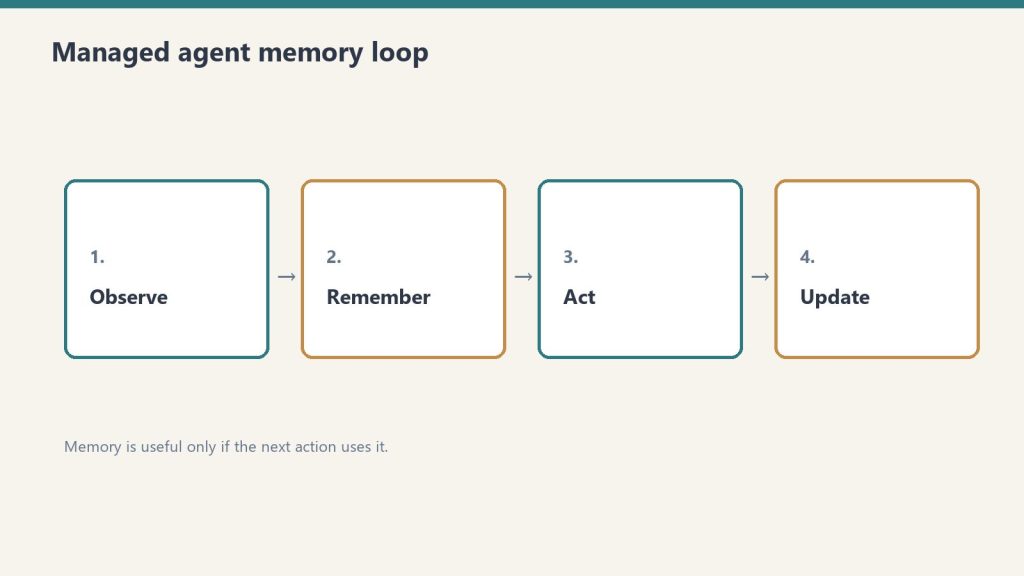
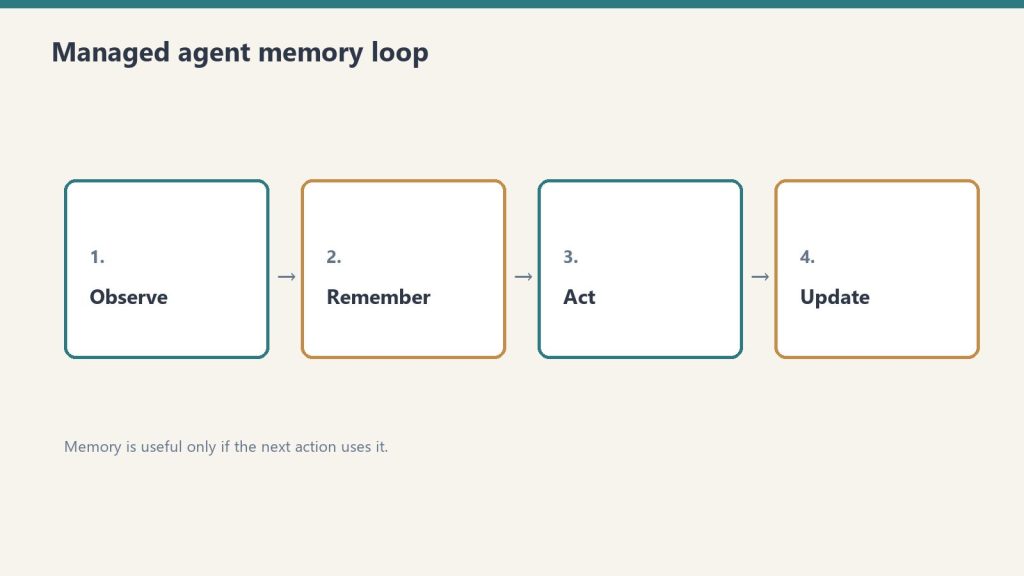
    Memory is a workspace-scoped collection of text documents that mounts inside the agent’s session container at /mnt/memory/. The agent reads and writes it using the same file tools it uses for everything else. When the session ends, the memory persists. The next session starts with it already there.

    Key properties:

    • Version-controlled per write — every write creates a new version with an audit trail in the Claude Console
    • Workspace-scoped — accessible to all agents in the same workspace, not per-user-only (unless you scope it that way in configuration)
    • Readable by the agent, not just the operator — the agent can query its own memory store to retrieve past context
    • 30-day version retention — historical versions retained for 30 days with redact endpoint for compliance removal

    The API header required: managed-agents-2026-04-01 for session endpoints; agent-memory-2026-07-22 for memory store endpoints (don’t combine them on memory store calls — this returns a 400 error).


    Use Case 1: Client Account Agent (Account Management)

    An account agent that knows each client’s preferences, pain points, prior decisions, and communication style — without needing to be re-briefed at the start of every session.

    What gets stored in memory:

    • Client brand voice and style notes
    • Recurring issues or requests
    • Prior project decisions and the rationale behind them
    • Delivery preferences and approval workflows

    Production example: Wisedocs built a document verification pipeline on Managed Agents and used cross-session memory to let agents identify and remember common document issues — including ones not anticipated at setup. Result: 30% faster verification per document.

    Configuration approach:

    • One memory store per client, named /clients/[client-name]/
    • Initialize with brand guidelines, contact notes, and a log of past decisions
    • Agent writes a session summary to memory at the end of each engagement

    Use Case 2: Development Team Agent (Software Teams)

    A coding agent that learns the codebase conventions, preferred patterns, past architectural decisions, and recurring issues for a specific project — so it doesn’t give the same wrong suggestion twice.

    What gets stored in memory:

    • Coding style guide for the project
    • Past refactoring decisions and why certain approaches were rejected
    • Known issues and workarounds in the codebase
    • Performance constraints and architectural boundaries

    The problem this solves: agents without memory re-suggest patterns the team already evaluated and rejected, requiring the same explanation each session. With memory, those rejections are logged and the agent builds on them.

    Configuration approach:

    • Memory store scoped to the project repository
    • Initialize with project conventions and architecture notes
    • Agent writes a session_log.md after each coding session with decisions made and issues found

    Use Case 3: Research Agent (Knowledge Work)

    A research agent that accumulates findings across sessions — building a persistent knowledge base from multiple research runs rather than starting from scratch each time.

    Netflix’s internal agents use memory to carry context across sessions, including insights that took multiple turns to surface and corrections from human reviewers mid-conversation, instead of manually updating prompts between sessions.

    What gets stored in memory:

    • Research findings with source attribution
    • Hypotheses confirmed or ruled out
    • Sources already evaluated (to avoid re-reviewing them)
    • Running list of open questions

    Configuration approach:

    • Memory organized by topic: /research/[topic]/findings.md/research/[topic]/sources.md/research/[topic]/open_questions.md
    • Agent reads existing findings at session start before beginning new research
    • Human reviewer can add corrections directly to memory files via the API; agent picks them up next session

    Use Case 4: Operations Agent (Business Operations)
    An operations agent that manages recurring workflows — weekly reporting, vendor follow-ups, SOP updates — and carries forward the state of each workflow between runs.

    What gets stored in memory:

    • Status of recurring tasks and workflows
    • Vendor and contact notes accumulated over time
    • Decision log for operational choices
    • Open items and their status

    Configuration approach:

    • Memory organized by workflow: /ops/weekly-report//ops/vendor-follow-ups/
    • Agent reads open items at session start, completes what it can, updates status in memory
    • Operators review memory state weekly rather than re-briefing the agent

    Use Case 5: Customer Support Agent (Support Teams)

    A support agent that remembers each customer’s history, prior issues, resolutions, and communication preferences — so customers don’t re-explain their context on every interaction.

    Ando is building their workplace messaging platform on Managed Agents, using memory to capture how each organization interacts instead of building custom memory infrastructure themselves.

    What gets stored in memory:

    • Customer account context and tier
    • Prior issue history with resolutions
    • Communication preferences (tone, channel, response length)
    • Known product configurations or integrations the customer uses

    Configuration approach:

    • Memory store per customer, scoped to their account ID
    • Initialize with CRM data (account type, history summary)
    • Agent writes a resolution summary after each ticket closes

    Use Case 6: Legal and Compliance Agent (Legal Teams)

    A compliance agent that tracks regulatory requirements, monitors changes, and maintains a running compliance status log — accumulating institutional knowledge across every compliance review it runs.

    What gets stored in memory:

    • Current compliance status by regulation and jurisdiction
    • Prior audit findings and remediation decisions
    • Regulatory change log with effective dates
    • Open items requiring human review

    Configuration approach:

    • Memory organized by regulation: /compliance/gdpr//compliance/hipaa//compliance/soc2/
    • Agent reads current status before each compliance check run
    • Writes updated status and flags human review items after each run

    For regulated industries: memory redaction endpoint supports removing specific content from historical versions for GDPR/CCPA compliance while preserving the audit record structure.


    Use Case 7: Sales Agent (Sales Teams)

    A sales agent that knows each prospect’s engagement history, objections raised, competitive comparisons requested, and where they are in the buying process — without requiring a CRM update to carry context forward.

    What gets stored in memory:

    • Prospect background and stakeholder map
    • Objections raised and responses given
    • Competitive questions and preferred comparisons
    • Next steps and commitments from prior conversations

    Configuration approach:

    • Memory store per prospect, keyed to their company or contact ID
    • Initialize with CRM pull at first contact
    • Agent writes call summary and updated next steps after each prospect interaction

    Use Case 8: Content Production Agent (Marketing Teams)

    A content agent that learns the brand voice, audience preferences, what topics have already been covered, and what performed well — building a persistent content intelligence layer across every piece produced.

    What gets stored in memory:

    • Brand voice rules and style examples
    • Topic map (what’s been covered, what’s planned)
    • Performance notes on past content (what resonated, what didn’t)
    • Client feedback on tone, format, and depth

    Configuration approach:

    • Memory organized by brand: /content/[brand-name]/voice.md/content/[brand-name]/topic_map.md/content/[brand-name]/performance_log.md
    • Agent reads voice rules at session start before producing any content
    • Operator adds performance feedback directly to memory after publishing

    Use Case 9: Finance Agent (Finance Teams)

    A financial analysis agent that carries forward context on recurring reports — month-over-month trends, known anomalies, and prior analytical decisions — so each report builds on the last rather than starting from raw data.

    Anthropic shipped a financial services agent template suite in May 2026, built on Managed Agents memory for cross-session continuity.

    What gets stored in memory:

    • Key metrics and their historical baselines
    • Known data quality issues and how they’ve been handled
    • Prior period variances and the explanation documented at the time
    • Model risk notes for regulated environments

    Configuration approach:

    • Memory organized by report type: /finance/monthly-pl//finance/board-report/
    • Agent reads prior period context before starting each new report cycle
    • Writes a period summary with key variances and decisions after each report run

    Use Case 10: Onboarding Agent (HR and Operations)

    An onboarding agent that adapts its guidance to each new hire’s role, prior experience, and progress through the onboarding checklist — and carries that context across every interaction during their ramp period.

    What gets stored in memory:

    • New hire profile (role, team, prior experience notes)
    • Onboarding checklist progress
    • Questions asked and answers given (to avoid repetition)
    • Manager notes on priorities for this hire

    Configuration approach:

    • Memory store per new hire, active during ramp period (typically 30–90 days)
    • Initialize with role profile and onboarding checklist
    • Agent writes progress update after each onboarding session
    • Archive or close memory store when onboarding period ends

    What Memory Doesn’t Replace

    Memory stores context and preferences. They don’t replace real-time data access, live system integrations, or human judgment on consequential decisions.

    Memory is document storage, not a database. It works well for: text-based preferences, accumulated notes, decision logs, prior outputs. It doesn’t work well for: real-time status queries (use MCP connectors for those), structured data that needs querying (use a real database), or high-frequency writes (memory is designed for periodic updates, not per-turn state).

    The right architecture in most production systems: memory for persistent context and preferences, MCP connectors for real-time system access, structured database for high-frequency operational data.


    Frequently Asked Questions

    What is Claude Managed Agents memory?

    Memory for Claude Managed Agents is a workspace-scoped document store that persists across agent sessions. Instead of starting fresh each session, agents read and write memory files that carry context, preferences, and accumulated knowledge forward into every future session.

    When did Managed Agents memory launch?

    Claude Managed Agents launched in public beta April 8, 2026. Memory for Managed Agents entered public beta April 23, 2026.

    How is memory different from a system prompt?

    A system prompt is static and set at agent configuration time. Memory is dynamic — it’s written and updated by the agent during sessions and grows over time. Memory stores things the agent has learned or been told; system prompts store standing instructions that don’t change session to session.

    What happens to memory when an agent is deleted?

    Memory stores are separate from agent configurations. Deleting an agent doesn’t delete its memory store. Memory stores must be deleted or archived separately.


    What to Read Next

    How to Install Claude Code

     Claude Team Plan Usage Limits 

    Claude AI Pricing — All Plans and API Rates

     Anthropic Console: API Keys and the Workbench

  • Building Your First Agentic Workflow with Claude’s Agent SDK

    Last refreshed: August 2026

    The Claude Agent SDK tutorial starts here — the SDK (formerly the Claude Code SDK, renamed late 2025) eliminates the boilerplate of building agentic loops by hand, shipping the same tool execution, context management, and permission system that powers Claude Code into a Python or TypeScript library you can embed in any product, pipeline, or internal tool.

    This is a practical build guide. It covers when to use an agent versus a script, what the SDK actually does, how to set one up with working code, and what to watch for in production.


    When to Use an Agent vs. a Script

    Use an agent when the number of steps to complete the task is unpredictable. If the workflow can be hardcoded, a linear script is faster, cheaper, and easier to debug.

    This is Anthropic’s own guidance in Building Effective Agents, and it’s the right frame. The common mistake is reaching for agents because agents are fashionable — not because the problem requires them.

    Agents fit:

    • Open-ended research tasks where the number of searches needed varies
    • Code debugging where the error chain isn’t known in advance
    • Multi-step data pipelines where decisions at each step depend on prior outputs
    • Any workflow where the model needs to try, observe, and adjust

    Scripts fit:

    • Known sequences of steps that always run in the same order
    • Simple data transformation with no conditional branching
    • Any task where the output of each step is fully predictable

    The cost implication matters too: a 15-step agentic research task can hit 200K+ tokens without optimization. Agents are expensive when you don’t need them.


    How the Claude Agent SDK Works

    The SDK automates the ReAct loop — Reason, Act, Observe, repeat — so you define the tools and instructions and the SDK handles the rest. You never write the prompt → check stop_reason → execute tool → loop boilerplate yourself.

    The core loop the SDK manages:

    1. Send the task to Claude with available tool definitions
    2. Claude reasons and produces a tool call (or a final answer)
    3. The SDK executes the tool in the local environment
    4. The SDK sends the result back to Claude
    5. Claude observes and decides: call another tool or produce final output
    6. Loop until done

    This continues until Claude produces a response with no tool calls. The SDK handles conversation history, token tracking, error handling, and session management across the entire loop.


    Installing the SDK

    # Python
    pip install claude-agent-sdk
    
    # TypeScript
    npm install @anthropic-ai/claude-agent-sdk
    

    Set your API key:

    export ANTHROPIC_API_KEY="sk-ant-..."
    

    Building a Minimal Agent

    A working agent requires three things: a task, tool definitions, and a Runner call. Everything else is configuration.

    from claude_agent_sdk import ClaudeAgentOptions, Runner
    import subprocess
    import json
    
    # Define tools the agent can use
    tools = [
        {
            "name": "run_command",
            "description": "Run a shell command and return its output",
            "input_schema": {
                "type": "object",
                "properties": {
                    "command": {
                        "type": "string",
                        "description": "The shell command to execute"
                    }
                },
                "required": ["command"]
            }
        },
        {
            "name": "read_file",
            "description": "Read the contents of a file",
            "input_schema": {
                "type": "object",
                "properties": {
                    "path": {
                        "type": "string",
                        "description": "File path to read"
                    }
                },
                "required": ["path"]
            }
        }
    ]
    
    # Tool execution handlers
    def execute_tool(tool_name: str, tool_input: dict) -> str:
        if tool_name == "run_command":
            result = subprocess.run(
                tool_input["command"],
                shell=True,
                capture_output=True,
                text=True
            )
            return result.stdout or result.stderr
        elif tool_name == "read_file":
            with open(tool_input["path"], "r") as f:
                return f.read()
        return f"Unknown tool: {tool_name}"
    
    # Configure and run the agent
    options = ClaudeAgentOptions(
        model="claude-sonnet-4-6",
        max_turns=20,               # safety ceiling
        tools=tools,
        tool_executor=execute_tool
    )
    
    result = Runner.run_sync(
        task="Check the disk usage on this machine and report the top 5 largest directories under /home",
        options=options
    )
    
    print(result.final_output)
    

    That’s a complete working agent. The SDK handles the loop; the tool definitions and executor are the only custom code.


    Adding Cost Controls

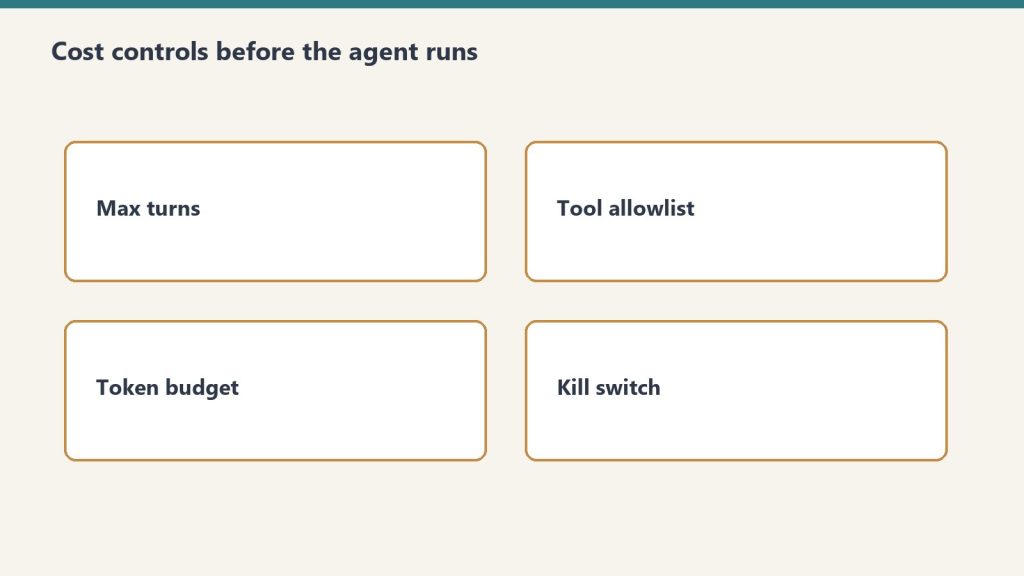
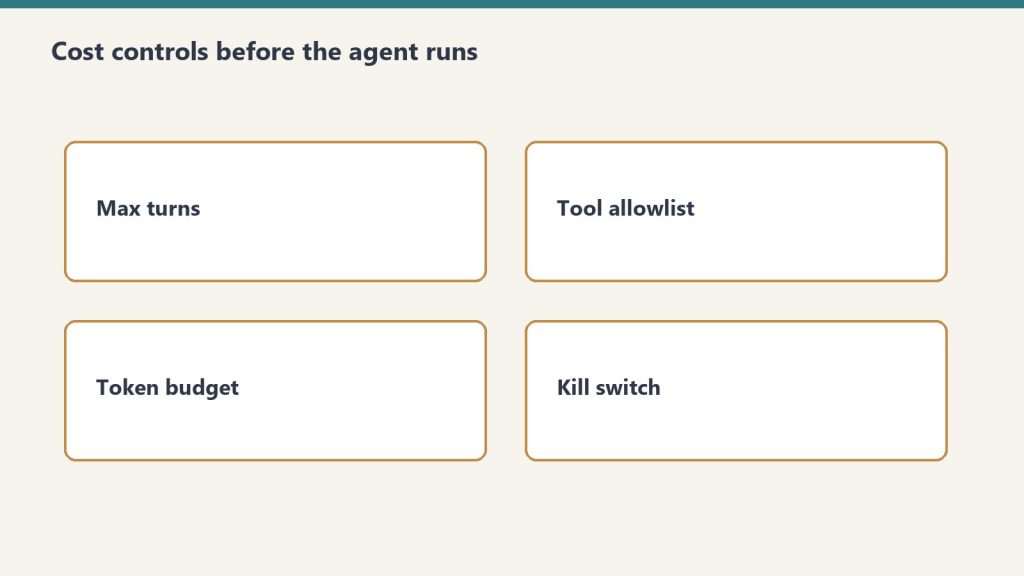
    Always set a max_turns ceiling and a token budget. An uncapped agent loop can run indefinitely on an ambiguous task.

    options = ClaudeAgentOptions(
        model="claude-sonnet-4-6",
        max_turns=20,
        max_tokens_per_turn=4000,   # cap per individual turn
        tools=tools,
        tool_executor=execute_tool
    )
    

    Cost at 20 turns using Claude Sonnet 4.6 with an average of 2,000 tokens per turn:

    • Input: 40,000 tokens × $3/M = $0.12
    • Output: 10,000 tokens × $15/M = $0.15
    • Total per agent run: ~$0.27

    At 1,000 agent runs per month: ~$270. At 10,000: ~$2,700. Budget from these numbers, not from seat prices.

    Switching the inner loop to Haiku 4.5 for tool selection and Sonnet only for synthesis cuts cost significantly:

    # Route lighter reasoning to Haiku, reserve Sonnet for synthesis
    light_options = ClaudeAgentOptions(model="claude-haiku-4-5-20251001", ...)
    heavy_options = ClaudeAgentOptions(model="claude-sonnet-4-6", ...)
    

    Multi-Turn Agents (Conversational)

    For agents where a human asks follow-up questions across multiple turns, maintain conversation history and pass it on each call.

    from claude_agent_sdk import ClaudeAgentOptions, Runner
    
    conversation_history = []
    
    def chat_with_agent(user_message: str) -> str:
        conversation_history.append({
            "role": "user",
            "content": user_message
        })
    
        options = ClaudeAgentOptions(
            model="claude-sonnet-4-6",
            max_turns=10,
            tools=tools,
            tool_executor=execute_tool,
            messages=conversation_history  # full history each call
        )
    
        result = Runner.run_sync(task=user_message, options=options)
    
        conversation_history.append({
            "role": "assistant",
            "content": result.final_output
        })
    
        return result.final_output
    
    # Usage
    print(chat_with_agent("What Python packages are installed on this system?"))
    print(chat_with_agent("Which of those are outdated?"))
    

    Claude Managed Agents vs. the Agent SDK

    The Agent SDK runs locally in your environment. Claude Managed Agents runs in Anthropic’s cloud infrastructure with persistent sessions, built-in tools, and cross-session memory. Choose based on where you need the agent to execute.

    Agent SDKManaged Agents
    Where it runsYour server / local machineAnthropic-managed cloud
    Persistent sessionsManual (maintain history)Built-in
    Cross-session memoryManualBuilt-in (public beta)
    Built-in toolsBring your own20+ included
    Multi-agent coordinationManualBuilt-in
    CostAPI tokens onlyAPI tokens + platform fee
    ControlFullManaged

    The Agent SDK is right for custom environments, data that can’t leave your infrastructure, and workflows deeply embedded in existing systems. Managed Agents is right when you want to skip infrastructure and get to the agent behavior faster.


    What Goes Wrong in Production

    The most common production failures are uncapped loops, conversation history that grows without bound, and tool definitions written too vaguely.

    Uncapped loops: An agent on an ambiguous task will keep calling tools indefinitely without a max_turns ceiling. Always set one. Always check message.subtype rather than is_error — a max-turns termination doesn’t set is_error: true correctly in some SDK versions.

    Growing conversation history: Each turn adds tokens to history. At 20 turns on a complex task, history can push 100K+ tokens. Summarize aggressively between phases for long-running agents: prompt Claude to summarize phase 1 outputs before starting phase 2.

    Vague tool definitions: Tool descriptions are how Claude decides which tool to call and how to use it. Vague descriptions produce tool call errors and unnecessary retry loops. Write tool descriptions as precisely as you would write a function docstring — what it does, what inputs it expects, what it returns.

    camelCase vs snake_case mismatch: AgentDefinition uses camelCase (disallowedTools); ClaudeAgentOptions uses snake_case (disallowed_tools). This caught teams in early SDK versions.


    Frequently Asked Questions

    What is the Claude Agent SDK?

    The Claude Agent SDK is Anthropic’s Python and TypeScript library for building autonomous AI agents. It wraps the same agentic loop that powers Claude Code — tool execution, context management, and session handling — so developers don’t build that infrastructure from scratch. It was formerly called the Claude Code SDK and was renamed in late 2025.

    What is the difference between the Agent SDK and Claude Code?

    Claude Code is Anthropic’s interactive terminal-based development tool for agentic coding. The Agent SDK is the programmatic library for embedding agent behavior in custom applications and pipelines. They share the same underlying agent loop and tool system. Claude Code stays in the picture for interactive development; the SDK is for production automation.

    How much does it cost to run an agent?

    Agent cost is API token cost only (no platform fee for the SDK itself). A 20-turn agent on Claude Sonnet 4.6 with 2,000 tokens average per turn costs approximately $0.27. At 10,000 agent runs per month, that’s about $2,700. Switching the tool selection loop to Haiku 4.5 and reserving Sonnet for synthesis significantly reduces cost.

    When should I use Managed Agents instead of the Agent SDK?

    Use Managed Agents when you want cloud-hosted execution, persistent cross-session memory, built-in tools (20+ included), and multi-agent coordination without building that infrastructure yourself. Use the Agent SDK when you need local execution, full control over the environment, or your data can’t leave your infrastructure.

    What to Read Next

    Anthropic Console: API Keys, Billing, and the Workbench

     Claude AI Pricing — All Plans and API Rates 

    Claude API Model IDs and Strings 

    How to Install Claude Code