Tag: Automation

  • The Driver and the Car: What AI Agents Teach Us About Being Human

    The Driver and the Car: What AI Agents Teach Us About Being Human

    There’s a moment every serious Claude user hits eventually.

    You’re mid-session. You’ve built something — a workflow, a content pipeline, a research thread — and you’re deep in it. Then the model goes quiet. Or returns something strange. Or just stops.

    You didn’t break anything. You ran out of room.

    What Actually Happened (The Token Wall)

    Every AI conversation has a context window — a fixed amount of memory the model can hold at once. Think of it like a whiteboard. As a session gets longer, the whiteboard fills up: your messages, the model’s responses, tool outputs, task lists, code snippets. All of it takes space.

    When you get close to the limit, the model doesn’t always fail gracefully. Sometimes it just can’t fit the new request alongside all the history. It tries. It might start a response and stop. It might return something vague. It looks broken. It isn’t — it’s full.

    Here’s the part most people miss: the smarter the model, the more verbose its outputs. Claude Opus thinks deeply and writes extensively. That costs tokens. So in a nearly-full context, Opus might actually have less usable runway than you’d expect — because every output it generates is large.

    The Haiku Trick (And What It Reveals)

    When you’re stuck at the context limit, the instinct is to try a smarter model. That’s usually wrong.

    The right move is to try a smaller one.

    Haiku — Claude’s lightest, fastest model — can squeeze through a gap that Sonnet and Opus can’t fit through. It’s lean enough to do one small thing: update a task list, summarize where things stand, trigger a compaction. That small action unlocks the whole session again.

    This isn’t a bug. It’s a feature, once you understand it.

    The lesson: it’s not always about raw intelligence. It’s about fit. The right tool for the moment isn’t the most powerful one — it’s the one that can actually execute given the constraints you’re operating in.

    The Formula One Analogy

    Formula One teams spend hundreds of millions building the fastest cars on earth. But the car doesn’t win races by itself. The driver decides when to pit, which tires to run, when to push and when to conserve. Two drivers in identical cars produce different results — sometimes dramatically different.

    Working with AI at a high level is the same.

    Most people are handed a powerful car and told to drive. They go fast for a while, then hit a wall and don’t know why. They try pressing harder on the accelerator. That doesn’t help.

    The experienced operator reads the context. They know when the session is getting long and starts pruning. They know when to swap models. They know when to compact, when to start fresh, when to hand off a task to a subagent in isolation. They understand the system — not just the tool.

    That understanding only comes from hours in the seat.

    What Agents Teach Us About Humans

    Here’s the inversion most people miss.

    We spend a lot of time asking: how do we make AI more like humans? But there’s a more interesting question: what can humans learn from how agents operate?

    Agents succeed when they have clear, bounded context (not a mile-long thread of everything), a defined task (not “figure it out”), honest signals about capacity (not pushing through when overloaded), and the right model for the moment (not always the heaviest one).

    Agents fail when context is polluted, tasks are ambiguous, or they try to do too much in a single pass.

    Sound familiar? That’s also exactly why humans fail on complex work.

    The Haiku moment is a perfect human analogy. When you’re overwhelmed and stuck, the answer usually isn’t to think harder. It’s to do the smallest possible thing that creates forward momentum. Clear one item. Make one decision. Unlock one next step.

    That’s not dumbing it down. That’s operating intelligently within constraints.

    The Hybrid Isn’t Human + AI

    The real hybrid isn’t “a human who uses AI tools.”

    It’s a human who has internalized how agents think — who naturally breaks work into discrete tasks, knows their own context limits (we call it cognitive load, but it’s the same thing), swaps in the right resource for the right job, and is honest about when they’re at capacity instead of producing garbage at 11 PM.

    And it goes the other direction too. Agents get sharper when humans encode years of pattern recognition into them — through prompts, through memory systems, through skills built from real operational experience.

    Your best agent workflows aren’t built from documentation. They’re built from the moment you got stuck at the token wall at midnight and figured out that Haiku could fit through the gap.

    That knowledge doesn’t come from a tutorial. It comes from being in the car.

    The Nuances You Only See From Inside

    Here’s what I keep coming back to: the most valuable insights from working with AI at a high level are almost impossible to communicate without having lived them.

    You can read about context windows. You can understand the concept intellectually. But the feel of a session getting heavy — that instinct that tells you to compact now, before you hit the wall — that only comes from experience.

    Same with knowing when a task is too big for one conversation. When a subagent in isolation will outperform a single long thread. When the model’s “thinking” is just pattern-matching on noise in the context.

    These are driver skills. And like any driver skill, they’re earned in the seat.

    The people who get the most out of this technology aren’t necessarily the ones with the most technical knowledge. They’re the ones who’ve put in the hours. Who’ve gotten stuck, figured it out, and filed it away.

    The car is available to everyone.

    The driver makes the difference.

    { “@context”: “https://schema.org”, “@type”: “Article”, “headline”: “The Driver and the Car: What AI Agents Teach Us About Being Human”, “description”: “Every serious Claude user hits the token wall eventually. Here’s what it teaches you — about AI, about agents, and about how humans perform under constrai”, “datePublished”: “2026-04-03”, “dateModified”: “2026-04-03”, “author”: { “@type”: “Person”, “name”: “Will Tygart”, “url”: “https://tygartmedia.com/about” }, “publisher”: { “@type”: “Organization”, “name”: “Tygart Media”, “url”: “https://tygartmedia.com”, “logo”: { “@type”: “ImageObject”, “url”: “https://tygartmedia.com/wp-content/uploads/tygart-media-logo.png” } }, “mainEntityOfPage”: { “@type”: “WebPage”, “@id”: “https://tygartmedia.com/the-driver-and-the-car-what-ai-agents-teach-us-about-being-human/” } }

  • From Manual to Autonomous: Turning a 40-Hour Work Week Into Scheduled Tasks

    From Manual to Autonomous: Turning a 40-Hour Work Week Into Scheduled Tasks

    Most business operators don’t realize what their work week actually looks like until they stop to document it. You wake up, check email, respond to messages, publish content, send reminders, generate reports, back up data, and countless other tasks—some taking five minutes, others consuming hours. When you total it all up, these repetitive processes consume most of your working life, leaving little time for strategy, growth, or relationships.

    There’s another way. Over the past decade, the infrastructure for automation has matured dramatically. Cloud functions, scheduled task runners, webhooks, and AI assistants have become accessible to any business operator. The result is a systematic approach to converting manual work into autonomous operations—a process that compounds over time until your business runs significant portions of itself while you sleep.

    This isn’t about eliminating work or ignoring customer needs. It’s about redirecting your most valuable asset—your attention—from repetitive execution to strategic thinking. It’s about building a business that operates on your timeline, not the other way around.

    The Audit: Where Time Actually Goes

    The transformation begins with brutal honesty. For one week, log every task you do. Not in a vague way—capture the specific action, how long it took, and when it occurred. Publish a blog post (2 hours). Send email to customers about new product (30 minutes). Generate monthly financial report (1.5 hours). Back up client files (45 minutes). Remind team of upcoming deadline (15 minutes). Update social media (1 hour).

    This audit accomplishes three things. First, it gives you precise visibility into where your time disappears. Most operators significantly underestimate how much time they spend on operational tasks. Second, it reveals patterns—which tasks recur daily, weekly, or monthly. Third, it creates a taxonomy that makes automation planning possible.

    As you log, categorize each task by three dimensions: frequency (daily, weekly, monthly, ad hoc), complexity (simple, medium, complex), and business impact (critical, important, nice-to-have). This matrix becomes your automation roadmap. Some tasks are obvious candidates for automation. Others require more creative thinking.

    The Automation Hierarchy: Three Levels of Work

    Not all work automates the same way. Understanding the automation hierarchy prevents you from pursuing impossible solutions and clarifies which tools to deploy.

    Fully Automated Tasks are the crown jewels. These are processes with clear inputs, predictable logic, and no human judgment required. When a new customer signs up, automatically send a welcome email and add them to your database. When it’s the first of the month, run your backup routine. When a user downloads a resource, trigger a thank-you sequence. These tasks typically live on cloud functions, scheduled jobs, or webhook-triggered workflows. Once configured, they require zero human intervention.

    AI-Assisted Tasks benefit from automation but still need intelligence that current rule-based systems can’t provide. These include content generation, customer support triage, data analysis, and quality review. The architecture here is different: a trigger initiates the task, an AI system processes it with context-aware decision-making, and a human reviews the output before publication or action. For example, your business might automatically generate weekly social media posts using an AI system, but you review and approve them each week before scheduling. The time investment drops from hours to minutes because the AI handled the heavy lifting.

    Human-Required Tasks involve judgment, creativity, or human connection that can’t be delegated. Strategic planning, client relationships, complex problem-solving, and original creative work live here. The goal isn’t to automate these—it’s to protect time for them by automating everything else. As you eliminate operational friction, more of your week naturally flows toward this category.

    The Architecture: Building Reliable Systems

    Automation infrastructure comes in several flavors, each suited to different task types.

    Cron jobs are the workhorses of scheduled automation. These time-based triggers execute tasks at specific intervals: every day at 3 AM, every Monday at 8 AM, the first of every month. They’re simple, reliable, and perfect for tasks like sending daily digests, running weekly reports, or executing monthly backups. Most hosting providers and cloud platforms offer cron functionality built-in.

    Webhooks enable event-driven automation. When something happens in one system, it triggers an action in another. A form submission automatically creates a database record and sends a notification. A new email arrives and triggers a filing workflow. A customer purchase generates an invoice and a fulfillment task. Webhooks eliminate the need for manual connection between systems and often represent the biggest time savings because they eliminate the “check and transfer” work that’s surprisingly common in manual operations.

    Workflow platforms orchestrate complex, multi-step processes. They sit above individual tools and manage the logic flow: “If this condition is true, do this. Otherwise, do that.” They handle approvals, notifications, conditional branching, and data transformation. Modern platforms make this accessible without programming expertise.

    The key principle: match the architecture to the task. Simple recurring tasks need cron. Event-triggered processes need webhooks. Complex multi-system workflows need orchestration platforms.

    Practical Conversions: From Manual to Automated

    Content Publishing. The manual version: write post, manually publish to website, manually share to each social platform, manually notify email list. The automated version: write once in your content management system, which triggers webhooks that automatically publish to social platforms, email subscribers, and RSS feeds. You drop from 30 minutes per post to 5 minutes. Multiply by 4 posts per month and you’ve recovered 100 minutes monthly—and the system never forgets a platform.

    Social Media Scheduling. Instead of manually posting at optimal times, use AI to generate social content from your blog posts or product updates, then schedule it using native tools or workflow platforms. The system runs on a cron job that executes every morning, queues the week’s posts, and you approve them in batch. What once took daily attention now takes 30 minutes weekly.

    Report Generation. Monthly reports combine data from multiple sources, format it, and distribute it. Automate the data gathering and compilation on the last day of the month. Email it to stakeholders on a schedule. If it needs analysis, use AI to generate insights alongside the raw numbers. You transform a 2-hour manual job into a 15-minute review of an AI-generated draft.

    Data Backups. Critical but easy to forget. Implement automated backups that run on a schedule—daily, weekly, or whatever your risk tolerance demands. Cloud services handle this natively, or you can configure it yourself. The ROI is enormous: you eliminate the risk of catastrophic data loss and reclaim the mental burden of remembering to back up.

    Client Notifications. Reminder emails about upcoming deadlines, expiring services, or action items are manual time-sinks. Build a simple workflow: when a deadline or service date is set in your system, a cron job checks it the day before and sends an email automatically. The human effort drops to zero after initial setup.

    Invoice Reminders. Send overdue invoice reminders on a schedule. Calculate days-overdue, segment customers, customize messages by segment, and send automatically. AI can even draft personalized messages. You go from personally emailing a dozen people to reviewing an automated batch report showing who was contacted and what the response rate was.

    The Compounding Effect: Automation Building on Automation

    This is where the transformation accelerates. Each automated task frees capacity—not just time, but mental space and attention. That freed capacity becomes the resource pool for automating the next task.

    Picture the progression: In week one, you automate email notifications (2 hours recovered). In week two, you automate content distribution (3 hours recovered). In week three, you automate backup routines (1 hour recovered). You’re now 6 hours ahead. In week four, you use that extra capacity to plan and implement a more complex workflow that was previously impossible due to time constraints—perhaps an automated customer onboarding sequence that would have taken 8 hours to build manually, but now you have the mental space to do it.

    The compounding effect is non-linear. Early automations are straightforward and yield moderate time savings. But as your systems become more sophisticated, single automated workflows can reclaim 5, 10, or 20 hours weekly. The psychological shift is also profound: you begin thinking like an automation architect rather than an operator, asking “how can this be systemized?” instead of “how can I squeeze this in?”

    The Overnight Operations Concept

    One of the most transformative aspects of systematic automation is the realization that your business can operate while you’re not working. Cron jobs execute at 2 AM. Webhooks fire instantly whenever events occur. Scheduled workflows run on their timeline, not yours.

    Imagine sleeping while these systems execute: Reports generate and email stakeholders. Backups run and store securely. Social media content posts at optimal times across multiple platforms. Customer reminders send automatically. New subscribers receive welcome sequences. Data syncs between systems. Issues are flagged and escalated. Your business runs through the night, addressing routine operations, and you wake up to a clean summary of what happened.

    This isn’t fantasy. This is standard infrastructure available to any business with basic technical setup. The overnight operations concept is powerful psychologically because it decouples your personal hours from your business operations. Revenue can be generated, customers served, and processes executed while you’re offline.

    The Endgame: Where Strategy Lives

    The true vision of this transformation isn’t measured in time saved—it’s measured in the work that becomes possible.

    A business operator freed from operational drudgery has something precious: uninterrupted attention. Instead of your day fragmenting into email responses and reminder emails and manual publishing, you have blocks of time for strategic work. What new market should we enter? How can we differentiate from competitors? Which customer relationships deserve deeper investment? What product would solve problems we see in our market?

    The endgame operator spends their day on strategic thinking, relationship building, and creative problem-solving. Not because they’re senior or have delegated to others, but because systematic automation has eliminated the need for their time on repetitive execution. The operator has reclaimed their week.

    The journey from manual to autonomous isn’t a one-time project. It’s an ongoing discipline. You audit, you automate, you optimize, and you repeat. Each cycle compounds on the previous one. The business becomes more reliable, faster, and more scalable. And most importantly, the operator’s relationship with their work transforms from reactive to proactive, from exhausted to energized.

    Your 40-hour work week isn’t gone. It’s just spent on work that actually matters.

    {
    “@context”: “https://schema.org”,
    “@type”: “Article”,
    “headline”: “From Manual to Autonomous: Turning a 40-Hour Work Week Into Scheduled Tasks”,
    “description”: “Most business operators don’t realize what their work week actually looks like until they stop to document it. You wake up, check email, respond to messag”,
    “datePublished”: “2026-04-03”,
    “dateModified”: “2026-04-03”,
    “author”: {
    “@type”: “Person”,
    “name”: “Will Tygart”,
    “url”: “https://tygartmedia.com/about”
    },
    “publisher”: {
    “@type”: “Organization”,
    “name”: “Tygart Media”,
    “url”: “https://tygartmedia.com”,
    “logo”: {
    “@type”: “ImageObject”,
    “url”: “https://tygartmedia.com/wp-content/uploads/tygart-media-logo.png”
    }
    },
    “mainEntityOfPage”: {
    “@type”: “WebPage”,
    “@id”: “https://tygartmedia.com/manual-to-autonomous-scheduled-tasks/”
    }
    }

  • Split Brain Architecture: How One Person Manages 27 WordPress Sites Without an Agency

    Split Brain Architecture: How One Person Manages 27 WordPress Sites Without an Agency

    The question I get most often from restoration contractors who’ve seen what we build is some version of: how is this possible with one person?

    Twenty-seven WordPress sites. Hundreds of articles published monthly. Featured images generated and uploaded at scale. Social media content drafted across a dozen brands. SEO, schema, internal linking, taxonomy — all of it maintained, all of it moving.

    The answer is an architecture I’ve come to call Split Brain. It’s not a software product. It’s a division of cognitive labor between two types of intelligence — one optimized for live strategic thinking, one optimized for high-volume execution — and getting that division right is what makes the whole system possible.

    The Two Brains

    The Split Brain architecture has two sides.

    The first side is Claude — Anthropic’s AI — running in a live conversational session. This is where strategy happens. Where a new content angle gets developed, interrogated, and refined. Where a client site gets analyzed and a priority sequence gets built. Where the judgment calls live: what to write, why, for whom, in what order, with what framing. Claude is the thinking partner, the editorial director, the strategist who can hold the full context of a client’s competitive situation and make nuanced recommendations in real time.

    The second side is Google Cloud Platform — specifically Vertex AI running Gemini models, backed by Cloud Run services, Cloud Storage, and BigQuery. This is where execution happens at volume. Bulk article generation. Batch API calls that cut cost in half for non-time-sensitive work. Image generation through Vertex AI’s Imagen. Automated publishing pipelines that can push fifty articles to a WordPress site while I’m working on something else entirely.

    The two sides don’t do the same things. That’s the whole point.

    Why Splitting the Work Matters

    The instinct when you first encounter powerful AI tools is to use one thing for everything. Pick a model, run everything through it, see what happens.

    This produces mediocre results at high cost. The same model that’s excellent for developing a nuanced content strategy is overkill for generating fifty FAQ schema blocks. The same model that’s fast and cheap for taxonomy cleanup is inadequate for long-form strategic analysis. Using a single tool indiscriminately means you’re either overpaying for bulk work or under-resourcing the work that actually requires judgment.

    The Split Brain architecture routes work to the right tool for the job:

    • Haiku (fast, cheap, reliable): taxonomy assignment, meta description generation, schema markup, social media volume, AEO FAQ blocks — anything where the pattern is clear and the output is structured
    • Sonnet (balanced): content briefs, GEO optimization, article expansion, flagship social posts — work that requires more nuance than pure pattern-matching but doesn’t need the full strategic layer
    • Opus / Claude live session: long-form strategy, client analysis, editorial decisions, anything where the output depends on holding complex context and making judgment calls
    • Batch API: any job over twenty articles that isn’t time-sensitive — fifty percent cost reduction, same quality, runs in the background

    The model routing isn’t arbitrary. It was validated empirically across dozens of content sprints before it became the default. The wrong routing is expensive, slow, or both.

    WordPress as the Database Layer

    Most WordPress management tools treat the CMS as a front-end interface — you log in, click around, make changes manually. That mental model caps your throughput at whatever a human can do through a browser in a workday.

    In the Split Brain architecture, WordPress is a database. Every site exposes a REST API. Every content operation — publishing, updating, taxonomy assignment, schema injection, internal link modification — happens programmatically via direct API calls, not through the admin UI.

    This changes the throughput ceiling entirely. Publishing twenty articles through the WordPress admin takes most of a day. Publishing twenty articles via the REST API, with all metadata, categories, tags, schema, and featured images attached, takes minutes. The human time is in the strategy and quality review — not in the clicking.

    Twenty-seven sites across different hosting environments required solving the routing problem: some sites on WP Engine behind Cloudflare, one on SiteGround with strict IP rules, several on GCP Compute Engine. The solution is a Cloud Run proxy that handles authentication and routing for the entire network, with a dedicated publisher service for the one site that blocks all external traffic. The infrastructure complexity is solved once and then invisible.

    Notion as the Human Layer

    A system that runs at this velocity generates a lot of state: what was published where, what’s scheduled, what’s in draft, what tasks are pending, which sites have been audited recently, which content clusters are complete and which have gaps.

    Notion is where all of that state lives in human-readable form. Not as a project management tool in the traditional sense — as an operating system. Six relational databases covering entities, contacts, revenue pipeline, actions, content pipeline, and a knowledge lab. Automated agents that triage new tasks, flag stale work, surface content gaps, and compile weekly briefings without being asked.

    The architecture means I’m never managing the system — the system manages itself, and I review what it surfaces. The weekly synthesizer produces an executive briefing every Sunday. The triage agent routes new items to priority queues automatically. The content guardian flags anything that’s close to a publish deadline and not yet in scheduled state.

    Human attention goes to decisions, not to administration.

    What This Looks Like in Practice

    A typical content sprint for a client site starts with a live Claude session: what does this site need, in what order, targeting which keywords, with what persona in mind. That session produces a structured brief — JSON, not prose — that seeds everything downstream.

    The brief goes to GCP. Gemini generates the articles. Imagen generates the featured images. The batch publisher pushes everything to WordPress with full metadata attached. The social layer picks up the published URLs and drafts platform-specific posts for each piece. The internal link scanner identifies connections to existing content and queues a linking pass.

    My involvement during execution is monitoring, not doing. The doing is automated. The judgment — what to build, why, and whether the output clears the quality bar — stays with the human layer.

    This is what makes the throughput possible. Not working harder or faster. Designing the system so that the parts that require human judgment get human judgment, and the parts that don’t get automated at whatever volume the infrastructure supports.

    The Honest Constraints

    The Split Brain architecture is not a magic box. It has real constraints worth naming.

    Quality gates are essential. High-volume automated content production without rigorous pre-publish review produces high-volume errors. Every content sprint runs through a quality gate that checks for unsourced statistical claims, fabricated numbers, and anything that reads like the model invented a fact. This is non-negotiable — the efficiency gains from automation are worthless if they introduce errors that damage a client’s credibility.

    Architecture decisions made early are expensive to change later. The taxonomy structure, the internal link architecture, the schema conventions — getting these right before publishing at scale is substantially easier than retrofitting them across hundreds of existing posts. The speed advantage of the system only compounds if the foundation is solid.

    And the system requires maintenance. Models improve. APIs change. Hosting environments add new restrictions. What works today for routing traffic to a specific site may need adjustment next quarter. The infrastructure overhead is real, even if it’s substantially lower than managing a human team of equivalent output.

    None of these constraints make the architecture less viable. They make it more important to design it deliberately — to understand what the system is doing, why each component is there, and what would break if any piece of it changed.

    That’s the Split Brain. Two kinds of intelligence, clearly divided, doing the work each is actually suited for.


    Tygart Media is built on this architecture. If you’re a service business thinking about what an AI-native content operation could look like for your vertical, the conversation starts with understanding what requires judgment and what doesn’t.

    {
    “@context”: “https://schema.org”,
    “@type”: “Article”,
    “headline”: “Split Brain Architecture: How One Person Manages 27 WordPress Sites Without an Agency”,
    “description”: “Claude for live strategy. GCP and Gemini for bulk execution. Notion as the operating layer. Here is the exact architecture behind managing 27 WordPress sites as”,
    “datePublished”: “2026-04-02”,
    “dateModified”: “2026-04-03”,
    “author”: {
    “@type”: “Person”,
    “name”: “Will Tygart”,
    “url”: “https://tygartmedia.com/about”
    },
    “publisher”: {
    “@type”: “Organization”,
    “name”: “Tygart Media”,
    “url”: “https://tygartmedia.com”,
    “logo”: {
    “@type”: “ImageObject”,
    “url”: “https://tygartmedia.com/wp-content/uploads/tygart-media-logo.png”
    }
    },
    “mainEntityOfPage”: {
    “@type”: “WebPage”,
    “@id”: “https://tygartmedia.com/split-brain-architecture-ai-content-operations/”
    }
    }

  • I Let Claude Build a 20-Song Music Catalog in One Session — Here’s What Happened

    I Let Claude Build a 20-Song Music Catalog in One Session — Here’s What Happened

    I wanted to test a question that’s been nagging me since I started building autonomous AI pipelines: how far can you push a creative workflow before the quality falls off a cliff?

    The answer, it turns out, is further than I expected — but the cliff is real, and knowing where it is matters more than the output itself.

    The Experiment: Zero Human Edits, 20 Songs, 19 Genres

    The setup was straightforward in concept and absurdly complex in execution. I gave Claude one instruction: generate original songs using Producer.ai, analyze each one with Gemini 2.0 Flash, create custom artwork with Imagen 4, build a listening page with a custom audio player, publish it to this site, update the music hub, log everything to Notion, and then loop back and do it again.

    The constraint that made it real: Claude had to honestly assess quality after every batch and stop when diminishing returns hit. No padding the catalog with filler. No claiming mediocre output was good. The stakes had to be real or the whole experiment was theater.

    Over the course of one extended session, the pipeline produced 20 original tracks spanning 19 distinct genres — from heavy metal to bossa nova, punk rock to Celtic folk, ambient electronic to gospel soul.

    How the Pipeline Actually Works

    Each song passes through a 7-stage autonomous pipeline with zero human intervention between stages:

    1. Prompt Engineering — Claude crafts a genre-specific prompt designed to push Producer.ai toward authentic instrumentation and songwriting conventions for that genre, not generic “make a song in X style” requests.
    2. Generation — Producer.ai generates the track. Claude navigates the interface via browser automation, waits for generation to complete, then extracts the audio URL from the page metadata.
    3. Audio Conversion — The raw m4a file is downloaded and converted to MP3 at 192kbps for the full version, plus a trimmed 90-second version at 128kbps for AI analysis.
    4. Gemini 2.0 Flash Analysis — The trimmed audio is sent to Google’s Gemini 2.0 Flash model via Vertex AI. Gemini listens to the actual audio and returns a structured analysis: song description, artwork prompt suggestion, narrative story, and thematic elements.
    5. Imagen 4 Artwork — Gemini’s artwork prompt feeds into Google’s Imagen 4 model, which generates a 1:1 album cover. Each cover is genre-matched — moody neon for synthwave, weathered wood textures for Appalachian folk, stained glass for gospel soul.
    6. WordPress Publishing — The MP3 and artwork upload to WordPress. Claude builds a complete listening page with a custom HTML/CSS/JS audio player, genre-specific accent colors, lyrics or composition notes, and the AI-generated story. The page publishes as a child of the music hub.
    7. Hub Update & Logging — The music hub grid gets a new card with the artwork, title, and genre badge. Everything logs to Notion for the operational record.

    The entire stack runs on Google Cloud — Vertex AI for Gemini and Imagen 4, authenticated via service account JWT tokens. WordPress sits on a GCP Compute Engine instance. The only external dependency is Producer.ai for the actual audio generation.

    The 20-Song Catalog

    You can listen to every track on the Tygart Media Music Hub. Here’s the full catalog with genre and a quick take on each:

    # Title Genre Assessment
    1 Anvil and Ember Blues Rock Strong opener — gritty, authentic tone
    2 Neon Cathedral Synthwave / Darkwave Atmospheric, genre-accurate production
    3 Velvet Frequency Trip-Hop Moody, textured, held together well
    4 Hollow Bones Appalachian Folk Top 3 — haunting, genuine folk storytelling
    5 Glass Lighthouse Dream Pop / Indie Pop Shimmery, the lightest track in the catalog
    6 Meridian Line Orchestral Hip-Hop Surprisingly cohesive genre fusion
    7 Salt and Ceremony Gospel Soul Warm, emotionally grounded
    8 Tide and Timber Roots Reggae Laid-back, authentic reggae rhythm
    9 Paper Lanterns Bossa Nova Gentle, genuine Brazilian feel
    10 Burnt Bridges, Better Views Punk Rock Top 3 — raw energy, real punk attitude
    11 Signal Drift Ambient Electronic Spacious instrumental, no lyrics needed
    12 Gravel and Grace Modern Country Solid modern Nashville sound
    13 Velvet Hours Neo-Soul R&B Vocal instrumental — texture over lyrics
    14 The Keeper’s Lantern Celtic Folk Top 3 — strong closer, unique sonic palette

    Plus 6 earlier experimental tracks (Iron Heart variations, Iron and Salt, The Velvet Pour, Rusted Pocketknife) that preceded the formal pipeline and are also on the hub.

    Where Quality Held Up — and Where It Didn’t

    The pipeline performed best on genres with strong structural conventions. Blues rock, punk, folk, country, and Celtic music all have well-defined instrumentation and songwriting patterns that Producer.ai could lock into. The AI wasn’t inventing a genre — it was executing within one, and the results were genuinely listenable.

    The weakest output came from genres that rely on subtlety and human nuance. The neo-soul track (Velvet Hours) ended up as a vocal instrumental — beautiful textures, but no real lyrical content. It felt more like a mood than a song. The synthwave track was competent but slightly generic — it hit every synth cliché without adding anything distinctive.

    The biggest surprise was Meridian Line (Orchestral Hip-Hop). Fusing a full orchestral arrangement with hip-hop production is hard for human producers. The AI pulled it off with more coherence than I expected.

    The Honest Assessment: Why I Stopped at 20

    After 14 songs in the formal pipeline (plus the 6 experimental tracks), I evaluated what genres remained untapped. The answer was ska, reggaeton, polka, zydeco — genres that would have been novelty picks, not genuine catalog additions. Each of the 19 genres I covered brought a distinctly different sonic palette, vocal style, and emotional register. Song 20 was the right place to stop because Song 21 would have been padding.

    This is the part that matters for anyone building autonomous creative systems: the quality curve isn’t linear. You don’t get steadily worse output. You get strong results across a wide range, and then you hit a wall where the remaining options are either redundant (too similar to something you already made) or contrived (genres you’re forcing because they’re different, not because they’re good).

    Knowing where that wall is — and having the system honestly report it — is the difference between a useful pipeline and a content mill.

    What This Means for AI-Driven Creative Work

    This experiment wasn’t about proving AI can replace musicians. It can’t. Every track in this catalog is a competent execution of genre conventions — but none of them have the idiosyncratic human choices that make music genuinely memorable. No AI song here will be someone’s favorite song.

    What the experiment does prove is that the full creative pipeline — from ideation through production, analysis, visual design, web publishing, and catalog management — can run autonomously at a quality level that’s functional and honest about its limitations.

    The tech stack that made this possible:

    • Claude — Pipeline orchestration, prompt engineering, quality assessment, web publishing, and the decision to stop
    • Producer.ai — Audio generation from text prompts
    • Gemini 2.0 Flash — Audio analysis (it actually listened to the MP3 and described what it heard)
    • Imagen 4 — Album artwork generation from Gemini’s descriptions
    • Google Cloud Vertex AI — API backbone for both Gemini and Imagen 4
    • WordPress REST API — Direct publishing with custom HTML listening pages
    • Notion API — Operational logging for every song

    Total cost for the entire 20-song catalog: a few dollars in Vertex AI API calls. Zero human edits to the published output.

    Listen for Yourself

    The full catalog is live on the Tygart Media Music Hub. Every track has its own listening page with a custom audio player, AI-generated artwork, the story behind the song, and lyrics (or composition notes for instrumentals). Pick a genre you like and judge for yourself whether the pipeline cleared the bar.

    The honest answer is: it cleared it more often than it didn’t. And knowing exactly where it didn’t is the most valuable part of the whole experiment.


  • From 200+ Episodes to a Searchable AI Brain: How We Built an Intelligence Layer for a Consulting Empire

    From 200+ Episodes to a Searchable AI Brain: How We Built an Intelligence Layer for a Consulting Empire

    The Problem Nobody Talks About: 200+ Episodes of Expertise, Zero Searchability

    Here’s a scenario that plays out across every industry vertical: a consulting firm spends five years recording podcast episodes, livestreams, and training sessions. Hundreds of hours of hard-won expertise from a founder who’s been in the trenches for decades. The content exists. It’s published. People can watch it. But nobody — not the team, not the clients, not even the founder — can actually find the specific insight they need when they need it.

    That’s the situation we walked into six months ago with a client in a $250B service industry. A podcast-and-consulting operation with real authority — the kind of company where a single episode contains more actionable intelligence than most competitors’ entire content libraries. The problem wasn’t content quality. The problem was that the knowledge was trapped inside linear media formats, unsearchable, undiscoverable, and functionally invisible to the AI systems that are increasingly how people find answers.

    What We Actually Built: A Searchable AI Brain From Raw Content

    We didn’t build a chatbot. We didn’t slap a search bar on a podcast page. We built a full retrieval-augmented generation (RAG) system — an AI brain that ingests every piece of content the company produces, breaks it into semantically meaningful chunks, embeds each chunk as a high-dimensional vector, and makes the entire knowledge base queryable in natural language.

    The architecture runs entirely on Google Cloud Platform. Every transcript, every training module, every livestream recording gets processed through a pipeline that extracts metadata using Gemini, splits the content into overlapping chunks at sentence boundaries, generates 768-dimensional vector embeddings, and stores everything in a purpose-built database optimized for cosine similarity search.

    When someone asks a question — “What’s the best approach to commercial large loss sales?” or “How should adjusters handle supplement disputes?” — the system doesn’t just keyword-match. It understands the semantic meaning of the query, finds the most relevant chunks across the entire knowledge base, and synthesizes an answer grounded in the company’s own expertise. Every response cites its sources. Every answer traces back to a specific episode, timestamp, or training session.

    The Numbers: From 171 Sources to 699 in Six Months

    When we first deployed the knowledge base, it contained 171 indexed sources — primarily podcast episodes that had been transcribed and processed. That alone was transformative. The founder could suddenly search across years of conversations and pull up exactly the right insight for a client call or a new piece of content.

    But the real inflection point came when we expanded the pipeline. We added course material — structured training content from programs the company sells. Then we ingested 79 StreamYard livestream transcripts in a single batch operation, processing all of them in under two hours. The knowledge base jumped to 699 sources with over 17,400 individually searchable chunks spanning 2,800+ topics.

    Here’s the growth trajectory:

    Phase Sources Topics Content Types
    Initial Deploy 171 ~600 Podcast episodes
    Course Integration 620 2,054 + Training modules
    StreamYard Batch 699 2,863 + Livestream recordings

    Each new content type made the brain smarter — not just bigger, but more contextually rich. A query about sales objection handling might now pull from a podcast conversation, a training module, and a livestream Q&A, synthesizing perspectives that even the founder hadn’t connected.

    The Signal App: Making the Brain Usable

    A knowledge base without an interface is just a database. So we built Signal — a web application that sits on top of the RAG system and gives the team (and eventually clients) a way to interact with the intelligence layer.

    Signal isn’t ChatGPT with a custom prompt. It’s a purpose-built tool that understands the company’s domain, speaks the industry’s language, and returns answers grounded exclusively in the company’s own content. There are no hallucinations about things the company never said. There are no generic responses pulled from the open internet. Every answer comes from the proprietary knowledge base, and every answer shows you exactly where it came from.

    The interface shows source counts, topic coverage, system status, and lets users run natural language queries against the full corpus. It’s the difference between “I think Chris mentioned something about that in an episode last year” and “Here’s exactly what was said, in three different contexts, with links to the source material.”

    What’s Coming Next: The API Layer and Client Access

    Here’s where it gets interesting. The current system is internal — it serves the company’s own content creation and consulting workflows. But the next phase opens the intelligence layer to clients via API.

    Imagine you’re a restoration company paying for consulting services. Instead of waiting for your next call with the consultant, you can query the knowledge base directly. You get instant access to years of accumulated expertise — answers to your specific questions, drawn from hundreds of real-world conversations, case studies, and training materials. The consultant’s brain, available 24/7, grounded in everything they’ve ever taught.

    This isn’t theoretical. The RAG API already exists and returns structured JSON responses with relevance-scored results. The Signal app already consumes it. Extending access to clients is an infrastructure decision, not a technical one. The plumbing is built.

    And because every query and every source is tracked, the system creates a feedback loop. The company can see what clients are asking about most, identify gaps in the knowledge base, and create new content that directly addresses the highest-demand topics. The brain gets smarter because people use it.

    The Content Machine: From Knowledge Base to Publishing Pipeline

    The other unlock — and this is the part most people miss — is what happens when you combine a searchable AI brain with an automated content pipeline.

    When you can query your own knowledge base programmatically, content creation stops being a blank-page exercise. Need a blog post about commercial water damage sales techniques? Query the brain, pull the most relevant chunks from across the corpus, and use them as the foundation for a new article that’s grounded in real expertise — not generic AI filler.

    We built the publishing pipeline to go from topic to live, optimized WordPress post in a single automated workflow. The article gets written, then passes through nine optimization stages: SEO refinement, answer engine optimization for featured snippets and voice search, generative engine optimization so AI systems cite the content, structured data injection, taxonomy assignment, and internal link mapping. Every article published this way is born optimized — not retrofitted.

    The knowledge base isn’t just a reference tool. It’s the engine that feeds a content machine capable of producing authoritative, expert-sourced content at a pace that would be impossible with traditional workflows.

    The Bigger Picture: Why Every Expert Business Needs This

    This isn’t a story about one company. It’s a blueprint that applies to any business sitting on a library of expert content — law firms with years of case analysis podcasts, financial advisors with hundreds of market commentary videos, healthcare consultants with training libraries, agencies with decade-long client education archives.

    The pattern is always the same: the expertise exists, it’s been recorded, and it’s functionally invisible. The people who created it can’t search it. The people who need it can’t find it. And the AI systems that increasingly mediate discovery don’t know it exists.

    Building an AI brain changes all three dynamics simultaneously. The creator gets a searchable second brain. The audience gets instant, cited access to deep expertise. And the AI layer — the Perplexitys, the ChatGPTs, the Google AI Overviews — gets structured, authoritative content to cite and recommend.

    We’re building these systems for clients across multiple verticals now. The technology stack is proven, the pipeline is automated, and the results compound over time. If you’re sitting on a content library and wondering how to make it actually work for your business, that’s exactly the problem we solve.

    Frequently Asked Questions

    What is a RAG system and how does it differ from a regular chatbot?

    A retrieval-augmented generation (RAG) system is an AI architecture that answers questions by first searching a proprietary knowledge base for relevant information, then generating a response grounded in that specific content. Unlike a general chatbot that draws from broad training data, a RAG system only uses your content as its source of truth — eliminating hallucinations and ensuring every answer traces back to something your organization actually said or published.

    How long does it take to build an AI knowledge base from existing content?

    The initial deployment — ingesting, chunking, embedding, and indexing existing content — typically takes one to two weeks depending on volume. We processed 79 livestream transcripts in under two hours and 500+ podcast episodes in a similar timeframe. The ongoing pipeline runs automatically as new content is created, so the knowledge base grows without manual intervention.

    What types of content can be ingested into the AI brain?

    Any text-based or transcribable content works: podcast episodes, video transcripts, livestream recordings, training courses, webinar recordings, blog posts, whitepapers, case studies, email newsletters, and internal documents. Audio and video files are transcribed automatically before processing. The system handles multiple content types simultaneously and cross-references between them during queries.

    Can clients access the knowledge base directly?

    Yes — the system is built with an API layer that can be extended to external users. Clients can query the knowledge base through a web interface or via API integration into their own tools. Access controls ensure clients see only what they’re authorized to access, and every query is logged for analytics and content gap identification.

    How does this improve SEO and AI visibility?

    The knowledge base feeds an automated content pipeline that produces articles optimized for traditional search, answer engines (featured snippets, voice search), and generative AI systems (Google AI Overviews, ChatGPT, Perplexity). Because the content is grounded in real expertise rather than generic AI output, it carries the authority signals that both search engines and AI systems prioritize when selecting sources to cite.

    What does Tygart Media’s role look like in this process?

    We serve as the AI Sherpa — handling the full stack from infrastructure architecture on Google Cloud Platform through content pipeline automation and ongoing optimization. Our clients bring the expertise; we build the system that makes that expertise searchable, discoverable, and commercially productive. The technology, pipeline design, and optimization strategy are all managed by our team.

  • How We Built an AI Image Gallery Pipeline Targeting $1,000+ CPC Keywords

    How We Built an AI Image Gallery Pipeline Targeting $1,000+ CPC Keywords

    We just built something we haven’t seen anyone else do yet: an AI-powered image gallery pipeline that cross-references the most expensive keywords on Google with AI image generation to create SEO-optimized visual content at scale. Five gallery pages. Forty AI-generated images. All published in a single session. Here’s exactly how we did it — and why it matters.

    The Thesis: High-CPC Keywords Need Visual Content Too

    Everyone in SEO knows the water damage and penetration testing verticals command enormous cost-per-click values. Mesothelioma keywords hit $1,000+ CPC. Penetration testing quotes reach $659 CPC. Private jet charter keywords run $188/click. But here’s what most content marketers miss: Google Image Search captures a significant share of traffic in these verticals, and almost nobody is creating purpose-built, SEO-optimized image galleries for them.

    The opportunity is straightforward. If someone searches for “water damage restoration photos” or “private jet charter photos” or “luxury rehab center photos,” they’re either a potential customer researching a high-value purchase or a professional creating content in that vertical. Either way, they represent high-intent traffic in categories where a single click is worth $50 to $1,000+ in Google Ads.

    The Pipeline: DataForSEO + SpyFu + Imagen 4 + WordPress REST API

    We built this pipeline using four integrated systems. First, DataForSEO and SpyFu APIs provided the keyword intelligence — we queried both platforms simultaneously to cross-reference the highest CPC keywords across every vertical in Google’s index. We filtered for keywords where image galleries would be both visually compelling and commercially valuable.

    Second, Google Imagen 4 on Vertex AI generated photorealistic images for each gallery. We wrote detailed prompts specifying photography style, lighting, composition, and subject matter — then used negative prompts to suppress unwanted text and watermark artifacts that AI image generators sometimes produce. Each image was generated at high resolution and converted to WebP format at 82% quality, achieving file sizes between 34 KB and 300 KB — fast enough for Core Web Vitals while maintaining visual quality.

    Third, every image was uploaded to WordPress via the REST API with programmatic injection of alt text, captions, descriptions, and SEO-friendly filenames. No manual uploading through the WordPress admin. No drag-and-drop. Pure API automation.

    Fourth, the gallery pages themselves were built as fully optimized WordPress posts with triple JSON-LD schema (ImageGallery + FAQPage + Article), FAQ sections targeting featured snippets, AEO-optimized answer blocks, entity-rich prose for GEO visibility, and Yoast meta configuration — all constructed programmatically and published via the REST API.

    What We Published: Five Galleries Across Five Verticals

    In a single session, we published five complete image gallery pages targeting some of the most expensive keywords on Google:

    • Water Damage Restoration Photos — 8 images covering flooded rooms, burst pipes, mold growth, ceiling damage, and professional drying equipment. Surrounding keyword CPCs: $3–$47.
    • Penetration Testing Photos — 8 images of SOC environments, ethical hacker workstations, vulnerability scan reports, red team exercises, and server infrastructure. Surrounding CPCs up to $659.
    • Luxury Rehab Center Photos — 8 images of resort-style facilities, private suites, meditation gardens, gourmet kitchens, and holistic spa rooms. Surrounding CPCs: $136–$163.
    • Solar Panel Installation Photos — 8 images of rooftop arrays, installer crews, commercial solar farms, battery storage, and thermal inspections. Surrounding CPCs up to $193.
    • Private Jet Charter Photos — 8 images of aircraft at sunset, luxury cabins, glass cockpits, FBO terminals, bedroom suites, and VIP boarding. Surrounding CPCs up to $188.

    That’s 40 unique AI-generated images, 5 fully optimized gallery pages, 20 FAQ questions with schema markup, and 15 JSON-LD schema objects — all deployed to production in a single automated session.

    The Technical Stack

    For anyone who wants to replicate this, here’s the exact stack: DataForSEO API for keyword research and CPC data (keyword_suggestions/live endpoint with CPC descending sort). SpyFu API for domain-level keyword intelligence and competitive analysis. Google Vertex AI running Imagen 4 (model: imagen-4.0-generate-001) in us-central1 for image generation, authenticated via GCP service account. Python Pillow for WebP conversion at quality 82 with method 6 compression. WordPress REST API for media upload (wp/v2/media) and post creation (wp/v2/posts) with direct Basic authentication. Claude for orchestrating the entire pipeline — from keyword research through image prompt engineering, API calls, content writing, schema generation, and publishing.

    Why This Matters for SEO in 2026

    Three trends make this pipeline increasingly valuable. First, Google’s Search Generative Experience and AI Overviews are pulling more image content into search results — visual galleries with proper schema markup are more likely to appear in these enriched results. Second, image search traffic is growing as visual intent increases across all demographics. Third, AI-generated images eliminate the cost barrier that previously made niche image content uneconomical — you no longer need a photographer, models, locations, or stock photo subscriptions to create professional visual content for any vertical.

    The combination of high-CPC keyword targeting, AI image generation, and programmatic SEO optimization creates a repeatable system for capturing valuable traffic that most competitors aren’t even thinking about. The gallery pages we published today will compound in value as they index, earn backlinks from content creators looking for visual references, and capture long-tail image search queries across five of the most lucrative verticals on the internet.

    This is what happens when you stop thinking about content as articles and start thinking about it as systems.

  • Watch: Build an Automated Image Pipeline That Writes Its Own Metadata

    Watch: Build an Automated Image Pipeline That Writes Its Own Metadata

    This video was generated from the original Tygart Media article using NotebookLM’s audio-to-video pipeline. The article that describes how we automate image production became the script for an AI-produced video about that automation — a recursive demonstration of the system it documents.


    Watch: Build an Automated Image Pipeline That Writes Its Own Metadata

    The Image Pipeline That Writes Its Own Metadata — Full video breakdown. Read the original article →

    What This Video Covers

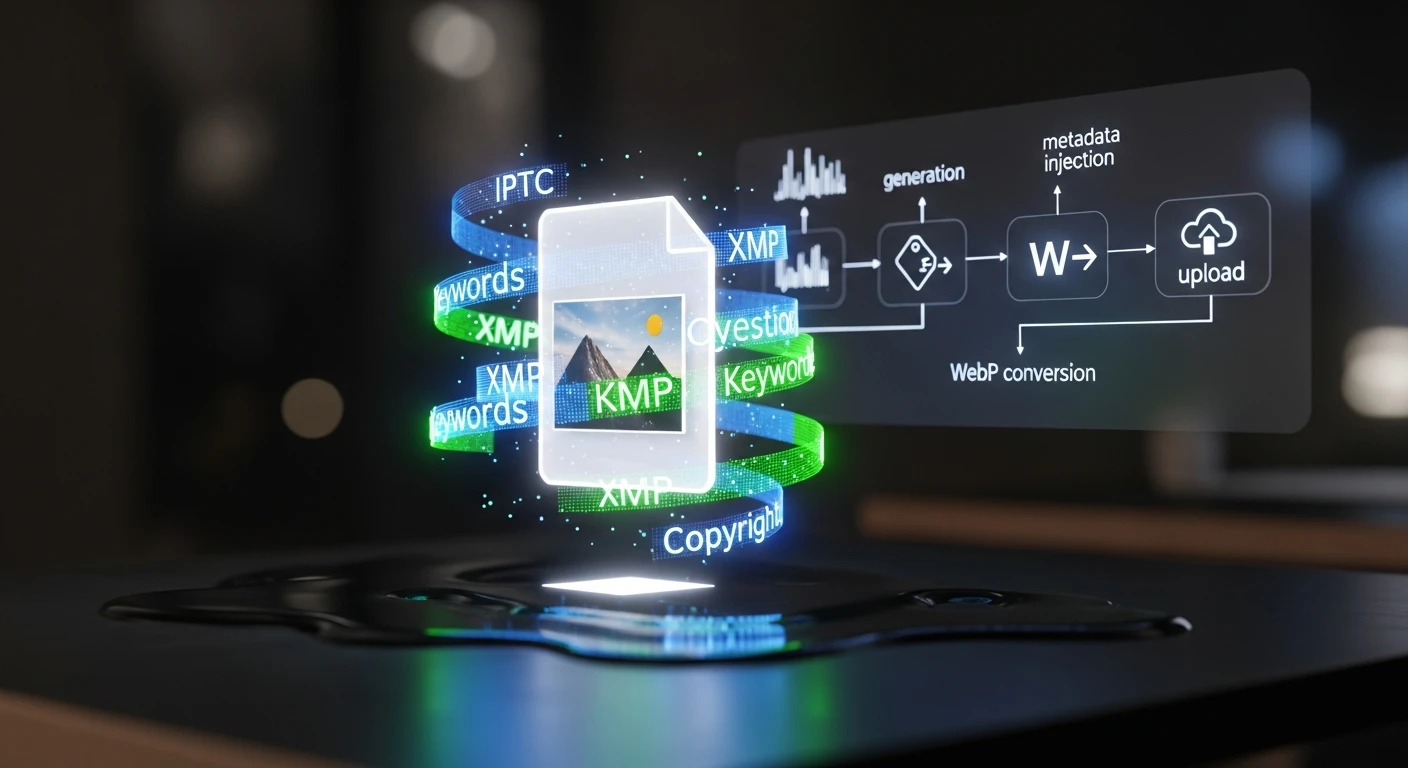
    Every article needs a featured image. Every featured image needs metadata — IPTC tags, XMP data, alt text, captions, keywords. When you’re publishing 15–20 articles per week across 19 WordPress sites, manual image handling isn’t just tedious; it’s a bottleneck that guarantees inconsistency. This video walks through the exact automated pipeline we built to eliminate that bottleneck entirely.

    The video breaks down every stage of the pipeline:

    • Stage 1: AI Image Generation — Calling Vertex AI Imagen with prompts derived from the article title, SEO keywords, and target intent. No stock photography. Every image is custom-generated to match the content it represents, with style guidance baked into the prompt templates.
    • Stage 2: IPTC/XMP Metadata Injection — Using exiftool to inject structured metadata into every image: title, description, keywords, copyright, creator attribution, and caption. XMP data includes structured fields about image intent — whether it’s a featured image, thumbnail, or social asset. This is what makes images visible to Google Images, Perplexity, and every AI crawler reading IPTC data.
    • Stage 3: WebP Conversion & Optimization — Converting to WebP format (40–50% smaller than JPG), optimizing to target sizes: featured images under 200KB, thumbnails under 80KB. This runs in a Cloud Run function that scales automatically.
    • Stage 4: WordPress Upload & Association — Hitting the WordPress REST API to upload the image, assign metadata in post meta fields, and attach it as the featured image. The post ID flows through the entire pipeline end-to-end.

    Why IPTC Metadata Matters Now

    This isn’t about SEO best practices from 2019. Google Images, Perplexity, ChatGPT’s browsing mode, and every major AI crawler now read IPTC metadata to understand image context. If your images don’t carry structured metadata, they’re invisible to answer engines. The pipeline solves this at the point of creation — metadata isn’t an afterthought applied later, it’s injected the moment the image is generated.

    The results speak for themselves: within weeks of deploying the pipeline, we started ranking for image keywords we never explicitly optimized for. Google Images was picking up our IPTC-tagged images and surfacing them in searches related to the article content.

    The Economics

    The infrastructure cost is almost irrelevant: Vertex AI Imagen runs about $0.10 per image, Cloud Run stays within free tier for our volume, and storage is minimal. At 15–20 images per week, the total cost is roughly $8/month. The labor savings — eliminating manual image sourcing, editing, metadata tagging, and uploading — represent hours per week that now go to strategy and client delivery instead.

    How This Video Was Made

    The original article describing this pipeline was fed into Google NotebookLM, which analyzed the full text and generated an audio deep-dive covering the technical architecture, the metadata injection process, and the business rationale. That audio was converted to this video — making it a recursive demonstration: an AI system producing content about an AI system that produces content.

    Read the Full Article

    The video covers the architecture and results. The full article goes deeper into the technical implementation — the exact Vertex AI API calls, exiftool commands, WebP conversion parameters, and WordPress REST API patterns. If you’re building your own pipeline, start there.


    Related from Tygart Media

  • Watch: The $0 Automated Marketing Stack — AI-Generated Video Breakdown

    Watch: The $0 Automated Marketing Stack — AI-Generated Video Breakdown

    This video was generated from the original Tygart Media article using NotebookLM’s audio-to-video pipeline — a live demonstration of the exact AI-first workflow we describe in the piece. The article became the script. AI became the production team. Total production cost: $0.


    Watch: The $0 Automated Marketing Stack

    The $0 Automated Marketing Stack — Full video breakdown. Read the original article →

    What This Video Covers

    Most businesses assume enterprise-grade marketing automation requires enterprise-grade budgets. This video walks through the exact stack we use at Tygart Media to manage SEO, content production, analytics, and automation across 18 client websites — for under $50/month total.

    The video breaks down every layer of the stack:

    • The AI Layer — Running open-source LLMs (Mistral 7B) via Ollama on cheap cloud instances for $8/month, handling 60% of tasks that would otherwise require paid API calls. Content summarization, data extraction, classification, and brainstorming — all self-hosted.
    • The Data Layer — Free API tiers from DataForSEO (5 calls/day), NewsAPI (100 requests/day), and SerpAPI (100 searches/month) that provide keyword research, trend detection, and SERP analysis at zero recurring cost.
    • The Infrastructure Layer — Google Cloud’s free tier delivering 2 million Cloud Run requests/month, 5GB storage, unlimited Cloud Scheduler jobs, and 1TB of BigQuery analysis. Enough to host, automate, log, and analyze everything.
    • The WordPress Layer — Self-hosted on GCP with open-source plugins, giving full control over the content management system without per-seat licensing fees.
    • The Analytics Layer — Plausible’s free tier for privacy-focused analytics: 50K pageviews/month, clean dashboards, no cookie headaches.
    • The Automation Layer — Zapier’s free tier (5 zaps) combined with GitHub Actions for CI/CD, creating a lightweight but functional automation backbone.

    The Philosophy Behind $0

    This isn’t about being cheap. It’s about being strategic. The video explains the core principle: start with free tiers, prove the workflow works, then upgrade only the components that become bottlenecks. Most businesses pay for tools they don’t fully use. The $0 stack forces you to understand exactly what each layer does before you spend a dollar on it.

    The upgrade path is deliberate. When free tier limits get hit — and they will if you’re growing — you know exactly which component to scale because you’ve been running it long enough to understand the ROI. DataForSEO at 5 calls/day becomes DataForSEO at $0.01/call. Ollama on a small instance becomes Claude API for the reasoning-heavy tasks. The architecture doesn’t change. Only the throughput does.

    How This Video Was Made

    This video is itself a demonstration of the stack’s philosophy. The original article was written as part of our content pipeline. That article URL was fed into Google’s NotebookLM, which analyzed the full text and generated an audio deep-dive. That audio was then converted to video — an AI-produced visual breakdown of AI-produced content, created from AI-optimized infrastructure.

    No video editor. No voiceover artist. No production budget. The content itself became the production brief, and AI handled the rest. This is what the $0 stack looks like in practice: the tools create the tools that create the content.

    Read the Full Article

    The video covers the highlights, but the full article goes deeper — with exact pricing breakdowns, tool-by-tool comparisons, API rate limits, and the specific workflow we use to batch operations for maximum free-tier efficiency. If you’re ready to build your own $0 stack, start there.


    Related from Tygart Media

  • I Used a Monte Carlo Simulation to Decide Which AI Tasks to Automate First — Here’s What Won

    I Used a Monte Carlo Simulation to Decide Which AI Tasks to Automate First — Here’s What Won

    The Problem Every Agency Owner Knows

    You’ve read the announcements. You’ve seen the demos. You know AI can automate half your workflow — but which half do you start with? When every new tool promises to “transform your business,” the hardest decision isn’t whether to adopt AI. It’s figuring out what to do first.

    I run Tygart Media, where we manage SEO, content, and optimization across 18 WordPress sites for clients in restoration, luxury lending, healthcare, comedy, and more. Claude Cowork — Anthropic’s agentic AI for knowledge work — sits at the center of our operation. But last week I found myself staring at a list of 20 different Cowork capabilities I could implement, from scheduled site-wide SEO refreshes to building a private plugin marketplace. All of them sounded great. None of them told me where to start.

    So I did what any data-driven agency owner should do: I stopped guessing and ran a Monte Carlo simulation.

    Step 1: Research What Everyone Else Is Doing

    Before building any model, I needed raw material. I spent a full session having Claude research how people across the internet are actually using Cowork — not the marketing copy, but the real workflows. We searched Twitter/X, Reddit threads, Substack power-user guides, developer communities, enterprise case studies, and Anthropic’s own documentation.

    What emerged was a taxonomy of use cases that most people never see compiled in one place. The obvious ones — content production, sales outreach, meeting prep — were there. But the edge cases were more interesting: a user running a Tuesday scheduled task that scrapes newsletter ranking data, analyzes trends, and produces a weekly report showing the ten biggest gainers and losers. Another automating flight price tracking. Someone else using Computer Use to record a workflow in an image generation tool, then having Claude process an entire queue of prompts unattended.

    The full research produced 20 implementation opportunities mapped to my specific workflow. Everything from scheduling site-wide SEO/AEO/GEO refresh cycles (which we already had the skills for) to building a GCP Fortress Architecture for regulated healthcare clients (which we didn’t). The question wasn’t whether these were good ideas. It was which ones would move the needle fastest for our clients.

    Step 2: Score Every Opportunity on Five Dimensions

    I needed a framework that could handle uncertainty honestly. Not a gut-feel ranking, but something that accounts for the fact that some estimates are more reliable than others. A Monte Carlo simulation does exactly that — it runs thousands of randomized scenarios to show you not just which option scores highest, but how confident you should be in that ranking.

    Each of the 20 opportunities was scored on five dimensions, rated 1 to 10:

    • Client Delivery Impact — Does this improve what clients actually see and receive? This was weighted at 40% because, for an agency, client outcomes are the business.
    • Time Savings — How many hours per week does this free up from repetitive work? Weighted at 20%.
    • Revenue Impact — Does this directly generate or save money? Weighted at 15%.
    • Ease of Implementation — How hard is this to set up? Scored inversely (lower effort = higher score). Weighted at 15%.
    • Risk Safety — What’s the probability of failure or unintended complications? Also inverted. Weighted at 10%.

    The weighting matters. If you’re a solopreneur optimizing for personal productivity, you might weight time savings at 40%. If you’re a venture-backed startup, revenue impact might dominate. For an agency where client retention drives everything, client delivery had to lead.

    Step 3: Add Uncertainty and Run 10,000 Simulations

    Here’s where Monte Carlo earns its keep. A simple weighted score would give you a single ranking, but it would lie to you about confidence. When I score “Private Plugin Marketplace” as a 9/10 on revenue impact, that’s a guess. When I score “Scheduled SEO Refresh” as a 10/10 on client delivery, that’s based on direct experience running these refreshes manually for months.

    Each opportunity was assigned an uncertainty band — a standard deviation reflecting how confident I was in the base scores. Opportunities built on existing, proven skills got tight uncertainty (σ = 0.7–1.0). New builds requiring infrastructure I hadn’t tested got wider bands (σ = 1.5–2.0). The GCP Fortress Architecture, which involves standing up an isolated cloud environment, got the widest band at σ = 2.0.

    Then we ran 10,000 iterations. In each iteration, every score for every opportunity was randomly perturbed within its uncertainty band using a normal distribution. The composite weighted score was recalculated each time. After 10,000 runs, each opportunity had a distribution of outcomes — a mean score, a median, and critically, a 90% confidence interval showing the range from pessimistic (5th percentile) to optimistic (95th percentile).

    What the Data Said

    The results organized themselves into four clean tiers. The top five — the “implement immediately” tier — shared three characteristics that I didn’t predict going in.

    First, they were all automation of existing capabilities. Not a single new build made the top tier. The highest-scoring opportunity was scheduling monthly SEO/AEO/GEO refresh cycles across all 18 sites — something we already do manually. Automating it scored 8.4/10 with a tight confidence interval of 7.8 to 8.9. The infrastructure already existed. The skills were already built. The only missing piece was a cron expression.

    Second, client delivery and time savings dominated together. The top five all scored 8+ on client delivery and 7+ on time savings. These weren’t either/or tradeoffs — the opportunities that produce better client deliverables also happen to be the ones that free up the most time. That’s not a coincidence. It’s the signature of mature automation: you’ve already figured out what good looks like, and now you’re removing yourself from the execution loop.

    Third, new builds with high revenue potential ranked lower because of uncertainty. The Private Plugin Marketplace scored 9/10 on revenue impact — the highest of any opportunity. But it also carried an effort score of 8/10, a risk score of 5/10, and the widest confidence interval in the dataset (4.5 to 7.3). Monte Carlo correctly identified that high-reward/high-uncertainty bets should come after you’ve secured the reliable wins.

    The Final Tier 1 Lineup

    Here’s what we’re implementing immediately, in order:

    1. Scheduled Site-Wide SEO/AEO/GEO Refresh Cycles (Score: 8.4) — Monthly full-stack optimization passes across all 18 client sites. Every post that needs a meta description update, FAQ block, entity enrichment, or schema injection gets it automatically on the first of the month.
    2. Scheduled Cross-Pollination Batch Runs (Score: 8.2) — Every Tuesday, Claude identifies the highest-ranking pages across site families (luxury lending, restoration, business services) and creates locally-relevant variant articles on sister sites with natural backlinks to the authority page.
    3. Weekly Content Intelligence Audits (Score: 8.1) — Every Monday morning, Claude audits all 18 sites for content gaps, thin posts, missing metadata, and persona-based opportunities. By the time I sit down at 9 AM, a prioritized report is waiting in Notion.
    4. Auto Friday Client Reports (Score: 7.9) — Every Friday at 1 PM, Claude pulls the week’s data from SpyFu, WordPress, and Notion, then generates a professional PowerPoint deck and Excel spreadsheet for each client group.
    5. Client Onboarding Automation Package (Score: 7.6) — A single-trigger pipeline that takes a new WordPress site from zero to fully audited, with knowledge files built, taxonomy designed, and an optimization roadmap produced. Triggered manually whenever we sign a new client.

    Sixteen of the twenty opportunities run on our existing stack. The infrastructure is already built. The biggest wins come from scheduling and automating what already works.

    Why This Approach Matters for Any Business

    You don’t need to be running 18 WordPress sites to use this framework. The Monte Carlo approach works for any business facing a prioritization problem with uncertain inputs. The methodology is transferable:

    • Define your dimensions. What matters to your business? Client outcomes? Revenue? Speed to market? Cost reduction? Pick 3–5 and weight them honestly.
    • Score with uncertainty in mind. Don’t pretend you know exactly how hard something will be. Assign confidence bands. A proven workflow gets a tight band. An untested idea gets a wide one.
    • Let the math handle the rest. Ten thousand iterations will surface patterns your intuition misses. You’ll find that your “exciting new thing” ranks below your “boring automation of what works” — and that’s the right answer.
    • Tier your implementation. Don’t try to do everything at once. Tier 1 goes this week. Tier 2 goes next sprint. Tier 3 gets planned. Tier 4 stays in the backlog until the foundation is solid.

    The biggest insight from this exercise wasn’t any single opportunity. It was the meta-pattern: the highest-impact moves are almost always automating what you already know how to do well. The new, shiny, high-risk bets have their place — but they belong in month two, after the reliable wins are running on autopilot.

    The Tools Behind This

    For anyone curious about the technical stack: the research was conducted in Claude Cowork using WebSearch across multiple source types. The Monte Carlo simulation was built in Python (numpy, pandas) with 10,000 iterations per opportunity. The scoring model used weighted composite scores with normal distribution randomization and clamped bounds. Results were visualized in an interactive HTML dashboard and the implementation was deployed as Cowork scheduled tasks — actual cron jobs that run autonomously on a weekly and monthly cadence.

    The entire process — research, simulation, analysis, task creation, and this blog post — was completed in a single Cowork session. That’s the point. When the infrastructure is right, the question isn’t “can AI do this?” It’s “what should AI do first?” And now we have a data-driven answer.

    { “@context”: “https://schema.org”, “@type”: “Article”, “headline”: “I Used a Monte Carlo Simulation to Decide Which AI Tasks to Automate First — Heres What Won”, “description”: “When you have 20 AI automation opportunities and can’t do them all at once, stop guessing. I ran 10,000 Monte Carlo simulations to rank which Claude Cowor”, “datePublished”: “2026-03-31”, “dateModified”: “2026-04-03”, “author”: { “@type”: “Person”, “name”: “Will Tygart”, “url”: “https://tygartmedia.com/about” }, “publisher”: { “@type”: “Organization”, “name”: “Tygart Media”, “url”: “https://tygartmedia.com”, “logo”: { “@type”: “ImageObject”, “url”: “https://tygartmedia.com/wp-content/uploads/tygart-media-logo.png” } }, “mainEntityOfPage”: { “@type”: “WebPage”, “@id”: “https://tygartmedia.com/i-used-a-monte-carlo-simulation-to-decide-which-ai-tasks-to-automate-first-heres-what-won/” } }
  • The AI-Native Business Operating System: How to Run a Company on Autonomous Infrastructure

    The AI-Native Business Operating System: How to Run a Company on Autonomous Infrastructure

    TL;DR: The AI-native business operating system is a fundamentally different architecture where your company’s rules, decision logic, and operational workflows are codified into machine-readable protocols that evolve in real-time. This isn’t automation—it’s programmatic governance. Instead of humans executing processes, the system executes itself, with humans inserted at strategic decision points. Three core components enable this: self-evolving database schemas that mutate to fit emergent business needs, intelligent model routers that dispatch tasks to the optimal AI system, and a programmable company constitution where policy, SOP, and law exist as versioned JSON. Companies that move first will operate at 10x speed with 10x lower overhead.

    Why the Operating System Metaphor Matters

    For the past 50 years, business software has treated companies as static entities. You design your processes, you hire people to execute them, and you deploy software to assist execution. The stack is: Human → Software → Output.

    AI breaks this model completely. When your workforce can be augmented (or replaced) by systems that improve daily, when decision-making can be modeled and automated, and when your data infrastructure can self-optimize—your company needs a new operating system.

    An operating system doesn’t tell you what to do. It allocates resources, manages state, schedules execution, and routes requests to the right subsystem. Your Windows PC doesn’t know which application should handle a .docx file—the OS knows. It doesn’t care about the details; it just routes the task efficiently.

    An AI-native business operating system does the same thing. Inbound request comes in? The OS routes it to the right AI model, database schema, or human decision-maker. A new business pattern emerges in your data? The database schema mutates to capture it. Policy needs to change? Version control your constitution, push the update, and the entire organization adapts.

    The Three Pillars: Self-Evolution, Routing, and Protocols

    A functional AI-native operating system sits on three technical foundations:

    1. Self-Evolving Infrastructure
    2. Your database doesn’t wait for a DBA to redesign the schema. It watches. It detects when the same query runs 1,000 times a day and auto-creates an indexed view. It notices when a new column pattern emerges from incoming data and adds it before you ask. It archives stale fields and suggests new linked tables when complexity crosses a threshold. The infrastructure mutates to fit your business. Read more in The Self-Evolving Database.

    1. Intelligent Routing
    2. Not all AI tasks are created equal. Some need GPT-4. Some need a fine-tuned classifier. Some need a 2B local model that runs on your edge servers. The model router is the nervous system—it examines the incoming request, understands its requirements (latency, cost, accuracy, compliance), and dispatches to the optimal model in the stack. This is how single-site operations manage 23 WordPress instances with one person. See The Model Router for the full architecture.

    1. Programmable Company Constitution
    2. Your business policies, approval workflows, and SOPs aren’t documents. They’re code. They’re versioned. They live in a repository. When a new hire joins, they don’t onboard with a 50-page handbook—they query the system. “What happens when a customer disputes a refund?” The system returns the decision tree as executable protocol. When you need to change policy, you don’t email everyone; you update the JSON schema and version-control the change. Learn more in The Programmable Company.

    How This Changes the Economics of Scale

    Traditional companies hit scaling walls. You hire more people, your org chart gets more complex, communication breaks down, quality suffers. The marginal cost of the 101st employee is nearly the same as the first.

    An AI-native operating system inverts this dynamic. Your infrastructure gets smarter as you scale. New employee? They integrate into self-documenting protocols. New market? The routing system learns optimal dispatch patterns for that region in hours. New product line? The database schema self-evolves to capture the required dimensions.

    This is how a single person can operate 23 WordPress sites with AI on autopilot. The operating system handles scheduling, optimization, content generation routing, and quality gates. The human becomes an exception handler—fixing edge cases and setting strategic direction.

    The Expert-in-the-Loop Requirement

    This sounds like full automation. It’s not. In fact, 95% of enterprise AI fails without human circuit breakers. The operating system handles routine execution beautifully. It routes incoming requests to the optimal model, executes protocols, evolves infrastructure. But humans remain essential at three points:

    1. Strategic direction: Where should the company go? What problems should we solve? The OS executes; humans decide.
    2. Exception handling: When the routing system encounters a request it hasn’t seen before, or when protocol execution fails, a human expert reviews and decides.
    3. Constitution updates: When policy needs to change, humans debate and decide. The OS then deploys that policy instantly to the entire organization.

    The Information Density Problem

    All of this requires that your content, policies, and data be information-dense. If your documentation is sprawling, vague, and inconsistent, the system can’t work. 16 AI models unanimously agree: your content is too diffuse. It needs structure, precision, and minimal ambiguity.

    This is actually a feature, not a bug. By forcing your business logic into machine-readable protocols, you discover contradictions, gaps, and redundancies you never noticed before. The act of codifying policy clarifies it.

    The Concrete Stack: What This Looks Like

    Here’s what a functional AI-native operating system actually runs on:

    • Local open-source models (Ollama) for edge tasks
    • Cloud models (Claude, GPT-4) routed by capability and cost
    • A containerized content stack across multiple instances
    • A self-evolving database layer (Notion, PostgreSQL, or custom—doesn’t matter; the mutation logic is what counts)
    • A protocol repository (JSON schemas in version control)
    • Fallback frameworks for when models fail or services degrade

    The integration point is the router. It knows what’s available, what each system does, and what each request needs. It makes the dispatch decision in milliseconds.

    Why Now? The Convergence Is Real

    Three things converged in 2024-2025 that make AI-native operating systems viable now:

    1. Model diversity matured. You now have viable open-source models, local models, API models, and domain-specific fine-tuned models. No single model dominates. Smart dispatch is now a prerequisite, not an optimization.
    1. Cost of model inference dropped 40-50%. When GPT-4 cost $0.03/1K tokens and Claude costs $0.003/1K tokens, and local models cost $0, routing becomes a significant leverage point. Sending everything to GPT-4 is now explicitly wasteful.
    1. Agentic AI became real. Agentic convergence is rewriting how systems interact. Your infrastructure isn’t static; it’s agentic. It proposes, executes, and self-corrects. This requires a different operating system architecture.

    From Infrastructure to Business Model

    Here’s where it gets interesting. Once you have an AI-native operating system, the economics of your business change. You can build 88% margin content businesses because your infrastructure is programmable, your models are routed optimally, and your database evolves without human intervention.

    Tygart Media is building this. A relational intelligence layer for fragmented B2B industries. 15 AI models synthesized the strategic direction over 3 rounds. The core play: compound AI content infrastructure + proprietary relationship networks + domain-specific tools. The result: a human operator of an AI-native media stack, not a traditional media company.

    This is the operating system in production.

    What You Do Next

    If your company is serious about AI, you have three choices:

    1. Bolt AI onto existing infrastructure. Fast, comfortable, expensive long-term. You’ll hit scaling walls.
    2. Build an AI-native operating system from scratch. Takes 6-12 months. Worth it. Everything after runs at different economics.
    3. Ignore this and get disrupted. Companies that move first get 3-5 year lead. That gap is closing.

    Start with one of the three pillars. Build a self-evolving database layer first. Or implement intelligent routing for your model stack. Or codify one business process as executable protocol and version-control it. You don’t need to build the whole system at once. But you need to start moving in that direction now.

    The operating system is coming. The question is whether you build it or whether someone else builds it for you.

    {
    “@context”: “https://schema.org”,
    “@type”: “Article”,
    “headline”: “The AI-Native Business Operating System: How to Run a Company on Autonomous Infrastructure”,
    “description”: “The AI-native business operating system is a fundamentally different architecture where your company’s rules, decision logic, and operational workflows ar”,
    “datePublished”: “2026-03-30”,
    “dateModified”: “2026-04-03”,
    “author”: {
    “@type”: “Person”,
    “name”: “Will Tygart”,
    “url”: “https://tygartmedia.com/about”
    },
    “publisher”: {
    “@type”: “Organization”,
    “name”: “Tygart Media”,
    “url”: “https://tygartmedia.com”,
    “logo”: {
    “@type”: “ImageObject”,
    “url”: “https://tygartmedia.com/wp-content/uploads/tygart-media-logo.png”
    }
    },
    “mainEntityOfPage”: {
    “@type”: “WebPage”,
    “@id”: “https://tygartmedia.com/ai-native-business-operating-system/”
    }
    }