Author: Will Tygart

  • Everett’s $34M Edgewater Bridge Opens Today — Here’s What 18 Months of Construction Actually Built

    Everett’s $34M Edgewater Bridge Opens Today — Here’s What 18 Months of Construction Actually Built

    Q: What is the Edgewater Bridge and why did it close?
    A: The Edgewater Bridge is a 366-foot span on SR-529 connecting Everett and Mukilteo, WA. Built in 1946, it closed October 30, 2024, for an $34 million full replacement needed to fix seismic vulnerabilities, deteriorating structure, and narrow lanes that no longer met modern safety standards. It reopened to vehicle traffic April 28, 2026.

    After 18 Months, the Bridge Is Back

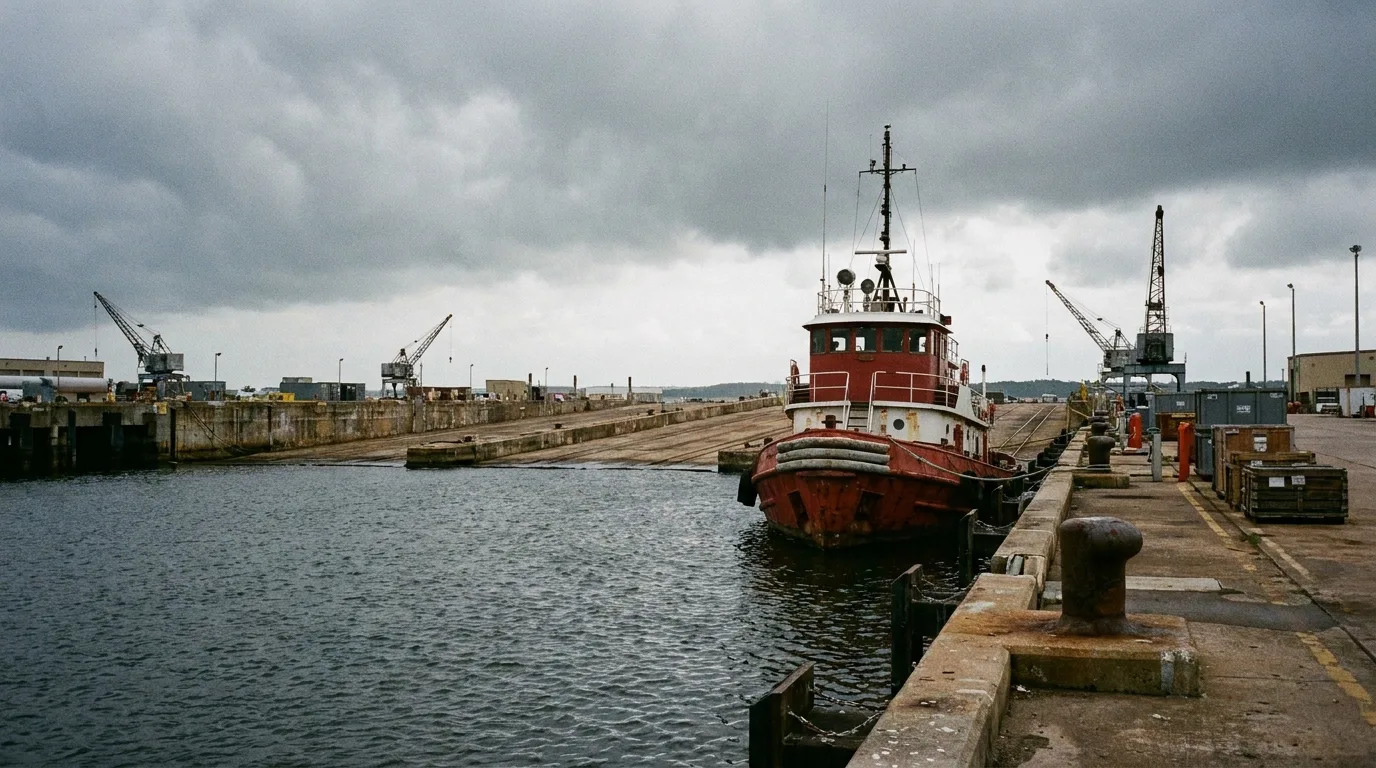
    The Edgewater Bridge opened to vehicle traffic on April 28, 2026 — exactly 18 months after crews closed the span on October 30, 2024, to begin demolition. Nearly 300 people gathered the day before at a community celebration on April 27 to walk across the new structure before any cars touched it. By Tuesday evening, the lane striping was dry and Everett’s western connector to Mukilteo was carrying traffic again for the first time since fall 2024.

    For residents who commute between the two cities, use the Mukilteo ferry terminal, or work along SR-529, the 18-month detour was a real disruption. Transit routes rerouted. School buses took longer paths. Emergency response times to the western waterfront fringe lengthened. The bridge itself carried an estimated several thousand daily crossings before closure. Now all of that is restored — and then some, because what opened Tuesday is significantly better than what closed last fall.

    What Replaced a 1946 Bridge That Had Served 80 Years

    The bridge that came down was built in 1946. By the time Everett moved to replace it, the structure had served the community for 80 years — well past the typical 50-year design life for bridges of that era. Engineers determined it was seismically vulnerable: a major earthquake could have caused failure. The lanes were narrow, the sidewalks undersized, and the aging deck and piling needed either massive rehabilitation or outright replacement. The city chose replacement.

    The new bridge is 366 feet long — the same crossing, rebuilt from scratch. What’s different is everything else:

    • 12-foot travel lanes in each direction (wider than the old span)
    • 6.5-foot sidewalks on both sides of the bridge
    • 5-foot bike lanes buffered between the roadway and the sidewalks
    • Modern seismic design built to withstand a major Cascadia-scale earthquake
    • Improved lighting across the full span

    The sidewalk and bike lane combination is notable. The old bridge had minimal pedestrian accommodation. The new one has a genuine multi-use path system on both sides — connecting Everett’s western waterfront edge to Mukilteo’s waterfront district on foot or by bike. That’s a different kind of crossing than what existed before.

    A note for walkers: the sidewalks won’t be fully open immediately. Finishing work — permanent striping, barriers, and paint — is expected to take about two to three weeks after the vehicle lanes opened. Pedestrians should expect some temporary accommodation during that window.

    The Contractor, the Cost, and Where the Money Came From

    The City of Everett awarded the construction contract to Granite Construction Company — a firm with local Everett operations — at a bid price of $25,409,890.65. The total programmed project budget came to $34 million, with the difference covering design, environmental review, right-of-way, project management, and contingency.

    The funding breakdown: approximately $28 million came from federal grants, with $6 million supplied through local matching dollars from the city. This is a common structure for bridge replacement projects of this type — federal highway funds require a local match, and the grant process is what drove much of the pre-construction timeline.

    The total price works out to roughly $93,000 per linear foot of bridge — consistent with what comparable urban bridge replacements with seismic, bike-ped, and full utility upgrades have cost in the Pacific Northwest in recent years.

    Why It Took Longer Than Expected

    The Edgewater Bridge replacement was years in the making before a shovel touched the ground in October 2024. The city had initially aimed to start construction earlier — around 2022 — but a sequence of delays pushed the timeline back significantly:

    • COVID-19 disrupted the procurement schedule during the pandemic years
    • Environmental review took longer than projected, given the bridge’s position near the waterfront and tidal areas
    • A bidding error in an early procurement round required the process to restart from scratch

    Once construction finally started in fall 2024, the crew from Granite Construction ran into a challenge that doesn’t show up in the plans: the ground beneath the old bridge was full of debris from the previous bridge structure — old timber piling and concrete obstructions left behind from earlier bridge generations. Installing the new steel piling required working around and through material that simply wasn’t mapped. That slowed the foundation phase and contributed to the project finishing in late April 2026 rather than the original late 2025 target.

    What This Means for the Everett-Mukilteo Development Corridor

    The Edgewater Bridge isn’t just a commuter route. It’s the western land connection between Everett’s waterfront district and Mukilteo’s waterfront — two areas both undergoing significant investment right now.

    On the Everett side, the SR-529 corridor runs along the Port of Everett’s working waterfront — past the marina, past Waterfront Place, and toward the western edge of the Millwright District buildout. Restoring this connection matters for freight movement, marine service access, and visitor circulation from Mukilteo into Everett’s waterfront destination district.

    On the Mukilteo side, the Port of Everett is in the early stages of assembling a Mukilteo waterfront district of its own — having acquired the former NOAA parcel and the Ivar’s Mukilteo Landing site earlier this year, with an NBBJ architecture team already attached. The spring 2026 RFQ for that project is expected soon. The restored bridge connection is part of the context for how Everett and Mukilteo’s adjacent waterfronts function as a connected regional amenity, not just two separate city edges.

    Mukilteo officials made the point themselves at Monday’s ceremony: they see the bridge as a connector that should bring visitors in both directions, not just commuters. With the Everett waterfront’s restaurant row, marina, and Waterfront Place complex on one end and Mukilteo’s ferry landing, lighthouse, and forthcoming waterfront redevelopment on the other, the case for the bridge as a destination corridor — not just a traffic route — is real.

    How the Bridge Fits Everett’s Broader Infrastructure Moment

    The Edgewater Bridge opening is one piece of a larger infrastructure push Everett is moving through in 2026. In the past month alone:

    • The City Council approved the $113 million West Marine View Drive pipeline project — the biggest utility infrastructure move in years, replacing the combined sewer and water main along the waterfront corridor from Grand Ave Bridge to Hewitt Ave
    • The Port of Everett completed its Segment E bulkhead rebuild — a $6.75M project that ended a 20-year phased replacement program and stabilized the SR-529 embankment above the marina
    • The City approved a $3.1 million design contract for a new pedestrian bridge over Broadway connecting EvCC to WSU Everett

    The Edgewater Bridge is the project that’s been in the queue longest and now it’s done. It’s the kind of infrastructure that doesn’t get the attention of a stadium vote or a waterfront restaurant opening, but the 80 years of daily crossings — and the 18 months of inconvenience — say something about what it actually means to the people who depend on it.

    Frequently Asked Questions About the New Edgewater Bridge

    When did the Edgewater Bridge reopen?

    The new Edgewater Bridge opened to vehicle traffic on Tuesday, April 28, 2026. A community ceremony was held April 27, the day before vehicle traffic began.

    How much did the new Edgewater Bridge cost?

    The total project budget was $34 million. The construction contract was awarded to Granite Construction Company for $25,409,890.65. Funding came from approximately $28 million in federal grants and $6 million in local matching dollars.

    What is the Edgewater Bridge made of and how long is it?

    The new bridge is 366 feet long. It was built with steel piling (replacing the original structure) and features modern seismic design. The 1946 original used older structural materials that engineers determined were earthquake-vulnerable.

    Can you bike or walk across the new Edgewater Bridge?

    Yes — the new bridge has 6.5-foot sidewalks on both sides and 5-foot bike lanes between the roadway and the sidewalks. Finishing work on the pedestrian infrastructure is expected to take about 2-3 weeks after the vehicle lanes opened on April 28.

    Why did the Edgewater Bridge take so long to build?

    The project was delayed by COVID-19 disruptions, extended environmental review near the waterfront, and a bidding error that required a restart. Once construction began in October 2024, crews also encountered old timber and concrete obstructions underground from previous bridge generations, slowing the foundation work.

    Who built the new Edgewater Bridge?

    Granite Construction Company, which has local operations in Everett, won the construction contract at $25,409,890.65.

    What cities does the Edgewater Bridge connect?

    The Edgewater Bridge connects the cities of Everett and Mukilteo along SR-529 (West Mukilteo Boulevard). It serves commuters, school buses, transit routes, freight traffic, and emergency responders in both cities.

  • AI-Native Company Patterns: How Notion Agents Reshape the Org Chart

    AI-Native Company Patterns: How Notion Agents Reshape the Org Chart

    AI-Native Company Patterns: How Notion Agents Reshape the Org Chart

    The 60-second version

    The honest framing is uncomfortable: Custom Agents handle the work that historically required junior operational staff. Status reports, intake processing, lead enrichment, weekly digests, calendar prep, recurring deliverables. AI-native companies don’t add agents alongside that work — they replace that work with agents and reassign the humans to what humans actually do better. Editorial judgment. Client relationships. Strategic decisions. Handling exceptions. The org chart shifts. Pretending it doesn’t is denial.

    What roles change first

    Five roles where the work compresses fastest:
    Coordinator/admin work — meeting scheduling, calendar prep, follow-up tracking. Largely automatable.
    Junior analyst work — data pulls, report generation, basic synthesis. Largely automatable.
    First-tier intake — categorizing inbound leads, support tickets, content submissions. Largely automatable.
    Status communication — weekly updates, project digests, standup notes. Largely automatable.
    Documentation upkeep — keeping wikis, runbooks, and SOPs current. Largely automatable with Autofill + agents.
    This isn’t a prediction; it’s already happening in operator-led companies that have built Custom Agents for these workflows.

    What roles get more important

    The same shift makes other roles more valuable:
    Editorial leadership — defining voice, judgment, standards. Agents follow standards; they don’t write them.
    Relationship work — sales relationships, client management, partnerships. Humans signal humanity.
    Exception handling — the 5% of cases that don’t fit the agent’s pattern. This becomes the human’s whole job.
    System design — building the agents, prompts, skills, and workflows themselves. The new ops role.
    Strategic work — deciding what the company should do, not how to do it.

    The new org shape

    A simple four-layer pattern:
    1. Agent operators — humans who design, monitor, and improve agent workflows
    2. Exception handlers — humans who catch what agents can’t handle
    3. Relationship leads — humans who own external-facing work that requires being human
    4. Strategists — humans who decide what to do
    Notice what’s missing: layers of middle management whose primary job was coordinating between doers. Agents reduce coordination overhead because they don’t need it.

    How to transition

    For most operators, the shift looks like:
    – Stop hiring for roles where agents could do 70% of the work. Build the agent instead.
    – Reassign current staff toward exception handling, relationship work, and editorial judgment.
    – Invest in agent operator skills — prompt design, workflow design, rubric design.
    – Compress the org chart. Fewer layers, broader roles, sharper accountability.
    This is a multi-year shift, not a quarter. But the operators who start now have years of compounding advantage over those who delay.

    The risk

    The risk is reorganizing too fast and losing institutional knowledge that lived in the eliminated roles. Agents don’t pick up tribal knowledge automatically. The transition needs to capture what departing staff knew and encode it in the second brain so the agents can use it.

    What to read next

    Editorial Surface Area, Second-Brain Architecture, ROI Math, When Not to Use a Notion Agent.

  • Second-Brain Architecture in the Age of Notion Agents

    Second-Brain Architecture in the Age of Notion Agents

    Second-Brain Architecture in the Age of Notion Agents

    The 60-second version

    The pre-AI second brain was a personal information system. The post-AI second brain is a personal information system that an agent can also navigate. The two are different. A pile of brilliant unstructured notes is great for human recall and useless for agent synthesis. The shift is structural: more databases, fewer floating pages; controlled tags instead of free-text; cross-links between related items; an explicit glossary. Most second brains need to be partially rebuilt to work as agent substrate.

    What changes with agents in the picture

    Pre-agent, the second brain optimization was retrieval-for-humans: how fast can I find the thing I’m looking for. Post-agent, it’s retrieval-for-agents: how reliably can the agent find and synthesize across the right things without human guidance.
    These are different optimizations. Humans use intuition, recent memory, and visual scanning. Agents use semantic search, structured queries, and link traversal. A second brain optimized for one isn’t optimized for the other.

    Five structural shifts

    1. Pages → Databases. Floating pages don’t query well. Databases with consistent properties do. If you have a “books I’ve read” pile of pages, convert it to a database with author, genre, key insight, related-projects properties.
    2. Free tags → Controlled vocabulary. Twenty variations of “client” produces an agent that misses things. One canonical “Client” tag with defined scope works.
    3. Standalone pages → Cross-linked graph. Notion’s link system is the agent’s navigation. A new page should link to at least 2-3 related existing pages. Pages with no inbound or outbound links are dead to the agent.
    4. Implicit conventions → Explicit glossary. A page that captures “this is what we call things and how we structure projects” gives the agent rules instead of guesses.
    5. Recent-memory archives → Continuously enriched archives. Old projects shouldn’t decay. AI Autofill can re-summarize, re-tag, and re-cross-link old pages so they stay queryable.

    The agent-aware folder structure

    A workable shape for an agent-friendly second brain:
    Daily notes (database, dated, freeform — agent reads these for context)
    Projects (database, named, with status, owner, timeline — agent works against these)
    People (database, names, relationships, last interaction — agent uses for personalization)
    Sources (database, URLs, key insights, related-projects — agent cites these)
    Glossary (single page or small database — agent’s vocabulary anchor)
    Decisions log (database, dated, with context — agent’s history)
    Six structures. That’s it. Most second-brain sprawl can be consolidated to this.

    What this enables

    Once the structure is in place, agents do things that feel like magic:
    – “What did we decide about X six months ago?” returns the actual decision plus the context.
    – “Summarize what I’ve learned about Y this year” produces a real synthesis.
    – “Draft a brief on Z” pulls from sources, projects, decisions, and prior work.
    None of this works without the substrate. All of it is trivial with it.

    What to read next

    Editorial Surface Area, Gates Before Volume, AI-Native Company Patterns.

  • The Trust Gap in Agent-Generated Output: Closing It Without Killing the Speed

    The Trust Gap in Agent-Generated Output: Closing It Without Killing the Speed

    The Trust Gap in Agent-Generated Output: Closing It Without Killing the Speed

    The 60-second version

    Speed without trust is theater. Agents that produce output you can’t ship aren’t saving time — they’re shifting time from doing to checking. The trust gap is real, and most operators handle it badly: either they review everything (which negates speed) or they trust everything (which propagates bad output until something breaks). The operator move is sampled review on a defined rubric with source attribution. Pick a percentage you can sustain. Make the rubric explicit. Demand the agent show its sources. That’s how trust scales.

    What the trust gap is made of

    Four components:
    1. Factual accuracy uncertainty. Did the agent invent facts?
    2. Voice mismatch. Does it sound like us or like ChatGPT?
    3. Context blindness. Did it miss something only a human would catch?
    4. Edge case fragility. Does it handle the 5% of cases that don’t fit the pattern?
    Different agents have different gaps. A weekly digest agent’s gap is mostly voice. A lead-scoring agent’s gap is mostly accuracy. Diagnose the specific gap before designing the trust mechanism.

    Three mechanisms that close the gap

    1. The explicit rubric. Tell the agent the criteria for “good enough.” A 5-dimension scoring rubric (factual, voice, usefulness, coherence, format) makes “good” measurable. Agents can self-score. Humans can verify the score in 30 seconds instead of re-reading the whole output.
    2. Sampled review. Don’t review everything. Review 10-20% randomly. Track what you find. If the failure rate is below threshold, the system is trustworthy at that volume.
    3. Source attribution. Demand the agent cite sources for every factual claim. Page references inside Notion. URLs for external. This converts “is this right?” from a research task into a click. A trust gap closed in 5 seconds is functionally no gap.

    The pattern that fails

    Many operators try to close the trust gap with longer prompts (“be more careful, double-check, don’t hallucinate”). This doesn’t work. The agent already thinks it’s being careful. Adding adjectives doesn’t change behavior. Structural changes — rubrics, sampling, attribution — work. Adjectival prompts don’t.

    How to operationalize this

    Three steps:
    1. Pick one agent. Not all of them. Start with the highest-volume one.
    2. Define its rubric and threshold. Five dimensions, 0-2 scoring, lock at 8.5/10 average.
    3. Set a 4-week observation window. Sample 20% of output, score it, log failures. At week 4, decide: tighten prompt, reduce sampling rate, or retire.
    Repeat for the next agent. Don’t try to do this for the whole fleet at once.

    The relationship to Editorial Surface Area

    Trust gaps shrink when editorial surface area widens. An agent reading from a clean substrate makes fewer mistakes. The trust gap and the substrate are the same problem from two angles. Fix one and the other improves.

    What to read next

    Editorial Surface Area, Gates Before Volume, ROI Math.

  • Editorial Surface Area: Why Notion AI Only Works as Well as Your Inputs

    Editorial Surface Area: Why Notion AI Only Works as Well as Your Inputs

    Editorial Surface Area: Why Notion AI Only Works as Well as Your Inputs

    The 60-second version

    Notion AI doesn’t make you smarter. It makes your existing editorial infrastructure faster. If your workspace is well-organized, well-tagged, and well-written, the agent produces output that feels like a sharp teammate. If your workspace is sparse, contradictory, or under-tagged, the agent produces output that feels generic. Editorial Surface Area is the operator’s term for the substrate the agent runs on. The smartest move before scaling agents is widening that surface — not buying more credits.

    Why this matters more than tooling debates

    Most operator conversations about AI fixate on which model is best, which platform is winning, and which prompts to use. Those debates miss the underlying mechanic: the agent’s output is a function of the input substrate. A great agent on a thin substrate produces thin work. A mediocre agent on a deep substrate produces strong work. The substrate is the leverage point.
    This is why two operators using the same Notion AI on the same plan get wildly different value. The one with three years of organized project notes, tagged client databases, and structured meeting archives gets an agent that can synthesize anything. The one who joined Notion last month and hasn’t filled in fields gets an agent that hallucinates plausibly.

    What editorial surface area actually consists of

    Five layers, in rough order of impact:
    1. Structured databases with consistent properties. Not pages, databases. With named columns, controlled vocabularies, and reliable filling. This is the substrate agents query best.
    2. Cross-linked pages. Pages that reference each other through Notion’s link system give the agent a navigable graph. Standalone pages are dead ends.
    3. Tagged content with controlled taxonomy. Tags only help if they’re consistent. Twenty different spellings of “client” produces an agent that can’t find anything.
    4. Written-down conventions. A page that says “this is how we name projects, this is how we structure client folders” gives the agent the rules of your house.
    5. Historical archives. Old meeting notes, decided projects, retired playbooks. Agents synthesize patterns from history. The deeper the archive, the better the synthesis.

    The operator’s mistake

    The mistake is treating AI as a substitute for editorial work rather than as an amplifier of it. The pattern goes:
    1. Operator decides to “use AI more”
    2. Operator turns on Custom Agents
    3. Outputs feel underwhelming
    4. Operator concludes AI isn’t ready
    5. Real conclusion: the substrate wasn’t ready
    The fix isn’t different prompts or different models. The fix is widening the surface. Spend two weeks tightening database schemas, cross-linking pages, normalizing tags. Then run the agent again. The improvement is dramatic.

    How to widen your editorial surface area

    Five moves that pay back fast:
    1. Pick three databases and standardize their properties. Same column types, same controlled vocabularies, same filling discipline.
    2. Add a “context” page to every major project. A short page that captures decisions made, constraints, and stakeholder map.
    3. Build a glossary page. What you call things. Your acronyms. Your team conventions.
    4. Migrate Slack-quality conversations into Notion. The decisions that happen in Slack but never make it to a Notion page are invisible to the agent.
    5. Set a “tag review” calendar event monthly. Twenty minutes to clean up taxonomy drift.

    The Tygart Media thesis

    This idea has a name in the Tygart Media editorial line: gates before volume. You don’t scale by adding more outputs. You scale by tightening the gates that produce the outputs. AI amplifies whatever you point it at. If you point it at a sloppy substrate, you get sloppy output at scale. If you point it at a tight substrate, you get tight output at scale.
    The work that feels boring — schema cleanup, tag discipline, archive organization — is the work that makes AI worth running.

    What to read next

    Gates Before Volume (the operational version of this idea), Second-Brain Architecture (how to structure the substrate), Trust Gap (why even good substrate doesn’t eliminate human review).

  • Notion AI API Endpoints for Database Views: A Developer’s Tour

    Notion AI API Endpoints for Database Views: A Developer’s Tour

    Notion AI API Endpoints for Database Views: A Developer’s Tour

    The 60-second version

    Until Notion 3.4 part 2, working with database views via the API meant fetching the underlying database and replicating view logic in code. The new endpoints give direct programmatic access to view configurations — query a view, apply its filters server-side, modify its display properties, all via the API. For developers building agents and integrations, this removes a significant friction point.

    What the new endpoints enable

    1. Query a view directly.
    Fetch the rows a specific view shows, with the view’s filters and sorts already applied. Previously, you fetched the database and re-implemented filtering in client code. Now the server does it.
    2. Read view configuration.
    Inspect what a view’s filters, sorts, and column selections are. Useful for agents that need to understand what a view represents.
    3. Modify view properties programmatically.
    Update filters, sorts, or display settings via API. Useful for dynamic views that adapt based on agent context.
    4. List views per database.
    Enumerate all views attached to a database. Helpful for agents that need to discover the right view to query.

    Three patterns this enables

    1. View-driven agent context.
    Instead of giving an agent the entire database and a complex prompt about filtering, point the agent at a pre-configured view. The view defines the context; the agent works with the filtered subset.
    2. Dynamic view modification.
    An agent that adjusts a view’s filter based on conversation. “Show me last week’s high-priority items” becomes a real query against a view, not a search across the whole database.
    3. View-as-API.
    Treat each view as a parameterized data endpoint. Builders can expose specific views to specific agents, controlling exactly what data the agent sees through the view definition.

    Practical implementation notes

    • Fetching views: Use the database fetch tool first to discover view URLs. View URLs include the view ID after ?v=.
    • Multi-source databases: Views may apply to a specific source.
    • Permissions: API access to views inherits the database’s permission model.

    Where this goes wrong

    1. Treating views as static. Views can be modified by users in the UI. Agents that cache view configurations get stale.
    2. Over-fetching. Querying a view is more efficient than fetching the database and filtering client-side. Migrate.
    3. Confusion between views and data sources. Multi-source databases have both. Don’t mix the API parameters.

    What to read next

    Workers + External APIs, Workers in TypeScript, MCP, Designing Database Schemas for Autofill.

  • Error Handling and Fallbacks in Notion AI Workflows

    Error Handling and Fallbacks in Notion AI Workflows

    Error Handling and Fallbacks in Notion AI Workflows

    The 60-second version

    The default failure mode of a Notion agent is “stop.” That’s almost never what you want in production. Robust workflows define what happens for each kind of failure: agent times out, Worker fails, external API is down, the schema mismatched, the credit pool emptied. Each needs a planned response — retry, fall back to manual, escalate to human, log and continue. Without explicit handling, “the agent stopped working” becomes a mystery debug session.

    Five failure modes and their handling

    1. Agent timeout (rare but exists). A 20-minute Custom Agent run that doesn’t complete. Handling: log the timeout, surface to the human owner, don’t auto-retry (likely to repeat the same problem).
    2. Worker timeout (more common). Worker hits 30-second limit. Handling: structured error return from the Worker; agent decides whether to retry, partial-result, or fail. Don’t silently re-invoke.
    3. External API failure. API down, rate limited, or returning errors. Handling: retry with exponential backoff (max 3 attempts), then fall back to “external system unavailable” path with human notification.
    4. Schema mismatch. Agent expected JSON shape A, Worker returned shape B. Handling: validate at the boundary, log the mismatch, fall back to a default response, alert human to fix the schema drift.
    5. Credit exhaustion. Workspace credit pool hits zero (post-May 4). Handling: this is hard — the agent stops mid-execution. Mitigation is preventative: monitor credit consumption, alert at 75% of monthly budget, top up before zero.

    Three practical patterns

    The retry-with-backoff pattern.
    First attempt fails → wait 1 second, retry. Second fails → wait 4 seconds, retry. Third fails → escalate to human. Don’t retry indefinitely.
    The fallback-output pattern.
    When the primary path fails, return a known-safe default with metadata indicating it’s a fallback. Downstream consumers can check the metadata and decide whether to use the fallback or alert.
    The human-escalation pattern.
    Define clear handoff criteria. When the agent can’t complete, who gets pinged, with what context, in what channel? “Pings someone eventually” is not a plan.

    Logging requirements

    Production agent workflows need three log streams:
    Action log: what the agent did and when
    Error log: what failed, with enough context to diagnose
    Decision log: when the agent chose between options, what it chose and why
    Without all three, debugging takes 10x longer than it should.

    Where this goes wrong

    1. Trusting the default failure behavior. “The agent stopped” is rarely the right response. Define explicit handling.
    2. Silent retries. Retries that don’t log produce mysterious “sometimes it works” behavior. Always log retry attempts.
    3. No credit monitoring. Hitting credit zero stops every agent in the workspace. Monitor consumption proactively.

    What to read next

    Workers in TypeScript, Multi-Agent Orchestration, Security Posture, ROI Math.

  • The Security Posture of Notion Agents: What You’re Actually Granting Access To

    The Security Posture of Notion Agents: What You’re Actually Granting Access To

    The Security Posture of Notion Agents: What You’re Actually Granting Access To

    The 60-second version

    Agents are powerful access tokens. Treating them casually is a security mistake. The correct posture: scope agent access tightly, audit access logs monthly, treat connected user accounts as security-sensitive (not convenient), and build approval gates around destructive operations. Most “AI agent caused a problem” stories trace back to over-broad access, not malicious intent.

    What an agent can access

    Within Notion:
    – Every page the connected user can see
    – Every database the connected user can edit
    – Cross-workspace content if the user has multi-workspace access
    Through integrations (when connected):
    – Slack channels the user can see (including DMs in some configurations)
    – Email content if Mail integration is on
    – Calendar events including private ones
    – Google Drive content the user has access to
    Through Workers:
    – Outbound HTTP to any pre-approved domain
    – Can write to external systems via API calls

    Three security postures

    1. Permissive (avoid): Connect admin or executive accounts. Agents inherit broad access. High risk.
    2. Functional (default for most): Connect a dedicated integration account with role-based access scoped to the agent’s purpose.
    3. Restrictive (compliance-sensitive use cases): Per-task scoped accounts. Approval gates on every external action. Daily audit log review.
    For most operators, functional is right. For finance, legal, healthcare, or regulated industries, lean restrictive.

    Five practices that reduce risk

    1. Use dedicated integration accounts. Don’t connect the founder’s account. Create an “agent-ops” user with scoped access.
    2. Audit access logs monthly. Notion shows what the agent has read. Look at it. Anomalies show up fast if you check.
    3. Approval gates on destructive operations. Workers that delete, send, or charge should require human confirmation.
    4. Curate approved domains. Each new approved domain is new attack surface. Add deliberately.
    5. Review skill scope before deployment. A skill with access to “all databases” is too broad.

    Where this goes wrong

    1. The “connect everything” pattern. Agents with access to every database, every integration, every approved domain. Convenient to set up; high blast radius.
    2. Treating agent audit logs as theoretical. They exist for a reason. If you never look, you won’t catch the problem until it’s downstream.
    3. Letting agents act on opposing-party data. Agents writing to customer-facing systems autonomously needs much higher review.

    What to read next

    Workers + External APIs, MCP, AI-Native Company Patterns, Notion AI for Legal Ops.

  • Prompt Patterns That Work Inside Notion: What Generic Prompting Guides Miss

    Prompt Patterns That Work Inside Notion: What Generic Prompting Guides Miss

    Prompt Patterns That Work Inside Notion: What Generic Prompting Guides Miss

    The 60-second version

    Most prompting advice was written for ChatGPT. ChatGPT prompts treat the AI as a blank-context entity that needs everything explained. Notion AI is different — it knows your workspace, so the right prompt patterns reference workspace structure rather than recreate it. Generic “act as an expert and provide a detailed analysis” prompts work poorly. Specific “read the project page X, summarize against rubric Y, output in format Z” prompts work well.

    Five patterns that work in Notion specifically

    1. Reference workspace structure explicitly.
    “Read the [Project Name] page and the linked research database. Summarize key decisions in the format below.”
    Better than: “Summarize this project.”
    2. Pin sources by name.
    “Using only content from the Q3 Strategy database and the Customer Interviews page, identify themes.”
    Better than: “Identify themes from our research.”
    3. Specify output structure with examples.
    “Output as: [Decision], [Date], [Owner], [Status]. Example: ‘Switch CRM to HubSpot, 2026-03-15, Sarah, Approved’.”
    Better than: “Format as a table.”
    4. Constrain length per section.
    “Five sections, two sentences each, in active voice.”
    Better than: “Be concise.”
    5. Reference style guides as named sources.
    “Match the voice of the Tygart Media style guide page.”
    Better than: “Use a professional tone.”

    Three patterns that don’t work in Notion

    1. Role-play prompts. “Act as an expert McKinsey consultant” produces generic consultancy-speak. Notion AI doesn’t need persona priming; it needs context priming.
    2. Long preamble. “I am working on a project that involves…” is wasted tokens when the agent can read the project page directly.
    3. Hypothetical scenarios. Notion AI works on workspace reality. Hypothetical prompts pull the agent away from the actual data.

    The compound prompt pattern

    Effective complex prompts inside Notion stack three elements:
    Source pinning (which pages/databases)
    Task specification (what to do with the source)
    Output specification (format, length, sections)
    A good prompt reads like a small specification. A bad prompt reads like a conversation starter.

    Where this goes wrong

    1. Importing ChatGPT habits. Long preambles and role-play priming hurt Notion AI more than they help.
    2. Vague source references. “Our notes” is ambiguous; “the Customer Interviews database” is specific.
    3. Output ambiguity. “Summarize” produces variance. “Five-section summary, two sentences each” produces consistency.

    What to read next

    How Notion Skills Work, Building Your First Skill, Auto Model Selection, Editorial Surface Area.

  • Multi-Agent Orchestration in Notion: When One Agent Hands Off to Another

    Multi-Agent Orchestration in Notion: When One Agent Hands Off to Another

    Multi-Agent Orchestration in Notion: When One Agent Hands Off to Another

    The 60-second version

    Single mega-agents are tempting and bad. Specialized agents in a sequence with clear handoffs are harder to design but much more reliable. The principle: each agent does one thing well and hands a structured result to the next. Three handoffs is about the practical limit before debugging becomes painful. Beyond three, refactor.

    Three orchestration patterns that work

    1. The pipeline pattern.
    Agent A produces structured output → Agent B consumes and produces → Agent C consumes and produces final result. Each agent’s output schema matches the next agent’s input schema. Clear linear flow.
    2. The router pattern.
    A routing agent decides which specialist agent should handle the request, then dispatches. Specialists are scoped tightly to their domain. The router doesn’t do work itself; it just routes.
    3. The reviewer pattern.
    A producer agent generates output. A reviewer agent checks against criteria and either approves or returns specific feedback. Iterates until approved or max-attempts hit.

    Three patterns that fail

    1. Recursive agent chains. Agent A calls Agent B which calls Agent A again. Debugging is awful. Don’t.
    2. Shared mutable state. Two agents writing to the same database row simultaneously. Race conditions and overwrites. Don’t.
    3. Implicit handoffs. Agent A produces unstructured text; Agent B parses it. The first format change breaks everything. Use structured handoffs.

    Designing the handoff contract

    The handoff between agents is the highest-risk surface. Three rules:
    Define the schema explicitly. The output of Agent A is JSON-schema-validated input to Agent B.
    Version the schema. Schema changes are breaking changes. Version like APIs.
    Test the handoff in isolation. Mock Agent A’s output; test Agent B’s handling. Mock Agent B’s expected input; test Agent A’s production.

    Where orchestration goes wrong in production

    1. Cost compounds with depth. Each agent call consumes credits. A three-handoff workflow costs roughly 3x a single-agent workflow. Budget accordingly.
    2. Latency compounds too. A 5-second agent x 3 handoffs is 15 seconds end-to-end.
    3. Failure modes multiply. Agent A succeeds, Agent B fails, what happens? Define the failure handling explicitly.

    What to read next

    Workers for Agents in TypeScript, Building Your First Skill, Error Handling in Notion AI Workflows, Custom Agents vs Basic.