Author: Will Tygart

  • Water Damage Restoration Pricing: How Smart Operators Build Estimates That Get Paid

    Water Damage Restoration Pricing: How Smart Operators Build Estimates That Get Paid

    Water damage restoration pricing is where most operators bleed the most money — not because they charge too little on the headline number, but because they miss line items, mis-categorize equipment, and accept reductions they could have defended. This guide walks through the pricing framework profitable restoration companies use for both insurance and cash water jobs.

    If you have not worked through the full pricing playbook yet, start with our restoration pricing and estimating master guide to understand how water pricing fits into the larger estimating system.

    Why Water Damage Pricing Is Different
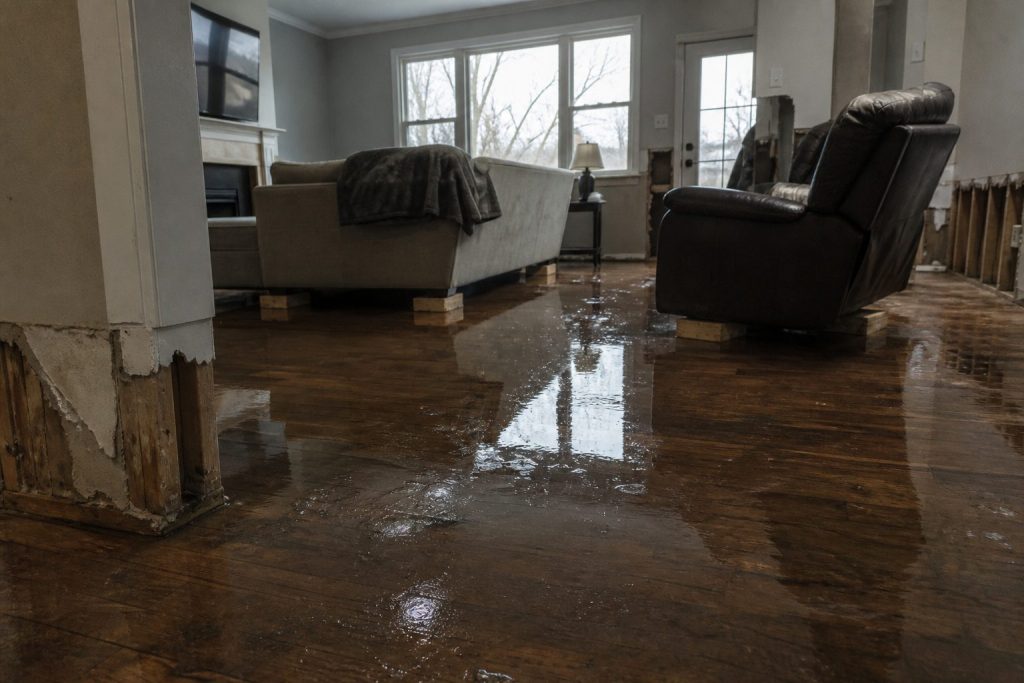
    Water damage is the highest-volume and highest-frequency loss type for most restoration companies, which makes it the line where pricing discipline pays the biggest compounding return. Unlike fire or mold, water jobs are highly repeatable, which means small per-job pricing improvements multiply across hundreds of jobs per year.

    Three things make water pricing distinct: equipment scaling drives a meaningful portion of the invoice, the daily monitoring schedule has to be defensible, and TPA programs scrutinize water claims more aggressively than any other category. Get any one of those three wrong and you are giving away gross profit.

    The Core Water Damage Line Item Stack

    Every water damage estimate should be built from the same core stack so nothing gets missed:

    • Emergency service charge — after-hours response, mobilization, initial assessment
    • Water extraction — by category and class, with documented affected square footage
    • Content manipulation — pack-out, block-up, content cleaning where applicable
    • Demolition and removal — wet drywall, baseboard, flooring, insulation, debris haul
    • Antimicrobial application — by area and method (spray, fog, wipe-down)
    • Drying equipment — air movers, dehumidifiers, air scrubbers, with daily monitoring
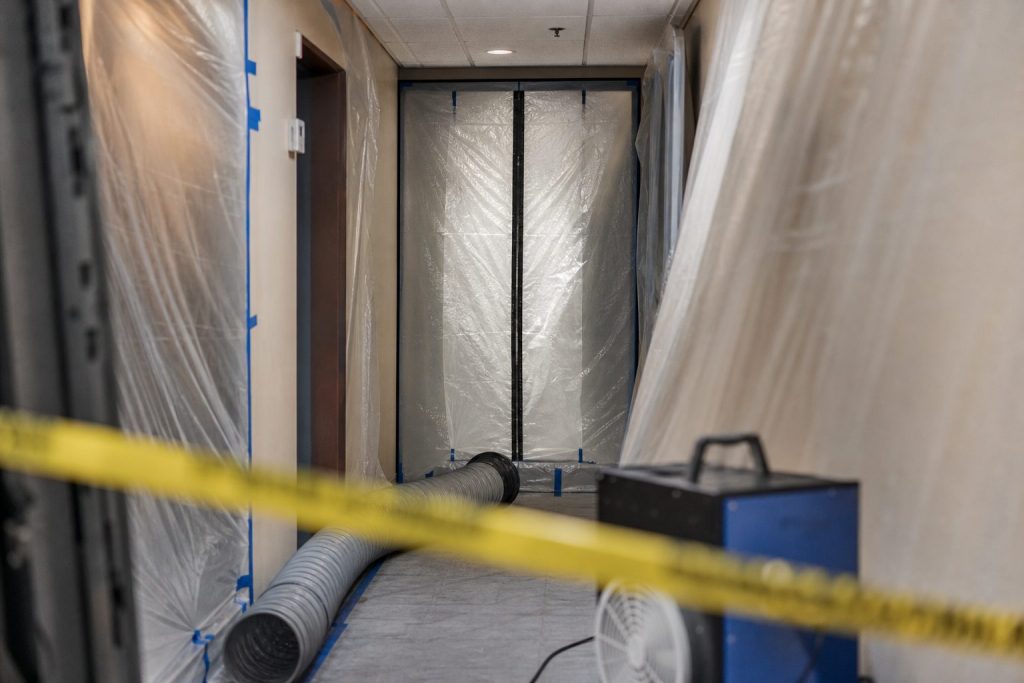
    • Containment — poly barriers, negative air, zipper doors when warranted
    • Daily monitoring — moisture readings, equipment adjustment, documentation
    • Equipment removal — final demob and post-dry verification

    Operators who win on water pricing have a checklist that runs through this stack on every estimate. Operators who lose pick and choose, miss line items, and discover the gap on the back-end when the job is closed out.

    Equipment Pricing: The Single Biggest Margin Lever
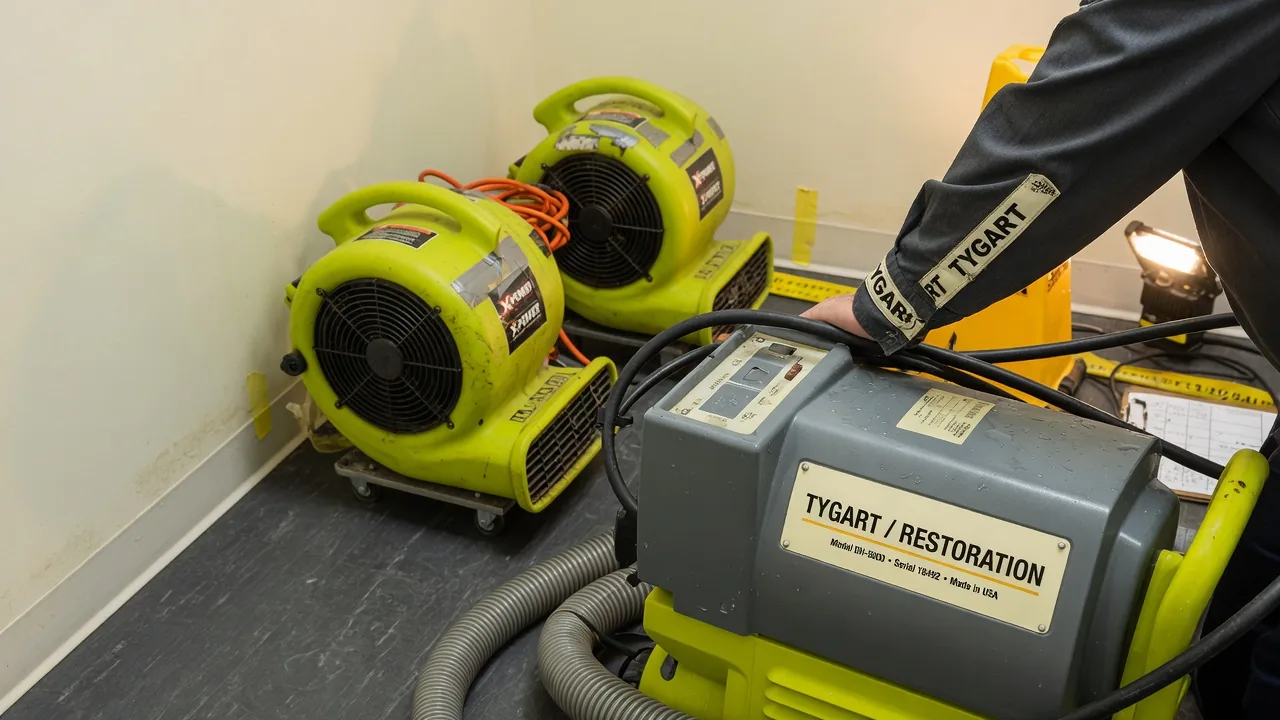
    Drying equipment is where the largest pricing gap exists between operators who know the rules and operators who guess. Insurance pricing for air movers and dehumidifiers is daily, but the daily count must reflect actual on-site days, not contract days. Documenting equipment placement with photos, equipment counts on the daily monitoring sheet, and removal dates protects every dollar.

    The other equipment trap is dehumidifier sizing. Pricing matrices reimburse based on dehumidifier class (LGR, conventional, desiccant), so misidentifying equipment in the estimate creates either a write-off or an invoice dispute. Always document model numbers and class on the equipment log.

    Category and Class: The Foundation Most Estimates Skip

    Water loss category (1, 2, or 3) and water loss class (1 through 4) drive the pricing for almost every line item on the estimate. Operators who skip the category and class documentation in favor of “just running the numbers” leave money on every job because TPA reviewers will downgrade ambiguous loss types.

    The fix is operational: document category and class on the initial moisture map, photograph contamination evidence for Cat 2 and Cat 3 losses, and reference the IICRC S500 standard in the scope notes. This single practice closes the most common gap between estimated and approved invoices.

    Cash vs Insurance Water Pricing

    Cash water jobs let you price for value rather than against a matrix, but they also expose you to objections you do not get on insurance work. The right cash pricing strategy is a tiered estimate: a “complete dry-out” option, a “structural-only” option, and a “you handle the contents” option. This converts more leads at higher margin than a single take-it-or-leave-it number.

    For insurance work, the discipline is different: build to the matrix, document everything, and never accept a reduction without a written explanation referencing a specific line item. Most reductions are habit; they evaporate when challenged.

    Common Pricing Mistakes That Cost Real Money

    Across hundreds of restoration audits, the same mistakes appear repeatedly. Under-counting affected square footage on the moisture map. Forgetting antimicrobial on Cat 1 losses where it is still warranted. Missing the second floor when water migrated up. Pricing a single air scrubber for a multi-room job. Skipping the daily monitoring line on quick-dry jobs. Each of these costs $200 to $2,000 per job, and they happen on most estimates that are not built from a checklist.

    Frequently Asked Questions

    What is the average price of a water damage restoration job?

    Average residential water damage jobs in the U.S. fall between $3,000 and $7,500 depending on category, class, and affected square footage. Commercial jobs average $8,000 to $40,000+. National averages are useful as a sanity check but should never be used as a pricing target — every estimate should be built line by line from the actual scope.

    Should I use Xactimate pricing for cash water jobs?

    You can use Xactimate pricing as a baseline reference for cash jobs, but cash work should be priced for value, not against a TPA matrix. Most operators find that using Xactimate as a floor and then layering in tiered options produces 20 to 35 percent higher gross margin on cash work than pure matrix pricing.

    How do I defend my water damage pricing to insurance adjusters?

    Defensible water pricing rests on three documents: a labeled moisture map, daily monitoring sheets with equipment counts and moisture readings, and category/class documentation tied to IICRC S500. With those three documents, almost every line item is defensible, and reductions are rare.

    What line items get cut most often on insurance water claims?

    The most commonly reduced items are equipment days (cut to “industry standard”), antimicrobial application (challenged on Cat 1), content manipulation (cut as overhead), and after-hours service charges. Each can be defended with documentation, and most reductions are reversed when the operator pushes back with specifics.

    How often should I update my water damage pricing?

    Pricing matrices update quarterly, so any operator pulling from Xactimate or Symbility should refresh their estimating templates four times a year. Cash pricing should be reviewed at least twice a year against local labor and material costs. Operators who do not update pricing routinely find themselves losing margin to inflation they never adjusted for.
  • Xactimate X1 Platform Guide for Restoration Operators

    Xactimate X1 Platform Guide for Restoration Operators

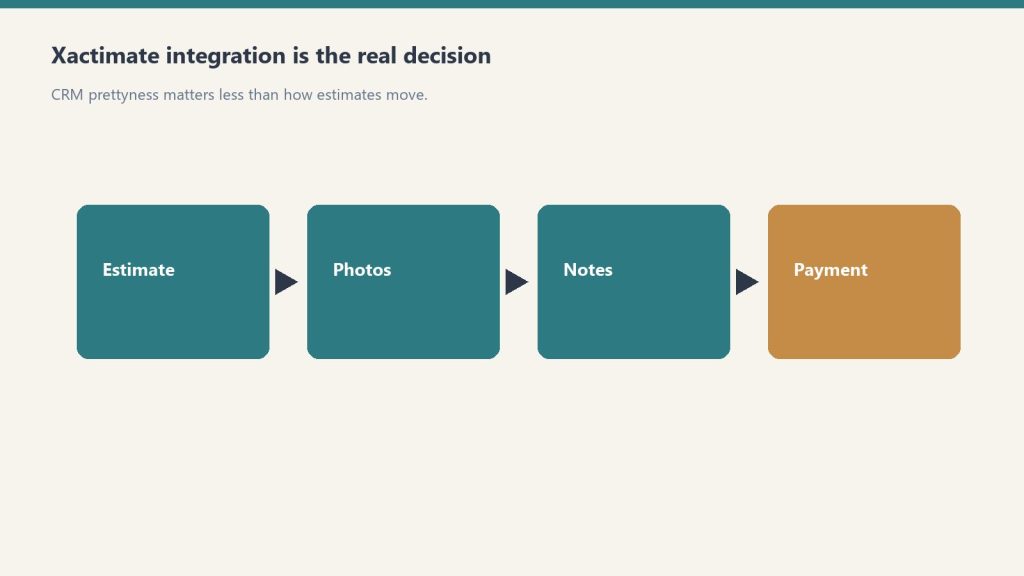
    Xactimate X1 is Verisk’s unified estimating platform for property claims work. It runs across desktop, online, and mobile with cloud-synced data, which means a field tech can start a sketch on a tablet at a loss site and a project manager can finish the estimate on a desktop in the office without re-keying anything. For restoration operators, that field-to-office continuity is the single biggest workflow advantage X1 brings to the business.

    This guide assumes you already understand how Xactimate fits into a restoration company’s pricing workflow. If not, start with our restoration pricing and estimating master guide for the full context.

    What Makes X1 Different

    X1 is the modern Xactimate experience Verisk has been moving the platform toward over the last several years. The defining capabilities are cross-device sync (desktop, online, mobile share the same estimate state), Sketch AR for mobile measurement, customizable rules that enforce estimating practices in real time, and the Line Item Advisor that suggests appropriate codes from the roughly 17,000-item Xactimate library.

    The practical impact is that X1 reduces the amount of post-claim review time required to catch missed line items, mismatched scopes, and inconsistent estimating practices across a team. For multi-rep restoration companies, this is where the platform pays for itself.

    The Field-to-Office Workflow

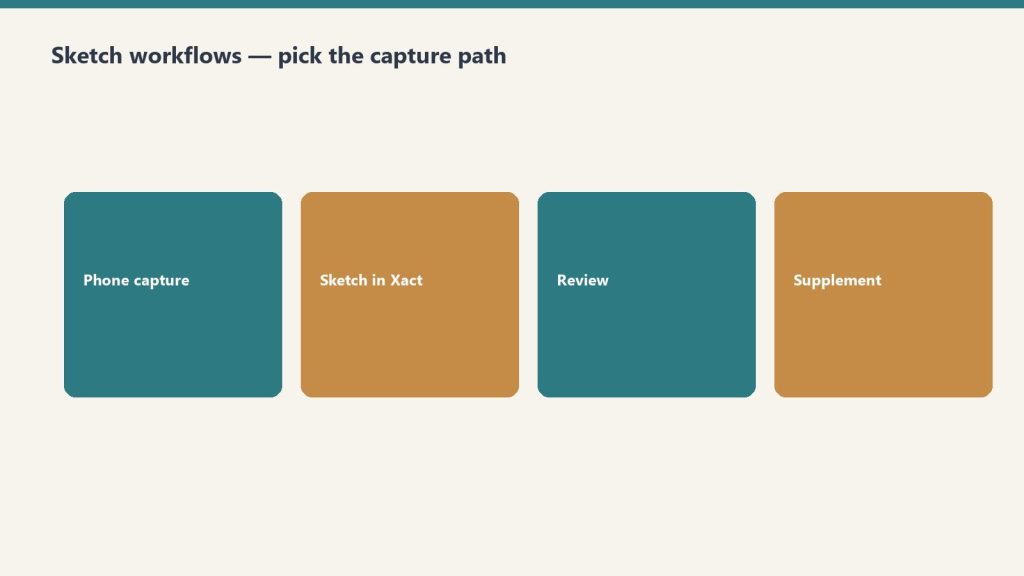
    The intended X1 workflow for a restoration job looks like this: field tech arrives on site, opens the mobile app, runs a Sketch AR measurement of the affected rooms, captures damage photos tied to specific rooms, adds preliminary line items, and syncs to the cloud before leaving the site. Back at the office, the estimator opens the same estimate on desktop, adds the rest of the scope (equipment, labor, content manipulation), runs the rules check, and prepares the estimate for submission.

    Companies that adopt this workflow consistently report 30 to 50 percent reductions in time from loss to estimate submission, which directly improves cash flow and TPA scoring.

    Customizable Rules: The Quiet Margin Lever

    X1’s customizable rules feature is one of the most under-used capabilities on the platform. Rules let you encode your estimating practices (always include this line item with that one, always default to this dehumidifier class on Cat 2 jobs, always flag estimates above a certain dollar amount for senior review) directly into the platform.

    The rules then enforce themselves in real time as the estimator builds the estimate. This is the difference between a company whose estimates are inconsistent across reps and a company whose estimates look like they all came from the same hand. For TPA programs and audit defensibility, that consistency is worth real money.

    Line Item Advisor and the 17,000-Item Library

    Xactimate’s line item library has roughly 17,000 items, which is more than any human estimator can hold in memory. The Line Item Advisor in X1 suggests appropriate codes based on the context of the estimate, which speeds up estimate construction and reduces the chance of using the wrong code for a specific scope item.

    For new estimators, this feature shortens the learning curve significantly. For experienced estimators, it surfaces line items they might otherwise default away from out of habit.

    X1 vs Legacy Xactimate

    If your team is still working primarily on the legacy Xactimate experience, the migration to X1 is worth planning intentionally. The cloud-sync model, the mobile capabilities, and the rules system all require a workflow shift, not just a software update. Plan two to three months of dual-running before retiring legacy workflows entirely.

    Getting Your Team on X1

    Verisk offers an X1 training course covering the full platform, including importing and creating estimates, claim information setup, interior and roof Sketch diagrams, line item entry with localized pricing, and reporting. Third-party providers also offer X1-specific training. Whichever path you choose, formal training shortens onboarding time substantially compared to self-teaching.

    Frequently Asked Questions

    What is the difference between Xactimate X1 and the legacy Xactimate experience?

    X1 is the unified, cloud-synced version of Xactimate that runs identically across desktop, online, and mobile. The legacy experience was device-specific with manual sync. X1 also adds Sketch AR for mobile measurement, customizable rules, and the Line Item Advisor. Functionality is broadly similar, but the workflow and collaboration model are substantially different.

    Do I need separate Xactimate licenses for desktop, mobile, and online?

    No. An X1 license covers desktop, online, and mobile use under the same account. A user can move between devices on the same estimate without re-licensing. License pricing depends on the seat type and contract; verify current pricing directly with Verisk.

    How accurate is Xactimate Sketch AR for restoration measurement?

    Sketch AR is accurate enough for most residential interior measurements when the device camera and lighting allow for clean tracking. For jobs requiring high-precision measurement (insurance disputes, large commercial losses), traditional measurement methods are still recommended as a verification step.

    Can I use Xactimate X1 offline?

    Yes, the mobile app supports offline work for sketching and basic line item entry. Estimates sync to the cloud when connectivity returns. For full pricing data and the complete line item library, an internet connection is required.

    Should restoration owners learn X1 themselves or hire an Xactimate professional?

    Both. Owners benefit from understanding the platform well enough to review estimates intelligently and spot scope gaps. For high-volume estimate production, hiring or contracting a dedicated Xactimate professional almost always pays for itself in faster estimate turnaround and fewer scope misses.


  • Xactimate Common Mistakes: The Line Items Restoration Estimators Forget Most

    Xactimate Common Mistakes: The Line Items Restoration Estimators Forget Most

    Xactimate is precise enough that small estimating mistakes show up clearly when the invoice closes out. The platform has roughly 17,000 line items, and the difference between the operators who consistently get paid in full and the operators who absorb chronic reductions is usually a small number of repeating mistakes. This article catalogs the mistakes that show up most often in restoration estimate audits and how to fix each one.

    This article assumes you are familiar with the broader Xactimate workflow. For that context, see our restoration pricing and estimating master guide.

    Mistake 1: Picking the Wrong Code from a Similar-Looking Group

    Xactimate often has multiple line items that look similar but apply to different scopes. Drywall repair, drywall replacement, and drywall hang/finish are three different items with three different prices. The Line Item Advisor in X1 helps surface the right code, but estimators who default to the first match they see consistently choose codes that under-bill the actual work.

    The fix is discipline: read the line item description before adding it, and use the Advisor’s suggestions when working on unfamiliar scope.

    Mistake 2: Under-Counting Equipment Days

    Equipment days are the most common source of audit reductions on water damage jobs. The pattern: the estimator counts contract days from project start to project close, but the audit counts only the days the equipment was physically on site per the daily monitoring log. Missing log entries mean missing days.

    The fix is operational: daily monitoring logs must be completed daily, with equipment counts and moisture readings, and equipment placement and removal must be photographed for documentation.

    Mistake 3: Missing Antimicrobial on Cat 1 Losses

    Antimicrobial application on Cat 1 water losses is sometimes treated as optional, but the IICRC S500 standard supports its use in many Cat 1 scenarios — especially when there is any risk of category escalation, when affected materials cannot be fully dried, or when the response time means microbial growth is a real risk.

    Skipping antimicrobial on Cat 1 losses out of a vague sense that “it might get cut” leaves real billable scope off the estimate. The fix is to document the reasoning for the antimicrobial line in the estimate notes.

    Mistake 4: Single Air Scrubber for Multi-Room Jobs

    The pricing matrix supports multiple air scrubbers when the affected area justifies them. Single-scrubber estimates on multi-room losses are routine, and they routinely under-bill the equipment scope. The fix is to scrubber-count by room and document placement on the equipment log.

    Mistake 5: Skipping Containment on Fire Cleanup

    Containment line items are routinely skipped on fire cleanup estimates because the estimator focuses on visible cleaning work. But proper fire cleanup requires HEPA negative air containment to prevent soot redistribution into adjacent unaffected areas. Skipping containment in the estimate produces work that either gets done un-billed or causes secondary contamination claims.

    Mistake 6: Missing the Second Floor When Water Migrated

    Water rarely stays on one floor. Estimates that scope only the floor where water originated routinely miss legitimate scope on the floor below (where ceiling damage is common) or above (where water can wick up baseboards). The fix is a complete walkthrough of the entire structure on intake, not just the affected room.

    Mistake 7: Outdated Local Price List

    Xactimate pricing updates monthly. Estimating templates that have not been refreshed against the current price list are systematically under-billing on items where prices have moved. The fix is a monthly refresh ritual: when the new price list drops, refresh the templates.

    Mistake 8: Generic Notes That Cannot Defend the Scope

    Estimate notes that say “per IICRC standards” without referencing the specific standard, scope item, or category provide no defense in audit. Notes that say “Cat 2 water loss per S500, antimicrobial applied per protocol due to documented contamination evidence (photos attached)” defend almost any scope item.

    Mistake 9: Wrong Labor Efficiency Model

    Now that Xactimate has three labor efficiency models as of February 2026, choosing the wrong one mis-prices the labor by 10 to 25 percent. The new Large Restoration/Remodel tier should be used for mid-sized multi-trade work that previously got force-fit into one of the two prior models.

    Mistake 10: Lump-Sum Estimates for Cash Jobs

    Lump-sum cash estimates feel simple but consistently under-price the work because the estimator forgets line items that would have been included in an itemized scope. The fix is to always build cash estimates itemized in Xactimate, then optionally summarize for the customer if a lump-sum presentation is preferred.

    Frequently Asked Questions

    What is the most common Xactimate mistake on water damage jobs?

    Under-counting equipment days. The pattern is estimating contract days while the audit counts only documented on-site days from the daily monitoring log. The fix is rigorous daily logging with equipment counts and moisture readings, plus photo documentation of placement and removal.

    How many line items does Xactimate have?

    Approximately 17,000 line items in the standard library. The Line Item Advisor in X1 surfaces appropriate codes based on context, which reduces the cognitive load of finding the right code without defaulting to the first plausible match.

    How often should I update my Xactimate estimating templates?

    Monthly, in line with the Verisk price list update cycle. Templates frozen at older pricing produce estimates that get reduced on submission because they do not reflect the current published research.

    What kind of estimate notes hold up to TPA audit?

    Notes that reference specific standards (IICRC S500, S520, S700), specific category and class documentation, specific scope decisions and the evidence supporting them, and photo references where applicable. Generic “per industry standard” notes provide no defense.

    Does the new 2026 labor efficiency model affect my older estimates?

    No. The Large Restoration/Remodel option applies to estimates built going forward. Estimates already submitted under the prior two-model architecture are not retroactively affected. New estimates should evaluate which of the three models best fits each job.


  • Xactimate Sketch AR and the Mobile-First Restoration Workflow

    Xactimate Sketch AR and the Mobile-First Restoration Workflow

    Field measurement has historically been the slowest step in restoration estimating. A tech walks the loss with a tape measure or laser, jots down dimensions, returns to the office, and re-keys everything into Xactimate before the estimate can begin. Xactimate Sketch AR collapses that workflow by moving the measurement and initial sketch into the field, on a mobile device, with cloud sync to the office.

    For broader context on how Xactimate fits restoration operations, see our restoration pricing and estimating master guide.

    What Sketch AR Does

    Sketch AR uses the camera and motion sensors on a tablet or phone to take measurements as the user walks through the loss site. The output is a 2D sketch with dimensions captured directly from the field, plus optional 3D cutaway views that help visualize the interior layout. The data syncs to the cloud and is available on the desktop estimate immediately.

    The headline benefit is time. Field measurement that previously took 30 to 60 minutes per loss can be completed in 10 to 20 minutes with Sketch AR, and the office no longer needs a separate sketching step before the line item work begins.

    The Mobile-First Restoration Workflow

    The mobile-first workflow Sketch AR enables looks like this on a typical water loss:

    • Arrival — tech opens the X1 mobile app and creates the estimate shell
    • Walkthrough — tech runs Sketch AR through each affected room, capturing dimensions and damage photos tied to specific rooms
    • Initial line items — tech adds preliminary line items for obvious scope (extraction, demo, equipment placement)
    • Sync — estimate uploads to the cloud before the tech leaves the site
    • Office completion — estimator opens the same estimate on desktop, refines line items, runs rules check, prepares for submission

    Companies that adopt this workflow consistently report 30 to 50 percent compression in time from loss to estimate submission. That speed flows directly into faster cash flow and improved TPA scoring.

    When Sketch AR Is the Right Tool

    Sketch AR is well-suited for typical residential interiors with reasonable lighting, distinguishable wall edges, and accessible spaces. It is the right default for most water loss, mold, and partial fire jobs in homes and small commercial spaces.

    It is less well-suited for: heavily damaged spaces where wall edges are obscured, dark or smoke-filled environments where the camera cannot track, very large open spaces with limited reference features, or any job requiring precision measurement for dispute defense (where traditional measurement should still be used as a verification step).

    Training and Adoption

    The technical learning curve on Sketch AR is short — most field techs are productive within a single training session. The harder change is workflow: moving the team from “measure on site, sketch at the office” to “sketch on site, refine at the office” requires deliberate process change.

    The most common adoption failure is leaving the workflow optional. Teams that allow some techs to sketch on site and others to defer to office sketching never realize the speed benefits. Standardizing on the mobile-first workflow as the company default is the difference between marginal improvement and dramatic cycle-time compression.

    Equipment and Device Considerations

    Sketch AR works best on modern tablets with strong motion sensors and good cameras. iPads with LiDAR sensors produce particularly clean tracking. Spec out devices for the field team based on actual job conditions — a $400 tablet that struggles in low light produces worse measurements than a $900 tablet that handles real conditions.

    Where Sketch AR Fits in the Larger X1 Workflow

    Sketch AR is one of several X1 capabilities that together produce the field-to-office continuity that defines the modern Xactimate workflow. It pairs naturally with cloud-synced estimates, the Line Item Advisor for quick line item suggestions, and customizable rules that catch missed scope items at the point of entry. None of these features stand alone — they reinforce each other.

    Frequently Asked Questions

    What is Xactimate Sketch AR?

    Sketch AR is the augmented-reality measurement and sketching feature in the Xactimate mobile app. It uses the device camera and motion sensors to capture room dimensions and produce a 2D sketch in the field, with optional 3D cutaway views. The output syncs to the cloud and is available on the desktop estimate immediately.

    How accurate is Sketch AR?

    Sketch AR is accurate enough for most residential interior measurements when conditions allow for clean camera tracking. For high-precision requirements (insurance disputes, large commercial losses), traditional measurement is still recommended as a verification step. Devices with LiDAR sensors typically produce cleaner results than camera-only devices.

    What kind of device do I need for Sketch AR?

    A modern tablet or phone with a good camera and motion sensors. iPads with LiDAR are particularly well-suited because the dedicated depth sensor improves tracking. Field teams should standardize on capable hardware rather than mixing devices that produce inconsistent results.

    Can Sketch AR replace traditional measurement entirely?

    For typical residential interior work in good conditions, Sketch AR can serve as the primary measurement method. For high-stakes jobs, large commercial spaces, dark or heavily damaged environments, or any situation that may end up in dispute, traditional measurement should still be used as either the primary method or a verification step.

    How long does it take to train field techs on Sketch AR?

    The technical training is short — most techs are productive within a single training session. The harder change is operational: standardizing the team on a mobile-first workflow rather than leaving it optional. Allow two to four weeks for the new workflow to become muscle memory across the team.


  • Xactimate Certification Levels: What Levels 1, 2, and 3 Cover and Which One Your Team Needs

    Xactimate Certification Levels: What Levels 1, 2, and 3 Cover and Which One Your Team Needs

    Xactimate offers three certification levels that progressively cover the platform’s depth. For restoration operators staffing an estimating function, knowing which level each role actually needs is the difference between an over-trained team that costs too much and an under-trained team that produces inconsistent estimates. This guide breaks down what each level covers, what it costs, and how to think about certification across roles.

    For broader context on how Xactimate fits into restoration operations, see our restoration pricing and estimating master guide.

    Level 1 — Fundamentals

    Level 1 covers the foundational use of Xactimate: navigation, project setup, creating estimates, adding line items, and basic sketching. It is designed for users who are new to the platform or want to solidify the fundamentals.

    For restoration teams, Level 1 is the right baseline for anyone who touches an estimate at any stage — field techs who capture initial sketches, project managers who review estimates, and ownership who needs to read estimates intelligently. The certification establishes a shared vocabulary across the team and prevents the most common usage mistakes.

    Level 2 — Proficiency / Power User

    Level 2 builds on Level 1 and goes deeper into the more advanced platform capabilities — complex sketching, custom price lists, advanced reporting, and platform-level configuration. It is the right target for the team members who actually build estimates daily.

    For most restoration companies, Level 2 should be the standard for senior estimators, project managers responsible for estimate sign-off, and anyone who configures price lists or custom rules for the company. The depth of Level 2 is what separates an estimator who builds defensible, complete estimates from one who produces work that triggers TPA reductions.

    Level 3 — Mastery

    Level 3 is reserved for the most complex scopes and is described as appropriate for veteran insurance adjusters with years of field experience handling the most complicated claims. The certification covers the full depth of the platform and the most nuanced estimating scenarios.

    For most restoration companies, Level 3 is overkill for the standard estimating workflow. The exception is companies that handle large-loss commercial work, work as TPA program subcontractors with audit responsibilities, or operate as third-party estimating services. For those use cases, Level 3 represents a meaningful credential.

    What the Exams Look Like

    Each certification level requires passing an exam administered by Verisk. The passing score is 70 percent. A current Xactimate license is required to take the exams. Once achieved, certification is valid for two years before renewal is required.

    The two-year renewal cycle matters for staffing planning — certifications are not lifetime credentials, and budgeting for re-certification every two years is part of running a properly trained estimating team.

    What Certification Costs

    Verisk offers training and exam options directly through its training platform. Third-party training providers also offer Xactimate Level 1 and Level 2 certification preparation, often bundled together. Pricing through major third-party providers tends to land around $650 for combined Level 1 and Level 2 training, with regional variation.

    For operators staffing multiple estimators, building a relationship with a single training provider and running team-wide certification cycles is often more cost-effective than ad hoc individual training. Some providers offer group rates and customized training for restoration-specific scopes.

    How to Think About Certification ROI

    The return on certification investment is not the credential itself — it is the reduction in estimating mistakes, audit reductions, and re-work that comes from a properly trained team. A single avoided $5,000 audit reduction pays for a team’s annual training budget several times over. Companies that under-invest in certification consistently leave more money on the table than they save in training cost.

    Recommended Certification Map for Restoration Teams

    A practical certification map for a restoration company:

    • Field techs and admin staff — Level 1 baseline, refreshed every two years
    • Senior estimators and project managers — Level 2 standard, refreshed every two years
    • Lead estimator / estimating manager — Level 2 minimum, Level 3 if handling large-loss commercial work
    • Owner / executive — Level 1 understanding to read and review estimates intelligently

    Frequently Asked Questions

    How many Xactimate certification levels are there?

    There are three certification levels: Level 1 (Fundamentals), Level 2 (Proficiency / Power User), and Level 3 (Mastery). Each level builds on the previous one, but you do not have to take them in sequence — a user can pursue Level 2 without holding Level 1.

    What score is required to pass an Xactimate certification exam?

    The passing score is 70 percent. A current Xactimate license is required to take the exam. Once passed, the certification is valid for two years before renewal is required.

    How much does Xactimate certification training cost?

    Pricing varies by provider. Third-party providers commonly offer combined Level 1 and Level 2 training in the $650 range, with regional and seasonal variation. Verisk also offers training and exam options directly through its platform. For up-to-date pricing, check the Verisk training site or your preferred third-party provider.

    Which Xactimate certification level do my estimators need?

    For most restoration companies, Level 1 is the right baseline for anyone who touches an estimate, and Level 2 is the standard for daily estimators and project managers. Level 3 is appropriate primarily for large-loss commercial estimators or third-party estimating professionals.

    How often do I need to renew Xactimate certification?

    Certifications are valid for two years. Renewal requires re-testing at the same level. Plan the recertification cycle into your annual training budget and stagger renewals across team members to avoid bunching the workload.


  • Xactimate 2026 Labor Efficiency Models: Why Verisk Added the Large Restoration/Remodel Tier

    Xactimate 2026 Labor Efficiency Models: Why Verisk Added the Large Restoration/Remodel Tier

    One of the most consequential Xactimate updates in recent years arrived in February 2026: Verisk expanded the labor efficiency architecture from two models to three. The new Large Restoration/Remodel option fills a long-acknowledged gap between service-level work and full rebuild scenarios. For restoration operators handling mid-sized losses, the change is meaningful — and using the wrong model is a fast way to mis-price the labor on a job.

    This article assumes you understand how Xactimate fits into the broader pricing workflow. For that context, start with our restoration pricing and estimating master guide.

    The Old Two-Model Architecture

    Before the February 2026 update, Xactimate offered two labor efficiency models: a service-level model for small-scope, single-trade work and a restoration/remodel model for larger rebuilds. The two-tier architecture worked well at the extremes but struggled in the middle.

    Mid-sized restoration jobs — partial kitchen rebuilds after water loss, multi-room fire cleanup, large mold remediation projects — did not align cleanly with either model. Estimators routinely made judgment calls or layered manual workarounds to bridge the gap. The result was inconsistent labor pricing across similar jobs, depending on which estimator built the estimate.

    What the New Three-Model Architecture Looks Like

    The 2026 update keeps the existing service-level and restoration/remodel models and adds a third tier — Large Restoration/Remodel — designed for mid-sized work that involves multiple trades, longer durations, and more complex coordination than a service-level job, but does not reach the scale of a full rebuild.

    The practical effect is that estimators now have a defensible, system-supported choice for the work that previously required manual workarounds. This produces more consistent labor pricing across a portfolio of jobs and reduces the audit exposure that comes from improvised efficiency selections.

    How to Choose Between the Three Models

    The right model selection depends on job characteristics. Verisk’s documentation provides detailed selection criteria, but the field-level shorthand most experienced estimators use looks like this:

    • Service-level — single-trade, short-duration, minimal coordination, typical small water mitigation or single-room work
    • Large Restoration/Remodel — multi-trade, multi-week duration, moderate coordination, mid-sized fire/water/mold or partial rebuild
    • Restoration/Remodel — full rebuild scope, long duration, full general contracting coordination, large losses

    The Large Restoration/Remodel tier is the one most likely to be under-used initially because it is new and unfamiliar. Operators should review recent estimates that fell awkwardly between the two prior models and identify which would now fit the new tier.

    Why Labor Efficiency Matters for Margin

    Labor efficiency in Xactimate is not a discount or a multiplier — it is a coefficient that adjusts labor hours based on the type of work being performed. The same line item carries different labor hours under different efficiency models, because a service-level repair really does take less coordination overhead than a large rebuild.

    Selecting the wrong efficiency model on a job can shift the estimated labor by 10 to 25 percent, which is the difference between a profitable job and a job that loses money on labor underestimation.

    How TPAs Are Adopting the New Model

    TPA programs typically take a quarter or two to fully integrate new Xactimate methodology updates into their audit and review workflows. During the transition, expect inconsistency across reviewers — some will accept Large Restoration/Remodel selections without question, others will challenge them. Documenting the reasoning for the model selection in the estimate notes is the best defense.

    What to Update in Your Estimating Process

    Three things to update now that the three-model architecture is live: estimating templates should include the new Large Restoration/Remodel option as a standard selection for qualifying scopes, training materials should be refreshed to cover when to use each tier, and audit checklists should include a labor efficiency model review as a standard line item.

    Frequently Asked Questions

    What changed in Xactimate’s 2026 labor efficiency update?

    Verisk expanded the labor efficiency architecture from two models to three by adding the Large Restoration/Remodel option. The update was presented in February 2026 and is designed to bridge the gap between service-level work and full rebuild scenarios for mid-sized restoration jobs.

    When should I use the Large Restoration/Remodel labor efficiency model?

    Use it for mid-sized jobs that involve multiple trades, multi-week duration, and moderate coordination but do not reach the scale of a full rebuild. Common examples include partial kitchen rebuilds after water loss, multi-room fire cleanup, and large mold remediation projects.

    How much can the wrong labor efficiency model affect my estimate?

    Selecting the wrong efficiency model can shift the estimated labor on a job by roughly 10 to 25 percent depending on the scope. On a $30,000 estimate, that is $3,000 to $7,500 of labor either over- or under-stated. The model choice is a meaningful margin lever, not a minor technical detail.

    Do TPAs accept the new Large Restoration/Remodel model?

    Yes, but adoption is uneven during the early months after the release. Some reviewers accept the new tier without question, others challenge it. The best practice is to document the reasoning for the model selection in the estimate notes so the choice is defensible if questioned.

    Where can I learn more about the 2026 Xactimate labor efficiency update?

    Verisk has published webinar content covering the updated labor efficiencies architecture in detail. The on-demand webinar is the authoritative source for the methodology and selection criteria. Operator-level training providers have also begun including the new tier in their X1 curricula.


  • Xactimate Pricing Methodology: How Verisk Builds the Numbers Restoration Estimates Live On

    Xactimate Pricing Methodology: How Verisk Builds the Numbers Restoration Estimates Live On

    Xactimate is the most widely used estimating platform in property restoration, and the prices behind it are not invented in a back room. Verisk publishes a documented pricing research methodology that explains how every line item price is built, updated, and released. For restoration operators, understanding the methodology is the foundation of defending your estimates to TPAs, adjusters, and customers.

    If you have not read the broader pricing context first, start with our restoration pricing and estimating master guide.

    The Research Footprint

    Verisk’s pricing research covers 468 geographic regions across the United States and Canada. The data is gathered from a network of more than 50,000 providers of materials, equipment, and labor, generating over 345,000 survey points each year. That research footprint is what makes Xactimate pricing the reference standard for property claims work — no other estimating platform publishes data at that scope.

    The practical takeaway for restoration operators is that Xactimate is not “national” pricing dressed up as local — it is genuinely localized to your service area, which means defending your estimate to an out-of-area adjuster is a matter of pointing them to the documented research for your region.

    How Cluster Analysis Sets the Number

    For each line item in each region, Verisk performs cluster analysis on the submitted price points. The methodology identifies the largest cluster of prices and selects a point within the appropriate range. The published price reflects the most common recently submitted price for that item in that region.

    This matters because it explains a recurring estimator complaint: “the price feels low compared to what I would charge.” The Xactimate price is not the highest price or the lowest price — it is the most common price for the same scope of work in the same region. Operators charging meaningfully more than the published price are signaling either a different scope, higher-quality work, or a pricing strategy that needs to be defended on its own terms.

    The Update Cycle: What Updates When

    Verisk updates Xactimate price lists monthly. Within that monthly cycle, the work is layered:

    • Vendor-specific pricing updates nightly for items sourced from individual vendor catalogs
    • Hourly billable labor rates update monthly based on the most recent regional research
    • General quote prices update monthly with the new price list release
    • Material and equipment components update when market analysis indicates a change is warranted

    The “when warranted” language is important. Not every line item is freshly surveyed every month — that would not be feasible. Verisk’s methodology is closer to “update when the market moves” than “update on a fixed calendar.” This is why two adjacent monthly price lists can look almost identical for stable categories, then jump for categories where lumber, drywall, or other inputs have shifted.

    What This Means for Your Estimating Templates

    Restoration companies pulling from Xactimate should refresh their internal estimating templates monthly when the new price list drops. Templates frozen at older pricing produce estimates that get reduced on submission because they are out of step with the current published research.

    The same applies to cash work where Xactimate pricing is used as a baseline reference. Cash estimates built off stale price lists give away margin to inflation that the published prices have already absorbed.

    How to Read a Verisk Methodology Document

    The Verisk pricing research methodology is publicly documented and worth reading at least once for anyone building estimates daily. The document explains how labor rates are weighted, how material prices are sourced, how equipment rentals are priced, and how the cluster analysis selects the published number. Knowing this language gives you a defensible vocabulary when an adjuster questions a line item.

    When Xactimate Pricing Is Not the Right Reference

    Xactimate pricing is appropriate for the vast majority of standard restoration scope. It is not the right reference for: highly specialized work outside the line item library, custom installations with no comparable market data, art and high-value content cleaning, or unusual structural work where the cluster analysis has thin data. For those scopes, custom estimates or specialty contractor pricing is the correct approach.

    Frequently Asked Questions

    How often does Verisk update Xactimate pricing?

    Verisk publishes price list updates monthly. Within that cycle, vendor-specific pricing updates nightly, hourly labor rates update monthly, and general line item prices update when market analysis warrants. The monthly release is the cadence operators should plan their template refreshes around.

    How many regions does Xactimate pricing cover?

    Xactimate covers 468 geographic regions across the United States and Canada, with pricing researched independently for each region. This is the reason the same line item can have meaningfully different prices in different markets — the published number is built from local research.

    How does Verisk decide what price to publish for a line item?

    Verisk uses cluster analysis on submitted price points across more than 50,000 providers and over 345,000 annual survey points. The methodology identifies the largest cluster of prices for a line item in a region and selects a representative point within that range. The published price reflects the most common recently submitted price.

    Why does my Xactimate price feel lower than my actual cost on some items?

    If the published price is consistently below your cost, you are likely either operating in a higher-cost niche than the cluster average, using a higher-quality material than the published reference, or carrying overhead that the published labor rate does not absorb. Each of these is a legitimate basis for a custom price modifier or a documented variance — not a reason to ignore the published price.

    Can I challenge a Verisk price if I think it is wrong for my market?

    Yes. Verisk accepts pricing feedback from contractors and uses contractor submissions as part of its survey input. Submitting documented evidence of a price discrepancy can influence the next monthly research cycle. Individual estimates can also include documented variances when the published price does not reflect the actual cost of the specific work.


  • Restoration Content Marketing: Building an Authority Engine

    Restoration Content Marketing: Building an Authority Engine

    Content marketing in the restoration industry is widely misunderstood. Most restoration companies that try it produce a dozen generic blog posts, see no leads, and quit. The companies that succeed treat content as a system — a steady cadence of pieces designed to capture specific search demand, build topical authority, and feed every other channel in the marketing stack.

    This article is part of our restoration marketing guide and focuses on the content layer specifically.

    Why Content Marketing Works for Restoration

    Three dynamics make content marketing especially powerful for restoration companies. First, the customer base is information-hungry — homeowners dealing with water damage, fire, or mold are actively researching what to do, what to expect, and how insurance works. Second, the competitive content set is weak. Most restoration company blogs are abandoned or filled with low-effort posts written by SEO vendors who have never set foot in a damaged building. Third, the search demand is durable — questions about smoke damage cleanup or insurance claim processes do not go out of style.

    A restoration company that publishes 4-8 substantive, operator-informed pieces per month will generally outrank franchise giants on long-tail informational queries within 12-18 months.

    The Three Content Types That Drive Restoration Leads

    1. Insurance and Claims Process Content

    Homeowners search constantly for help understanding water damage claims, smoke damage adjusting, mold coverage exclusions, depreciation, and supplements. Content that explains these processes clearly — written by people who actually deal with adjusters — captures high-intent traffic and converts well because the reader is in the middle of an active loss.

    2. Cause-of-Loss and Process Education

    Articles explaining the difference between Category 1, 2, and 3 water losses, how mold actually grows behind drywall, what soot does to electronics, and how dehumidification works build topical authority and earn backlinks from other industry publications. These pieces also answer the questions adjusters and homeowners ask in person.

    3. Localized Educational Content

    Pieces tied to specific local conditions — “Common causes of basement flooding in [metro],” “What to do when a pipe freezes in [city]” — combine search demand with local relevance. They support map pack rankings and give city service pages something useful to internally link to.

    Formats That Convert

    Long-form written articles in the 1,200-2,500 word range remain the workhorse format for restoration content marketing. Video pieces — particularly walkthrough videos of actual job sites or process explanations — perform well on YouTube and embed naturally into blog posts. Downloadable PDFs (insurance claim checklists, water damage timelines) work well as lead magnets but should not be the primary content investment.

    The format that almost never works for restoration: short-form blog posts under 600 words. They neither rank nor convert.

    Cadence and Production

    The minimum viable content cadence for a restoration company serious about organic growth is one substantive article per week. Below that, the compounding effect does not materialize. Above 8 pieces per month, quality usually starts to slip unless the operator has invested in either a full-time writer or a specialist agency.

    The production model that works best for most restoration companies is a domain-expert interview process — a writer interviews the owner, a senior project manager, or a lead estimator for 30-45 minutes per piece, then drafts the article from the transcript. This captures the operational nuance that AI-only or vendor-only content lacks.

    Distribution Beyond the Blog

    Content that lives only on a company blog leaves most of its value on the table. The same article should be repurposed into LinkedIn posts for B2B reach, short videos for social, email newsletter sends to the past customer and adjuster lists, and citations in proposals and email signatures. A piece that takes 6 hours to produce should generate 30+ derivative assets.

    Measuring Content Performance

    The leading indicators for restoration content marketing are organic sessions per piece, average position for target keyword, internal link clicks to service pages, and email captures. The lagging indicator that actually matters is closed jobs attributable to organic content — measured through clean attribution from first-touch organic visit through to revenue in the CRM.

    Frequently Asked Questions

    How long does content marketing take to produce restoration leads?

    The first organic leads from a serious content program typically begin to arrive within 4-6 months, with meaningful volume in the 9-12 month window. The compounding effect — where the body of work begins generating significant traffic and leads without much new investment — usually takes 18-24 months to materialize.

    Can AI write restoration content?

    AI tools can help with drafting and outlining, but unedited AI content tends to underperform on commercial restoration topics because it lacks the operator-specific detail that distinguishes useful content from filler. The best workflow uses AI to accelerate writing then has a domain expert revise heavily.

    How much does restoration content marketing cost?

    A serious in-house content program typically runs $4,000-$15,000 per month depending on cadence, formats, and whether video is included. Specialist restoration content agencies generally fall in a similar range. The cheapest viable approach — owner-written content one hour per week — works for some operators but rarely produces enough volume to compound.

    Should I gate my content behind email capture?

    For most restoration companies, gating high-intent informational content hurts more than it helps because it suppresses organic traffic and rankings. Reserve gating for genuinely valuable downloadable resources where the email is worth the friction.

    What topics should a restoration company never write about?

    Generic SEO filler — “10 tips for choosing a contractor,” “what is water damage” — rarely ranks or converts. Topics outside the company’s actual service offering also waste effort. Stick to questions actual customers and adjusters ask, written from genuine operational expertise.


  • Restoration Social Media Marketing: What Actually Works

    Restoration Social Media Marketing: What Actually Works

    Social media is the channel where restoration company marketing budgets go to die unless someone is paying attention. The platforms reward consistency more than creativity, the algorithms change quarterly, and the gap between social activity and closed jobs is harder to measure than search or LSAs. But for the operators who get it right, social produces meaningful brand lift, recruiting wins, B2B reach, and a steady drip of residential leads.

    This guide walks through which platforms matter for restoration, what to post, and how social fits into the rest of the marketing stack. For the broader strategic context, see our restoration marketing guide.

    Why Most Restoration Social Fails

    The typical restoration company social account posts before-and-after job photos with a generic caption two or three times a week, then wonders why it does not produce leads. The failure mode is consistent: posting without strategy, no platform-specific content, no paid amplification, and no measurement loop. Social can absolutely work for restoration — but only when the operator commits to a real production cadence, picks the right platforms, and treats it as a system rather than an afterthought.

    Platform-by-Platform Fit

    Facebook

    Facebook remains the most useful platform for residential restoration in most markets. Local community group engagement, Facebook Marketplace presence, and paid Facebook Ads targeting homeowners by geography are the three highest-leverage uses. Organic reach on a business page is essentially zero — paid amplification is required for the platform to matter.

    Instagram

    Instagram works well for restoration brand building, recruiting, and adjacent-service partnerships (real estate agents, designers, plumbers). Reels showing job site work, time-lapses of dry-out setups, and process explainers tend to outperform polished promotional content. Instagram is rarely a direct lead source for restoration but matters for credibility when prospects search for the company.

    LinkedIn

    LinkedIn is the highest-ROI social platform for commercial restoration and B2B business development. Property managers, facility managers, risk managers, brokers, and TPA contacts all spend meaningful time on LinkedIn. A consistent posting cadence from the owner or commercial sales lead, combined with targeted outreach to local property management firms, produces real pipeline. Most restoration companies dramatically underinvest here.

    YouTube

    YouTube works as a long-tail SEO and authority channel rather than a daily-engagement platform. Videos demonstrating the dry-out process, walking through fire damage cleanup, or explaining insurance claims rank for years and embed into blog content. The production bar is higher than other platforms but the asset life is much longer.

    TikTok

    TikTok produces wildly variable results for restoration. A small number of restoration companies have built large followings with raw job-site footage and educational content. Most accounts gain little traction. Worth experimenting with if the operator already produces video content for other platforms — not worth a dedicated investment otherwise.

    Content Types That Perform

    Across platforms, certain content types consistently outperform others for restoration companies: time-lapse job site videos, before-and-after walk-throughs with voiceover explaining the process, “what happens in the first 24 hours” educational pieces, owner or technician POV videos explaining a specific aspect of the work, and customer testimonials filmed at the completed job site. Pure promotional content (logo graphics, holiday greetings, generic safety reminders) generally underperforms.

    Paid Social for Restoration

    Paid social is where restoration social marketing actually produces measurable results. Facebook and Instagram Ads targeting homeowners in specific zip codes with video creative around water damage prevention or what to do during a storm produce both top-of-funnel awareness and direct lead form fills. LinkedIn Ads targeting facility manager and property manager titles in specific metros work for commercial pipeline.

    The budget threshold for paid social to matter is generally $1,500-$3,000 per month per platform. Below that, frequency is too low to generate meaningful results.

    Recruiting Through Social

    Often overlooked: social media is one of the most effective recruiting channels for restoration technicians and project managers. Content showing crew culture, training programs, equipment, and career paths attracts the labor pool that restoration companies struggle to recruit through traditional channels.

    Measurement and Attribution

    Social attribution is harder than search but not impossible. UTM-tagged links, dedicated landing pages for paid social campaigns, and post-call lead source questions all help. The most useful question is not “how many leads did social generate” but “what role does social play in our overall marketing mix” — which usually shows up as influencing search and direct traffic rather than producing first-touch leads.

    Frequently Asked Questions

    Which social platform should a restoration company start with?

    For residential-focused restoration, Facebook and Instagram together are usually the right starting point. For commercial-focused restoration, LinkedIn is the highest-leverage starting platform. YouTube makes sense once the company is already producing video content for other channels.

    How often should a restoration company post on social media?

    The minimum viable cadence is generally 3-5 posts per week per platform. Below that, audiences disengage. The cap is whatever the operator can sustain at quality — burnout from over-posting is more common than under-posting.

    Do I need a separate person to run social media?

    For companies under roughly $5M in revenue, social media is usually best handled by a part-time hire or a specialized agency rather than a full-time in-house role. Above that, a dedicated marketing coordinator who handles social, email, and content together becomes a worthwhile investment.

    Can social media produce direct restoration leads?

    Paid social — particularly Facebook and Instagram Ads — produces direct residential leads in most markets. Organic social rarely produces direct emergency restoration leads but does support brand recognition that improves conversion rates on other channels.

    Is it worth posting before-and-after job photos?

    Yes, but with operator commentary that explains what was done and why, and with attention to customer privacy and consent. A photo with no context is a wasted post; the same photo with a 90-second video explanation of the work performed is one of the highest-performing content types in restoration social.


  • Commercial Restoration Lead Generation: How Operators Win Larger Accounts

    Commercial Restoration Lead Generation: How Operators Win Larger Accounts

    Commercial restoration lead generation operates on completely different mechanics than residential. The buyer is a facility manager, property manager, risk manager, or broker. The decision cycle is months, not minutes. The contract structure is often an MSA or preferred vendor agreement rather than a one-off job. Companies that try to win commercial work using residential lead-gen tactics consistently fail — and companies that crack the offline relationship game build durable, high-margin pipelines that compound for years.

    This article is part of our broader restoration lead generation master guide, which sits above this piece in the hub-and-spoke architecture.

    Why Commercial Lead Generation Is Different

    Three structural realities define commercial restoration lead generation. First, the buying decision is rarely emergency-driven in the same way residential is — even after a loss occurs, the property manager almost always has a vendor list and goes to it before searching online. Second, the deal sizes are larger but the cycle to first revenue is much longer. Third, the relationship, once established, often produces multi-year recurring revenue rather than a single transaction.

    The implication: commercial lead generation requires consistent, patient, account-based work — the opposite of the rapid-response model that drives residential.

    The Five Channels That Drive Commercial Restoration Leads

    1. Property Management Firm Relationships

    National and regional property management firms manage hundreds or thousands of properties across portfolios. Becoming a preferred vendor for one mid-sized firm can produce more revenue than a year of residential paid search. The relationship-building cycle includes targeted outreach, on-site visits, lunch-and-learns, and demonstration of response capability through small initial jobs.

    2. TPA and Carrier Preferred Vendor Programs

    Third-party administrators and insurance carriers maintain preferred vendor networks that route claims to approved restoration companies. Programs like Contractor Connection, Code Blue, Crawford Contractor Connection, and direct carrier networks (State Farm Premier Service, Allstate Catastrophe Network, etc.) produce consistent commercial volume for vendors who pass the qualification gauntlet. The friction is real — pricing concessions, performance metrics, and reporting requirements — but for many operators the volume is worth it.

    3. Insurance Broker and Risk Manager Outreach

    Commercial insurance brokers and corporate risk managers control the loss runs for the buildings they insure. Building relationships with brokers — through industry events (RIMS, IIABA chapter meetings, broker firm visits) — creates an upstream referral channel that competitors cannot easily replicate.

    4. Facility Manager Networks

    Local IFMA chapters, BOMA chapters, and facility management trade groups concentrate the exact buyers commercial restoration companies need to reach. Active chapter involvement — sponsoring events, presenting at meetings, holding board positions — builds the kind of trust that gets a company onto a vendor list.

    5. Direct Account-Based Outreach

    Targeted outreach to specific buildings, hospitals, schools, and corporate campuses through LinkedIn, email, and in-person visits closes the loop. The outreach motion that works is patient and educational — sharing case studies, response guarantees, and capability documents over months — not transactional.

    The MSA Game

    The most valuable commercial relationships are formalized as Master Service Agreements (MSAs) that pre-position the restoration company as the default vendor when a loss occurs. Negotiating MSAs requires legal sophistication, performance guarantees, and often pre-positioned equipment or response commitments. The investment is substantial, but a portfolio of MSAs with major property owners is the closest thing to recurring revenue in restoration.

    Sales Cycle and Pipeline Management

    Commercial restoration sales cycles routinely run 6-18 months from first conversation to first job. Pipeline management requires CRM discipline that most restoration companies lack — tracking conversations, follow-ups, lunch meetings, MSA negotiation stages, and qualification touchpoints across dozens of prospects simultaneously.

    The companies that consistently win commercial work treat business development like a long-cycle B2B sales motion, not like residential lead generation.

    Frequently Asked Questions

    How long does it take to build a commercial restoration pipeline?

    Most restoration companies need 18-36 months of consistent commercial business development before the pipeline becomes self-sustaining. The first MSA or major property management vendor approval often takes 12-18 months from first contact.

    Are TPA programs worth it for commercial restoration?

    For most mid-sized restoration companies, TPA programs are a meaningful volume source despite the pricing pressure and reporting requirements. Larger operators with strong direct accounts often phase down TPA work as direct relationships replace it. Smaller operators usually need TPA volume to fill the calendar.

    What is the typical close rate on commercial restoration leads?

    Once a relationship is established and a loss occurs, close rates on commercial restoration opportunities are very high. The challenge is not closing — it is becoming the vendor of choice before the loss happens.

    Should a residential restoration company expand into commercial?

    Expansion into commercial requires different sales talent, different equipment, different insurance coverage, and patient capital to fund a long sales cycle. Companies that try to bolt commercial onto a residential operation without those investments usually fail. The successful path is dedicated commercial sales hires and at least 18 months of runway.

    What is the most overlooked commercial lead source?

    Plumbing companies and mechanical contractors who service commercial buildings see water losses before anyone else and often refer to a trusted restoration vendor. Building deep relationships with the local commercial plumbing community is one of the highest-leverage and most-overlooked commercial lead-gen tactics.