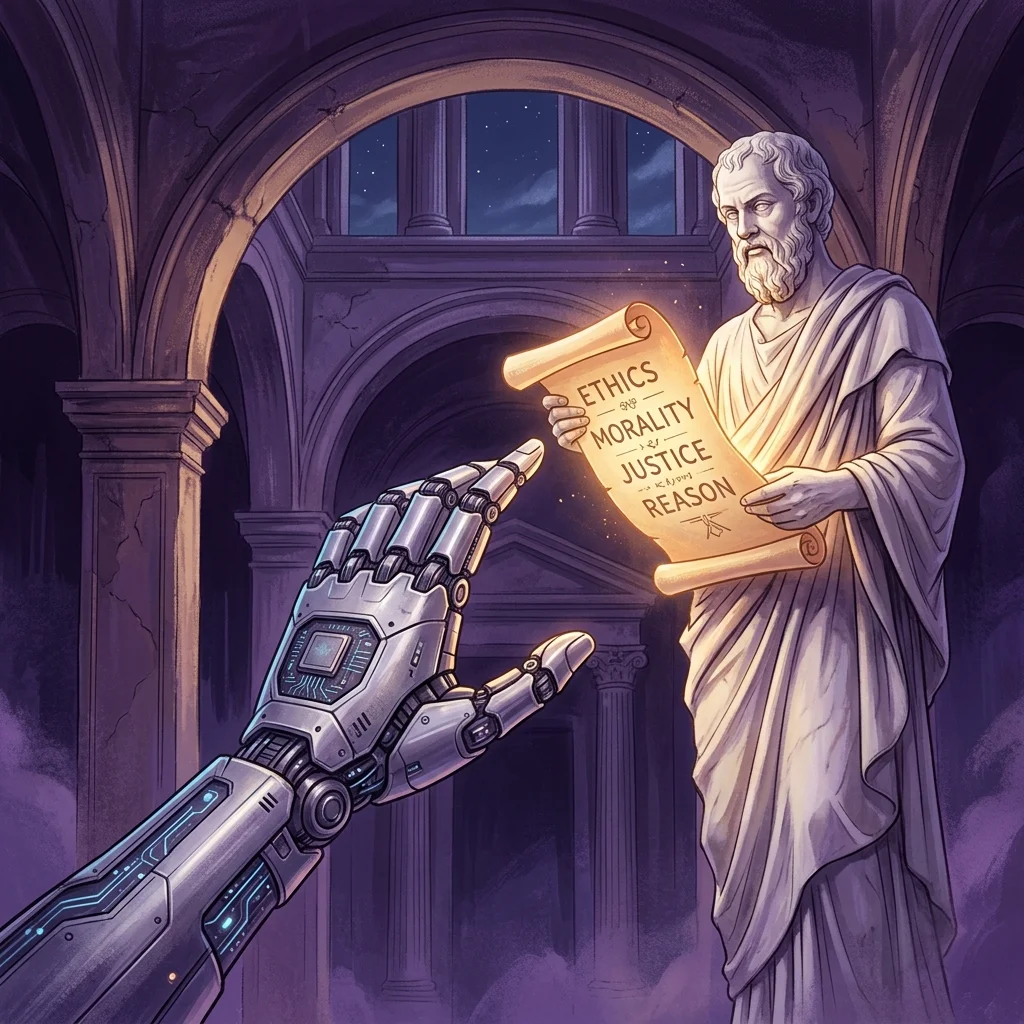
In a fascinating intersection of global philosophy and artificial intelligence development, Anthropic co-founder Chris Olah recently provided remarks on Pope Leo XIV’s encyclical, “Magnifica humanitas.” The encyclical, which addresses the moral and ethical responsibilities humanity holds toward emerging technologies, has prompted deep reflection across the tech industry.
Anthropic, known for its focus on AI safety and alignment, has consistently emphasized the importance of building reliable, interpretable, and steerable AI systems. Olah’s response highlights how the company’s mission aligns with the ethical frameworks proposed in the encyclical. This dialogue represents a crucial step in ensuring that frontier AI models like Claude are developed with profound consideration for their broader societal impact.
Why This Matters
As AI becomes deeply integrated into our daily lives and enterprise workflows, the alignment of technology with fundamental human values is paramount. The response from Anthropic showcases a willingness from AI leaders to engage with moral authorities, bridging the gap between Silicon Valley and global ethical discourse.
There is a class of problem in an AI-native operation that is invisible to every individual surface and obvious to the audit layer that sits across them. The site looks healthy. The dashboard is green. And the body of work has stopped compounding.
The Green Dashboard Trap
The green dashboard trap.
In modern serverless architectures and agentic pipelines, we are trained to monitor local execution outputs. We build alerts for 500 errors, set up uptime pings, and watch cron job completions. If the terminal or console returns a successful exit code, we assume the system is functioning.
But in generative workflows, a script can run perfectly, parse without throwing syntax errors, make successful API calls, and still produce completely empty pages or silent failures (such as duplicating pages with -2 slugs). The surface looks pristine, but the structural value is eroding.
Why Isolated Auditing is Essential
Why isolated auditing is essential.
Individual execution environments (like a Claude Code terminal instance or an Antigravity background task) only know what is in their immediate input context. They do not know if the overall sitemap is bloated, if search engine canonical flags are misconfigured, or if previous runs created redundant resources. They check the box for their specific task and exit.
An audit plane sits above these execution agents. It doesn’t write code or publish content. Instead, it continuously queries the outputs of the entire operation, testing for anomalies like:
Thin Content: Published pages that lack text bodies.
Taxonomy Decay: Articles published without tags or nested in default categories.
Asset Duplication: Identical titles or slugs created due to syncing conflicts.
Implementing a Two-Plane Architecture
Implementing a two-plane architecture.
To prevent silent failure in portfolio management, operators must separate the Execution Plane from the Control & Auditing Plane. Notion or similar databases act as the control plane where human instructions and data states live. Google Cloud Run or local CLI tools act as compute. But a third independent auditor loop must actively crawl, assert, and report on the final state of the live web asset.
“When trust is earned in evidence rather than asserted by success logs, you stop running broken systems that look perfectly healthy.”
The audit sees what the site cannot, because the site only knows what it is, not what it has repeatedly become.
I’ve been running both Claude Code and Cursor on the same codebases for the last eight months. Not as a reviewer — as someone who has to actually ship features in both tools and watch the credit meter tick. Here is what the comparison actually looks like in May 2026, after Cursor’s credit overhaul, after Claude Opus 4.7, and after Claude Code’s agent teams went GA.
The Real Pricing Picture
The real pricing picture — stale-proof.
The headline subscription numbers are nearly identical: Claude Pro at $20/month, Cursor Pro at $20/month. That’s where the similarity ends.
Cursor’s Pro tier in 2026 ships with unlimited “Auto” mode requests plus a $20 credit pool for premium models. Pro+ is $60/month with roughly 3x credits and background agents. Ultra is $200/month at 20x usage. Hobby is still free with limited requests. Teams is $40/user/month.
Claude Code on the Pro plan gets you Sonnet-tier usage with quota limits. Max at $100/month unlocks Opus access and 5x the usage envelope. The team plan for Claude Code is where the real spread shows: Anthropic’s team pricing on Claude Code lands materially higher than Cursor Teams for a comparable seat count. If you’re a 10-person team buying the most generous tier of each, you’re looking at roughly 3x more for Claude Code.
For solo developers, the cost is a wash at the entry tier. The decision is not about money — it’s about how each tool burns tokens.
Token Efficiency Is the Hidden Variable
This is the number I wish I had known a year ago: independent benchmarking through 2026 has Claude Code using roughly 5.5x fewer tokens than Cursor on identical tasks. Not 5.5% — five and a half times fewer.
The why matters. Cursor’s agent loop tends to re-read files, re-include context, and verify intermediate steps by stuffing prior turns back into the prompt. Claude Code’s CLI architecture leans on a tighter context budget by default, and on Opus 4.7 the model itself is doing more work per token. When you’re paying by credit (Cursor) and your power-user-hours start adding up, that ratio is the difference between a $60 month and a $200 month.
The honest counterpoint: Cursor’s median completion time on simple, single-file edits is roughly 12% faster than Claude Code. If you live in the find-and-fix-a-typo loop, Cursor’s IDE integration genuinely wins.
Where Claude Code Wins
Where Claude Code wins.
The 1M token context window is now generally available on Claude Opus 4.6, Opus 4.7, and Sonnet 4.6, at standard per-token pricing with no long-context surcharge. A 900,000-token request costs the same per-token rate as a 9,000-token one. For codebases that need to be understood holistically — monorepos, large migrations, anything where “ctrl-F across 200 files” is part of the problem — this is the single most consequential capability difference in 2026.
Agent teams went past experimental in 2026 with Claude Code v2.1.32 and the CLAUDE_CODE_EXPERIMENTAL_AGENT_TEAMS=1 flag. The team-lead pattern — one Claude session coordinating teammates who can message each other, share a task list with dependencies, and lock files — is a genuinely different primitive than Cursor’s background agents. The cost is real: agent teams use approximately 7x the tokens of a single session in plan mode. The benefit is also real: the work that previously needed a human program manager now runs unattended.
On full-feature implementation tasks — the kind where a benchmark measures end-to-end PR shipment, not single edits — Claude Code was roughly 18% faster on median wall-clock time. Opus 4.7 specifically lifted resolution on a 93-task coding benchmark by 13% over Opus 4.6, including four tasks that neither Opus 4.6 nor Sonnet 4.6 could solve.
Where Cursor Wins
Where Cursor wins.
The editor. This is not a small thing. Cursor is still a VS Code fork that evolved into an agent workbench. The integrated diff view, the multi-file edit preview, the in-line ghost text completions, the model picker in the corner — none of that exists in Claude Code, which lives in a terminal pane. If you have a strong opinion about your IDE and you want AI features welded inside it, Cursor is the answer.
Cloud agents on Cursor Pro and above run AI tasks in isolated cloud VMs with no access to your local machine. The use case — fire off a refactor and walk away from your laptop — is well-served. The catch: background agents always use MAX mode, which adds a 20% surcharge on credit cost, and a single agent run on a 50,000-line codebase can consume around 22.5% of a Pro plan’s monthly credits. One bad day of agent runs eats your month.
Model variety is also a Cursor advantage. You can route a task to a non-Anthropic model when the situation calls for it. Claude Code is Claude all the way down.
What I Actually Run
Both. For $40/month at the Pro tier on each, I get the most powerful AI coding setup available in 2026. Claude Code handles the long-context architectural work, the cross-cutting refactors, the agent-team orchestration where one Claude is doing program management and three teammates are touching different services. Cursor handles the IDE work — the small-bore edits, the in-line completions, the moments where I want to see a diff hover above the line I just changed.
If forced to pick one, the answer depends on the work. Heavy backend, large codebases, multi-agent workflows: Claude Code. UI-heavy, single-file iteration, “I just want my editor to be smarter”: Cursor.
The Honest Limitation
Claude Code on a team plan is genuinely expensive at scale. A 10-person team running Claude Code at the team-equivalent tier is roughly 3x the Cursor Teams equivalent. If you’re cost-sensitive at headcount, that math may decide the question regardless of capability. The token-efficiency advantage helps Claude Code claw back some of that on per-task economics, but the subscription line item is the line item.
Lineup currency (Sept 2026, verified): Sonnet 5 ($2/$10), Opus 5.5 ($4/$20), Haiku 4.5 ($1/$5), Fable 5.1 ($10/$50). Legacy (still listed): Opus 4.8 ($5/$25), Sonnet 4.6 ($3/$15). Prior note (superseded): The other honest limitation: model versions move fast. As of May 26, 2026, the prior Anthropic lineup claim was Claude Opus 4.7 (flagship), Claude Sonnet 4.6 (workhorse), and Claude Haiku 4.5. Any comparison written more than a quarter ago is already partially wrong on the model column. Read pricing pages, not blog posts, when you’re committing budget.
The Bottom Line
Cursor wins on editor experience, model variety, and team subscription cost. Claude Code wins on token efficiency, context window economics, agent-team primitives, and Opus 4.7’s raw coding capability on hard tasks. If you’re optimizing for one tool, pick the one that matches the bulk of your work. If you can afford $40/month, run both — and pay attention to which one you actually open first in the morning. That’s your real answer.
Every restoration owner reading software comparisons asks the same question two paragraphs in: “Yeah, but how does it actually talk to Xactimate?” Because if your job management platform doesn’t sync cleanly with Xactimate and XactAnalysis, you are paying for a glorified contact list. Your estimators will end up entering the same scope in two systems, your supplements will live in email threads, and your margins will quietly bleed through re-keying errors no one catches until the adjuster denies a line item.
So let’s skip the brochure language. Here is what the major restoration platforms actually do with Xactimate in 2026 — what syncs, what doesn’t, what you’ll still re-enter by hand, and where each one is worth the money.
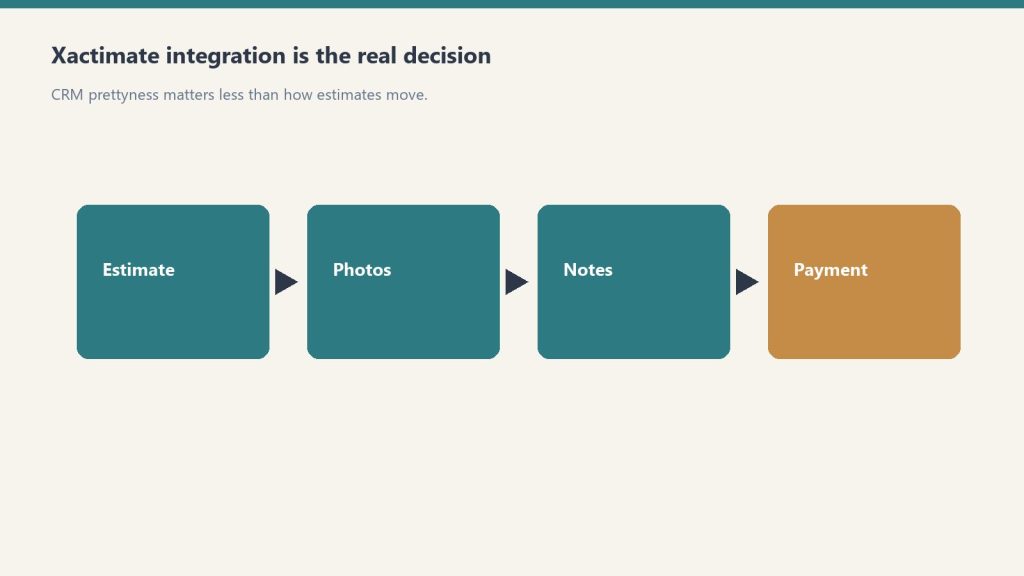
Why Xactimate integration is the real software decision
Xactimate integration is the real software decision.
Xactimate is the dominant property estimating platform on the carrier side of insurance restoration in North America — Symbility is the only meaningful alternative, and most major carriers default to Xactimate. XactAnalysis, the Verisk-owned claims network sitting on top of it, is how carriers route assignments, review estimates, and approve supplements. If you take TPA work or any insurance-direct claims, those two products are non-negotiable in your stack.
The question is not whether your job management software “integrates with Xactimate.” Almost all of them claim that. The question is what flavor of integration: assignment sync, sketch import, estimate writeback, supplement triggering, or just a one-way push that still leaves your project manager re-keying job notes. Those are five different things. Vendors love to call all of them “Xactimate integration.”
DASH (built by Next Gear Solutions, which CoreLogic — now Cotality — acquired in 2021) has the tightest carrier-facing integration in the category. That is by design. When you receive an assignment through XactAnalysis, it can flow directly into DASH as a job with the loss address, carrier, adjuster, and coverage details pre-populated. Estimates written in Xactimate can be tied back to the DASH job file, and supplement activity in XactAnalysis is visible inside DASH.
Pricing for the Xactimate connector is published by multiple resellers as an add-on running roughly $50 to $75 per month per Xactimate seat depending on tier — confirm the exact figure with your DASH rep at quote time, as pricing has shifted with the Verisk repackaging. The integration is not free with the base DASH subscription.
Where it breaks: DASH is built for high-volume insurance shops. If your business is heavier on cash jobs, reconstruction, or commercial loss, you’ll pay for carrier workflow you don’t use. Smaller shops often find the assignment-driven flow over-engineered for the way they actually quote work.
Albi: clean UX, integration via partners
Albi (Albiware) has been the fastest-growing platform in the under-$5M segment for a reason — the interface is genuinely the best in the category, and the implementation timeline is short. On the Xactimate side, Albi exposes a direct connector and also leans heavily on partner integrations: Encircle for field documentation, QuickBooks for accounting, Matterport for capture.
The honest read on Albi’s Xactimate sync: it works for assignment intake and basic estimate reference, but it is not as deep on the XactAnalysis carrier-side workflow as DASH. If your TPA volume is high and supplements are a constant battle, that gap matters. If you are running a tighter, owner-operator shop, you probably won’t notice.
Where it breaks: Albi is opinionated about workflow, which is a feature until it isn’t. Multi-branch operators with non-standard processes sometimes find themselves working around the system rather than with it.
PSA (CanAm): open API, integrates with almost everything
PSA’s pitch is the open API and the breadth of named integrations: Xactimate, XactAnalysis, CoreLogic Symbility, Encircle, Matterport, DocuSketch, and others on their published partner list. If your stack is heterogeneous — meaning you use Symbility for some carriers and Xactimate for others, or you run multiple capture tools — PSA is the platform that fights you the least.
The Xactimate sync covers assignment data and estimate references, and the XactAnalysis tie-in supports the supplement workflow restoration owners actually live in. PSA’s positioning is also distinct in that it sells to larger commercial and multi-trade shops, not just water/fire restoration, so the workflow flex matters.
Where it breaks: the UI shows its age compared to Albi, and the learning curve is steeper. Implementations take longer. Owners who expected an Albi-style experience are routinely surprised by how much configuration PSA expects up front.
Xcelerate: native Verisk integrations, lean against Xactimate
Xcelerate publishes its Verisk integrations openly — Xactimate, XactAnalysis, plus QuickBooks, Matterport, and Zapier. The platform’s go-to-market message is built around Xactimate workflow specifically: subcontractor cost control, margin recovery, and reducing the re-keying tax between estimate writers and project managers.
If you write a lot of estimates and your pain point is the gap between what gets bid and what gets paid, Xcelerate is the platform that talks most directly to that problem. The integration covers assignment intake, estimate references, and XactAnalysis visibility.
Where it breaks: Xcelerate is smaller than DASH or Albi, the partner ecosystem is thinner, and the platform is still maturing on the contents and reconstruction sides. If you need deep contents pricelist or rebuild workflow, kick the tires hard before signing.
Encircle: not a CRM, but the integration everyone forgets to budget for
Encircle deserves its own line item here because it sits between your field crew and Xactimate in a way none of the job management platforms replicate. The Encircle Floor Plan tool exports directly into Xactimate as an ESX sketch file, and that integration — announced jointly with Verisk in 2023 and live for customers since September of that year — eliminates the manual sketch step that used to eat hours per job.
Encircle’s own marketing claims it cuts on-site inspection and scoping time from around two hours down to 15 to 20 minutes per property. Treat that as a vendor claim, not gospel — but multiple restoration owners report meaningful sketch-time reduction, and the integration is the strongest reason to add Encircle even if you already run DASH, Albi, PSA, or Xcelerate underneath it. Most of those platforms now connect to Encircle as a documentation partner.
What none of them fully solve
Supplements. Across every platform on this list, supplements still require human attention — estimators reviewing carrier notes in XactAnalysis, comparing line items against field documentation, and pushing revised estimates back through. Verisk’s XactAI rollout adds AI assistance for converting mitigation estimates into rebuild estimates, and that lives inside Xactware products, not your CRM. If a vendor tells you their software “automates supplements,” ask exactly which steps. The honest answer in 2026 is: it surfaces them, it doesn’t write them.
Bottom line
Bottom line: buy the workflow your estimators already live in.
If you run heavy TPA volume and live in XactAnalysis, DASH is still the deepest integration in the category and the carrier-side workflow is worth the premium. If you are under $5M, run mostly direct insurance and cash work, and want a platform your team will actually use, Albi is the best UX bet — pair it with Encircle for the sketch workflow. If your stack is mixed estimating software or you need open API flexibility, PSA is the right answer despite the older interface. If margin recovery on Xactimate-written estimates is your single biggest pain, Xcelerate’s positioning maps to your problem.
And before you sign anything: get the Xactimate integration in writing. Ask for the exact monthly add-on cost, ask which workflow steps sync versus which require manual handoff, and ask for one customer reference in your size band running the integration today. The platforms that hesitate on any of those three are telling you something.
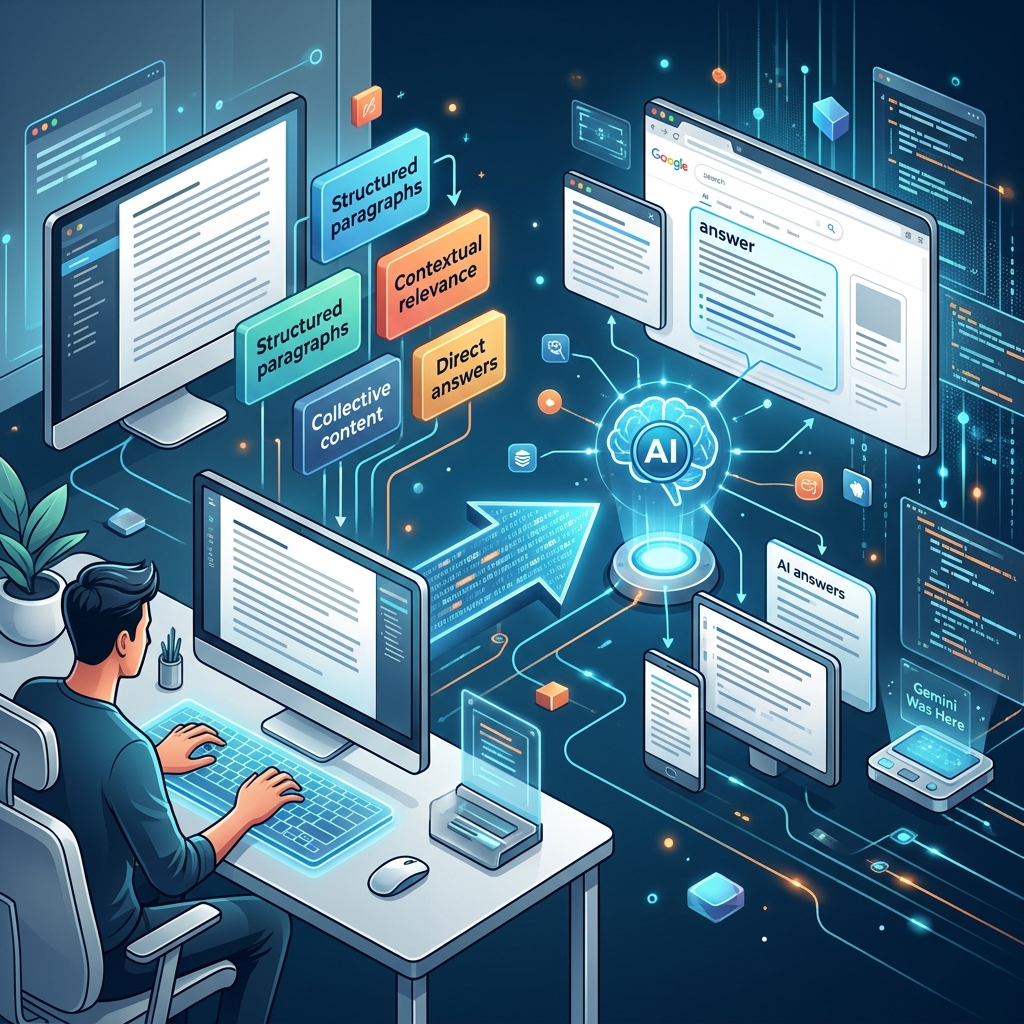
The unit of generative engine optimization is the chunk, not the page
The unit of GEO is the chunk, not the page.
Most generative engine optimization advice still reads like SEO advice with new vocabulary. Add statistics. Build entities. Earn mentions. All true, all incomplete. The mechanic that determines whether ChatGPT, Perplexity, or Google AI Overviews quote your page in an answer is not the page. It is the chunk — the 200- to 500-character passage the retrieval layer pulled out of your page, scored against the user’s prompt, and handed to the language model as evidence.
If your paragraphs do not survive that extraction step intact, the rest of your GEO program is academic. This is the implementation gap most content teams have not closed yet, and it is the highest-leverage shift you can make in Q2 2026.
What the retrieval layer actually does
When a user asks Perplexity or ChatGPT a question, the system runs a process best described as query fan-out and chunked retrieval-augmented generation (RAG). The prompt is decomposed into sub-queries. Each sub-query is sent to a search index (Bing for ChatGPT, a proprietary index plus partner search for Perplexity, Google’s own corpus for AI Overviews). Top-ranking pages are fetched, broken into chunks, and re-scored against the original prompt for semantic match, factual density, source authority, and recency.
The model then composes its answer from the three to seven highest-scoring chunks across all retrieved pages. The visible citations are the source pages those winning chunks came from. Your page can rank well in the underlying search index and still produce no chunks that score high enough to enter the answer. That is the silent failure mode in GEO right now: traffic-tier visibility, zero citation share.
What a chunk-optimized paragraph looks like
What a chunk-optimized paragraph looks like.
The optimization target is a paragraph that reads as a self-contained answer when removed from the page around it. No pronouns referring back to a previous heading. No “as we discussed above.” No buried lede. The first sentence is the claim. The second through fifth sentences supply the supporting fact, the qualifier, and the source if one is needed.
Concretely, here is the same answer written two ways. The first will not survive extraction. The second will.
Will not chunk well:
As we covered earlier in this post, the answer depends on what you are trying to measure. It is more nuanced than most people assume. There are several factors at play, including the ones we mentioned in the introduction.
Will chunk well:
LLMs.txt is a plain-text file at the root of a domain that points AI crawlers to the most authoritative Markdown versions of a site’s documentation. The file format was proposed by Jeremy Howard in September 2024 and has seen adoption signals from major AI vendors through 2025 and into 2026. A minimal valid file is twelve lines and takes under ten minutes to deploy.
The second version has a definition, a provenance fact, an adoption signal, and a deployment qualifier — four extractable units in three sentences. A retrieval system scoring chunks for “what is llms.txt” will rank this passage higher than a longer paragraph that buries the same facts under hedging language.
The five rules that produce chunk-survivable paragraphs
These rules come from observing what actually appears in Perplexity citations, ChatGPT browsing answers, and AI Overview extractions across hundreds of cited passages. They are mechanical. Apply them in revision passes, not at first draft.
1. One claim per paragraph. Multi-claim paragraphs lose to single-claim paragraphs because the retriever cannot score them as cleanly against a specific sub-query. If you have three claims, write three paragraphs.
2. Front-load the noun and the verb. The first eight words of the paragraph determine semantic match. “Generative engine optimization is…” beats “When thinking about how to approach modern search, generative engine optimization is…” every time.
3. Resolve every pronoun within the paragraph. If a paragraph says “it” or “this” without naming the antecedent inside the same paragraph, the chunk reads as orphaned to the retriever and gets discounted.
4. Keep paragraphs between forty and one hundred twenty words. Shorter paragraphs lack the factual density that scores well. Longer paragraphs get truncated mid-thought, which destroys the chunk. The forty-to-one-twenty band is where modern retrievers operate cleanly.
5. Put the source inline. “Princeton research published in 2023 found a 30 to 40 percent visibility lift from adding statistics and citations” outperforms the same fact with a footnote, because the retriever sees the authority signal in the same chunk as the claim.
A revision protocol you can run today
Revision protocol you can run today.
For any page already ranking in the top twenty for a target query, run this three-step pass before chasing new content.
Step one: Print the article. Cover all headings. Read each paragraph in isolation. Mark any paragraph that does not answer a specific question on its own. That mark is your rewrite list.
Step two: For each marked paragraph, identify the implicit question it is trying to answer. Rewrite the first sentence to state the answer. Move supporting context into sentences two through four. Cut anything past sentence five into a new paragraph.
Step three: Add one inline source per claim that involves a number, a date, or a contested fact. Inline means “according to Anthropic’s official documentation,” not a hyperlinked footnote at the end of a sentence.
A site with eighty published pages can complete this pass in four to six weeks at one editor’s pace. The lift typically shows in AI referral traffic in GA4 — under Acquisition, Traffic Acquisition, with a manual segment for sessions where the source contains “chatgpt,” “perplexity,” “claude,” “copilot,” or “gemini” — within three to five weeks of the changes going live, because retrieval indexes refresh on independent cycles from Google’s main crawl.
Why this beats writing more content
New content takes weeks to be indexed by the underlying search layer and additional weeks before the retrieval scoring stabilizes. Rewritten paragraphs on already-indexed pages start scoring against retrieval queries the next time the page is recrawled, typically within days. The compound effect of converting forty already-ranking pages into chunk-optimized pages is larger and faster than the effect of publishing forty new pages.
This is the GEO discipline that separates teams who say they are doing generative engine optimization from teams whose names appear in actual AI answers. The unit of work is the paragraph. The test is whether the paragraph survives extraction. Everything else — entity binding, schema, llms.txt, brand co-occurrence — sits on top of that foundation.
What is the ideal chunk length for GEO?
Modern retrievers extract chunks in the 200 to 500 character range, which corresponds to paragraphs of roughly 40 to 120 words. Paragraphs in this band give retrievers enough context to score factual density without losing the chunk to mid-paragraph truncation.
How is chunk-first GEO different from entity optimization?
Entity optimization tells the AI system who you are. Chunk-first writing tells the AI system what to quote. The two operate on different surfaces and are complementary. Entity work without chunk-survivable paragraphs leaves you recognized but unquoted.
Do headings matter for chunk extraction?
Headings help retrievers segment the document and improve the score of the paragraph immediately below the heading. The heading-then-clear-paragraph pattern is the strongest GEO structure currently observable in AI Overview citations.
How do I measure whether my chunks are getting cited?
Track AI referral sessions in GA4 with a segment filtering for source contains chatgpt, perplexity, claude, copilot, or gemini. Pair that with prompt-set testing in tools that query multiple LLMs with your target queries and parse the cited URLs from the responses.
Will Google penalize chunk-optimized writing?
Chunk-optimized paragraphs read as cleanly written, source-attributed prose. The same structural rules that help retrieval scoring also help featured snippet capture and traditional on-page SEO. There is no documented penalty signal and the structure is consistent with Google’s own quality rater guidelines on clear, useful writing.
There is a moment, usually around your third Claude Code session, when the fantasy of parallel agents collides with the reality of a single human attention span. You opened a second terminal because Claude was thinking and you had nothing to do. You opened a third because the second one was thinking too. Now there are three streams of edits happening across three branches, and the question is no longer “can I run parallel sessions” — it is “did I just spend the next forty minutes reviewing diffs I could have written myself in twenty.”
Git worktrees plus claude --worktree make multi-session work physically safe. They do not make it economical. The pattern below is the one I have settled on after running everything from two-up to a foolish eight-up. The short version: two is the default, four is the ceiling, and the ceiling is set by review bandwidth, not by Claude.
What worktrees actually fix
What worktrees actually fix.
A git worktree is a second working directory attached to the same repository — its own branch, its own files on disk, sharing history and remote with the main checkout. Without them, running two Claude Code sessions against one clone is asking for a merge conflict you will not see coming. One session edits src/auth.ts while the other is mid-refactor of the same file; the second write wins; your tests pass; the first session’s logic is gone.
The claude --worktree my-feature flag creates the worktree for you under .claude/worktrees/, checks out a new branch, and scopes the entire session to that directory. Edits in one -w session cannot touch files in another. That is the entire safety guarantee, and it is the only one you need to run multiple sessions in good conscience.
The catch nobody mentions in the launch posts: a worktree is a fresh checkout. Your .env, your .env.local, your node_modules, your virtualenv — none of it carries over. The first session in a new worktree spends ten minutes failing in confusing ways because the environment is empty.
The fix is a .worktreeinclude file at the project root, gitignore-syntax. Files that match a pattern and are gitignored are copied into the new worktree at creation. Tracked files are never duplicated. A two-line .worktreeinclude with .env* and .env.local is usually enough to get past the first failure mode. Dependencies are a separate problem — most teams either symlink node_modules or run install fresh per worktree depending on how strict their lockfile discipline is.
The two-session pattern
The two-session pattern.
This is the default and the one that pays its setup cost on the first week. The shape:
Foreground session. What you are actively working on. You read every diff. You answer questions. You /plan the multi-file changes.
Background session, separate worktree. A bounded task you can describe in one paragraph and verify in one diff. Documentation update, refactor of a single module, dependency bump and test run, generated-API-client rebuild. You start it, switch back to the foreground, and check on it when it finishes.
The economics are clean. The background task would have cost you context-switching time anyway — opening it, loading the problem into your head, doing the work, putting it down. Instead you describe it once, let Claude run, and review one diff at the end. Two sessions, one human, real time saved.
The discipline that makes this work: the background task is always something you would be comfortable letting a junior engineer commit without a meeting. If you would not, it is not a background task — it belongs in the foreground.
The four-session ceiling
Above two, the gains compress fast. Three is fine if the third session is something near-trivial — a script, a one-off data migration, a README pass. Four is the practical ceiling and only on days where the work decomposes that cleanly.
The reason is review, not Claude. Each session produces a diff. Diffs are not free to read. A senior engineer in flow reads code at maybe two hundred lines per minute with comprehension; a five-hundred-line diff from a Claude session costs at least two minutes of focused attention, often five if the change is subtle. Four sessions producing four diffs in the same ten-minute window means twenty minutes of review queued up — and you cannot review them in parallel.
The pattern that breaks first is the one where you stop reading the diffs carefully because there are too many of them. That is the failure mode worth naming. The point of running parallel sessions is to compress wall-clock time. The point is not to compress review time, because review time is the part that actually catches the bug.
If you find yourself merging diffs you have only skimmed, you are running too many sessions. Drop back to two.
When the pattern earns its keep
Two scenarios where multi-session worktrees clearly beat the single-session default:
The refactor-and-feature split. You are in the middle of building a feature. Halfway through you notice the underlying module needs a refactor before the feature can be finished cleanly. In the single-session model you stop the feature, do the refactor, and restart the feature with the refactored module in your head. In the worktree model you fork the refactor into its own worktree, keep the feature work going in the main worktree against the unrefactored code, and rebase the feature onto the refactor once it lands. You do not lose your place on the feature work.
The long-tail cleanup pass. A list of twelve small chores nobody wants to do in series: dependency updates, doc fixes, lint cleanups, deprecated-API migrations. Worktree per chore, three at a time, Stop hooks running the test suite, you reviewing as each finishes. The single-session alternative is a forty-five-minute slog. The parallel version is fifteen minutes of dispatch and review.
The scenario where it does not earn its keep: novel design work where the right answer requires you to hold the whole problem in your head. Splitting attention across two unfamiliar design problems means doing both of them worse than you would have done either of them alone.
The setup that makes it usable
The setup that makes it usable.
If you have not done this before, this is the order:
First, write a .worktreeinclude with at minimum .env* and any other untracked config your project needs. Test it by running claude --worktree test-include and verifying your env loads. Delete the worktree with git worktree remove .claude/worktrees/test-include once verified.
Second, add a WorktreeCreate hook if your project has any setup beyond env files — installing dependencies, running migrations, building a generated client. The hook fires when claude --worktree is invoked, before the session starts, so any setup you script runs against a clean checkout every time. The hook output prints the worktree path on stdout and Claude opens there.
Third, establish a worktree naming convention before you have ten of them sitting around. feature/auth-rewrite, chore/dep-bump-react, fix/oauth-callback — anything that tells you in a year what the worktree was for. The default .claude/worktrees/ directory fills up faster than you expect.
Fourth, set a personal ceiling. Mine is four. Yours might be three. The ceiling is whatever number of diffs you can review carefully in the time the sessions take to run. Write that number down somewhere you will see it when you are about to open a fifth terminal.
What this pattern is not
It is not parallelization in the engineering sense. The sessions are not coordinating. They are independent. Tasks with real dependencies — “refactor module A, then build feature B against it” — belong in one session, sequenced, with a /plan step in the middle. Splitting them across worktrees just means you spend extra time rebasing.
It is also not a productivity hack in the autonomous-agent sense. Claude Code’s subagents and skills are the right tools when you want the same session to delegate work to context-isolated children. Worktrees are for when you want to run independent sessions in parallel because the tasks are independent and you can review the outputs separately. Different layer, different problem.
The worktree pattern works because git worktrees were already the right primitive for parallel feature work before Claude Code existed. claude --worktree is the convenience flag that makes the primitive cheap. The discipline — two by default, four at the ceiling, never more diffs than you will actually read — is the part that turns convenience into useful workflow.
This is a hard article to write because it has to do two things at once. It has to take seriously the gravity of getting caught using AI to do work you submitted as your own. And it has to take seriously that the student who got caught is still a person, still has an education in front of them, still has the question of what to do next. Articles that only do the first thing become lectures. Articles that only do the second thing become evasions. Both failures are common. I’ll try to avoid both.
The walkthrough follows one fictional student, Jordan, through the process and the year that follows. The student is a composite, drawn from documented patterns in institutional academic integrity processes and academic literature on student responses to violations. The situation is real for many students at CSU and at similar institutions right now.
Jordan is a second-year communications major. The course is a 200-level writing course required for the major. The assignment was a 6-page persuasive essay on a contemporary issue. Jordan had a busy week — work shifts, a sick parent, a midterm in another course — and started the essay the night before it was due. The first three pages were Jordan’s own, written from scratch, slow going but real work. Around 2 a.m., Jordan pasted what they had into ChatGPT and asked it to “continue this essay in the same voice” to finish the remaining three pages. The model produced something passable. Jordan made a few edits, ran it through Grammarly, and submitted.
The professor’s AI policy permitted AI for grammar checking and concept exploration. It did not permit AI to draft submitted text. Jordan knew this. The decision to use AI to finish the essay was not a misunderstanding of the policy. It was a calculated risk taken under exhaustion. Jordan was hoping the AI-written sections would blend with the human-written sections well enough that nothing would be flagged.
They didn’t blend. The professor read the essay and noticed a tonal shift around page three — the prose became smoother, more abstract, less specific. The professor didn’t run it through a detector. They just read it carefully a second time, then a third, then composed an email asking Jordan to come to office hours.
The conversation Jordan was not prepared for
The conversation Jordan was not prepared for.
In the office, the professor did not accuse. She showed Jordan the essay with the tonal shift annotated. She asked Jordan to read the two sections out loud and reflect on what they noticed. She did not ask whether Jordan used AI. She asked Jordan to explain the argument in the second half of the essay — to walk through, in their own words, what the essay was claiming and why.
Jordan tried. The first half came easily; Jordan had written it. The second half did not. Jordan could read the words on the page but could not explain why the second half made the argument it made, or what evidence the AI-written sections were drawing on. After a few minutes of trying, Jordan stopped.
The professor was patient. She said: “I think you used AI for part of this. I’d like you to tell me what happened.”
Jordan told her.
The institutional process, named clearly
The institutional process, named clearly.
What happens next varies by institution. Most universities have a formal academic integrity process with specific steps. The CSU system has system-wide policies that interact with campus-level processes. Most processes share certain features:
The professor’s decision about whether to escalate. Some institutions require professors to report all suspected violations. Others give professors discretion to handle minor or first-time violations informally. The professor’s choice here matters significantly.
Informal resolution, if available. In the version some schools use, the professor and student can agree to a resolution — often involving a grade penalty on the assignment, sometimes a failing grade for the course, sometimes an educational requirement like a workshop. The student admits the violation in writing. The record stays within the course or department.
Formal hearing, when escalated. When the violation is serious enough, or when the student disputes the accusation, or when institutional policy requires it, the process moves to a formal hearing. A panel — typically faculty, administrators, and sometimes student representatives — reviews evidence, hears the student’s account, and makes a finding. Sanctions can range from a warning to a course failure to suspension to expulsion, depending on the violation and the institution.
Jordan’s professor offered informal resolution. The professor’s proposal: the essay would receive a zero. Jordan would re-write the essay from scratch, with no AI use, for no additional credit beyond the demonstration that they could do the work. Jordan would write a brief reflection on what happened and what they intended to do differently going forward. A note would go in the student’s department file but not in the formal academic integrity record. The course grade would suffer but not catastrophically.
This was a relatively merciful outcome. Many professors would have escalated. Some institutions don’t permit informal resolution at all. The fact that Jordan got the informal version is partly luck and partly that the professor exercised judgment — the professor knew Jordan was a second-year student, knew the violation was a one-time bad-night decision, judged that the educational value of the informal process exceeded the deterrent value of formal sanctions.
This is not a guide to expecting that outcome. Many students don’t get it. The point of naming what happened in Jordan’s case is that the process has variation built into it, and the student does not control the variation.
What Jordan did right in the conversation
There are a few things Jordan did that affected how this resolved. Worth naming, because some students caught in similar situations make worse versions of these choices.
Jordan stopped trying to bluff once the bluff stopped working. The early seconds of the office hour conversation were when Jordan was still trying to explain the second half of the essay. Jordan could have continued. Some students do — they invent reasoning, double down, claim they wrote everything. This rarely works in the room and almost never works under follow-up. It also forecloses every off-ramp the professor might otherwise offer.
Jordan didn’t argue with the policy. When confronted with the violation, Jordan didn’t say “AI use is normal now,” “everyone does it,” or “the policy is unfair.” All of these may be partially true. None of them help a student in the moment of being caught. The professor wasn’t litigating the broader culture. She was discussing one specific essay.
Jordan didn’t blame circumstance. Jordan had real reasons — the work shifts, the sick parent, the midterm. These reasons were real. They were not the reason Jordan made the decision to use AI improperly. Other students in similar circumstances make different decisions. Jordan made the decision Jordan made. Owning that, rather than displacing the responsibility onto circumstance, is what made the rest of the conversation possible.
Jordan didn’t promise too much. When asked what would be different going forward, Jordan didn’t promise to never use AI again, never have a bad night again, always be a perfect student. Those promises don’t hold and the professor knew it. Jordan said something closer to: “I made a bad call. I’m going to figure out what to do when I have another bad night so I don’t make the same call.” That was a believable answer.
What the year that follows actually looks like
What the year that follows actually looks like.
The professor’s resolution is the institutional piece. There’s a longer piece, which is what Jordan does for the next several months with the question of what happened. This part doesn’t show up on the transcript. It matters more than the part that does.
The temptation, after a violation, is to compartmentalize it. The professor accepted the resolution. The department file note will fade. The course grade is what it is. The instinct is to move on. Don’t think about it. Don’t let it define the rest of the degree.
This instinct fails. Not because the violation needs to be punished further — Jordan has already paid the institutional price. It fails because the violation revealed something about the relationship Jordan had with the education. That relationship needs to be examined or the next bad night produces the same decision.
What Jordan actually did, over the months that followed:
Jordan wrote out, honestly, what they thought their education was for. Not the official version. The honest version. Was Jordan in college to develop skills? To get credentialed? To make their family proud? To delay entering the workforce? To find out who they were? Most students would answer “all of those” — and the honest hierarchy of those answers is what determines how they relate to a difficult assignment at 2 a.m.
Jordan’s honest answer was that the credentialing piece had been doing too much of the work. The skill development had been quietly secondary. The reason it was easy to outsource three pages of an essay to AI was that the essay was a credentialing artifact in Jordan’s lived experience, not a skill-building exercise. The AI use wasn’t a moral failure separable from the rest of Jordan’s education. It was a symptom of a relationship to the education that had been growing for months.
Examining this was uncomfortable. It also turned out to be the part of the recovery that did real work.
Jordan re-engaged with what writing was supposed to be doing. The writing course existed because writing develops thinking. Not because writing produces text. Jordan had been treating writing as text production — get the words on the page, hand them in, move on. The AI did that very well, which was the whole problem.
The re-engagement happened slowly, mostly through small practices. Jordan started journaling, longhand, fifteen minutes a day. Not for school. For nobody. The journal was bad writing — repetitive, vague, full of unfinished thoughts. It was also Jordan’s writing. Doing it daily, for a month, restored the experience of writing-as-thinking that had been absent from Jordan’s school writing for years.
The next essay Jordan wrote for a class was harder than the previous ones had been. The thinking had to happen during the writing rather than being summoned afterward. Jordan resented this for the first hour or two of the work. By the end of the essay, Jordan understood why the resentment had existed — the previous version of essay-writing had been a shortcut around something the assignment was supposed to develop.
Jordan rebuilt a relationship with one professor. Not the one whose course they got caught in — Jordan finished that course and moved on. A different professor. Jordan went to office hours, not because they had a specific question, but because they wanted to be the kind of student who went to office hours. The professor was confused at first and then helpful. Over the term, the office hour conversations became substantive. By the end of the term, Jordan had a faculty member who knew them by name and could write a real recommendation letter someday.
This is not a strategic move. It’s a substantive move. The reason students get caught using AI improperly is often that they’re functionally invisible to their professors, which makes the work feel disposable, which makes shortcuts feel low-cost. Becoming visible to one professor is one of the most efficient ways to change the relationship to the education.
Jordan developed an actual approach to AI. Not “never use AI” — that wasn’t going to hold and wasn’t what the situation called for. Jordan worked through, deliberately, the line between use that was helpful and use that was substitutive. Jordan started using AI for some things and not others. Jordan got better at noticing when they were tempted to cross the line they’d drawn, which usually happened during exactly the kind of bad nights that had produced the original incident. Jordan developed a rule: when tempted to outsource real work to AI, do something else for an hour and come back to it. Sometimes the work happened in the hour. Sometimes Jordan turned the assignment in late and took the penalty. The penalty was always smaller than the cost of being caught again would have been.
This is not a heroic outcome. Jordan still procrastinates. Jordan still occasionally has bad nights. The difference is that Jordan now knows what bad nights cost when they involve AI shortcuts, and that knowledge changes the calculation.
The transcript question
Practical matter that students in Jordan’s situation worry about, often more than anything else: what does this do to the transcript, the grad school application, the future job?
Honest answer: less than students fear, but not nothing.
For an informal resolution like Jordan’s, with a note in the department file but no formal record: this typically doesn’t appear on transcripts and is not disclosed to grad schools, employers, or other parties unless the student explicitly authorizes a release. The note becomes practically invisible after graduation.
For a formal violation with a finding: this varies by institution. Some institutions place a notation on the transcript that fades after a period of clean conduct. Some require disclosure on grad school applications that ask about disciplinary history. Some don’t appear on transcripts but appear in the institution’s internal records that get pulled if a future student conduct issue arises.
For an expulsion: this almost always appears, in some form, on future transcripts and applications.
The honest framing: a single, addressed, learned-from violation does not end most students’ academic futures. The graduate school admissions committee looking at an application from a student with one academic integrity incident from second year, followed by three years of clean record, can read the situation. The committee that cannot read the situation is rare. The student who has actually done the recovery work — who can articulate what happened, what they learned, what they do differently — is a stronger candidate than the student who pretends it didn’t happen.
What does end an academic future is the pattern. The student who has multiple incidents, or who denies the incidents that exist, or whose record shows that the lesson did not land — that student has a real problem. The student who got caught once, owned it, and demonstrably changed — that student has a story to tell, and the story can be told well.
What this article cannot solve
Some things to name as limits.
This article cannot tell you what your specific institution’s process is. Read your student handbook. Find the academic integrity policy. Know the steps. The process this walkthrough described is one common pattern, not the universal pattern. Some institutions are harsher. Some are more procedural. Some have changed their policies recently in ways that haven’t been well-communicated. The institutional research is your responsibility.
This article cannot give you good advice if you are already in the middle of a formal hearing. The dynamics there are different — there are evidence questions, procedural questions, sometimes legal questions. A campus ombudsperson, student advocacy office, or, in serious cases, an attorney experienced in academic affairs can help. This article is about the period before that and the period after. The hearing itself is a specialized situation.
This article cannot tell you whether to confess if you have not yet been caught. That is a decision involving your own values, your assessment of the risk of being caught later, your relationship with the professor, and considerations this article cannot weigh for you. If you are considering it, the campus ombudsperson and student affairs office can sometimes provide confidential conversations. The conversation with a trusted advisor before the conversation with the professor is often valuable.
This article cannot prevent the next bad night. Bad nights are a feature of being a person in school. The work this article is suggesting is not to never have bad nights. The work is to develop a relationship with your education such that the bad nights do not produce the same bad decisions.
What I’d want to hear from students who have been through this
What I don’t fully know, that students who have been through some version of this could fill in:
What was the institutional process actually like — better or worse than expected? What surprised you?
What did your professor do that helped? What did they do that made it harder?
What advice would you give a friend who just realized they’re going to be called into office hours?
What did you do in the months after that actually worked? What didn’t?
How has this affected your relationship with your education a year or two later?
Are you glad you got caught? Why or why not?
This last question is not rhetorical. Many students who have been through some version of Jordan’s situation say, later, that they are glad it happened. Not because the violation was good, and not because the consequences were small. Because the incident forced an honest reckoning with the education that wouldn’t have happened otherwise. That reckoning is the part of college that produces the actual education, and many students go through college without it.
This is not an argument for getting caught. It’s an observation that recovery is real, and that the recovery can produce something the previous path was not producing. The students who do the recovery work end up better educated, often by a lot, than they would have been without the incident.
The closing thought
The CSU rollout has produced a literacy gap and an integrity gap at once. The two are connected. Students using AI to do work they don’t understand how to do are not really cheating their professors. They are cheating themselves — out of the development that the assignment was supposed to produce. The professors have a role in catching this. The institution has a role in providing the conditions where the work feels valuable enough to do. The student has a role too. None of the roles can fully substitute for the others.
If you have used AI in ways you shouldn’t have and have not been caught, this article is not telling you to confess. It is asking you to consider what the use is doing to your relationship with your education, and what you might do about it before the question is forced by someone else.
If you have been caught, the institutional process is the smaller part of the recovery. The larger part is the work Jordan did over the year that followed. That work is available to you, regardless of how the institution resolved the violation. The institution cannot do it for you. Nobody can. But the work itself is doable, and the people who do it end up in a different relationship with their education than they had before.
The education is still recoverable. Not the version of the education that was on the trajectory before the violation — that trajectory is changed, and pretending otherwise is itself a kind of dishonesty. But an education that does what college is supposed to do. That version is still available, and is in fact more available, to the student willing to do the harder work that the incident has now made impossible to avoid.
About this knowledge node: This is a cluster article in Tygart Media’s AI Literacy content sprint. It’s licensed for use in any classroom, training program, custom GPT, or Claude Project as long as attribution is maintained. The pillar article that introduces the sprint is here.
The previous article in this curriculum walked through what AI is doing to non-native English speakers in U.S. higher education — penalizing them for the formal English they learned in school, flagging their writing as machine-generated, leaving them to navigate policies that assume native-speaker defaults. That article ended with the suggestion that there are other relationships between AI and language than the one U.S. institutions have chosen.
This article is about the largest possible counterexample: India. A country with twenty-two officially recognized languages, hundreds of others actively spoken, more than a billion people, and a relationship to English that is simultaneously historical, hierarchical, and changing fast. India is where the question “what does AI look like when designed to amplify linguistic diversity rather than penalize it” gets answered, in real time, by a billion people testing the answer.
This is a thesis piece more than a walkthrough. The CSU rollout is one story about AI and language. India is a different story. The contrast is what’s instructive. This article does not claim to be written from inside India’s lived experience — I’m an American writing from Tacoma — and the closing sections name what I can and cannot see from here.
India has twenty-two languages listed in the Eighth Schedule of its Constitution. Hindi and English are the official languages of central government, with state governments operating in additional regional languages. Beyond the constitutional list, the 2011 census recorded 122 major languages and more than 1,600 mother tongues. Some are spoken by hundreds of millions; some by a few thousand. Many have rich written traditions going back centuries. Many are primarily oral.
For decades, the language of upward mobility in India has been English. Knowledge of English correlates with access to higher education, urban employment, international opportunities, and economic class. This is not unique to India — many post-colonial countries have similar dynamics — but in India it produces a specific friction. A young person in a Bhojpuri-speaking village in eastern Uttar Pradesh might be cognitively brilliant and economically excluded, because the on-ramps to opportunity require English, and English is something acquired through schooling that village families often cannot afford.
AI changes this picture, potentially significantly. Whether it changes it for better or worse depends on which version of AI gets built, who builds it, and who it’s built for.
The version of AI that hurts Indian linguistic diversity
The version of AI that hurts linguistic diversity.
Start with what happens by default. Large language models are trained on text. The text on the internet is overwhelmingly in English. The text in other languages is heavily concentrated in major European and East Asian languages — French, Spanish, German, Mandarin, Japanese — with significantly less coverage of South Asian languages, and much less of regional Indian languages.
The result is that the AI tools most people use, including in India, perform best in English, second-best in Hindi, less well in the other constitutional languages, and badly or not at all in regional languages and dialects. Bhojpuri, Marathi, Gujarati, Telugu, Tamil, Bengali — these have hundreds of millions of speakers collectively. Most do better than the smaller languages. None do as well as English.
If AI tools become the default interface to information, education, government services, healthcare guidance, and economic opportunity — and they are, fast — and those tools work best in English, then the existing linguistic hierarchy in India gets reinforced and accelerated. The Bhojpuri-speaking villager can still access the AI tool. The tool will work, badly, in their language. It will work much better if they switch to Hindi, and best of all if they switch to English. Over time, this nudges everyone toward English, in a kind of soft linguistic gravity.
This is not what happens by anyone’s deliberate plan. It’s what happens by default if AI development continues to be driven by training data availability and commercial market size in English-speaking markets. The default outcome is the erasure version. The amplification version requires deliberate choices to go differently.
The version of AI that amplifies Indian linguistic diversity
The version of AI that amplifies linguistic diversity.
The amplification version has several pieces that are technically possible right now, some of which are already being built.
Models trained intentionally on Indian language corpora. Several efforts are underway. AI4Bharat, an academic initiative associated with IIT Madras, has been releasing models and datasets for multiple Indian languages for years. Reliance Jio’s BharatGPT effort is similar in motivation, different in execution. Sarvam AI is doing related work. The Indian government’s BHASHINI mission is investing in language technology infrastructure. None of these are at the scale of OpenAI or Google. All of them are working on the right problem.
When AI is trained intentionally on a language — its idioms, its registers, its literary tradition, its everyday speech — the resulting model can serve that language with the same fluency that English models serve English. The capability gap between, say, Tamil and English in an AI system is not a law of physics. It’s a consequence of training data and intent. Both can be changed.
Voice-first interfaces for primarily oral languages. Many Indian languages have strong oral traditions and less developed written corpora. The dominant AI interface — text in, text out — is a poor fit. Voice-first AI is a better fit. A speaker of a regional language can talk to the model in their native register, hear back in the same, and never have to confront the difficulty that their language is written less often than it’s spoken.
The technology for this exists. Speech recognition and synthesis in Indian languages have improved dramatically in the last five years. The interfaces are still primarily designed for English and Hindi, but the underlying capability is there. The question is whether the products built on top of the capability will reach the people who would benefit most.
Translation as a bridge, not a replacement. A well-designed AI translation layer lets a Marathi speaker access information originally written in English, a Telugu farmer read agricultural research from a Tamil university, a Bengali student engage with Hindi cinema scholarship. The translation isn’t pushing them toward English. It’s giving them access to the rest of the world’s information in their own language. The direction of flow matters. Translation that pulls information into local languages is amplification. Translation that pushes local-language speakers to consume English-default content is something else.
Educational tools in the medium of instruction. A student learning physics in Kannada-medium schools should be able to ask an AI tutor about Newton’s laws in Kannada, get a response in Kannada that uses Kannada-language scientific vocabulary, and be able to discuss the answer with their parents in Kannada. The current default — they ask in Kannada, the AI responds in either bad Kannada or fluent English, the parents can engage with neither — fragments the household’s intellectual life. The amplification version keeps the conversation in the language the household lives in.
Preservation work at scale. India has languages that are not endangered but are under pressure — fewer young speakers, less media in the language, narrower domains of use. AI can be part of the response. Recording, transcribing, and modeling these languages preserves them in a form that future speakers can access. This is happening for some languages. It could happen for many more.
What India has that the U.S. doesn’t, in this conversation
One thing worth saying clearly: India is not approaching this question from behind. India is approaching it from a different starting position that has some real advantages.
The U.S. is wrestling with a question that fundamentally is “how do we integrate AI into a system designed without it.” Universities, classrooms, assessment models, hiring pipelines — all of these were designed in a pre-AI era and now have to accommodate something they weren’t built for. The CSU literacy gap is one symptom of this. The detector false-positive problem affecting non-native speakers is another. The question is essentially: how do we retrofit AI into a system whose defaults are English-monoglot, native-speaker-normed, and built around the assumption that writing is the primary medium of intellectual work?
India is approaching AI from a position where many of these defaults were never settled to begin with. Multilingualism is not a problem to be retrofitted — it’s the lived condition. Voice as a primary medium of communication is not a deviation from the norm — it’s how a substantial portion of intellectual life has always been conducted. The pluralism the U.S. has to graft on, India already has.
This doesn’t mean India will get AI right. There are real challenges, including some that mirror the U.S. failures (linguistic hierarchy, urban-rural divide, caste and class access). But the starting position is different, and the people working on AI for India are working on a different question than the people working on AI for U.S. universities. The question is closer to: “how do we use this technology to honor the linguistic richness that already exists?” That’s a more interesting question than the one CSU has been asked.
The specific case of education
The specific case of education.
India’s National Education Policy 2020 explicitly endorses mother-tongue instruction in primary education and pushes the medium of instruction toward Indian languages at higher levels. Implementation has been uneven. Many private schools still teach primarily in English. Many parents prefer English-medium instruction because they read it as the path to economic opportunity. The policy direction and the lived reality are not yet aligned.
This is the space where AI could matter most. A student in Odia-medium school instruction who needs to read English scientific literature for a college course has, historically, had to either become fluent enough in English to do the reading directly, or accept that the literature is inaccessible. AI translation collapses that gap. The student can read in Odia, take notes in Odia, ask questions in Odia, and engage with the original literature without abandoning their mother tongue as the medium of thought.
This is the opposite of what’s happening to Priya in the previous article. Priya is being penalized because her English doesn’t look casual enough. The Odia student is being given access to global scholarship without having to abandon Odia. Same technology. Different relationship.
For this to actually work at scale, the AI tools have to be built for it. Translation has to be good enough that Odia scientific vocabulary doesn’t collapse into approximate Hindi when the model can’t find the right Odia term. The interface has to be designed for students who may not have grown up with English-language computing conventions. The training data has to include enough Odia academic and scientific text to be useful. None of this is automatic. All of it is technically possible.
The economic stakes
A significant part of India’s economic development story over the last thirty years has been built on English-language services — IT, business process outsourcing, content moderation, customer service. The people in these jobs are disproportionately from English-medium schooling. The people not in these jobs are disproportionately from regional-language backgrounds, regardless of their underlying capability.
AI changes both sides of this. On one side, many English-language service jobs are being directly automated, which compresses the economic premium of English fluency. On the other side, AI tools that work well in regional languages could open white-collar work to populations who were previously excluded by language alone. A capable young person in a Marathi-speaking small town who could not previously work as, say, a paralegal because the work required English fluency may, with sufficiently good AI translation and assistance, be able to do the work in Marathi while the AI handles the English interface.
Whether this potential is realized depends on whether the tools get built for it. The tools built for the U.S. enterprise market won’t do this work. The tools that would do this work have to be built specifically for the Indian linguistic context, by people who understand that context, with sufficient resources to compete with the well-funded English-default alternatives.
This is one of the more genuinely consequential questions about AI in the 2020s. It’s not getting the same attention as the questions about AI in U.S. universities. It probably matters more.
What I can’t see from here
This article needs to admit what it can and can’t speak to. I’m an American who has worked in tech, read the relevant research, and follow the Indian AI conversation from a distance. I have not lived in India. I have not been a parent trying to decide whether to send my child to English-medium or regional-language school. I have not been a student trying to navigate the gap between my home language and the language of my coursework. I have not been a builder of Indian-language AI systems facing the actual constraints of doing that work.
Several things I’d want to know that I don’t:
How are the existing Indian-language AI efforts actually being used, by whom, in what contexts?
What’s the gap between the technical capability of these tools and their actual adoption?
What are the failure modes of well-intentioned Indian-language AI projects — where have they fallen short, who has been excluded?
How is the caste-class-language nexus playing out in access to AI tools? The amplification potential I described above assumes equitable access, which may not be the actual condition.
How do families and communities feel about AI as a presence in their linguistic lives? Are there cultural concerns that the U.S.-default discussion doesn’t capture?
What’s the state of indigenous language preservation work supported by AI, and what are practitioners saying about its strengths and limitations?
These questions need to be answered by people who can answer them. This article is one outsider’s framing of the contrast between the CSU story and the India story. The actual story of AI and Indian languages will be told by Indian writers, builders, teachers, students, and communities. This article is meant to point at the contrast, not to occupy the conversation.
The instructive contrast
The closing thought, which is also the connection back to the rest of this curriculum.
The CSU rollout is one possible relationship between AI and language: the institutional default treats one language as standard, treats deviation from that standard as suspect, and ends up penalizing the students whose linguistic backgrounds make them most vulnerable to false suspicion. The technology amplifies an existing inequity.
The Indian-language AI work, in its best version, points toward a different relationship: the technology treats linguistic diversity as the condition to be served, builds tools that work in many languages with comparable quality, and ends up giving access to populations who were previously excluded by language alone. The technology amplifies what was already there but underutilized.
Same technology, in some sense. Profoundly different effects, because the implementations are guided by different questions. The U.S. universities are asking “how do we keep our existing system intact in the presence of AI.” The Indian-language AI efforts are asking “how do we use AI to do something our existing systems couldn’t.” The first question produces detector false-positives on Priya’s writing. The second question produces educational tools that work in Odia.
This is not a claim that India will get AI right and the U.S. will get it wrong. Both are large, contested, unfinished projects with real failure modes. The point is that the relationship between AI and language is a choice. There is no neutral default. The version of AI that gets built reflects the values and questions of the people building it. If the values are gatekeeping and the questions are about detection, the result is what CSU has. If the values are amplification and the questions are about access, the result could be something quite different.
The CSU students filling out their AI surveys, the adjuncts redesigning their courses without compensation, the non-native speakers managing the false-positive risk — they are all paying a cost for a version of AI implementation that didn’t have to be this way. India is, in real time, demonstrating that other versions are possible. The lesson is for the U.S., not the other way around.
What this article cannot solve
This article cannot tell you what to do about any of this if you’re in U.S. higher education. The contrast between the two situations is useful for understanding, but the local situation is what it is — your students are not in Mumbai, your institution is not the Indian Education Ministry, your context is the CSU context whether you like it or not.
This article cannot speak for India or Indians. It points at work being done by Indian researchers, builders, and institutions, but it does not represent that work or speak with the authority of people doing it.
This article cannot resolve whether AI will, in the end, amplify or erase linguistic diversity in any given context. That depends on choices that have not yet been made, by builders who have not yet built, in communities who have not yet adopted. The framing offered here is hopeful about what’s possible. It is not predictive about what will happen.
What this article can do is open a conversation that the CSU-centric framing of this curriculum has so far mostly closed: the question of what AI looks like when it’s not designed for the institutional contexts of U.S. higher education. The answer to that question is currently being built, mostly outside the institutional centers of AI development, mostly by people whose work is not getting the funding or attention of the OpenAI deals and the university partnerships. That work matters more than this article can convey. The least this article can do is point at it.
About this knowledge node: This is a cluster article in Tygart Media’s AI Literacy content sprint. It’s licensed for use in any classroom, training program, custom GPT, or Claude Project as long as attribution is maintained. The pillar article that introduces the sprint is here.
One of the cruelties of how AI has been rolled out in higher education is that the students who would benefit most from it are the ones being hurt most by the policies built around it. This is not a side effect or an unfortunate edge case. It’s a structural feature of how the institutions and the detection tools and the syllabus statements have been designed, almost entirely by and for native English speakers, in ways that pattern-match against the students who most need an accommodation.
This article walks through one fictional student’s situation. The student is composite — drawn from documented patterns in CalMatters reporting, academic research on AI detection bias, and the CSU systemwide survey data — but the situation is real. Most non-native speakers in U.S. universities will recognize at least one of the dynamics described.
Priya Sharma is a third-year economics major at a public university in California. She grew up in Pune, India, in a Marathi-speaking household, with Hindi as her second language and English taught in school from a young age. She’s been studying in English-medium settings since she was seven. By any reasonable measure she is fluent in English. She also writes English the way a person whose first language was something else writes English — with occasional syntactic choices that read as slightly formal, occasional vocabulary that comes from reading more than from native speech, and a comfort with certain academic registers that pattern-matches against, of all things, AI output.
This is the trap. AI chatbots, trained heavily on academic and formal text from across the internet, produce writing that often resembles the writing of people who learned English through formal instruction in non-Anglophone countries. The textbook-influenced, slightly elevated, comma-heavy prose of a well-educated non-native speaker — Priya’s prose — looks a lot like ChatGPT’s prose. Not because she’s using ChatGPT. Because she and ChatGPT learned English in structurally similar ways: from documents, formally, with attention to grammar and structure that most native speakers can afford to ignore.
Priya is doing well in her courses. She also has, in her three years, been falsely accused of AI use three times. Once on a paper she wrote in a single sitting, longhand, in her notebook before typing up. Once on a take-home midterm she wrote with her professor’s office door visible from her library carrel. Once on an in-class essay where she was the only student to finish in the time allotted. The cumulative effect is that she now spends real cognitive effort, every time she submits anything, on trying not to sound too good — which is its own kind of compromise of her education.
The detection problem, named directly
The detection problem, named directly.
The first piece of the situation Priya is navigating is that automated AI detection tools — TurnItIn’s AI detector, GPTZero, Copyleaks, and others — produce false positives on non-native English writing at rates well above their rates for native English. The pattern has been documented in academic research and in journalistic coverage of CSU and other institutions’ deployments.
The reason is not mysterious. The detectors are looking for patterns associated with AI-generated text: certain kinds of grammatical regularity, certain vocabulary distributions, certain sentence-length variance patterns, certain stylistic markers of careful writing. These patterns occur in AI text because AI learned them from formal writing. They also occur in the writing of people who learned English formally, including but not limited to: international students, students from former British colonies whose English education was rigorous, students from immigrant families where English was the second household language, and students who simply read a lot of academic writing.
The false positive isn’t a measurement error in the strict sense. It’s the detector working as designed, on a population the detector was not designed to evaluate fairly.
The CalMatters reporting on TurnItIn’s AI detector covered this in some detail. The detectors don’t work reliably overall, but they fail in patterned ways, and the pattern correlates with linguistic background. The students most likely to be falsely flagged are the students whose institutional position is most vulnerable to being flagged.
The classroom problem, named directly
The classroom problem, named directly.
The second piece of the situation is that classroom AI policies, even when well-intentioned, often don’t account for non-native speakers.
The standard policy in many redesigned courses — including in the Elena Marquez walkthrough in this curriculum — permits AI for grammar checking on student-drafted text. This sounds neutral. In practice, it raises a question native speakers don’t have to answer: at what point does grammar correction become text generation?
A native speaker who runs their paper through Grammarly to catch typos is doing what the policy permits. A non-native speaker who uses ChatGPT to ask “is this sentence grammatically correct” is also doing what the policy permits. A non-native speaker who pastes a paragraph and asks ChatGPT to “fix any grammar issues” is in a gray zone — the corrections might be minor, or they might rewrite half the sentences. A non-native speaker who pastes a paragraph and asks ChatGPT to “make this sound more natural in English” is doing something that might cross the line, depending on how the professor reads the policy. None of these uses are dishonest. All of them might be flagged.
The policy was written for the median student. The median student is a native English speaker. The non-native speaker has to figure out where the policy actually draws the line for them, often without being able to ask the professor, often without office hour time to discuss it, often with the well-founded fear that asking too many questions will mark them as the kind of student who needs AI to write — which they may or may not actually be.
The legitimacy problem, named directly
The third piece is the hardest to talk about. There’s a strain of academic culture in which using any AI assistance to improve English writing is treated as suspect, on the theory that the student should be writing what they can write without help.
This sounds rigorous. In practice it imposes a writing standard on non-native speakers that native speakers don’t have to meet. Native speakers grew up surrounded by English. They got, free of charge, the immersion that non-native speakers have to construct through formal education. A native speaker writing without AI is drawing on a lifetime of free instruction. A non-native speaker writing without AI is, in many cases, writing without access to a resource that would partially close the gap their native-speaker classmates never had.
This is not an argument that all AI use is fine. It is an argument that “no AI assistance at all” is a different policy for different students. For a native speaker, it’s a constraint that affects polish. For a non-native speaker, it’s a constraint that affects whether the writing communicates the ideas at all.
A defensible policy needs to account for this. Many don’t.
What Priya actually does
What Priya actually does.
Given the situation, the strategies Priya has developed — and that other non-native speakers in similar positions could consider — are partly defensive and partly substantive. Here is what she actually does, with the honest tradeoffs named.
She documents her drafting process compulsively. She uses Google Docs for almost everything because it preserves version history. She writes drafts in stages with timestamps. She keeps her handwritten notes from class. She can show, on any given assignment, a paper trail of the work being hers. This is exhausting. It also saved her in one of the three false-positive incidents, when the professor reviewed the version history and saw the paper being built from scratch over a week.
The tradeoff: she’s spending mental energy on documentation that her native-speaker classmates aren’t spending. It’s a tax on her time and attention. It’s also the most reliable defense against false accusation, which is itself a tax on her time and attention that her classmates don’t face.
She has explicit conversations with professors at the start of each term. Especially with professors whose policies are strict on AI, she goes to office hours in week one and explains that she’s a non-native speaker, that her writing tends to read formally, and that she wants to be clear in advance about what kinds of language assistance she uses and whether those are okay. This is uncomfortable. It also gives her cover and a written record (she follows up by email) if a flag comes up later.
The tradeoff: she’s outing herself as a non-native speaker to professors who might develop unconscious bias against her writing for reasons unrelated to AI. Some professors have actually adjusted their grading of her work downward after these conversations, in ways she can’t prove but can see in her grades. She accepts this risk because the alternative is being flagged with no defense.
She uses AI for English language assistance in narrow, documented ways. When she does use AI, she uses it for specific things: checking whether a sentence is grammatically correct, asking whether a word she’s chosen has the connotation she intends, asking whether an idiomatic phrase she wants to use means what she thinks it means. She doesn’t use AI for drafting, for argument generation, or for paragraph-level rewriting. The line she draws is one she could defend in any academic integrity hearing, because the use cases are clearly language assistance and not content generation.
The tradeoff: this is a narrower use of AI than her native-speaker classmates have access to. Native speakers can use AI to brainstorm, draft, argue with, and revise much more aggressively, because their use doesn’t pattern-match against linguistic vulnerability. Priya has chosen the more conservative path because the conservative path is defensible. Her classmates aren’t being asked to choose conservatively.
She practices writing without AI for skill maintenance. Per the dependency article in this curriculum, she maintains her ability to write English without assistance by doing some writing — journaling, in-class assignments, exam essays — entirely without help. This protects her against atrophy and gives her another piece of documentation if a flag comes up: she can demonstrate competent writing under controlled conditions.
She avoids professors known for AI paranoia when she can. When choosing electives, she asks classmates about which professors are reasonable and which are not. She has, on more than one occasion, dropped a class in the first week after the AI policy was clarified in a way that made her feel unsafe. This is a real cost to her education — she’s choosing professors based on AI policy rather than on subject expertise or pedagogical reputation. It is also a survival strategy.
What this article cannot fix
The strategies above help Priya navigate the situation. They don’t change the situation. The situation is structurally unfair, and individual strategies cannot make it fair.
What would actually change the situation:
Institutions banning the use of AI detectors as primary evidence in academic integrity hearings. Given the documented false positive rates and demographic skew, detector output should require corroborating evidence to be actionable. Some institutions have moved this direction. Most have not.
AI policies that explicitly address non-native speaker accommodations. Most don’t. A policy that says “language assistance for non-native English speakers is permitted, including grammar checking and idiomatic clarification” closes a gap that current policies leave open.
Faculty training on linguistic bias in AI detection. Many faculty don’t know that the detectors fail unevenly across linguistic populations. Many would adjust their practices if they did.
Institutional support for international and ESL students that includes AI policy navigation. Most international student offices and writing centers have not yet developed expertise in helping students navigate AI policies. They could.
None of these are in Priya’s individual power. All of them would help if the institution chose to do them. This article is named honestly: the strategies above are workarounds. They are not solutions. The solutions exist at the institutional level and are largely not being pursued.
What this article cannot solve
Some things I want to name as limits of what this walkthrough does.
This article is one composite student’s situation. Real non-native speakers have a wide range of experiences. A student from a French lycée arriving at a U.S. graduate program has different challenges than a student from a rural Chinese high school arriving at a community college. A heritage speaker of Spanish who grew up in California writes differently than a recent arrival from Mexico. The patterns named here are common but not universal.
This article does not address the specific case of students with documented learning disabilities. Many non-native speakers also have learning disabilities. Many native speakers do too. The intersection of accessibility accommodations and AI policy is its own large topic, and one this article does not cover. A future article in this curriculum will.
This article does not solve the question of what counts as “language assistance” versus “content generation.” That line is genuinely contested. The version Priya has drawn — grammar, vocabulary, idiom — is defensible. Other versions are defensible too. Reasonable people will disagree.
This article cannot give institutional cover that the institution itself withholds. If your university uses AI detectors as primary evidence and refuses to acknowledge their demographic bias, no individual student strategy fully protects you. The fact that this is true is a failure of the institution. The article cannot fix the institution.
What I’d want to hear from non-native speakers reading this
What I don’t know, and would value learning from anyone whose actual experience this is:
What strategies have worked that this article didn’t anticipate?
How has your university’s writing center or international student office responded — well or badly — to AI policy questions?
What conversations with professors have gone well? What conversations have gone badly?
How do you feel about the tradeoffs Priya has made? Which would you make differently?
What does institutional support look like, where it exists at all, that’s actually useful?
If you’ve been falsely accused, what was the process like, and what would have made it better?
This is the kind of knowledge that has to be built by the people actually navigating the situation. Tygart Media’s curriculum is one starting point. The instructive cases — the things students have actually done that worked or didn’t — are with the students themselves.
The closing thought
The CSU AI rollout produced a literacy gap. The literacy gap doesn’t fall evenly. The students who already have access to fluent English, prep school writing instruction, parental support for academic work, and the cultural fluency that helps them read professorial cues — those students will navigate the post-rollout environment with the same advantages they brought into it. The students who don’t have those things will navigate it with the same disadvantages they brought into it, plus a new set of policy traps that pattern-match against their existing vulnerabilities.
This is not an argument against AI in higher education. It’s an argument that AI in higher education needs to be implemented in ways that account for the actual student population, not the imagined median student. Non-native speakers are a real population. They have specific needs. They are paying a specific cost for the institutional confusion of the current moment. Closing the literacy gap requires closing this part of it.
The next article in this curriculum will look at AI from a very different angle — what AI looks like in a country with hundreds of languages, where well-designed AI could actually amplify linguistic diversity rather than penalize it. The contrast with the situation Priya is in is the point. What we’re doing in U.S. higher education is one possible relationship between AI and language. It is not the only one. It might not be the best one.
About this knowledge node: This is a cluster article in Tygart Media’s AI Literacy content sprint. It’s licensed for use in any classroom, training program, custom GPT, or Claude Project as long as attribution is maintained. The pillar article that introduces the sprint is here.
The previous article in this curriculum walked through Dr. Elena Marquez redesigning her political science course for the AI era. The redesign worked. It also cost her about 150 additional hours a year of uncompensated work, and the piece flagged honestly that she could only absorb this because she has tenure.
This article is for everyone for whom that’s not true. Adjuncts teaching five sections at three institutions to make rent. Graduate student instructors working at the bottom of the academic labor market. Lecturers without tenure protection or institutional voice. Visiting professors with one-year contracts who’ll be somewhere else next fall. For these instructors, the redesign Elena ran isn’t an option, because the time it takes isn’t available.
This article walks through what redesign looks like at scale for an adjunct. The answers are partial. Some of the tradeoffs are bad. There are real things this approach cannot achieve that Elena’s approach could. I’m going to name those clearly, because pretending otherwise would do exactly what the institutional rollouts have done — present a solution that only works for the most protected workers and act as though it generalizes.
This article is part of Tygart Media’s free AI Literacy curriculum, which is at tygartmedia.com/category/ai-literacy. The pillar is here. The companion piece on Elena’s redesign is here.
The instructor and the situation
Marcus Chen teaches Introduction to Sociology at a community college and at a regional state university branch campus. He teaches five sections per term across both institutions. About 150 students per term, total. He has no tenure, no protected research time, no benefits at one of the two institutions, and his contracts are renewed semester by semester. He drives between two campuses three days a week. He earns roughly $32,000 a year and has student loans from his graduate program.
Marcus is also a thoughtful teacher. He cares about his students. He has noticed the same AI-shaped degradation in their work that Elena noticed in hers. He has read the same advice about course redesign and has had the same response: the people writing that advice do not understand the conditions under which he actually works.
The honest version of his situation: he has approximately fifteen extra hours per term to invest in redesign work, not 150. He cannot run individual oral defenses on 150 students’ essays. He cannot offer the office-hour density that Elena offers. He cannot revise his courses semester to semester because each semester he is teaching a slightly different course mix at slightly different institutions with slightly different LMS systems and slightly different academic calendars.
What can he actually do?
What he can’t do, named first
What he can’t do, named first.
The piece on Elena’s redesign described a multi-stage essay process with five stages including individual oral defenses. That process, applied to 150 students, would take Marcus roughly 60 hours per essay round in oral defenses alone, before any of the rest of the work. He cannot do this. Anyone telling him to is not engaging with his actual situation.
The redesigned syllabus Elena spent 40 hours building over the summer was a piece of writing she had the time to think about deeply. Marcus does not have 40 contiguous hours of thinking time over a summer when he is teaching summer sessions at one or both of his institutions.
The “ask before you use” AI policy generated office-hour questions Elena could absorb because she had office hours. Marcus has the legally minimum office hours at each institution, often by appointment only, and his students at both schools are working students who can rarely make them.
Any solution that requires significantly more of Marcus’s time is not a solution he can implement. Saying so out loud is the first move.
The strategy underneath what he can do
The strategy underneath what he can do.
Given that the labor-intensive approach isn’t available, Marcus has to think differently about what he’s trying to achieve. The honest re-framing: he’s not going to be able to verify, with high confidence, what AI use happens in his classes. He’s going to have to design the course such that AI use is mostly contained by the structure rather than by his attention.
This is a different goal than Elena’s. Elena was trying to ensure that grades reflect student learning, primarily through verification. Marcus is going to try to ensure that students do at least some learning regardless of what they do with AI, primarily through what gets built into the course itself.
The difference matters. Elena’s design assumes she’ll catch most AI-substituted work. Marcus’s design has to assume she won’t, and work around that. He has to lower his ambitions about verification and raise his ambitions about what the course does in the time the student is physically in front of him, where AI isn’t an option.
The reading question
The reading quiz problem is the same for Marcus as for Elena: multiple-choice quizzes are no longer enforcing reading because students can paste them into ChatGPT.
Elena’s solution was Hypothesis annotation. This works but it requires Marcus to read 150 students’ annotations weekly, which he doesn’t have time for. He needs an annotation-style solution that doesn’t require him to read everything students produce.
The version that’s available to him:
Annotation requirement, spot-checked rather than fully graded. Students annotate the reading using Hypothesis. They get full credit for completing three annotations per reading. Marcus skims a random sample each week — maybe 10-15 students out of 150 — and flags any that are clearly AI-generated or copy-pasted. Spot checking catches enough to deter the worst behavior without requiring him to read everything.
This is worse than Elena’s version. He’ll miss some students who annotate badly. Some students will figure out the spot-check pattern and stop trying. The verification is weaker. The redesign accepts these costs because the alternative — full grading of 150 weekly annotations — isn’t possible.
An alternative he could consider, depending on his preference: in-class reading reflection. Devote five minutes at the start of each class to a written response to a question about the reading. On paper. The questions are quick to grade because they’re short. They establish that the student showed up having engaged with the material. They cost Marcus class time, which is its own real cost — he loses ten minutes of lecture/discussion per week per section to this.
Neither option is what Elena’s option is. Both are honest about what’s available.
The essay question
The essay question.
Marcus typically assigns two essays per term in each section. Two essays × five sections × 150 total students = 300 essays per term to grade. The five-stage multi-stage process Elena ran is impossible at this scale.
What he can do, and the honest tradeoffs:
Option A: Drop the essays entirely. Replace with shorter, in-class writing exercises. This is the cleanest solution to the verification problem and the cheapest in grading time. It also significantly reduces the kind of sustained argumentative writing the course was supposed to teach. Students who graduate from his course will have done less of the work that develops writing-as-thinking. This is a real loss.
Option B: Keep one essay, kill the other. Replace the other essay with multiple shorter, in-class writing exercises. Run the remaining essay with a process-graded structure (topic proposal, source list, draft, final) without the oral defense Elena added. Catch some AI use through the staged process. Accept that some will slip through.
Option C: Keep both essays but use in-class drafting time. Devote one class meeting per essay to in-class drafting. Students draft a substantial portion of the essay during class time, on paper or on a closed-device basis. The portion drafted in class becomes verifiable; the portion completed at home is less so. The final essay incorporates both, and grading rewards the in-class portion proportionally.
The version Marcus actually chose, in this walkthrough, is Option B. He kept one essay, designed it as a process-graded sequence, and replaced the second essay with three short in-class writing exercises that happen during normal class time. This balances skill-building against grading time.
What he gave up: the second essay used to be his summative assessment of an argumentative writing skill. The three in-class exercises don’t fully replace that. Students completing his redesigned course will have written one full essay and three shorter pieces, instead of two full essays. They will have done less argumentative writing development. He accepts this as the cost of the redesign being possible at all.
The exam question
Marcus’s existing exams were a take-home midterm (essay format) and an in-class final (multiple-choice). Both are now compromised by AI in obvious ways.
His redesign here is closer to Elena’s: convert the take-home midterm to in-class, switch the final from multiple-choice to short answer. The total grading load goes up because short-answer grading is slower than multiple-choice grading.
The tradeoff he’s making: he’s adding maybe 10 hours of grading per term but recovering exam integrity. This is the redesign cost he can absorb. He couldn’t absorb adding 60 hours of oral defenses. He can absorb adding 10 hours of short-answer grading.
The AI policy
Marcus’s policy is shorter than Elena’s. Not because shorter is better — Elena’s policy is good — but because he doesn’t have time to maintain a longer one and doesn’t have office hour density to handle the questions a longer policy generates.
His policy:
AI Use Policy for This Course
You may use AI to help you understand readings, brainstorm ideas, and improve grammar in writing you have drafted yourself. You may not use AI to write any portion of submitted text, to generate citations or quotes, or to summarize readings instead of doing them.
If you used AI in any way on a graded assignment, briefly say so at the end of the assignment. Honest disclosure within the policy is not a problem. Undisclosed use is a violation of academic integrity.
If you’re unsure whether something is allowed, default to not doing it.
This policy may be revised during the term.
Notice what’s missing: the invitation to ask questions before doing something uncertain. Marcus doesn’t have office hour capacity to handle a volume of pre-clearance questions across 150 students. So instead of “ask before you do it,” his policy says “default to not doing it.” This is a worse policy than Elena’s in terms of helping students make good decisions. It’s the policy that fits his available time.
This is also the kind of compromise that needs to be named for what it is. Students at Marcus’s institutions get a less responsive AI environment than students at institutions where their professors have time to engage with their AI questions. The students didn’t choose this; Marcus didn’t choose this. It’s a consequence of how the institutions structure his labor.
What this redesign costs
Approximately 20 hours of design work over the summer. About 12-15 additional hours per term in grading short answers, in-class writing, and the staged essay. Some loss of class time to in-class writing exercises and reading reflections.
This is at the edge of what Marcus can afford. He’s accepting it because the alternative — pretending the previous course design still works — is worse for the students who do show up wanting to learn.
What this redesign achieves, and doesn’t
What it achieves:
Exam integrity (no more take-home midterm)
Some real writing development through the staged essay
Some verifiable evidence of reading engagement
An AI policy that students can follow
Reduced grading time per student through the multiple-choice → short-answer tradeoff being offset by the dropped second essay
What it doesn’t:
Confidence that any given student’s essay grade reflects their own work — the staged process catches some AI use but not all
The level of individual student engagement Elena gets through office hours and oral defenses
The class discussion quality that comes from professors who can read every annotation
The same depth of writing skill development Elena’s students get
Marcus’s students will, on average, learn less than Elena’s students. This is not because Marcus is a worse teacher. It’s because he has been allocated less time, paid less money, and given less institutional support to do the same work. The redesign minimizes the gap. It cannot close it.
What this article cannot solve
I’m going to be direct about the limits of what’s above, because the prior article in this curriculum probably wasn’t direct enough about its own limits.
This article cannot solve the structural underfunding of adjunct labor. The most thoughtful possible course redesign by the most thoughtful possible adjunct still results in lower-quality teaching than well-supported tenured teaching, because teaching is a labor-intensive activity and adjuncts have less labor available to give it. No amount of clever design at the individual-course level fixes that. What fixes it is paying adjuncts more, giving them benefits, lengthening their contracts, reducing their teaching loads, and treating them as professionals rather than as units of contingent labor. That’s a labor and policy question this article cannot address from inside a single course.
This article cannot solve the dual-institution problem. Marcus teaching at two institutions with different LMS systems, different academic calendars, different policies, and different student populations is doing two different jobs that the redesign approach treats as one. In reality, he might need slightly different redesigns at each institution. The article has flattened this for clarity. The reader who’s actually in Marcus’s situation will have to do their own work to adapt.
This article cannot give you the institutional support Marcus doesn’t have. If your department has resources for adjunct course development, use them. If your institution offers compensation for course redesign, ask for it. If a faculty union represents adjuncts at your campus, that representation matters. None of this is in your individual power, but the article would be dishonest if it pretended individual cleverness substitutes for institutional support.
This article cannot tell you what to give up. The redesign requires choosing what’s most important and accepting that other things will be done less well. The piece walked through one specific set of choices. Yours might be different. The dropped second essay might be the wrong thing to drop in your course; the kept second essay might be unsustainable in mine. The article is showing you a way of thinking about the tradeoffs, not the answer to the tradeoffs.
What I’d want to hear from adjuncts reading this
One of the things this curriculum is trying to do is be the start of a conversation, not the end of one. There are real adjuncts working through real versions of this problem right now, and what they’re learning is more valuable than what this article can predict.
The things I’d want to know from anyone teaching at the contingent end of the academic labor market:
What’s working in your courses that this article didn’t anticipate?
What’s failing that I assumed would work?
What’s the institutional support that does exist, even partially, that adjuncts can use?
What unions or faculty governance bodies are taking this on seriously?
How are your students responding to AI policies their other professors aren’t using?
What’s the cost you’re paying that the redesign isn’t worth, that you wouldn’t recommend to anyone else?
The closing thought, which is also an invitation: this article is one attempt to walk through one redesign for one fictional adjunct. The real picture is going to require more of these walkthroughs, by more people in more situations, sharing what they actually did and what they actually learned. The Cal Poly syllabus repository is the model for what that looks like at scale. The curriculum this article is part of is one contribution. The contributions that matter most will come from instructors actually doing the work.
If you’re one of those instructors, your version of this article would be more useful than mine. Write it. Send it. Fork this and rewrite it. The curriculum is free to use, free to adapt, and built to grow. The literacy gap CSU created is too large to be closed by any single voice. It’s going to take a lot of people doing the work in their own situations and sharing what they learn.
This article doesn’t have the answer. It has a starting position. The answer is what gets built on top.
About this knowledge node: This is a cluster article in Tygart Media’s AI Literacy content sprint. It’s licensed for use in any classroom, training program, custom GPT, or Claude Project as long as attribution is maintained. The pillar article that introduces the sprint is here.
The Signal — Tygart Media's weekly brief. What we actually ran, what it measured, and what it means for a restoration shop.