Most restoration owners I know underestimate what their sketch workflow actually costs them. Not the per-claim app fee — the labor hour buried in every job where a tech spends 90 minutes measuring a flooded basement with a laser distance meter, then another 45 minutes back at the office rebuilding it in Xactimate Sketch. At a loaded labor rate of $45 an hour and ten water jobs a week, those 135 minutes per job add up to roughly $52,000 a year in tech hours tied up in measurement and sketch rebuild — a meaningful chunk of which is not directly billable. The sketch is the foundation of every line item Xactimate calculates — walls, floors, ceilings, missing wall openings, ceiling height multipliers — and if it’s wrong, the entire estimate inherits the error. So the question is not whether to invest in a sketch workflow. It’s which one.
Why the sketch is the most expensive five minutes in restoration
Xactimate utilizes the sketch to drive line item quantities — square footage of drywall, linear feet of base trim, square footage of ceiling, paint surfaces, area for antimicrobial application. Get the ceiling height wrong by six inches in a 200-square-foot room and you’ve quietly undercut your paint and wall labor by roughly 100 surface square feet. Forget to draw a missing wall between a kitchen and a dining room and Xactimate treats them as two separate sealed rooms — doubling perimeter trim, ignoring shared dry-out airflow, and producing a scope that any seasoned adjuster will flag and ask you to redo.
Common sketch errors compound: rushing through measurements without verification, failing to account for wall thickness, overlooking irregular features like soffits or knee walls, and using incorrect roof pitch on exterior sketches. The result is either lost revenue on your end (you underbilled) or a denial cycle on the carrier side (the adjuster sends it back and your cash conversion stretches). Either way, the sketch is where the money leaks out.
The three sketch workflows actually used in the field

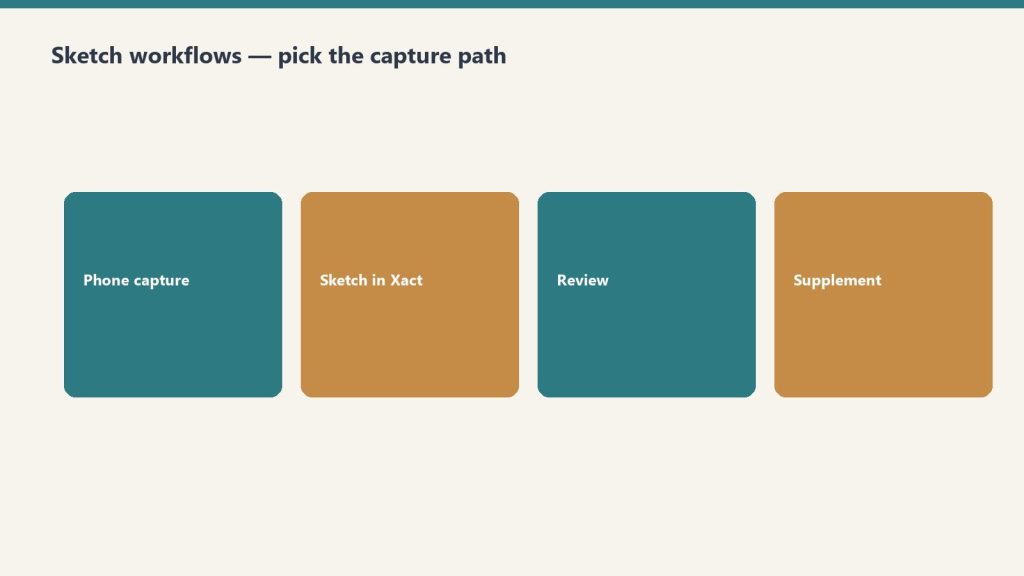
Despite a dozen marketing pitches, restoration contractors use one of three approaches. Each has a real cost and a real time profile.
1. Manual Xactimate Sketch (laser distance meter + on-screen drawing)
The default. A tech walks the loss with a Bosch or Leica laser, writes measurements on a clipboard or phone notes app, then either sketches on-site in the X1 mobile app or rebuilds it at the office. Cost is whatever you already pay for Xactimate (Professional runs around $185/month per user on subscription pricing as of early 2026, per Verisk’s published rates — verify on your own contract because Verisk negotiates).
Realistic time for a competent tech on a 1,500-square-foot residential water loss: 45–60 minutes on-site for measurements and photos, plus 30–45 minutes back at the office to build the sketch in Xactimate. Call it 90 minutes total. The advantage: no extra software cost, full control. The disadvantage: every minute of that 90 is a minute a tech is not on another job, and your sketch accuracy depends entirely on how disciplined your tech is with a laser.
2. Encircle Floor Plan
Encircle’s floor plan product converts a smartphone video walkthrough into a Xactimate-ready ESX or FML import. Their published per-claim pricing is around $25 per claim as of 2026, with subscription bundles available — confirm current pricing with Encircle directly, as restoration software vendors revise tiered pricing frequently. Encircle’s marketing claims floor plans are delivered in under 6 hours, but in practice most users report same-day to next-morning turnaround.
The actual workflow advantage is not the speed of delivery — it’s that your tech leaves the loss with a video, not a sketch. On-site time drops to roughly 15–25 minutes. The office labor for sketch rebuild drops to near zero because Encircle delivers an importable file. If you’re running 40 claims a month and trimming 60 minutes per claim, that’s 40 hours of tech labor recaptured — roughly $1,800 a month in labor against $1,000 in Encircle fees. The math works above about 25–30 claims a month.
3. DocuSketch
DocuSketch uses a 360 camera kit instead of a smartphone video. The contractor captures spherical photos at each room, uploads, and DocuSketch returns an ESX file. Per their public materials, ESX and FML files are typically delivered 1 to 3 days after capture. Per-claim cost at scale runs around $70 when amortizing the Express plan ($1,095/month), the $795 camera kit, and overnight delivery fees against 20 projects a month — based on DocuSketch’s published comparison materials.
DocuSketch’s appeal is the 360 photo documentation that comes with the sketch — useful for supplement defense and for adjuster file packages. The disadvantage versus Encircle: slower turnaround (days, not hours), higher per-claim cost, and a camera kit your techs have to actually carry and use. For high-volume shops doing large losses and commercial work where 360 documentation has independent value, DocuSketch can earn its keep. For a typical residential water mitigation shop, the price-per-claim is hard to justify against Encircle.
The bottom line for restoration owners
If you’re under 20 claims a month, manual sketching is fine. Buy your techs better lasers and train them on Xactimate Sketch keyboard shortcuts (CTRL+click and drag to pull new rooms from existing ones is the single highest-leverage shortcut Xactimate ships). Sending a tech to one of the regular Xactimate fundamentals classes pays for itself the first month — it’s the cheapest sketch optimization you can buy.
If you’re between 20 and 60 claims a month and most of your volume is residential water, Encircle Floor Plan is the obvious move. The labor recapture pays for the subscription several times over, and your techs spend less time at the office rebuilding sketches and more time at the next loss. Make sure your techs actually shoot the video correctly — Encircle’s output quality depends on input quality.
If you’re north of 60 claims a month, running commercial losses, or losing supplements because your documentation packages are thin, evaluate DocuSketch alongside Encircle. The 360 documentation is a real defensible asset when you’re supplementing six months after the original scope. Some shops run both — Encircle for residential water mitigation, DocuSketch for commercial and large-loss reconstruction.
One workflow truth nobody likes to say out loud: the sketch tool only matters if your techs use it consistently. The shops that get the most out of Encircle or DocuSketch are the ones where the office manager refuses to accept a claim file without a video or 360 capture. Without that enforcement, you’re paying for software and still rebuilding sketches at the office because half your techs forgot to use it.
Pick the workflow that fits your claim volume, then enforce it. The sketch is the foundation of every line item Xactimate calculates. It’s worth more attention than most owners give it.
📖 Recommended Reading in Restoration Intelligence
Related on Tygart Media: Starlink on a water job · S500 in the van · local SEO for restoration.
Leave a Reply