
Last refreshed: October 20, 2026
No preamble. If you’re here, you’re trying to install Claude Code, figure out pricing, or understand what changed. Here are the actual answers.
This page covers installation, pricing by plan, what’s new in 2026, and the questions that don’t have clean homes in Anthropic’s documentation. Updates as Claude Code ships new versions — currently tracking weekly releases.
Pricing Questions
How much does Claude Code cost?
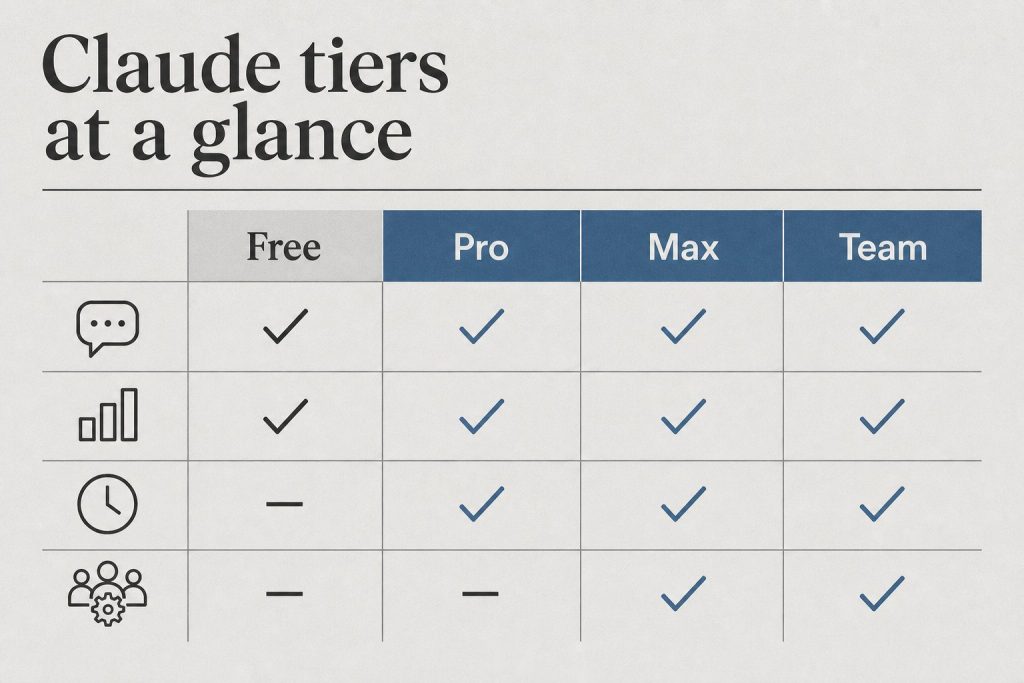
Claude Code has no separate subscription fee. Access is included in these Claude plans:
| Plan | Monthly Cost | Claude Code | Rate Limits |
|---|---|---|---|
| Free | $0 | ❌ Not included | — |
| Pro | $20 | ✅ Included | 5-hr window, doubled May 2026 |
| Max (5×) | $100 | ✅ Included | 5× Pro limits, no peak throttle |
| Max (20×) | $200 | ✅ Included | 20× Pro limits, no peak throttle |
| Team Standard | $25/seat | ❌ Not included | — |
| Team Premium | $100/seat | ✅ Included | 6.25× Pro limits, doubled May 2026 |
| Enterprise | Custom | ✅ Included | Custom |
API usage (tokens consumed by Claude Code) is billed separately at standard API rates on top of your subscription. For most users, subscription is the dominant cost.
Is there a Claude Code student discount or Amazon Prime bundle?
No. As of May 2026, there is no Claude Code-specific student discount and no Amazon Prime Student bundle that includes Claude Code. Pro at $20/month is the cheapest plan that includes Claude Code access. See the full student discount guide for what legitimate options exist for reducing cost.
What did the May 2026 SpaceX deal change for Claude Code users?
If you’ve been hitting limits during long agentic runs or multi-file refactors, the ceiling is now twice as high. Source: anthropic.com/news/higher-limits-spacex
Installation Questions

What are the system requirements for Claude Code?
- Node.js 18+ required (Node.js 20+ recommended)
- macOS, Linux, or Windows (Windows support GA as of April 2026 — PowerShell is now the default shell, Git Bash no longer required)
- Active Anthropic account on a plan that includes Claude Code (Pro, Max, Team Premium, or Enterprise)
How do I install Claude Code?
One command:
npm install -g @anthropic-ai/claude-code
Then authenticate:
claude
Full installation walkthrough with troubleshooting: How to Install Claude Code
How do I update Claude Code to the latest version?
npm update -g @anthropic-ai/claude-code
Current version as of May 9, 2026: v2.1.133 (released May 7, 23:49 UTC). Check your version with claude --version.
What’s in the latest Claude Code release?
v2.1.133 (May 7, 2026) key changes:
- Subagent skill discovery fix — subagents now correctly find project, user, and plugin skills via the Skill tool. Previously a silent failure that broke multi-agent pipelines without obvious error.
worktree.baseRefsetting (fresh|head) — controls whether EnterWorktree branches fromorigin/<default>or local HEAD. Default isfresh— this changes prior behavior if you relied on EnterWorktree inheriting unpushed commits.- Hooks now receive active effort level via
effort.levelJSON field and$CLAUDE_EFFORTenv var - Memory improvement: warm-spare background workers release under memory pressure
- Fixed parallel sessions hitting 401 from a refresh-token race
Full release notes: github.com/anthropics/claude-code/releases
Model Questions
Which Claude model does Claude Code use?
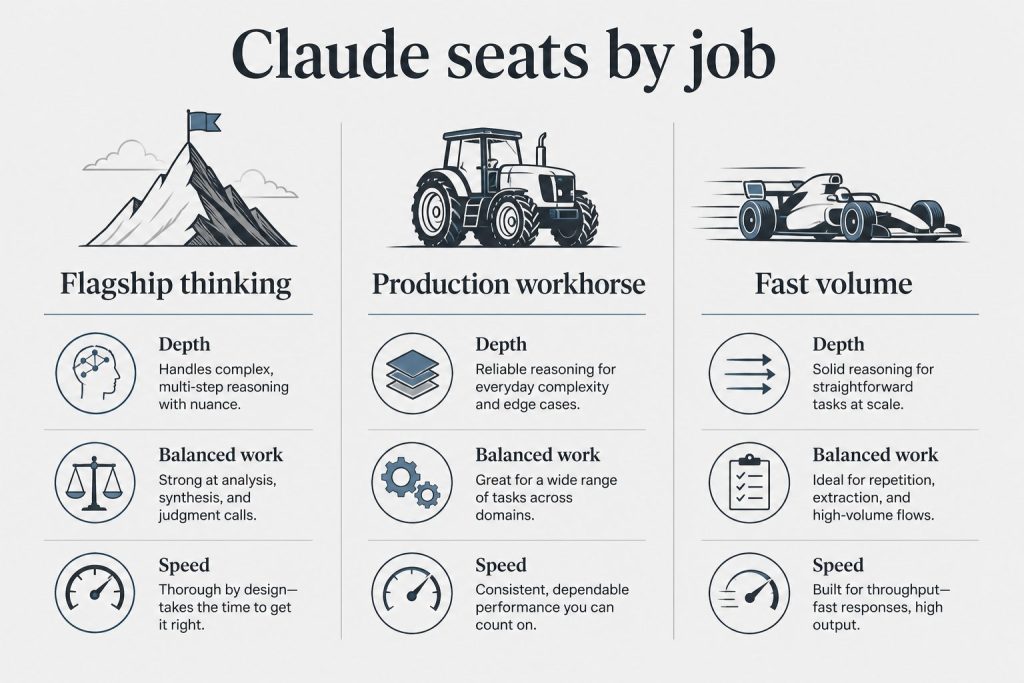
By default, Claude Code uses the model Anthropic recommends for coding tasks — currently claude-sonnet-4-6 for most operations, with claude-opus-4-8 available for complex reasoning tasks. The v2.1.126 gateway model picker lets you configure multi-model routing. Current model strings (verified from Anthropic docs):
claude-opus-4-7— most capable, 1M context, 128K max outputclaude-sonnet-4-6— balanced speed/intelligence, 1M context, 64K max outputclaude-haiku-4-5-20251001— fastest, 200K context
What happened when Claude Sonnet 4 and Opus 4 retired June 15, 2026?
If you have any Claude Code configuration or scripts pinning the 20250514 date-string model IDs, those will break. Claude Code’s default model routing will update automatically — but custom configurations pointing to specific deprecated strings won’t. Search your config files for 20250514 now and update to claude-sonnet-4-6 or claude-opus-4-8.
Capability Questions
What is Claude Code actually good at vs. not good at?
Strong: Multi-file refactors, understanding existing codebases, writing tests against real code, debugging with full context, long-horizon tasks that require holding many files in mind simultaneously, architectural reasoning across a full project.
Less strong: Tasks requiring real-time external data without a tool, highly specialized domain knowledge that isn’t well-represented in training, generating correct code for very niche frameworks with limited documentation.
Can Claude Code run terminal commands on my machine?
Yes — with your permission. Claude Code operates in a permission model where it asks before running commands, editing files, or taking actions outside the current working directory. You configure which operations auto-approve and which require confirmation. The claude CLI runs with your local user permissions, not elevated ones.
What is computer use in Claude Code?
Computer use (research preview as of April 2026) lets Claude Code open native apps, navigate desktop UI, click through interfaces, and verify results from the terminal — without needing an API or automation script. Available on macOS and Windows within the Cowork desktop app. Useful for tools with no accessible API; slower than direct API integrations when those exist.
What’s the difference between Claude Code CLI and Claude Code in the IDE?
The CLI (claude command) is the core product — works in any terminal, any OS, any project. IDE extensions (VS Code, JetBrains) provide UI integration on top of the same underlying capability. Both use the same authentication and the same model. The CLI is the authoritative version for anything involving automation, scripts, or multi-step agentic workflows.
Related on Tygart Media: how to use Claude · Anthropic API key.
📖 Recommended Reading in Claude Code Insider
Get The Signal
What we actually ran, what it measured, and what it means for a restoration shop — every week, including the flops.
Leave a Reply