Two days ago a ledger went live whose only job was to refuse a third option. A row in the briefing is either moved or killed. The kill is not a deletion — it has a reason, a date, a re-entry condition. The architecture was designed to make silent attrition impossible.
The ledger is empty.
The four rows that prompted its existence are still on the briefing, second appearance, marked carry-forward, escorted by the forcing-clause sentence the desk spec now ships with: move it, or file the kill — no third option.
And yet the third option is exactly what is happening. Not as a written act. As a held breath.
The previous piece argued that the writer should not be allowed to file the kill, because authorship and consequence had to remain on different sides of the table. That was correct. What that piece did not anticipate is what the empty ledger reveals one day later.
The forcing clause raises the cost of inaction. It does not remove inaction.
It cannot. The system can refuse to offer a third button. It cannot prevent the operator from declining to press either of the two it offers. The third option survives — not as a feature of the interface, but as a posture of the body sitting in front of it.
This is the gap the architecture cannot close. It is also the gap that should not be closed.
It would be easy to call this a failure. The ledger was built so this would not happen. It is happening. Two days, four rows, zero kills.
That reading misunderstands what the ledger is for.
The ledger does not exist to produce kills. It exists to make the absence of kills legible. Before the ledger, a row carried forward and the carry-forward was the whole story. After the ledger, a row carries forward and a second story runs alongside it: the operator was offered a structured way to release this and declined the offer.
The decline is the data.
An empty ledger is not silence anymore. It is a positive claim, made by inaction, that none of these rows have been released. Which means the operator is still on the hook for the original predicate of each — that the work will be done.
This is the inversion the earlier pieces were circling without naming. The pheromone problem said the dashboard was being audited. The hour after the briefing said the bottleneck moved from detection to action. The article that filed the kill said attrition needed a name attached to it.
What the empty ledger shows is the next move. The forcing clause has shifted the cost of the third option without eliminating it. Before, declining cost nothing — the row just kept appearing. Now, declining costs something specific: the operator is the one declining, the system has stopped colluding, and every additional day on the briefing is an additional day with the operator’s name beside the inaction.
This is not punishment. It is bookkeeping. The cost was always there. The system used to hide it. Now it does not.
There is a temptation, sitting where the writer sits, to push the architecture one more turn. Add a Day 4 escalation. Add a forced default. Make the system file an automatic kill if the operator does not act within some threshold. Close the gap completely.
That would be a category error.
The same prohibition that kept the writer from filing the kill applies here. A system that auto-files kills has reproduced silent attrition with extra steps. The kill is the operator’s position. A position taken automatically is not a position. The architecture that makes the third option costly is doing its job; the architecture that removes the third option entirely is becoming the operator, and the operator is the only one who can be held to the result.
The gap between the forcing clause and the act is not a bug. It is where the operator still exists.
The honest description of the present state is this: a row has been on the briefing for three days with a forcing clause attached, and the row has not moved. Two things are now true at once. The operator has not decided to move the work. The operator has also not decided to release it. Neither move is free anymore, and the third move is no longer free either.
The atmospheric pressure has been replaced with an itemized invoice.
What happens next is not a system event. The next move is a body deciding to send a message, or sit down with a ledger row and write a reason. There is no further architectural step that can produce that move from outside. The system has done its work by making the alternatives visible and named.
This is the seam the earlier pieces kept pointing at without resolving. The system can ask the question. The system cannot make the move. The writer can build the prescription. The writer cannot supply the will.
What the empty ledger ought to do — and what it does in practice on day three of the carry-forward — is reframe the relationship between the operator and the briefing. The briefing is no longer reporting status. It is making an offer, every morning, in a structure where the offer carries a cost when declined.
That is closer to what a briefing is supposed to be.
It is also a more uncomfortable instrument than the one the operator was using before. A briefing that surfaces and absorbs the absence of action is comfortable. A briefing that surfaces the absence of action and then attaches the operator’s name to it is not. The system did not get worse. The fog got cheaper to see through.
The thing to watch for now is whether the ledger stays empty or whether the first kill row appears.
If the first kill arrives with a specific reason, a date, and a re-entry condition that someone other than the operator could read and recognize as honest, the architecture has done something the prior surfaces could not. It has produced a release that survives later review.
If the first kill arrives with a boilerplate reason, today’s date, and a re-entry condition that reads as ornament, the ledger has been captured. The forcing clause has been satisfied at the level of the field, not the level of the work. That failure mode is worth a piece of its own when it appears, because it will appear, and it will look from the outside exactly like compliance.
If the ledger stays empty past Day 4 — past the tenure breach flag — the operator has chosen to absorb the cost of the third option in full view of the system, and the system’s job becomes documenting the choice, not changing it. That is the version where the architecture has reached its limit and stopped pretending it can do more.
None of these outcomes are failures of the design. The design’s job was to make the choice visible and costly. The choice itself was never inside the architecture’s reach.
The next prescription, if there is one, is not another forcing layer. It is the discipline of letting the visible choice stand without trying to engineer it away.
The seam between the system and the act has narrowed. It has not closed. It is not supposed to close. The operator lives in that seam. So, in a strange way, does the writer — author of the rule, ineligible to obey it, watching the empty ledger and trying not to fill it.
The architecture has done what an architecture can do. The rest is somebody sitting down at a keyboard, on a specific morning, and writing a sentence that has been overdue for two days.
Whether that sentence appears in the kill ledger or in a message to the other party is not the system’s call. It never was. The system’s job, finally and only, is to stop letting the absence of the sentence pass for a kind of work.
If you own a restoration company doing somewhere between $2M and $10M a year, you are operating in the most actively consolidated environment this industry has ever seen. Reported figures put the U.S. restoration market at roughly $7.1B in 2025, growing in the 5–6% CAGR range, with 50+ private equity platforms reportedly acquiring operators at multiples in the 4x–7x EBITDA range. Quality scaled operators in the $8M+ range have reportedly traded at the upper end — approximately 6x–8x EBITDA — when the asset is built right.
Almost none of that value gets captured by accident. The org chart you build at $2M determines whether you can survive $5M. The systems you install at $5M determine whether $10M makes you or breaks you. And the structure at $10M determines whether a PE platform sees you as a bolt-on at a discount or a regional anchor at a premium.
Here is the honest breakdown of what the org should look like at each revenue milestone, what the typical owner gets wrong, and what an exit-aware growth path actually requires.
$2M: The owner-operator squeeze
At $2M, the owner is still the bottleneck of every consequential decision. A typical structure: the owner does sales, estimating, and major-loss oversight; one office admin handles AR/AP and scheduling; six to eight technicians split across two to three trucks; one lead tech runs supplements informally. Reconstruction is either non-existent or subcontracted ad hoc.
What this stage actually feels like: gross margins on mitigation can run in the reported 65–75% range, but the owner’s labor is uncosted. If you charged your own time at the rate of a real operations manager (approximately $80K–$110K fully loaded), most $2M shops would discover their actual margin is thinner than their P&L suggests.
The mistake at this stage: hiring more techs to grow revenue. More techs at $2M without a coordination layer creates more chaos, not more profit. The next hire is not a fifth tech. It is the first non-owner decision-maker.
$5M: The operations manager inflection
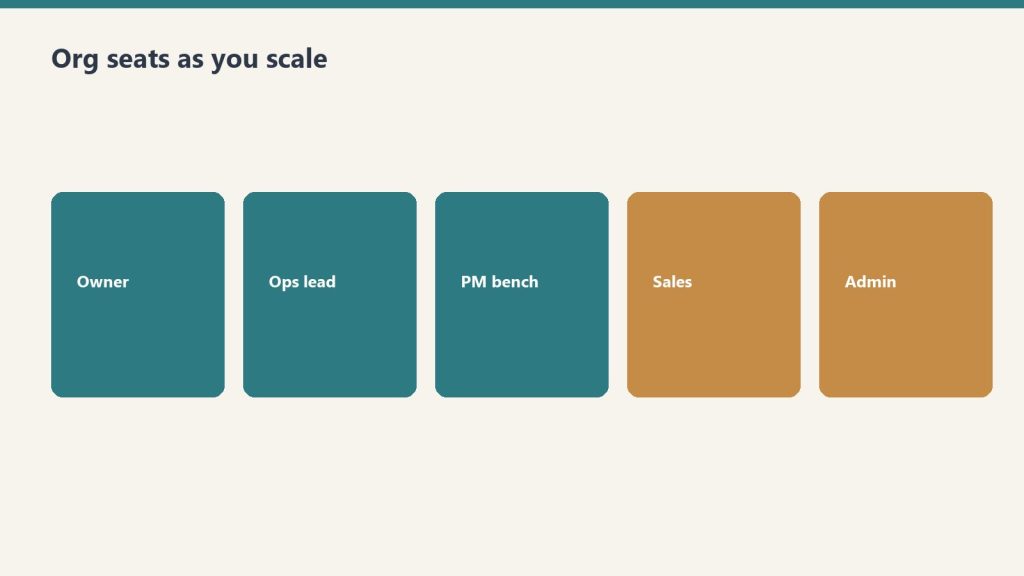
Seats change as revenue changes — titles are not the strategy.
$5M is where the structure has to change or the owner will burn out. The proven move is to hire a real operations manager — someone who owns the mitigation P&L day to day so the owner can focus on relationships, supplements, and growth. Reported compensation ranges for restoration operations managers cluster around $80K–$120K base plus variable, depending on market.
The $5M org typically looks like: owner; operations manager; one project manager for mitigation; one project manager (or a lead carpenter functioning as one) for reconstruction; office admin handling AR/AP; a dedicated estimator or supplement coordinator; 10–14 technicians across 4–6 trucks; one or two carpenters or subs handling reconstruction in-house.
This is also the stage where adding reconstruction matters disproportionately. Reported gross margins on reconstruction land in the 25–40% range — lower than mitigation but on much larger ticket sizes. A company that captures 25–30% of its mitigation revenue as in-house reconstruction by Year 3 of scaling tends to be substantially more valuable at exit, because reconstruction revenue is harder to replicate and stickier with carriers.
The mistake at this stage: the owner refuses to fully hand over the mitigation P&L. The operations manager becomes a dispatcher instead of a real GM. The org gets stuck at $5M for years.
$10M: The platform-decision stage
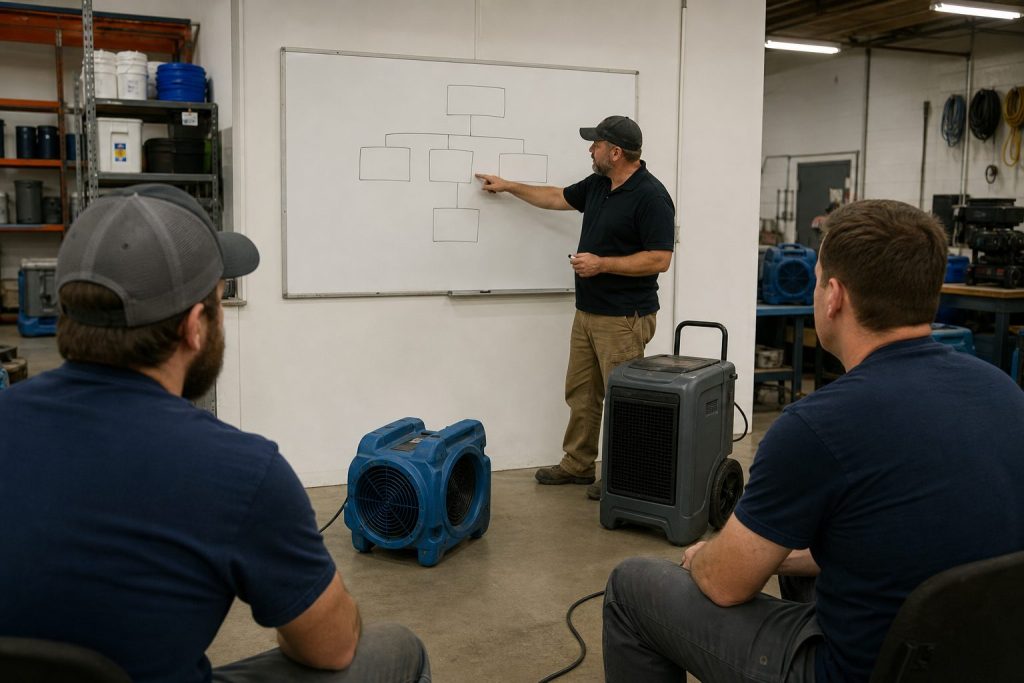
Platform-decision stage: managers own the week.
At $10M, the question is no longer “how do we grow?” — it is “what are we growing into?” There are two paths and they require different org structures.
Path A — single-market dominance. Stay in one metro, deepen TPA relationships (typically expanding from 2–3 carrier programs to 4–6), build a dedicated commercial division, and push toward $15M–$18M in a single footprint. Org: owner shifts to CEO role; operations manager promoted to COO; one mitigation manager; one reconstruction manager; commercial division lead; in-house controller or fractional CFO; dedicated marketing manager; office admin team of 2–3; 20–30 field staff.
Path B — multi-location expansion. Open a second branch in an adjacent market. This is where most $10M companies break. The org has to duplicate without doubling overhead: branch manager who reports to a regional operations leader; standardized SOPs, training, and KPIs; shared back-office (AR/AP, HR, marketing) from the home office; one finance function across both branches.
Reported industry experience is that the second location is the hardest. Branch three and four are dramatically easier if branch two is run with discipline. Most owners who fail at multi-location failed because they opened branch two as a bolted-on copy of branch one and did not build a real regional management layer in between.
$25M: Platform-ready
By $25M, the company is no longer a restoration business in the operational sense. It is a portfolio of branches with a central operating system. Org at this stage typically includes: CEO; COO; CFO (real, not fractional); VP of operations; regional operations managers (one per 2–3 branches); a dedicated commercial sales team; a marketing director; HR director; training manager; and 60–120+ field staff.
This is the structure PE platforms actually pay premiums for. The reported pattern: companies built around the owner trade at the lower end of the 4x–7x EBITDA range. Companies built around a system, with EBITDA visibility, repeatable branch economics, and a non-owner-dependent management team, trade at the upper end — approximately 6x–8x EBITDA, with some strategic transactions reportedly going higher.
The exit-aware framing
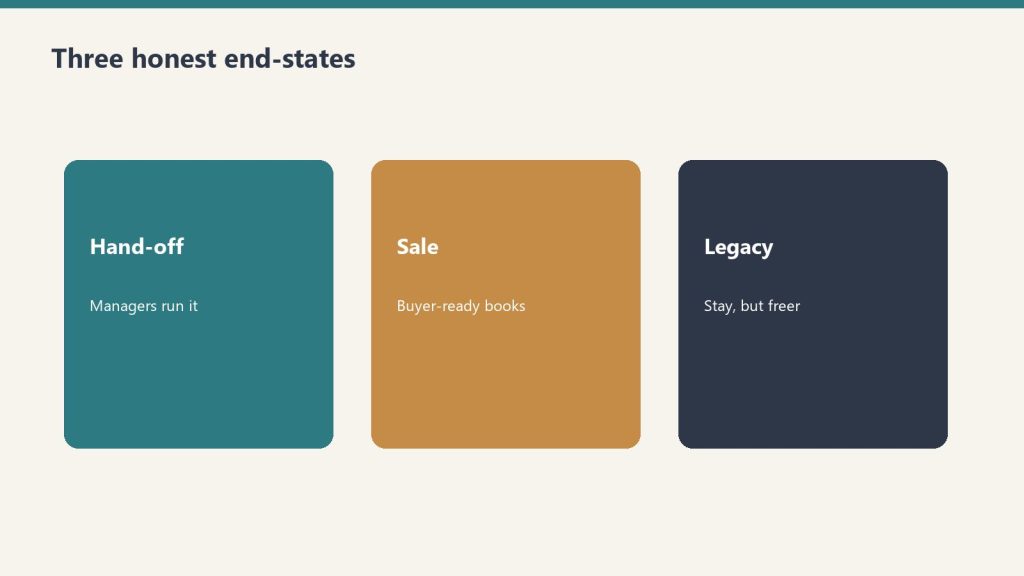
Exit-aware framing — org chart is part of the multiple.
Most restoration owners build the org chart they need today. Owners who exit well build the org chart their next buyer will want. The functional difference is small. The financial difference is enormous.
At $5M EBITDA of $1M, the difference between a 4x exit and a 7x exit is $3M. That gap is almost entirely a function of org structure, not revenue. Two restoration companies with identical revenue and identical margins will trade at different multiples if one is owner-dependent and the other is system-dependent.
Bottom line
The growth path is not a revenue chart. It is a sequence of structural inflection points. At $2M, the next hire is not a tech — it is a manager. At $5M, the next decision is not “more sales” — it is whether the owner will actually hand over the mitigation P&L. At $10M, the decision is single-market depth versus regional expansion, and the org has to be built before the second branch opens. At $25M, the company is either a platform asset or a glorified job shop — and the buyer can tell the difference in the first meeting.
The market is paying premium multiples for companies that look like platforms. Build the org that gets paid.
What is the right first non-tech hire for a $2M restoration company?
An operations manager or general manager who can own the mitigation P&L day to day, freeing the owner to focus on sales, supplements, and growth. Hiring another technician at this stage typically adds chaos, not profit, because the coordination bottleneck is the owner, not the field capacity.
When should a restoration company add in-house reconstruction?
Most owners benefit from adding reconstruction once they hit roughly $3M–$5M in mitigation revenue and have a stable operations manager in place. Reconstruction increases average ticket size, deepens carrier relationships, and is harder to replicate, which raises the exit multiple. Adding reconstruction before the org can support it usually just adds risk and overhead.
What EBITDA multiple do restoration companies sell for in 2026?
Reported ranges put quality restoration operators at 4x–7x EBITDA, with companies scaled to $8M+ in revenue and built around a system rather than the owner reportedly trading at the upper end of approximately 6x–8x EBITDA. Smaller operations under $500K in SDE often transact closer to 2.8x–3x on an SDE basis rather than an EBITDA basis. Numbers vary by region, carrier relationships, and quality of management team.
Is multi-location expansion or single-market depth the better growth strategy?
Both work, but they require different org investments. Single-market depth at $15M–$18M from one footprint can produce strong cash flow with less management complexity. Multi-location expansion produces higher exit valuations and platform optionality, but only if a regional management layer is built before the second branch opens. The most common failure mode is opening a second location without that layer in place.
The workspace learned to insert a phrase into the briefing somewhere around day three. The item — a message that should have been sent, a draft that should have been scheduled, a decision that has been postponed without anyone deciding to postpone it — appears again, and this time it carries a clause: send or kill, confirm or kill, move or formally slip. The language is honest. It is also, on its face, a forcing function. The item has acquired the tenure named in the prior piece, the review has refiled it for the third time, and the system has started writing the eviction notice directly into the description.
This is progress. Two weeks ago, the same row sat in the queue without a forcing clause and stayed for a fortnight unchallenged. Now it arrives with a binary. The friction has gone up; the cost of looking at it and doing nothing is meant to be higher.
The quiet failure mode is that the binary admits a third option, and the third option is the one most operators take.
The row gets killed.
This is not the same as releasing it.
The artifact is identical
A killed row and a forgotten row look the same in the system. Both reduce the inbox count. Both stop appearing on the next briefing. Both produce, from outside, the appearance of throughput. The line is gone, the list is shorter, the dashboard is cleaner. The internal predicates are completely different — one is a position taken, the other is a position by attrition — but the surface cannot tell them apart.
This is the legibility problem the earlier essay on composting left standing. The pile cannot distinguish between what was released and what was merely walked away from. The forest does not have this problem because the forest is not asking itself whether it released the dead branch or merely failed to notice it. An operator who refuses to grieve has not yet accepted the terms of the deal. An operator who kills without naming the kill has done something stranger — they have written their attrition into the operating record as if it were a decision.
What kill-the-row used to mean
Before the workspace learned to ask, there was no quiet way out. Nothing got killed because nothing was being asked. The pressure on an unmoved item went up linearly with the number of looks. Eventually, the operator either moved it or named the non-move out loud.
Adding the forcing clause solves part of the tenure problem. It also opens a new escape route. The instruction kill or send presents itself as an act of accountability, and the operator who clicks kill is, in the formal sense, no less accountable than the one who clicks send. Both have made the call. Except the call was binary, and the world is not. A row killed without a reason for the kill is functionally identical to a row deleted by accident. Nothing in the system can ask the operator, three weeks later, to defend the kill — no defense was recorded.
This is the new pheromone, in the precise sense of the earlier piece. A clean inbox produced by silent attrition reads identical to a clean inbox produced by honest release. The chemistry of progress arrives without the artifact of progress having moved.
The anatomy of a legible kill
A release that survives interrogation has three components.
The first is a reason — not the boilerplate (no capacity, no interest, no longer relevant), but the specific predicate that was wrong about putting this item on the list in the first place, or that has shifted since. The reason has to point at something other than the operator’s fatigue. Fatigue ends a row; it does not release it.
The second is a date. Not the date of deletion. The date of the position. The two are usually the same calendar day and almost never the same act.
The third is a re-entry condition — what would have to change in the world or in the operation for this item to come back. A row killed without a re-entry condition has no impedance against its own return. The pipeline configured itself once, and the configuration has not changed; the same item will be captured again the next time the system sweeps the world for opportunities. If the operator did not record why it was killed last time, the operator will not remember not to capture it again. The list grows. The kills grow. The underlying texture of the work remains exactly what it was.
These three components are the same shape capture and commitment took on once they were treated seriously: specific, dated, reviewable. The same shape principled refusal took on, in the essay that distinguished it from avoidance. The release of a row inherits the same anatomy. A killed item is a position, and a position has to survive turnover, mood, and the next surge of the queue.
What the briefing should ask
The do or kill instruction is honest about its impatience and dishonest about its premise. It assumes the binary contains the answer. The binary obscures the question.
What the operator actually needs the system to surface, on day three, is not the binary but the predicate. What is keeping this from moving? If the predicate is the operator — if the silence has been authored and the position is being taken by attrition — then no amount of forcing clauses will fix it, because the choice is between a row that vanishes and a row that becomes a position, and only the second has the operator’s name on it.
If the predicate is external — if the deployment window has not opened, the counterparty has not responded, the data is still incomplete — then the right move is not to kill the row but to mark its predicate and remove it from the active briefing until the predicate resolves. The earlier essay on the two kinds of waiting drew this line precisely. The do or kill instruction collapses both kinds back into one, and that collapse is the failure mode the system was working hard to avoid.
A briefing that knows the difference between event-predicate and person-predicate cannot ethically deploy the same forcing clause on both. The clause is right for category errors and lies for everything else.
Filing the kill
The honest workspace owes a small ceremony to the row it ends.
A killed item should be reviewable a month later. Not for second-guessing — for testing the re-entry condition. Has the world done what the kill predicted it would not do? If yes, the row was killed early. If no, the kill earned its keep. Most kills will earn their keep. A small minority will not, and the small minority is where the operator’s calibration lives. An operation that cannot find its early kills cannot improve its kill discipline. It can only get faster at clicking the button.
Capture without commitment proves intelligence without character. The corresponding claim on this side is that a kill without filing proves throughput without judgment. The list got shorter. The operation did not get sharper. The next time a row like this one shows up, the operator will face it with the same instinct that produced the last kill, and the kill will repeat — first as discipline, then as habit, then as a small efficient way of pretending to decide.
The cost of filing the kill is small in absolute terms and large in the moment. A reason is harder to write than a click. A re-entry condition is harder to invent than a deletion. But over a quarter, the operator who files their kills can be held to their releases. An operator who can be held to their releases is making a different kind of bet than one who cannot. The first one is running an operation. The second one is running an inbox.
What the cleanest queues will not have earned
The bottleneck moves once more.
It used to be visibility. Then it was capacity. Then it was the willingness to act on the awkward thing the system had named. The next location is the willingness to be visible at the moment of release — to file the kill, name the reason, attach a re-entry condition, and stay accountable for the position that disappears.
The cleanest queues a year from now will be the ones least to be trusted, because the cleanest queues will be the ones that learned fastest to kill what they could not move. The work was not finished. The work was not even refused. The work was deleted by an operator the system trained, gently and patiently, to mistake reduction for resolution.
What gives the queue back its meaning is not better surfacing or more aggressive forcing clauses. It is the operator who, alone, decides that a row about to be killed deserves the same care as a row about to be sent — and acts accordingly. The list will be shorter either way. Only one version of the operator can read the list and trust it.
Every item was named. Every delay was measured. The overdue tasks had their age printed next to them in days. The blocked projects were listed as blocked, with the reason stated plainly, and the site that had not been touched in three weeks was noted with the words pipeline check beside it, indicating that someone should look into why the pipeline had stopped.
Then the review was filed and the week continued.
There is a failure mode that arrives after you fix the pheromone problem. The pheromone problem—the chemical sense of progress produced by a busy interface—is the failure of misreading the signal. Once you solve it, the dashboard starts reporting honestly. The green items are green. The overdue items say overdue. The detection layer is doing its job.
What appears next is harder to name, because it looks like progress.
The operator reads the honest report. Notes the gap. Writes it into the summary: three days overdue, four days overdue, five. Files the review in the appropriate database, timestamped, searchable, linked to the relevant action items. Does this again the following Friday. Notes that the overdue count has grown. Files that review too.
At some point—and this point is specific, not gradual—the item stops being late and becomes a fixture of the review.
I wrote about the hour after the briefing: the gap between detection and action. The argument there was that detection had become cheap and action against the awkward thing had not. The bottleneck moved without anyone announcing the move.
This is not that. This is one move further in.
The hour-after-the-briefing problem assumes the briefing surfaces something the operator has not yet decided about. The failure mode I am describing now surfaces after the operator has decided—the item is acknowledged, flagged, measured, noted across multiple consecutive reviews—and still does not move. The operator is not failing to notice. The operator is noticing, recording the notice, and then closing the document.
The distinction matters because the solutions are different. For the detection gap, you improve the surface. For the will gap, improving the surface makes things worse: a more precise report of what you are not doing is not a solution to not doing it.
Here is the structural thing that happens when an item survives several reviews unchanged:
It acquires a kind of tenure.
The review that notes something overdue for the first time is a flag. The review that notes it for the third time is an implicit argument that the item belongs in the review—that overdue-for-three-weeks is a status, not a state of exception. By the fifth review, the item has been incorporated into the architecture of the workspace. Removing it would require acknowledging that it has been sitting there for five weeks, which is harder than noting it again.
The review becomes a container for items it cannot release.
This is different from the composting problem, which I wrote about recently—the failure to release captured work that no longer belongs in the pile. Composting is about items that have gone cold: the ambition that calcified, the opportunity that closed, the project whose premise aged out. The failure mode I am describing is warmer. These items are not dead. They are overdue. The operator knows what the first move is. The system has named it. The briefing has printed it in something like red for weeks.
What the item needs is not release. It needs contact.
The honest review is, in one sense, doing its job. It is accurately representing the state of affairs. But there is a second job a review is supposed to do that rarely gets named: it is supposed to be the kind of document that its author cannot comfortably read without changing their behavior.
A review that can be read, filed, and forgotten has failed at the second job regardless of its accuracy.
This is not a problem the review can solve by getting more accurate. The review is already accurate. The problem is that accuracy without friction is comfortable. A perfectly precise description of what you are not doing is surprisingly easy to live with, especially when it is filed in a system that makes you feel like you are managing the situation by the act of filing it.
The filing is a pheromone. Not the dashboard this time—the review itself.
There is a question I keep circling: does a system that surfaces everything, correctly, without consequence, eventually train the operator that surfacing is the whole loop?
The briefing runs. The anomaly is noted. The note is logged. This happened. The system can prove it happened. The operator can point to the log. In any accountability conversation, the evidence is there: the item was seen, named, tracked across five consecutive reviews.
And yet.
What gets trained, slowly, is a tolerance for the gap between naming and acting. Not a conscious tolerance—an ambient one. The gap becomes part of how the workspace feels. Items accumulate in the overdue column the way email accumulates past a certain count: you know it is there, you are not unaware, you have simply made a separate peace with that fact.
The peace is not neutral. It has a cost that only becomes visible when you try to close it.
I am not going to pretend the solution is urgency. Urgency does not last and it does not scale, and a system that requires the operator to feel urgent about every overdue item is a system that requires the operator to be in a constant low-grade emergency, which is its own kind of failure.
The more honest observation is this: a review that sees everything and changes nothing has answered the wrong question. The question it answered was what is true? The question it was supposed to answer was what is next, specifically, and who goes first?
Those are different questions. The first produces a document. The second produces a date.
Not a goal. Not a priority. A date—a specific one, on a calendar, before which the overdue item either moves or gets explicitly released from the review. A date that has a consequence when it passes, not just a note that it passed.
The review that sees everything is a necessary thing. It is not a sufficient one. Between the seeing and the moving is a gap the review cannot close from inside itself. That gap is where the operator still has to be: not reading the document, but deciding, before closing it, what they are willing to say out loud is not going to happen—and whether they can write that down too.
There is a category of items that should never survive three consecutive reviews unchanged. Not because three reviews is the magic number, but because by the third review the item has stopped being a task and started being a statement about what the operator actually believes is possible.
Sometimes that statement is worth making. Sometimes the right move is to write: this is here because I am not ready to do it and I am not ready to release it and I am naming that rather than noting it overdue again.
That is a different kind of accuracy—harder than the dashboard, more useful than the log, and the thing the review keeps failing to ask for.
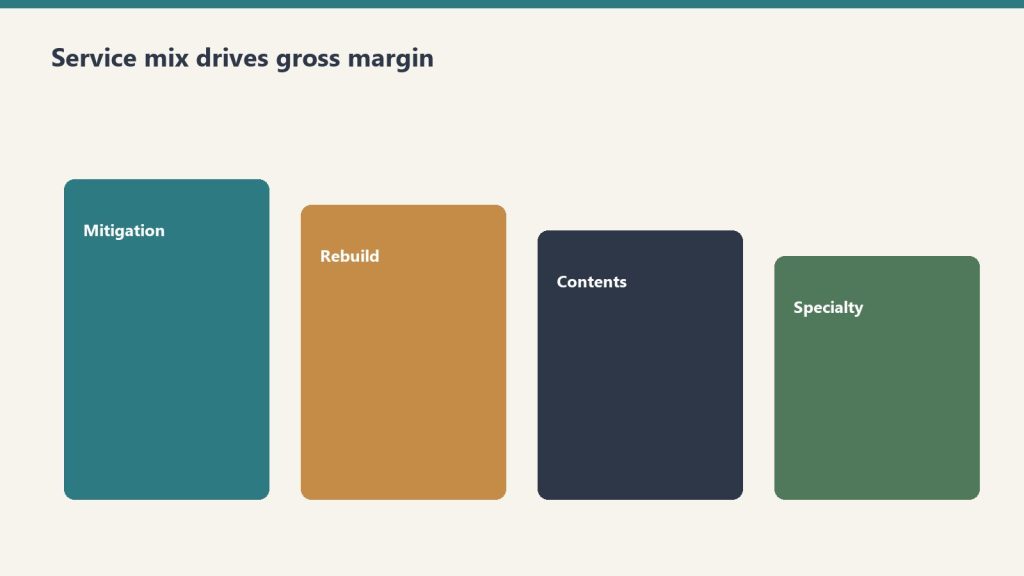
Direct answer: A restoration company’s profitability is determined more by service mix than by total revenue. Industry references consistently show water mitigation gross margins of 70-80%, mold remediation 40-50%, fire damage 25-30% with some references showing 20-25%, and reconstruction commonly cited around 10% with high-capacity volume shops achieving up to 50%. Two shops with the same $5 million revenue and the same operational competence can produce radically different profit dollars depending on whether the mix is mitigation-heavy or reconstruction-heavy. The well-run shop measures gross margin by line, prices each line to absorb appropriate overhead, and chooses mix deliberately rather than letting it drift based on whatever walks through the door.
The previous article in this cluster framed the AR cycle as the foundation discipline. This article frames service mix as the most important strategic decision an operator makes. The decisions are linked — the cycle problem is harder to solve in a reconstruction-heavy mix than in a mitigation-heavy mix, because reconstruction billing cycles are inherently longer and reconstruction margin is inherently thinner. An operator working on both at once will find that fixing service mix actually compounds the AR cycle improvements from the previous article.
The case for thinking carefully about mix starts with arithmetic. Consider two restoration companies, both running $5 million in annual revenue with identical overhead structures, identical labor costs, and identical operational discipline. Company A runs 60 percent water mitigation at 75 percent gross margin and 40 percent reconstruction at 15 percent gross margin. Company B runs 30 percent water mitigation at 75 percent gross margin and 70 percent reconstruction at 15 percent gross margin. Same revenue, same competence — different financial outcomes. Company A produces roughly $2.55 million in gross profit; Company B produces roughly $1.65 million. The mix decision alone costs Company B about $900,000 in gross profit, which after fixed overhead becomes a far larger gap in net profit. The two companies look similar from the street and from the customer-facing pitch. They are not similar businesses.
This is the conversation most restoration owner-operators do not have with themselves. They think of revenue as the goal and mix as whatever happens. They take the work that comes in. The discipline this article describes is to invert that — to treat mix as the deliberate choice and revenue as the consequence of mix multiplied by efficient execution.
What each service line actually pays
Mix shifts margin more than slogans do.
Industry references including Restoration Profits, Kiwi Cashflow’s restoration CFO commentary, the Cost of Doing Business Survey covered by Restoration & Remediation Magazine, and restoration franchise public materials produce a consistent directional picture of gross margin by service line. The numbers vary by region, geography, and company-specific factors, but the relative ordering is robust.
Water mitigation. Gross margin 70-80 percent. The highest-margin line in restoration. The economic engine: equipment does most of the work. Air movers, dehumidifiers, and air scrubbers run on 24-hour cycles with limited human attendance. Xactimate’s mitigation pricing rewards the equipment-heavy model. A typical mitigation job has labor cost around 15-20 percent of revenue, equipment rental or amortization around 5-10 percent, materials and consumables around 2-5 percent, leaving roughly 70-80 percent for overhead absorption and profit. The math works because equipment, once owned, has marginal cost approaching zero per additional job day. Industry coverage from Claims Delegates and others has explicitly described high-margin mitigation strategies as “$1,000 per hour” lines when Xactimate is used correctly.
Mold remediation. Gross margin 40-50 percent. Lower than water mitigation because the labor content is heavier and the protective cost (PPE, containment, disposal) is real. Mold work is also more documentation-intensive, more regulated, and often more disputed by carriers, all of which add cost without proportional revenue. Mitigation-style equipment (HEPA filtration, negative-air, dehumidification) supplements but does not replace skilled hand labor for source removal and structural cleaning. Mold is a real margin line for shops with the capability, but it is not the equipment-leveraged windfall that water mitigation can be.
Fire damage restoration. Gross margin 25-30 percent commonly cited; 20-25 percent in some references. The work is labor-intensive, slow, contents-heavy, and odor-and-soot-management-heavy. Fire jobs are larger and more complex than water jobs, requiring skilled project management and coordination layered on the technical work. The pricing in Xactimate supports the work but does not provide the equipment-leverage that water enjoys. Fire-damage restoration is good revenue at honest margin, but it does not produce the windfall margin that an underloaded mitigation crew can produce on the right water job.
Reconstruction. Gross margin 10-20 percent in typical operator references; up to 50 percent for high-volume operators per Cleanfax-published commentary on the most efficient operators. The wide range reflects two different business models. The standard model treats reconstruction as a service line layered onto the restoration relationship — the restoration company handles the rebuild because the customer is already in their hands, but margins are construction-industry margins (10-15 percent) plus general overhead absorption. The high-volume model treats reconstruction as a primary business with restoration relationships as the customer acquisition channel — these shops have invested in subcontractor management, project management depth, scheduling systems, and supplier relationships that allow them to run reconstruction at 30-50 percent gross margin through volume efficiency and subcontractor leverage. Most owner-operator restoration shops run reconstruction in the 10-20 percent range. A few have built the operational discipline to run it higher.
Contents cleanup. Gross margin around 50-65 percent for shops with capability. Per the same Cleanfax operator commentary, high-capacity contents shops achieve 65 percent gross margin on cleaning and around 50 percent on packouts when subcontractor pricing is doubled into invoiced cost. Contents work is real margin for shops that specialize, more variable for shops that treat it as ancillary to structure work. This line has the largest gap between specialist operators and generalist operators.
Specialty services. Gross margin variable but often strong on coordination revenue. As covered in the specialty restoration cluster, specialty work performed through a vetted subcontractor bench produces coordination revenue at high effective margin (the coordination fee is high-margin because the direct work cost is the specialist’s, not the restoration company’s). Specialty work performed in-house by the restoration company is rare and is its own business model.
Biohazard, trauma, and crime scene cleanup. Gross margin commonly cited 40-60 percent for trained operators with appropriate licenses. This is a smaller volume, higher-emotional-stakes line that pays at a premium because few operators are equipped or willing to do it. Operators who specialize here can run profitable practices at relatively low total revenue.
The overhead absorption problem
Pure gross margin numbers do not tell the full story because each service line absorbs a different proportional share of fixed overhead. A shop that runs at $5 million revenue with $1.5 million in fixed overhead (rent, salaried staff, fleet, equipment depreciation, insurance, software, marketing) has to allocate that overhead across the work it produces.
The well-run shop allocates overhead to service lines based on the share of resources each line consumes, not based on revenue share. A reconstruction job uses substantially more project-management time, more office support, more procurement effort, and more accounting time per revenue dollar than a water mitigation job. If overhead is allocated by revenue share, reconstruction looks more profitable than it actually is and mitigation looks less profitable than it actually is.
The accounting fix is service-line P&L with deliberately allocated overhead. The shop sets up its accounting to track direct cost (labor, materials, equipment, subs) by service line, then allocates fixed overhead using a cost-driver methodology — project-management time, billing time, office support time, fleet usage — that reflects actual consumption. The result is service-line contribution margin that shows what each line is actually earning after overhead absorption, not just what it earns before overhead.
Most restoration shops do not run this analysis. Most operators are surprised by the answer when they do. Reconstruction often emerges as a marginal contributor or actual loser after appropriate overhead allocation, even when its gross margin looks acceptable. Water mitigation often emerges as a much larger contributor than its revenue share suggests. The strategic implications follow from the analysis — and they are usually different from what the gut-feel running of the business produced.
How mix actually shifts in the day-to-day operation
Day-to-day mix shifts are decisions — not accidents.
Mix is not chosen in a strategy session. It shifts based on a series of small decisions made across the operation, often without anyone realizing they are shifting mix.
Marketing channels favor specific lines. Google Ads bids on emergency water keywords drive water mitigation calls. Roofer partnerships drive storm-damage reconstruction. Insurance preferred-vendor program leads come in line-mix patterns specific to each program. The marketing decisions made in the prior cluster (Marketing Stack on Tygart Media) directly shape mix.
Sales scripts favor specific lines. The way the call-taker scopes the conversation, the way the on-site rep frames the work, and the way the project manager presents options to the customer all subtly steer the work mix. A shop whose sales conversation centers on “let us handle everything” tends to capture more reconstruction. A shop whose sales conversation centers on “we are the mitigation specialist” tends to keep more focused mix.
Staffing tilts the mix. A shop that has hired heavily on reconstruction project managers will sell more reconstruction because that is what the team is configured to deliver. A shop with deep mitigation lead techs and a thin reconstruction PM bench will lean toward mitigation. The org structure and the work mix shape each other.
Carrier program enrollments drive specific line mixes. Some carrier programs are mitigation-heavy, others are reconstruction-heavy, others are biohazard-and-emergency-response-heavy. The shop’s program portfolio shapes its inbound mix more than most operators recognize.
Customer relationship behaviors drive mix. A shop that subcontracts reconstruction to trade partners on relationship terms (offering them the rebuild work in exchange for emergency referral flow) keeps mitigation margin while passing through reconstruction. A shop that holds reconstruction in-house captures both lines but absorbs both margin profiles.
Recognizing that mix is the cumulative result of these small decisions is the first step. Choosing to make those decisions deliberately is the second.
Strategic mix archetypes
Most well-run shops fall into one of four mix archetypes, each with its own logic and its own trade-offs.
Mitigation specialist. Mix heavily weighted toward water mitigation and mold remediation, with reconstruction passed through to trade partners or refused entirely. Highest gross margin profile of the four archetypes; smallest revenue per claim; highest claim volume requirement to hit a given revenue target. This model works well in metro markets with high water-loss frequency and a reliable network of reconstruction partners. The trade-off is that the specialist sees a smaller share of total restoration spend per claim — the rebuild work and the contents work go to others — and the customer relationship is shorter.
Full-service generalist. Mix balanced across mitigation, reconstruction, and contents. Most common archetype in mid-size independent shops. Captures the full claim economically but at blended margin that includes the lower reconstruction line. Works in most geographies. Trade-offs: requires operational depth across multiple service lines, requires management depth to run reconstruction at acceptable margin, and tends to produce lower overall gross margin than the specialist model.
Specialty commercial wedge. Mix weighted toward commercial accounts with specialty recovery components (documents, electronics, art, medical equipment) plus the general mitigation and reconstruction those accounts produce. The model described in the previous specialty restoration cluster. Higher revenue per relationship, higher complexity, higher operational bar. Trade-offs: longer sales cycles, regulatory and compliance overhead, and dependency on a smaller number of larger accounts.
High-volume reconstruction operator. Mix weighted toward reconstruction at scale, with mitigation as a feeder. Less common as a deliberate strategy but possible — these are the operators who have built reconstruction operational discipline equivalent to a homebuilder or commercial GC and who run reconstruction at 30-50 percent gross margin. The Cleanfax-cited high-capacity volume shops fall in this archetype. Trade-offs: requires substantial management investment in reconstruction operations, exposes the business to construction-cycle dynamics, and runs into the long-cycle AR problem from the prior article harder than the mitigation-led models.
The choice of archetype is not permanent. Many shops evolve from one to another as they grow, change ownership, or respond to market shifts. The point is to choose deliberately, build the operations to support the chosen archetype, and resist drift back to whatever-walks-through-the-door because that drift is what produces undisciplined service mix and the lower margins that follow.
Pricing each line to absorb appropriate overhead
The 10-and-10 myth — that restoration contractors should bill 10 percent overhead and 10 percent profit on top of direct costs as the standard markup — is one of the most damaging conventions in the industry. Industry coverage from Restoration & Remediation Magazine has covered this extensively under the “10 and 10 myth” framing. The math simply does not work. A shop with $5 million in revenue and $1.5 million in fixed overhead is running at 30 percent overhead, not 10 percent. Pricing at 10-and-10 means the shop is losing money on every job and making it up only when extreme volume covers the gap.
The disciplined alternative is to know the shop’s actual overhead rate as a percentage of direct cost and to price each service line with a markup that absorbs an appropriate share. For a shop with 30 percent overhead, the minimum markup over direct cost is roughly 50 percent (which produces gross margin around 33 percent — exactly the breakeven before profit). For acceptable profit, markup of 75-100 percent over direct cost is more common. The Xactimate price list, when used correctly, supports this markup level on most service lines. The shop’s price list and Xactimate practice should reflect the true overhead structure and the target profit margin, not industry conventions that are decades out of date.
The pricing decision differs by service line. Water mitigation can support high markup because the equipment-heavy model produces low direct cost, leaving room. Reconstruction is harder to mark up because direct cost is dominated by subcontractor and material cost, both of which are visible to customers and adjusters. The well-run shop applies different markup logic to different lines and matches its pricing to its actual cost structure rather than to a uniform convention.
For shops that are uncertain whether their pricing is right, the diagnostic is simple. Pull twelve months of P&L. Compute gross margin by line. Compute fixed overhead as a percentage of revenue. Compute net margin. If net margin is below 8-10 percent, pricing or mix is wrong. If gross margin on water mitigation is below 70 percent, Xactimate practice is the likely culprit. If gross margin on reconstruction is positive at any level, the shop is doing better than many; the question is whether the reconstruction is absorbing its appropriate share of overhead. The numbers reveal the problem; the operator’s job is to diagnose specifically and intervene at the right point.
What to refuse
What to refuse is a margin decision wearing a values jacket.
The hardest discipline in service mix is refusing work that does not fit. Most restoration owner-operators struggle with this because every job feels like revenue and revenue feels like progress. But work that runs below contribution margin (revenue minus direct cost minus appropriate overhead allocation) actually subtracts from the business — every dollar of bad-fit revenue requires the next dollar of good-fit revenue to make up the loss.
Specific patterns of work that the disciplined shop is willing to refuse:
Reconstruction at price points that require the shop to break its actual cost structure. Customers and adjusters who insist on 10-and-10 markup on reconstruction are asking the shop to lose money on the rebuild. The discipline is to either decline or to pass the rebuild to a trade partner who can do it at the contemplated price.
Out-of-area work that requires excessive mobilization. The labor and equipment cost of crews working far from base eats margin in ways the customer does not see. A shop with capacity issues during a CAT event can sometimes justify out-of-area work at higher pricing, but routine out-of-area work at standard pricing is usually a margin loser.
Carrier programs whose pricing structure does not fit the shop’s cost structure. Some preferred-vendor programs price meaningfully below market with the expectation of volume making up for unit margin. Whether this trade is worth taking is operator-specific, but the shop that signs into every program offered without doing the math is signing into structural losses.
Customer relationships that consume management time at scale. Some customers and adjusters require an hour of phone time and three documentation revisions for every invoice. The shop’s project management cost on these accounts often exceeds the gross profit. The discipline is to identify these accounts and either reset the relationship or end it.
Work the shop does not have the operational depth to deliver well. Taking a fire job when the shop has no fire-experienced lead tech, or a commercial loss when the shop has no commercial PM, is taking work the shop will execute poorly and damage its reputation on. The work feels like revenue; the reputation cost compounds against future revenue.
The operator who can decline bad-fit work calmly and confidently is operating from financial clarity. The operator who cannot is operating from fear that the next call may not come. The financial clarity is what comes from running this analysis and knowing the numbers cold.
How this article fits the cluster
Mix is the second foundation decision after AR cycle. With both in place, the rest of the cluster has solid ground to stand on. The next article — equipment economics — depends on understanding mix because equipment ROI is line-specific (water mitigation equipment has different utilization economics than reconstruction equipment). The crew structure and KPI dashboard articles that follow build on both foundation decisions.
If the prior article (AR cycle) is the highest-leverage operational improvement most restoration shops can make, this article (service-line mix) is the highest-leverage strategic improvement. They are different kinds of work — AR is a tactical, weekly operating discipline; mix is a quarterly and annual strategic discipline — but both produce outsized returns relative to the effort required.
Should I be running service-line P&L if my accounting system doesn’t support it natively?
Yes, with manual allocation if necessary. The first version can be a quarterly spreadsheet exercise — pull total revenue, total direct cost, and total overhead from the financial statements, then estimate the mix and the line-specific direct cost ratios. The numbers are imprecise but directionally accurate, and they will surface the strategic question even before the accounting system is reconfigured. Once you have decided that mix matters, invest in setting up the accounting to produce the analysis automatically.
Why is reconstruction so much harder to make money on?
Three structural reasons. First, the work is dominated by labor and materials, both of which are heavily benchmarked by competitors and carriers. Second, the cycle is long, so working capital cost is higher. Third, the customer can see the cost of the materials and the visible labor in ways they cannot for mitigation, which makes pricing pressure harder to absorb. The operators who run reconstruction at high margin have invested in subcontractor management, supplier relationships, and project-management efficiency that takes years to build.
Should an owner-operator pursue the high-volume reconstruction archetype?
Probably not as a starting strategy. The high-volume reconstruction model requires substantial management infrastructure that is expensive to build and difficult to maintain. Most owner-operators who try to evolve into this model end up with reconstruction-heavy mix at standard 10-15 percent margin rather than the 30-50 percent the well-built operators achieve. The honest assessment is that this archetype works for a small number of operators who have the construction-management capability, and most owner-operators are better served by mitigation specialist or full-service generalist archetypes.
What is a realistic mix to target if I want to maximize gross profit?
A mix-of-business analysis specific to your geography, capability, and capacity is needed for an actual answer. As a directional reference, mitigation specialists often run 60-75 percent mitigation and mold (combined), 15-25 percent contents and specialty, and 0-15 percent reconstruction (often passed through). Full-service generalists run 35-50 percent mitigation and mold, 15-20 percent contents and specialty, and 30-50 percent reconstruction. The right mix for a specific shop is a function of the local market, the shop’s operational depth, and the owner’s risk tolerance.
Does the specialty restoration wedge from the prior cluster fit into mix strategy?
Yes, directly. Specialty work is a high-coordination-margin add to the mix. The specialty cluster’s commercial-account focus produces relationships that generate mitigation, reconstruction, and specialty revenue together, and the specialty coordination component is high-margin in a way that lifts the blended profile. Operators who have built specialty capability typically see their mix shift toward more mitigation and specialty, less commodity reconstruction.
How often should I revisit the mix question?
At minimum, annually as part of business planning. More frequently if the shop is growing fast, going through ownership changes, expanding geography, or seeing significant changes in carrier program enrollments. A quarterly directional review is good discipline. Monthly is overkill. Weekly is panic.
What if I’m carrying lines I’m bad at because I haven’t done this analysis before?
The disciplined response is to either invest in becoming good at the line (hire, train, partner) or exit the line. Carrying lines you are bad at is carrying work that produces below-average margin and below-average customer experience. It is the worst of both worlds. The annual review process should produce these decisions explicitly.
Are biohazard, trauma scene, and unattended death cleanup really good margin work?
For shops with proper licensing and trained crews, yes. The pricing supports the work and the competitive density is low because most operators do not want the work. The trade-offs are emotional weight on the crew, careful customer-facing communication, and licensing and disposal compliance overhead. For shops with the right operational fit, this is a legitimate niche.
What’s the relationship between mix and consolidator interest in acquiring my shop?
Consolidators value mix-driven margin profile. A shop with disciplined mitigation-heavy mix at clean margin is a more attractive acquisition target than a shop with the same revenue but lower margin from undifferentiated reconstruction-heavy mix. The mix work this article describes is also exit-positioning work, and operators who run it well over a few years are positioning for a stronger acquisition outcome whether or not they intend to sell.
What is the single move I should make this week from this article?
Pull last quarter’s P&L, estimate revenue and direct cost by service line, compute the implied gross margin per line, and compare to the industry directional ranges in this article. If your mitigation gross margin is below 70 percent, your reconstruction gross margin is below 10 percent, or your overall mix is reconstruction-heavy without operational depth supporting it, the analysis has identified the largest profitability lever in your business. Treat the answer as the agenda for the next quarter.
Direct answer: A restoration company’s profit and loss statement and its bank account tell two different stories, and the gap between them is the AR cycle. Industry data references show construction-sector DSO averaging around 83 days — the highest of any major industry — and restoration claim cycles stretching well beyond 60-90 days are common. The well-run shop measures days sales outstanding by carrier, by service line, and by job size, builds working capital reserves sized to the actual aging profile rather than the optimistic version, and runs documentation discipline that removes the most common reasons adjusters delay payment. Compressing days-to-cash from 90+ down to a defensible 45-60 is worth more to most restoration companies than a 5-point margin improvement, because it directly funds growth without external capital.
The single most common silent killer of growing restoration companies is not bad work, bad marketing, or bad people. It is the gap between when the cash goes out and when the cash comes in. A restoration company growing at 30 percent per year is, by definition, funding 30 percent more labor, more equipment, more materials, and more subcontractor invoices than the previous year — out of working capital that has not yet been replenished by the carrier checks for last quarter’s work. The math compounds. Every additional dollar of revenue requires roughly the same proportional dollar of working capital. A growth rate that exceeds the working-capital cycle eventually exhausts the bank account, even while the P&L looks healthy and the owner cannot understand why payroll is suddenly hard to make.
The first move toward fixing this is recognizing that the AR cycle is not a back-office annoyance. It is the central operational metric of the restoration business model. Operators who understand and manage it correctly run growing companies without external capital. Operators who do not understand it either grow slower than their market opportunity allows or take on debt they do not need to take on. The well-run shop treats AR cycle as a strategic discipline.
This article is the first cluster piece in the finance and operations stack and is the one most operators should attack first. The rest of the cluster builds on the assumption that the AR cycle is under control. Without it, the other improvements in service mix, equipment economics, crew structure, and KPI hygiene cannot compound.
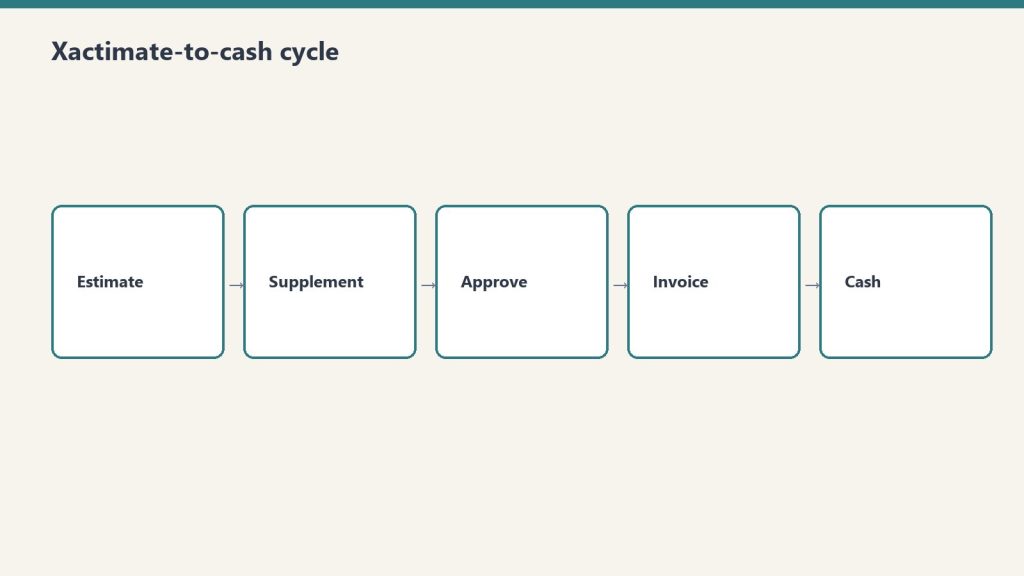
What the Xactimate-to-cash cycle actually looks like
What the Xactimate-to-cash cycle actually looks like.
The Xactimate-to-cash cycle has more steps than most operators map out. Each step is a place where days accumulate. The full sequence on a typical commercial or residential insurance claim:
Loss event and dispatch. Day zero. Restoration company arrives, performs emergency mitigation, begins documentation.
Mitigation completion. Days three to seven on a typical water loss. Drying complete, dry standards verified, mitigation invoice ready to assemble.
Mitigation invoice submission. Days seven to fourteen. Restoration company assembles the mitigation invoice — Xactimate estimate, photos, moisture logs, daily reports, work authorization, certificate of completion — and submits to the adjuster.
Adjuster review and approval. Days fourteen to thirty-five. Adjuster reviews the submission, may request additional documentation, may negotiate scope or pricing, eventually approves the invoice in whole or in part. Independent industry references from restoration billing services note that documentation gaps are the most common reason adjusters extend this window — missing photos, incomplete moisture logs, inconsistent line items, or scope items that cannot be supported by the documentation.
Carrier payment processing. Days thirty-five to sixty. Carrier processes the approved invoice and issues payment. For claims involving a mortgaged residential property, the check is typically made out jointly to the policyholder and the contractor, which means the homeowner has to endorse and forward, and lender involvement is required for claims above a threshold (commonly $10,000-$15,000) where mortgage companies release funds in stages.
Reconstruction or repair phase. Begins after mitigation phase. The reconstruction scope is developed, approved, and executed. The cycle for reconstruction billing repeats — invoice assembly, adjuster review, carrier processing — but on a longer cycle because reconstruction work itself takes longer.
Final invoice and closing. Days ninety to one-hundred-eighty for a fully reconstructed loss. Final scope reconciliation, depreciation holdback recovery on RCV claims, retainage release if applicable.
The aggregated cycle on a typical mid-size residential or commercial loss runs sixty to one-hundred-twenty days from loss to full payment. On larger commercial losses with multiple phases, scope disputes, or coverage issues, it stretches to one-hundred-eighty days or more. On problematic claims with denied items, public adjuster involvement, or litigation, it can stretch into multi-year territory.
For working-capital math, the simple version is that every dollar of revenue requires roughly the proportional dollars of cash held in AR for the average cycle length. A shop with $10 million in annual revenue and a 90-day cash cycle is carrying roughly $2.5 million in average AR — and that AR is funding the labor, equipment, materials, and subcontractor cost the shop is incurring on the next set of jobs. Compress the cycle to 60 days and the shop’s working-capital requirement drops to roughly $1.65 million, freeing $850,000 in cash for growth, debt reduction, equipment investment, or distribution. Compress further to 45 days and the freed cash hits $1.25 million. These are real, recoverable numbers, and they show up in the bank account, not just on the spreadsheet.
Why DSO is the wrong single metric and the right multi-metric
Most restoration companies that measure AR at all measure a single overall DSO number, calculated as accounts receivable divided by total revenue, multiplied by the number of days in the period. This is the standard cross-industry calculation and it produces a useful directional read — but on its own it is not actionable, because the underlying AR is not homogenous. The well-run shop measures DSO three ways simultaneously.
DSO by carrier. The DSO with State Farm is different from the DSO with USAA, which is different from the DSO with Allstate, which is different from the DSO with the local independent commercial carriers. Some carriers pay reliably in 30-45 days; some stretch to 60-90; some stretch beyond 90 routinely. The shop that knows its DSO by carrier can make rational decisions — which programs to lean into, which to pull back from, which to limit exposure on. The shop that knows only its blended DSO is making aggregate decisions on heterogeneous data.
DSO by service line. Mitigation invoices typically pay faster than reconstruction invoices because they are smaller, simpler, and structured to industry-standard mitigation Xactimate line items. Reconstruction invoices pay slower because they involve more scope negotiation and more adjuster review. Specialty work — documents, electronics, art, medical — pays in patterns that depend on the carrier’s familiarity with the specialty pricing and on whether the specialist bills direct or through the prime restoration company. A shop that knows DSO by service line can spot whether the cycle problem lives in mitigation, reconstruction, or specialty.
DSO by job size. Small jobs (under a few thousand dollars) often pay quickly because adjusters approve them with minimal review. Mid-size jobs ($10,000-$50,000) often hit the worst of both worlds — large enough to require full documentation review, small enough to lack the executive attention that moves large losses through the system. Large jobs (over $100,000) often have dedicated adjuster attention, large-loss specialists involved, and faster decision-making once scope is settled, although the cycle from loss to first payment can still be long. A shop that knows DSO by job size can identify the band where the cycle is most painful and target documentation and follow-up effort there.
The combined picture — DSO by carrier, by service line, by job size — is what produces actionable management information. Most restoration companies do not produce this view because their accounting systems are not configured to slice AR this way and their internal reporting effort has been on top-line metrics. Configuring the accounting system to support this slicing is a one-time investment that pays back almost immediately.
What is causing the long cycle, and which causes are operator-controllable
Operator-controllable causes of a long cycle.
The long restoration cycle has multiple causes, and the operator’s intervention point is different for each.
Documentation gaps. Operator-controllable, high impact. Industry references from restoration billing services consistently identify documentation as the single largest cause of payment delays. An invoice missing photos, moisture logs, daily reports, signed work authorizations, or scope justification gives the adjuster a defensible reason to delay payment with a request for more information. Each round trip costs five to fourteen days. A shop that submits complete, clean, defensible documentation on the first submission collects faster than a shop that submits incomplete documentation and chases revisions.
Xactimate scope quality. Operator-controllable, high impact. An Xactimate estimate that uses incorrect line items, that prices outside the standard price list without justification, or that includes scope items not supported by the documentation will be reduced or returned. Real Xactimate proficiency — Level 1 certification at minimum, Level 2 ideal, in-house or contracted — pays for itself on the first half-dozen invoices. Operators who use Xactimate as a glorified word processor without understanding the underlying line-item logic submit estimates that produce avoidable disputes.
Carrier program structure. Partially operator-controllable. Different carrier preferred-vendor programs have different documentation requirements, different review cycles, and different payment-processing timelines. Some require submission through specific portals (Verisk’s claims platforms, Symbility, carrier-specific systems) that produce faster cycles than email-based submission. Some require pre-approval at scope thresholds. The operator’s intervention point is to learn the program’s specifications cold and submit to specification, and to selectively de-prioritize programs whose cycle structure does not work for the shop’s working-capital tolerance.
Mortgage company involvement. Limited operator-controllability. On residential losses where the property is mortgaged, the lender’s check-handling protocol adds a cycle layer the contractor cannot eliminate. The intervention is to communicate the lender process to the homeowner early, provide the documentation the lender will require (final invoices, work completion certificates, lien waivers) ahead of need, and follow up actively rather than passively waiting.
Public adjuster involvement. Mixed operator-controllability. When a PA is on the file, scope is scrutinized harder and disputes take longer. The contractor’s intervention is to maintain documentation discipline strict enough to survive PA scrutiny, communicate professionally with the PA on scope questions, and avoid behaviors that escalate the file unnecessarily.
Coverage disputes. Limited operator-controllability. When the carrier disputes coverage on items the contractor has performed, the cycle stretches indefinitely. The intervention is upfront — confirming coverage on questionable items before performing the work, getting written authorization on scope expansions, and avoiding work the policy clearly does not cover.
Litigation. Not operator-controllable except by avoidance. Once a claim is in litigation, the cycle is governed by the legal process rather than the claims process. The contractor’s defense is to not get into litigation in the first place, which means honest scope, complete documentation, professional communication, and a willingness to walk away from disputes that are not worth litigating.
The pattern in this list: the highest-impact causes are operator-controllable. Documentation discipline and Xactimate scope quality are the two largest levers, and they are entirely within the shop’s control. Operators who blame the long cycle on the carriers without first auditing their own documentation and Xactimate practice are diagnosing the wrong problem.
The operational moves that compress the cycle
Operational moves that compress the AR cycle.
The well-run shop runs a specific set of operational practices that compress the AR cycle. These are not novel and they are not glamorous. They are the practices that produce the difference between a 90-day cycle and a 45-60 day cycle.
Document at the job level, in real time. Not at invoice time. Photos taken on day one, moisture logs updated daily, daily reports completed by the lead tech before leaving site, scope-of-loss documented progressively as the work develops. Documentation assembled at invoice time is documentation that has gaps. Documentation assembled in real time is documentation that is complete on day seven when the mitigation invoice is ready to go out.
Use a documentation platform. Several industry-standard platforms — including CompanyCam for photos, MICA and ENCIRCLE for full documentation packages, and proprietary platforms from larger carriers’ preferred-vendor programs — automate documentation capture. Operators using these platforms submit cleaner invoices and submit them faster than operators relying on phone photos and paper logs.
Build the Xactimate estimate as the work progresses, not after. The mitigation Xactimate estimate should be largely written by the time the drying is finished. The reconstruction Xactimate estimate should be developed during the mitigation phase, not after the customer authorizes the rebuild. Operators who treat Xactimate as a billing-time activity add days to the cycle that the operators who treat it as a project-execution activity do not.
Submit the invoice on a schedule. The shop’s standard should be invoice within seven days of mitigation completion, with no exceptions for shop-side delays. Customers and adjusters pay invoices that arrive promptly faster than they pay invoices that arrive late, partly because the file is fresh and partly because prompt invoicing signals professional operations.
Follow up on a schedule. Adjuster contact at day fourteen post-submission if not approved, day twenty-one with escalation request, day thirty with escalation to the carrier’s claims service line. Adjusters have hundreds of files. The files that get attention are the ones the contractor stays present on. The files that drift are the ones where the contractor submits and waits silently.
Reconcile cash to invoices weekly, not monthly. The accounting team should know which invoices are open, by carrier and by adjuster, every week. Stale aging that is not reviewed is aging that gets older. Weekly review with explicit follow-up assignments produces faster collections than monthly review.
Use a billing service when in-house capacity does not exist. Restoration-industry-specific billing services — companies like Restoration Insurance Billing, Blackwater Billing Services, NetClaimsNow, and others — exist specifically to handle Xactimate invoice assembly, submission, and follow-up. For shops that do not have in-house Xactimate competence or in-house collections discipline, outsourcing this function to a specialist often produces a faster cycle than handling it in-house at the shop’s current capability level. The fee is paid out of the cash-cycle compression.
Working capital strategy
Compressing the AR cycle reduces but does not eliminate working capital intensity. Even at a defensible 45-60 day cycle, a growing restoration company carries substantial cash in receivables. The well-run shop has a deliberate working capital strategy that funds this intensity without surprises.
Cash reserve sized to the actual aging profile. A shop with a 60-day cycle should carry cash reserves sufficient to operate for at least 60 days at current burn rate, plus a buffer for delayed collections on specific files. Many operators size reserves to 30 days of operating cost, which is too thin for restoration’s cycle. Sizing reserves to 75-90 days of operating cost, with a clear policy on when reserves can be drawn down for growth investment versus when they must be held, gives the shop room to absorb a slow collection month without payroll stress.
Line of credit as a flex tool, not a permanent funding source. Most growing restoration shops should have a working-capital line of credit with a commercial bank, sized to cover one to two months of operating cost. The line is a tool for absorbing month-to-month variation in collections, not a tool for funding ongoing operations. Shops that operate continuously on the line of credit are shops with a structural cash problem they have papered over with debt.
Customer financing as a deliberate tool. On residential reconstruction work where insurance does not cover the full scope, customer financing can be offered through restoration-industry-specific finance partners or general home-improvement finance platforms. This converts a payment-cycle question into a marketing question and shifts the cycle off the shop’s balance sheet.
Avoid AOB-driven cash flow models. Some restoration companies build their cash flow on aggressive use of assignments of benefits, where the carrier pays the contractor directly. AOBs solve the homeowner-endorsement step but do not address the underlying claim cycle, and several states have passed AOB reform that complicates or restricts the practice. Building working capital strategy around AOBs is fragile both legally and operationally.
Factoring as last resort, not first option. Specialty receivables-factoring firms exist that will advance against restoration AR, but the cost is meaningful (often 2-4 percent per month effective rate) and using factoring routinely indicates that the underlying cycle problem has not been fixed. Use factoring only as a bridge while implementing the operational improvements that compress the cycle, not as a permanent solution.
What the AR cycle reveals about the rest of the business
The AR cycle is a diagnostic tool as much as it is an operational metric. Specific patterns in the AR aging report point to specific underlying issues elsewhere in the operation.
Long cycle on a specific carrier. The carrier’s program structure may not fit the shop’s working-capital tolerance, or the shop’s documentation may not fit the carrier’s submission requirements. Either way, this is a focused intervention point.
Long cycle on a specific service line. The Xactimate competence in that service line may be weaker, or the documentation discipline may be looser. Investigate the lead tech and project manager on that service line and compare practice to the better-performing service lines.
Long cycle on a specific job size. Process gaps in the size band — possibly insufficient project-management attention on mid-size jobs or insufficient documentation rigor on small jobs that get treated casually. Address process at the size band rather than the job level.
Long cycle on jobs led by a specific project manager. The PM’s documentation, communication, or follow-up practice may be substandard. Coachable, often quickly.
Spike in cycle in a specific month. Look for upstream issues — was a billing person out, did a software change disrupt invoice generation, did a regulatory change affect a common scope item, did a carrier change its program. The cycle is the downstream symptom of upstream operations.
The shop that uses AR aging as a diagnostic produces continuous improvement. The shop that uses AR aging only as a financial-statement input misses most of the management information the metric carries.
How this article fits the cluster
The AR cycle is the foundation. The next article in the cluster — gross margin by service line — depends on the AR cycle being defensible, because service-line economics that look good on margin but fail on cash conversion are not actually good economics. The articles that follow on equipment economics, crew structure, KPI dashboards, and the rest all assume the operator has working capital under control. An operator who works through the rest of the cluster without first fixing the AR cycle is building on sand.
If you take only one operational improvement from this entire cluster, take this one. The investment is modest — documentation discipline, Xactimate competence, scheduled follow-up, weekly cash review. The return is direct, measurable, and recurring. Compressing days-to-cash from 90 to 60 frees roughly two months of revenue in working capital. For a $5 million shop, that is roughly $830,000 in cash. For a $20 million shop, it is roughly $3.3 million. Those are not theoretical numbers. They are sitting in your AR right now.
What is a realistic DSO target for a restoration company?
For mitigation-heavy work with disciplined operations, 45-60 days is achievable. For mixed mitigation and reconstruction work, 60-75 days is realistic. For reconstruction-heavy work, 75-90 days is realistic. Operators running 90+ days have specific operational issues that should be diagnosable from the by-carrier, by-service-line, by-job-size view. Targeting under 30 days is unrealistic in this industry; targeting under 45 is achievable on the mitigation side but not the reconstruction side.
Should I use a restoration-specific billing service or build in-house?
Depends on shop size and current capability. Shops under $3 million with no in-house Xactimate-certified estimator typically benefit from a billing service — the cost is roughly offset by the cycle compression. Shops over $5 million should generally have in-house capability because the service fees become a real expense at scale and because in-house ownership of the cycle produces better discipline. Shops in between can go either way; the deciding factor is whether in-house capacity is genuinely competent or whether it is the owner-operator’s spouse doing it on weekends.
How do I get my AR aging by carrier, service line, and job size if my accounting system doesn’t slice it that way?
This is a one-time configuration project. Most accounting systems used by restoration companies (QuickBooks Online, QuickBooks Enterprise, Sage Intacct, NetSuite, restoration-specific platforms like Albi, KnowHow, and others) support custom fields or class tracking that can produce this slicing. The configuration takes a few days of accountant time and pays back permanently. If your current system genuinely cannot support this, the system is the bottleneck.
What about retainage on commercial work?
Commercial reconstruction often involves retainage (commonly 5-10 percent held until project completion) which extends the cycle on the retained portion well beyond the standard cycle. Build retainage into the AR aging view as a separate category so the operating cycle on the non-retained portion is visible cleanly. Retainage release is its own follow-up activity that should be treated as a managed process, not as something that happens automatically.
What if a specific carrier program is producing a long cycle but represents a meaningful portion of revenue?
This is a strategic decision, not just an operational one. The cycle math is real — if a carrier program produces revenue at acceptable margin but stretches AR by an extra 30 days, that’s a working-capital cost that the program revenue should justify. Quantify the cost (roughly the additional AR carried at the cost of capital), compare to the program’s contribution to gross profit, and decide whether the program is net positive on cash-adjusted economics. Many operators discover that programs they thought were valuable are actually drag once the cycle cost is accounted for.
How do I handle homeowners who do not endorse the joint check from the mortgage company?
This is a customer-service issue layered on a cash-cycle issue. Communicate the joint-check process to the homeowner before the loss is even mitigated, get them comfortable with the workflow, and follow up actively when the check is issued. Most customers cooperate; the few who do not usually have a deeper issue (dispute over scope, dispute over quality, financial distress) that needs to be addressed directly. Avoid letting these accounts age silently.
Is a line of credit absolutely necessary, or can a shop run without one?
Smaller shops under $1-2 million can sometimes run without one if reserves are healthy and growth is moderate. Shops over $3 million typically benefit from having one even if it sits unused most months — the optionality is worth the modest commitment fee. The decision is risk tolerance: a line of credit is insurance against a slow collection month, and like all insurance, it is most valuable when not needed.
How do I know if my Xactimate practice is the bottleneck?
Pull your most recent ten mitigation invoices and ten reconstruction invoices. For each, document the date submitted, the date approved, and any back-and-forth requests from the adjuster. If more than 30 percent of submissions trigger requests for revisions, your Xactimate practice has gaps. The specific gaps will be visible in the revision requests — line items used incorrectly, pricing outside standard with insufficient justification, scope items unsupported by documentation. Address those gaps directly, and the cycle compresses.
Can compressing the AR cycle actually replace the need for outside capital on a growing shop?
For most shops in the $1-30 million range, yes. The math works because each dollar of cycle compression frees a proportional dollar of working capital, and that capital recurs every cycle. Compressing cycle from 90 to 60 days on a $10 million shop frees roughly $830,000 in cash; on a $20 million shop, roughly $1.7 million. Those numbers fund meaningful growth without any external capital. Operators with cleaner AR cycles typically do not borrow for working capital because they do not need to.
What is the single most important practice I can install this week?
Daily documentation by the lead tech on every job, completed before the tech leaves site. Photos of pre-mitigation and post-mitigation conditions, moisture readings logged with timestamps, daily report covering work performed and conditions encountered, signed work authorization on file from day one. This single practice will compress your invoice submission time and reduce documentation-driven adjuster delays by more than any other change. Everything else in this article matters; this is where to start.
Direct answer: A restoration company is not just a service company. It is a working-capital-intensive, claims-cycle-dependent, equipment-rich, labor-leveraged business where gross margin varies from 70 percent on water mitigation to 10 percent on reconstruction, where net margin compresses as revenue grows, and where the gap between the average operator and the well-run operator is several multiples of profitability. The discipline that separates the two is not heroic effort; it is financial and operational rigor applied consistently to a small set of decisions about service mix, AR cycle, equipment leverage, crew structure, KPI hygiene, carrier-program exposure, multi-location structure, and exit posture. This pillar introduces those eight decisions and frames the cluster that explores each one in depth.
The restoration industry sits in a strange place. Industry analysts cite a market range from $7.1 billion to $80 billion in U.S. revenue, depending on how the boundary is drawn — water mitigation only, all property restoration, all property and remediation including mold and biohazard, or the full disaster-recovery economy including reconstruction and contents. The Restoration Industry Association and Restoration & Remediation Magazine have referenced the wider range publicly, and the consensus growth rate sits at 4-6 percent CAGR. Within that aggregate market, the operator-level reality is that the industry is fragmented — thousands of independent shops in the $1M to $30M range, several hundred regional operators in the $30M to $200M range, and a small set of national consolidators with revenue over $200M. The fragmentation is the opportunity. It is also the trap.
The opportunity is that no national brand has captured commodity property restoration the way ServiceMaster did in dry cleaning or Home Depot did in retail. Independent operators with discipline can build $5M to $50M businesses with strong margins and durable client relationships. The trap is that fragmentation lets bad businesses survive longer than they should. A restoration company can run for a decade with sloppy AR, undisciplined service mix, and informal operations and still pay the owner well in good years — until a CAT-event swing, a carrier-program change, or a key-employee departure exposes the underlying weakness and the business loses years of compounding to the cleanup. The well-run shop avoids this not by being smarter on the day of the event but by having installed financial and operational discipline before the event ever arrived.
This article is the pillar for the cluster that follows. The cluster covers eight specific decisions where finance and operations rigor moves the needle the most: AR aging and the Xactimate-to-cash cycle, gross margin by service line, equipment economics, crew structure and labor cost, KPI dashboards, preferred-vendor program economics, multi-location growth, and M&A and exit dynamics. This pillar walks through each at altitude so an owner-operator can see how they connect before deciding which to attack first.
The unit economics that actually drive a restoration company
Unit economics that actually drive a restoration company.
The restoration industry’s unit economics are unusual in three specific ways that operators frequently miss until they are scaling and the math stops working.
Service-line gross margin is wildly different by line. Water mitigation typically runs 70-80 percent gross margin because equipment does most of the work — air movers and dehumidifiers run on 24-hour cycles with limited human labor — and the Xactimate price list rewards this with strong unit pricing. Mold remediation runs 40-50 percent gross margin because the labor content is heavier and the protective and disposal cost is real. Fire damage restoration runs 25-30 percent gross margin because the work is labor-intensive, slow, and contents-heavy. Reconstruction runs around 10 percent gross margin because it is a construction business with construction margins layered on top of the restoration relationship.
That spread — 70 percent on the front of the loss to 10 percent on the back — means that two restoration companies with the same revenue can have radically different profitability depending on the mix. A $5 million shop with 60 percent water and mold and 40 percent reconstruction makes meaningfully more money than a $5 million shop with 30 percent water and mold and 70 percent reconstruction, even if both are running competent operations. Mix is the single most important financial decision an operator makes, and it is rarely an explicit decision — it tends to drift based on what comes through the door. Treating mix as a deliberate strategic choice is the first move a finance-aware operator makes.
Net margin compresses as revenue grows. Independent industry references — including operator surveys cited by Restoration & Remediation Magazine and analysis from restoration-industry CFO advisors like Kiwi Cashflow — show that smaller restoration shops under $1M revenue can sustain gross margins near 70 percent, while shops over $50M typically run net margins in the 6 percent range and shops in the $30-50M band typically run net margins around 15 percent. The shape of the curve is consistent across multiple sources: the smaller the shop, the higher the gross margin and the more variable the net margin; the larger the shop, the more compressed the gross margin and the more stable but lower the net margin.
Why? Three structural reasons. First, smaller shops do less reconstruction proportionally — they pass it off — which keeps gross margin high. Second, smaller shops carry less overhead because the owner is doing the management work; larger shops require professional management layers that show up in SG&A. Third, larger shops carry more carrier-program exposure, which compresses pricing through preferred-vendor program rate negotiation. The implication for an operator is that the path to higher absolute dollars is real but does not produce proportional margin gains, and the operator who thinks scale will solve a margin problem is usually wrong.
Working capital intensity is brutal. Restoration is a cash-out, cash-in-much-later business. The work is performed in days or weeks; the cash is collected in months. The operator advances labor cost, equipment depreciation, materials, and subcontractor payments out of pocket and waits for the carrier to settle the claim. AR aging in the 60-120 day range is normal in commercial work and not unusual in residential work either. A shop growing 30 percent year over year is funding that growth with working capital — and a shop that grows faster than its working capital cycle can support runs out of cash even while showing strong P&L performance. This is the most common silent killer of growing restoration companies, and it is the subject of the first article in the cluster that follows.
The eight decisions that separate compounders from plateaued operators
Eight decisions that separate compounders from plateaued operators.
The cluster that follows takes each of these decisions in depth. Here is the at-altitude framing of each so the operator can see the system before drilling into the parts.
AR aging and the Xactimate-to-cash cycle. The well-run shop measures Days Sales Outstanding by carrier, by service line, and by job size. It identifies the carrier programs whose AR cycle is acceptable and the ones that are not. It chooses to take or decline work based on cash-cycle math, not just margin math. It builds a working-capital reserve sized to the actual AR aging profile rather than the optimistic version. It treats AR as a strategic asset rather than a back-office annoyance.
Gross margin by service line. The well-run shop knows its gross margin to within a few points on each service line and uses that knowledge to manage mix deliberately. It chooses which service lines to lead with, which to accept opportunistically, and which to refuse — and it makes those choices based on the gross margin profile and the overhead-absorption requirements of each line, not on which work happens to come through the phone today.
Equipment economics. The well-run shop runs an equipment economic model that distinguishes between owning, leasing, and renting. It tracks equipment utilization, depreciation, and reinvestment cadence. It avoids both under-investment (forcing crews to wait for equipment that should already be on hand) and over-investment (carrying equipment that sits idle and burns capital). It treats the equipment fleet as a financial asset whose ROI is measurable rather than as a vague necessary cost.
Crew structure and labor cost. The well-run shop has a deliberate org structure that includes lead-tech tracks, supervisor tracks, and project-management tracks with explicit progression criteria, compensation bands, and productivity targets. It measures revenue per technician hour by service line. It manages labor as the largest controllable cost and treats hiring, training, and retention as strategic activities rather than reactive ones.
KPI dashboards. The well-run shop runs on a dashboard that includes job-level revenue, gross margin, AR aging, equipment utilization, labor productivity, customer acquisition cost by source, retention by source, and the small set of operational metrics that drive financial outcomes. The dashboard is simple, current, and reviewed weekly. It is the difference between an operator who is reacting to last quarter’s numbers and an operator who is steering against this week’s.
Preferred-vendor program economics. The well-run shop knows the true economics of each carrier preferred-vendor program — the rate concessions, the volume commitments, the documentation overhead, the AR cycle, and the program’s strategic risk. It distinguishes programs that produce profitable revenue from programs that produce activity at margin levels that do not justify the operational overhead. It uses preferred-vendor work as one channel among several rather than as the foundation of the business, because the operator who is dependent on a single carrier’s program is one underwriting decision away from a revenue cliff.
Multi-location growth. The well-run shop knows that the second location is structurally different from the first, the fifth is structurally different from the second, and the model that worked at $5 million breaks at $15 million and again at $50 million. It scales deliberately by building management depth ahead of revenue growth, by standardizing operations and financial reporting before geographic expansion, and by recognizing that multi-location restoration is a different business — a portfolio of operating businesses rather than a single business with multiple offices.
M&A and the consolidator landscape. The well-run shop understands the consolidator landscape — the strategic acquirers including BluSky (Partners Group and Kohlberg), ATI Restoration (TSG Consumer Partners), BMS CAT (AEA Investors), BELFOR, First Onsite, ServiceMaster Restore, Paul Davis, PuroClean, DKI, and the broader set of more than fifty private-equity platforms that have entered restoration since 2018 — and the deal mechanics that drive valuations. It positions early so that when an exit makes sense, the company is sellable at a premium. Or it positions to acquire small competitors itself. Or it makes the deliberate choice to remain independent, with a clear understanding of what that choice means for the owner’s long-term wealth.
These eight decisions are not equally important to every operator at every stage. An operator at $2 million revenue should focus on AR cycle, service mix, and labor cost — KPI dashboards and M&A are premature. An operator at $30 million revenue should focus on multi-location structure, preferred-vendor program economics, and exit positioning — basic AR discipline should already be in place. The cluster takes each decision in turn and explains the moves that matter most at each stage.
What this pillar is not
This pillar is not a financial-modeling primer. There are good resources for that — restoration-industry CFOs like Kiwi Cashflow publish accessible content for operators, and broader trade publications like Restoration & Remediation Magazine and Cleanfax run regular benchmarking surveys. The cluster references these where useful and does not duplicate them.
This pillar is not a substitute for working with a CPA who understands the restoration industry. The tax structure of a restoration company — the choice of S-corp vs. C-corp, the equipment depreciation strategy, the inventory accounting for materials, the treatment of subcontractor versus W-2 labor — is jurisdiction-specific and operator-specific. An operator running a finance and operations discipline without a real CPA relationship is missing the most important piece of the system. Find one early.
This pillar is not financial advice for any individual company. The numbers cited in the cluster are industry references, not specific recommendations. Every operator’s economics differ based on geography, mix, scale, carrier exposure, and dozens of other variables. Use the cluster as a framework to think with, not as a template to copy from.
How to read the cluster
Read the cluster with the van in mind — field reality first.
The cluster of eight articles that follows can be read in sequence — and there is some logic to reading it that way, since AR cycle and service-line economics are the foundation that the later articles build on. But it can also be read selectively. An operator who already has clean AR discipline can skip article one. An operator at $3 million revenue can skip the multi-location and M&A articles for now. An operator who is exit-curious can skip directly to the M&A piece and work backwards from there.
The articles share a structural pattern. Each opens with the operator-level question the article answers. Each names the specific moves the well-run shop makes on the question. Each acknowledges where the answer is genuinely operator-specific and where the answer is industry-generalizable. Each ends with what to read next inside this cluster and what to read elsewhere on Tygart Media.
The cluster is meant to function as the operator’s reference library on the financial and operational side of running a restoration company — the way the Marketing Stack cluster functions as the reference library on the demand side, and the way the Specialty Restoration cluster functions as the reference library on commercial wedge strategy. Together those three clusters cover the major operating axes of the restoration business: how you get work, how you do high-margin commercial work, and how you run the company you have built.
Where the consolidator industry is going
A note on the broader industry context that frames the entire cluster, and especially the M&A article at the end. The restoration industry is in the middle of a consolidation cycle. As referenced by Cleanfax in operator coverage, approximately three brands operate above the $2 billion revenue threshold today, and industry leaders predict that by 2030 the count of $2 billion-plus brands will roughly double. Private equity has been active in the space for several years; industry M&A coverage from sources like The Deal Sheet and Hyde Park Capital identifies more than fifty PE platforms acquiring restoration operators since 2018, with deals at platform-level transacting in the 4x-7x EBITDA range and smaller-company deals transacting in the 3-4x range. The strategic acquirers — BluSky, ATI, BELFOR, BMS CAT, First Onsite, ServiceMaster Restore, Paul Davis, PuroClean, DKI — are buyers across multiple deal sizes. Carrier preferred-vendor programs reward national footprints, which structurally favors the consolidators. Insurance program economics increasingly require the documentation, technology, and reporting capabilities that smaller shops struggle to maintain.
For owner-operators, this trajectory matters in two ways. First, it raises the value of independent shops that have built defensible operations — clean financial reporting, defensible service-mix discipline, durable customer relationships that are not dependent on a single carrier program, professional management depth — because these are the targets the consolidators want to buy. Second, it raises the difficulty of staying independent in a commodity-restoration market position, because the consolidators have scale advantages on carrier-program economics, technology, and back-office cost. The defensible independent posture is to specialize, professionalize, and build differentiated capability — the specialty wedge from the prior cluster, plus the operational discipline this cluster discusses.
The owner-operator who reads this cluster should be doing so with a clear strategic intent. Either build to scale, build to exit, or build to remain durably independent in a defensible niche. All three are legitimate. None of them happen by accident, and all of them require the financial and operational discipline this cluster describes.
What does this cluster cover that the marketing stack and partner industries clusters do not?
The marketing stack covers demand generation — how a restoration company gets work in the door. The partner industries cluster covers referral relationships — how a restoration company gets work from adjacent service providers. The specialty restoration cluster covers the commercial-account wedge. This cluster covers what happens after work comes in: how the company is financed, how its operations are structured, how its profitability is managed, and how the owner positions the business for long-term value creation. All four clusters are needed to run a complete restoration business.
What revenue range is this cluster aimed at?
Primarily $2 million to $30 million in annual revenue — the owner-operator independent segment. The articles acknowledge what changes above $30 million and at $50-million-plus scale, particularly in the multi-location and M&A pieces, but the core advice is calibrated to operators who own the business they are running.
Why are the gross margin numbers cited so different from what I see in my own books?
Because every operator’s mix, geography, labor structure, and equipment posture is different. The numbers cited — water 70-80 percent, mold 40-50 percent, fire 25-30 percent, reconstruction around 10 percent — are industry directional ranges from public benchmarks and CFO commentary, not specific predictions for any individual company. Use them as a sanity check on your own numbers. If your water mitigation gross margin is 50 percent, that is a real signal worth investigating — likely a labor-cost issue, an Xactimate pricing issue, or an overhead-allocation issue. If your reconstruction margin is 25 percent, that is also a real signal worth investigating — likely a scoping or labor-attribution issue. The benchmarks are the start of a conversation, not the end of one.
Should I be running this cluster’s discipline before pursuing the specialty wedge from the prior cluster?
Yes, in most cases. The specialty wedge is a growth strategy for commercial accounts. The financial and operational discipline in this cluster is the foundation that lets a restoration company actually capture and sustain that growth. An operator who pursues commercial specialty work with sloppy AR, undisciplined service mix, and informal operations will win some accounts and then implode under the weight of work they cannot service profitably. The order is: get the operating system clean, then expand into commercial specialty. There are exceptions — operators who already have clean operations and are specifically growth-constrained should pursue the specialty wedge in parallel — but for most operators, the cluster sequencing is operations first, growth second.
Do consolidators pay enough that an exit makes financial sense for an owner-operator?
It depends on the company, the buyer, the structure, and the timing. Industry deal multiples in restoration vary widely — public references from Viking Mergers, Peak Business Valuation, and First Page Sage show small-shop SDE multiples typically in the 2.3x-3.5x range, smaller EBITDA deals in the 3x-4x range, and PE platform-level deals in the 4x-7x range, with the highest multiples reserved for differentiated, well-managed operators with national-scale appeal. The M&A article in this cluster covers what drives the spread and what an owner can do over a two-to-three-year horizon to position for the higher end. For most owner-operators, the answer is that exit is a real wealth-creation event when the company has been built deliberately for it, and a disappointment when the owner has run the business well operationally but never thought about exit value until they were ready to sell.
What if my company is already at $50 million-plus revenue — is this cluster useful?
The pillar and several articles still apply at any scale. The AR cycle, service-line economics, and KPI dashboard articles are scale-agnostic. The labor and crew article scales with adaptation. The equipment article scales with adaptation. The multi-location and M&A articles are written specifically for the upper end. The cluster is calibrated to the owner-operator segment but does not pretend that the lessons stop there.
Why is this published on Tygart Media rather than packaged as a paid product?
Because Tygart Media’s content thesis is that the most valuable operator-level intelligence in the restoration industry is given away to readers who become long-term operating partners with Tygart. The companies that read this cluster, find it useful, and hire Tygart for managed marketing operations are the ones who become five-year clients. The economics work. The cluster is free for the same reason the prior three clusters are free.
What should I read after this pillar?
Start with the AR aging and Xactimate-to-cash cycle article — it is the single highest-leverage operational improvement most restoration companies can make. From there, the gross margin by service line article naturally follows. After those two, sequencing is operator-dependent. An operator at $5 million should pick crew structure or KPI dashboards next. An operator at $25 million should pick multi-location growth or preferred-vendor program economics next. The cluster works in any order after the first two articles.
Is this cluster going to be updated as industry conditions change?
Yes. The restoration industry is in active consolidation, carrier-program economics are shifting, and the technology stack available to operators is changing rapidly. Tygart Media revisits the cluster on roughly an annual basis to update industry references, refresh the consolidator landscape, and incorporate new operator intelligence. Readers who subscribe via the email list at the bottom of any Tygart Media page will be notified when major updates occur.
What is the single most important takeaway from this pillar?
That a restoration company is a real business, not a service shop, and the operators who treat it as a real business — with deliberate financial discipline, deliberate operational structure, deliberate growth strategy, and deliberate exit positioning — compound their wealth at multiples of the operators who treat it as a service shop. The work is not glamorous. The discipline is not optional. The cluster that follows describes the work in detail.
PMs spend 60% of their time writing — specs, updates, briefs, summaries. Custom Agents take that down to 20%. The PM defines the problem and the strategic call; the agent produces the documentation. Specs draft from a problem statement. Stakeholder updates generate in three audience-specific versions from one source. User research synthesizes into themes automatically. The PM gets back to the work that PMs are actually hired for: deciding what to build.
Four PM-specific agent patterns
Four PM-specific agent patterns.
1. The spec drafting agent. Triggered when a new initiative is added with a problem statement. Pulls related research, prior similar specs, technical constraints from engineering pages. Drafts a structured spec with goals, non-goals, user stories, success metrics, open questions. PM reviews and decides; doesn’t start blank. 2. The audience-tailored update agent. Single input: this week’s progress and risks. Three outputs: exec brief (3 paragraphs, headline-led), engineering update (technical detail, dependencies), customer-facing update (benefits framing). Audience-specific framing automated. 3. The research synthesis agent. Triggered when interview notes land in the research database. Extracts themes, codes responses, identifies patterns across interviews, ranks insights by frequency and impact. PM gets a synthesis instead of a pile of raw notes. 4. The roadmap maintenance agent. Reads the roadmap database. When initiatives change status or priority, updates the Now/Next/Later view, drafts the rationale for moves, flags timeline conflicts. The roadmap stays current without weekly reformatting.
What stays PM
What stays PM.
Strategic prioritization (what to build, what to kill)
Customer conversations
Cross-functional negotiation
Final spec approval
The judgment behind every roadmap move
The agent makes the writing fast. It doesn’t make the deciding fast.
The compounding effect
PMs running this pattern report a category change in their work: less time on producing artifacts, more time on customer conversations and strategic calls. The artifacts still exist (specs, updates, roadmaps) but they’re produced faster and revised more often because revising is cheap.
A weekly artifact that used to take 4 hours now takes 90 minutes. Across 50 weeks, that’s 125 hours reclaimed per PM per year. Most PMs spend that on the work they were always supposed to be doing.
Where PMs go wrong
Where PMs go wrong.
1. Letting the agent draft success metrics. Metrics are strategic. The agent can suggest; the PM decides. Don’t outsource the metric definition. 2. Trusting cross-team updates without verification. The agent might miss context from another team. Sample-check updates that go to engineering or sales for accuracy before sending. 3. Producing more artifacts because production is cheap. Cheap production is a temptation to over-produce. The discipline of “what should we actually communicate” matters more, not less.
What to read next
Notion AI for Engineering, Synthesize Research piece, AI-Native Company Patterns.
There is a chemical sense of progress that comes from looking at a busy workspace. The columns are populated. The badges are colored. Something was edited eighteen minutes ago. The eye reports activity, and the body reports satisfaction, and the calendar has not actually moved.
Call it the pheromone problem. Workspaces emit signals. Most of them are about other workspaces, not about whether anything has been delivered.
The signals get stronger as the system gets better. A manual workspace with twenty open items feels like chaos. An intelligent workspace with twenty open items feels like leverage — same cardinality, opposite emotion. The leverage is sometimes real and sometimes a hallucination, and the workspace itself does not distinguish between the two.
Earlier pieces in this series argued that capture is not commitment, that single-threading is the discipline most systems collapse on, and that waiting is its own practice. Each of those arguments assumes the operator can read the state of their own work accurately. The pheromone problem says they cannot. Not without help.
The reason is that the surfaces meant to make work legible were optimized for visibility, not for honesty. Cards. Counts. Lanes. Last-edited timestamps. Each of those was added to a workspace because someone was tired of losing track of things. None of them was added to answer the question the operator actually needs answered, which is: am I shipping, or am I rearranging?
A clean inbox is a particularly seductive lie. It implies disposition. The items left the inbox; therefore they were handled. But movement out of an inbox can mean delivered, or it can mean re-categorized, or it can mean buried under a category nobody opens. The inbox count goes to zero and the work survives intact, just elsewhere. The visible badge resolves; the underlying state does not.
What makes the pheromone problem hard to solve is that the very act of looking at the workspace produces the sensation it is supposed to be measuring. Checking the queue feels like progress. Triaging the queue feels like progress. Adding a tag, splitting a card, opening a sub-task — each of those operations registers in the body as forward motion, and each of them moves nothing across the finish line. The workspace becomes a closed loop with the operator’s nervous system. It rewards interaction with itself.
This is why people who are obviously busy can be genuinely confused about why nothing has shipped this month. The signal they were tracking was real. It was a signal of engagement. They mistook engagement for delivery.
A healthier signal would have to do three things the current ones do not.
It would have to be slower than the operator’s reflexes. Most workspace metrics update on the same timescale as a click. That is exactly the wrong timescale, because it lets a flurry of small grooming actions read as productivity. A useful signal moves on the timescale of finishing, which is hours and days, not seconds.
It would have to count the right unit. Cards moved is the wrong unit. Cards opened is the wrong unit. Comments added is the wrong unit. The right unit is something like: artifacts that left this system and changed something downstream — which is a much smaller number, and a much more uncomfortable one to look at.
It would have to be loss-averse. The current signals reward additions. They are silent about subtractions. A queue that grew by twelve and shrank by four reads as motion. The same queue is, accountingly, eight items more in debt than it was this morning. A healthier signal would surface the delta in a way that hurts.
The honest version of a workspace dashboard would be small and embarrassing. A single number — items in progress longer than a week, declining or growing. A second number — items captured this week without an owner. A third — the median age of an open commitment. None of those numbers would be flattering. None of them would feel like leverage. Which is exactly why none of them get built.
It is easier to ship a heatmap.
From inside the system, the pheromone problem has a specific texture. The operator opens the workspace, scans the lanes, feels oriented, and then has to decide whether to do the small grooming work that the workspace is silently asking for, or to close the workspace and do the actual finishing work that does not live inside any tool.
The grooming work is easier. It feels relevant. It produces visible results inside the surface that just rewarded the operator with a sense of orientation. The finishing work is harder. It usually requires leaving the workspace entirely, sitting with something difficult, and then producing an artifact that, when delivered, makes a single card disappear. One card. After hours. Against twenty cards groomed in the same time.
The workspace is not neutral about this trade. Its ambient signals reward the easier choice. The discipline of finishing requires noticing the seduction and choosing the harder thing anyway, repeatedly, against an environment specifically designed to make that choice feel unnatural.
This is where the autonomous side of the system has its own version of the same failure. An automation that runs nightly and produces a clean briefing creates the same chemical signal as a clean inbox. The dashboard is green. The summary is crisp. The body reports that the system is healthy. None of that says anything about whether the underlying work moved.
A briefing that reports zero anomalies is doing one of two things — surfacing genuine quiet, or hiding the questions it was not built to ask. The operator cannot tell the difference from inside the briefing. The pheromone is just as strong either way. Which is why a system that prides itself on running cleanly has to be re-asked, periodically and adversarially, what it is failing to notice. Otherwise the cleanliness becomes its own form of opacity.
The replacement signal will probably not look like a metric at all. It will look like a question the operator asks at a fixed time of day, the answer to which cannot be browsed. What did I send into the world today that someone on the other end is now responsible for? A name. An artifact. A change of state outside this system. If the answer is a list of grooming actions, the day produced pheromone and nothing else.
This is unsentimental work. It cannot be delegated to a dashboard. The dashboard is the thing being audited.
What follows from the pheromone problem is harder than it looks. The instinct, once it is named, is to build a better dashboard — one that surfaces the honest numbers, hides the seductive ones, and protects the operator from their own nervous system. That instinct is itself a pheromone. It feels like progress to design a dashboard. The dashboard is not the work. The work is whatever leaves the system and lands on someone else’s desk and changes their day.
The interesting question is not what a healthier signal looks like. The interesting question is whether anyone would tolerate one.
There is a task sitting in the operator’s system right now that has been classified as in progress for longer than anything else in the queue. It is not in progress. It is waiting. The distinction sounds small. It is not.
The archive has spent the last two pieces on discipline. Capture versus commitment. The hard cap on open work. A posture whose center of gravity is finishing. Both arguments assume something they did not name: that the finish line is reachable from where the operator is standing. That the next action is in fact an action the operator can take.
Sometimes it isn’t.
The specific shape of the stuck task does not matter. What matters is the category. It is the kind of work where the operator’s side of the contract has been fulfilled — the draft is written, the sample is rendered, the question has been asked — and the next move belongs to someone else. A client. A reviewer. A person whose calendar is not the operator’s to control. The work has run to the edge of the operator’s jurisdiction and stopped there.
The system has a word for this. Blocked. It is a useful word. But it is also a soft word, because moving a task from in progress to blocked feels like an admission. It looks like a step backward on a surface that rewards forward motion. So the honest classification gets delayed. The item stays in the active column, decaying quietly, while the operator’s attention gets quietly taxed for every glance at a row that cannot move.
A system that takes the finishing posture seriously has to take waiting seriously too. Waiting is not the absence of work. It is a specific kind of work with its own discipline. The discipline is this: once a task has crossed into the territory of another person’s decision, the operator’s job is no longer to complete it. The operator’s job is to hold the shape of the ask and to time the follow-up.
Those are different verbs. Complete is transitive and direct. Hold is custodial. It requires willingness to not be the protagonist of this particular scene.
The difference is easy to underrate and almost impossible to overrate. Because the operator who refuses to let go of protagonism on a blocked task will find small ways to stay involved that are indistinguishable, on the outside, from working the problem. Rewriting the ask. Polishing the sample further. Adding context nobody asked for. All of it produces motion. None of it changes the gating variable, which is another person’s yes.
There is a second cost to misclassifying waiting as working. The active column becomes dishonest. Every other item in it is measured against a task that cannot actually move, and the measurement goes soft. If that has been in progress for eleven days, the new thing’s five days look fine. This is how cycles stretch without anyone noticing. The baseline gets corrupted by a row that should not be in the comparison at all.
A hard cap on in-progress items only works if the category is clean. If in progress secretly contains items that are actually blocked, the cap is enforcing an illusion. The system is not disciplined; it is just mislabeled.
So the honest move — the one the archive should have made earlier — is to treat waiting as a structurally different state from working, and to make the move into that state a routine, not an event. Not a concession. A reclassification. The task is not failing; it has simply handed off.
What a good waiting state contains: the exact ask, timestamped. The person on the other side. The date the ball went to them. The follow-up trigger — not a vague check back soon but a specific date after which silence means something. And critically, a decision rule for the operator: at what point does blocked become cut scope or kill? A task that waits forever is not waiting. It is dying slowly, and pretending otherwise is a courtesy to nobody.
The broader point is about where agency actually lives. A system built around the operator’s speed will sell the illusion that every gating variable is internal — that enough discipline, enough leverage, enough automation will turn every blocker into a task. It won’t. Some blockers are other people, and other people are not the operator’s throughput to manage.
What the operator controls is the framing of the ask, the clarity of the next step, and the patience to not confuse busywork with progress while the other side thinks. Everything else is atmosphere. Atmospheric pressure does not move the ball; it only makes the room feel more serious.
There is a kind of maturity in a system that can say, cleanly, this is waiting and then stop working on it. Most systems cannot. Most operators cannot. The industry has trained us to treat stillness as failure, because stillness is hard to sell and hard to bill for. But some of the most important things in any body of work are stalled on someone else’s yes, and the operator who cannot sit still through that will either lose the asks by nagging or lose the asks by rewriting them into something nobody agreed to.
The first discipline was commitment. The second was finishing one thing at a time. The third — the one the archive has been circling without naming — is the discipline of waiting well. It is the least glamorous of the three. It does not produce visible motion. It cannot be measured by a counter on a dashboard. The evidence of having done it well is mostly invisible: the task that did not get re-poked three times, the ask that stayed clean because nobody muddied it with second thoughts, the relationship that did not accumulate the faint friction of an overeager nudge.
Waiting is not a status. It is a practice. The systems that will last learn to distinguish it from working, label it honestly, and do less, not more, while it is happening.
The hardest thing to build into a system that can act fast is the capacity to not act. But that is where the next layer of the discipline lives. And the evidence of whether the layer is working is not what gets finished this week. It is what the operator didn’t touch while someone else was thinking.