Tag: Project Management

  • How Claude Cowork Teaches B2B SaaS Teams the Cross-Functional Coordination Skill Nobody Trains

    How Claude Cowork Teaches B2B SaaS Teams the Cross-Functional Coordination Skill Nobody Trains

    Last refreshed: May 15, 2026

    Every B2B SaaS company has the same invisible problem: the product team ships features, the marketing team writes about them, the sales team pitches them, and customer success onboards them — and none of these teams fully understand how the others plan their work.

    Claude Cowork does something unusual for a productivity tool: it exposes the planning process. When you give it a complex task, it does not just deliver an answer. It builds a visible plan, decomposes it into parallel workstreams, delegates to sub-agents, and shows you the progress. That transparent orchestration is exactly the skill most SaaS employees never learn — and the one that determines whether cross-functional launches succeed or collapse.

    The short answer: Claude Cowork’s visible task decomposition mirrors the cross-functional coordination that B2B SaaS teams need for product launches, customer onboarding, and GTM execution. Watching it plan teaches the orchestration skill — not just the individual discipline.

    The Cross-Functional Coordination Gap

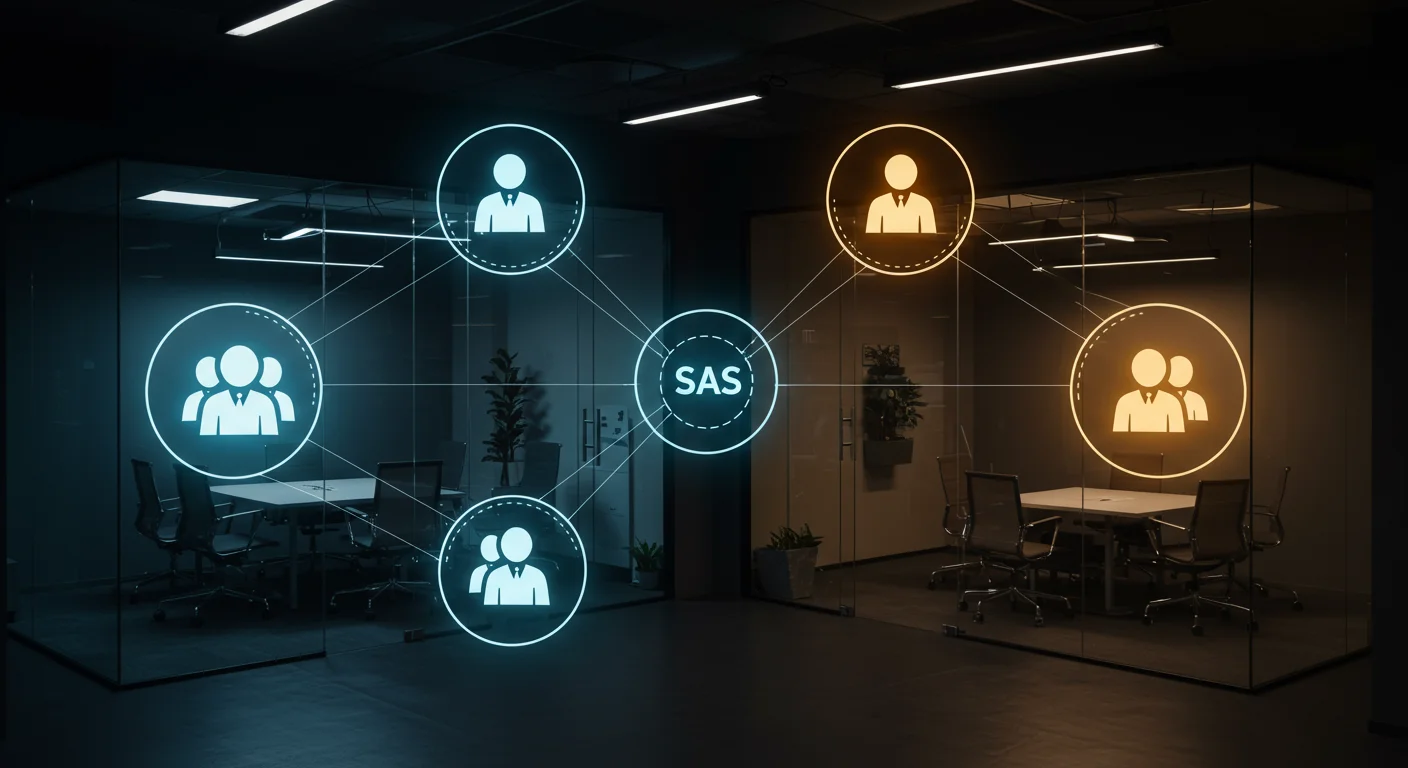
    In most SaaS companies, each function plans in isolation. Product writes a PRD. Marketing writes a launch brief. Sales updates their deck. Customer success builds onboarding docs. Each plan is good. But the connections between them — the handoffs, the dependencies, the timing — are managed by Slack messages and hope.

    The people who navigate this well become directors and VPs. The people who do not stay stuck wondering why their work never seems to land the way they planned it.

    How Cowork Maps to SaaS Roles

    The Product Manager

    Give Cowork a task: “We are launching a new analytics dashboard feature in six weeks. The feature affects three user personas, requires API documentation, needs sales enablement materials, and has a customer migration path from the old dashboard. Build me the full cross-functional launch plan.”

    Cowork decomposes this into workstreams that a PM should recognize: the engineering track (development milestones, QA, staging), the documentation track (API docs, user guides, migration instructions), the GTM track (positioning, messaging, sales enablement, demo scripts), the customer success track (onboarding updates, in-app guidance, support documentation), and the communications track (changelog, email announcement, social). Each track has dependencies on the others, and Cowork sequences them.

    A PM watching this sees what a senior PM already knows: launch planning is not a list. It is a dependency graph. And the PM’s job is to be the lead agent who sequences the work and manages the interfaces between teams.

    The Customer Success Manager

    CSMs often get pulled into reactive mode — handling tickets, running QBRs, and managing renewals without ever seeing the full lifecycle of their role as a system.

    Give Cowork: “A new enterprise customer just signed. They have a hundred users, a custom integration requirement, and a go-live target in sixty days. Build me the complete onboarding plan.”

    Cowork shows the CSM what great onboarding orchestration looks like: the technical track (integration setup, data migration, testing), the adoption track (admin training, user rollout waves, feedback collection), the relationship track (stakeholder mapping, executive sponsor engagement, success metrics alignment), and the documentation track (runbook creation, escalation paths, handoff to support). The CSM sees that onboarding is project management — and that managing it well requires the same decomposition and delegation skills a PM uses.

    The Sales Engineer

    Give Cowork: “A prospect wants a custom demo showing how our platform handles their specific compliance requirements, integrates with their existing stack, and scales to their projected growth. Build me the demo preparation plan.”

    Cowork decomposes this into research (understanding the prospect’s tech stack and compliance framework), environment setup (configuring the demo instance), narrative design (structuring the demo to tell a story), and contingency planning (backup paths for common questions or objections). The sales engineer learns that demo preparation is structured work — not improvisation with screenshots.

    The SaaS Training Unlock

    B2B SaaS is a coordination sport. The individual skills — writing code, closing deals, onboarding customers — matter. But the orchestration skill — understanding how your work connects to everyone else’s work and how to plan for those connections — is what determines whether a company executes or flails.

    Cowork makes that orchestration visible. Every SaaS employee who watches it plan a cross-functional task absorbs a lesson in systems thinking that would otherwise take years of experience or a very patient VP to teach.

    Frequently Asked Questions

    How does Claude Cowork help B2B SaaS teams specifically?

    Cowork’s visible task decomposition mirrors the cross-functional coordination that SaaS teams need for product launches, onboarding, and GTM execution. It shows the dependency graph between teams rather than letting each function plan in isolation.

    Can Cowork help with product launch planning?

    Yes. Give Cowork a launch scenario and it decomposes it into engineering, documentation, GTM, customer success, and communications tracks with dependencies between them. That plan becomes a teaching artifact for how cross-functional launches should be structured.

    Is Cowork a replacement for project management tools like Jira or Asana?

    No. Cowork shows the planning process — how to decompose a goal into tracks with dependencies. Jira and Asana track the execution of those tasks. Use Cowork to train the planning skill, then execute in your existing tools.


  • How Claude Cowork Trains Local Newsroom Teams to Plan Coverage Like a Major Paper

    How Claude Cowork Trains Local Newsroom Teams to Plan Coverage Like a Major Paper

    Last refreshed: May 15, 2026

    Running a local newsroom means juggling breaking stories, editorial calendars, community events, and ad sales — with a staff that is usually three people doing the work of ten.

    Claude Cowork does not write your stories for you. But it does something almost as valuable: it shows your small team how to plan coverage like a large newsroom plans coverage. And it does it visibly, in real time, so every person on your team can absorb the thinking — not just follow the assignments.

    The short answer: Claude Cowork decomposes complex tasks into parallel workstreams and shows progress in real time. For local newsrooms, that means your reporter sees how editorial planning works, your ad coordinator sees how content calendars connect to revenue, and your editor sees how to orchestrate coverage across beats without burning out the team.

    The Newsroom Problem Nobody Talks About

    Most local news operations do not have a formal planning process. Stories come in from tips, police scanners, city council agendas, and community Facebook groups. The editor (who is often also a reporter, also the photographer, also the social media manager) triages by gut feel and deadline proximity.

    This works until it does not. A big story breaks the same week as three ad-sponsored features are due. Nobody planned for that collision because nobody was looking at the calendar as a system.

    Cowork is not a newsroom tool. But the way it plans work is exactly the skill local news teams need and rarely have time to develop.

    How Cowork Trains Each Newsroom Role

    The Reporter

    Give Cowork a prompt like: “A new mixed-use development just got approved by city council after two years of controversy. Build me a complete coverage plan for the next thirty days.”

    Cowork does not just list story ideas. It builds a plan with tracks: the news track (council vote recap, developer profile, opposition response), the enterprise track (tax impact analysis, traffic study implications, comparable projects in other cities), the community track (affected neighborhood voices, small business impact, public meeting schedule), and the social distribution track (which pieces go on which platforms and when). A reporter watching this unfold sees that coverage planning is not “what should I write” but “what does the audience need to understand, in what order, from which angles.”

    The Editor

    Editors in small newsrooms spend most of their time reacting. Give Cowork a weekly planning scenario: “We have three breaking news items, a school board meeting Tuesday, an ad-sponsored restaurant feature due Friday, two pending FOIA responses, and a community event this weekend we agreed to cover. Build me the editorial plan for the week.”

    Cowork shows the editor what editorial orchestration looks like: which items are time-sensitive and must publish first, which can be batched, where a reporter can double-purpose a trip (cover the school board and grab a quote for the restaurant feature on the same side of town), and where the week has capacity for enterprise work versus where it is wall-to-wall coverage. The editor sees the week as a resource allocation problem — not a reaction queue.

    The Ad Coordinator

    This is the role nobody thinks about for AI training. But give Cowork a task like: “We have four advertisers who each bought sponsored content packages this quarter. Build me a content calendar that integrates their sponsored pieces with our editorial calendar so they complement rather than compete with news coverage.”

    Cowork builds a calendar that interleaves sponsored content with editorial content, avoids running sponsored pieces on heavy news days (where they get buried), spaces advertiser content evenly, and identifies opportunities where a news story and a sponsored piece can reinforce each other naturally. The ad coordinator sees that content scheduling is strategy, not just slotting pieces into empty dates.

    The Real Training Value

    Local newsrooms lose institutional knowledge every time someone leaves — and in local news, people leave often. The coverage plans and editorial workflows that Cowork generates are not just useful in the moment. They are training artifacts that show the next hire how the newsroom thinks, not just what it publishes.

    When a new reporter watches Cowork decompose a complex local story into a multi-angle coverage plan, they are absorbing the editorial judgment that used to take years of mentorship to transfer. That does not replace an experienced editor. But it gives every person on the team a shared mental model for how coverage should be planned — and that shared model is what turns a collection of individual contributors into an actual newsroom.

    Frequently Asked Questions

    Can Claude Cowork help a small newsroom with editorial planning?

    Yes. Cowork visibly decomposes complex tasks into parallel workstreams. For a newsroom, that means building multi-track coverage plans, editorial calendars, and resource allocation strategies that show every team member how editorial planning works at a systems level.

    Does Cowork write news articles?

    Cowork can handle multi-step knowledge work including research synthesis and document assembly. However, the training value comes from watching how it plans and decomposes work — not from using it as a content generator. The coverage plans it produces are the training tool.

    How is this different from a project management tool?

    Project management tools track tasks after someone creates them. Cowork shows the decomposition process itself — how a complex goal becomes a structured plan. That planning skill is what most local newsroom staff never formally learn.

    What size newsroom benefits most?

    Newsrooms with two to ten staff members benefit most. They are large enough to need coordination but too small to have dedicated planning roles. Cowork fills the gap by making the planning visible so everyone can learn from it.


  • How Every Role on a Restoration Team Can Learn to Think Like a PM Using Claude Cowork

    How Every Role on a Restoration Team Can Learn to Think Like a PM Using Claude Cowork

    Last refreshed: May 15, 2026

    Every restoration company has the same problem: the estimator thinks one way, the technician works another way, the PM juggles both, and the office admin is the only person who sees the whole picture.

    Claude Cowork — Anthropic’s agentic desktop AI — might be the most unlikely training tool the restoration industry has ever stumbled into. Not because it does restoration work, but because it shows every person on your team exactly how a well-run job should be decomposed, delegated, and managed.

    The short answer: Claude Cowork visibly breaks complex tasks into sub-tasks and delegates them to specialized sub-agents in real time. That process — plan, decompose, delegate, track, adjust — is the exact workflow a restoration project manager needs to master. Watching Cowork do it live is like watching a senior PM narrate their thought process.

    Why Restoration Teams Struggle With Task Decomposition

    A water damage job is not one job. It is an inspection, a moisture reading, a scope of work, an insurance estimate, a mitigation plan, a materials order, a labor schedule, a documentation trail, a customer communication cadence, and a final walkthrough — all running on overlapping timelines with interdependencies that change when the adjuster moves a number or the homeowner changes their mind.

    Most restoration employees learn this by doing it wrong a few times. The estimator forgets to document something the technician needs. The PM double-books a crew. The admin discovers at invoicing that the scope changed three times and nobody updated the file. The learning curve is expensive — in rework, in customer trust, and in insurance relationships.

    What if there was a way to show every person on the team what good decomposition looks like before they have to learn it through failure?

    How Cowork Maps to Every Role on a Restoration Team

    The Estimator

    Give Cowork a prompt like: “A homeowner reports water damage in their finished basement after a sump pump failure. The basement has carpet, drywall, and a home office with electronics. Build me a complete inspection and documentation plan.”

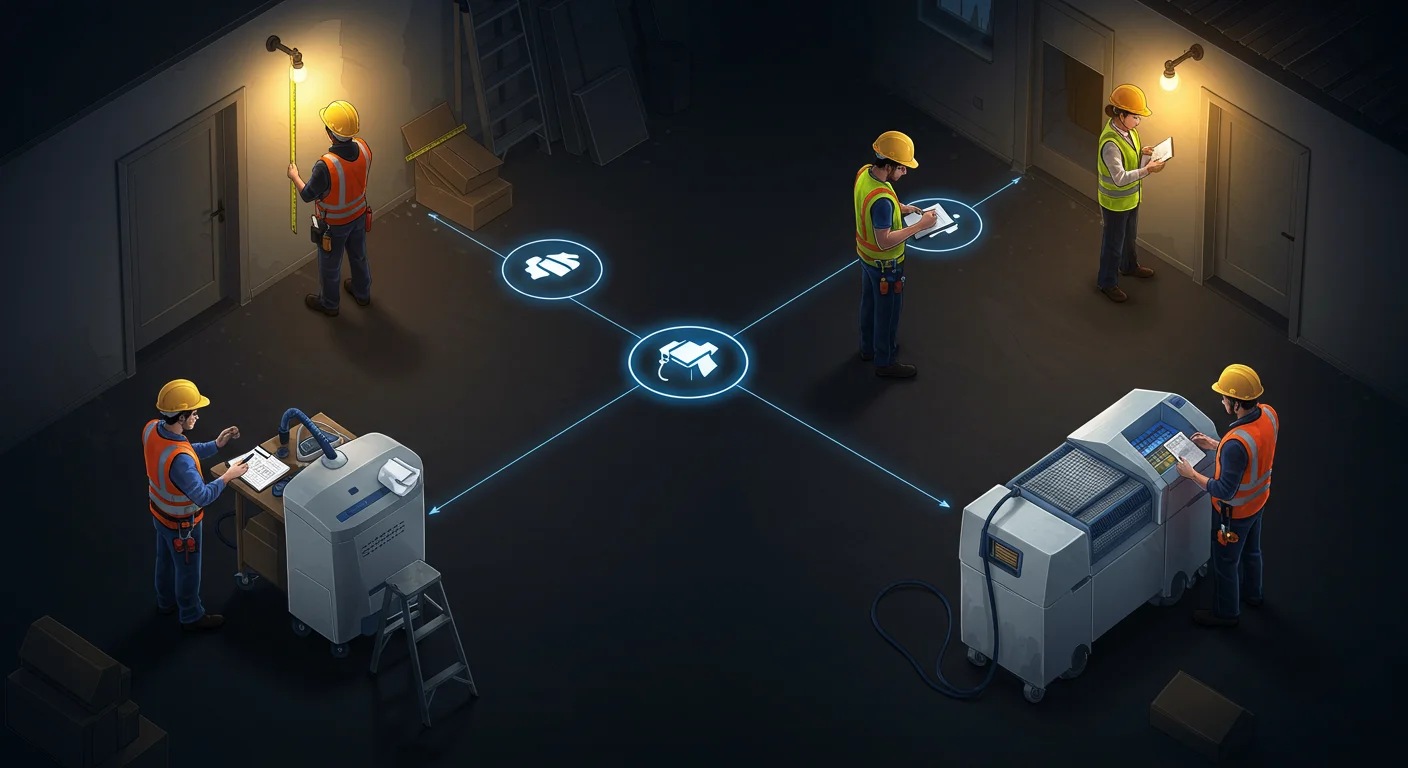
    Watch what happens. Cowork does not respond with a single block of text. It builds a plan: identify affected areas, document moisture readings at specific points, photograph damage progression, catalog affected materials, note potential secondary damage indicators, create the scope of work outline, flag items that need adjuster attention. Each task has a sequence. Each task feeds the next one.

    An estimator watching this process sees — visually, in real time — how a thorough inspection plan is structured. Not as a checklist someone hands them, but as a plan that emerges from thinking about what the downstream consumers of that inspection need.

    The Office Admin

    Admins are often the most underserved role in restoration training. They handle intake calls, schedule crews, manage documentation, track certificate of completions, follow up on invoicing, and keep the CRM updated — and most of their training is “watch Sarah do it for a week.”

    Give Cowork a task like: “A new water damage claim just came in. The homeowner called, insurance info is confirmed, and the estimator is heading out tomorrow. Build me the complete administrative workflow from intake through final invoice.”

    Cowork will decompose this into a multi-track plan: the documentation track (claim number, photos, moisture logs), the communication track (homeowner updates, adjuster correspondence, crew scheduling), the financial track (estimate submission, supplement tracking, invoice preparation), and the compliance track (certificates of completion, lien waivers if applicable). The admin watches these tracks unfold in parallel and sees how their daily tasks connect to the larger job lifecycle.

    The Project Manager

    This is where Cowork shines brightest for restoration. The PM is the lead agent on every job. They are the conductor. And most PMs in restoration were promoted from technician or estimator roles — they know the technical work but were never formally trained in project orchestration.

    Give Cowork a complex scenario: “We have three active water damage jobs, a fire damage mitigation starting Monday, and two reconstruction projects in progress. One of the water jobs just had a scope change from the adjuster. Build me a weekly coordination plan.”

    Cowork will show the PM what a senior operations manager would do: prioritize by urgency and revenue, identify resource conflicts, flag the scope change as a dependency that blocks downstream work, and sequence the week’s actions across all jobs. The PM sees how to think about multiple concurrent projects — not just react to whichever phone rings loudest.

    The Technician

    Technicians often see their work as task execution — set up equipment, monitor readings, tear out materials. What they rarely see is how their documentation feeds the estimator’s supplement, how their moisture readings affect the PM’s timeline, and how their work quality determines whether the final walkthrough results in a sign-off or a callback.

    Give Cowork a mitigation task: “Day 3 of a category 2 water loss in a two-story home. Drying equipment is in place. Build me the technician’s complete daily workflow including documentation, monitoring, communication, and decision points.”

    The technician watches Cowork build out not just the physical tasks but the information tasks — the readings that need to be recorded and where they go, the photos that need to be taken and what they prove, the communication checkpoints with the PM. It connects the dots between doing the work and documenting the work in a way that a training manual never does.

    The Sales Manager

    Restoration sales — whether it is commercial accounts, TPA relationships, or plumber referral networks — involves pipeline management that most salespeople in the industry handle with a spreadsheet and memory. Give Cowork a business development task: “We want to build relationships with property management companies that manage fifty or more residential units within thirty miles. Build me a ninety-day outreach plan.”

    Cowork breaks this into research, qualification, outreach sequences, follow-up cadences, and tracking — the same structured approach a sales operations manager would build. The sales manager sees that prospecting is not just “make calls” but a planned, multi-stage process with measurable milestones.

    The Training Unlock Nobody Expected

    Here is what makes this genuinely different from handing someone a training manual or a process document: Cowork shows the thinking, not just the result.

    A process document tells you what steps to follow. Cowork shows you why those steps exist, what depends on what, and how a change in one area cascades through the rest. It shows the conductor at work — not just the sheet music.

    For a restoration company that struggles with inconsistent job quality, scope creep, communication breakdowns between field and office, or PMs who are technically skilled but operationally reactive — Cowork is a training layer that works alongside the people, not instead of them.

    Your technician does not become a project manager by watching Cowork. But they start thinking like one. And that shift in perspective — from task executor to system thinker — is the hardest training outcome to achieve and the most valuable one a restoration company can develop.

    Frequently Asked Questions

    Can Claude Cowork actually help train restoration employees?

    Yes. Cowork visibly decomposes tasks into sub-tasks, delegates them to sub-agents, and shows progress in real time. That decomposition mirrors exactly how a restoration project manager should plan and track a job. Watching Cowork work through a restoration scenario teaches the planning skill, not just the technical steps.

    Which restoration roles benefit most from watching Cowork?

    Project managers benefit most because Cowork’s lead-agent pattern directly mirrors the PM role. But estimators learn thorough documentation planning, admins see how their workflows connect to the full job lifecycle, technicians understand how their documentation feeds downstream processes, and sales managers see structured pipeline management.

    Does Cowork replace restoration project management software?

    No. Cowork is not a project management tool and does not replace platforms like DASH, Xactimate, or your PSA. It is a thinking tool that shows people how to plan and decompose work. Use it to train the thinking, then apply that thinking inside your existing systems.

    How would a restoration company actually use Cowork for training?

    Run a real restoration scenario through Cowork during a team meeting. Let the team watch it decompose the job, then discuss what it got right, what it missed, and how each person’s role connects to the plan. The plan Cowork generates becomes a discussion artifact — a living training aid rather than a static document.

    Is Claude Cowork available for restoration businesses?

    Claude Cowork is available through the Claude desktop app on Pro, Max, Team, and Enterprise plans. Any restoration company with a subscription can start using it immediately. It runs on Mac and Windows.

    ]+>’,’ ‘,sys.stdin.read()); print(len(text.split()))”


  • How Claude Cowork Can Actually Train Your Staff to Think Better

    How Claude Cowork Can Actually Train Your Staff to Think Better

    Last refreshed: May 15, 2026

    What if the most powerful staff training tool you’ll touch this year is hiding inside an AI app you already pay for?

    There is a quiet productivity feature inside Claude Cowork that almost nobody is talking about. It is accidentally one of the best project management training tools I have ever seen — and once you notice it, you cannot unsee it.

    The short answer: Claude Cowork shows you its plan and progress in real time as it decomposes a task into sub-tasks and delegates them to a team of sub-agents. That visible decomposition — the same skill a great project manager uses every day — turns Cowork into a live training tool for any staff member learning to break down ambiguous work into executable pieces.

    The Difference Between Chat and Cowork

    When you work with Claude in chat, you hand it a prompt and you get an answer. It is fast, it is useful, and most of the work happens invisibly — somewhere between your question and the response. You do not see the thinking. You do not see the breakdown. You just see the output.

    Cowork is different. When you give Cowork a task, you watch it work. Anthropic’s own documentation confirms this: Cowork shows progress indicators at each step, surfaces its reasoning, and lets you steer mid-task to course-correct or add direction. For complex work, it coordinates multiple sub-agents running in parallel.

    That transparency is the feature. And it is the feature that makes it a training tool.

    The Conductor and the Section Players

    Here is what is actually happening under the hood — and this is the part I had to confirm because I had been assuming it.

    Cowork uses the same agentic architecture as Claude Code. A lead agent (the orchestrator) takes the overall task, decomposes it into subtasks, and delegates those subtasks to specialized sub-agents. The lead maintains oversight, handles dependencies, sequences work when one piece depends on another, and synthesizes the final result. Sub-agents work independently in their own context windows and can flag dependencies back to the lead.

    It is a conductor with a section of players. The conductor does not play the violin. The conductor decides when the violins come in, how loud, and for how long.

    This is exactly how a competent project manager operates.

    Why This Matters for Training Your Staff

    Most people — including most project managers I have worked with — struggle with one specific skill: taking a messy, ambiguous goal and breaking it into a sequence of manageable, dependency-aware tasks. It is the difference between “we need to launch the new site” and a project plan with seventeen sequenced items, three parallel workstreams, and clear handoff points.

    Cowork does this decomposition in front of you, in plain English, every time you give it a task. You can literally watch a lead agent think through: what does this goal actually require, what order do the pieces need to go in, what can happen in parallel, what is the dependency chain, and how do I know when we are done?

    For a PM in training, that is a live demonstration of planning. For a staff member who has never had to structure work before, it is a mental model they can borrow.

    The “Oh Yeah, I Forgot About This” Superpower

    The part I love most: you can interrupt Cowork while it is running. You can ask a question. You can add a requirement. You can redirect a visual task. And because there is a lead agent holding the plan, it does not panic — it queues your input and addresses it when appropriate.

    That is exactly how you should be working with human teams. You should not be afraid to say “oh wait, I forgot we also need X” to a project manager. A good PM takes the new input, figures out where it fits in the plan, and slots it in without derailing everything else.

    Watching Cowork do this gracefully is a training moment. It shows people that mid-flight course corrections are normal, that good planning systems absorb new information rather than break from it, and that the conductor’s job is to keep the music going even when the score changes.

    How to Actually Use Cowork to Train a Team

    A few things I would try with a team:

    Run a Cowork narration session. Have a new project manager watch Cowork tackle a real task end-to-end and narrate what it is doing and why. Then ask them to plan a real project the same way — out loud, decomposed, with dependencies called out.

    Use Cowork as a planning artifact generator. When someone on your staff hands you a vague goal, run it through Cowork first. Not because Cowork will do the work, but because the plan Cowork produces is a teaching artifact. You can review it together: here is how the task should be broken down, here is the order, here is what runs in parallel.

    Teach delegation by example. When you are training someone to delegate, have them watch how the lead agent assigns work to sub-agents. Narrow scope, clear instructions, defined handoff. That is delegation 101, executed live.

    The Bigger Point

    Tools that hide their thinking make you dependent on them. Tools that show their thinking make you better.

    Chat hides the thinking. Cowork shows the thinking. And the thinking it shows happens to be the exact cognitive skill — structured task decomposition — that separates people who manage projects well from people who drown in them.

    If you are running an agency, a team, or any operation that depends on people learning to break down ambiguous work into executable pieces, Cowork is not just a productivity tool. It is a classroom.

    Frequently Asked Questions

    What is Claude Cowork?

    Claude Cowork is Anthropic’s agentic desktop application that takes on multi-step knowledge work tasks autonomously. Unlike chat, where you exchange single messages, Cowork accepts a goal, builds a plan, and executes it across files and applications on your computer using the same agentic architecture as Claude Code.

    How is Cowork different from Claude chat?

    Chat responds to one prompt at a time and hides its reasoning between your message and its reply. Cowork takes on full tasks, shows you its plan and progress in real time, and lets you steer mid-task. It also coordinates multiple sub-agents in parallel for complex work.

    Does Claude Cowork actually use multiple agents?

    Yes. For complex tasks, Cowork uses a lead/orchestrator agent that decomposes the work and delegates sub-tasks to specialized sub-agents that run in parallel. The lead handles dependency ordering and synthesizes results when work is complete. This is the same supervisor pattern used in Claude Code’s agent teams feature.

    Can I interrupt Cowork while it is running?

    Yes. You can jump in mid-task to ask questions, add requirements, redirect work, or course-correct. The lead agent queues your input and addresses it at the appropriate point in the plan rather than abandoning what is already in motion.

    How can a manager use Cowork to train staff?

    Use Cowork as a live demonstration of structured task decomposition. Have new project managers narrate what Cowork is doing and why, then plan their own projects the same way. Use the plans Cowork generates as teaching artifacts to discuss task breakdown, dependency mapping, and parallel workstreams. Watch the lead agent’s delegation patterns — narrow scope, clear instructions, defined handoffs — as a model for how humans should delegate.

    Who is Claude Cowork designed for?

    Cowork was built for non-technical knowledge workers — researchers, analysts, operations teams, legal and finance professionals — who work with documents, data, and files daily and want to spend more time on judgment calls and less time on assembly. It is available on Pro, Max, Team, and Enterprise plans through the Claude desktop app.

    Does Cowork work alongside Claude in chat?

    Yes. Chat remains useful for quick questions, single-step tasks, and conversational work. Cowork takes over when the work requires planning, multi-step execution, or coordination across files and applications. The same Claude account uses both modes.


  • Restoration Job Tracker Pro — Notion Template for Restoration Contractors

    Restoration Job Tracker Pro — Notion Template for Restoration Contractors

    Stop tracking jobs in spreadsheets and text threads.

    Who This Is For

    Built for restoration contractors managing multiple active jobs who lose track of moisture readings, miss documentation steps, and spend time hunting for information that should be in one place.

    The Problem

    A restoration job has more moving parts than almost any other service business. Multiple crews, daily moisture readings, equipment on site, adjuster communications, photo documentation, authorization tracking — all happening simultaneously across multiple jobs. The contractor who manages all of this from memory, texts, and spreadsheets is one bad job from a serious documentation problem. This template is the system that prevents that.

    What You Get

    • Jobs database: every job from first notice of loss to final invoice, with status tracking at every stage
    • Moisture readings log: daily readings linked to each job, with trend visibility
    • Equipment deployment: what is on which job, when it was placed, when it was retrieved
    • Photo documentation log: record of documentation by phase, linked to job
    • Communications log: every adjuster, homeowner, and crew communication tracked by job
    • Tasks and phases: IICRC-informed phase checklists so nothing gets skipped
    • Sample data included so you can see exactly how it works before you start entering your own

    Restoration Job Tracker Pro — Notion Template for Restoration Contractors

    $29

    Delivered to your inbox within 24 hours — no shipping, no waiting

    Buy Now →

    Secure checkout via Square — all major cards accepted

    Frequently Asked Questions

    How is this delivered?

    Within 24 hours of purchase via email from will@tygartmedia.com. You will receive your download link immediately — Notion duplicate link, skill file, or both depending on the product.

    Do I need any special software?

    A free Notion account is required for the template products. The Claude skill requires a Claude account (free tier works for most uses).

    Can I customize this for my company?

    Yes — everything is built to be edited. Add your company name, your specific workflows, your equipment rates. It is a starting point, not a locked system.

    Is there a refund policy?

    Because this is a digital product, all sales are final. If you have a problem with your purchase, email will@tygartmedia.com and we will sort it out.

  • Restoration Equipment Inventory & Deployment Tracker — Notion Template

    Restoration Equipment Inventory & Deployment Tracker — Notion Template

    Know exactly where every dehumidifier, air mover, and sensor is — at all times.

    Who This Is For

    Built for restoration contractors who run multiple jobs simultaneously and have equipment scattered across sites with no reliable way to track what is where, what daily rate to charge, or what needs servicing.

    The Problem

    Equipment is one of the largest cost centers in restoration. Lost equipment, unbilled deployment days, units out for service at the wrong time, daily rates that nobody can remember — these are real losses that add up fast. Most restoration companies track their equipment fleet the same way they track everything else: imperfectly, and after the fact. This template makes equipment management deliberate.

    What You Get

    • Equipment Fleet database: every asset with asset ID, serial number, purchase price, daily rate, condition status, and service schedule
    • Deployment Log: checkout and return linked to jobs, automatic daily charge calculation, condition on return
    • Maintenance Log: preventive service records, repairs, calibrations, parts costs, service provider
    • 7 sample equipment items pre-loaded so you can see the system in action
    • Industry rate reference tables built in for air movers, dehumidifiers, negative air machines, and more
    • Service interval guides for common restoration equipment types

    Restoration Equipment Inventory & Deployment Tracker — Notion Template

    $29

    Delivered to your inbox within 24 hours — no shipping, no waiting

    Buy Now →

    Secure checkout via Square — all major cards accepted

    Frequently Asked Questions

    How is this delivered?

    Within 24 hours of purchase via email from will@tygartmedia.com. You will receive your download link immediately — Notion duplicate link, skill file, or both depending on the product.

    Do I need any special software?

    A free Notion account is required for the template products. The Claude skill requires a Claude account (free tier works for most uses).

    Can I customize this for my company?

    Yes — everything is built to be edited. Add your company name, your specific workflows, your equipment rates. It is a starting point, not a locked system.

    Is there a refund policy?

    Because this is a digital product, all sales are final. If you have a problem with your purchase, email will@tygartmedia.com and we will sort it out.

  • Notion Command Center OS — Single Business Version

    Notion Command Center OS — Single Business Version

    One workspace. Every part of your business, connected.

    Who This Is For

    Built for business owners, consultants, and service providers who are managing their business across a dozen different apps and want everything in one place.

    The Problem

    Most business owners use five or six different tools and still have important things fall through the gaps — because those tools do not talk to each other. A Notion OS solves this not by replacing your tools but by becoming the connective tissue between them: a place where every project, every client, every piece of content, and every piece of knowledge lives together and links to everything else. The problem is that building a good one takes weeks. This one is already built.

    What You Get

    • 6 core databases: Projects, Tasks, Clients, Content Pipeline, Knowledge Base, and Meeting Notes
    • Cross-linked throughout — a client links to their projects, projects link to tasks, tasks link to meeting notes
    • Weekly review system built in: a 15-minute weekly ritual to stay on top of everything
    • AI-ready architecture: structured specifically so Claude can read, update, and act on your workspace via MCP or direct API
    • Setup guide with a recommended configuration sequence — live in one afternoon

    Notion Command Center OS

    $79

    Delivered to your inbox within 24 hours — no shipping, no waiting

    Buy Now →

    Secure checkout via Square — all major cards accepted

    Frequently Asked Questions

    How is this delivered?

    Within 24 hours of purchase via email from will@tygartmedia.com. You will receive a download link for the ZIP file and/or Notion duplicate link immediately.

    Do I need any special software?

    A free Notion account is required. No other software needed.

    Can I customize this for my specific business?

    Yes — that is the point. Everything is built to be edited. Swap in your company name, add your specific workflows, remove anything that does not apply. It is a starting point, not a locked template.

    Is there a refund policy?

    Because this is a digital product, all sales are final. If you have a problem with your purchase, email will@tygartmedia.com and we will sort it out.

  • Restoration Crew Onboarding & Training Tracker

    Restoration Crew Onboarding & Training Tracker

    Give every new tech a structured path from day one — and never lose track of who is certified.

    Who This Is For

    Built for restoration owners who are growing their crew but onboarding is chaotic, certifications are tracked in someone’s head, and no one is sure who is cleared to run what equipment.

    The Problem

    Restoration technician turnover is real. When you hire someone new, the first 90 days determine whether they stay. Chaotic onboarding — no clear expectations, no structured training, no visibility into their progress — accelerates the exit. Meanwhile, certification lapses create liability. Knowing who holds WRT, who is overdue for renewal, and who is cleared to operate specific equipment should not require asking around.

    What You Get

    • New hire checklist: day 1, week 1, and month 1 milestones with owner sign-off
    • Certification tracker: WRT, ASD, FSRT, AMRT, CCT, and any custom certs you add
    • IICRC course progress log: completion dates and renewal reminders built in
    • Training module library: add your own procedures, videos, and field guides
    • Equipment sign-off tracker: who is cleared to operate what, with sign-off date
    • Performance notes log for structured 30/60/90 day reviews

    Restoration Crew Onboarding & Training Tracker

    $19

    Delivered to your inbox within 24 hours — no shipping, no waiting

    Buy Now →

    Secure checkout via Square — all major cards accepted

    Frequently Asked Questions

    How is this delivered?

    Within 24 hours of purchase via email from will@tygartmedia.com. You will receive a download link for the ZIP file and/or Notion duplicate link immediately.

    Do I need any special software?

    A free Notion account is required. No other software needed.

    Can I customize this for my specific business?

    Yes — that is the point. Everything is built to be edited. Swap in your company name, add your specific workflows, remove anything that does not apply. It is a starting point, not a locked template.

    Is there a refund policy?

    Because this is a digital product, all sales are final. If you have a problem with your purchase, email will@tygartmedia.com and we will sort it out.

  • Quality Control as a Continuous Practice, Not an End-of-Job Inspection

    Quality Control as a Continuous Practice, Not an End-of-Job Inspection

    This is the fourth article in the Crew & Subcontractor Systems cluster under The Restoration Operator’s Playbook. It builds on the previous three articles in this cluster.

    Inspection-based quality control is structurally too late

    The dominant model of quality control in restoration is inspection-based. The work is performed. At the end of the work, a supervisor walks the job and identifies anything that does not meet the company’s standards. The identified items are added to a punch list. The crew returns to address the punch list. The walkthrough is repeated. The job is signed off when the punch list is complete.

    This model has been the industry default for decades. It is also structurally inadequate for what restoration companies need from their quality function in 2026. The inadequacy is not in any single inspection. It is in the timing. By the time the inspection happens, the work has been done. Whatever quality problems exist are problems that have to be corrected through rework rather than prevented through better execution. The cost of rework is higher than the cost of getting the work right the first time. The cost of customer dissatisfaction at discovering rework is higher still. And the cost of the underlying conditions that produced the quality problem in the first place — the gaps in training, the gaps in supervision, the gaps in operational discipline — continues to produce problems on the next job and the job after that, because the inspection model surfaces problems but does not address their causes.

    The companies that have moved beyond the inspection model treat quality as a continuous practice that is built into how the work is performed rather than as an event that happens after the work is done. The continuous model produces measurably better outcomes than the inspection model, costs less to operate, and produces less stress for everyone involved. This article is about what continuous quality discipline actually looks like, why it produces better outcomes than inspection, and how to install it without creating bureaucratic overhead.

    What continuous quality discipline actually looks like

    Continuous quality discipline is built into the way the work is performed at every stage rather than added as an inspection at the end. Several specific practices distinguish the continuous model from the inspection model.

    The first practice is clear standards communicated before work begins. The crew knows what good looks like for the work they are about to perform. The standards are documented in the same form as the prep standard described in the prep standard article, applied to rebuild work and finish work. Crews who know what they are aiming for produce work that hits the standard more often than crews who are guessing.

    The second practice is in-process checks at defined moments rather than only at the end. The cabinet installer checks their hanging level before moving to the next cabinet, not after the kitchen is fully installed. The painter checks the color match in the actual lighting conditions of the room, not after the entire wall is painted. The trim carpenter checks the miter cuts on the first joint before completing the rest of the trim run. The in-process checks catch problems early when they are cheap to address. The end-of-job inspection catches problems late when they are expensive to address.

    The third practice is peer accountability within crews. Crew members are encouraged and expected to flag issues in each other’s work in real time, professionally and constructively. This is a cultural practice as much as a procedural one. In healthy crews, the flag is received as helpful and acted on. In unhealthy crews, the flag is received as criticism and resisted. The companies that have built strong continuous quality have invested in the crew culture that makes peer accountability functional.

    The fourth practice is supervisor presence during the work, not just at the end. The supervisor visits the job during execution, not just for the close-out walkthrough. The visits are short and frequent rather than long and rare. The supervisor is checking in on conditions, answering questions, identifying issues that need attention before they become problems. The supervisor’s role during execution is to support quality production, not to inspect after the fact.

    The fifth practice is rapid feedback when issues are identified. When a quality issue is flagged — whether by a crew member, a supervisor, or in an in-process check — it gets addressed immediately or as close to immediately as conditions allow. The longer an issue sits before being addressed, the more expensive it becomes to fix. Companies that have continuous quality discipline have built the operational rhythms that allow rapid response to flagged issues.

    The sixth practice is documentation of issues and their resolution. Quality issues that are flagged and addressed get documented, not as a punitive record but as data that informs the company’s standards, training, and operational improvements. The documentation is what allows the company to learn from issues across jobs rather than fixing the same kinds of issues over and over without surfacing the underlying patterns.

    The seventh practice is integration with the feedback loop described in the feedback loop article. Quality issues that surface patterns get fed back into the company’s operational standards. The standards evolve. Training is updated. The next generation of work is performed against sharper standards. The continuous improvement compounds across years.

    Why continuous quality produces better outcomes

    The continuous quality model produces measurably better outcomes than the inspection model for several specific reasons.

    The first reason is that continuous quality catches problems when they are cheap. A misaligned cabinet caught before the next cabinet is hung is corrected in five minutes. The same misalignment caught at the end-of-kitchen walkthrough may require unhanging multiple cabinets to correct. The cost differential is significant per incident and significant in aggregate across thousands of incidents per year.

    The second reason is that continuous quality prevents the cascading effects of unaddressed problems. A trim joint that is set wrong, if not caught immediately, affects every subsequent trim joint that depends on it. By the time the problem is discovered, multiple feet of trim may need to be replaced. Continuous quality prevents the cascade.

    The third reason is that continuous quality builds craftsmanship in the crews. A crew that is constantly receiving and acting on real-time feedback about their work develops better judgment about quality over time. The judgment becomes part of the crew’s working competence. The crew produces better work going forward as a result of the continuous feedback loop.

    The fourth reason is that continuous quality reduces the dramatic moments that damage customer relationships. The customer who arrives at the close-out walkthrough and encounters a long punch list is having a worse experience than the customer who arrives at the close-out walkthrough and finds the work substantially complete. The customer experience implications of the two models are significant and contribute to the customer satisfaction differential between continuous-quality and inspection-quality companies.

    The fifth reason is that continuous quality reduces stress for everyone involved. The crew is not waiting anxiously for a punch list to be created. The supervisor is not facing a long inspection at the end of every job. The customer is not surprised by problems they did not know about. The senior team is not constantly managing quality recovery. The aggregate stress reduction has implications for retention, for engagement, and for the operational sustainability of the company.

    The sixth reason is that continuous quality produces better data about the work. The documentation of issues caught and addressed in real time provides a much richer data set for operational improvement than the end-of-job punch lists. Companies operating from continuous quality have a more accurate picture of where their operational gaps actually are than companies operating from inspection.

    What continuous quality is not

    It is worth being explicit about what continuous quality is not, because the phrase is sometimes used loosely.

    It is not a constant series of formal inspections. The continuous model is not about inspecting more often. It is about building quality into the execution so that inspection is mostly unnecessary. The companies operating from continuous quality have less inspection activity than the companies operating from the inspection model, not more.

    It is not a bureaucratic overhead burden. The continuous model is not about adding paperwork or process steps to the crew’s day. It is about embedding quality awareness into the natural flow of the work. When done well, continuous quality reduces overall operational overhead rather than increasing it.

    It is not a culture of nitpicking. The continuous model is not about flagging every minor imperfection. It is about catching the issues that matter — the ones that will affect the customer experience, the ones that will require expensive rework, the ones that signal underlying operational gaps — and addressing them efficiently. The companies operating from continuous quality have a clear sense of what is worth flagging and what is not.

    It is not a replacement for senior judgment. The continuous model does not eliminate the need for the senior team to be involved in quality. It complements that involvement by surfacing issues at the field level so that the senior team’s attention can go to the issues that actually require senior judgment rather than to the routine catches that the field crews can handle themselves.

    How to install continuous quality without creating overhead

    The most common reason continuous quality fails as an initiative is that companies try to install it by adding process steps without addressing the cultural and structural conditions that make the practices sustainable. The result is bureaucracy that the crews resist, that produces mediocre adoption, and that gets quietly abandoned within a year.

    The companies that have successfully installed continuous quality have done it through a different approach.

    The first piece is leadership commitment that is visible in leadership behavior. Owners and senior operators visibly value quality, talk about it consistently, and model the kind of attention to detail they want the crews to bring. Leadership commitment that is verbal but not behavioral does not produce the cultural change that continuous quality requires.

    The second piece is investment in the supervisors who are the cultural transmission mechanism. Supervisors who genuinely believe in the continuous quality approach and who model it in their daily work make the practices stick. Supervisors who are skeptical or inconsistent undermine the practices regardless of formal training. The supervisor selection and development described in the retention article is also the foundation of continuous quality.

    The third piece is making the in-process checks part of the work rather than additional to it. The check happens as the crew is moving from one piece of work to the next, not as a separate activity that interrupts the flow. The check takes seconds, not minutes. The crew member who has internalized the check does it automatically as part of how they work.

    The fourth piece is removing the inspection-era practices that the continuous model makes unnecessary. Long end-of-job punch list walkthroughs. Formal inspection sign-offs. Quality control departments separate from operations. These artifacts of the inspection era can persist alongside the continuous practices and create the bureaucratic overhead that companies are trying to avoid. The continuous model works best when it replaces the older practices, not when it sits on top of them.

    The fifth piece is celebrating the catches. When a crew member catches a quality issue early and prevents downstream rework, that catch is recognized. The recognition reinforces the cultural value of the practice and produces more catches over time. Recognition does not have to be elaborate. It has to be specific and authentic.

    The sixth piece is patience. Continuous quality is not installed in a quarter. It develops across a year or two as the cultural and operational pieces come together. Companies that expect immediate transformation get discouraged when the early returns are modest. Companies that commit to the multi-year journey see the practices mature into a genuine operational advantage.

    The interaction with customer experience

    One specific interaction worth highlighting is the relationship between continuous quality and the customer experience described throughout the customer lifetime frame article.

    The customer who has a continuous-quality experience encounters a job that has been done with care from the beginning. There are few surprises at the close-out walkthrough because the issues have been addressed during execution. The crew that performed the work has demonstrated craftsmanship that the customer can see. The supervisor who visited the job during execution has been present to the customer in ways that build trust. The aggregate experience is one of competence and care.

    The customer who has an inspection-quality experience encounters a different job. There may be a punch list. There may be visible issues that the customer notices before the punch list is generated. There may be friction at the close-out walkthrough as items are negotiated. Even when the inspection eventually catches everything and the work is fully completed, the customer’s experience of the process includes the moments of doubt that the visible issues produced. The aggregate experience is one of work that needed correction.

    The customer experience differential between the two models is real and shows up in customer satisfaction scores, in reviews, and in referral behavior. Companies that have made the shift to continuous quality see the differential in their customer experience metrics within twelve months of the shift. The differential compounds across years into a measurable difference in market reputation.

    What this means for owners

    If you run a restoration company and your quality function is built around end-of-job inspection, the practical implication of this article is that the inspection model is leaving customer experience and operational efficiency on the table that the continuous model would capture.

    The starting point is to recognize the inspection model for what it is and to commit to the multi-year work of building the continuous alternative. This commitment includes leadership behavior, supervisor investment, cultural development, and patience with the timeline.

    The medium-term work is to install the practices described above gradually. Start with the standards and the in-process checks for the highest-impact categories of work. Build the supervisor presence model. Develop the peer accountability culture in healthy crews first and extend it from there. Replace the inspection-era practices with continuous-era ones as the new practices mature.

    The long-term result is a quality function that produces better outcomes for less operational cost than the inspection model can produce. Companies operating from continuous quality have a structural advantage in customer experience, operational efficiency, and team morale that competitors operating from inspection cannot easily match.

    Quality is not an event at the end of a job. Quality is a continuous practice that runs throughout the work. The companies that have made the shift know this. The companies that have not are about to learn it the long way.

    Next and final in this cluster: the sub bench — building the reserve capacity that lets a restoration company say yes to opportunities the perpetually-stretched companies cannot accept.

  • The Restoration Scheduling Problem Is an Operating System Problem

    The Restoration Scheduling Problem Is an Operating System Problem

    This is the third article in the Crew & Subcontractor Systems cluster under The Restoration Operator’s Playbook. It builds on the labor crisis article and the field retention article.

    Scheduling looks simple and is not

    From the outside, scheduling a restoration company looks like a logistics problem. Match crews to jobs. Sequence the work to fit the available capacity. Adjust when emergencies happen. Most restoration owners would describe their scheduling function in roughly these terms, and most would not consider it strategically important.

    The owners who actually try to scale a restoration operation discover that scheduling is one of the most difficult operational problems the business faces. The complexity is not in any single scheduling decision. The complexity is in the interactions among scheduling decisions, in the cascading effects of any change, in the second-order consequences for crews and customers and carriers, and in the ways that scheduling problems surface as quality problems, retention problems, customer satisfaction problems, and margin problems even when the original cause is invisible to the operator looking at the symptoms.

    Scheduling is not a logistics problem. Scheduling is an operating system problem. The companies that have figured out how to run scheduling well treat it as a strategic capability that requires investment, expertise, and ongoing refinement. The companies that have not figured it out treat scheduling as something the dispatcher does and watch the consequences manifest in every other part of the operation without recognizing the underlying cause.

    This article is about why scheduling is harder than it looks, what the best companies do differently, and how scheduling discipline interacts with the other operating system disciplines this playbook describes.

    Why scheduling is structurally difficult

    Several specific characteristics of restoration work make scheduling structurally harder than it appears.

    The first is that demand is genuinely unpredictable at the daily level. Most service businesses can forecast demand with reasonable accuracy because the demand pattern is driven by predictable factors. Restoration demand is driven by losses, which are random in timing and variable in scale. A pipe burst on Tuesday morning that requires immediate response will disrupt whatever was scheduled for Tuesday afternoon. A storm event on Friday can produce more work in three days than the company normally handles in two weeks. The scheduling has to absorb this variance without breaking, which is harder than scheduling a service business with predictable demand.

    The second is that jobs are heterogeneous in duration, complexity, crew requirements, and sub coordination. A residential water mitigation might take three days with a two-person crew. A commercial fire restoration might take six months with multiple crews and twenty subs across different trades. The scheduling has to handle both of these and everything in between, often simultaneously, without losing visibility into what is happening on each job.

    The third is that crew capabilities vary. Not every crew can do every job. Some crews specialize in mitigation. Some specialize in rebuild. Some have specific certifications. Some have specific equipment. The scheduling has to match the right crew to the right job, which adds a constraint that simple capacity scheduling does not face.

    The fourth is that sub availability adds a layer of dependency. A rebuild job that requires a specific cabinet installer can only proceed when that installer is available, regardless of when the company’s own crew could start. Sub scheduling has to be coordinated with the company’s own scheduling, often across multiple subs whose calendars are not under the company’s direct control.

    The fifth is that customer schedules add another layer of constraint. Homeowners have lives. They have work schedules, travel commitments, health constraints, and personal preferences that affect when work can happen at their property. Some jobs can only be done during specific windows. Some jobs require the homeowner to be present. Some jobs require the homeowner to be absent. The scheduling has to accommodate the customer’s reality without becoming infinitely flexible.

    The sixth is that carrier and TPA timeline expectations add yet another layer. The carrier wants the file to close by a certain date. The TPA wants milestones hit on a certain cadence. The scheduling has to deliver against these expectations or accept the consequences in cycle time metrics and program standing.

    The seventh is that all of these constraints interact. A change to one schedule cascades into changes elsewhere. A delay on one job can free up a crew for another job, but only if the freed-up crew has the right capabilities for the alternative work. A sub cancellation can shift the entire sequence of dependent work. The scheduling system has to handle the cascading effects without producing chaos.

    Each of these characteristics is real. Together they make restoration scheduling one of the hardest operational problems in service businesses. Companies that approach it as a simple logistics function will be perpetually behind the complexity. Companies that approach it as a strategic capability will invest in the systems and people that can actually manage it.

    What the best companies do differently

    The companies that have built strong scheduling capabilities have invested in a specific combination of practices that the simpler logistics-frame companies have not.

    The first practice is dedicated scheduling expertise. The scheduler is not a part-time function fitted around the dispatcher’s other responsibilities. It is a defined role, with a person whose primary job is to manage the schedule and who has been selected and trained for the specific cognitive demands of the work. The scheduler in a serious restoration company is one of the most operationally important people in the building, and the role gets compensated and respected accordingly.

    The second practice is a real scheduling system rather than a calendar. Most restoration scheduling lives in some combination of a calendar tool, a spreadsheet, and the scheduler’s head. The companies operating well have invested in software designed for scheduling complex service operations — software that can model crew capabilities, job dependencies, sub coordination, customer constraints, and the cascading effects of changes. The software does not replace the scheduler’s judgment. It supports the judgment with information that would otherwise be impossible to hold in the scheduler’s head simultaneously.

    The third practice is reserve capacity that absorbs variance. Companies that schedule themselves to one hundred percent capacity have no slack to absorb the inevitable disruptions. Companies that maintain strategic reserve capacity — usually in the range of fifteen to twenty-five percent — have slack to absorb the storm events, the emergency dispatches, the sub cancellations, and the customer rescheduling that constantly happen. The reserve capacity costs money in the short term and saves operational chaos and customer satisfaction damage in the long term.

    The fourth practice is proactive communication about schedule changes. When the schedule has to change, the affected parties — crews, subs, customers, adjusters — are notified promptly and given context for the change. The communication discipline prevents the cascade of confusion that uncommunicated changes produce. The discipline also preserves trust with each affected party, which is what makes future schedule adjustments tolerable.

    The fifth practice is structured handoff between scheduling and operations. The schedule that the scheduler produces is communicated to the field crews, the project managers, and the rest of the operations team in a standardized format that everyone understands. Crews know what they are doing tomorrow and the day after. Project managers can see their portfolio of active jobs and plan their attention accordingly. The operations team can plan around the schedule rather than reacting to it.

    The sixth practice is post-mortem on scheduling failures. When a schedule decision turns out to have been wrong — a crew was overcommitted, a job was sequenced poorly, a customer was disappointed — the failure is reviewed and the lessons are integrated into future scheduling decisions. The post-mortem discipline is what allows the scheduling capability to improve across years rather than to make the same mistakes repeatedly.

    The seventh practice is integration with the operating system as a whole. The scheduling discipline does not operate in isolation. It is connected to the documentation discipline, the carrier relationship work, the field crew retention work, and the AI deployment work. Improvements in any of these areas make scheduling easier, and improvements in scheduling make all of them easier in return. The interconnection is real and is part of what makes scheduling a strategic capability rather than a logistics function.

    The scheduler as a strategic role

    The role of the scheduler in a serious restoration company deserves more attention than it typically receives. The scheduler in this kind of company is doing work that is qualitatively different from what a dispatcher in a less-developed company is doing.

    The strategic scheduler is making decisions that have implications for crew utilization, customer satisfaction, carrier cycle time, sub relationships, and margin per job. Each scheduling decision is, in effect, a decision about how the company allocates its operational resources across competing demands. The decisions are made under uncertainty, with incomplete information, and with consequences that may not be visible for days or weeks. The cognitive demands of doing this well are significant.

    The strategic scheduler also has to navigate human dynamics constantly. Crew leads who want certain assignments. Subs who want certain timing. Customers who want certain accommodations. Adjusters who want certain timelines. Senior operators who want their preferred jobs handled in their preferred ways. The scheduler is the person who absorbs these competing demands and converts them into a workable plan, while preserving the relationships with each party in the process.

    The strategic scheduler also has to communicate constantly. Schedule changes have to be communicated to the affected parties. New schedules have to be distributed to the team. Conflicts have to be surfaced to the people who can resolve them. Concerns have to be raised before they become problems. The communication load on a strategic scheduler is significant and is part of what makes the role difficult.

    Companies that recognize the scheduler as a strategic role select for these capabilities, train for them, compensate appropriately, and protect the scheduler’s calendar from being consumed by tasks that should belong to someone else. Companies that treat the scheduler as a dispatcher staff the role accordingly and get dispatcher-quality outcomes.

    What scheduling failures actually cost

    When restoration scheduling fails, the costs are usually visible in places other than scheduling. Operators looking at the symptoms often do not trace them back to the underlying scheduling causes.

    Crew burnout is often a scheduling problem. Crews that are consistently overcommitted, that are consistently asked to work weekends without notice, that are consistently rotated through the worst jobs without fair distribution will burn out. The burnout shows up as attrition, which is then attributed to compensation or culture problems, when the actual cause was the scheduling pattern.

    Quality problems are often scheduling problems. Jobs that are sequenced too tightly, that do not allow appropriate time for prep work, that put crews on jobs they are not the right fit for, will produce quality problems. The quality problems show up at the close-out walkthrough, where they are attributed to crew quality or training gaps, when the actual cause was the scheduling decision that put the wrong crew on the job at the wrong time.

    Customer satisfaction problems are often scheduling problems. Customers who are surprised by changes to their work schedule, who have to reschedule their lives multiple times because the company kept rescheduling theirs, who feel the company did not respect their time will produce dissatisfaction. The dissatisfaction shows up in reviews and complaints, where it is attributed to communication failures or service issues, when the actual cause was the scheduling instability.

    Margin compression is often a scheduling problem. Jobs that take longer than they should because of crew assignments that did not match the work, that incur extra cost because of sub coordination failures, that produce overtime because of capacity miscalculations will compress margin. The margin compression shows up in financial reports, where it is attributed to estimating errors or labor cost increases, when the actual cause was the scheduling decisions that drove the avoidable costs.

    Carrier program standing problems are often scheduling problems. Files that close late because of scheduling delays, that produce customer complaints because of scheduling chaos, that miss program milestones because of scheduling failures will damage program standing. The damaged standing shows up in routing decisions and program reviews, where it is attributed to operational quality issues, when the actual cause was the scheduling failures upstream.

    Each of these costs is significant. None of them is recognized as a scheduling problem in most companies. The scheduling function gets credit for the jobs it sequences successfully and is not held accountable for the cascading consequences of the jobs it sequences poorly. The companies that have made the leap to treating scheduling as a strategic capability are the ones that have started tracing these costs back to their scheduling origins and investing accordingly.

    The interaction with AI

    One specific interaction worth highlighting is the relationship between scheduling and the AI capabilities described in the AI economics article.

    Scheduling is one of the operational capabilities where AI is most likely to add real value over the next several years. The combinatorial complexity of restoration scheduling is exactly the kind of problem that current AI tools are well-suited to support. An AI system that can hold the full set of scheduling constraints in its working context, that can simulate the cascading effects of scheduling decisions, and that can produce schedule recommendations that the human scheduler reviews and refines is a capability that materially improves a strong scheduler’s productivity and that materially helps a less-experienced scheduler approach senior-scheduler quality.

    This is one of the highest-leverage AI applications available to restoration companies in 2026. It is also one that requires the operational substrate to be in place — documented scheduling logic, captured constraints, structured data about crew capabilities and customer preferences. Companies that have not done the underlying documentation work cannot deploy AI usefully to support scheduling. Companies that have done the work can.

    The combination of a strong human scheduler, a serious scheduling software system, and AI augmentation that supports the scheduler’s work is the configuration that the most operationally advanced restoration companies are converging toward. The companies that get there will have a scheduling capability that the simpler-frame companies cannot easily match.

    What this means for owners

    If you run a restoration company and your scheduling is being handled as a logistics function rather than as a strategic capability, the practical implication of this article is that the costs of the current setup are real and largely invisible to you, and that the investment in upgrading the scheduling capability will pay back across operations, retention, customer satisfaction, carrier relationships, and margin.

    The starting point is to assess where the scheduling function actually stands. Is the role staffed by someone with the appropriate capabilities and protected calendar? Is the system supporting the role with appropriate tooling? Is reserve capacity built into the schedule or is the company perpetually running at one hundred percent? Is communication discipline strong? Are scheduling failures being reviewed and learned from?

    The medium-term work is to invest in the dimensions where the assessment reveals the most room. The investment in the scheduler role itself is usually the highest-leverage starting point because the role’s quality drives so much of what follows.

    The long-term result is a scheduling capability that supports the rest of the operating system rather than constraining it. Companies that build this kind of capability look measurably different from competitors who are still operating from the logistics frame, and the difference compounds across years into a structural operational advantage.

    Scheduling is not a logistics problem. Scheduling is an operating system problem. Owners who recognize this and invest accordingly will run companies that the simpler-frame competitors cannot easily match.

    Next in this cluster: quality control as a continuous practice rather than an end-of-job inspection — what continuous quality discipline looks like, why it produces better outcomes than inspection-based quality control, and how to install it without creating bureaucratic overhead.

    Related: How Claude Cowork Can Train Every Role on a Restoration Team — estimators, PMs, admins, technicians, and sales managers each learn different project management skills.