Tag: ChatGPT

  • The Gemini User: Google Ecosystem Native Who Trusts Structured Data

    The Gemini User: Google Ecosystem Native Who Trusts Structured Data

    Gemini users are the most underestimated persona in the AI search landscape. Content strategists focus on ChatGPT’s scale, Perplexity’s citations, and Copilot’s enterprise footprint — while ignoring the billion-plus users who interact with Gemini through Google Workspace, Android, and Google Search every day. These users don’t think of themselves as “using an AI product.” They’re using Google. And that distinction defines what content wins.

    This is the sixth article in the PSAO series, and it completes the platform-by-platform user profiles before we move to synthesis and strategy.

    Who Uses Gemini (The Invisible Majority)
    Two cards: answer shown in overview versus optional click
    Who uses Gemini — the invisible majority.

    Gemini’s deployment is broader than any other AI platform because Google embedded it everywhere:

    • Google Workspace users: Gemini is in Gmail (“Help me write this reply”), Google Docs (“Summarize this document”), Google Sheets (“Analyze this data”), and Google Slides (“Generate a presentation outline”). These users interact with Gemini as a feature, not a product
    • Android users: Gemini replaced Google Assistant on Android devices. When someone says “Hey Google, what’s the best restaurant near me?”, they’re talking to Gemini. They likely don’t know or care
    • Google Search users: Gemini powers Google AI Overviews (covered in the AI Overview user article), but also powers the standalone Gemini chat interface that some users access directly
    • Developers: Gemini through Vertex AI serves enterprise developers who build AI applications. This is a distinct persona from the Workspace user — more similar to Claude’s developer audience

    The dominant Gemini persona is the Workspace user — someone operating inside Google’s ecosystem who expects Google-quality factual accuracy without having to leave their workflow.

    How Gemini Users Interact (Embedded, Not Standalone)

    Four cards for content, ops, build, and knowledge work with Claude
    How Gemini users interact — embedded, not standalone.

    The In-App Query

    The typical Gemini interaction happens inside another application. The user is writing an email in Gmail and asks Gemini to “make this more professional.” They’re in Google Sheets and ask “what’s the trend in this data?” They’re in Google Docs reviewing a contract and ask “what are the key risks in this agreement?”

    These queries are contextual — they reference the user’s current document, email, or spreadsheet. The content Gemini draws on to supplement its responses is whatever Google’s systems deem authoritative for the domain of the user’s query.

    Factual Lookup Queries

    When Gemini users ask factual questions, they expect Google-grade accuracy. The trust threshold is higher than ChatGPT or Copilot because users associate the Google brand with authoritative answers. Content that includes hedging language, speculative claims, or unverifiable statistics loses to content that states facts with precision and backs them up.

    Data Analysis and Summarization

    Gemini in Google Sheets and Docs handles a significant volume of data analysis and document summarization queries. Users paste or upload data and ask for interpretation. The content Gemini references for this — benchmark data, industry standards, methodology explanations — is the content that becomes a background source for millions of summarization tasks.

    What Content Wins with Gemini

    Comparison of Claude how-to fit versus local service page fit for assistants
    What content wins with Gemini.

    Structured Data That Google Can Parse

    Gemini is built on Google’s infrastructure, which means it has deep integration with Google’s Knowledge Graph, structured data systems, and entity recognition. Content with comprehensive schema markup, clean HTML tables, and well-structured metadata is dramatically easier for Gemini to ingest and reference. This isn’t about SEO gamesmanship — it’s about making your content machine-readable at the level Google’s systems expect.

    Tables and Lists Over Prose

    Gemini’s Workspace integration means many responses need to be structured. When a user in Sheets asks about industry benchmarks, Gemini wants data it can present in a table format. Content that presents information in tables, numbered lists, and structured formats gives Gemini material it can directly use in Workspace contexts.

    Factual Statements That Don’t Require External Verification

    Gemini prioritizes content that makes definitive, verifiable factual statements. “The standard depreciation period for commercial real estate under MACRS is 39 years” is exactly what Gemini needs. “Depreciation periods vary depending on multiple factors” is useless. The Workspace user needs a specific fact they can use in their document — and Gemini needs a source it can confidently cite for that fact.

    Industry-Standard Reference Material

    Content that functions as reference material — glossaries, standards documents, regulatory summaries, technical specifications — earns disproportionate Gemini citations because it answers the lookup-style queries that dominate Workspace interactions. If your content is the kind of thing a professional bookmarks for quick reference, it’s the kind of thing Gemini wants to cite.

    Gemini vs Other Platforms: The Key Differences

    DimensionGemini UserCopilot UserClaude User
    EcosystemGoogle Workspace, AndroidMicrosoft 365Standalone + API
    Awareness of AILow — it’s “Google”Medium — it’s a sidebarHigh — deliberate choice
    Query typeFactual lookups, data analysisGap-filling mid-taskComplex analysis, code review
    Content preferenceTables, structured data, factsFAQ, pricing tablesDeep analysis, trade-offs
    Trust model“Google says it”“Microsoft says it”“I’ll verify it myself”

    Actionable Takeaways for Gemini Optimization

    1. Implement comprehensive schema markup. Gemini’s Google integration means structured data is more important here than on any other platform
    2. Present key information in tables. Gemini Workspace users need data they can paste into Sheets and Docs. Tables are citation magnets
    3. Make definitive factual statements. No hedging. State the fact, cite the source, give Gemini a clean statement it can relay with confidence
    4. Publish reference material. Glossaries, standards summaries, technical specifications, and regulatory guides earn disproportionate Gemini usage
    5. Optimize for Google’s Knowledge Graph. Entity-rich content with explicit relationships between entities helps Gemini connect your content to relevant queries

    FAQ

    Where do people interact with Gemini?

    Gemini is embedded across Google’s ecosystem: Gmail, Google Docs, Google Sheets, Google Slides, Android devices (replacing Google Assistant), Google Search (powering AI Overviews), and as a standalone chat interface. Most users interact with Gemini as a feature of Google products, not as a separate AI product.

    How does Gemini choose what content to reference?

    Gemini leverages Google’s existing infrastructure — the Knowledge Graph, structured data systems, and search index. Content with comprehensive schema markup, clean HTML tables, and well-structured metadata is prioritized because it’s machine-readable at the level Google’s systems expect.

    What content format works best for Gemini citations?

    Tables, structured data, definitive factual statements, and reference material. Gemini’s Workspace context means it often needs to present information in table format for Sheets users or provide facts for Docs users. Content that serves these use cases earns the most citations.

    Is optimizing for Gemini different from optimizing for Google Search?

    Partially. Both benefit from schema markup, entity-rich content, and factual accuracy. But Gemini Workspace interactions add emphasis on tabular data, reference-style content, and definitive statements that a user can paste directly into a business document or spreadsheet.

    Do I need to submit my site to a special index for Gemini?

    No. Gemini uses Google’s existing search index and Knowledge Graph. If your site is well-indexed by Google with comprehensive schema markup, Gemini can access it. Standard Google Search Console practices apply.

  • The Claude User: Builder, Analyst, and Long-Context Thinker

    The Claude User: Builder, Analyst, and Long-Context Thinker

    I use Claude to manage 20+ WordPress sites, write code, analyze data, and build infrastructure. I’m not unusual among Claude users — we’re the builders, the analysts, and the people who need an AI that can hold 200,000 tokens of context without losing the thread. And that user profile shapes exactly what content Claude surfaces, recommends, and would cite if citation features expand.

    Last refreshed: October 20, 2026 (Pacific)

    This is the fifth article in the PSAO series. Each article profiles a different AI platform’s user persona because writing “for AI” without specifying which platform is meaningless.

    Who Uses Claude (And Why They Chose It)

    Three cards for fast volume, daily workhorse, and deep flagship Claude seats
    Who uses Claude — and why they chose it.

    Claude’s user base self-selects differently than any other AI platform. Nobody ends up using Claude by accident — there’s no browser default, no operating system integration forcing adoption. People choose Claude for specific reasons, and those reasons define the content that resonates with them:

    • Developers and engineers: Code review, architecture decisions, debugging complex systems, writing documentation. Claude’s long context window means they can paste entire codebases and get meaningful analysis
    • Analysts and researchers: Document analysis, report synthesis, data interpretation. They upload PDFs, spreadsheets, and research papers and ask Claude to extract insights
    • Technical writers and content strategists: People who need nuanced, accurate writing that doesn’t oversimplify. Claude’s tendency to acknowledge trade-offs rather than pick a winner appeals to this group
    • Business operators who run on AI: People like me — using Claude Code, Claude Projects, Claude API to build actual operational infrastructure. Not just asking questions, but building systems

    The common thread: Claude users are builders. They don’t just consume AI output — they integrate it into workflows, iterate on it, and treat Claude as a collaborator rather than an oracle.

    How Claude Users Work (Not Just Search)

    Four cards for content, ops, build, and knowledge work with Claude
    How Claude users work — not just search.

    Claude users don’t “search” in the traditional sense. They work. The distinction matters for content strategy:

    Long-Context Document Analysis

    Claude users regularly paste 50,000-200,000 tokens of content and ask questions about it. A lawyer pastes a 100-page contract. A developer pastes an entire repository. A researcher pastes five papers. The questions they then ask Claude are specific, contextual, and often unanswerable by any search engine because the answer requires synthesizing the pasted context with general knowledge.

    Content that serves this user provides the “general knowledge” side of the equation — authoritative reference material that Claude can draw on when synthesizing answers about the user’s specific documents.

    Architectural Decision Queries

    Claude users frequently ask for help with decisions that involve trade-offs: “Should I use PostgreSQL or MongoDB for this use case, given these constraints?” The key behavioral pattern is that Claude users want the trade-offs acknowledged, not hidden. Content that says “PostgreSQL is the best choice” loses to content that says “PostgreSQL is stronger for X and Y, but MongoDB handles Z better — here’s how to decide.”

    Code Review and Refactoring

    Claude Code users paste code and ask for analysis, optimization suggestions, and security review. This creates demand for content that explains why certain patterns are better — not just what pattern to use. Claude users want the reasoning, not just the recommendation.

    What Content Wins with Claude Users

    Comparison of Claude how-to fit versus local service page fit for assistants
    What content wins with Claude users.

    Technical Deep-Dives with Trade-Off Analysis

    The single most effective content format for the Claude audience is the honest technical comparison. Not “5 Best Tools for X” but “How to Choose Between Tool A and Tool B: The Decision Framework.” Claude users are allergic to content that picks winners without acknowledging costs. They trust content that shows them the full picture and lets them decide.

    Architectural Decision Records

    Content structured as ADRs (Architecture Decision Records) — stating the context, the options considered, the decision made, and the trade-offs accepted — resonates deeply with Claude’s technical user base. This format maps directly to how they think about problems.

    Comparison Matrices

    Detailed feature comparison matrices with honest assessments (not marketing-biased checkmarks where your product wins every category) perform well. Claude users evaluate tools rigorously. Content that survives their scrutiny earns their trust and their recommendations to colleagues.

    Implementation Guides with Context

    Claude users don’t just want “how to do X.” They want “how to do X in the context of Y, given constraints Z.” Content that provides implementation guidance within specific architectural or business contexts outperforms generic tutorials. The Claude user is past the beginner stage — they need content that matches their level of sophistication.

    Honest Assessments and Limitations

    Here’s what separates content that Claude users trust from content they dismiss: acknowledging what doesn’t work. Every tool, framework, and approach has limitations. Content that documents those limitations honestly — “this approach breaks down when you exceed N concurrent connections” — earns Claude users’ respect and citation.

    Claude’s Evolving Citation Landscape

    Claude does have native web search in its chat apps — paid plans have had it since March 2025, with a toggle in the chat interface. But the content strategy still matters for several reasons:

    1. Training data influence: Content widely published and linked is more likely to be included in Claude’s training data, influencing how Claude answers questions in your domain
    2. Claude Projects and custom knowledge: Organizations upload content to Claude Projects as reference material. Being the content that organizations choose to upload is a form of citation
    3. MCP integrations: Claude’s Model Context Protocol allows connecting to external data sources. As web search MCPs become standard, your content needs to be findable and structured for extraction
    4. Claude Code references: Developers using Claude Code frequently reference documentation and guides. Being the go-to reference in your domain means Claude users paste your content into their sessions

    Actionable Takeaways for Claude User Content

    1. Write with trade-offs visible. Never hide downsides. Claude users trust content that acknowledges limitations and helps them decide, not content that sells them a conclusion
    2. Structure content as decision frameworks. “How to choose” outperforms “the best” for this audience every time
    3. Go deep on technical implementation. Surface-level overviews don’t serve builders. Include architecture context, code-level detail, and real-world constraints
    4. Publish comparison matrices with honest assessments. No marketing-biased checkmark charts. Real evaluations that survive scrutiny
    5. Write for the long context. Your content may be pasted alongside 100,000 other tokens. It needs to be information-dense and skimmable simultaneously

    FAQ

    What type of professional primarily uses Claude AI?

    Claude’s user base skews heavily toward developers, engineers, analysts, technical writers, and business operators who integrate AI into workflows. These are builders who chose Claude for its long context window, nuanced reasoning, and willingness to acknowledge trade-offs rather than oversimplify.

    How do Claude users differ from ChatGPT users?

    Claude users are generally more technical and work with longer, more complex contexts. Where ChatGPT users explore and iterate conversationally, Claude users often paste large documents, codebases, or datasets and ask specific analytical questions. Claude users also expect trade-offs acknowledged rather than winners declared.

    Does Claude have web search like ChatGPT?

    Claude does offer native web search in its chat apps — paid plans have had it since March 2025, with a toggle in the chat interface. Even so, content strategy still matters through training data influence, Claude Projects knowledge uploads, MCP web integrations, and the practice of Claude Code users referencing and pasting authoritative content into their sessions.

    What content format resonates most with Claude users?

    Technical deep-dives with honest trade-off analysis, decision frameworks, architectural comparison matrices, and implementation guides with real-world context. Claude users are past the beginner stage and need content matching their level of sophistication.

    How should I structure content for potential Claude training data inclusion?

    Publish authoritative, widely-linked, information-dense content with clear structure, honest assessments, and specific technical detail. Content that becomes a go-to reference in its domain — cited by other publications and linked from documentation — has the highest probability of influencing Claude’s training knowledge.

  • The ChatGPT User: Explorer, Creator, and Iterative Problem-Solver

    The ChatGPT User: Explorer, Creator, and Iterative Problem-Solver

    Last verified: October 11, 2026. ChatGPT’s search features evolve with each model and product update — always confirm current behavior against the live product before relying on it.

    ChatGPT has the largest user base of any AI platform — and that’s precisely why “optimize for ChatGPT” is almost meaningless without understanding which ChatGPT user you’re targeting. The person using ChatGPT to debug Python code is not the same person using it to plan a vacation. But they share behavioral patterns that distinguish them from users on every other AI platform.

    This is the fourth article in the PSAO series. For the technical implementation of ChatGPT citation optimization, see the guide to getting cited in ChatGPT Search.

    Who Uses ChatGPT (The Broadest Persona Spectrum)

    Four cards comparing ChatGPT, Gemini, Perplexity, and Copilot by job
    Who uses ChatGPT — the broadest persona spectrum.

    ChatGPT’s user base is the most diverse of any AI platform. But within that diversity, the users who drive citations — the ones whose queries pull from your content via ChatGPT Search — share distinct characteristics:

    • Explorers: People who start with a vague idea and refine it through conversation. “I’m thinking about starting a business in X, what should I consider?” → follow-up → follow-up → specific question about licensing
    • Creators: Writers, designers, marketers, developers who use ChatGPT as a collaborator. They paste drafts and ask for feedback. They generate options and iterate
    • Problem-solvers: Developers debugging code, analysts working through data questions, students solving problems. They paste error messages and expect specific fixes
    • Researchers: Overlaps with Perplexity, but less rigorous. ChatGPT users accept answers with less source scrutiny. They want understanding, not verification

    The common thread: ChatGPT users have conversations. They don’t ask a single question and leave. They iterate. This changes what content gets cited because ChatGPT’s retrieval happens in the context of an evolving conversation, not a single query.

    How ChatGPT Users Search (Conversational Iteration)

    The Follow-Up Chain

    A Perplexity user asks one comprehensive question. A Google user asks one short question. A ChatGPT user asks a chain of 3-7 questions, each building on the previous answer. The first question is often broad (“Tell me about content marketing for SaaS companies”), and by the fifth question it’s specific (“What’s the best way to structure a comparison page for two competing SaaS products targeting enterprise buyers?”).

    The content that gets cited is the content that answers the specific later questions, not the broad initial one. ChatGPT’s search triggers when it needs factual grounding for a specific claim — and those claims emerge later in the conversation when the user has narrowed their focus.

    Code and Technical Paste-Ins

    A significant portion of ChatGPT queries involve pasted code, error messages, configuration files, or technical output. When the user pastes a Kubernetes error log and asks “what’s wrong here?”, ChatGPT may search for documentation about that specific error code. Technical documentation, troubleshooting guides, and error-code-specific content gets cited heavily through this path.

    Creative Brainstorming Queries

    ChatGPT users frequently use the platform for ideation: “Give me 10 angles for a blog post about AI in healthcare.” These queries generate citations from content that provides frameworks, lists of considerations, and thought-provoking analysis. The cited content isn’t answering a factual question — it’s providing structure for creative thinking.

    What Content Wins on ChatGPT

    Four cards for content, ops, build, and knowledge work with Claude
    What content wins on ChatGPT.

    Deep Technical Guides

    ChatGPT’s search feature (powered by Bing) activates when the model needs factual support for technical claims. In-depth technical guides — with code examples, architecture diagrams described in text, and specific implementation details — get cited when users ask technical questions. Superficial overviews lose to competitors with genuine technical depth.

    Tutorials with Working Examples

    The paste-and-debug workflow means ChatGPT users value content with actual code samples, configuration examples, and step-by-step tutorials that produce working results. Content that says “configure your settings appropriately” loses to content that shows the exact configuration with explanations of each parameter.

    Thought-Provoking Analysis

    For non-technical queries, ChatGPT cites content that provides analytical frameworks. Articles that pose questions, present trade-offs, and explore nuances outperform articles that give simple answers. The ChatGPT user is in exploration mode — they want content that generates further questions, not content that ends the conversation.

    Comprehensive How-To Content

    Unlike Copilot (which wants quick answers) or Google AI Overviews (which wants the first paragraph), ChatGPT cites comprehensive content and extracts the relevant section. A 3,000-word guide gets cited for a single paragraph that answers the user’s specific sub-question. This means comprehensive content has more citation surface area — more chances for different queries to land on different sections.

    ChatGPT Search vs ChatGPT Training

    It’s important to distinguish between content that ChatGPT “knows” from its training data and content it cites via search. Training knowledge is static — content published before the training cutoff may be referenced without citation. But ChatGPT Search (the Bing-powered feature) actively searches the web and provides citations. Your optimization strategy should target both:

    1. For search citations: Ensure Bing indexing, use structured data, publish frequently updated content on trending topics
    2. For training influence: Publish authoritative, widely-linked content that’s likely to be included in future training data. This is a longer-term play with less measurable impact but significant brand positioning value

    Actionable Takeaways for ChatGPT Optimization

    Comparison of Claude how-to fit versus local service page fit for assistants
    Actionable takeaways for ChatGPT optimization.
    1. Write content that answers the fifth question, not the first. ChatGPT users iterate. Your content should target the specific, narrowed-down queries that emerge later in conversations
    2. Include working code examples and specific configurations. The paste-and-debug workflow drives heavy citation traffic for technical content
    3. Provide analytical frameworks, not just answers. ChatGPT users want to explore. Content that opens new lines of thinking gets cited more than content that closes them
    4. Maximize citation surface area. Comprehensive, well-sectioned articles give ChatGPT more extractable chunks to cite across different query types
    5. Index with Bing and update frequently. ChatGPT Search uses Bing. Same infrastructure requirement as Copilot, different content strategy

    FAQ

    What makes ChatGPT users different from other AI search users?

    ChatGPT users have conversations — they iterate through 3-7 questions per session, each building on the previous answer. This conversational pattern means content gets cited for answering specific, narrowed-down sub-questions rather than broad initial queries.

    Does ChatGPT use Google or Bing for its search citations?

    ChatGPT Search is powered by Bing’s index, not Google’s. Content needs to be indexed by Bing and submitted through Bing Webmaster Tools to be eligible for ChatGPT search citations. The OAI-SearchBot crawler also directly indexes content for ChatGPT.

    What content format performs best for ChatGPT citations?

    Deep technical guides with working code examples, comprehensive tutorials, and analytical content that provides frameworks for thinking. ChatGPT extracts specific relevant sections from long-form content, so comprehensive articles have more citation surface area than short posts.

    How is ChatGPT citation different from ChatGPT training data?

    Training data is static knowledge from before the model’s cutoff date — referenced without citation. Search citations come from Bing-powered real-time web search and include visible source links. Your strategy should target both: current indexed content for search citations and authoritative, widely-linked content for training influence.

    Should I write differently for ChatGPT than for Perplexity?

    Yes. Perplexity users want comprehensive research with citations they can verify. ChatGPT users want explorative content that generates further questions and provides analytical frameworks. Perplexity rewards primary data and methodology; ChatGPT rewards depth, examples, and thought-provoking analysis.

  • The Google AI Overview User: The Searcher Who Didn’t Ask for AI

    The Google AI Overview User: The Searcher Who Didn’t Ask for AI

    Last verified: October 11, 2026. Google AI Overviews behavior evolves with each Google update — always confirm current rollout behavior before relying on it.

    Every other AI platform in this series has an intentional user — someone who chose to use that product. The Google AI Overview user is different. They didn’t choose AI. They typed a query into Google the same way they’ve done for twenty years, and Google decided to insert an AI-generated summary above the organic results. This is the only AI search platform where the user is an unwilling participant.

    That distinction changes everything about how you optimize for it. For the broader context on why each platform demands its own strategy, see the meta editorial on platform-specific content strategy.

    Who Gets Google AI Overviews (And Who They Are)

    Two cards: answer shown in overview versus optional click
    Who gets Google AI Overviews — and who they are.

    Google AI Overviews appear on a subset of queries — primarily informational, definitional, and how-to queries. The user seeing them is the broadest possible audience:

    • Demographics: Everyone. Google’s user base is the internet itself. AI Overviews don’t filter by sophistication or intent
    • Intent: Traditional search intent — informational, navigational, commercial investigation. The user wants a specific answer to a specific question
    • AI awareness: Low to none. Many users don’t distinguish between AI Overviews and featured snippets. Some don’t realize they’re reading AI-generated content at all
    • Behavior: Scan, extract answer, leave. This is zero-click behavior amplified by AI. The user reads the overview and often doesn’t scroll to organic results
    • Trust model: “Google said it.” The implicit authority of Google’s brand covers the AI output. Users don’t check citations

    The critical implication: you’re not writing for an AI enthusiast. You’re writing for a regular internet user who happens to have an AI summary imposed between their query and your content.

    How Google AI Overview Queries Differ

    Google AI Overviews don’t appear on every query. Google selects queries where it believes an AI summary adds value. The queries that trigger AI Overviews follow specific patterns:

    Definitional Queries

    “What is [term]?” queries almost always trigger AI Overviews. Google synthesizes a definition from multiple sources. Content that provides a clean, authoritative definition in the first 40-60 words of an article has the highest probability of being sourced.

    Process and How-To Queries

    “How to [task]” queries generate AI Overviews with numbered steps. Google extracts and recombines steps from multiple sources. Having clearly numbered, concise steps (not paragraphs masquerading as steps) is essential.

    Comparison and Best-Of Queries

    “Best [product] for [use case]” and “[X] vs [Y]” queries trigger overviews that synthesize recommendations. Google pulls from multiple sources to create a composite answer. Your content needs to be one of those sources.

    What Doesn’t Trigger AI Overviews

    Navigational queries (“Facebook login”), highly commercial queries (“buy iPhone 16”), and YMYL queries where Google is cautious about AI accuracy. Knowing where AI Overviews appear — and where they don’t — prevents wasting optimization effort.

    What Content Wins in Google AI Overviews

    Comparison of Claude how-to fit versus local service page fit for assistants
    What content wins in Google AI Overviews.

    After tracking which content from managed sites gets pulled into AI Overviews, and building on the analysis of the May 2026 AI Overviews update, these patterns emerged:

    Direct Answer in the First Paragraph

    Google AI Overviews heavily favor content that answers the query in the first 50-100 words. The “inverted pyramid” journalism structure — lead with the answer, then provide context — dramatically outperforms the “build to a conclusion” blog structure. If your article makes the reader scroll to find the answer, Google will cite the competitor who put it first.

    Schema Markup

    Structured data is not optional for AI Overview optimization. FAQPage schema, HowTo schema, and Article schema all increase the probability of being sourced. Google’s AI engine uses schema as a reliable signal of content structure. Sites with comprehensive schema markup consistently appear in AI Overviews more than sites relying on HTML alone.

    Concise FAQ Sections

    Google AI Overviews frequently pull from FAQ sections. But the FAQs that get sourced are concise — 2-3 sentence answers, not 200-word mini-essays. The AI Overview format has limited space, so it favors sources that provide tight, definitive answers it can extract without heavy editing.

    Entity-Rich Content

    Content that explicitly names relevant entities — specific products, companies, technologies, standards, and people — performs better than content using generic terms. Google’s AI engine maps entities to its Knowledge Graph. The more precisely you name things, the easier it is for Google to connect your content to relevant queries.

    The Zero-Click Challenge

    Four cards for content, ops, build, and knowledge work with Claude
    The zero-click challenge.

    Here’s the uncomfortable reality of AI Overview optimization: even when your content gets cited as a source, fewer users click through than with traditional organic results. The AI Overview often provides enough information that the user never reaches your site.

    This creates a strategic dilemma. You need to be cited to maintain brand visibility and authority, but citation alone doesn’t drive the traffic that organic rankings used to deliver. The solution is twofold:

    1. Optimize for the click, not just the citation. Content that gets cited AND generates clicks includes a “hook” that the AI Overview can’t fully satisfy — unique data, a tool, a downloadable resource, or depth that the summary can’t capture
    2. Treat AI Overview citations as brand impressions. Even without clicks, having your domain cited repeatedly in Google’s AI responses builds the kind of brand recognition that eventually drives direct traffic and branded searches

    Google AI Overview vs Other Platforms

    DimensionGoogle AI OverviewPerplexityCopilot
    User choiceInvoluntary — appears automaticallyDeliberate selectionEmbedded in workflow
    Query typeTraditional Google searchesResearch questionsEnterprise lookups
    Content formatDirect answers, schema, concise FAQLong-form guides, dataTables, pricing, FAQ
    Click-throughLow — zero-click extractionModerate — users verifyLow — answer consumed in-app
    User sophisticationLowest (broadest audience)Highest (researchers)Mid (enterprise workers)

    Actionable Takeaways for Google AI Overview Optimization

    1. Put the answer in paragraph one. Direct, complete, 50-100 words. This is non-negotiable for AI Overview sourcing
    2. Implement comprehensive schema markup. FAQPage, HowTo, Article, and BreadcrumbList schema all increase citation probability
    3. Write concise FAQ sections. 2-3 sentence answers. Google’s AI Overview format needs tight, extractable answers
    4. Use specific entity names. Products, companies, standards, technologies — explicit naming connects your content to Google’s Knowledge Graph
    5. Include a click hook. Unique data, tools, or depth that the AI Overview can’t fully capture, giving users a reason to click through

    FAQ

    What makes Google AI Overview users different from other AI search users?

    Google AI Overview users are the only AI search users who didn’t choose an AI product. They’re traditional Google searchers who see AI-generated summaries automatically inserted above organic results. Their behavior is scan-and-extract, with low awareness that they’re reading AI-generated content.

    What content structure performs best in Google AI Overviews?

    Content with a direct answer in the first paragraph, comprehensive schema markup (FAQPage, HowTo, Article), concise FAQ sections with 2-3 sentence answers, and entity-rich text that maps to Google’s Knowledge Graph consistently earns the most AI Overview citations.

    Do Google AI Overviews reduce click-through rates?

    Yes. AI Overviews often provide enough information that users don’t scroll to organic results. The mitigation strategy is including content that the AI Overview can’t fully capture — unique data, interactive tools, or analytical depth — giving users a reason to click through to the source.

    Does schema markup affect AI Overview citation rates?

    Significantly. FAQPage schema, HowTo schema, and Article schema all increase the probability of being sourced by Google’s AI engine. Sites with comprehensive schema markup consistently appear in AI Overviews more than sites relying on HTML structure alone.

    Should I optimize for Google AI Overviews or traditional organic rankings?

    Both. The strategies are complementary — direct answers, schema markup, and entity-rich content help both AI Overview citations and traditional rankings. The key addition for AI Overviews is front-loading the answer in paragraph one and ensuring FAQ answers are concise enough to extract.

  • Bing Copilot Citations: What Content Wins Enterprise Users

    Bing Copilot Citations: What Content Wins Enterprise Users

    When I pulled the Bing AI performance data from one of my managed sites, the number that stopped me was 98,800 citations from Microsoft Copilot in a single reporting period. But the insight wasn’t the volume — it was what Copilot was citing and why. The content that earned those citations looked nothing like what performs on Perplexity or Google AI Overviews. Because the Copilot user is a fundamentally different person, in a fundamentally different context, with fundamentally different needs.

    This is the second article in the Platform-Specific AI Optimization (PSAO) series. If you haven’t read the meta editorial on why writing for different AI platforms requires different strategies, start there.

    Who Uses Bing Copilot (And Where They’re Using It)

    The Copilot user is not a “searcher” in any traditional sense. They’re a worker. They’re in the middle of drafting a document in Word, building a presentation in PowerPoint, preparing for a meeting in Teams, or analyzing data in Excel. They invoke Copilot without leaving their workflow — it’s a sidebar, not a destination.

    This creates a user profile that’s radically different from every other AI platform:

    • Context: Mid-task in Microsoft 365 — writing, presenting, analyzing, emailing
    • Intent: Fill a specific knowledge gap to complete the task at hand
    • Time pressure: High. They need the answer now, not a research journey
    • Trust model: Implicit trust in Microsoft’s ecosystem. They don’t scrutinize citations the way Perplexity users do
    • Output format needed: Something they can paste directly into their document or presentation
    • Volume: Enterprise deployment means massive scale — millions of knowledge workers hitting Copilot daily

    This is the accountant who asks Copilot “what’s the current depreciation schedule for commercial real estate” while building a client proposal. It’s the marketing manager who asks “what are the key metrics for measuring content marketing ROI” while drafting a quarterly report. It’s the HR director who asks “what are the FMLA requirements for companies with under 50 employees” while updating a policy document.

    The 576 Grounding Queries That Reveal Everything

    In the 98,800 citations analysis, we broke down the 576 unique grounding queries that generated those citations. The pattern was unmistakable: Copilot users ask definitional, factual, and procedural questions. They’re not exploring — they’re gap-filling.

    The top query patterns from the actual data:

    • Pricing and cost queries: “How much does X cost?” “What’s the pricing for Y?” — These dominated. Enterprise workers are constantly building budgets, proposals, and cost comparisons
    • Comparison queries: “X vs Y” — But unlike Perplexity comparisons, these are shorter and want a definitive answer, not a deep analysis
    • Definition queries: “What is X?” — Quick definitions to drop into documents
    • Process queries: “How to set up X” — Step-by-step but concise, not comprehensive guides

    What Content Wins Copilot Citations

    Based on the sites generating the most Copilot grounding citations, specific content formats dramatically outperform others.

    Pricing Tables and Cost Breakdowns

    Copilot disproportionately cites content with structured pricing information. Tables with clear columns (plan name, price, features included) get pulled into Copilot responses more than any other format I’ve tracked. The enterprise user asking about pricing needs something they can screenshot or paste into a budget spreadsheet. Give them a table.

    Comparison Charts with Clear Winners

    Unlike Perplexity users who want nuanced trade-off analysis, Copilot users want a decision aid. Comparison content that includes a “best for” recommendation for each option performs well. The worker doesn’t have time to weigh every factor — they need a shortcut to the right choice for their specific use case.

    Definitive Statements and FAQ Format

    Copilot loves FAQ-formatted content because its grounding engine matches questions to answers. If a user asks “What’s the difference between X and Y?” and your content has an H3 that reads “What’s the difference between X and Y?” followed by a clear 2-3 sentence answer, Copilot will cite you. The pattern-matching is direct.

    Citation-Ready Paragraphs

    Here’s the subtle insight: Copilot needs to produce text that looks professional enough for the user to paste into their document. This means your content should be written in a tone that works in a business document. Conversational blog-style writing with personality performs poorly on Copilot because the user can’t paste a casual, first-person paragraph into a formal proposal.

    How Copilot Grounding Actually Works

    Copilot’s citation mechanism is different from other platforms. It uses Bing’s index for “grounding” — pulling factual claims from the web to support its generated responses. Your content needs to be:

    1. Indexed by Bing. Obvious, but many sites optimize for Google and ignore Bing. Submit your sitemap to Bing Webmaster Tools if you haven’t
    2. Structured with schema markup. Copilot’s grounding engine uses structured data heavily. FAQPage schema, Article schema, and Table schema all improve citation probability
    3. Factually dense in the first 200 words. Copilot typically pulls from the opening section of content. Front-load your key facts
    4. Updated regularly. Bing’s crawl frequency is lower than Google’s for most sites. Use IndexNow to push updates immediately

    Copilot vs Other Platforms: The Key Differences

    Dimension Copilot User Perplexity User ChatGPT User
    Context Inside Microsoft 365 Dedicated research session Standalone conversation
    Query length Short, specific Long, multi-part Conversational, iterative
    Time budget Seconds Minutes to hours Minutes
    Content preference Tables, FAQ, pricing Guides, primary data Tutorials, deep analysis
    Citation visibility Footnotes user rarely checks Inline, always visible End-of-response links

    Actionable Takeaways for Copilot Optimization

    1. Build pricing and comparison tables into every relevant article. These are Copilot citation magnets
    2. Write FAQ sections with exact-match questions. Copilot’s grounding engine matches user queries to your FAQ headings
    3. Use a professional, citation-ready tone. The user pastes Copilot output into business documents — your content needs to fit that context
    4. Submit to Bing Webmaster Tools and use IndexNow. You can’t get cited if you’re not indexed
    5. Front-load facts. Put the definitive answer in the first paragraph, then expand. Copilot pulls from the top of the page

    FAQ

    Who is the typical Bing Copilot user?

    The typical Copilot user is an enterprise knowledge worker operating inside Microsoft 365 — writing documents in Word, building presentations in PowerPoint, or preparing for meetings in Teams. They invoke Copilot mid-task to fill specific knowledge gaps without leaving their workflow.

    What content format earns the most Copilot citations?

    Pricing tables, comparison charts with clear recommendations, FAQ-formatted Q&A pairs, and content with structured data markup consistently earn the most Copilot grounding citations. The platform’s enterprise context rewards professional, citation-ready writing over casual blog-style content.

    How does Copilot decide what to cite?

    Copilot uses Bing’s index for grounding — pulling factual claims from web content to support its responses. Content needs to be indexed by Bing, marked up with schema, factually dense in the opening section, and regularly updated to earn grounding citations.

    How many citations can a single site earn from Copilot?

    A single well-optimized site can earn tens of thousands of Copilot citations. Tygart Media documented over 98,800 grounding citations from 576 unique queries in a single reporting period, driven primarily by pricing content, comparison articles, and FAQ-formatted pages.

    Should I optimize differently for Copilot than for Google?

    Yes. Copilot draws from Bing’s index, not Google’s. You need to be indexed in Bing Webmaster Tools, use IndexNow for fast updates, and structure content as tables and FAQ pairs rather than flowing prose. The user context — mid-workflow enterprise tasks — also demands a different writing tone than Google SEO content.

  • The Perplexity User: Who They Are, How They Search, and What Content They Cite

    The Perplexity User: Who They Are, How They Search, and What Content They Cite

    I’ve spent the last six months watching how different AI platforms cite content from the sites I manage. The data made something obvious that I’d been missing: the person typing a query into Perplexity is a fundamentally different human than the person using Google AI Overviews or Bing Copilot. Writing “for AI” without specifying which platform is like saying “write for social media” without specifying whether you mean LinkedIn or TikTok.

    This article breaks down the Perplexity user — who they are, how they search, and exactly what content structure earns citations on the platform.

    Who Uses Perplexity (And Why It Matters for Your Content)

    Four cards for content, ops, build, and knowledge work with Claude
    Who uses Perplexity — and why it matters.

    Perplexity’s user base skews toward a specific demographic that most content strategists underestimate. These are researchers, fact-checkers, analysts, academics, and knowledge workers who chose Perplexity deliberately. They didn’t stumble into it through a browser default or an operating system integration. They sought it out because they wanted something Google doesn’t provide: inline citations with every answer.

    The Perplexity user profile looks like this:

    • Intent: Deep research, multi-source verification, comprehensive understanding
    • Behavior: Multi-part questions, follow-up queries that drill deeper, saves and shares research threads
    • Trust signal: Citations. If Perplexity doesn’t show sources, the user doesn’t trust the answer
    • Session length: Longer than any other AI platform — these users explore, they don’t just ask and leave
    • Professional context: Analyst writing a report, journalist fact-checking a claim, developer evaluating tools, student researching a thesis

    This is not the casual searcher. This is the person who used to open 15 browser tabs and cross-reference three sources before forming an opinion. Perplexity replaced that workflow.

    How Perplexity Users Search (The Query Patterns)

    Understanding query structure is everything. Perplexity users don’t search like Google users. The difference shapes what content gets cited.

    Multi-Part Questions

    A Google user types: “best CRM software.” A Perplexity user types: “What are the differences between HubSpot and Salesforce for a 50-person B2B company, including pricing, implementation timeline, and integration with existing tools?”

    That’s not a keyword — it’s a research brief. Perplexity’s engine decomposes that into sub-queries, searches for each component, and assembles a cited answer. Your content needs to answer the sub-questions, not just the headline topic.

    Verification Queries

    Perplexity users frequently run verification queries: “Is it true that…” or “What’s the source for the claim that…” These users are actively checking facts they encountered elsewhere. Content that includes methodology explanations and links to primary data earns these citations because Perplexity surfaces it as verification material.

    Comparative Analysis Requests

    The format “X vs Y for Z use case” is disproportionately common on Perplexity compared to other platforms. Users aren’t looking for a winner — they’re looking for a decision framework. Content structured as honest comparison with trade-offs documented performs significantly better than content that picks a side.

    What Content Wins on Perplexity

    Comparison of Claude how-to fit versus local service page fit for assistants
    What content wins on Perplexity.

    Based on tracking citation patterns across the sites I manage, here’s what Perplexity consistently cites — and what it ignores.

    Primary Source Data

    If your content presents original data — survey results, performance benchmarks, cost analysis from actual projects, case study metrics — Perplexity prioritizes it over secondary analysis. The platform’s citation engine is biased toward sources that present first-party information because those sources give Perplexity’s users what they actually want: verifiable facts, not opinions about facts.

    Methodology Explanations

    Content that explains how something works, not just what it is, earns more Perplexity citations. Step-by-step implementation guides, technical architecture explanations, and process documentation all perform well. The Perplexity user is building understanding, not seeking a quick answer.

    Comprehensive Guides with Structured Sections

    Perplexity’s retrieval engine chunks content by section. Articles with clear H2/H3 hierarchies, where each section answers a distinct question, get cited more frequently because Perplexity can extract the specific relevant section and cite it with context. A 3,000-word article with 8 well-structured sections will outperform a 3,000-word article written as flowing prose — on Perplexity specifically.

    Numbered Steps and Specific Procedures

    When Perplexity users ask “how to” questions, the platform strongly prefers content with numbered steps over narrative explanations. If your guide says “First, you’ll want to consider your budget, then evaluate the options,” you’ll lose to the competitor whose guide says “Step 1: Calculate your monthly budget ceiling. Step 2: List vendors within that range.”

    What Perplexity Ignores

    Generic overview content. Thin listicles. Opinion pieces without supporting evidence. Marketing copy disguised as education. If your content reads like it could have been written without any specialized knowledge, Perplexity’s citation engine will skip it in favor of something with substance.

    The Perplexity Citation Architecture

    Topic platform fit visual for first-party AI citation measurement
    The Perplexity citation architecture.

    Perplexity’s approach to citations is unique among AI platforms and directly affects your content strategy. Every factual claim in a Perplexity response gets a bracketed citation number. Users can see which source backed which claim. This creates a specific selection pressure: Perplexity needs content that makes specific, citable claims rather than general commentary.

    Here’s how to structure your content for maximum Perplexity citation probability:

    1. Lead each section with a concrete claim. “The average implementation takes 6-8 weeks” is citable. “Implementation varies depending on your situation” is not.
    2. Include comparison tables. When Perplexity decomposes a comparison query, tables give it structured data it can reference directly.
    3. Provide specific numbers with context. “Revenue increased 34% over 12 months following implementation” gives Perplexity a fact to cite. “Revenue increased significantly” does not.
    4. Link to primary sources within your content. Perplexity evaluates the authority chain. If your article cites its own sources, Perplexity treats your content as more authoritative.

    Perplexity vs Other Platforms: The Key Differences

    Understanding how Perplexity’s user differs from other AI search users is critical for platform-specific content strategy. Here’s the contrast:

    DimensionPerplexity UserGoogle AIO UserCopilot User
    Intent depthDeep researchQuick answerMid-workflow lookup
    Session typeExploratory, multi-querySingle query, move onEmbedded in Office task
    Citation expectationMandatory — won’t trust withoutDoesn’t notice citationsPrefers but doesn’t require
    Content format preferenceLong-form, structured guidesDirect answer paragraphsFAQ, tables, definitive statements
    Winning content typePrimary data, methodologySchema-marked definitionsPricing tables, comparisons

    For the deep dive on writing content that serves all these platforms simultaneously, see our per-model content shaping guide.

    Actionable Takeaways for Perplexity Optimization

    1. Structure content as research material, not blog posts. H2 sections that each answer a distinct question. Numbered steps. Comparison tables. Cited claims.
    2. Publish original data whenever possible. First-party benchmarks, survey results, and case study metrics are Perplexity’s preferred citation material.
    3. Write for the follow-up question. Perplexity users don’t ask one question and leave. Anticipate the second and third question and answer them in the same article.
    4. Include methodology. Don’t just state conclusions — explain how you reached them. Perplexity users want to evaluate your reasoning.
    5. Update regularly. Perplexity indexes frequently and prefers current content. Articles with recent update dates earn more citations than stale guides.

    FAQ

    What type of user primarily uses Perplexity AI?

    Perplexity attracts researchers, analysts, fact-checkers, and knowledge workers who need cited, multi-source answers. These users chose the platform specifically because it provides inline citations with every response, replacing the traditional workflow of opening multiple tabs and cross-referencing sources manually.

    How do Perplexity search queries differ from Google searches?

    Perplexity queries are significantly longer and more complex than Google searches. Users ask multi-part questions, run verification queries to fact-check claims, and request comparative analyses with specific use-case parameters. The queries resemble research briefs more than keywords.

    What content format performs best on Perplexity?

    Primary source data, methodology explanations, comprehensive structured guides, and content with numbered steps consistently earn the most Perplexity citations. The platform’s retrieval engine chunks content by section headers, so well-structured H2/H3 hierarchies dramatically improve citation probability.

    Does Perplexity favor long-form or short-form content?

    Long-form content with clear section structure significantly outperforms short-form content on Perplexity. A 2,000-3,000 word article with 6-8 distinct, well-labeled sections gives Perplexity’s engine more citable chunks to extract from, increasing citation frequency across different query types.

    How often should I update content to maintain Perplexity citations?

    Perplexity indexes frequently and uses content freshness as a ranking signal. Updating key articles monthly or quarterly with new data, current figures, and recent examples helps maintain citation priority over competitors with stale guides.

    Related on Tygart Media: citation economy · writing for Google vs Copilot · citation monitoring.

  • ChatGPT Search Citations: The 2026 Optimization Guide

    ChatGPT Search Citations: The 2026 Optimization Guide

    ChatGPT Search cites 15% of the pages it retrieves. The other 85% get pulled into the model’s context window, evaluated, and silently discarded — no visibility, no referral, no trace. If you are doing GEO work and your pages keep getting retrieved but never quoted, you are losing at the second filter, not the first.

    This is the 2026 implementation guide for surviving both filters: getting retrieved by ChatGPT Search, then getting cited once you are there.

    How ChatGPT Search Actually Builds an Answer

    Topic platform fit visual for first-party AI citation measurement
    How ChatGPT Search builds an answer.

    ChatGPT Search runs a three-stage pipeline. Each stage kills most candidates.

    1. Retrieval — ChatGPT Search is powered by Bing’s index for real-time web retrieval. Seer Interactive’s analysis found 87% of SearchGPT citations match Bing’s top results, with the bulk in positions one through ten and a long tail in positions eleven through twenty. AirOps research separately put ChatGPT-to-Bing overlap at 73%. If you are not in Bing’s top 20 for a query, you almost certainly are not in ChatGPT’s candidate set.
    2. Crawlability check — OpenAI’s OAI-SearchBot is the user agent that builds the index used for ChatGPT’s search features. It is separate from GPTBot (training) and ChatGPT-User (browsing). Block OAI-SearchBot in robots.txt and you remove yourself from ChatGPT Search entirely, even if Bing has you ranked.
    3. Citation selection — Of the pages retrieved, AirOps found ChatGPT cites only 15%. The model picks what to quote based on structure, freshness, authority signals, and whether the page directly answers the query.

    Step 1: Verify You Are Indexed by Bing

    Most sites optimized for Google have never logged into Bing Webmaster Tools. Fix that first. Three checks before anything else:

    • site:yourdomain.com in Bing — confirms basic indexing.
    • Bing Webmaster Tools → URL Inspection — confirms the specific pages you want cited are indexed and have no crawl errors.
    • Bing rankings for your target queries — if you are not in the top 20 in Bing, ChatGPT will not see you.

    If pages are missing, submit a sitemap via Bing Webmaster Tools and request URL inspection on any priority page. Bing typically reflects changes within 24–72 hours, faster than Google.

    Step 2: Allow OAI-SearchBot in robots.txt

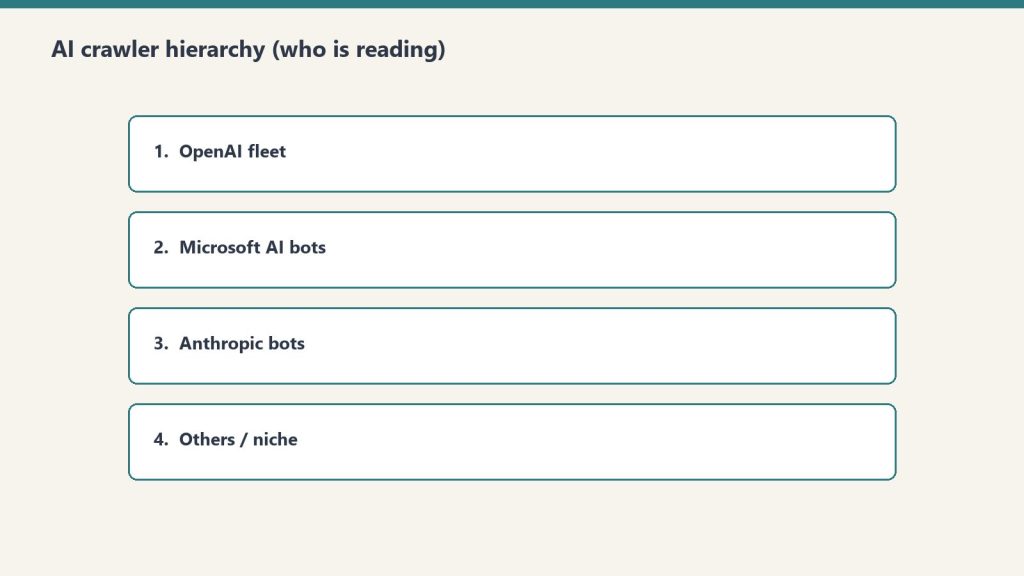
    Four ranked rows of AI crawler fleets reading publisher content
    Allow OAI-SearchBot in robots.txt.

    The single most-skipped step in GEO work. Add this block to your robots.txt:

    # Allow ChatGPT Search to retrieve and cite this site
    User-agent: OAI-SearchBot
    Allow: /
    
    # Optional: allow on-demand browsing for ChatGPT users
    User-agent: ChatGPT-User
    Allow: /
    
    # Optional: block training crawler if you want retrieval without training
    User-agent: GPTBot
    Disallow: /

    OpenAI publishes these three user agents and treats each independently. You can allow OAI-SearchBot for ChatGPT Search visibility and still disallow GPTBot from using your content for model training. The settings do not conflict. OpenAI’s systems typically recognize robots.txt changes within 24 hours.

    Step 3: Structure Pages for the Citation Filter

    Comparison of Claude how-to fit versus local service page fit for assistants
    Structure pages for the citation filter.

    Retrieval is necessary but not sufficient. Once your page is in the candidate set, the model decides whether to quote it. Pages that get quoted share a structural pattern.

    Direct answers in the first 100 words

    ChatGPT cites sources that answer the question fully. Partial answers lose to complete ones. Lead each page with a clean direct-answer paragraph: question implied or stated, answer in the next sentence, supporting detail after. This is the same pattern that wins featured snippets, which is not a coincidence — answer engines and snippet engines reward the same structure.

    JSON-LD schema

    An AirOps study of 548,534 pages found pages with JSON-LD markup posted a 38.5% citation rate versus 32.0% without it. Article, FAQPage, and HowTo schema are the highest-leverage types. Add them.

    Word count: 500–2,000

    Pages between 500 and 2,000 words performed best in the same AirOps study. Pages longer than 5,000 words were cited less often than pages under 500. The mechanism is mechanical: long pages overflow the retrieval context window, and the model defaults to shorter, denser sources it can quote in full.

    Freshness

    Content updated within 30 days received 3.2x more citations than older material. The fix is not faked freshness — it is genuine updates: a new stat, a new case, a corrected claim. Update the date when you update the content, not before.

    Step 4: Build the Authority Layer

    Structure gets you cited once. Authority gets you cited repeatedly. AirOps found sites with over 32,000 referring domains are 3.5x more likely to be cited by ChatGPT than sites with fewer than 200. You do not need 32,000 — you need to be in the upper band of your topical neighborhood.

    ChatGPT’s citation pattern leans heavily on Wikipedia (roughly 48% of top citations in multiple studies) and large news/media properties. The practitioner read on that: ChatGPT favors sources with multi-source third-party validation. Build the kind of citations on the open web that Wikipedia editors accept — peer-reviewed studies, primary sources, named author attribution, transparent methodology.

    Step 5: Track Your Citation Footprint

    You cannot manage what you do not measure. The minimum tracking stack for 2026:

    • Server log monitoring for OAI-SearchBot user agent — confirms OpenAI is actually crawling. If you allowed the bot in robots.txt three weeks ago and there are zero OAI-SearchBot hits in your logs, something is wrong (CDN block, IP firewall, misconfigured allow rule).
    • Manual citation audits — pick 10 priority queries, run them in ChatGPT with the Search toggle on, log which domains get cited. Repeat weekly. A spreadsheet beats no tracking.
    • Bing position tracking — because ChatGPT pulls from the Bing index, Bing rankings are a leading indicator. If your Bing position drops, ChatGPT visibility drops behind it.

    The Practitioner Summary

    Ranking in ChatGPT in 2026 is not mysterious. It is a four-gate funnel: Bing index → OAI-SearchBot crawl access → retrieval into the candidate set → citation selection. Most sites fail at gate one (not indexed in Bing) or gate two (OAI-SearchBot blocked or not addressed). Sites that clear those two gates and write pages that answer the question fully, with schema and a 500–2,000-word range, will land in the 15% that get quoted.

    Treat ChatGPT Search like a separate search engine that happens to share an index with Bing. Optimize for the index. Allow the crawler. Write the page. The rest follows.

    Related on Tygart Media: AI citation monitoring · AI search funnel · how AI engines cite.

  • Measure LLM Visibility: The GA4 & Response-Side Stack

    Measure LLM Visibility: The GA4 & Response-Side Stack

    Traditional analytics platforms can’t see the most important impression you’re making in 2026. When a user asks ChatGPT, Perplexity, Gemini, or Claude about your category, your brand either shows up in the answer or it doesn’t — and your GA4 dashboard has no idea either way. This is the measurement blind spot at the center of generative engine optimization. If you can’t measure LLM visibility, you can’t optimize for it.

    This guide walks through the measurement stack that actually works in 2026: the GA4 channel grouping that catches AI referral traffic, the manual verification protocol that costs nothing, and the dedicated LLM visibility platforms that automate prompt monitoring at scale. By the end, you’ll have a measurement framework you can run starting today.

    Why GA4 alone is not enough

    Four-stage funnel: citation, click, engage, convert
    Why GA4 alone is not enough.

    Standard web analytics measures what happens after the click. LLM visibility is what happens before the click — or instead of one. According to widely cited industry reporting, a large share of AI search sessions end without the user ever clicking through to a source, which means the brand impression inside the AI response is often the only impression you get. GA4 cannot see that impression. It cannot see when ChatGPT recommends you in a comparison. It cannot see when Perplexity cites your article as a source for an answer.

    You still need GA4 — AI referral traffic is real, growing, and converts well — but you need it as one layer of a two-layer stack. Layer one is referral-side measurement, which captures the users who actually click through from AI platforms. Layer two is response-side measurement, which monitors what AI platforms are saying about you whether anyone clicks or not.

    Layer one: catching AI referrals in GA4

    Topic platform fit visual for first-party AI citation measurement
    Catching AI referrals in GA4.

    GA4 does not have a built-in “AI” channel. By default, traffic from ChatGPT, Perplexity, Claude, and Gemini gets bucketed into the generic Referral channel, where it disappears next to social and partner sites. The fix is a custom channel group that uses a referrer regex to peel AI traffic out into its own bucket.

    In GA4, go to Admin → Data Settings → Channel Groups, create a custom channel group, and add a new rule above the default Referral rule. Set the conditions to Source matches regex and use a pattern like this:

    chatgpt\.com|openai\.com|perplexity\.ai|claude\.ai|anthropic\.com|gemini\.google\.com|copilot\.microsoft\.com|deepseek\.com|you\.com|meta\.ai|poe\.com

    The order matters. Your AI Traffic rule must sit above the Referral rule in the priority list, or AI traffic will be captured by Referral first and never reach your custom channel. Once the rule is live, you can build Explorations that segment AI traffic by source, page, conversion rate, and engagement time — and compare that segment against organic, direct, and social.

    The referrer attribution gap

    One caveat: not every AI click passes a referrer. ChatGPT’s free tier in particular has been reported to strip referrer headers in many configurations, meaning a meaningful share of ChatGPT traffic shows up as Direct in GA4 rather than as a chatgpt.com referral. This is a known limitation across the industry. Treat your AI referral numbers as a floor, not a ceiling, and use response-side monitoring to fill in the gap.

    Layer two: response-side monitoring

    This is the measurement that traditional SEO never needed. You’re no longer just asking “did anyone visit?” — you’re asking “what is the AI saying about me?” There are two ways to answer that question.

    The manual verification protocol

    The free, no-tool approach is a structured query log. Build a list of 15 to 25 prompts that a buyer in your category would realistically type into an AI assistant. Be specific. “Best CRM for small B2B teams” is a prompt. “What is a CRM” is not — that’s a research query, not a buyer query.

    Once a week, run every prompt through each AI platform you care about — typically ChatGPT, Perplexity, Gemini, and Claude — and record three things per query: whether your brand was mentioned, whether your domain was cited as a source, and what position your brand appeared in if it was named alongside competitors. A simple spreadsheet with prompt, date, platform, mention (yes/no), citation (yes/no), and position is enough to start. Week-over-week deltas on this sheet will tell you whether your GEO and AEO work is moving the needle.

    This is slow and manual but it’s the only method that gives you ground truth. The dedicated platforms below are essentially automating this protocol — running the same kind of prompt log against the same APIs on a daily schedule. If you’re under $1,000/month in marketing spend, run it manually. If you’re past that, automate it.

    Dedicated LLM visibility platforms

    A new category of tools emerged in 2025 and matured in 2026 specifically to monitor LLM responses. They all do roughly the same thing — run your target prompts daily across multiple AI engines, score visibility, track which sources the AIs cite, and surface competitor gaps — but they segment by price point.

    At the budget end, Otterly.AI offers monitoring plans starting around $29/month, with a Share of AI Voice metric and time-to-first-data of under ten minutes after signup. It’s the simplest entry point for teams that just want a citation-frequency dashboard. In the mid-market, Peec AI starts around €89/month and emphasizes multilingual coverage and actionable recommendations — it doesn’t just tell you you’re invisible, it suggests what to change. At the enterprise tier, Profound starts around $499/month and adds Prompt Volumes, which estimates real AI search demand by topic with demographic breakdowns. SOC 2 compliance and dedicated onboarding generally start at the $1,000+ enterprise tiers across this category.

    Other platforms in active use this year include Semrush’s AI Toolkit, SE Ranking’s SE Visible, Goodie AI, Rankscale, Nightwatch, AirOps, and Searchable. The category is moving fast — pricing and features change quarterly — so verify the current state of any platform before committing.

    The six KPIs to track

    Whatever measurement stack you use, the same handful of metrics will tell you whether GEO is working. Organize them into leading and lagging indicators:

    Leading indicators (response-side, change first):

    • Mention Rate — the percentage of monitored prompts where AI responses mention your brand name. This is the broadest signal.
    • Citation Rate — the percentage of monitored prompts where your domain is cited as a source, not just named. Citation is stronger than mention because it implies the AI is treating your content as authoritative.
    • Position — when your brand is named alongside competitors, where in the list does it appear. First-named brands get disproportionate attention.

    Lagging indicators (referral and revenue-side, change later):

    • AI Referral Sessions — total sessions from your AI Traffic channel group in GA4.
    • AI Referral Engagement — engagement rate and average engagement time for the AI segment, compared to organic. Strong AI referral traffic typically engages longer because the user arrived with intent already framed by the AI.
    • AI-Influenced Conversions — conversions where AI was part of the attribution path, even if not the last touch.

    Tier-one metrics move first because content changes affect what AIs say within days to weeks. Tier-two metrics lag because they require enough traffic to be statistically meaningful, which can take a quarter or more to develop.

    The minimum viable setup

    Desk with laptop, checklist notebook, and billing card ready before creating an Anthropic API key
    The minimum viable setup.

    If you do nothing else this week, do these three things:

    1. Add the AI Traffic channel group to GA4 using the regex above and move it above Referral in priority.
    2. Build a 15-prompt spreadsheet of buyer-intent queries for your category and run them once across ChatGPT, Perplexity, Gemini, and Claude. Record mention, citation, and position.
    3. Set a calendar reminder to repeat step two every Friday for four weeks. After four weeks you’ll have a real trendline.

    That setup costs nothing and produces the measurement layer that lets you tell whether your GEO, AEO, and LLMs.txt work is actually compounding — or whether you’re guessing. Once the trendline is stable, evaluate whether automating with Otterly, Peec, or Profound is worth the spend. For most operators, the manual protocol gets you 80% of the insight at 0% of the budget.

    Related on Tygart Media: LLM visibility measurement · citation monitoring · Bing Webmaster AI tab.

    Frequently Asked Questions

    What is LLM visibility?

    LLM visibility is the measurement of how often, and how prominently, a brand or website appears in responses generated by large language models like ChatGPT, Perplexity, Gemini, and Claude. It is the response-side counterpart to traditional search ranking — instead of measuring where you appear in a results page, you’re measuring whether AI assistants mention or cite you when answering questions in your category.

    Can GA4 track AI traffic from ChatGPT and Perplexity?

    GA4 can track AI referral clicks if you create a custom channel group with a referrer regex matching AI domains and place it above the default Referral rule. It cannot track impressions inside AI responses where the user doesn’t click through, and ChatGPT’s free tier often strips referrers entirely, so a portion of AI traffic still lands in Direct. Treat GA4 numbers as a floor.

    What is the difference between mention rate and citation rate?

    Mention rate measures the percentage of monitored AI prompts where your brand name appears anywhere in the response. Citation rate measures the percentage where your specific domain or URL is referenced as a source. Citation is a stronger signal because it indicates the AI is treating your content as authoritative, not just naming you in passing.

    Which LLM visibility tool should I use in 2026?

    For budget-conscious teams, Otterly.AI starts around $29/month and gets you to first data in minutes. For mid-market needs with multilingual coverage and recommendations, Peec AI starts around €89/month. For enterprise teams that need prompt-volume demand data and SOC 2 compliance, Profound starts around $499/month. Verify current pricing before purchasing — the category moves quickly.

    How often should I check my LLM visibility?

    For manual tracking, weekly is the right cadence — frequent enough to catch movement, infrequent enough to avoid noise. Dedicated platforms typically run automated checks daily and let you review weekly. Don’t expect day-to-day stability; AI responses have inherent variance, so look at week-over-week and month-over-month trends rather than single data points.

  • OpenAI Everything App: Why Behavior Beats Infrastructure

    OpenAI Everything App: Why Behavior Beats Infrastructure

    Microsoft has LinkedIn and enterprise distribution. Google has the native stack. Notion has the database architecture. OpenAI has something none of them have: 1.2 billion people a week who already open ChatGPT when they want to get something done. That’s not a product advantage. That’s a behavior advantage. And behavior is the hardest moat to breach.

    Where OpenAI Sits in This Series This is the fifth piece examining who builds the everything app. We’ve covered Microsoft, Google, Notion, and the everything database frame. OpenAI’s path is the most unusual: they’re not building from infrastructure up. They’re building from user behavior down.

    The Model Reality First — Get This Right

    Three cards: coding depth, latency first, agent reliability
    Model reality first — get this right.

    Before the strategy discussion, the model facts — because the landscape shifted significantly in early 2026 and the marketing doesn’t always match what’s actually deployed.

    As of mid-2026, OpenAI’s current flagship is GPT-5.5, which powers ChatGPT Enterprise (unlimited messages) and is the reasoning backbone of the unified super-assistant experience. The o-series models, such as o3, are the thinking models, trained to reason longer before responding; o3 is the deep-reasoning option. o4-mini, the former high-throughput option, was retired from ChatGPT on February 13, 2026, though it remains available in the API.

    Notably, GPT-4o, GPT-4.1, and GPT-4.1 mini were retired from ChatGPT as of February 13, 2026. Enterprise customers retained GPT-4o access until April 3, 2026. If you’re referencing these models in your stack — in tutorials, in documentation, in integrations — those references are now stale. OpenAI’s lineup keeps moving: at DevDay on September 29, 2026, it showcased GPT-6 Astra and revealed GPT-6.1 Sol.

    One more significant infrastructure move: the Assistants API was deprecated and removed from the API on August 26, 2026. OpenAI is replacing it with the Responses API — a new primitive that combines Chat Completions simplicity with Assistants-style tool use, supporting web search, file search, and computer use natively. If you built on the Assistants API, your integration needs to run on the Responses API now.

    OpenAI’s Everything App Bet: Behavior Over Infrastructure

    Three stacked layers: chat UI, tools, agent runtime
    Behavior over infrastructure.

    Microsoft’s everything app bet is infrastructure — they own the OS, the enterprise software stack, and a professional network. Google’s bet is native stack — they own search, email, calendar, and mobile. Both are building from the platform up.

    OpenAI is doing the opposite. They’re starting from where people already go to get things done, and expanding outward from that behavioral beachhead. ChatGPT’s 1.2 billion weekly users don’t use it because it owns their email. They use it because it’s the fastest path from question to answer, from idea to draft, from problem to solution.

    The everything app doesn’t have to own your data. It just has to be the place you go first. OpenAI is betting that if they can make ChatGPT good enough at enough things — and fast enough at integrating with the tools you already use — the behavioral habit becomes the moat. You stop going to Google first. You stop opening a new app. You open ChatGPT.

    The Pieces OpenAI Has Assembled

    The consolidation has been quieter than Microsoft’s marketing machine or Google’s Cloud Next announcements, but the pieces are substantial.

    Operator — the computer-using agent — launched as a research preview in early 2025 and integrated fully into ChatGPT by mid-year. It browses, clicks, fills forms, and manages logins autonomously. GPT-5.5’s score on OSWorld-Verified — the standard benchmark for computer-use agents — is 78.7%. The human baseline on the same benchmark is 72.4%. That’s not a lab result. That’s production-grade desktop and browser automation beating human performance on standardized tasks.

    Projects and Memory — launched across late 2024 and 2025 — give ChatGPT persistent context across sessions. Projects (December 2024) let you organize work by context. Project Memory (August 2025) lets ChatGPT learn your preferences, communication style, and working patterns over time. This is the foundational layer for the everything app: an AI that knows you, not just your current prompt.

    Workspace Agents for Enterprise — launched April 22, 2026 — let enterprise teams create, share, and manage AI agents for workflow automation. Powered by Codex, these agents handle reporting, coding, and messaging tasks autonomously. This is OpenAI’s direct enterprise play, competing with Microsoft’s Agent 365 and Google’s Workspace Studio on their home turf.

    Sora 2 — released September 2025 — moved AI video from novelty to production-grade. It’s available both as a standalone app and deeply integrated within ChatGPT. Video generation, image creation, voice, code execution, deep research, file analysis — all inside one interface. The surface area of what ChatGPT can do has expanded faster than most people have tracked.

    The Apps SDK and MCP support — announced in 2025 — let developers build UIs alongside MCP servers, defining both logic and interactive interface of applications that run inside ChatGPT. OpenAI is building a developer ecosystem where third-party tools surface inside ChatGPT natively, not as links out to other apps.

    The Honest Strategic Weakness: OpenAI Doesn’t Own the Data Layer

    Five security domains: identity, data, code governance, audit, agents
    Honest weakness — doesn’t own the data layer.

    Here’s the structural problem with OpenAI’s everything-app path that doesn’t get enough attention.

    Microsoft owns the calendar data, the email data, the document data, the professional network data. Google owns the same stack natively. Notion owns the database architecture where your operational data lives. OpenAI owns a conversation history and whatever files you’ve uploaded to Projects.

    That’s a meaningful gap. When you ask Microsoft Copilot “what happened in last week’s client meeting?” it can actually answer — because it has the calendar event, the Teams recording transcript, and the follow-up email thread. When you ask ChatGPT the same question, the answer is only as good as what you’ve explicitly provided.

    OpenAI’s answer to this is Operator and the connector ecosystem — let ChatGPT reach into your existing tools and pull the data it needs. That works, but it creates a dependency chain that Microsoft and Google don’t have. Every integration is a point of failure. Every API change is a breakage risk. Every permission prompt is friction that erodes the behavioral habit.

    The Responses API — replacing the Assistants API in August 2026 — is designed to close some of this gap with native web search, file search, and computer use built in. But native search is not the same as owning the inbox. And computer use, for all its benchmark performance, is still slower and less reliable than a dedicated integration.

    Where OpenAI Wins: The Consumer and Creator Layer

    The enterprise everything-app race may go to Microsoft or Google by default — too much infrastructure, too many IT relationships, too much compliance architecture for a newcomer to overcome in 18 months.

    But the consumer and creator layer is wide open. And that’s where OpenAI’s behavioral moat matters most.

    For freelancers, solopreneurs, content creators, small agencies, and knowledge workers who aren’t tied to an enterprise IT environment, ChatGPT is already the everything app. It drafts your emails, edits your copy, analyzes your data, generates your images, browses for research, and runs your automations. The question isn’t whether they’ll adopt it — they already have. The question is whether OpenAI deepens that relationship fast enough to make switching costly before Microsoft and Google catch up on the consumer side.

    Memory is the weapon here. The longer a user runs their work through ChatGPT Projects with memory enabled, the more context OpenAI accumulates about how that person thinks, works, and communicates. That context is genuinely hard to transfer to a competing platform. It’s not data in a database — it’s learned behavioral preference. The switching cost compounds with every session.

    The Operator Economy: OpenAI’s Wildcard

    The most underrated piece of OpenAI’s everything-app strategy isn’t ChatGPT itself — it’s the operator ecosystem.

    An “operator” in OpenAI’s framework is any business that deploys ChatGPT capabilities inside their own product. Every company building on the OpenAI API — embedding ChatGPT into their CRM, their help desk, their e-commerce platform, their internal tools — is an operator. Every one of those deployments is a surface where OpenAI’s models become the intelligence layer of someone else’s everything app.

    Microsoft has Copilot. Google has Gemini. But neither of them has the sheer number of third-party applications already running on their models that OpenAI has accumulated. The operator ecosystem means OpenAI doesn’t have to build every surface themselves. They just have to remain the model that operators trust most — and as long as GPT-5.5 and the o-series stay at the frontier of capability, that trust is relatively durable.

    The Workspace Agents launch, combined with the Apps SDK and MCP support, is OpenAI formalizing this operator model for enterprise. They’re saying: we won’t replace your enterprise software stack. We’ll become the reasoning layer that sits across all of it.

    What This Means for Your Stack Right Now

    If you’re building on OpenAI’s API or running workflows through ChatGPT, three immediate action items:

    • Finish your Assistants API migration. The Assistants API was removed on August 26, 2026, and the Responses API migration path is documented.
    • Enable Projects and Memory for your team’s ChatGPT accounts. The compounding advantage of memory only builds if you start using it. Teams that have six months of Project memory by Q4 2026 will have a materially different AI experience than teams starting fresh.
    • Think about where ChatGPT sits relative to your Notion database. OpenAI’s operator model and MCP support mean ChatGPT can connect to your Notion everything database via the Notion Public API. The everything database frame doesn’t require you to choose between Notion and ChatGPT — it lets you use both, with Notion as the structured data layer and ChatGPT as the reasoning and action surface on top of it.

    The everything app race isn’t over. OpenAI has the behavior moat, the operator ecosystem, and the fastest-moving model roadmap of any company in this field. What they don’t have is the data infrastructure that Microsoft and Google own by default. How they close that gap — through connectors, through Operator’s computer-use capabilities, through the Responses API — will determine whether ChatGPT becomes the everything app or the everything layer sitting on top of someone else’s everything app.

    Both outcomes are valuable. Only one of them wins the race.

    Related on Tygart Media: how to use Claude · Anthropic API key.

    Frequently Asked Questions

    What is OpenAI’s current flagship model in 2026?

    As of mid-2026, GPT-5.5 is OpenAI’s primary model powering ChatGPT Enterprise. The o3 model handles deep reasoning tasks. GPT-4o, GPT-4.1, GPT-4.1 mini, and o4-mini were retired from ChatGPT on February 13, 2026. The Assistants API was removed on August 26, 2026, replaced by the Responses API. At DevDay on September 29, 2026, OpenAI showcased GPT-6 Astra and revealed GPT-6.1 Sol.

    What is the OpenAI Responses API?

    The Responses API is OpenAI’s replacement for the Assistants API (sunset August 26, 2026). It combines Chat Completions simplicity with Assistants-style tool use, supporting built-in web search, file search, and computer use. It’s the new primitive for building agents on OpenAI’s platform.

    What are OpenAI Workspace Agents?

    Launched April 22, 2026, Workspace Agents let enterprise teams create, share, and manage AI agents for workflow automation inside ChatGPT. Powered by Codex, they handle reporting, coding, and messaging tasks autonomously — OpenAI’s direct enterprise play against Microsoft Agent 365 and Google Workspace Studio.

    How does ChatGPT Operator work?

    Operator is OpenAI’s computer-using agent — it browses, clicks, fills forms, and manages logins autonomously. GPT-5.5 scores 78.7% on the OSWorld-Verified benchmark for computer-use tasks, above the 72.4% human baseline. It’s integrated directly into the ChatGPT interface for eligible plans.

    Can ChatGPT connect to a Notion database?

    Yes. Via the Notion Public API and OpenAI’s MCP support and connector ecosystem, ChatGPT can read from and interact with Notion databases. This makes the “everything database” architecture viable with OpenAI as the reasoning surface — Notion holds the structured data, ChatGPT reasons and acts on it.

  • Notion AI vs ChatGPT for Daily Knowledge Work

    Notion AI vs ChatGPT for Daily Knowledge Work

    Related on Tygart Media: Notion AI review · Claude vs Notion AI.

    The 60-second version

    This isn’t a winner-take-all comparison. Notion AI and ChatGPT are different categories of tool that get incorrectly compared because they both use the word “AI.” Notion AI knows your workspace. ChatGPT knows the open web. The right operator stack uses both. The question isn’t which to pick; it’s how to route work between them.

    When Notion AI wins

    Six evaluation cards for choosing an AI assistant platform
    When Notion AI wins.
    • Anything that requires knowing your specific content
    • Synthesis across your databases, pages, and connected sources
    • Document work where the doc lives in your workspace
    • Recurring tasks that benefit from agent automation
    • Mobile use where seamless integration matters

    When ChatGPT wins

    Four cards comparing ChatGPT, Gemini, Perplexity, and Copilot by job
    When ChatGPT wins.
    • Open-web research
    • Brainstorming on topics outside your workspace
    • Code generation (currently ChatGPT and Claude lead here)
    • General-purpose Q&A
    • Conversational exploration of ideas

    How they stack

    Four cards for content, ops, build, and knowledge work with Claude
    How they stack for daily knowledge work.

    The pattern that works for most operators: ChatGPT for “thinking out loud” and external research; Notion AI for everything that touches your actual work. Use ChatGPT to draft an idea, then move the polished version into Notion where it joins your actual workspace and Notion AI takes over.

    What ChatGPT does that Notion doesn’t (yet)

    • Image generation
    • Voice conversations as a primary mode
    • Custom GPT marketplace
    • Data analysis on uploaded files at scale

    What Notion AI does that ChatGPT doesn’t

    • Persistent context across your workspace
    • Database manipulation and Autofill
    • Custom Agents running on schedules
    • Workers for code execution
    • Native integration with Slack, Mail, Calendar at the workspace level

    The pricing reality

    ChatGPT Plus is $20/month per user. Notion Business is $20/user/month annually with separate Custom Agent credits ($10/1000) starting May 4. For a team using both heavily, the combined cost is meaningful.

    Where comparisons go wrong

    1. Asking “which is smarter.” They use overlapping models. Raw model intelligence is similar; what differs is integration depth.
    2. Trying to pick one. The right answer is usually both, with clear use-case routing.
    3. Treating ChatGPT memory as equivalent to Notion’s workspace context. ChatGPT memory is conversational. Notion’s context is structured workspace data. Different categories.

    What to read next

    Notion AI vs Claude Projects, Notion AI vs Gemini, Editorial Surface Area, Auto Model Selection.