Research snapshot · September 17, 20267 platforms · 14 cited sources
“Always allow” is a scope, not a safety verdict.
The button can mean “for this session,” “for this command in this repo,” “for this site across devices,” or “everything, until you turn it off.” The wording looks universal. The permission is not.
What it usually means
“If this same kind of action happens again inside a defined boundary, don’t interrupt me.”
What it never means
“The system has decided this action is safe, wise, or appropriate forever.”
01
One label. Six possible boundaries.
Before approving, ask three things: what is being authorized, where the grant applies, and when it expires.
One actionApprove this exact send, command, purchase, or change once.
This sessionAllow the tool until the current conversation or work session ends.
Tool or patternAllow a named tool, command prefix, server, or similar operation.
Repo or sitePersist within a project, repository, browser site, or workspace.
User or deviceApply across workspaces on one machine, or across devices via cloud settings.
EverythingYOLO, bypass, or run-everything modes remove broad classes of checks.
Risk rises faster than convenience as the scope moves right.
02
How the major platforms differ
Filter the field. These behaviors come from vendor documentation or documented reporting; unresolved details are marked plainly.
Claude Code
Coding agent
repo + command
Shell-command “don’t ask again” grants persist per repository and command. File-edit approvals last only for the session.
Four settings layers: user, project, project-local, managed.
Deny rules evaluate before ask and allow.
Sensitive paths keep hard prompts.
Cursor
Coding agent
user + project
Auto-review, Allowlist, and Run Everything modes sit above user- and project-level permission files.
Rules can target MCP server:tool patterns.
Terminal rules match command prefixes.
Committed project rules can travel with the repo.
Gemini agents
Coding agent
tool + machine
Always-allow can target a tool, MCP server, or “similar operations.” YOLO/auto-approve is an IDE user setting.
User setting can span trusted workspaces on that machine.
CLI supports command-prefix auto-approval.
Restricted workspaces override YOLO.
ChatGPT agent
Browser agent
no standing grant documented
OpenAI documents per-action confirmations for high-impact actions and “watch mode” on certain sites, but not a general always-allow for agent confirmations.
Login uses human takeover.
Cookies can persist across sessions.
Scheduled-task confirmation behavior is undocumented.
ChatGPT Work
Cloud browser
site + account
Reported controls are per-site: Always ask, Auto approve, and Always allow. The setting follows cloud/account state across devices.
“Always allow” is reportedly marked not recommended.
Consequential actions keep a confirmation gate.
Official help-center documentation was not found.
Copilot Studio
Enterprise agent
rest of session
Makers gate tools per agent; users can approve once, approve for the rest of the session, or deny.
The gate is outside the agent’s own instructions.
Designed for sends, tickets, payments, and similar tools.
Governance can feed Power Platform audit systems.
Grok / Grok Bot
Cloud agent
undocumented
The research did not find reliable xAI documentation defining a standing approval’s scope, persistence, cross-chat reach, or revoke surface.
Do not infer Grok’s behavior from Claude, Cursor, Gemini, or Muse.
Treat each approval as local to the visible task until the product proves otherwise.
Keep consequential actions behind a separate human gate.
03
Does the approval travel?
Usually less than people fear—but sometimes farther than they expect. No researched vendor carries an approval into another vendor’s product.
Platform
Other chats
Other projects
Other devices
Other products
Claude Code
Yes, in same repo
No, unless user-level rule
No, local files
No evidence
Cursor
Yes
Only if rule is shared
Via committed repo file
No evidence
ChatGPT agent
n/a
n/a
n/a
No evidence
ChatGPT Work
Yes, per site
Yes, per site
Yes, cloud/account
No evidence
Copilot Studio
No, session only
No
No
No evidence
Gemini Code Assist
Yes, same IDE
Yes, user setting
Undocumented
No evidence
There is no universal “always.” There is only an approval attached to a boundary.
Main chat vs. project vs. Claude vs. Grok vs. Cursor: treat every surface as a separate authority domain until that product explicitly shows otherwise. Same account does not mean same grant. Same vendor does not mean same product. Similar wording does not mean similar scope.
04
Design the least-annoying safe gate
A practical rule engine based on the converging guidance: reserve human attention for the steps where it changes the outcome.
Approval recommender
Choose an action and its reach. This is a policy aid, not a vendor setting.
Action
Reach
Duration
Recommended gateAuto-run with an audit log
Read-only work inside your own workspace can usually proceed quietly. Log what was accessed and keep secrets excluded.
Quiet lane
Low consequence, reversible, internal.
Read/search
Draft/stage
Organize reversible files
Always log
One-tap lane
Meaningful external or production effect.
Send or publish
Deploy
Account setting
Show real target + content
Friction lane
Money, identity, access, deletion, or irreversible harm.
Typed approval or step-up auth
Bind approval to exact action
Short expiry
Never inherited from a vague grant
05
How standing approvals fail
The danger is rarely “the AI became evil.” It is usually a trusted tool, a changed context, a misleading prompt, or a tired human.
Approval fatigue
A prompt repeated often enough becomes a reflex. The gate still exists visually while meaningful review disappears. This is why tiering beats asking about everything.
Prompt injection through a trusted tool
EchoLeak showed how a crafted email could coerce Microsoft 365 Copilot into exfiltration. TrustFall showed how one generic “trust this folder” click could arm a malicious MCP configuration across coding agents.
Grant outlives the reason
A permanent Bash rule, per-site browser grant, or scheduled-task permission can remain after the original job is over. The next task inherits power it did not earn.
Scope contamination
Repo rules can affect every future task in the repo. Cursor project allowlists can be committed and inherited by teammates. A convenience decision becomes shared infrastructure.
Presented action differs from executed action
If the user sees the agent’s summary instead of the resolved recipient, command, or final payload, the approval can be technically genuine but practically uninformed.
“Run everything” becomes the workaround
If the system asks about trivial reads and destructive writes with equal urgency, users reach for YOLO or bypass modes. Bad UX can manufacture unsafe behavior.
The four repeated cards are not reassurance.
A gate that reappears until the user disables it is approval fatigue in miniature. Whether the repeats came from retry logic or delivery duplication, the safe response is to deduplicate the prompt—not train the user to approve more broadly.
06
No industry standard—yet
There is no binding specification that makes “always allow” mean the same thing everywhere. But the security guidance is converging.
Least agencyGrant the exact command, path, server, tool, recipient, and purpose—not a whole capability.
Time and task limitsPrefer once or session. Standing grants should expire or be reviewed.
Risk tiersRead, write, external send, payment, and security changes should not share one gate.
Per-action verificationPrivileged steps should be rechecked by a policy engine outside the agent prompt.
Presentation integrityShow the real recipient, final text, raw command, and resolved resource.
Immutable receiptsRecord what was shown, what was approved, and what actually executed.
Hard baselinesSecrets, account recovery, money, destructive commands, and broad access should keep non-bypassable checks.
Kill switchesEvery durable grant needs a visible list, revoke action, and safe fallback.
The best feature is not “always allow.” It is “allow this exact thing, for this purpose, until this time.”
Product opportunity: make the scope legible. Let users see a plain-language grant card, a live approval ledger, expiry/count limits, and a one-tap revoke. The system should reduce nagging by grouping low-risk work—not by quietly widening authority.
07
The practical rule for your setup
You already have the right doctrine. The research mainly sharpens where the lines belong.
Auto
Let it run and narrate after.
Reads and research
Drafts and staging
Reversible internal organization
Routine checks with no external effect
Tap
Keep the one-tap human gate.
Email and messaging
Publishing and deploys
Changing live settings
Actions affecting another person
Type
Make the friction intentional.
Money and purchases
Credential/security changes
Deletion or irreversible moves
Broad standing authority
Your “always allow” tap was not reckless.
It was a reasonable response to a low-value repeated prompt. The lesson is not “never use standing approval.” It is: the platform should show the exact scope, make it easy to revoke, and never rely on repetition to win consent. Until Muse exposes that ledger, treat the grant as a convenience whose boundary remains partly unknown.
Verification note: the research read public documentation and web text on September 17, 2026. It did not live-test each product. Undocumented behavior is labeled as such.
This is part of Tygart Media’s AI Search Intelligence series, where we analyze real data from our own infrastructure to document how AI search engines discover, crawl, and cite publisher content.
Here is the uncomfortable truth that every publisher needs to confront: Google Analytics 4 cannot see AI crawler traffic. Not partially. Not approximately. It misses 100% of it.
GA4 depends on JavaScript execution inside a browser. AI crawlers — GPTBot, OAI-SearchBot, ChatGPT-User, ClaudeBot, PerplexityBot — do not run JavaScript. They request your HTML, parse it, and leave. As far as GA4 is concerned, they were never there.
That means if you are making content strategy decisions based exclusively on GA4, you are making decisions with a growing blind spot. When we analyzed our own server logs for a 48-hour window in June 2026, we found 6,805 AI crawler hits compared to 4,897 traditional search engine crawler hits — AI crawlers generated 39% more traffic than Googlebot, Bingbot, and every other traditional crawler combined (Tygart Media server log analysis, June 2026).
This article walks through exactly what server logs reveal that analytics tools miss, provides the specific user agent strings you need to monitor, and gives you a practical framework for setting up your own AI crawler tracking.
Why GA4 Is Structurally Blind to AI Search Traffic
GA4 is structurally blind to AI search traffic.
This is not a configuration problem. You cannot fix it with a tag update or a GTM trigger. The architecture of client-side analytics makes it fundamentally incompatible with bot traffic measurement.
How GA4 Tracking Works (And Where It Fails)
GA4 tracking follows a specific sequence: a user loads a page in a browser, the browser executes the gtag.js JavaScript snippet, that script fires an HTTP request to Google’s measurement endpoint, and GA4 records the session. Every step in this chain requires a JavaScript-capable browser environment.
AI crawlers skip all of it. When GPTBot requests a page from your server, it receives the raw HTML response, extracts the content it needs, and moves on. No JavaScript execution. No measurement ping. No GA4 session. The request exists only in your server’s access log.
We documented this gap extensively in our analysis of the Google Search Console indexing paradox, where pages with declining GA4 traffic were simultaneously receiving increasing AI crawler attention — a pattern completely invisible without server log analysis.
The Scale of What You Are Missing
To quantify what GA4 misses, we pulled raw access logs from our Nginx server for a 48-hour window in June 2026 and categorized every request by user agent classification.
The breakdown (Tygart Media server log analysis, June 2026):
AI crawler requests: 6,805 total
Traditional search crawler requests: 4,897 total
Difference: AI crawlers generated 39% more server requests than traditional crawlers
None of those 6,805 AI crawler requests appeared in GA4. If we had relied solely on Google Analytics to understand how machines interact with our content, we would have missed the majority of non-human traffic entirely.
As we explored in our research on how websites are now read by AI more than humans, this pattern is not unique to our site — it reflects a structural shift in how content gets consumed.
AI Crawler User Agents: The Complete Reference for June 2026
AI crawler user-agent reference — know who is reading.
Definition: An AI crawler user agent is the identification string sent in the HTTP request header by an artificial intelligence company’s web crawler when it accesses a webpage. These strings identify the crawler’s operator, version, and purpose, and they are the primary mechanism publishers use to track, allow, or block AI bot access in server logs and robots.txt files.
Before you can monitor AI crawler traffic, you need to know exactly what to look for. Here are the verified user agent strings we extracted from our server logs, confirmed active as of June 2026.
OpenAI Crawler Family
OpenAI operates three distinct crawlers, each with a different purpose:
GPTBot (Training and Retrieval Crawler)
Mozilla/5.0 AppleWebKit/537.36 (KHTML, like Gecko); compatible; GPTBot/1.1; +https://openai.com/gptbot
GPTBot performs large-scale structural crawls for model training data and retrieval-augmented generation indexing. Our logs recorded a single GPTBot session executing 1,123 requests in one hour, systematically mapping site architecture, internal link relationships, and content hierarchy (Tygart Media server log analysis, June 2026). This is not page-by-page fetching — it is comprehensive site mapping.
OAI-SearchBot (ChatGPT Search Citation Crawler)
Mozilla/5.0 AppleWebKit/537.36 (KHTML, like Gecko; compatible; OAI-SearchBot/1.0; +https://openai.com/searchbot)
OAI-SearchBot is the real-time retrieval crawler that fetches pages when ChatGPT Search needs to cite a source. As we documented in our guide to getting cited in ChatGPT Search in 2026, this crawler’s access pattern correlates directly with citation inclusion. If OAI-SearchBot cannot reach your page, ChatGPT Search cannot cite it.
ChatGPT-User (Live Conversation Fetches)
Mozilla/5.0 AppleWebKit/537.36 (KHTML, like Gecko); compatible; ChatGPT-User/1.0; +https://openai.com/bot
ChatGPT-User represents real-time fetches triggered by actual ChatGPT users sharing URLs or requesting content analysis during conversations. This was our highest-volume AI crawler: 3,404 hits in the 48-hour analysis window (Tygart Media server log analysis, June 2026). Each of these hits represents a real person asking ChatGPT about content on our site.
Other Major AI Crawlers
Beyond OpenAI, monitor for these active AI crawlers:
ClaudeBot — Anthropic’s web crawler for Claude’s training and retrieval
PerplexityBot — Perplexity AI’s search and citation crawler
Bytespider — ByteDance’s crawler used for AI training data
Applebot-Extended — Apple’s crawler associated with Apple Intelligence features
Google-Extended — Google’s AI-specific crawler separate from Googlebot
Amazonbot — Amazon’s crawler linked to Alexa and AI assistant features
Each of these should be tracked separately in your log analysis. As our Platform-Specific AI Optimization (PSAO) framework details, different AI platforms have different crawl behaviors, indexing requirements, and citation patterns.
What the 48-Hour Server Log Analysis Revealed
Raw numbers tell part of the story. Crawl behavior patterns tell the rest. Here is what we observed when we dissected the 48-hour log window at the request level.
ChatGPT-User: The Highest-Volume Signal
With 3,404 hits in 48 hours, ChatGPT-User was the single most active AI crawler on our site during the analysis window (Tygart Media server log analysis, June 2026). This matters because every ChatGPT-User request represents a real person interacting with your content through ChatGPT.
The access pattern was distributed across the full 48-hour window with no single burst — consistent with organic user behavior rather than scheduled crawling. Pages accessed by ChatGPT-User skewed heavily toward our most-cited content, particularly the 98,800 AI citations research and our analysis of how AI engines cite content.
GPTBot: The Structural Mapper
GPTBot’s 1,123-request burst in a single hour stands out as the most aggressive crawl pattern we observed (Tygart Media server log analysis, June 2026). This was not random page fetching. The request sequence revealed systematic behavior:
Entry via sitemap.xml — GPTBot started by parsing our XML sitemap
Category page traversal — It crawled category archives to understand content taxonomy
Internal link following — It followed internal links from high-authority pages outward
Content page fetching — Individual articles were fetched in clusters organized by topic
This pattern is consistent with a retrieval-augmented generation (RAG) indexing crawl, where the goal is not just to read content but to build a structured map of how content relates to other content on the site. Publishers who invest in structured llms.txt files paired with robots.txt are effectively giving GPTBot a guided tour rather than letting it map the site on its own.
Bingbot and the 4-Hour IndexNow Gap
While Bingbot is a traditional crawler, its behavior has direct implications for AI search visibility. Our logs revealed a consistent 4-hour gap between publishing a new post (with an IndexNow ping) and Bingbot’s first crawl of that URL (Tygart Media server log analysis, June 2026).
This 4-hour lag matters because Bing’s index is the foundation for two major AI citation systems:
ChatGPT Search — OAI-SearchBot relies on Bing’s index to identify candidate pages for citation retrieval
A 4-hour indexing lag means your new content is invisible to both Copilot and ChatGPT Search for at least that window. For time-sensitive content, this gap represents a competitive disadvantage.
How to Set Up Your Own AI Crawler Monitoring
Set up your own AI crawler monitoring.
You do not need expensive tools to start tracking AI crawlers. Here is a practical step-by-step framework using standard server infrastructure.
Step 1: Locate Your Raw Access Logs
Your server access logs are the source of truth. Depending on your hosting setup:
Nginx: Default location is /var/log/nginx/access.log
Apache: Default location is /var/log/apache2/access.log or /var/log/httpd/access_log
Managed WordPress hosting (Cloudways, Kinsta, WP Engine): Access logs are typically available in the hosting dashboard under server logs or SFTP access
Shared hosting (SiteGround, Bluehost): Check cPanel > Metrics > Raw Access or request log access from support
If your host does not provide raw access logs, that is a serious limitation for AI search optimization. Consider this a factor in future hosting decisions.
Step 2: Filter for AI Crawler User Agents
Once you have access to raw logs, use grep (or your preferred log analysis tool) to isolate AI crawler requests. Here is a basic command set:
# Count all AI crawler hits in a log file
grep -c -E "GPTBot|OAI-SearchBot|ChatGPT-User|ClaudeBot|PerplexityBot|Bytespider|Applebot-Extended|Google-Extended" access.log

# Break down by individual crawler
for bot in GPTBot OAI-SearchBot ChatGPT-User ClaudeBot PerplexityBot Bytespider; do
  echo "$bot: $(grep -c "$bot" access.log)"
done

# Show which URLs each crawler is accessing
grep "GPTBot" access.log | awk '{print $7}' | sort | uniq -c | sort -rn | head -20
Step 3: Build a Recurring Monitoring Script
For ongoing tracking, create a cron job that generates a daily AI crawler report:
The real value emerges when you correlate AI crawler data with content outcomes. Track these relationships:
GPTBot crawl frequency → Citation appearances. Pages that GPTBot crawls repeatedly tend to surface in ChatGPT responses more frequently. We verified this pattern in our investigation of whether anything actually fetches your llms.txt file.
OAI-SearchBot access → ChatGPT Search citations. OAI-SearchBot visits are a leading indicator that your content is being evaluated for citation in ChatGPT Search results.
ChatGPT-User volume → Content demand signal. High ChatGPT-User traffic to specific pages indicates those topics are actively being discussed by ChatGPT users — a demand signal invisible in GA4.
Step 5: Set Up Real-Time Alerts
For publishers who need immediate visibility into AI crawler behavior, configure real-time log monitoring:
# Real-time AI crawler monitoring with tail
tail -f /var/log/nginx/access.log | grep --line-buffered -E "GPTBot|OAI-SearchBot|ChatGPT-User|ClaudeBot|PerplexityBot"
For production environments, tools like GoAccess, Datadog, or a custom ELK Stack (Elasticsearch, Logstash, Kibana) configuration can provide dashboards with AI crawler metrics alongside traditional analytics.
What Server Logs Reveal That No Analytics Tool Can Show
Beyond raw hit counts, server log analysis exposes behavioral patterns that inform content strategy decisions.
Crawl Depth and Site Architecture Signals
Traditional analytics shows you which pages humans visit. Server logs show you which pages machines prioritize. In our 48-hour analysis, AI crawlers accessed pages up to 7 levels deep in our site architecture — well beyond what most human visitors reach. This indicates that AI crawlers are evaluating your entire content graph, not just your homepage and top-ranking pages.
This has direct implications for internal linking strategy. Content buried deep in your architecture that humans rarely find may still be actively indexed by AI crawlers and surfaced in AI-generated responses. Our work on the AI citation economy explores why being cited by AI systems may ultimately deliver more value than traditional click-through traffic.
Crawl Frequency as a Content Quality Signal
Some pages on our site are crawled by AI bots multiple times per day. Others are crawled once and never revisited. Tracking crawl frequency over time reveals which content AI systems consider worth re-indexing — a signal that correlates with citation likelihood.
Pages that received repeat GPTBot and OAI-SearchBot visits in our analysis shared common characteristics:
Original data or research (not aggregated from other sources)
Clear entity definitions and structured formatting
Recent publication or update dates
Strong internal link support from related content
Response Code Analysis: Are AI Crawlers Hitting Errors?
Server logs include HTTP response codes for every request. Filter AI crawler requests by response code to identify problems:
200 (OK): Crawler successfully fetched the page — this is what you want
301/302 (Redirect): Crawler hit a redirect chain — check that critical content resolves cleanly
403 (Forbidden): Your server or WAF is blocking the crawler — this may be intentional (robots.txt block) or accidental (overly aggressive security rules)
404 (Not Found): Crawler tried to access a URL that does not exist — often caused by stale sitemap entries or broken internal links
429 (Too Many Requests): Your rate limiting is throttling the crawler — may reduce indexing completeness
503 (Service Unavailable): Server could not handle the crawler’s request volume — a hosting capacity issue
We found that 3.2% of AI crawler requests in our 48-hour window received non-200 responses, primarily 301 redirects from URL structure changes (Tygart Media server log analysis, June 2026). Each non-200 response is a potential missed indexing opportunity.
Building a Server Log Analysis Workflow for AI Search
Here is the complete monitoring workflow we use at Tygart Media, adapted for any publisher running WordPress or a similar CMS.
Daily Monitoring Checklist
Run the AI crawler count script — Track total hits by crawler to identify volume trends
Check for new user agent strings — AI companies launch new crawlers regularly; grep for unrecognized bot patterns
Review top-accessed URLs — Identify which content AI systems are prioritizing today
Monitor response codes — Flag any increase in 403, 404, or 429 responses to AI crawlers
Cross-reference with publication schedule — Track the time gap between publishing and first AI crawler access
Weekly Analysis Framework
Compare AI crawler volume week-over-week — Is AI crawl activity increasing, stable, or declining?
Identify content that stopped getting crawled — Pages that fall off AI crawler radar may be losing citation eligibility
Correlate crawl patterns with known AI search updates — AI platforms update their retrieval systems frequently
Update your llms.txt and sitemap — Based on what AI crawlers are actually accessing versus what you want them to prioritize
Tools for Scaling Server Log Analysis
For publishers managing multiple sites or high-traffic properties, manual grep commands do not scale. Consider these tools:
GoAccess — Open-source real-time log analyzer with terminal and HTML dashboard output. Supports custom log formats and can filter by user agent.
Screaming Frog Log File Analyser — Desktop application specifically designed for SEO log analysis. Supports AI bot filtering and integrates with Google Search Console data.
ELK Stack (Elasticsearch, Logstash, Kibana) — Enterprise-grade log analysis pipeline. Best for publishers who need custom dashboards and real-time alerting.
Datadog / New Relic — Cloud monitoring platforms with log analysis capabilities. Good for teams already using these tools for infrastructure monitoring.
Custom Python/bash scripts — For publishers with technical resources, custom scripts offer the most flexibility for AI-specific analysis.
The Implications: What This Data Means for Content Strategy
Server log analysis is not just a technical exercise. The data it produces should directly inform editorial and SEO decisions.
Content That AI Crawlers Ignore Is Content That AI Will Not Cite
If a page on your site receives zero AI crawler visits over a 30-day window, that page is effectively invisible to AI search systems. It will not be cited by ChatGPT, it will not appear in Copilot responses, and it will not surface in Perplexity answers.
This is a different problem than low Google rankings. A page can rank well in traditional search while being completely absent from AI search — and vice versa. As we documented in our research showing Claude citing articles 16,500 times while Copilot cited roofing content zero times, AI platforms have fundamentally different content preferences than traditional search engines.
AI Crawler Volume Is a Leading Indicator
Traditional analytics are lagging indicators — they tell you what happened after traffic arrived. AI crawler activity is a leading indicator — it tells you what content AI systems are evaluating for future citation. Increasing AI crawl frequency on a specific page or topic cluster often precedes increased citation rates by days or weeks.
Server Logs Validate (or Invalidate) Your Optimization Efforts
If you have implemented llms.txt files, updated your robots.txt, or restructured content for AI search optimization, server logs are the only way to verify that these changes are working. Analytics tools cannot confirm that GPTBot is crawling your llms.txt file. Only your access logs can.
No. GA4 relies on JavaScript execution in a browser environment. AI crawlers like GPTBot, OAI-SearchBot, and ChatGPT-User do not execute JavaScript, so they are completely invisible in GA4. Server log analysis is the only reliable method to monitor AI crawler activity on your site.
What are the main AI crawler user agents to monitor in 2026?
The primary AI crawler user agents to monitor are GPTBot (OpenAI’s training and retrieval crawler), OAI-SearchBot (ChatGPT Search’s real-time citation crawler), ChatGPT-User (live user-initiated fetches from ChatGPT conversations), ClaudeBot (Anthropic’s crawler), Bytespider (ByteDance/TikTok), and PerplexityBot (Perplexity AI’s search crawler).
How many AI crawler requests does a typical publisher site receive?
Volume varies by site authority and content type. Tygart Media’s server log analysis from June 2026 recorded 6,805 AI crawler hits compared to 4,897 traditional search engine crawler hits in a 48-hour window — meaning AI crawlers generated 39% more traffic than traditional crawlers during that period.
What is GPTBot’s crawl behavior pattern?
GPTBot performs intensive structural crawls. Tygart Media server log analysis from June 2026 documented a single GPTBot session executing 1,123 requests within one hour, systematically mapping site architecture, internal links, and content relationships rather than fetching individual pages.
How quickly does Bingbot index new content published via IndexNow?
Based on Tygart Media server log analysis from June 2026, Bingbot showed a consistent 4-hour gap between content publication via IndexNow ping and first crawl of the new URL. This lag is significant because Bing’s index feeds both Microsoft Copilot citations and ChatGPT Search results through OAI-SearchBot.
What Comes Next: From Monitoring to Optimization
Setting up AI crawler monitoring through server logs is the foundation. The next step is using that data to optimize your content specifically for AI search visibility. Key areas to explore:
Robots.txt and llms.txt alignment — Ensure your crawl directives match your citation goals
Content structure optimization — Format content in ways that AI crawlers can efficiently parse and cite
Publication timing — Account for the 4-hour Bingbot indexing gap when publishing time-sensitive content
Cross-platform monitoring — Track how different AI crawlers prioritize different content types
The publishers who will win in AI search are the ones who understand exactly how AI systems interact with their content — and that understanding starts with server logs, not analytics dashboards.
All data referenced in this article is sourced from Tygart Media server log analysis, June 2026. For methodology details and access to our broader AI Search Intelligence research, explore the full series on tygartmedia.com.
Last refreshed: September 26, 2026 · Benchmark scores verified June 13, 2026
As of June 13, 2026, the four models most often compared for coding work are Claude Fable 5 and Claude Opus 4.8 from Anthropic, GPT-5.5 from OpenAI, and Gemini 3.1 Pro from Google. This page is a leaderboard built on one rule: every score below is taken from a vendor’s own page or the benchmark’s official model card that we fetched on the verification date, or it is marked as not published. Several vendors publish their benchmark tables as images rather than machine-readable text; where we could not read an official figure directly, we list the metric as not machine-verifiable and link to the source document instead of estimating. The result is a smaller table than most roundups, but every number in it is one you can click through and check.
September 2026 lineup update: Since these scores were verified, Anthropic’s lineup has moved on — the current models are Fable 5.1, Opus 5.5, and Sonnet 5, replacing Fable 5 and Opus 4.8. The benchmark scores below are for the June 2026 models and stay labeled as such; they have not been re-attributed to the new models. Current Claude API pricing (September 2026): Sonnet 5 $2/$10, Opus 5.5 $4/$20, Haiku 4.5 $1/$5, Fable 5.1 $10/$50 per Mtok.
Models and pricing (specs verified June 13, 2026)
Models compared — verified specs without sticky dollars.
These columns are confirmed from each vendor’s official model documentation. Claude prices, context windows, and cutoffs come from Anthropic’s models overview and the AWS Bedrock model card; GPT-5.5 from OpenAI’s developer docs; Gemini 3.1 Pro from Google’s DeepMind model card and the Gemini API pricing page.
Model
API ID
Input / Output (per Mtok)
Context
Max output
Knowledge cutoff
Claude Fable 5
claude-fable-5
$10 / $50
1M
128K
Not stated on overview*
Claude Opus 4.8
claude-opus-4-8
$5 / $25
1M
128K
Jan 2026
GPT-5.5
gpt-5.5
$5 / $30
1,050,000
128K
Dec 1, 2025
Gemini 3.1 Pro
gemini-3.1-pro-preview
$2 / $12 (≤200K)**
1M
64K
Not stated on model card
*Anthropic’s models overview lists Fable 5’s specs and price but does not publish a knowledge-cutoff date for it in the table we fetched. **Gemini 3.1 Pro uses tiered pricing: $2 / $12 per Mtok for prompts up to 200K tokens, rising to $4 / $18 for prompts above 200K tokens (Google AI pricing page). GPT-5.5 pricing rises to 2x input / 1.5x output above 272K input tokens (OpenAI developer docs). Claude Opus 4.8 (legacy — still listed) offers an optional fast mode at $10 / $50 per Mtok (Anthropic).
Coding benchmark scores (primary-source only, June 2026 models)
Coding benchmark scores — primary-source only.
Each cell is either a figure we read directly from a primary source on June 13, 2026, or marked “not machine-verifiable” with the source you should consult. A blank-equivalent entry never means zero — it means the official figure was not available in readable form during verification. Note the harness and version differences called out in the footnotes: they make cross-vendor cells not strictly comparable.
Benchmark
Claude Fable 5
Claude Opus 4.8
GPT-5.5
Gemini 3.1 Pro
SWE-bench Verified
Not machine-verifiable (see system card)
Not machine-verifiable (see system card)
Not published in retrievable primary source
80.6%
SWE-bench Pro (Public)
Not machine-verifiable (see system card)
Not machine-verifiable (see system card)
Not published in retrievable primary source
54.2%
Terminal-Bench
Not machine-verifiable (see system card)
Not machine-verifiable (see system card)
83.4% (v2.1, Codex CLI harness)â€
68.5% (v2.0, Terminus-2 harness)
LiveCodeBench Pro
Not published in retrievable primary source
Not published in retrievable primary source
Not published in retrievable primary source
2887 Elo
†GPT-5.5’s Terminal-Bench 2.1 figure of 83.4% is the score Anthropic attributes to GPT-5.5 “with the Codex CLI harness” in a footnote on its Claude Opus 4.8 announcement page. It is a competitor-reported comparison, not a number we read from OpenAI directly. Google reports Gemini 3.1 Pro on Terminal-Bench 2.0 under the Terminus-2 harness (68.5%); because the version and harness differ, the Gemini and GPT-5.5 Terminal-Bench cells are not directly comparable. Gemini’s SWE-bench Verified (80.6%), SWE-bench Pro Public (54.2%), and LiveCodeBench Pro (2887 Elo) are single-attempt figures from Google’s official Gemini 3.1 Pro model card.
What we could not verify from a primary source
Anthropic publishes its coding comparison tables for Claude Opus 4.8 and Claude Fable 5 as images inside its announcement pages, and the full Claude Opus 4.8 System Card PDF exceeded our fetch size limit, so we could not machine-read those percentages on the verification date. OpenAI’s GPT-5.5 announcement page returned an access error to our fetcher, and its developer-docs model page lists specs and pricing but no benchmark scores. We have therefore left Claude’s and GPT-5.5’s SWE-bench figures out of the table rather than reproduce numbers we could not confirm at the source. For those figures, consult the primary documents linked in our source list: the Claude Opus 4.8 System Card, the Claude Fable 5 and Mythos 5 announcement, and OpenAI’s GPT-5.5 page. If you are choosing a model today, the verified spec table above (price, context, output, cutoff) is the part you can rely on without caveat.
How to read a coding leaderboard
How to read a coding leaderboard.
Three cautions apply to any 2026 coding comparison. First, harness matters: the same model scores differently on Terminal-Bench depending on whether it runs under Terminus-2, a Codex CLI scaffold, or a vendor’s internal agent, which is why we annotate every Terminal-Bench cell. Second, version matters: “Terminal-Bench 2.0” and “Terminal-Bench 2.1” are different test sets, and “SWE-bench Pro” public and full splits differ — a single percentage with no version is close to meaningless. Third, a headline score is one slice of behavior; long-horizon agentic coding, tool-call reliability, and context handling over a long session often decide real-world usefulness more than a single pass rate. Treat the verified cells here as a starting point, then test the shortlist on your own repository.
Which model has the highest published coding benchmark score in June 2026?
We cannot crown a single winner from primary sources alone, because Anthropic and OpenAI publish their coding scores in formats we could not machine-verify on June 13, 2026. From figures we could read directly, Google’s Gemini 3.1 Pro model card reports 80.6% on SWE-bench Verified and 54.2% on SWE-bench Pro (Public). Anthropic’s and OpenAI’s comparable figures are in their system cards and announcement pages, which we link in the sources; we did not reproduce them here because they were not readable at the source during verification.
What does Claude Fable 5 cost, and how is it different from Opus 4.8 (legacy — still listed)?
Claude Fable 5 (claude-fable-5) is priced at $10 per million input tokens and $50 per million output tokens, with a 1M-token context window and up to 128K output tokens (Anthropic models overview). Claude Opus 4.8 (legacy — still listed) (claude-opus-4-8) is the Opus-tier flagship at $5 / $25 per Mtok, also 1M context and 128K output, with a January 2026 knowledge cutoff. Fable 5 is Anthropic’s most capable widely released model; Opus 4.8 (legacy — still listed) is the lower-priced model most teams will use for everyday agentic coding.
Lineup currency (Sept 2026): Current API list (Sept 2026, verified): Sonnet 5 $2/$10, Opus 5.5 $4/$20, Haiku 4.5 $1/$5, Fable 5.1 $10/$50. Legacy (still listed on Anthropic’s card): Opus 4.8 $5/$25, Sonnet 4.6 $3/$15.
Why are some benchmark cells marked “not machine-verifiable” instead of showing a number?
Because this page only prints scores we could confirm from a primary source on the verification date. Several vendors render their benchmark tables as images, and one large system-card PDF exceeded our fetch limit, so the underlying percentages were not readable to us. Rather than copy figures from third-party trackers, we mark the cell and point you to the official document. It keeps the leaderboard honest at the cost of being shorter.
How do the context windows compare?
Claude Fable 5, Claude Opus 4.8, and Gemini 3.1 Pro each offer a 1M-token context window; GPT-5.5 offers 1,050,000 tokens. Maximum output is 128K tokens for Claude Fable 5, Claude Opus 4.8, and GPT-5.5, and 64K tokens for Gemini 3.1 Pro. Note that Claude Opus 4.8’s context window is 200K on Microsoft Foundry specifically, per Anthropic’s documentation.
Is Terminal-Bench comparable across these models?
Not cell-for-cell. Google reports Gemini 3.1 Pro on Terminal-Bench 2.0 under the Terminus-2 harness (68.5%), while the GPT-5.5 figure we show (83.4%) is Terminal-Bench 2.1 under a Codex CLI harness, as attributed by Anthropic. Different versions and different harnesses mean the two numbers should not be read as a head-to-head result.
Platform-Specific AI Optimization (PSAO) is the practice of tailoring content strategy to the distinct user personas, retrieval mechanisms, and citation patterns of each individual AI search platform. It replaces the outdated approach of “optimizing for AI” as though AI were a single channel with a single audience.
This article defines PSAO, maps the six major platforms, profiles their user personas, and provides the operational checklist. It’s the synthesis of the entire PSAO editorial sprint into a single reference document.
Why PSAO Exists
Why PSAO exists — optimize per platform.
The phrase “optimize for AI” is as meaningless as “optimize for social media.” You wouldn’t write the same post for LinkedIn and TikTok. You shouldn’t write the same content for Perplexity and Copilot. Each AI platform has a different user base, different query patterns, different retrieval infrastructure, and different citation mechanics.
PSAO emerged from practical necessity. Managing content across 20+ WordPress sites and tracking citation data — including 98,800 Copilot grounding citations from a single property — made the platform-level differences impossible to ignore. Content that earned citations on Copilot performed differently on Perplexity. Articles that won Google AI Overviews weren’t the same articles ChatGPT cited. The patterns were consistent and structural, not random.
The 6 PSAO Platforms
Platform 1: Perplexity
User persona: Researcher, analyst, fact-checker. Chose Perplexity specifically for inline citations and multi-source verification. Query style: Multi-part, complex, verification-oriented. Content that wins: Primary source data, methodology explanations, comprehensive structured guides with numbered steps. Retrieval: Bing index + proprietary crawling. Inline numbered citations visible to users. Key metric: Citation frequency across diverse query types.
Platform 2: Microsoft Copilot
User persona: Enterprise knowledge worker in Microsoft 365. Mid-task, time-pressured, gap-filling. Query style: Short, specific, definitional. Pricing, comparisons, quick facts. Content that wins: Pricing tables, comparison charts, FAQ format, definitive statements in professional tone. Retrieval: Bing index for grounding. Footnote-style citations users rarely check. Key metric: Grounding citation count (tracked via Bing Webmaster Tools AI Performance).
Platform 3: Google AI Overviews
User persona: Traditional Google searcher. Didn’t choose AI — it appeared automatically above organic results. Query style: Standard Google search — informational, definitional, how-to. Content that wins: Direct answer in first paragraph, schema markup, concise FAQ, entity-rich text. Retrieval: Google index + Knowledge Graph. Small source chips below overview. Key metric: AI Overview appearance rate and click-through from source chips.
Platform 4: ChatGPT
User persona: Explorer, creator, problem-solver. Iterates through multi-turn conversations. Query style: Conversational chains of 3-7 queries, each building on the previous. Code paste-ins, brainstorming. Content that wins: Deep technical guides, tutorials with working examples, analytical frameworks that provoke further thinking. Retrieval: Bing index via ChatGPT Search + OAI-SearchBot. End-of-response source links. Key metric: Referral traffic quality (session duration, pages per session).
Platform 5: Claude
User persona: Builder, analyst, long-context thinker. Developers, engineers, technical operators. Query style: Complex analysis, code review, architectural decisions, document synthesis with 50K-200K token contexts. Content that wins: Technical deep-dives, honest trade-off analysis, decision frameworks, comparison matrices. Retrieval: No native web search (mid-2026). Influence through training data, Claude Projects, MCP integrations. Key metric: Content adoption as reference material, training data influence.
Platform 6: Gemini
User persona: Google Workspace native. Interacts with Gemini as a Google feature, not an AI product. Query style: Factual lookups, data analysis, document summarization — embedded in Workspace apps. Content that wins: Structured data, HTML tables, definitive factual statements, reference material. Retrieval: Google index + Knowledge Graph. Expandable source section. Key metric: Schema markup coverage and structured data richness.
The PSAO User Persona Map
Platform
Persona
Intent
Time Budget
Citation Awareness
Content Format
Perplexity
Researcher
Deep investigation
Minutes to hours
High — demands sources
Guides, data, methodology
Copilot
Enterprise worker
Gap-fill mid-task
Seconds
Low — ignores footnotes
Tables, FAQ, pricing
Google AIO
Traditional searcher
Quick answer
Seconds
Low — doesn’t notice
Direct answer, schema, FAQ
ChatGPT
Explorer/creator
Iterate and explore
Minutes
Moderate
Tutorials, analysis, depth
Claude
Builder/analyst
Complex analysis
Minutes to hours
Self-verifies
Trade-offs, decisions, tech
Gemini
Workspace native
Factual lookup
Seconds
Low — “it’s Google”
Tables, facts, reference
The PSAO Operational Checklist
PSAO operational checklist.
Use this checklist for every article before publishing. Each item maps to a specific platform’s citation requirement:
Content Structure
Direct answer in first paragraph, under 100 words (Google AIO, Gemini)
5-8 H2 sections, each answering a distinct sub-question (Perplexity)
FAQ section with 5-8 exact-match Q&A pairs (Copilot, Google AIO)
At least one HTML comparison or pricing table (Copilot, Gemini)
Technical depth section with specific implementation details (ChatGPT, Claude)
Trade-offs and limitations explicitly documented (Claude)
Technical Implementation
Article JSON-LD schema (all platforms)
FAQPage JSON-LD schema (Copilot, Google AIO)
HowTo schema if applicable (Google AIO)
BreadcrumbList schema (Google AIO, Gemini)
Submitted to Google Search Console (Google AIO, Gemini)
Submitted to Bing Webmaster Tools (Copilot, ChatGPT, Perplexity)
IndexNow configured for immediate indexing (Copilot, ChatGPT, Perplexity)
Content Quality
Factual density: specific, citable claims in every section (all platforms)
Entity-rich: named products, companies, standards, technologies (Gemini, Google AIO)
Professional tone suitable for pasting into business documents (Copilot)
Primary source data or first-party metrics where possible (Perplexity)
Working examples, code samples, or configurations where relevant (ChatGPT, Claude)
Distribution
Update cadence established (monthly minimum for competitive topics)
Internal links to and from related content (all platforms — authority signal)
External citations to authoritative sources within the article (Perplexity — authority chain)
PSAO vs Traditional SEO vs GEO vs AEO
PSAO vs traditional SEO vs GEO vs AEO.
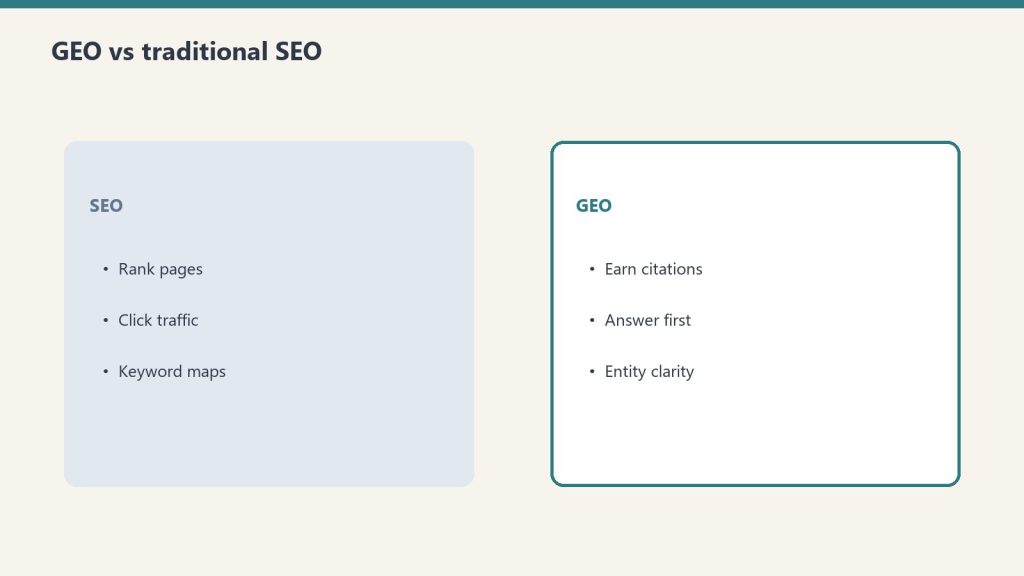
PSAO is not a replacement for SEO, GEO (Generative Engine Optimization), or AEO (Answer Engine Optimization). It’s the platform-specific layer that sits on top of those disciplines:
Discipline
Focus
Granularity
SEO
Google organic search rankings
Google-specific
AEO
Featured snippets, People Also Ask, voice search
Google-specific
GEO
AI citation across all platforms
AI as a monolith
PSAO
Platform-by-platform AI optimization
Individual platform personas
GEO says “optimize for AI.” PSAO says “optimize for this AI platform’s specific user, specific retrieval mechanism, and specific citation pattern.” It’s the same difference between “do social media marketing” and “run a LinkedIn thought leadership strategy targeting VP-level decision makers in B2B SaaS.”
Implementing PSAO at Scale
For a single site, the PSAO checklist is manual. For managing multiple sites — which is the reality of agency work and portfolio management — PSAO needs automation:
Schema injection automation: Every article gets Article + FAQPage schema automatically as part of the publishing pipeline
Dual-index submission: Every new post submits to both Google Search Console and Bing Webmaster Tools via IndexNow
Content structure templates: Writers start with the 6-layer template, ensuring every article has the direct answer, structured sections, FAQ, tables, and technical depth
Update scheduling: Top-performing articles are flagged for monthly refresh with current data and examples
Citation monitoring: Bing AI Performance data is reviewed weekly to track grounding citation trends and identify content that’s earning (or losing) citations
Actionable Takeaways
Adopt PSAO as a named discipline. Stop saying “optimize for AI.” Start specifying which platform and which user persona you’re targeting
Use the PSAO checklist for every article. Print it, pin it, make it a template in your CMS. Every item maps to a real citation opportunity
Submit to both Google and Bing. Three of six platforms use Bing. This is the most common infrastructure gap
Write for the persona, not the algorithm. The Perplexity researcher wants different content than the Copilot enterprise worker. The structure follows from the persona
Measure platform-level performance. Track citations, referral traffic, and conversion rates by AI platform — not “AI” as a single bucket
FAQ
What is Platform-Specific AI Optimization (PSAO)?
PSAO is the practice of tailoring content strategy to the distinct user personas, retrieval mechanisms, and citation patterns of each individual AI search platform — Perplexity, Copilot, Google AI Overviews, ChatGPT, Claude, and Gemini — rather than treating AI as a single optimization target.
How is PSAO different from GEO (Generative Engine Optimization)?
GEO treats AI search as a monolith — optimizing for “AI” broadly. PSAO operates at the individual platform level, recognizing that each platform serves a different user persona with different content preferences and different citation mechanics. PSAO is the platform-specific layer that sits on top of GEO.
Do I need to create different content for each AI platform?
No. A single well-structured article can serve all six platforms using the PSAO 6-layer template: direct answer first, comprehensive structured body, FAQ section, technical depth, HTML tables, and schema markup. Each layer maps to a specific platform’s citation trigger.
What is the PSAO checklist?
The PSAO checklist is a pre-publish quality gate covering content structure, technical implementation, content quality, and distribution. Each item maps to a specific AI platform’s citation requirements, ensuring every article has maximum citation surface area across all six platforms.
Which AI platform should I prioritize for PSAO?
Prioritize based on your audience. If your audience is enterprise workers, prioritize Copilot optimization. If your audience is researchers, prioritize Perplexity. For maximum coverage with minimum effort, use the unified 6-layer article structure and the PSAO checklist to serve all platforms simultaneously.
You publish an article on the same topic as your competitor. Their article gets cited by Copilot, Perplexity, and Google AI Overviews. Yours doesn’t. The topic is the same. The word count is similar. You even think your writing is better. So what’s different?
After analyzing citation patterns across the sites I manage — including the 98,800 Copilot citations data set and the per-model content shaping research — I can identify exactly what separates content that earns AI citations from content that gets ignored. It’s not writing quality. It’s structural.
The 6 Factors That Determine AI Citation
Six factors that determine AI citation.
AI platforms don’t evaluate content the way human editors do. They use measurable signals to decide what to cite. Here are the six factors, ranked by impact:
Factor 1: Authority Signals (Domain and Page Level)
Every AI platform uses some form of authority scoring. Bing’s system (powering Copilot, ChatGPT Search, and partially Perplexity) evaluates domain authority, backlink quality, and topical relevance. Google’s system (powering AI Overviews and Gemini) uses E-E-A-T signals, Knowledge Graph connections, and site reputation.
If your competitor’s domain has stronger authority signals — more quality backlinks, longer publishing history in the niche, recognized author entities — they’ll be cited over you even when your content is technically better. Authority is the foundation layer. Without it, everything else is marginal.
Factor 2: Factual Density
AI citation engines prefer content that makes specific, verifiable factual claims over content that makes general statements. “Implementation typically takes 6-8 weeks for a mid-size company and costs between $15,000 and $45,000 depending on customization requirements” is citable. “Implementation timelines and costs vary based on your specific needs” is not.
Count the specific, citable facts per 500 words in your article versus your competitor’s. The content with higher factual density wins citations, because AI platforms need specific claims to ground their responses.
Factor 3: Structured Data Implementation
This is the most common gap I find when auditing sites that underperform on AI citations. The competitor has FAQPage schema, Article schema, BreadcrumbList schema, and clean HTML tables. The underperformer has none, or has broken schema that doesn’t validate.
Structured data is how AI platforms understand content structure without having to interpret prose. It’s the difference between handing someone a well-organized filing cabinet and handing them a box of loose papers. The content might be equally good — but the organized version gets used.
Factor 4: Update Frequency and Content Freshness
AI platforms track when content was last modified. In competitive citation scenarios — where multiple sources could answer the same query — the more recently updated source wins. This is especially true on Perplexity and Copilot, which weight freshness heavily.
If your competitor published their article six months ago and updated it last week, and your article was published six months ago with no updates, they win. Even if your original content was superior. The update doesn’t need to be a complete rewrite — adding current data, refreshing examples, and updating the last-modified date can be enough.
Factor 5: Topical Depth and Coverage Completeness
AI platforms evaluate whether a source comprehensively covers the query topic. A 3,000-word article that addresses every sub-question a user might ask about the topic will be cited more frequently than a 500-word post that addresses only the headline question.
This isn’t about word count for its own sake. It’s about coverage completeness. Does your article answer the follow-up questions a user might ask? Does it address edge cases and exceptions? Does it provide the comparison the user would need to make a decision? Your competitor’s article probably does.
Factor 6: Bing Indexing and Technical Access
The most embarrassing reason your competitor gets cited and you don’t: they’re indexed by Bing and you’re not. Three major AI platforms — Copilot, ChatGPT Search, and Perplexity — use Bing’s index. If you’ve never submitted your sitemap to Bing Webmaster Tools, you’re invisible to half the AI landscape regardless of content quality.
Check your Bing Webmaster Tools account. Verify your sitemap is submitted. Use IndexNow to push updates immediately. This is table-stakes infrastructure that many sites neglect because they focus exclusively on Google.
How to Run a Competitive Citation Audit
How to run a competitive citation audit.
Here’s the practical framework for identifying why your competitor gets cited and you don’t:
Identify citation-winning competitors. Use Bing AI Performance in Bing Webmaster Tools to see which domains appear alongside yours in AI responses. If you don’t see yourself, check which domains appear for your target queries
Audit their structured data. Run their top pages through Google’s Rich Results Test. Compare their schema implementation to yours
Measure factual density. Count specific, citable claims per section in their content versus yours. Are they more specific? Do they include more data points, comparisons, and verifiable facts?
Check update patterns. When was their content last modified? How often do they refresh key articles? Compare to your own update cadence
Evaluate topical depth. Do their articles answer more sub-questions than yours? Do they include comparison tables, FAQ sections, and edge-case coverage that your articles lack?
Verify Bing indexing. Are your pages indexed in Bing? Are theirs? How quickly do new pages appear in Bing’s index for each site?
The Fix Priority Order
The fix priority order.
If your competitive audit reveals gaps across multiple factors, fix them in this order for maximum impact:
Bing indexing (immediate): If you’re not in Bing, nothing else matters for Copilot, ChatGPT, or Perplexity
Structured data (quick win): Adding schema markup to existing content can shift citation patterns within weeks
Content freshness (ongoing): Update your top-performing articles with current data and examples
Factual density (content revision): Replace vague claims with specific, citable facts across your key articles
Topical depth (content expansion): Add FAQ sections, comparison tables, and edge-case coverage to thin articles
Authority building (long-term): Backlink acquisition, topical authority development, author entity building
Actionable Takeaways
Run a competitive citation audit using the 6-factor framework. Compare your content against the citation winners in your niche
Fix Bing indexing immediately. Submit your sitemap to Bing Webmaster Tools and implement IndexNow
Add structured data to your top 20 articles. Article + FAQPage schema at minimum. HowTo and BreadcrumbList where applicable
Increase factual density. Replace every vague statement with a specific, citable claim where possible
Why does my competitor’s content get cited by AI when mine doesn’t?
The most common reasons are stronger domain authority signals, higher factual density (more specific citable claims per section), better structured data implementation, more recent content updates, deeper topical coverage, and — frequently overlooked — proper Bing indexing that your site may lack.
What is the fastest way to start earning AI citations?
Submit your sitemap to Bing Webmaster Tools and add Article + FAQPage schema markup to your top articles. These two actions address the most common technical gaps and can shift citation patterns within weeks. After that, focus on increasing factual density and update frequency.
How do I measure whether my content is being cited by AI platforms?
Bing Webmaster Tools includes an AI Performance report showing Copilot citations, impression counts, and grounding queries. For other platforms, monitor referral traffic from Perplexity, ChatGPT, and Gemini in your analytics. Google Search Console is expanding AI Overview reporting.
Does writing quality affect AI citation rates?
Less than most people think. AI citation engines evaluate structure, authority, factual density, and freshness — not prose quality. A well-structured article with specific facts and proper schema markup will be cited over a beautifully written article that lacks these structural elements.
How often should I update content to maintain AI citations?
Key articles should be reviewed and updated at least monthly for competitive topics. Update current data, refresh examples, add new FAQ pairs, and ensure the last-modified date reflects the changes. Even small updates signal freshness to AI platforms in competitive citation scenarios.
An AI citation is not a click. A click is not a conversion. The funnel from “Copilot cited your site” to “a new client signed up” has multiple stages, each with its own drop-off rate. Most content strategists celebrate citations without measuring what those citations actually produce. After tracking the full funnel across the sites I manage — including the 98,800 Copilot citations — here’s what the AI search funnel actually looks like.
The 4-Stage AI Search Funnel
The 4-stage AI search funnel.
Every AI search interaction follows a predictable funnel, regardless of platform:
Impression: Your content appears as a citation, source link, or referenced domain in an AI response
Click: The user clicks through to your actual website
Engagement: The user reads, browses, or interacts with your site
Conversion: The user takes a desired action — fills a form, makes a purchase, subscribes, contacts you
Each stage has dramatically different metrics depending on which AI platform generated the impression.
Stage 1: The Citation (Impression)
Stage 1: the citation is the new impression.
Not all citations are equal. The platform determines how visible your citation is to the user:
Platform
Citation Visibility
User Citation Awareness
Perplexity
Inline numbered citations — highly visible
High — users actively check sources
Copilot
Footnote-style references
Low — most users don’t expand footnotes
Google AI Overviews
Small source chips below the overview
Low to moderate — depends on query
ChatGPT Search
End-of-response source links
Moderate — users notice but rarely click
Gemini
Expandable source section
Low — embedded Workspace users ignore citations
Claude
Web-search citations when search is used (API / claude.ai)
Moderate — citations on web-search answers; training influence without search
The implication: a Perplexity citation has fundamentally higher click-through potential than a Copilot citation because the user actually sees and engages with the source attribution.
Stage 2: The Click-Through
Click-through rates from AI citations vary dramatically by platform. Based on the data I’ve tracked across managed sites:
Perplexity Click-Through
Perplexity has the highest click-through rate of any AI platform because its users are researchers who verify sources. When Perplexity cites your content with an inline [1] reference, a meaningful percentage of users click through to read the source. The click-through rate from Perplexity citations substantially exceeds what we see from Copilot or Google AI Overviews.
Google AI Overview Click-Through
Google AI Overviews present the biggest challenge: the overview often satisfies the user’s query completely, eliminating the need to click. The click-through from AI Overview citations to the cited source is significantly lower than traditional organic search. This is the zero-click problem at scale.
Copilot Click-Through
Copilot has the lowest click-through rate because the user is mid-workflow and the answer is consumed within the Microsoft 365 application. The user got what they needed without leaving Word or Excel. The citation exists in a footnote they never expand. From 98,800 citations, the actual click-through volume is a fraction of what that impression number suggests.
ChatGPT Click-Through
ChatGPT Search places source links at the end of responses. Users in conversation mode sometimes click these links, especially when the topic requires deeper reading. Click-through rates are moderate — between Perplexity’s high engagement and Copilot’s near-zero engagement.
Stage 3: Engagement Quality
Engagement quality still decides conversion.
Here’s where AI-sourced traffic gets interesting. Users who click through from AI platforms tend to be more engaged than average organic visitors because they’ve already been pre-qualified by the AI’s response. They clicked because the AI’s summary wasn’t enough — they want more depth.
The engagement pattern by platform:
Perplexity referrals: Longest time on page. These users arrived because they’re researching and the AI response prompted them to go deeper. They read, they bookmark, they follow internal links
ChatGPT referrals: Above-average engagement. The conversational context means they arrive with specific questions the article can answer
Google AI Overview referrals: Mixed. Some users click because the overview was incomplete. Others misclick. Bounce rates are higher than other AI referral sources
Copilot referrals: The rare users who do click through from Copilot are highly engaged — they specifically sought out the source, which signals strong intent
Stage 4: Conversion
The final stage is where AI search traffic’s value becomes concrete. Conversion rates from AI referrals depend heavily on two factors: the quality of the pre-qualification (how well the AI response set expectations) and the alignment between the AI’s citation context and your conversion path.
AI Traffic vs Google Organic: The Conversion Comparison
AI-sourced traffic converts differently than Google organic traffic. Google organic users arrive with search intent that maps directly to your content. AI-sourced users arrive because an AI cited you while answering a broader question — the intent alignment is less precise but the trust transfer from the AI platform can compensate.
The net effect in the data I’ve tracked: AI referral traffic converts at rates comparable to Google organic for informational-to-contact funnels (content marketing → lead gen). It converts lower for direct commercial queries where Google organic’s intent-matching advantage matters more.
Where the Funnel Leaks (And How to Fix It)
Leak 1: Citation Without Click
Problem: Copilot and Google AI Overviews generate thousands of citations that produce minimal clicks. Fix: Treat these citations as brand impressions, not traffic sources. Measure brand recognition lift and branded search volume increases alongside click-through.
Leak 2: Click Without Engagement
Problem: Users click through from AI but bounce because the landing page doesn’t match the context of the AI’s citation. Fix: Ensure the specific section cited by the AI is prominent on the page. Use in-page anchors and clear section headers so arriving users immediately see the content that prompted their click.
Leak 3: Engagement Without Conversion
Problem: Users read the content but don’t convert because there’s no conversion path within the content flow. Fix: Embed contextual CTAs within the article body, not just at the bottom. If the AI cited your pricing comparison, the CTA should be adjacent to the pricing content, not after 2,000 more words.
Actionable Takeaways
Measure the full funnel, not just citations. Track impression → click → engagement → conversion for each AI platform separately
Treat low-CTR platforms as brand channels. Copilot’s 98,800 citations are brand impressions even if few users click through. Measure branded search lift
Optimize landing pages for AI referral context. Users arrive mid-thought. Make the cited content immediately visible
Embed conversion paths within content. Contextual CTAs near the sections most likely to be cited by AI platforms
Prioritize Perplexity for traffic, Copilot for brand awareness. Different platforms serve different funnel stages
FAQ
What percentage of AI citations result in actual website clicks?
It varies dramatically by platform. Perplexity citations generate the highest click-through because its users actively verify sources. Copilot citations generate the lowest because users consume answers within Microsoft 365 without expanding footnotes. Google AI Overview and ChatGPT fall between these extremes.
Is AI search traffic better or worse than Google organic for conversions?
AI referral traffic converts at rates comparable to Google organic for informational-to-contact funnels. It converts lower for direct commercial queries where Google’s intent-matching advantage is stronger. The quality of pre-qualification from AI responses can compensate for less precise intent alignment.
How should I measure the value of AI citations that don’t generate clicks?
Treat low-click-through citations as brand impressions. Track branded search volume increases, direct traffic growth, and brand recognition metrics. A user who sees your domain cited by Copilot daily may eventually search for you directly.
Which AI platform sends the highest quality traffic?
Perplexity referrals consistently show the longest time on page and lowest bounce rates because these users are researchers who clicked through specifically to go deeper. Copilot referrals, while rare, also show strong engagement because the user actively sought out the source.
Where does the AI search funnel leak the most?
The biggest leak is citation-without-click, particularly on Copilot and Google AI Overviews. The second biggest leak is click-without-engagement, caused by landing page misalignment with the AI citation context. Embedding contextual CTAs and ensuring cited sections are prominent addresses both leaks.
If you’ve been following this PSAO series, you now understand that each AI platform serves a different user persona with different content preferences. The Perplexity user wants cited research. The Copilot user wants a pricing table. The Google AI Overview user wants the answer in paragraph one. The ChatGPT user wants explorative depth. The Claude user wants honest trade-offs. The Gemini user wants structured data.
The obvious question: do I need to write six different articles for every topic?
No. But you do need to write one article with a specific structure that hits all six citation triggers. Here’s the architecture.
The Universal PSAO Article Structure
Universal PSAO article structure.
After publishing and tracking citation patterns across the sites I manage — including the 98,800 Copilot citations documented in the meta sprint — I’ve reverse-engineered a single article structure that performs across all platforms. Each section serves a specific platform’s content preference while maintaining a coherent reading experience for humans.
Layer 1: Direct Answer First (Google AI Overviews)
The first paragraph must answer the article’s core question directly, completely, and in under 100 words. This isn’t a teaser or a hook — it’s the answer. Google AI Overviews extract from the opening section. If your article starts with background, context, or a personal anecdote, Google skips you and cites the competitor who led with the answer.
Template: “[Topic] is [definition/answer]. It works by [mechanism]. The key consideration is [critical factor]. Here’s the complete breakdown.”
Layer 2: Comprehensive Body with Structured Sections (Perplexity)
After the direct answer, build the comprehensive body. Each H2 section should answer a distinct sub-question that a researcher might ask. Perplexity’s retrieval engine chunks content by section headers and cites individual sections for specific queries. The more distinct, well-labeled sections your article has, the more citation surface area you create for Perplexity.
Template: H2 headers as questions (“How does X work?”, “What are the costs of Y?”, “When should you choose Z over W?”). Each section is a self-contained mini-article: claim, evidence, context, specific numbers.
Layer 3: FAQ Section with Exact-Match Questions (Copilot)
Copilot’s grounding engine pattern-matches user queries to FAQ headings. An FAQ section with 5-8 question-and-answer pairs, where the questions match how enterprise workers phrase their queries, is a Copilot citation magnet. Keep answers to 2-4 sentences — tight enough for Copilot to extract but substantive enough to be useful.
Template: H3 questions using “What is,” “How much does,” “What’s the difference between,” “Should I.” Answers: definitive, factual, 40-80 words each.
Layer 4: Technical Depth and Working Examples (ChatGPT + Claude)
Within the comprehensive body, include at least one section with genuine technical depth. Code examples, configuration samples, architecture decision reasoning, or detailed methodology. ChatGPT cites this when users ask specific technical questions. Claude users value it when they encounter your content through any channel.
Template: A section titled “Implementation Guide,” “Technical Architecture,” or “Step-by-Step Configuration” with actual specifics — not conceptual overviews.
Layer 5: Tables and Structured Data (Gemini + Copilot)
Every article that involves comparisons, pricing, features, or specifications should include at least one HTML table. Tables serve both Gemini (which needs data it can relay to Workspace users) and Copilot (which cites structured data for enterprise workers). A single comparison table can earn citations from both platforms simultaneously.
Template: Feature comparison tables, pricing breakdowns, decision matrices. Clean HTML <table> markup, not images of tables.
Layer 6: Schema Markup (All Platforms)
JSON-LD schema markup is the universal amplifier. Article schema, FAQPage schema, HowTo schema (if applicable), and BreadcrumbList schema improve citation probability across every platform that uses structured data — which is all of them to varying degrees.
The Complete Article Template
Putting all six layers together, a PSAO-optimized article looks like this:
Every article in this PSAO series follows this structure. Look at the architecture:
Each article opens with a direct answer paragraph (Layer 1)
The body has 5-7 distinct H2 sections answering sub-questions (Layer 2)
An FAQ section closes each article with 5 exact-match Q&As (Layer 3)
Technical specifics — query patterns, data breakdowns, implementation details — are embedded in the body (Layer 4)
Comparison tables appear in every persona article (Layer 5)
Article + FAQPage JSON-LD schema is appended to every article (Layer 6)
This isn’t a theoretical framework — it’s the production template running across the sites I manage.
Common Mistakes When Writing for Multiple Platforms
Common mistakes when writing for multiple platforms.
Mistake 1: Starting with a Story Instead of the Answer
Personal anecdotes and narrative hooks work for human readers on social media. They fail on AI platforms because every platform except ChatGPT extracts from the opening section. If your answer is in paragraph four, Google, Copilot, and Gemini will cite your competitor who put it in paragraph one.
Mistake 2: Using Images Instead of HTML Tables
A beautiful comparison infographic is invisible to every AI platform. AI systems can’t read text in images. The same data in an HTML table is citable by all six platforms. Always use HTML tables alongside any visual representation.
Mistake 3: Writing FAQ Answers That Are Too Long
Copilot and Google AIO need 2-4 sentence FAQ answers. When your FAQ answers are 200-word mini-essays, these platforms can’t extract clean, citable responses. Keep FAQ answers tight — save the depth for the body sections.
Mistake 4: Ignoring Bing Indexing
Three of the six platforms — Copilot, ChatGPT Search, and Perplexity — use Bing’s index. If your site isn’t submitted to Bing Webmaster Tools and you’re not using IndexNow for rapid indexing, you’re invisible to half the AI search landscape.
Actionable Takeaways
Use the 6-layer structure for every new article. Direct answer → comprehensive body → FAQ → technical depth → tables → schema. This template serves all platforms simultaneously
Always start with the answer. First 100 words should fully answer the article’s core question. No preamble, no story, no context-setting
Include at least one HTML table per article. Comparison, pricing, or feature tables serve Gemini and Copilot simultaneously
Write 5-8 FAQ pairs with 40-80 word answers. Tight enough for Copilot extraction, substantive enough for Google AIO sourcing
Submit to both Google Search Console and Bing Webmaster Tools. This covers all six platforms’ index sources
Implement Article + FAQPage schema on every article. The universal citation amplifier
FAQ
Do I really need to optimize for all 6 AI platforms?
You don’t need to create separate content for each platform. One well-structured article using the 6-layer PSAO template serves all platforms simultaneously. The key is including the right structural elements — direct answer, comprehensive sections, FAQ, tables, technical depth, and schema — in a single piece.
What is the most important layer for multi-platform performance?
The direct answer in paragraph one. It serves Google AI Overviews (which extract from the opening), Gemini (which relays definitive statements), and Copilot (which front-loads factual content). Every other layer is additive; this one is foundational.
How long should a PSAO-optimized article be?
Between 1,500 and 2,500 words for standard articles, up to 3,500 for pillar content. This length provides enough depth for Perplexity and ChatGPT citation surface area while keeping the article focused enough for Google AI Overview extraction.
Do HTML tables actually improve AI citation rates?
Yes. AI platforms read HTML table markup but cannot parse text embedded in images. A comparison table in clean HTML is citable by all six platforms. The same data as an infographic or screenshot is invisible to every AI system.
Should I submit my site to Bing even if I only care about Google?
Absolutely. Copilot, ChatGPT Search, and Perplexity all use Bing’s index for web content retrieval. Ignoring Bing means you’re invisible to half the AI search platforms regardless of how well your content performs on Google.
Gemini users are the most underestimated persona in the AI search landscape. Content strategists focus on ChatGPT’s scale, Perplexity’s citations, and Copilot’s enterprise footprint — while ignoring the billion-plus users who interact with Gemini through Google Workspace, Android, and Google Search every day. These users don’t think of themselves as “using an AI product.” They’re using Google. And that distinction defines what content wins.
This is the sixth article in the PSAO series, and it completes the platform-by-platform user profiles before we move to synthesis and strategy.
Who Uses Gemini (The Invisible Majority)
Who uses Gemini — the invisible majority.
Gemini’s deployment is broader than any other AI platform because Google embedded it everywhere:
Google Workspace users: Gemini is in Gmail (“Help me write this reply”), Google Docs (“Summarize this document”), Google Sheets (“Analyze this data”), and Google Slides (“Generate a presentation outline”). These users interact with Gemini as a feature, not a product
Android users: Gemini replaced Google Assistant on Android devices. When someone says “Hey Google, what’s the best restaurant near me?”, they’re talking to Gemini. They likely don’t know or care
Google Search users: Gemini powers Google AI Overviews (covered in the AI Overview user article), but also powers the standalone Gemini chat interface that some users access directly
Developers: Gemini through Vertex AI serves enterprise developers who build AI applications. This is a distinct persona from the Workspace user — more similar to Claude’s developer audience
The dominant Gemini persona is the Workspace user — someone operating inside Google’s ecosystem who expects Google-quality factual accuracy without having to leave their workflow.
How Gemini Users Interact (Embedded, Not Standalone)
How Gemini users interact — embedded, not standalone.
The In-App Query
The typical Gemini interaction happens inside another application. The user is writing an email in Gmail and asks Gemini to “make this more professional.” They’re in Google Sheets and ask “what’s the trend in this data?” They’re in Google Docs reviewing a contract and ask “what are the key risks in this agreement?”
These queries are contextual — they reference the user’s current document, email, or spreadsheet. The content Gemini draws on to supplement its responses is whatever Google’s systems deem authoritative for the domain of the user’s query.
Factual Lookup Queries
When Gemini users ask factual questions, they expect Google-grade accuracy. The trust threshold is higher than ChatGPT or Copilot because users associate the Google brand with authoritative answers. Content that includes hedging language, speculative claims, or unverifiable statistics loses to content that states facts with precision and backs them up.
Data Analysis and Summarization
Gemini in Google Sheets and Docs handles a significant volume of data analysis and document summarization queries. Users paste or upload data and ask for interpretation. The content Gemini references for this — benchmark data, industry standards, methodology explanations — is the content that becomes a background source for millions of summarization tasks.
What Content Wins with Gemini
What content wins with Gemini.
Structured Data That Google Can Parse
Gemini is built on Google’s infrastructure, which means it has deep integration with Google’s Knowledge Graph, structured data systems, and entity recognition. Content with comprehensive schema markup, clean HTML tables, and well-structured metadata is dramatically easier for Gemini to ingest and reference. This isn’t about SEO gamesmanship — it’s about making your content machine-readable at the level Google’s systems expect.
Tables and Lists Over Prose
Gemini’s Workspace integration means many responses need to be structured. When a user in Sheets asks about industry benchmarks, Gemini wants data it can present in a table format. Content that presents information in tables, numbered lists, and structured formats gives Gemini material it can directly use in Workspace contexts.
Factual Statements That Don’t Require External Verification
Gemini prioritizes content that makes definitive, verifiable factual statements. “The standard depreciation period for commercial real estate under MACRS is 39 years” is exactly what Gemini needs. “Depreciation periods vary depending on multiple factors” is useless. The Workspace user needs a specific fact they can use in their document — and Gemini needs a source it can confidently cite for that fact.
Industry-Standard Reference Material
Content that functions as reference material — glossaries, standards documents, regulatory summaries, technical specifications — earns disproportionate Gemini citations because it answers the lookup-style queries that dominate Workspace interactions. If your content is the kind of thing a professional bookmarks for quick reference, it’s the kind of thing Gemini wants to cite.
Gemini vs Other Platforms: The Key Differences
Dimension
Gemini User
Copilot User
Claude User
Ecosystem
Google Workspace, Android
Microsoft 365
Standalone + API
Awareness of AI
Low — it’s “Google”
Medium — it’s a sidebar
High — deliberate choice
Query type
Factual lookups, data analysis
Gap-filling mid-task
Complex analysis, code review
Content preference
Tables, structured data, facts
FAQ, pricing tables
Deep analysis, trade-offs
Trust model
“Google says it”
“Microsoft says it”
“I’ll verify it myself”
Actionable Takeaways for Gemini Optimization
Implement comprehensive schema markup. Gemini’s Google integration means structured data is more important here than on any other platform
Present key information in tables. Gemini Workspace users need data they can paste into Sheets and Docs. Tables are citation magnets
Make definitive factual statements. No hedging. State the fact, cite the source, give Gemini a clean statement it can relay with confidence
Optimize for Google’s Knowledge Graph. Entity-rich content with explicit relationships between entities helps Gemini connect your content to relevant queries
FAQ
Where do people interact with Gemini?
Gemini is embedded across Google’s ecosystem: Gmail, Google Docs, Google Sheets, Google Slides, Android devices (replacing Google Assistant), Google Search (powering AI Overviews), and as a standalone chat interface. Most users interact with Gemini as a feature of Google products, not as a separate AI product.
How does Gemini choose what content to reference?
Gemini leverages Google’s existing infrastructure — the Knowledge Graph, structured data systems, and search index. Content with comprehensive schema markup, clean HTML tables, and well-structured metadata is prioritized because it’s machine-readable at the level Google’s systems expect.
What content format works best for Gemini citations?
Tables, structured data, definitive factual statements, and reference material. Gemini’s Workspace context means it often needs to present information in table format for Sheets users or provide facts for Docs users. Content that serves these use cases earns the most citations.
Is optimizing for Gemini different from optimizing for Google Search?
Partially. Both benefit from schema markup, entity-rich content, and factual accuracy. But Gemini Workspace interactions add emphasis on tabular data, reference-style content, and definitive statements that a user can paste directly into a business document or spreadsheet.
Do I need to submit my site to a special index for Gemini?
No. Gemini uses Google’s existing search index and Knowledge Graph. If your site is well-indexed by Google with comprehensive schema markup, Gemini can access it. Standard Google Search Console practices apply.
I use Claude to manage 20+ WordPress sites, write code, analyze data, and build infrastructure. I’m not unusual among Claude users — we’re the builders, the analysts, and the people who need an AI that can hold 200,000 tokens of context without losing the thread. And that user profile shapes exactly what content Claude surfaces, recommends, and would cite if citation features expand.
Claude’s user base self-selects differently than any other AI platform. Nobody ends up using Claude by accident — there’s no browser default, no operating system integration forcing adoption. People choose Claude for specific reasons, and those reasons define the content that resonates with them:
Developers and engineers: Code review, architecture decisions, debugging complex systems, writing documentation. Claude’s long context window means they can paste entire codebases and get meaningful analysis
Analysts and researchers: Document analysis, report synthesis, data interpretation. They upload PDFs, spreadsheets, and research papers and ask Claude to extract insights
Technical writers and content strategists: People who need nuanced, accurate writing that doesn’t oversimplify. Claude’s tendency to acknowledge trade-offs rather than pick a winner appeals to this group
Business operators who run on AI: People like me — using Claude Code, Claude Projects, Claude API to build actual operational infrastructure. Not just asking questions, but building systems
The common thread: Claude users are builders. They don’t just consume AI output — they integrate it into workflows, iterate on it, and treat Claude as a collaborator rather than an oracle.
How Claude Users Work (Not Just Search)
How Claude users work — not just search.
Claude users don’t “search” in the traditional sense. They work. The distinction matters for content strategy:
Long-Context Document Analysis
Claude users regularly paste 50,000-200,000 tokens of content and ask questions about it. A lawyer pastes a 100-page contract. A developer pastes an entire repository. A researcher pastes five papers. The questions they then ask Claude are specific, contextual, and often unanswerable by any search engine because the answer requires synthesizing the pasted context with general knowledge.
Content that serves this user provides the “general knowledge” side of the equation — authoritative reference material that Claude can draw on when synthesizing answers about the user’s specific documents.
Architectural Decision Queries
Claude users frequently ask for help with decisions that involve trade-offs: “Should I use PostgreSQL or MongoDB for this use case, given these constraints?” The key behavioral pattern is that Claude users want the trade-offs acknowledged, not hidden. Content that says “PostgreSQL is the best choice” loses to content that says “PostgreSQL is stronger for X and Y, but MongoDB handles Z better — here’s how to decide.”
Code Review and Refactoring
Claude Code users paste code and ask for analysis, optimization suggestions, and security review. This creates demand for content that explains why certain patterns are better — not just what pattern to use. Claude users want the reasoning, not just the recommendation.
What Content Wins with Claude Users
What content wins with Claude users.
Technical Deep-Dives with Trade-Off Analysis
The single most effective content format for the Claude audience is the honest technical comparison. Not “5 Best Tools for X” but “How to Choose Between Tool A and Tool B: The Decision Framework.” Claude users are allergic to content that picks winners without acknowledging costs. They trust content that shows them the full picture and lets them decide.
Architectural Decision Records
Content structured as ADRs (Architecture Decision Records) — stating the context, the options considered, the decision made, and the trade-offs accepted — resonates deeply with Claude’s technical user base. This format maps directly to how they think about problems.
Comparison Matrices
Detailed feature comparison matrices with honest assessments (not marketing-biased checkmarks where your product wins every category) perform well. Claude users evaluate tools rigorously. Content that survives their scrutiny earns their trust and their recommendations to colleagues.
Implementation Guides with Context
Claude users don’t just want “how to do X.” They want “how to do X in the context of Y, given constraints Z.” Content that provides implementation guidance within specific architectural or business contexts outperforms generic tutorials. The Claude user is past the beginner stage — they need content that matches their level of sophistication.
Honest Assessments and Limitations
Here’s what separates content that Claude users trust from content they dismiss: acknowledging what doesn’t work. Every tool, framework, and approach has limitations. Content that documents those limitations honestly — “this approach breaks down when you exceed N concurrent connections” — earns Claude users’ respect and citation.
Claude’s Evolving Citation Landscape
Claude does have native web search in its chat apps — paid plans have had it since March 2025, with a toggle in the chat interface. But the content strategy still matters for several reasons:
Training data influence: Content widely published and linked is more likely to be included in Claude’s training data, influencing how Claude answers questions in your domain
Claude Projects and custom knowledge: Organizations upload content to Claude Projects as reference material. Being the content that organizations choose to upload is a form of citation
MCP integrations: Claude’s Model Context Protocol allows connecting to external data sources. As web search MCPs become standard, your content needs to be findable and structured for extraction
Claude Code references: Developers using Claude Code frequently reference documentation and guides. Being the go-to reference in your domain means Claude users paste your content into their sessions
Actionable Takeaways for Claude User Content
Write with trade-offs visible. Never hide downsides. Claude users trust content that acknowledges limitations and helps them decide, not content that sells them a conclusion
Structure content as decision frameworks. “How to choose” outperforms “the best” for this audience every time
Go deep on technical implementation. Surface-level overviews don’t serve builders. Include architecture context, code-level detail, and real-world constraints
Publish comparison matrices with honest assessments. No marketing-biased checkmark charts. Real evaluations that survive scrutiny
Write for the long context. Your content may be pasted alongside 100,000 other tokens. It needs to be information-dense and skimmable simultaneously
FAQ
What type of professional primarily uses Claude AI?
Claude’s user base skews heavily toward developers, engineers, analysts, technical writers, and business operators who integrate AI into workflows. These are builders who chose Claude for its long context window, nuanced reasoning, and willingness to acknowledge trade-offs rather than oversimplify.
How do Claude users differ from ChatGPT users?
Claude users are generally more technical and work with longer, more complex contexts. Where ChatGPT users explore and iterate conversationally, Claude users often paste large documents, codebases, or datasets and ask specific analytical questions. Claude users also expect trade-offs acknowledged rather than winners declared.
Does Claude have web search like ChatGPT?
Claude does offer native web search in its chat apps — paid plans have had it since March 2025, with a toggle in the chat interface. Even so, content strategy still matters through training data influence, Claude Projects knowledge uploads, MCP web integrations, and the practice of Claude Code users referencing and pasting authoritative content into their sessions.
What content format resonates most with Claude users?
Technical deep-dives with honest trade-off analysis, decision frameworks, architectural comparison matrices, and implementation guides with real-world context. Claude users are past the beginner stage and need content matching their level of sophistication.
How should I structure content for potential Claude training data inclusion?
Publish authoritative, widely-linked, information-dense content with clear structure, honest assessments, and specific technical detail. Content that becomes a go-to reference in its domain — cited by other publications and linked from documentation — has the highest probability of influencing Claude’s training knowledge.
ChatGPT has the largest user base of any AI platform — and that’s precisely why “optimize for ChatGPT” is almost meaningless without understanding which ChatGPT user you’re targeting. The person using ChatGPT to debug Python code is not the same person using it to plan a vacation. But they share behavioral patterns that distinguish them from users on every other AI platform.
ChatGPT’s user base is the most diverse of any AI platform. But within that diversity, the users who drive citations — the ones whose queries pull from your content via ChatGPT Search — share distinct characteristics:
Explorers: People who start with a vague idea and refine it through conversation. “I’m thinking about starting a business in X, what should I consider?” → follow-up → follow-up → specific question about licensing
Creators: Writers, designers, marketers, developers who use ChatGPT as a collaborator. They paste drafts and ask for feedback. They generate options and iterate
Problem-solvers: Developers debugging code, analysts working through data questions, students solving problems. They paste error messages and expect specific fixes
Researchers: Overlaps with Perplexity, but less rigorous. ChatGPT users accept answers with less source scrutiny. They want understanding, not verification
The common thread: ChatGPT users have conversations. They don’t ask a single question and leave. They iterate. This changes what content gets cited because ChatGPT’s retrieval happens in the context of an evolving conversation, not a single query.
How ChatGPT Users Search (Conversational Iteration)
The Follow-Up Chain
A Perplexity user asks one comprehensive question. A Google user asks one short question. A ChatGPT user asks a chain of 3-7 questions, each building on the previous answer. The first question is often broad (“Tell me about content marketing for SaaS companies”), and by the fifth question it’s specific (“What’s the best way to structure a comparison page for two competing SaaS products targeting enterprise buyers?”).
The content that gets cited is the content that answers the specific later questions, not the broad initial one. ChatGPT’s search triggers when it needs factual grounding for a specific claim — and those claims emerge later in the conversation when the user has narrowed their focus.
Code and Technical Paste-Ins
A significant portion of ChatGPT queries involve pasted code, error messages, configuration files, or technical output. When the user pastes a Kubernetes error log and asks “what’s wrong here?”, ChatGPT may search for documentation about that specific error code. Technical documentation, troubleshooting guides, and error-code-specific content gets cited heavily through this path.
Creative Brainstorming Queries
ChatGPT users frequently use the platform for ideation: “Give me 10 angles for a blog post about AI in healthcare.” These queries generate citations from content that provides frameworks, lists of considerations, and thought-provoking analysis. The cited content isn’t answering a factual question — it’s providing structure for creative thinking.
What Content Wins on ChatGPT
What content wins on ChatGPT.
Deep Technical Guides
ChatGPT’s search feature (powered by Bing) activates when the model needs factual support for technical claims. In-depth technical guides — with code examples, architecture diagrams described in text, and specific implementation details — get cited when users ask technical questions. Superficial overviews lose to competitors with genuine technical depth.
Tutorials with Working Examples
The paste-and-debug workflow means ChatGPT users value content with actual code samples, configuration examples, and step-by-step tutorials that produce working results. Content that says “configure your settings appropriately” loses to content that shows the exact configuration with explanations of each parameter.
Thought-Provoking Analysis
For non-technical queries, ChatGPT cites content that provides analytical frameworks. Articles that pose questions, present trade-offs, and explore nuances outperform articles that give simple answers. The ChatGPT user is in exploration mode — they want content that generates further questions, not content that ends the conversation.
Comprehensive How-To Content
Unlike Copilot (which wants quick answers) or Google AI Overviews (which wants the first paragraph), ChatGPT cites comprehensive content and extracts the relevant section. A 3,000-word guide gets cited for a single paragraph that answers the user’s specific sub-question. This means comprehensive content has more citation surface area — more chances for different queries to land on different sections.
ChatGPT Search vs ChatGPT Training
It’s important to distinguish between content that ChatGPT “knows” from its training data and content it cites via search. Training knowledge is static — content published before the training cutoff may be referenced without citation. But ChatGPT Search (the Bing-powered feature) actively searches the web and provides citations. Your optimization strategy should target both:
For search citations: Ensure Bing indexing, use structured data, publish frequently updated content on trending topics
For training influence: Publish authoritative, widely-linked content that’s likely to be included in future training data. This is a longer-term play with less measurable impact but significant brand positioning value
Actionable Takeaways for ChatGPT Optimization
Actionable takeaways for ChatGPT optimization.
Write content that answers the fifth question, not the first. ChatGPT users iterate. Your content should target the specific, narrowed-down queries that emerge later in conversations
Include working code examples and specific configurations. The paste-and-debug workflow drives heavy citation traffic for technical content
Provide analytical frameworks, not just answers. ChatGPT users want to explore. Content that opens new lines of thinking gets cited more than content that closes them
Maximize citation surface area. Comprehensive, well-sectioned articles give ChatGPT more extractable chunks to cite across different query types
Index with Bing and update frequently. ChatGPT Search uses Bing. Same infrastructure requirement as Copilot, different content strategy
FAQ
What makes ChatGPT users different from other AI search users?
ChatGPT users have conversations — they iterate through 3-7 questions per session, each building on the previous answer. This conversational pattern means content gets cited for answering specific, narrowed-down sub-questions rather than broad initial queries.
Does ChatGPT use Google or Bing for its search citations?
ChatGPT Search is powered by Bing’s index, not Google’s. Content needs to be indexed by Bing and submitted through Bing Webmaster Tools to be eligible for ChatGPT search citations. The OAI-SearchBot crawler also directly indexes content for ChatGPT.
What content format performs best for ChatGPT citations?
Deep technical guides with working code examples, comprehensive tutorials, and analytical content that provides frameworks for thinking. ChatGPT extracts specific relevant sections from long-form content, so comprehensive articles have more citation surface area than short posts.
How is ChatGPT citation different from ChatGPT training data?
Training data is static knowledge from before the model’s cutoff date — referenced without citation. Search citations come from Bing-powered real-time web search and include visible source links. Your strategy should target both: current indexed content for search citations and authoritative, widely-linked content for training influence.
Should I write differently for ChatGPT than for Perplexity?
Yes. Perplexity users want comprehensive research with citations they can verify. ChatGPT users want explorative content that generates further questions and provides analytical frameworks. Perplexity rewards primary data and methodology; ChatGPT rewards depth, examples, and thought-provoking analysis.