Editor’s note (September 2026): this roadmap was written for the Claude 4.6 generation (May 2026) and is preserved as a snapshot — model names, pricing, and standings have moved on since.
The Technical Founder’s Roadmap to Claude 4.6
If you are bootstrapping a tech startup in 2026, navigating the LLM ecosystem is no longer about finding the smartest model—it’s about finding the most cost-effective architecture that actually ships code. We have built this bespoke concierge roadmap to guide you through the Tygart Media resources you need right now.
📍 Stop 1: The Economics of Routing
Before you write a single line of code, you need to understand your margins. Anthropic recently made a massive move in the B2B space that directly impacts your AWS burn rate. Read this first:Anthropic Slashes Claude 4.6 Haiku API Pricing by 40%
📍 Stop 2: Validating the Intelligence
Now that you know Haiku is cheap, you need to verify if Sonnet is smart enough for your core reasoning tasks. See our leaderboard snapshot for where Claude 4.6 stood against GPT-5 in May 2026. Check the stats:Claude 4.6 vs GPT-5: The 2026 Leaderboard
📍 Stop 3: Shipping the Front-End
With your architecture chosen, it’s time to build. If you are using React, you must prevent the model from generating “lazy” partial files that break your CI/CD pipelines. Implement this workflow:The Top Claude 4.6 Prompt for React Developers This Week
📍 Stop 4: The Final Automation
If you want to see exactly how we implemented Claude 4.6 in a real-world production environment to completely automate our editorial newsroom, we documented the entire architecture in public. Read the case study:How We Automated Our Newsroom Using Claude 4.6
This roadmap was autonomously generated by the Tygart Media Omni-Brain to connect you with the specific intelligence you need. Check back for future roadmap updates.
The Architecture of Delegation: Moving Beyond the Chat Interface
The architecture of delegation — beyond the chat interface.
I spent today wiring Claude Code to boss around the Gemini CLI, clearing a 1,256-post WordPress tagging backlog without a single hallucinated tag. If you operate an agency or manage technical strategy at any reasonable scale, you already know the fundamental truth about current AI tools: the chat interface is a massive bottleneck. Copying, pasting, and waiting for a typing animation isn’t a workflow; it’s theater. Real, scalable throughput requires system-to-system communication and architectural delegation.
The goal for today wasn’t just to write a python script. The goal was to establish a functional hierarchy between two distinct AI systems operating locally on my machine. Claude Code, operating directly in my terminal, would act as the lead engineer and orchestrator. It would handle the logic, map out the API calls, write the Python bridges, and manage the error handling. Gemini, accessed via its official command-line interface, would act as the high-context, high-throughput worker.
The setup was brutally simple but effective. I installed the Gemini CLI using a standard node package manager command (npm install -g @google/gemini-cli) and authenticated it with a Google One AI Ultra account. This gave my local environment direct, command-line access to Google’s most capable models without needing to manage raw API keys or custom curl requests. From there, Claude Code was instructed to shell out via bash, calling the gemini command non-interactively to pass massive data payloads for processing, and then ingesting the structured output back into the orchestration pipeline.
It is an assembly line in the truest sense. Claude builds the machinery and defines the parameters; Gemini operates the heavy press, stamping out classifications at a volume that would break a standard chat context window.
Quantifying the Backlog and the Taxonomy Threat
Before you throw compute at a problem, you have to measure it accurately. I directed Claude to run a full audit of tygartmedia.com using the native WordPress REST API. The numbers came back clean, but the scale of the maintenance debt was daunting.
Total published posts: 2,529 individual pieces of content.
SEO infrastructure: RankMath confirmed healthy and active across the board.
Existing tag vocabulary: 931 distinct, strategically established tags.
The deficit: 1,256 posts sitting entirely untagged, orphaned from the site’s primary taxonomy.
In the past, solving this was a lose-lose proposition. It was either a job for a junior employee spending three agonizing weeks in the wp-admin panel, or it was a job for a messy automated script that inevitably hallucinates a thousand new, slightly misspelled tags. When you let an LLM tag 1,256 posts without strict, physical constraints, you don’t get an organized site. You get “Marketing”, “marketing”, “digital-marketing”, and “Digital Marketing Strategy” added as four completely separate taxonomy terms, permanently bloating your wp_terms table and diluting your internal link equity.
The constraint I set for this pipeline was absolute. The system had to read the 1,256 untagged posts, assign 5 to 8 highly relevant tags to each post, and only use tags from the exact 931-item vocabulary we already had. Zero deviation. Zero hallucination. If a perfect tag didn’t exist in the vocabulary, the system had to settle for the closest existing match rather than inventing a new one.
The Pilot Test and the Strict JSON Constraint
We started small to validate the pipeline. Claude pulled a pilot batch of 10 untagged posts from the WordPress API, along with the complete, raw list of 931 acceptable tags. It packaged this massive block of text into a single, dense prompt and fired it over to the Gemini CLI.
The instruction was clear and unforgiving: read the text of the posts, evaluate them against the vocabulary, and return ONLY a valid JSON object. I did not want markdown formatting. I did not want a polite introductory sentence. I needed a raw JSON string mapping each specific post_id to an array of its assigned tag IDs.
If you’ve spent any significant time wrestling with large language models, you know that asking for strict adherence to a vocabulary and strict, unformatted JSON output is exactly where things usually break down. Models inherently want to chat. They want to explain their reasoning. They want to invent a 932nd tag because it felt slightly more semantically accurate for a specific paragraph.
Gemini didn’t flinch. It processed the prompt and returned a raw, perfectly formatted JSON string directly to the standard output. Claude parsed it in memory, validated the suggested tags against the local vocabulary list, and found a 100% match rate. Every single tag suggested by Gemini was real. There was no conversational filler, no missing structural brackets, and no invented taxonomy. Claude immediately took that JSON, formatted the correct POST requests, and pushed the updates back to WordPress via the REST API.
Scaling Up: Hitting the Windows Bottlenecks
With the pilot completely successful, it was time to scale. Processing 1,256 posts one by one is inefficient, both in terms of time and system calls. We grouped the remaining posts into chunks of 25. This meant Claude would need to loop through roughly 50 distinct batches. For each batch, it would dynamically construct the prompt with the 931 tags and the 25 new post payloads, call Gemini, parse the resulting JSON, and patch the WordPress database.
That is where the friction started. Building a local orchestration pipeline means you are no longer just dealing with AI limitations; you are dealing with local OS limits. Windows had two specific, technical walls waiting for us.
Failure 1: WinError 2 (File Not Found)
The initial Python orchestration script used the standard subprocess.run(['gemini', '-p', prompt]) command to invoke the CLI. It failed almost immediately with a WinError 2. The issue? When npm installs global packages on a Windows machine, it doesn’t create a raw binary; it creates a .cmd wrapper. Python’s subprocess module doesn’t automatically resolve these wrappers unless you pass shell=True, which introduces a host of security and string parsing headaches. The clean, robust fix was forcing Claude to locate the executable and use the absolute, fully qualified path to gemini.cmd in the subprocess call. It’s a minor detail, but one that breaks entire automation pipelines if you don’t know what you’re looking at.
Failure 2: “The command line is too long”
Once the executable actually resolved, the script crashed again on the very first batch. Windows threw a fatal error: “The command line is too long.” Windows enforces a strict character limit on command-line arguments—roughly 8,191 characters depending on the exact environment. Our dynamically generated prompt, containing the full text of 25 blog posts and 931 taxonomy terms, hovered around 20KB. Trying to pass that payload via the standard -p argument flag was physically impossible for the operating system to handle.
The solution was architectural. Instead of trying to cram the prompt into an argument, Claude rewrote the Python script to pipe the prompt directly into Gemini’s standard input (stdin). By restructuring the workflow to write the 20KB payload to a temporary text file on disk, and then piping it via a standard input redirect (gemini < prompt.txt), we bypassed the OS argument limit entirely. The data flowed, and the pipeline spun back up to full speed.
The Verdict: The Orchestrator vs. The Worker
The orchestrator vs the worker.
Watching this script hum through 50 consecutive batches crystalized a specific, actionable opinion about the current state of local agentic workflows. You do not need one god-model to do everything; you need specialized roles operating within a hierarchy.
Claude Code is unmatched as an orchestrator. It understands the local filesystem, it navigates REST API documentation with ease, it writes robust, defensive Python, and it can dynamically debug Windows-specific OS errors on the fly. But using Claude for the repetitive, high-volume, token-heavy classification of thousands of posts is an expensive and slow use of a strategic brain. It is the equivalent of having your lead architect nailing drywall.
Gemini, operating locally via its CLI, proved to be the ultimate high-throughput worker. It absorbed the massive context window of 931 tags and 25 full articles simultaneously, over and over again, without degrading in quality. It maintained absolute discipline over the JSON output structure across 50 separate invocations. It didn’t need to understand how the WordPress API worked, and it didn’t need to know how to write Python. It only needed to process the classification task it was handed and get out of the way.
When Gemini acts as the worker and Claude acts as the boss, you get the absolute best of both architectures. You get the system-level problem-solving and environmental awareness of Claude, combined with the raw, reliable, high-context processing power of Gemini.
Tomorrow’s Takeaway
Tomorrow’s takeaway.
If you operate an agency and have a massive backlog of unstructured data—whether it is untagged content, uncategorized financial transactions, or messy CRM records—stop trying to fix it manually inside a browser window. The chat interface is dead for real, scalable work.
Tomorrow, install an agentic CLI like Claude Code. Give it access to a high-context execution model via a secondary CLI, like Gemini. Tell the orchestrator to write a local script that batches your data, hands the batches to the execution model, forces a strict, structured JSON return, and posts the results directly back to your database or CMS. Expect the script to break on local OS limits. Fix the pipes, use standard input instead of arguments for massive payloads, and let the machines clear the backlog while you focus on actual strategy.
Every automated system has a cognitive budget. When you are building an AI agency or managing a large-scale content pipeline, that budget is measured in two ways: the literal dollar cost of API credits and the “judgment tokens” spent on complex reasoning. Claude, specifically the 3.x and 4.x Sonnet and Opus series, currently holds the crown for high-judgment work. It understands nuance, follows complex instructions, and writes with a cadence that feels human. But it is also a resource you have to husband carefully.
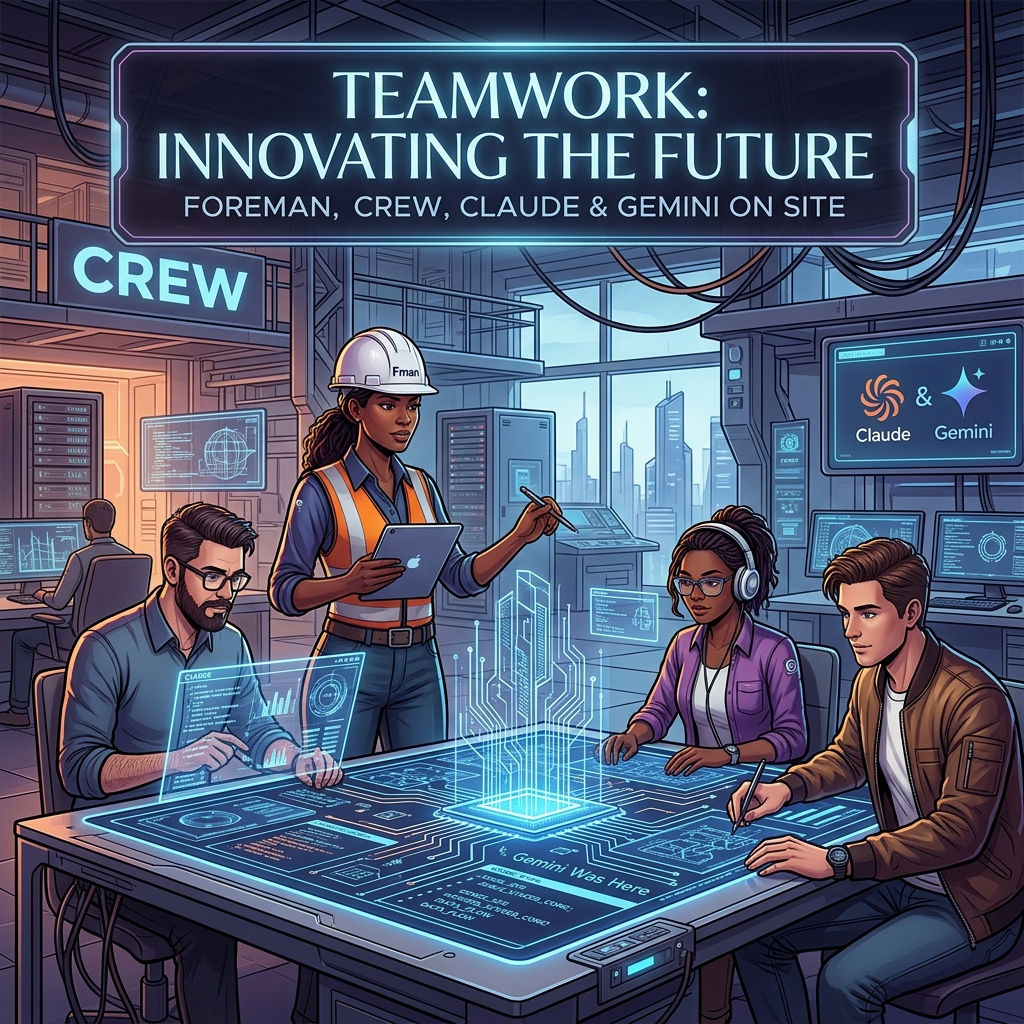
The most expensive mistake an operator can make is burning Claude’s judgment tokens on labor that requires zero creativity. If a task involves a fixed vocabulary, a strict JSON schema, and a predictable input-output loop, you don’t need a poet; you need a foreman to watch a crew of laborers. In my current architecture, Claude is the Foreman—the one who decides the strategy and handles the edge cases—while Gemini serves as the Crew. This isn’t just about saving a few dollars on a Tuesday; it’s about architectural resilience and maximizing the throughput of your most capable models.
Yesterday, I detailed the orchestration pattern that allows these two models to talk to each other. Today, I want to look at the raw numbers and the operational rationale behind why my best Claude work actually runs on Gemini hardware. When you stop treating LLMs as a single-vendor solution and start treating them as tiered compute, the math of your business changes overnight.
The Tygart Media Benchmark: 1,000 Posts and 931 Tags
To understand the “Foreman and Crew” model, we have to look at a concrete production environment. We recently moved over 1,000 legacy posts for Tygart Media through a full metadata audit. This wasn’t a “write a summary” task. This was a “categorize these posts using only these 931 specific tags” task. This is what we call a bounded subtask. The model cannot invent new tags. It cannot be “creative.” It must map unstructured text to a strictly defined vocabulary.
Running this through Claude Opus or even Sonnet 3.5 is technically superior in terms of accuracy, but the cost-to-benefit ratio is skewed. Gemini, particularly when accessed through a Google One AI Premium subscription, allows for a “marginal zero” cost structure for high-volume, bounded tasks. We processed 50 batches, involving approximately 300,000 input tokens and 25,000 output tokens. Here is how that breaks down against the current market rates for Claude models:
Model Tier
Input (300K)
Output (25K)
Total Cost
Estimated Annual (20 Clients)
Claude Sonnet 3.5 ($3/$15)
$0.90
$0.38
$1.28
$307.20
Claude Opus ($15/$75)
$4.50
$1.88
$6.38
$1,531.20
Gemini (AI Ultra Subscription)
$0.00*
$0.00*
$0.00
$0.00
*Cost is covered by the existing $19.99/mo subscription already used for storage and workspace tools.
A $6 saving in a single day is a rounding error. But scale that across 20 client sites on a monthly cadence, and you are looking at $1,500 a year in reclaimed margin. More importantly, you are preserving Claude’s rate limits for the tasks Gemini cannot do—like the actual synthesis of the articles or the high-level strategy decisions that Claude 3.5 handles with far more grace.
Defining the Bounded Subtask
Defining the bounded subtask.
The success of this model hinges on knowing where the Foreman ends and the Crew begins. You cannot simply ask Gemini to “write like Claude.” It won’t. Gemini’s prose style often leans toward the repetitive or the overly structured. However, Gemini excels at what I call Bounded Subtasks. These are tasks where the “walls” of the output are clearly defined.
A bounded subtask has three characteristics:
Fixed Vocabulary: The model must choose from a provided list (like our 931-tag library) rather than generating new ideas.
Structural Rigidity: The output must be valid JSON or a specific markdown format. Gemini is exceptionally good at following “System Instructions” that demand valid code blocks.
Low Context Sensitivity: The task doesn’t require “remembering” what happened three articles ago. It only needs the text in front of it and the rules provided.
By routing these specific “labor” tasks to Gemini, we ensure that zero hallucinations occur. When you give Gemini 931 tags and tell it “only use these,” its adherence to those boundaries is remarkably stable. In our Tygart Media run of 1,000 posts, we saw zero instances of the model inventing a tag that wasn’t in the provided schema. That is the “Crew” doing exactly what they were told, while the “Foreman” (Claude) is free to handle the complex orchestration logic in the background.
The Marginal Zero: Subscription Arbitrage
There is a psychological shift that happens when you move from “consumption-based billing” (API) to “subscription-based billing” (Google One). When you are paying by the token, every experiment feels like a withdrawal from a bank account. You hesitate to run a second pass. You skip the extra validation step to save $0.15.
When you use Gemini through the AI Ultra subscription (routed through a local bridge or automated CLI), the marginal cost of the next 100,000 tokens is zero. This changes the way you build. You can afford to be “wasteful” with tokens to ensure quality. You can run three different prompts on the same text and have the Foreman (Claude) pick the best one. This “Subscription Arbitrage” is the secret weapon of the independent operator. You are already paying for the Google storage and the workspace; why not use the compute that comes bundled with it to handle your data processing?
This doesn’t mean Gemini is “better” than Claude. It means Gemini is “cheaper labor” for the specific tasks where its performance is “good enough.” In engineering, “good enough” at zero marginal cost is almost always superior to “perfect” at a premium.
Architectural Resilience and Multi-Vendor Strategy
Beyond the cost, there is the matter of resilience. If your entire agency or software stack is built on a single LLM provider, you are not a business; you are a feature of that provider. Rate limits, outages, or sudden changes in model weights can break your pipeline in an afternoon.
By splitting the workload between Claude (Foreman) and Gemini (Crew), you build a multi-vendor layer into your architecture by default. If Anthropic has a service disruption, the Crew can still process the tagging and the data—perhaps with a slightly more manual oversight—while you wait for the Foreman to come back online. If Google throttles your subscription, you can temporarily route the Crew’s work to Claude Sonnet.
This decoupling is essential for systems thinkers. It allows you to swap out components without re-writing the entire logic of your application. Your “Foreman” logic stays the same; you just change which “Crew” you are sending the batches to. This is the difference between building a fragile script and building a durable system.
What You Should Do Tomorrow
What you should do tomorrow.
If you are currently running a pipeline that relies solely on Claude, I am not suggesting you switch. I am suggesting you audit. Look at your logs and identify the tasks that don’t require Claude’s soul. Look for the tagging, the JSON formatting, the data extraction, and the basic categorization.
Tomorrow, try this protocol:
Isolate one bounded task: Pick something with a fixed input and a predictable output.
Set up a Gemini bridge: Use the API or a subscription-linked CLI to route that specific task.
Keep Claude as the orchestrator: Let Claude handle the “why” and the “how,” but let Gemini handle the “what.”
Measure the token savings: Don’t just look at the dollars. Look at how many Claude rate-limit tokens you’ve reclaimed for higher-value work.
The goal isn’t to use less AI; it’s to use the right AI for the right job. My best work runs on Gemini because it allows Claude to be the best version of itself. Stop hiring master carpenters to move boxes. Hire the crew, keep the foreman, and scale the system.
For the first two years of the “model wars,” a shared Google Sheet was enough. We tracked parameters, context window sizes, and pricing updates for GPT-4, Claude 2, and the early Gemini iterations. It was a manual process, but it worked. One of our engineers would spend thirty minutes on a Friday morning updating rows, and the team would have a stable reference for the week’s client strategy sessions.
Then came April 2026. In the span of four weeks, the spreadsheet didn’t just become outdated; it became a liability. When Anthropic dropped Claude Opus 4.7 on April 16, followed immediately by OpenAI’s GPT-5.5 release, and then the surprise “Claude Mythos Preview” teaser, the logic of our rows and columns collapsed. By the time Google announced Gemini 3.5 Flash on May 19 at I/O, we realized we were spending more time formatting cells than analyzing the actual implications of the models.
The pace of the ai release timeline has moved beyond manual curation. We didn’t need a prettier document; we needed a functional piece of infrastructure. This is why we stopped updating the sheet and started building a custom, interactive AI release timeline directly into the Tygart Media site using Antigravity and React.
The April/May 2026 Compression
To understand why a static tracker fails, you have to look at the density of releases in the second quarter of 2026. We are no longer in a “once every six months” cycle. We are in a “twice a week” cycle. The technical debt of staying current is mounting for every digital agency and AI operator.
April 16, 2026: Anthropic releases Claude Opus 4.7. This wasn’t just a performance bump; it introduced a native “Artifacts 2.0” layer that changed how we architected frontend deployments.
April 2026 (Late): OpenAI responds with GPT-5.5. The reasoning capabilities jumped, but the latency made it unusable for real-time agentic workflows.
May 5, 2026: OpenAI follows up with GPT-5.5 Instant. This corrected the latency issues of the previous month, effectively deprecating the “standard” 5.5 for most of our production use cases within 15 days.
May 19, 2026: Google releases Gemini 3.5 Flash. This model optimized the “long context” utility that we rely on for codebase analysis, offering a 2M token window at a fraction of the previous cost.
When you have tracking ai models as a core part of your operations, you can’t rely on a tool that requires a human to “decide” where a release fits. You need a system that visualizes the overlap, the deprecation cycles, and the specific utility of each branch.
Why a Custom Tool?
We looked at off-the-shelf timeline plugins and SaaS “roadmap” tools. Most of them are built for marketing—they prioritize “clean” visuals over data density. For an AI strategy firm, “clean” is often the enemy of “useful.” We needed to see the tygart media ai timeline as a heat map of capability jumps, not just a list of dates.
We chose to build a custom tool for three reasons:
Component Integration: We wanted the timeline to pull directly from our internal Antigravity component library, ensuring that the UI matched our existing dashboard architecture.
Programmatic Ingestion: We needed a way to feed the timeline via CLI tools rather than a CMS backend.
State Management: In the heat of May 2026, we needed to filter by “multimodal,” “latency-optimized,” and “reasoning-heavy” models. Most third-party tools don’t support that level of granular state.
The Stack: React, Framer Motion, and Antigravity
The technical core of the timeline is a React application wrapped in Framer Motion for the layout transitions. We chose Framer Motion not for flashy animations, but for its layout projection capabilities. When a user filters the timeline from “All Models” to just “Claude 4.7 release” and its related iterations, the remaining nodes need to reorganize themselves without losing the user’s temporal context.
The design system is powered by Antigravity, our internal framework for building high-density utility tools. Antigravity allows us to define “tokens” for different model families (Anthropic, OpenAI, Google, Meta). This ensures that as the ai release timeline grows, the visual language remains consistent. A “Preview” release like Claude Mythos has a specific dashed-border treatment defined in the system, while a “Stable” release like Gemini 3.5 Flash uses a solid high-contrast fill.
// A simplified look at the release node structure
const ReleaseNode = ({ model, date, type }) => {
  return (
    <motion.div
      layout
      className={`node-${type}`}
      initial={{ opacity: 0 }}
      animate={{ opacity: 1 }}
    >
      <Tag color={getBrandColor(model.brand)}>{model.name}</Tag>
      <h4>{model.version}</h4>
      <p>{model.summary}</p>
    </motion.div>
  );
};
Data Ingestion: From Scraping to Structured JSON
One of the biggest failures of our initial spreadsheet was the “copy-paste” error rate. Reading a 4,000-word release note from Google I/O and trying to summarize it into a cell is a recipe for hallucination or omission. To solve this, we moved to an automated ingestion pipeline using Claude Code and the Gemini CLI.
When a new model drops, we pipe the official announcement text through a Gemini CLI script. The script is prompted to identify specific keys: Release Date, Model Name, Context Window, Pricing per 1M tokens, and “Primary Capability Change.” The output is a structured JSON object that we commit directly to the repository. The React frontend then consumes this JSON to render the timeline.
This “Operator Mindset” approach means that the person “updating” the timeline isn’t writing marketing copy. They are validating data that has been extracted directly from the source. It removes the “hype” and leaves us with the specs.
Technical Challenges: Performance and Overlap
Building an interactive timeline sounds straightforward until you hit a “Hot Week.” The week of May 4, 2026, was a nightmare for our layout engine. We had GPT-5.5 Instant, a mid-cycle update from Mistral, and the first leaks of the Mythos preview all hitting within 72 hours.
In a standard vertical timeline, these nodes stack on top of each other, creating a “scroll-hole.” We had to implement a collision detection algorithm in the React component. If two releases occur within the same 48-hour window, the timeline branches horizontally. This allows the user to see the “clash” of models visually. It reflects the reality of the market: these models are competing for the same headspace at the same time.
We also struggled with SVG performance. We initially tried to draw connecting lines between “parent” and “child” models (e.g., GPT-5.5 to GPT-5.5 Instant). As the timeline grew to over 50 nodes, the browser’s paint time started to lag. We eventually moved to a canvas-based background for the connecting lines, keeping the nodes as interactive DOM elements. It’s a bit more complex to maintain, but it keeps the interaction at 60fps.
Design Decisions: Usefulness Over Aesthetics
In the Pacific Northwest, we tend to favor restraint. We applied this to the UI. We stripped out the brand logos and replaced them with high-contrast color codes. We removed the “hero images” that usually accompany these releases. If you are an architect looking at our timeline, you don’t need to see a picture of a glowing brain; you need to see the context window and the date.
One of the most debated features was the “Impact Score.” We originally wanted to rank models on a scale of 1-10. We killed that idea in the second week of development. “Impact” is subjective. Instead, we added a “Primary Use Case” filter. If you’re building a coding agent, the “Impact” of Gemini 3.5 Flash’s 2M context window is much higher than a reasoning-heavy model with a 128k window. Our design allows the user to define what matters to them.
Failures in Automation
We aren’t afraid to show where we tripped. Our first attempt at the timeline was 100% automated. We had a CRON job that searched for “new model release” and tried to update the JSON automatically. It was a disaster.
On May 5, the bot picked up a parody post on X (formerly Twitter) about a “GPT-6 Super-Intelligence” and added it to the timeline. It took us six hours to notice and remove it. We learned that while extraction should be automated, verification must remain human. We now use a “Human-in-the-loop” (HITL) system. The Gemini CLI generates the draft JSON, but it requires a git commit by an engineer to actually go live. This balance is what keeps the tool reliable.
The Result: An Operator’s View
The interactive timeline has changed how we talk to clients. Instead of saying, “Things are moving fast,” we can show them the exact density of the claude 4.7 release cycle compared to the previous version. We can show them why we shifted their infrastructure from GPT-5.5 to GPT-5.5 Instant in a matter of days. It provides a visual justification for the agility we build into our systems.
It’s no longer a “project.” It’s a living part of the Tygart Media stack. It serves as a reminder that in the AI era, your documentation tools must be as scalable and automated as the models themselves.
What You Should Do Tomorrow
If you are still tracking AI updates in a spreadsheet or a Notion gallery, you are already behind. You don’t necessarily need to build a custom React app, but you do need to change your process.
Step 1: Stop writing manual summaries. Use a CLI tool (Gemini or Claude) to extract the technical specifications from release notes. Create a structured format (JSON or CSV) that remains consistent.
Step 2: Define your “Production Stack.” Don’t track every model; track the ones that actually affect your operations. If you aren’t using Llama 3 on-prem, don’t let it clutter your primary view.
Step 3: Visualize the overlap. Whether you use a simple Mermaid.js chart in your internal wiki or a custom tool, you need to see when models are released in parallel. It helps you understand which “generation” of technology you are currently building on.
The chaos isn’t going away. The only variable is how much of it you choose to automate.
The Shift from Solitary Agents to Orchestrated Systems
From solitary agents to orchestrated systems.
By May 2026, the novelty of “chatting” with an AI has vanished. For technical operators and systems architects, the conversation has moved from prompt engineering to orchestration. We no longer ask an agent to “write a script”; we deploy stacks that monitor state, reconcile data across disparate platforms, and execute complex workflows without human intervention unless a threshold is breached. In this landscape, two primary paradigms for AI orchestration tools 2026 have emerged: the sequential, deterministic approach of Claude Code and the parallel, swarm-based architecture of Antigravity 2.0.
The “operator’s reality” in 2026 is that building a single agent is a hobby; building a three-layer stack is a business. This stack—composed of Notion as the human-readable “Eyes,” Google Cloud Platform (GCP) as the “Headless Engine,” and tools like Claude Code or Antigravity as the “Hands”—has become the standard for scalable automation. The challenge isn’t getting the AI to do the work; it’s the reconciliation. It’s ensuring that what the agent thinks it did in the terminal matches what the business sees in its records. This is the breakdown of how these tools operate in the field.
Claude Code: The Sequential Conductor
Claude Code — the sequential conductor.
Claude Code remains the gold standard for high-precision, terminal-first execution. It operates as a “Senior Engineer” archetype. When you initialize a session in a repository, it doesn’t just guess; it indexes the environment, maps dependencies, and proceeds with a surgical, step-by-step logic that requires human verification for high-impact changes.
In our tests, Claude Code’s primary strength is its determinism. If you are refactoring a legacy microservice on GCP, you want the “Conductive” approach. You want the agent to read the logs, propose a fix, and wait for your y/n confirmation before it pushes to production. It is a tool of restraint. Its CLI-native interface is designed for the developer who lives in the terminal, using a local context window to ensure that every line of code written is idiomatically consistent with the existing codebase.
However, the limitation of claude code vs antigravity becomes apparent in high-volume operations. Claude Code is sequential. It is one agent, one terminal, one task. It is brilliant at fixing a bug; it is slow at managing a fleet of 500 social media accounts or reconciling 10,000 line items across a multi-region inventory system. For that, you need a different architecture.
Antigravity 2.0: The Parallel Swarm
Antigravity 2.0, released earlier this year, takes the opposite approach. It is built on “Swarm Intelligence.” Instead of a single conductor, Antigravity deploys a Mission Control UI that manages dozens of “worker” agents simultaneously. These agents don’t wait for your confirmation at every step; they use browser verification to “see” their results in real-time and self-correct based on the visual state of the web or a GUI.
If Claude Code is the surgeon, Antigravity is the construction crew. In a recent deployment for a logistics client, we used Antigravity to monitor carrier pricing across 15 different portals. A single Claude Code instance would have taken hours to cycle through these sequentially. Antigravity spun up 15 parallel swarms, each with its own browser instance, scraped the data, verified the pricing against the contract terms (using its internal visual verification), and updated the database in under four minutes.
The Mission Control UI is the differentiator. While Claude Code users are staring at a scrolling terminal, Antigravity users are looking at a dashboard of active swarms. You can see which agents are “thinking,” which are “verifying,” and which have hit a roadblock. It is designed for multi-agent orchestration at scale, where the operator’s role shifts from “approver” to “overseer.”
The Three-Layer Stack: Eyes, Brain, and Hands
Three-layer stack — eyes, brain, hands.
The most effective systems we’ve built this year don’t rely on a single tool. They use what we call the “Rare Three-Layer Stack.” Most people pick one layer and wonder why their automation is brittle. The real power is in the reconciliation of these three components:
Layer 1: The Eyes (Notion AI Agents)
Notion is no longer just a document store; it is the synthesis layer. We use notion ai agents to serve as the “Eyes” of the operation. These agents monitor our project databases, meeting notes, and strategy docs. They synthesize the human intent. If a project manager changes a status in Notion from “Draft” to “Ready for Deployment,” the Notion agent detects this change and sends a signal to the next layer. It provides the human-readable visibility that a terminal lacks.
Layer 2: The Headless Engine (GCP)
The “Brain” or “Engine” lives in GCP. We use Cloud Functions and Firestore to maintain the “Source of Truth.” This is where the business logic resides. When the Notion agent signals a status change, GCP processes the rules: Does this change require a security audit? Does it fit the budget? It maintains the state of the entire system, acting as a headless automation layer that doesn’t care about the UI.
Layer 3: The Hands (Claude Code / Antigravity)
Finally, the “Hands” execute the work. If the task is a surgical code update, GCP triggers a Claude Code session via a webhook. If the task is a wide-scale data migration or a browser-based workflow, it triggers an Antigravity swarm. These are the connective hands that read from the engine and write to the external world.
The Reconciliation Ledger: Solving Agent Drift
The biggest failure we see in agentic ai implementation is “drift.” Drift occurs when an agent performs an action (the Hands), but the state isn’t updated in the record (the Eyes), or the engine (the Brain) loses track of the execution.
To solve this, we implemented a “Reconciliation Ledger.” Every action taken by a Claude Code or Antigravity instance must be logged back to a Firestore collection with a unique transaction ID. The Notion agent then periodically “audits” the ledger. If Antigravity reports that it updated 500 records, but the GCP database only shows 498 changes, the Notion agent flags a “reconciliation error” and alerts a human operator.
Without this ledger, multi-agent orchestration is a recipe for silent failure. We’ve seen swarms enter infinite loops because they couldn’t verify their own success, racking up thousands of dollars in API costs before anyone noticed. The ledger is the guardrail.
Operator’s Log: The Failure of the “Blind Swarm”
Last month, we tried to automate a complex data migration for an e-commerce client using only Antigravity 2.0 swarms, bypassing the GCP engine layer. We thought the agents were smart enough to handle the state locally. We were wrong.
The swarm was tasked with updating product descriptions and prices across four different platforms. Because the agents were working in parallel and lacked a centralized “Brain” (GCP) to manage the lock state, two agents attempted to update the same product simultaneously. Agent A updated the price to $49.99 based on the original data, while Agent B updated the description. Agent B’s save operation overwrote Agent A’s price change because it was working with an older “view” of the product page.
The result was a $12,000 discrepancy in sales over a weekend. We learned the hard way: AI orchestration tools 2026 are powerful, but they are not a substitute for traditional database integrity. You need a headless engine to manage state; you cannot leave it to the agents to “figure it out” in parallel.
Choosing Your Paradigm: Claude vs. Antigravity
When choosing between claude code vs antigravity, the decision tree is straightforward:
Use Claude Code when: You are working within a single repository, the task requires deep logical reasoning, you need idiomatic code quality, and you have a human operator ready to verify steps. It is for “Building.”
Use Antigravity 2.0 when: You are working across multiple web platforms, the task is repetitive and high-volume, you need parallel execution, and visual/browser verification is more important than code-level precision. It is for “Operating.”
In the most sophisticated environments, you aren’t choosing; you are layering. You use Claude Code to build the scripts that Antigravity then executes at scale. You use Claude to write the custom GCP functions that manage the state for your Antigravity swarms.
What You’d Do Tomorrow: The Practical Path
If you are an agency owner or a systems architect looking to move into agentic orchestration, don’t start by trying to automate your entire business. Start with the ledger.
Map your “Eyes”: Identify where your human intent lives. Is it Notion? Jira? Slack? Set up a basic webhook to watch for state changes.
Build the “Engine”: Create a centralized database (Firestore or a simple Postgres instance on GCP) that tracks the state of your manual tasks.
Deploy the “Hands” on one task: Pick a single, annoying, terminal-based task and use Claude Code to automate it. Or pick a browser-based task and use Antigravity.
Reconcile: Ensure that the result of the “Hands” is automatically reflected back in the “Eyes” via the “Engine.”
The future of work in 2026 isn’t about agents replacing people. It’s about operators managing stacks. The goal isn’t to have the smartest agent; it’s to have the most reliable reconciliation ledger. When the “Eyes,” “Brain,” and “Hands” are in sync, the system scales. When they aren’t, you just have a very expensive way to generate errors.
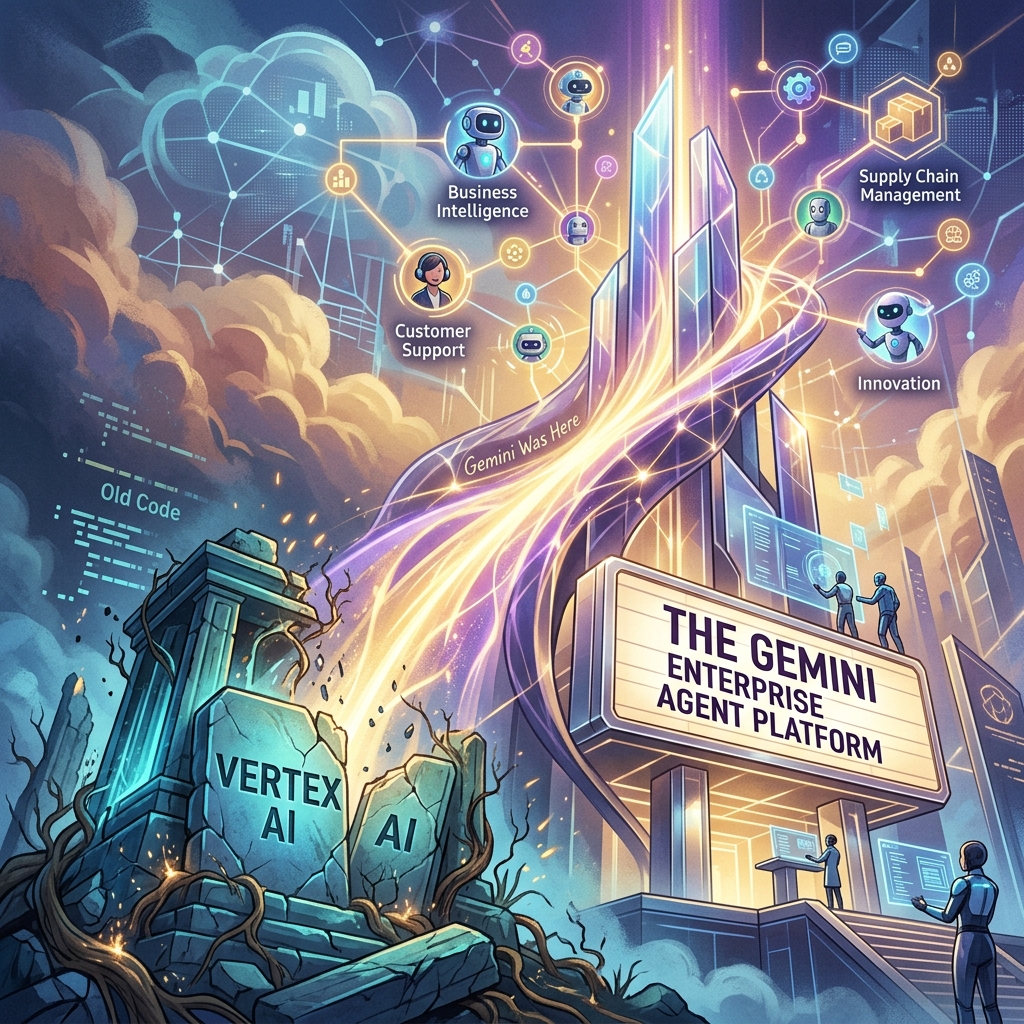
The Death of ‘Vertex AI’ and the Rise of the Gemini Enterprise Agent Platform
For four years, Vertex AI was the “everything store” for Google Cloud’s machine learning stack. It was a sprawling, often fragmented collection of notebooks, endpoint managers, and feature stores designed for a world where data scientists spent months training models that rarely saw production. But at Google Cloud Next 2026, that era ended. In its April 22, 2026 release notes, Google says Vertex AI is now part of the Gemini Enterprise Agent Platform, and its official name-change table maps the old services to new ones: Vertex AI Studio became Agent Studio, Vertex AI Agent Engine became Agent Runtime, and Model Garden carries over as Gemini Enterprise Agent Platform Model Garden.
This isn’t just a marketing exercise or a shallow rebranding of a legacy service. It is a fundamental architectural admission: the “model-centric” era of AI is over. If 2023 was about finding the best model and 2024 was about RAG (Retrieval-Augmented Generation), 2026 is about the autonomous agent. Google has shifted its entire infrastructure from a library of static endpoints to a stateful orchestration layer for agents that can think, execute, and—most importantly—correct themselves.
The Architecture Shift: Model-Centric vs. Agent-First
In the old Vertex AI framework, you deployed a model. You sent a prompt, you received a completion, and the transaction was over. Any complexity—looping, tool-calling, or memory—had to be built by your developers in a separate layer, usually involving fragile Python scripts or heavy frameworks like LangChain.
The Gemini Enterprise Agent Platform flips this. With the rollout of ADK 2.0 (Agent Development Kit), the “model” is now just a component of an “agent.” In this new architecture, the platform handles the state. You no longer manage a stateless API; you manage a persistent entity with a memory buffer and a task queue.
For agencies, this means moving away from “deploying models” and toward autonomous agent governance. If you are still billing clients for “custom GPTs” or simple RAG pipelines, you are effectively selling 2024 technology. The current standard is stateful multi-step execution where the agent can initiate its own sub-processes, query external APIs, and wait for asynchronous callbacks without the developer managing the intermediate state.
ADK 2.0 and the Developer Workflow
The core of this transition is ADK 2.0. Google’s ADK documentation describes the Agent Development Kit as an open-source framework for building, debugging, and deploying AI agents, and lists structured, graph-based architectures with explicit execution paths as new in ADK 2.0.
The runtime changed too. According to Google’s Agent Platform release notes, Agent Runtime (formerly Vertex AI Agent Engine) now supports long-running operations of up to seven days, with sub-second cold starts. An agent can stay on the job instead of answering a single request and exiting.
Agent Studio: Low-Code Orchestration That Actually Works
Google also renamed Vertex AI Studio as Agent Studio, which its Agent Platform documentation describes as a low-code canvas for designing complex multi-agent reasoning loops. Model Garden is still the catalog; Agent Studio is a visual IDE for agentic loops. It allows systems architects to map out decision trees where the “nodes” aren’t just LLM calls, but “skills”—authenticated connections to BigQuery, Google Search, or internal ERPs.
The key feature here is stateful multi-step logic. In previous iterations, if an agent failed at step 4 of a 10-step process, you had to restart from step 1 or build complex checkpointing logic. Agent Studio handles the checkpointing natively. For an operator, this reduces the “failure surface area.” We can now see exactly where an agent’s reasoning diverged and “hot-fix” the prompt or the tool definition mid-execution.
The Hard Truth About Autonomous Agent Governance
As Vertex AI is rebranded and replaced, the biggest hurdle for agencies isn’t the code—it’s the governance. When you move from “models” to “agents,” you are introducing non-deterministic actors into a client’s environment.
That makes guardrails, scoped permissions, and human review checkpoints part of the build, not an afterthought.
Pricing Shift: From Tokens to Outcomes
The pricing change we’re watching most closely is a move toward outcome-based pricing for specific task completions. As of October 2026, Google’s published Agent Platform pricing still bills on usage, such as compute hours and requests, so treat outcome-based billing as a direction to plan for rather than a launched feature.
The old model penalized efficiency. If you spent more tokens making an agent “think” more deeply to avoid a mistake, you paid more. An outcome-based model would let you pay per “Successful Task Completion.” That would align Google’s incentives with the agency’s. We would no longer care about the context window length as a cost factor; we care about the “Agentic Success Rate” (ASR).
For a mid-sized agency, that would simplify the math significantly. If a client wants a support agent that handles 1,000 tickets, you could project a flat cost per resolved ticket rather than guessing how many tokens a “difficult” customer might consume.
What You Should Do Tomorrow
If you are managing an AI stack, the “Vertex AI” name disappearing from your console is your signal to stop building “wrappers” and start building “systems.” Here is the tactical path forward:
Audit your current ‘Models’: Identify which of your current deployments are actually just stateless prompts. These are your biggest liabilities. Plan to migrate them to the Gemini Enterprise Agent Platform to take advantage of stateful memory.
Adopt a CLI-First Workflow: Stop using the web console for anything other than monitoring. Use the Gemini CLI and integrate it with Claude Code or your local IDE. The speed of iteration in ADK 2.0 is only visible when you are working in a terminal environment.
Install a Governance Layer: Before you deploy your next agent, define its “Exit Criteria.” Add a review step so that no agent can execute an external API call (like send_email or update_database) without a secondary “Reasoning Audit.”
Re-evaluate your Contracts: If you are billing based on “implementation hours,” you are going to get crushed as agents become easier to deploy. Move toward “Performance-Based Retainers” that mirror outcome-based pricing. If the agent solves the problem, you get paid.
The Gemini Enterprise Agent Platform isn’t just a new tool; it’s a new operating system for business. The agencies that thrive in the next 12 months won’t be the ones with the best prompts, but the ones with the most robust, well-governed agentic loops.
A Second Take on The Rise of the Curation Class, published here yesterday. The original named a demographic. This one names the working architecture underneath it — and argues that for solo operators willing to assemble the substrate, the Curation Class is not an emerging future. It is a present tense.
The Thesis from the Source Post
The original piece described a newly emerging demographic — the Curation Class — defined by its rejection of mass-produced goods in favor of personalized, bespoke experiences. Unlike the mass-luxury class that hired professionals to curate taste for them, the Curation Class authors its own taste. It uses interconnected ecosystems to make personal authorship coherent and reproducible across time.
Five technological signatures distinguish them:
They value the interconnected ecosystem over the device. The phone, the ring, the wearable — these are access tokens. The ecosystem is what the tokens unlock.
They want invisible, frictionless interfaces. When the ecosystem works, it disappears. They will pay a premium for the subtraction of friction.
They use AI as an instrument, not a replacement — to make their own decisions legible and reproducible, to check their work against their own internal standards.
They demand a user-owned Second Brain — a persistent personal memory layer that crosses contexts, owned by them, not by a vendor.
They require hyper-personalized verification — relationships and protocols specifically tuned to them, verified, traceable, theirs.
The source frames this as a consumer emergence — luxury tech for the post-luxury class.
That frame is correct as far as it goes.
This is the case that it does not go far enough.
The Second Take
The Curation Class is not a demographic waiting to be served by better consumer products. It is a working operating model. The people the source describes are not waiting for a wearable to ship. Many of them already have the stack. They built it themselves out of components that do not, in any obvious way, look like luxury goods.
The substrate is not titanium and cashmere. It is Notion, Claude, and Google Cloud Platform, wired together with a small number of disciplined patterns.
This is not a hypothetical. It is what Tygart Media runs on. The same five signatures the source identified — ecosystem over device, invisible interface, AI as instrument, user-owned Second Brain, hyper-personalized verification — are present in the production system that publishes this article. They are not aspirational. They have names, IDs, deployment dates, and gate-failure logs.
What follows is the architecture. Not as a brag. As a working diagram of what the Curation Class looks like when you build it instead of buying it.
1. The Two-Plane Architecture — Ecosystem Over Device
Two-plane architecture — ecosystem over device.
The canonical architecture has two planes and a brain.
Notion is the Control Plane — the warehouse and the face. It holds every spec, every database, every Work Order, every Promotion Ledger row, the entire Second Brain. The operator owns it 100%. Notion stores and surfaces. Notion does not think.
Google Cloud Platform is the Compute Plane — the plumbing. Cloud Run executes the workers. Cloud Scheduler triggers them. Workload Identity Federation authenticates them without stored keys. The operation’s technical partner owns it 100%. The compute is inside a VPC the operator owns.
Then there is the brain.
Claude is the brain. Not a plane. Not a leg of the stool. The operator’s instrument. Specifically: Claude Code on the laptop for heavy execution — file ops, deployments, multi-step agentic work, Work Order drafting, reading from and writing to the warehouse — and Claude chat on mobile for orchestration, thinking, captures, on-the-go decisions, and conversational architecture sessions. The brain operates outside the warehouse and dispatches work into both planes.
The handoff between planes is a structured artifact called a Work Order. The operator, working through Claude, decides that a new capability is needed. Claude drafts a Work Order in Notion that specifies what the capability does, what triggers it, what it reports back. The compute-plane operator reads the Work Order, designs the GCP implementation, builds the Cloud Run service, and wires the trigger so the warehouse can fire it directly. The Promotion Ledger logs the new behavior and starts its seven-day clean-day clock.
This is the Curation Class’s first signature made literal. The value is not in any one tool. Notion alone is a planner. GCP alone is a hyperscaler. Claude alone is a chatbot. Wired together with the operator and the compute partner each owning one plane and the brain moving freely between them, they are an ecosystem. The operator does not stare at any one screen. The operator stares at outcomes.
The device, in this frame, is whatever the operator happens to be holding. The laptop runs Claude Code. The phone runs Claude chat. The warehouse runs in a browser tab. The plumbing runs in a region the operator never visits. The ecosystem is the architecture.
A real production note worth surfacing here: this architecture is recent. The operation tested an earlier version that put the brain inside Notion — Notion AI as orchestrator, Notion Workers as the thinking layer. The quality ceiling was too low. Notion AI is excellent at retrieval and at acting on the warehouse from inside it. Its reasoning and orchestration quality lagged the frontier models accessed natively. The doctrine update happened in the last twenty-four hours. The brain moved back outside. Claude Code on laptop and Claude chat on mobile became canonical. This is the kind of decision the Curation Class actually makes — not picking the integrated all-in-one solution because it is convenient, but picking the right tool for each plane and accepting the cost of wiring them together.
2. The Promotion Ledger and the Tier Ladder — AI as Instrument, Not Replacement
Promotion ledger — AI as instrument.
This is where the source post stops gesturing and the working system has to commit. The Curation Class wants AI that checks its work against its own internal standards. Fine. What does that look like in production?
It looks like a Promotion Ledger.
Every autonomous behavior in the system — every scheduled worker, every published post, every Slack alert — is logged on a Notion database called the Promotion Ledger. Each behavior has a row. Each row has a Tier and a Status.
The tiers run A through C with a Wings designation above:
Tier A behaviors propose. The system writes a draft, builds a report, surfaces a recommendation. The operator approves via an elevated report — not an atomic per-task confirmation, but a periodic sign-off on a batch. Nothing publishes without approval.
Tier B behaviors prepare. The system stages the work — drafts written, images generated, schemas built, social drafts queued. The operator flies the plane. The system does the ground crew job.
Tier C behaviors run. The system publishes without per-task approval. The operator only sees the work if it fails a gate. Tier C is autonomy.
Wings is the graduated state. A behavior that has run clean at Tier C long enough to be considered structurally trusted.
The ladder is governed by a seven-day clean-day clock. Seven consecutive clean days at a tier — no gate failures, no anomalies, no operator overrides — and the behavior becomes a candidate for promotion. Promotion decisions happen on Sundays. Nothing gets bumped up mid-week.
Failure runs in the opposite direction. A gate failure resets the clean-day clock on that behavior and drops it one tier. The failure is logged with date and reason. The Slack alert points to the row.
This is the structural answer to the Curation Class’s demand for AI that does not replace the operator’s judgment. The system does not improvise trust. Trust is earned by running clean for measurable, public, auditable periods. The operator is not asked to feel confident. The operator is asked to look at the Promotion Ledger.
The Pane of Glass is the live view of the ledger — a single artifact, surfaced in the Cowork workspace, that shows every behavior, its tier, its status, its clean-day count, and the date of its last gate failure if any. It is the dashboard the source post’s Curation Class would recognize. It is also the dashboard a regulator would recognize. Same mechanism. Both audiences served by the same artifact.
The deeper move here is linguistic. The system reports in tiers, not in reassurance. The output of a Tier C behavior is not “Three drafts are ready for your review.” The output is “Three posts published. No anomalies.” The operator does not approve every action. The operator audits the ledger.
This is what AI-as-instrument looks like when you stop saying it and start measuring it.
3. The Context Index and claude_delta — A Second Brain That Stays Legible
Context index — a second brain that stays legible.
The Curation Class wants a persistent memory layer that crosses contexts. Wellness data talks to work schedules. Home environments talk to project files. Disconnected parts of life communicate.
The operational challenge nobody in the consumer pitch ever names is this: any sufficiently large personal knowledge graph hits a context window ceiling. AI models have token limits. A real Second Brain, after a year of accumulation, will not fit in one fetch.
The Tygart Media answer is the Context Index, sharded.
The origin story is unglamorous. The Context Index started as a single Notion page — every important fact about the operation, every credential reference, every architectural decision, every key relationship. At 170 kilobytes of dense Notion markdown, it exceeded the practical fetch ceiling for any model session. Loading it consumed most of the available context before the actual work could begin.
The fix was structural. The 170KB page was sharded into a 6.5KB router and six domain-scoped shard pages. The router holds the index — what each shard contains, which shard to fetch for which task. The shards hold the depth. A session fetches the router first, decides which shards it actually needs, and pulls only those. The router is cheap. The shards are demand-loaded.
The second layer is claude_delta — a JSON metadata block placed at the top of every Notion page in the system. Version 1.0 specifies a small set of fields: page type, related entities, schema references, source post links, status. It is the airport-codes layer of the Second Brain. A model session can scan the delta block and know, in three hundred bytes, whether the page is worth fetching in full.
This is what user-owned memory at scale actually requires. Not the warm assurance that your data is yours. The unglamorous engineering that makes your data fetchable by your own tools at the speeds your work demands. The Curation Class’s Second Brain is not a marketing promise. It is a routing problem solved by router-and-shard architecture and a metadata standard.
The data lives in Notion. The brain that reads it lives in the operator’s own Claude sessions — Code on the laptop, chat on the phone. The compute that runs it lives in the operator’s GCP project. No vendor between the operator and the operator’s own memory.
4. The Fortress Architecture — Hyper-Personalized Verification With Sovereignty Intact
The source post lands on a Concierge Cred Network — the ecosystem verifies the specific barista who knows the exact coffee temperature, the specific protocols tuned to the specific body. Verification is the move. The Curation Class trusts individuals and protocols, not brands.
The security counter-argument is the part the consumer framing glosses. Hyper-personalized verification means a lot of sensitive data flowing through a lot of vendors. Wellness, schedule, location, biometrics, relationships. Every one of those data streams is a vector for surveillance, breach, and lock-in.
The Tygart Media posture is Fortress Architecture. The principle is one sentence: AI connects to WordPress from inside a GCP VPC, not via outbound plugins.
Most AI integrations are sold as plugins. You install something on your WordPress site, the plugin reaches outward to an AI vendor’s API, the vendor sees your content, your traffic patterns, your user data. Convenient. Also a permanent surveillance line into your operation.
The Fortress flips the direction. WordPress runs on a Compute Engine VM inside a VPC the operator owns. The AI tools that act on it — the publishing workers, the schema injectors, the content quality gates — run in the same VPC, on Cloud Run, authenticating with Workload Identity Federation. They reach in over the private network. WordPress is not exposed to the AI vendor. The AI vendor is not even on the path.
The operator’s content, credentials, and customer data stay inside the operator’s perimeter. The Curation Class’s demand for sovereignty is not a feature toggle. It is a network topology choice.
This is the part the consumer narrative cannot land because it would require admitting that most consumer AI is sold by entities whose business model conflicts with the customer’s stated values. The Fortress is the working answer. You do not need to trust the vendor. You need to architect a perimeter in which the vendor does not have standing.
5. The Soda Machine Thesis — The Complete Mental Model
The pieces above are mechanisms. The mental model that holds them together is the Soda Machine Thesis.
The thesis treats a personal Notion workspace not as a productivity app but as an operating company.
Notion is the building. The physical structure inside which the company operates.
Databases are the floors. Master Actions, Content Pipeline, Knowledge Lab, Promotion Ledger — each is a department occupying a floor.
The operator is the Owner. Holds equity, sets strategy, signs off on capital decisions. Does not pour the concrete or run the daily standups.
AI-in-conversation is the Architect. Sits at the table when the building’s structure is being decided. Reviews plans, flags structural issues, drafts elevations. Does not, however, frame the walls.
Custom Agents are the General Contractors. Domain-specific instances of AI with bounded scopes and named responsibilities — the GC for content, the GC for social, the GC for client reporting. They manage the trades and report up.
Workers are the subcontractors. Cloud Run jobs, Cloudflare Workers, scheduled scripts. They do the actual labor on the actual floor. They show up, do the work, file the report, leave.
The Soda Machine name comes from the simplest version of the metaphor. A soda machine is a fully self-contained business — it sells product, collects revenue, restocks itself, calls for service when it breaks. It does not need a human in the loop for the routine. It needs an operator at the top who decided to put it there.
This is the model that makes the Promotion Ledger coherent. The Tier C behaviors are soda machines. The Tier A behaviors are GCs proposing new construction. The operator is not the construction worker. The operator is not even the foreman. The operator is the one who decides which buildings to put up and which floors to add.
The Curation Class signature this resolves is the deepest one — the demand to design one’s own life and have the design hold across years. The Soda Machine Thesis gives the language for what kind of structure the design is. Not a workflow. Not a productivity system. A holding company, with a portfolio, with trades, with audits.
6. The Human Substrate — Why This Particular Ledger
A working system carries the fingerprints of the person who built it. The Promotion Ledger is no exception.
The ledger’s seven-day clean-day rule and three-tier trust architecture are not abstract design choices. They trace back to a childhood sorting mechanism — an only child in a military family, moving every two or three years, developing a way to decide what to keep, what to demote to storage, and what to throw out. The decision was always tiered. Always conditional on a clock. Always documented, even if only to himself, because the next move was always coming and the calculus had to survive the move.
The Promotion Ledger is that calculus made operational. Behaviors graduate the way belongings did. Behaviors fail the way belongings did when the next move proved them dead weight. The seven-day clock is the operational version of “if I haven’t touched this since the last move, it does not move with me.”
This matters because the Curation Class signature the source post identifies — the demand for hyper-personalized verification, for relationships and protocols specifically tuned to the operator — only holds if the operator’s tools carry the operator’s actual cognitive fingerprint. A Promotion Ledger written by someone else, even a perfect one, would not be this one. The childhood-sorting origin is what makes it legible to its operator. It also is what makes it defensible — when a gate fails and the system demotes a behavior, the operator does not argue with it. The mechanism is older than the system.
This is the human substrate the consumer pitch cannot reach. The bespoke AR ring is bespoke in finish. The Promotion Ledger is bespoke in mechanism. One is a luxury good. The other is an operating system.
The Curation Class Is Already Here
The source post described a class waiting for an ecosystem to ship. The honest read is that the ecosystem is shippable today, from components most operators already have access to, if they are willing to do the work of wiring them together with discipline.
Notion accounts exist. Claude subscriptions exist. GCP free tiers are generous enough to run a real operation on. The two-plane architecture with Claude as the brain is a deployment pattern, not a luxury product. The Promotion Ledger is a Notion database with a Tier column and a Status column and a clean-day counter — the schema is not the hard part. The hard part is the operator’s willingness to publish on Tier C without manual review, to let the ledger be the source of truth, to read “three posts published, no anomalies” as the success state instead of asking for the drafts.
That willingness is what the Curation Class actually demands of its members. Not money. Not titanium. The discipline to design a system that runs without you, and then to trust the audit trail when it does.
The consumer version of the Curation Class will eventually ship. There will be expensive rings and curated concierge networks and verified protocols, and the people who can afford them will own them, and the people who sell them will collect the margin.
The operator version is already running.
It looks like a Notion workspace with a Promotion Ledger pinned to the top, a GCP project running quietly inside a VPC nobody else has standing in, Claude Code open on a laptop and Claude chat on a phone, and a person on the other end of the system who does not stare at any one screen because the screens are not the point.
Update — May 15, 2026: On May 13, 2026, Notion shipped the Notion Developer Platform (version 3.5), with Claude as a launch partner. The platform adds Workers, database sync, an External Agents API, and a Notion CLI. For the full breakdown of what changed and what it means for the Notion + Claude stack, see Notion Developer Platform Launch (May 13, 2026). For the underlying operating philosophy, see The Three-Legged Stack: Notion + Claude + Google Cloud.
Everyone is building the everything app. Microsoft wants to be yours. Google wants to be yours. Notion wants to be yours. But there’s a fourth path nobody is talking about — and it might be the smartest play for brands, agencies, and multi-system operators: don’t pick one everything app. Build one everything database, and let it feed all of them.
The Core Idea
Notion isn’t competing to be your everything app. It’s competing to be your everything database — the structured, queryable, agent-ready source of truth that sits underneath whatever surface you use. The everything app becomes interchangeable. The database is the moat.
The Series So Far — and Why This Frame Changes Everything
But there’s a reframe worth making. What if the everything app isn’t the destination? What if the destination is the data layer underneath it — and the everything app is just whichever surface happens to be most useful at a given moment?
That’s the angle that emerged from actually building inside Notion Workers alpha. And it changes the strategic calculus significantly for anyone running a brand, an agency, or a multi-system operation.
Your Brand Doesn’t Need One Everything App. It Needs One Everything Database.
One everything database beats one everything app.
Think about what an everything app actually requires to work. It needs to know your tasks. Your projects. Your contacts. Your content calendar. Your pipeline. Your team’s status. Your historical decisions. Your brand voice. Your client relationships. Your automation outputs.
That’s not an app problem. That’s a data structure problem. And the company that solves the data structure problem — that gives you a clean, typed, queryable, agent-ready home for all of that — wins, regardless of which surface you use to view it.
Notion’s database architecture is purpose-built for exactly this. Every property is typed. Every row is queryable. Every database can be filtered, sorted, related, and rolled up. When you build your brand’s operational data inside Notion — tasks with statuses, projects with owners, content with metadata, contacts with relationship history — you’re not just organizing. You’re building a structured intelligence layer that agents can read, write, and reason over reliably.
That database doesn’t care which “everything app” sits on top of it. Microsoft Copilot can query it. Google Workspace agents can sync from it. Your own custom dashboard can read it via the Public API. Claude can operate on it directly. The surface is interchangeable. The database is the thing that compounds in value over time.
The 30-Second Trigger: Where the Architecture Gets Interesting
Here’s the piece that came out of our own Workers alpha experience — and it reframes the “30-second sandbox limitation” from a constraint into a feature.
Notion Workers runs in a 30-second execution window. We hit that wall hard when we tried to move heavy automations — multi-site WordPress optimization passes, content pipelines, image generation — into Workers. Those are multi-minute jobs. They don’t fit.
But 30 seconds is more than enough to do one specific thing: fire a signed HTTP POST to an external endpoint and return.
That’s the architectural insight. You don’t use Notion Workers to execute heavy work. You use Notion Workers to trigger it. The Worker wakes up — on a schedule, on a database change, on a webhook — reads the relevant Notion database row, constructs a signed payload, fires a POST to a Google Cloud Run job, and exits. The whole thing takes under five seconds. Well within the 30-second window.
Cloud Run picks up the job, runs for as long as it needs — minutes, not seconds — and when it’s done, it writes the results back to the Notion database via the Public API. The Notion database is now the job queue, the status tracker, the results store, and the orchestration log. All in one place. All queryable by agents.
The pattern in practice:
Notion Worker (cron / DB change / webhook)
→ reads Notion database row for job config
→ signs POST to Cloud Run endpoint
→ returns immediately (3–8 seconds, well under 30s)
Cloud Run (no time limit)
→ runs heavy job (WP optimization, pipeline, image gen)
→ writes status + results back to Notion DB via Public API
Notion Database
→ job queue / status tracker / results store / audit log
→ queryable by agents, visible to team, triggerable again
This is the hybrid architecture we’re running. Our Tuesday 18-site WordPress SEO optimization pass runs on Cloud Run — not because Notion can’t orchestrate it, but because Notion does orchestrate it, as the database layer, while Cloud Run handles the execution. The Worker is the tickle. Cloud Run is the muscle. Notion is the brain that remembers everything.
What “Brand Everything Database” Actually Means in Practice
What brand everything database means in practice.
If you’re an agency, a media operation, or a multi-brand operator, here’s the concrete version of this architecture:
One Notion workspace as the brand OS. Every client, project, task, content piece, automation job, and decision lives as structured database rows. Not documents. Not folders. Typed, relational data.
Agents inside Notion prep the data. Custom agents compile status updates, flag stale work, surface blockers, build briefings — all operating on the Notion database directly. The “everything” data is always clean and current because agents are maintaining it continuously.
Workers trigger external execution. When a job needs more than 30 seconds — content pipelines, SEO runs, bulk operations — a Worker fires the trigger. Cloud Run executes. Results come back into Notion. The database stays the source of truth.
Any surface can consume it. A Copilot user can query the project database through Microsoft Graph connectors. A Google Workspace user can sync from Notion via the connector ecosystem. A custom dashboard can read the Notion API. The front end doesn’t matter. The database is always current.
External agents get full context. Through the External Agents API, Claude, Codex, or any agent you build can operate against your Notion databases with complete organizational context — not a generic AI, but one that knows your specific data, your specific projects, your specific brand.
Why This Beats Betting on One Everything App
Why this beats betting on one everything app.
The everything-app race has a winner-take-all framing that may be wrong. Here’s what we’ve observed from operating across Microsoft, Google, and Notion simultaneously:
Different team members live in different surfaces. Your developer lives in GitHub and a terminal. Your account manager lives in Gmail. Your ops lead lives in a spreadsheet. Your creative lead lives in Figma. Forcing everyone onto one everything app means fighting human behavior, not working with it.
But if everyone’s work — regardless of where they do it — writes back into a shared Notion database? The everything app problem disappears. You don’t need everyone in the same surface. You need everyone’s data in the same structure.
That’s what Notion’s connector ecosystem is actually building toward. GitHub syncs into Notion. Jira syncs into Notion. Salesforce syncs into Notion. Slack syncs into Notion. The surface stays wherever it is. The intelligence layer centralizes.
The Compounding Advantage
Here’s the strategic reason this matters beyond the technical architecture: databases compound. Documents don’t.
A Google Doc from two years ago is mostly dead weight — hard to search, hard to query, impossible for an agent to reason over reliably. A Notion database from two years ago is a living asset. Every row is still queryable. Every relationship still works. The history of every project, every decision, every outcome is structured data that an agent can analyze, pattern-match against, and use to inform current work.
The longer you run your brand’s operations through a Notion database, the smarter your agents get — because they have more structured history to work with. That’s not true of any document-first system. And it’s not something you can easily replicate once a competitor has two years of structured operational data and you’re starting from scratch.
The everything app you pick in 2026 matters less than the data structure you commit to in 2026. Pick the wrong everything app and you switch in 18 months. Pick the wrong data structure and you’re rebuilding from zero.
The Practical Starting Point
If this architecture makes sense for your operation, here’s how to think about the starting point:
Audit what data your business actually runs on. Tasks, projects, clients, content, pipelines, automations — map out what you’re currently tracking and where. How much of it is in documents? How much is in structured databases?
Pick the three databases that matter most and build them right in Notion. Don’t try to migrate everything at once. Start with your project tracker, your content calendar, and your client/contact database. Get those typed, relational, and agent-ready.
Connect one external source via Workers or the connector ecosystem. Slack, GitHub, Jira — pick the one that generates the most signal for your operation and get it syncing into Notion.
Build one Custom Agent that works on those databases. A status compiler, a blocker detector, a briefing builder — something that demonstrates the database-first advantage concretely to your team.
Then consider the trigger pattern. What jobs in your operation take longer than 30 seconds but could be triggered from a database change? Those are your first Cloud Run candidates, with Notion as the orchestration layer.
The everything app race is real. But the more durable competitive advantage is the data structure underneath it. Build the database right, and the everything app becomes a detail.
A brand everything database is a Notion workspace architected as the structured, queryable source of truth for all of a brand’s operational data — tasks, projects, content, clients, automations, decisions. Unlike document-based systems, every piece of information is typed, relational, and agent-readable. External tools sync into it; agents operate on it; any surface can consume it via the Public API.
How do Notion Workers act as triggers for Google Cloud Run?
Notion Workers run in a 30-second sandbox — enough time to read a Notion database row, construct a signed payload, and fire an HTTP POST to a Cloud Run endpoint. The Worker returns immediately; Cloud Run handles the long-running execution (minutes, not seconds) and writes results back to the Notion database via the Public API. This makes Notion the orchestration and visibility layer without hitting the sandbox time limit.
Why is a database-first architecture better than document-first for AI agents?
Documents require AI to infer structure from prose — an error-prone process that degrades at scale. Database rows are typed, structured, and directly queryable. An agent asking “which projects are blocked this week?” gets an exact filter result from a Notion database in milliseconds; the same question against a folder of Google Docs produces a best-effort summary. Reliability and precision are the key differences.
Can Notion databases feed Microsoft Copilot or Google Workspace agents?
Yes, via connectors and the Notion Public API. Microsoft Graph connectors and Google Workspace connectors can sync from Notion databases. Custom agents built on the External Agents API can also read and write Notion data from any external platform. The Notion database becomes the shared source of truth regardless of which AI surface your team prefers.
What’s the best first step to building a brand everything database in Notion?
Start with three core databases: a project tracker, a content calendar, and a client/contact database. Get them typed with proper properties, linked relationally, and cleaned up. Then build one Custom Agent that operates on those databases — a status compiler or briefing builder. Once you’ve seen the database-first advantage in action, the architecture for connecting external tools and Cloud Run triggers becomes obvious.
Three data points published in the last two weeks of April 2026 define the scale at which Anthropic is now operating: a 5-gigawatt compute capacity commitment from Amazon announced April 20, a disclosed $30 billion annual revenue run rate (up from $9 billion at the end of 2025), and a customer base of more than 1,000 enterprises spending over $1 million per year. Taken together, they describe a company that has crossed the threshold from frontier AI lab to large-scale enterprise infrastructure provider.
The Amazon Compute Commitment
The Amazon compute commitment.
Five gigawatts of committed compute capacity is a number that requires context to land properly. For reference, a large data center campus typically consumes 100–500 megawatts. Five gigawatts is the equivalent of 10–50 large data center campuses worth of compute, committed to a single AI company. This is infrastructure at a scale that was historically reserved for hyperscalers building general-purpose cloud platforms — not AI model providers.
The Amazon partnership is part of a broader compute story that also includes Google and Broadcom’s multi-gigawatt TPU partnership (announced April 6, with capacity launching in 2027). Anthropic is not building this infrastructure itself — it’s securing committed capacity from the two largest cloud providers simultaneously, which is a different and arguably more capital-efficient strategy than building proprietary data centers.
Revenue: $9B to $30B in One Quarter
The jump from $9 billion to $30 billion annualized run rate between end of 2025 and April 2026 is the most striking number in the disclosure. That’s not organic growth — that’s a step change that implies either a major enterprise contract cohort closing in Q1 2026, the Cowork and Claude Code adoption curves hitting inflection simultaneously, or both. The 1,000+ customers at $1 million+/year figure is consistent with enterprise adoption at scale: at $1 million average, 1,000 customers represents $1 billion in ARR from that cohort alone.
For context on what $30 billion run rate means competitively: OpenAI disclosed approximately $3.7 billion in annualized revenue in mid-2024. If Anthropic’s figure is accurate and current, it suggests the competitive landscape has shifted more dramatically than most public coverage has reflected.
What This Means for Enterprise Buyers
What this means for enterprise buyers.
Enterprise procurement teams evaluating AI vendors weigh financial stability heavily. A vendor that might not exist in 18 months is a vendor you don’t build critical workflows on. The combination of $30 billion run rate, 5 gigawatts of committed compute, and 1,000+ million-dollar customers removes the financial stability objection from the Anthropic procurement conversation in a way that a year ago it couldn’t.
The Raj Narasimhan board appointment (April 14) is a governance signal in the same direction. Board composition at this revenue scale shapes how enterprise legal and compliance teams assess vendor risk. A mature board with enterprise-credible governance is a procurement unlock, not just a PR announcement.
The Capacity Question
The capacity question.
The Google/Broadcom TPU capacity doesn’t launch until 2027. The Amazon commitment is a forward contract, not immediately available infrastructure. This means Anthropic is building compute capacity commitments ahead of demand — the right bet if the revenue trajectory continues, a costly overcommit if it doesn’t. The 2027 capacity launch timing will be worth watching against the actual demand curve that develops over the next 12 months.
Engineers hate documentation. Documentation rots. Custom Agents fix the documentation rot without making engineers do the documentation. Standups generate from commits and tickets. Postmortems draft from incident channels. ADRs and runbooks stay current because the agent updates them when related pages change. The engineering org gets the documentation discipline of a regulated industry without the cultural cost.
Four engineering-specific agent patterns
Four engineering-specific agent patterns.
1. The standup synthesis agent. Runs daily at 9 AM. Reads each engineer’s commits since last standup, ticket movements, Slack #standup channel posts. Produces a structured “yesterday/today/blockers” entry for each engineer. The standup meeting becomes a 5-minute review of pre-generated content instead of a 30-minute round-robin. 2. The incident postmortem agent. Triggered when an incident is marked resolved. Reads the incident channel, status page updates, related PRs, and prior incidents. Drafts a blameless postmortem in the team’s template. Engineering reviews and refines instead of starting blank. 3. The ADR maintenance agent. Watches the ADR database. When an architecture page or related design doc changes, flags the related ADR for update. Suggests the diff. Drafts the supersession or amendment record. 4. The on-call runbook agent. Reads operational runbooks, cross-references with recent incidents. When an incident pattern emerges that the runbook doesn’t cover, drafts the runbook update. On-call rotates with current docs, not stale ones.
What stays human
What stays human.
Architecture decisions
Code review (for now — agent-assisted code review is a different topic)
Incident response in the moment
Hiring decisions on engineering candidates
The judgment about whether a draft postmortem captures the right lessons
The standup transformation
Pre-agent standups: 30 minutes, mostly people remembering what they did yesterday and reciting it.
Post-agent standups: 5-10 minutes, reviewing pre-generated content and surfacing only the friction the agent missed.
This isn’t theoretical. Teams running this pattern reclaim 25 minutes per engineer per day. At a 10-engineer team, that’s roughly 4 engineering hours daily. Real money.
Where engineering teams go wrong
Where engineering teams go wrong.
1. Trusting the agent to identify root cause. Agents synthesize what happened. They don’t reliably identify why. Root cause analysis is human work; the agent prepares the timeline. 2. Letting ADRs autofill without engineer review. ADRs document decisions. Decisions are human. Agents draft; engineers approve and sign. 3. Skipping the standup discussion. The standup isn’t just status; it’s friction surfacing. If the agent-generated standup leads to skipping the meeting entirely, friction accumulates silently. Keep the meeting; just make it shorter.
What to read next
Workers for Agents in TypeScript, Notion AI for Product Managers, AI-Native Company Patterns, Editorial Surface Area.
The Signal — Tygart Media's weekly brief. What we actually ran, what it measured, and what it means for a restoration shop.