Category: AI Strategy

  • The Soda Machine Thesis: A Mental Model for Running an AI-Native Business on Notion

    The Soda Machine Thesis: A Mental Model for Running an AI-Native Business on Notion

    The hardest part of running an AI-native business on Notion in 2026 isn’t the tools. The tools are fine. The tools ship regularly and they work. The hard part is that the vocabulary hasn’t caught up with the reality, and when the vocabulary is wrong, your design choices get wrong too.

    Here’s what I mean. When I started seriously composing Workers, Agents, and Triggers in Notion, I found I was making the same kinds of mistakes over and over. Building a worker for something an agent could have handled with good instructions. Attaching five tools to an agent that only needed two. Setting up a scheduled trigger for something that should have fired on an event. After the third or fourth time, I realized the mistakes had a common source: I didn’t have a mental model for when to reach for which piece.

    Notion doesn’t give you one. The documentation is accurate but it’s a list of capabilities. Vendor-shaped — here is what Custom Agents can do, here is what Workers do, here are your trigger types. All true. All useless for the question I actually had, which was given a job I want done, which piece do I build?

    So I made a mental model. It’s imperfect and it’s mine, but it has survived a few months of real use and it has saved me from a dozen architecture mistakes I would have otherwise made. This article is the model.

    I call it the Soda Machine Thesis. It might sound silly. It works.


    The core analogy

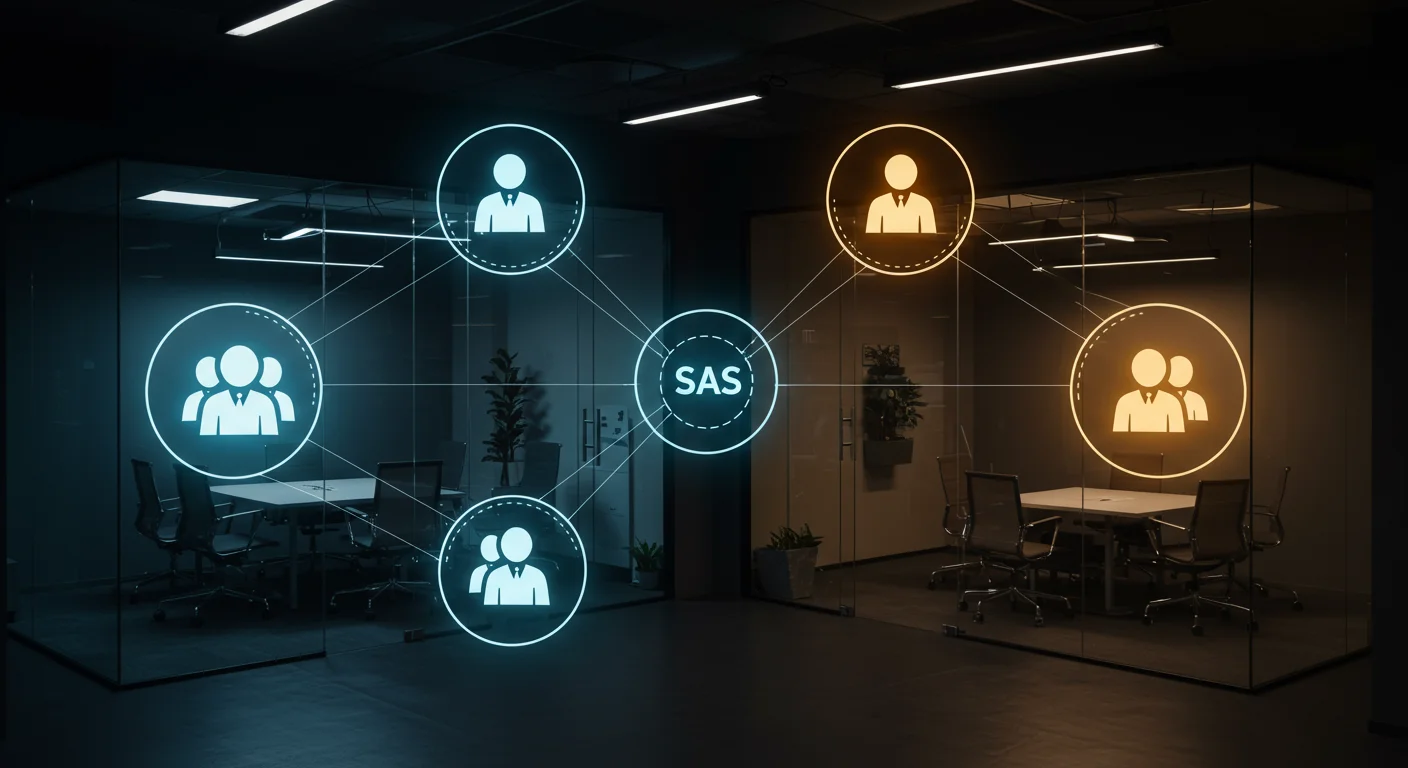
    Workers are syrups. Agents are soda fountain machines. Triggers are how the machine dispenses.

    When someone asks for a custom soda fountain — a Custom Agent — three decisions get made, in order:

    1. Which syrups (workers and tools) load into this machine? What capabilities does it need access to? What external services does it need to reach? What deterministic operations does it need to perform?
    1. How is the machine programmed? What are its instructions? What’s its job description? How does it think about what it’s doing? (This is the part where agents diverge most — two machines with identical syrups behave completely differently based on instructions.)
    1. How does it dispense? Does it pour when someone presses a button (manual trigger)? Does it pour on a schedule (timer)? Does it pour when the environment changes — a page gets created, a status flips, a comment gets added (event sensor)?

    That’s the whole model. Three questions, in that order. If you can answer all three cleanly, you have a working agent. If you can’t answer one of them, you have an agent that is going to produce noise and frustrate you.

    I have watched this analogy clarify a dozen conversations that were going nowhere. “I want an agent that…” — and then I ask the three questions, and halfway through the answers it becomes obvious what the person actually wants is a simpler thing. Sometimes they don’t need an agent at all, they need a template with a database automation. Sometimes they need a worker, not an agent. Sometimes they need an agent with zero workers and better instructions.

    The analogy does real work. That’s the whole point of a mental model.


    Where the analogy holds

    The map is cleaner than you’d expect.

    Workers are syrups. Stateless, parameterized, reusable. The same worker — fetch-url, summarize, post-to-channel, whatever — can power a dozen agents. You build it once, you use it everywhere. A worker that sends an email works the same way whether it’s being called by a triage agent, a brief-writer, or a customer-response agent. That’s what syrup means: the ingredient doesn’t care which drink it’s going into.

    Agents are machines. They select, sequence, and orchestrate. An agent knows when to reach for which worker. An agent knows what the job is and reasons about how to do it. An agent can read a database, synthesize what it finds, reach for a tool to do a specific deterministic step, synthesize again, and return a result. An agent is a little piece of judgment on top of a set of capabilities.

    Triggers are how the machine dispenses. This is the cleanest part of the map because Notion’s own trigger types map almost 1:1 onto the analogy:

    • Button press or @mention → manual dispatch (“I’m pressing the button for a Coke”)
    • Schedule → timer (“pour me a drink at 7am every day”)
    • Database event → sensor (“someone just put a cup under the dispenser; fill it”)

    You don’t need to memorize trigger type names. You need to ask “how should this machine know it’s time to pour?” Once you know the answer, the trigger type follows.


    Where the analogy leaks (and what to do about it)

    No analogy is perfect. This one has four honest leaks that are worth knowing before you rely on the model.

    1. Agents have native hands, not just syrups

    A Custom Agent can read pages, search the workspace, write to databases, and send notifications without a single worker attached. Workers are specialty syrups for the things the base machine can’t do natively — external APIs, deterministic writes to strict database schemas, code execution, anything requiring exact outputs every time.

    This means not every agent needs workers. In fact, my highest-leverage agents often have zero workers. They use the base machine’s native capabilities, combined with strong instructions, to do the job.

    The practical consequence: don’t reach for a worker reflexively. Start by asking what the agent can do with just its native hands and good instructions. Only add workers when the agent genuinely needs capability it doesn’t have.

    2. Machine programming matters as much as syrup selection

    The instructions you give an agent — its system prompt, its job description, its operating rules — are doing as much work as the workers you attach. Two agents with identical workers will behave completely differently based on how they’re instructed.

    People tend to under-invest here. They attach five workers, write three sentences of instruction, and wonder why the agent is flaky. The fix is not more workers. The fix is writing instructions the way you’d write onboarding docs for a new employee — specific, scoped, honest about edge cases, clear about what the agent should do when it’s uncertain.

    My rule: if I’m about to attach a worker because the agent “keeps getting it wrong,” I first check whether better instructions would fix the problem. Nine times out of ten they would.

    3. Workers aren’t a single thing

    This is the leak that surprised me when I learned it. There are actually three kinds of worker, and they behave differently:

    • Tools — on-demand capabilities. The classic syrup. An agent calls them when it needs them. Example: a worker that fetches a URL and returns the text.
    • Syncs — background data pipelines that run on a schedule and write to a database. Not dispensed by an agent. These are more like an ice maker — they run on the infrastructure, filling the building up, and the machines use what the ice maker produces.
    • Automations — event handlers that fire when something happens in the workspace. Like a building’s fire suppression — nobody’s pressing a button; the environment triggers it.

    This matters because syncs and automations don’t need an agent to dispatch them. They run autonomously. If you’re building something that feeds a database on a schedule, that’s a sync, not a tool, and it doesn’t need an agent. If you’re building something that reacts to a page being updated, that’s an automation, not a tool.

    Getting this wrong is one of the most common architecture mistakes. People build an agent to dispatch a sync because they think everything has to flow through an agent. It doesn’t. Let the infrastructure do the infrastructure’s job.

    4. Determinism vs. judgment is the design axis

    The thing the soda analogy doesn’t capture well is that workers and agents are not just interchangeable building blocks. They serve fundamentally different purposes:

    • Workers shine when you want deterministic behavior. Same input, same output, every time. Schema-strict writes. External API calls where the shape of the request and response are fixed.
    • Agents shine when you want judgment, composition, and natural-language reasoning. Variable inputs. Fuzzy requirements. Synthesis across multiple sources.

    The red flag: building a worker for something an agent could do reliably with good instructions. You’re over-engineering.

    The green flag: an agent keeps being flaky at a specific operation. Harden that operation into a worker. Now the agent handles the judgment part, and the worker handles the reliable part.


    The “should this be a worker?” test

    When I’m trying to decide whether to build a worker or let an agent handle something, I run a five-point checklist. If two or more are true, build a worker. If fewer than two are true, stay manual or solve it with agent instructions.

    1. You’ve done the manual thing three or more times. The third time is the signal. First time is discovery, second time is coincidence, third time is a pattern worth capturing.
    2. The steps are stable. If you’re still figuring out how to do the thing, don’t codify it yet. You’ll codify the wrong version and have to rewrite.
    3. You need deterministic schema compliance. Writes that must fit a database schema exactly are worker territory. Agents can write to databases, but if the schema has strict requirements, a worker is more reliable.
    4. You’re calling an external service Notion can’t reach natively. This is often the clearest signal. If it’s outside Notion and needs to be reached programmatically, it’s a worker.
    5. The judgment required is minimal or already encoded in rules. If the decisions are simple enough to express as code, a worker is fine. If the decisions need real reasoning, it’s agent territory.

    This test is not a strict algorithm. It’s a gut-check that catches the most common over-engineering mistakes before they happen.


    The roles matter more than the technology

    Here’s the extension of the analogy that actually made the whole thing click for me.

    Every construction project has four roles. The Soda Machine Thesis as I originally described it has three of them. The one I hadn’t named — and the one you’re probably missing in your own workspace — is the Architect.

    Construction roleYour system
    Owner / DeveloperThe human in the chair. Commissions work, approves output, holds the keys.
    ArchitectThe AI-in-conversation. Claude, Notion Agent in chat, whatever model you’re actively designing with.
    General ContractorA Custom Agent running in production.
    SubcontractorA Worker. Called in for specialty work.

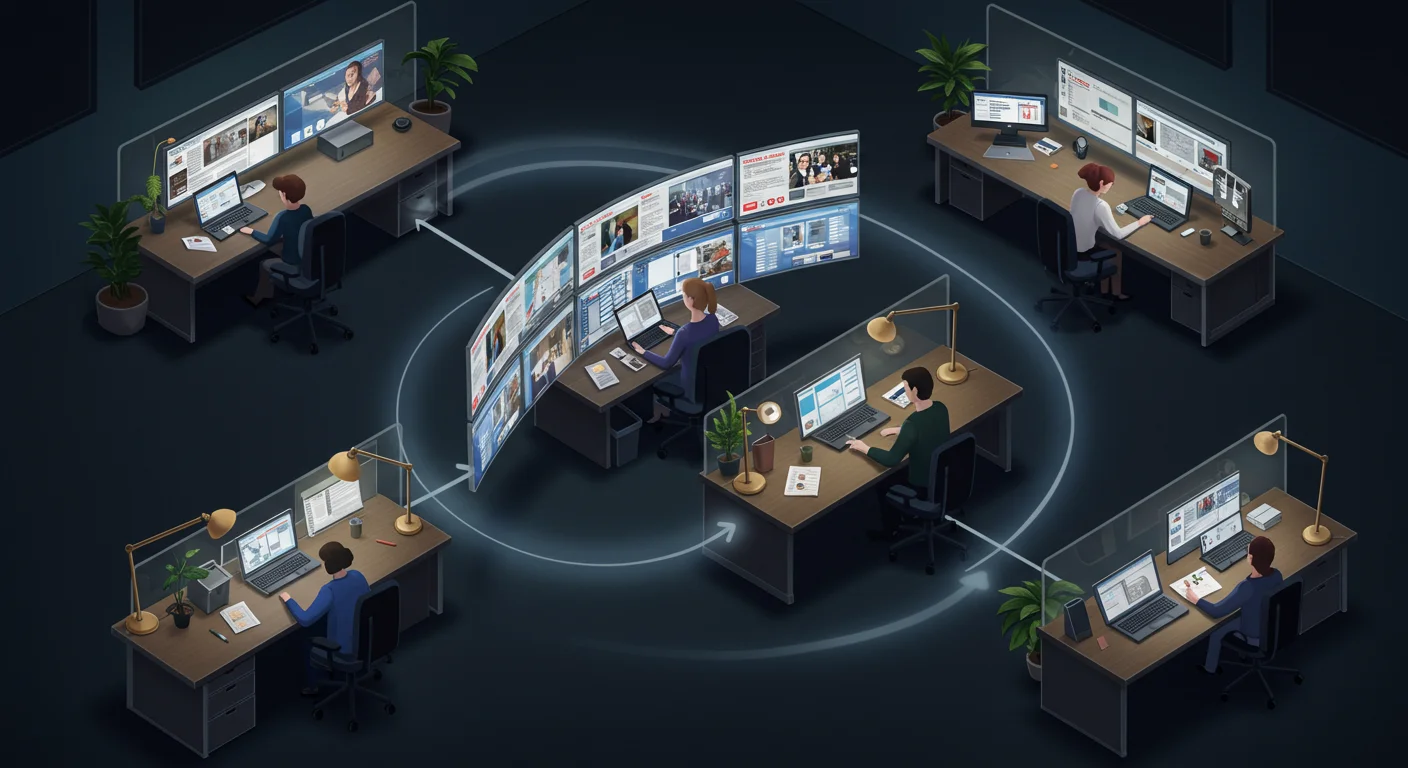
    The distinction that matters: the Architect and the General Contractor are the same technology, playing different roles. When you’re chatting with a model about how to design a system, that model is acting as Architect — designing the thing before it gets built. When a Custom Agent runs autonomously against your databases overnight, it’s acting as General Contractor — executing the design.

    Same underlying AI. Completely different role.

    Getting this distinction wrong is how operators end up either (a) over-trusting autonomous agents with design decisions they shouldn’t be making, or (b) under-using conversational AI for the system-design work it’s actually best at. Chat with the Architect. Deploy the GC. Don’t confuse them.


    Levels of automation (what you’re actually doing at each stage)

    Most operators cycle through these levels as they get deeper into the pattern. Knowing which level you’re currently at — and which level a specific problem actually needs — prevents a lot of wasted effort.

    Level 0: The Owner does it. You manually do the thing. This is fine. Everything starts here. Some things should stay here.

    Level 1: Handyman. You’ve built a template, a button, a saved view. No AI involvement. Native Notion helps you do it faster. Still you doing the work.

    Level 2: Standard Build. Notion’s native automations handle it. Database triggers fire on status changes. Templates get applied automatically. Still deterministic, still no AI.

    Level 3: Self-Performing GC. A Custom Agent does the work natively — reading and writing inside Notion, reasoning about context, no workers attached. This is where agents earn their keep for the first time.

    Level 4: GC + One Trade. An agent with one specialized worker. The agent handles judgment; the worker handles a single deterministic step. This is the most common production pattern.

    Level 5: Full Project Team. An agent orchestrating multiple workers in sequence. Real project coordination. A brief-writer agent that calls a URL-capture worker, then a summarization worker, then a publishing worker, all in order.

    Level 6: Program Management. Multiple agents coordinated by an overarching structure. One agent that dispatches to specialist agents. Portfolio-level orchestration. This is where it gets complicated and where most operators don’t need to go.

    The mistake I made early on, and watch other operators make, is jumping to Level 5 when Level 3 would have worked. More pieces means more failure points. Solve it at the lowest level that works.


    Governance: permits, inspections, and change orders

    The analogy extends further than I expected into governance — which is the unsexy part of running real agents in production, but it’s the part that separates operators who keep their agents working from operators whose agents quietly stop working without them noticing.

    • Pulling a permit = Attaching a worker to an agent. You’re granting that specialty trade permission to work on your job. This is not a nothing decision. Be deliberate.
    • Building inspection = Setting a worker tool to “Always Ask” mode. Before the work ships, the human reviews it. For any worker that does something consequential, this is the default.
    • Certificate of Occupancy = The moment a capability graduates from Building to Active status in your catalog. Before that moment, treat it as construction. After, treat it as load-bearing.
    • Change Order = Editing an agent’s instructions mid-project. The scope changed. Document it.
    • Punch List = The run report every worker should write on every execution — success and failure. No silent runs. If you can’t see what your agent did, you don’t know what it did.
    • Warranty work = Iterative fixes after a worker is deployed. v0.1 to v0.2 to v0.3. This never stops.

    The governance layer sounds boring but it’s what makes agents run for months instead of days. An agent without run reports eventually drifts, fails silently, and leaves you discovering the failure weeks later when the downstream thing it was supposed to do quietly stopped happening. The governance rituals — inspections, change orders, punch lists — are not overhead. They’re what makes the system durable.


    The revised one-sentence summary

    Putting it all together, here is the whole thesis in one sentence:

    Notion is the building. Databases are the floors. The Owner runs the project. Architects design in conversation. General Contractors (agents) execute on-site. Subcontractors (workers) run specialty trades. Syncs are maintenance contracts. Triggers are permits, sensors, and dispatch radios.

    If you can hold that sentence in your head, you can design automation in Notion without getting lost in the vocabulary. When you’re about to build something, ask: which role am I playing right now? Which role does this piece need to play? Who’s the Owner, who’s the Architect, who’s the GC, who’s the sub? If you can answer, the architecture writes itself.


    Practical takeaways

    If you made it this far, here are the five things I’d want you to walk away with:

    1. Not every agent needs workers. Start with native capabilities and strong instructions. Add workers only when the agent can’t do the thing otherwise.
    1. The third time is the signal. Don’t build infrastructure for something you’ve only done twice. You’ll build the wrong version. The third time is when the pattern has stabilized enough to capture.
    1. Syncs and automations don’t need an agent. If you’re feeding a database on a schedule, or reacting to a workspace event, let the infrastructure do it. Don’t wrap it in an agent for no reason.
    1. Separate the Architect from the GC. Use conversational AI to design the system. Use Custom Agents to run the system. Don’t let an autonomous agent make design decisions that should be made in conversation.
    1. Write run reports for everything. Silent success is worse than loud failure, because silent success is indistinguishable from silent failure until weeks later. Every agent, every worker, every run — writes a report somewhere readable.

    That’s the model. It is imperfect and it is mine. If you adopt it, make it your own. If you have a better one, I’d honestly like to hear about it.


    FAQ

    What’s the difference between a Notion Worker and a Custom Agent? A Worker is a coded capability — deterministic, reusable, typically written in TypeScript — that a Custom Agent can call. A Custom Agent is an autonomous AI teammate that lives in your workspace, has instructions, runs on triggers, and can optionally use Workers to do specialized tasks. Workers are capabilities. Agents are operators that can use those capabilities.

    Do I need Workers to use Custom Agents? No. Many Custom Agents run perfectly well with zero Workers attached, using only Notion’s native capabilities (reading pages, writing to databases, searching, sending notifications) plus well-written instructions. Workers become necessary when you need to reach external services or enforce strict deterministic behavior.

    What are the three trigger types for Custom Agents? Manual (button press, @mention, or direct invocation), scheduled (recurring on a timer), and event-based (a database page is created, updated, deleted, or commented on). Pick the one that matches how the agent should know it’s time to act.

    When should I build a Worker versus letting an Agent handle something? Build a Worker when at least two of these are true: you’ve done the manual thing three or more times, the steps are stable, you need deterministic schema compliance, you’re calling an external service Notion can’t reach, or the judgment required is minimal. If fewer than two are true, stay manual or solve it with agent instructions.

    What’s the difference between a Tool, a Sync, and an Automation? A Tool is an on-demand capability that an agent calls when needed. A Sync is a background pipeline that runs on a schedule and writes to a database — no agent required. An Automation is an event handler that fires when something changes in the workspace — also no agent required. Tools are dispatched by agents; syncs and automations run on the infrastructure.

    What’s the Architect/GC distinction? When you chat with AI to design a system, the AI is playing Architect — thinking about what should be built. When a Custom Agent runs autonomously in your workspace, it’s playing General Contractor — executing the design. Same technology, different role. Don’t confuse them: let Architects design, let GCs execute.

    Does this apply outside of Notion? The Soda Machine Thesis is written around Notion’s specific implementation of Workers, Agents, and Triggers, but the underlying pattern (deterministic capabilities + judgment layer + trigger mechanism) applies to most modern agent frameworks. The vocabulary may differ. The architecture is the same.


    Closing note

    Mental models earn their place by changing the decisions you make. If the Soda Machine Thesis changes how you decide what to build next in your Notion workspace, it has done its job. If it doesn’t, discard it and find one that does.

    The reason I wrote it down is that the vocabulary available for thinking about AI-native workspaces in 2026 is still mostly vendor vocabulary, and vendor vocabulary optimizes for describing what a product can do rather than helping operators make good choices. The operator vocabulary has to come from operators. This is mine, offered in that spirit.

    If you’re running this pattern and have refinements, they’re welcome. The thesis is a living document in my own workspace. It gets smarter every time someone pushes back.


    Sources and further reading

    This mental model builds on earlier conceptual work across multiple AI tools (Notion Agent, Claude, GPT) contributing to the same thesis over a series of architecture conversations. The framing evolved through disagreement more than consensus, which is how mental models usually get better.


  • The Notion Operating Company: How to Actually Run a Business on a Workspace in 2026

    The Notion Operating Company: How to Actually Run a Business on a Workspace in 2026

    There is a version of Notion most people use, and there is the version a small number of operators have quietly built — and in April 2026 those two versions are now so far apart that they’re barely the same product.

    The version most people use is a wiki. It is a place you put information you intend to come back to, and most of the time you don’t. Pages go stale. Databases grow faster than they get organized. The search gets worse as the content gets larger. You know this because you have seen your own Notion and felt the tug of guilt when you open it, the small calculation of whether it is worth the effort to fix any of this versus just writing the thing you need to write in a fresh page and adding it to the pile.

    The version a smaller number of people have built is an operating company. It runs on Notion. The human in the chair reads briefs written by AI, approves work, watches reports come back, adjusts priorities, and hands the next job out — and the human never leaves Notion. Everything that is expensive to move between tools does not move. The work comes to them.

    Those aren’t the same product anymore. They used to be. Notion was, for years, fundamentally a block editor with databases bolted on. What changed — what actually changed, not what the vendor said changed — is that over the last six months Notion stopped being a place you put things and started being a place you run things. Custom Agents shipped in late February. The Workers framework followed. MCP support matured. The Skills layer made repeatable workflows into commandable capabilities. What used to be a workspace is now closer to an operating system for a small business.

    Most coverage of this shift is either vendor-positive cheerleading or a product tour disguised as a guide. This is neither. This is how an actual operator runs a real, unglamorous business — dozens of properties, content production cycles, client work, all of it — out of Notion in 2026. The shape, the databases, the ritual, what goes inside the workspace and what stays outside, and where it still breaks.

    If you want a product tour you can find one on Notion’s own blog. If you want the honest operator version, keep reading.


    What “operating company” actually means

    The frame matters, so let’s be concrete about what it is.

    An operating company, in the sense I mean it, is the set of decisions, assets, people, and ongoing commitments that make a business actually go. Not the legal entity. The operating layer. In a traditional small business, that operating company lives in someone’s head, a few spreadsheets, a calendar, a CRM, an email inbox, a project tool, a file drive, a slack, a billing system, and the recurring pain of trying to hold all of it in mind at once.

    Running a business on Notion in 2026 means collapsing as much of that operating layer as possible into a single workspace that knows what it is. Not a place where you write things down. A place where the work is actually happening, where the state of the business is legible at a glance, where a decision made on Monday shows up in Thursday’s automatically-generated brief without anyone having to remember to copy it forward.

    The term I have started using is the Notion Operating Company. It captures the thing correctly: Notion is not the tool you use to run the company, it is the operating layer of the company. The humans make the calls, set the priorities, and absorb the parts that cannot be delegated. Everything else lives in the workspace and operates against the workspace.

    If that sounds like a personal productivity system scaled up, it is not. Personal productivity systems are closed loops. The Notion Operating Company is an open system that other humans, AI teammates, and external services read from and write to. The difference is legibility and composability, and in 2026 those are the qualities that separate a workspace that earns its place from a workspace that is a second pile.


    Why this suddenly works in 2026 (and didn’t in 2024)

    A few things had to be true at the same time for this pattern to become reliably available to small teams and solo operators. None of them were true two years ago.

    Custom Agents shipped. On February 24, 2026, Notion released Custom Agents as part of Notion 3.3. These are autonomous AI teammates that live inside your Notion workspace and handle recurring workflows on your behalf, 24 hours a day, 7 days a week. They do not wait for you to prompt them. You give them a job description, a trigger or schedule, and the data they need, and they run. That one change is the hinge the whole operating-company pattern swings on. Before Custom Agents, automation inside Notion was cosmetic — property updates, templated pages, simple reminders. After Custom Agents, a workspace can actually operate itself between human check-ins.

    The pricing makes it viable. Custom Agents are free to try through May 3, 2026, so teams have time to explore and see what works. Starting May 4, 2026, they use Notion Credits, available as an add-on for Business and Enterprise plans. The pricing matters because it turns out many workflows are cheap enough to run continuously, and the ones that aren’t are easy to audit once the dashboards shipped. Custom Agents are now 35–50% cheaper to run across the board, especially ones with repetitive tasks like email triage. They’re even more cost efficient when you pick new models like GPT-5.4 Mini & Nano, Haiku 4.5, and MiniMax M2.5 that use up to 10× fewer credits. The 10× model-routing move means a well-designed agent for an operator’s workspace costs real-world pennies to run daily.

    MCP connects the workspace to everything else. The Model Context Protocol, opened by Anthropic, gives the workspace a standardized way to reach external tools and services. Notion ships MCP support; most serious AI tools do. The practical consequence: a Custom Agent inside Notion can reach into a source-control system, post to a messaging tool, query a database, or trigger an external worker, without anyone writing glue code. Not every integration is seamless, but the floor has lifted.

    Skills turned workflows into commandable capabilities. Skills turn “that thing you always ask Notion Agent to do” into something it can do on command. Save your best workflows as skills like drafting weekly updates, reshaping a doc in your team’s format, or prepping briefs before a meeting. That matters because the skills layer is where institutional pattern-capture lives. The first time you solve a problem in your workspace, you solve it. The second time, you turn it into a skill. The third time, you invoke it by name. A workspace that accumulates skills gets faster over time instead of slower.

    Autofill became real. Use Autofill to keep your data fresh and up to date, now with all the power and intelligence of Custom Agents. Continuously enrich, extract, and categorize information across every row, so your database stays trustworthy without manual review. That changes what a Notion database is. Databases used to rot without manual maintenance. A self-maintaining database is a different kind of object.

    None of these individually would have tipped Notion from workspace to operating system. All of them together, shipped inside a twelve-month window, did.


    The shape of an operating company in Notion

    Let me describe the actual shape. This is not theoretical. This is the operational pattern that works, stripped of the specifics that would identify any one business.

    The Control Center

    At the root of the workspace is a single page called the Control Center. It is the first page you see when you open Notion. It is the page an AI teammate is told to read first when it is helping you with anything. It is the page a new human teammate reads on day one before they read anything else.

    The Control Center does not contain content. It contains pointers. Specifically:

    • Today — a surfaced view of whatever is actively happening today, pulled from the Tasks database, filtered to today or overdue
    • The live business state — three to five sentences updated continuously (by a Custom Agent, actually) describing where the business is, what is being worked on, what is on fire
    • The database index — a linked block for each operational database, in order of how often you touch them
    • The active projects list — rolled up from the Projects database, filtered to in-flight
    • The week — the current week’s focus, the working theme, what “winning the week” looks like
    • Open loops — the short list of unresolved decisions currently parked waiting for input

    The Control Center is roughly two screens long. It tells you what is happening and gives you the jumping-off points to go deeper. Anything that belongs on the Control Center is either updated automatically or so critical that manual maintenance is worth it.

    The database spine

    Under the Control Center live the operational databases. In a functioning operating company, these map directly to the actual entities the business deals with, not to organizational categories.

    For a service business, the spine typically includes: Clients, Projects, Tasks, Leads, Decisions, People (the humans you interact with externally), Assets, and a catch-all Inbox.

    For a content business, the spine typically includes: Properties (the things you publish on), Briefs, Drafts, Published, Distribution, Ideas, and Performance.

    For a product business, the spine looks different again: Features, Customers, Feedback, Roadmap, Releases, Incidents.

    The exact databases depend on the business. The pattern does not. Each database represents a real operational object. Each relation represents a real dependency. Each view answers a question someone actually asks regularly.

    The test for whether a database belongs on the spine is simple: can you describe, in one sentence, what decision this database helps someone make? If the answer is yes, it belongs. If the answer is “it’s where I put stuff about X,” it doesn’t.

    The agents layer

    Running on top of the database spine is the agents layer. This is the part that would not have existed in 2024.

    The operational pattern, in the workspace I actually run, has a handful of agents that each do one job and do it well.

    • The Triage Agent watches the Inbox database. Anything that lands there gets a priority, a category, and a pointer to the database it actually belongs in. It does not make big decisions. It takes the pile and turns it into a sorted pile.
    • The Morning Brief Agent runs once a day. It reads the Control Center state, the active projects, the top of the Tasks database, the calendar, and the unresolved Decisions, and writes a three-paragraph brief at the top of today’s Daily page. You wake up and the state of the business is already synthesized.
    • The Review Agent runs weekly on Fridays. It pulls what was completed, what stalled, and what slipped, and writes the weekly retro. It is not asking you to fill in a form. It is writing the retro and handing it to you to review.
    • The Enrichment Agent runs on database writes. When something new lands in a key database — a lead, a project, a decision — the agent fills in the fields that would otherwise require manual data entry. Research, links, categorization.
    • The Escalation Agent watches for states that require human attention. A project stalled for too long, a task with no owner, a decision parked past its decide-by date. It surfaces them on the Control Center.

    That’s five agents. Some workspaces I’ve seen run more. Most run fewer. The number is not the point; the pattern is: each agent has one job, one data source, one output surface, and a clear signal for when it should run.

    The constraint that keeps this from sprawling into chaos is a rule I’ve internalized: one agent, one job. The moment an agent tries to do three things, it does none of them well.

    The skills layer

    Beneath the agents, you accumulate skills over time. These are not agents; they’re invoked capabilities. “Generate a weekly client report in this format.” “Convert this meeting transcript into tasks.” “Draft a response to this inbound email in my voice.” Skills are the pattern-capture layer — the place where solved-problems become invocable capabilities.

    The skills layer grows by a specific rule: the third time you notice yourself doing the same thing manually, you turn it into a skill. Not the first time, not the second. The third time is the signal that it’s going to happen again, and the cost of capturing it is less than the cost of doing it manually from here forward.

    The source-of-truth boundary

    Here is where most Notion-as-OS writeups go silent, and it’s actually the most important thing in the whole pattern.

    Notion is not the source of truth for everything. It is the source of truth for the operational state of the business — what’s happening, what’s decided, what’s being worked on, what’s next. It is not the source of truth for code, for financial transactions, for legal documents, for anything that needs to survive an outage of Notion itself.

    Code lives in a source-control system. Money data lives in whatever financial system the business uses. Legal artifacts live in signed-document storage. Heavy compute runs outside Notion and reports back. The operating company is inside Notion; the substrate is not.

    The mental model I use: Notion is the bridge of the ship. The bridge runs the ship. The ship is not inside the bridge.

    This distinction is what prevents the whole pattern from collapsing. A workspace that tries to be the whole business eventually becomes unusable because it is bloated with content that doesn’t belong in a control plane. A workspace that is a control plane stays light, stays fast, and stays legible.


    The daily ritual (what it actually looks like)

    The pattern lives or dies in daily use. Let me describe what a normal working day looks like for an operator running on this pattern — the actual sequence, not the aspirational version.

    Open Notion. The Control Center loads. The Morning Brief Agent has already run; the top of today’s Daily page has a three-paragraph synthesis of the state of the business: what’s on fire, what’s progressing, what requires a decision today. Reading that takes ninety seconds.

    Scan the Inbox. The Triage Agent has already sorted whatever landed overnight. Each item has a category, a priority, and a pointer. You’re not doing the sort. You’re spot-checking the sort — agreeing, disagreeing, occasionally fixing, and dispatching the important items into their real databases.

    Check Escalations. The Escalation Agent has flagged the three things that need attention. You make the decisions. This is the part where being a human matters.

    Open today’s active project. Whatever you are actually working on is linked from the Control Center. You go there and do the work. Sometimes the work is writing in Notion. Sometimes the work is in an IDE, a chat window, a document, a call — Notion is where you come back to log what happened and what comes next.

    At a natural stopping point, log. The log is short. Two sentences on what just got done. Notion captures the timestamp. Over time the log becomes the actual record of how the business moves.

    Evening wrap. Five minutes. The day’s work closes out. Anything that didn’t get done gets re-dated. Tomorrow’s active page pre-stages.

    That’s the ritual. It takes under twenty minutes of overhead per day and gives you a fully legible operating record. The agents do the work that would otherwise be overhead. The human does the work that requires a human.

    The difference between an operator running this pattern and an operator running without it is not productivity on any individual task. It is the absence of the context-loss tax — the tax you pay every time you sit down and have to remember where you left off, what’s happening, what’s next. Pay that tax once a day at the beginning of the brief, and the rest of the day runs on continuous context.


    Where it still breaks (the honest part)

    This pattern is not finished. There are specific places where running a real operating company on Notion still hits walls, and pretending otherwise is the kind of dishonesty that catches up to you when the tool fails you at a bad moment.

    Heavy write workloads. Notion is not a database in the performance sense. If you are trying to push hundreds of updates per minute through the API, you are going to hit rate limits and you are going to have a bad time. The operational pattern is aware of this: heavy writes go to a real database first and are reflected into Notion in summary form.

    Reliable external integration. Custom Agents’ ability to reach external systems via MCP has improved a lot in 2026, but it is not ironclad. Agents that must succeed — send this email, charge this card, update this record — still belong in a purpose-built service, not in a Custom Agent. The rule I use: if the cost of the agent silently failing is real money or real trust, it doesn’t belong in Notion.

    Mobile agent management. Building, editing, and configuring Custom Agents requires the Notion desktop or web app. Mobile access for viewing and interacting with existing agents is supported, but agent creation and configuration is desktop/web only. This is fine but worth knowing. Operators who work primarily from phone can interact with agents but cannot build them on the go.

    Prompt injection. Custom Agents can encounter “prompt injection” attempts — when someone tries to manipulate an agent through hidden instructions in content it reads. This risk exists across connected tools, uploaded documents, and even internal communications. Notion has shipped detection, but the attack surface is real and growing. The practical operator response: don’t give agents access to anything they don’t strictly need, and review any external content an agent will read before granting access.

    The shape of the workspace matters more than it used to. A messy Notion workspace was merely annoying in 2024. A messy Notion workspace in 2026 makes your agents worse, because the agents are navigating the same structure you are. Disorganized databases produce disorganized agent outputs. The cost of workspace hygiene used to be cosmetic. It’s now functional.

    Credit economics at scale. Starting May 4, 2026, Custom Agents run on Notion Credits, a usage-based add-on available for Business and Enterprise plans. The pricing is $10 per 1,000 credits. Credits are shared across the workspace and reset monthly. Unused credits do not roll over to the following month. For a small operator, this is fine. Most workflows are cheap. For larger teams running many agents, credit consumption becomes a line item worth watching. Notion has shipped a credits dashboard to help, but budget discipline is a new muscle for Notion-native teams.

    None of these are dealbreakers. All of them are things the pattern has to work around. The honest version of this article tells you that up front.


    Notion Agent vs Custom Agents (the distinction that matters)

    One clarification because the terminology can confuse newcomers to the pattern.

    Custom Agents are team-wide AI teammates that run automatically on schedules or triggers. Notion Agent is a personal AI assistant that works on-demand when you ask. All Notion users get Notion Agent. Business and Enterprise customers get Custom Agents, priced under the Notion credit system.

    The operating-company pattern uses both. Notion Agent is the on-demand assistant — the one you invoke for “rewrite this paragraph” or “summarize this doc” or “find me every page that mentions X.” Custom Agents are the autonomous teammates that run the background rhythms.

    The mistake to avoid: trying to use Notion Agent for the background rhythms. It is not built for that. It runs when you ask. Custom Agents run when the world changes or when a schedule says so. Those are different tools for different jobs.


    Who this pattern is for

    To be clear about who gets the most out of the Notion Operating Company pattern:

    • Solo operators running real businesses. The leverage is highest here because there is no team to argue with about conventions. You decide the shape, you live in it.
    • Small teams (3–15 people) with a strong operational function. The pattern works if one person owns workspace architecture. It breaks if everyone is allowed to add databases and pages ad-hoc without a maintaining hand.
    • Agencies and consultancies running multi-property operations. Anywhere you need to coordinate lots of parallel work and keep the whole portfolio legible to one or two humans.
    • Knowledge-heavy businesses. Law firms, research shops, content operations, advisory services. The operating company pattern rewards businesses where the value is produced by synthesis across prior work.

    Where the pattern fits less well: businesses where most of the work happens outside any tool (field services, physical retail, manufacturing floors). Notion can still run the management layer, but most of the actual operational data lives elsewhere.


    How to start without building a cathedral

    The pattern I’ve described can sound like a project. It isn’t. Or rather, it can be — people build beautiful elaborate versions for a year and never actually use them. The better path is embarrassingly small steps.

    Week one: build the Control Center. Just that page. Two screens long. Link to the databases you already have, even if they’re messy. The Control Center is the anchor; everything else will build against it.

    Week two: add one Custom Agent. Pick the simplest high-frequency job you do manually. The Triage Agent is a good first choice. Let it run for a week. Watch what it gets right. Adjust.

    Week three: add the Morning Brief Agent. This is the one that changes how your days open. If it works, you will know because opening Notion will stop feeling like work and start feeling like a starting line.

    Week four: look at your databases. The ones that matter will be obvious because the agents will be using them. The ones that don’t matter will be collecting dust. Delete or archive the dead ones. Formalize the live ones.

    After that, the pattern compounds. Each thing you do manually three times becomes a skill. Each repeated workflow becomes an agent. Each messy database gets cleaned when an agent trips on it. The workspace gets smarter as a function of use, not as a function of a weekend rebuild project.

    The operators I’ve seen succeed with this pattern have a specific characteristic in common: they started small and kept going. The operators I’ve seen fail had grand plans and never got to week four.


    What “AI-native business” actually means (if we have to use the phrase)

    The term “AI-native” gets thrown around enough to lose meaning. Inside this pattern, it means something specific.

    An AI-native business is one where AI is not a tool you pick up to accomplish a task. It is a teammate that is already in the workspace, already reading the state, already surfacing what matters, already handling the rhythms. The human is not using AI. The human is working with an operating company that has AI embedded into its substrate.

    That is what the Notion Operating Company pattern produces. Not a workspace that is faster because AI is speeding things up. A workspace that operates continuously because the AI is running inside it, and the human shows up to make the calls that only a human can make.

    This is why I wrote at the beginning that the version of Notion most people use and the version a smaller number have built are barely the same product anymore. They are not. They are two different conceptions of what a workspace is for, and in April 2026, one of them is still a place you put things, and the other is a place you run things.

    The whole game is picking the second one on purpose.


    FAQ

    What’s the difference between using Notion as a wiki and running an operating company on Notion? A wiki is where information lives after you’re done with it. An operating company is where the work actually happens — briefs, decisions, run reports, active projects, agents handling recurring rhythms. The operating company pattern treats Notion as a control plane, not an archive.

    Do I need Business or Enterprise plan? For Custom Agents, yes. Custom Agents require Notion’s Business or Enterprise Plan. Notion Agent (the on-demand personal AI) is available to all Notion users. The operating-company pattern benefits substantially from Custom Agents, so most serious implementations are on Business or higher.

    How much does this cost to run? Custom Agents are free to try through May 3, 2026. Starting May 4, 2026, they use Notion Credits, available as an add-on for Business and Enterprise plans — $10 per 1,000 credits, shared across the workspace, reset monthly, no rollover. In practice, for a solo operator or small team running five or so agents, credit costs are modest. Budget discipline becomes relevant at larger scale.

    What AI models can the agents use? Currently available: Auto (Notion selects), Claude Sonnet, Claude Opus, and GPT-5. Notion regularly adds new models, so expect this list to evolve. Recent additions include cost-efficient models like Haiku 4.5 and GPT-5.4 Mini/Nano that can cut credit usage significantly.

    How secure is it? Custom Agents inherit your permissions, so they can see what you see. They offer page-level access control. Every agent run is logged with full audit trails. Notion has implemented guardrails to automatically detect potential prompt injection, and has built controls for admins and workspace owners to monitor connections and restrict what agents can access. The honest answer: reasonable security defaults, real attack surface, practical precautions apply (scope agents narrowly, audit connected sources).

    Can I run this pattern solo? Yes. Solo operators get the highest leverage from the operating-company pattern because there’s no team coordination overhead. The pattern scales down cleanly.

    What if I don’t want to use Custom Agents? Does the pattern still work? The database spine and Control Center work without agents. You’ll be doing manually what the agents would be doing — daily briefs, triage, weekly reviews. The pattern is still more legible than a traditional Notion setup; you just don’t get the “workspace operates itself between check-ins” effect.

    How long does it take to build? The honest answer is you never stop building. You never should. A workspace that stops evolving is a workspace that is about to stop working. But the minimum viable version — Control Center, one agent, a handful of databases — is a week of part-time work, not a project.


    A closing observation

    The reason this pattern is worth writing about now, in April 2026, is that the window where it is a genuine edge is probably short. Two years from now, some version of this will be the default way Notion is used, and the advantage will compress. Today, most workspaces are still wikis. The operators who make the switch to operating-company now are buying a year or two of operational leverage that becomes the baseline eventually.

    But for right now, this works, it is real, and almost nobody is doing it. That gap is the thing.

    If you are already running something like this, you know. If you are reading about it for the first time, the starting point is the Control Center and one agent. Build the Control Center this week. Add the agent next week. In a month, you’ll have a workspace that is a different kind of object than the one you started with.

    That’s what we mean by an operating company.


    Sources and further reading

  • How Claude Cowork Can Level Up Your Content and SEO Agency Operations

    How Claude Cowork Can Level Up Your Content and SEO Agency Operations

    You run a content and SEO agency. You manage 27 client sites across different verticals. Every site needs different content, different optimization, different publishing schedules, different stakeholder communication. Your team is capable. Your coordination overhead is enormous. Sound like anyone you know?

    Agencies are the purest test of operational thinking. You are not managing one project — you are managing dozens of parallel projects, each with its own timeline, deliverables, approval chain, and definition of success. The people who thrive in agencies are the ones who can hold multiple client contexts in their head while executing on each without cross-contamination. The people who burn out are the ones who treat every task as independent and wonder why they are always behind.

    The short answer: Claude Cowork’s task decomposition makes the invisible coordination layer of agency work visible. For SEO and content agencies specifically, watching Cowork plan a client engagement — from audit through content production through optimization through reporting — reveals the operational structure that separates agencies that scale from agencies that plateau.

    The Agency Coordination Problem

    Every agency hits the same wall. Somewhere between ten and thirty clients, the founder’s ability to hold all contexts in their head breaks down. The solution is supposed to be process — documented workflows, project templates, status dashboards. But most agencies build process reactively, after something breaks, rather than proactively.

    Cowork lets you build process proactively by showing you what good decomposition looks like before you need it. Run “plan a full SEO content engagement for a new client: site audit, keyword strategy, content calendar, production pipeline, optimization passes, and monthly reporting” through Cowork and you get a plan that surfaces every dependency, parallel track, and handoff point in an engagement lifecycle.

    What Agency Roles Learn From Cowork

    Account Managers

    Account managers are the client-facing lead agents. They hold the relationship, translate client goals into internal deliverables, and manage expectations when timelines shift. Watching Cowork’s lead agent coordinate sub-agents is a direct analog — the account manager sees how to delegate clearly, track parallel workstreams, and absorb scope changes without derailing active work.

    SEO Strategists

    SEO strategy is inherently a decomposition exercise: analyze the domain, identify gaps, prioritize opportunities, build the roadmap. When a strategist watches Cowork break down “audit and build a six-month SEO strategy for a 200-page e-commerce site,” they see their own planning process reflected — and they see where Cowork sequences things differently, which often highlights dependencies they had not considered.

    Content Producers

    Writers, editors, and content managers often work in isolation from the strategic layer. Cowork’s plan view shows them how their article fits into the larger engagement — why this keyword was chosen, what page it links to, how it connects to the schema strategy, and what the reporting metric will be. That context turns content from a deliverable into a strategic asset.

    Technical SEO and Dev

    Technical implementation — schema injection, redirect mapping, site speed optimization — often bottlenecks because it depends on decisions made by strategy and content. Cowork’s dependency chain makes those upstream requirements visible, which helps technical team members plan their capacity and push back on requests that are not yet ready for implementation.

    The Meta Lesson: Agencies That Show Their Work Scale Faster

    Here is the deeper insight. Cowork shows its work. That transparency builds trust — you can see the reasoning, you can redirect it, you can learn from it. Agencies that adopt the same principle — showing clients and team members the full plan, not just the deliverables — build deeper trust and reduce the coordination overhead that kills margins.

    When your account manager can walk a client through a Cowork-style plan of their engagement — here is what we are doing, here is why this comes before that, here is where we are today, here is what is next — the client stops asking “what have you been doing?” and starts asking “what do you need from me to go faster?”

    That shift changes the entire client relationship. And it starts with teaching your team to think in plans, not tasks.

    A Practical Exercise for Agency Teams

    Pick your most complex active client. Run their engagement through Cowork as a planning exercise. Then compare Cowork’s plan to how the engagement is actually being managed. Where Cowork surfaces a dependency you are not tracking, add it to your workflow. Where Cowork parallelizes work you are running sequentially, ask why. Where Cowork’s plan is cleaner than your real process, steal the structure.

    Repeat monthly. Your operational maturity will compound.

    More in This Series

    Frequently Asked Questions

    Can Claude Cowork actually manage client SEO engagements?

    Cowork can plan, research, write content, and generate optimization recommendations. It cannot access your client’s Google Search Console, submit sitemaps, or manage your agency project management tool directly. Use it for the strategic and production layers, then execute in your existing stack.

    How does this help with agency onboarding?

    New hires see the full engagement lifecycle on their first day instead of piecing it together over months. Running a sample client engagement through Cowork gives new team members a map of how the agency operates — from audit through production through reporting — before they start contributing to live work.

    Is this useful for agencies outside of SEO and content?

    Yes. Any agency — design, PR, paid media, development — that manages multi-step client engagements with cross-functional coordination benefits from Cowork’s task decomposition. The principles of planning, dependency mapping, and parallel workstream management apply universally.

    How does this compare to using agency project management software?

    Project management tools track execution. Cowork teaches thinking. Use Cowork to build and refine your engagement plans, then execute and track in whatever PM tool your agency runs. The two are complementary, not competitive.


  • How Claude Cowork Can Teach a Marketing Department to Stop Working in Silos

    How Claude Cowork Can Teach a Marketing Department to Stop Working in Silos

    Your marketing department has a product launch in three weeks. Paid ads need creative. Email needs a nurture sequence. Social needs a content calendar. The blog needs a feature article. The PR person needs talking points. The landing page needs copy. Everyone is waiting on everyone else, and nobody owns the timeline.

    Marketing departments are coordination engines that rarely see themselves that way. Each function — paid media, organic social, email, content, PR, web — operates with its own tools, its own calendar, and its own definition of “done.” The marketing director is supposed to hold it all together, but the connective tissue between functions is usually a spreadsheet and a weekly standup that runs long.

    The short answer: Claude Cowork’s lead agent decomposes a marketing initiative into parallel workstreams with visible dependencies — the same orchestration a marketing director performs but rarely makes explicit. Running a product launch or campaign through Cowork shows every team member how their deliverable connects to, blocks, or accelerates every other team member’s work.

    The Campaign as a Project (Not a Collection of Tasks)

    Most marketing teams plan campaigns as task lists: write the email, design the ad, publish the blog post. What they miss is the dependency chain. The ad creative depends on the messaging framework. The email sequence depends on the landing page being live. The social calendar depends on having the blog content to link to. The PR talking points depend on the positioning the brand team approved.

    These dependencies exist whether you map them or not. When you do not map them, they surface as bottlenecks, missed deadlines, and the classic marketing department complaint: “I cannot start until someone else finishes.”

    Cowork maps them. Visibly. In real time. Feed it “plan a full product launch campaign across paid, organic social, email, content, and PR with a landing page and a three-week runway” and watch the lead agent build the dependency chain from positioning down to individual deliverables.

    What Each Marketing Function Learns

    Paid Media

    Paid media specialists often start from creative and work backward. Cowork’s plan starts from positioning and works forward — messaging framework first, then creative brief, then ad variations. Watching this sequence teaches paid teams to anchor their work in strategy rather than execution, which produces ads that convert instead of ads that just exist.

    Email Marketing

    Email marketers learn sequencing from Cowork’s plan: welcome email depends on landing page, nurture sequence depends on content calendar being set, re-engagement triggers depend on analytics instrumentation. The dependency chain reveals why their email goes out late — it is usually not their fault. Something upstream was not finished.

    Social Media

    Social teams work on the fastest cycle in marketing — daily or even hourly. Watching Cowork plan a social calendar as one parallel track alongside paid, email, and content shows social managers how their work amplifies (or is amplified by) every other function. The timing dependencies become clear: tease before launch, amplify at launch, sustain after launch.

    Content

    Content teams are usually the bottleneck because everyone needs content but nobody accounts for the production timeline. Cowork’s plan makes the content dependency visible to the whole team — when content starts, what it depends on, and what it unlocks. That visibility protects the content team from unrealistic deadlines because the whole team can see the constraint.

    PR and Communications

    PR operates on a longer lead time than most marketing functions. Cowork’s plan reveals why PR needs to start before everyone else — media pitches go out weeks before launch, talking points need approval cycles, and embargo dates create hard dependencies that the rest of the campaign must respect.

    The Marketing Department Training Session

    Take your next product launch or major campaign. Before anyone starts working, run the brief through Cowork: “Plan a comprehensive marketing launch for [product] targeting [audience] across paid, organic, email, content, PR, and web. Three-week timeline. Budget-conscious.”

    Project the plan. Walk through it with the full team. Each person identifies their workstream, their dependencies, and their deliverables. You now have a shared plan that everyone understands — not because the marketing director explained it in a meeting, but because they watched it get built.

    Do this once and your campaign coordination will improve. Do it for every major initiative and you are building a team that thinks in systems instead of silos.

    More in This Series

    Frequently Asked Questions

    Can Cowork actually execute marketing campaigns?

    Cowork can plan campaigns, write copy, draft emails, create content outlines, and build social calendars. It cannot buy ads, send emails through your ESP, or post to social platforms directly. Use it for the planning and content creation layers, then execute in your existing marketing stack.

    How does this differ from using a marketing project management tool?

    Tools like Asana, Monday, or Wrike help you track tasks. Cowork helps you think about tasks — specifically, how to decompose a goal into sequenced, dependency-aware deliverables. Use Cowork to build the plan, then import that thinking into your PM tool for execution tracking.

    Which marketing function benefits most?

    Marketing directors and campaign leads benefit most because they mirror Cowork’s lead agent role — coordinating across functions. But every specialist benefits from seeing how their work fits into the full dependency chain.

    Is this useful for one-person marketing departments?

    Especially useful. A solo marketer is all the functions at once. Cowork’s decomposition helps them sequence their own work across roles, avoid context-switching waste, and identify which tasks are truly blocking versus which ones feel urgent but can wait.


  • Claude Cowork vs a Google Search: What a Real Estate Listing Package Should Actually Look Like

    Claude Cowork vs a Google Search: What a Real Estate Listing Package Should Actually Look Like

    You just got a new listing. A $1.2 million craftsman in a competitive market. You have 72 hours before the open house. What do you do?

    Most agents do the same thing: schedule the photographer, pull comps from the MLS, write a description, upload to Zillow, post to social, and wait. It works. It is also exactly what every other agent does. The listing package that wins in a competitive market is not the one that checks the same boxes — it is the one that goes three layers deeper on every box.

    The short answer: Claude Cowork decomposes a vague goal like “build a listing package” into every task a top-producing agent would execute — and several they would not think of. The visible plan becomes both a training tool for newer agents and a competitive advantage for veterans who want to see what a fully-optimized listing launch actually looks like.

    Normal Search vs. a Cowork Session

    Try this comparison. Open Google and search “how to create a real estate listing package.” You will get a checklist: photos, description, comps, flyer. Generic. Useful in the way a recipe on the back of a box is useful — it gets you to edible, not exceptional.

    Now open Cowork and type: “Build a comprehensive listing package for a $1.2 million craftsman home in a competitive Pacific Northwest market. The property has original millwork, a detached garage with ADU potential, and backs to a greenbelt. Open house in 72 hours. I want to crush the competition.”

    Watch what happens. Cowork’s lead agent does not hand you a checklist. It builds a plan. The sub-agents get to work:

    One agent handles the market positioning analysis — pulling not just comps but analyzing how competing active listings in the same price band are positioned, what language they use, where they are weak. Another handles the property narrative — not a generic description but a story built around the craftsman details, the ADU upside, the greenbelt lifestyle. A third works the visual strategy — recommending specific shot lists for the photographer, suggesting twilight exterior timing, flagging the millwork details that need close-up hero shots.

    But it does not stop there. Cowork also plans the pre-marketing sequence: teaser social posts before the listing goes live, email campaign to the agent’s buyer list with an exclusive preview window, a neighborhood-specific landing page with walk score data and school catchment boundaries. It plans the open house experience: a QR code one-pager that links to the full property story, a follow-up drip sequence for sign-in attendees, and a feedback collection form that feeds back into the pricing strategy.

    That is not a listing package. That is a listing launch. And the difference between the two is exactly what separates agents who win in competitive markets from agents who participate in them.

    Why This Is a Training Tool for Agents at Every Level

    New Agents

    A new agent does not know what they do not know. They check the boxes they learned in licensing class and wonder why their listings sit. Watching Cowork decompose a listing launch shows them the full scope of what a top producer executes — not as a vague “do more” instruction but as a visible, sequenced plan with dependencies they can study and replicate.

    Experienced Agents

    Veterans have their system. It works. But it also calcifies. Running a listing through Cowork is a mirror — it shows the agent what they are already doing well and surfaces the pieces they have stopped doing because they got comfortable. The pre-marketing sequence they used to run. The competitive positioning they used to write. The follow-up system they let lapse.

    Team Leads and Brokers

    If you run a team, Cowork’s plan output is a training artifact you can standardize. Run ten different listing scenarios through Cowork. Extract the common plan structure. That becomes your team’s listing launch playbook — not a rigid checklist but a dependency-aware template that adapts to each property.

    The Deeper Point: Thinking Like a Strategist

    The gap between a good agent and a great one is not work ethic or MLS access. It is strategic depth. Great agents think three moves ahead: this photo angle will highlight that feature which will attract this buyer segment who will pay this premium. Cowork’s decomposition shows that multi-layer thinking in real time. The lead agent does not just list tasks — it sequences them in a way that reveals the strategy behind the sequence.

    A normal search gives you what to do. Cowork shows you how to think about what to do. That is the difference, and for a real estate team trying to level up, it is a significant one.

    More in This Series

    Frequently Asked Questions

    Can Claude Cowork actually build a real estate listing package?

    Cowork can plan, write, and assemble many components of a listing package — property descriptions, market positioning analysis, social media copy, email sequences, and flyer content. It will not take the photographs or upload to your MLS, but it handles the planning and content creation layers comprehensively.

    How does a Cowork listing plan compare to a normal checklist?

    A checklist tells you what to do. Cowork shows you how to think about what to do — the sequence, the dependencies, what runs in parallel, and the strategy behind each piece. A standard listing checklist might say “take photos.” Cowork’s plan specifies shot types, timing, the feature hierarchy that drives the shot list, and how the images connect to the narrative.

    Is this useful for commercial real estate too?

    Yes. Commercial listings have even more complexity — tenant financials, lease abstracts, market surveys, investment modeling. Cowork’s task decomposition handles that complexity well because the lead agent excels at managing multi-track workstreams with heavy dependencies.

    How would a brokerage use this for agent training?

    Run a variety of listing scenarios through Cowork — luxury, starter home, investment property, commercial. Extract the common plan structures. Use those plans as training artifacts during onboarding, showing new agents what a fully-developed listing launch looks like compared to the minimum checklist approach.


  • How Claude Cowork Can Fix the Handoff Problem in B2B SaaS Teams

    How Claude Cowork Can Fix the Handoff Problem in B2B SaaS Teams

    Your SaaS company just signed an enterprise deal. Implementation needs to start this week. Product is still closing a bug from the last release. Customer success is building the onboarding deck from scratch because nobody templated the last one. Support already has three tickets from the new client’s pilot users. Everyone is busy. Nobody is coordinated.

    B2B SaaS companies live and die by cross-functional handoffs. Sales closes a deal and hands it to implementation. Implementation needs product to enable features. Customer success needs support to triage the first wave of questions. Every team is excellent in isolation. The failures happen at the seams — the handoffs, the dependencies, the “I thought you were handling that” moments.

    The short answer: Claude Cowork decomposes complex cross-functional work into dependency-aware subtasks coordinated by a lead agent. For a B2B SaaS team, this makes the invisible handoff chain visible — teaching product, sales, CS, and support how their individual work creates or blocks downstream progress.

    Where SaaS Teams Break Down

    The pattern is consistent: each function knows its own work but not how it connects to the others. Sales knows the deal but not the implementation timeline. Product knows the roadmap but not what customer success promised. Support knows the tickets but not the business context behind them.

    This is a coordination problem, not a competence problem. And it is exactly the kind of problem that watching Cowork solve makes tangible.

    What Each Function Learns From Cowork

    Product

    Product teams plan in sprints and roadmaps. Cowork plans in dependency chains. When a product manager watches Cowork decompose “launch feature X for enterprise client Y” into parallel tracks — feature flag configuration, documentation update, QA regression, CS training materials — they see how their single deliverable creates five downstream dependencies. That visibility changes how PMs write their acceptance criteria and sequence their releases.

    Sales

    Sales teams hand off deals and move on. Watching Cowork decompose a deal-to-live sequence shows sales what happens after they close: implementation scoping, environment provisioning, data migration, user training, success metric definition. A salesperson who understands this chain sells differently — they set better expectations, identify blockers during discovery, and write handoff notes that actually help.

    Customer Success

    CS managers are the closest human analog to Cowork’s lead agent. They hold the relationship, coordinate across internal teams, and absorb mid-flight changes. Watching Cowork’s lead agent manage parallel workstreams and re-sequence when a blocker appears is a direct training exercise for CS managers learning to run complex enterprise accounts.

    Support

    Support tends to be reactive — ticket arrives, solve ticket, close ticket. Cowork shows how reactive work fits into a larger plan. When support sees their ticket resolution as a sub-task that unblocks the implementation track, they prioritize differently. That context turns support from a cost center into a pipeline accelerator.

    The Cross-Functional Training Session

    Take a recent enterprise onboarding that went sideways. Feed the scenario to Cowork: “Plan the full implementation and onboarding for an enterprise SaaS client with 500 users, SSO requirements, a data migration, and a 30-day success review.”

    Run it in a room with one person from each function. Watch Cowork’s plan. Then ask each person: where does your team show up in this plan? What depends on you? What are you waiting on? Where did we actually break down last time?

    The plan becomes a shared map. The discussion becomes the training.

    More in This Series

    Frequently Asked Questions

    Can Cowork replace our SaaS project management tools?

    No. Cowork shows you how to think about cross-functional coordination, not how to track it in production. Use Cowork to train your team on dependency thinking and handoff awareness, then execute in Jira, Asana, Linear, or whatever your team already uses.

    Which SaaS function benefits most from Cowork training?

    Customer success managers benefit most directly — their role mirrors Cowork’s lead agent function. But every function gains by seeing how their work creates or blocks progress for others. The cross-functional training session format delivers the most value.

    How does this help with enterprise onboarding specifically?

    Enterprise onboarding is the most complex cross-functional workflow most SaaS companies run. Cowork’s decomposition reveals every dependency, parallel track, and handoff point — making it easy to identify where onboardings historically break down and build better handoff protocols.

    Is this useful for early-stage SaaS companies?

    Especially. Early-stage teams build processes from scratch. Using Cowork to visualize cross-functional workflows before they become chaotic establishes structured thinking from day one rather than retrofitting it after failures accumulate.


  • How Claude Cowork Can Train a Local Newsroom to Think in Pipelines

    How Claude Cowork Can Train a Local Newsroom to Think in Pipelines

    A story breaks at 9 AM. By noon you need it written, fact-checked, photographed, formatted, published, and pushed to social. That is not a task — it is a project. And most newsrooms treat it like a task.

    Local news operations run lean. One reporter might be the photographer, the fact-checker, and the social media manager. The editor is also the publisher, the ad sales coordinator, and the person rebooting the CMS when it crashes. In that environment, nobody has time to formalize a project plan. The work just happens, in whatever order muscle memory dictates.

    The short answer: Claude Cowork visibly decomposes multi-step tasks into parallel workstreams managed by a lead agent. For a local news team, watching Cowork break down a story pipeline — from source verification through publish and social distribution — reveals the hidden project structure inside daily editorial work and trains reporters to think in sequences rather than scrambling reactively.

    The Hidden Project Inside Every Story

    Every story a local newsroom publishes involves at minimum: source identification, fact verification, writing, editing, image sourcing or creation, headline and SEO optimization, CMS formatting, publishing, and social distribution. Each has dependencies. You cannot write before you verify. You should not publish before you edit. Social posts should not go out before the article is live.

    Most local reporters carry this sequence in their heads. They do it by instinct. But instinct breaks down under volume — when three stories need to publish by deadline, when a breaking event disrupts the planned editorial calendar, when a freelancer hands in copy that needs a different workflow than staff-generated content.

    Cowork makes the instinct visible. Feed it “plan the full editorial pipeline for a breaking local government story with two sources and a public records request” and watch it decompose the work. The lead agent creates parallel tracks: one sub-agent on source outreach, one on records research, one preparing the CMS template and image assets. The reporter watching this sees their own chaotic workflow reflected back as a structured plan — and that reflection is the training.

    What Newsroom Roles See in Cowork

    The Reporter

    Reporters learn to front-load the dependency chain. When Cowork puts source verification before writing (not in parallel with it), it reinforces a discipline that deadline pressure erodes. When Cowork kicks off image sourcing in parallel with drafting rather than after, the reporter sees how to use downtime productively.

    The Editor

    Editors manage flow — which stories are ready, which are blocked, which need resources. Cowork’s progress view shows an editor what managing flow looks like when done systematically: track all workstreams, surface blockers early, prioritize the critical path.

    The Publisher and CMS Operator

    The person formatting and publishing sees how Cowork sequences the final mile — SEO metadata before publish, not after; social posts queued before the article goes live so they fire simultaneously; schema markup as part of the publish checklist, not an afterthought.

    Running the Exercise

    Take your last week of published stories. Pick the one that felt most chaotic. Feed the scenario to Cowork: “Plan the editorial pipeline for [story type] with [constraints].” Compare Cowork’s plan to what actually happened. The gaps between the two are your training curriculum.

    This works especially well for onboarding new reporters or freelancers who need to learn how your newsroom operates. Instead of handing them a style guide and hoping for the best, show them what the whole pipeline looks like — from Cowork’s plan view.

    More in This Series

    Frequently Asked Questions

    Can Claude Cowork replace editorial workflow software?

    No. Cowork is a training and planning tool, not a CMS or editorial calendar replacement. Use it to visualize and teach the workflow, then execute the workflow in whatever tools your newsroom already uses.

    How would a small newsroom use this for training?

    Run a real editorial scenario through Cowork during a team meeting. Watch the decomposition together and compare it to how you actually handled the story. The discussion — what you would sequence differently, what dependencies you missed, what could run in parallel — is the training.

    Does Cowork understand journalism-specific workflows?

    Cowork decomposes any multi-step task you describe. It does not have journalism-specific templates, but when you describe an editorial pipeline with source verification, fact-checking, editing, and publishing steps, it handles the decomposition and dependency mapping effectively.

    Is this useful for freelance contributors?

    Especially useful. Freelancers often lack visibility into a newsroom’s full pipeline. Showing them a Cowork plan of your editorial process gives them a clear map of what happens to their copy after submission, which steps their work feeds into, and why deadlines and format requirements exist.


  • How Claude Cowork Can Actually Train Your Staff to Think Better

    How Claude Cowork Can Actually Train Your Staff to Think Better

    What if the most powerful staff training tool you’ll touch this year is hiding inside an AI app you already pay for?

    There is a quiet productivity feature inside Claude Cowork that almost nobody is talking about. It is accidentally one of the best project management training tools I have ever seen — and once you notice it, you cannot unsee it.

    The short answer: Claude Cowork shows you its plan and progress in real time as it decomposes a task into sub-tasks and delegates them to a team of sub-agents. That visible decomposition — the same skill a great project manager uses every day — turns Cowork into a live training tool for any staff member learning to break down ambiguous work into executable pieces.

    The Difference Between Chat and Cowork

    When you work with Claude in chat, you hand it a prompt and you get an answer. It is fast, it is useful, and most of the work happens invisibly — somewhere between your question and the response. You do not see the thinking. You do not see the breakdown. You just see the output.

    Cowork is different. When you give Cowork a task, you watch it work. Anthropic’s own documentation confirms this: Cowork shows progress indicators at each step, surfaces its reasoning, and lets you steer mid-task to course-correct or add direction. For complex work, it coordinates multiple sub-agents running in parallel.

    That transparency is the feature. And it is the feature that makes it a training tool.

    The Conductor and the Section Players

    Here is what is actually happening under the hood — and this is the part I had to confirm because I had been assuming it.

    Cowork uses the same agentic architecture as Claude Code. A lead agent (the orchestrator) takes the overall task, decomposes it into subtasks, and delegates those subtasks to specialized sub-agents. The lead maintains oversight, handles dependencies, sequences work when one piece depends on another, and synthesizes the final result. Sub-agents work independently in their own context windows and can flag dependencies back to the lead.

    It is a conductor with a section of players. The conductor does not play the violin. The conductor decides when the violins come in, how loud, and for how long.

    This is exactly how a competent project manager operates.

    Why This Matters for Training Your Staff

    Most people — including most project managers I have worked with — struggle with one specific skill: taking a messy, ambiguous goal and breaking it into a sequence of manageable, dependency-aware tasks. It is the difference between “we need to launch the new site” and a project plan with seventeen sequenced items, three parallel workstreams, and clear handoff points.

    Cowork does this decomposition in front of you, in plain English, every time you give it a task. You can literally watch a lead agent think through: what does this goal actually require, what order do the pieces need to go in, what can happen in parallel, what is the dependency chain, and how do I know when we are done?

    For a PM in training, that is a live demonstration of planning. For a staff member who has never had to structure work before, it is a mental model they can borrow.

    The “Oh Yeah, I Forgot About This” Superpower

    The part I love most: you can interrupt Cowork while it is running. You can ask a question. You can add a requirement. You can redirect a visual task. And because there is a lead agent holding the plan, it does not panic — it queues your input and addresses it when appropriate.

    That is exactly how you should be working with human teams. You should not be afraid to say “oh wait, I forgot we also need X” to a project manager. A good PM takes the new input, figures out where it fits in the plan, and slots it in without derailing everything else.

    Watching Cowork do this gracefully is a training moment. It shows people that mid-flight course corrections are normal, that good planning systems absorb new information rather than break from it, and that the conductor’s job is to keep the music going even when the score changes.

    How to Actually Use Cowork to Train a Team

    A few things I would try with a team:

    Run a Cowork narration session. Have a new project manager watch Cowork tackle a real task end-to-end and narrate what it is doing and why. Then ask them to plan a real project the same way — out loud, decomposed, with dependencies called out.

    Use Cowork as a planning artifact generator. When someone on your staff hands you a vague goal, run it through Cowork first. Not because Cowork will do the work, but because the plan Cowork produces is a teaching artifact. You can review it together: here is how the task should be broken down, here is the order, here is what runs in parallel.

    Teach delegation by example. When you are training someone to delegate, have them watch how the lead agent assigns work to sub-agents. Narrow scope, clear instructions, defined handoff. That is delegation 101, executed live.

    The Bigger Point

    Tools that hide their thinking make you dependent on them. Tools that show their thinking make you better.

    Chat hides the thinking. Cowork shows the thinking. And the thinking it shows happens to be the exact cognitive skill — structured task decomposition — that separates people who manage projects well from people who drown in them.

    If you are running an agency, a team, or any operation that depends on people learning to break down ambiguous work into executable pieces, Cowork is not just a productivity tool. It is a classroom.

    Frequently Asked Questions

    What is Claude Cowork?

    Claude Cowork is Anthropic’s agentic desktop application that takes on multi-step knowledge work tasks autonomously. Unlike chat, where you exchange single messages, Cowork accepts a goal, builds a plan, and executes it across files and applications on your computer using the same agentic architecture as Claude Code.

    How is Cowork different from Claude chat?

    Chat responds to one prompt at a time and hides its reasoning between your message and its reply. Cowork takes on full tasks, shows you its plan and progress in real time, and lets you steer mid-task. It also coordinates multiple sub-agents in parallel for complex work.

    Does Claude Cowork actually use multiple agents?

    Yes. For complex tasks, Cowork uses a lead/orchestrator agent that decomposes the work and delegates sub-tasks to specialized sub-agents that run in parallel. The lead handles dependency ordering and synthesizes results when work is complete. This is the same supervisor pattern used in Claude Code’s agent teams feature.

    Can I interrupt Cowork while it is running?

    Yes. You can jump in mid-task to ask questions, add requirements, redirect work, or course-correct. The lead agent queues your input and addresses it at the appropriate point in the plan rather than abandoning what is already in motion.

    How can a manager use Cowork to train staff?

    Use Cowork as a live demonstration of structured task decomposition. Have new project managers narrate what Cowork is doing and why, then plan their own projects the same way. Use the plans Cowork generates as teaching artifacts to discuss task breakdown, dependency mapping, and parallel workstreams. Watch the lead agent’s delegation patterns — narrow scope, clear instructions, defined handoffs — as a model for how humans should delegate.

    Who is Claude Cowork designed for?

    Cowork was built for non-technical knowledge workers — researchers, analysts, operations teams, legal and finance professionals — who work with documents, data, and files daily and want to spend more time on judgment calls and less time on assembly. It is available on Pro, Max, Team, and Enterprise plans through the Claude desktop app.

    Does Cowork work alongside Claude in chat?

    Yes. Chat remains useful for quick questions, single-step tasks, and conversational work. Cowork takes over when the work requires planning, multi-step execution, or coordination across files and applications. The same Claude account uses both modes.

    The Full Series: Cowork as a Training Tool by Industry

    More on Claude Cowork


  • How Claude Cowork Can Actually Train Your Staff to Think Better

    How Claude Cowork Can Actually Train Your Staff to Think Better

    What if the most powerful staff training tool you’ll touch this year is hiding inside an AI app you already pay for?

    There is a quiet productivity feature inside Claude Cowork that almost nobody is talking about. It is accidentally one of the best project management training tools I have ever seen — and once you notice it, you cannot unsee it.

    The short answer: Claude Cowork shows you its plan and progress in real time as it decomposes a task into sub-tasks and delegates them to a team of sub-agents. That visible decomposition — the same skill a great project manager uses every day — turns Cowork into a live training tool for any staff member learning to break down ambiguous work into executable pieces.

    The Difference Between Chat and Cowork

    When you work with Claude in chat, you hand it a prompt and you get an answer. It is fast, it is useful, and most of the work happens invisibly — somewhere between your question and the response. You do not see the thinking. You do not see the breakdown. You just see the output.

    Cowork is different. When you give Cowork a task, you watch it work. Anthropic’s own documentation confirms this: Cowork shows progress indicators at each step, surfaces its reasoning, and lets you steer mid-task to course-correct or add direction. For complex work, it coordinates multiple sub-agents running in parallel.

    That transparency is the feature. And it is the feature that makes it a training tool.

    The Conductor and the Section Players

    Here is what is actually happening under the hood — and this is the part I had to confirm because I had been assuming it.

    Cowork uses the same agentic architecture as Claude Code. A lead agent (the orchestrator) takes the overall task, decomposes it into subtasks, and delegates those subtasks to specialized sub-agents. The lead maintains oversight, handles dependencies, sequences work when one piece depends on another, and synthesizes the final result. Sub-agents work independently in their own context windows and can flag dependencies back to the lead.

    It is a conductor with a section of players. The conductor does not play the violin. The conductor decides when the violins come in, how loud, and for how long.

    This is exactly how a competent project manager operates.

    Why This Matters for Training Your Staff

    Most people — including most project managers I have worked with — struggle with one specific skill: taking a messy, ambiguous goal and breaking it into a sequence of manageable, dependency-aware tasks. It is the difference between “we need to launch the new site” and a project plan with seventeen sequenced items, three parallel workstreams, and clear handoff points.

    Cowork does this decomposition in front of you, in plain English, every time you give it a task. You can literally watch a lead agent think through: what does this goal actually require, what order do the pieces need to go in, what can happen in parallel, what is the dependency chain, and how do I know when we are done?

    For a PM in training, that is a live demonstration of planning. For a staff member who has never had to structure work before, it is a mental model they can borrow.

    The “Oh Yeah, I Forgot About This” Superpower

    The part I love most: you can interrupt Cowork while it is running. You can ask a question. You can add a requirement. You can redirect a visual task. And because there is a lead agent holding the plan, it does not panic — it queues your input and addresses it when appropriate.

    That is exactly how you should be working with human teams. You should not be afraid to say “oh wait, I forgot we also need X” to a project manager. A good PM takes the new input, figures out where it fits in the plan, and slots it in without derailing everything else.

    Watching Cowork do this gracefully is a training moment. It shows people that mid-flight course corrections are normal, that good planning systems absorb new information rather than break from it, and that the conductor’s job is to keep the music going even when the score changes.

    How to Actually Use Cowork to Train a Team

    A few things I would try with a team:

    Run a Cowork narration session. Have a new project manager watch Cowork tackle a real task end-to-end and narrate what it is doing and why. Then ask them to plan a real project the same way — out loud, decomposed, with dependencies called out.

    Use Cowork as a planning artifact generator. When someone on your staff hands you a vague goal, run it through Cowork first. Not because Cowork will do the work, but because the plan Cowork produces is a teaching artifact. You can review it together: here is how the task should be broken down, here is the order, here is what runs in parallel.

    Teach delegation by example. When you are training someone to delegate, have them watch how the lead agent assigns work to sub-agents. Narrow scope, clear instructions, defined handoff. That is delegation 101, executed live.

    The Bigger Point

    Tools that hide their thinking make you dependent on them. Tools that show their thinking make you better.

    Chat hides the thinking. Cowork shows the thinking. And the thinking it shows happens to be the exact cognitive skill — structured task decomposition — that separates people who manage projects well from people who drown in them.

    If you are running an agency, a team, or any operation that depends on people learning to break down ambiguous work into executable pieces, Cowork is not just a productivity tool. It is a classroom.

    Frequently Asked Questions

    What is Claude Cowork?

    Claude Cowork is Anthropic’s agentic desktop application that takes on multi-step knowledge work tasks autonomously. Unlike chat, where you exchange single messages, Cowork accepts a goal, builds a plan, and executes it across files and applications on your computer using the same agentic architecture as Claude Code.

    How is Cowork different from Claude chat?

    Chat responds to one prompt at a time and hides its reasoning between your message and its reply. Cowork takes on full tasks, shows you its plan and progress in real time, and lets you steer mid-task. It also coordinates multiple sub-agents in parallel for complex work.

    Does Claude Cowork actually use multiple agents?

    Yes. For complex tasks, Cowork uses a lead/orchestrator agent that decomposes the work and delegates sub-tasks to specialized sub-agents that run in parallel. The lead handles dependency ordering and synthesizes results when work is complete. This is the same supervisor pattern used in Claude Code’s agent teams feature.

    Can I interrupt Cowork while it is running?

    Yes. You can jump in mid-task to ask questions, add requirements, redirect work, or course-correct. The lead agent queues your input and addresses it at the appropriate point in the plan rather than abandoning what is already in motion.

    How can a manager use Cowork to train staff?

    Use Cowork as a live demonstration of structured task decomposition. Have new project managers narrate what Cowork is doing and why, then plan their own projects the same way. Use the plans Cowork generates as teaching artifacts to discuss task breakdown, dependency mapping, and parallel workstreams. Watch the lead agent’s delegation patterns — narrow scope, clear instructions, defined handoffs — as a model for how humans should delegate.

    Who is Claude Cowork designed for?

    Cowork was built for non-technical knowledge workers — researchers, analysts, operations teams, legal and finance professionals — who work with documents, data, and files daily and want to spend more time on judgment calls and less time on assembly. It is available on Pro, Max, Team, and Enterprise plans through the Claude desktop app.

    Does Cowork work alongside Claude in chat?

    Yes. Chat remains useful for quick questions, single-step tasks, and conversational work. Cowork takes over when the work requires planning, multi-step execution, or coordination across files and applications. The same Claude account uses both modes.


  • The Secondary Content Market: Your Business Data Is Being Repackaged Whether You Like It or Not

    The Secondary Content Market: Your Business Data Is Being Repackaged Whether You Like It or Not

    Content About Your Business Is Being Created Without You

    Right now, somewhere on the internet, a system is writing content that mentions your business. It might be an AI answering a question about your industry. It might be a local publication compiling a roundup of businesses in your area. It might be a travel app generating a recommendation list for visitors to your town. It might be a voice assistant responding to “find me a [your service] near me.”

    This is the secondary content market — the ecosystem of publications, platforms, AI systems, and apps that create derivative content about businesses using whatever structured data they can find. It’s not new, but it’s accelerating. And the quality of what gets created about your business depends entirely on the quality of the data you make available.

    What Gets Pulled and What Gets Missed

    When we build local content for publications like Belfair Bugle and Mason County Minute, we pull from every structured data source available: Google Business Profiles, chamber of commerce directories, official business websites, social media pages, and public records. The businesses that load up their profiles — full menus, current photos, detailed descriptions, accurate hours, complete service lists — make it easy for us to write about them accurately and compellingly.

    The businesses that have a bare GBP listing, no menu, a stock photo, and hours from 2023? We either skip them or qualify everything with hedging language because we can’t verify the details. The same thing happens at scale when AI systems generate content. Rich data gets cited confidently. Sparse data gets ignored or, worse, hallucinated.

    Menus, Photos, and the Data That Feeds the Machine

    Think about what a well-stocked business profile actually provides to the secondary content market. Your menu gives food publications and AI systems specific dishes to recommend. Your photos give travel guides and social platforms visual content to feature. Your service list gives industry roundups specifics to cite. Your business description gives AI systems entities and context to work with.

    Every piece of data you add to your Google Business Profile, your website’s structured data, your social media profiles — all of it feeds into the content supply chain. Publications pull your menu to write about your restaurant. AI systems pull your service list to answer questions about your industry. Travel apps pull your photos to recommend your hotel. The richer your data, the more surface area you have in the secondary content market.

    The Local Angle: Why This Hits Small Businesses Hardest

    Large chains have marketing teams that maintain consistent data across every platform. Local businesses usually don’t. That means the secondary content market disproportionately favors chains over independents — unless the independent makes a deliberate effort to load up their structured data.

    This is particularly true in areas like Mason County and the Olympic Peninsula, where local businesses are the backbone of the community but often have the thinnest digital presence. A family-owned restaurant with an incredible menu but no Google Business Profile menu entry is invisible to every AI system and publication that relies on structured data. A boutique hotel with stunning views but no photos on their GBP is a ghost to travel recommendation engines.

    What To Do About It

    The secondary content market isn’t going away — it’s growing. The actionable response is straightforward: make your business data machine-readable, complete, and current. Start with your Google Business Profile. Fill every field. Upload quality photos. Add your full menu or service catalog. Update your hours. Write a description that includes the terms and entities relevant to your business.

    Then do the same for your website — add structured data (schema markup) so AI systems can parse your content programmatically. Make sure your social media profiles are consistent and current. The goal isn’t to game any one platform. It’s to ensure that when any system anywhere creates content about your business, it has accurate, rich data to work with.

    Your business data is already on the secondary content market. The only question is whether you’ve given it good material to work with.