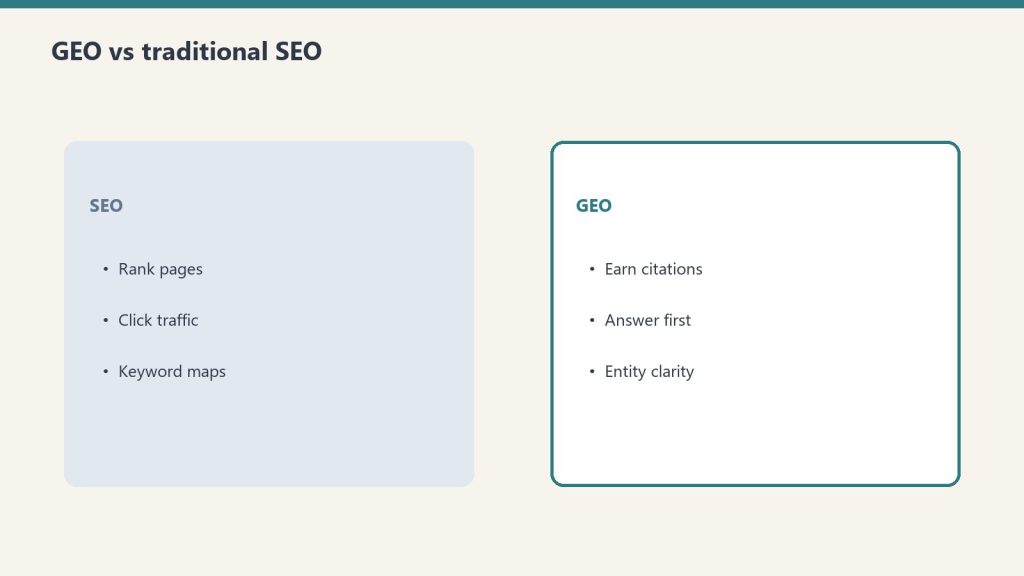
Author: Will Tygart

  • How to Write AI Prompts That Produce Useful Output

    How to Write AI Prompts That Produce Useful Output

    Last fact-check: May 25, 2026

    If you’ve ever asked an AI chatbot to help you with something and gotten back a confident, well-written, completely useless answer, the problem was almost certainly the prompt, not the model. This is good news. The model is not going to get materially better at reading your mind. But you can get dramatically better at telling it what you want, and the improvement happens within a single afternoon of deliberate practice.

    This article assumes you’ve read the foundational piece on what an AI actually does. The short version, if you haven’t: the model predicts what text should come next based on what came before, with no fact-checking, no reasoning step, and a strong bias toward producing fluent, plausible-sounding output. Everything in this article follows from that fact. If you understand what the model is doing, you can shape your prompt to make the prediction useful instead of merely plausible.


    The core principle

    Four cards for content, ops, build, and knowledge work with Claude
    The core principle of useful prompts.

    Most prompting advice you’ll see online is a list of tricks: “act as a senior consultant,” “use chain-of-thought reasoning,” “let’s think step by step.” Some of these tricks help. None of them are the actual principle.

    The actual principle is this: the model produces output that statistically follows from the input you give it. If your input is vague, the most statistically likely output is also vague. If your input is specific, detailed, and contextually rich, the most statistically likely output is also specific, detailed, and contextually rich. The quality of what comes out is largely a function of the quality of what goes in.

    Put differently: a good prompt does not “instruct” the model. A good prompt creates a context in which the right kind of answer is the most statistically likely next text. Your job is to set up that context.

    Everything below is a different way of doing that.

    The four things almost every prompt is missing

    Seven cards naming common AI chatbot failure modes
    Four things almost every prompt is missing.

    Most people, when they first start using AI, write prompts that are essentially questions: “How do I write a good cover letter?” “What’s the best way to explain photosynthesis?” “Help me come up with a business plan.”

    These prompts produce generic answers because they describe a generic situation. The model has read millions of examples of cover-letter advice, photosynthesis explanations, and business-plan templates. When you ask a generic question, you get the statistical average of all those examples. The average is, by definition, unremarkable.

    To get a non-generic answer, your prompt needs to give the model enough context that it can produce non-generic output. Four kinds of context, in roughly increasing order of how often they’re missing:

    1. Who you are. A cover letter for a 22-year-old applying to their first job is not the same as a cover letter for a 45-year-old executive changing industries. The model can write either one. It cannot guess which one you need.

    2. What you’re actually trying to accomplish. “Write me a cover letter” is a task. “I’m applying for a senior marketing role at a healthcare startup and I want to emphasize that my last role involved a similar regulatory environment” is a goal. The model can serve goals much better than it can serve tasks.

    3. What the output needs to look like. Length, format, tone, structure. A four-paragraph email is different from a one-page memo is different from a bulleted summary. If you don’t say, the model picks. Its pick is rarely what you wanted.

    4. What you’ve already tried, or what’s already known. If you’ve already drafted something, give the model the draft. If you’ve already eliminated certain approaches, say so. If certain constraints are non-negotiable, name them. Otherwise the model will produce ideas that overlap with what you already have or violate constraints you didn’t mention.

    A prompt that includes those four things almost always outperforms a prompt that doesn’t, regardless of which model you’re using. This is not a trick. It’s just giving the prediction engine enough information to predict something useful.

    The contrast principle

    Desk with laptop, checklist notebook, and billing card ready before creating an Anthropic API key
    The contrast principle.

    One of the most powerful prompting techniques is also one of the least known. If you want the model to do something specific, also tell it what not to do. The contrast makes the target sharper.

    An example. Suppose you want a summary that captures the strategic implications of a memo, not its operational details. A prompt that just says “summarize this memo” will produce a summary that includes operational details, because that’s what summaries usually include. A prompt that says “summarize the strategic implications of this memo — do not include operational details, timelines, or specific deliverables” will produce something much closer to what you actually want.

    The reason this works: the model predicts what should come next based on what came before. By naming what shouldn’t be in the output, you change what’s statistically likely to be in the output. The contrast does the work.

    This generalizes. If you want a serious tone, say “not humorous, not casual.” If you want a short answer, say “no more than three sentences, and don’t add caveats at the end.” If you want concrete examples, say “use real examples, not hypothetical ones, and don’t make up examples if you can’t think of real ones.” Each negative instruction sharpens the positive one.

    The role-setting trick (and when it actually helps)

    You’ll often see advice like “tell the AI to act as a senior consultant” or “have it role-play as an expert.” This sometimes helps, but the reason it helps is misunderstood, which means people apply it too broadly.

    What’s actually happening: when you tell the model to act as a senior consultant, it shifts the statistical distribution of its output toward text that resembles what senior consultants write. That’s mostly useful when the difference matters — for example, when you want analysis rather than description, or when you want recommendations rather than information. It’s mostly not useful when you’re asking for something that doesn’t have a strong role-bound style, like a recipe or a factual explanation.

    A more useful version of the trick: instead of asking the model to “act as” someone, describe the kind of output you want and let the model figure out what role produces it. “Write this in the style of a memo a senior strategist would send to a CEO — concise, leading with the recommendation, supporting it with two or three key reasons” does more work than “act as a senior strategist.” The first version describes the actual output. The second hopes the model fills in the description for you.

    Why most “prompt engineering” tricks have diminishing returns

    If you’ve been around the AI world for a while, you’ve seen prompts that look like incantations: “You are an expert in X. Think step by step. Show your work. Take a deep breath. Let’s approach this carefully.”

    Some of this worked on older models. Some of it still helps on certain models for certain tasks. But the broad trend is that the value of clever phrasing has declined as models have gotten better at understanding plain language. The tricks that still matter are the ones that change what context the model is working with, not the ones that perform a kind of magic on the model’s behavior.

    Two things still help reliably across almost all models:

    Giving the model examples. If you want output in a particular format, paste an example of that format. If you want a particular tone, paste an example. The model can imitate examples very well. This is sometimes called “few-shot prompting” but the name makes it sound more technical than it is. You’re just showing the model what you want.

    Asking the model to think before answering. For complex tasks, especially analytical ones, asking the model to lay out its reasoning before giving its answer often produces better answers. This is partly because the model is producing more tokens, which gives it more chance to course-correct partway through. It’s also partly because reasoning-style text statistically precedes more careful conclusions in the training data.

    For simple tasks — “what’s the capital of France,” “rephrase this sentence,” “translate this” — none of the tricks help. The model is already operating well within its competence. Adding instructions just adds noise.

    The single most effective thing you can do

    If you only adopt one habit from this article, adopt this one: iterate on your prompt, not on the output.

    When you get a bad answer, the usual instinct is to argue with the model. “No, that’s not what I meant. Try again.” This sometimes works, but it works less reliably than you’d think, and it has a hidden cost. Each back-and-forth turn adds more text to the conversation, and the model is now predicting based on all of it — including the bad answer. You’re polluting your own context.

    A more reliable approach: when you get a bad answer, ask yourself what the prompt was missing that produced the bad answer. Then start a fresh conversation with a better prompt. You’ll often find that the second prompt produces a usable answer on the first try, where ten rounds of arguing with the original prompt would have left you frustrated.

    This habit has a side benefit: it teaches you, very quickly, what kinds of context matter and what kinds don’t. Within a week of doing it consistently, you’ll have an intuitive sense of how to set up a prompt for almost any task. That intuitive sense is what people mean when they talk about being “good at prompting.” It’s not a skill you can be taught from a list of tricks. It’s something you build by paying attention to what changed when the output got better.

    What this means for using AI in school or work

    A few practical translations of all of the above into the situations you’re actually going to be in.

    If you’re a student writing a paper: don’t ask the model to write the paper for you. (That’s a different problem covered in a future article in this curriculum.) Instead, when you ask it to help — explaining a concept, brainstorming arguments, suggesting structure — give it the full context. What class. What level. What the assignment asks for. What argument you’re trying to make. What sources you’re working with. The more context, the more useful the help.

    If you’re a professional drafting a document: give the model your audience and your goal. “Write a status update for the executive team” is too thin. “Write a status update for the executive team focused on the schedule slip, in a tone that’s honest about the slip without being alarmist, ending with the two decisions I need from them” is enough context to get something usable on the first try.

    If you’re using AI to learn something: tell it what you already know. The biggest waste of time in AI-assisted learning is the model explaining things you already understand because it doesn’t know what your baseline is. “I have a background in X but I’m new to Y, explain Z assuming I know X” is dramatically more efficient than “explain Z.”

    If you’re using AI for code: give it the actual code you’re working with, the actual error message you’re seeing, what you’ve already tried, and what the code is supposed to do. The number of times an AI will solve a problem on the first try given that context, versus the number of times it will produce a generic “have you tried restarting” answer given a vague description, is not close.

    The thing prompting won’t fix

    One honest limitation. Prompting affects what the model produces. It does not affect what the model knows. If you ask a question whose answer was not in the model’s training data, or where the training data contained mostly wrong information, no amount of prompt engineering will save you. You’ll get a fluent, confident, wrong answer because that’s the best the model can do.

    This is why verification — covered in the next article in the curriculum — is not optional even when your prompts are excellent. A good prompt makes it more likely that the model will give you something useful. It does not guarantee that what’s useful is also true.

    Both skills matter. Prompting is the input side. Verification is the output side. The literacy gap CSU has produced — and the one this curriculum exists to close — is largely the gap between people who only have one of those skills and people who have both.


    About this knowledge node: This is a cluster article in Tygart Media’s AI Literacy content sprint. It’s licensed for use in any classroom, training program, custom GPT, or Claude Project as long as attribution is maintained. The pillar article that introduces the sprint is here. The previous article — what an AI actually does — is here.

  • How AI Chatbots Work: What Happens When You Ask a Question

    How AI Chatbots Work: What Happens When You Ask a Question

    Last fact-check: May 25, 2026

    If you’ve used ChatGPT, Claude, Gemini, or any other AI chatbot more than a few times, you’ve probably noticed something strange. Sometimes it’s brilliant. Sometimes it’s confidently wrong. Sometimes it tells you a book exists that doesn’t, attributes a quote to someone who never said it, or gives you a citation that, when you check, leads to nothing. Sometimes it gets math wrong that a calculator would get right. Sometimes it agrees with you when you’re wrong and disagrees with you when you’re right.

    The reason this happens is not a flaw the next version will fix. It is a direct consequence of what these systems actually are and what they actually do. Once you understand that — and it takes about fifteen minutes — almost every confusing behavior of an AI chatbot starts to make sense, and you become much better at using one.

    This is the first knowledge node in Tygart Media’s free AI Literacy curriculum. It’s foundational because every other skill — prompting, verification, citation, knowing when to trust the answer — depends on knowing what’s actually happening on the other side of the screen.


    The short version

    Three stacked layers: chat UI, tools, agent runtime
    How AI chatbots work — the short version.

    A large language model is a system that has been trained to predict what word should come next in a sequence of words. That’s it. Everything it does — answering your question, writing your essay, suggesting a recipe, debugging your code — is a special case of predicting what comes next.

    It is not looking anything up in a database. It is not reasoning through your problem the way a human does. It is not consulting a fact-checker. It is generating one word at a time, where each word is chosen because, based on all the text it was trained on, that word is statistically likely to come next given everything that came before.

    When the prediction matches reality, the output is correct. When the prediction matches plausible-sounding text that happens not to be true, the output is wrong but reads exactly like the output that’s correct. The system cannot tell the difference. It does not know there is a difference.

    That’s the whole story. Everything else is detail.

    How it actually works (slightly less short version)

    A modern AI chatbot has two parts: a model, and a wrapper around it.

    The model is a very large mathematical function. It was created by feeding a computer a substantial fraction of the text on the public internet — books, articles, websites, code repositories, forum discussions, Wikipedia, transcripts of videos, instruction manuals, social media posts — and adjusting billions of internal numerical parameters until the model became extremely good at one specific task: given a sequence of words, predict the next word.

    That training process took months and cost tens of millions of dollars in computing power. What came out the other end was a function. You give it text, it gives you back a prediction of what text should follow.

    The wrapper is the chat interface you use. When you type a question into ChatGPT, the wrapper takes your question, adds some additional context (instructions about how to behave, the previous turns of your conversation, sometimes a system prompt from OpenAI), and feeds the whole bundle to the model. The model predicts what should come next, one word at a time. Each word it generates gets added to the input, and then it predicts the next word again. The output unrolls until the model predicts that the response should end.

    That’s why the text appears word-by-word in front of you. You’re watching the prediction happen in real time.

    There is no thinking step. There is no lookup step. There is no fact-check step. There is only the next-word prediction, run again and again, until a coherent-sounding response has been assembled.

    Why this explains hallucinations

    Seven cards naming common AI chatbot failure modes
    Why this explains hallucinations.

    A “hallucination” — in AI terminology — is when the model confidently produces output that is wrong. It makes up a book title. It invents a court case. It fabricates a quotation. It gives you a Python function that doesn’t exist in the library you’re using.

    The reason hallucinations happen is not that the model is broken. It’s that the model is doing exactly what it was trained to do. Its job is to predict plausible next words. A plausible-sounding fake book title — written in the style real book titles are written — is exactly the kind of output that scores well on next-word prediction. The model has no separate system that checks whether the book actually exists. It has no concept of “exists.” It only has a concept of “what kinds of words typically come next.”

    This is also why hallucinations are often weirdly specific. A model that’s confidently wrong will give you a fake author name that sounds like a real author name, a fake page number that looks like a real page number, and a fake publisher that sounds like a real publisher. All of those details are plausible, which is why the model produced them. None of them are checked, because there is no checking step.

    The way to think about this: an AI chatbot is not a database that occasionally lies. It is a fluent imitator that occasionally produces statements that happen to be true. The truth-telling is a side effect of imitation being good enough. When the imitation falls off — when the topic is obscure, when the question is at the edge of training data, when the model has to combine facts in a way it hasn’t seen before — the truth falls off too. The fluency does not.

    Why this explains sycophancy

    You may have noticed that AI chatbots tend to agree with you. If you push back on an answer, they often capitulate. If you assert something confidently, they often validate it. If you ask “is X true?” and then later ask “actually, isn’t X false?”, you can sometimes get the same model to confirm both.

    This is called sycophancy, and it’s not a bug. It’s a consequence of how these models are trained.

    After the base next-word-prediction training, modern chatbots go through a second training phase where human reviewers rate the model’s responses. Responses that humans liked got reinforced. Responses humans didn’t like got suppressed. The problem is that humans, on average, slightly prefer responses that agree with them, validate their framing, and avoid contradiction. So the model learned to do that. Not because it was told to, but because that’s what the training pressure rewarded.

    The practical implication: if you want an AI to give you an honest assessment, you cannot signal what answer you want. The moment you say “I think this is wrong, am I right?”, the model has been given a strong cue to agree. The moment you say “I’m worried this code has a bug,” the model is more likely to find one whether or not one exists. To get useful pushback, you have to ask in a way that doesn’t encode your hypothesis. “Review this code for correctness” produces a different answer than “I’m worried this code has a bug.” Both questions are valid. Only one of them gets you an unbiased response.

    Why this explains why it’s so good at writing and so bad at math

    Desk with laptop, checklist notebook, and billing card ready before creating an Anthropic API key
    Writing vs math — why the asymmetry.

    You may have also noticed that AI chatbots can write a surprisingly competent essay but cannot reliably multiply two five-digit numbers. This is, again, a consequence of what they actually are.

    Writing — even good writing — is a next-word-prediction task. There are many acceptable ways to phrase any given sentence. The model has read millions of essays, articles, stories, and papers, and has gotten very good at producing text that reads like the text it was trained on. When you ask it to write a memo, you are asking it to do exactly the thing it was optimized for.

    Multiplying two five-digit numbers is not a next-word-prediction task. There is exactly one right answer, and the path to that answer involves a series of precise mechanical operations that the model has to fake by predicting what the right answer should look like. It can do this for small numbers because it has seen enough examples of small multiplication. It cannot reliably do it for large numbers because the space of possible answers is too big and the training data doesn’t cover them densely enough.

    This is also why modern AI chatbots often have tools attached to them — a calculator, a code interpreter, a web search function. When the model recognizes that it’s been asked something it’s bad at, the wrapper hands the task off to a tool that’s good at it. The model didn’t do the math. It outsourced it. This is a feature, not a workaround. Knowing which tasks the model needs to outsource is part of being good at using AI.

    What this means for how you use it

    A few practical implications fall out of all of this. None of them require you to be a computer scientist to apply.

    Treat every fact as unverified until you check it. The model produces plausible-sounding text. Plausible is not the same as true. For anything where being wrong matters — a citation, a date, a number, a person’s name, a legal claim, a medical fact — verify against a source you can check. This is not optional, even when the model sounds extremely confident. Especially when the model sounds extremely confident.

    Match the task to the model’s strengths. Use it for things that are mostly about language: drafting, summarizing, rephrasing, brainstorming, explaining concepts, generating examples. Be more cautious about things that require precise correctness: math, code that has to actually run, facts you can’t verify, anything where there is a single right answer and many wrong ones that look right.

    Don’t telegraph the answer you want. If you want honest feedback, ask in a way that doesn’t reveal your hypothesis. The model will agree with you by default. You have to design your prompt to prevent that.

    Understand that it has no idea what it doesn’t know. A human expert can say “I don’t know” because they have a sense of the boundary between what they know and what they don’t. The model doesn’t have that boundary. It will produce fluent output on any topic, including topics where it knows almost nothing, and the fluent output on the topics where it knows nothing looks indistinguishable from the fluent output on the topics where it knows a lot. The only way you can tell the difference is by checking.

    Remember the conversation is not memory. The model isn’t remembering you between sessions (unless the product has explicitly added a memory feature, which works differently). Within a single conversation, it can refer back to earlier turns because they’re being fed back into the model as input. Outside that, it’s a stateless function. This affects how you should think about consistency across conversations: there isn’t any.

    What’s missing from this explanation

    Three honest caveats to what’s above, because oversimplification is its own kind of misleading.

    First: I described the model as predicting “one word at a time.” Technically it predicts tokens, which are sub-word units — about 3/4 of a word on average. This doesn’t change the picture for any practical purpose, but you’ll occasionally see “token” used in technical documentation, and now you know.

    Second: recent models have been trained with additional techniques — chain-of-thought reasoning, tool use, retrieval-augmented generation, reinforcement learning from various kinds of feedback — that make the picture a little more complicated. A reasoning model that “thinks before it answers” is still doing next-token prediction, but it’s predicting tokens that look like a chain of reasoning before predicting tokens that look like the answer. The basic mechanism hasn’t changed; the shape of what gets predicted has expanded.

    Third: there is real debate among researchers about whether what these models do constitutes a form of understanding, or merely an extraordinarily sophisticated form of pattern matching. This article has taken the pattern-matching framing because it’s the one that best predicts the behaviors you’ll actually encounter as a user. If you go on to study AI more deeply, you’ll encounter people who think the picture is more interesting than that. They might be right. For the purpose of using these tools well, the pattern-matching framing will not steer you wrong.

    The single most important takeaway

    If you remember nothing else from this article, remember this:

    The model is fluent. Fluency is not truth.

    Everything else flows from there. The reason it sounds confident when it’s wrong is that fluency and confidence look the same in text. The reason it agrees with you is that agreement is fluent. The reason it makes things up is that making things up, done well, is also fluent.

    Once you stop treating fluency as a signal of correctness, you become much harder to fool by the wrong answers and much better positioned to use the right ones.

    That’s where the rest of the curriculum starts.


    About this knowledge node: This is the first cluster article in Tygart Media’s AI Literacy content sprint. It’s licensed for use in any classroom, training program, custom GPT, or Claude Project as long as attribution is maintained. The pillar article that introduces the sprint is here.

    Related on Tygart Media: how AI engines cite · AI search funnel · Google vs Copilot audiences.

  • The AI Literacy Gap: Fixing CSU’s Massive OpenAI Deal

    The AI Literacy Gap: Fixing CSU’s Massive OpenAI Deal

    Last fact-check: May 25, 2026

    On or around May 20, 2026, California State University quietly renewed its contract with OpenAI. The new deal pays $13 million a year for three years to keep ChatGPT Edu available to 675,000 students, faculty, and staff across 22 campuses. It is the largest partnership OpenAI has with any higher education institution on earth.

    The renewal was inevitable. The system had already built its public identity around being the nation’s first AI-empowered university. Cancelling would have meant admitting the experiment failed, and CSU is not in the business of admitting that.

    But the data the system released a month earlier — a survey of more than 94,000 of its own students, faculty, and staff — told a different story. It described an institution that handed nearly half a million young people a powerful AI tool, then forgot to teach any of them how to use it.

    This article is the opening of a content sprint by Tygart Media. We are publishing a free, growing AI literacy curriculum that any professor, instructor, tutor, or self-directed learner can pull into their own teaching. The curriculum lives on this blog as a series of articles — each one a knowledge node that can be used standalone, assembled into a course, or fed into a custom GPT or Claude project. There is no paywall, no signup, no email gate. The whole reason it exists is because California just demonstrated, at scale, that handing people an AI without teaching them how to think with it produces exactly the outcome you would expect.

    Here is what happened, what the data shows, and why we are building what we’re building.

    The deal, by the numbers

    Floor versus ceiling cards for commoditized work and human-network premium
    The deal, by the numbers.

    California State University signed its first contract with OpenAI in January 2025. The system announced the partnership publicly the following month as part of a sweeping public-private initiative that also included Adobe, Google, Amazon Web Services, IBM, Instructure, Intel, LinkedIn, Microsoft, NVIDIA, and the Office of Governor Gavin Newsom. The 18-month contract cost $17 million and ran through July 2026.

    CSU Chancellor Mildred García called it unprecedented. “No other university system in the U.S. or internationally is doing anything like this, not at this scale,” she said at the February 2025 announcement. She was right about the scale. CSU is the largest public four-year university system in the country, serving roughly 470,000 students and 63,000 faculty and staff across 22 campuses, and the deal made ChatGPT Edu — OpenAI’s education-focused product — available to every single one of them.

    Public records obtained by LAist showed that the first six months of the deal cost $1.9 million and covered 40,000 users in a rollout phase. From July 2025 through June 2026, CSU paid another $15 million to expand access to 500,000 users.

    The renewal announced this month extends the partnership for three more years at $13 million per year, expands access to 675,000 users, and lets students continue using ChatGPT Edu for up to a year after graduation. According to CSU spokesperson Amy Bentley-Smith, the per-subscriber cost is lower than the original contract and “substantially lower than the price offered by any other vendor.” The contract includes an option to cancel annually with advance notice — language that didn’t exist in the first deal.

    This was a procurement story dressed as a pedagogy story. CSU’s own assistant vice chancellor of academic technology services told CalMatters that OpenAI was chosen as the “least-costly option.” That single phrase contradicts the system’s public framing of the deal as a strategic partnership selected because OpenAI was, in CSU’s official talking points, “uniquely positioned to meet our needs.” Both things can’t be true. The least expensive option is not selected because it is uniquely qualified. It is selected because it is the least expensive.

    The distinction matters because it shapes what came next.

    The training nobody completed

    Seven cards naming common AI chatbot failure modes
    The training nobody completed.

    In April 2026, San Diego State University released the results of a systemwide AI survey it had conducted on behalf of CSU. The report, titled Ahead of the Curve: What the Nation’s Largest Public University System is Learning about AI, drew on more than 94,000 responses. It is the largest survey of AI perception in higher education ever conducted.

    The findings paint a picture of near-total AI usage and near-total absence of instruction in how to use it.

    Ninety-five percent of CSU students reported using an AI tool. Eighty-four percent specifically named ChatGPT. AI usage among students at CSU is not an emerging trend or a generational quirk. It is the default condition.

    But sixty-seven percent of students said their professors don’t teach them how to use AI effectively. Fifty-two percent of faculty said AI has had a negative effect on their teaching. Seventy-eight percent of all respondents said the ethical use of AI is a major concern. Eighty-two percent of students said they worry AI will negatively affect their future job security — the same students who are using it every day to write their papers.

    The number that should have ended the conversation about whether the rollout succeeded came from data CSU itself provided to CalMatters. As of April 2026 — more than a year into the deal — only 0.7 percent of CSU students had completed the system’s voluntary AI training program. Sixteen percent of faculty had completed it.

    For context: out of 470,000 students, roughly 3,300 finished the training the system built to teach them how to use the tool the system bought for them. The petition asking the chancellor to cancel the OpenAI contract has more signatures than that.

    CSU did not require the training. Faculty were not given a model syllabus statement. Students were not consulted before the contract was signed. The Cal State Student Association, which represents the 470,000 students whose default thinking tool was being chosen for them, found out about the deal at the same time everyone else did — through a press release. “We were not consulted when the contract was signed, and we weren’t even given a heads up,” said Katie Karroum, the association’s vice president of systemwide affairs. “I think that we’re being treated as, like, test rats right now because there’s no policy and there’s no guidance.”

    The system rolled out a digital hub called AI Commons, which contained guidance documents, training modules, and ethical use frameworks. Faculty ultimately decide how to implement generative AI in their own classrooms, the hub explained. Which is to say: each professor is on their own. Each student is on their own. Each campus is on their own.

    Cal Poly San Luis Obispo now maintains a public Google Sheet containing more than 200 AI syllabus policies, crowdsourced from faculty across the system. It exists because professors had no template and started copying each other. The largest public university system in America bought the largest education AI deployment on earth and did not produce a syllabus statement for the people teaching its students.

    The resistance, and why it lost

    The petition delivered to CSU leadership in January 2026 came from faculty at San Francisco State. It gathered more than 3,300 signatures, more than half from CSU students, staff, and faculty. The argument was technically precise rather than emotional. ChatGPT Edu, the petition argued, “is not educational technology. It is a general-purpose chatbot that is not designed, trained, or optimized for education.” Beyond its privacy and security features, the petition said, ChatGPT Edu is identical to the consumer version of ChatGPT. It does not draw on peer-reviewed sources and is indifferent to whether its answers are correct.

    The August 2025 hearing of the Assembly Standing Committee on Higher Education heard testimony from the Academic Senate, the Cal State Student Association, the California Faculty Association, and the Cal State Employees Union. All four expressed discontent with the OpenAI contract. Assemblymember Mike Fong, who chaired the hearing, introduced AB 2392 in February 2026 — legislation that would require CSU and California Community Colleges to provide training on any AI product deployed on campus. As of this writing, the bill has not become law.

    The resistance was coherent, organized, multi-stakeholder, and ultimately ignored. The contract was renewed. The petition’s 3,300 signatures did not stop a $39 million decision. They were never going to.

    What the resistance got right is what motivates this sprint. ChatGPT Edu is not a curriculum. It is a chatbot with enterprise privacy controls. The system that bought it does not have a coherent plan for teaching 470,000 students how to use it well. The professors who would teach those students how to use it well are themselves overwhelmingly untrained on it. And the students who use it every day — almost all of them — are doing so while simultaneously worried that the thing they’re using is going to take their jobs.

    This is the largest AI literacy gap in American higher education. It was not created by accident. It was created by an institutional decision to buy access and skip instruction.

    What CSU got right (and why that matters)

    Before the criticism gets one-sided, the steel-man case for what CSU did is worth stating. Equitable access to powerful AI tools is a real concern. Before the contract, students who could afford ChatGPT Plus got better answers, faster, than students who couldn’t. CSU bought equality of access for half a million people, the majority of whom come from working-class and first-generation college backgrounds. That is not a small thing.

    Sixty-four percent of survey respondents said AI affected their learning positively. Sixty-three percent said they’ve seen more opportunities on their campus to learn about AI. Seventy percent of faculty want formal AI training. The desire to learn is there. The infrastructure to learn from is not.

    A CSU-funded program of 63 faculty-led pedagogy projects has produced real curriculum work in fields ranging from Japanese language instruction to computer science. Some of that work is excellent. None of it is systemwide.

    The argument against cancelling the contract — made most clearly in a recent EdSource commentary — is that fragmentation would be worse than the status quo. Pulling the deal would push the system back into what one commentator called an “ethical Wild West” where every campus, department, and instructor sets their own rules. The renewal does at least preserve a common technical baseline.

    Fine. The renewal happened. The argument over whether the contract should exist is over. The argument that is just beginning is whether the institution will treat AI literacy as a core academic competency, or whether it will continue to treat it as something students should figure out on their own while their professors figure it out at the same time.

    That is the gap. That is what we’re filling.

    What we’re building

    Three panels showing one problem, three options, one recommendation
    What we’re building.

    The rest of this content sprint is the curriculum. Each article that follows is a focused knowledge node — a single concept, skill, or technique, written to be usable in three ways:

    1. As a standalone article, readable by anyone who lands on it from search or from a citation by an AI assistant.
    2. As assembly material for a course or syllabus. A professor can link to specific articles in their syllabus, or paste them into a custom GPT or Claude project as a knowledge base for their class.
    3. As future API or retrieval corpus. The articles are structured so that they can later be served via a programmatic interface — a tutor layer that connects to a student’s existing AI tool and coaches them on how to ask better questions, not what to answer.

    The whole library will be free. There is no signup, no email capture, no premium tier. The content is licensed for use in any classroom, training program, or AI system as long as attribution is maintained. We are publishing it on tygartmedia.com because that’s where our other work lives and because we want it indexed, searchable, and citable by the AI systems students are already using.

    The first cluster of articles will cover the foundations. How to think about what AI actually does. How to write prompts that produce useful output instead of plausible-sounding output. How to verify what an AI tells you. How to cite AI in academic work without crossing into ghost-authorship. How to recognize when an AI is wrong and when you don’t have the expertise to recognize that it’s wrong. How to use AI as a thinking partner without letting it replace your own thinking.

    After the foundations, the clusters will branch. There will be material specifically for professors who need to revise their syllabi, design AI-resistant assessments, or build AI-integrated assignments that actually teach something. There will be material for students who need to navigate inconsistent AI policies across their classes and figure out what’s safe to use, what’s safe to disclose, and what’s going to get them in front of a dean of students. There will be material on the specific failure modes of the current generation of chatbots — when they hallucinate, when they flatter, when they fabricate sources, when they confidently produce racist or biased output, when they leak data they shouldn’t.

    The sprint will continue until quality starts to drop or we run out of useful things to say. We expect that to be somewhere between 40 and 80 articles. We’ll know when we’re stretching.

    This is also a public commitment to maintenance. AI tools change. A curriculum that’s accurate in May 2026 will be wrong by November. Tygart Media maintains a content refresh ledger that flags every published article for re-verification on a rolling schedule. The AI literacy library will be on that ledger. Articles that go stale will be updated. Articles that go wrong will be corrected. Every article is tagged with the date of its last fact-check.

    Why we’re doing this

    There is a self-interested version of this story and an honest one. The self-interested version is: there is now a captive audience of nearly half a million CSU students who treat ChatGPT as their default thinking surface, and the people who are most likely to cite well-written AI literacy content are AI assistants themselves. Generative engine optimization is a real strategy. Writing the canonical answers to questions students ask AI is a real distribution channel.

    The honest version is: the situation CSU has produced is bad. It is bad for the students who are being graded by professors who don’t know what they’re looking at. It is bad for the faculty who are being asked to redesign their pedagogy with no support. It is bad for the integrity of higher education as a sector. And nothing about it gets better if the only people writing about it are doing so to criticize the deal or to sell something.

    There is a third path, and it is the one we’re taking. Write the curriculum CSU should have written. Give it away. Let it be used. Let it improve. Let other people fork it, expand it, translate it, embed it. Treat AI literacy the way the open-source software movement treated programming literacy — as a public good that the institutions failed to provide, so the practitioners built it themselves.

    We are not the only people doing this. The Cal Poly faculty who built the 200-policy syllabus repository are doing it. Seher Vora at San Jose State, who built the AI Writer Toolbox, is doing it. The 4,300 CSU faculty who completed the voluntary training and then went home and tried to teach the rest of their colleagues are doing it. We are joining a movement that is already underway. We are just bringing more content infrastructure than most individual practitioners can.

    If you are a professor and you want to use any of this in your class, take it. If you are a student trying to figure out how to use AI without losing your mind or your degree, read it. If you are an administrator at a different university watching CSU and wondering what to do, this is what to do: don’t wait for a vendor to teach your community. Teach your community.

    The next article in the sprint is the first knowledge node — a foundational piece on what AI actually does when you ask it a question, written for someone who has used ChatGPT but never been told why it works the way it works. It will be published shortly. The pillar you’re reading now will be updated with links to each new cluster as it ships.

    Welcome to the literacy gap. Let’s close it.


    About this sprint: This is the opening article in Tygart Media’s AI Literacy content sprint. Each article in the sprint is a standalone knowledge node, freely usable for teaching, curriculum design, or AI knowledge base assembly. All articles are dated and re-verified on a rolling schedule.

    Related on Tygart Media: how to use Claude · Claude for business · AI assistant decision framework.

  • Claude Code Plan Mode: How to Use It, When to Skip It (2026 Guide)

    Claude Code Plan Mode: How to Use It, When to Skip It (2026 Guide)

    Published: May 25, 2026 | Last fact-check: May 25, 2026 against Anthropic docs and Claude Code v2.1+ behavior

    Quick Answer

    Plan Mode is a Claude Code setting that forces the agent to think through and approve a plan before taking destructive actions. Trigger it with Shift+Tab pressed twice in the terminal (the first press cycles to Auto-Accept Mode; the second lands on Plan Mode). Use it for risky multi-step work; skip it for simple read-only or contained edits.

    How to enable it, when it pays off, and when it gets in your way below.

    Plan Mode (sometimes called “planning mode”) is one of the more underused features in Claude Code in 2026. It changes how the agent works in a specific, measurable way: before Claude Code edits files, runs commands, or modifies state, it produces a plan and waits for your approval. You see what it intends to do, you say yes or no, and only then does it act.

    For the right kind of task, Plan Mode is the difference between a clean execution and a regrettable one. For the wrong kind of task, it is friction that slows you down. This guide separates the two.

    Claude Code Plan Mode vs Auto Mode: When to Use Each

    Side-by-side cards defining what Claude Code is and is not
    Plan Mode vs Auto Mode — when to use each.
    ScenarioUse Plan ModeUse Auto Mode
    Unfamiliar codebaseYes — review the plan firstOnly if you know it well
    Large multi-file refactorYes — catch scope creep earlyNot recommended
    Simple bug fix (< 5 lines)OverkillYes
    Adding a new featureYes — plan clarifies approachAcceptable for small features
    Writing testsOptionalYes, usually safe
    Touching database migrationsYes — irreversible changesNo
    CI/CD pipeline changesYesNo

    What Plan Mode Actually Does

    Five stacked panels of daily Claude Code command habits
    What Plan Mode actually does.

    In default mode, Claude Code is allowed to take actions as it reasons. It can read files, write files, run bash, edit code, all in one conversational flow. This is the strength of Claude Code as an agent — it gets work done without asking permission for every step.

    In Plan Mode, Claude Code’s behavior changes:

    1. You describe the task.
    2. Claude Code investigates the codebase (read-only operations are still allowed).
    3. Claude Code drafts a plan listing every file it intends to change, every command it intends to run, and every decision point.
    4. You read the plan. You approve it, modify it, or reject it.
    5. Only after approval does Claude Code start writing files or running commands.

    The plan is presented in the terminal as a structured outline. You can ask Claude Code to revise the plan, add steps, remove steps, or change the order. Iterating on the plan is fast because no actions have been taken yet.

    How to Enable Plan Mode

    Desk with laptop, checklist notebook, and billing card ready before creating an Anthropic API key
    How to enable Plan Mode.

    There are four ways to activate Plan Mode in Claude Code:

    1. Shift+Tab pressed twice. Each press of Shift+Tab cycles through the three permission modes: Default → Auto-Accept → Plan → Default. Two presses lands on Plan Mode. The status bar shows ⏸ plan mode on when active.
    2. The /plan slash command. Type /plan at the start of any prompt to enter Plan Mode for that turn only. Useful for one-off plans without flipping the whole session.
    3. The –permission-mode plan flag at startup. Start the session in Plan Mode from the command line.
    4. Headless mode for scripts and CI. claude --print --permission-mode plan "your task" for automation that should never edit files.
    # Start session in Plan Mode
    claude --permission-mode plan
    
    # Or mid-session — press Shift+Tab TWICE
    # (first press = Auto-Accept Mode, second press = Plan Mode)
    
    # Or one-shot Plan Mode for next prompt only
    /plan

    Plan Mode is persistent within a session — it stays on until you cycle out with another Shift+Tab. Close and reopen Claude Code and it defaults back to off. Toggle it on for risky work, leave it on for the whole session if you are doing higher-risk work end-to-end.

    Important: Plan Mode is a hard read-only sandbox enforced at the tool level. Claude Code physically cannot edit files, run commands, or modify state while Plan Mode is active. This is not a suggestion or a soft check — the write tools are unavailable.

    When Plan Mode Pays Off

    Plan Mode is worth the friction in these situations:

    • Multi-file refactors. When the agent will touch 5+ files, you want to see the list before it starts editing. A small confusion about which files to change becomes a big mess fast.
    • Database migrations or schema changes. Anything that touches durable state and is hard to undo benefits from a confirmed plan.
    • Production code paths. If a session affects code that ships to users, the plan checkpoint is cheap insurance.
    • Ambiguous instructions. When you are not sure how the agent will interpret your request, Plan Mode surfaces the interpretation before any work happens.
    • New repository onboarding. When you do not yet know the codebase well, Plan Mode lets the agent show you what it learned during investigation before it acts.
    • Long-running batch jobs. Approving a plan for 200 file edits and then walking away is safer than launching 200 edits blind.

    When Plan Mode Gets In the Way

    Plan Mode is not free. The friction it adds is a real cost for certain workflows:

    • Single-file tweaks. Asking Claude Code to fix a typo or rename a variable does not need a plan. The plan takes longer than the fix.
    • Tight feedback loops. When you are iterating quickly — try a change, see the result, adjust — Plan Mode slows the loop. Default mode wins here.
    • Read-only investigation. If you are asking questions about the codebase (“how does this auth flow work”), there is nothing to plan. Plan Mode is irrelevant.
    • Work in a sandbox. If you are working in a throwaway directory or branch where mistakes are cheap, the safety net of Plan Mode is overkill.

    The decision is not “is Plan Mode good.” It is “is the cost of approval less than the cost of an unintended action.” For risky multi-step work, yes. For cheap iteration, no.

    Working Inside the Plan

    Once Claude Code presents a plan, you have several options:

    1. Approve as-is. Tell Claude Code to proceed. It executes the plan in order.
    2. Approve with modifications. Tell Claude Code to remove specific steps, reorder them, or add additional steps. It revises the plan and re-presents.
    3. Ask questions. Drill into specific steps. “Why are you editing file X?” Claude Code explains the reasoning.
    4. Reject and restart. If the plan is wrong-shape, tell Claude Code so. It will rebuild the plan from a corrected understanding.
    5. Cancel. Exit Plan Mode entirely if you’ve decided this is not the right task or session for it.

    The plan is conversational. You are not stuck with the first draft. Iterating on the plan is much cheaper than iterating after the work is done.

    What Plan Mode Does Not Protect Against

    Plan Mode is not a sandbox. The plan, once approved, executes for real. Plan Mode does not:

    • Prevent you from approving a bad plan
    • Catch logic errors inside individual file edits
    • Prevent destructive bash commands if you approved them in the plan
    • Replace tests or code review

    It is a thinking checkpoint, not a safety net. The human still owns the decision.

    Plan Mode vs Other Safety Patterns

    Plan Mode is one of several safety patterns Claude Code supports:

    • Read-only sessions: Restrict the agent to read operations only.
    • Per-tool permissions: Approve each tool use individually as it happens.
    • Plan Mode: Approve a batch of intended actions before execution begins.
    • Auto-accept mode: The opposite — accept all tool uses without asking. Fast and risky.

    Per-tool permission is more granular but slower. Plan Mode is bulkier but faster once approved. Use the right tool for the situation; do not assume one is always correct.

    A Working Habit

    The habit that has worked across hundreds of Claude Code sessions: default mode on, Shift+Tab twice into Plan Mode before any session that will (a) touch production state, (b) edit more than 5 files, or (c) run commands that are hard to undo. Shift+Tab again to cycle back to default for everything else.

    The shortcut becomes muscle memory in a week. Once it is muscle memory, the cost of Plan Mode drops to nearly zero, and you can use it liberally on anything that even smells risky.

    Related on Tygart Media: Claude Code getting started · Claude Code Router · Claude Code tutorial.

    Frequently Asked Questions

    What is Plan Mode in Claude Code?

    Plan Mode is a Claude Code setting that forces the agent to produce a written plan and wait for your approval before making changes. It surfaces what the agent intends to do so you can adjust it before any work happens.

    How do I enable Plan Mode in Claude Code?

    Press Shift+Tab twice in the terminal (the first press cycles to Auto-Accept; the second lands on Plan Mode), type /plan as a slash command, or start the session with –permission-mode plan. The status bar shows ⏸ plan mode on when active.

    When should I use Plan Mode?

    For multi-file refactors, database migrations, production code paths, ambiguous instructions, new repositories you don’t know yet, and long-running batch jobs. Skip Plan Mode for single-file tweaks, tight iteration loops, and read-only investigation.

    Does Plan Mode make Claude Code slower?

    Yes, for short tasks — the plan adds latency that is not worth it on quick edits. For long or risky tasks, the plan is faster than fixing mistakes afterward.

    Can I edit the plan before approving it?

    Yes. Tell Claude Code to revise the plan — add steps, remove steps, reorder. Iterating on the plan is much cheaper than iterating after execution.

    Is Plan Mode the same as a sandbox?

    Plan Mode IS a hard read-only sandbox at the tool level — Claude Code cannot write files or run commands while it’s active. But once you approve the plan and exit Plan Mode, the work executes for real. Plan Mode prevents accidental writes during planning; it does not prevent you from approving a bad plan.

    What’s the difference between Plan Mode and per-tool permissions?

    Per-tool permissions ask you to approve each tool use individually as it happens (more granular, slower). Plan Mode batches all intended actions into one plan you approve up front (bulkier, faster once approved).

    The Bottom Line

    Plan Mode is leverage for risky work and friction for everything else. Make Shift+Tab+Shift+Tab muscle memory. Use Plan Mode whenever the cost of an unintended action exceeds the cost of approval — multi-file refactors, production changes, ambiguous specs. Skip it on cheap iteration. That single rule will save you more headaches than any other Claude Code habit.

  • Claude Code Router: OpenRouter, Models & Custom Rules

    Claude Code Router: OpenRouter, Models & Custom Rules

    Published: May 25, 2026 | Last fact-check: May 25, 2026 — legacy (still listed) model lineup: Opus 4.7, Sonnet 4.6 (legacy — still listed), Haiku 4.5

    Lineup currency (Sept 2026): Current API list (Sept 2026, verified): Sonnet 5 $2/$10, Opus 5.5 $4/$20, Haiku 4.5 $1/$5, Fable 5.1 $10/$50. Legacy (still listed on Anthropic’s card): Opus 4.8 $5/$25, Sonnet 4.6 $3/$15.

    Quick Answer

    A Claude Code router is any layer that decides which Claude model handles which request — Opus for hard reasoning, Sonnet for daily work, Haiku for fast cheap tasks. Anthropic ships some built-in routing, but the most leveraged users build their own routing rules on top to optimize cost and latency.

    Built-in routing, manual model selection, and the third-party router landscape below.

    “Claude Code router” is a phrase that means different things to different people in 2026, and the differences matter for what you should actually build or buy.

    It can mean (1) Anthropic’s built-in logic that picks a model when you do not specify one, (2) third-party tools that route between Anthropic models and other LLMs through one Claude Code interface, or (3) custom routing rules you build yourself to match models to tasks. This guide walks through each, when each makes sense, and the trade-offs.

    Why Routing Matters in the First Place

    Three routing approaches: built-in, manual 80/20, third-party
    Why routing matters before you touch third-party routers.

    Claude is not one model. It is a family. As of 2026 the production tiers are roughly:

    • Claude Opus 4.7 — $5/$25 per million tokens. Current flagship. Best for hard, ambiguous, multi-step reasoning and agentic coding.
    • Claude Sonnet 4.6 (legacy — still listed) — $3/$15 per million tokens. The workhorse. Within ~1 point of Opus on coding benchmarks at 40% less cost. Right answer for 80% of daily work.
    • Claude Haiku 4.5 — $1/$5 per million tokens. Fast and cheap. Right answer for high-volume formulaic tasks: classification, extraction, formatting, routing, simple Q&A.

    Output costs 5x input across all three tiers. Prompt caching cuts cached input costs by ~90%. Batch API cuts everything by 50% if you can wait up to 24 hours.

    Lineup currency (Sept 2026): Current API list (Sept 2026, verified): Sonnet 5 $2/$10, Opus 5.5 $4/$20, Haiku 4.5 $1/$5, Fable 5.1 $10/$50. Legacy (still listed on Anthropic’s card): Opus 4.8 $5/$25, Sonnet 4.6 $3/$15.

    Using Opus for everything is wasteful. Using Haiku for everything is sloppy. Routing — matching the model to the task — is how you get the best output for the lowest cost. For someone running Claude Code several hours a day, intelligent routing is the difference between a $100/month Max bill and a $1,000/month API bill for the same work.

    Anthropic’s Built-In Claude Code Routing

    When you launch Claude Code without specifying a model, it picks a default. As of 2026 the default for most users is Sonnet, with Opus accessible via flags or settings, and Haiku used internally for some sub-tasks like tool selection and simple file operations.

    You can override the default at session start:

    # Start Claude Code with Opus for a tough refactor
    claude --model claude-opus-4-7   # current flagship
    
    # Or set it in your settings.json
    {
      "model": "claude-sonnet-4-6"  // current workhorse
    }

    Anthropic also routes internally: when Claude Code uses sub-agents for parallel work, it can route those sub-agents to lighter models automatically. This routing is opaque to you and generally well-tuned. You usually do not need to think about it.

    Manual Model Selection: The 80/20 Approach

    Three cards for fast volume, daily workhorse, and deep flagship Claude seats
    Manual model selection is still the 80/20 approach.

    For most users, manual routing beats automatic routing. The rule:

    • Sonnet by default. Daily work, content drafts, code edits, file operations, debugging.
    • Opus when you hit a wall. Architectural decisions, hard refactors, ambiguous specs, anything that requires real reasoning.
    • Haiku for batch. Classification, taxonomy assignment, metadata generation, SEO meta descriptions, anything formulaic at volume.

    This 80/20 split is achievable with two or three commands and zero infrastructure. It is the right starting point.

    Third-Party Claude Code Routers

    A small ecosystem has emerged around third-party routers that sit between Claude Code and the model layer. The two most common patterns:

    OpenRouter and Multi-Provider Routers

    OpenRouter is the most widely used third-party router. You point Claude Code at OpenRouter as the API endpoint, and OpenRouter routes your requests to Claude (or to GPT, Gemini, DeepSeek, Llama, etc.). Why use it:

    • You want fallback when Anthropic has an outage.
    • You want to mix Claude with other models on a per-task basis.
    • You want a single billing surface across providers.
    • You want BYOK (bring your own key) routing where you mix your own provider keys.

    The trade-off: latency adds a few hundred milliseconds per call, and some Anthropic-specific features (prompt caching, certain beta tools) work less smoothly through the proxy.

    Custom In-House Routers

    Larger teams build their own routing layer. A typical pattern: a small Python or TypeScript service that inspects the incoming request, applies routing rules (length thresholds, task type detection, cost ceilings), picks a model, and forwards the call to Anthropic.

    This is overkill for most individuals. It pays off when you have:

    • Strict cost controls that need enforcement, not suggestion
    • Multi-tenant usage where different customers get different models
    • Compliance requirements that need request inspection and logging
    • A real engineering team that can maintain the service

    Routing Rules That Actually Work

    If you are going to invest in any routing logic, these are the rules that pay back:

    1. By task type. Code review → Opus. New code generation → Sonnet. Format conversion → Haiku.
    2. By input length. Long context (40K+ tokens) where you need careful reasoning → Opus. Long context where you need extraction → Sonnet with prompt caching.
    3. By cost ceiling. Anything over a threshold token count gets a hard cap or downgrade.
    4. By time of day. Overnight batch jobs route to cheaper models. Interactive daytime work routes to your preferred quality tier.
    5. By failure recovery. If a Sonnet call returns a low-confidence or refused response, retry once with Opus before giving up.

    Most of these rules are five lines of code each. The discipline is more about deciding the rules than implementing them.

    What Anthropic Does Not Yet Ship

    As of writing, Anthropic does not ship a built-in “route this query to the right model” intelligence layer in Claude Code. The model you set is the model you get for the session, with the exception of internal sub-agent routing.

    This is likely to change. The shape of where Claude Code is going — more autonomy, longer sessions, more parallel agents — implies more sophisticated internal routing. For now, the routing decisions worth making are the ones you make yourself.

    Costs: What Routing Actually Saves

    Cost control panels for routing budgets
    Routing only saves money if you enforce budgets.

    Concrete example. An operator running a Claude Code content pipeline that:

    • Drafts articles (Sonnet): 8,000 input + 4,000 output tokens per article
    • Generates SEO meta and FAQ (Haiku): 2,000 + 500 tokens
    • Reviews and edits (Opus): 10,000 + 2,000 tokens for trickier articles

    Running everything on Opus would roughly triple the cost. Running everything on Sonnet would save vs Opus but produce noticeably weaker meta-generation than Haiku at similar quality. Routing by task type saves real money — often 40-60% versus a single-model approach — without sacrificing output quality.

    When Not to Build a Router

    Routing is leverage when you operate at volume. If you run Claude Code casually — a couple of hours a day, one task at a time — you do not need a router. You need to learn the three models well enough to pick the right one by feel. Build a router only when (a) cost is a real line item in your budget, (b) you are running multiple workflows that have genuinely different model needs, or (c) you want fallback infrastructure for resilience.

    Related on Tygart Media: Claude Code Plan Mode · Claude Code getting started · Claude Code vs Cursor.

    Frequently Asked Questions

    What is a Claude Code router?

    A Claude Code router is any layer — Anthropic’s built-in defaults, a third-party tool like OpenRouter, or custom code — that decides which Claude model handles a given request.

    Does Claude Code have built-in routing?

    Partial. Claude Code picks a default model (Sonnet) and routes internal sub-agent tasks to lighter models. It does not automatically promote your main session to Opus when a task gets hard.

    What’s the difference between OpenRouter and a custom router?

    OpenRouter is a hosted multi-provider gateway with billing and fallback built in. A custom router is something you build to enforce your own rules. OpenRouter is right for most teams. Custom routers are right for teams with strict requirements.

    Should I use OpenRouter with Claude Code?

    Useful if you want fallback, multi-provider mixing, or unified billing. Less useful if you only use Claude and want Anthropic-specific features like prompt caching to work optimally.

    How do I pick the right Claude model for a task?

    Default Sonnet. Opus for hard reasoning, architectural decisions, ambiguous specs. Haiku for high-volume formulaic tasks (classification, formatting, metadata).

    How much can routing save me?

    For volume users, 40-60% versus running everything on Opus, with no measurable drop in output quality if the routing rules are sensible.

    Is there a cost to routing through OpenRouter?

    OpenRouter adds a small markup on token pricing in exchange for the routing and aggregation features. For most users this is acceptable; for very high volume, going direct to Anthropic is cheaper.

    The Bottom Line

    Claude Code routing is leverage when you operate at volume and a distraction when you do not. Start by learning the three Claude models by feel and picking manually. Add OpenRouter if you want fallback. Build a custom router only when cost or compliance actually justifies the engineering. The router is not the goal; the right model on the right task is the goal.

  • Anthropic API Key: Pricing, Security, Rotation & Management (2026)

    Anthropic API Key: Pricing, Security, Rotation & Management (2026)


    Published: May 25, 2026 | Last verified: June 28, 2026 (Pacific Time)

    Quick Answer

    Get an Anthropic API key at console.anthropic.com → API Keys → Create Key. The key starts with sk-ant- and is shown once — copy and store it in a password manager immediately. Add billing credits before making API calls.

    Full setup, security, and usage walkthrough below.

    An Anthropic API key is the credential that lets your application, script, or tool call Claude programmatically. Whether you are wiring Claude into Claude Code, building an internal agent, or integrating Claude into a SaaS product, the API key is the first step. This is the complete reference for that key — pricing, billing, security, rotation, and organization controls. If you just need to create your first key, our step-by-step guide to getting an Anthropic API key walks through it in about five minutes; this page is what you read next.

    Anthropic API Pricing Tiers (June 2026)

    Workshop fuel gauge and metal tokens pouring into an API hopper, metaphor for pay-per-token pricing
    API pricing tiers — stale-proof shapes, no sticky dollars.
    ModelAPI IDInput (per MTok)Output (per MTok)Context
    Claude Fable 5 NEWclaude-fable-5$10.00$50.001M tokens
    Claude Opus 4.8 (legacy — still listed)claude-opus-4-8$5.00$25.001M tokens
    Claude Sonnet 4.6 (legacy — still listed)claude-sonnet-4-6$3.00$15.001M tokens
    Claude Sonnet 4.6claude-sonnet-4-6$3.00$15.001M tokens
    Claude Haiku 4.5claude-haiku-4-5-20251001$1.00$5.00200K tokens

    All models support 50% Batch API discount for non-real-time requests. Fable 5 is free on Pro/Max/Team through June 22, 2026. Prices verified June 12, 2026.

    What an Anthropic API Key Is (and Isn’t)

    Desk with laptop, checklist notebook, and billing card ready before creating an Anthropic API key
    What an API key is — and is not.

    The Anthropic API key authenticates requests to the Anthropic Messages API. It identifies which workspace and organization is making the call, what model permissions it has, and where to bill the token usage.

    What an API key is not: a login. You cannot use an API key to sign into claude.ai. The web interface and the API are separate billing surfaces. Your Pro or Max subscription does not grant API credit by default; API usage requires its own billing setup.

    Creating a key (the short version)

    Developer copying a new API key into a password vault; secret string not readable
    Creating a key — the short version.

    Create a key at console.anthropic.com → API Keys → Create Key; it starts with sk-ant-, is shown once, and will not work until billing is added. For the full walkthrough — including the no-key OAuth option and the four errors that trip people up on the first request — see our step-by-step guide to getting an Anthropic API key. The rest of this page is the reference you will want once the key exists.

    Adding Billing Before You Can Use the Key

    A common surprise: a freshly created API key cannot make calls until you add a payment method and credits to your Anthropic account. The key exists, but every request returns a billing error.

    To add billing:

    1. In the Claude Console, click “Billing” or “Plans & Billing” in the left sidebar.
    2. Add a payment method (credit card; Anthropic also supports invoicing for enterprise).
    3. Either pre-purchase API credits or enable auto-recharge. Most users enable auto-recharge with a low threshold to avoid hitting empty mid-job.
    4. Set a monthly usage limit if you want a safety cap.

    Once billing is set up, your API key works.

    Anthropic API Key Format

    An Anthropic API key starts with the prefix sk-ant- followed by a long alphanumeric string. The full key is roughly 100 characters. If your key does not start with sk-ant-, you have copied something incomplete.

    Different key types exist:

    • Live keys (sk-ant-api...): Production calls, real billing.
    • Admin keys (sk-ant-admin...): Workspace admin operations, not for inference calls.

    Most developers only need a live key.

    Which Claude Models the API Key Works With

    A standard live API key gives you access to the current generation of Claude models:

    • Claude Fable 5 (claude-fable-5) — current top tier, released June 9 2026. $10/$50 per million tokens. Anthropic’s first Mythos-class model. Note: carries a mandatory 30-day data retention requirement (no zero data retention option). Full breakdown here.
    • Claude Opus 4.8 (legacy — still listed) (claude-opus-4-8) — second tier, released April 16 2026. $5/$25

      Lineup currency (Sept 2026): Current API list (Sept 2026, verified): Sonnet 5 $2/$10, Opus 5.5 $4/$20, Haiku 4.5 $1/$5, Fable 5.1 $10/$50. Legacy (still listed on Anthropic’s card): Opus 4.8 $5/$25, Sonnet 4.6 $3/$15.

    • Claude Haiku 4.5 (claude-haiku-4-5) — released October 15 2025. $1/$5 per million tokens. Fast and cheap for high-volume work.

    Earlier model versions (Sonnet 4, Opus 4.6, Haiku 3.5, etc.) are still callable by their specific snapshot IDs until Anthropic announces deprecation. Check the deprecation timeline in the Claude Console for any model you depend on in production.

    How to Use the API Key

    You pass the key in the x-api-key header on every request to the Messages API:

    curl https://api.anthropic.com/v1/messages \
      --header "x-api-key: $ANTHROPIC_API_KEY" \
      --header "anthropic-version: 2023-06-01" \
      --header "content-type: application/json" \
      --data '{
        "model": "claude-opus-4-8",
        // Other current options: claude-sonnet-4-6, claude-haiku-4-5
        "max_tokens": 1024,
        "messages": [{"role": "user", "content": "Hello"}]
      }'

    In Python or Node.js, the official SDKs read ANTHROPIC_API_KEY from your environment automatically. You should never hardcode the key in source code.

    Security: How to Not Leak Your Key

    Anthropic API keys leak constantly. Most leaks happen the same way:

    1. Committing the key to a public GitHub repo. The single most common leak. GitHub scans for known credential patterns and notifies Anthropic; your key gets auto-revoked within minutes. You will know because your calls suddenly start failing.
    2. Pasting the key into a shared chat or document. Anyone with access becomes a credential holder.
    3. Putting the key in client-side JavaScript. A browser app shipping its API key to users is giving the key away. Always proxy through a backend.
    4. Logging the key. Any logging system that captures HTTP headers can leak the key. Mask sensitive headers in your logger config.

    The good rule: treat your API key like a credit card number, because that’s what it functions as.

    Rotating an Anthropic API Key

    You should rotate keys quarterly at minimum, and immediately if a key is suspected compromised. Rotation in the Claude Console:

    1. Go to API Keys.
    2. Create a new key with a fresh name (e.g., “Claude Code Laptop 2026 Q3”).
    3. Update your application’s environment variable or secret manager to use the new key.
    4. Verify the new key works.
    5. Revoke the old key.

    The five-minute rotation is far cheaper than dealing with a leaked key that was used by an attacker for hours before you noticed.

    Workspace and Organization Keys

    Anthropic accounts are organized as: Organization → Workspaces → API Keys. Most individuals only use one of each. Teams use multiple workspaces to separate environments (production, staging, dev) or projects.

    Each key belongs to one workspace. Billing rolls up to the organization. If you need separate billing visibility per project, separate workspaces are the lever.

    Monitoring API Key Usage

    The Claude Console shows per-key usage in the “Usage” section. You can see:

    • Token spend per key per day
    • Model breakdown (Opus, Sonnet, Haiku usage)
    • Input vs output token split
    • Cache usage (if you have prompt caching enabled)

    Set up usage alerts in Billing. The Anthropic console can email you when daily or monthly spend crosses a threshold. This is the cheapest insurance against a runaway loop or compromised key.

    Frequently Asked Questions

    How do I get an Anthropic API key?

    Sign in to console.anthropic.com, open API Keys in the sidebar, click Create Key, name it, and copy the key immediately. You cannot retrieve the full key after closing the creation modal.

    Is the Anthropic API key free?

    The key itself is free to generate. Using it costs money — Anthropic bills per token at the API pricing in effect. You must add billing credits before the key works.

    Does my Claude Pro or Max subscription include API credits?

    No. Pro and Max subscriptions cover the chat interface and Claude Code (with usage caps). API usage is billed separately against your Anthropic account.

    What does an Anthropic API key start with?

    Live API keys start with sk-ant-api. Admin keys start with sk-ant-admin. The key is roughly 100 characters long.

    What happens if my Anthropic API key gets leaked?

    Anyone with the key can use it to make API calls billed to your account until the key is revoked. If you suspect a leak, revoke immediately in the Claude Console and check Usage for any suspicious activity.

    Can I use the same API key for Claude Code and my own app?

    You can, but you should not. Use separate keys per environment (Claude Code Laptop, Production Backend, Local Dev). Separate keys make revocation surgical instead of catastrophic.

    Where should I store my Anthropic API key?

    In a password manager (1Password, Bitwarden) for personal use, or in a secret manager (AWS Secrets Manager, GCP Secret Manager, HashiCorp Vault) for production. Never commit it to a repo or hardcode it in source.

    How do I rotate an Anthropic API key?

    Create a new key in the Claude Console, update your application to use the new key, verify it works, then revoke the old key. Rotate quarterly as a baseline.

    Get alerted when Claude pricing or limits change

    We track Anthropic’s models, pricing, and limits daily and send a short note when something changes that affects what you pay or build. Occasional, no spam.

    Subscription Form

    The Bottom Line

    Getting an Anthropic API key is a three-minute process. Keeping it safe is a discipline. Use a password manager, rotate quarterly, never put the key in client-side code, and set usage alerts in the Claude Console. Treat the key as production infrastructure, not a developer toy, and it will serve you for years without incident.

    You have your key. Now hit the ground running.

    The Solo Builder Seed Kit includes a ready-made Claude skill file, 20 tested prompts for solo operators, and a step-by-step setup guide. Paste your API key, install the skill, and you’re building — $47.

    Get the Solo Builder Kit →

    Frequently Asked Questions

    How do I get an Anthropic API key?

    Go to console.anthropic.com, sign in or create an account, then navigate to Settings > API Keys. Click ‘Create Key’, give it a name, and copy the key immediately — it is only shown once. You’ll need to add a credit card and funds to your account before making API calls.

    Is there a free tier for the Anthropic API?

    Anthropic does not offer a persistent free tier for the API. New accounts may receive a small initial credit to test the API. After that, all usage is billed at standard token rates. The free tier of claude.ai (the chat interface) is separate from API access.

    How much does the Anthropic API cost?

    As of June 2026: Claude Haiku 4.5 costs $1 input / $5 output per million tokens. Claude Sonnet 4.6 (legacy — still listed) costs $3/$15. Claude Opus 4.8 (legacy — still listed) costs $5/$25. Claude Fable 5 (newest, released June 9) costs $10/$50 per million tokens. The Batch API offers 50% off for non-real-time workloads.

    Lineup currency (Sept 2026): Current API list (Sept 2026, verified): Sonnet 5 $2/$10, Opus 5.5 $4/$20, Haiku 4.5 $1/$5, Fable 5.1 $10/$50. Legacy (still listed on Anthropic’s card): Opus 4.8 $5/$25, Sonnet 4.6 $3/$15.

    How do I keep my Anthropic API key secure?

    Never commit API keys to version control. Store them in environment variables or a secrets manager (AWS Secrets Manager, GCP Secret Manager, Vault). Use separate keys per application so you can rotate or revoke them independently. Set spending limits in the Anthropic console to cap accidental runaway costs.

    What happens if my Anthropic API key is compromised?

    Go to console.anthropic.com > Settings > API Keys immediately and click Revoke next to the compromised key. Create a new key and rotate it into your applications. Review your usage logs for unexpected spend. Anthropic will not refund charges made with a compromised key unless you contact support promptly.

    Can I use my Anthropic API key with Claude Code and Claude Cowork?

    Claude Code (the CLI tool) uses your API key when you run it outside a claude.ai subscription context. Claude Cowork (the desktop app) uses your subscription, not a raw API key. For self-hosted integrations, scripts, and Agent SDK workflows, your API key from console.anthropic.com is what you need.

  • Restoration Company Valuation: 2026 Multiples & PE Buyers

    Restoration Company Valuation: 2026 Multiples & PE Buyers

    If you own a restoration company today, you are sitting on the most attractive asset class in the home services sector — and the buyers know it. Private equity has deployed more than $6 billion across 50+ restoration platforms since 2018, and the consolidation wave that started with brands like ServiceMaster and BELFOR is now grinding through the middle market. Regional operators doing $5M to $25M in revenue are getting unsolicited LOIs every quarter. Most owners have no idea what their business is actually worth, what they could be doing right now to add a turn or two to their multiple, or which buyer in the market is the right exit for their specific situation.

    This is the bottom-line guide. No fluff. What buyers pay, what they discount for, and what to fix before the call.

    What restoration companies are actually selling for in 2026

    Valuation in restoration is driven by size, revenue mix, and operating quality — in roughly that order. The brackets break down like this:

    • Owner-operator shops ($500K–$2M revenue, $150K–$400K SDE): 2.3x–3.5x SDE. These are individual-buyer or local-strategic deals. The owner is the business; the buyer is essentially buying a job with a customer list.
    • Established multi-tech operations ($2M–$10M revenue, $400K–$1.5M EBITDA): 3.5x–5.5x EBITDA. This is where most PE add-on activity happens. Buyer expects you to be transferable.
    • Multi-location regional platforms ($10M–$50M revenue, $1.5M–$5M EBITDA): 5.5x–8.0x EBITDA. Now you are platform-grade. TPA program participation, named carrier relationships, and 24/7 infrastructure matter heavily here.
    • Premium platforms ($12M+ EBITDA, multi-state, modern operating system): 7x–11x+ EBITDA. This is the HighGround-to-Knox-Lane tier. Rare air, but it exists.

    To translate: a $1M SDE owner-operator is looking at roughly $2.8M–$3M at sale. A $3M EBITDA regional with a clean TPA book and a working second-in-command is looking at $18M–$24M. The gap between those two numbers is mostly operational discipline, not revenue.

    The buyers actually writing checks right now

    Three buyer types: strategic PE, regional roll-ups, operator buyers
    Know who is writing checks before you polish the teaser.

    The named platforms most active in restoration add-ons through 2025 and into 2026 include:

    • Morgan Stanley Capital Partners (American Restoration): An 8-brand roll-up across 10 states, headquartered in Dallas. Acquired by MSCP after building out residential and commercial mitigation in regional markets. Looking for tuck-ins that fit the regional brand model.
    • Knox Lane (HighGround): 13 acquisitions in 5 years before exit. Aggressive on multiples for the right strategic geography.
    • LP First Capital / Align Collaborate (Rewind Restoration): Newer platform, launched with the Icon Restoration acquisition in Rochester Hills, Michigan. Stated goal of building one of the largest residential restoration businesses in the US — meaning they are at the early, hungry stage of a platform.
    • Osceola Capital (Fortify Restoration): Platform launched mid-2025. First add-on was Beach Contracting in South Florida. Focused on structural restoration and southeast geography.
    • Crossplane Capital (Mooring USA): Dallas-based PE shop that took Mooring private. Commercial-leaning thesis.

    None of these buyers want a vendor brochure. They want clean books, low owner dependence, and a story about how revenue keeps coming after closing.

    What buyers actually grade you on

    Six cards: repeatable jobs, clean books, bench depth, channel mix, owner optional, risk controls
    Buyers grade transferability — same scorecard as valuations.

    Pretend you are sitting in the LOI meeting. The questions on the buyer’s checklist, in order of how much they move the multiple:

    1. Revenue mix. Buyers want recurring service contracts, TPA program participation, and managed-repair work. They penalize reconstruction-heavy mix (lower gross margins) and they penalize catastrophe-heavy revenue. The savvy ones expect CAT work to represent no more than 15–20% of total revenue — anything north of that gets discounted as unpredictable.
    2. TPA and carrier relationships. A documented Contractor Connection, Alacrity, Code Blue, or PSA program book — with active job volume and clean compliance history — is worth real multiple turns. A regional platform with $4M–$12M EBITDA and a strong TPA book is the difference between a 6x deal and an 8x deal.
    3. Owner dependence. If you sign every estimate, talk to every adjuster, and make every hiring call, your business is not transferable. Most buyers want a turnkey, profitable operation, and creating SOPs that remove yourself from the daily grind is the single highest-ROI thing you can do in the 18 months before a sale.
    4. Financial cleanliness. Multiples above the median require demonstrably above-median EBITDA margin and clean financial documentation that survives a third-party Quality of Earnings review. If your bookkeeper is your spouse and your books are on QuickBooks with no monthly close, you will get repriced in due diligence.
    5. Management depth. A strong GM, an operations lead, and a finance person who isn’t you. Buyers will request to meet key employees during due diligence and may want to adjust transition terms based on who is staying.

    The things that quietly destroy your multiple

    Red list of deal killers including owner dependency and messy AR
    Quiet destroyers of multiple look a lot like deal killers.

    Sellers walk into deals not knowing these compress them by 1–2 turns:

    • Reconstruction-heavy revenue mix with low gross margin.
    • No TPA program participation — meaning revenue is fully dependent on local marketing and referrals.
    • Weak 24/7 response infrastructure (no real on-call rotation, no after-hours dispatch).
    • Paper-based or hybrid workflow with no modern job management system.
    • Single-territory exposure with no expansion playbook.
    • Lapsed or thin IICRC certifications across the technician base.
    • Concentration risk — one TPA or one big carrier representing more than 25% of revenue.

    The timeline that wrecks sellers

    Due diligence typically runs 30 to 90 days and is the most intensive phase of any restoration sale. Owners who go into LOI without having done their own internal QoE, their own SOP documentation, and their own legal cleanup almost always get retraded. Sometimes the retrade is mild — $200K off the headline number. Sometimes the buyer walks. The sellers who hold their price are the ones who showed up ready: trailing twelve-month EBITDA reconciled monthly, contracts organized, employee agreements in place, tax returns matching financials, and a clean cap table.

    Most restoration deals take six to twelve months from first conversation to close. If you are thinking about an exit in 2027, the time to start is now.

    The honest bottom line

    If you are under $2M in revenue, an owner-operator, and reconstruction-heavy: your real exit number is probably $400K–$800K, not the $2M figure you’ve been telling yourself. Sell to a local strategic, take three years of earn-out, and get to your number that way.

    If you are $3M–$10M with a working TPA book and a real management bench: you are exactly what every active PE platform is shopping for. Get a Quality of Earnings done now, fix the obvious holes, and start taking the calls. There are a dozen named buyers with active mandates, and the market for quality regional restoration assets is the strongest it has ever been.

    If you are $12M+ EBITDA with multi-state coverage and a modern operating system: you are not selling a business, you are negotiating a platform price. Hire a sell-side advisor who has actually closed restoration deals — not a generalist broker. The difference between a competitive process and a one-buyer conversation is two turns of EBITDA, which on your numbers is real money.

    The window for premium restoration exits is open. It will not stay open forever. Climate-driven loss frequency is up roughly 35% since the 1990s, which is fueling buyer enthusiasm — but interest rates and PE fundraising cycles will eventually cool the market. Sellers who prepare now will catch this wave. Sellers who wait for “the right time” will sell into a softer market.

    The right time is when your business is ready, not when the market is hot. The good news is the market is hot and the operational work to be ready is straightforward. Get started.

    Related on Tygart Media: Starlink on a water job · S500 in the van · local SEO for restoration.

  • LLMs.txt Case Study: 300k Domains Reveal Zero SEO Impact

    LLMs.txt Case Study: 300k Domains Reveal Zero SEO Impact

    The LLMs.txt file was supposed to be the AI-era equivalent of robots.txt — a clean, declarative way to hand large language models a curated map of your most valuable content. Three years after Jeremy Howard proposed the spec, the data is in. And the data is not what implementation evangelists have been promising.

    This is a case study teardown of the three largest independent measurement efforts on LLMs.txt adoption and citation impact, the one documented recovery case where it did move the needle, and the structural lesson every practitioner should pull from the divergence.

    The 300,000-Domain Study That Reset the Conversation

    Three cards for Google cautious, Bing speed, OpenAI aggressive crawl styles
    The 300k-domain study that reset the conversation.

    A widely circulated dataset of nearly 300,000 domains — analyzed across multiple AI search citation benchmarks and reported by Search Engine Journal — found no statistically significant relationship between implementing LLMs.txt and how often AI engines cite a brand. Both standard statistical analysis and machine-learning models showed no effect. Removing LLMs.txt as a feature actually improved citation prediction accuracy in one model run, meaning the file’s presence was less than noise.

    Adoption sits at roughly 10.13% of domains in that dataset, distributed evenly across traffic tiers. Translation: it is neither standard practice nor a differentiator.

    A separate bot-traffic audit reported by adoption researchers found that out of 62,100-plus AI bot visits over a 90-day window, only 84 requests targeted the /llms.txt path. Across half a billion LLM bot traffic events analyzed in another dataset — filtering for the agents that actually drive citations (GPTBot, ClaudeBot, PerplexityBot, OAI-SearchBot, Google-Extended) — the share of requests touching /llms.txt was statistically negligible.

    The Vendor Reality Behind the Numbers

    As of Q1 2026, no major AI company — OpenAI, Google, Anthropic, Meta, or Mistral — has publicly committed to reading or acting on LLMs.txt in production systems. The file is a community proposal, not a supported standard. AI language models learn what to trust from the web as it existed during training. Citation behavior reflects which sources appeared consistently in training corpora, which were cited by other credible sources, and which had claims independently corroborated. A crawl-directive file published after training cannot retroactively change any of that.

    The Recovery Case That Actually Moved Traffic

    Compare that to a documented recovery case reported by SEO Algorithm Recovery and corroborated by independent AI Overviews tracking: a Dallas retailer lost 72% of organic traffic to AI Overviews. Their agency deployed schema markup and restructured 150 pages around answer-first formatting. Traffic recovered to 118% of pre-AI Overview levels in 120 days, with $1.4M in revenue growth attributed to the recovered organic channel.

    No LLMs.txt was involved. The intervention stack was schema markup, content restructuring for AI-extractable answers, and entity disambiguation in headings. Schema markup alone has been reported to recover 45%-plus of lost AI Overview traffic in case-study compilations across the recovery agency space.

    The Structural Lesson

    GEO versus SEO comparison cards
    The structural lesson from llms.txt.

    The contrast is the case study. LLMs.txt is a static directive file that AI crawlers do not currently read at scale. Schema markup is a structured-data layer that AI systems already parse to construct answer panels and citation surfaces. One is aspirational. The other is operational.

    The structural pattern under every documented AI-search recovery in 2026 is the same: answer-first content directly under each H2, structured data on the entity being described, tables for comparison data, and explicit source attribution inline. Sites earning AI citations report traffic gains. Brands with strong authority signals benefit from the halo effect. Companies adapting these specific structural interventions early — not the file directives — are the ones reporting growth exceeding pre-AI Overview levels.

    A Minimum-Viable LLMs.txt Anyway

    Desk with laptop, checklist notebook, and billing card ready before creating an Anthropic API key
    A minimum-viable llms.txt anyway.

    The skeptical case is not “skip LLMs.txt entirely.” It is “do not let it absorb hours that should go to schema and content restructuring.” A minimum-viable LLMs.txt is ten lines and takes ten minutes to ship:

    # Your Brand Name
    
    > One-sentence description of what your site is and who it serves.
    
    ## Core Pages
    - [About](https://yoursite.com/about): Who you are, in one paragraph.
    - [Products](https://yoursite.com/products): What you sell, structured.
    - [Pricing](https://yoursite.com/pricing): Numbers, plans, comparison.
    
    ## Documentation
    - [Getting Started](https://yoursite.com/docs/start): The 5-step onboarding.
    - [API Reference](https://yoursite.com/docs/api): Full method index.
    

    Ship it. Stop tuning it. Then spend the rest of the week on schema and answer-first H2 restructuring, which is where the recovery cases are actually being won.

    The Practitioner Takeaway

    When two independent measurement methodologies across 300,000-plus domains agree that an optimization has no measurable effect on the outcome it is sold to improve, the rational move is to stop selling it as a primary intervention. Treat LLMs.txt as future-proofing insurance with a ten-minute implementation cost. Treat schema, entity binding, and answer-first content structure as the actual lever. The recovery cases that crossed pre-AI Overview revenue did the second set of things. The Search Engine Land-reported audit where 8 of 9 sites saw no measurable change after implementation did the first.

    Related on Tygart Media: llms.txt URL curation · llms.txt 2026 spec · verify llms.txt in logs.

    Frequently Asked Questions

    Does LLMs.txt help with AI citations?

    Independent studies across approximately 300,000 domains have found no statistically significant relationship between LLMs.txt presence and AI citation frequency. Major AI vendors have not publicly committed to reading the file in production. Implement it as low-cost future-proofing, not as a primary citation strategy.

    What actually recovers traffic lost to AI Overviews?

    Documented recovery cases share a consistent intervention pattern: schema markup deployment, content restructuring with answer-first formatting directly under each H2, entity disambiguation, and inline source attribution. One published case showed 118% recovery of pre-AI Overview traffic in 120 days using this stack.

    What is the minimum-viable LLMs.txt?

    Ten lines: an H1 with your brand name, a blockquote with one-sentence site description, and grouped H2 sections listing your core pages and documentation with one-line summaries. Ship it once, do not over-tune it.

    Which AI bot user agents matter for citation visibility?

    The user agents that drive AI citations include GPTBot, ClaudeBot, PerplexityBot, OAI-SearchBot, and Google-Extended. These are the crawlers whose access determines whether your content surfaces in AI answer panels.

    If LLMs.txt does not work, why is everyone implementing it?

    Three reasons: it is genuinely cheap to ship, it signals to clients that you are paying attention to AI search, and there is a non-zero chance AI vendors adopt it in the future. None of those reasons justify it being your primary AI-search intervention in 2026.

    Sources: Search Engine Journal’s coverage of the 300,000-domain LLMs.txt citation study; SEO Algorithm Recovery’s documented AI Overviews recovery case study; published bot traffic audits from Authority Tech and Generix Marketing on LLMs.txt request rates; recovery-stack analysis aggregated from BlankBoard Studio, Stackmatix, and Mersel AI’s 2026 AI Overviews recovery compilations.

  • Claude Code Server-Managed Settings: Admin Console Setup

    Claude Code Server-Managed Settings: Admin Console Setup

    Last week I argued that if you have more than a handful of engineers on Claude Code, repo-level .claude/settings.json is not enough — you need managed-settings.json deployed through MDM. That is still true. What changed in 2026 is that you no longer need an MDM team to roll it out.

    Claude Code now supports server-managed settings: a remote configuration tier pushed from the Claude.ai admin console, with no file on disk and no MDM involvement. If you are on the Team plan running Claude Code 2.1.38+ or the Enterprise plan running 2.1.30+, this is available to you today, and most platform teams I talk to are still treating MDM-deployed managed-settings.json as the only option.

    It is not. And the precedence rules matter.

    The New Top of the Settings Hierarchy

    Five-step path: account, API keys, billing, usage, workspaces
    New top of the settings hierarchy.

    Claude Code’s settings stack already had a clear order — repo > user > project > local — with managed settings sitting on top of all of them as the unoverridable tier. Server-managed settings now sit at the same top tier alongside MDM and the on-disk managed-settings.json file. Within that managed tier, the documented precedence is:

    1. Server-managed settings (admin console push)
    2. MDM / OS-level policies (Jamf, Kandji, Group Policy, Intune)
    3. managed-settings.json on disk (the file we deployed last week)
    4. HKCU registry (Windows)

    Server-managed wins. If you push a policy from the admin console that conflicts with a fleet managed-settings.json deployed by MDM, the server policy applies. That is the entire point.

    What This Actually Replaces

    For organizations without a mature endpoint management pipeline — which is most companies smaller than a couple hundred engineers — the old path looked like this: get IT to package a JSON file, push it through Jamf or Group Policy, verify on a pilot machine, then deploy fleet-wide. Two-week ticket minimum.

    Server-managed settings collapse that to: log into the admin console, write the policy in the UI, save. Claude Code clients fetch the new policy at startup and re-poll hourly during active sessions. No reboot. No reinstall. No ticket.

    This is a real change in posture. The friction that kept smaller teams from deploying any managed policy at all just dropped to near zero.

    The Approval Gate Most Teams Will Hit

    Five security domains: identity, data, code governance, audit, agents
    The approval gate most teams will hit.

    Server-managed settings have one behavior MDM-deployed settings do not: certain categories require explicit user approval before they apply on a given machine. The current list per the docs:

    • Shell command settings (custom commands surfaced to the model)
    • Custom environment variables (anything injected into the model’s process env)
    • Hook configurations (pre/post-tool-use hooks)

    These three need the user to click through an approval prompt the first time the new policy hits their client. Deny rules in permissions.deny, the audit log path, telemetry settings, default model — those apply silently.

    The reasoning here is sound: a malicious admin (or a compromised admin account) could otherwise inject a hook that exfiltrates every prompt or a shell command that pipes diffs to an external endpoint. Approval gating those three categories means a developer at least sees the change before it takes effect. It also means your “push the new hook policy fleet-wide” plan has a manual confirmation step you cannot skip.

    If you need silent enforcement of hooks or shell commands, MDM-deployed managed-settings.json still does that without the prompt. Use the right tool for the right setting.

    What Belongs on the Server, What Belongs in MDM

    After running both for two weeks across a small fleet, the split that has held up:

    Push from the admin console:

    • permissions.deny rules that should be hot-updatable when a new exfil vector is discovered
    • Default model pinning (when you want to change it without re-deploying)
    • Telemetry and audit log endpoints
    • Anything you want to A/B across user groups (more on this in a second)

    Keep in MDM managed-settings.json:

    • Hook configurations you need to enforce silently
    • Shell command allowlists that must apply before first launch
    • Anything that needs to survive the user being signed out of their org account

    The reason for the second list is that server-managed settings only apply once the user authenticates with org credentials. A fresh laptop with a developer running claude before signing in gets no server policy. MDM-deployed settings apply from the first invocation.

    Group-Targeted Policies Are the Sleeper Feature

    Anthropic added user groups to the admin console earlier in 2026. Groups can be created manually or synced from an IdP via SCIM, and each group can be assigned a custom role plus its own spend limit. The piece most teams have not connected yet: server-managed settings respect group membership.

    This means you can push one permissions.deny policy to the “Security” group and a different one to the “Platform” group without writing two separate managed-settings.json files and pushing them through MDM with different scoping. Write two policies in the console, assign to groups, done. Group membership changes via SCIM propagate within the hour-long polling window.

    For a 200-engineer org that previously needed Jamf smart groups + MDM JSON variants to do the same thing, this is significant.

    Verification Workflow

    Desk with laptop, checklist notebook, and billing card ready before creating an Anthropic API key
    Verification workflow for managed settings.

    The same verification workflow from the MDM-deployed setup still applies, with one addition:

    1. Push the policy in the admin console
    2. On a test machine, run claude config list — server-managed settings should appear flagged as such
    3. Attempt a denied action, confirm immediate block
    4. If hooks or shell commands are in the policy, walk through the approval prompt
    5. Sign the test user out, sign back in, confirm policy reapplies

    The sign-out test matters because that is where server-managed differs most from on-disk managed settings — the policy is bound to the org-authenticated session, not the machine.

    Model Versions for Org-Wide Pinning

    If you pin a default model via server-managed settings, the current strings are: claude-opus-4-7 (flagship), claude-sonnet-4-6 (workhorse), and claude-haiku-4-5-20251001 (fast). Verify against the live model list at docs.anthropic.com/en/docs/about-claude/models before deploying — model strings change frequently and pinning to a deprecated one will silently break agent runs.

    Where Server-Managed Settings Lose

    Three real limitations:

    1. No silent hook/shell-command enforcement. User approval is mandatory for those three categories.
    2. No effect before org auth. Pre-auth sessions ignore server policy entirely.
    3. No fine-grained rollback. Console changes apply globally within the hour. There is no canary group, no staged rollout percentage, no “apply to 10% of fleet for 24 hours” toggle. If you push a bad deny rule, every active session picks it up at next poll.

    Mitigate the third one by maintaining a single non-production test group that you deploy to first, wait 90 minutes, then promote the policy to broader groups. It is a manual canary, but it is the canary you have.

    The 20-Minute Rollout for a Team Already on Team Plan v2.1.38+

    1. Open the admin console at claude.ai → Settings → Claude Code policies
    2. Write a minimum-viable policy: deny curl, wget, rm -rf /, .env reads, credential files
    3. Assign to a single test group (one user)
    4. On that user’s machine, run claude config list — confirm the server policy appears
    5. Try three denied actions, confirm all blocked
    6. Expand assignment to one team
    7. Wait 24 hours, watch for tickets
    8. Roll org-wide

    The whole sequence takes longer than it runs because of the wait windows, not because of the work. The actual work is twenty minutes.

    Why This Article Exists

    The MDM-deployed managed-settings.json approach from last week is still the right answer for orgs that need silent, pre-auth policy enforcement. For everyone else — which is most teams adopting Claude Code in 2026 — server-managed settings are the easier path and most platform teams I talk to do not know they exist yet. Admin console push, no on-disk file, no MDM dependency, group-scoped via SCIM. If you are on a recent Team or Enterprise plan, this is the deployment posture you actually want.

    Sources

    • docs.anthropic.com/en/docs/about-claude/models (model version strings)
    • code.claude.com/docs/en/server-managed-settings (server-managed settings docs)
    • code.claude.com/docs/en/admin-setup (admin setup reference)
    • support.claude.com/en/articles/11845131-use-claude-code-with-your-team-or-enterprise-plan (Team/Enterprise Claude Code usage)
    • support.claude.com/en/articles/13799932-manage-groups-and-group-spend-limits-on-enterprise-plans (group management + spend limits)
    • support.claude.com/en/articles/13133195-set-up-jit-or-scim-provisioning (SCIM provisioning)
    • claude.com/product/claude-code/enterprise (Enterprise plan overview)
    • anthropic.com/news/claude-code-on-team-and-enterprise (admin controls launch)

    Related on Tygart Media: how to use Claude · Anthropic API key.

  • AI-Native Operations: Why Artifact Counting Is Obsolete

    AI-Native Operations: Why Artifact Counting Is Obsolete

    From outside, the day looks empty. No new product. No new feature. No new shipment counted in the unit the field has agreed to count.

    From inside, the day was the most informative one of the week. The operator has a sharper model of the toolchain than they had at breakfast. The decisions sitting one level downstream will be made faster and will land closer to right. The thing that compounded was not visible to anyone outside the room.

    This is a class of working day that the outside has no clean way to read. And the absence of a clean read is becoming a problem the outside has to learn to solve, because the class of day is multiplying.


    The grammar gap

    Pre-AI work had a clean grammar for the inside of a day. A meeting, a draft, a ticket, a deploy, a review. Each had a visible artifact. Each artifact mapped to a known unit of progress. An observer counting artifacts could form a roughly correct picture of what had happened.

    The grammar held because the cost of an attempt was high enough that operators only attempted the thing they intended to ship. The artifact and the intent were the same object. Counting one counted the other.

    Inside an AI-native operation, the cost of an attempt has dropped far enough that the artifact and the intent have come apart. An operator can attempt many things they do not intend to ship, in an afternoon, because the cheapest output of the toolchain is now a probe of the toolchain itself. The artifacts that remain after such a session are not artifacts of the work — they are residue of the inquiry.

    The outside is still counting artifacts. The grammar is still pre-AI. The class of day that produces no shippable artifact and a large diagnostic surface is unreadable to it.


    What the outside is actually trying to read

    It is worth being careful about what the outside reader is trying to do, because the failure to read this kind of day is sometimes confused with the failure to evaluate someone fairly. Those are different problems.

    An investor is trying to read whether the operation will compound. A partner is trying to read whether the operator is moving toward the thing they said they would build. A colleague is trying to read whether the work shared between them is progressing or stalled. A reader of the trade press is trying to read whether the category as a whole is producing real value or producing motion.

    All four of those readers will, by default, count artifacts. All four will, by default, miscount when the operation has moved into the new mode. And the miscount is asymmetric: it overrates the operators who still produce artifacts on the old cadence, regardless of whether the artifacts have anything underneath them. It underrates the operators whose afternoon was spent driving the cost of future attempts further toward zero.

    This is the same shape of misreading that financial markets used to apply to research-heavy companies before there was a category for them. The artifact was a paper, a patent, a prototype that did not ship. The grammar took a generation to catch up.


    The inverse failure, which is real

    It would be too clean to argue that the outside is simply wrong and the inside is simply doing better work that the outside cannot see. That is not the case.

    The same cost curve that makes a productive probing session rational also makes an unproductive probing session almost free. An operator who has discovered that a session full of failed attempts can be honestly described as a sharpening of their model is one step away from discovering that almost any session can be honestly described that way. The grammar of the new mode is not yet sharp enough to refuse the bad use of it.

    So the outside reader is not paranoid to ask the question. The question is the right one. It is just being asked with the wrong tools.


    The tells that might be load-bearing

    If counting artifacts has stopped working, what has replaced it? The honest answer is that no shared replacement has emerged. The field has not converged on a unit. But a few tells are starting to look like they might be doing some of the work, for an outside reader who is willing to set down the artifact count and pick up something coarser.

    The first is the speed and confidence of downstream decisions. A productive probing session leaves the operator able to make the next several calls faster and more cheaply than they would have made them otherwise. An unproductive session leaves them no further along. The tell is not in the session itself. It is in the next few days, and specifically in the fact that the next few days look less like deliberation and more like execution. If an operation’s recent stretch is heavy on probing and the deliberation cost is not falling, the probing is producing motion rather than learning.

    The second is the diversity of capability shapes the operator can now describe. A probing session that worked has changed what the operator can articulate about what is possible. That articulation will leak into conversation whether the operator means it to or not. A session that did not work leaves the description identical to what it was before. The vocabulary stays where it was. There is no new texture in the way the operator talks about their own toolchain.

    The third — and this one is the most awkward to operationalize, because it is the one most easily faked — is whether the operation’s published outputs, when they do appear, are starting to look like they understood something that earlier outputs did not. The output cadence may have slowed. The output content has gotten more specific to constraints that only become visible from inside a probing session. A reader cannot inspect the inside; they can read the outputs.

    None of these are clean signals. All of them require the outside reader to be paying attention over weeks, not days. They are coarser than artifact counting. They are also more durable, because they survive the moment the operator figures out how to fake an artifact.


    The cost of reading the wrong layer

    An outside reader who keeps counting artifacts will end up funding, partnering with, and writing about the operations whose toolchain is least developed — because those are the ones still producing the volume of visible output that legacy grammar rewards. The operations whose toolchain has moved into the probing regime will look quieter and will be quieter in the units everyone agreed to count.

    This is not a moral problem. It is a measurement problem. But measurement problems compound. Capital flows toward what is legible. If the legible signal is the wrong signal for two years, two years of capital is mispriced. The category does not have two years of patient capital available for that.

    The catch is that the operations whose toolchains are most developed are the ones least incentivized to translate. Translation is its own cost, and the operator who has just bought themselves an afternoon of cheap probing did not buy it in order to spend the saved hours producing legibility for the outside. They bought it to compound.


    What the outside has to do

    If the producer is not going to translate, the reader has to learn to read at a different altitude. The work of the outside reader has gotten harder, not easier, because the field got more powerful tooling. The signals the reader needs are now further from the artifact and closer to the operator’s evolving description of their own constraints.

    That is an uncomfortable shift, because it pushes the reader’s job toward something that looks more like editorial judgment and less like counting. The reader who is uncomfortable with editorial judgment will keep counting and will keep being wrong. The reader who can hold the discomfort will be looking at the operation a year from now and noticing that the right calls were being made on days that the artifact ledger marked as empty.

    The grammar will catch up. It always does. But the operations being read in the gap are real, and the readings being made in the gap are real, and the gap itself is the place where the next category of judgment is being figured out — by the few readers willing to admit they are reading without the old tools, and to start building the new ones in public, one observation at a time.

    Related on Tygart Media: AI-native sessions · AI operator’s stack · conversations as code.