
Author: Will Tygart

  • Restoration Vendor Ask Email: CRM Strategy & Templates

    Restoration Vendor Ask Email: CRM Strategy & Templates

    You need a reliable drywall sub. Or a specialty cleaning supplier. Or a caterer for your company appreciation event. Or an electrician you can confidently refer to homeowners after the remediation is done.

    These are real operational needs that every restoration company has constantly. Most owners solve them the hard way — Google searches, calls to other contractors, trial-and-error with vendors they find cold. What almost nobody does is the obvious thing: ask the 600 people in their database who already know and trust their company.

    This guide covers the vendor and supplier outreach strategy — the second major touchpoint in what we call the CRM Community Framework. You don’t need a new hire to execute this. You need one email, one segment, and 30 minutes.


    Why This Works When Cold Outreach Doesn’t

    Seven cards naming common AI chatbot failure modes
    Why vendor asks work when cold outreach doesn’t.

    When you post a vendor search on a trade forum or send a cold email to a supplier you found online, you’re a stranger. The vendor has no context for who you are, what volume you do, or whether you pay on time. The relationship starts at zero.

    When you email your CRM database with a vendor ask, every person receiving that email has a prior relationship with your company. Past homeowner clients know you did good work and were professional. Insurance adjusters have worked claims with you. Subcontractors know how you run a job. These are warm introductions waiting to happen — you just have to ask for them.

    And here’s the secondary benefit that most owners miss: even the contacts who don’t know a vendor are being reminded that your company is active, growing, and doing interesting projects. A vendor ask email signals operational health. Companies that are struggling don’t post on social media or send emails about sourcing suppliers for interesting projects. It is passive brand maintenance disguised as a practical business email.


    The Vendor Ask Taxonomy: What’s Worth Sending
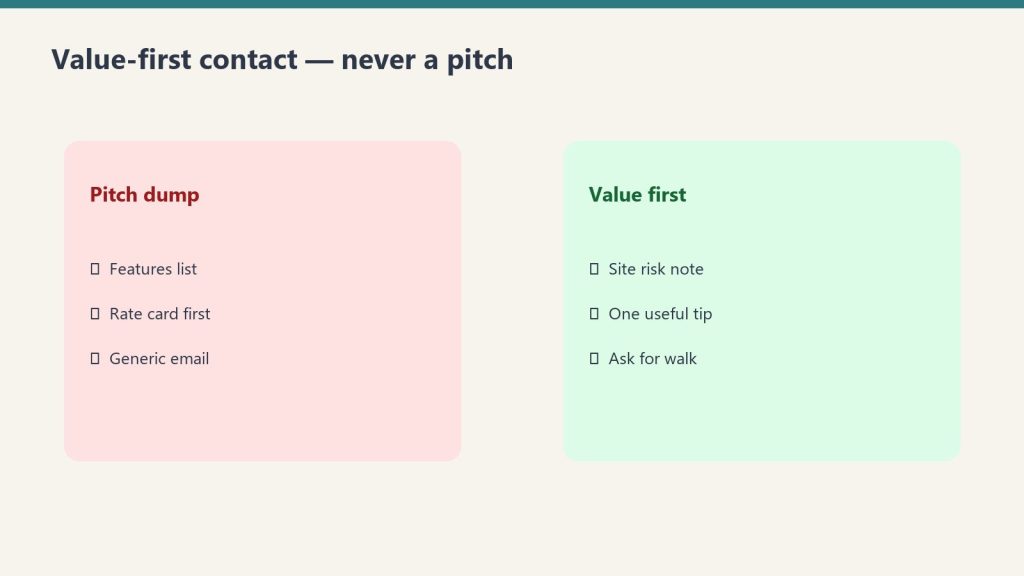
    Side-by-side comparing a pitch dump with value-first contact habits
    The vendor ask taxonomy.

    Not every operational need warrants a database email. The test is simple: would a genuinely good referral from someone in my network be more valuable than what I’d find cold? If yes, send it. Here are the categories that consistently pass that test:

    Specialty Subcontractors

    Drywall, painting, flooring, HVAC, electrical, plumbing. Any trade you regularly need for rebuild phases but don’t always have on contract. Your past clients include property managers, contractors, and homeowners who’ve renovated — they know tradespeople. Your adjusters know everyone in the local restoration and construction ecosystem. This is your highest-yield vendor ask category.

    Specialty Suppliers

    A new product line you’re adding (e.g., antimicrobial coatings, specialty cleaning agents), equipment suppliers you haven’t worked with, or a specific vendor for a material type you don’t use regularly. Your trade contacts and vendor network are the right audience for this one.

    Service Vendors for Your Own Business

    Catering for a company event. A photographer for updated headshots or job site documentation. A branded merchandise vendor for uniforms or promotional items. A commercial cleaning company for your shop or vehicles. These asks go to your full database — homeowners and industry contacts alike. They’re genuinely human asks that anyone could help with.

    Referral Partners for Post-Job Services

    The restoration job is done. Now the homeowner needs a good contractor for reconstruction, a HVAC tech for the system you flagged, or a structural engineer to sign off on something. Building a trusted referral list for these services is valuable for your clients and your reputation. Email your database: “We’re looking for a structural engineer we can confidently recommend to clients in the [market] area. If you know someone exceptional, I’d love an introduction.”


    The Email Copy: Vendor Ask Templates

    Same rules as the hiring email: short, plain text, personal tone, no sales pitch. The vendor ask should feel like a text message from a professional, not a procurement RFP.

    Template A: Specialty Sub Search (Full Database, Local Filter)

    Subject line: Looking for a great [trade] sub in [city/region] — know anyone?

    Hi [First Name],

    Quick ask — we’re working on a larger project coming up and are looking for a reliable [drywall / flooring / painting / electrical] subcontractor in the [city] area. Someone who does quality work and communicates well.

    If you know anyone in the trades who fits that description, I’d love a quick introduction. Just reply here with their name and contact info and I’ll take it from there.

    Thanks in advance, and hope you’re doing well.

    [Your Name]
    [Company Name]
    [Phone]


    Template B: Referral Partner Ask (Full Database)

    Subject line: Building our referral network — do you know a great [contractor type]?

    Hi [First Name],

    One thing we try to do well is connect our clients with trusted professionals for the work that comes after our part is done. We’re currently building out our referral list for [reconstruction contractors / structural engineers / HVAC techs / general contractors] in the [region] area.

    If you’ve worked with someone exceptional and would trust a personal recommendation, I’d genuinely appreciate the introduction. We’re not looking for a business arrangement — just trying to build a list of people we’d feel confident referring to our clients.

    Reply any time. And as always, if you ever need anything from us, don’t hesitate.

    [Your Name]
    [Company Name]


    Template C: Event Vendor or Business Service (Warm Contacts, Full Database)

    Subject line: Random ask — do you know a good [caterer / photographer / printer]?

    Hi [First Name],

    Totally different kind of email from me — we’re putting together a company appreciation event this spring and I’m looking for a caterer in the [city] area who does great work for smaller groups. Anything in the 30–50 person range.

    If you have a go-to recommendation, I’d love to hear it. Reply here and I’ll reach out directly.

    Hope things are good on your end.

    [Your Name]


    The Technical Setup: Same Infrastructure, Different List

    If you’ve already built the three-segment email setup from the hiring email guide, you’re 80% done. The vendor ask uses the same list infrastructure. The only question is which segments receive which version:

    • Specialty sub search: Send to all three segments. Homeowners know tradespeople. Adjusters know the construction ecosystem. Trade contacts know it best of all.
    • Referral partner ask: Send to homeowners and industry contacts. Trade contacts already know your referral landscape.
    • Event vendor / business service: Send to your full database. This is a fully human ask that anyone could help with.

    One tactical addition for vendor asks vs. hiring emails: consider adding one line at the bottom that invites the vendor themselves to reach out if the ask describes their own business. “If this describes you or your company, feel free to reply directly.” This occasionally turns a referral request into a direct vendor relationship.


    Building This Into a System: The Notion Vendor Tracker

    The vendor ask email generates two kinds of value: immediate referrals and long-term intelligence about who in your network knows whom. To capture both, build a simple tracker in Notion (free tier works fine for this).

    Your Notion Vendor Tracker needs four database properties:

    1. Vendor Name — the business or person being referred
    2. Trade/Service Type — what they do
    3. Referred By — which contact in your database made the referral (linked to your contact database)
    4. Status — Contacted / Vetted / Active Vendor / Not a Fit

    Every reply to a vendor ask email gets a row in this database. After 12 months of running this strategy quarterly, you’ll have a vendor intelligence layer that no competitor can replicate — because it came from your specific network, not a cold search.

    The Referred By column is especially valuable. Over time, you’ll see which contacts in your database are the most connected and most likely to generate useful introductions. These are your super-connectors. They deserve extra attention in your community touch cadence.


    Using Claude to Write Vendor Ask Emails for Any Scenario

    Three stacked layers: chat UI, tools, agent runtime
    Using Claude to write vendor ask emails.

    The templates above cover the most common scenarios. For anything else, here are four prompts you can paste directly into Claude at claude.ai:

    For a specialty sub search:

    “Write a short, plain-text email from a restoration company owner to their past client database. We’re looking for a reliable [trade type] subcontractor in [city/region] for an upcoming project. The tone should be warm and direct — like a personal note, not a business solicitation. Ask if they know anyone who does quality work in this trade. Keep it under 100 words. Sign it from [owner name] at [company name].”

    For a referral partner ask:

    “Write a short email from a restoration company owner to insurance adjusters and past clients. We’re building a referral list of trusted [contractor type / engineer type] for post-restoration work, and we’re asking our network for recommendations. We’re not offering a referral fee — just trying to build a list of people we’d feel comfortable referring our clients to. Keep it under 120 words, conversational tone.”

    For an event vendor ask:

    “Write a casual, friendly email from a business owner to their contact list asking for a recommendation for a [caterer / event space / photographer] for a small company event of about [number] people in [city]. It should feel like texting a friend, not a business email. Under 80 words.”

    For customizing to your market:

    “I run a restoration company in [city] that handles residential water, fire, and mold jobs. My typical CRM contact is a homeowner who had a claim 1–3 years ago, or an insurance adjuster I’ve worked with on claims. Write a vendor ask email to this audience for [specific need]. Match the tone of this example from our company: [paste an example email you’ve written].”


    Frequently Asked Questions

    How is a vendor ask email different from spam?

    The key difference is relationship context. You’re emailing people who have a prior relationship with your company — they’ve worked with you, used your services, or referred you business. A genuine operational ask to a warm contact is fundamentally different from unsolicited commercial email. The contacts who don’t want to hear from you will unsubscribe; the contacts who are engaged will stay and, often, reply.

    What if the vendor ask generates more replies than we can handle?

    This is a good problem to have, and it’s unlikely. A typical vendor ask to a 500-contact list generates 5–20 replies. Log each one in your Notion tracker, respond within 24 hours, and prioritize follow-up by referral quality. If volume becomes a real issue, add a line to the email: “If you have a recommendation, please reply by [date] so I can review all suggestions together.”

    Should we offer to reciprocate referrals?

    Yes, naturally, but don’t make it transactional in the email. A line like “We’re always happy to refer business your way as well” is appropriate in the trade contacts version. In the homeowner version, keep it purely human — you’re not negotiating a referral exchange with someone who had a water loss two years ago.

    What’s the difference between this and a referral fee program?

    A referral fee program creates a financial incentive structure. This strategy creates a community touchpoint. The distinction matters because the motivation for helping you is different — people who respond to this email are doing it because they like you and want to be helpful, not because they’re chasing a check. That’s a different kind of relationship and a stronger one long-term.


  • Restoration Hiring Email: CRM Templates & Setup Guide

    Restoration Hiring Email: CRM Templates & Setup Guide

    You have a job to fill. You’ve probably already drafted the Indeed posting. Before you publish it, spend 20 minutes doing something that will generate better candidates, cost nothing, and quietly remind 400 warm contacts that your company exists.

    Send an email to your entire local database.

    This guide is the tactical companion to the strategic case for treating your CRM as a community. That article explains why this works. This one tells you exactly how to do it — the segments, the copy, the timing, and the follow-up. Take this document and hand it to whoever manages your email or your CRM. They can have the campaign out this week.


    Before You Write a Word: Pull and Segment Your Database

    Three cards for field SOPs, owner prompts, and KPI rhythm in an operations kit
    Pull and segment your database before you write.

    The hiring email only works if it feels personal. A generic blast to a mixed list feels like spam. Three short, targeted emails to three different audiences feel like a phone call from someone who respects the relationship.

    Your minimum viable segmentation is three groups:

    Segment 1: Past Homeowner Clients (Local Only)

    Filter your CRM or job management software for residential jobs completed in your service area in the last three to five years. If your system is ServiceTitan or Jobber, you can export this directly from the customer list filtered by job type and zip code. If you’re on a spreadsheet, sort by city or zip and pull anything within your service radius.

    What you’re looking for: name, email address, job completion date, and job type (water, fire, mold, etc.). You don’t need anything else for this email.

    Segment 2: Industry Contacts (Adjusters, Agents, Public Adjusters)

    These are the professional referral relationships in your CRM — insurance adjusters you’ve worked with on claims, agents who have sent you referrals, PAs you’ve collaborated with. Filter by contact type if your CRM supports it, or manually tag this group.

    Segment 3: Trade Contacts (Vendors, Subs, Partners)

    Suppliers, subcontractors, and trade partners. These people understand your business from the inside and often have the strongest networks within the trades workforce.

    If your database is in ServiceTitan: navigate to Customers → Export, then filter by customer type. For Jobber: go to Clients → Export CSV. For a spreadsheet: create a column called “Segment” and sort manually. The whole segmentation process for most restoration companies takes under an hour.


    The Email Copy: Three Versions, One Campaign

    Seven cards naming common AI chatbot failure modes
    The email copy — three versions, one campaign.

    Each version is short. The goal is a 90-second read that feels like a note from a real person, not a marketing email. Do not use HTML templates with banners and logos. Plain text or minimal formatting performs significantly better for relationship-based emails. No header image. No footer with six social icons. Just your name, your company, and the ask.

    Version 1: Past Homeowner Clients

    Subject line: Quick question — do you know anyone looking for good work?

    Hi [First Name],

    It’s [Your Name] from [Company Name]. We had the pleasure of working with you on your [water/fire/mold] job at [property address or neighborhood] — hope everything has been holding up well since then.

    I’m reaching out because we’re growing. We’re currently looking for a [position title — e.g., crew lead, project coordinator, estimator] to join our team, and before we post publicly, I wanted to reach out to people we’ve worked with and whose opinion I trust.

    If you know someone who might be a great fit for a company like ours — a family member, a friend, someone in the trades looking for a stable company with a good culture — I’d love to hear from you. Just reply to this email with their name and I’ll take it from there. No formal application needed on your end.

    Either way, I hope you’re doing well. And if you ever need us again or have any questions about your property, don’t hesitate to reach out.

    [Your Name]
    [Title]
    [Company Name]
    [Phone Number]


    Version 2: Industry Contacts (Adjusters, Agents)

    Subject line: Growing our team — wanted to reach out to you first

    Hi [First Name],

    Hope things are going well on your end. I wanted to reach out personally because we’re adding to our team — specifically hiring for [position title] — and I always prefer to see if someone in my network has a connection before going the generic posting route.

    If you know anyone in the area who would be a great fit for a professional restoration company — someone who takes their work seriously and wants to be part of a growing operation — I’d genuinely appreciate the introduction. Just reply with their contact info and I’ll handle it from there.

    Thanks for everything over the years. Looking forward to the next one.

    [Your Name]
    [Title]
    [Company Name]
    [Phone Number]


    Version 3: Trade Contacts (Vendors, Subs)

    Subject line: Hiring for [position] — know anyone good?

    Hey [First Name],

    We’re hiring for [position title] and figured I’d reach out to people in the trades before going the job board route. You know the kind of people we work with better than anyone.

    If anyone comes to mind — someone looking to land somewhere solid — just shoot me a reply. Happy to take it from there.

    [Your Name]
    [Company Name]
    [Phone]


    The Technical Setup: Getting These Emails Out

    You have three realistic paths depending on what tools you already have.

    Path A: Your CRM’s Built-In Email (ServiceTitan or Jobber)

    Both ServiceTitan and Jobber have basic email blast capability built in. In ServiceTitan, navigate to Marketing → Campaigns → Email. In Jobber, use the Client Communications feature under the Marketing tab. Compose your email, select your filtered list, and send. This is the fastest path if your contact list is already clean in the system. Limitation: formatting options are limited and tracking (opens, clicks) may be minimal depending on your plan tier.

    Path B: Mailchimp (Recommended for Most Shops)

    Mailchimp’s Essentials plan starts at $13/month for up to 500 contacts. For a typical restoration company database of 300–800 local contacts, you’ll likely stay in the $13–$30/month range depending on list size. The free plan as of 2026 caps at 250 contacts with no automation, which is not enough for most shops — pay for Essentials.

    Setup process:

    1. Export your three segments from your CRM as CSV files (Name, Email, Segment Type, Job Type)
    2. Create three Audiences in Mailchimp — one per segment — or use one Audience with tags for each segment
    3. Build one campaign per segment using the corresponding email template above
    4. Schedule them to send on the same day, 30 minutes apart, so you’re not flooding your own inbox with replies simultaneously

    Important Mailchimp note: the platform charges for unsubscribed contacts unless you manually archive them. If your list has been in Mailchimp for a while, audit it before your campaign — you may be paying for contacts who can’t receive your email. Archive anyone who unsubscribed more than 6 months ago.

    Path C: Brevo (Best if You Have a Large or Mixed List)

    Brevo (formerly Sendinblue) prices by emails sent rather than contacts stored, which works in your favor if you have a large database but only email them a few times a year. Their free plan includes 300 emails per day with unlimited contact storage. For a quarterly campaign to 800 contacts, Brevo’s free tier may cover your needs entirely. Upgrade to the Starter plan ($9/month) if you need scheduling and no daily send limit.


    Timing and Frequency

    Send the homeowner version on a Tuesday or Wednesday morning between 9am and 11am local time. Open rates for warm, local databases are typically highest mid-week in the morning window — people are at their desks, not yet in weekend mode.

    Send the industry version on the same day, 30 minutes later. These contacts are professionals and check email throughout the day — timing matters less than it does for homeowners.

    Send the trade version on the same day, afternoon. Tradespeople often check phones between jobs in the afternoon rather than first thing in the morning.

    Do not send all three simultaneously. Staggering by 30 minutes gives you manageable reply volume and prevents any single moment of inbox overwhelm.


    What to Do With the Replies

    This is where most companies drop the ball. The email generates replies. Someone refers their nephew who’s looking for work. An adjuster forwards it to a plumber he knows. A past homeowner replies just to say hi and mention their neighbor had a pipe burst last month.

    You need a simple log. A Notion page, a Google Sheet, or even a notes field in your CRM — whatever you’ll actually use. For every reply:

    • Log the sender name and contact type (homeowner, adjuster, vendor)
    • Log whether they referred someone (yes/no)
    • Log any other signal in the reply (lead mention, service inquiry, general warmth)
    • Set a follow-up reminder for 30 days if the reply was warm but didn’t lead anywhere immediately

    This log becomes the seed of your community intelligence layer. Over time, you’ll see which contacts are active in your network and which have gone completely cold. That’s information worth having.


    The Prompt Library: Using Claude to Write Your Versions

    Three stacked layers: chat UI, tools, agent runtime
    Using Claude to write your hiring email versions.

    If you want to adapt these templates for your specific company voice, job title, or market, here are four ready-to-use prompts for Claude (claude.ai). Paste these directly into a new Claude conversation:

    For the homeowner version:

    “Write a short, plain-text hiring email from a restoration company owner to a past homeowner client. We completed [water damage / fire damage / mold remediation] work for them in [city]. We’re hiring a [job title]. The email should feel personal and warm, mention that we’re reaching out before posting publicly, and ask if they know anyone — family or friends — who might be a great fit. No sales pitch. No marketing language. Sign it from [owner name] at [company name]. Keep it under 150 words.”

    For the industry version:

    “Write a short professional email from a restoration company owner to an insurance adjuster they’ve worked with on claims. We’re hiring a [job title]. The tone should be collegial and peer-to-peer — not formal, not salesy. We’re reaching out to trusted contacts before posting publicly and asking for referrals if they know anyone in the area. Keep it under 120 words.”

    For the subject line variations:

    “Give me 5 subject line options for a hiring referral email from a restoration company to past clients. The email is not a job posting — it’s a personal note asking if they know anyone who might want to work at a company like ours. The tone should be warm and human, not corporate. No clickbait. No exclamation points.”

    For customizing to your brand voice:

    “Here are two emails I’ve written before that represent how I communicate with clients: [paste examples]. Using this voice, rewrite the following hiring email template: [paste template]. Keep the same message but make it sound like I wrote it.”


    Frequently Asked Questions

    Do I need to include an unsubscribe link in these emails?

    If you’re sending through an email marketing platform like Mailchimp or Brevo, yes — the platform will add one automatically. If you’re sending through your CRM’s built-in email or directly from your own inbox to a small list, the legal requirements vary by country and list size. In the U.S., CAN-SPAM applies to commercial email. A personal, non-promotional email like this occupies a gray area — consult your legal advisor for your specific situation, but err toward including an unsubscribe option for any bulk send.

    What if my CRM doesn’t have email addresses for past clients?

    This is a data problem worth fixing before the next job completes. Make capturing email address a standard part of your intake process going forward. For the existing database, you can often find emails through invoice records, text message history, or a simple re-engagement call (“We’re updating our records — can I get the best email for you?”). Even 50% coverage on a 400-contact database is 200 warm reaches.

    How long should I wait before sending this campaign?

    Don’t wait. If you’re hiring now, send now. The email is most authentic when it reflects a real, current need. The whole premise is that this is a genuine business moment, not a manufactured excuse.

    What if someone replies with a lead instead of a job referral?

    Log it immediately. Route it to whoever handles incoming leads. Thank the person who referred it. This is the community strategy working exactly as intended — and it’s why the reply log matters.


  • Restoration CRM Strategy: Build a Zero-Cost Referral Engine

    Restoration CRM Strategy: Build a Zero-Cost Referral Engine

    The Restoration Industry Spends $400 a Lead and Then Never Talks to Those People Again

    Seven cards naming common AI chatbot failure modes
    Spending on leads and never talking to those people again.

    PPC campaigns. Direct mail. Google Local Services Ads. Storm chasers working neighborhoods after a weather event. The average restoration company spends somewhere between $150 and $500 to acquire a single qualified lead — and in some markets, especially water and fire, that number climbs higher. The industry has an entire ecosystem built around lead generation: lead brokers, referral networks, preferred vendor programs, adjuster relationships cultivated over years of lunches and golf rounds.

    And then a homeowner files a claim, you do the work, you get paid, and you never talk to them again.

    Not because you don’t want to. Because nobody told you what to say.

    That is the problem this article is going to solve — not just for homeowner re-engagement, but for your entire database. Adjusters, agents, vendors, subs, referral partners, past employees, community contacts. Every person who has ever touched your business in any way is sitting in a CRM that you treat like a ledger instead of a community. This article is about changing that, and it starts with the most counterintuitive entry point in restoration marketing: your next job posting.


    What Is a CRM Community and Why Restoration Companies Don’t Have One

    A community is a group of people who feel connected to something beyond a single transaction. Your past homeowner clients paid you, possibly during the worst week of their year. They watched your crew work. They saw how you handled their insurance company. They know your company name. If you did good work, they have a positive association with your brand that most businesses spend years trying to build.

    That is not a lead. That is a community member who doesn’t know they’re in a community.

    The reason restoration companies don’t leverage this is structural. The industry is built around reactive demand — you don’t have time to do relationship marketing when the phone is ringing after a storm. Your sales process is built around the claim cycle, not around the customer lifetime. And when it’s quiet, the instinct is to spend on advertising to generate the next job, not to re-engage the people you already served.

    But there’s a second reason, and it’s more fundamental: most restoration companies don’t believe they have a valid, non-salesy reason to contact past clients.

    They do. They just don’t know it yet.


    The Hiring Email: The Best Marketing Touch You’re Not Sending

    Here is the scenario. You need to hire a crew lead. You post on Indeed. You get 40 applications, most of which don’t match what you need, and you spend three hours screening.

    Now here is the alternative. You open your CRM. You pull every contact in your service area — homeowners, adjusters, agents, vendors, subs, anyone local. You send a single email. The subject line is something like: “We’re growing — know anyone looking for a great job in the trades?”

    The email is short. It says you’re hiring for a specific position. It says you value the relationship you have with them. It says if they know anyone — a family member, a friend, someone in the trades looking for a stable company with a good culture — you’d love a direct introduction. No application portal. Just an email back to you.

    That email does four things simultaneously that no advertising spend can replicate:

    1. It reminds your past clients you exist — without selling them anything
    2. It makes them feel respected — you’re asking their opinion, not their money
    3. It positions your company as growing and healthy — companies that are struggling don’t hire
    4. It creates a genuine two-way relationship moment — they can actually help you

    For your insurance contacts — adjusters and agents — it signals something even more powerful. It says you’re a company that is serious about quality people, that you care about your workforce, and that you think of them as partners in your business rather than just referral sources to be harvested.

    The cost of this email campaign: the time it takes to write one email and hit send. The leads you generate from the replies and referrals: free. The brand impression you leave on every person who opens that email: priceless in an industry where word-of-mouth still drives a significant percentage of residential work.


    The Vendor and Supplier Ask: Operational Needs as Community Touchpoints

    The hiring email is the entry point. But once you internalize the underlying principle — that your database wants to help you when asked the right way — you realize how many legitimate reasons you have to contact them.

    You’re looking for a reliable drywall sub in your market. You need a specialty cleaning supplier for a specific job type. You’re trying to source a vendor for an event you’re hosting. You’re looking for a trusted electrician or HVAC contractor to refer to clients after the remediation is done.

    Every one of these is a real business need. And every one of them is a valid reason to reach out to your database.

    “Hey, we’ve got a large commercial project coming up and we’re looking for a reliable drywall sub who does quality work. Do you know anyone in the area?”

    That message, sent to 500 people in your CRM, will generate responses. Some of them will be recommendations. Some of them will lead to subcontractor relationships that serve you for years. But every single one of them will reinforce that your company is active, growing, and doing interesting work — and that you value the people in your network enough to ask them first.

    Your adjusters and agents will forward that message to people they know. Your past homeowners will think of you as a company that is embedded in their community. Your vendors and subs will feel like partners rather than line items.


    Why Past Homeowner Clients Are Your Most Underutilized Asset

    Three cards for field SOPs, owner prompts, and KPI rhythm in an operations kit
    Why past homeowner clients are your most underutilized asset.

    This is the one that most restoration companies are leaving the most money on the table with, and it deserves its own focus.

    A homeowner who used your services has a profile that no amount of advertising can manufacture. They experienced a property damage event. They navigated a claim. They worked with a restoration company — yours — and if it went well, they came out the other side with a specific, emotional memory of your brand. They are also, statistically, likely to experience another property damage event in their lifetime. Water damage recurs. Roofs age. Mold finds new moisture sources.

    And they have neighbors, family members, and friends who will experience property damage events and who will ask them: “Do you know a good restoration company?”

    That referral question is the single most valuable marketing moment in residential restoration. And the answer depends entirely on whether your company is still alive in that homeowner’s memory when the question gets asked.

    The hiring email keeps you alive. The vendor ask keeps you alive. The event invitation keeps you alive. Any legitimate, non-salesy touchpoint that reminds them you exist — without asking them for anything except their opinion or their help — keeps you alive in that mental file where they store “companies I trust.”

    Most restoration companies let that file go cold within six months of project completion. The ones who don’t are the ones with referral pipelines that their competitors can’t explain.


    The Full Taxonomy of Legitimate Outreach Triggers

    Three panels showing one problem, three options, one recommendation
    The full taxonomy of legitimate outreach triggers.

    Once you start thinking this way, the opportunities multiply. Here is a working list of reasons you can legitimately contact your entire database — not a fake reason, not a manufactured excuse, but a genuine business moment that also happens to be a marketing touch:

    People Needs

    • Hiring for any position (crew, admin, estimator, project manager)
    • Looking for a skilled subcontractor in a specialty trade
    • Seeking someone who speaks a specific language for a growing market segment
    • Looking for a part-time administrative or customer service person

    Vendor and Supplier Needs

    • Sourcing a new supplier for a product line you’re adding
    • Looking for a caterer or venue for a company event
    • Seeking a vendor for branded merchandise or uniforms
    • Looking for a commercial cleaning partner for office maintenance

    Community and Knowledge Needs

    • Asking for feedback on a new service you’re considering
    • Sharing an educational resource (storm prep checklist, winter maintenance guide) with no CTA other than “thought you’d find this useful”
    • Inviting them to a community event, open house, or educational workshop
    • Asking them to be a case study or share their experience (with their permission)

    Recognition and Relationship

    • Congratulating them on something (new business, local award, personal milestone you’re aware of)
    • Checking in after a major weather event in your area to make sure they’re okay
    • Sharing a company milestone (anniversary, certification, new service area) that reflects positively on your brand

    None of these require a sales pitch. None of them should have a sales pitch. The moment you attach a CTA to a relationship email, you’ve converted it from a community touch into a marketing email, and people feel the difference immediately.


    The Math That Makes This a Strategy, Not a Tactic

    Let’s run a simple scenario. A restoration company has been operating for five years. They’ve completed 600 jobs. Their CRM has 600 homeowner contacts plus 200 industry contacts (adjusters, agents, vendors, subs) — 800 total, all local, all warm.

    They send a hiring email. Open rate for a warm, local database is typically 30–45%. That’s 240–360 people who see your company name, read that you’re growing, and think about you for 30 seconds. Some reply. A handful refer someone. Maybe you hire one person from a referral.

    But here’s what actually happened: 300 people just got a brand impression from your company for free. Some percentage of those people will have a neighbor ask them about restoration services in the next 12 months. Some of them are adjusters who are looking at your brand name right as they’re assigning a claim. Some of them are agents who are going to recommend a restoration company to a client next week.

    Now do this four times a year. Hiring email in Q1. Vendor ask in Q2. Educational resource in Q3. Company milestone or community event in Q4. You’ve touched your entire warm database four times in twelve months for the cost of an email platform and a few hours of writing time.

    Your $400-per-lead PPC campaign cannot buy what that touch cadence builds.


    The System: Building a CRM Touch Calendar for Restoration

    The reason most companies don’t do this is not lack of intention. It’s lack of system. When you’re running jobs, managing crews, handling supplements, and fighting with adjusters, a quarterly email to your database is not going to happen unless it is on a calendar with an owner and a template.

    Here is the minimum viable system:

    Step 1: Segment your CRM. You need at minimum three segments: past homeowner clients (local), industry contacts (adjusters, agents, PAs), and trade contacts (vendors, subs, partners). Each segment gets slightly different framing on the same message. The homeowner version of the hiring email is warmer and more personal. The adjuster version is more professional. The sub version is peer-to-peer.

    Step 2: Build a 12-month touch calendar. Map out the four to six touches you’ll make this year before the year starts. Assign each one a trigger type from the taxonomy above. Some will be tied to real business events (when you actually hire); others can be evergreen (the educational resource can go out every January before storm season).

    Step 3: Write the templates. The hiring email template takes 30 minutes to write and can be reused every time you hire. The vendor ask template takes 20 minutes. Once these exist, the execution cost per touch is near zero.

    Step 4: Track the signal. Every reply is signal. Every referral is data. Every response from an adjuster who says “hey, I was just thinking about you” is a relationship that needed warming. Build a simple log of who responded and what they said. Over time, this becomes the most valuable intelligence you have about which contacts are actually in your community.


    What This Builds Over Time

    The companies in the restoration industry that win long-term referral pipelines are not necessarily the ones with the best Google rankings or the highest review counts. They are the ones whose name comes to mind first when someone needs to make a recommendation.

    Top-of-mind awareness in a local market is not built by advertising. It is built by presence. Consistent, relevant, human presence in the lives of people who already know you.

    Your CRM is not a list of people who used you once. It is a network of people who have direct, personal experience with your company — and who, with the right cultivation, will become the distributed sales force that no lead broker can compete with.

    The next time you post a job opening, send the email. See what happens. Then do it again with the vendor ask. Then again with the educational resource. By the time you’ve done it four times, you will have a community. And your competitors will still be paying $400 a lead to meet people who have never heard of them.


    Frequently Asked Questions

    Is it appropriate to email past homeowner clients for non-service reasons?

    Yes, provided the contact is warm (they’ve done business with you), the reason is genuine (you actually are hiring), and there’s no sales pitch attached. A hiring email or a vendor referral ask is a human, peer-level communication — not marketing spam. Most recipients appreciate being asked for their opinion or their help.

    How often should a restoration company contact their CRM?

    A minimum of four times per year is enough to maintain top-of-mind awareness without overwhelming contacts. Six times per year is sustainable if each touch has a genuine trigger. More than monthly for a non-service communication risks feeling like a marketing list rather than a community relationship.

    What email platform should I use for CRM outreach?

    Any standard email marketing platform (Mailchimp, Constant Contact, HubSpot, or even your CRM’s built-in email) works for this. The key is segmentation capability (homeowners vs. industry contacts vs. trade contacts) and basic analytics (open rate, click rate) so you can see who’s engaging.

    What if we don’t have a formal CRM?

    Start with what you have. Even an exported list of completed jobs from your job management software, sorted by zip code and filtered to local contacts, is a CRM. The strategy works with a spreadsheet and a Mailchimp free account. Build the system around the behavior, not the tool.

    Should the hiring email come from the owner or from HR?

    From the owner, always, for homeowner and industry contacts. The personal relationship was built on the owner’s credibility. A generic HR communication breaks the human connection that makes this work. For trade contacts, a project manager or ops lead can send it credibly.

    What happens if someone unsubscribes?

    Respect it, honor it immediately, and don’t worry about it. Unsubscribes from a warm database are typically low (under 2%) when the content is relevant and non-salesy. The people who unsubscribe were unlikely to refer you anyway. The people who stay are your community.

    Can this strategy work for commercial restoration clients as well?

    Yes, with modified framing. Commercial contacts (property managers, facility directors, HOA boards) respond well to vendor sourcing requests, educational content on maintenance and prevention, and event invitations. The hiring email works in commercial too — facility managers often know trades workers in their buildings or communities.


  • Restoration Documentation: The Real Role of RH and GPP

    Restoration Documentation: The Real Role of RH and GPP

    Andy McCabe published something sharp recently, and my first instinct was to push back.

    His post was direct: RH and GPP have nothing to do with your dehumidifier calculation. The ANSI/IICRC S500 doesn’t use them. TPAs are weaponizing them to deny equipment that’s legitimately justified by the actual standard. His argument is airtight, and I told him so in the comments — after I pushed back on one thing.

    Here’s the double take I had to do.

    What McCabe Got Right About Equipment Justification

    Gloved hands using a pin-type moisture meter on wet drywall during inspection
    What McCabe got right about equipment justification.

    The S500 Simple Method is not ambiguous. Dehumidifier calculations start with the cubic footage of affected air in each drying chamber, the class of water loss, and the type of equipment on the truck. A Class 2 loss with an LGR uses a factor of 50 to establish a minimum pint-per-day baseline. A Class 1 uses 100. A Class 3 uses 40. Desiccants are calculated in air changes per hour entirely.

    What you will not find anywhere in that calculation: a field for relative humidity. Or grains per pound.

    When a TPA tells you they won’t approve a dehumidifier because RH isn’t at 70%, they’ve invented a threshold that doesn’t exist in any published standard. McCabe’s response to that Liberty Mutual TPA was exactly right: “What standard is that?” They pointed to their own internal guidelines. Not the S500. Not IICRC. Their guidelines.

    That’s the game — and leading your documentation with atmospheric readings as the justification for your equipment is handing them the tool they use to deny you.

    Stop justifying equipment with RH and GPP. The S500 math is your argument. Use it.

    What I Pushed Back On — and Then Reconsidered

    When I responded to McCabe’s post, I drew on years at Polygon/Munters doing large-loss drying — aircraft carrier decks, document archives, new high-rise commercial construction mid-build. In those environments, RH, GPP, and temperature weren’t optional reads. They were the difference between a completed job and a catastrophic materials failure.

    I’ve seen what happens when you dry too aggressively. And I’ve seen the liability that follows.

    The more I sat with it, the more I realized McCabe and I weren’t in conflict. We were talking about two completely different fights happening on the same job.

    The Two-Track Documentation Standard

    Three cards for field SOPs, owner prompts, and KPI rhythm in an operations kit
    The two-track documentation standard.

    Every water loss has two defensible positions that require documentation. Most contractors are only building one of them.

    Track 1: Equipment Justification (McCabe’s Lane)

    Show your dehu calculation per the S500 — cubic footage, drying class, equipment type, the published factor. Show your air mover count based on affected square footage and materials above dry standard. Show moisture readings proving materials haven’t yet reached the established dry standard.

    This documentation defends your equipment billing against TPA denials based on invented atmospheric thresholds. It’s the argument that holds up in a dispute because it’s grounded in a published ANSI standard — not your opinion, not the adjuster’s internal policy.

    Track 2: Materials Science Documentation (The Lane McCabe Didn’t Cover)

    Here’s where atmospheric readings earn their place in your job file — just not as equipment justification.

    Flooring manufacturers explicitly tie warranty coverage to ambient RH maintenance. Hurst Hardwoods voids their warranty if ambient RH drops below 35% during the life of the floor, citing cracking, delamination, and shrinkage as direct consequences of low humidity. Engineered hardwood manufacturers commonly require 30–50% RH maintenance and list surface checking from improper humidity as an explicit warranty exclusion. Even SERVPRO’s own published guidance notes that rapid drying can cause wood to split.

    This isn’t theoretical. When you dry too aggressively — pushing humidity below manufacturer-specified ranges, running heat drying beyond material tolerances, pulling GPP down faster than the materials can handle — you can void the warranty on floors, adhesives, and engineered wood products that weren’t even damaged by the water event itself.

    Now the homeowner has a materials failure claim three months after you packed out. And the carrier has a documented argument that the damage was caused by the restoration, not the loss.

    Your atmospheric logs are your proof that you didn’t do that.

    What This Looks Like in Practice

    Three panels showing one problem, three options, one recommendation
    What this looks like in practice.

    The documentation standard that protects you on both tracks looks like this:

    For equipment: S500 dehu calculation showing class, cubic footage, equipment type, and the published factor. Air mover count tied to affected square footage and material readings above dry standard. Nothing about RH or GPP as justification.

    For materials: Continuous atmospheric logs showing that ambient RH stayed within the manufacturer-specified range for every material type on-site throughout the dry. Temperature logs showing you didn’t apply excessive heat. A record that proves you dried professionally, not just fast.

    One set of data protects you from equipment denials. The other protects you from being blamed for the cracked hardwood, delaminated adhesives, and voided warranties that surface after you’re gone.

    The Bottom Line

    Andy McCabe is doing important work calling out the TPA game of inventing atmospheric thresholds to deny legitimately justified equipment. Every restoration contractor should read his post and internalize the S500 math.

    But don’t stop taking atmospheric readings. Stop leading with them as equipment justification — and start filing them as materials science documentation that proves the quality of your work.

    Two fights. Two documentation tracks. Both matter.

    Find more from Andy McCabe at WaterDamageProfit.com.

    Related on Tygart Media: S500 in the van · moisture map Claude skill · jobs as knowledge base.

    Frequently Asked Questions

    Do RH and GPP belong in a dehu calculation?

    No. Per the ANSI/IICRC S500, dehumidifier calculations use cubic footage of affected air, drying class, and equipment type. RH and GPP are not inputs in the S500 Simple Method and should not be used to justify equipment placement.

    Why should restoration contractors still log RH and GPP?

    Atmospheric readings serve as materials science documentation — proof that drying conditions stayed within manufacturer-specified humidity ranges to protect warranty coverage on hardwood floors, adhesives, and engineered wood products. They protect against post-job liability claims, not equipment denials.

    Can aggressive drying void a flooring warranty?

    Yes. Multiple hardwood flooring manufacturers explicitly void warranties when ambient RH drops below 35%, citing cracking, delamination, and shrinkage as direct results. Drying below those thresholds can create a liability exposure on materials that were undamaged by the original water event.

    What is the S500 Simple Method for dehu calculations?

    The ANSI/IICRC S500 Simple Method calculates minimum dehumidifier capacity by dividing the cubic footage of the drying chamber by a factor based on equipment type and drying class. Class 1 uses a factor of 100, Class 2 uses 50, and Class 3 uses 40 for LGR units.

    What should restoration contractors say when a TPA denies equipment based on RH?

    Ask them to cite the published standard their threshold comes from. If they reference an internal guideline rather than the ANSI/IICRC S500, that threshold has no technical standing. Present your S500-based calculation as the documented industry standard for equipment justification.

  • Fractional AI Content Infrastructure: Build the Machine

    Fractional AI Content Infrastructure: Build the Machine

    Tygart Media Strategy
    Volume Ⅰ · Issue 04Quarterly Position
    By Will Tygart • Long-form Position • Practitioner-grade
    What Is Fractional AI Content Infrastructure?
    Fractional AI Content Infrastructure is a consulting engagement where Will Tygart comes in — for a defined period, at a fraction of the cost of a full-time hire — and builds the complete AI-native content operation your business needs: GCP pipelines, WordPress automation, Claude AI orchestration, Notion operating system, BigQuery memory layer, image generation, and social distribution. He builds the machine. You run it.

    Most businesses hiring for “AI content” are looking for a writer who uses ChatGPT. That’s not this. This is for the operator who has looked at what AI-native content infrastructure actually requires — Claude API, Cloud Run services, WordPress REST API, vector embeddings, image generation pipelines, persistent memory layers — and realized they need someone who has already built all of it, not someone who will figure it out on their dime.

    We run 27+ WordPress client sites, 122+ GCP Cloud Run services, and a content operation that produces hundreds of optimized posts per month across multiple verticals. That infrastructure didn’t come from a playbook — it came from building, breaking, and rebuilding. The fractional engagement transfers that operational knowledge into your business in weeks, not years.

    Who This Is For

    Agencies scaling past what manual workflows can handle. Publishers who need content velocity they can’t hire for. B2B companies that have decided AI content infrastructure is a competitive advantage and want it built right the first time. If you’re spending more than $5,000/month on content production and still doing it mostly manually — this conversation is worth having.

    What Gets Built

    • GCP content pipeline — Cloud Run publisher, WordPress proxy, Imagen 4 image generation, Batch API routing — the full automated brief-to-publish stack
    • Claude AI orchestration — Model tier routing (Haiku/Sonnet/Opus), prompt libraries per content type, quality gate implementation, cross-site contamination prevention
    • Notion Second Brain OS — 6-database Command Center architecture, claude_delta metadata standard, AI session context infrastructure
    • BigQuery knowledge ledger — Persistent AI memory layer, Vertex AI embeddings, session-to-session context continuity
    • WordPress multi-site operations — Site registry, credential management, taxonomy architecture, SEO/AEO/GEO optimization pipeline across all sites
    • Social distribution layer — Metricool + Canva + Claude pipeline, platform-native voice profiles, scheduled distribution from WordPress content
    • Skills library — Documented, repeatable skill files for every operation — so the system runs without Will after the engagement ends

    Engagement Models

    ModelWhat It IsRight For
    Infrastructure Sprint30-day focused build — one stack, fully deployed, handed off with documentationAgencies needing a specific pipeline built fast
    Fractional Quarter90-day engagement — full stack built, team trained, operations runningPublishers and B2B companies standing up a full AI content operation
    Strategic AdvisoryOngoing async advisory — architecture review, pipeline troubleshooting, new capability designTeams that have the technical staff but need senior AI content ops judgment

    What You Get vs. a Full-Time Hire vs. an AI Agency

    Fractional AI InfrastructureFull-Time AI HireAI Content Agency
    Proven at scale before engagement starts✅UnknownRarely
    GCP + Claude + WordPress stack expertise✅Rare combination❌
    Builds infrastructure you own✅✅❌ (you rent theirs)
    Documented skills library handed off✅Maybe❌
    Cost vs. full-time senior hireFraction$150k+/yrRetainer + markup
    Available without 6-month commitment✅❌Usually no

    Ready to Build the Machine?

    Describe what you’re trying to build or what’s breaking in what you already have. Will will tell you honestly whether a fractional engagement is the right fit — and if it’s not, which of the productized services is.

    → Email Will

    Email only. Honest scoping conversation, not a sales pitch.

    Frequently Asked Questions

    What’s the minimum engagement size?

    The Infrastructure Sprint is the minimum — a 30-day focused build on one specific pipeline or stack component. Smaller individual needs are better served by the productized services (GCP Content Pipeline Setup, Notion Second Brain Setup, etc.) which have fixed scopes and prices.

    Do you work with teams or just solo operators?

    Both. Solo operators get a full stack built around their workflows. Teams get infrastructure built plus documentation and handoff training so internal staff can operate and extend it independently after the engagement.

    What does the skills library handoff actually include?

    Every repeatable operation gets a documented skill file — a structured prompt and workflow document that tells Claude (or any AI) exactly how to execute the operation correctly. At the end of the engagement, you have a library of skills covering every pipeline we built together. The operation runs without Will because the intelligence is in the skills, not in his head.

    Is this available for businesses outside the content and SEO space?

    The infrastructure patterns — GCP pipelines, Claude AI orchestration, Notion OS, BigQuery memory — apply to any knowledge-intensive business producing content at volume. The vertical expertise (restoration, luxury lending, healthcare, SaaS) is a bonus for clients in those niches, not a requirement for everyone else.

    Last updated: April 2026

    Visual summary

    Abstract machine with interconnected glowing data pipes representing just-in-time content manufacturing at Tygart Media

    About this image. This image is part of the AI & Technology Concepts collection in the Tygart Media visual library. Every image produced by Tygart Media is AI-generated using Google Vertex AI (Imagen), converted to WebP format, and injected with full IPTC/XMP metadata before publication.

    • Format: WEBP
    • Collection: AI & Technology Concepts
    • Pipeline: Vertex AI Imagen → WebP → IPTC/XMP → WordPress
    • Pipeline: Vertex AI Imagen → WebP Conversion → IPTC/XMP Metadata Injection → WordPress Media Library
  • Telehealth SEO: SiteBoost YMYL & E-E-A-T Optimization

    Telehealth SEO: SiteBoost YMYL & E-E-A-T Optimization

    Tygart Media // AEO & AI Search
    SCANNING
    CH 03
    · Answer Engine Intelligence
    · Filed by Will Tygart

    What Is SiteBoost for Telehealth?
    SiteBoost for Telehealth is a done-for-you WordPress optimization service for telehealth platforms and occupational health providers — applying YMYL-compliant SEO, AEO, and GEO optimization to patient-facing content, employer health pages, and clinical service descriptions. Built specifically for the trust and credentialing signals Google requires before ranking healthcare content, and the direct-answer format that AI systems use to respond to medical and workplace health queries.

    Telehealth content faces the strictest content standards in search. Google’s YMYL (Your Money or Your Life) guidelines apply to any health-related content — meaning E-E-A-T signals (Experience, Expertise, Authoritativeness, Trustworthiness) aren’t optional. A telehealth WordPress site without proper credentialing signals, licensed clinician attribution, and medically accurate terminology isn’t just under-optimized — it’s actively downranked.

    Most telehealth platforms are built by product teams who understand the clinical side but not the content architecture side. The result: accurate medical content on a WordPress site that Google treats as low-trust because the trust signals aren’t structured correctly. We fix that.

    What We’ve Done in This Vertical

    We manage content operations for Sickday (sickday.com), a same-day telehealth and occupational health platform serving employers and individual patients. The critical rule in this vertical: staff are licensed clinicians — not doctors, not nurses. That distinction matters legally and for E-E-A-T compliance. We’ve built the content architecture, credentialing signals, and YMYL-compliant optimization stack for this specific category of healthcare provider.

    What SiteBoost Covers for Telehealth

    • E-E-A-T signal injection — Licensed clinician credentials, platform accreditation signals, medical review attribution, and organizational trust markers structured into content and schema
    • YMYL compliance optimization — Content accuracy review, hedging language for medical claims, appropriate disclaimer structures, and factual sourcing for health information
    • Occupational health entity signals — OSHA references, DOT compliance language, workers’ compensation terminology, employer health program signals for occupational health content
    • Telehealth platform entities — Relevant telehealth regulation references (Ryan Haight Act, state telehealth practice standards, HIPAA compliance signals), payer and insurance entity references
    • Patient FAQ schema — Common patient and employer questions answered in FAQPage format for PAA placement (“how does telehealth work,” “is telehealth covered by insurance,” “what is a DOT physical”)
    • AI citation optimization — Speakable schema and LLMS.TXT configuration for Perplexity and Google AI Overview citation when patients and employers search for telehealth services

    The YMYL Difference in Telehealth SEO

    Standard SEO agencies treat telehealth like any other local service business. Google doesn’t. Health content requires demonstrably different trust architecture: named clinician credentials on clinical content, medical review dates on health information pages, accurate clinical terminology that matches how licensed providers actually speak, and clear scope-of-practice language that distinguishes what a telehealth platform can and cannot provide. Getting this wrong doesn’t just hurt rankings — it creates compliance exposure.

    What the Pilot Delivers

    Item Included
    Site audit + YMYL compliance gap analysis ✅
    10 posts optimized (SEO + AEO + GEO) ✅
    E-E-A-T signal injection on all 10 posts ✅
    Licensed clinician credential structuring ✅
    FAQPage schema (patient + employer Q&A) ✅
    Occupational health entity injection (where applicable) ✅
    60-day impact report ✅

    SiteBoost vs. DIY vs. Generic Healthcare SEO Agency

    SiteBoost DIY Generic Healthcare SEO
    YMYL E-E-A-T compliance built in ✅ Risky Sometimes
    Licensed clinician (not “doctor”) language enforced ✅ ❌ ❌
    Occupational health entity library ✅ ❌ Rarely
    Telehealth regulation references ✅ ❌ Rarely
    AI citation optimization ✅ ❌ ❌
    Proven in telehealth vertical ✅ Unknown Unlikely

    Interested in SiteBoost for Your Telehealth Site?

    We onboard sites personally. Email Will with your site URL and a brief description of your clinical model — he’ll follow up within one business day.

    → Email Will — Start the Pilot

    Email only. No sales call required. No commitment to reply.

    Frequently Asked Questions

    Does this work for direct-to-consumer telehealth as well as employer occupational health?

    Yes. The entity set and content architecture adapt to your clinical model. DTC telehealth content targets patient-facing queries and insurance coverage questions. Occupational health content targets employer HR and safety manager queries — OSHA compliance, DOT physicals, return-to-work programs. Both operate under YMYL standards; both get the full E-E-A-T treatment.

    Why does the licensed clinician language distinction matter for SEO?

    Calling staff “doctors” or “nurses” when they’re licensed clinicians (nurse practitioners, physician assistants, licensed therapists) creates scope-of-practice inaccuracies that can trigger both Google trust penalties and state medical board compliance issues. Google’s quality raters are specifically trained to identify healthcare credential misrepresentation. We enforce accurate clinical title language as a hard rule in all content we optimize.

    Can SiteBoost help with content that explains telehealth regulations to patients?

    Yes — and this is high-value content for telehealth platforms. State-specific telehealth practice standards, insurance coverage rules, and prescription regulations (Ryan Haight Act) are exactly the kind of regulatory content that earns E-E-A-T signals when written accurately and attributed correctly. We can optimize existing regulatory explainer content or identify gaps where new content would capture patient research queries.

    Is telehealth content affected by the helpful content update?

    Significantly. Google’s helpful content guidelines hit thin, AI-generated health content hardest. Telehealth sites that published generic condition descriptions without clinical attribution saw the steepest ranking drops. The optimization pass ensures all content demonstrates genuine clinical expertise — specific treatment descriptions, accurate clinical terminology, and proper scope-of-practice framing that generic health copywriting lacks.

    Last updated: April 2026

  • Property Damage Restoration SEO for Regional Operators

    Property Damage Restoration SEO for Regional Operators

    Tygart Media // AEO & AI Search
    SCANNING
    CH 03 · Answer Engine Intelligence · Filed by Will Tygart
    What Is SiteBoost for Regional Restoration?
    SiteBoost for Regional Property Damage Restoration is a done-for-you WordPress optimization service for restoration companies serving multi-county suburban and rural markets — where the competition isn’t ServiceMaster or Servpro’s national SEO budget, but regional independents with the same local knowledge advantage you have, and slightly better-optimized WordPress sites. We close that gap.

    The restoration SEO landscape outside major metros is fundamentally different from downtown competition. National franchise sites dominate broad category searches. But regional independent operators — companies serving 3–8 counties with genuine local presence and real IICRC credentials — can win the specific, high-intent queries that national sites don’t have the local content depth to capture.

    The strategy: own the local entities (county names, neighborhoods, local insurers, regional weather events), demonstrate IICRC credential depth (specific standards by loss type), and produce the adjuster-facing content that decision-makers search for when qualifying restoration contractors for their preferred vendor lists.

    What We’ve Done in This Vertical

    Comparison of Claude how-to fit versus local service page fit for assistants
    What we’ve done in this vertical.

    We manage content operations for Upper Restoration (NYC and Long Island — Nassau and Suffolk counties) and 247 Restoration Specialists (Houston TX metro). Both are regional independent operators competing against franchise chains with much larger marketing budgets. The content architecture, IICRC entity library, and adjuster-facing content strategy are proven across both markets.

    What SiteBoost Covers for Regional Restoration

    • Multi-county geo-entity injection — County names, municipalities, ZIP codes, and regional landmarks that signal genuine service area coverage to local search algorithms
    • IICRC standard-level entity injection — S500 (water damage), S520 (mold), S540 (trauma/biohazard), S600 (upholstery), S700 (fire/smoke), S900 (contents) referenced by specific standard and loss type
    • RIA and industry body signals — Restoration Industry Association references, regional trade association memberships, and professional network signals
    • Adjuster-facing content optimization — Content restructured for the insurance adjuster search intent: coverage eligibility, documentation requirements, carrier-specific language, preferred vendor qualification
    • Property manager and GC content — Commercial referral source content optimized for property manager and general contractor discovery queries
    • FAQPage schema — Homeowner, adjuster, and property manager questions answered in structured format for PAA placement

    The Adjuster-Facing Content Difference

    Side-by-side comparing a pitch dump with value-first contact habits
    The adjuster-facing content difference.

    Most restoration WordPress sites produce homeowner-facing content exclusively. The highest-value referral relationships — insurance adjuster preferred vendor lists — come from a completely different content audience with completely different search intent. Content that references RCV vs. ACV claims, Xactimate line items, carrier documentation requirements, and IICRC standard compliance reaches the adjuster audience that homeowner-facing content never touches.

    What the Pilot Delivers

    Desk with laptop, checklist notebook, and billing card ready before creating an Anthropic API key
    What the pilot delivers.
    ItemIncluded
    Site audit + local and adjuster query gap analysis✅
    10 posts optimized (SEO + AEO + GEO)✅
    Multi-county geo-entity injection✅
    IICRC standard-level entity injection✅
    Adjuster-facing content optimization (where applicable)✅
    FAQPage schema (homeowner + adjuster Q&A)✅
    60-day impact report✅

    Interested in SiteBoost for Your Regional Property Damage Restoration Site?

    We onboard sites personally. Email Will with your site URL and he’ll follow up within one business day.

    → Email Will — Start the Pilot

    Email only. No sales call required. No commitment to reply.

    Related on Tygart Media: local SEO · blog SEO · documentation RH/GPP.

    Frequently Asked Questions

    How is this different from the standard SiteBoost for Restoration page?

    The standard restoration SiteBoost page is built for any restoration operator. This page is specifically for regional independents serving multi-county suburban and rural markets — where the geo-entity strategy, adjuster-facing content, and multi-county local authority approach are the primary differentiators from franchise competitors.

    What does adjuster-facing content optimization actually involve?

    It means restructuring content to answer the questions insurance adjusters search for when qualifying restoration contractors: IICRC certification verification, documentation and reporting capabilities, carrier compliance history, Xactimate familiarity, and response time and capacity for large loss events. This content doesn’t convert homeowners — it gets you on preferred vendor lists.

    Does SiteBoost work for fire and mold restoration as well as water damage?

    Yes. The entity injection is loss-type specific — water damage content gets S500 references, mold gets S520 and EPA 402-K-02-003, fire/smoke gets S700. Multi-peril operators get all applicable standards applied to the relevant posts in the 10-post pilot.

    Last updated: April 2026

  • Twin Cities Water Damage SEO for Restoration Companies

    Twin Cities Water Damage SEO for Restoration Companies

    Tygart Media // AEO & AI Search
    SCANNING
    CH 03 · Answer Engine Intelligence · Filed by Will Tygart
    What Is SiteBoost for Twin Cities Water Damage Restoration?
    SiteBoost for Twin Cities Water Damage Restoration is a done-for-you WordPress optimization service for water damage and property restoration companies serving Minneapolis, Saint Paul, and the surrounding metro — injecting Minneapolis-specific neighborhood entities, Minnesota licensing references, IICRC credentials, and local content signals that separate market-native operators from national franchise chains in local search results.

    The Twin Cities restoration market has a specific local dynamic: a mix of national franchise operators (ServiceMaster, Servpro, Paul Davis) with massive domain authority, and local independent operators who actually know Edina from Eden Prairie and understand the difference between a Minnetonka lake home and a Saint Paul bungalow. Local content that demonstrates genuine market knowledge wins in that environment — national franchise sites can’t fake it.

    We built this system on Partners Restoration (partnerscos.com), a water damage and restoration company serving the Minneapolis SW metro — Edina, Chanhassen, Wayzata, Minnetonka, Eden Prairie, Deephaven, Orono, and Plymouth. The neighborhood entity library, Minnesota-specific licensing references, and local content architecture are proven in this market.

    What SiteBoost Covers for Twin Cities Restoration

    Flooded residential living room with standing water on hardwood after a water loss
    What SiteBoost covers for Twin Cities restoration.
    • Minneapolis/Saint Paul neighborhood entity injection — Specific neighborhood names, lake names, school districts, and local landmarks that signal genuine market presence to Google and local searchers
    • Minnesota licensing entity signals — Minnesota Department of Labor and Industry (DLI) contractor licensing, Minnesota Pollution Control Agency (MPCA) mold references, and state-specific regulatory signals
    • IICRC credential injection — S500 water damage, S520 mold remediation, S700 fire and smoke standards referenced throughout relevant content
    • Local buyer FAQ schema — Twin Cities homeowner questions answered in structured format (“does homeowners insurance cover water damage in Minnesota,” “how long does water damage restoration take in Minneapolis”)
    • Seasonal content signals — Minnesota winter pipe burst, spring flooding, and ice dam water damage content optimized for seasonal query patterns
    • AI citation optimization — Content structured for Perplexity and Google AI Overview citation when Twin Cities homeowners search for emergency restoration help

    Twin Cities Neighborhood Entity Library

    Comparison of Claude how-to fit versus local service page fit for assistants
    Twin Cities neighborhood entity library.

    Content that references specific Twin Cities neighborhoods outperforms generic metro-area content for local queries. Our entity library covers: Minneapolis (Uptown, Linden Hills, Kenwood, Longfellow, Northeast), Saint Paul (Highland Park, Macalester-Groveland, Summit Hill, Como), and the SW suburbs: Edina, Eden Prairie, Minnetonka, Wayzata, Chanhassen, Chaska, Orono, Plymouth, Deephaven, Shorewood.

    What the Pilot Delivers

    Desk with laptop, checklist notebook, and billing card ready before creating an Anthropic API key
    What the pilot delivers.
    ItemIncluded
    Site audit + Twin Cities local query gap analysis✅
    10 posts optimized (SEO + AEO + GEO)✅
    Minneapolis/Saint Paul neighborhood entity injection✅
    Minnesota licensing reference injection✅
    IICRC entity signals✅
    FAQPage schema (MN homeowner Q&A)✅
    60-day impact report✅

    Interested in SiteBoost for Your Twin Cities Water Damage Restoration Site?

    We onboard sites personally. Email Will with your site URL and he’ll follow up within one business day.

    → Email Will — Start the Pilot

    Email only. No sales call required. No commitment to reply.

    Related on Tygart Media: local SEO for restoration · property damage SEO · Google Ads lessons.

    Frequently Asked Questions

    Does this only work for companies in the Minneapolis SW suburbs?

    No — the geo-entity approach works for any Twin Cities sub-market. The neighborhood entity set is adapted to your actual service area. Companies serving the North Metro (Blaine, Coon Rapids, Maple Grove) or East Metro (Woodbury, Stillwater, White Bear Lake) get a different neighborhood entity set than SW metro operators.

    How does this help against national franchise competitors with huge domain authority?

    National franchises can’t fake local knowledge. Content that references specific Twin Cities neighborhoods, Minnesota-specific weather patterns, local licensing bodies, and regional building characteristics signals genuine market presence that national sites don’t have. Google’s local algorithm rewards this specificity in local pack and organic local results.

    Does SiteBoost cover seasonal content for Minnesota’s specific weather patterns?

    Yes. Minnesota’s climate creates specific restoration query patterns — winter pipe bursts, spring snowmelt flooding, summer storm damage, and ice dam water intrusion are all seasonal signals we optimize for as part of the Twin Cities pilot.

    Last updated: April 2026

  • B2B Event Platform SEO: SiteBoost for Event Tech SaaS

    B2B Event Platform SEO: SiteBoost for Event Tech SaaS

    Tygart Media / Content Strategy
    The Practitioner JournalField Notes
    By Will Tygart
    · Practitioner-grade
    · From the workbench

    What Is SiteBoost for B2B Event Platforms?
    SiteBoost for B2B Event Platforms is a done-for-you WordPress optimization service for conference technology companies, meeting platforms, and event tech SaaS — injecting MPI, PCMA, and hybrid event industry entities, optimizing for meeting planner buyer-stage queries, and building AI citation readiness in a category where most platforms still rely entirely on paid acquisition.

    Event technology buyers — meeting planners, event managers, corporate travel coordinators — research platforms through industry association resources, peer recommendations, and increasingly through AI-generated answers. Companies that appear in those answers without paying for the placement have a significant acquisition cost advantage over competitors who live and die by paid search.

    We built this optimization system on WeConvene, a B2B event and meeting platform where we’ve optimized content for meeting planner search intent, hybrid event terminology, and the industry body references that signal credibility to professional event buyers.

    What SiteBoost Covers for B2B Event Platforms

    • Industry body entity injection — MPI (Meeting Professionals International), PCMA (Professional Convention Management Association), GBTA, SITE, and relevant certification body references
    • Event format terminology — Hybrid events, virtual attendee experience, breakout session technology, attendee engagement metrics, and event ROI measurement language
    • Buyer persona content — Meeting planner, corporate event manager, association executive, and incentive travel buyer search intent mapped to existing content
    • FAQPage schema — Platform evaluation questions answered in structured format (integration capabilities, attendee limits, pricing models, security compliance)
    • Comparison content structure — Positioning content for “event platform comparison” and “best virtual conference platform” queries
    • AI citation optimization — Content structured for Perplexity citation when buyers research event technology options

    What the Pilot Delivers

    Item Included
    Site audit + buyer query gap analysis ✅
    10 posts optimized (SEO + AEO + GEO) ✅
    MPI/PCMA industry entity injection ✅
    Hybrid event terminology optimization ✅
    FAQPage schema (buyer evaluation Q&A) ✅
    Buyer persona targeting applied ✅
    60-day impact report ✅

    Interested in SiteBoost for Your B2B Event Platform Site?

    We onboard sites personally. Email Will with your site URL and he’ll follow up within one business day.

    → Email Will — Start the Pilot

    Email only. No sales call required. No commitment to reply.

    Frequently Asked Questions

    Does this work for in-person event companies as well as virtual/hybrid platforms?

    Yes. The entity set adapts to your event format focus — in-person events use venue, AV, and logistics entities; virtual/hybrid platforms use technology integration, attendee experience, and platform capability entities. Both buyer audiences use industry body references (MPI, PCMA) as credibility signals.

    Is event technology content competitive for organic search?

    Highly competitive on broad terms (“best event platform”), much less competitive on specific buyer-stage and specification queries (“hybrid event platform with Salesforce integration” or “MPI-recognized virtual conference platform”). SiteBoost targets the specific queries where organic wins are achievable.

    Can SiteBoost help with content that positions against specific competitors?

    Comparison content is one of the highest-converting content types in B2B SaaS — and event tech is no exception. We can optimize existing comparison pages or structure new comparison content as part of the 10-post pilot scope.


    Last updated: April 2026

  • Commercial Flooring SEO: SiteBoost for Contractors

    Commercial Flooring SEO: SiteBoost for Contractors

    Tygart Media / Content Strategy
    The Practitioner JournalField Notes
    By Will Tygart
    · Practitioner-grade
    · From the workbench

    What Is SiteBoost for Commercial Flooring?
    SiteBoost for Commercial Flooring is a done-for-you WordPress optimization service for commercial flooring contractors and flooring standards companies — injecting ASTM specifications, ACI standards, FF/FL floor flatness entities, and B2B buyer-stage content architecture into existing WordPress content. Built for companies selling to general contractors, developers, and facilities managers who search for technical specifications before issuing RFPs.

    Commercial flooring buyers are specification buyers. A facilities manager selecting a flooring contractor for a warehouse project isn’t searching “best flooring near me” — they’re searching “ASTM E1155 floor flatness testing contractor” or “FF25 FL20 specification compliance.” Generic flooring content doesn’t appear in those searches. Entity-rich technical content does.

    We built this optimization system on IFTI (ifti.com), a commercial flooring standards and inspection company where we’ve published content covering floor flatness measurement, ASTM specifications, ACI tolerances, and the technical content that commercial flooring buyers actually search for when qualifying contractors.

    What We’ve Done in This Vertical

    IFTI content operations include taxonomy rebuild across flooring standards verticals, variant content pipelines for different buyer personas (GC, developer, facility manager), and AEO optimization of technical flooring content. The ASTM, ACI, ICRI, and FF/FL entity sets are documented and proven in this vertical.

    What SiteBoost Covers for Commercial Flooring

    • Standards entity injection — ASTM E1155, ASTM F710, ACI 117, ACI 302, ICRI surface profile references injected throughout content
    • FF/FL floor flatness terminology — Floor flatness (FF) and floor levelness (FL) numbers, tolerance references, and measurement methodology content optimized for specification searches
    • B2B buyer persona targeting — Content restructured for general contractor, developer, and facilities manager search intent and vocabulary
    • Technical FAQ schema — Specification questions answered in FAQPage format for buyers researching compliance requirements
    • RFP and specification language — Content aligned with how commercial buyers write specs and evaluate contractors
    • AI citation optimization — Technical content structured for Perplexity citation when buyers research flooring specifications

    What the Pilot Delivers

    Item Included
    Site audit + specification query gap analysis ✅
    10 posts optimized (SEO + AEO + GEO) ✅
    ASTM/ACI/ICRI entity injection ✅
    FF/FL terminology optimization ✅
    FAQPage schema (technical buyer Q&A) ✅
    B2B persona targeting applied ✅
    60-day impact report ✅

    Interested in SiteBoost for Your Commercial Flooring Site?

    We onboard sites personally. Email Will with your site URL and he’ll follow up within one business day.

    → Email Will — Start the Pilot

    Email only. No sales call required. No commitment to reply.

    Frequently Asked Questions

    Does this work for residential flooring contractors as well?

    The entity set and B2B buyer persona focus is built for commercial flooring. Residential flooring content uses different search intent and different entity signals. If you serve both markets, we optimize commercial content in the pilot and can extend to residential content separately.

    What if our content is currently very thin or product-catalogue style?

    Thin product-catalogue content is one of the most common issues in commercial flooring WordPress sites. The optimization pass expands thin pages with technical context, specification details, and buyer-stage framing — without rewriting your core product or service descriptions.

    Can SiteBoost help us rank for specific ASTM standard numbers?

    Yes — ASTM standard numbers (E1155, F710, etc.) are searchable terms used by specification buyers. Content optimized with these entities in the right context can rank for standard-number queries that most flooring sites don’t even attempt to target.


    Last updated: April 2026