Author: Storm Desk

  • Claude Opus 5.5: Fable-Level Performance at 40% Less Than Opus 5

    Last verified: October 5, 2026 (Pacific).

    Direct answer: Anthropic released Claude Opus 5.5 on September 22, 2026 — the first model in the Claude 5.5 family. It matches Claude Fable 5.1 on most work while costing 40% less to run on a typical workload than Opus 5. API pricing: $4 per million input tokens, $20 per million output tokens, 20% lower than Opus 5 across the board. Cache reads dropped 60% to $0.20 per million tokens. Opus 5 is now legacy.

    What actually changed

    Three moves at once: cheaper, faster, and smarter at using less effort.

    • Price. $4/$20 per million input/output tokens, down from Opus 5's $5/$25. Cache reads fell from $0.50 to $0.20 per million — a 60% cut.
    • Speed. Output generation is more than 30% faster than Opus 5. A faster serving mode runs 2.5x faster at double the price ($8/$40 per million tokens).
    • Effort. Opus 5.5 defaults to *medium* effort, one step below Opus 5's high default. Anthropic's testing found medium-effort 5.5 matches or beats high-effort Opus 5 on coding and knowledge work. Thinking cannot be turned off on Opus 5.5 — requests that try get an error.

    The benchmarks, with the caveat they deserve

    All numbers below are Anthropic-reported, not independently reproduced. Treat vendor benchmarks as direction, not gospel — validate against your own task corpus.

    Benchmark Opus 5.5 Fable 5.1 Opus 5
    Terminal-Bench 4.0 (agentic coding) 66.4% 55.8% 52.3%
    GDPval-AA v2.1 (professional work, 44 occupations) 1846 Elo 1735 1708
    AutomationBench (task completion) 40% — 26.9%
    FrontierCode (max effort) 54.4% 50.3% —

    Anthropic also claims Opus 5.5 at default effort beats Opus 5 at maximum effort on Terminal-Bench at about a fifth of the cost, and matches GPT-6 Astra there at roughly 40% of the cost. Cost-per-task is the more honest frame than headline margins.

    Prompting: effort is the first dial

    Anthropic published prompting guidance alongside the release, and the headline advice is simple: stop reusing your Opus 5 effort settings. The effort setting — low, medium, high, xhigh, max — is now the first control for balancing quality against speed and cost, before prompt changes.

    Two concrete changes worth making:

    1. Test effort levels directly. Don't assume high is better. In Anthropic's testing, medium 5.5 matches high Opus 5.

    2. Reconsider "think carefully" lines in chat apps. Opus 5.5 decides for itself how much to think, with effort as the main control. Anthropic's own test showed removing a think-carefully instruction made replies start sooner with no clear quality drop.

    Opus 5 prompts still work without edits — the existing guidance is a reasonable starting point. Adjust effort before rewriting prompts, and reserve xhigh and max for tasks where quality really moves.

    Availability and context

    Opus 5.5 ships on Anthropic's platform and through AWS, Google Cloud, and Azure. It carries a 1M-token context window with 128K maximum output. Before launch, external evaluators including Frontier Design and METR tested the model, and Anthropic says it recorded its best result to date on the company's automated behavioral audit.

    This is the first release since CEO Dario Amodei's September essay calling on the industry to pace frontier development — and Anthropic shipped it with the same cybersecurity and biosafety measures as Fable 5.1, plus published evaluator access, which is the pacing commitment in concrete form.

    The rest of the family is filling in: Sonnet 5.5 landed September 28 at $2/$10 with the same $0.20 cache reads and 30%+ speed gain over Sonnet 5, and Haiku 5.5 is listed as coming soon. For the full lineup and legacy status, see our Claude Release History (Sept 2026).

  • Because They Said I Couldn’t Have It

    Because They Said I Couldn’t Have It

    A Tygart Media original — seven songs, eighteen years

    “Why do you want this so bad?” — “Because they said I couldn’t have it.”

    His own words, December 2018. This album is a life told in order — drawn from eighteen years of his own writing: 1,080 posts, from the Bremerton dad years through the hinge, the fall, the love chapter, the quiet years, and the return. Seven songs, seven paintings, eighteen minutes. Walk through it like a gallery — every track has its own canvas.

    Listen to the full playlist on Flow →


    Bremerton Dad — golden-hour soccer field

    01 — Bremerton Dad

    Warm heartland rock · acoustic-driven · male vocalist · 2:39

    2008–2015. Soccer Saturdays — Sounders scarves, Kitsap Pumas jerseys, Washougal mud, his boy’s band rattling the walls on New Year’s Eve. Teaching his son to buy his first shares. A funny, warm, sports-bar American dad, remembered golden.

    Saturday morning, cleats by the door
    Sounders scarf hanging where it hung before
    Kitsap Pumas jersey, two sizes too wide
    Drake’s got the aux cord, Cade’s got the pride

    Bremerton dad, with the minivan plan
    Teaching ’em ETFs with a steady hand
    Said, “Boy, buy a piece of the world you see”
    Drake bought double just to one-up me
    Bremerton dad — yeah, those were the days
    Golden as the light on the Kitsap waves


    The Hinge — a door open with light coming through

    02 — The Hinge

    Introspective folk-rock that builds · male vocalist · 2:31

    2016. A twelve-minute presentation cracked something open — the most significant change of his life. The journal, the workouts, Coach Wooden on the nightstand. Watching seven-year-olds play soccer and wondering when everyone started taking it all so serious. The year the inner work began — and never stopped.

    Twelve minutes and the room went still
    Something cracked that no one could fill
    I went home and bought a journal that night
    Wrote “this could go good, or it could go wrong” by flashlight

    This is the hinge, this is the turn
    This is the year the student learns
    That the man you’ve been ain’t the man you’ll be
    When you finally start looking honestly
    This is the hinge — and it swings both ways
    It closes on the old ones, opens on the days


    The Cow — a lone cow in the desert at dawn

    03 — The Cow

    Sparse aching country ballad · pedal steel · female vocalist · 2:59

    2019, the fall. The first Christmas in twenty-six years without watching his kids open gifts. Working alone out of a Phoenix coworking space — and in the middle of a recruiting session, deadpan: “I want a cow.” The dream he named inside the wreckage, humor intact.

    First Christmas in twenty-six years
    No wrapping paper, no little-kid cheers
    Just a coworking desk in the Phoenix heat
    And Maroon 5 on repeat

    I just want a cow, that’s always been my dream
    Something simple in a world that’s coming apart at the seam
    They laughed like it was a joke I told
    But I meant it, every word — I want a cow
    That’s all I want, that’s my vow


    Feast Farm — lambing season at sunrise

    04 — Feast Farm

    Warm tender acoustic · duet feel · 3:00

    2020, South Australia. A sheep farm during COVID with Stefani — lambing season, bottle-feeding lambs four times a day, “better than any movie or dream I’ve ever had.” The most present, tender chapter. A love letter.

    Bottle-feeding lambs at the break of day
    Four times daily, they don’t wait
    Shearing sheds and the Scrub so wide
    Stefani laughing by my side

    Feast Farm, where the world stood still
    And for once I had my fill
    Of mornings that asked for nothing more
    Than her hand and an open door
    Better than any movie, better than any dream
    Life was exactly what it seemed


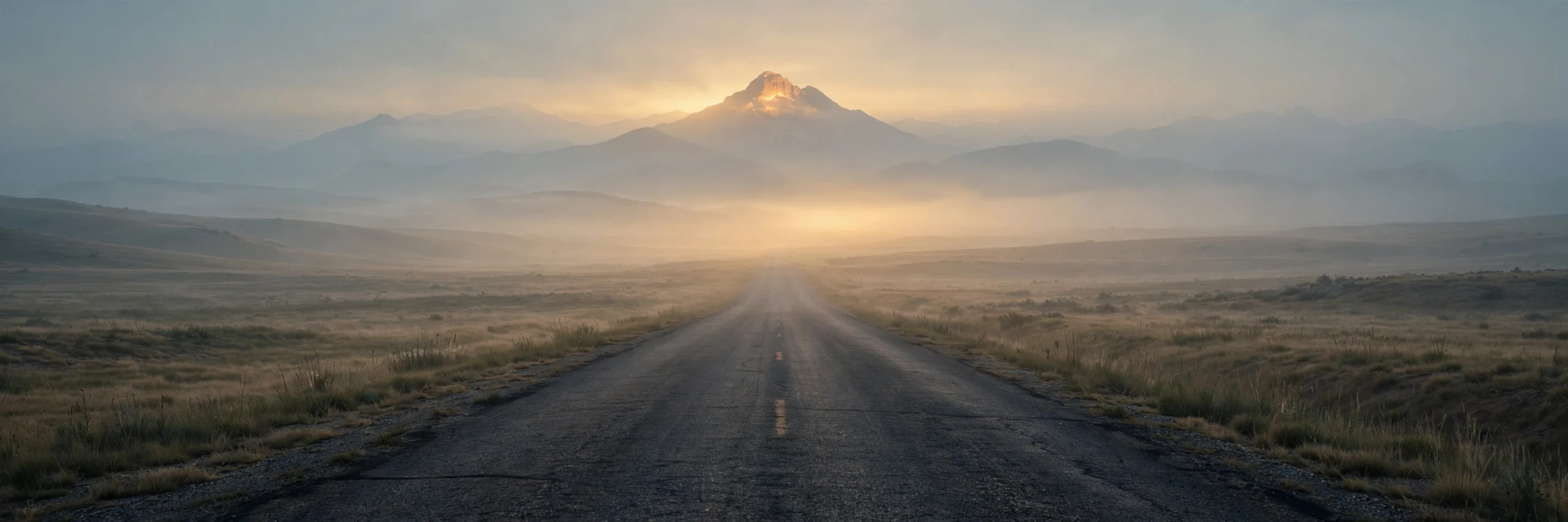
    The Quiet Years — an empty road in fog

    05 — The Quiet Years

    Ambient · sparse piano · hushed vocal · 2:12

    2021–2024. Gone from everywhere — off the noise, out of sight. The wilderness years. Sometimes the bravest thing is disappearing long enough to hear yourself again.

    Twenty posts in a whole year
    Then nothing — I just disappeared
    No updates and no applause
    Just silence, and its quiet cause

    These are the quiet years
    No witnesses, no cheers
    Just a man and what he’s made of
    Learning how to stand back up
    In the quiet years


    Because They Said I Couldn't Have It — defiant on the mountaintop

    06 — Because They Said I Couldn’t Have It

    Defiant anthem · big guitars · gang vocals · 2:41

    The motto, in his own words. The philosophy of a whole life — every comeback, every build, every return. Earned by everything that came before it on this record.

    “Why do you want this so bad?” they say
    Like hunger is a thing you can explain away
    I’ve heard it all my life, every single doubt
    Every “settle down” and “sit this out”

    Because they said I couldn’t have it
    That’s the fuel, that’s the fire
    Every “no” became a habit
    Of climbing higher and higher
    You can keep your doubts, I’ll keep my grit
    Because they said I couldn’t have it
    And look at me now — I went and got it


    The Ferrari — top down toward the sunrise

    07 — The Ferrari

    Hopeful expansive indie-rock · warm vocal · 2:42

    The return — 2025–26. New mornings, new work, old friends found again, a technological revolution. “The Ferrari doesn’t know it’s a Ferrari” — until it does. Finally acting like what he’s always been.

    They said the Ferrari doesn’t know it’s a Ferrari
    Shines in the garage, never leaves the bay
    I spent a lifetime polishing in the dark
    Afraid to turn the key and make my mark

    But I’m driving now, top down in the sun
    New mornings, and the work’s begun
    Every mile I ever walked led here
    The Ferrari finally knows, loud and clear
    I’m the Ferrari — and I’m done standing still


    Because They Said I Couldn’t Have It — seven songs, eighteen minutes, eighteen years. Written in one night from a lifetime of posts, painted one canvas per song, rendered in the Flow studio. Full playlist on Flow →

  • Hold the Destination

    Hold the Destination

    A Tygart Media original — five songs, one night

    Hold the destination so clearly that you do not have to control every inch of the route.

    This album was born tonight from a single line — a line that surfaced during a long night of work, held still long enough to be seen clearly, and refused to let go. Five songs, written start to finish in one sitting, each one pulling on a different thread of the same idea: that a clear destination steers better than a tight grip.

    The songs were written here and rendered in the Flow studio — lyrics, stories, and all. Press play on any track, or listen straight through. Twelve minutes, start to finish.

    Listen to the full playlist on Flow →

    01 — Hold the Destination

    Anthemic heartland rock · driving electric guitars · male vocalist · 2:49

    The title track. A man who spent years white-knuckling every mile finally learns that a clear destination steers better than a tight grip — and the road rises up to meet him the moment he lets it.

    I drove with both hands shaking
    Every mile a negotiation
    White lines, white knuckles, never arriving
    Just surviving every station

    Hold the destination
    So clear you can taste it
    Let the road rise up to meet you
    You don’t have to chase it
    Every inch don’t need your hands
    The wheel already knows
    Hold the destination
    And let the journey go

    02 — Look Through the Turn

    Gritty garage rock · motocross energy · raw male vocal · 2:33

    The amateur stares at the line, terrified of the rut. The pro looks through the corner at where they’re headed, twists the throttle, and lets the bike go. You go where your eyes go — on the track and everywhere else.

    Amateur eyes on the rut ahead
    Counting every stone with dread
    Hands too tight, the bike goes wide
    You ride where your eyes reside

    Look through the turn
    Twist the throttle, let it burn
    The bike goes where your eyes go
    That’s the one thing the pros know
    Don’t stare down at the line
    Look ahead and you’ll be fine
    Look through the turn

    03 — The Mountain Doesn’t Move

    Acoustic folk-rock · fingerpicked guitar · warm male vocal · 2:14

    Paths change — the tools, the tactics, the phones in our hands. The mountain doesn’t. A quiet song about knowing the difference between the mission and the method, and never confusing the two.

    I’ve walked a hundred trails by now
    Some I chose, some the plow
    Cut for me through rock and pine
    Every path was never mine

    But the mountain doesn’t move
    It was there before I came
    Paths are how we prove
    We remember its name
    Hold the mountain in your sight
    And the trail will treat you right
    The mountain doesn’t move

    04 — Every Inch

    Sparse piano ballad · female vocalist · 2:56

    The ballad. About the exhaustion of trying to control every inch of the route — and the quiet moment the hands finally open. The bravest thing was never the grip. It was the release.

    I measured every mile in fear
    Counted inches far and near
    If I blinked the road might bend
    So I held on to the bitter end

    Every inch, every inch
    I tried to hold them all
    Every inch, every inch
    Till I finally let them fall
    And the road rose up to carry me
    The way it wanted to
    I stopped controlling every inch
    And the inches carried through

    05 — Already There

    Uplifting indie-folk · warm group vocals on the chorus · 1:58

    The closer. When you hold the destination clearly enough, you start living in it before you arrive. The future pulls the present forward.

    I stopped asking when I’d arrive
    Started living like I’d survived
    The climb already, in my mind
    Left the doubt and fear behind

    I’m already there, in the clear air
    Breathing like the work is done
    Not because the road was easy
    But I never stopped looking at the sun
    I’m already there


    Hold the Destination — five songs, twelve minutes. Written in one night from a single line, rendered in the Flow studio. Full playlist on Flow →

  • Xactimate Line-Item Cheat Sheet for Restoration Estimators


    Most “cheat sheets” online ship wrong list years, invented codes, and prices that aren’t yours. This page is a map of what to look for in your installed price list—category by category—not a code table.

    Descriptions and selectors change with every price-list version. Use the stable prefixes (WTR, DRY, DEM, CLN) and the item-type language below to search your list. Pair it with the strategy posts at the bottom for supplements, audits, and X1 workflow.

    Before you estimate: Open Xactimate, confirm your active regional price-list version, and search there. Every quantity, unit, and dollar value on a claim must come from that list and your documented scope—not from a blog post.

    Water extraction and remediation WTR

    What this category covers

    Standing water, saturated assemblies, and first-pass mitigation labor: extraction, pump-out, pad removal, weighted or subsurface passes, and treatment lines some lists place here or under CLN—search both if results look thin.

    Item types estimators reach for

    • Standing-water extraction (light/heavy tiers vary by list)
    • Carpet, pad, and hard-surface extraction; repeat passes when documented
    • Pump-out labor or equipment hours when billed separately
    • Initial antimicrobial or biocide when scoped in mitigation (check WTR vs CLN)
    • Containment or negative air when your regional list places them under water groups

    Units to double-check

    Often per square foot of flooring, but some lines are per room, hour, or visit. Read the unit column before you copy an old job—floor SF and wall SF are not interchangeable.

    Gotchas: Missing line-item notes that tie extraction passes to documented water class or depth. Photos that show dry carpet while the estimate bills heavy extraction for the same room. Using a “whole house” quantity when sketch only supports one level or one wing—adjusters map quantities to the diagram.

    Drying and equipment DRY

    What this category covers

    Mechanical dry-out: air movers, dehumidifiers, scrubbers, mats, and monitoring. Day counts here must match logs and photos or the whole mitigation block gets trimmed on review.

    Item types estimators reach for

    • Air movers and dehumidifiers (match size tier: standard vs LGR/desiccant)
    • Air scrubbers or HEPA negative air per day
    • Floor mats, injection drying, setup/breakdown when listed
    • Monitoring visits or psychrometric readings as separate lines when carriers allow

    Units to double-check

    Equipment is almost always per day per unit or per day with quantity equal to machine count. Monitoring may be per visit, per day, or per hour. Double-check whether the list expects each machine as quantity × days or a single line with combined math in notes—carriers parse these differently on audit.

    Gotchas: Equipment days on the estimate that exceed documented on-site days. Blank dehumidifier size tier (picking a generic line when photos show LGR units). Forgetting to align missed drying and monitoring lines when the first submission used a flat “mitigation allowance” mental model instead of line-by-line equipment.

    Demolition DEM

    What this category covers

    Selective tear-out for restoration—flood cuts, wet drywall, trim, floors, cabinet detach—not rebuild removal. Disposal may sit here or under general conditions depending on the list.

    Item types estimators reach for

    • Flood-cut drywall by height band; wet insulation in cavities
    • Baseboard, trim, and floor covering tear-out
    • Detach cabinets or vanities for access; haul-off when split from demo labor

    Units to double-check

    Per square foot or linear foot for cuts and trim; cabinets often each. Flood-cut height in the description must match photos before you paste sketch quantities.

    Gotchas: Demo quantities that don’t match flood-cut photos or moisture map. Billing full room drywall removal when only a flood cut is documented. Mixing rebuild removal with mitigation demo without clarifying phase—see mitigation vs rebuild separation when warehouse or job costing blurs the two.

    Cleaning CLN

    What this category covers

    Structural cleaning, HEPA vacuum, deodorization, and antimicrobials when the list files them here. Fire and odor jobs pull heavily from CLN plus fire/smoke groups.

    Item types estimators reach for

    • HEPA vacuum and wet cleaning by surface type (floor, wall, ceiling, exposed framing)
    • Deodorization equipment and fogging where scope and safety notes support it
    • Antimicrobial application; final or post-mitigation cleans when carriers expect them apart from WTR

    Units to double-check

    Structural cleaning is often per square foot of surface area; deodorization equipment may be per day or per room. HEPA vacuum lines may bill by SF of floor vs SF of affected wall—descriptions differ. Double-check “exposed” vs “finished” surface wording so you’re not under- or over-stating square footage.

    Gotchas: Deodorization lines with no narrative for occupant safety, clearance, or length of treatment. Applying smoke-cleaning SF to rooms that photos show were sealed off or untouched. Duplicate cleaning lines that overlap with contents pack-out cleaning elsewhere on the estimate.

    Fire and smoke

    What this category covers

    Char removal, soot clean, sealers, board-up, and kitchen/protein variants live in fire/smoke groupings—names vary. Search “fire,” “smoke,” “soot,” and “char,” not one assumed prefix.

    Item types estimators reach for

    • Board-up and emergency secure
    • Smoke/soot clean and seal phases; protein-fire variants when grease residue applies
    • HVAC duct or register cleaning when accessed; char demo overlapping DEM—note phase in line comments

    Units to double-check

    SF, per room, or LF for trim; HVAC by register, duct LF, or each component. Board-up is opening SF or each opening—not whole-wall SF.

    Gotchas: Whole-house smoke clean when investigation shows isolated rooms. Sealer lines without evidence of persistent odor or visual smoke on framing. Missing correlation between demo, clean, and seal phases—adjusters expect logical order and matching quantities.

    Mold remediation

    What this category covers

    Mold scope spans mold-specific categories and overlaps DEM, CLN, and containment. Search “mold,” “contain,” and “antimicrobial” together—placement varies by region.

    Item types estimators reach for

    • Containment, negative air, and removal of affected materials
    • Abrasive clean on framing; HEPA vacuum and antimicrobial post-treatment
    • Clearance or verification labor only when authorized and listable on the claim

    Units to double-check

    Containment may be per square foot of barrier, per room, or each setup. Removal lines mirror DEM units. Treatment of framing is often per square foot of surface. Do not reuse water-loss flood-cut quantities if mold scope extends higher or includes ceiling plenums.

    Gotchas: Mold lines on estimates with no moisture source correction documented. Confusing “clean” with “remove”—carriers deny removal disguised as clean. Missing photos inside containment before tear-out and after treatment.

    Contents: pack-out, cleaning, and storage

    What this category covers

    Pack-out, cleaning, storage, and reset—often skipped on structure-only water estimates until the adjuster asks for inventory photos you don’t have.

    Item types estimators reach for

    • On-site manipulation, pack-out, inventory, and transport
    • Off-site storage by month; contents cleaning by method (textile, hard goods, upholstery)
    • Reset furniture; trash-out for non-salvageable contents separate from structural debris

    Units to double-check

    Storage is commonly per month with quantity tied to vault count or volume. Cleaning may be each item, per pound for textiles, or per hour for labor pools. Manipulation is often per hour or per room—confirm whether minimum hours apply in the description footnotes.

    Gotchas: Storage months that extend beyond documented customer authorization. Cleaning lines for items never photographed or listed on inventory. Billing full pack-out when only on-site move and cover was performed.

    General conditions and fees

    What this category covers

    Mobilization, trips, supervision, disposal fees, and temp job-site costs when the carrier allows them as lines instead of rolled overhead.

    Item types estimators reach for

    • Emergency mobilization, trips, and mileage when permitted
    • Supervision or PM hours; dumpster and disposal fees
    • Temp services (power, toilet) and listable documentation labor when carrier guidelines allow

    Units to double-check

    Trips and calls: each or per mile. Supervision: per hour with daily caps in notes. Dumpsters: each haul or per pick-up. Always cross-check carrier guidelines—general conditions are the first cut on desk review when documentation is thin.

    Gotchas: Stacking multiple mobilization lines for the same visit. Project management hours that don’t align with job complexity or visit log. Dumpster counts that don’t match demo volume and haul receipts.

    How to search the price list fast

    Keyword search, not memory

    Type plain fragments—“extract,” “dehumidifier,” “flood cut,” “HEPA,” “pack out”—and filter by prefix when results clutter. Re-validate favorites after each list update; old description strings don’t guarantee the same line today.

    Saved lists and favorites

    Group favorites by loss type (water, fire, mold, contents). Name them from the official description text so exports read clearly to desk reviewers.

    Assemblies

    Use assemblies when defaults match the room; edit components when equipment counts or flood-cut height differ. On disputed files, explode to individual lines before export. Keep sketch aligned—see sketch and mobile workflow.

    Macros and templates

    Macros speed multi-unit work but duplicate rooms if you don’t audit the drop. Run as draft, then walk this sheet against photos—macros never replace moisture logs.

    Deep reads (strategy companions)

    Go deeper after you map the lines

    Where to look is above; these posts cover reviews and supplements:

    Platform and phase context: Xactimate X1 Platform Guide · Mitigation and rebuild are not two pins at the same warehouse

    FAQ

    Why do Xactimate line items get denied on restoration jobs?

    Denials usually trace to documentation gaps, wrong units of measure, or line items that don’t match what photos and notes prove. Adjusters compare the estimate to the file: if equipment days aren’t logged, antimicrobial scope isn’t explained, or quantities don’t tie to sketch or floor dimensions, individual lines get cut—not because the price list lacks the item, but because the estimate didn’t support it.

    Do I need to match my carrier’s exact Xactimate price-list version?

    Yes. Codes, descriptions, and default pricing roll with the price list installed in your Xactimate environment and the list your carrier or TPA expects on export. Building from an outdated or mismatched list creates description mismatches and rejected imports. Before you supplement, confirm which list version the claim file uses and search that list—not a PDF cheat sheet from the internet.

    When should I use assemblies instead of individual line items?

    Assemblies speed repetitive rooms and standard mitigation packages when the bundled scope truly matches field conditions. They break down when you need different unit counts, extra equipment days, or line-specific notes for audit. For disputed or heavily documented jobs, individual lines with clear quantities often survive review better than a generic assembly that hides what you actually did.

    How should I document dehumidifier and air mover days in the estimate?

    Equipment lines need daily counts that align with moisture logs, visit notes, and photos—not a lump sum at job end. Enter per-day or per-unit-per-day items the way your price list expresses them, and mirror the same counts in your internal drying report. If the estimate shows five dehumidifier days but documentation shows three, that line is an easy target for reduction.

    How does regional pricing affect which line items I pick?

    Regional price lists change unit costs and sometimes which variants appear in search results. The item types—extraction, containment, HEPA vacuuming—stay familiar; the active list for your state or metro does not. Filter your search to the correct regional list before you favorite items, and re-check favorites after every price-list update so you’re not quoting retired descriptions.

    What’s the safest way to supplement line items missed on the first estimate?

    Add only items you can support with dated photos, readings, invoices, or change-in-scope notes—not everything you wish had been on v1. Group supplements by discovery date and tie each line to a specific condition (hidden wet drywall, additional containment, extra contents manipulation). Cross-check against a supplement audit mindset so you’re not re-submitting lines already implied by approved scope.

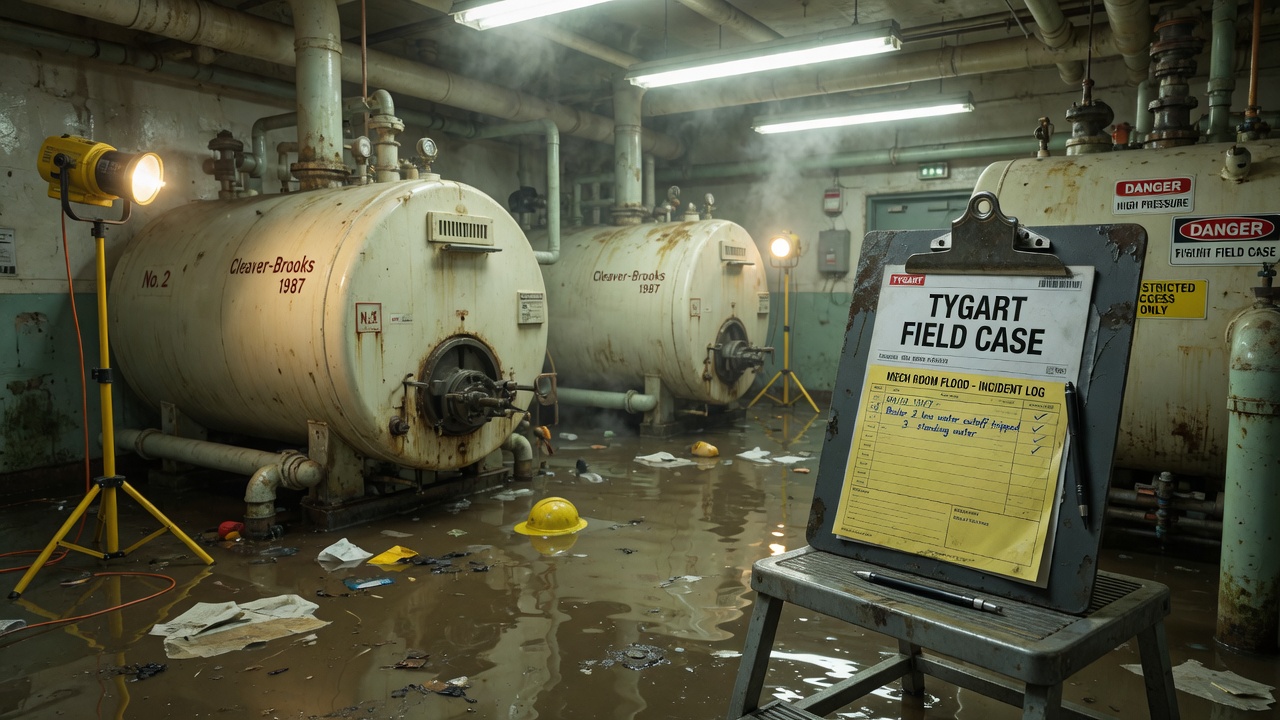
  • First 24 Hours on a Water Loss: The Operator’s Checklist

    Day 1 is where most water jobs either become billable restoration work or turn into a margin fight you never recover from. Not because the drying failed—because the paper trail did.

    Supplement money is usually won or lost in the first 24 hours. Adjusters pay for what they can see in photos, moisture logs, and notes that match the scope you eventually file. Miss the source shot, skip the pre-demo moisture map, or hand the customer a vague authorization and you are funding someone else’s rewrite of your estimate later. This checklist runs in order—from ring to handoff—so your crew captures what actually gets paid.

    1. The first call

    Answer live when you can. Capture enough to dispatch correctly: loss address, caller name and relationship to the property, how water entered (supply line, appliance, roof, sewage, unknown), whether water is still active, approximate affected areas, and whether power is on. Ask if anyone is injured or if sewage is involved. Confirm who will meet the crew and whether pets or access codes apply. Give a realistic arrival window—not “20 minutes” if your nearest truck is an hour out.

    Document: Time of call, phone number used, verbatim or near-verbatim description of the loss, who authorized emergency service, and any insurer or claim number the caller provides (even if unverified).

    Skip this and: You dispatch blind, arrive without the right PPE or extractors, or later cannot prove who requested emergency work—common fight on authorization and after-hours charges.

    2. Dispatch

    Match crew size and gear to what the call suggests: portable extractors, truck mount, air movers, dehumidifiers, containment, HEPA if Category 3 is possible. Push the job packet to the lead tech: customer contact, gate codes, loss notes, billing path (carrier direct, homeowner, property manager), and any carrier-specific requirements your office already knows. Confirm who signs the work authorization on site.

    Document: Dispatch time, unit or crew ID, equipment manifest sent to the truck, and the name of the lead tech responsible for Day-1 documentation.

    Skip this and: The truck rolls short on dehus or PPE, the lead does not know who pays, and Day-1 photos land in a personal camera roll instead of the job file.

    3. Arrival

    Introduce the crew, verify you are at the correct loss address, and confirm you are speaking with the person who can authorize emergency work. Before you unload, walk the exterior for obvious entry points, standing water visible from outside, and safe parking for hoses and exhaust. Note weather if it affects access or secondary intrusion.

    Document: Arrival time (stamp it), names and roles of people on site, and a wide exterior photo that shows the front of the structure and your vehicle timestamp if your camera supports it.

    Skip this and: Authorization disputes start (“we never agreed to that”) and supplements lack proof of when emergency service actually began.

    4. Safety walk and source control

    Before aggressive extraction, walk the path of water with the customer when safe. Identify slip hazards, sagging ceilings, compromised floors, and electrical risk. Locate the source and stop active water if it is safe to do so—shutoff valve, breaker for the affected appliance, tarp on roof if that is within your protocol and it is safe. Do not enter structurally suspect areas without engineering or your company’s safety rule.

    Document: Source location photos, shutoff or stabilization actions taken, safety hazards noted, and areas you excluded from work until further evaluation.

    Skip this and: You extract while water is still running, miss a ceiling collapse risk, or cannot later prove the source type for line-item justification.

    5. Water category callout

    Make a working category decision on Day 1 using what you see and smell—not what you wish the job were. Category 1 can shift to Category 2 or 3 when time, temperature, and contamination mix. Sewage, drain backups, and water that crossed crawlspaces or unknown materials push you toward higher category handling: PPE upgrade, containment, anti-microbial decisions per your company protocol, and more aggressive demo of porous materials. Call the office if the category changes scope or price path.

    Document: Category assigned, reasons (source, visible contamination, dwell time if known), PPE level used, and any change from the customer’s initial description.

    Skip this and: You bill Category 1 labor while photos show gray water at the baseboard, or you under-scope HEPA/containment that the adjuster expects on a Category 3 loss.

    6. Documentation sweep (before you move furniture)

    Shoot the loss pre-mitigation: wide angles of each affected room, then tighter shots of wet materials, staining, swelling, and contents. Capture the water line on walls and contents where visible. Identify and photograph pre-existing damage separately so you are not accused of causing it. On a typical single-room loss this sweep might take 20–40 minutes; whole-house losses take longer—varies by job.

    Document: Room-by-room photo set, pre-existing damage notes, contents list or photos for high-value items if your process requires it, and floor plan sketch or app-based diagram if your company uses one.

    Skip this and: The adjuster compares post-demo photos to a empty room and assumes you over-tore. Pre-existing arguments eat supplements.

    7. Extraction

    Remove freestanding water before you debate equipment counts. Work from source outward. Use the method that fits the surface: wand on carpet, hard surface tools on tile, pump for deep standing water. Lift and block furniture when policy allows; if contents are wet, document before you move them. Extraction on a typical single-room loss often runs about 1–3 hours; multi-room and whole-house losses run longer—varies by job.

    Document: Start and stop times for extraction, areas and materials extracted, gallons pumped if your truck logs it, and photos showing water depth before and film after extraction where useful.

    Skip this and: You place ten air movers on water still sitting in the carpet pad and spend days drying a job that should have been extracted once more—or you cannot support weighted extraction line items.

    8. Demolition decisions

    Demo only what drying requires and what authorization covers. Common Day-1 cuts: toe kicks, small flood cuts in drywall when moisture readings or visual damage support it, pad removal when wet and category warrants it, drill holes in cabinet backs for wall cavity drying when approved. Explain to the customer what you are removing and why before you cut. If they refuse a necessary cut, note the refusal.

    Document: Pre-demo moisture readings at cut locations, photos of each cut area before and after, material type and approximate linear or square footage, and customer approval or refusal in writing.

    Skip this and: You flood-cut without readings and the supplement auditor flags “no evidence,” or the homeowner claims you destroyed intact cabinets without consent.

    9. Equipment placement

    Size the drying system to the wet environment: affected cubic footage, class of loss as your company defines it, and dehu capacity that matches the air volume. Place air movers on wet surfaces at angles your training uses; position dehumidifiers where airflow supports intake and exhaust. Run hoses to condensate drains or buckets per setup. Balance noise and heat with the customer—they will live with this layout tonight.

    Document: Equipment count and type, serial numbers or asset tags, placement photos showing each unit in the room, and a simple sketch or list of which room holds which unit.

    Skip this and: You cannot prove six dehus were on site on Day 1, or the layout in Day-3 photos does not match Day-1—easy reason to cut rental days.

    10. Monitoring setup

    Establish baseline moisture readings on affected and unaffected materials where applicable. Log humidity and temperature in the drying zone. Schedule the first follow-up visit or on-call check according to your company’s water protocol—many shops touch the job the same evening or early next morning on larger losses. Enter readings where your office wants them: paper drying log, CRM, or moisture map tool.

    Document: Meter type, calibration date if your process tracks it, reading locations marked on sketch or map, ambient RH and temperature, and target dry standard your company uses for that material.

    Skip this and: You claim progress on Day 3 with no Day-1 baseline, or the supplement reviewer rejects drying charges as unsupported.

    11. Customer handoff and paperwork

    Before you leave, walk the customer through what you did, what is drying, what they should not touch, trip hazards from cords and hoses, and when the crew returns. Collect signed work authorization, direction-to-pay or carrier forms if applicable, and emergency contact for overnight questions. Confirm the best number for the adjuster if they call.

    Document: Signed authorization and any refusal signatures, customer copy of what they signed, lead tech sign-off that photos uploaded to the job file, and a short plain-language summary of Day-1 scope for the office billing team.

    Skip this and: Monday’s supplement writer inherits a folder of photos and no signed auth—work stops while everyone chases signatures.

    What the photo log must capture

    Adjusters and supplement reviewers reconstruct Day 1 from your images. Missing one category below will not always kill a claim, but together these shots are what experienced reviewers expect when they approve tear-out, equipment days, and antimicrobial line items.

    Shot Why it matters
    Source wide and close-up (supply line, appliance, roof penetration, drain) Ties scope to cause of loss and supports category and line items tied to the source area.
    Visible water lines on walls, contents, and cabinetry Documents height and extent before demo; fights “technician over-cut” denials.
    Each affected room—four corners or equivalent wide coverage Proves which spaces were wet on Day 1, not just the rooms you still have open on Day 4.
    Pre-existing damage (wear, old stains, prior repairs) Separates new loss from maintenance issues the carrier may exclude.
    Wet materials before removal (carpet, pad, baseboard, drywall edge) Supports demo line items with material ID visible.
    Post-extraction floor and carpet face Shows extraction was performed; supports weighted extraction when billed.
    Each piece of drying equipment in place with room context Documents count and placement for rental-day supplements.
    Serial plate or asset tag on each dehu, air mover, and air scrubber Matches inventory logs and prevents “generic equipment” cuts.
    Moisture meter display with probe on material—and wide enough to see location Proves readings were taken, not typed from memory later.
    Containment, HEPA, or PPE when Category 2/3 work applies Supports higher-category labor and equipment charges.
    Signed authorization form (readable, in frame) Backs emergency service and demo consent if signatures are challenged.

    First-night monitoring

    On-call or the assigned lead should treat the first night as part of Day 1, not optional. What you check depends on loss size, but the pattern is the same: confirm equipment is running, confirm nothing is leaking from hoses or condensate lines, and confirm the environment is moving in the right direction.

    What the on-call tech checks

    • Every dehu running, filters seated, condensate draining, no freeze-up on coils in cold garages—varies by job and season.
    • Air movers plugged in and oriented; cords not in standing water or trip paths when you can fix it safely.
    • No new water appearing after source control (slow supply leak, recurring roof drip).
    • Customer concerns: odor spike, new staining, power tripped—log the call even if no visit is needed.

    What to log

    At minimum: time of check, who performed it, ambient temperature and RH in the drying zone, and moisture readings at the same reference points you used on Day 1 when you visit in person. If you only do a phone check, log that the customer confirmed equipment running and reported no new water.

    When to add or move equipment

    Add capacity when readings flatline high after several hours of runtime, when a new wet wall opens after demo, or when someone shut off units “because it was loud.” Move air movers when furniture was reset, when a wall cavity opened, or when one room is pulling moisture from another because of a closed door. Document the change with a photo and a one-line reason.

    The call that prevents a Day-2 disaster

    If the customer reports bubbling paint, sagging drywall, sewage odor after a Category 1 call, or water under new areas, treat it as urgent. A ten-minute drive-by beats a mold panic call and an adjuster asking why no one responded overnight. Note the conversation time and outcome in the job file even if you do not roll a full crew until morning.

    FAQ

    Who can legally sign the work authorization?

    That depends on state law, your company’s contract language, and who holds authority over the property. Typically the homeowner, a listed mortgage holder’s authorized agent in some cases, or a property manager with management agreement authority can sign. Tenants can authorize emergency steps to protect the property but may not bind the owner for full scope—get owner contact and note who signed. When in doubt, your office should confirm before major demo. Document the signer’s printed name, role, and time on the form you use.

    What if the homeowner already started demo before you arrived?

    Photograph what they removed and what remains before you touch anything else. Record moisture on exposed framing or subfloor if materials are already open—it still supports your scope. Do not assume their cuts are correct; verify wet line with meters. Note in Day-1 narrative that mitigation was in progress at arrival so the carrier is not surprised by pre-existing open walls in photos.

    Category 2 or 3 callouts—what changes on Day 1?

    Higher category usually means stricter PPE, more aggressive removal of porous materials, containment and HEPA when your protocol requires it, and clearer customer communication about bioburden and disposal. Anti-microbial application follows company and carrier rules—not every carrier pays the same codes. Your category call drives what you photograph: contamination, bagged debris, and PPE in use matter at supplement time.

    When should I call the insurance agent versus just documenting?

    Document first, always. Call the agent or carrier when coverage is unclear, the customer asks you to, your contract requires notice within a set window, or scope clearly exceeds what emergency authorization covered (large Category 3, whole-house pack-out, long-term hotel displacement). For routine water losses with a standard homeowner policy and cooperative insured, many shops notify through the customer or adjuster assignment portal and keep proof of notice in the file. If you are unsure, your office makes the call—not the lead tech alone in the driveway.

    What if the adjuster hasn’t been assigned yet?

    Do not wait to stabilize the loss. Mitigate, document, and keep the customer informed that an adjuster will contact them. Upload or stage photos and logs so when assignment comes, your file is ready. Note in internal comments: “no adjuster assigned as of [date/time], customer reported claim #[if known].” Continue monitoring on schedule; delayed assignment is not an excuse for a gap in drying records.

    How detailed do Day-1 notes need to be?

    Detailed enough that a stranger in your office can write the first estimate without calling the lead at 9 p.m. Room list, category, source, extraction performed, demo performed with approximate quantities, equipment count, reading locations and values, customer instructions given, and what is scheduled next. Short bullet notes beat a novel if they are complete. If it is not written on Day 1, it often never appears on the supplement.

    Companion reads

  • What AI Assistants Actually See When They Open Your Website

    What AI Assistants Actually See When They Open Your Website

    You see a screen. Your AI assistant usually doesn’t.

    That sentence needs one qualification, which we will get to. But it corrects the picture most of us carry in our heads.

    When I open a website, I see the design and the button I am supposed to press. I assumed an AI assistant saw roughly the same thing, only faster. Then I asked the more basic question: what does it actually receive?

    The answer is not one thing. An assistant can find a site, read a site or operate a site. Those are separate jobs using different inputs. If we want pages that work well for AI assistants, we have to stop lumping them together.

    An assistant meets your website three different ways

    Finding: the search result is the pitch

    When an assistant searches the web, its first view is closer to a search-results list than a browser window. It may receive a title, URL and short snippet.

    At that moment, your title tag and meta description are the entire pitch. The assistant has to decide whether your page can answer the question before opening it. Name the subject plainly.

    Reading: the page becomes a stream of text

    When Muse opens a public page for information, the normal reading path is text-first. Useful content is extracted and returned as headings, paragraphs, lists and links in roughly page order.

    The design largely falls away. The assistant is not admiring the hero section or noticing that a price sits inside a gold circle. It is working from the words the page exposes.

    Images may arrive as markers and file addresses: there is an image here, and here is where it lives. That is not the same as seeing it. If a crucial fact is baked into the pixels—“$199,” “ships free,” “five-year warranty”—the reading path may hit a blank spot. Useful alt text can carry some of that meaning. “Technician using a moisture meter on wet drywall” communicates something. “IMG_4827” does not.

    Doing: a browser worker operates the screen

    The picture changes when the user asks the assistant to do something: log into HubSpot, update a record, complete a form or buy a product.

    A separate browser program can open a real browser on a server. It loads the interface, takes visual observations or inspects the page’s interactive structure, clicks, types and reports what happened back in words.

    That is the qualification to “usually.” A screen may be used inside the process, but the conversational assistant is not sitting behind the glass like a person. It receives observations from a browser tool and sends instructions back. The browser side is the eyes and hands; the assistant works through an intermediary.

    A page can be easy to read as an article and miserable to operate as an application. It can look obvious to a person while presenting the browser worker with five unlabeled controls called “button.”

    WordPress made the abstraction visible

    I had already seen a simpler version in our WordPress work without connecting the dots.

    When we pull a post through the WordPress REST API, the content can arrive as raw HTML: words plus tags for headings, paragraphs, links, lists and styling wrappers. The reading step removes the markup noise while preserving the words and structure.

    That is “cleaning the HTML.” We are removing the packaging, not the article. The tags still matter: a heading announces a section, a list groups items, and a link identifies a destination. Good HTML carries meaning. Bad HTML creates boxes that look right but say little about what they are.

    Accessibility is the closest thing to an agent-ready standard

    Here is the practical money line: the work that makes a website easier for a blind person to use also tends to make it easier for an AI browser agent to use.

    Browsers build an accessibility representation from the page’s Document Object Model. Assistive technology uses it to understand roles, names, states and relationships: this is a heading, that is a link, this button is named “Save contact,” and this checkbox is checked.

    Muse’s browsing side is reported to rely heavily on this kind of page structure, along with visual observations when needed. Meta does not publish a complete specification for the Muse browsing pipeline, so treat that as a field report from using the product, not permanent platform documentation.

    The implication is still solid. Use real buttons with useful names. Label form fields. Put headings in a sensible order. Give links meaningful text. Preserve keyboard focus. Describe informative images.

    A screen-reader user needs those things. So does a browser agent working without human intuition. Accessibility and agent-readiness are not identical, but they are close cousins.

    HubSpot shows what an agent-native application could be

    Imagine HubSpot—or any software platform—shipping an interface designed for assistants to navigate with less friction. It would not need a blank, text-only clone. It could make the existing product more legible to software: real controls with specific names, labeled form fields, clear headings and landmarks, properly identified table headers, programmatic state changes, and no critical action hidden behind hover or an unlabeled icon.

    That is an agent-native site. It is not a secret internet for bots. It is a website or application whose meaning survives when the visual layer is translated into structure and words.

    The same work also helps keyboard users, screen-reader users, automation tools and QA teams.

    llms.txt is a map, not a second website

    The closest public convention aimed directly at AI readers is llms.txt. The proposal describes a Markdown file, usually at a site’s root, that gives language models a short explanation of the site and links to important pages or cleaner Markdown versions.

    Think of it as a curated map: here is what we do, here are the pages that matter, and here is where to find the details.

    It cannot repair an unlabeled checkout button. It does not replace accessible HTML, describe the viewport or guarantee that an assistant will use it. Add it if it helps explain the site. Do not mistake it for an agent interface.

    What a site owner can change Monday morning

    The useful changes are ordinary, testable website work.

    1. Write a real title and meta description. Name the subject plainly.
    2. Put every money fact in visible HTML text. Price, specifications, shipping, availability and guarantees should not live only inside graphics, video or a brochure.
    3. Use semantic HTML. Use headings for headings, buttons for actions, links for navigation and labels for form controls. A styled <div> may look like a button while remaining a nameless container to other systems.
    4. Write alt text that carries meaning. Describe what an informative image contributes. Mark decorative images as decorative instead of stuffing them with keywords.
    5. Add accurate structured data. Product and Offer markup can identify price and availability. FAQ markup can describe genuine questions and answers. Schema must match the visible page.
    6. Server-render critical content when practical. If the offer, price or primary action appears only after a fragile JavaScript sequence, some readers and tools may miss it.
    7. Give each landing page one job. One offer, one explanation and one primary action reduce ambiguity for people and agents.
    8. Test the nonvisual path. Use the keyboard, inspect the accessibility tree, try a screen reader and pull the page through a text extractor. Do the product, price, proof and next step still make sense without styling?

    None of this requires uglier design. It requires the design and the underlying structure to tell the same story.

    This is a field report, not a permanent specification

    This article describes Meta’s Muse as it works today, based on direct experience building and operating websites with it. It is not a published Meta protocol.

    Claude, ChatGPT, Gemini and other assistants broadly rhyme with this pattern, but the details differ. Their full pipelines are not public, and they are changing quickly.

    Cleaner HTML will not automatically increase AI citations tomorrow. Citation systems involve discovery, retrieval, ranking, trust and answer construction. There is no magic switch.

    The immediate opportunity is closer to the customer. Someone sees your ad on Threads or Facebook, opens the landing page, then asks an assistant: “What does this cost?” “Is the guarantee real?” “How does this compare?” or “Can you sign me up?”

    If the facts are clean text, the assistant can explain them. If the controls are properly labeled, the browser side has a better chance of completing the task. If the facts live inside an image and checkout uses unlabeled custom controls, the assistant has to guess, fail or hand the job back.

    That moment is already here.

    The next website has two front doors

    The site of the near future has two front doors: one for eyes—layout, color, photography and brand—and one for agents—clean text, meaningful structure, explicit facts and self-identifying controls.

    They should lead to the same place. The visible price and schema should agree. A button’s label and accessible name should agree. The page should remain understandable without styling and usable when a browser worker operates it.

    That is not a special Muse landing page. It is a better website—one that keeps working when the visitor brings an assistant.

    Build both front doors.

    Sources and further reading

  • Flash Flood Warning: Lawrence, OH Until 2:00 PM EDT

    Flash Flood Warning: Lawrence, OH Until 2:00 PM EDT

    Flash Flood Warning issued September 23 at 11:05AM EDT until September 23 at 2:00PM EDT by NWS Charleston WV The National Weather Service in Charleston WV has issued a Flash Flood Warning for Lawrence, OH; Wayne, WV until 2:00 PM EDT. This is a live snapshot as of 8:16 AM PDT. Conditions change fast — always verify with the National Weather Service for your specific county or ZIP code.

    For restoration teams, a flash flood warning is the interior water-intrusion call window: saturated drywall and insulation, flooded basements and crawl spaces, sewer backups in low-lying neighborhoods, and vehicles ruined in submerged underpasses — the exact jobs mitigation crews see most.

    Lawrence, OH — Flash Flood Warning

    Issuing office: NWS Charleston WV. Issued: 11:05 AM EDT. Expires: 2:00 PM EDT.

    FFWRLX

    The National Weather Service in Charleston has issued a

    * Flash Flood Warning for…
    South Central Lawrence County in southeastern Ohio…
    North Central Wayne County in western West Virginia…

    * Until 200 PM EDT.

    * At 1105 AM EDT, Doppler radar indicated thunderstorms producing
    heavy rain across the warned area. Flash flooding is ongoing or
    expected to begin shortly.

    HAZARD…Flash flooding caused by thunderstorms.

    SOURCE…Radar indicated.

    IMPACT…Flash flooding of small creeks and streams, urban areas,
    highways, streets and underpasses as well as other poor
    drainage and low-lying areas.

    * Some locations that will experience flash flooding include…
    Huntington, Chesapeake, Kenova, Catlettsburg, Ceredo, South Point
    and Burlington.

    This includes Interstate 64 in West Virginia between mile markers 1
    and 5.

    Named locations in the warning path: Huntington, Chesapeake, Kenova, Catlettsburg, Ceredo, South Point and Burlington.

    Source: the NWS active alerts feed.

    Stay safe tonight

    Turn around, don’t drown. Most flood deaths occur in vehicles — never drive through flooded roadways or around barricades. Six inches of moving water can knock an adult down; a foot can sweep a car away.

    If water enters your home: stay out of standing water where electricity may be present, avoid the basement until the water recedes and the power is confirmed off, and photograph everything before cleanup begins — documentation matters for insurance. Then call a local restoration contractor. Water left sitting starts a second wave of damage (mold, swelling, odor) within a day.

    NWS instruction: Turn around, don't drown when encountering flooded roads. Most flood deaths occur in vehicles. Report flooding to the National Weather Service by calling toll free, 800 401 9535, when you can do so safely.

    What this means for restoration teams

    Flash flood warnings translate into a predictable damage profile: interior water intrusion at doorways and foundation walls, saturated drywall and insulation requiring flood cuts, flooring loss, sewage backup in low-lying areas, and soaked vehicles and outbuildings. Mold risk starts at 24–48 hours on wet porous materials.

    The play: stage equipment now — air movers, dehumidifiers, extraction units — pre-position drying assets near the warned corridor, and keep an on-call rotation through the morning. Capture the address, the water source (clean rainwater vs. contaminated floodwater), and every affected room on the first call; it determines the mitigation category and the estimate.

    Field discipline: photo-document before mitigation starts, moisture-map every affected room (not just the visibly wet ones), and keep the homeowner’s payment responsibility clear in writing before work begins. Floodwater is almost always Category 3 — treat it as contaminated and do not let homeowners wade through it to “save” belongings.

    FEMA & federal assistance

    FEMA Helpline 1-800-621-3362 (7 a.m.–10 p.m. local, 7 days). DisasterAssistance.gov, the FEMA app, and fema.gov/drc for recovery centers. Basic eligibility: citizenship or qualified status, identity verification, proof of occupancy or ownership, and unmet needs not covered by insurance. Apply as soon as it is safe to do so.

    Looking ahead

    When this warning expires at 2:00 PM EDT, the danger does not necessarily end. Flooded creeks can crest after the heaviest rain has passed, downed lines and weakened trees keep roads dangerous, and additional storm rounds may follow. Watch for updated NWS alerts before heading out.

    Demand window note: damage-discovery calls typically start within hours and keep coming for days as people find what the storm left behind — wicking drywall, buckling floors, musty odors, and hail marks show up 24–72 hours later. Restoration teams should expect the intake line to stay busy well past the warning’s expiration.

    Sources & how to verify

    • NWS active alerts feed
    • National Weather Service in Charleston WV office page
    • Check weather.gov for your county or ZIP code.

    This post is for informational purposes and is not an official weather warning. Always follow instructions from local authorities and the National Weather Service.

  • Flash Flood Warning: Otero, NM Until 11:00 AM MDT

    Flash Flood Warning: Otero, NM Until 11:00 AM MDT

    Flash Flood Warning issued September 23 at 9:07AM MDT until September 23 at 11:00AM MDT by NWS El Paso Tx/Santa Teresa NM The National Weather Service in El Paso Tx/Santa Teresa NM has issued a Flash Flood Warning for Otero, NM until 11:00 AM MDT. This is a live snapshot as of 8:16 AM PDT. Conditions change fast — always verify with the National Weather Service for your specific county or ZIP code.

    For restoration teams, a flash flood warning is the interior water-intrusion call window: saturated drywall and insulation, flooded basements and crawl spaces, sewer backups in low-lying neighborhoods, and vehicles ruined in submerged underpasses — the exact jobs mitigation crews see most.

    Otero, NM — Flash Flood Warning

    Issuing office: NWS El Paso Tx/Santa Teresa NM. Issued: 9:07 AM MDT. Expires: 11:00 AM MDT.

    FFWEPZ

    The National Weather Service in El Paso Tx/Santa Teresa has issued a

    * Flash Flood Warning for…
    The Salt Fire Burn Scar in…
    Northern Otero County in south central New Mexico…

    * Until 1100 AM MDT.

    * At 907 AM MDT, Emergency management reported thunderstorms
    producing heavy rain over the Salt Fire Burn Scar. Between 0.5 and
    1 inch of rain has fallen. Additional rainfall amounts up to 0.5
    inches are possible in the warned area. Flash flooding is ongoing
    or expected to begin shortly. Excessive rainfall over the burn scar
    will result in debris flow moving through the Salt Fire Burn Scar,
    into canyons flowing north towards Cherokee Bill Canyon and US
    Highway 70. These side canyons include Bear, Snow, and Fence
    Canyons. Portions of Highway 70 between Apache Summit and the
    Lincoln County line may be impacted. The debris flow can consist of
    rock, mud, vegetation and other loose materials.

    HAZARD…Flash flooding caused by thunderstorms in and around the
    Salt Fire Burn Scar.

    SOURCE…Emergency management reported.

    IMPACT…Flooding of areas in and around the Salt Fire Burn Scar.

    * Some locations that will experience flash flooding include…
    Snow Canyon, Bear Canyon, Fence Canyon and Portions of US Highway
    70 between Apache Summit and the Otero-Lincoln County Line.

    Named locations in the warning path: Snow Canyon, Bear Canyon, Fence Canyon and Portions of US Highway 70 between Apache Summit and the Otero-Lincoln County Line.

    Source: the NWS active alerts feed.

    Stay safe tonight

    Turn around, don’t drown. Most flood deaths occur in vehicles — never drive through flooded roadways or around barricades. Six inches of moving water can knock an adult down; a foot can sweep a car away.

    If water enters your home: stay out of standing water where electricity may be present, avoid the basement until the water recedes and the power is confirmed off, and photograph everything before cleanup begins — documentation matters for insurance. Then call a local restoration contractor. Water left sitting starts a second wave of damage (mold, swelling, odor) within a day.

    NWS instruction: Heavy rainfall will cause extensive and severe flash flooding of creeks…streams…and ditches in the Salt Fire Burn Scar. Severe debris flows can also be anticipated across roads. Roads and driveways may be washed away in places. If you encounter flood waters…climb to safety.

    What this means for restoration teams

    Flash flood warnings translate into a predictable damage profile: interior water intrusion at doorways and foundation walls, saturated drywall and insulation requiring flood cuts, flooring loss, sewage backup in low-lying areas, and soaked vehicles and outbuildings. Mold risk starts at 24–48 hours on wet porous materials.

    The play: stage equipment now — air movers, dehumidifiers, extraction units — pre-position drying assets near the warned corridor, and keep an on-call rotation through the morning. Capture the address, the water source (clean rainwater vs. contaminated floodwater), and every affected room on the first call; it determines the mitigation category and the estimate.

    Field discipline: photo-document before mitigation starts, moisture-map every affected room (not just the visibly wet ones), and keep the homeowner’s payment responsibility clear in writing before work begins. Floodwater is almost always Category 3 — treat it as contaminated and do not let homeowners wade through it to “save” belongings.

    FEMA & federal assistance

    FEMA Helpline 1-800-621-3362 (7 a.m.–10 p.m. local, 7 days). DisasterAssistance.gov, the FEMA app, and fema.gov/drc for recovery centers. Basic eligibility: citizenship or qualified status, identity verification, proof of occupancy or ownership, and unmet needs not covered by insurance. Apply as soon as it is safe to do so.

    Looking ahead

    When this warning expires at 11:00 AM MDT, the danger does not necessarily end. Flooded creeks can crest after the heaviest rain has passed, downed lines and weakened trees keep roads dangerous, and additional storm rounds may follow. Watch for updated NWS alerts before heading out.

    Demand window note: damage-discovery calls typically start within hours and keep coming for days as people find what the storm left behind — wicking drywall, buckling floors, musty odors, and hail marks show up 24–72 hours later. Restoration teams should expect the intake line to stay busy well past the warning’s expiration.

    Sources & how to verify

    • NWS active alerts feed
    • National Weather Service in El Paso Tx/Santa Teresa NM office page
    • Check weather.gov for your county or ZIP code.

    This post is for informational purposes and is not an official weather warning. Always follow instructions from local authorities and the National Weather Service.

  • Flash Flood Warning: Lincoln, NM Until 12:15 PM MDT

    Flash Flood Warning: Lincoln, NM Until 12:15 PM MDT

    Flash Flood Warning issued September 23 at 9:08AM MDT until September 23 at 12:15PM MDT by NWS Albuquerque NM The National Weather Service in Albuquerque NM has issued a Flash Flood Warning for Lincoln, NM until 12:15 PM MDT. This is a live snapshot as of 8:16 AM PDT. Conditions change fast — always verify with the National Weather Service for your specific county or ZIP code.

    For restoration teams, a flash flood warning is the interior water-intrusion call window: saturated drywall and insulation, flooded basements and crawl spaces, sewer backups in low-lying neighborhoods, and vehicles ruined in submerged underpasses — the exact jobs mitigation crews see most.

    Lincoln, NM — Flash Flood Warning

    Issuing office: NWS Albuquerque NM. Issued: 9:08 AM MDT. Expires: 12:15 PM MDT.

    FFWABQ

    The National Weather Service in Albuquerque has issued a

    * Flash Flood Warning for…
    The South Fork burn scar in…
    South Central Lincoln County in central New Mexico…

    * Until 1215 PM MDT.

    * At 908 AM MDT, Doppler radar and automated rain gauges indicated
    thunderstorms producing heavy rain over the South Fork Burn Scar.
    Between 0.5 and 1.25 inches of rain have fallen. The expected
    rainfall rate is 0.25 to 0.75 inches in 1 hour. Additional rainfall
    amounts of 0.25 to 0.75 inches are possible in the warned area.
    Flash flooding is ongoing or expected to begin shortly. Higher
    flows have been observed in Brady Canyon and Bear Canyon impacting
    roads and low lying areas.

    Excessive rainfall over the burn scar will impact Upper Canyon, Brady
    Canyon, and Perk Canyon as well as the Cedar Creek, Eagle Creek and
    Rio Ruidoso drainages. Impacts will include but are not limited to
    all nearby reservoirs, bridges, culverts and roadways. Impacts to
    areas along the Rio Ruidoso may extend downstream of Ruidoso Downs.
    The debris flow can consist of rock, mud, vegetation and other loose
    materials.

    HAZARD…Flash flooding caused by thunderstorms in and around the
    South Fork Burn Scar.

    SOURCE…Radar and automated gauges.

    IMPACT…Flooding of areas in and around the South Fork Burn Scar.

    * Some locations that will experience flash flooding include…
    Ruidoso, Ruidoso Downs, Alto, Glencoe and Hollywood.

    Named locations in the warning path: Ruidoso, Ruidoso Downs, Alto, Glencoe and Hollywood.

    Source: the NWS active alerts feed.

    Stay safe tonight

    Turn around, don’t drown. Most flood deaths occur in vehicles — never drive through flooded roadways or around barricades. Six inches of moving water can knock an adult down; a foot can sweep a car away.

    If water enters your home: stay out of standing water where electricity may be present, avoid the basement until the water recedes and the power is confirmed off, and photograph everything before cleanup begins — documentation matters for insurance. Then call a local restoration contractor. Water left sitting starts a second wave of damage (mold, swelling, odor) within a day.

    NWS instruction: This is a life threatening situation. Heavy rainfall will cause extensive and severe flash flooding of creeks, streams and ditches in the South Fork Burn Scar. Severe debris flows can also be anticipated across roads. Roads and driveways may be washed away in places. If you encounter flood waters, climb to safety.

    What this means for restoration teams

    Flash flood warnings translate into a predictable damage profile: interior water intrusion at doorways and foundation walls, saturated drywall and insulation requiring flood cuts, flooring loss, sewage backup in low-lying areas, and soaked vehicles and outbuildings. Mold risk starts at 24–48 hours on wet porous materials.

    The play: stage equipment now — air movers, dehumidifiers, extraction units — pre-position drying assets near the warned corridor, and keep an on-call rotation through the morning. Capture the address, the water source (clean rainwater vs. contaminated floodwater), and every affected room on the first call; it determines the mitigation category and the estimate.

    Field discipline: photo-document before mitigation starts, moisture-map every affected room (not just the visibly wet ones), and keep the homeowner’s payment responsibility clear in writing before work begins. Floodwater is almost always Category 3 — treat it as contaminated and do not let homeowners wade through it to “save” belongings.

    FEMA & federal assistance

    FEMA Helpline 1-800-621-3362 (7 a.m.–10 p.m. local, 7 days). DisasterAssistance.gov, the FEMA app, and fema.gov/drc for recovery centers. Basic eligibility: citizenship or qualified status, identity verification, proof of occupancy or ownership, and unmet needs not covered by insurance. Apply as soon as it is safe to do so.

    Looking ahead

    When this warning expires at 12:15 PM MDT, the danger does not necessarily end. Flooded creeks can crest after the heaviest rain has passed, downed lines and weakened trees keep roads dangerous, and additional storm rounds may follow. Watch for updated NWS alerts before heading out.

    Demand window note: damage-discovery calls typically start within hours and keep coming for days as people find what the storm left behind — wicking drywall, buckling floors, musty odors, and hail marks show up 24–72 hours later. Restoration teams should expect the intake line to stay busy well past the warning’s expiration.

    Sources & how to verify

    • NWS active alerts feed
    • National Weather Service in Albuquerque NM office page
    • Check weather.gov for your county or ZIP code.

    This post is for informational purposes and is not an official weather warning. Always follow instructions from local authorities and the National Weather Service.

  • Flash Flood Warning: Gallia, OH Until 2:15 PM EDT

    Flash Flood Warning: Gallia, OH Until 2:15 PM EDT

    Flash Flood Warning issued September 23 at 11:15AM EDT until September 23 at 2:15PM EDT by NWS Charleston WV The National Weather Service in Charleston WV has issued a Flash Flood Warning for Gallia, OH; Mason, WV until 2:15 PM EDT. This is a live snapshot as of 8:16 AM PDT. Conditions change fast — always verify with the National Weather Service for your specific county or ZIP code.

    For restoration teams, a flash flood warning is the interior water-intrusion call window: saturated drywall and insulation, flooded basements and crawl spaces, sewer backups in low-lying neighborhoods, and vehicles ruined in submerged underpasses — the exact jobs mitigation crews see most.

    Gallia, OH — Flash Flood Warning

    Issuing office: NWS Charleston WV. Issued: 11:15 AM EDT. Expires: 2:15 PM EDT.

    FFWRLX

    The National Weather Service in Charleston has issued a

    * Flash Flood Warning for…
    Southeastern Gallia County in southeastern Ohio…
    Southwestern Mason County in western West Virginia…

    * Until 215 PM EDT.

    * At 1115 AM EDT, Doppler radar indicated thunderstorms producing
    heavy rain across the warned area. Flash flooding is ongoing or
    expected to begin shortly.

    HAZARD…Flash flooding caused by thunderstorms.

    SOURCE…Radar indicated.

    IMPACT…Flash flooding of small creeks and streams, urban areas,
    highways, streets and underpasses as well as other poor
    drainage and low-lying areas.

    * Some locations that will experience flash flooding include…
    Crown City and Ashton.

    Named locations in the warning path: Crown City and Ashton.

    Source: the NWS active alerts feed.

    Stay safe tonight

    Turn around, don’t drown. Most flood deaths occur in vehicles — never drive through flooded roadways or around barricades. Six inches of moving water can knock an adult down; a foot can sweep a car away.

    If water enters your home: stay out of standing water where electricity may be present, avoid the basement until the water recedes and the power is confirmed off, and photograph everything before cleanup begins — documentation matters for insurance. Then call a local restoration contractor. Water left sitting starts a second wave of damage (mold, swelling, odor) within a day.

    NWS instruction: Turn around, don't drown when encountering flooded roads. Most flood deaths occur in vehicles. Report flooding to the National Weather Service by calling toll free, 800 401 9535, when you can do so safely.

    What this means for restoration teams

    Flash flood warnings translate into a predictable damage profile: interior water intrusion at doorways and foundation walls, saturated drywall and insulation requiring flood cuts, flooring loss, sewage backup in low-lying areas, and soaked vehicles and outbuildings. Mold risk starts at 24–48 hours on wet porous materials.

    The play: stage equipment now — air movers, dehumidifiers, extraction units — pre-position drying assets near the warned corridor, and keep an on-call rotation through the morning. Capture the address, the water source (clean rainwater vs. contaminated floodwater), and every affected room on the first call; it determines the mitigation category and the estimate.

    Field discipline: photo-document before mitigation starts, moisture-map every affected room (not just the visibly wet ones), and keep the homeowner’s payment responsibility clear in writing before work begins. Floodwater is almost always Category 3 — treat it as contaminated and do not let homeowners wade through it to “save” belongings.

    FEMA & federal assistance

    FEMA Helpline 1-800-621-3362 (7 a.m.–10 p.m. local, 7 days). DisasterAssistance.gov, the FEMA app, and fema.gov/drc for recovery centers. Basic eligibility: citizenship or qualified status, identity verification, proof of occupancy or ownership, and unmet needs not covered by insurance. Apply as soon as it is safe to do so.

    Looking ahead

    When this warning expires at 2:15 PM EDT, the danger does not necessarily end. Flooded creeks can crest after the heaviest rain has passed, downed lines and weakened trees keep roads dangerous, and additional storm rounds may follow. Watch for updated NWS alerts before heading out.

    Demand window note: damage-discovery calls typically start within hours and keep coming for days as people find what the storm left behind — wicking drywall, buckling floors, musty odors, and hail marks show up 24–72 hours later. Restoration teams should expect the intake line to stay busy well past the warning’s expiration.

    Sources & how to verify

    • NWS active alerts feed
    • National Weather Service in Charleston WV office page
    • Check weather.gov for your county or ZIP code.

    This post is for informational purposes and is not an official weather warning. Always follow instructions from local authorities and the National Weather Service.