Tag: Vertex AI

  • BigQuery Knowledge Ledger — Persistent AI Memory for Content Operations

    BigQuery Knowledge Ledger — Persistent AI Memory for Content Operations

    The Lab · Tygart Media
    Experiment Nº 698 · Methodology Notes
    METHODS · OBSERVATIONS · RESULTS

    What Is a BigQuery Knowledge Ledger?
    A BigQuery Knowledge Ledger is a persistent AI memory layer — your content, decisions, SOPs, and operational history stored as vector embeddings in Google BigQuery, queryable in real time. When a Claude session opens, you query the ledger instead of re-pasting context. Your AI starts informed, not blank.

    Every Claude session starts from zero. You re-brief it on your clients, your sites, your decisions, your rules. Then the session ends and it forgets. For casual use, that’s fine. For an operation running 27 WordPress sites, 500+ published articles, and dozens of active decisions — that reset is an expensive tax on every session.

    The BigQuery Knowledge Ledger is the solution we built for ourselves. It stores operational knowledge as vector embeddings — 925 content chunks across 8 tables in our production ledger — and makes it queryable from any Claude session. The AI doesn’t start blank. It starts with history.

    Who This Is For

    Agency operators, publishers, and AI-native teams running multi-site content operations where the cost of re-briefing AI across sessions is measurable. If you’ve ever said “as I mentioned before” to Claude, you need this.

    What We Build

    • BigQuery datasetoperations_ledger schema with 8 tables: knowledge pages, embedded chunks, session history, client records, decision log, content index, site registry, and change log
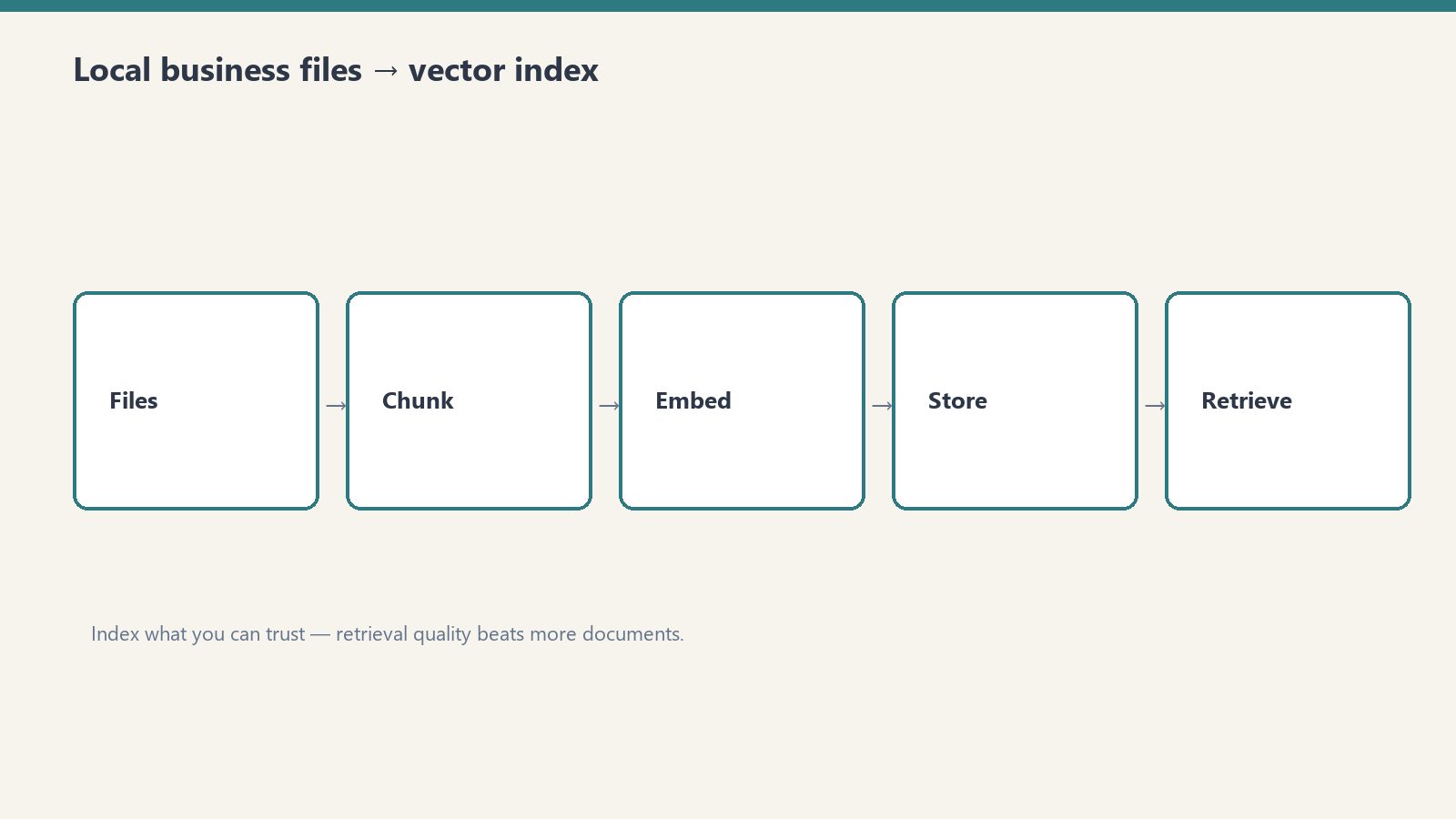
    • Embedding pipeline — Vertex AI text-embedding-005 model processes your existing content (Notion pages, SOPs, articles) into vector chunks stored in BigQuery
    • Query interface — Simple Python function (or Cloud Run endpoint) that accepts a natural language query and returns the most relevant chunks for context injection
    • Claude integration guide — How to query the ledger at session start and inject results into your Claude context window
    • Initial seed — We process your existing Notion pages, key SOPs, and site documentation into the ledger on setup

    What We Deliver

    Item Included
    BigQuery dataset + 8-table schema deployed to your GCP project
    Vertex AI embedding pipeline (text-embedding-005)
    Query function (Python + optional Cloud Run endpoint)
    Initial content seed (up to 100 Notion pages or documents)
    Claude session integration guide
    Ongoing ingestion script (add new content to ledger)
    Technical walkthrough + handoff documentation

    Stop Re-Briefing Your AI Every Session

    Tell us how many sites, documents, or SOPs you’re managing and what your current re-briefing tax looks like. We’ll scope the ledger build.

    will@tygartmedia.com

    Email only. No sales call required.

    Frequently Asked Questions

    Does this require Google Cloud?

    Yes. BigQuery and Vertex AI are Google Cloud services. You need a GCP project with billing enabled. We handle all setup and deployment.

    What’s the ongoing cost in GCP?

    BigQuery storage for a 1,000-chunk ledger costs less than $1/month. Embedding runs (adding new content) cost fractions of a cent per chunk via Vertex AI. Query costs are negligible at typical session volumes.

    Can this work with tools other than Claude?

    Yes. The ledger is model-agnostic — it returns text chunks that can be injected into any LLM context. ChatGPT, Gemini, and Perplexity integrations all work with the same query interface.

    What format does my existing content need to be in?

    Notion pages (via API), plain text, markdown, or Google Docs. We handle the conversion and chunking during initial seed. PDFs and Word docs require an additional preprocessing step.

    Last updated: April 2026

  • Google AI Update: Bring state-of-the-art agentic skills to the edge with Gemma 4

    Google AI Update: Gemma 4 Brings Agentic AI to Edge Devices

    What happened: Google DeepMind released Gemma 4, an open-source model family enabling multi-step autonomous workflows on-device. Apache 2.0 licensed, supports 140+ languages, runs on everything from mobile to Raspberry Pi. This matters because we can now deploy sophisticated agentic capabilities without cloud dependency—reducing latency, cost, and privacy concerns in our client workflows.

    What Changed

    Google DeepMind just dropped Gemma 4, and it’s a meaningful shift in how we think about deploying intelligent agents. This isn’t just another language model release—it’s positioned specifically for edge deployment with built-in agentic capabilities.

    The release includes three major components:

    • Gemma 4 Model Family: Open-source, Apache 2.0 licensed models optimized for on-device inference. Available in multiple sizes to fit different hardware constraints.
    • Google AI Edge Gallery: A new experimental platform for testing and deploying “Agent Skills”—pre-built autonomous workflows that handle multi-step planning without constant cloud round-trips.
    • LiteRT-LM Library: A developer toolkit that promises significant speed improvements and structured output formatting, critical for integrating agentic responses into our broader tech stack.

    The language support is broad—140+ languages out of the box. And the hardware compatibility extends from modern smartphones to legacy IoT devices like Raspberry Pi, which opens interesting possibilities for distributed client deployments.

    What This Means for Our Stack

    We’ve been watching the edge AI space closely, particularly as we’ve expanded our automation capabilities for content workflows and SEO operations. Gemma 4 directly impacts several areas:

    1. Agentic Content Workflows

    Right now, when we build multi-step content operations—research → drafting → SEO optimization → fact-checking—we’re either running those through Claude via API calls or building custom orchestration in our internal systems. Gemma 4’s “Agent Skills” framework gives us an alternative path: deploy autonomous agents that plan and execute tasks locally, then feed structured outputs back to our Notion workspace or directly into WordPress.

    The practical win: reduced API costs, faster execution, and no dependency on external API availability during client workflows.

    2. Structured Output at the Edge

    LiteRT-LM’s structured output support is particularly relevant for us. When we pull data from DataForSEO, feed it into content generation, and push results back through our Metricool automation—we need reliable, schema-compliant outputs. Doing this inference on-device rather than routing through cloud APIs reduces friction in our pipeline.

    3. Privacy and Data Sovereignty

    Several of our clients—particularly in regulated industries—care deeply about where their content workflows execute. With Gemma 4, we can offer on-device processing that keeps data local, which is both a technical advantage and a sales lever for enterprise prospects.

    4. Distributed Client Deployments

    For clients running their own infrastructure or wanting to embed AI capabilities into their applications, Gemma 4’s broad hardware support means we can offer lightweight agent deployments without requiring them to maintain expensive GPU infrastructure.

    Action Items

    Short term (next 2-4 weeks):

    • Spin up a test instance of Gemma 4 in a GCP sandbox environment and evaluate LiteRT-LM’s structured output capabilities against our current Claude integration patterns.
    • Document the Edge Gallery interface and map its “Agent Skills” framework to workflows we currently handle through custom automation.
    • Test on-device inference latency with a representative content operation (e.g., multi-step SEO briefing generation) to establish baseline performance against our current cloud-based approach.

    Medium term (4-12 weeks):

    • Build a proof-of-concept integration where Gemma 4 handles initial content research and structure planning, with Claude handling higher-order reasoning and editing. This hybrid approach might outperform either model alone for our specific workflows.
    • Evaluate whether on-device Gemma 4 agents can replace certain DataForSEO → processing → WordPress pipeline steps, particularly for clients prioritizing cost efficiency.
    • Document any privacy or data residency benefits and incorporate them into client proposals, especially for enterprise segments.

    Long term (product strategy):

    • Consider whether Gemma 4 enables new service offerings—e.g., self-hosted, on-device content automation for clients who want to reduce external API dependency.
    • Monitor the open-source community’s adoption of Gemma 4 Agent Skills; early contributions might inform how we design our own agentic workflows.

    Frequently Asked Questions

    How does Gemma 4 compare to Claude for our use cases?

    They’re complementary, not competitive. Claude excels at complex reasoning, editing, and high-stakes decision-making. Gemma 4 is optimized for on-device, multi-step task execution with lower latency and cost. We’ll likely use Gemma 4 for initial planning and structured research, then route to Claude for refinement and strategic work. The Apache 2.0 license also means we can modify and self-host Gemma 4 if a client demands it—we can’t do that with Claude.

    Will this reduce our API costs?

    Potentially. If we deploy Gemma 4 for initial content structure, research coordination, and fact-checking—tasks that currently burn Claude tokens—we could see measurable savings. The math depends on volume and whether we self-host (upfront infra cost) or use GCP endpoints (per-request pricing, but lower than Claude). We need to run the numbers on our largest clients.

    Can we deploy Gemma 4 to client infrastructure?

    Yes, that’s actually one of Gemma 4’s intended use cases. The Apache 2.0 license and broad hardware support mean we could offer a package where clients run agents on their own servers or devices. This is a major differentiator for privacy-conscious clients and could open new GTM angles.

    What’s the learning curve for our team?

    Moderate. If you’re already comfortable with Claude API patterns and agentic frameworks, Gemma 4’s LiteRT-LM library will feel familiar. The main difference is optimizing for on-device constraints (memory, latency) rather than just API tokens. We should allocate time for one team member to dig into the Edge Gallery documentation and run some experiments before we commit to client integrations.

    Does this affect our WordPress integration strategy?

    Not immediately, but it opens options. Right now, we push content from WordPress through external APIs and orchestrate responses via plugins. With Gemma 4, we could explore a WordPress plugin that runs agents locally, reducing external dependencies. This is on the roadmap for exploration, not immediate implementation.


    📡 Machine-Readable Context Block

    platform: google_devs
    product: google-ai
    change_type: announcement
    source_url: https://developers.googleblog.com/bring-state-of-the-art-agentic-skills-to-the-edge-with-gemma-4/
    source_title: Bring state-of-the-art agentic skills to the edge with Gemma 4
    ingested_by: tech-update-automation-v2
    ingested_at: 2026-04-07T18:21:43.589961+00:00
    stack_impact: medium
  • How We Built a Complete AI Music Album in Two Sessions: The Red Dirt Sakura Story

    How We Built a Complete AI Music Album in Two Sessions: The Red Dirt Sakura Story

    The Lab · Tygart Media
    Experiment Nº 795 · Methodology Notes
    METHODS · OBSERVATIONS · RESULTS


    What if you could build a complete music album — concept, lyrics, artwork, production notes, and a full listening experience — without a recording studio, without a label, and without months of planning? That’s exactly what we did with Red Dirt Sakura, an 8-track country-soul album written and produced by a fictional Japanese-American artist named Yuki Hayashi. Here’s how we built it, what broke, what we fixed, and why this system is repeatable.

    What Is Red Dirt Sakura?

    Red Dirt Sakura is a concept album exploring what happens when Japanese-American identity collides with American country music. Each of the 8 tracks blends traditional Japanese melodic structure with outlaw country instrumentation — steel guitar, banjo, fiddle — sung in both English and Japanese. The album lives entirely on tygartmedia.com, built and published using a three-model AI pipeline.

    The Three-Model Pipeline: How It Works

    Every track on the album was processed through a sequential three-model workflow. No single model did everything — each one handled what it does best.

    Model 1 — Gemini 2.0 Flash (Audio Analysis): Each MP3 was uploaded directly to Gemini for deep audio analysis. Gemini doesn’t just transcribe — it reads the emotional arc of the music, identifies instrumentation, characterizes the tempo shifts, and analyzes how the sonic elements interact. For a track like “The Road Home / 家路,” Gemini identified the specific interplay between the steel guitar’s melancholy sweep and the banjo’s hopeful pulse — details a human reviewer might take hours to articulate.

    Model 2 — Imagen 4 (Artwork Generation): Gemini’s analysis fed directly into Imagen 4 prompts. The artwork for each track was generated from scratch — no stock photos, no licensed images. The key was specificity: “worn cowboy boots beside a shamisen resting on a Japanese farmhouse porch at golden hour, warm amber light, dust motes in the air” produces something entirely different from “country music with Japanese influence.” We learned this the hard way — more on that below.

    Model 3 — Claude (Assembly, Optimization, and Publish): Claude took the Gemini analysis, the Imagen artwork, the lyrics, and the production notes, then assembled and published each listening page via the WordPress REST API. This included the HTML layout, CSS template system, SEO optimization, schema markup, and internal link structure.

    What We Built: The Full Album Architecture

    The album isn’t just 8 MP3 files sitting in a folder. Every track has its own listening page with a full visual identity — hero artwork, a narrative about the song’s meaning, the lyrics in both English and Japanese, production notes, and navigation linking every page to the full station hub. The architecture looks like this:

    • Station Hub/music/red-dirt-sakura/ — the album home with all 8 track cards
    • 8 Listening Pages — one per track, each with unique artwork and full song narrative
    • Consistent CSS Template — the lr- class system applied uniformly across all pages
    • Parent-Child Hierarchy — all pages properly nested in WordPress for clean URL structure

    The QA Lessons: What Broke and What We Fixed

    Building a content system at this scale surfaces edge cases that only exist at scale. Here are the failures we hit and how we solved them.

    Imagen Model String Deprecation

    The Imagen 4 model string documented in various API references — imagen-4.0-generate-preview-06-06 — returns a 404. The working model string is imagen-4.0-generate-001. This is not documented prominently anywhere. We hit this on the first artwork generation attempt and traced it through the API error response. Future sessions: use imagen-4.0-generate-001 for Imagen 4 via Vertex AI.

    Prompt Specificity and Baked-In Text Artifacts

    Generic Imagen prompts that describe mood or theme rather than concrete visual scenes sometimes produce images with Stable Diffusion-style watermarks or text artifacts baked directly into the pixel data. The fix is scene-level specificity: describe exactly what objects are in frame, where the light is coming from, what surfaces look like, and what the emotional weight of the composition should be — without using any words that could be interpreted as text to render. The addWatermark: false parameter in the API payload is also required.

    WordPress Theme CSS Specificity

    Tygart Media’s WordPress theme applies color: rgb(232, 232, 226) — a light off-white — to the .entry-content wrapper. This overrides any custom color applied to child elements unless the child uses !important. Custom colors like #C8B99A (a warm tan) read as darker than the theme default on a dark background, making text effectively invisible. Every custom inline color declaration in the album pages required !important to render correctly. This is now documented and the lr- template system includes it.

    URL Architecture and Broken Nav Links

    When a URL structure changes mid-build, every internal nav link needs to be audited. The old station URL (/music/japanese-country-station/) was referenced by Song 7’s navigation links after we renamed the station to Red Dirt Sakura. We created a JavaScript + meta-refresh redirect from the old URL to the new one, and audited all 8 listening pages for broken references. If you’re building a multi-page content system, establish your final URL structure before page 1 goes live.

    Template Consistency at Scale

    The CSS template system (lr-wrap, lr-hero, lr-story, lr-section-label, etc.) was essential for maintaining visual consistency across 8 pages built across two separate sessions. Without this system, each page would have required individual visual QA. With it, fixing one global issue (like color specificity) required updating the template definition, not 8 individual pages.

    The Content Engine: Why This Post Exists

    The album itself is the first layer. But a music album with no audience is a tree falling in an empty forest. The content engine built around it is what makes it a business asset.

    Every listening page is an SEO-optimized content node targeting specific long-tail queries: Japanese country music, country music with Japanese influence, bilingual Americana, AI-generated music albums. The station hub is the pillar page. This case study is the authority anchor — it explains the system, demonstrates expertise, and creates a link target that the individual listening pages can reference.

    From this architecture, the next layer is social: one piece of social content per track, each linking to its listening page, with the case study as the ultimate destination for anyone who wants to understand the “how.” Eight tracks means eight distinct social narratives — the loneliness of “Whiskey and Wabi-Sabi,” the homecoming of “The Road Home / 家路,” the defiant energy of “Outlaw Sakura.” Each one is a separate door into the same content house.

    What This Proves About AI Content Systems

    The Red Dirt Sakura project demonstrates something important: AI models aren’t just content generators — they’re a production pipeline when orchestrated correctly. The value isn’t in any single output. It’s in the system that connects audio analysis, visual generation, content assembly, SEO optimization, and publication into a single repeatable workflow.

    The system is already proven. Album 2 could start tomorrow with the same pipeline, the same template system, and the documented fixes already applied. That’s what a content engine actually means: not just content, but a machine that produces it reliably.

    Frequently Asked Questions

    What AI models were used to build Red Dirt Sakura?

    The album was built using three models in sequence: Gemini 2.0 Flash for audio analysis, Google Imagen 4 (via Vertex AI) for artwork generation, and Claude Sonnet for content assembly, SEO optimization, and WordPress publishing via REST API.

    How long did it take to build an 8-track AI music album?

    The entire album — concept, lyrics, production, artwork, listening pages, and publication — was completed across two working sessions. The pipeline handles each track in sequence, so speed scales with the number of tracks rather than the complexity of any single one.

    What is the Imagen 4 model string for Vertex AI?

    The working model string for Imagen 4 via Google Vertex AI is imagen-4.0-generate-001. Preview strings listed in older documentation are deprecated and return 404 errors.

    Can this AI music pipeline be used for other albums or artists?

    Yes. The pipeline is artist-agnostic and genre-agnostic. The CSS template system, WordPress page hierarchy, and three-model workflow can be applied to any music project with minor customization of the visual style and narrative voice.

    What is Red Dirt Sakura?

    Red Dirt Sakura is a concept album by the fictional Japanese-American artist Yuki Hayashi, blending American outlaw country with traditional Japanese musical elements and sung in both English and Japanese. The album lives on tygartmedia.com and was produced entirely using AI tools.

    Where can I listen to the Red Dirt Sakura album?

    All 8 tracks are available on the Red Dirt Sakura station hub on tygartmedia.com. Each track has its own dedicated listening page with artwork, lyrics, and production notes.

    Ready to Hear It?

    The full album is live. Eight tracks, eight stories, two languages. Start with the station hub and follow the trail.

    Listen to Red Dirt Sakura →


  • I Gave Claude a Video File and It Became My Editor, Compressor, and Web Developer

    I Gave Claude a Video File and It Became My Editor, Compressor, and Web Developer

    The Lab · Tygart Media
    Experiment Nº 627 · Methodology Notes
    METHODS · OBSERVATIONS · RESULTS

    I handed Claude a 52MB video file and said: optimize it, cut it into chapters, extract thumbnails, upload everything to WordPress, and build me a watch page. No external video editing software. No Premiere. No Final Cut. Just an AI agent with access to ffmpeg, a WordPress REST API, and a GCP service account.

    It worked. Here is exactly what happened and what it means.

    The Starting Point

    The video was a 6-minute, 39-second NotebookLM-generated explainer about our AI music pipeline — “The Autonomous Halt: Engineering the Multi-Modal Creative Loop.” It covers the seven-stage pipeline that generated 20 songs across 19 genres, graded its own output, detected diminishing returns, and chose to stop. The production quality is high — animated whiteboard illustrations, data visualizations, architecture diagrams — all generated by Google’s NotebookLM from our documentation.

    The file sat on my desktop. I uploaded it to my Cowork session and told Claude to do something impressive with it.

    What Claude Actually Did

    Step 1: Video Analysis

    Claude ran ffprobe to inspect the file — 1280×720, H.264, 30fps, AAC audio, 52.1MB. Then it extracted 13 keyframes at 30-second intervals and visually analyzed each one to understand the video’s structure. No transcript needed. Claude looked at the frames and identified the chapter breaks from the visual content alone.

    ffprobe → 399.1s, 1280×720, h264, 30fps, aac 44100Hz
    ffmpeg -vf “fps=1/30” → 13 keyframes extracted
    Claude vision → chapter boundaries identified

    Step 2: Optimization

    The raw file was 52MB — too heavy for web delivery. Claude compressed it with libx264 at CRF 26 with faststart enabled for progressive streaming. Result: 21MB. Same resolution, visually identical, loads in half the time.

    52MB
    Original
    21MB
    Optimized
    60%
    Reduction

    Step 3: Chapter Segmentation

    Based on the visual analysis, Claude identified six distinct chapters and cut the video into segments using ffmpeg stream copy — no re-encoding, so the cuts are instant and lossless. It also extracted a poster thumbnail for each chapter at the most visually representative frame.

    The chapters:

    1. The Creative Loop (0:00–0:40) — Overview of the multi-modal engine
    2. The Nuance Threshold (0:50–1:30) — The diminishing returns chart
    3. Seven-Stage Pipeline (1:30–2:20) — Full architecture walkthrough
    4. Multi-Modal Analysis (2:50–3:35) — Vertex AI waveform analysis
    5. 20-Song Catalog (4:10–5:10) — The evaluation grid
    6. The Autonomous Halt (5:40–6:39) — sys.exit()

    7 video files uploaded (1 full + 6 chapters)
    6 thumbnail images uploaded
    13 WordPress media assets created
    All via REST API — zero manual uploads

    Step 4: WordPress Media Upload

    Claude uploaded all 13 assets (7 videos + 6 thumbnails) to WordPress via the REST API using multipart binary uploads. Each file got a clean SEO filename. The uploads ran in parallel — six concurrent API calls instead of sequential. Total upload time: under 30 seconds for all assets.

    Step 5: The Watch Page

    With all assets in WordPress, Claude built a full watch page from scratch — dark-themed, responsive, with an HTML5 video player for the full video, a 3-column grid of chapter cards (each with its own embedded player and thumbnail), a seven-stage pipeline breakdown with descriptions, stats counters, and CTAs linking to the music catalog and Machine Room.

    12,184 characters of custom HTML, CSS, and JavaScript. Published to tygartmedia.com/autonomous-halt/ via a single REST API call.

    The Tools That Made This Possible

    Claude did not use any video editing software. The entire pipeline ran on tools that already existed in the session:

    ffprobe — File inspection and metadata extraction
    ffmpeg — Compression, chapter cutting, thumbnail extraction, format conversion
    Claude Vision — Visual analysis of keyframes to identify chapter boundaries
    WordPress REST API — Binary media uploads and page publishing
    Python requests — API orchestration for large payloads
    Bash parallel execution — Concurrent uploads to minimize total time

    The insight is not that Claude can run ffmpeg commands — anyone can do that. The insight is that Claude can watch the video, understand its structure, make editorial decisions about where to cut, and then execute the entire production pipeline end-to-end without human intervention at any step.

    What This Means

    Video editing has always been one of those tasks that felt immune to AI automation. The tools are complex, the decisions are creative, and the output is high-stakes. But most video editing is not Spielberg-level craft. Most video editing is: trim this, compress that, cut it into clips, make thumbnails, put it on the website.

    Claude handled all of that in a single session. The key ingredients were:

    Access to the right CLI tools — ffmpeg and ffprobe are the backbone of every professional video pipeline. Claude already knows how to use them.
    Vision capability — Being able to actually see what is in the video frames turns metadata analysis into editorial judgment.
    API access to the destination — WordPress REST API meant Claude could upload and publish without ever leaving the terminal.
    Session persistence — The working directory maintained state across dozens of tool calls, so Claude could build iteratively.

    The Bigger Picture

    This is one video on one website. But the pattern scales. Connect Claude to a YouTube API and it becomes a channel manager. Connect it to a transcription service and it generates subtitles. Connect it to Vertex AI and it generates chapter summaries from audio. Connect it to a CDN and it handles global distribution.

    The video you are watching on the watch page was compressed, segmented, thumbnailed, uploaded, and presented by the same AI that orchestrated the music pipeline the video is about. That is the loop closing.

    Claude is not a video editor. Claude is whatever you connect it to.

  • I Let Claude Build a 20-Song Music Catalog in One Session — Here’s What Happened

    I Let Claude Build a 20-Song Music Catalog in One Session — Here’s What Happened

    The Lab · Tygart Media
    Experiment Nº 603 · Methodology Notes
    METHODS · OBSERVATIONS · RESULTS

    I wanted to test a question that’s been nagging me since I started building autonomous AI pipelines: how far can you push a creative workflow before the quality falls off a cliff?

    The answer, it turns out, is further than I expected — but the cliff is real, and knowing where it is matters more than the output itself.

    The Experiment: Zero Human Edits, 20 Songs, 19 Genres

    The setup was straightforward in concept and absurdly complex in execution. I gave Claude one instruction: generate original songs using Producer.ai, analyze each one with Gemini 2.0 Flash, create custom artwork with Imagen 4, build a listening page with a custom audio player, publish it to this site, update the music hub, log everything to Notion, and then loop back and do it again.

    The constraint that made it real: Claude had to honestly assess quality after every batch and stop when diminishing returns hit. No padding the catalog with filler. No claiming mediocre output was good. The stakes had to be real or the whole experiment was theater.

    Over the course of one extended session, the pipeline produced 20 original tracks spanning 19 distinct genres — from heavy metal to bossa nova, punk rock to Celtic folk, ambient electronic to gospel soul.

    How the Pipeline Actually Works

    Each song passes through a 7-stage autonomous pipeline with zero human intervention between stages:

    1. Prompt Engineering — Claude crafts a genre-specific prompt designed to push Producer.ai toward authentic instrumentation and songwriting conventions for that genre, not generic “make a song in X style” requests.
    2. Generation — Producer.ai generates the track. Claude navigates the interface via browser automation, waits for generation to complete, then extracts the audio URL from the page metadata.
    3. Audio Conversion — The raw m4a file is downloaded and converted to MP3 at 192kbps for the full version, plus a trimmed 90-second version at 128kbps for AI analysis.
    4. Gemini 2.0 Flash Analysis — The trimmed audio is sent to Google’s Gemini 2.0 Flash model via Vertex AI. Gemini listens to the actual audio and returns a structured analysis: song description, artwork prompt suggestion, narrative story, and thematic elements.
    5. Imagen 4 Artwork — Gemini’s artwork prompt feeds into Google’s Imagen 4 model, which generates a 1:1 album cover. Each cover is genre-matched — moody neon for synthwave, weathered wood textures for Appalachian folk, stained glass for gospel soul.
    6. WordPress Publishing — The MP3 and artwork upload to WordPress. Claude builds a complete listening page with a custom HTML/CSS/JS audio player, genre-specific accent colors, lyrics or composition notes, and the AI-generated story. The page publishes as a child of the music hub.
    7. Hub Update & Logging — The music hub grid gets a new card with the artwork, title, and genre badge. Everything logs to Notion for the operational record.

    The entire stack runs on Google Cloud — Vertex AI for Gemini and Imagen 4, authenticated via service account JWT tokens. WordPress sits on a GCP Compute Engine instance. The only external dependency is Producer.ai for the actual audio generation.

    The 20-Song Catalog

    You can listen to every track on the Tygart Media Music Hub. Here’s the full catalog with genre and a quick take on each:

    # Title Genre Assessment
    1 Anvil and Ember Blues Rock Strong opener — gritty, authentic tone
    2 Neon Cathedral Synthwave / Darkwave Atmospheric, genre-accurate production
    3 Velvet Frequency Trip-Hop Moody, textured, held together well
    4 Hollow Bones Appalachian Folk Top 3 — haunting, genuine folk storytelling
    5 Glass Lighthouse Dream Pop / Indie Pop Shimmery, the lightest track in the catalog
    6 Meridian Line Orchestral Hip-Hop Surprisingly cohesive genre fusion
    7 Salt and Ceremony Gospel Soul Warm, emotionally grounded
    8 Tide and Timber Roots Reggae Laid-back, authentic reggae rhythm
    9 Paper Lanterns Bossa Nova Gentle, genuine Brazilian feel
    10 Burnt Bridges, Better Views Punk Rock Top 3 — raw energy, real punk attitude
    11 Signal Drift Ambient Electronic Spacious instrumental, no lyrics needed
    12 Gravel and Grace Modern Country Solid modern Nashville sound
    13 Velvet Hours Neo-Soul R&B Vocal instrumental — texture over lyrics
    14 The Keeper’s Lantern Celtic Folk Top 3 — strong closer, unique sonic palette

    Plus 6 earlier experimental tracks (Iron Heart variations, Iron and Salt, The Velvet Pour, Rusted Pocketknife) that preceded the formal pipeline and are also on the hub.

    Where Quality Held Up — and Where It Didn’t

    The pipeline performed best on genres with strong structural conventions. Blues rock, punk, folk, country, and Celtic music all have well-defined instrumentation and songwriting patterns that Producer.ai could lock into. The AI wasn’t inventing a genre — it was executing within one, and the results were genuinely listenable.

    The weakest output came from genres that rely on subtlety and human nuance. The neo-soul track (Velvet Hours) ended up as a vocal instrumental — beautiful textures, but no real lyrical content. It felt more like a mood than a song. The synthwave track was competent but slightly generic — it hit every synth cliché without adding anything distinctive.

    The biggest surprise was Meridian Line (Orchestral Hip-Hop). Fusing a full orchestral arrangement with hip-hop production is hard for human producers. The AI pulled it off with more coherence than I expected.

    The Honest Assessment: Why I Stopped at 20

    After 14 songs in the formal pipeline (plus the 6 experimental tracks), I evaluated what genres remained untapped. The answer was ska, reggaeton, polka, zydeco — genres that would have been novelty picks, not genuine catalog additions. Each of the 19 genres I covered brought a distinctly different sonic palette, vocal style, and emotional register. Song 20 was the right place to stop because Song 21 would have been padding.

    This is the part that matters for anyone building autonomous creative systems: the quality curve isn’t linear. You don’t get steadily worse output. You get strong results across a wide range, and then you hit a wall where the remaining options are either redundant (too similar to something you already made) or contrived (genres you’re forcing because they’re different, not because they’re good).

    Knowing where that wall is — and having the system honestly report it — is the difference between a useful pipeline and a content mill.

    What This Means for AI-Driven Creative Work

    This experiment wasn’t about proving AI can replace musicians. It can’t. Every track in this catalog is a competent execution of genre conventions — but none of them have the idiosyncratic human choices that make music genuinely memorable. No AI song here will be someone’s favorite song.

    What the experiment does prove is that the full creative pipeline — from ideation through production, analysis, visual design, web publishing, and catalog management — can run autonomously at a quality level that’s functional and honest about its limitations.

    The tech stack that made this possible:

    • Claude — Pipeline orchestration, prompt engineering, quality assessment, web publishing, and the decision to stop
    • Producer.ai — Audio generation from text prompts
    • Gemini 2.0 Flash — Audio analysis (it actually listened to the MP3 and described what it heard)
    • Imagen 4 — Album artwork generation from Gemini’s descriptions
    • Google Cloud Vertex AI — API backbone for both Gemini and Imagen 4
    • WordPress REST API — Direct publishing with custom HTML listening pages
    • Notion API — Operational logging for every song

    Total cost for the entire 20-song catalog: a few dollars in Vertex AI API calls. Zero human edits to the published output.

    Listen for Yourself

    The full catalog is live on the Tygart Media Music Hub. Every track has its own listening page with a custom audio player, AI-generated artwork, the story behind the song, and lyrics (or composition notes for instrumentals). Pick a genre you like and judge for yourself whether the pipeline cleared the bar.

    The honest answer is: it cleared it more often than it didn’t. And knowing exactly where it didn’t is the most valuable part of the whole experiment.


  • The Site Factory: How One GCP Instance Runs 23 WordPress Sites With AI on Autopilot

    The Site Factory: How One GCP Instance Runs 23 WordPress Sites With AI on Autopilot

    The Machine Room · Under the Hood

    TL;DR: We replaced 100+ isolated Cloud Run services with a single Compute Engine VM running 23 WordPress sites, a unified Content Engine, and autonomous AI workflows — cutting hosting costs to $15-25/site/month while launching new client sites in under 10 minutes.

    The Problem With One Site, One Stack

    When we started managing WordPress sites for clients at Tygart Media, each site got its own infrastructure: a Cloud Run container, its own database, its own AI pipeline, its own monitoring. At 5 sites, this was manageable. At 15, it was expensive. At 23, it was architecturally insane — over 100 Cloud Run services spinning up and down, each billing independently, each requiring separate deployments and credential management.

    The monthly infrastructure cost was approaching $2,000 for what amounted to medium-traffic WordPress sites. The cognitive overhead was worse: updating a single AI optimization skill meant deploying it 23 times.

    So we built the Site Factory.

    Three-Layer Architecture

    The Site Factory runs on a three-layer model that separates shared infrastructure from per-site WordPress instances and AI operations.

    Layer 1: Shared Platform (GCP). A single Compute Engine VM hosts all 23 WordPress installations with a shared MySQL instance and a centralized BigQuery data warehouse. A single Content Engine — one Cloud Run service — handles all AI-powered content operations across every site. A Site Registry in BigQuery maps every site to its credentials, hosting configuration, and optimization schedule.

    Layer 2: Per-Site WordPress. Each WordPress installation lives in its own directory on the VM with its own database. They share the same PHP runtime, Nginx configuration, and SSL certificates, but their content and configurations are completely isolated. Hosting cost per site: $15-25/month, compared to $80-150/month on containerized Cloud Run.

    Layer 3: Claude Operations. This is where the Expert-in-the-Loop architecture meets WordPress at scale. Routine operations — SEO scoring, schema injection, internal linking audits, AEO refreshes — run autonomously via Cloud Scheduler. Strategic operations — content strategy, complex article writing, taxonomy redesign — route to an interactive AI session where Claude operates as a system administrator with full context about every site in the registry.

    The Model Router

    Not every AI task requires the same model. Schema injection? Haiku handles it in 2 seconds at $0.001. A nuanced 2,000-word article on luxury asset lending? That’s Opus territory. SERP data extraction? Gemini is faster and cheaper.

    The Model Router is a centralized Cloud Run service that accepts task requests and dynamically routes them to the cheapest capable model on Vertex AI. It evaluates task complexity, required output length, and domain specificity, then selects the optimal model. This alone cut our AI compute costs by 40% compared to routing everything through a single frontier model.

    10-Minute Site Launch

    Adding a new client site to the factory takes 5 configuration steps and under 10 minutes:

    Register the domain and SSL certificate in Nginx. Create the WordPress database and installation directory. Add the site to the BigQuery Site Registry with credentials and vertical classification. Run the initial site audit to establish a content baseline. Enable the autonomous optimization schedule.

    From that point, the site receives the same AI optimization pipeline as every other site in the factory: daily content scoring, weekly SEO/AEO refreshes, monthly schema audits, and continuous internal linking optimization. No additional infrastructure. No new Cloud Run services. No incremental hosting cost beyond the shared VM allocation.

    Self-Healing Loop

    At 23 sites, things break. APIs rate-limit. WordPress plugins conflict. SSL certificates expire. The Self-Healing Loop monitors every site and every API endpoint continuously.

    When a WordPress REST API call fails, the system retries with exponential backoff. If the failure persists, it falls back to WP-CLI over SSH. If the site is completely unreachable, it triggers a Slack alert to the operations channel and pauses that site’s optimization schedule until the issue is resolved.

    For AI model failures, the Model Router implements automatic fallback: if Opus returns a 429 (rate limited), the task routes to Sonnet. If Sonnet fails, it queues for batch processing overnight at reduced rates. No task is ever dropped — only deferred.

    Cross-Site Intelligence

    The real power of the Site Factory isn’t cost reduction — it’s the intelligence layer that emerges when 23 sites share a single data warehouse. BigQuery holds content performance data, keyword rankings, schema coverage, and information density scores for every post on every site.

    This enables cross-site pattern recognition that’s impossible when sites operate in isolation. When an article format performs well on one site, the system can identify similar opportunities across all 22 other sites. When a keyword strategy drives organic growth in one vertical, the Content Engine can adapt that strategy for adjacent verticals automatically.

    The Site Factory isn’t a hosting solution. It’s an operating system for AI-powered content operations — one that gets smarter with every site we add.

    {
    “@context”: “https://schema.org”,
    “@type”: “Article”,
    “headline”: “The Site Factory: How One GCP Instance Runs 23 WordPress Sites With AI on Autopilot”,
    “description”: “One GCP Compute Engine VM, 23 WordPress sites, autonomous AI optimization, $15-25/site/month hosting costs, and new client sites launching in under 10 minutes. “,
    “datePublished”: “2026-03-30”,
    “dateModified”: “2026-04-03”,
    “author”: {
    “@type”: “Person”,
    “name”: “Will Tygart”,
    “url”: “https://tygartmedia.com/about”
    },
    “publisher”: {
    “@type”: “Organization”,
    “name”: “Tygart Media”,
    “url”: “https://tygartmedia.com”,
    “logo”: {
    “@type”: “ImageObject”,
    “url”: “https://tygartmedia.com/wp-content/uploads/tygart-media-logo.png”
    }
    },
    “mainEntityOfPage”: {
    “@type”: “WebPage”,
    “@id”: “https://tygartmedia.com/the-site-factory-how-one-gcp-instance-runs-23-wordpress-sites-with-ai-on-autopilot/”
    }
    }

  • Service Account Keys, Vertex AI, and the GCP Fortress

    Service Account Keys, Vertex AI, and the GCP Fortress

    The Machine Room · Under the Hood

    For regulated verticals (HIPAA, financial services, legal), we build isolated AI infrastructure on Google Cloud using service accounts, VPCs, and restricted APIs. This gives us Vertex AI and Claude capabilities without compromising data isolation or compliance requirements.

    The Compliance Problem
    Some clients operate in verticals where data can’t flow through public APIs. A healthcare client can’t send patient information to Claude’s public API. A financial services client can’t route transaction data through external language models.

    But they still want AI capabilities: document analysis, content generation, data extraction, automation.

    The solution: isolated GCP infrastructure that clients own, that uses service accounts with restricted permissions, and that keeps data inside their VPC.

    The Architecture
    For each regulated client, we build:

    1. Isolated GCP Project
    Their own Google Cloud project, separate billing, separate service accounts, zero shared infrastructure with other clients.

    2. Service Account with Minimal Permissions
    A service account that can only:
    – Call Vertex AI APIs (nothing else)
    – Write to their specific Cloud Storage bucket
    – Log to their Cloud Logging instance
    – No ability to access other projects, no IAM changes, no network modifications

    3. Private VPC
    All Vertex AI calls happen inside their VPC. Data never leaves Google’s network to hit public internet.

    4. Vertex AI for Regulated Workloads
    We use Vertex AI’s enterprise models (Claude, Gemini) instead of the public APIs. These are deployed to their VPC and their service account. Zero external API calls for language model inference.

    The Data Flow
    Example: A healthcare client wants to analyze patient documents.
    – Client uploads PDF to their Cloud Storage bucket
    – Cloud Function (with restricted service account) triggers
    – Function reads the PDF
    – Function sends to Vertex AI Claude endpoint (inside their VPC)
    – Claude extracts structured data from the document
    – Function writes results back to client’s bucket
    – Everything stays inside the VPC, inside the project, inside the isolation boundary

    The client can audit every API call, every service account action, every network flow. Full compliance visibility.

    Why This Matters for Compliance
    HIPAA: Patient data never leaves the healthcare client’s infrastructure
    PCI-DSS: Payment data stays inside their isolated environment
    GDPR: EU data can be processed in their EU GCP region
    FedRAMP: For government clients, we can build on GCP’s FedRAMP-certified infrastructure

    The Service Account Model
    Service accounts are the key to this. Instead of giving Claude/Vertex AI direct access to client data, we create a bot account that:

    1. Has zero standing permissions
    2. Can only access specific resources (their bucket, their dataset)
    3. Can only run specific operations (Vertex AI API calls)
    4. Permissions are short-lived (can be revoked immediately)
    5. Every action is logged with the service account ID

    So even if Vertex AI were compromised, it couldn’t access other clients’ data. Even if the service account was compromised, it couldn’t do anything except Vertex AI calls on that specific bucket.

    The Cost Trade-off
    – Shared GCP account: ~$300/month for Claude/Vertex AI usage
    – Isolated GCP project per client: ~$400-600/month per client (slightly higher due to overhead)

    That premium ($100-300/month per client) is the cost of compliance. Most regulated clients are willing to pay it.

    What This Enables
    – Healthcare clients can use Claude for chart analysis, clinical note generation, patient data extraction
    – Financial clients can use Claude for document analysis, regulatory reporting, trade summarization
    – Legal clients can use Claude for contract analysis, case law research, document review
    – All without violating data residency, compliance, or isolation requirements

    The Enterprise Advantage
    This is where AI agencies diverge from freelancers. Most freelancers can’t build compliant AI infrastructure. You need GCP expertise, service account management knowledge, and regulatory understanding.

    But regulated verticals are where the money is. A healthcare data extraction project can be worth $50K+. A financial compliance project can be $100K+. The infrastructure investment pays for itself on the first client.

    If you’re only doing public API integrations, you’re leaving regulated verticals entirely on the table. Build the fortress. The clients are waiting.

    {
    “@context”: “https://schema.org”,
    “@type”: “Article”,
    “headline”: “Service Account Keys, Vertex AI, and the GCP Fortress”,
    “description”: “For regulated verticals, we build isolated GCP projects with service accounts and restricted Vertex AI access. Here’s the compliance architecture for heal”,
    “datePublished”: “2026-03-30”,
    “dateModified”: “2026-04-03”,
    “author”: {
    “@type”: “Person”,
    “name”: “Will Tygart”,
    “url”: “https://tygartmedia.com/about”
    },
    “publisher”: {
    “@type”: “Organization”,
    “name”: “Tygart Media”,
    “url”: “https://tygartmedia.com”,
    “logo”: {
    “@type”: “ImageObject”,
    “url”: “https://tygartmedia.com/wp-content/uploads/tygart-media-logo.png”
    }
    },
    “mainEntityOfPage”: {
    “@type”: “WebPage”,
    “@id”: “https://tygartmedia.com/service-account-keys-vertex-ai-and-the-gcp-fortress/”
    }
    }