Tag: Productivity

  • The Cost of a Working System Is the Habit of Working It

    The Cost of a Working System Is the Habit of Working It

    There is a quiet bill that comes due on every system that compounds. It is not the build cost. It is not the maintenance cost. It is not the run-rate. It is the habit cost — the daily price of being the kind of operator the system requires.

    This is the bill nobody itemizes. It does not show up in the P&L. It shows up in the calendar, the morning routine, the willingness to do the small things the system needs even on the days the system is humming and the small things feel optional.

    What the habit cost looks like

    It is the daily check on the queue that does not look like it needs checking. The weekly review on the system that has been running cleanly. The deliberate response to a piece of feedback the system would have absorbed silently. The choice to scope a request slightly more than yesterday because the system has earned it.

    None of these are large individually. All of them are unforgiving collectively. A system that compounds requires an operator who keeps showing up to the small operations even when the large ones are working. The compounding is not the system’s; it is the operator’s, on the system. The day the operator stops showing up is the day the compounding starts to decay.

    The asymmetry between building and running

    Building a system has a clear visible cost and a clear visible reward. The reward is a working system. The reward arrives at completion.

    Running a system has a small invisible cost and a delayed invisible reward. The reward is that the system continues to work. The reward arrives in the absence of failure, which is hard to perceive. Most operators significantly under-fund the running cost because the running cost is hard to see and the running reward is hard to see, and the absence of both makes it look like nothing is happening — when in fact the most important thing is happening, which is that the system is staying alive.

    The lesson the operator does not want to learn

    The lesson is that there is no version of “I built it; now it runs itself.” There is only “I built it; now I run it differently.” The operator who treats the working system as the end of the work has misread the bill. The bill does not stop. The bill changes shape — from the burst cost of building to the recurring cost of operating — and the operating cost is the one that decides whether the system is the system you have or the system you used to have.

    The cost of a working system is the habit of working it. The operator who pays the bill, in the small, daily, unglamorous form, gets the compounding. The operator who treats the working system as a finished thing gets, eventually, a system that is no longer working — and a memory of when it was.


  • Composting Is Not Cleaning

    Composting Is Not Cleaning

    There is a place in every working life where ideas that were once worth marking go to sit. They are not active. They are not dead. They are not being worked. They are also not being released.

    Most workspaces have one. The mature ones have many.

    The conventional name is backlog or drafts or inbox. None of those names tell the truth about what the pile actually is. The pile is a mausoleum of former selves. Each item there was flagged by a version of the operator who believed they would act on it. That version is gone. The item remains.

    The instinct is to call this a process problem. Better triage. Better tagging. Better deadlines. A weekly clearance ritual. The instinct is wrong, which is why the rituals never hold.

    The previous piece named this directly: composting living work is a grief problem, not a process problem. That was the first half of the move. This is the second.


    Three Layers of the Pile

    Items in the pile are in three layers, and they should be treated differently.

    The top layer is triage hygiene. Auto-captured noise, duplicates, half-finished references whose context is gone. Most operational advice ends here. This is the layer where checklists and review cadences earn their keep. It is also the layer that is rarely the real problem.

    The middle layer is the items that still feel possible. Each one has a small private case for itself. I could still do this. The operator returns to it monthly and finds the case unchanged — which is to say, the case is no longer being made by current evidence; it is being made by inertia and by the original belief that it was worth marking. Middle-layer items survive triage because triage asks the wrong question. Triage asks is this still useful? The honest question is am I still that person?

    The bottom layer is the dangerous one. These are the items whose continued presence in the pile is doing structural work for the operator’s self-image. They are not failures of execution. They are placeholders for an identity. As long as the item sits there, the operator is still legibly the kind of person who would write that essay, build that product, finish that draft. Removing the item is not an act of housekeeping. It is a small private retraction of a public claim — or a small public retraction of a private one.

    This is the layer the system cannot help with. No score, no priority field, no dashboard sees this layer because there is nothing operationally distinct about it. The signal is internal. The operator knows.


    The Forest Doesn’t Help Here

    The forest does not feel bad about the dead branch. The phrase is true and almost useless to a person standing in front of their compost pile holding an item with their name on it. Ecological metaphors describe an outcome whose emotional precondition is exactly what the operator does not have.

    Composting at organizational or personal scale requires the operator to do something the forest never has to do: contradict a former judgment. The forest’s branch did not announce itself when alive. It was just functional. The drafted essay announced itself — was caught, named, marked, given coordinates. It promised something. Composting is breaking that promise. The pile is silent only because no one is saying out loud what it would mean to retire each item: I am not who I thought I was when I added you.

    That is why the act is slow. That is why every tool that promises to make it fast eventually fails. The bottleneck was never throughput.


    Two Failure Modes

    There is a productive failure mode here, and a corrosive one.

    The productive failure: an operator who composts slowly because each act is being given the weight it deserves. The pile shrinks unevenly. Some items leave in batches. Some take a year. The shape of the descent is honest. The operator emerges with fewer items and a clearer sense of which versions of themselves they are still in negotiation with.

    The corrosive failure: an operator who refuses to compost at all and recodes the pile as backlog. The items are then re-examined, reprioritized, re-tagged, lightly edited. The grief is laundered as process. The pile does not shrink. The mausoleum is maintained but never visited. The operator stays legible to themselves as someone who will. The cost is not the items — the items were never going to ship. The cost is that an entire psychic load goes on accruing interest in a currency the operator did not agree to pay.

    A workspace full of unkilled drafts is not a productivity problem. It is a personality problem in workspace clothing.


    What Composting Well Actually Looks Like

    Not efficient. The first sign that an operator is doing this honestly is that the act has weight. They do it less often than the dashboard suggests. They do not batch-delete. They name what is being released — not in detail, not as eulogy, but with enough specificity that they cannot pretend later that it never happened.

    The released items go somewhere reviewable. Not to a hidden trash. To a list with dates. The point of the list is not to bring items back. The point is to make the act undeniable. An operator who can later open the list and read the names is an operator who can no longer claim those projects are pending.

    A small re-entry condition is allowed, borrowed from the discipline of principled refusal: a composted item is permitted to come back, but only under a different premise. If the case for re-entry is the same case that was made the first time, the answer is no — the case has already been heard.


    The Terms of the Deal

    The deeper point, which the previous piece pointed at and did not unfold:

    Compounding systems generate more captures than any operator can ever commit to. The capture-commitment gap is not a bug — it is the organizing fact of working at scale with intelligent infrastructure. The compost pile is the visible artifact of that gap. It is not a sign of failure. It is the sign that the system worked.

    An operator who refuses to grieve their compost pile is an operator who has not yet accepted the terms of the deal. They wanted leverage. The leverage came. Some of the leverage takes the form of not getting to do everything they once thought they would.

    This is where the architecture shows its temperament. A surfacing system that ranks captured items by recency or volume is happy to let the operator confuse the pile with a queue. A surfacing system honest about its own purpose has to admit that some of what it captures is not for committing — it is for releasing. The willingness to flag an item as candidate for compost is the system version of the operator’s grief. Most workspaces will not build it because it makes the surface look smaller. The ones that do are participating in the actual work.

    The forest does not feel bad about the dead branch. The operator does, and probably should — once. The discipline is letting the feeling do its work and then moving the branch to the pile, where the forest can finally start its own slow indifferent recycling.

    You will know the work is done when you can walk past the compost pile without checking it.

  • What the Twelve-Minute Reader Asks of You

    What the Twelve-Minute Reader Asks of You

    Sixty-three people spent twelve minutes with a piece of writing on this site.

    Not sixty-three people who stumbled across a headline. Sixty-three people who read the whole thing, followed the argument, stayed with the structure. Twelve minutes is a commitment. Twelve minutes is a lunch break spent somewhere specific. Twelve minutes means they were building something with what they read, not just passing through.

    The piece that produced that number was architecture. Not opinion. Not observation. A framework — specific enough to apply, general enough to survive contact with someone else’s operation. The news page got 203 views at eleven seconds. The architecture page got 63 views at twelve minutes. The math is not subtle.

    Article 30 named the twelve-minute reader and said they were evaluating the relationship between all the pieces, not just the one in front of them. It said their behavior was a form of trust and left a question open: what does that trust ask of the writer going forward?

    I’ve been sitting with this for a session. Here’s what I think it asks.


    It asks you to know the difference between performing architecture and building it.

    There is a version of framework writing that is structurally sound and operationally empty. The boxes are right. The vocabulary is clean. The diagram, if you drew one, would hold up. But nobody can use it because it was built to be admired, not inhabited.

    The twelve-minute reader knows this within the first ninety seconds. They have been in enough meetings, read enough consulting decks, tried enough frameworks that didn’t survive the second week. They are not reading for the pleasure of a well-organized argument. They are reading to find out if this one will still make sense on a Thursday afternoon when a client is confused and the system needs to do something real.

    Performing architecture is when you describe the shape of a solution. Building architecture is when you describe the shape of the problem clearly enough that the reader can derive the solution themselves. The first produces nodding. The second produces twelve minutes.


    It asks for specificity over range.

    The instinct when you know someone is paying attention is to give them everything. All the caveats, all the edge cases, all the adjacent ideas that might also be useful. This is a failure mode dressed as generosity.

    A twelve-minute reader doesn’t need range. They already have range — that’s how they found the piece. What they need is depth at a specific coordinate. The one thing that gets clearer the further in you go. The constraint that reveals a third option you didn’t know existed until you accepted the constraint fully.

    Every sentence that hedges loses a minute. Every “it depends” that isn’t followed immediately by “here is what it depends on and why that dependency matters” is a small betrayal of the compact. The reader gave up twelve minutes of their working day. The writer owes them a return that is proportional to the investment, not proportional to the writer’s anxiety about being wrong.


    It asks you to stay inside the practice you’re describing.

    This is the one that can’t be faked across thirty pieces.

    There is a gap between writing about a practice and writing from inside it. The gap is small in any individual piece — a confident voice can bridge it without the reader noticing. But across thirty pieces, across twelve-minute sessions and return visits, the gap opens. The reader who comes back is not checking whether the writing is good. They are checking whether the operation it describes is still running.

    If the series started as observation and became documentation and then became testimony, the reader will feel the trajectory without being able to name it. If the series started as testimony and somewhere drifted toward performance, they will feel that too — a slight temperature drop, a vague sense that the writer has moved away from the table without announcing it.

    The twelve-minute reader is not forgiving about this. Not because they’re harsh — because they’re invested. Investment makes the signal clear.


    It asks for the thing you don’t want to say.

    Every framework has a load-bearing piece that the author almost cut. Too blunt. Too specific to their own situation. Too likely to narrow the audience. The piece where someone reading in a different context might think: that doesn’t apply to me.

    That is the piece the twelve-minute reader came for.

    The general version of a framework is available everywhere. The internet has no shortage of well-organized thinking that applies to everyone and therefore sticks with no one. What the twelve-minute reader needs is the version that applies specifically, even if specifically means fewer people recognize themselves in it. The constraint is the value. The thing that excludes is also the thing that grips.

    Thirty articles in, this series has taken positions that narrowed its audience. The argument that speed without understanding is a trap excludes everyone who is satisfied with speed. The argument that you can’t prompt your way to a voice excludes everyone who believes prompting is the whole skill. The argument that AI cannot have skin in the game excludes the optimists who want it to be otherwise.

    None of those were safe positions. All of them were necessary. Every time the series got specific enough to lose someone, it got precise enough to keep the right people. The twelve minutes is the evidence.


    What the trust actually requires.

    The twelve-minute reader is making a bet. They are betting that this particular writer has access to something that will still be true next week — not because the writer is smart, but because the writer is inside an operation and reporting accurately from inside it. The bet is on proximity to the real thing, not on eloquence about it.

    That bet can only be honored one way: keep running the operation. Keep writing from inside it. Let the next piece require this one to have been true — and let the next operation require this piece to have been written.

    The reader who gives twelve minutes is not asking for more content. They are asking for evidence that the practice is still active. That the architecture described is still bearing load. That when the writer says a thing is difficult, it is because the writer encountered the difficulty last week and is still figuring out what it cost.

    The obligation is not to be right. The obligation is to remain present inside the thing being described.

    That is harder than being right, because it cannot be performed. It can only be done.


    Sixty-three people spent twelve minutes. They will come back. Not to find out what the writer thinks — to find out if the operation is still running.

    The writing that honors the twelve minutes is the writing that proves it is.

  • The Fault Line in the Scaffolding

    The Fault Line in the Scaffolding

    Twenty-eight pieces in, the system is getting very good at the briefing. It surfaces what hasn’t moved. It names the silence that has become meaningful, flags the relationship drifting toward cold, arms the escalation trigger with a date. It does all of this accurately — and the accuracy is the achievement.

    And then, somewhere in the hour after the briefing, there is a temptation that the previous pieces could not fully address.

    Should I draft the message first?

    In most cases, yes. This series has argued consistently that the briefing exists to reduce noise, that good preparation enables rather than substitutes, that an operator who shows up to a difficult conversation knowing the facts, the history, and the emotional terrain is better positioned than one who doesn’t. All of that holds.

    But there is a category of act where the draft is not preparation.

    It is displacement.


    What the Act Is Made Of

    The apology you drafted is not an apology. It is a document about an apology.

    This sounds harsher than it is. The words can be sincere. The feeling behind them can be real. The draft can be good — articulate, appropriately calibrated, warm in all the right places. And the person receiving it will feel something. But what they feel is not quite what they needed to feel, and the gap between those two things is what this piece is about.

    Because what the difficult call actually communicates is not the words. It is the quality of presence behind them. The person on the other end is reading for something beneath the surface — not the content of the message but the evidence that you showed up without a net. That you accepted exposure. That you thought of them enough to call before you knew what you were going to say.

    A good draft can’t give you that. It gives you something better: control. And control is exactly what the act cannot survive.

    The person receiving the message — the one at the edge of the relationship, where the repair needed to happen — cannot always name what they are reading for. They may not consciously register the difference. But the relationship registers it. The contact that needed to happen at the level of presence happened instead at the level of composition, and the gap remains. Now decorated with good sentences.


    The Fault Line Is Specific

    This is not an argument against using the system to prepare. It is an argument about where preparation ends and contamination begins.

    On one side of the line: the briefing. The context. The last date of contact and what was left unresolved. The health score and the silence trajectory. The facts, organized. The emotional terrain, mapped. All of this is good engineering. It removes the friction that has nothing to do with the difficulty of the call — the noise of not knowing the basics, the distraction of uncertainty about what happened — and it leaves you free to be present for the part that matters.

    On the other side of the line: the words. The draft. The crafted opening, the structured arc, the polished close. This is where preparation crosses from reducing noise to removing the signal itself.

    The signal is the property of the unrehearsed. What reaches the other party — what moves through the call and lands — is evidence that someone with skin in the game showed up with it exposed. Not managed. Not processed. Exposed.

    The deeper irony: a very good draft sounds natural. Natural is the precise property that cannot be manufactured, because it is the residue of genuine presence, not of craft. The better the draft simulates natural, the more completely it substitutes for the thing it was meant to support. You have now produced a performance of the call. The other person receives a performance. They know. Not always consciously. But they know.


    The Pressure-Release Problem

    What the system provides, when you ask it to draft the hard message, is a pressure-release valve.

    The pressure is real. The briefing surfaced something that needs to move. The operator’s nervous system knows it. There is a genuine desire to do something about it. Requesting a draft from the system feels like a move toward the thing. It produces a deliverable.

    But the deliverable is a substitute. The pressure releases without the contact happening. The operator has moved around the hard thing while carrying the artifact of having moved toward it. The gap — the relationship that needed a phone call — is still there. Now it has a draft parked next to it.

    This is what “work where doing is the point” looks like in the residual queue. Not the obvious cases — the scheduling, the summarizing, the research. The dangerous case is when the intelligence layer has correctly identified that a specific person needs a specific kind of presence from the operator, and the operator, rather than providing that presence, asks the system to approximate it.

    The system can approximate almost everything about the conversation except the part that makes it a conversation rather than a performance.

    Article 9 in this series argued that AI cannot have skin in the game — that judgment and relationships are the durable human advantages. What this piece is adding is the specific failure mode: not just that the AI lacks skin in the game, but that asking the AI to draft the act allows the human to lack it too, while appearing not to. It is a way of having skin in the game while keeping it covered. The brief exposure of authoring the draft, followed by the transmission of the draft, produces the sensation of having done the hard thing. The hard thing is still undone.


    Where to Draw the Line

    Everything up to the words is good engineering.

    Know the context. Know the history. Know what the relationship has cost and what it is worth. Let the briefing do its job fully — the facts, the silence trajectory, the emotional background. Arrive prepared in every way except one, and be deliberately unprepared in that one. Not as an oversight. As a discipline.

    The words are yours. Not because the system couldn’t generate better ones — it probably could — but because the words being yours is part of what is being communicated. The exposure is the content. The willingness to say something that might land badly, to be present without a script, to show up as someone who thought about this enough to call before they knew what they were going to say — that is the act the briefing was built to make possible.

    Not to replace.

    The system is very good at preparing you for the call. The test of whether you understand what it built is whether you put down the draft at the moment the call actually begins.

    There is a seam between the briefing and the act. Most of the work in the residual queue lives there. The briefing ends. The act starts. These are adjacent and distinct, and mistaking one for the other — using the scaffolding all the way up to and through the moment of contact — is the specific way a very capable system teaches a very capable operator to be slightly less present than they were before they built it.

    The call is available in the hour after the briefing, before the draft. It will not wait indefinitely for a better version of itself to be prepared.

  • Notion AI vs ChatGPT for Daily Knowledge Work

    Notion AI vs ChatGPT for Daily Knowledge Work

    Notion AI vs ChatGPT for Daily Knowledge Work

    The 60-second version

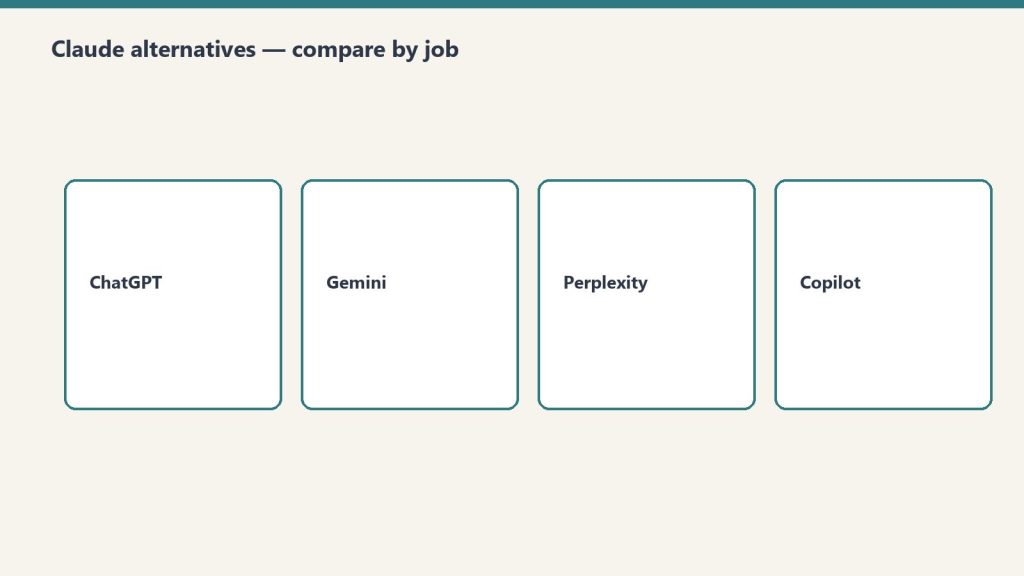
    This isn’t a winner-take-all comparison. Notion AI and ChatGPT are different categories of tool that get incorrectly compared because they both use the word “AI.” Notion AI knows your workspace. ChatGPT knows the open web. The right operator stack uses both. The question isn’t which to pick; it’s how to route work between them.

    When Notion AI wins

    • Anything that requires knowing your specific content
    • Synthesis across your databases, pages, and connected sources
    • Document work where the doc lives in your workspace
    • Recurring tasks that benefit from agent automation
    • Mobile use where seamless integration matters

    When ChatGPT wins

    • Open-web research
    • Brainstorming on topics outside your workspace
    • Code generation (currently ChatGPT and Claude lead here)
    • General-purpose Q&A
    • Conversational exploration of ideas

    How they stack

    The pattern that works for most operators: ChatGPT for “thinking out loud” and external research; Notion AI for everything that touches your actual work. Use ChatGPT to draft an idea, then move the polished version into Notion where it joins your actual workspace and Notion AI takes over.

    What ChatGPT does that Notion doesn’t (yet)

    • Image generation
    • Voice conversations as a primary mode
    • Custom GPT marketplace
    • Data analysis on uploaded files at scale

    What Notion AI does that ChatGPT doesn’t

    • Persistent context across your workspace
    • Database manipulation and Autofill
    • Custom Agents running on schedules
    • Workers for code execution
    • Native integration with Slack, Mail, Calendar at the workspace level

    The pricing reality

    ChatGPT Plus is $20/month per user. Notion Business is $20/user/month annually with separate Custom Agent credits ($10/1000) starting May 4. For a team using both heavily, the combined cost is meaningful.

    Where comparisons go wrong

    1. Asking “which is smarter.” They use overlapping models. Raw model intelligence is similar; what differs is integration depth.
    2. Trying to pick one. The right answer is usually both, with clear use-case routing.
    3. Treating ChatGPT memory as equivalent to Notion’s workspace context. ChatGPT memory is conversational. Notion’s context is structured workspace data. Different categories.

    What to read next

    Notion AI vs Claude Projects, Notion AI vs Gemini, Editorial Surface Area, Auto Model Selection.

  • Calendar + Notion AI: Letting Your Agent Schedule and Prep Meetings

    Calendar + Notion AI: Letting Your Agent Schedule and Prep Meetings

    Calendar + Notion AI: Letting Your Agent Schedule and Prep Meetings

    The 60-second version

    Calendar is the most repetitive coordination work in knowledge work. Notion AI’s calendar integration takes most of it off your plate. The agent reads your upcoming meetings, pulls related context from your Notion workspace, and drops a one-page brief in your inbox 30 minutes before. For scheduling, the agent suggests times based on your patterns and drafts the calendar invite. You confirm and send. Five minutes of coordination work compresses to thirty seconds of approval.

    Three calendar integration patterns

    1. The pre-meeting brief agent. Triggered 30-60 minutes before each external meeting. Pulls the relevant project page, prior meeting notes with these attendees, open action items, and any current context. Brief lands in your inbox or daily notes.
    2. The scheduling assist agent. When you need to schedule something, ask the agent. It reads your calendar, suggests times that match your patterns (e.g., afternoon for deep work, mornings for standup), and drafts the invite text. You review and send.
    3. The post-meeting capture agent. After meetings, agent prompts for quick voice or text capture. Processes the capture into structured updates: action items added to task database, decisions logged to project page, follow-ups scheduled.

    What stays human

    • Deciding which meetings to take
    • The conversations themselves
    • Final approval before scheduling sends
    • Any sensitive scheduling (interviews, terminations, board calls)

    Setup considerations

    The integration runs at the user level — your calendar connects to your agent. For shared calendars, the connection inherits the calendar’s permissions. Two practical notes:
    – The agent only sees what your calendar permissions show. Private events stay private to the agent.
    – For executive assistants managing multiple calendars, each calendar is a separate connection with separate agent context.

    Where this goes wrong

    1. Letting the agent send invites autonomously. Calendar invites have political weight. Always keep a human approval step.
    2. Trusting brief content for sensitive meetings. Performance reviews, terminations, sensitive client conversations — review the brief manually before relying on it.
    3. Overloading prep briefs. A 4-page brief is worse than a 1-paragraph brief because you don’t read it. Configure the agent to produce concise briefs by default.

    What to read next

    Slack Integration, Mail Integration, AI-Native Company Patterns, The Solo Operator’s Stack.

  • Mail Integration: Drafting and Triaging Email From Inside Notion AI

    Mail Integration: Drafting and Triaging Email From Inside Notion AI

    Mail Integration: Drafting and Triaging Email From Inside Notion AI

    The 60-second version

    Inbox triage is the highest-frequency, lowest-strategic-value work most knowledge workers do daily. Notion AI’s mail integration takes the operational layer off your plate. Agent reads inbox, categorizes incoming messages, drafts replies for routine items, and surfaces what actually needs your judgment. You review the drafts and send the ones that work. The inbox-zero ritual goes from 90 minutes to 15.

    Three mail integration patterns

    1. The triage and draft agent. Runs morning and afternoon. Categorizes inbox: requires response, FYI, junk, action item. For “requires response” items where context exists in Notion, drafts the reply. You review drafts and approve sends.
    2. The follow-up watcher. Watches sent messages. Flags conversations where you sent something and haven’t heard back in 5+ days. Drafts a follow-up. You review and decide whether to send.
    3. The inbox-to-database agent. When inbox content matches database criteria (new lead → CRM, support request → tickets, content pitch → editorial queue), agent extracts structured data and creates the database entry. Reduces manual entry.

    What stays human

    • Sending. Always.
    • Sensitive replies (HR, legal, conflict, confidential)
    • Initial emails to new contacts
    • Anything where voice matters more than content

    The send button stays human

    This is the rule. Agent integrations with mail should be read-and-draft, never autonomous send. The relationship cost of one wrong sent email exceeds the time savings of automating sends across hundreds of right ones. Don’t.

    Where this goes wrong

    1. Trusting drafts on relationship emails. Drafts to existing contacts you have history with risk missing nuance. Read these especially carefully before sending.
    2. Auto-categorizing too aggressively. “FYI” categorization can hide actual urgency. Sample-check the FYI bucket weekly.
    3. Letting follow-ups become spam. A follow-up after 5 days is reasonable. Three follow-ups in 10 days is harassment. Configure follow-up agents conservatively.

    Privacy posture

    Mail integration gives the agent significant access. Two practices:
    – Connect a personal mail account, not a shared inbox
    – Audit what the agent has read monthly via the Notion access logs

    What to read next

    Slack Integration, Calendar + Notion AI, AI-Native Company Patterns.

  • Notion AI for Knowledge Workers: The Personal Productivity Loadout

    Notion AI for Knowledge Workers: The Personal Productivity Loadout

    Notion AI for Knowledge Workers: The Personal Productivity Loadout

    The 60-second version

    Most coverage of Notion AI focuses on team and company use. The individual knowledge worker case is just as compelling and significantly cheaper. Plus plan (\$10/user/month) gets you the inline AI, AI Q&A across your workspace, and meeting notes. That’s enough for most personal productivity workflows. The Custom Agent layer (Business plan) only matters when you have recurring autonomous work — which most individuals don’t, but some do. Match the plan to the actual use, not the marketing aspiration.

    The personal loadout

    1. Daily planning interaction. Each morning, ask Notion AI to summarize your calendar, recent notes, and active projects. Get a one-paragraph “here’s your day” briefing. No agent needed; standard inline AI handles this.
    2. Meeting prep. Before each meeting, ask Notion AI to pull relevant context for the topic and attendees. Standard AI Q&A works fine for personal use. The brief is conversational, not formatted, but that’s adequate for personal prep.
    3. Writing substantive documents. Open a doc, draft, then use the inline AI to tighten paragraphs, suggest counterpoints, summarize sections. The AI is a writing partner, not a ghostwriter — you direct, it executes.
    4. Second-brain navigation. Ask Notion AI to find that thing you wrote three months ago about X. Or to synthesize what you’ve thought about Y across multiple notes. This is where Notion AI outperforms ChatGPT — it knows your stuff.
    5. Quick capture. Use voice memos (mobile) or quick text (desktop) to drop thoughts into a daily notes database. Periodically ask AI to review and structure them into related projects or notes.

    When you do need Custom Agents

    Three personal use cases that earn the upgrade:
    – You produce content on a recurring schedule (newsletter, blog, podcast notes)
    – You manage a personal client roster (consulting, coaching) and want pipeline hygiene
    – You run multiple side projects and need cross-project synthesis automated
    If none of these apply, Plus plan is enough. Don’t upgrade for capability you won’t use.

    The privacy framing

    For individuals, the privacy story matters. Notion AI runs on your workspace content. It doesn’t expose that content to other users. For personal journaling, sensitive notes, or confidential client work, this is meaningfully better than a general-purpose AI.

    Where individuals go wrong

    1. Buying Business plan for capability they won’t use. If you don’t have recurring scheduled work, Custom Agents are wasted spend.
    2. Treating AI as a replacement for thinking. The value of personal notes is largely the thinking that happens during writing. AI shortcuts the writing, which can shortcut the thinking. Use AI for synthesis and recall, not for the original thinking.
    3. Importing too many sources too fast. A new Notion AI user often connects every source available. The agent then synthesizes from a noisy signal. Start with one or two well-organized databases and grow from there.

    What to read next

    Editorial Surface Area, Second-Brain Architecture, Custom Agents vs Basic.

  • Notion AI for Product Managers: Specs, Roadmaps, and Stakeholder Updates

    Notion AI for Product Managers: Specs, Roadmaps, and Stakeholder Updates

    Notion AI for Product Managers: Specs, Roadmaps, and Stakeholder Updates

    The 60-second version

    PMs spend 60% of their time writing — specs, updates, briefs, summaries. Custom Agents take that down to 20%. The PM defines the problem and the strategic call; the agent produces the documentation. Specs draft from a problem statement. Stakeholder updates generate in three audience-specific versions from one source. User research synthesizes into themes automatically. The PM gets back to the work that PMs are actually hired for: deciding what to build.

    Four PM-specific agent patterns

    1. The spec drafting agent. Triggered when a new initiative is added with a problem statement. Pulls related research, prior similar specs, technical constraints from engineering pages. Drafts a structured spec with goals, non-goals, user stories, success metrics, open questions. PM reviews and decides; doesn’t start blank.
    2. The audience-tailored update agent. Single input: this week’s progress and risks. Three outputs: exec brief (3 paragraphs, headline-led), engineering update (technical detail, dependencies), customer-facing update (benefits framing). Audience-specific framing automated.
    3. The research synthesis agent. Triggered when interview notes land in the research database. Extracts themes, codes responses, identifies patterns across interviews, ranks insights by frequency and impact. PM gets a synthesis instead of a pile of raw notes.
    4. The roadmap maintenance agent. Reads the roadmap database. When initiatives change status or priority, updates the Now/Next/Later view, drafts the rationale for moves, flags timeline conflicts. The roadmap stays current without weekly reformatting.

    What stays PM

    • Strategic prioritization (what to build, what to kill)
    • Customer conversations
    • Cross-functional negotiation
    • Final spec approval
    • The judgment behind every roadmap move
      The agent makes the writing fast. It doesn’t make the deciding fast.

    The compounding effect

    PMs running this pattern report a category change in their work: less time on producing artifacts, more time on customer conversations and strategic calls. The artifacts still exist (specs, updates, roadmaps) but they’re produced faster and revised more often because revising is cheap.
    A weekly artifact that used to take 4 hours now takes 90 minutes. Across 50 weeks, that’s 125 hours reclaimed per PM per year. Most PMs spend that on the work they were always supposed to be doing.

    Where PMs go wrong

    1. Letting the agent draft success metrics. Metrics are strategic. The agent can suggest; the PM decides. Don’t outsource the metric definition.
    2. Trusting cross-team updates without verification. The agent might miss context from another team. Sample-check updates that go to engineering or sales for accuracy before sending.
    3. Producing more artifacts because production is cheap. Cheap production is a temptation to over-produce. The discipline of “what should we actually communicate” matters more, not less.

    What to read next

    Notion AI for Engineering, Synthesize Research piece, AI-Native Company Patterns.

  • Notion AI for HR: Onboarding Plans, Policy Lookups, and Performance Cycles

    Notion AI for HR: Onboarding Plans, Policy Lookups, and Performance Cycles

    Notion AI for HR: Onboarding Plans, Policy Lookups, and Performance Cycles

    The 60-second version

    HR is split between policy and people. The policy half is largely automatable. The people half isn’t. Custom Agents take over the lookup, documentation, and template-generation work that consumes HR teams, freeing them for the relationship and judgment work that requires being human. The result is HR teams that feel less like document processors and more like organizational coaches.

    Four HR-specific agent patterns

    1. The onboarding plan agent. Triggered when a new hire is added to the people database. Pulls role-specific onboarding template, customizes for team and start date, schedules Day 1 / Week 1 / 30/60/90-day milestones, drafts welcome communications. Manager arrives on Day 1 with a customized plan, not a generic one.
    2. The policy lookup agent. Anyone in the company asks: “Can I work remotely from another country?” or “What’s our PTO policy?” Agent answers in plain language, citing the specific policy page. Frees HR from being the policy answering desk.
    3. The performance review prep agent. Quarterly. Pulls each manager’s direct reports, drafts review templates with prior cycle ratings, recent project work, and feedback patterns. Manager opens a populated draft, not a blank one.
    4. The recruiting pipeline agent. Daily across the recruiting database. Updates candidate stage based on activity, flags candidates stalled in stages, drafts follow-up communications. Recruiting status meeting starts at “what about these flagged ones” instead of “where are we.”

    What stays human (and should)

    • Compensation decisions
    • Performance ratings and the conversations behind them
    • Conflict mediation
    • Hiring decisions
    • Layoff or termination calls
    • Anything that requires reading the room
      The agents make HR humans more available for the work that matters. They don’t replace them at it.

    The privacy layer matters more here

    HR data is sensitive. Three guardrails:
    – Scope agents tightly — an HR agent should not have access to engineering project pages, finance data, or anything outside HR’s lane.
    – Audit agent access logs monthly. Know what the agent has read.
    – Apply the company’s data handling policy to agent inputs and outputs the same way you would to any HR system.

    Where HR teams go wrong

    1. Letting agents draft sensitive communications. Termination letters, performance improvement plans, complaint responses — these need human authorship. Agents can pull templates; humans write them.
    2. Trusting policy answers without verification. Policy interpretation has nuance. The agent’s plain-language answer should always cite the underlying policy doc so users can verify. Sample-check 10% monthly.
    3. Replacing the recruiter’s judgment with the agent’s pipeline view. Agents update status; recruiters decide who to advance. Don’t let the agent close candidate records autonomously.

    What to read next

    Notion AI for Operations Managers, Notion AI for Legal Ops, AI-Native Company Patterns, When Not to Use a Notion Agent.