Tag: pillar

  • Working with the Anthropic API: Console, Models, BYOK & Costs

    Working with the Anthropic API: Console, Models, BYOK & Costs

    Last verified: September 2026. The API is where Claude stops being a chat window and starts being infrastructure. Four deep dives, one hub — the developer console, every model identifier, the subscription-vs-API cost crossover, and the bring-your-own-key strategy that keeps multi-provider stacks from breaking.

    The console: your developer home base

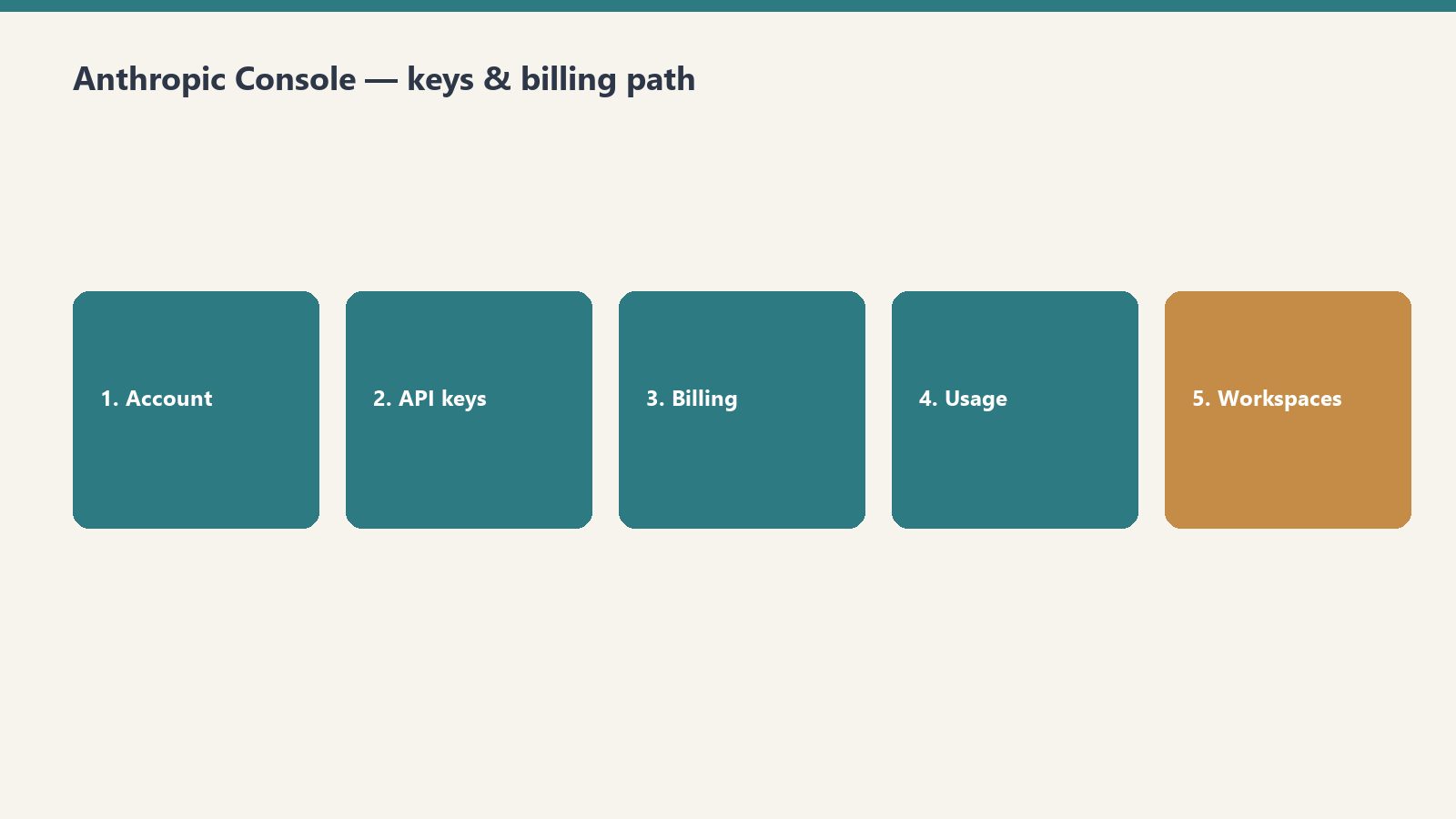
    The Anthropic Console (platform.claude.com) is where the API work actually happens — creating API keys, managing billing, monitoring usage, setting up workspaces, and navigating the developer dashboard. Start here if you haven’t touched the API side yet.

    → Anthropic Console: Developer Quickstart Guide (2026) — API keys, billing, usage monitoring, workspaces.

    The models: every identifier, decoded

    Every current Claude API model string — claude-fable-5, claude-opus-4-8, claude-sonnet-4-6, claude-haiku-4-5 — with context windows, per-token pricing, and when to use each. The one to bookmark; you’ll come back to it every time a new model drops and your code needs the right string.

    → Claude API Models: Complete 2026 Identifier Guide — model strings, context windows, per-token pricing, usage guidance.

    The money question: API vs subscription

    Subscription (Pro/Max) for interactive daily use; API for automation, building, and irregular usage. Here’s the cost crossover — and what the API adds that subscriptions don’t. The honest math on which billing shape fits your workload.

    → Claude API vs Subscription: Which Is Cheaper? (2026) — the cost crossover and what the API adds.

    The multi-provider play: BYOK on OpenRouter

    How to wire bring-your-own-key provider integrations on OpenRouter across dozens of providers without breaking your stack — prioritization, fallback chains, and per-agent configuration. For the builders running more than one model behind their agents.

    → BYOK on OpenRouter: Provider Keys, Prioritization, and Fallback Strategy — provider keys, prioritization, fallback chains.

    Four deep dives, one hub. The console to get set up, the model identifiers to wire it right, the cost math to bill it right, and BYOK when one provider isn’t enough.

  • Claude vs the Field: Benchmarks, Reddit Consensus & Honest Alternatives

    Claude vs the Field: Benchmarks, Reddit Consensus & Honest Alternatives

    Last verified: September 2026. Every other guide on this site assumes you've chosen Claude. This one is for before that — the choosing itself. Benchmarks, crowd consensus, the honest alternatives list, and the one head-to-head that matters most for developers. Four deep dives, one hub.

    The benchmarks: who actually codes best

    A primary-source coding leaderboard for the top models of June 2026 — Claude Fable 5, Claude Opus 4.8, GPT-5.5, and Gemini 3.1 Pro — with price and context alongside the scores. Benchmarks aren't the whole story, but they're the least biased starting point.

    → Claude vs GPT-5 vs Gemini: 2026 Coding Benchmarks — the leaderboard: scores, price, and context.

    The crowd: what Reddit really says

    Benchmarks measure models; Reddit measures living with them. The genuine crowd consensus from r/ClaudeAI, r/ChatGPT, and the comparison threads — on writing, coding, and integrations.

    → Claude vs ChatGPT in 2026: Reddit Community Consensus — writing, coding, integrations, in the community's own words.

    The alternatives: the honest list

    Claude isn't the only answer and sometimes it's the wrong one. The honest comparison of the 2026 alternatives — ChatGPT, Gemini, Perplexity, Grok, Copilot, and others — with pricing, strengths, weaknesses, and which fits which job.

    → Claude AI Alternatives in 2026: ChatGPT, Gemini, Perplexity, and How They Compare — pricing, strengths, weaknesses, best fits.

    The developer's head-to-head: Claude Code vs Codex CLI

    For the terminal crowd, the choice narrows to two: Claude Code vs OpenAI's Codex CLI. A working operator's side-by-side — install commands, models, pricing, config and sandbox behavior — with a clear call on which to pick.

    → Claude Code vs Codex CLI (2026): A Hands-On Head-to-Head — install, models, pricing, sandbox behavior, and the verdict.


    Four deep dives, one hub. The benchmarks for the scores, Reddit for the lived experience, the alternatives for the full field, and Code vs Codex for the developers.

  • Boeing Everett & SPEEA 2026: Contracts, Production Lines & Jobs

    Boeing Everett & SPEEA 2026: Contracts, Production Lines & Jobs

    Last verified: September 2026. October is the month everything converges in Everett: the SPEEA contract expires on October 6, production lines are shifting, and a 5,200-worker shortage has handed aerospace workers rare leverage. Eight deep dives, one hub — the contract, the lines, and what it means for your job.

    The contract: SPEEA 2026, expiring October 6

    Three guides, one deadline. The SPEEA 2026 contract with Boeing expires October 6 — days from now — covering Everett’s 17,000 aerospace engineers and technicians. The core bargaining issues: PTO, retirement, raise pools, and on-call compensation. Four core priorities, one expiring clock.

    → SPEEA 2026 Contract: Guide for Boeing Everett Engineers — the complete bargaining guide: PTO, retirement, raise pools.

    → SPEEA Boeing Contract 2026: Engineers & Tech Outlook — the four core bargaining priorities for 17,000 engineers and technicians.

    → SPEEA 2026 Boeing Contract: Salary & Labor Priorities — what engineers want: salary, PTO, retirement, on-call pay.

    The production lines: eras ending, targets rising

    May 2026 saw the final Boeing 767 freighter delivery to FedEx — the end of an era for the Everett widebody workforce, with the 767 commercial line closing in 2027. Meanwhile Renton is maxed out at 47 jets a month, making the new Everett 737 North Line Boeing’s only path to its crucial 2026 target of rate 53. And the pending 777F exemption decision hangs over Paine Field and the 777-8F transition.

    → Boeing 767 Freighter: Final FedEx Delivery & Everett Impact — the end of the 767 era and what follows for the widebody workforce.

    → Everett 737 North Line: Boeing’s Only Path to Rate 53 — why rate 53 runs through Everett.

    → KC-46 Tanker Line: Paine Field Jobs After 767 Closes — job stability and internal transfer options as the 767 line winds down.

    → Boeing 777F Exemption: What It Means for Paine Field Jobs — the exemption decision, job security, and the 777-8F transition.

    Your leverage: the 5,200-worker shortage

    A 5,200-person aerospace worker shortage means hiring leverage is on the worker’s side — massive leverage, per the source piece. WATR and the Machinists Institute can fast-track a Snohomish County aerospace career. Read the contract guides above, then read this one.

    → Aerospace Worker Shortage: Snohomish County Career Guide — how to convert the shortage into your offer letter.


    Eight deep dives, one hub. The SPEEA contract expiring October 6, the production lines shifting underneath it, and worker shortage handing you the leverage.

  • Your Laptop Is Already an AI PC: The Local AI Stack Guide

    Your Laptop Is Already an AI PC: The Local AI Stack Guide

    Last verified: September 2026. The AI-laptop wave is here — Copilot+ PCs, NPUs, “AI-ready” stickers on everything. Here’s the part the marketing skips: the laptop you already own can run a serious local AI stack today. No new hardware, no cloud bill, no subscription treadmill. This guide is the proof, the money math, and the build instructions — nine deep dives, one hub.

    The proof: a $400 laptop that rivals a Copilot+ PC

    Start here. A $400 budget laptop, no NPU, turned into a private AI operator rig that rivals a Copilot+ PC — command by command. This is the article that makes the whole premise undeniable: the hardware barrier is mostly marketing.

    → Local AI Without NPU: Turn a $400 Laptop Into an AI PC — the full command-by-command build.

    Will’s note: Ollama can also offload part of the compute to your GPU through its settings — we tried that route. We never really stuck with local, honestly; we like our CLIs backed by cloud compute. But if you want the full local path, the GPU setting is worth knowing about.

    The money: replacing a $12K/month tool budget

    The stack isn’t just a hobby project — it replaced $12,000 a month in expensive SaaS tools. Open-source models, Python, and PowerShell automation doing the work the subscriptions used to do. Read this one with your accounting hat on.

    → Local AI Stack: How We Replaced a $12K/Mo Tool Budget — what got replaced, with what, and how.

    Your files, answerable: 468 documents, one laptop

    Using Ollama’s nomic-embed-text model and ChromaDB, a local RAG system was built that indexes every skill file, session transcript, and project doc on the machine — 468 files — and answers natural-language questions about the operation. Your laptop becomes the expert on your own business.

    → I Indexed 468 Files Into a Local Vector Database. Now My Laptop Answers Questions About My Business — the build: embeddings, database, queries.

    The business version: index, query with Claude, measure ROI

    The production-grade take: indexing business documents into a local vector database and querying them with Claude — architecture, code, production lessons, and real ROI numbers. This is the one to hand your skeptical partner.

    → How to Index Business Files Into a Local Vector Database (2026) — architecture, code, and the ROI math.

    The agent army: zero cloud cost

    Enterprise AI costs are spiraling — GPT-4 API calls at scale run hundreds or thousands of dollars a month. The alternative: a free agent army built with Ollama and Claude. Zero cloud cost. This is the flagship piece of the stack.

    → How We Built a Free AI Agent Army With Ollama and Claude — the zero-cloud-cost AI stack.

    Triage agents: routing work at scale

    AI triage agents eliminate manual bottlenecks by automating task routing, intent detection, and urgency scoring across business lines. Not a chatbot — infrastructure that decides where work goes.

    → AI Triage Agents: How to Automate Task Routing at Scale — routing, intent detection, urgency scoring.

    The $0 marketing stack

    An enterprise marketing stack for $0: open-source AI, free API tiers, and Google Cloud credits. Exactly what’s used, spelled out.

    → The $0 Marketing Stack: Open Source AI, Free APIs, and Cloud Credits — the full stack, item by item.

    Scheduled tasks: automating the 40-hour week

    Scheduled tasks, webhooks, and AI automating manual work — the goal is reclaiming the 40-hour work week for strategic growth instead of busywork. This is where the stack stops being a demo and starts being operations.

    → Scheduled Tasks: How to Automate Your 40-Hour Work Week — tasks, webhooks, and AI automation patterns.

    The vision: the AI-native business operating system

    The end state: an AI-native business operating system that replaces static workflows with autonomous infrastructure, scaling the company with programmatic governance. Everything above is a component of this.

    → AI-Native Business Operating System: Autonomous Scaling — the architecture of the whole thing.


    Nine deep dives, one hub. The $400 laptop proves it, the $12K/mo replacement pays for it, the 468-file index and the agent army run on it — and the AI-native OS is where it all leads.
  • Claude Code: Setup, Pricing, Limits & Picking Your Dev Tool

    Claude Code: Setup, Pricing, Limits & Picking Your Dev Tool

    Last verified: September 2026. Claude Code is Anthropic's terminal coding tool — it lives where developers live, in the command line. Around it has grown a small universe: install paths, seat pricing, credit pools, rate limits, and three sibling agent surfaces that people constantly confuse with it. This guide is the map.

    Installing it: two minutes, pick your path

    On Windows, it's PowerShell, one command, no Node.js required — the native install path, verified against the May 2026 installer, including the five errors you’ll hit and the exact fix for each. For the general path, it's the one-line npm CLI install plus the Desktop app, done in under two minutes, with the common errors covered.

    → Install Claude Code on Windows: 2026 Step-by-Step — the Windows path: one command, five errors, five fixes.

    → Install Claude Code: Complete Desktop & CLI Setup Guide — the general path: npm one-liner, Desktop app, troubleshooting.

    What it costs: seats, tiers, and the API meter

    Claude Code rides on your existing seat — Pro ($20/month), Max ($100 or $200/month), Team, or Enterprise. The API path is a separate console meter, not drawn from your seat. If you're deciding between Pro and Max for dev work, the question is usage volume: Max is for the people who live in the terminal all day.

    → Claude Code Pricing in 2026: Pro vs Max vs API Costs Explained — seats vs API, verified September 2026, with current token rates on the pricing hub.

    → Claude Code Pricing 2026: Pro, Max, and API Limits — the tier comparison for dev workflows, including Opus 4.7 API rates.

    How the billing actually works: subscriptions vs credit pools

    This is the part that surprises people. Interactive terminal use draws on your Pro/Max subscription — it's part of the seat. But since June 15, 2026, Agent SDK and headless (claude -p) usage moved to separate monthly billing. Same tool, two meters, depending on how you invoke it. Know which one you're on before the invoice teaches you.

    → Claude Code Billing & Monthly Credit Pools (2026) — subscription draw vs separate Agent billing, and how the credit pools work.

    The limits: two clocks

    Claude Code meters two clocks: a rolling 5-hour session window and a weekly bucket. The +50% weekly promo ended September 13, 2026 — what replaced it is a permanent +25% on the weekly limits. Note the model gating: Fable 5.1 is included only on Max and premium seats.

    → Claude Code Limits (September 2026) — both clocks explained, what's permanent, and where Fable 5.1 is available.

    Picking your surface: Cowork vs Code vs Agent SDK vs Managed Agents

    Anthropic now has four agent surfaces and they are not interchangeable: Claude Code, Claude Cowork, the Agent SDK, and Managed Agents. Interactive vs autonomous is the real dividing line — which surface fits depends on who's driving and how much autonomy the job needs.

    → Claude Cowork vs Code vs Agent SDK vs Managed Agents (2026) — the decision matrix: who each surface is for and where each runs.

    Cowork in action: the daily briefing

    The canonical Cowork workflow: connect your calendar, email, and tasks, write the right prompt, and schedule it to run automatically every morning. A briefing that builds itself before you've had coffee. It's the clearest demo of what the non-code surface is for.

    → Claude Cowork: Daily Briefing & Automated Sync (2026) — setup, prompt design, and scheduling.


    Eight deep dives, one hub. Install it, price it, learn the billing and limits, then pick the right surface for the job.

  • The Microsoft 365 Copilot Guide: Shortcuts, Workflows, Compliance & Migration

    The Microsoft 365 Copilot Guide: Shortcuts, Workflows, Compliance & Migration

    Last verified: September 2026. Microsoft 365 Copilot lives inside the apps your company already pays for — Outlook, Teams, Word, Excel, PowerPoint — which is exactly why it's confusing. It's not one product with one manual; it's a layer across everything. This guide is the map: the fast lane for power users, the daily workflows, the compliance side your IT department cares about, and the migration path if you're coming from ChatGPT Enterprise.

    The fast lane: shortcuts and power tips

    Copilot rewards the people who learn its keys. The September 2026 shortcut table: Alt+C on Windows, Cmd+Control+I on Mac, F6 just about everywhere. In Word and Excel, Alt+I is the in-canvas draft key — not the side pane, the document itself. These are the difference between “I tried Copilot once” and actually living in it.

    → Microsoft 365 Copilot Shortcuts & Power Tips (2026) — the full shortcut table plus the hidden features most users never find.

    The daily workflows: Outlook, Teams, Word, PowerPoint, OneNote

    Shortcuts get you in the door; workflows are what you do all day. The guide walks a full workday: the Copilot morning routine, then cross-app workflows spanning Outlook, Teams, Word, PowerPoint, and OneNote — work that starts in one app and finishes in another.

    → The Complete Microsoft 365 Copilot Productivity Guide (2026) — the day-in-the-life walkthrough across all five apps, with the cross-app workflows spelled out.

    The compliance side: audit logs, Purview, and eDiscovery

    Here's the part individual users skip and IT departments can't: every Copilot interaction is a data event, and in a regulated or litigation-prone company, those events need an audit trail. Microsoft Purview is where it happens — Activity Explorer for monitoring Copilot usage, eDiscovery workflows that cover Copilot conversations, retention policies that decide what survives and for how long. If your company is rolling out Copilot without this configured, that's a gap, not a phase two.

    → Microsoft Copilot Audit Logs & eDiscovery Guide (2026) — Purview setup, Activity Explorer, eDiscovery coverage, and retention policy design.

    Switching: from ChatGPT Enterprise to Copilot

    The consolidation math is what's driving migrations: organizations moving from ChatGPT Enterprise to Microsoft Copilot save roughly $20–30 per user per month. The catch is that it's not a license swap — it's a workflow migration, covered in the guide workflow by workflow, challenges included.

    → Migrate ChatGPT Enterprise to Copilot: 2026 Guide — the workflow-by-workflow migration playbook.


    Four deep dives, one hub. The shortcuts table for speed, the productivity guide for the workday, the audit guide for the compliance file, and migration guide for the switch.

  • Claude Pricing, Plans & Limits: The Complete 2026 Guide

    Claude Pricing, Plans & Limits: The Complete 2026 Guide

    Last verified: September 2026. Claude's pricing moves fast — new models, new tiers, new limits every few months. This guide is the map: the direct answer up front, then every deep dive we've published, organized so you can find exactly the piece you need. For today's exact numbers, the linked tracker pages stay current.

    The short answer: what does Claude cost?

    As of September 2026, Claude's lineup is: Free ($0), Pro ($20/month, or $17/month billed annually), Max (from $100/month), Team (Standard $20–$25/seat/month, Premium $100–$125/seat/month depending on billing, 2–150 seats), and Enterprise (custom, starting around $20/seat/month). API pricing is separate from chat seats — a Pro subscription does not include API credits.

    That's the shape of it. Everything below is the detail — pick your question and follow the link.

    The plans, side by side

    Five tiers, five different buyers. Free is the trial. Pro is the individual power user. Max is for people who live in Claude all day. Team is per-seat collaboration with admin controls. Enterprise is custom contracts with security review.

    → Claude Pricing Tiers: Free vs Pro vs Max vs Team vs Enterprise — the full side-by-side: costs, features, and API rates at every tier, including current per-token pricing.

    → Claude Pricing (September 2026): Every Plan, Seat and API Rate — the master pricing page. If you only bookmark one page in this guide, make it this one.

    Team plans: Standard vs Premium seats

    This is where buyers get confused, because the two seat types look similar and cost very differently. Standard seats run roughly $20–$25 per seat per month; Premium seats run roughly $100–$125. The difference is usage allowance and admin controls — Premium is for the people on your team who burn through a Standard seat's limits by lunch.

    → Claude Team Pricing: Standard vs Premium Seats (2026) — feature-by-feature breakdown and guidance on which seats to buy for which roles.

    Rate limits and usage limits: the frustration chapter

    Rate limits are the number-one Claude complaint, and the number-one thing buyers underestimate. Every plan has them, they differ between chat and API, and Team plan limits doubled in May 2026 after Anthropic's compute deal with SpaceX's Colossus 1 — except the Free plan, which was left out.

    → Claude Rate Limits: Every Plan & API Tier (2026) — exactly what the limits are at every tier, plus the workarounds that actually work.

    → Claude Team Plan Usage Limits & Pricing (2026) — what changed in the May 2026 doubling, and what it means per seat.

    Token limits and context windows, in plain English

    Context window is how much Claude can hold in its head at once; output limit is how much it can write in one response. As of late 2026: Fable 5, Opus 4.8, and Sonnet 4.6 carry a 1M-token context window; Haiku 4.5 carries 200K. Maximum output runs to 128K tokens on the big models. In practice: 1M tokens is roughly a shelf of books in one conversation.

    → Claude Token Limit: Context Windows, Output Limits, and What They Mean in Practice — per-model limits and what they mean for real workloads.

    Which model: Haiku vs Sonnet vs Opus

    Three model families, three jobs. Haiku is fast and cheap — the one you call a thousand times a day. Sonnet is the daily default, the balance of smarts and speed. Opus is the flagship — the one you reach for when the problem is hard and the answer matters. Fable sits above them as the current top-tier model.

    → Claude Models Explained: Haiku vs Sonnet vs Opus (September 2026) — pricing, context, speed, and which model to use for coding, writing, and API work.

    What's current: the model tracker and release history

    The lineup as of September 8, 2026: Fable 5.1 (top), Opus 5 (flagship daily driver, Max default), Sonnet 5 (Free/Pro default), Haiku 4.5 (fast). Recent history: Fable 5.1 and Mythos 5.1 landed September 1, Opus 5 on July 24, Sonnet 5 on June 30, Fable 5 on June 9.

    → Current Claude Model Version (September 2026 Tracker) — the living tracker. Check this before you cite a version number anywhere.

    → Claude Release History: Claude 1 to Fable 5.1 — the full timeline from Claude 1 to today.

    Getting started: API keys and the Console

    Two doors into Claude: the chat app (claude.ai) and the API (console.anthropic.com). Getting an API key takes about five minutes — create an account, add a payment method, generate the key. The Console is also where you watch your API spend burn, which you should do early and often.

    → How to Get an Anthropic API Key (2026 Quick Guide) — the five-minute setup, step by step.

    → Anthropic Console: Setup, API Keys & Billing (2026) — keys, credits, billing, and burn monitoring in one place.

    Students and education pricing

    The honest answer first: there is no public Claude Pro student coupon. The student path runs through partner universities — free premium access via your school email through Claude for Education. Note the naming trap: “Claude for Teachers” is the K-12 program, not the campus one.

    → Claude Student Discount & Education Pricing (2026) — what's real, what's rumor, and how the university path works.

    Background: the company behind the pricing

    Anthropic's pricing makes more sense once you know the company's shape — an AI research company whose compute deals (like the SpaceX Colossus 1 agreement) directly move what you pay.

    → History of Anthropic: Founders, Origins & AI Evolution — from the founders' early vision to the company setting prices today.


    This guide links thirteen deep dives, all verified against September 2026 pricing. Claude's lineup changes fast — when in doubt, the pricing tracker and model tracker carry the current numbers.