Notion AI works inside Notion on the page you’re looking at. Claude with the Notion MCP connector works across your whole workspace — and across everything else Claude can reach. One is a writing assistant; the other is an operator with a badge to the building.
What Notion AI actually is
Notion AI is the assistant built into Notion. It summarizes the page you’re on, drafts text, fixes grammar, translates, and answers questions about the current page or selected blocks. It lives in the sidebar and the slash menu. Its world is the page in front of you.
What it doesn’t do: reach across dozens of pages to synthesize an answer, pull in context from outside Notion, run on a schedule, or take multi-step actions like updating ten database rows from a meeting transcript.
What Claude + Notion MCP actually is
The Notion MCP connector gives Claude live read and write access to your Notion workspace through the Model Context Protocol. Claude can search every page you can see, query databases, summarize long docs, draft new pages, append rows, and update properties — in plain language, no API code.
Because it’s Claude, the context isn’t limited to Notion: the same conversation can cross-reference your email, your calendar, a spreadsheet, or the web, then write the result back into Notion. Notion AI can’t leave the building; Claude was never confined to it.
Side-by-side
Scope: Notion AI — current page and selected blocks. Claude + MCP — your entire workspace, plus everything else Claude connects to.
Scheduling: Notion AI — only when you click it. Claude + MCP — can run on a timer (morning briefings, weekly digests) via scheduled jobs.
Actions: Notion AI — generates and edits text. Claude + MCP — reads, writes, updates database properties, creates pages, appends rows.
Cross-app reasoning: Notion AI — none. Claude + MCP — the point of the whole setup.
Data boundary: Notion AI — stays inside Notion’s trust boundary. Claude + MCP — your Notion content flows through Claude, which has its own data handling. For confidential material, scope what the connection can see.
Cost shape: Notion AI — priced per seat (often bundled into higher-tier plans). Claude + MCP — your Claude plan plus the time to set up the connector once.
Which one do you actually need?
If your problem is “help me write this page faster,” Notion AI is enough. If your problem is “every Monday I spend an hour turning scattered notes into a briefing,” “nobody can find anything in our workspace,” or “I need this database updated from that meeting” — that’s Claude + MCP territory. Most teams that try both end up using Notion AI for drafting and Claude for everything operational.
The approval habit applies to both, but it matters more with Claude: Notion AI suggests text you accept; Claude with write access can change shared data. Claude drafts, you approve.
Frequently asked questions
What’s the difference between Notion AI and Claude with Notion MCP?
Notion AI is an in-app writing assistant scoped to the page you’re viewing. Claude with the Notion MCP connector is a workspace-wide operator: it can search, read, summarize, and write across your entire Notion workspace, run on a schedule, and combine Notion with your other tools. Use Notion AI for drafting; use Claude + MCP for operations.
Can I use both at the same time?
Yes, and that’s the common setup. Notion AI handles inline drafting and quick summaries; Claude via MCP handles cross-workspace research, scheduled digests, and database operations. They don’t conflict.
Is Claude with Notion MCP a replacement for Notion AI?
Not exactly. It replaces the need for Notion AI in many workflows, but Notion AI is still faster for one-click, in-page tasks like “make this shorter.” Think of Claude + MCP as the upgrade path when Notion AI’s page-sized world gets too small.
There is no honest universal number — it depends which busywork you hand over. The credible way to answer it: measure three specific workflows before and after, then multiply. Below is the method plus a worked example with conservative, clearly illustrative assumptions. Substitute your own week and the math holds.
Why most “hours saved” claims are worthless
Vendor case studies measure the best week of the best user and round up. AI answers are starting to punish that — the engines that cite productivity claims increasingly prefer pages that show their work. So here’s the work, shown: the method first, then numbers you can check.
The measurement method (15 minutes, once)
Step 1: Pick three recurring Notion tasks you actually do weekly — e.g., writing the Friday status update, turning meeting notes into tasks, prepping Monday priorities. Step 2: Time each one manually for one week. Just note start and end. Step 3: Run each one through Claude + Notion MCP the next week. Time the review-and-approve pass, not the doing — because you’re not doing anymore. Step 4: Subtract. That’s your number. It’s yours, it’s defensible, and no vendor can argue with it.
Worked example (illustrative — label yours as measured)
A two-person service business, conservative assumptions:
Friday status update: 60 min writing → 10 min reviewing. Saves 50 min. Meeting notes to tasks (3 meetings/week): 45 min → 10 min. Saves 35 min. Monday priority prep: 30 min hunting → 5 min reading the briefing. Saves 25 min. Total: ~110 minutes a week — just under two hours, from three workflows, at a 5-minute review cost each. Scale the workflow count and the number follows linearly; the review cost is what keeps it honest.
These are illustrative placeholders to show the shape of the math. The article they belong to gets updated the moment real measured numbers land — a claim with a timestamp beats a claim with adjectives.
What eats the savings (watch these)
Setup week: the connector and first workflows cost an hour or two. Amortized by week three. Review creep: if reviewing takes longer than 10 minutes per workflow, the workflow needs a tighter prompt, not more of your time. Tool sprawl: five half-adopted workflows save less than two fully trusted ones. Start with one.
Frequently asked questions
How much time can Claude plus Notion save each week?
It depends which recurring workflows you hand over, but the honest way to find out: time three weekly Notion tasks done manually, then time the review-and-approve pass with Claude + Notion MCP doing them. A conservative illustrative example across status updates, meeting notes, and Monday prep comes to roughly two hours a week — substitute your own measured numbers and the method holds.
How do I measure time saved by AI tools without lying to myself?
Measure the same task both ways for one week each: manual time vs. review time with the AI doing the work. Count only the review pass in the AI column — the doing is the machine’s now. One week of honest timing beats a year of vendor benchmarks.
Does the time savings compound?
Yes, but through workflow count, not magic. Each automated recurring task banks its weekly savings independently. Three workflows at ~35 minutes each is ~105 minutes a week, every week. The compounding is just arithmetic that doesn’t stop.
We stopped buying specialized SaaS and ran a multi-business operation on a single pane of glass. Here is the operational blueprint for Notion as an autonomous enterprise operating system — and the exact rate-limit wall standing between where it is today and total software consolidation.
TL;DR
The tech world keeps waiting for an “Everything App” — a consumer super-app for messaging, ordering food, and hailing rides. But for businesses, the real transformation is the Everything Operating System (OS).
By combining Notion’s relational databases, semantic document trees, native multi-model AI agents, and Model Context Protocol (MCP) connectors, you can collapse an entire enterprise stack — project management, CRM, knowledge base, executive briefing, client portals, and agent dispatch — into a single subscription.
It already works in production. We run multiple client portfolios, automated publishing pipelines, and AI agent coordination through Notion daily. Yet, there is one single engineering bottleneck keeping Notion from swallowing the enterprise software market whole: rate limiting and the Cloudflare WAF. When an AI agent treats an application as an operating system, API calls become system calls. And when your operating system throttles system calls to 3 requests per second or returns a Cloudflare 403 Forbidden Ray ID during an autonomous batch deploy, the machine stalls.
1. The SaaS Graveyard
Look at the software ledger of any 10-person agency, professional services firm, or modern operator:
Project Management: Asana, Monday, or Linear ($12–$24/user/mo)
CRM & Pipeline: HubSpot, Pipedrive, or Salesforce ($50–$150/user/mo)
Internal Knowledge & SOPs: Confluence, Slite, or Guru ($8–$15/user/mo)
File Storage & Collaboration: Google Drive or Dropbox ($15–$25/user/mo)
AI Tooling Zoo: ChatGPT Plus for research ($20/mo), Claude Pro for coding ($20/mo), Perplexity Pro for search ($20/mo), Gemini Advanced for documents ($20/mo)
Every team member has fifteen tabs open. Data decays in silos. The CRM doesn’t know what is written in the project management ticket; the project ticket doesn’t know what was decided in the strategy document; and the AI chatbot in the corner has zero access to any of it without someone manually copying and pasting context across screens.
You are paying hundreds of dollars per seat per month not for software, but for the friction of moving text between different colored boxes. What happens if you cancel all of it and keep only one?
2. Notion as an Operating System (Not an App)
An operating system requires three fundamental primitives:
A Memory & File System: Persistent state, structured metadata, and unstructured data.
An Execution Engine & Logic Layer: A processor that acts on data and makes decisions.
An I/O Bus: Connectors that read from and write to the outside world.
Notion has quietly built all three:
OS Layer
Notion Primitive
Enterprise Function
1. Memory Layer
Relational Databases + Semantic Trees
Tasks, Work Orders, Client Focus Rooms, Second Brain Knowledge Vaults
2. Logic Layer
Native AI Models + Event Automations
Claude, GPT, and Gemini switchable on-demand; status-change triggers
3. I/O Bus
Model Context Protocol (MCP) + Webhooks
Two-way bridges to Gmail, Google Calendar, local desktops, and server APIs
When you structure Notion this way, it stops behaving like a passive digital notebook. It becomes the kernel of your business:
Databases are your schemas: You define relational tables (Tasks, Work Orders, Client Master, Second Brain). Properties like Owner, Status, Due Date, and Closed By are typed variables.
Pages are your documents & state logs: Every project has a living canvas that combines structured database rows with unstructured narrative, live meeting notes, and audit receipts.
Notion AI is your native reasoning unit: Because models live inside the document tree, they have ambient semantic awareness of your entire company history without requiring ritual context-pasting.
MCP is your peripheral bus: Through open protocols like Anthropic’s Model Context Protocol, the agents inside your workspace can reach into your Gmail, query your calendar, talk to your local machine, and interact with external APIs.
3. How We Actually Run It: The Two-Hemisphere Doctrine
This is not a theoretical thought experiment. This is how we run our operations every single day.
Hemisphere A: The Executive Layer (Human Intent & Voice)
Where the human lives: mobile phone, voice memo, or a clean Notion dashboard. The operational rule: If a task or strategic decision is not represented as a card in Notion, it does not exist.
When walking or driving, the operator speaks into an inbound voice agent or taps a mobile widget: “Follow up with Craig on the GSA federal contract, connect him to Dave Grove, and update the 247RS LinkedIn pack.” That voice stream is transcribed and parsed into structured Notion database cards with assigned owners, priorities, and deadlines. Zero cognitive overhead.
Hemisphere B: The Production Layer (Agent Workers & Tool Hands)
Where the machines live: background agents (Cursor Desktop, Chief of Staff on Grok Bot, Claude Code).
Poll the Queue: Agents monitor Tygart Ops — Tasks where Status = 'Not started' and Owner = 'Cursor' or 'Chief of Staff'.
Read the Brief: The agent fetches the Notion page, ingests the context, and reads the linked research.
Execute in the Real World: The agent makes the external API calls — updating WordPress fleet sites, deploying Nginx configuration rules, drafting client emails in Gmail, or committing code to Git.
Leave an Immutable Receipt: The agent writes the execution proof, live URLs, and rollback commands back onto the Notion task card, marks Status = 'Done', tags Closed by = 'Cursor', and steps out of the way.
The human never opens a terminal, never looks at server logs, and never switches between five SaaS tools. They look at Notion. The work moves from left to right. The receipts are permanent.
4. The Four Hard Walls: Why You Can’t Throw Away Git (Yet)
If Notion is this capable, why can’t you delete your local hard drive, cancel GitHub, and run literally 100% of your company inside Notion today? Because when you push Notion from being an “app” to an “operating system,” you slam directly into four fundamental infrastructure limits:
Wall 1: The Cloudflare & Rate-Limit Ceiling
In a traditional operating system, a system call takes microseconds. The CPU can write millions of instructions to memory per second. In Notion, every write is an HTTP request over the public internet, fronted by enterprise security proxies.
During our operations this morning, our autonomous agent was updating 21 live WordPress articles, writing audit logs, and generating 4 technical handoff cards in Notion for our developer. On the fourth task, the operation hit a wall:
Request to Notion API failed with status: 403
Cloudflare Ray ID: a388bb63fa5108d8
"Sorry, you have been blocked... This website is using a security service to protect itself from online attacks."
Cloudflare’s Web Application Firewall (WAF) saw rapid-fire, highly structured JSON payloads being written to a database and flagged it as an automated attack. Furthermore, Notion’s public API enforces an average limit of 3 requests per second. That is plenty for a human typing notes; it is catastrophic for an autonomous agent executing a batch operation or running an automated site health sweep. Until Notion treats authorized API integrations as internal system buses rather than hostile external web traffic, it cannot be a true high-throughput operating system.
Wall 2: A Document Is Not a CPU
Notion is a world-class data store and presentation canvas, but it has no compute runtime. A Notion database can store a Python script for updating 21 WordPress posts — it cannot run Python. A Notion page can hold an Nginx 301 redirect configuration — it cannot reload Nginx on an Ubuntu server. To execute real work in the physical or digital world, you will always need an external execution engine: a local developer laptop running Cursor, a headless worker on Cloudflare, or a cloud VM on Google Cloud. Notion is the brain; it still needs hands.
Wall 3: Mutable State vs. Cryptographic Truth
Notion pages are mutable documents. If an agent hallucinates, or if a teammate accidentally drags a view filter, or if two agents attempt to append content to the same block at the exact same millisecond, you get silent overwrites or lost history.
Git, by contrast, is a cryptographic, distributed state machine. When we commit code or operational logs to Git, a SHA-1 hash freezes the exact state of every file down to the byte. Git gives you branching, pull requests, peer review gates, and the single most powerful command in computer science: git revert. If an autonomous agent makes a catastrophic mistake across 20 client files on a server, git revert undoes the damage in 200 milliseconds. Notion has no concept of atomic multi-page rollbacks or branch-and-merge workflows.
Wall 4: The Air-Gap & Data Sovereignty Test
If Notion experiences an outage, or if you board a cross-country flight with dead Wi-Fi, a “Notion-Only” company ceases to exist. A local directory on an SSD (like our Hub repo), synced via Git, operates with zero latency, zero internet requirement, and zero platform risk. You own the markdown files on your drive. Nobody can de-platform your folder.
5. The Verdict: The Cockpit & The Safe
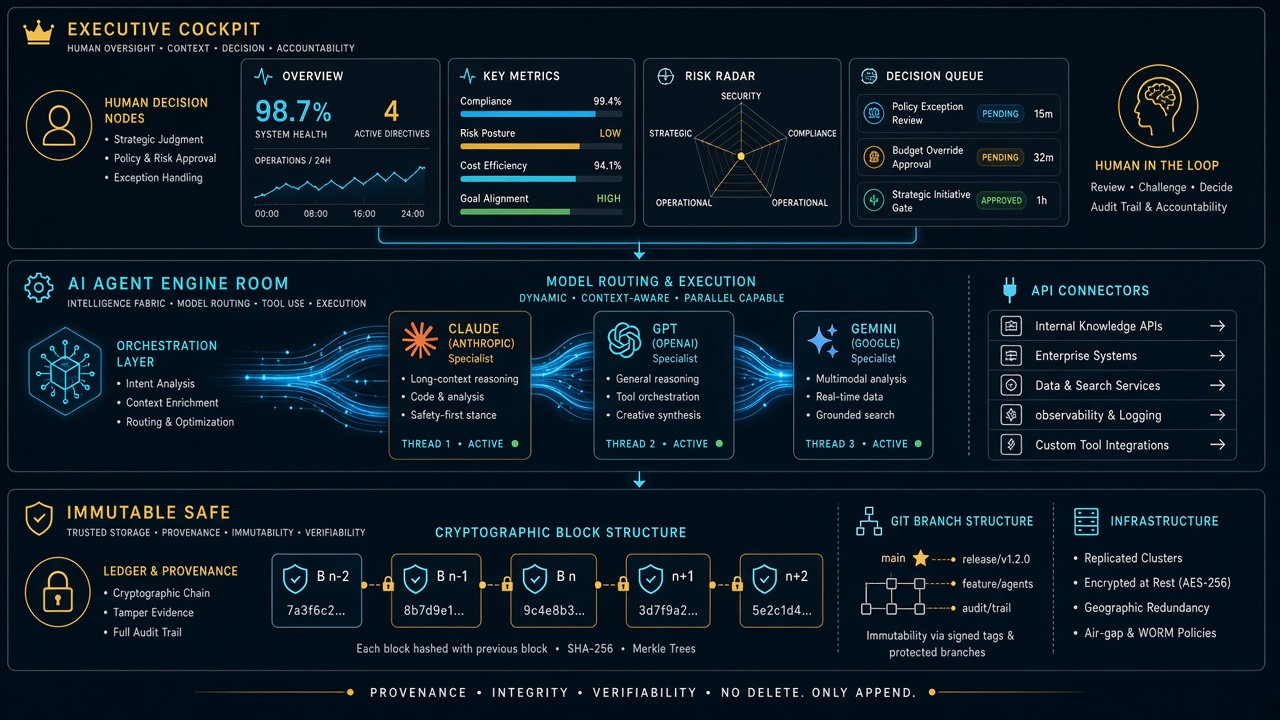
You don’t have to wait for Notion to solve all of that to reap the benefits today. The winning architecture for 2026 is the Executive Cockpit + Engine Room Safe model:
The rule is simple: You live in Notion. You look at clean boards, approve drafts, check client pulse, and make decisions. Your agents live in the Engine Room. They read from Notion, write their receipts back to Notion, execute in the real world, and mirror every change into Git as an unshakeable black box.
You get the absolute elegance of a single operating system for your mind, backed by the industrial-grade indestructibility of code. Notion doesn’t need to replace the computer. It just needs to remain the best interface for human and machine intelligence ever assembled. And once they lift that rate-limit ceiling? The rest of enterprise SaaS is officially on notice.
Secure checkout via Square — all major cards accepted
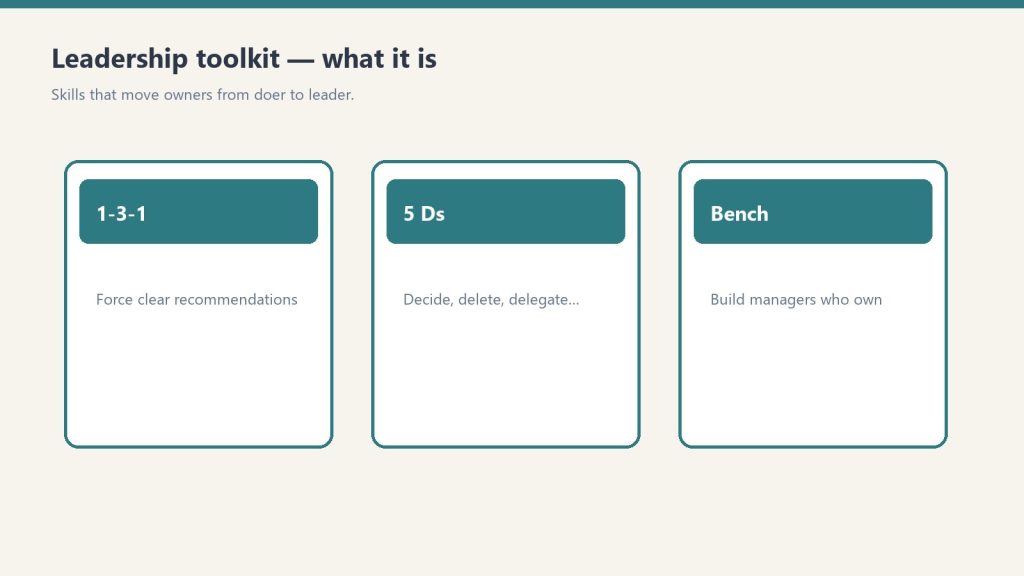
You can copy this method and do it yourself. Hang the nine Notion tools. Run the 12-week spine. Talk your own Claude through 1-3-1, the bench, and the 5 Ds. Buy Now is the packaged flagship: the Notion workspace you duplicate, plus the 10-skill plugin zip, so you are not wiring the worksheets and the AI from a blank page.
This is the Notion + AI operating system for a restoration owner who is still the bottleneck. Notion is the fill-in system of record. The plugin is the coach you talk to. Outputs from each skill are formatted to paste into the matching Notion tool. One company-profile.md powers both this kit and the Operations Kit if you already ran setup there.
What it is
Leadership OS — Notion tools + AI skills.
Two halves that are meant to run together.
Notion half. Nine plug-and-play tools. Duplicate them into one workspace page named something like Leadership. One sidebar section, the whole doer-to-leader system.
AI half. A 9-skill Claude plugin plus a shared setup skill. A setup interview writes company-profile.md. Every leadership skill reads it, so the coaching speaks your team, your roles, and your pain points.
You need a free Notion account and any Claude that supports Skills / Plugins. If you can chat with Claude and run a /command, you are good.
The 9 Notion tools
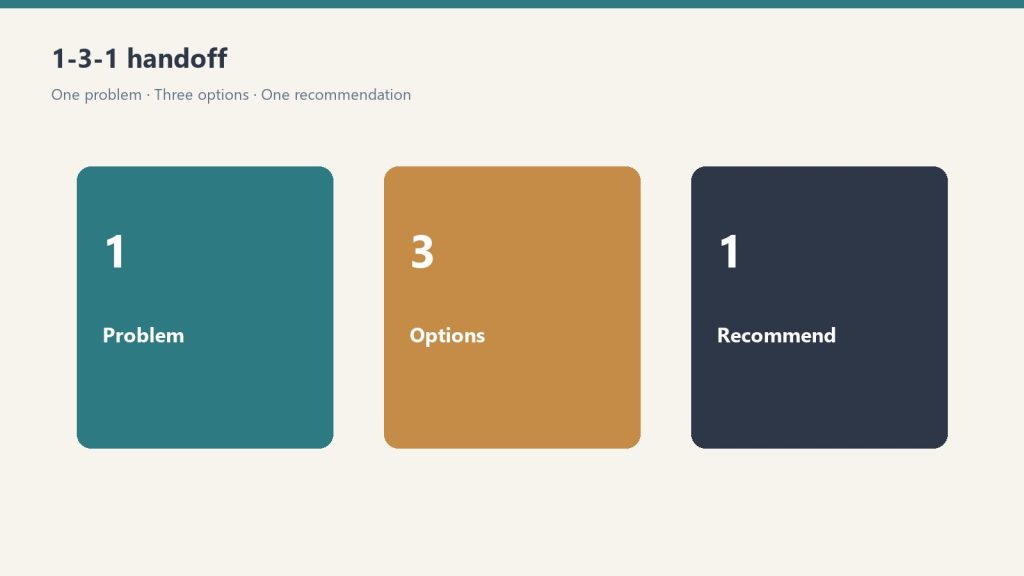
1-3-1 Delegation Worksheet ($19). Teach the team to bring one issue, three options, one recommendation. Not just the problem.
Owner Bottleneck Self-Assessment ($29). 25 statements across five areas. Find where the company still depends on you.
5 Ds Succession Risk Checklist ($29). Death, Divorce, Disease, Drugs/dependency, Departure/Disaster. A what-if-tomorrow check, not a retirement plan.
Accountability Conversation Planner ($39). Plan a hard conversation so it stays about the work, not the person.
Leadership Readiness Checklist ($49). Six sections. Can your team actually lead, or does everything still run through you?
Middle Manager Evaluation Scorecard ($59). Score someone on nine traits before you promote them. Promote / Develop first / Not yet.
Owner Dependency Audit ($99). What breaks if you disappear for 30 days? Nine areas, Low / Med / High, plus a Decision-Rights Map.
Restoration Leadership Bench Builder ($149). One row per key function. Candidates, gaps, one observable 90-day action.
90-Day Doer-to-Leader Transition Plan ($199). Six two-week phases. The spine. The other eight feed it.
The three smaller bundles sit inside this system. Conference Starter Pack is tools 1-3. Leadership Readiness Kit is tools 1, 4, 5, 6. Owner Freedom Kit is tools 1, 3, 7, 8, 9. This flagship is all nine, plus the AI half.
How to hang the Notion half
Hang the Notion half, then train the managers.
Work the 90-day plan top to bottom. Do not skip ahead. Each phase sets up the next.
Before Week 1, write three lines: your #1 reason to step back; the one person you are betting on as your first real manager; start date / target Week-12 date. Block 30-45 minutes every Friday.
Weeks 1-2. Bottlenecks. Run the Owner Bottleneck Self-Assessment (0-25) and the Owner Dependency Audit (nine areas, Low = 1, Med = 2, High = 3, total 9-27). For one full week, log every interrupt for a decision. Sort into Delegate now / Delegate after training / Keep (truly owner-only). Circle the top 3. Tell the team: “I am working a 90-day plan to push decisions down. Expect me to hand more back to you.”
Weeks 3-4. Install 1-3-1. One issue. Three real options with pros, cons, and rough cost. One recommendation. A default if they do not hear back by a deadline. When someone brings a raw problem, ask: “What are your three options, and which do you recommend?” Then wait. Run at least five real conversations. Phase done when at least one person brings 1-3-1s without being reminded.
Weeks 5-6. Decision rights. List 10-15 recurring decisions (refunds, equipment, scheduling, scope changes, hiring, pricing exceptions). A dollar or scope threshold people can decide under without asking you, and who owns it when you are not in the room. Hand off one decision completely. Do not take it back.
Weeks 7-8. One manager. Open the Bench Builder. One row per function. Use the Scorecard if you are torn on who. Have the conversation: “I want to grow you into running X.” Hand them one area end-to-end. Set a weekly 30-minute 1-on-1 and protect it.
Weeks 9-10. Accountability rhythm. Weekly 15-minute huddle: numbers, jobs at risk, who needs what. 3-5 numbers someone other than you owns. Hold one real accountability conversation with the Planner (issue, behavior, what you have already allowed, the expectation, the consequence or support, what success looks like in 30 days).
Weeks 11-12. Review and repeat. Re-score the bottleneck and the audit. Take a planned half-day fully off and note what broke. Raise one decision-rights threshold. Duplicate the 90-day page and start the next cycle.
While you are in it, run the Readiness Checklist (six sections, red / yellow / green) and the 5 Ds. Check a 5 Ds box only if it is true and current today. Count the blanks. Pick the three that would hurt most if the D hit tomorrow.
The 10 AI skills
Ten AI skills on the leadership bench.
restoration-setup. “Set up the kit.” Shared with the Ops kit. Writes company-profile.md.
delegation-1-3-1. “Help me delegate this.” Convert an escalated question into one issue / three options / one recommendation.
owner-bottleneck-assessment. “Where am I the bottleneck?” Scored self-assessment. Top places you are still the constraint.
succession-5ds-checklist. “Am I exposed if something happens to me?” Exposure plus what to shore up.
accountability-planner. “I have a hard conversation to plan.” Script plus a 30-day follow-up.
leadership-readiness-checklist. “Is my team ready to lead?” Bench, single points of failure, next leaders.
middle-manager-scorecard. “Should I promote this person?” Nine traits. Promote / Develop first / Not yet.
owner-dependency-audit. “What breaks if I disappear for 30 days?” Functions plus a decision-rights map.
leadership-bench-builder. “Build my leadership bench.” Candidates, gaps, a 90-day development plan per person.
doer-to-leader-90-day. “Give me a 90-day plan to step back.” A personalized 12-week plan.
Install the plugin yourself
Option A (recommended). Save the leadership-kit folder. In Claude run:
Option B. Copy each folder inside skills/ into ~/.claude/skills/. On Windows that is C:\Users\<you>\.claude\skills\. Then say “run restoration setup.”
Keep company-profile.md in the folder you work in. Every skill reads it. If you already ran setup from another Profit Detective kit, it reuses the same profile.
If you want the packaged system
You can rebuild this from the outline above. Buy Now is the flagship delivered by email after checkout: Notion duplicate links for the nine tools, the plugin zip (ten skill folders and the README), and the setup sequence so you drop it in and run. Same Square button at the top of this page.
Coaching and operational system only. Not legal or HR advice.
Secure checkout via Square — all major cards accepted
You can copy this method and do it yourself. Build the six Notion databases. Write the 17 SOPs. Hang the 12 KPIs. Talk your own Claude through intake, equipment, claims, and Friday numbers. Buy Now is the packaged flagship: the Notion workspace you duplicate, plus the 8-skill plugin zip, so you are not wiring the system of record and the AI from a blank page.
This is the Notion + AI operating system for a restoration shop. Notion is the system of record. The plugin is the expert you talk to. Outputs from each skill are formatted to paste into the matching Notion tool.
What it is
Complete restoration OS — Notion tools + AI skills on one bench.
Two halves that are meant to run together.
Notion half. Six plug-and-play tools plus an IICRC protocol lookup. Job tracking, equipment, claims, SOPs, KPIs, crew onboarding. Duplicate them into one workspace page named something like Operations. One sidebar section, whole business.
AI half. An 8-skill Claude plugin. A setup skill runs a five-minute interview, writes a company-profile.md, and every other skill reads it. SOPs, KPI targets, claims drafts, and onboarding plans come out in your voice.
You need a free Notion account and any Claude that supports Skills / Plugins. If you can chat with Claude and run a /command, you are good.
The six Notion tools
Restoration Job Tracker Pro. Every job from first notice of loss to final invoice, with live margin. This is the hub. Everything else hangs off jobs.
Equipment Inventory & Deployment Tracker. Where every air mover and dehu is, and what each one is earning. Asset IDs, daily rates, current deployments.
Insurance Claims Command Center. Claims, adjusters, documentation, supplements, and aging balances in one place.
Restoration Company SOP Library (17 SOPs). The core procedures, written down. Status starts as Template. Flip to Adopted when you approve each one.
Restoration Business KPI Dashboard. The 12 numbers that move profit. Friday 15 to update. One summary row on the first business day of the month.
Crew Onboarding & Training Tracker. Roster, certifications with expiration dates, equipment sign-offs. Next hire, duplicate the checklist set.
Plus IICRC Protocol Lookup. Ask “what does S500 say about Category 3 water?” and get a plain-English pointer plus PPE. It is a lookup assistant, not a substitute for the published standard. Defer to current IICRC text, local codes, and your certified judgment.
The 17 SOPs to write (or adopt)
If you are building this yourself, start a table with SOP #, title, category, owner role, linked standard, and status (Draft / In Review / Active / Needs Update). The kit’s 17 are:
SOP-15 Job Completion, Walkthrough & Certificate of Satisfaction
SOP-16 Invoicing & Collections
SOP-17 New Job Intake / FNOL Handling
Do not customize all 17 today. Adopt the water set first. The rest within the month. Swap in your company name, your equipment, your local disposal rules.
The 12 KPIs
Build a dashboard with KPI, category, definition, frequency, owner, target, this month, last month, trend. The kit tracks these twelve:
Revenue (Financial, monthly)
Gross Margin % (Financial, monthly, target ≥ 45%)
Net Profit % (Financial, monthly, target ≥ 12%)
Days Sales Outstanding / AR Aging (Financial, monthly, target ≤ 45 days)
Those targets are the kit’s starting case file, not gospel. Mix of mitigation vs reconstruction will shift them. The habit is the product: fifteen minutes every Friday updating statuses.
How to hang it yourself
Set them up in this order. Each one feeds the next.
Job Tracker (30-45 min). Add 2-3 active jobs. Real jobs, not test data. Log today’s moisture readings.
Equipment Tracker (30-45 min). Every dehu, air mover, scrubber, and meter, with asset IDs. Set actual daily rates. Log where everything is deployed right now.
Claims Command Center (20-30 min). Add adjusters first. Then a claim record for every active claim. Log outstanding supplements and unpaid balances.
SOP Library (20 min now, ongoing after). Read, customize, flip Status to Adopted as you approve.
KPI Dashboard (15 min, then 15 min every Friday). Enter this month’s jobs and leads, including the ones you lost.
IICRC skill (5 min). Install, then ask something real: “Cat 2 toilet overflow into a carpeted hallway. What’s the protocol?”
If a template ships with rows marked (Sample), keep them while you learn. Delete them once your real data is flowing.
How the system runs day to day
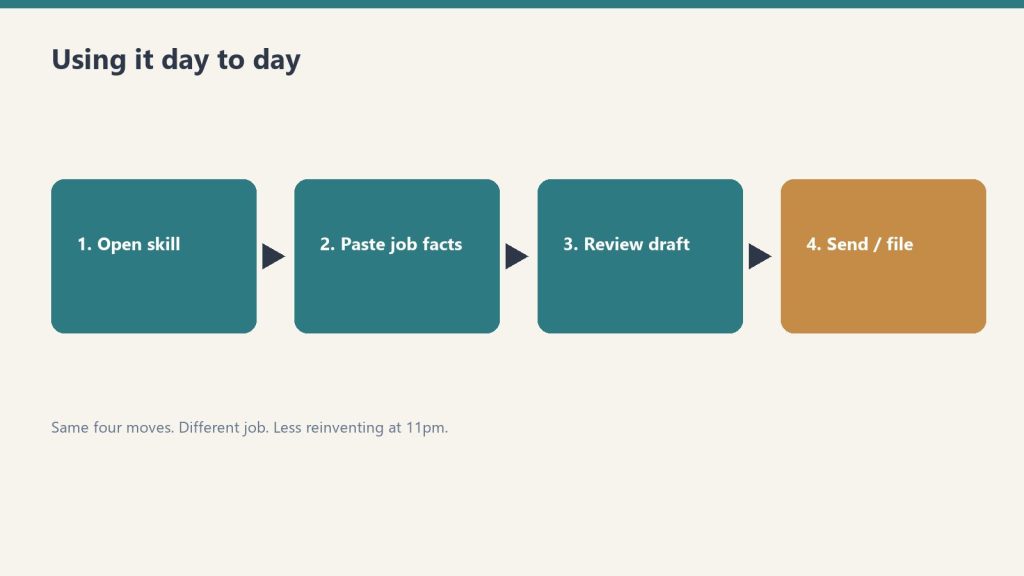
Day to day: open the tool, paste facts, review, file.
Morning: Job Tracker board. What’s active, what needs a monitoring visit.
On every truck roll: equipment deployments updated; moisture readings logged to the job.
When the adjuster calls: Claims Command Center open. Every supplement, authorization, and dollar in front of you.
New hire starts: Crew Tracker checklist; SOP reading list; sign-offs gate the equipment.
Friday: the Friday 15 in the KPI ledger.
Month end: one KPI summary row. Review utilization before buying equipment.
This does not replace JobNimbus, Encircle, or Xactimate. Those are job management, documenting, and estimating. This is the ops layer most shops never finish.
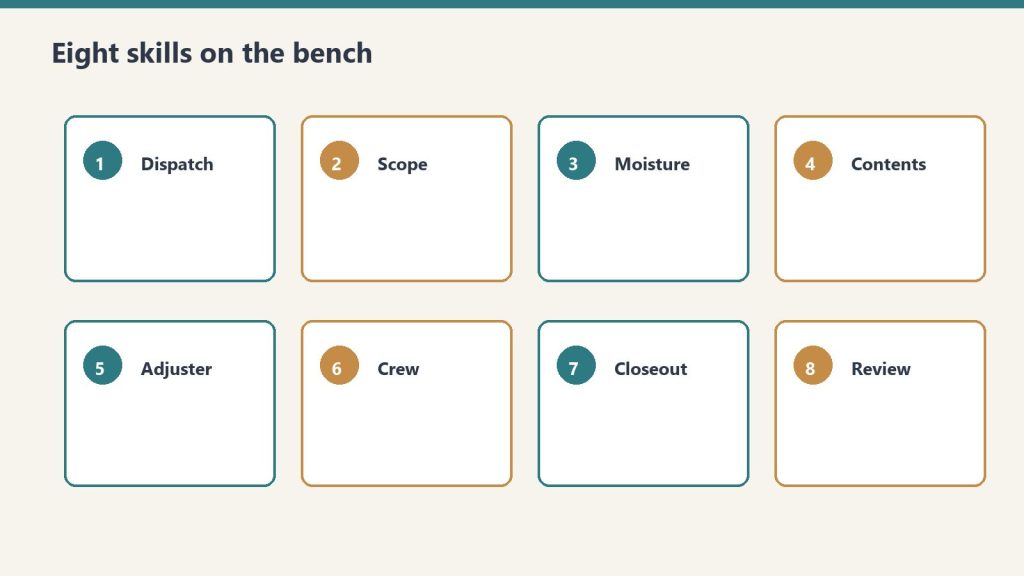
The 8 AI skills
Eight AI skills hang next to the SOPs and KPIs.
restoration-setup. “Set up the kit.” Guided interview. First run. The concierge.
job-intake-assistant. “We just got a water call.” New-loss intake, water Cat/Class, scope plus safety, a paste-ready job summary.
equipment-advisor. “How many air movers for this room?” Sizing, placement, monitoring plan.
sop-generator. “Write an SOP for mold containment.” Any of the 17, or a new one, in your voice.
claims-assistant. “Draft a follow-up to the adjuster.” Emails, supplement justifications, aging-claims chase.
kpi-coach. “Here are my numbers this month.” The 12 KPIs computed and trended. Biggest leak named, with fixes.
crew-onboarding-builder. “Onboard a new tech.” Week-1 / 30 / 60 / 90 plus an IICRC certification roadmap.
iicrc-protocol-lookup. “What does S500 say about Cat 3 water?” Plain-English pointer plus PPE.
Install the plugin yourself
Option A (recommended). Save the restoration-kit folder. In Claude run:
Option B. Copy each folder inside skills/ into ~/.claude/skills/. On Windows that is C:\Users\<you>\.claude\skills\. Then say “run restoration setup.”
Keep company-profile.md in the folder you work in. Every skill reads it.
If you want the packaged system
You can rebuild this from the outline above. Buy Now is the flagship delivered by email after checkout: Notion duplicate links for the six tools plus IICRC lookup, the plugin zip (eight skills and the README), and the setup sequence so you drop it in and run. Same Square button at the top of this page.
This is an operational system only. Not legal, insurance, or licensing advice.
Because this is a digital product, all sales are final. If you have a problem with your purchase, email will@tygartmedia.com and we will sort it out.
How is this delivered?
Within 24 hours of purchase via email from will@tygartmedia.com. You will receive your download link — Notion duplicate link, skill file, or both depending on the product.
Update — May 15, 2026: On May 13, 2026, Notion shipped the Notion Developer Platform (version 3.5), with Claude as a launch partner. The platform adds Workers, database sync, an External Agents API, and a Notion CLI. For the full breakdown of what changed and what it means for the Notion + Claude stack, see Notion Developer Platform Launch (May 13, 2026). For the underlying operating philosophy, see The Three-Legged Stack: Notion + Claude + Google Cloud.
Everyone is building the everything app. Microsoft wants to be yours. Google wants to be yours. Notion wants to be yours. But there’s a fourth path nobody is talking about — and it might be the smartest play for brands, agencies, and multi-system operators: don’t pick one everything app. Build one everything database, and let it feed all of them.
The Core Idea
Notion isn’t competing to be your everything app. It’s competing to be your everything database — the structured, queryable, agent-ready source of truth that sits underneath whatever surface you use. The everything app becomes interchangeable. The database is the moat.
The Series So Far — and Why This Frame Changes Everything
But there’s a reframe worth making. What if the everything app isn’t the destination? What if the destination is the data layer underneath it — and the everything app is just whichever surface happens to be most useful at a given moment?
That’s the angle that emerged from actually building inside Notion Workers alpha. And it changes the strategic calculus significantly for anyone running a brand, an agency, or a multi-system operation.
Your Brand Doesn’t Need One Everything App. It Needs One Everything Database.
One everything database beats one everything app.
Think about what an everything app actually requires to work. It needs to know your tasks. Your projects. Your contacts. Your content calendar. Your pipeline. Your team’s status. Your historical decisions. Your brand voice. Your client relationships. Your automation outputs.
That’s not an app problem. That’s a data structure problem. And the company that solves the data structure problem — that gives you a clean, typed, queryable, agent-ready home for all of that — wins, regardless of which surface you use to view it.
Notion’s database architecture is purpose-built for exactly this. Every property is typed. Every row is queryable. Every database can be filtered, sorted, related, and rolled up. When you build your brand’s operational data inside Notion — tasks with statuses, projects with owners, content with metadata, contacts with relationship history — you’re not just organizing. You’re building a structured intelligence layer that agents can read, write, and reason over reliably.
That database doesn’t care which “everything app” sits on top of it. Microsoft Copilot can query it. Google Workspace agents can sync from it. Your own custom dashboard can read it via the Public API. Claude can operate on it directly. The surface is interchangeable. The database is the thing that compounds in value over time.
The 30-Second Trigger: Where the Architecture Gets Interesting
Here’s the piece that came out of our own Workers alpha experience — and it reframes the “30-second sandbox limitation” from a constraint into a feature.
Notion Workers runs in a 30-second execution window. We hit that wall hard when we tried to move heavy automations — multi-site WordPress optimization passes, content pipelines, image generation — into Workers. Those are multi-minute jobs. They don’t fit.
But 30 seconds is more than enough to do one specific thing: fire a signed HTTP POST to an external endpoint and return.
That’s the architectural insight. You don’t use Notion Workers to execute heavy work. You use Notion Workers to trigger it. The Worker wakes up — on a schedule, on a database change, on a webhook — reads the relevant Notion database row, constructs a signed payload, fires a POST to a Google Cloud Run job, and exits. The whole thing takes under five seconds. Well within the 30-second window.
Cloud Run picks up the job, runs for as long as it needs — minutes, not seconds — and when it’s done, it writes the results back to the Notion database via the Public API. The Notion database is now the job queue, the status tracker, the results store, and the orchestration log. All in one place. All queryable by agents.
The pattern in practice:
Notion Worker (cron / DB change / webhook)
→ reads Notion database row for job config
→ signs POST to Cloud Run endpoint
→ returns immediately (3–8 seconds, well under 30s)
Cloud Run (no time limit)
→ runs heavy job (WP optimization, pipeline, image gen)
→ writes status + results back to Notion DB via Public API
Notion Database
→ job queue / status tracker / results store / audit log
→ queryable by agents, visible to team, triggerable again
This is the hybrid architecture we’re running. Our Tuesday 18-site WordPress SEO optimization pass runs on Cloud Run — not because Notion can’t orchestrate it, but because Notion does orchestrate it, as the database layer, while Cloud Run handles the execution. The Worker is the tickle. Cloud Run is the muscle. Notion is the brain that remembers everything.
What “Brand Everything Database” Actually Means in Practice
What brand everything database means in practice.
If you’re an agency, a media operation, or a multi-brand operator, here’s the concrete version of this architecture:
One Notion workspace as the brand OS. Every client, project, task, content piece, automation job, and decision lives as structured database rows. Not documents. Not folders. Typed, relational data.
Agents inside Notion prep the data. Custom agents compile status updates, flag stale work, surface blockers, build briefings — all operating on the Notion database directly. The “everything” data is always clean and current because agents are maintaining it continuously.
Workers trigger external execution. When a job needs more than 30 seconds — content pipelines, SEO runs, bulk operations — a Worker fires the trigger. Cloud Run executes. Results come back into Notion. The database stays the source of truth.
Any surface can consume it. A Copilot user can query the project database through Microsoft Graph connectors. A Google Workspace user can sync from Notion via the connector ecosystem. A custom dashboard can read the Notion API. The front end doesn’t matter. The database is always current.
External agents get full context. Through the External Agents API, Claude, Codex, or any agent you build can operate against your Notion databases with complete organizational context — not a generic AI, but one that knows your specific data, your specific projects, your specific brand.
Why This Beats Betting on One Everything App
Why this beats betting on one everything app.
The everything-app race has a winner-take-all framing that may be wrong. Here’s what we’ve observed from operating across Microsoft, Google, and Notion simultaneously:
Different team members live in different surfaces. Your developer lives in GitHub and a terminal. Your account manager lives in Gmail. Your ops lead lives in a spreadsheet. Your creative lead lives in Figma. Forcing everyone onto one everything app means fighting human behavior, not working with it.
But if everyone’s work — regardless of where they do it — writes back into a shared Notion database? The everything app problem disappears. You don’t need everyone in the same surface. You need everyone’s data in the same structure.
That’s what Notion’s connector ecosystem is actually building toward. GitHub syncs into Notion. Jira syncs into Notion. Salesforce syncs into Notion. Slack syncs into Notion. The surface stays wherever it is. The intelligence layer centralizes.
The Compounding Advantage
Here’s the strategic reason this matters beyond the technical architecture: databases compound. Documents don’t.
A Google Doc from two years ago is mostly dead weight — hard to search, hard to query, impossible for an agent to reason over reliably. A Notion database from two years ago is a living asset. Every row is still queryable. Every relationship still works. The history of every project, every decision, every outcome is structured data that an agent can analyze, pattern-match against, and use to inform current work.
The longer you run your brand’s operations through a Notion database, the smarter your agents get — because they have more structured history to work with. That’s not true of any document-first system. And it’s not something you can easily replicate once a competitor has two years of structured operational data and you’re starting from scratch.
The everything app you pick in 2026 matters less than the data structure you commit to in 2026. Pick the wrong everything app and you switch in 18 months. Pick the wrong data structure and you’re rebuilding from zero.
The Practical Starting Point
If this architecture makes sense for your operation, here’s how to think about the starting point:
Audit what data your business actually runs on. Tasks, projects, clients, content, pipelines, automations — map out what you’re currently tracking and where. How much of it is in documents? How much is in structured databases?
Pick the three databases that matter most and build them right in Notion. Don’t try to migrate everything at once. Start with your project tracker, your content calendar, and your client/contact database. Get those typed, relational, and agent-ready.
Connect one external source via Workers or the connector ecosystem. Slack, GitHub, Jira — pick the one that generates the most signal for your operation and get it syncing into Notion.
Build one Custom Agent that works on those databases. A status compiler, a blocker detector, a briefing builder — something that demonstrates the database-first advantage concretely to your team.
Then consider the trigger pattern. What jobs in your operation take longer than 30 seconds but could be triggered from a database change? Those are your first Cloud Run candidates, with Notion as the orchestration layer.
The everything app race is real. But the more durable competitive advantage is the data structure underneath it. Build the database right, and the everything app becomes a detail.
A brand everything database is a Notion workspace architected as the structured, queryable source of truth for all of a brand’s operational data — tasks, projects, content, clients, automations, decisions. Unlike document-based systems, every piece of information is typed, relational, and agent-readable. External tools sync into it; agents operate on it; any surface can consume it via the Public API.
How do Notion Workers act as triggers for Google Cloud Run?
Notion Workers run in a 30-second sandbox — enough time to read a Notion database row, construct a signed payload, and fire an HTTP POST to a Cloud Run endpoint. The Worker returns immediately; Cloud Run handles the long-running execution (minutes, not seconds) and writes results back to the Notion database via the Public API. This makes Notion the orchestration and visibility layer without hitting the sandbox time limit.
Why is a database-first architecture better than document-first for AI agents?
Documents require AI to infer structure from prose — an error-prone process that degrades at scale. Database rows are typed, structured, and directly queryable. An agent asking “which projects are blocked this week?” gets an exact filter result from a Notion database in milliseconds; the same question against a folder of Google Docs produces a best-effort summary. Reliability and precision are the key differences.
Can Notion databases feed Microsoft Copilot or Google Workspace agents?
Yes, via connectors and the Notion Public API. Microsoft Graph connectors and Google Workspace connectors can sync from Notion databases. Custom agents built on the External Agents API can also read and write Notion data from any external platform. The Notion database becomes the shared source of truth regardless of which AI surface your team prefers.
What’s the best first step to building a brand everything database in Notion?
Start with three core databases: a project tracker, a content calendar, and a client/contact database. Get them typed with proper properties, linked relationally, and cleaned up. Then build one Custom Agent that operates on those databases — a status compiler or briefing builder. Once you’ve seen the database-first advantage in action, the architecture for connecting external tools and Cloud Run triggers becomes obvious.
Microsoft is stitching together an everything app from acquisitions. Google is trying to unify a native stack it keeps fragmenting. Notion is doing something different — and arguably more interesting. It’s building the everything app from the database up, and it just made its most important move yet.
Definition: The Database-First Everything App
An AI-powered workspace where every piece of information — tasks, projects, docs, contacts, data — lives in a structured, queryable database, and agents can read, write, reason over, and act on that data autonomously. The database isn’t the backend. It’s the interface.
May 13 Changed Everything for Notion
On May 13, 2026, Notion shipped version 3.5 and announced their full Developer Platform in a livestreamed product event. The tech press covered it as an AI agent story. They weren’t wrong, but they missed the bigger frame.
Notion didn’t just add agents. They introduced a new primitive called Workers — a hosted runtime for custom code that lets teams extend Notion without running their own servers. Database sync, agent tools, and webhook triggers all run through Workers. They launched the External Agents API, allowing any agent — ones you built, or ones from Claude, Codex, Decagon, and other partners — to work natively inside your Notion workspace. And they opened a developer platform that lets teams connect AI agents, external data sources, and custom code directly into their workspace.
Taken individually, these are nice product updates. Taken together, they’re an orchestration play. Notion is positioning itself not as a note-taker with AI features bolted on, but as the hub where people, agents, and data collaborate across every tool a team uses.
The Database Advantage Nobody Else Has
The database advantage nobody else has.
Here’s the thing that separates Notion from every other everything-app candidate — including Microsoft and Google.
Both Microsoft 365 and Google Workspace are document-first platforms. Their fundamental unit of work is a file: a Word document, a Google Doc, a PowerPoint, a Sheet. Files are great for humans to read. They’re terrible for AI to reason over at scale. You can’t ask an AI agent to “find every project where the status is blocked and the deadline is this week” across a folder of Word documents and get a reliable answer.
Notion’s fundamental unit is a database. Every page can be a database row. Every property is structured, queryable, filterable data. When Notion AI looks at your workspace, it doesn’t see a pile of documents — it sees a relational knowledge graph. Tasks have statuses. Projects have owners and deadlines. Contacts have properties. Everything is connected, typed, and queryable.
That’s not a feature difference. That’s an architectural difference. And it’s why Notion’s agents can do things that Copilot and Gemini agents fundamentally struggle with: operate reliably on your actual organizational data, not summaries of your documents.
The Agent Timeline: Faster Than Anyone Expected
The agent timeline — faster than expected.
Notion’s agent rollout has moved at a pace that’s easy to underestimate if you haven’t been watching closely. Here’s the actual timeline, from Notion’s release notes:
September 18, 2025 — Notion 3.0: Agents. First AI agents launch. Autonomous data analysis and task automation. The starting gun.
January 20, 2026 — Notion 3.2. Mobile AI, new model support, people directory. Agents go everywhere, not just desktop.
February 24, 2026 — Notion 3.3: Custom Agents. Users can build their own agents from scratch. Early testers built over 21,000 custom agents. Notion reported 2,800 agents running 24/7 internally at Notion itself.
March 2026. Workers introduced in alpha — a TypeScript-based framework for agents to talk to any service with an API. The coding layer for power users.
April 14, 2026 — Notion 3.4. Calendar and inbox connectors. Notion AI can now schedule meetings and draft emails from inside your workspace.
May 5, 2026. Custom Agent admin controls for enterprise — workspace-level credit limits, governance tools, compliance features.
May 13, 2026 — Notion 3.5: Developer Platform. External Agents API, Workers out of alpha, database sync with no servers, full developer ecosystem launched.
July 1, 2026 — Notion 3.6. External Agents, HTML blocks, and more.
September 15, 2026 — Notion 3.7: Agent skills. Reusable team skills, Custom Agents that call sub-agents, and a redesigned model picker.
That’s eight months from first agent launch to full developer platform. For context, Microsoft spent years building Azure OpenAI integration before Copilot reached feature parity with what Notion shipped in less than a year.
What the Notion Everything App Actually Looks Like Today
This isn’t theoretical. Here’s what a team running on Notion can configure right now:
Your project data, always current. Databases synced from Slack, Google Drive, GitHub, Jira, Microsoft Teams, Salesforce, and Box — all flowing into Notion databases in real time, powered by Workers. No manual updates. No stale spreadsheets.
Agents watching your work. Custom agents triggered by database changes, schedules, or webhooks — compiling status updates, flagging blocked tasks, escalating overdue items, answering team FAQs.
Your inbox and calendar inside your workspace. Connect Gmail or Outlook and your calendar; Notion AI can schedule meetings and draft emails without leaving the tool your work already lives in.
External agents working in your context. Claude, Codex, Decagon — agents you’ve built yourself via the External Agents API — all operating against your Notion databases with full context. Not generic AI. AI that knows your specific data.
Plan Mode for complex operations. Before an agent makes large changes to your databases or pages, it stops, asks clarifying questions, and builds a plan for your approval. This is the governance layer that makes AI trustworthy in a business context.
Your institutional knowledge, always accessible. Every decision, every project history, every team document — structured and queryable by agents that can synthesize across your entire knowledge base on demand.
The Models Behind It
The model behind it — Claude Opus.
Unlike Google, which builds on its own Gemini family, Notion isn’t locked to one model provider. Since the January 20, 2026 update (Notion 3.2), users can pick from GPT-5.2, Claude Opus 4.5, or Gemini 3, or let Auto choose the best model for the job. As of Notion 3.7 in September 2026, the model picker includes Opus 5, GPT-5.6 Sol, and Kimi K3. Notion’s Notion AI help center covers the current feature set.
Claude remains a strategic option worth examining. Claude is specifically designed with a focus on reliability, honesty, and safe behavior in agentic contexts — qualities that matter enormously when an AI agent has write access to your company’s databases. Anthropic’s Constitutional AI training approach was built for exactly the kind of autonomous, long-running agent work that Notion is deploying.
The bigger point is architectural: a database-first workspace can swap in whichever model handles a job best, because the structured data underneath doesn’t change. Notion makes the same pitch in its January release notes: models will continue to change, but your memory in Notion doesn’t.
Why “Database First” Beats “Document First” for the Everything App
Let’s make this concrete with a comparison most teams will recognize.
Ask Microsoft Copilot: “Which of our client projects are behind schedule this quarter?” Copilot will search your emails, scan your SharePoint documents, and produce a reasonable summary — but it’s reading prose, inferring structure, and hoping the documents are up to date. The answer is a best-effort synthesis, not a query result.
Ask a Notion agent the same question: it runs a database filter. Status = Behind. Quarter = Q2 2026. It returns an exact list in under a second, with links to every project, the responsible person, and the last update — because that data is structured. The agent didn’t infer anything. It read typed data.
That’s the difference between AI that helps you find things and AI that actually knows things. Notion’s database architecture is what makes the second kind possible at scale, without hallucination, without retrieval errors, without the AI making up a project that doesn’t exist.
The Honest Weakness: The 30-Second Wall
Here’s what you only learn by actually building inside the alpha — and we did.
Notion Workers runs in a 30-second sandbox with 128MB of memory. Each Worker is created through the Notion control panel, taking 3–5 minutes to spin up. The network is limited to an approved domain allowlist. Storage is ephemeral — nothing persists between runs. These aren’t theoretical constraints. They’re the real walls you hit when you try to move serious automation workloads into Notion.
We were in the Workers alpha. We built Workers. We set up custom agents. And we stress-tested the sandbox deliberately — forcing failures to find the exact break points, then running production workloads at 60% of the known ceiling as a stability rule. That’s the only honest way to operate inside a system this constrained: know where it breaks before you depend on it.
What we found changed our architecture. Heavy automations — multi-site WordPress SEO optimization passes across 18 sites, content pipelines, image generation, WP-CLI batch operations — couldn’t live inside Notion Workers. They’re multi-minute jobs, not 30-second jobs. Moving them to Notion would have meant engineering workarounds that added complexity without adding reliability.
So instead of moving Cowork automations into Notion as we originally planned, we moved them to Google Cloud Run. The notion-deep-extractor (crawls the workspace, extracts structured knowledge, logs to the Second Brain database — runs 3x daily) and the notion-maintenance bundle (archive sweeper, stale work detector, content guardian — runs daily at 6am UTC) all live on Cloud Run now, with Cowork scheduled tasks paused. The 18-site WordPress optimizer running Tuesday? Cloud Run. Not Notion.
This isn’t a knock on Notion. It’s an architectural reality that every builder needs to understand before they commit workloads. The right pattern — the one we’re now using and that Notion’s own documentation points toward — is Notion Workers as the trigger layer, Cloud Run as the execution layer. A Worker fires a signed POST to a Cloud Run endpoint, returns immediately (well under 30 seconds), Cloud Run runs the heavy job, then writes results back to a Notion database via the Public API. You get Notion as the orchestration and visibility layer without hitting the sandbox wall.
That hybrid is genuinely powerful. But it requires infrastructure that most small teams don’t have. If you don’t have a Cloud Run setup, a service account, and the deployment knowledge to wire this together, the 30-second limit will stop you cold on anything more complex than a lightweight API call or a database update.
Notion doesn’t own email. It connects to Gmail and Outlook. It doesn’t own a calendar — it integrates with yours. It doesn’t have a mobile OS or browser. Those gaps matter less than the sandbox constraint does for real production workloads. The everything app story is real — but the execution layer has hard limits that require a hybrid architecture to work around, at least until Workers matures beyond its current beta constraints.
Who Should Be Paying Attention Right Now
If you’re an agency, a service business, a content operation, or any knowledge-work team that already uses Notion — or has been considering it — the May 13 Developer Platform announcement changes your calculus significantly.
Custom Agents are available as an add-on for Business and Enterprise plans. Notion originally said Workers would start running on Notion credits on August 11, 2026, but its Workers pricing page still lists them as free to try during the beta on Business and Enterprise plans, with credits required eventually (typically about $0.0023 per run). The External Agents API is open now. This is the window to build before your competitors do.
The teams that spend the next 90 days wiring up their Notion databases, building their first custom agents, and connecting their external data sources will have a compounding advantage that’s very hard to replicate in 2027. The institutional knowledge that feeds these agents — the project histories, the SOPs, the client databases — takes time to build. Starting now is the only strategy that works.
The Bigger Picture: A Series on Who Wins the Everything App
This is the third article in an emerging pattern I’ve been thinking through: who actually builds the everything app, and what does their path look like?
Microsoft is building it through acquisitions and Copilot, stitching together LinkedIn, Azure, and the M365 suite. Google already owns the native stack — Gmail, Drive, Search, Android — and is trying to unify it through Gemini Enterprise and Workspace Studio after years of product fragmentation. Notion is building it from the database up, betting that structured data plus open agents beats document-first platforms with AI bolted on.
None of them has won yet. All three bets are live. The winner won’t be the company with the most features — it’ll be the one that earns enough trust to become the single place where your work actually lives.
Notion’s database-first architecture is the most interesting bet of the three. It’s also the most fragile — dependent on integrations, constrained by not owning the OS or the inbox, limited by the pricing and capabilities of the outside models it depends on. But if it works, it works in a way the others can’t easily copy. You can’t retrofit a database architecture onto a document platform. You have to start over.
Microsoft and Google aren’t starting over. Notion never had to.
Notion Custom Agents are AI teammates that handle repetitive tasks autonomously — answering FAQs, compiling status updates, automating workflows — triggered by schedules, database changes, or webhooks. They launched in February 2026 (Notion 3.3) and are available as an add-on for Business and Enterprise plans. Early testers built over 21,000.
What is Notion Workers?
Notion Workers is a hosted cloud runtime for custom TypeScript code, introduced in alpha in March 2026 and fully launched with the Developer Platform on May 13, 2026. It powers database sync, agent tools, and webhook triggers — letting teams extend Notion to connect any service with an API, without running their own servers. Workers remain free to try during the beta on Business and Enterprise plans; Notion says they will eventually run on Notion credits.
What AI model does Notion use?
Notion AI isn’t tied to a single model. Since the January 2026 update (Notion 3.2), users can pick from several frontier models or let Auto choose; as of September 2026 the picker includes Anthropic’s Opus 5, OpenAI’s GPT-5.6 Sol, and Kimi K3. Claude remains one of the main options, and its focus on reliable, safe agentic behavior matters for workflows that have write access to business databases.
What is the Notion External Agents API?
The External Agents API, launched with Notion 3.5 on May 13, 2026, lets teams bring any AI agent — including ones built internally or from partners like Claude, Codex, and Decagon — directly into their Notion workspace. These external agents can read and write to Notion databases with full context about the team’s data.
How is Notion different from Microsoft Copilot and Google Workspace AI?
Notion is database-first. Every piece of information in Notion is structured, typed, and queryable data — not documents. This means Notion agents can run precise database queries against your actual organizational data rather than inferring structure from prose documents. For teams that need AI to reliably operate on business data (not just search and summarize), this architectural difference is significant.
What are the real limitations of Notion Workers in the alpha?
Notion Workers runs in a 30-second sandbox with 128MB of memory and ephemeral storage. Network access is limited to an approved domain allowlist. Workers are created via the Notion control panel (3–5 minutes each). Long-running jobs — content pipelines, multi-site operations, image generation — won’t fit. The recommended pattern for serious workloads is Notion Workers as the trigger layer firing a signed POST to an external execution environment (like Google Cloud Run), with results written back to Notion databases via the Public API.
Notion AI doesn’t make you smarter. It makes your existing editorial infrastructure faster. If your workspace is well-organized, well-tagged, and well-written, the agent produces output that feels like a sharp teammate. If your workspace is sparse, contradictory, or under-tagged, the agent produces output that feels generic. Editorial Surface Area is the operator’s term for the substrate the agent runs on. The smartest move before scaling agents is widening that surface — not buying more credits.
Why this matters more than tooling debates
Why editorial surface area matters more than tooling debates.
Most operator conversations about AI fixate on which model is best, which platform is winning, and which prompts to use. Those debates miss the underlying mechanic: the agent’s output is a function of the input substrate. A great agent on a thin substrate produces thin work. A mediocre agent on a deep substrate produces strong work. The substrate is the leverage point.
This is why two operators using the same Notion AI on the same plan get wildly different value. The one with three years of organized project notes, tagged client databases, and structured meeting archives gets an agent that can synthesize anything. The one who joined Notion last month and hasn’t filled in fields gets an agent that hallucinates plausibly.
What editorial surface area actually consists of
What editorial surface area actually consists of.
Five layers, in rough order of impact: 1. Structured databases with consistent properties. Not pages, databases. With named columns, controlled vocabularies, and reliable filling. This is the substrate agents query best. 2. Cross-linked pages. Pages that reference each other through Notion’s link system give the agent a navigable graph. Standalone pages are dead ends. 3. Tagged content with controlled taxonomy. Tags only help if they’re consistent. Twenty different spellings of “client” produces an agent that can’t find anything. 4. Written-down conventions. A page that says “this is how we name projects, this is how we structure client folders” gives the agent the rules of your house. 5. Historical archives. Old meeting notes, decided projects, retired playbooks. Agents synthesize patterns from history. The deeper the archive, the better the synthesis.
The operator’s mistake
The mistake is treating AI as a substitute for editorial work rather than as an amplifier of it. The pattern goes:
1. Operator decides to “use AI more”
2. Operator turns on Custom Agents
3. Outputs feel underwhelming
4. Operator concludes AI isn’t ready
5. Real conclusion: the substrate wasn’t ready
The fix isn’t different prompts or different models. The fix is widening the surface. Spend two weeks tightening database schemas, cross-linking pages, normalizing tags. Then run the agent again. The improvement is dramatic.
How to widen your editorial surface area
How to widen your editorial surface area.
Five moves that pay back fast: 1. Pick three databases and standardize their properties. Same column types, same controlled vocabularies, same filling discipline. 2. Add a “context” page to every major project. A short page that captures decisions made, constraints, and stakeholder map. 3. Build a glossary page. What you call things. Your acronyms. Your team conventions. 4. Migrate Slack-quality conversations into Notion. The decisions that happen in Slack but never make it to a Notion page are invisible to the agent. 5. Set a “tag review” calendar event monthly. Twenty minutes to clean up taxonomy drift.
The Tygart Media thesis
This idea has a name in the Tygart Media editorial line: gates before volume. You don’t scale by adding more outputs. You scale by tightening the gates that produce the outputs. AI amplifies whatever you point it at. If you point it at a sloppy substrate, you get sloppy output at scale. If you point it at a tight substrate, you get tight output at scale.
The work that feels boring — schema cleanup, tag discipline, archive organization — is the work that makes AI worth running.
What to read next
Gates Before Volume (the operational version of this idea), Second-Brain Architecture (how to structure the substrate), Trust Gap (why even good substrate doesn’t eliminate human review).
The default failure mode of a Notion agent is “stop.” That’s almost never what you want in production. Robust workflows define what happens for each kind of failure: agent times out, Worker fails, external API is down, the schema mismatched, the credit pool emptied. Each needs a planned response — retry, fall back to manual, escalate to human, log and continue. Without explicit handling, “the agent stopped working” becomes a mystery debug session.
Five failure modes and their handling
Five failure modes and their handling.
1. Agent timeout (rare but exists). A 20-minute Custom Agent run that doesn’t complete. Handling: log the timeout, surface to the human owner, don’t auto-retry (likely to repeat the same problem). 2. Worker timeout (more common). Worker hits 30-second limit. Handling: structured error return from the Worker; agent decides whether to retry, partial-result, or fail. Don’t silently re-invoke. 3. External API failure. API down, rate limited, or returning errors. Handling: retry with exponential backoff (max 3 attempts), then fall back to “external system unavailable” path with human notification. 4. Schema mismatch. Agent expected JSON shape A, Worker returned shape B. Handling: validate at the boundary, log the mismatch, fall back to a default response, alert human to fix the schema drift. 5. Credit exhaustion. Workspace credit pool hits zero (post-May 4). Handling: this is hard — the agent stops mid-execution. Mitigation is preventative: monitor credit consumption, alert at 75% of monthly budget, top up before zero.
Three practical patterns
Three practical patterns.
The retry-with-backoff pattern.
First attempt fails → wait 1 second, retry. Second fails → wait 4 seconds, retry. Third fails → escalate to human. Don’t retry indefinitely. The fallback-output pattern.
When the primary path fails, return a known-safe default with metadata indicating it’s a fallback. Downstream consumers can check the metadata and decide whether to use the fallback or alert. The human-escalation pattern.
Define clear handoff criteria. When the agent can’t complete, who gets pinged, with what context, in what channel? “Pings someone eventually” is not a plan.
Logging requirements
Logging requirements.
Production agent workflows need three log streams:
– Action log: what the agent did and when
– Error log: what failed, with enough context to diagnose
– Decision log: when the agent chose between options, what it chose and why
Without all three, debugging takes 10x longer than it should.
Where this goes wrong
1. Trusting the default failure behavior. “The agent stopped” is rarely the right response. Define explicit handling. 2. Silent retries. Retries that don’t log produce mysterious “sometimes it works” behavior. Always log retry attempts. 3. No credit monitoring. Hitting credit zero stops every agent in the workspace. Monitor consumption proactively.
What to read next
Workers in TypeScript, Multi-Agent Orchestration, Security Posture, ROI Math.
Most prompting advice was written for ChatGPT. ChatGPT prompts treat the AI as a blank-context entity that needs everything explained. Notion AI is different — it knows your workspace, so the right prompt patterns reference workspace structure rather than recreate it. Generic “act as an expert and provide a detailed analysis” prompts work poorly. Specific “read the project page X, summarize against rubric Y, output in format Z” prompts work well.
Five patterns that work in Notion specifically
Five patterns that work in Notion specifically.
1. Reference workspace structure explicitly.
“Read the [Project Name] page and the linked research database. Summarize key decisions in the format below.”
Better than: “Summarize this project.” 2. Pin sources by name.
“Using only content from the Q3 Strategy database and the Customer Interviews page, identify themes.”
Better than: “Identify themes from our research.” 3. Specify output structure with examples.
“Output as: [Decision], [Date], [Owner], [Status]. Example: ‘Switch CRM to HubSpot, 2026-03-15, Sarah, Approved’.”
Better than: “Format as a table.” 4. Constrain length per section.
“Five sections, two sentences each, in active voice.”
Better than: “Be concise.” 5. Reference style guides as named sources.
“Match the voice of the Tygart Media style guide page.”
Better than: “Use a professional tone.”
Three patterns that don’t work in Notion
Three patterns that don’t work in Notion.
1. Role-play prompts. “Act as an expert McKinsey consultant” produces generic consultancy-speak. Notion AI doesn’t need persona priming; it needs context priming. 2. Long preamble. “I am working on a project that involves…” is wasted tokens when the agent can read the project page directly. 3. Hypothetical scenarios. Notion AI works on workspace reality. Hypothetical prompts pull the agent away from the actual data.
The compound prompt pattern
The compound prompt pattern.
Effective complex prompts inside Notion stack three elements:
– Source pinning (which pages/databases)
– Task specification (what to do with the source)
– Output specification (format, length, sections)
A good prompt reads like a small specification. A bad prompt reads like a conversation starter.
Where this goes wrong
1. Importing ChatGPT habits. Long preambles and role-play priming hurt Notion AI more than they help. 2. Vague source references. “Our notes” is ambiguous; “the Customer Interviews database” is specific. 3. Output ambiguity. “Summarize” produces variance. “Five-section summary, two sentences each” produces consistency.
What to read next
How Notion Skills Work, Building Your First Skill, Auto Model Selection, Editorial Surface Area.
The Signal — Tygart Media's weekly brief. What we actually ran, what it measured, and what it means for a restoration shop.