You make things for a living. Claude should make you faster — not generic.
Who This Is For
Who the creator-independent Claude seed kit is for.
Built for writers, podcasters, consultants, educators, course creators, and independent professionals who want AI that actually sounds like them.
The Problem
The creator workflow bootstrap problem.
The biggest complaint from creators who try AI is that everything sounds the same — flat, hedged, and obviously machine-made. That is a configuration problem, not an AI problem. Claude can write in your voice, research in your style, and produce output you would actually publish — but only if it is calibrated to how you think and what you have already made. This kit teaches Claude who you are.
What You Get
What you get with the creator seed kit.
Notion content OS: editorial calendar, project pipeline, client work, idea capture, and publishing workflow — all connected
10 pre-built Claude skills tuned for creative work: voice-matched drafting, research synthesis, outline building, repurposing across formats, pitch writing, and audience research
50 prompts for creators: long-form content, social posts, email sequences, course outlines, and client deliverables
Voice calibration guide: the exact process for training Claude on your writing style so output sounds like you wrote it
Quick-start guide: your first AI-assisted content session from blank page to published
Creator & Independent Seed Kit
$47
Delivered to your inbox within 24 hours — no shipping, no waiting
Within 24 hours of purchase via email from will@tygartmedia.com. You will receive a download link for the ZIP file and/or Notion duplicate link immediately.
Do I need any special software?
A free Notion account is required. No other software needed.
Can I customize this for my specific business?
Yes — that is the point. Everything is built to be edited. Swap in your company name, add your specific workflows, remove anything that does not apply. It is a starting point, not a locked template.
Is there a refund policy?
Because this is a digital product, all sales are final. If you have a problem with your purchase, email will@tygartmedia.com and we will sort it out.
A LinkedIn post from a restoration recruiter in Houston tipped me off this morning. He’s right — but the timeline is shorter than most people in the industry realize.
Mitchell Riley’s LinkedIn post that started this train of thought.
This article is part of The Restoration Operator’s Playbook — Tygart Media’s body of work on how the industry’s best restoration companies are actually thinking in 2026. Start with the pillar piece if this is your first read.
The post that got me thinking
This morning I logged into LinkedIn and saw a post from Mitchell Riley — a restoration industry recruiter in Houston who places PMs, GMs, and business development leaders for restoration contractors across the country. Mitchell flagged Anthropic’s Claude Managed Agents launch with the kind of casual enthusiasm only people who actually use this stuff every day can manage. He called it “pretty cool” and noted that Claude will now build you an agent based on natural language.
He’s right. He’s also pointing at something most of the restoration industry hasn’t fully processed yet.
What Anthropic actually shipped
On April 8, 2026, Anthropic launched Claude Managed Agents in public beta. The short version: the infrastructure work that used to take three to six months of engineering — sandboxed code execution, credential management, long-running session persistence, error recovery, observability — is now a managed service. You define what the agent should do. Anthropic runs it.
The companies already shipping production agents on it: Notion, Asana, Rakuten, and Sentry. Notion lets teams delegate coding, slides, and spreadsheets to Claude without leaving the workspace. Rakuten deployed specialist agents across product, sales, marketing, finance, and HR — each live in under a week. Sentry built an agent that goes from flagged bug to open pull request, fully autonomous.
Internal Anthropic testing showed up to a 10-point improvement in task success on structured generation work versus a standard prompting loop, with the largest gains on the hardest problems.
That’s the announcement. Here’s why it matters for restoration.
The bottleneck just moved
For the last two years, the question every restoration owner asked about AI was some version of: “Can it actually do the work?” The honest answer was usually “not yet, not without a developer team you don’t have.”
That’s no longer the question. The infrastructure gap closed on April 8. The new bottleneck is not “can you build the agent” — it’s “do you have the human operators who know what the agent should be doing in the first place.”
Restoration is an industry where the real intelligence lives in people. A senior PM who has worked five hundred losses knows things that have never been written down anywhere. How a Cat 3 storm response actually sequences when the carrier is dragging on TPA approvals. The difference between a contents pack-out that closes clean and one that becomes a six-month dispute. Which mitigation decisions buy you a profitable job and which ones bury you on the reconstruction side. None of that lives in a textbook. It lives in the heads of people who have been doing the work for fifteen or twenty years.
That tribal knowledge is now the constraint. The companies that win the next three years will be the ones who pair Managed Agents (or something like it) with senior operators who can tell the agent what good looks like. The companies that try to skip that step — that try to hire generalists and teach them restoration on the fly while their competitors are distilling twenty-year veterans into operational systems — are going to get lapped.
Buy the talent now
This is where the recruiting angle gets interesting. Senior restoration talent has always been hard to find. It’s about to get much harder, for a reason most owners haven’t priced in yet: the value of a senior PM is no longer just the work that PM does directly. It’s the work an entire AI system does in their image once their judgment has been encoded into the workflow.
Right now, that arbitrage is open. The market hasn’t repriced senior operators for what they’re actually worth in an AI-augmented restoration company. In twelve to twenty-four months, it will. The owners who hire the best PMs, GMs, and BD leaders now — and who pair them with someone like Mitchell who actually understands the placement game — are going to look like geniuses in 2027.
Mitchell is one of the people who gets this from the inside. He uses the AI tools himself. He builds workflows. He analyzes things in dimensions and context that most recruiters never touch — most recruiters in this industry are still working from a spreadsheet of resumes and a cell phone. Mitchell is the kind of recruiter who notices when Anthropic ships something that’s going to change the value of every senior hire he places, and posts about it on a Wednesday morning. That’s the level of operator the smart restoration owners are going to want in their corner.
What to actually do this quarter
If you run a restoration company and you read this far, three concrete things:
One. Identify your two or three most senior operators — the people whose judgment is load-bearing for the business. Start documenting how they think, not just what they do. The documentation is the raw material every future AI workflow will run on.
Two. Open one or two senior hires you’ve been putting off. The talent market is going to tighten. Get in front of it.
Three. Stop treating AI as an IT project. It’s an operational capability. The companies that figure this out are not waiting for their tech vendor to sell them an “AI feature.” They’re hiring the operators, capturing the judgment, and pointing the tooling at the result.
Mitchell’s post was three sentences. The full version of what he was pointing at takes about a thousand words. This is that version.
If you’re a restoration owner thinking about senior placements in the next two quarters, you should be talking to Mitchell. And if you’re thinking about how to operationalize AI inside your company — distilling senior judgment into systems your whole team can run — that’s the conversation we have at Tygart Media.

Who this is for: Anyone at your company who writes emails — the owner, the office manager, or whoever handles the CRM touch campaigns. This brief requires no technical background. It’s a ready-to-use prompt library for Claude (claude.ai), Anthropic’s AI assistant, that you can use to write every email in your annual CRM touch calendar without starting from a blank page.
How to use this restoration Claude prompt library.
Go to claude.ai. Create a free account if you don’t have one. Open a new conversation. Paste a prompt from this guide, fill in the bracketed fields with your real information, and press enter. Claude will generate a draft email. Review it, edit anything that doesn’t sound like you, and copy it into your email platform.
That’s the entire workflow. No API key. No technical setup. No code. A free Claude account at claude.ai is sufficient for this use case.
One important principle before you start: the more specific your prompt, the better the output. Telling Claude “write a hiring email for a restoration company” will generate something generic. Telling Claude “write a hiring email for a 12-person water and fire restoration company in Tacoma, WA that’s been in business for eight years and is known for fast response times and honest communication with insurance adjusters” will generate something that sounds like it came from your company specifically. Put in the specifics; get out something publishable.
The Prompt Library
The prompt library.
Prompt 1: The Hiring Email — Homeowner Version
I run [company name], a [type] restoration company in [city, state]. We’ve been in business [X] years and are known for [one or two specific things your company does well — e.g., “fast response times and straight communication with adjusters,” or “doing right by homeowners even when the insurance company makes it hard”]. We currently have [number] employees and serve the [geographic area] area.
I need to write a short, plain-text email to past homeowner clients who we’ve done [water damage / fire damage / mold / storm] work for. We’re currently hiring for [job title]. The goal of the email is to ask if they know anyone — family, friends, people in the trades — who might be a great fit for a company like ours. We want to reach out to trusted contacts before posting the job publicly.
Tone: Personal and warm, like a note from a real person. Not corporate, not salesy. The recipient should feel like we remembered them and value their opinion specifically.
Requirements: Under 150 words. Plain text (no HTML). Sign it from [owner first name] at [company name]. Include a phone number as the only contact info. No subject line needed — just the body.
Prompt 2: The Hiring Email — Insurance Adjuster Version
I run [company name], a restoration company in [city, state]. I need to write a short email to insurance adjusters I’ve worked with on claims. We’re hiring a [job title].
The tone should be collegial — peer to peer, professional but not formal. We want to reach out to trusted colleagues before posting publicly, and we’d appreciate any recommendations they might have. Keep it under 120 words. Plain text. From [owner name]. Include phone number.
Do not use any of these phrases: “I hope this email finds you well,” “I wanted to reach out,” “touch base,” “circle back,” or “leverage.” Write it how a real contractor would talk to an adjuster they’ve worked with for years.
Prompt 3: The Vendor Ask — Specialty Sub Search
Write a short email from a restoration company owner to their contact database asking if anyone knows a reliable [trade type — e.g., drywall sub, flooring contractor, HVAC tech] in [city/region]. We have a larger project coming up and want to find a quality sub through our network before going the cold-search route.
Context about our company: [2–3 sentences about your company — size, how long you’ve been in business, your service area]. The recipients are a mix of past homeowner clients, insurance industry contacts, and trade partners.
Tone: Casual and direct. Like asking a trusted colleague. Under 100 words. Plain text. From [owner name]. Phone number only.
Optional addition: Add one sentence at the end that invites the recipient to reach out directly if the description matches their own business.
Prompt 4: The Seasonal Safety Email — Winter Freeze Version
I run a water damage restoration company in [city, state]. I want to send a helpful, non-promotional email to past homeowner clients before freeze season. The goal is to give them genuinely useful information about preventing the kind of water damage we see most commonly in [our region] in winter.
Specific things to cover: [list 3–4 real things relevant to your region — e.g., “disconnecting garden hoses,” “knowing where the main shutoff is,” “checking sump pumps before the ground freezes,” “insulating exposed pipes in crawlspaces”]. These should be specific to [region] winters, not generic national advice.
Tone: Knowledgeable and helpful, like a trusted expert checking in on a neighbor. No sales pitch, no CTA other than “if you have questions, we’re here.” Under 200 words. Include a link placeholder for [blog post URL] if they want to read more. From [owner name].
Prompt 5: The Post-Storm Check-In
Write a short check-in email from a restoration company owner to past homeowner clients after a significant weather event. Context: [describe the event — e.g., “We just had the biggest rainstorm in three years hit the [area]” or “The deep freeze last week affected a lot of homes in our area”]. We’re reaching out not to generate leads but to genuinely check in and let them know we’re available if they or anyone they know had issues.
Tone: Warm, community-focused, genuine. Not a pitch. One optional sentence can mention that we’re available for a free look if they’re not sure about anything. Under 120 words. From [owner name]. Include phone.
Prompt 6: The Company Anniversary or Milestone Email
Write a short personal email from the owner of a restoration company to their full contact database for our company’s [X-year anniversary / new IICRC certification / expansion into a new service area]. The goal is to thank the people who’ve been part of our journey — past clients, industry partners, trade contacts — and share something genuine about where we’re headed.
Specific context: [1–2 sentences about what milestone you’re celebrating and what it means genuinely — not marketing language, just the real version]. [1 sentence about something you’re proud of or looking forward to.] [1 sentence of genuine gratitude.]
Tone: Personal. From the owner’s voice, not a company PR voice. Should feel like the kind of email you’d want to receive from a company you’ve worked with. Under 175 words. No CTA. No offer. Just the relationship. From [owner first name].
Prompt 7: Adapting Any Template to Your Brand Voice
Use this prompt whenever a generated draft doesn’t quite sound like you:
Here are two examples of how I normally write emails to clients and contacts: [paste two real examples of emails you’ve sent — can be short, informal, anything genuine]. Using this voice and style, rewrite the following email: [paste the generated draft]. Keep all the same information but make it sound like I wrote it, not like AI wrote it. Pay attention to sentence length, word choice, and how formal or informal I am.
Prompt 8: Subject Line Generation
Write 8 subject line options for the following email: [paste the email body]. The subject line should feel personal and human — not like a marketing email. No click-bait. No exclamation points. No “Quick question for you!” style openers. It should make the recipient want to open it because it sounds like a note from someone they know, not a promotional blast. Vary the options — some direct, some conversational, some that lead with the topic, some that lead with the relationship.
Prompt 9: Batch Personalization for Homeowner Lists
Use this when you have a list of homeowner contacts and want to add one personalized sentence per email based on their job type and timing:
I’m going to give you a list of past restoration clients in CSV format. For each client, add one personalized opening sentence to the following email template that references their specific job type and, if the job was more than 18 months ago, acknowledges it’s been a while. Keep the personalized sentence under 20 words. Do not change the rest of the template. Return the output as a numbered list matching the order of the input.
Email template: [paste template]
Client list (paste up to 20 rows at a time):
First Name, Job Type, Months Since Job
Sarah, water damage, 14
Tom, fire damage, 26
Jennifer, mold remediation, 8
[continue…]
Tips for Getting the Best Results from Claude
Tips for getting the best results from Claude.
Be specific about what you don’t want. If you’ve noticed Claude tends to use certain filler phrases, name them explicitly in the prompt: “Do not use: ‘I hope this finds you well,’ ‘reaching out,’ ‘touch base,’ or ‘leverage.’” This single instruction usually eliminates the most recognizable AI writing patterns.
Give it your real company context. Claude doesn’t know your company. Everything you tell it about your history, your reputation, your service area, and your typical client becomes context it can draw on to make the output more specific and authentic. Two sentences of real company context transform generic output into something that sounds like it came from you.
Iterate in the same conversation. Don’t start a new Claude conversation for each revision. Reply in the same conversation with: “Good, but make it shorter” or “The tone is right but the middle paragraph is too formal — simplify it.” Claude maintains context within a conversation and can refine based on your feedback without losing the good parts.
Ask for multiple options. Ending a prompt with “Give me three versions — one shorter, one more formal, one more casual” lets you pick from options rather than iterating from a single draft. This works especially well for subject lines.
Review everything before sending. Claude’s output is a first draft, not a final draft. Read every email before it goes out. Check for: anything that doesn’t sound like your voice, any specific facts about your company that are wrong (Claude will sometimes assume details you didn’t provide), and any phrasing that might feel off to a specific recipient.
Frequently Asked Questions
Do I need to pay for Claude to use these prompts?
No. A free account at claude.ai is sufficient for this use case. The free tier allows you to run multiple prompts per day and generate all the email drafts you need for a full annual campaign calendar. Claude Pro ($20/month) gives you higher usage limits and access to more powerful models, but is not required for basic email drafting.
Can I save these prompts somewhere so I don’t have to look them up each time?
Yes — store the full prompt library in a Notion page (your Second Brain, per the related technical brief). Create one page per prompt type, fill in the bracketed fields with your company’s standard information, and save them as templates. Before each campaign, open the relevant prompt, verify the details are current, and paste it into Claude.
What if Claude generates something that doesn’t sound like me?
Use Prompt 7 from this guide — the brand voice adaptation prompt. Paste two real emails you’ve written, paste the Claude draft, and ask it to rewrite in your voice. After two or three rounds of this, Claude will have internalized your style well enough that the initial drafts need much less editing.
Is it ethical to use AI-generated emails for relationship outreach?
Yes, with one condition: you review and approve every email before it sends. The same way you might ask an assistant to draft a letter you then sign and send in your voice, using AI to draft email is a production tool, not a substitute for genuine relationship intention. The goal of these campaigns is real — staying in touch with people who know your company, asking for genuine help with real business needs. AI helps you express that goal in words. The relationship authenticity comes from you.
You spent somewhere between $150 and $500 to acquire them as a customer. They let your crew into their home during one of the worst weeks of their year. They watched how your company handled the stress, the communication, the insurance company, and the work. They paid the invoice and you never talked to them again.
That’s the standard lifecycle for a residential restoration client. Job complete. File closed. Move on.
It is also one of the most expensive mistakes in service business marketing.
This guide is specifically for restoration company owners who want to re-engage their past homeowner client database — not to sell them anything, but to stay in the one place that generates the majority of residential restoration revenue: the mental file where people store companies they trust enough to recommend.
The full strategy behind this is in Your CRM Is Not a Lead Database. This article focuses entirely on the homeowner — who they are after the job, how they think about your company, and exactly what to say to stay close to them without ever sending a sales email.
What a Past Homeowner Client Actually Knows About You
What a past homeowner client actually knows about you.
Before you decide what to say, understand what you’re working with.
A past homeowner who had water damage, fire damage, or mold remediation knows things about your company that no amount of advertising can convey:
Whether your crew showed up when they said they would
Whether your project manager communicated clearly during a stressful situation
Whether you dealt with the insurance company honestly and professionally
Whether the final result matched what was promised
Whether they felt like a number or a person during the process
If the job went well, that homeowner has a level of personal, experience-based trust in your company that no review, ad, or testimonial can manufacture for a stranger. They are your best possible referral source — and most restoration companies never contact them again after the final invoice.
The homeowner who experienced a good restoration job doesn’t need to be sold on you. They need to be reminded you exist when the question comes up.
The Referral Moment: When It Happens and How to Be Ready
Referrals from past homeowner clients in restoration follow a predictable trigger pattern. Someone in their life — a neighbor, a family member, a coworker — experiences a property damage event and asks if they know a good company. Or they see water damage in a friend’s home at a dinner party. Or a Facebook group post asks “does anyone know a good restoration company in [city]?”
In that moment, your company’s name either comes up or it doesn’t. The deciding factor is not the quality of your work — it’s whether your name is still accessible in their memory.
Memory fades. The homeowner whose crawlspace you dried out two years ago has had two years of other companies, experiences, and information go through their head since then. Your name is still there, but it’s not on top. A single relevant, human email can move it back to the surface — and keep it there for the next six months.
This is why the timing of your re-engagement touches matters. You want to be in their inbox in the six weeks before they’re most likely to get the referral question: pre-storm season, pre-winter freeze, late summer when people are finishing renovations and talking about their homes.
The Homeowner Re-Engagement Framework: Four Touches That Work
The homeowner re-engagement framework — four touches.
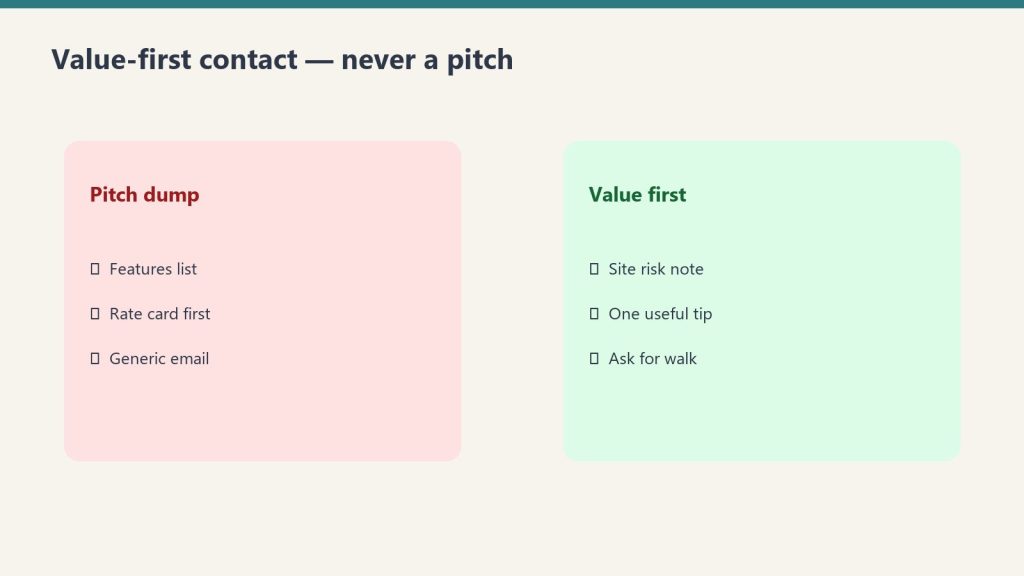
None of these emails ask for anything directly. They don’t include CTAs, offers, or discounts. They are human moments that remind the homeowner your company is real, active, and cares about the people it’s worked with.
Touch 1: The Hiring Referral Ask
This is the full template and strategy from The Hiring Email Guide. The key adaptation for homeowners: keep it personal, reference the job you did for them if you have the data, and make it clear you value their opinion specifically.
Why it works for homeowners specifically: most people feel genuinely pleased when a company they liked asks for their help. It confirms that the relationship mattered, not just the transaction. And it gives them something concrete to do for you — which strengthens the connection in both directions.
Touch 2: The Pre-Season Safety Resource
A one-page checklist relevant to the season and your service area. Before winter freeze: pipes, outdoor faucets, sump pump, HVAC filters, emergency shutoff location. Before storm season: gutters, roof inspection, tree branches near the house, sump pump backup power. Before dry season in wildfire-prone areas: defensible space, ember-resistant vents, gutter debris.
The email copy is simple: “As we head into [season], I wanted to send along a quick checklist for your home. This is the stuff our crews see preventable damage from every year. Hope it’s useful.” Link to a longer blog post if you have one. No offer. No CTA. Three sentences.
Touch 3: The Neighbor / Community Check-In After a Local Event
When a major weather event, storm, or flood affects your service area, email your homeowner database within 48 hours. Not to generate leads — to be human. “We had a lot of calls come in after the [event] this week. If you or anyone nearby had any water get in, don’t hesitate to reach out. We’re also happy to give a free look at anything you’re not sure about.”
This email serves two purposes. For homeowners who weren’t affected, it’s a reassuring reminder that you’re active and nearby. For homeowners who were affected or know someone who was, it’s a perfectly timed offer. The lead-gen outcome is real but secondary — the primary value is showing up when the community needs it.
Touch 4: The Annual Thank-You
Once a year, send a short personal note. Company anniversary. Year-end. Start of a new year. Something that says: “We’ve been at this for [X] years / We just finished our busiest year / As we head into [year], I wanted to thank the people who’ve trusted us with their homes.” Short. Personal. From the owner.
This is the email that gets forwarded. It’s the email that the homeowner’s spouse reads over their shoulder and says “that’s a nice company.” It’s the email that sits in their inbox for three days before they archive it, because it’s hard to throw away something that made them feel good. It doesn’t ask for anything. That’s why it works.
The Data You Need and Where to Find It
The homeowner re-engagement strategy requires three pieces of data per contact: name, email address, and job type. Everything else is bonus.
In ServiceTitan: Navigate to Customers → Export. Filter by customer type (Residential) and job type (Water / Fire / Mold). Export includes name, email, job date, job type, and address. This is your homeowner segment.
In Jobber: Go to Clients → Export. Filter by client tag or service type if you’ve been tagging jobs. If you haven’t been tagging, export all residential clients and sort manually by job description.
In a spreadsheet-based system: Your completed job list is your database. Sort by date, filter to residential, and pull the contact info. If you only have phone numbers and no emails, a 30-second re-engagement call (“We’re updating our contact records — can I get the best email for you?”) adds significant long-term value. Make it part of your job closeout process going forward.
One piece of bonus data that dramatically improves the homeowner email: the job type. “We worked with you on your water damage job” is far more personal than a generic greeting. Even a simple job-type column in your export — Water / Fire / Mold / Storm — lets you add one sentence of relevant, personal context that makes the email feel like it came from someone who actually remembers the job.
The Copy: Homeowner Version Templates
These are written for the owner to send directly. Plain text. Short. Human.
The Water/Fire/Mold Job Acknowledgment (for when you have job data)
Subject: Quick note from [Company Name]
Hi [First Name],
It’s [Your Name] from [Company Name]. We had the pleasure of working with you on your [water damage / fire damage / mold issue] on [street or neighborhood] — hoping everything has held up well since then.
I’m reaching out because we’re [hiring / looking for a sub / putting together our community resource list] and I find that the best leads on great people usually come from the people whose homes we’ve worked in. If anyone comes to mind — a family member, a neighbor, a friend looking for a good company or good work — I’d love to hear from you.
Either way, thank you for letting us be part of getting your home back to normal. It’s work we take seriously.
[Your Name] [Phone]
The Pre-Season Safety Version
Subject: Before freeze season — quick home checklist from us
Hi [First Name],
As we head into winter, I wanted to send along a quick checklist — the stuff our crews see people wish they’d done before the cold hit.
Three things worth checking this week:
1. Know where your main water shutoff is (and test it)
2. Disconnect garden hoses and drain outdoor faucets
3. Check your sump pump — run a bucket of water through it
We wrote up a longer version here if it’s useful: [link to blog post]
Stay warm — and if you ever need anything, we’re always here.
[Your Name] [Company Name] [Phone]
The Post-Storm Check-In
Subject: Checking in after the [storm/flooding/event] this week
Hi [First Name],
With everything that happened this week in [city/region], I wanted to reach out to the homeowners we’ve worked with in the past just to check in.
If you had any water get in — or if someone you know did — we’re here. We can swing by for a free look at anything you’re not sure about. No obligation, just want to help if it’s useful.
Hope you and yours came through it fine.
[Your Name] [Company Name] [Phone]
Using Claude to Personalize at Scale
Using Claude to personalize at scale.
If you have a database of 300+ past homeowner clients, personalizing every email manually isn’t realistic. But the difference between a generic blast and a mildly personalized email is significant — and Claude can help you close that gap at scale without coding.
Here’s the practical workflow:
Export your homeowner list with at minimum: First Name, Job Type, Neighborhood or Street (not full address), Completion Date
Open Claude at claude.ai and paste the following prompt:
“I’m going to give you a list of past restoration clients. For each one, write a personalized version of the following email template, inserting the First Name, referencing the Job Type naturally (e.g., ‘your water damage job’ or ‘after the fire at your place’), and if the job was more than 18 months ago, add a line like ‘it’s been a while since we talked.’ Keep each version under 150 words. Template: [paste template]. Client list: [paste CSV rows, 20 at a time].”
Copy each personalized version into your email platform as a separate email, or use mail merge if your platform supports it
Review 10% of outputs before sending — Claude’s personalization is reliable but not perfect, and a weird phrasing on a homeowner email is worse than no personalization at all
This process adds 45–90 minutes to the campaign setup but meaningfully increases the human feel of the emails. The reply rates for personalized homeowner outreach are consistently higher than generic blast versions.
Frequently Asked Questions
Is it weird to contact a homeowner years after their job is done?
Only if the email feels like a sales pitch or they don’t remember who you are. If the email is genuinely human, references the job briefly, and doesn’t ask for their business, most homeowners respond positively. People like hearing from companies they had a good experience with. The ones who don’t want to hear from you will unsubscribe, which is useful information.
What if we don’t have email addresses for most past clients?
Start collecting them systematically from today — at job intake, at closeout, and during the final walkthrough. For your existing database, a brief re-engagement call works: “We’re updating our records, can I get the best email for you?” Many homeowners will give it. Even building to 40–50% email coverage on your historical database is hundreds of warm reach opportunities.
How do we handle homeowners who had a bad experience?
Don’t filter them out manually at first — you may not remember every job. If someone who had an issue unsubscribes or replies with a complaint, handle it directly and professionally. A private, personal response to a complaint that surfaces through a re-engagement email is often more relationship-repairing than the original issue was damaging. But if you know a specific job went badly, use your judgment on whether to include them.
Should we segment by job type (water vs. fire vs. mold)?
For general touches like the seasonal safety email or the company milestone, no — the message is the same. For highly specific touches (e.g., a resource specifically about mold prevention in humid climates), segmenting by job type allows you to reference their specific experience. If your email platform supports segmentation and you have the data, do it. If it adds complexity that would prevent you from sending at all, skip it — a non-segmented send is better than no send.
Direct Answer (August 2026): Choose Microsoft Copilot ($30/user/mo) for native Office 365 app integration (Word, Excel, Outlook, Teams, SharePoint). Choose Claude ($20/mo Pro / $20–$100 Team) for superior code architecture, long-context document analysis (200k tokens), artifact creation, and custom MCP integrations.
Claude AI · Fitted Claude
Claude and Microsoft Copilot are both used for professional AI assistance, but they’re fundamentally different products solving different problems. Copilot is an AI layer built into the Microsoft 365 ecosystem — Word, Excel, PowerPoint, Teams, Outlook. Claude is a standalone AI model built for reasoning, analysis, and flexible integration. Choosing between them depends almost entirely on what you’re trying to do and where you work.
Short version: If you’re deeply embedded in Microsoft 365 and want AI assistance inside Word, Excel, and Teams — Copilot is the right tool. If you need advanced reasoning, long-document analysis, custom integrations, or you’re not primarily a Microsoft shop — Claude is stronger.
Claude vs Microsoft Copilot: Head-to-Head
Capability
Claude
Microsoft Copilot
Edge
Microsoft 365 integration
Via MCP connectors
✅ Native (Word, Excel, Teams)
Copilot
Context window
1M tokens (Sonnet/Opus)
128K tokens
Claude
Reasoning quality
✅ Stronger
Good (GPT-4o backend)
Claude
Writing quality
✅ Stronger
Good
Claude
Image generation
❌ Not included
✅ DALL-E 3 (Copilot Pro)
Copilot
Email access (Outlook)
Via Gmail MCP connector
✅ Native Outlook access
Copilot (for Outlook users)
Custom integrations
✅ Any API via MCP
Primarily M365 ecosystem
Claude
Non-Microsoft tools
✅ Flexible
Limited
Claude
Enterprise compliance (SSO, audit)
✅ Via Claude Enterprise
✅ Via Microsoft 365 governance
Tie — different ecosystems
Consumer pricing
Free tier + $20/mo Pro
Free tier + $20/mo Copilot Pro
Roughly equal
Agentic coding
✅ Claude Code
✅ GitHub Copilot (separate product)
Both — different tools
Not sure which to use?
We’ll help you pick the right stack — and set it up.
Tygart Media evaluates your workflow and configures the right AI tools for your team. No guesswork, no wasted subscriptions.
Microsoft 365 native integration. This is Copilot’s core advantage and it’s meaningful. Copilot lives inside Word, Excel, PowerPoint, Teams, and Outlook. It has native access to your Microsoft Graph data — emails, calendar, documents, meetings — and can surface relevant context from your organization’s data without you needing to copy and paste anything. If you’re working inside these applications all day, Copilot is frictionless.
Image generation. Copilot Pro includes DALL-E 3 image generation. Claude doesn’t generate images in its web interface. For workflows that combine writing and visual creation, Copilot Pro has a functional advantage.
Existing Microsoft governance. For organizations already using Microsoft Purview, Intune, and Entra ID for compliance, Copilot inherits that existing governance framework — no new vendor relationship or separate compliance work required.
What Claude Does Better
Context window. Claude’s 1M token context window is roughly 8x Copilot’s 128K. For analyzing large document stacks, lengthy contract portfolios, or extended research contexts, Claude processes significantly more at once.
Reasoning and writing quality. Copilot uses GPT-4o as its backend — capable, but Claude’s reasoning on complex tasks and writing quality on professional documents consistently rate higher in head-to-head comparisons. For strategic analysis, contract review, complex report generation, and nuanced writing — Claude is the stronger tool.
Ecosystem independence. Copilot’s value is maximized inside Microsoft’s ecosystem — and reduced significantly outside it. Claude works with any system: via the API, MCP connectors across dozens of services, or direct file upload. If your team uses Google Workspace, Notion, Slack, or a mix of tools, Claude integrates without friction. Copilot requires significant custom development to connect to non-Microsoft systems.
Flexibility for builders. Claude’s API and MCP architecture lets developers connect it to any data source or system. Copilot is primarily a user-facing product; building custom applications with it requires Microsoft’s more constrained extension model.
The Typical Enterprise Decision
Many organizations end up using both: Copilot for daily productivity tasks inside Office — drafting emails, summarizing meetings, building Excel formulas — and Claude for higher-stakes analytical work, long-document processing, and custom integrations. The tools are complementary rather than mutually exclusive.
Organizations considering switching from a full Microsoft shop to Claude should evaluate switching costs carefully. If your email, calendar, documents, and collaboration are all in Microsoft 365, Copilot’s access to that unified data graph has genuine value that Claude would need custom MCP work to replicate.
For reasoning, long-document analysis, writing quality, and flexible integrations — yes. For daily productivity inside Microsoft 365 (Word, Excel, Teams, Outlook) — Copilot is purpose-built and more frictionless. The right choice depends on where you spend most of your workday.
What’s the difference between Claude and Microsoft Copilot?
Claude is a standalone AI model from Anthropic — accessible via web, desktop, mobile, and API, with a 1M token context window and strong reasoning. Microsoft Copilot is an AI layer built into Microsoft 365, using GPT-4o as its backend, with native access to your Outlook, Teams, Word, and Excel data. Fundamentally different designs for different workflows.
Can I use both Claude and Microsoft Copilot?
Yes, and many organizations do. The common approach: Copilot for daily Office tasks (email, meetings, documents), Claude for analytical work, complex reasoning, and building custom integrations. At $20/month each, running both is $40/month — a common setup for knowledge workers.
Current flagship: Claude Opus 4.7 (claude-opus-4-7). Current models: Opus 4.7 · Sonnet 4.6 · Haiku 4.5. Claude Opus 4.7 (claude-opus-4-7) is the current flagship as of April 16, 2026. Where this article references Opus 4.6 or earlier models, those references are historical. See current model tracker →. See current model tracker →
Claude AI · Fitted Claude
Grok is xAI’s AI assistant, built by Elon Musk’s company and deeply integrated with the X (formerly Twitter) platform. Claude is Anthropic’s AI, built with a focus on safety and reasoning. They’re both frontier models — but they come from fundamentally different companies with different philosophies and different strengths. Here’s where each one wins.
Current models (April 2026): Claude Sonnet 4.6 and Opus 4.6 (Anthropic) vs Grok 4 and Grok 4.1 (xAI). Grok 4.20 — a new multi-agent architecture — was reportedly in development as of Q1 2026 but not yet publicly released.
Grok vs Claude: Direct Comparison
Grok vs Claude — direct comparison.
Capability
Grok 4 / 4.1
Claude Sonnet 4.6 / Opus 4.6
Edge
Real-time X/Twitter data
✅ Native
Via web search
Grok
Writing quality
Good
✅ Stronger
Claude
SWE-bench (coding)
~75% (Grok 4 Fast)
80.8% (Opus 4.6)
Claude Opus 4.7
Context window
~128K tokens
1M tokens (Sonnet/Opus)
Claude
API pricing (input)
~$2/M (Grok 4.1 Fast)
$3/M (Sonnet), $5/M (Opus)
Grok (cheaper)
Consumer subscription
$22/mo (X Premium+)
$20/mo (Claude Pro)
Claude (slightly cheaper)
Safety / refusal calibration
Less restrictive
✅ Constitutional AI
Depends on use case
Enterprise / compliance
Limited
✅ SSO, audit logs, BAA
Claude
Agentic coding tool
Limited
✅ Claude Code
Claude
Not sure which to use?
We’ll help you pick the right stack — and set it up.
Tygart Media evaluates your workflow and configures the right AI tools for your team. No guesswork, no wasted subscriptions.
Real-time X data. Grok’s native integration with X (Twitter) is a genuine differentiator — it can surface trending discussions, current sentiment, and breaking information from the platform in real time. If your work involves monitoring X, tracking social trends, or understanding current public discourse, this is an advantage no other model matches natively.
Cost at the API level. Grok 4.1 Fast’s API pricing runs below Claude Sonnet 4.6 on input tokens, making it attractive for high-volume workloads where cost per call is the primary consideration and you’re comfortable with the tradeoffs.
Less restrictive outputs. Grok is designed to be less filtered than Claude. For users who find Claude’s safety calibration frustrating on specific use cases, Grok may produce responses Claude declines. Whether this is an advantage depends entirely on what you’re trying to do.
What Claude Does Better
What Claude does better.
Context window. Claude Sonnet 4.6 and Opus 4.6 both have 1 million token context windows — roughly 8x Grok’s current context capacity. For long-document analysis, extended coding sessions, or large codebase comprehension, this is a meaningful operational difference.
Writing quality and instruction-following. On professional writing tasks — analysis, strategy documents, legal review, editorial content — Claude consistently produces more natural, constraint-adherent output. This is where Claude’s reputation was built and it remains a genuine advantage.
Coding benchmarks. Claude Opus 4.7 scores 80.8% on SWE-bench Verified (real-world software engineering tasks), with Sonnet 4.6 close behind at 79.6%. Grok 4 is competitive but Claude’s overall coding ecosystem — especially Claude Code — gives it a practical advantage for development workflows.
Enterprise features. Claude Enterprise offers SSO, audit logs, HIPAA BAA, configurable usage policies, and data processing agreements. Grok’s enterprise offering is less mature — meaningful for organizations with compliance requirements.
The User Base Difference
Grok’s primary audience is X users — people already on the platform who get Grok access as part of X Premium+. Claude’s primary audience is knowledge workers, developers, and enterprises who seek out a capable AI model. These different starting points shape each model’s design priorities and where each company invests in improvements.
For real-time X/Twitter data and less filtered outputs — yes. For writing quality, long-context work, coding (via Claude Code), and enterprise compliance — Claude is stronger. Neither is definitively better; they have different strengths for different workflows.
What is Grok’s advantage over Claude?
Grok’s clearest advantage is real-time X/Twitter data integration — it can access and analyze current X activity natively. Grok 4.1 Fast also runs cheaper per token than Claude Sonnet 4.6 at the API level, making it attractive for cost-sensitive high-volume workloads.
Is Grok free to use?
Grok has a free tier with limited access. Full Grok access requires X Premium+ ($22/month). Claude has a free tier with daily limits; Claude Pro is $20/month. Both have similar consumer price points with different bundling — Grok is tied to X, Claude is a standalone subscription.
Claude for Education is Anthropic’s official program for higher education institutions — a university-wide plan that gives enrolled students, faculty, and staff access to Claude’s premium features, including advanced models, learning mode, and API credits for research. It’s institution-facing, not student-facing: your university signs up, and access flows through your .edu email.
Access:claude.com/solutions/education — for institutions. If your university is already a partner, sign in to claude.ai with your .edu email and your account will be upgraded automatically.
What Claude for Education Includes
What Claude for Education includes.
Feature
What it means for your institution
Campus-wide access
Students, faculty, and staff all covered under one institutional agreement
Learning mode
Claude guides students through problems rather than just giving answers — designed to build understanding, not bypass it
API credits for research
Faculty can access the Claude API to accelerate research — dataset analysis, text processing, building learning tools
Submit your institution’s information and intended use case
Anthropic reviews and negotiates the institutional agreement
Once enrolled, students and staff access Claude by signing in with their .edu email
If you’re a student or faculty member who wants your institution to join, raise it with your IT department, library services, or educational technology office. Anthropic’s first confirmed design partner is Northeastern University (50,000 students and staff across 13 campuses worldwide), and the partner list has been expanding through 2025 and 2026.
Learning Mode: What Makes the Education Program Different
Learning Mode — what makes the education program different.
The distinctive feature of Claude for Education is learning mode — Claude’s approach shifts from answering questions to guiding students toward answers. Rather than writing the essay or solving the problem directly, Claude asks clarifying questions, prompts reflection, and helps students develop their own reasoning. Anthropic designed this explicitly to strengthen critical thinking rather than bypass it.
This is a meaningful distinction from standard Claude Pro: the same powerful model, but oriented toward building understanding rather than delivering outputs. For educators concerned about AI undermining the learning process, learning mode is Anthropic’s answer.
Claude for Education vs Claude for Research
Faculty and researchers at accredited institutions who need API access for research projects can also apply for Anthropic’s grant programs independently of the campus-wide Education plan. These grants typically provide API credits for research workloads — analyzing datasets, processing large text corpora, building research tools — rather than subscription discounts. Contact Anthropic through their research or social impact team for grant program information.
Student Programs Within the Education Ecosystem
Alongside the institutional program, Anthropic runs student-facing programs that provide individual access:
Campus Ambassadors — Selected students receive Pro access and API credits in exchange for leading AI education initiatives on campus. Applications open periodically; watch claude.com/solutions/education for current status.
Builder Clubs — Student clubs that organize hackathons and demos receive Pro access and monthly API credits. Open to all majors.
Claude for Education is Anthropic’s institutional program for universities — a campus-wide plan covering students, faculty, and staff with premium Claude access including learning mode, API credits for research, and Claude Code. It’s applied for by institutions through Anthropic’s sales team, not individual students.
How do I access Claude for Education as a student?
Sign in to claude.ai with your .edu email. If your institution is an Anthropic education partner, your account will be upgraded automatically. If not, ask your IT department or library about joining the program. Alternatively, apply for the Campus Ambassador program or join a Builder Club if available at your school.
Is Claude for Education free for students?
For students at partner institutions, yes — access is free through the institutional agreement. Anthropic and the university negotiate the pricing; it’s not passed on to individual students. For students at non-partner schools, there is no individual student pricing — the standard free and paid plans apply.
Confirmed Claude for Education Partners
The Claude for Education program has expanded significantly since launch. Confirmed institutional partners and program collaborations include:
University-Wide Campus Agreements
Northeastern University — Anthropic’s first university design partner, providing access to 50,000 students, faculty, and staff across 13 global campuses. Northeastern is collaborating directly with Anthropic on best practices for AI integration in higher education and frameworks for responsible AI adoption.
London School of Economics and Political Science (LSE) — Campus-wide rollout focused on equity of access, ethics, and skills development for students entering an AI-transformed workforce.
Champlain College — Vermont-based institution with full campus access for students, faculty, and administrators.
Multi-Institution Programs
CodePath Partnership — Anthropic partnered with CodePath, the nation’s largest provider of collegiate computer science education, to put Claude and Claude Code at the center of CodePath’s curriculum. The partnership reaches more than 20,000 students at community colleges, state schools, and HBCUs. Over 40% of CodePath students come from families earning under $50,000 a year, making this program a meaningful equity initiative. Courses include Foundations of AI Engineering, Applications of AI Engineering, and AI Open-Source Capstone.
American Federation of Teachers (AFT) — Anthropic is partnering with AFT to offer free AI training to AFT’s 1.8 million members across the United States.
Internet2 — Anthropic joined the Internet2 community and is participating in a NET+ service evaluation, working toward broader integration with research and education networks.
Instructure — Partnership to embed Claude into Canvas LMS, Instructure’s learning management system used by thousands of institutions.
International Education Initiatives
Iceland — One of the world’s first national AI education pilots, launched with the Icelandic Ministry of Education and Children, providing teachers across the country access to Claude.
Rwanda — Partnership with the Rwandan government and ALX bringing a Claude-powered learning companion to hundreds of thousands of students and young professionals across Africa.
U.S. Federal Commitment
Anthropic signed the White House’s “Pledge to America’s Youth: Investing in AI Education,” committing to expand AI education nationwide through investments in cybersecurity education, the Presidential AI Challenge, and a free AI curriculum for educators.
If your institution isn’t on this list, the program is actively expanding — application is through Anthropic’s education team at claude.com/contact-sales/education-plan.
Claude for Education vs ChatGPT Edu
Claude for Education vs ChatGPT Edu.
Anthropic’s Claude for Education and OpenAI’s ChatGPT Edu are the two major institutional AI offerings competing for higher education partnerships. Both provide campus-wide access at negotiated institutional rates rather than individual student pricing. Here’s how they compare:
Feature
Claude for Education
ChatGPT Edu
Launched
April 2025
May 2024
Pedagogical approach
Learning Mode — guides reasoning rather than providing answers directly
Columbia, Wharton, Oxford, California State University system
Data privacy default
Conversations not used for model training without explicit permission
Enterprise-grade privacy with admin controls
LMS integration
Canvas (via Instructure partnership)
Multiple LMS integrations available
Pricing
Negotiated per institution; not publicly disclosed
The most distinctive difference is pedagogical philosophy. Claude’s Learning Mode is purpose-built around guided reasoning — Claude is designed to ask questions, prompt students to think through problems, and develop critical thinking rather than provide direct answers. ChatGPT Edu provides the standard ChatGPT experience with administrative controls layered on top.
For institutions deciding between the two, the real evaluation criteria are usually: which model performs best for your dominant use cases (Claude tends to lead on writing, analysis, and reasoning; ChatGPT often leads on multimodal generation), which integrates better with your existing LMS, and which vendor’s pricing and contract terms work for your procurement process.
What Claude for Education Actually Costs
Anthropic does not publish standard pricing for Claude for Education. The program is sold as institutional agreements negotiated between Anthropic’s education team and the school. The factors that drive pricing typically include:
Number of users — students, faculty, and staff who will receive access
Scope of access — which Claude features, models, and tools are included
API credit allocation — for faculty research and student builder projects
Contract length — multi-year commitments often produce better per-user economics
Compliance and integration requirements — SSO, SCIM, Canvas integration, and other institutional infrastructure
For institutions sizing their budget before formal conversations, the practical reference point is what Anthropic charges enterprise customers. Anthropic’s Enterprise plan provides per-seat pricing in a similar institutional structure — though education program pricing is typically more favorable than commercial Enterprise rates given Anthropic’s strategic interest in academic adoption.
The fastest way to get accurate pricing for your institution is to contact Anthropic’s education team at claude.com/contact-sales/education-plan with your user count and use case priorities.
Building the Case for Your University to Adopt Claude for Education
If you’re a faculty member, IT administrator, or student trying to get your institution to adopt Claude for Education, the following points have been most effective in conversations with academic procurement teams:
Pedagogical Alignment
Claude’s Learning Mode is purpose-built around guided reasoning rather than answer-delivery. This addresses one of the most common faculty objections to AI in education: that students will use AI to bypass learning rather than enhance it. Learning Mode is the structural answer — Claude is designed to prompt students to think rather than think for them.
Privacy and Compliance
Anthropic provides explicit assurance that student and faculty conversations are not used for model training without permission. Security standards meet the compliance requirements typical of higher education procurement, including data residency considerations and audit controls. For institutions with FERPA requirements, the Education program is structured to support compliant deployment.
Equity of Access
Campus-wide access through institutional agreement removes the financial barrier that exists when AI tools are accessed by individual paid subscriptions. Students from lower-income backgrounds get the same access as students who could otherwise afford a $20/month Pro plan — eliminating an emerging form of academic inequality.
Research Capability
Faculty and graduate researchers gain access to API credits and the 1M token context window for processing large datasets, conducting literature reviews, analyzing research corpora, and building research tools. This is meaningful capability that would otherwise require individual API budgets.
Integration with Existing Infrastructure
The Instructure partnership for Canvas LMS integration and the Internet2 NET+ service evaluation reduce the integration burden on institutional IT teams. Claude for Education is designed to plug into the existing edtech stack rather than require a parallel system.
Practical Next Steps for Internal Advocates
Document specific use cases at your institution — what would students, faculty, and administrators actually do with Claude
Identify a faculty champion or department head willing to sponsor a pilot
Connect with your institution’s IT or educational technology office to understand procurement requirements
While Claude for Education is primarily focused on higher education institutions, Anthropic has expanded into K-12 and teacher development through several pathways:
American Federation of Teachers partnership — Free AI training for AFT’s 1.8 million teacher members. This is one of the largest teacher AI training initiatives in the U.S.
Iceland national pilot — National-scale AI education pilot with the Icelandic Ministry of Education and Children, providing classroom teachers across the country access to Claude. This is one of the world’s first national-scale AI education programs.
White House Pledge to America’s Youth — Anthropic’s commitment to expand AI education through cybersecurity education investments, the Presidential AI Challenge, and free AI curriculum for educators.
For K-12 schools and individual teachers wanting to bring Claude into the classroom, the formal Education program is currently structured around higher education. K-12 institutions interested in formal partnerships should still reach out via the Education contact channel — Anthropic has been expanding into K-12 through targeted pilots and may have programs available depending on the school’s profile.
Additional Frequently Asked Questions
Which universities have Claude for Education access?
Confirmed campus-wide partners include Northeastern University, the London School of Economics and Political Science, and Champlain College. The CodePath partnership extends Claude access to more than 20,000 students at community colleges, state schools, and HBCUs across the U.S. Internationally, Iceland and Rwanda have national-scale education partnerships. The partner list is actively expanding.
How is Claude for Education different from Claude Pro?
Claude Pro is an individual paid subscription at $20/month. Claude for Education is an institutional agreement that provides equivalent access (and often more, including API credits and Learning Mode) to all students, faculty, and staff at participating institutions. Education access is funded by the institution rather than the individual student.
Does Claude for Education include Claude Code?
Claude Code access depends on the specific institutional agreement. The CodePath partnership specifically integrates Claude Code into the curriculum, indicating that Claude Code is available within Education program agreements when negotiated. Institutions should confirm Claude Code inclusion as part of their procurement conversation.
How long does the Claude for Education evaluation process take?
The timeline varies by institution. Initial conversation through formal contract typically takes weeks to months depending on the institution’s procurement process, security review requirements, and contract complexity. Anthropic’s education team can provide a more specific timeline based on your institutional requirements.
Can community colleges and smaller institutions join Claude for Education?
Yes. The CodePath partnership specifically reaches community colleges and HBCUs, and the program is not limited to large research universities. Smaller institutions interested in the program should reach out through the same education contact channel — Anthropic’s expansion strategy is actively focused on reaching institutions that have historically been overlooked in technology partnerships.
What happens to my Claude for Education access when I graduate or leave the institution?
Access is tied to your institutional affiliation. When you’re no longer enrolled or employed at the partner institution, your account reverts to the standard Free or Pro tier (depending on whether you choose to subscribe individually). Conversations and Projects you created during your education access typically remain in your account, but premium features will require an individual subscription to continue using.
Is there a Claude for Education program for graduate students and postdocs specifically?
Graduate students and postdoctoral researchers at partner institutions are covered under the same campus-wide agreement as undergraduate students. For research-specific API credits at scale, faculty and researchers can also apply for Anthropic’s research grant programs independently of the campus-wide Education plan — these typically provide API credits for research workloads rather than subscription discounts.
How does Learning Mode actually work?
Learning Mode shifts Claude’s default response pattern from answer-delivery to guided reasoning. Instead of producing a complete solution to a problem, Claude asks clarifying questions, prompts the student to identify the next step, validates correct reasoning, and surfaces gaps in understanding. The mode is designed to support the educational goal of building student capability rather than completing assignments. Faculty can configure Learning Mode behavior at the institutional level.
Can faculty use Claude for Education for research that isn’t tied to teaching?
Yes. The program is designed to support faculty research activity in addition to classroom teaching. API credits within the institutional agreement can be allocated to faculty research projects, including data analysis, literature synthesis, research tool development, and large-scale text processing. The 1M token context window on Fable 5, Opus 4.8, and Sonnet 5 makes the program particularly useful for research workflows requiring large context.
Current flagship: Claude Opus 4.7 (claude-opus-4-7). Current models: Opus 4.7 · Sonnet 4.6 · Haiku 4.5. Claude Opus 4.7 (claude-opus-4-7) is the current flagship as of April 16, 2026. Where this article references Opus 4.6 or earlier models, those references are historical. See current model tracker →. See current model tracker →
Claude AI · Fitted Claude
The short answer is: it depends on what you mean by “smarter.” Claude and ChatGPT are both frontier AI models that perform at similar capability levels on most tasks. Where they differ is in specific strengths, how they handle uncertainty, and the kind of outputs they produce. Here’s the honest breakdown.
Bottom line: Claude and ChatGPT (GPT-4o) are competitive on most benchmarks. Claude tends to win on writing quality, instruction-following, and honesty calibration. ChatGPT tends to win on ecosystem breadth and image generation. Neither is definitively “smarter” — they have different strengths for different tasks.
Benchmark Comparison
Benchmark comparison.
Capability
Claude Sonnet 4.6
GPT-4o (ChatGPT)
Edge
Writing quality
✅ Stronger
Good
Claude
Instruction-following
✅ Stronger
Good
Claude
Coding (SWE-bench)
✅ Competitive
✅ Competitive
Roughly tied
Math reasoning
✅ Strong
✅ Strong
Roughly tied
Expressing uncertainty honestly
✅ Stronger
More confident
Claude
Context window
1M tokens
128K tokens
Claude
Image generation
❌ Not included
✅ DALL-E built in
ChatGPT
Data analysis (code interpreter)
Limited
✅ Advanced Data Analysis
ChatGPT
Hallucination rate
✅ Lower
Higher
Claude
Where Claude Is Genuinely Stronger
Where Claude is genuinely stronger.
Writing quality. Claude produces prose that reads more naturally and holds style constraints more consistently. ChatGPT has recognizable output patterns — a cadence and structure that appears even when you try to tune it away. Claude’s writing is harder to fingerprint as AI-generated.
Following complex instructions. Give both models a detailed, multi-constraint brief and Claude holds all the constraints through a long response more reliably. ChatGPT tends to gradually drift from earlier constraints as output length increases.
Honesty about uncertainty. Claude is more likely to say “I’m not sure about this” or “you should verify this” rather than confidently asserting something it doesn’t actually know. This is a calibration advantage — confident wrong answers from ChatGPT have frustrated many users who then don’t catch the error.
Long-context work. At 1M tokens vs ChatGPT’s 128K, Claude can process significantly more content in a single session — entire codebases, large document stacks, extended research contexts.
Where ChatGPT Is Genuinely Stronger
Image generation. DALL-E 3 is built into ChatGPT. Claude doesn’t generate images natively in the web interface. For visual workflows this is a real functional gap.
Code interpreter. ChatGPT’s Advanced Data Analysis runs Python in the conversation — upload a spreadsheet and get charts, analysis, and interactive data work in the same window. Claude can write code but doesn’t execute it in-chat.
Ecosystem breadth. OpenAI’s longer history means more third-party integrations, a larger community of people sharing GPT prompts, and more specialized GPTs in the store.
The Practical Answer
The practical answer.
For text-based professional work — writing, analysis, research, coding, strategy — most users find Claude to be the stronger daily driver. For visual content creation, data analysis in-chat, or workflows built around the OpenAI ecosystem, ChatGPT holds meaningful advantages. Many professionals run both and reach for whichever fits the specific task.
On writing quality, instruction-following, and honesty calibration — yes. On image generation and interactive data analysis — no. Both are competitive on reasoning and coding benchmarks. Neither is definitively smarter overall; they have different strengths for different task types.
Is Claude better than GPT-4?
Claude Sonnet 4.6 and Opus 4.6 compare to GPT-4o (the current GPT-4 model) — not the older GPT-4 Turbo. On most head-to-head comparisons, they’re competitive with Claude holding edges in writing quality and context length, and ChatGPT holding edges in image generation and data analysis tools.
Should I use Claude or ChatGPT?
Use Claude as your primary tool if your work is primarily text-based — writing, analysis, coding, research. Use ChatGPT if image generation or in-chat Python execution is central to your workflow. Many professionals use both, with Claude as the daily driver and ChatGPT for its specific capabilities.
Current flagship: Claude Opus 4.8 (claude-opus-4-8). Current models: Fable 5 · Opus 4.8 · Sonnet 5 · Haiku 4.5. Claude Fable 5 (claude-fable-5) is the current flagship, and Claude Opus 4.8 (claude-opus-4-8) is the current Opus tier, as of June 2026. Where this article references Opus 4.6 or earlier models, those references are historical. See current model tracker →. See current model tracker →
Direct Answer (August 2026): Claude.ai supports uploads up to 30MB per file and up to 5 files per message (PDFs, DOCX, CSV, TXT, images). Text documents are parsed and converted to tokens within Claude’s 200,000-token context window. For larger datasets exceeding 30MB, developers use the Anthropic API with prompt caching or local embeddings to query multi-gigabyte document repositories.
Claude AI · Fitted Claude
Claude supports file uploads in claude.ai and via the API, with specific limits on file size, page count, and number of files. Here are the exact limits for PDFs, images, and other document types, plus what to do when your file is too large.
Claude File Upload Limits (April 2026)
File type
Max file size
Page / length limit
Notes
PDF
32 MB
100 pages
Text layer required for reading. Image-only scans need OCR first.
Images (JPG, PNG, GIF, WebP)
5 MB per image
Up to 20 images per request
All current Claude models support image input.
Text files (TXT, MD, CSV)
~10 MB
Context window limit
Limited by context window, not file size.
Word / DOCX
~10 MB
Context window limit
Claude extracts text content.
Code files
Context window limit
—
No special limit beyond context window.
What Happens When a File Is Too Large
Too big? Split, compress, or link — don’t force the upload.
If a PDF exceeds 32 MB or 100 pages, Claude.ai will reject the upload with an error. The file won’t be processed. The practical workarounds:
Split the PDF. Most PDF readers and tools (Preview on Mac, Adobe, Smallpdf) can split a document into smaller sections. Upload the relevant section rather than the full document.
Compress the file. Large PDFs are often oversized due to embedded images. Use a PDF compressor to reduce file size while preserving text quality.
Copy and paste the text. For text-heavy documents, copying relevant sections directly into the chat removes the file size constraint entirely — the only limit is the context window (1M tokens for Sonnet and Opus).
Use multiple conversations. Process different sections in separate conversations and synthesize results yourself.
Context Window as the True Limit
Context window is the true limit — not just the upload meter.
Even within the file size limits, the real constraint is the context window — how much text Claude can process at once. A 100-page PDF that’s text-heavy may contain 60,000–80,000 tokens. Claude Sonnet 4.6 and Opus 4.6 have a 1 million token context window, so most documents fit comfortably. Claude Haiku 4.5’s 200,000 token window is still large enough for most individual documents.
Where the context window becomes the binding constraint is when you’re uploading multiple large files simultaneously — several hundred pages of documents combined may approach context limits on Haiku.
Scanned PDFs: The Hidden Limit
Tokens still assemble the doc you uploaded — count before you paste.
File size and page count are the official limits, but there’s a functional limit that catches many users: scanned PDFs that are image-only have no text layer, so Claude can’t read their content regardless of size. A 5-page scanned document may be effectively unreadable while a 100-page digital PDF works fine. Run scanned documents through OCR software to create a text layer before uploading. See Can Claude Read PDFs? for the full breakdown.
Image Limits in Detail
Each image can be up to 5 MB, with a maximum of 20 images per API request. In Claude.ai conversations, you can upload multiple images in a single message. Claude processes images using its vision capability — all current models (Haiku 4.5, Sonnet 4.6, Opus 4.6) support image input including JPG, PNG, GIF, and WebP formats.
Frequently Asked Questions
What is the Claude file size limit?
PDFs: 32 MB and 100 pages maximum. Images: 5 MB per image, up to 20 images per request. Text files and documents: effectively limited by the context window rather than file size. These limits apply to claude.ai and the API.
What do I do if my PDF is too large for Claude?
Split the PDF into smaller sections, compress it to reduce file size, or copy and paste the relevant text directly into the conversation. Text pasted directly is only limited by the context window (1M tokens for Sonnet and Opus), not file size limits.
How many files can I upload to Claude at once?
Multiple files can be uploaded in a single conversation. The practical limit is the combined text content fitting within Claude’s context window — 1M tokens for Sonnet 4.6 and Opus 4.6, or 200K tokens for Haiku 4.5. For images, the API supports up to 20 per request.
Current models (June 2026): Fable 5 · Opus 4.8 · Sonnet 5 · Haiku 4.5. Current model tracker →
Direct Answer (August 2026): Claude features a standard 200,000-token context window (~150,000 words or 500 pages) across all tiers, with enterprise configurations extending up to 1,000,000+ tokens on select models. Maximum single-response output token limits are 8,192 tokens for Sonnet 4.6 and Opus 4.8.
Claude AI · Fitted Claude
Claude’s token limits depend on which model you’re using and whether you’re on the web interface or the API. Here are the exact numbers — context window, output limits, and what they mean in practice.
Key distinction: The context window is the total tokens Claude can process in one conversation (input + output combined). The output limit is the maximum tokens in a single response. These are different limits and both matter depending on your use case.
Claude Token Limits by Model (June 2026)
Model
Context Window
Max Output
Claude Fable 5
1,000,000 tokens
128,000 tokens
Claude Opus 4.8
1,000,000 tokens
128,000 tokens
Claude Sonnet 4.6
1,000,000 tokens
64,000 tokens
Claude Haiku 4.5
200,000 tokens
64,000 tokens
Context windows are at standard API pricing (no long-context premium). Claude Opus 4.7 and 4.6 are legacy models that match the 4.8 context limits (1M / 128K) but are no longer the recommended Opus tier — use Opus 4.8 for new projects. Outputs above ~16,000 tokens should be streamed to avoid request timeouts. The original Opus 4 and Sonnet 4 were retired on June 15, 2026 — see the deprecation guide. The asynchronous Message Batches API runs at 50% cost and supports larger per-request outputs for document-generation workloads.
What a Token Is
Count tokens when planning long docs — not characters alone.
A token is roughly 3–4 characters of English text — about 0.75 words. One page of text is approximately 500–700 tokens. A 200-page book is roughly 100,000–140,000 tokens.
Content
Approx. tokens
1 word
~1.3 tokens
1 page of text (~500 words)
~650 tokens
Short novel (80,000 words)
~104,000 tokens
Full codebase (10,000 lines)
~100,000–200,000 tokens
1M token context (Sonnet/Opus)
~750,000 words / ~1,500 pages
Context Window vs. Output Limit
Two different ceilings. Hitting one does not mean you hit the other.
The context window is the total working memory for a session — everything Claude can “see” at once, including the system prompt, all previous messages in the conversation, uploaded files, and Claude’s own prior responses. At 1M tokens, the current models (Fable 5, Opus 4.8, Sonnet 4.6) can hold roughly 1,500 pages of text in context simultaneously.
The output limit is how long Claude’s individual response can be, and it is model-dependent: up to 128,000 tokens on Claude Opus 4.8 and Fable 5, and 64,000 tokens on Sonnet 4.6 and Haiku 4.5. Outputs above roughly 16,000 tokens should be streamed to avoid request timeouts.
Rate Limits: Separate From Token Limits
Token limits are per-conversation. Rate limits are per-time-period — how many tokens (and requests) you can send across multiple conversations in a given minute or day. Rate limits scale with your API usage tier. If you’re hitting errors in production that look like limits, check whether you’re hitting the context window, the output limit, or a rate limit — they produce different error codes. For the full rate limit breakdown, see Claude Rate Limits: What They Are and How to Work Around Them.
What Happens When You Hit the Context Limit
Soft edge: summarize, start a fresh thread, or drop older turns.
In claude.ai conversations, you’ll see a warning when the conversation is approaching the context window. Claude may summarize earlier parts of the conversation to stay within limits. In the API, sending more tokens than the context window allows returns an error. For very long sessions, breaking work into multiple conversations or using prompt caching (which stores static context at a discount) are the standard approaches.
Frequently Asked Questions
What is Claude’s token limit?
Claude Fable 5, Opus 4.8, and Sonnet 4.6 have a 1 million token context window. Claude Haiku 4.5 has a 200,000 token context window. Maximum output per response is model-dependent — 128,000 tokens on Opus 4.8 and Fable 5, 64,000 on Sonnet 4.6 and Haiku 4.5. These are different limits — context window is total working memory, output limit is maximum response length.
How long can Claude’s responses be?
The maximum output is model-dependent — up to 128,000 tokens on Claude Opus 4.8 and Fable 5, and 64,000 tokens on Sonnet 4.6 and Haiku 4.5 (roughly 48,000–96,000 words). Outputs above ~16,000 tokens should be streamed. In practice, claude.ai conversations have shorter limits than the raw API.
How many tokens is a page of text?
Approximately 650 tokens per page (roughly 500 words). A 200-page document is around 130,000 tokens — well within Claude’s 1M context window for Sonnet and Opus, and within Haiku’s 200K window as well.
How many tokens can Claude Opus 4.8 handle?
Claude Opus 4.8 supports a 1 million token context window for input and up to 128,000 tokens for output. This means you can feed in very large documents, entire codebases, or long conversation histories in a single request.
What happens when you hit Claude’s context window limit?
When your input exceeds Claude’s context window, the API returns an error and the request fails. In claude.ai, the interface warns you before sending. The fix is to summarize earlier conversation turns, split the input into chunks, or use a model with a larger context window.
Is Claude Haiku 4.5 context window smaller than Opus?
Yes. Claude Haiku 4.5 has a 200,000 token context window, compared to 1 million tokens for Opus 4.8 and Sonnet 4.6. For most tasks Haiku’s 200K window is sufficient, but for very long documents or large codebases, Sonnet 4.6 or Opus 4.8 is required.