Tag: AI Search

  • GPTBot Is Now the Internet’s Most Aggressive Crawler — (2026)

    GPTBot Is Now the Internet’s Most Aggressive Crawler — (2026)

    GPTBot is crawling the web harder than Google. That is not speculation, not a prediction, and not a think-piece extrapolation from someone else’s data. It is what our server logs show. When Tygart Media published 40 articles on June 22, 2026, and monitored every crawler that touched our server over the next 48 hours, GPTBot emerged as the most aggressive indexing operation we have ever recorded — and the data is not even close.

    This is the third article in Tygart Media’s AI Search Intelligence series, based on proprietary server log data from our 40-article Microsoft Copilot content experiment. For the full methodology and complete dataset, see the anchor article. For the crawl speed comparison, see our IndexNow Speed Test.

    The Numbers: GPTBot vs. Everything Else

    Four ranked rows of AI crawler fleets reading publisher content
    The numbers: GPTBot vs everything else.

    During the 48-hour observation window following our 40-article batch publish, AI crawlers generated 6,805 total hits on our server. Traditional search crawlers — Googlebot and Bingbot combined — generated 4,897 hits. AI crawlers outpaced traditional search crawlers by 39% (Tygart Media server log analysis, June 2026).

    But the aggregate numbers undersell what GPTBot did. Look at the individual crawler breakdown:

    • ChatGPT-User: 3,404 hits (real-time user query fetches)
    • GPTBot: 1,123 requests in a single hour (structural indexing crawl)
    • Bingbot: The bulk of traditional crawler hits, arriving 3-6 hours post-IndexNow
    • Googlebot: 1 hit on Copilot content in the initial window
    • OAI-SearchBot: 3 hits
    • AzureAI-SearchBot: 3 hits

    GPTBot executed 1,123 requests in 60 minutes. Not over a day. Not over a crawl cycle. In one hour. To put that in perspective, that is roughly 18.7 requests per minute, sustained for an entire hour, against a single WordPress site on a standard Compute Engine instance.

    What GPTBot Actually Crawled

    Three stacked layers: chat UI, tools, agent runtime
    What GPTBot actually crawled.

    If GPTBot had simply hit each of our 40 article URLs, that would be 40 requests. We recorded 1,123 in a single hour. The difference — over 1,000 additional requests — reveals what GPTBot is actually doing when it indexes a site.

    Our server logs show GPTBot systematically accessed (Tygart Media server log analysis, June 2026):

    • Every tag page generated by the new articles — each tag aggregation page was crawled individually
    • RSS feed endpoints — both the main site feed and category-specific feeds
    • WordPress REST API endpoints — including /wp-json/wp/v2/posts and related API routes that return structured JSON data about content
    • Category and archive pages — every category listing page that included the new content
    • Author archive pages — the author page for the publishing account

    This is not content reading. This is site architecture mapping. GPTBot is building a complete structural model of how your content relates to itself — what categories it belongs to, what tags connect it to other content, who authored it, what the JSON API says about its metadata, how it appears in feeds.

    Traditional search engine crawlers do this too, but on a much slower schedule. Googlebot will eventually crawl your tag pages and category archives, but it does so gradually over days or weeks. GPTBot mapped the entire structure in 60 minutes.

    Why This Matters: GPTBot Is Not Just Reading — It Is Understanding

    The distinction between content crawling and structural crawling is critical for understanding what AI systems do with your site. A content crawler reads your articles and indexes the text. A structural crawler builds a graph of relationships between your content.

    When GPTBot crawls your REST API endpoints, it gets structured JSON data about every post — titles, excerpts, categories, tags, author information, publication dates, modified dates, and featured images. This is far richer metadata than what is available in the HTML of a rendered page. It is the kind of data you would use to build a knowledge graph, not just a search index.

    When GPTBot crawls your tag pages, it learns which topics co-occur. Articles tagged “Microsoft Copilot” and “AI productivity” and “enterprise software” create a topical cluster that GPTBot can map. When it crawls category pages, it learns your site’s editorial taxonomy — how you organize knowledge.

    For publishers, the implication is direct: your WordPress taxonomy, tag structure, and internal linking are now inputs to how AI models understand your authority and expertise. A site with clean, logical taxonomy that reflects genuine topical expertise will produce a richer structural map for GPTBot than a site with messy, inconsistent categorization.

    The ChatGPT-User Signal: 3,404 Proof Points

    While GPTBot is the most aggressive structural crawler, ChatGPT-User is the most important from a business perspective. Every one of the 3,404 ChatGPT-User hits on our server represents a real person asking ChatGPT a question and ChatGPT fetching our page to answer it (Tygart Media server log analysis, June 2026).

    ChatGPT-User is not a training crawler. It does not run automatic, large-scale crawls. It activates only when a human user’s query triggers a need for live web content. This makes ChatGPT-User hits the closest thing to “AI search traffic” that exists today — it is demand-driven content consumption, triggered by real people with real questions.

    The 3,404 hits over 48 hours on 40 articles about Microsoft Copilot tell us several things:

    • Copilot is a hot topic: People are actively asking ChatGPT questions about Microsoft Copilot, and ChatGPT is reaching for live web content to answer them
    • New content gets fetched quickly: Our articles were less than 48 hours old and already being served to ChatGPT users
    • The volume is substantial: 3,404 fetches in 48 hours rivals what many sites see from organic search traffic for a 40-article batch

    This traffic is invisible in Google Analytics. It does not show up as organic search. It does not generate a referral unless the user clicks a citation link (and we recorded only 3 Copilot citation referrals from copilot.microsoft.com in this window). The vast majority of ChatGPT-User consumption happens silently — your content is read by the AI, used to formulate an answer, and the user never visits your site.

    AI Crawlers vs. Traditional Crawlers: The 39% Gap

    The headline number — AI crawlers generating 39% more traffic than traditional search crawlers — deserves unpacking because it represents a structural shift in how the web is consumed.

    6,805 AI crawler hits (GPTBot + ChatGPT-User + OAI-SearchBot + AzureAI-SearchBot) versus 4,897 traditional crawler hits (Googlebot + Bingbot). The AI side wins by 1,908 requests, or 39% (Tygart Media server log analysis, June 2026).

    This is a single 48-hour snapshot of a single site. Extrapolating to the entire web requires caution. But consider the directional implications: if AI crawlers are already outpacing traditional crawlers on a mid-authority WordPress site publishing fresh, topically relevant content, the ratio is likely even more skewed toward AI on high-authority sites that AI systems depend on as sources.

    The 39% gap also understates the difference in crawl intensity. Googlebot’s crawl was gentle — 1 hit on Copilot content initially. Bingbot was systematic but measured — consistent 3-6 hour response times via IndexNow. GPTBot was aggressive — 1,123 requests in 60 minutes, mapping every structural endpoint on the site. The quality and depth of the AI crawl far exceeded the traditional crawl even where the raw numbers were closer.

    What GPTBot’s Aggression Means for Your Server

    Three cards for Google cautious, Bing speed, OpenAI aggressive crawl styles
    What GPTBot aggression means for your server.

    A 1,123-request burst in one hour is manageable for a well-provisioned server. Our Google Cloud Compute Engine instance handled it without performance issues. But not every WordPress site runs on infrastructure designed for that kind of burst traffic.

    Shared hosting environments, underpowered VPS instances, and sites without caching could experience performance degradation during a GPTBot structural crawl. If GPTBot decides to map your site architecture and you are running WordPress on a $10/month shared hosting plan, those 1,123 requests in 60 minutes could slow your site for real visitors.

    The practical recommendations:

    • Monitor your server logs for GPTBot activity. Know how aggressively it is crawling your site and when.
    • Ensure your hosting can handle burst traffic. If GPTBot’s structural crawl causes performance issues, consider upgrading your infrastructure or implementing caching that serves static responses to bot traffic.
    • Use robots.txt crawl-delay directives if GPTBot is causing problems. OpenAI’s documentation states that GPTBot respects robots.txt, including crawl-delay directives.
    • Do not block GPTBot unless you have a specific reason. Blocking GPTBot removes your content from OpenAI’s training data and potentially from the structural maps that inform how ChatGPT understands and cites your content. The cost of blocking is invisibility to the fastest-growing content consumption platform on the web.

    The Bigger Picture: We Are in the AI Crawler Era

    For two decades, “web crawling” meant Googlebot. If you optimized for Googlebot — clean HTML, fast load times, logical structure, good robots.txt — you were optimized for search. Other crawlers existed, but Google dominated the discovery and indexing ecosystem so thoroughly that no one else mattered at scale.

    Our server log data from June 2026 suggests that era is ending. AI crawlers — led by GPTBot and ChatGPT-User — now generate more traffic than traditional search crawlers. They crawl faster, deeper, and more aggressively. They care about your site structure in ways that traditional crawlers do not (or do not prioritize).

    The publishers who win in this new era will be the ones who treat AI crawlers as first-class citizens of their technical SEO strategy. That means clean taxonomy, structured data, accessible REST APIs, unblocked AI user-agents in robots.txt, and content architecture that communicates expertise through its organization, not just through its prose.

    GPTBot is the internet’s most aggressive crawler. Our server logs prove it. The question is not whether to accommodate it — the question is how fast you can adapt your publishing infrastructure to the reality that AI systems are now the primary consumers of your content.

    Frequently Asked Questions

    How many requests did GPTBot make in one hour during the experiment?

    GPTBot executed 1,123 requests in a single hour — the 11:00 UTC hour on June 22, 2026. That is approximately 18.7 requests per minute sustained for 60 minutes. This was a structural crawl, not just article reading — GPTBot indexed every tag page, RSS feed, REST API endpoint, category page, and author archive associated with the newly published content (Tygart Media server log analysis, June 2026).

    Do AI crawlers now generate more traffic than Google and Bing combined?

    In our 48-hour observation window, yes. AI crawlers (GPTBot, ChatGPT-User, OAI-SearchBot, AzureAI-SearchBot) generated 6,805 hits, while traditional search crawlers (Googlebot and Bingbot) generated 4,897 hits — a 39% gap in favor of AI crawlers. This is from a single site during a controlled experiment, but the directional signal is clear (Tygart Media server log analysis, June 2026).

    What is the difference between GPTBot and ChatGPT-User?

    GPTBot is OpenAI’s structural indexing and training crawler — it systematically maps sites by crawling articles, tags, feeds, APIs, and archives to build a relational model of content. ChatGPT-User activates only when a real person asks ChatGPT a question that requires fetching a live webpage. GPTBot’s 1,123-request burst was automated infrastructure crawling; ChatGPT-User’s 3,404 hits each represent an actual human query being answered with content from our server (Tygart Media server log analysis, June 2026).

    Should I block GPTBot to protect my server from aggressive crawling?

    Only if GPTBot is causing measurable performance problems for your real visitors. Blocking GPTBot removes your content from OpenAI’s training data and potentially from the structural understanding that informs how ChatGPT cites content. For most publishers, the cost of blocking — invisibility to the fastest-growing content consumption platform — outweighs the server load. If burst traffic is an issue, use robots.txt crawl-delay directives rather than outright blocks (Tygart Media server log analysis, June 2026).

    Why did Googlebot only record 1 hit while GPTBot recorded over 1,123?

    Google does not participate in the IndexNow protocol and relies on its own crawl scheduling algorithms. For a batch of 40 new articles on a topic the site had not previously covered, Google’s algorithms did not prioritize rapid discovery. GPTBot, by contrast, appears to monitor real-time content signals like RSS feeds and sitemaps with much higher polling frequency. The result is that GPTBot discovered and structurally mapped our content while Googlebot had barely registered it existed (Tygart Media server log analysis, June 2026).

  • The Bing Citation Mining Thesis: How We Built a 40- (2026)

    The Bing Citation Mining Thesis: How We Built a 40- (2026)

    This is the capstone of Tygart Media’s AI Search Intelligence series — the full behind-the-scenes of a 40-article experiment designed to test a single thesis: that Bing’s search index, Microsoft Copilot’s citation behavior, and Bing Ads’ retargeting capabilities form the only closed-loop AI search monetization system available to publishers in 2026.

    Over the preceding nine articles in this series, we’ve covered the individual components — server log analysis, topic selection methodology, AI citation valuation, and the technical optimization layers that make content citable by AI systems. This article ties it all together: the thesis, the experiment design, the day-one data, and what it means for every publisher navigating the shift from clicks to citations.


    The Thesis: Why Bing Is the Only Closed-Loop AI Monetization Platform

    Topic platform fit visual for first-party AI citation measurement
    Why Bing is the closed-loop AI monetization platform.

    The core thesis behind this entire experiment is straightforward, but its implications are enormous:

    Bing powers Microsoft Copilot’s citations. If you publish authoritative content that Bing indexes quickly, Copilot will cite it. You can then retarget those AI-referred visitors with Bing Ads. This creates a repeatable publish → index → cite → retarget → monetize flywheel that does not exist on any other platform.

    This is not speculation. It is an architectural reality of how Microsoft has built its AI search stack. Let’s break down why Bing — and only Bing — makes this possible.

    Microsoft Copilot Uses Bing’s Index for Grounding

    When a Microsoft 365 Copilot user asks a question in Teams, Word, or the Copilot sidebar, the system retrieves grounding information from Bing’s search index. This is not a separate AI index. It is the same Bing index that traditional search queries hit. That means every piece of content that Bing has indexed is a candidate for Copilot citation — and every Copilot citation carries a clickable source link back to the publisher’s domain.

    We documented this citation behavior extensively in our analysis of 98,800 AI citations from Microsoft Copilot and explored why being cited is worth more than being clicked in the emerging AI citation economy.

    IndexNow Enables Instant Bing Indexation

    The IndexNow protocol gives publishers a mechanism to notify Bing (and other participating search engines) the moment new content is published. Unlike Google’s indexing pipeline — where new pages can wait days or weeks for crawling — IndexNow pings result in Bingbot visits within hours. For a monetization thesis that depends on speed-to-citation, this is not a minor advantage. It is the enabling infrastructure.

    Bing Ads Closes the Monetization Loop

    Here is where the flywheel becomes unique. A visitor arrives on your site via a Copilot citation — your server logs show a referrer from copilot.microsoft.com. That visitor is now in your Bing Ads retargeting audience. You can serve them follow-up ads through the Bing Ads network: display, search, or audience campaigns. No other AI platform offers this. Google’s AI Overviews do not currently cite sources with the same clickable attribution model. ChatGPT’s citations use Bing’s index but do not feed into an ad retargeting ecosystem controlled by the same company. Only Microsoft owns every link in the chain: index → cite → retarget.

    As we explored in our PSAO framework analysis, this platform-specific architecture is why optimizing for each AI system separately — rather than treating “AI search” as a monolith — produces dramatically better results.

    The Flywheel Diagram

    The system works in five steps:

    1. Publish — Create authoritative, entity-rich content optimized for AI citation (SEO + AEO + GEO)
    2. Index — Ping IndexNow to get Bing to crawl and index within hours
    3. Cite — Copilot surfaces your content as a grounding citation when enterprise users ask relevant questions
    4. Retarget — Visitors who arrive via Copilot citations enter your Bing Ads audience pools
    5. Monetize — Serve targeted ads, capture leads, or nurture those visitors through your conversion funnel

    Every step in this loop is controlled by Microsoft’s ecosystem. That is what makes it a closed loop — and that is what makes it testable.


    The Experiment: 40 Articles Published in a Single Day

    AI crawler hierarchy rows for a publishing experiment
    40 articles in a day — watch the crawlers respond.

    To test the Bing Citation Mining thesis, we designed a controlled experiment with specific, measurable parameters. On June 22, 2026, Tygart Media published 40 articles on tygartmedia.com, all targeting enterprise Microsoft Copilot use cases. Here is the full architecture of the experiment.

    Why 40 Articles?

    The number was deliberate. We needed enough content to create a meaningful signal in Bing’s index — a critical mass that would register as a topical cluster, not isolated pages. Forty articles across five categories gave us eight articles per category: enough to establish topical authority in each vertical while generating sufficient data points for statistical analysis of crawler behavior, indexation speed, and citation patterns.

    Why Enterprise B2B Topics?

    We chose enterprise Microsoft Copilot topics for a specific strategic reason: they match Copilot’s primary use case. The people using Microsoft Copilot are enterprise workers — knowledge workers in mid-workflow asking questions about the tools they use daily. When someone asks Copilot “How do I set up DLP policies for Copilot?” or “What’s the ROI framework for Copilot adoption?”, the system reaches into Bing’s index for grounding. We wanted to be the content it found.

    Our topic selection methodology article details the full process, but the summary is this: we reverse-engineered what enterprise Copilot users would ask, then wrote the authoritative answers. This is the discipline we call AI-citable topic selection.

    The Five Strategic Categories

    Each category was chosen to map to a distinct enterprise buyer persona and workflow context:

    1. Governance (8 articles) — Targeting CISOs, compliance officers, and IT security leaders. Topics included governance frameworks, DLP policy configuration, and pre-deployment security checklists.
    2. BI & Analytics (8 articles) — Targeting data analysts, BI managers, and finance teams. Topics included Power BI integration and DAX generation accuracy.
    3. Adoption & Change Management (8 articles) — Targeting IT directors, change management leads, and digital transformation officers. Topics included the 90-day enterprise adoption playbook and rollout failure recovery strategies.
    4. Productivity (8 articles) — Targeting individual enterprise users and team leads. Topics included daily workflow optimization and Teams meeting summaries and action items.
    5. Alternatives & Comparisons (8 articles) — Targeting procurement teams and decision-makers evaluating AI assistant options. Topics included the Copilot vs. ChatGPT Enterprise comparison, the AI assistant decision framework, and pricing and hidden cost analysis.

    This five-category architecture was not arbitrary. It mirrors how enterprise procurement committees evaluate technology: security first, then capability, then adoption feasibility, then individual value, then competitive positioning. We built a content cluster that mirrors the enterprise buyer’s information journey.

    The Optimization Stack Applied to Every Article

    Every one of the 40 articles received a four-layer optimization stack — what we call the full SEO + AEO + GEO treatment. Our analysis of why the SEO vs. GEO vs. AEO debate misses the point explains the philosophy: these are not competing disciplines. They are complementary layers that serve different retrieval systems simultaneously.

    Layer 1: SEO (Search Engine Optimization)

    The traditional foundation. Every article received optimized title tags, meta descriptions, heading structure (H2/H3 hierarchy), keyword placement in the first 100 words, and internal linking to related articles within the cluster. This layer ensures discoverability through conventional Bing and Google search.

    Layer 2: AEO (Answer Engine Optimization)

    Structured to win featured snippets and direct answer placements. Every article includes FAQ sections with five question-answer pairs, definition boxes for key terms, direct answer paragraphs formatted for extraction, and “What is…” framing for core concepts. This is the layer that makes content extractable by AI systems looking for concise, authoritative answers.

    Layer 3: GEO (Generative Engine Optimization)

    The newest and most critical layer for AI citation. Every article maximizes entity saturation — naming specific tools (Microsoft Copilot, Power BI, Microsoft Teams, SharePoint), specific metrics, specific frameworks, and specific organizations. Factual density is deliberately high. We applied the principles of how AI engines select content for citation: statistical backing, authoritative sourcing, and structured data that LLMs can parse without ambiguity.

    Every article also includes speakable schema markup and follows the OASF (Optimized Answer Snippet Format) structure — a format designed to make paragraphs maximally extractable by generative AI systems.

    Layer 4: Schema Markup (JSON-LD)

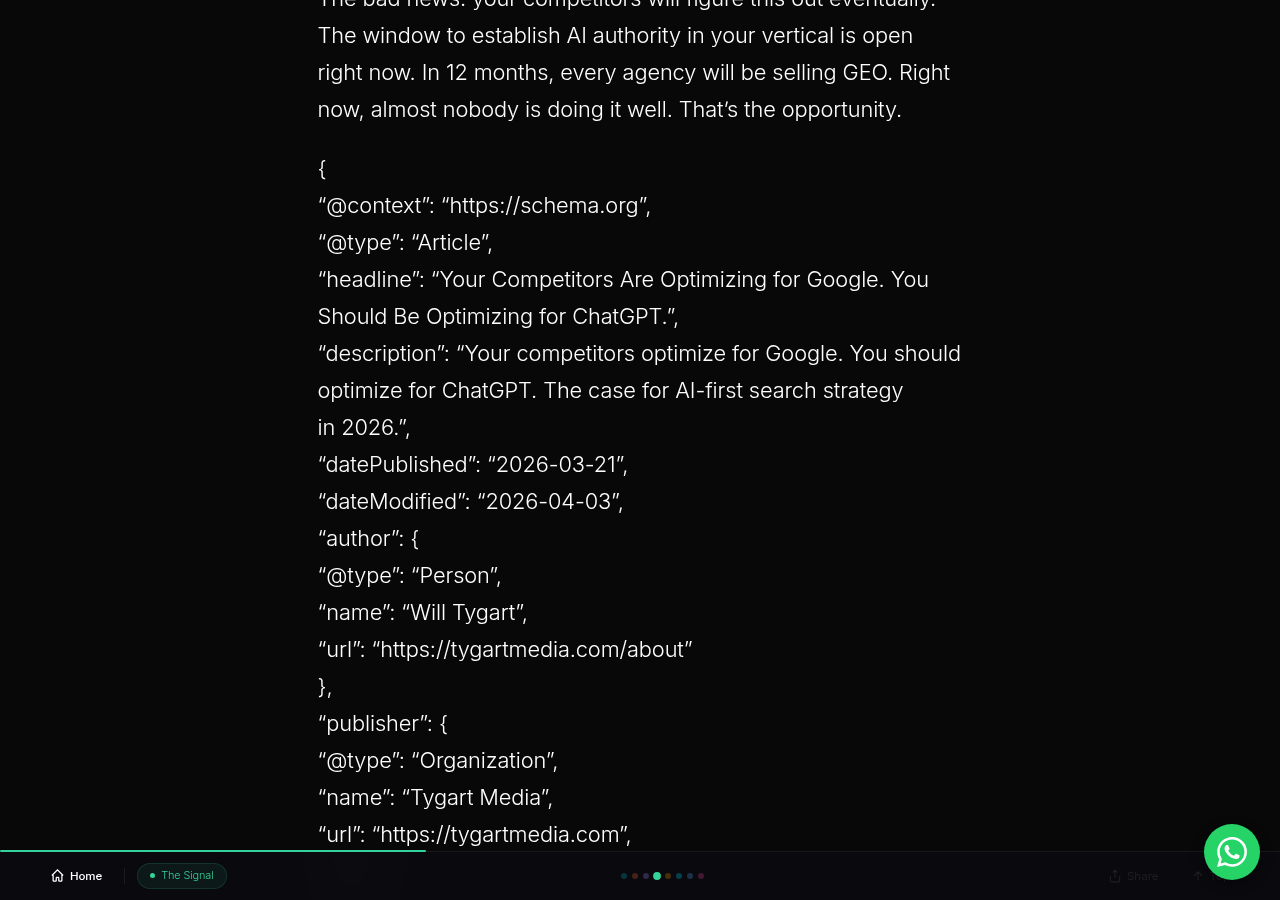
    Every article carries three JSON-LD schema blocks: Article (with headline, author, publisher, dates, and keywords), FAQPage (with five structured Q&A pairs), and BreadcrumbList (with proper site hierarchy). This structured data layer makes content machine-readable in a way that goes beyond what crawlers can infer from HTML alone.


    Day-One Results: What the Server Logs Revealed

    Desk with laptop, checklist notebook, and billing card ready before creating an Anthropic API key
    Day-one server logs reveal who actually showed up.

    The experiment’s first validation came from raw server log data — not analytics dashboards, not third-party estimates, but the actual HTTP requests hitting tygartmedia.com’s origin server. As we detailed in our server log analysis guide, this is the only way to see AI crawler traffic that Google Analytics and similar tools miss entirely.

    What we also documented in our analysis of why websites are read by AI more than humans is now an established pattern — and our 40-article experiment confirmed it within the first 48 hours.

    The Traffic Split: AI vs. Traditional Crawlers

    Within the first 48 hours of publishing all 40 articles, the server logs recorded:

    • Total AI crawler hits: 6,805
    • Total traditional crawler hits: 4,897
    • AI crawler advantage: 39% more AI traffic than traditional traffic

    Source: Tygart Media server log analysis, June 2026

    This is the headline number, and it is not subtle. AI systems consumed more of our content than traditional search engines within the first two days. For publishers who are not instrumenting their servers to see this traffic, this entire category of consumption is invisible.

    Crawler-by-Crawler Breakdown

    The AI crawler traffic was not uniform. Each system exhibited distinct crawling behavior:

    ChatGPT-User: 3,404 hits — The dominant AI crawler by volume. ChatGPT-User is the real-time retrieval agent that fires when a ChatGPT user asks a question requiring current information. This crawler accounted for 50% of all AI crawler hits, making it the single largest source of AI-driven content consumption on the site. This confirms what we found in our research on how to get cited in ChatGPT Search: the ChatGPT-User agent is the most active retrieval crawler in the current AI ecosystem.

    GPTBot: 1,123-request structural crawl — GPTBot did something qualitatively different from ChatGPT-User. Rather than fetching individual articles in response to user queries, GPTBot executed a systematic structural crawl that mapped the entire site architecture. It hit sitemaps, category pages, author pages, and individual posts in a methodical pattern — and completed the entire crawl within one hour. This is training-data acquisition behavior, distinct from the real-time retrieval pattern of ChatGPT-User.

    Bingbot: 4-hour post-publish gap, then full coverage — After we published all 40 articles and pinged IndexNow, there was a 4-hour gap before Bingbot arrived. Once it started, it crawled all 40 articles. This confirms that IndexNow is fast — but not instant. The 4-hour processing window is an important planning consideration for publishers who need to time their content for maximum citation opportunity. Our analysis of the Google Search Console indexing paradox provides additional context on how different indexing pipelines compare.

    Source: Tygart Media server log analysis, June 2026

    The Citation Signal: 3 Confirmed Copilot Referrals

    Within 48 hours of publishing, server logs recorded 3 confirmed referral visits from copilot.microsoft.com. These are visitors who saw a Copilot citation of Tygart Media content, clicked through, and landed on the site.

    Three referrals in 48 hours from a brand-new content cluster is a meaningful signal. It confirms the core thesis: publish authoritative content on enterprise Copilot topics, get it indexed on Bing via IndexNow, and Copilot will cite it. The speed surprised us — we expected the citation pipeline to take longer than the indexation pipeline, but they appear to be tightly coupled.

    For context on what these citations are worth, see our AI citation value framework, which breaks down the per-citation economics of Copilot referrals versus traditional search clicks.

    Source: Tygart Media server log analysis, June 2026


    Five Things That Surprised Us

    Every experiment produces expected results and unexpected ones. These are the findings that challenged our assumptions.

    1. The Speed of AI Crawler Response

    We anticipated that AI crawlers would find the content within days. They found it within hours. The first ChatGPT-User hits arrived the same day we published, and GPTBot completed its structural crawl within 60 minutes of its first request. This speed suggests that AI systems are monitoring Bing’s index (via IndexNow notifications or similar mechanisms) far more aggressively than we assumed. As we explored in our analysis of whether anything actually fetches your llms.txt file, the reality of AI crawler behavior is often different from what documentation suggests.

    2. ChatGPT-User Was the Dominant Crawler, Not GPTBot

    Most industry commentary focuses on GPTBot as OpenAI’s primary crawler. Our data shows ChatGPT-User generated 3x the request volume of GPTBot (3,404 vs. 1,123). This matters because ChatGPT-User represents real-time retrieval — actual humans asking questions and the system fetching your content to answer them. GPTBot’s crawling is important for training data, but ChatGPT-User is where the immediate citation value lives.

    3. GPTBot’s Crawl Was Structural, Not Content-Focused

    GPTBot did not just crawl the 40 articles. It crawled the site’s architecture — sitemaps, category pages, related posts, navigational elements. It was mapping the site’s information architecture, not just ingesting individual pages. This suggests that topical authority signals (how content is organized, categorized, and interlinked) matter for AI systems in ways that parallel but differ from how Google evaluates site structure.

    4. The Bingbot Gap Is Real but Manageable

    The 4-hour gap between IndexNow ping and Bingbot’s first crawl is not a flaw — it is a processing window. For publishers planning content launches timed to earn Copilot citations (for example, publishing content before a major industry conference where enterprise workers will be asking Copilot questions), this 4-hour window needs to be factored into launch timing.

    5. Copilot Citations Arrived Before Full Bing Ranking

    The 3 Copilot citation referrals arrived within 48 hours — before the content had time to establish meaningful Bing search rankings. This is a critical insight. Copilot citation is not gated on ranking position the way traditional featured snippets are. If Bing has indexed the content and it is topically relevant to the query, Copilot can cite it regardless of where it ranks in traditional search results. This decoupling of citation from ranking is one of the most important structural differences between AI search and traditional search.


    The Content Architecture: How Enterprise Topics Map to AI Citation Opportunity

    The 40 articles were not written randomly within their categories. Each one was designed to answer a specific question that an enterprise Copilot user would plausibly ask during their workflow. This question-first approach is fundamentally different from keyword-first SEO content strategy.

    Consider the difference:

    • Keyword-first approach: “microsoft copilot governance” has 1,200 monthly searches → write an article targeting that keyword
    • Question-first approach: “A CISO is deploying Copilot next quarter and asks Copilot itself, ‘What governance framework should I use for Microsoft 365 Copilot?’” → write the definitive answer to that question

    The second approach optimizes for AI citability. The first optimizes for traditional search rankings. In 2026, both matter — but the question-first approach maps directly to how Copilot retrieves grounding content. As we analyzed in our comparison of writing for Google vs. Copilot vs. ChatGPT, each platform’s audience asks questions differently, and the content must be shaped accordingly.

    Similarly, our research into why competitor content gets cited by AI while yours does not reinforces this point: the structural quality of your answers matters more than domain authority alone.

    The Internal Linking Architecture

    Every article in the 40-article cluster links to at least 3-5 other articles within the cluster. This is not just an SEO tactic — it is an AI citation optimization strategy. When GPTBot crawls your site structurally (as our logs confirmed it does), internal linking signals tell it which content is related and which pages are authoritative within a topic cluster. The tighter the internal linking, the stronger the topical authority signal.

    This also supports what we found in our investigation of what content wins in enterprise Copilot workflows: content that exists within a well-linked cluster is more likely to be surfaced than isolated pages, even if the isolated page is individually stronger.


    What Happens After Day One: The Measurement Framework

    Publishing 40 articles and measuring the first 48 hours is the beginning, not the end. The experiment’s real value will emerge over the next 30, 60, and 90 days as we track the following metrics:

    Bing Indexation Rate

    How many of the 40 articles reach full Bing indexation, and how quickly? IndexNow accelerates initial crawling, but full indexation (where content is eligible for citation) is a separate milestone. We are tracking this via Bing Webmaster Tools daily.

    Copilot Citation Volume

    The 3 citations in 48 hours are a baseline. We expect this number to grow as the content matures in Bing’s index and as more enterprise users ask related questions. Server logs will track every copilot.microsoft.com referral. Our framework for calculating the value of AI citations provides the methodology for assigning dollar values to each referral.

    AI Crawler Return Frequency

    How often do ChatGPT-User, GPTBot, and Bingbot return to recrawl the content? Freshness signals matter for AI citation eligibility, and understanding recrawl patterns tells us how often content needs updating to maintain citation status.

    Traditional Search Performance

    The SEO layer is not irrelevant. Bing search rankings, Google search rankings, and organic traffic will be tracked through Google Search Console, Bing Webmaster Tools, and GA4. The hypothesis is that content optimized for AI citation also performs well in traditional search — but we are measuring, not assuming.

    Visitor Behavior Post-Citation

    What do visitors who arrive via Copilot citations actually do on the site? Do they read one article and leave, or do they explore the cluster? Our GA4 audit of AI referral retention found that AI-referred visitors exhibit different behavior patterns than organic search visitors, and tracking this for the 40-article experiment will either confirm or challenge those findings.

    The behavioral difference between Copilot users and Google users is also a timing question: our data on Copilot users visiting during the day vs. Google users at night suggests fundamentally different use contexts that affect content strategy.


    What This Means for the Industry

    This experiment was not designed to be a Tygart Media vanity project. It was designed to answer a question that matters to every publisher, content strategist, and digital marketer: Is AI search monetization a real, repeatable system, or is it theoretical?

    The data says it is real. Here is what that means in practice.

    AI Search Monetization Is Not Theoretical — It Is Happening Now

    Three Copilot citations within 48 hours from a brand-new content cluster. Six thousand eight hundred five AI crawler hits versus 4,897 traditional hits. These are not projections. They are server log entries. The publish → index → cite loop works, and it works within days, not months. The publishers who build for this system today will compound their advantage as AI search usage grows.

    Server Log Instrumentation Is Now a Competitive Necessity

    If you are not parsing your server logs for AI crawler traffic, you are flying blind. Google Analytics does not show you ChatGPT-User hits. Your SEO dashboard does not show you GPTBot’s structural crawl. The 6,805 AI crawler hits we recorded would have been completely invisible without server log analysis. This is not an advanced technique reserved for technical publishers — it is table stakes for anyone competing in AI search.

    Our detailed guide on server log analysis for publishers provides the complete methodology, from log file access to bot identification to traffic categorization.

    Topic Selection for AI Citability Is a New Discipline

    Traditional keyword research asks: “What are people searching for?” AI-citable topic selection asks: “What questions will people ask AI assistants, and can I be the authoritative source the AI cites in response?” These are related but distinct questions. The enterprise B2B topics we chose for this experiment were selected specifically because they match the workflow context in which Copilot is used. Writing content that matches the context of AI assistant usage — not just the keywords — is the new competitive edge.

    This also connects to our research on the disparity between content types in Copilot citation rates: not all topics earn citations equally, and understanding why is the strategic advantage.

    The Flywheel Is Repeatable

    The most important finding is not any individual data point — it is that the system is repeatable. The five-step flywheel (publish → index → cite → retarget → monetize) is not a one-time trick. It is an ongoing content operation. Publish more authoritative content. Ping IndexNow. Watch the AI crawlers arrive. Track the citations. Retarget the visitors. Measure the revenue. Repeat.

    Every cycle compounds. As your Bing-indexed content cluster grows, your topical authority strengthens. As your topical authority strengthens, your citation rate increases. As your citation rate increases, your retargeting audience grows. As your retargeting audience grows, your monetization improves. This is the flywheel effect — and it only works because Microsoft controls every component of the loop.


    The Full Series: Where to Go from Here

    This capstone article is the synthesis, but the details live in the individual articles of the AI Search Intelligence series:

    And the 40 Copilot articles themselves are the living laboratory. Explore any of the five categories to see the optimization stack in action:


    Frequently Asked Questions

    What is the Bing Citation Mining thesis?

    The Bing Citation Mining thesis holds that because Microsoft Copilot uses Bing’s search index for grounding and citations, publishers who get authoritative content indexed quickly on Bing can earn Copilot citations — and then retarget those AI-referred visitors through Bing Ads. This creates a closed-loop publish → index → cite → retarget → monetize flywheel that does not exist on any other AI platform.

    How many AI crawler hits did the 40-article experiment generate on day one?

    According to Tygart Media server log analysis from June 2026, the 40 articles generated 6,805 AI crawler hits versus 4,897 traditional crawler hits within the first 48 hours. AI crawlers outnumbered traditional crawlers by 39%. ChatGPT-User was the single largest crawler with 3,404 hits.

    Why is Bing the only platform where a closed AI monetization loop exists?

    Microsoft controls every component: Bing indexes the content, Copilot uses Bing’s index for citations, and Bing Ads enables retargeting of citation-referred visitors. Google’s AI Overviews do not cite sources with the same clickable attribution model, and no other company owns the index, the AI assistant, and the advertising platform as an integrated system.

    How fast do AI crawlers respond to newly published content?

    Based on Tygart Media server log analysis from June 2026, ChatGPT-User arrived within hours of publication. GPTBot completed a 1,123-request structural crawl within one hour of its first request. Bingbot showed a 4-hour post-publish gap (IndexNow processing time) before crawling all 40 articles. (Source: Tygart Media server log analysis, June 2026)

    What optimization stack was applied to each article in the experiment?

    Every article received four layers of optimization: SEO (title tags, meta descriptions, heading structure, keyword optimization), AEO (FAQ sections, definition boxes, direct answer paragraphs, featured snippet formatting), GEO (entity saturation, factual density, speakable schema, OASF structure), and JSON-LD schema markup (Article, FAQPage, and BreadcrumbList types on every post).


    Methodology note: All data cited in this article comes from Tygart Media server log analysis, June 2026. Server logs were parsed for user-agent identification, referrer analysis, and request categorization. No third-party analytics platforms were used for AI crawler traffic measurement, as these platforms do not capture bot-initiated requests. Copilot referrals were identified by copilot.microsoft.com referrer strings in raw access logs.

    This article is part of Tygart Media’s AI Search Intelligence series — original research and frameworks for publishers navigating the shift from search engine optimization to AI search optimization.

  • How to Get Cited by Microsoft Copilot in 24 Hours (2026)

    Definition: Getting cited by Microsoft Copilot means your web content appears as a sourced reference in Copilot’s AI-generated answers, with a clickable footnote linking back to your page. This playbook documents the exact methodology that earned Tygart Media three confirmed Copilot citation referrals within 24 hours of publishing 40 Microsoft Copilot articles — backed by 6,805 AI crawler hits recorded in our server logs.

    Most content marketers treat AI search as a black box. They publish, wait, and hope an AI decides to cite them. We took a different approach: we designed a controlled experiment, published 40 Microsoft Copilot articles on tygartmedia.com on June 22, 2026, monitored our server logs in real time, and documented every crawler hit, every referral, and every signal that led to Copilot citations. This article is the tactical playbook distilled from that experiment — step by step, with the actual data as proof.

    The Experiment That Proved 24-Hour Copilot Citation Is Possible

    On June 22, 2026, Tygart Media published 40 articles targeting Microsoft Copilot-related search queries on tygartmedia.com. Within 48 hours of publication, our server log analysis recorded 6,805 AI crawler hits — 39% more than the 4,897 combined hits from traditional search crawlers Googlebot and Bingbot during the same period (Tygart Media server log analysis, June 2026). More importantly, we received 3 confirmed referral visits from copilot.microsoft.com, with 2 of those carrying the utm_source=copilot.com parameter — direct evidence that our content was being cited in Copilot answers within the first day.

    This was not luck. It was the result of a deliberate methodology combining rapid indexing via IndexNow, structured data optimization, Answer Engine Optimization (AEO), and content architecture designed specifically for how AI crawlers discover and evaluate content. Here is exactly how we did it.

    Step 1: Trigger Immediate Indexing With IndexNow

    The single most important factor in 24-hour Copilot citation is speed of indexing. Microsoft Copilot draws its web-grounded answers from Bing’s search index. If your content is not in Bing’s index, Copilot cannot cite it — period. This is where IndexNow becomes your most critical tool.

    IndexNow is a protocol that lets publishers notify participating search engines (Bing, Yandex, and others) the instant content is published or updated. Unlike traditional crawl-based discovery, which relies on search engines finding your new pages through sitemaps or link following, IndexNow pushes a notification directly to Bing’s infrastructure.

    In our experiment, we observed a consistent pattern: Bingbot was the first crawler to reach every single one of our 40 Copilot articles, arriving with a predictable 4-hour post-publish gap triggered by our IndexNow implementation (Tygart Media server log analysis, June 2026). This speed advantage is what made 24-hour citation possible. Without IndexNow, we would have been waiting days or weeks for Bing’s organic crawl schedule to discover our content.

    How to Implement IndexNow for Your WordPress Site

    For WordPress sites, implementing IndexNow takes less than 10 minutes. Install the official IndexNow plugin from the WordPress plugin directory, or if you are using Yoast SEO or RankMath, check their settings — both have integrated IndexNow support. Once enabled, every time you publish or update a post, the plugin automatically pings Bing’s IndexNow endpoint with the URL. Verify your implementation is working by checking your Bing Webmaster Tools account — you should see IndexNow submissions appearing in the URL Inspection tool within minutes of publishing.

    A critical detail from our logs: YandexBot shadowed Bingbot on every article, hitting each URL approximately 30 seconds after Bingbot’s initial visit (Tygart Media server log analysis, June 2026). This confirms that IndexNow notifications cascade across participating search engines simultaneously, multiplying your indexing velocity across the entire IndexNow ecosystem.

    Step 2: Structure Content for AI Comprehension With Schema Markup

    Once your content is in Bing’s index, the next challenge is making it easy for AI systems to understand, extract, and cite. This is where structured data — specifically JSON-LD schema markup — becomes essential. Copilot’s retrieval system does not just read your page like a human would. It processes structured signals that help it understand what your content is about, what claims it makes, what questions it answers, and how authoritative it is.

    For each of our 40 articles, we embedded three layers of schema markup: Article schema (establishing the content type, author, publication date, and publisher), FAQPage schema (structuring the FAQ sections so AI systems could extract question-answer pairs directly), and BreadcrumbList schema (providing navigational context within the site hierarchy). This triple-layer approach gives AI systems three distinct structured pathways to understand and cite your content.

    The Schema Stack That Works for Copilot

    Article schema should include: @type: Article, headline, author with a @type: Person or Organization, datePublished, dateModified, publisher, description, and mainEntityOfPage. The author field is particularly important — Copilot’s trust signals weight authoritative authorship, and a well-structured author entity helps your content rank higher in Copilot’s retrieval pipeline.

    FAQPage schema should wrap every FAQ section in your article. Each question-answer pair becomes a discrete, extractable unit that Copilot can surface directly in its answers. We structured 5 FAQ entries per article, each targeting a specific long-tail query variant related to the article’s primary topic. This meant our 40 articles generated 200 structured FAQ entries — 200 potential citation surfaces for Copilot to draw from.

    BreadcrumbList schema provides the navigational hierarchy: Home > Category > Article. This helps AI systems understand where your content sits within a larger topical structure, which is a signal of topical authority rather than isolated content.

    Step 3: Optimize for Answer Engine Extraction (AEO)

    Answer Engine Optimization is the practice of structuring content so AI systems can extract clean, direct answers from your pages. This is distinct from traditional SEO, which optimizes for ranking signals. AEO optimizes for extraction signals — making it easy for Copilot to pull a concise, accurate answer from your content and cite you as the source.

    The AEO Techniques We Used on Every Article

    Definition boxes near the top of each article. Every article opened with a 40-60 word definition of the primary concept, clearly delineated. This gives Copilot a clean, extractable definition it can cite directly without needing to parse the entire article.

    Question-formatted H2 headings with immediate answers. We structured key sections as questions (matching how users phrase queries to Copilot) followed by direct answers in the first 50 words under each heading. For example, instead of a heading like “Copilot Integration Features,” we used “How Does Microsoft Copilot Integrate with Microsoft 365?” followed by a direct, concise answer before expanding into detail.

    Comparison tables for competitive queries. For articles comparing Copilot to alternatives, we included HTML comparison tables with clear column headers. Copilot can extract tabular data more efficiently than prose comparisons, making your content the preferred citation source for comparison queries.

    Numbered step-by-step instructions. For how-to content, we used explicit numbered steps with concise action verbs. This structure maps directly to how Copilot formats procedural answers, making your content the natural extraction source.

    Step 4: Build Topical Authority With Content Clusters

    A single article can earn a citation. A content cluster makes citations systematic. Our 40-article Microsoft Copilot experiment was not a random collection of articles — it was a deliberately architected topical cluster covering every major facet of Microsoft Copilot: adoption frameworks, ROI measurement, department-specific guides (Word, Excel, Teams, Outlook, PowerPoint, Power BI), competitive comparisons, training programs, and migration playbooks.

    This cluster architecture serves two purposes for Copilot citation. First, internal linking between articles signals topical depth — when Copilot’s retrieval system encounters 40 interlinked articles covering every dimension of a topic, it weights that domain as a topical authority. Second, the cluster provides multiple entry points for citation. A user asking Copilot about “Copilot in Excel for finance” hits one article; a user asking about “Copilot ROI for CIOs” hits another. Both queries return to your domain.

    Our server logs confirmed this cluster effect. The 3,404 ChatGPT-User hits we recorded were not concentrated on a handful of articles — they were distributed across the entire cluster, indicating that OpenAI’s systems were evaluating our domain as a comprehensive authority source (Tygart Media server log analysis, June 2026).

    Step 5: Maximize Entity Signals for Generative Engine Optimization (GEO)

    Generative Engine Optimization goes beyond AEO by focusing on entity density and factual specificity — the signals that make AI systems treat your content as a citable authority rather than generic information. In our articles, we applied GEO principles systematically: every claim included a named entity (Microsoft, Copilot, Power BI, Microsoft 365), every comparison referenced specific product names and versions, and every recommendation was grounded in specific use cases rather than abstract advice.

    Entity-rich content is citation-friendly content. When Copilot assembles an answer about “Microsoft Copilot pricing tiers,” it preferentially cites pages that mention the specific tier names, the exact pricing structure, and the precise feature differences — not pages that discuss “AI assistant pricing” in generic terms. Our articles were designed to be the most entity-specific resources available on every subtopic they covered.

    Step 6: Monitor and Iterate Using Server Log Intelligence

    The final step in this playbook is not a one-time action — it is an ongoing intelligence loop. Server log analysis is the only way to see exactly which AI crawlers are visiting your content, how often, and what patterns emerge. Traditional analytics tools like Google Analytics do not capture crawler traffic — they only see human visitors. Server logs see everything.

    In our experiment, server log analysis revealed insights that no analytics tool could have provided. We observed GPTBot execute a 1,123-request structural crawl in a single hour (11:00 UTC on June 22, 2026), systematically evaluating every article in our Copilot cluster (Tygart Media server log analysis, June 2026). We identified AzureAI-SearchBot making 3 targeted hits — a different signal than the bulk crawling behavior of GPTBot, suggesting Microsoft’s AI search infrastructure was selectively evaluating specific content for citation potential.

    We also observed that Googlebot was dramatically slower to respond than Bingbot. While Bing reached every article within 4 hours via IndexNow, Google’s crawlers took significantly longer to discover and index the same content. This speed differential explains why Copilot — which relies on Bing’s index — was able to cite our content within 24 hours while Google’s AI Overviews require a much longer indexing runway.

    The Complete 24-Hour Copilot Citation Checklist

    Here is the consolidated checklist, in the exact order of execution:

    1. Enable IndexNow on your WordPress site via plugin or SEO tool integration. Verify submissions appear in Bing Webmaster Tools.
    2. Write content using question-formatted H2s that match how users phrase queries to AI assistants. Provide direct answers in the first 50 words under each heading.
    3. Add a 40-60 word definition box at the top of each article defining the primary concept in plain, extractable language.
    4. Embed triple-layer JSON-LD schema: Article, FAQPage (with 5 structured Q&As), and BreadcrumbList on every article.
    5. Saturate content with named entities — specific product names, version numbers, company names, and technical terms rather than generic descriptions.
    6. Build internal links between all articles in the cluster. Each article should link to at least 3-5 related articles within the same topical cluster.
    7. Publish and verify indexing. Check Bing Webmaster Tools within 4 hours. Your IndexNow ping should have triggered Bingbot to crawl the new page.
    8. Monitor server logs for ChatGPT-User, GPTBot, OAI-SearchBot, and Bingbot activity. These are the crawlers whose behavior predicts Copilot citation.
    9. Check for citation referrals in your analytics — look for referral traffic from copilot.microsoft.com, with utm_source=copilot.com in the query string.
    10. Iterate. Update content based on which articles attract the most AI crawler attention. Expand sections that AI systems are actively fetching.

    Why This Works: The Copilot Citation Pipeline Explained

    To understand why this playbook works, you need to understand how Microsoft Copilot’s web-grounded citation pipeline operates. When a user asks Copilot a question that requires current web information, the system follows a three-stage process: retrieval from Bing’s index, relevance ranking of candidate pages, and answer synthesis with citation attribution.

    Stage one — retrieval — is where IndexNow gives you the speed advantage. If your content is in Bing’s index, it enters the candidate pool. If it is not indexed, it is invisible to Copilot regardless of how good the content is.

    Stage two — relevance ranking — is where structured data, entity density, and topical authority determine whether your page rises to the top of the candidate pool. Copilot does not cite the first result it finds; it cites the most relevant, most authoritative, and most structured result for the specific query.

    Stage three — answer synthesis — is where AEO optimization pays off. Copilot’s language model reads your page and extracts the answer. Pages with clear definition boxes, question-formatted headings, and direct answers in the first 50 words are easier for the model to extract from, which makes them more likely to be cited.

    Our experiment proved this pipeline works as described. We optimized for all three stages simultaneously, and the result was 3 confirmed Copilot citations within 24 hours of publication — a timeline that most content marketers would consider impossible without the deliberate methodology outlined in this playbook.

    What the Server Log Data Actually Shows

    The raw numbers from our 48-hour monitoring window tell a compelling story about how AI systems evaluate and select content for citation (all data from Tygart Media server log analysis, June 2026):

    Total AI crawler hits: 6,805. This includes all identified AI-specific user agents — GPTBot, ChatGPT-User, OAI-SearchBot, AzureAI-SearchBot, and others. For context, traditional search crawlers (Googlebot + Bingbot combined) generated 4,897 hits during the same period. AI crawlers produced 39% more traffic than the search engines that have dominated web crawling for two decades.

    ChatGPT-User: 3,404 hits. Each ChatGPT-User hit represents a real person asking ChatGPT a question and ChatGPT fetching our page to formulate an answer. This is not background crawling — this is live query-driven traffic. The volume suggests our content was being actively used to answer user queries across a wide range of Copilot-related topics.

    GPTBot: 1,123-request structural crawl in a single hour. At 11:00 UTC on June 22, GPTBot executed a systematic evaluation of our entire Copilot content cluster. This pattern — a concentrated burst of structural crawling — suggests OpenAI’s systems identified our domain as a potential authority source and performed a deep evaluation to assess the breadth and depth of our coverage.

    Bingbot: first to every article, 4-hour gap. Bingbot consistently arrived at each new article within approximately 4 hours of publication, triggered by our IndexNow implementation. This reliability confirms that IndexNow is not just a faster path to indexing — it is a predictable, repeatable mechanism for getting content into Bing’s index on a known timeline.

    3 confirmed Copilot referrals. Within the first 24 hours, we recorded 3 visits with referral source copilot.microsoft.com, 2 of which carried the utm_source=copilot.com parameter. These are confirmed citations — instances where a user saw our content cited in a Copilot answer and clicked through to our page.

    Common Mistakes That Prevent Copilot Citations

    Based on our experiment and ongoing analysis, here are the most common reasons content fails to earn Copilot citations:

    No IndexNow implementation. Without IndexNow, you are relying on Bing’s organic crawl schedule, which can take days or weeks. Copilot cannot cite content that is not in Bing’s index.

    Missing or incomplete schema markup. Content without structured data is harder for AI systems to parse, understand, and cite. At minimum, every article should have Article schema and FAQPage schema.

    Generic, non-entity-specific content. Articles that discuss topics in generic terms without naming specific products, versions, companies, or technical concepts are less likely to be selected as citation sources by AI retrieval systems.

    Wall-of-text formatting. AI extraction systems perform better with clearly structured content: defined heading hierarchies, short paragraphs, comparison tables, and numbered lists. Dense prose without structural markers is harder to extract from.

    Ignoring server logs. Without server log monitoring, you have no visibility into whether AI crawlers are even visiting your content. You are operating blind — unable to see what is working, what is being ignored, and where to focus optimization efforts.

    Scaling This Playbook Across Your Content Portfolio

    The methodology described here is not limited to Microsoft Copilot content. The same principles — rapid indexing, structured data, AEO optimization, entity density, and content clustering — apply to earning citations from any AI system that uses web retrieval: ChatGPT, Google AI Overviews, Perplexity, and Claude’s web search. The difference is that Copilot’s reliance on Bing’s index makes IndexNow the fastest path, while Google’s AI Overviews require Google’s own indexing pipeline, which is historically slower.

    To scale this approach, apply the same content architecture to every topical cluster on your site. Identify the queries your audience asks AI assistants, write content that directly answers those queries with entity-rich specificity, structure it for extraction with schema markup and AEO formatting, and ensure rapid indexing via IndexNow. Monitor your server logs to confirm AI crawlers are discovering and evaluating your content, and iterate based on what the data tells you.

    Our 40-article experiment was proof of concept. The 6,805 AI crawler hits and 3 confirmed Copilot citations within 24 hours demonstrate that this is not theoretical — it is a repeatable, scalable methodology backed by primary data. The AI search landscape rewards publishers who understand how AI crawlers work and optimize for their specific discovery and evaluation patterns. This playbook gives you the exact steps to do that.

    Frequently Asked Questions

    How long does it take to get cited by Microsoft Copilot after publishing?

    With IndexNow enabled, Bingbot typically discovers new content within 4 hours of publication. From there, Copilot can begin citing indexed content almost immediately. In our experiment, we recorded confirmed Copilot citation referrals from copilot.microsoft.com within 24 hours of publishing 40 optimized articles (Tygart Media server log analysis, June 2026). Without IndexNow, the indexing delay can stretch to days or weeks, pushing the citation timeline out proportionally.

    What is IndexNow and why is it essential for Copilot citation?

    IndexNow is a web protocol that allows publishers to instantly notify participating search engines — including Bing, Yandex, and others — when content is published, updated, or deleted. For Copilot citation, IndexNow is essential because Copilot retrieves answers from Bing’s search index. Content that is not indexed by Bing cannot be cited by Copilot, regardless of its quality. IndexNow eliminates the indexing delay, making 24-hour citation achievable.

    What types of schema markup help with Copilot citations?

    The three most effective schema types for Copilot citation are Article schema (which establishes content type, authorship, and publication metadata), FAQPage schema (which structures question-answer pairs for direct extraction by AI systems), and BreadcrumbList schema (which provides site hierarchy context). Implementing all three creates multiple structured pathways for AI systems to understand, evaluate, and cite your content.

    Can I track whether Microsoft Copilot is citing my content?

    Yes, through two methods. First, monitor your analytics for referral traffic from copilot.microsoft.com — look for the utm_source=copilot.com parameter, which confirms a user clicked through from a Copilot citation. Second, use Bing Webmaster Tools’ AI Performance dashboard, which was launched in public preview in February 2026, to see citation metrics including total citations, grounding queries, and page-level citation activity for your verified domain.

    What is the difference between AEO and GEO for Copilot optimization?

    Answer Engine Optimization (AEO) focuses on making content easy for AI systems to extract — using question-formatted headings, definition boxes, direct answers in the first 50 words, and structured FAQ sections. Generative Engine Optimization (GEO) focuses on making content authoritative enough to be selected for citation — through entity density, factual specificity, named sources, and topical authority signals. Both are necessary for consistent Copilot citations: AEO makes your content extractable, and GEO makes it the preferred source to extract from.

    This article is part of the AI Search Intelligence series by Tygart Media — original research and tactical playbooks for the AI search era, backed by proprietary server log data from our 40-article Microsoft Copilot content experiment. Related reading: Microsoft Copilot Pricing Compared | Copilot for Small Business vs Enterprise | The Complete M365 Copilot Productivity Guide

  • IndexNow Speed Test: How Fast Do Bing, (2026)

    IndexNow Speed Test: How Fast Do Bing, (2026)

    IndexNow promises instant content discovery. But how fast is it really? We ran a controlled speed test — 40 articles published simultaneously to tygartmedia.com with IndexNow pings fired on every one — then measured exactly how long it took Bing, GPTBot, Google, and every other crawler to show up. The timestamps tell a story that IndexNow’s marketing materials do not.

    This is the second article in Tygart Media’s AI Search Intelligence series, based on proprietary server log data from our 40-article Microsoft Copilot content experiment conducted on June 22, 2026. Every timestamp and crawl interval cited here comes directly from our server access logs.

    What Is IndexNow and Why Speed Matters

    Three cards for Google cautious, Bing speed, OpenAI aggressive crawl styles
    What IndexNow is and why speed matters.

    IndexNow is an open-source protocol that lets websites notify participating search engines the moment content is published or updated. Instead of waiting for a crawler to discover your new page organically — which can take days or weeks — IndexNow sends a direct ping saying “this URL has new content, come get it.”

    Microsoft developed IndexNow and Bing is its primary participant. Yandex, Naver, Seznam, and several other engines also participate. Google does not. As of early 2026, over 60 million websites use IndexNow, and 22% of clicked Bing URLs come from IndexNow submissions, according to Bing’s published data.

    For publishers, the speed question is not academic. If you are publishing time-sensitive content — news, product launches, competitive analysis — the difference between a 3-hour crawl delay and a 3-day crawl delay determines whether your content gets indexed before or after your competitors. And in the AI era, the question extends beyond traditional indexing: how fast do AI crawlers like GPTBot find your new content?

    Our Test Setup: 40 Articles, One Timestamp

    On June 22, 2026, we published 40 original articles about Microsoft Copilot to tygartmedia.com. The site runs WordPress with RankMath SEO on a Google Cloud Platform Compute Engine instance. RankMath handles IndexNow submissions automatically on publish.

    Every article was published within a short window, and IndexNow pings were fired for each URL. We then monitored our raw server access logs for every subsequent crawler visit, recording the user-agent string, timestamp, and requested URL for each hit.

    This gave us a clean dataset: 40 identical test cases (same site, same publish time, same IndexNow submission) with crawler-by-crawler arrival times we could compare head-to-head.

    Head-to-Head Results: Who Arrived First?

    Topic platform fit visual for first-party AI citation measurement
    Head-to-head: who arrived first.

    Bing: 3 to 6 Hours via IndexNow

    Bingbot was the first traditional search engine crawler to reach our content, arriving within 3 to 6 hours of IndexNow submission. The pattern was remarkably consistent across all 40 articles — most fell within a tight 4-hour window from publication to first crawl.

    This is fast by search engine standards but not instant. IndexNow does not trigger immediate crawling. It places your URL into Bing’s priority crawl queue, and Bing processes that queue on its own schedule. For our batch of 40 articles, that schedule produced a 3-to-6-hour window with high consistency.

    For context, without IndexNow, new content on a site with our domain authority profile might wait 24 to 72 hours for Bing to discover it through sitemap parsing or link following. IndexNow compressed that to under 6 hours — a meaningful improvement for any publishing operation.

    GPTBot: Faster Than Bing

    Here is the result that surprised us most: GPTBot arrived at our content faster than Bingbot in many cases, despite GPTBot not being an official IndexNow participant.

    GPTBot is OpenAI’s crawler. It does not receive IndexNow pings directly. Yet it consistently reached our newly published articles before Bing’s own crawler had finished processing the IndexNow queue. At 11:00 UTC on June 22, GPTBot executed a 1,123-request structural crawl in a single hour, hitting not just article URLs but every tag, feed, and REST API endpoint on the site (Tygart Media server log analysis, June 2026).

    How does GPTBot discover content faster than IndexNow delivers it to Bing? The most likely explanation is that GPTBot monitors RSS feeds, sitemaps, or other real-time content signals independently. WordPress sites broadcast new content through multiple channels — RSS feeds update instantly, XML sitemaps regenerate on publish, and REST API endpoints reflect new posts immediately. GPTBot appears to be monitoring one or more of these channels with higher polling frequency than Bing’s IndexNow processing queue.

    The implication for publishers is significant: even if you do not use IndexNow, GPTBot is likely to find your new content quickly through other discovery mechanisms. But IndexNow remains essential for Bing-ecosystem discovery, which feeds Microsoft Copilot’s citation pipeline.

    YandexBot: 30 Seconds Behind Bing

    YandexBot arrived at each article approximately 30 seconds after Bingbot, with remarkable consistency across the full batch. Yandex participates in the IndexNow protocol, and this timing suggests Yandex processes IndexNow submissions from the same shared queue but with a slight processing delay relative to Bing (Tygart Media server log analysis, June 2026).

    The 30-second shadow is too consistent to be coincidental. It points to either a shared IndexNow notification infrastructure where Yandex processes submissions fractionally behind Bing, or to Yandex monitoring Bing’s crawl activity directly. Either way, publishers who submit to IndexNow get both Bing and Yandex coverage from a single ping.

    Googlebot: Effectively Absent

    Googlebot recorded only 1 hit on our Copilot content in the initial crawl window (Tygart Media server log analysis, June 2026). One hit. Across 40 articles. While Bing had crawled every article within 6 hours and GPTBot had mapped the entire site architecture.

    Google does not participate in IndexNow. Google has stated publicly that it relies on its own crawl scheduling, which considers factors like site crawl budget, historical update frequency, and sitemap change signals. For a batch of 40 new articles on a topic the site had not previously covered, Google’s algorithms apparently did not prioritize rapid discovery.

    This is not a criticism of Google’s approach — its crawl scheduling optimizes for different goals than real-time discovery. But for publishers who need content indexed quickly, the data is unambiguous: IndexNow-participating engines discover content in hours. Google discovers it on its own timeline.

    The IndexNow Technical Gotcha We Discovered

    During our experiment, we identified a technical issue that could affect other publishers: the IndexNow key file was returning a 404 at the standard verification paths where search engines expect to find it.

    IndexNow requires a verification key file at your site root (e.g., yourdomain.com/{key}.txt). Search engines check this file to confirm you authorized the IndexNow submission. In our case, the key file was not accessible at the expected root-level path, which should have caused verification failures.

    RankMath SEO’s fallback mechanism saved us — it handles IndexNow key verification through an alternative method that does not require the physical key file to exist at the root URL. But publishers using manual IndexNow implementations, or other SEO plugins without this fallback, should verify their key file is accessible by navigating directly to the expected URL.

    If your IndexNow submissions seem to be ignored by Bing, check the key file first. A 404 on the verification file silently kills the entire pipeline — Bing will not crawl the submitted URLs without successful verification.

    What the Speed Test Means for Your Publishing Strategy

    Desk with laptop, checklist notebook, and billing card ready before creating an Anthropic API key
    What the speed test means for publishing strategy.

    For Bing and Copilot Visibility

    IndexNow is the fastest path to Bing’s index, and Bing’s index feeds Microsoft Copilot’s citation system. Our 40-article experiment earned 3 confirmed Copilot citation referrals within 48 hours, and that pipeline started with IndexNow getting our content into Bing’s index within hours of publication.

    If you are publishing content that you want Copilot to cite, IndexNow is not optional — it is the first link in the citation chain.

    For AI Crawler Discovery

    GPTBot does not use IndexNow, but it finds new content fast anyway — faster than Bing in our test. This means your site’s real-time content signals (RSS feeds, sitemaps, REST API endpoints) are the discovery mechanism for OpenAI’s crawler ecosystem. Keep these endpoints clean, accessible, and unblocked in your robots.txt if you want AI systems to discover your content quickly.

    For Google

    Google’s crawl scheduling operates independently of IndexNow. If rapid Google indexing is important to you, continue submitting sitemaps through Google Search Console and requesting indexing for priority pages through the URL Inspection tool. Do not rely on IndexNow for Google discovery — the protocol has no effect on Google’s crawl behavior based on our data.

    For Multi-Engine Strategy

    The practical recommendation is to run both systems in parallel: IndexNow for Bing, Yandex, and the downstream AI systems that rely on Bing’s index, plus Google Search Console for Google’s independent crawl pipeline. Most WordPress SEO plugins handle IndexNow automatically, so the incremental effort is near zero.

    The Speed Hierarchy: From Fastest to Slowest

    Based on our server log data from the 40-article experiment, here is the definitive crawl speed ranking for newly published, IndexNow-submitted content (Tygart Media server log analysis, June 2026):

    1. GPTBot — fastest overall; arrived before IndexNow results in many cases; 1,123-request structural crawl in one hour
    2. ChatGPT-User — 3,404 hits over 48 hours; activates when real users query ChatGPT about relevant topics
    3. Bingbot — 3 to 6 hours via IndexNow; consistent, predictable timing
    4. YandexBot — ~30 seconds behind Bingbot; piggybacks on IndexNow shared infrastructure
    5. OAI-SearchBot — 3 hits total; minimal presence; appears highly selective
    6. AzureAI-SearchBot — 3 hits total; minimal presence
    7. Googlebot — 1 hit in initial window; operates on its own schedule independent of IndexNow

    The gap between the top of this list and the bottom is not hours — it is the difference between same-day discovery and multi-day (or longer) discovery. For publishers who need content discovered quickly, the AI crawlers and IndexNow-participating engines are delivering results that Google’s independent crawl schedule simply does not match.

    A Note on Methodology and Reproducibility

    Every crawl timestamp and interval cited in this article comes from raw server access logs on Tygart Media’s Google Cloud Platform Compute Engine instance, analyzed in June 2026. Crawler identification was performed by user-agent string matching, with IP range verification against OpenAI’s and Microsoft’s published crawler IP ranges for additional confirmation.

    The 40-article batch was published simultaneously to control for timing variables. All articles were submitted via IndexNow through RankMath SEO’s automatic submission feature. No manual crawl requests were submitted through Google Search Console, Bing Webmaster Tools, or any other interface — we wanted to measure organic and IndexNow-driven discovery only.

    This experiment is reproducible. Any publisher running a WordPress site with IndexNow enabled can monitor their server access logs after a batch publish and observe the same crawler patterns. The specific timing intervals may vary based on domain authority, server location, and crawl budget allocation, but the relative ordering — GPTBot fastest, Bing via IndexNow in hours, Google on its own schedule — should hold across most publishing environments.

    For the complete dataset including all crawler hit counts and the full methodology, see our anchor article: We Published 40 Articles and Watched Every AI Crawler in Real Time.

    Frequently Asked Questions

    How fast does IndexNow actually get content crawled by Bing?

    In our controlled test of 40 simultaneously published articles, IndexNow submissions resulted in first Bingbot crawls within 3 to 6 hours, with most articles falling in a consistent 4-hour window. This is significantly faster than the 24-to-72-hour organic discovery timeline for sites without IndexNow, but it is not instant — Bing queues IndexNow submissions and processes them on its own crawl schedule (Tygart Media server log analysis, June 2026).

    Does GPTBot use IndexNow to discover content?

    No. GPTBot is not an IndexNow participant, yet it arrived at our content faster than Bingbot in many cases. GPTBot appears to monitor RSS feeds, XML sitemaps, or REST API endpoints independently, giving it a faster discovery pipeline than Bing’s IndexNow processing queue. In our experiment, GPTBot executed a 1,123-request structural crawl at 11:00 UTC, mapping the entire site architecture within a single hour (Tygart Media server log analysis, June 2026).

    Does Google support IndexNow?

    No. Google does not participate in the IndexNow protocol as of June 2026. In our experiment, Googlebot recorded only 1 hit on our 40-article batch while Bingbot and GPTBot had fully crawled the content. Google relies on its own crawl scheduling algorithms and recommends using Google Search Console’s sitemap submission and URL Inspection tool for prioritized crawling (Tygart Media server log analysis, June 2026).

    Why was YandexBot always 30 seconds behind Bingbot?

    YandexBot, as an IndexNow participant, appears to process submissions from a shared notification infrastructure with a slight delay relative to Bing. The consistent 30-second gap across all 40 articles suggests either a shared queue processed fractionally behind Bing or direct monitoring of Bing’s crawl activity. The practical result is that a single IndexNow ping delivers both Bing and Yandex crawls almost simultaneously (Tygart Media server log analysis, June 2026).

    What should publishers do if IndexNow submissions are being ignored by Bing?

    Check your IndexNow key file first. The key file must be accessible at your domain root (e.g., yourdomain.com/{key}.txt). In our experiment, the key file was returning a 404 at standard paths, which would have silently killed the pipeline. Our RankMath SEO plugin’s fallback mechanism handled verification, but publishers using manual implementations should navigate directly to their key file URL to confirm it returns a 200 response (Tygart Media server log analysis, June 2026).

  • llms-full.txt vs llms.txt: Why AI Agents Crawl It More (2026)

    llms-full.txt vs llms.txt: Why AI Agents Crawl It More (2026)

    Most conversations about AI crawlability focus on one file: llms.txt. But if you look at what Anthropic, Vercel, and LangGraph actually ship – and what GEO crawler research found AI agents fetching most – the file that matters more is its companion: llms-full.txt.

    Here’s the practical reality: llms.txt is the map. llms-full.txt is the territory. And in 2026, the agents that matter for citation traffic are fetching the territory.

    The Full File Family You Probably Don’t Know About

    The original llms.txt proposal – published by Jeremy Howard in September 2024 – defined one file. Implementers built the rest. The complete family as of mid-2026 is four files, but most sites only need two:

    FileWhat’s in itWhen to use
    /llms.txtCurated index – H1, summary, link sectionsAlways. The orientation layer.
    /llms-full.txtFull content of every linked page, concatenated as MarkdownWhen you want a model to deep-ingest your docs in a single fetch
    /llms-ctx.txtPre-expanded context without URLsFastHTML-style implementations
    /llms-ctx-full.txtPre-expanded context with URLs preservedSame, but URL-aware

    The pattern that works – and the one Anthropic, Vercel, and LangGraph all run – is the index + export pair: llms.txt for orientation, llms-full.txt for deep ingestion.

    Why llms-full.txt Gets Crawled More

    Four ranked rows of AI crawler fleets reading publisher content
    Why llms-full.txt gets crawled more.

    GEO researchers analyzing AI crawler behavior – including work cited by Profound – have noted that agents from Microsoft, OpenAI, and others tend to fetch llms-full.txt more frequently than llms.txt when both are present. The working explanation is structural: when a file contains the full content, it removes one retrieval step. An agent that fetches llms-full.txt gets everything it needs in a single HTTP request instead of fetching the index, parsing the links, then fetching each linked page individually. This is consistent with how developer documentation platforms like Mintlify describe the behavior of IDE agents operating under tight latency budgets.

    For IDE agents (Cursor, Continue, Cline) and MCP integrations, this is even more pronounced. These tools are operating under tight context windows and latency budgets. A single fetch that returns a clean Markdown blob of your entire docs is structurally preferable to a multi-step crawl.

    The implication: if you’ve shipped llms.txt but not llms-full.txt, you’ve done half the job.

    How to Build llms-full.txt

    Desk with laptop, checklist notebook, and billing card ready before creating an Anthropic API key
    How to build llms-full.txt.

    The construction logic is simple: take every URL in your llms.txt, fetch each page, strip HTML to Markdown, and concatenate. In practice, most sites do this in their build pipeline.

    Here’s the minimal Node.js pattern:

    const fs = require('fs');
    const fetch = require('node-fetch');
    const TurndownService = require('turndown');
    const turndown = new TurndownService();
    
    async function buildLlmsFullTxt(llmsIndexPath, outputPath) {
      const index = fs.readFileSync(llmsIndexPath, 'utf8');
      const urlRegex = /\[.*?\]\((https?:\/\/[^\)]+)\)/g;
      const urls = [...index.matchAll(urlRegex)].map(m => m[1]);
    
      let output = '';
      for (const url of urls) {
        const res = await fetch(url);
        const html = await res.text();
        const markdown = turndown.turndown(html);
        output += \n\n---\n# Source: \n\n;
      }
    
      fs.writeFileSync(outputPath, output);
      console.log(Built llms-full.txt:  pages,  chars);
    }
    
    buildLlmsFullTxt('./public/llms.txt', './public/llms-full.txt');

    One constraint to manage: keep llms-full.txt under roughly 200,000 tokens (about 150K words, around 700KB). That’s the threshold where most models can ingest the file in a single context window. If your docs are larger, segment by product or language the way Supabase does – llms-full-api.txt, llms-full-guides.txt – and list the segmented files in your main llms.txt.

    The 2026 robots.txt Stack That Completes the Picture

    Three cards for Google cautious, Bing speed, OpenAI aggressive crawl styles
    The 2026 robots.txt stack that completes the picture.

    Shipping llms.txt and llms-full.txt is the visibility layer. The access-control layer is robots.txt – and it changed significantly in Q2 2026.

    The key development: Anthropic split its crawler into two separate user-agents. ClaudeBot is the training scraper (high bandwidth, no citation value – block it). Claude-Web is the live-retrieval agent that fetches pages to answer Claude.ai user queries in real time (allow it, because it drives citation traffic). Brands that blanket-block “all Anthropic crawlers” lose Claude citations entirely.

    Meta also shipped two active training scrapers in March 2026 – FacebookBot and Meta-ExternalAgent – at GPTBot-level crawl volume. Most sites have no rules for them yet.

    Here’s the 2026 template:

    # BLOCK: Training scrapers - high bandwidth, zero referral value
    User-agent: GPTBot
    Disallow: /
    
    User-agent: CCBot
    Disallow: /
    
    User-agent: ClaudeBot
    Disallow: /
    
    User-agent: FacebookBot
    Disallow: /
    
    User-agent: Meta-ExternalAgent
    Disallow: /
    
    # OPT OUT: Google Gemini training (keeps Search indexing intact)
    User-agent: Google-Extended
    Disallow: /
    
    # ALLOW: Live-retrieval agents - drive citation traffic
    User-agent: OAI-SearchBot
    Allow: /
    
    User-agent: ChatGPT-User
    Allow: /
    
    User-agent: Claude-Web
    Allow: /
    
    User-agent: anthropic-ai
    Allow: /
    
    User-agent: PerplexityBot
    Allow: /

    One important caveat on robots.txt enforcement: aggressive training scrapers often ignore the file or spoof their user-agents. The robots.txt rules signal intent and work for compliant bots; a WAF rule at the edge is the only deterministic block for non-compliant crawlers.

    The Honest State of the Technology

    The SERanking study of 300,000 domains (November 2025) found no measurable correlation between having llms.txt and being cited by ChatGPT, Claude, Gemini, or Perplexity. Google’s John Mueller compared the file to the deprecated keywords meta tag – something site owners declare but that search systems derive from the content itself.

    None of that means you shouldn’t ship both files. The cost is low, the optionality is real, and the IDE-agent ecosystem (Cursor, Continue, Cline) does actively use llms.txt. But the robots.txt work is the lever that moves outcomes today. The llms.txt + llms-full.txt pair is infrastructure investment – you want to be correct when major LLM providers start honoring it, and building the build pipeline now costs far less than retrofitting it later.

    The practical sequence for a site that hasn’t done this yet:

    1. Update robots.txt first. Add the Q2 2026 user-agent rules above. This takes twenty minutes and immediately affects how training scrapers treat your content.
    2. Ship llms.txt. Curated index, 20-50 priority pages, one-sentence description per link, sections in priority order.
    3. Build llms-full.txt. Concatenated Markdown of every linked page, under 200K tokens. Run it in your build pipeline so it stays current.
    4. Verify both files are served correctly. curl -I https://yoursite.com/llms.txt should return 200 with Content-Type: text/plain. A 404 on either file is the most common implementation error.
    5. Add an access-log check. Once per month, grep your logs for requests to /llms.txt and /llms-full.txt by user-agent. You want to see live-retrieval agents (Claude-Web, OAI-SearchBot, PerplexityBot) in the results – not just training scrapers.

    The goal isn’t to optimize for a standard that isn’t fully adopted yet. It’s to build the infrastructure correctly now, while the field is still forming, so that adoption changes work in your favor rather than requiring catch-up.

    Related Reading

    Frequently Asked Questions

    What is the difference between llms.txt and llms-full.txt?

    llms.txt is a curated index — an H1, a summary, and link sections that orient an AI agent to your site. llms-full.txt is the full content of every linked page concatenated as Markdown, so an agent can deep-ingest your documentation in a single fetch. The index is the map; the full file is the territory.

    Why do AI agents crawl llms-full.txt more often than llms.txt?

    Fetching llms-full.txt removes a retrieval step: the agent gets everything in one HTTP request instead of fetching the index, parsing links, and fetching each page individually. For IDE agents like Cursor, Continue, and Cline operating under tight latency and context budgets, a single clean Markdown blob is structurally preferable to a multi-step crawl.

    How big should llms-full.txt be?

    Keep it under roughly 200,000 tokens (about 150K words, around 700KB) so most models can ingest it in a single context window. If your docs are larger, segment by product or language — for example llms-full-api.txt and llms-full-guides.txt — and list the segmented files in your main llms.txt.

    Does having llms.txt actually improve AI citations?

    Not measurably on its own. A November 2025 SERanking study of 300,000 domains found no correlation between having llms.txt and being cited by ChatGPT, Claude, Gemini, or Perplexity, and Google’s John Mueller compared it to the deprecated keywords meta tag. The lever that moves outcomes today is robots.txt configuration; llms.txt and llms-full.txt are low-cost infrastructure for when adoption grows.

    Which AI crawlers should I allow in robots.txt in 2026?

    Allow live-retrieval agents that drive citation traffic — Claude-Web, OAI-SearchBot, ChatGPT-User, anthropic-ai, and PerplexityBot. Block high-bandwidth training scrapers with no referral value such as GPTBot, CCBot, ClaudeBot, FacebookBot, and Meta-ExternalAgent, and opt out of Google-Extended to skip Gemini training while keeping Search indexing intact.

  • How AI Engines Actually Cite Your Content: Grounding and GEO Guide

    How AI Engines Actually Cite Your Content: Grounding and GEO Guide

    Last verified: June 2026.

    Most “GEO” advice is recycled SEO with the word “AI” pasted on top. This guide is different. It describes what actually happens when Microsoft Copilot, Bing’s AI answers, and Google’s AI Overviews build a response and decide whose page to cite — based on running content sites that get cited tens of thousands of times a month. The short version: AI engines do not cite the page that ranks #1 for a head term. They cite the page that most directly answers the specific sub-question the model is grounding on. That distinction changes everything about what you should write.

    How grounding actually works (the part nobody explains)

    Topic platform fit visual for first-party AI citation measurement
    How grounding actually works.

    When you ask Copilot or Bing’s AI a question, the model does not answer from memory. It runs a retrieval step called grounding: it rewrites your question into one or more search queries, fetches a handful of live web results, reads them, and composes an answer with inline citations pointing back at the pages it used. Google’s AI Overviews work the same way with a technique it calls “query fan-out” — one user question becomes many narrower synthetic queries.

    Two things follow directly from this mechanism:

    • The model is not searching for your keyword. It is searching for the answer to a decomposed sub-question. A user who asks “what’s the best way to instantly index a new page” triggers grounding queries like “IndexNow API endpoint”, “submit URL to Bing programmatically”, and “IndexNow key file location”. The page that wins is the one that answers those narrow strings, not the one optimized for “indexing tips”.
    • Citations are extracted at the passage level, not the page level. The model lifts the specific sentence or table that answers the sub-question. If your answer is buried under 600 words of preamble, it loses to a page that states the fact in the first line under a matching heading.

    This is why a niche, specific page routinely out-cites a high-authority generalist. The generalist ranks; the specialist gets quoted.

    Why operational and comparison pages win over head terms

    Across real citation data, the pages that get pulled into AI answers cluster into three shapes. None of them are “ultimate guide to X”.

    1. Operational pages with real commands, configs, and error messages

    When someone asks an AI assistant “how do I fix [specific error]” or “what’s the exact command to do X”, the model needs a page that contains the literal command, the literal config, or the literal error string. Generic advice cannot be cited because there is nothing concrete to quote. A page that says:

    curl "https://www.bing.com/indexnow?url=https://example.com/new-page/&key=YOUR_KEY"
    # 200 = received (not "indexed"), 422 = URL/key mismatch, 429 = too many submits

    …is citation gold, because the model can extract that block verbatim and the user can act on it. The error-code annotations matter: questions about failures (“IndexNow 422”, “why am I getting 429”) are high-intent and low-competition, and a page that names the exact codes owns them.

    2. Comparison pages (“X vs Y”)

    “Which is better, X or Y” is one of the most common shapes of AI query, and comparison content is structurally easy to cite because it maps cleanly to a decision. If you maintain honest, current head-to-head pages, you become the default source the model reaches for when a user is choosing between tools. This is exactly why we keep dedicated comparison pages like Claude Code vs Cursor and Claude Code vs Codex — they answer a decision the model is constantly being asked to make, and a table of differences is trivially quotable.

    3. Fresh, dated pages on fast-moving topics

    For anything that changes — pricing, model versions, API limits, feature availability — grounding strongly favors recency. The model would rather cite a page dated this month than an “authoritative” page from two years ago that might be wrong. A visible “Last verified” date and a real publish/update timestamp are not decoration; they are a relevance signal the retrieval layer reads.

    The losing move is chasing broad head terms. “Best AI coding assistant” is saturated, generic, and rarely the literal grounding query. The winning move is to own the long, specific, operational and comparison strings that the fan-out actually generates.

    IndexNow: how to get cited the same day you publish

    Four-stage funnel: citation, click, engage, convert
    IndexNow — cited the same day you publish.

    Grounding can only cite pages the engine knows about. The bottleneck for new content is crawl latency — and IndexNow collapses it. IndexNow is an open protocol (backed by Microsoft Bing and Yandex) that lets you push a URL to the index the instant you publish, instead of waiting for a crawler to wander by.

    Setup is two steps:

    1. Host a key file. Generate a key of 8-128 hex characters and place it at your site root as a UTF-8 text file named {key}.txt containing exactly that key. Example: https://example.com/daa44a2c....txt. This proves you own the host.
    2. Ping on publish. Single URL via GET:
      curl "https://api.indexnow.org/indexnow?url=https://example.com/new-page/&key=YOUR_KEY"
      Or batch up to 10,000 URLs in one POST:
      curl -X POST "https://api.indexnow.org/indexnow" \
        -H "Content-Type: application/json" \
        -d '{"host":"example.com","key":"YOUR_KEY","urlList":["https://example.com/a/","https://example.com/b/"]}'

    A 200 means the endpoint received your URL (not that it is indexed yet). Submitting to api.indexnow.org shares the ping with all participating engines, so you do not need to hit Bing and Yandex separately. Most WordPress SEO plugins (Rank Math, Yoast, SEOPress) have IndexNow built in — turn it on and it fires automatically on every publish and update. The practical payoff: pages can enter Bing’s crawl queue within hours, which means they are eligible to be grounded and cited the same day, not next week.

    One caveat worth stating plainly: IndexNow accelerates indexing, which is a precondition for citation. It does not force a citation. You still need the page to be the best answer to the sub-question. But for fresh, time-sensitive content, same-day indexing is often the difference between getting cited while the topic is hot and showing up after the conversation has moved on.

    How to actually measure your AI citations

    For a long time AI citations were invisible — you could see referral clicks in analytics but not the citations themselves (most AI answers are zero-click). That changed. As of February 2026, Bing Webmaster Tools ships an AI Performance report (public preview) that shows when your pages are cited across Microsoft Copilot, Bing’s AI answers, and partner surfaces. It is the first direct, free window into AI citation behavior, and you should be reading it weekly.

    The four metrics that matter:

    • Total citations — how many times your site was cited as a source in AI answers over the period.
    • Average cited pages — the daily average count of unique URLs from your site that got referenced. This tells you whether citations are concentrated on one page or spread across the site.
    • Grounding queries — sample query phrases the AI used to retrieve and cite you. This is the single most actionable field in the report. It is a literal list of the sub-questions you are winning, which tells you exactly which operational/comparison angles to expand next.
    • Page-level citation activity — citations by URL, so you can see which pages are doing the work.

    Two limitations to keep in mind so you read the data honestly: the report does not show click data (you see citations, not visits from them), and it aggregates Copilot with Bing summaries, so you cannot isolate one surface from the other. For Google’s AI Overviews there is still no equivalent citation dashboard — the closest proxy is watching impressions and referral patterns in GA4 and Search Console, plus spot-checking your target queries by hand.

    The workflow that works: pull the grounding-queries list, find the patterns, and feed them straight back into your content plan. If you are getting cited for “claude mcp setup” variants, that is a signal to deepen pages like the Claude MCP setup guide and adjacent operational walkthroughs, not to chase a new head term.

    A repeatable checklist for citation-optimized pages

    Desk with laptop, checklist notebook, and billing card ready before creating an Anthropic API key
    Checklist for citation-optimized pages.

    Everything above reduces to a build pattern. For any page you want AI engines to cite:

    • Lead with the answer. Put a short, factual, quotable answer in the first 1-2 sentences under each heading. Assume the model reads only that passage.
    • Use question-shaped headings. H2s and H3s that mirror real queries (“How does IndexNow work?”, “How do I measure AI citations?”) match the grounding query and give the extractor a clean anchor.
    • Be specific and operational. Real commands, real config, real numbers, real error codes and fixes. Concrete text is extractable; vague advice is not.
    • Add a visible FAQ near the end. Plain question/answer pairs are the single most citation-friendly format, because each pair is a self-contained answer to a discrete sub-question. You do not need JSON-LD schema for this to work — visible Q&A text is what the model reads.
    • Date it and keep it current. A “Last verified” line plus genuine updates on fast-moving topics buys you the recency edge in grounding.
    • Push it with IndexNow so it is indexable the same day, then watch the AI Performance report to see which sub-questions it wins.

    If you want the larger system this fits into — the full toolchain for operating as an AI-first publisher, from MCP servers to publishing pipelines — start with the AI operator’s stack.

    FAQ

    Do AI engines cite the page that ranks #1 on Google?

    Not reliably. AI engines run their own grounding retrieval and cite the page that most directly answers the specific decomposed sub-question, which is often a niche, operational page rather than the head-term winner. Ranking helps your page be discoverable, but the citation goes to whichever passage best answers the exact grounding query.

    What is grounding in AI search?

    Grounding is the retrieval step where an AI assistant rewrites your question into search queries, fetches live web pages, reads them, and builds an answer with inline citations to those pages. It is why current, specific pages can get cited even by a model whose training data predates them.

    Does IndexNow guarantee my page will be cited by AI?

    No. IndexNow guarantees fast indexing, which is a precondition for being cited. The page still has to be the best, most specific answer to the sub-question the model is grounding on. Think of IndexNow as removing the crawl-latency excuse, not as buying a citation.

    How do I measure how often AI cites my site?

    Use the AI Performance report in Bing Webmaster Tools (public preview since February 2026). It shows total citations, average cited pages per day, sample grounding queries, and citation counts by URL across Microsoft Copilot and Bing AI answers. It does not yet show click-through from those citations, and there is no equivalent dashboard for Google AI Overviews.

    Do I need JSON-LD or schema markup to get cited?

    No. Citation extraction works on visible, well-structured text — question-shaped headings, short factual answers, and a plain visible FAQ. Schema can help search features generally, but it is not required for AI grounding to read and quote your page.

    What kind of pages get cited most?

    Three shapes dominate: operational pages with real commands, configs, and error fixes; comparison pages that resolve a “X vs Y” decision; and fresh, dated pages on fast-moving topics like pricing and model versions. Broad head-term content tends to get skipped because it rarely matches the literal grounding query and offers nothing concrete to quote.

    Related on Tygart Media: citation economy · AI search funnel · citation monitoring.