Category: The Studio

Way 7 — Music & Creative Work. Creative output, design thinking, media-rich editorial.

  • We Tested Google Flow for Brand Asset Production — Here’s What Actually Works

    We Tested Google Flow for Brand Asset Production — Here’s What Actually Works

    The Question Every Agency Is Asking

    If you run a content operation that serves multiple brands, you’ve probably looked at Google Flow and thought: could this actually replace part of our design pipeline? The image generation is impressive. The iteration feature — where you refine an image through successive prompts — is genuinely useful. But the question that matters for agency work isn’t “can it make pretty pictures.” It’s: can it maintain brand consistency across a production run?

    We spent a morning running controlled experiments to find out. The results reshape how we think about AI image generation for client work.

    What We Tested

    We created a fictional coffee brand (“Summit Brew Coffee Company”) with a distinctive mountain-and-coffee-cup logo in black and gold. Then we pushed Flow’s iteration system through three scenarios that mirror real agency workflows:

    Scenario 1: Brand persistence across applications. We took the logo from flat design → product mockup → merchandise collection → outdoor lifestyle shoot. Seven total iterations, each changing the context dramatically while asking the model to maintain the brand.

    Scenario 2: Element burn-in. We deliberately introduced a red baseball cap, iterated with it for three consecutive generations, then tried to remove it. This simulates the common problem of “I showed the client a concept with X, they don’t want X anymore, but the AI keeps putting X back in.”

    Scenario 3: Chain isolation. We started a completely separate iteration chain from a different logo variant within the same project. Does history from Chain A bleed into Chain B?

    The Three Findings That Change Our Workflow

    1. Brand Fidelity Is Surprisingly High — 9/10 Across 7 Iterations

    The Summit Brew mountain icon, typography, and gold/black color scheme maintained recognizable consistency from flat logo all the way through to an outdoor campsite product shoot. Minor proportion drift in the icon (maybe 10%), but the brand was immediately identifiable in every single output. For mockup and concept work, this is production-ready fidelity.

    2. Nothing Burns In Before 3 Iterations — Probably Closer to 5-8

    The baseball cap was cleanly removable after appearing in three consecutive iterations. Both the cap and a coffee mug were stripped out with a single well-crafted removal prompt. This is huge for agency work — it means you can explore directions with clients, change your mind, and the AI will cooperate. The key is using explicit positive framing (“show ONLY the bag”) alongside negative instructions (“no hat, no cap”).

    3. Iteration Chains Are Completely Isolated

    This is the most operationally significant finding. Chain B had zero contamination from Chain A. No red caps, no coffee mugs, no campsite. The logo style from Chain B’s source image was preserved perfectly. Each image in your project grid has its own independent memory. The project is just an organizational container.

    The Operational Playbook We’re Now Using

    Based on these findings, here’s the workflow we’ve adopted for client brand asset production:

    Step 1: Generate your anchor asset. Create the logo or hero image. Generate 4 variants, pick the best one.

    Step 2: Keep chains short. 3-5 iterations maximum per chain. At this depth, everything remains controllable.

    Step 3: Branch for each application. Logo → product mockup is one chain. Logo → social media banner is a new chain. Logo → billboard is a new chain. The isolation means each application gets a clean start with no baggage.

    Step 4: Use Ingredients for cross-chain consistency. Flow’s @ referencing system lets you lock a brand asset as a reusable Ingredient. This is your AI brand guide — reference it in every new chain to maintain identity.

    Step 5: Never fight the model past 5 iterations. If artifacts are persisting despite removal prompts, don’t iterate further. Save your best output, start a fresh chain from it, and you’ll have a clean slate.

    What This Means for Agency Economics

    Image generation in Flow is free (0 credits for Nano Banana 2). The iteration system is fast (20-30 seconds per batch of 4). And the brand consistency is high enough for mockup, concept, and internal review work. This doesn’t replace a senior designer for final deliverables, but it compresses the concepting and iteration phase from hours to minutes.

    For agencies managing 10+ brands, the combination of chain isolation and Ingredient locking means you can run parallel brand pipelines without any risk of cross-contamination. That’s a workflow that didn’t exist six months ago.

    The full technical white paper with detailed methodology is available upon request.

    {
    “@context”: “https://schema.org”,
    “@type”: “Article”,
    “headline”: “We Tested Google Flow for Brand Asset Production — Heres What Actually Works”,
    “description”: “We ran controlled experiments on Google Flow’s iteration system to answer the question every agency needs answered: can AI maintain brand consistency acro”,
    “datePublished”: “2026-04-03”,
    “dateModified”: “2026-04-03”,
    “author”: {
    “@type”: “Person”,
    “name”: “Will Tygart”,
    “url”: “https://tygartmedia.com/about”
    },
    “publisher”: {
    “@type”: “Organization”,
    “name”: “Tygart Media”,
    “url”: “https://tygartmedia.com”,
    “logo”: {
    “@type”: “ImageObject”,
    “url”: “https://tygartmedia.com/wp-content/uploads/tygart-media-logo.png”
    }
    },
    “mainEntityOfPage”: {
    “@type”: “WebPage”,
    “@id”: “https://tygartmedia.com/google-flow-brand-asset-production-testing/”
    }
    }

  • Private Jet Charter Photos — Luxury Aviation Visual Guide [2026]

    Private Jet Charter Photos — Luxury Aviation Visual Guide [2026]

    Private jet charter represents the ultimate in luxury travel — bypassing commercial airports entirely for a seamless door-to-door experience. With hourly rates ranging from $3,000 for light jets to $15,000+ for ultra-long-range heavy aircraft, the private aviation industry generates over $30 billion annually in the United States alone. This photo gallery takes you inside the world of private jet charter — from the tarmac and cockpit to the luxury cabin and FBO terminal.

    Private Jet Charter Photo Gallery

    Understanding Private Jet Categories

    Private jets are classified into categories based on size, range, and cabin configuration. Very Light Jets (VLJs) like the Cessna Citation M2 carry 4-5 passengers up to 1,200 nautical miles. Light jets like the Phenom 300 accommodate 6-8 passengers with 2,000 nm range. Midsize jets like the Citation Latitude offer stand-up cabins for 8-9 passengers. Super-midsize aircraft like the Challenger 350 provide coast-to-coast range. Heavy jets like the Gulfstream G650 deliver transcontinental capability for 12-16 passengers. Ultra-long-range aircraft like the Global 7500 and Gulfstream G700 can fly 7,500+ nm nonstop — New York to Tokyo — with full bedroom suites, showers, and conference rooms.

    The Private Jet Charter Experience

    Charter passengers arrive at a Fixed Base Operator (FBO) — a private terminal with luxury lounges, concierge service, and direct tarmac access. There are no TSA security lines, no boarding groups, and no checked baggage restrictions. Passengers drive directly to their aircraft, with luggage loaded by ground crew. Most FBOs offer catering, ground transportation coordination, customs pre-clearance for international flights, and pet-friendly policies. The entire experience from car to cabin takes under 15 minutes — compared to the 2-3 hours typical of commercial air travel.

    Frequently Asked Questions About Private Jet Charter

    How much does it cost to charter a private jet?

    Charter costs vary by aircraft category: Light jets run $3,000-$6,000 per flight hour, midsize jets cost $4,500-$8,000/hour, super-midsize aircraft range from $6,000-$10,000/hour, and heavy/ultra-long-range jets command $8,000-$15,000+ per hour. A New York to Miami trip on a midsize jet costs approximately $18,000-$28,000 one-way. Empty leg flights — when aircraft reposition without passengers — are available at 25-75% discounts.

    How far in advance should you book a private jet?

    Same-day charter is possible through the spot market, though availability and pricing are less favorable. Optimal pricing requires 1-2 weeks advance notice. Peak travel periods — holidays, Super Bowl, Aspen ski season, Art Basel — may require 30+ days. Jet card and membership programs guarantee availability within 24-48 hours at fixed rates regardless of market conditions.

    What is an FBO terminal?

    A Fixed Base Operator (FBO) is a private aviation facility at an airport providing services exclusively to private jet passengers and crew. Premier FBOs like Signature Flight Support, Atlantic Aviation, and Jet Aviation offer luxury lounges, conference rooms, concierge services, customs/immigration processing, crew rest areas, aircraft fueling and maintenance, and direct ramp access. Passengers bypass the commercial terminal entirely — driving directly to their aircraft on the tarmac.

    How many passengers can a private jet carry?

    Passenger capacity ranges from 4 seats on very light jets to 19 seats on ultra-long-range heavy aircraft. Light jets (Phenom 300, Citation CJ4) carry 6-8 passengers. Midsize jets (Citation Latitude, Learjet 75) carry 8-9. Super-midsize (Challenger 350, Citation Longitude) carry 9-12. Heavy jets (Gulfstream G650, Falcon 8X) carry 12-16. The largest ultra-long-range aircraft like the Global 7500 and Gulfstream G700 accommodate up to 19 passengers in configurations that include bedrooms, showers, and full dining areas.

  • Solar Panel Installation Photos — Complete Visual Guide [2026]

    Solar Panel Installation Photos — Complete Visual Guide [2026]

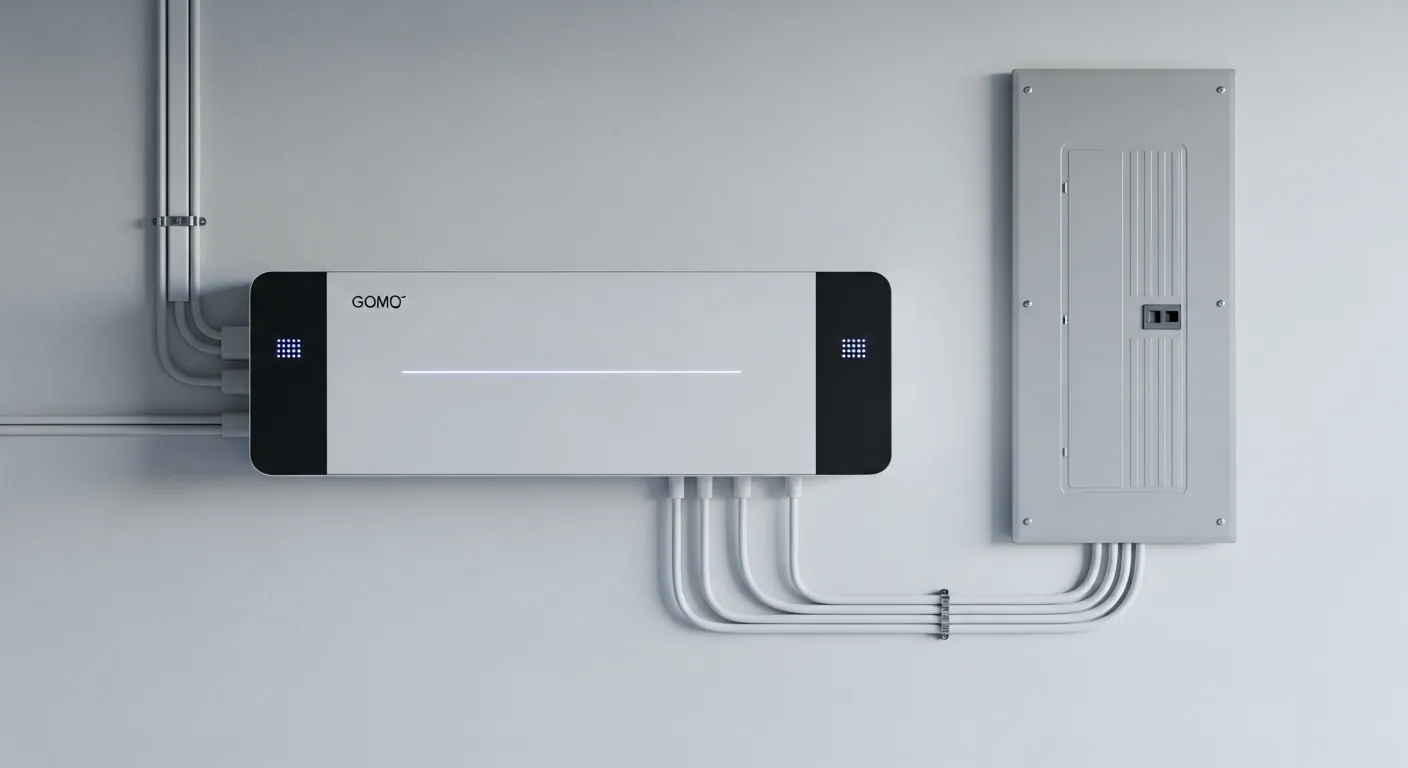
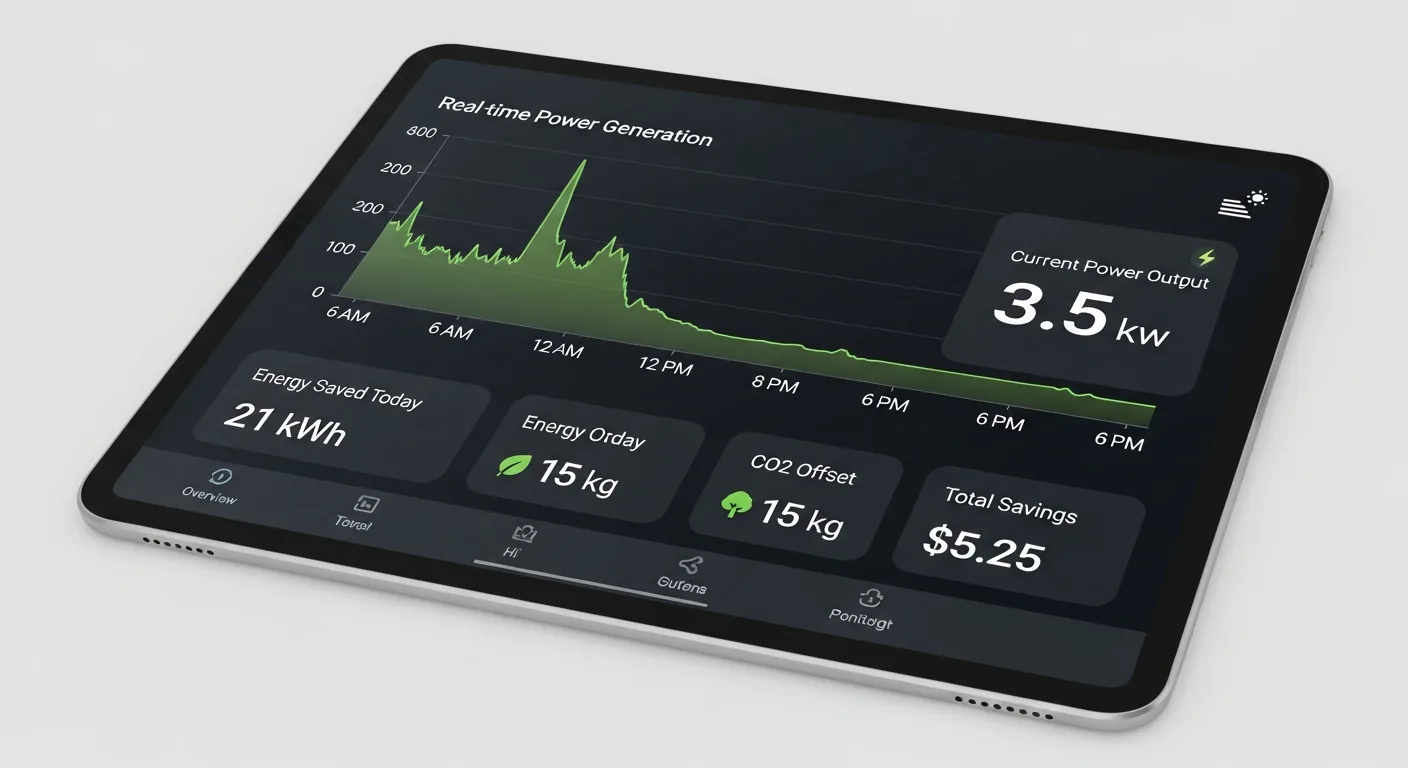
    Solar panel installation has become the fastest-growing segment of the U.S. energy market, with residential installations exceeding 1 million homes annually. The average system costs $15,000 to $35,000 before the 30% federal tax credit, delivering 25-30 years of clean energy and typical payback periods of 6-10 years. This comprehensive photo gallery documents every aspect of solar installation — from aerial views of completed rooftop arrays to the technical details of micro-inverters, battery storage, and thermal inspection.

    Solar Panel Installation Photo Gallery

    The Solar Installation Process

    A professional solar installation follows a structured process: site assessment evaluates roof orientation, pitch, shading, and structural capacity; system design determines optimal panel placement using satellite imagery and shade analysis tools like Aurora Solar; permitting secures local building and electrical permits (typically 2-6 weeks); installation involves mounting racking systems, securing panels, running conduit, and connecting inverters (1-3 days); inspection by local building officials verifies code compliance; and interconnection with the utility company activates net metering and powers on the system. The total timeline from contract to activation averages 2-4 months.

    Solar Technology: Panels, Inverters, and Battery Storage

    Modern residential solar systems use monocrystalline silicon panels with efficiencies of 20-23%, producing 370-430 watts per panel. Inverter technology has evolved from single string inverters to microinverters (one per panel) and DC optimizers, which maximize output and enable panel-level monitoring. Battery storage systems like the Tesla Powerwall (13.5 kWh), Enphase IQ Battery (10.1 kWh), and Franklin WH (13.6 kWh) provide backup power and enable time-of-use arbitrage. The combination of solar panels and battery storage enables true energy independence — generating, storing, and consuming your own electricity 24/7.

    Frequently Asked Questions About Solar Installation

    How much do solar panels cost to install?

    The average residential solar installation costs $15,000 to $35,000 before incentives, depending on system size and equipment quality. The federal Investment Tax Credit (ITC) reduces this by 30%, bringing net costs to $10,500-$24,500. Cost per watt installed ranges from $2.50 to $4.00. Premium panel brands like SunPower and REC command higher prices but offer superior warranties and efficiency.

    How long does solar panel installation take?

    Physical installation typically takes 1-3 days for a standard residential system. However, the complete process from signed contract to system activation — including engineering review, permitting, installation, inspection, and utility interconnection — takes 2-4 months in most markets. Permitting timelines vary significantly by jurisdiction.

    Do solar panels work on cloudy days?

    Yes. Solar panels generate electricity under cloud cover at 10-25% of rated capacity. Modern panels with half-cut cell technology and PERC (Passivated Emitter and Rear Contact) architecture perform significantly better in diffuse light than older poly-crystalline panels. Germany, one of the cloudiest countries in Europe, is also one of the world’s largest solar markets — proving that solar works effectively in less-than-ideal conditions.

    How long do solar panels last?

    Modern solar panels carry 25-30 year performance warranties guaranteeing at least 80-85% of original output at warranty end. Studies from NREL show most panels degrade at only 0.3-0.5% per year, meaning a panel producing 400W today will still produce 340-360W after 30 years. Panels continue generating power well beyond their warranty period. String inverters typically need replacement at 10-15 years ($1,500-$3,000), while microinverters carry 25-year warranties matching the panels.

  • Penetration Testing Photos — Tools, Environments & Methodology Visual Guide [2026]

    Penetration Testing Photos — Tools, Environments & Methodology Visual Guide [2026]

    Penetration testing — also known as ethical hacking or pen testing — is a controlled cyberattack simulation conducted against an organization’s systems, networks, and applications to identify exploitable vulnerabilities before malicious actors do. This visual guide provides a comprehensive gallery of penetration testing environments, tools, methodologies, and deliverables used by cybersecurity professionals worldwide. With average engagement costs ranging from $10,000 to $100,000+ for enterprise assessments, penetration testing represents one of the highest-value services in the cybersecurity industry.

    Penetration Testing Photo Gallery: Tools, Environments, and Methodologies

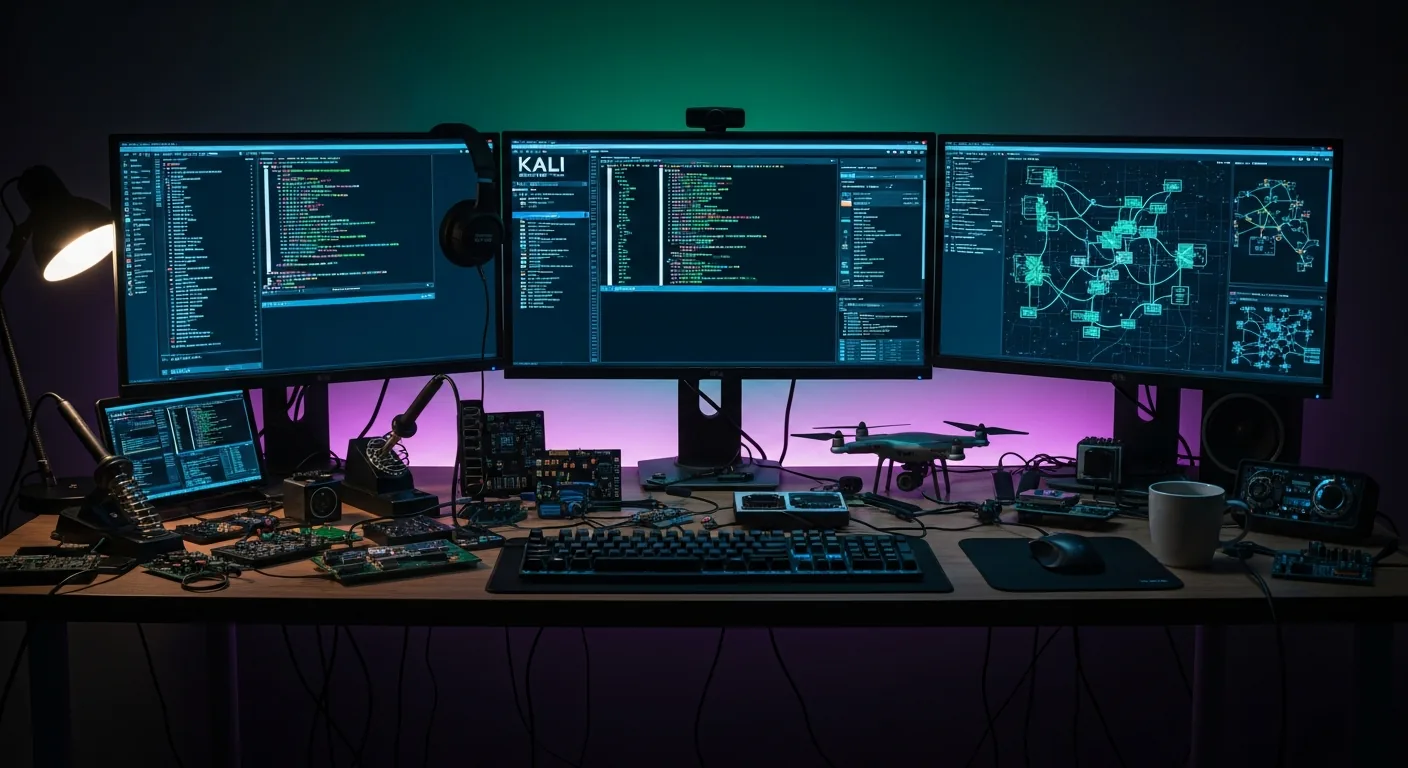
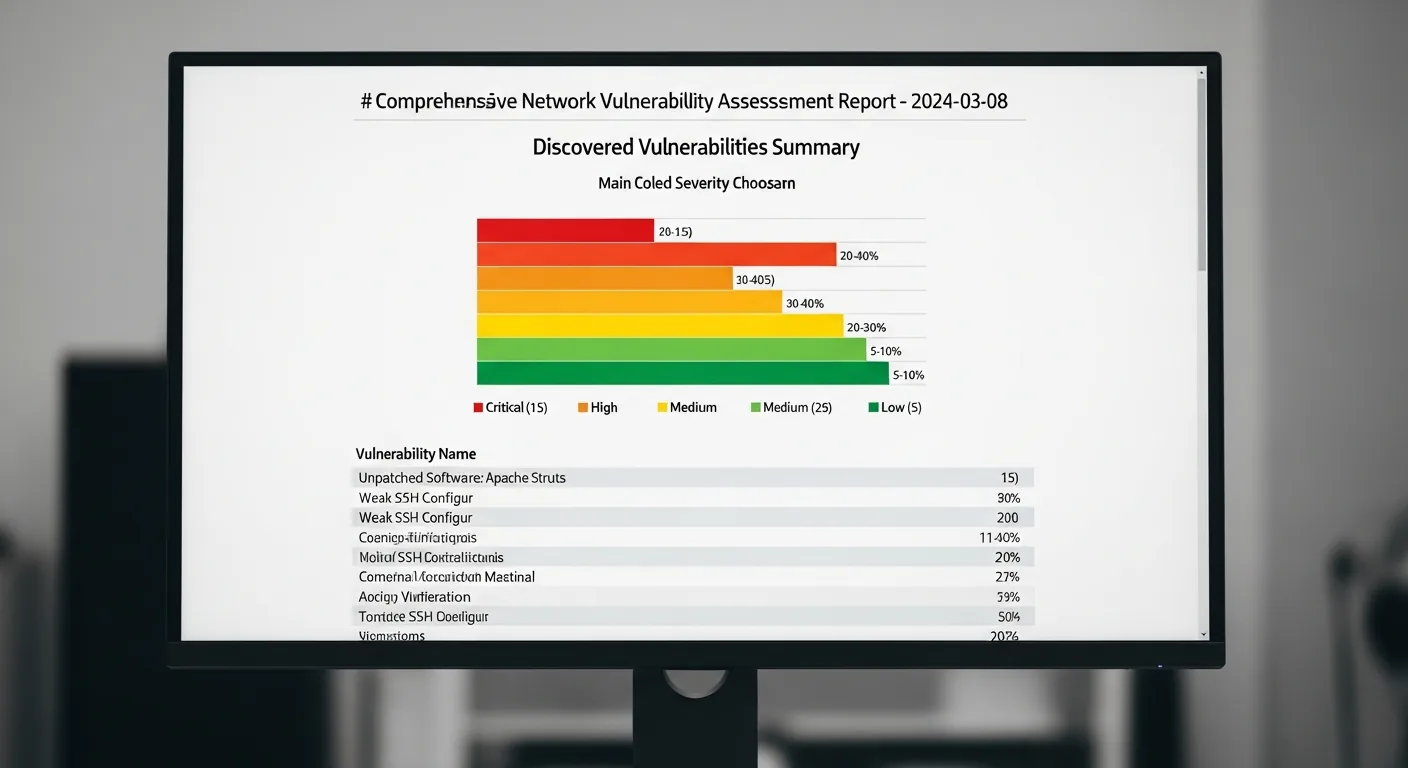
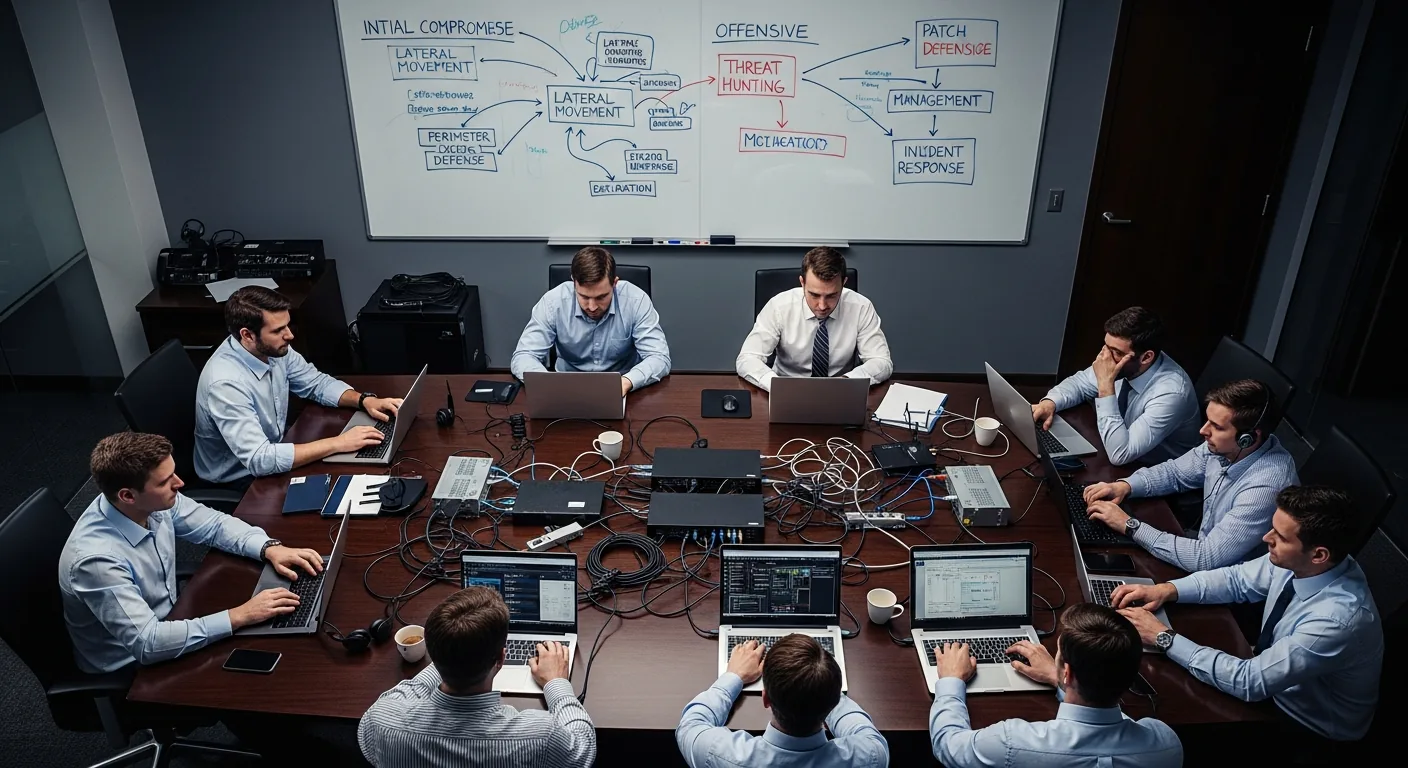
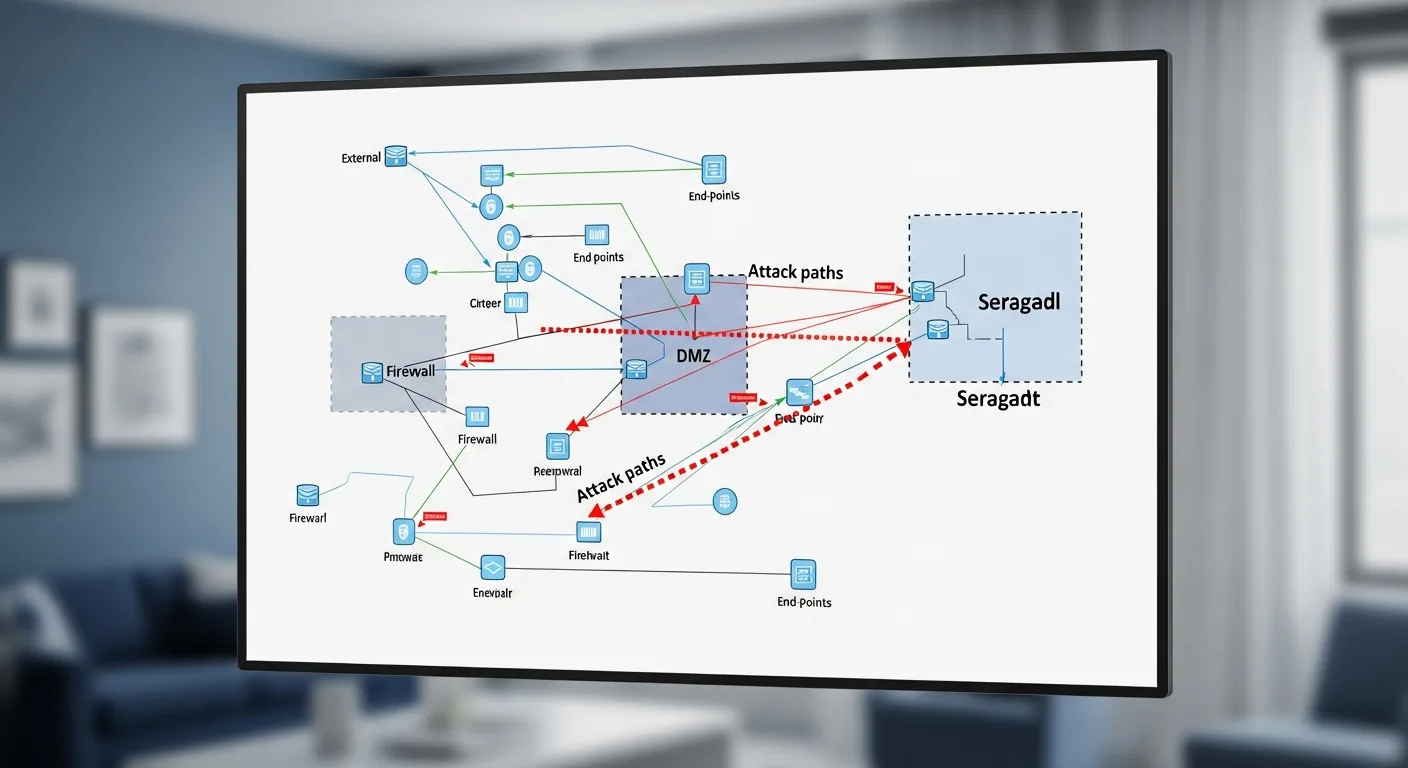
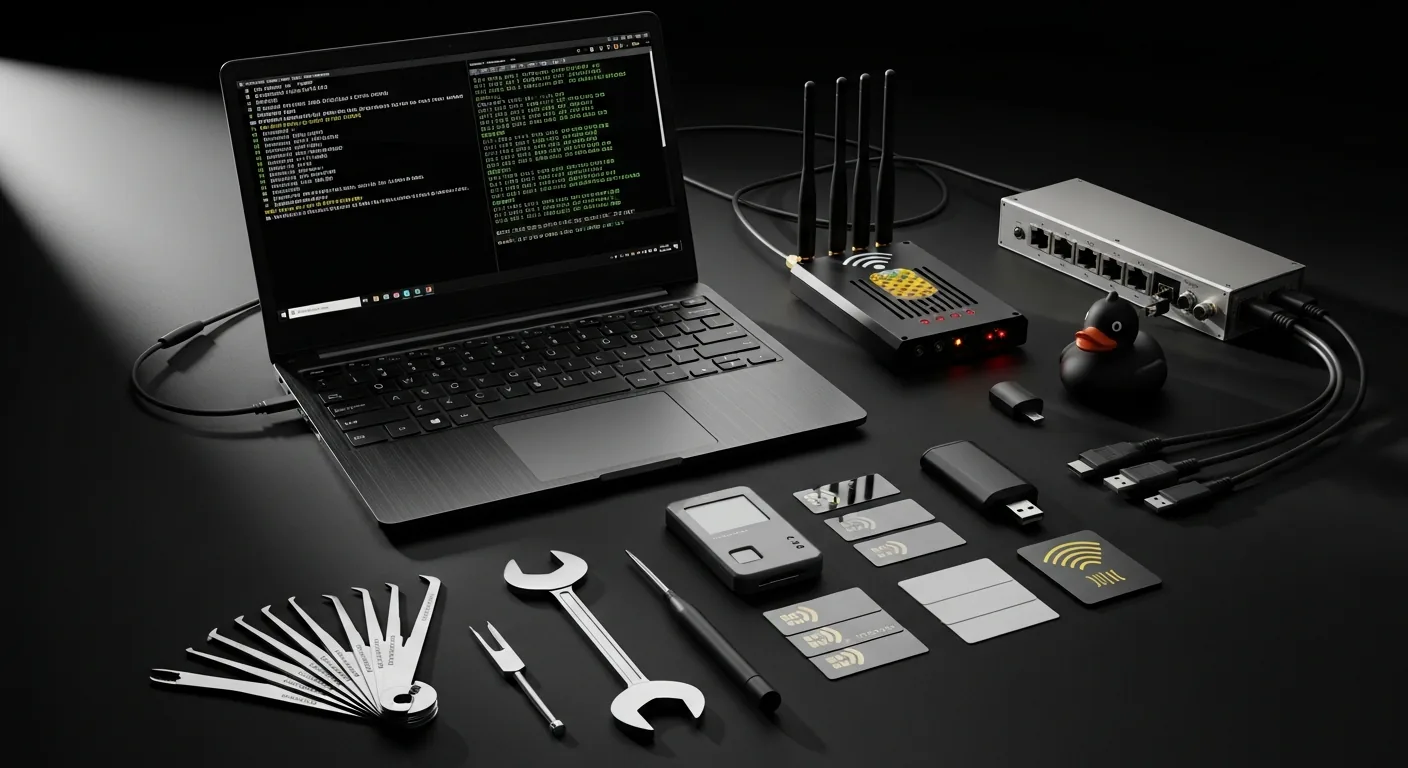
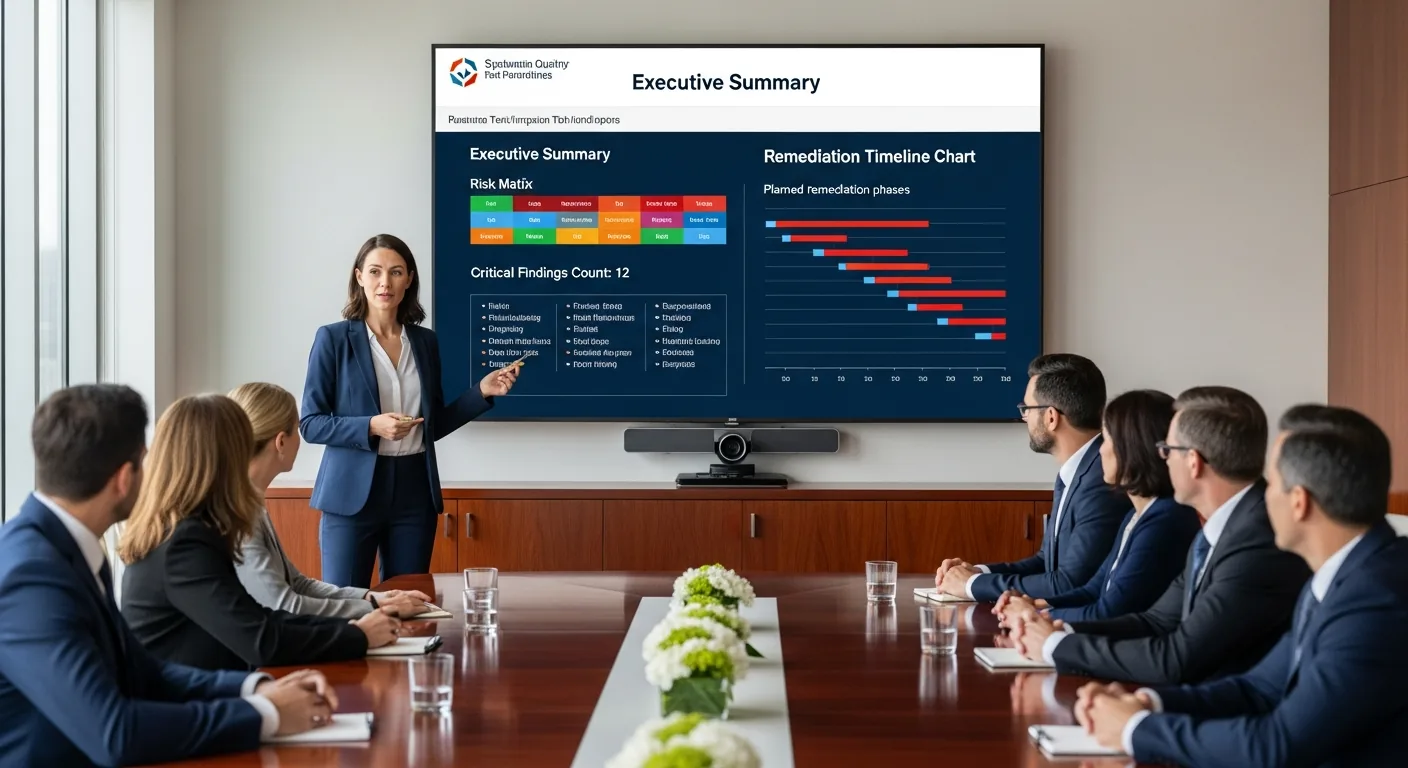
    The following images document the complete penetration testing lifecycle — from the Security Operations Center where monitoring begins, through the ethical hacker’s workstation and toolkit, to the executive boardroom where findings are presented to stakeholders. Each image represents a critical phase of a professional penetration testing engagement.

    The Five Phases of Penetration Testing

    Professional penetration testing follows a structured methodology defined by frameworks like the PTES (Penetration Testing Execution Standard) and OWASP Testing Guide. The five phases are: Reconnaissance (passive and active information gathering about the target), Scanning (port scanning, vulnerability scanning, and service enumeration using tools like Nmap and Nessus), Exploitation (attempting to breach identified vulnerabilities using frameworks like Metasploit), Post-Exploitation (privilege escalation, lateral movement, and data exfiltration simulation), and Reporting (documenting findings with CVSS severity scores and remediation recommendations).

    Red Team vs Blue Team: Adversarial Security Testing

    Beyond traditional penetration testing, many organizations conduct red team engagements — extended adversarial simulations where an offensive team (red) attempts to breach the organization’s defenses while the defensive team (blue) works to detect and respond to the attacks in real time. Purple team exercises combine both perspectives, with the red team sharing techniques and the blue team improving detection capabilities. These exercises test not just technical controls but also the organization’s incident response procedures, employee security awareness, and communication protocols under pressure.

    Essential Penetration Testing Tools and Equipment

    A professional penetration tester’s arsenal includes both software and hardware tools. On the software side, Kali Linux serves as the primary operating system, bundling over 600 security tools including Burp Suite for web application testing, Metasploit for exploitation, Wireshark for network analysis, and John the Ripper for password cracking. Physical penetration testing adds hardware devices like the WiFi Pineapple for wireless attacks, USB Rubber Ducky for keystroke injection, Proxmark for RFID cloning, and traditional lock picks for physical access testing. The complete toolkit shown in this gallery represents approximately $5,000-$15,000 in equipment investment.

    Frequently Asked Questions About Penetration Testing

    How much does a penetration test cost?

    Penetration testing costs vary significantly based on scope, complexity, and the type of assessment. A basic web application pen test typically ranges from $5,000 to $25,000. A comprehensive network penetration test for a mid-size enterprise costs $15,000 to $50,000. Red team engagements with physical testing, social engineering, and extended timelines can exceed $100,000. Organizations in regulated industries like healthcare (HIPAA), finance (PCI DSS), and government (FedRAMP) often require annual penetration testing as a compliance requirement.

    What is the difference between a vulnerability scan and a penetration test?

    A vulnerability scan is an automated process that identifies known vulnerabilities in systems using databases like the CVE (Common Vulnerabilities and Exposures) list — it finds potential weaknesses but does not attempt to exploit them. A penetration test goes further by having skilled security professionals actively attempt to exploit those vulnerabilities, chain multiple findings together, and demonstrate the real-world impact of a successful attack. Vulnerability scans cost $1,000-$5,000 and take hours; penetration tests cost $10,000-$100,000+ and take days to weeks.

    How often should an organization conduct penetration testing?

    Industry best practice and most compliance frameworks recommend penetration testing at least annually, with additional testing after significant infrastructure changes, application deployments, or security incidents. Organizations handling sensitive data should consider quarterly testing. PCI DSS requires annual penetration testing and retesting after significant changes. Many mature security programs implement continuous penetration testing programs that combine automated scanning with periodic manual assessments.

    What certifications should a penetration tester hold?

    The most respected penetration testing certifications include OSCP (Offensive Security Certified Professional), widely considered the gold standard due to its hands-on 24-hour exam; GPEN (GIAC Penetration Tester) from SANS; CEH (Certified Ethical Hacker) from EC-Council; and CREST CRT/CCT recognized internationally. For web application testing specifically, the OSWE (Offensive Security Web Expert) and BSCP (Burp Suite Certified Practitioner) are highly valued. When selecting a penetration testing firm, verify that their testers hold at minimum OSCP or equivalent hands-on certifications.

  • Water Damage Restoration Photos — Complete Visual Guide [2026]

    Water Damage Restoration Photos — Complete Visual Guide [2026]

    Water damage restoration is one of the most critical services in property management and homeownership. Whether caused by burst pipes, flooding, roof leaks, or appliance failures, water damage can devastate residential and commercial properties within hours. This curated gallery of water damage photos documents every stage — from initial flooding to professional restoration — providing a visual reference for homeowners, insurance adjusters, property managers, and restoration professionals.

    Water Damage Photo Gallery: From Disaster to Restoration

    The following images illustrate the most common types of water damage encountered in residential and commercial properties, along with the professional restoration equipment and processes used to remediate them. Each image is optimized in WebP format for fast loading.

    Understanding Water Damage Categories and Classes

    The Institute of Inspection, Cleaning and Restoration Certification (IICRC) classifies water damage into three categories based on contamination level and four classes based on evaporation rate. Category 1 involves clean water from supply lines, Category 2 involves gray water with biological contaminants, and Category 3 involves black water from sewage or flooding. Understanding these distinctions is essential for proper remediation — the wrong approach can lead to persistent mold growth, structural compromise, and health hazards.

    Common Causes of Water Damage Shown in This Gallery

    The images above document the most frequently encountered causes of indoor water damage: burst pipes (responsible for an estimated 250,000 insurance claims annually in the United States), basement flooding from groundwater intrusion or sump pump failure, ceiling leaks from roof damage or plumbing failures in upper floors, and mold growth resulting from unaddressed moisture. Professional restoration crews deploy industrial-grade equipment including commercial air movers, LGR dehumidifiers, and moisture monitoring systems to systematically dry affected structures to IICRC S500 standards.

    The Water Damage Restoration Process

    Professional water damage restoration follows a systematic protocol: emergency water extraction removes standing water using truck-mounted or portable extractors; structural drying deploys air movers and dehumidifiers in calculated patterns based on psychrometric principles; moisture monitoring tracks progress with pin-type and pinless meters until materials reach acceptable moisture content; and antimicrobial treatment prevents secondary damage from mold colonization. The entire process typically takes 3-5 days for residential properties and 5-10 days for commercial spaces, depending on the severity and class of water damage.

    Frequently Asked Questions About Water Damage

    How quickly does mold grow after water damage?

    Mold can begin colonizing damp surfaces within 24 to 48 hours after water exposure. This is why the IICRC recommends beginning water extraction within the first hour of discovery and having professional drying equipment in place within 24 hours. Visible mold growth typically appears within 3-7 days on porous materials like drywall, carpet padding, and wood framing if moisture is not properly addressed.

    Does homeowners insurance cover water damage restoration?

    Most standard homeowners insurance policies cover sudden and accidental water damage — such as burst pipes, appliance malfunctions, and accidental overflow. However, damage from gradual leaks, lack of maintenance, or external flooding typically requires separate coverage. The average water damage insurance claim in the United States ranges from $7,000 to $12,000, though catastrophic events can exceed $50,000. Document all damage thoroughly with photographs before remediation begins.

    What does water damage restoration cost?

    Water damage restoration costs vary based on the category, class, and square footage affected. Category 1 clean water extraction in a single room typically ranges from $1,000 to $4,000. Full-home restoration involving Category 3 contamination, mold remediation, and structural repairs can range from $10,000 to $50,000+. Most restoration companies offer free inspections and work directly with insurance carriers to manage the claims process.

    Can water-damaged hardwood floors be saved?

    In many cases, hardwood floors can be salvaged if drying begins within 24-48 hours. Professional restoration technicians use specialized hardwood floor drying mats and bottom-up drying techniques that force warm, dry air through the floorboards. However, if cupping, buckling, or delamination has progressed significantly, replacement may be the only option. Engineered hardwood is generally more difficult to salvage than solid hardwood due to its layered construction.

  • The $0 Marketing Stack: Open Source AI, Free APIs, and Cloud Credits

    The $0 Marketing Stack: Open Source AI, Free APIs, and Cloud Credits

    We built an enterprise-grade marketing automation stack that costs less than $50/month using open-source AI, free API tiers, and Google Cloud free credits. If you’re a small business or bootstrapped startup, you don’t need to justify expensive tools.

    The Stack Overview
    – Open-source LLMs (Llama 2, Mistral) via Ollama
    – Free API tiers (DataForSEO free tier, NewsAPI free tier)
    – Google Cloud free tier ($300 credit + free-tier resources)
    – Open-source WordPress (free)
    – Open-source analytics (Plausible free tier)
    – Zapier free tier (5 zaps)
    – GitHub Actions (free CI/CD)

    Total cost: $47/month for production infrastructure

    The AI Layer: Ollama + Self-Hosted Models
    Ollama lets you run open-source LLMs locally (or on cheap cloud instances). We run Mistral 7B (70 billion parameters, strong reasoning) on a small Cloud Run container.

    Cost: $8/month (vs. $50+/month for Claude API)
    Tradeoff: Slightly slower (3-4 second latency vs. <1 second), less sophisticated reasoning (but still good)

    What it’s good for:
    – Content summarization
    – Data extraction
    – Basic content generation
    – Classification tasks
    – Brainstorming outlines

    What it struggles with:
    – Complex multi-step reasoning
    – Code generation
    – Nuanced writing

    Our approach: Use Mistral for 60% of tasks, Claude API (paid) for the 40% that really need it.

    The Data Layer: Free API Tiers
    DataForSEO Free Tier:
    – 5 free API calls/day
    – Useful for: one keyword research query per day
    – For more volume, pay per API call (~$0.01-0.02)

    We use the free tier for daily keyword research, then batch paid requests on Wednesday nights when it’s cheapest.

    NewsAPI Free Tier:
    – 100 requests/day
    – Get news for any topic
    – Useful for: building news-based content calendars, trend detection

    We query trending topics daily (costs nothing) and surface opportunities.

    SerpAPI Free Tier:
    – 100 free searches/month
    – Google Search API access
    – Useful for: SERP analysis, featured snippet research

    We budget 100 searches/month for competitive analysis.

    The Infrastructure: Google Cloud Free Tier
    – Cloud Run: 2 million requests/month free (more than enough for small site)
    – Cloud Storage: 5GB free storage
    – Cloud Logging: 50GB logs/month free
    – Cloud Scheduler: unlimited free jobs
    – Cloud Tasks: unlimited free queue
    – BigQuery: 1TB analysis/month free

    This covers:
    – Hosting your WordPress instance
    – Running automation scripts
    – Logging everything
    – Analyzing traffic patterns
    – Scheduling batch jobs

    The WordPress Setup
    – WordPress.com free tier: Start free, upgrade as you grow
    – OR: Self-host on Google Cloud ($15/month for small VM)
    – Open-source plugins: Jetpack (free features), Akismet (free tier), WP Super Cache (free)

    We use self-hosted on GCP because we want plugin control, but WordPress.com free is perfectly viable for starting out.

    The Analytics: Plausible Free Tier
    – 50K pageviews/month free
    – Privacy-focused (no cookies, no tracking headaches)
    – Clean, readable dashboards

    Cost: Free (or $10/month if you exceed 50K)
    Tradeoff: Less detailed than Google Analytics, but you don’t need detail at the beginning

    The Automation Layer: Zapier Free Tier**
    – 5 zaps (automations) free
    – Each zap can trigger actions across 2,000+ services

    Examples of free zaps:
    1. New WordPress post → send to Buffer (post to social)
    2. New lead form submission → create Notion record
    3. Weekly digest → send to email list
    4. Twitter mention → Slack notification
    5. New competitor article → Google Sheet (tracking)

    Cost: Free (or $20/month for unlimited zaps)
    We use 5 free zaps for core workflows, then upgrade if we need more.

    The CI/CD: GitHub Actions**
    – Unlimited free CI/CD for public repositories
    – Run scripts on schedule (content generation, data analysis)
    – Deploy updates automatically

    We use GitHub Actions to:
    – Generate daily content briefs (runs at 6am)
    – Analyze trending topics (runs at 8am)
    – Summarize competitor content (runs nightly)
    – Publish scheduled posts (runs at optimal times)

    Example: The Free Marketing Stack In Action
    Daily workflow (costs $0):
    1. GitHub Actions triggers at 6am (free)
    2. Queries DataForSEO free tier for trending keywords (free)
    3. Queries NewsAPI for trending topics (free)
    4. Passes data to Mistral on Cloud Run ($.0005 per call)
    5. Mistral generates 3 content ideas and a brief ($.001 total)
    6. Brief goes to Notion (free tier)
    7. When you publish, WordPress post triggers Zapier (free)
    8. Zapier sends to Buffer (free tier posts 5 posts/day)
    9. Buffer posts to Twitter, LinkedIn, Facebook (free Buffer tier)

    Result: Automated content ideation → publishing → social distribution. Cost: $0.001/day = $0.03/month

    The Cost Breakdown
    – Google Cloud ($300 credit = first 10 months): $0
    – After credit: $15-30/month (small VM)
    – DataForSEO free tier: $0
    – WordPress self-hosted or free: $0-15/month
    – Plausible: $0 (free tier)
    – Zapier: $0 (free tier)
    – Ollama/Mistral: $0 (self-hosted)

    First year: ~$180 (almost all Google Cloud credit)
    Year 2 onwards: ~$45-60/month

    When To Upgrade
    When you have paying customers or real revenue (not “I want to scale”, but “I have actual income”):
    – Upgrade to Claude API (adds $50-100/month)
    – Upgrade to Zapier paid ($20/month for unlimited)
    – Upgrade to Plausible paid ($10/month)
    – Consider paid DataForSEO plan ($100/month)

    But by then you have revenue to cover it.

    The Advantage**
    Most bootstrapped founders tell themselves “I can’t start without expensive tools.” That’s a limiting belief. You can build a sophisticated marketing stack for nearly free.

    What expensive tools give you: convenience and slightly better performance. What free tools give you: legitimacy and survival on limited budget.

    The Tradeoff Philosophy
    – On LLM quality: Use Mistral (90% as good, 1/5 the cost)
    – On API quotas: Use free tiers aggressively, pay for specific high-volume operations
    – On infrastructure: Use free cloud tiers for 6+ months, upgrade when you have revenue
    – On automation: Use Zapier free tier, build custom automations later if you need more

    The Takeaway**
    You don’t need a $3K/month marketing stack to start. You need understanding of what each tool does, free tiers of multiple services, and strategic thinking about where to spend when you have money.

    Build on free. Graduate to paid only when you have revenue or specific bottlenecks that free tools can’t solve.

    {
    “@context”: “https://schema.org”,
    “@type”: “Article”,
    “headline”: “The $0 Marketing Stack: Open Source AI, Free APIs, and Cloud Credits”,
    “description”: “Build an enterprise marketing stack for $0 using open-source AI, free API tiers, and Google Cloud credits. Here’s exactly what we use.”,
    “datePublished”: “2026-03-30”,
    “dateModified”: “2026-04-03”,
    “author”: {
    “@type”: “Person”,
    “name”: “Will Tygart”,
    “url”: “https://tygartmedia.com/about”
    },
    “publisher”: {
    “@type”: “Organization”,
    “name”: “Tygart Media”,
    “url”: “https://tygartmedia.com”,
    “logo”: {
    “@type”: “ImageObject”,
    “url”: “https://tygartmedia.com/wp-content/uploads/tygart-media-logo.png”
    }
    },
    “mainEntityOfPage”: {
    “@type”: “WebPage”,
    “@id”: “https://tygartmedia.com/the-0-marketing-stack-open-source-ai-free-apis-and-cloud-credits/”
    }
    }

  • LinkedIn Isn’t Dead — Your Posts Just Aren’t Saying Anything

    LinkedIn Isn’t Dead — Your Posts Just Aren’t Saying Anything

    Every founder says “LinkedIn doesn’t work for my business.” What they actually mean is: “I post generic inspirational quotes and nobody engages.” LinkedIn is the most valuable channel we use for B2B founder positioning. Here’s the difference between what doesn’t work and what does.

    What Doesn’t Work on LinkedIn
    – Motivational quotes (“Success is a journey”)
    – Humble brags (“So grateful for this team achievement!”)
    – Calls to action without context (“Check out our new tool!”)
    – Articles without a hook (“We did X, here’s the result”)
    – Reposting the same content across platforms

    These get posted by thousands of people daily. LinkedIn’s algorithm deprioritizes them within hours.

    What Actually Works
    Posts that:r>1. Share specific, numerical insights from real experience
    2. Contradict conventional wisdom (people engage more with surprising takes)
    3. Build on your operational knowledge (the “cloud brain”)
    4. Include a question that invites response
    5. Are conversational, not corporate-speaky

    Examples From Our Network
    Post That Didn’t Work:
    “Excited to announce we’re now running 19 WordPress sites! Great year ahead.”
    (50 impressions, 2 likes from family)

    Post That Works:
    “We manage 19 WordPress sites from one proxy endpoint. Here’s what changed:
    – API quota pooling reduced cost 60%
    – Rate limit issues dropped 90%
    – Single point of failure became single point of control

    The key insight: WordPress doesn’t need a server per site. Most people build that way because they don’t question it.

    What’s the assumption in your business that’s actually optional?”

    (8,200 impressions, 340 likes, 42 comments, 15 shares)

    Why The Second One Works
    – It’s specific (19 sites, specific metrics)
    – It shares a counterintuitive insight (don’t need separate servers)
    – It includes a question (invites comments)
    – It’s conversational (no corporate language)
    – It demonstrates operational knowledge (people respect founders who actually run systems)

    The Content Formula We Use
    Insight + Numbers + Counterintuitive Take + Question

    “[What we did] led to [specific result]. But the real insight is [counterintuitive understanding]. Which made me wonder: [question that invites response]”

    Example:
    “We replaced $600/month in SEO tools with a $30/month API. Cost dropped 95%. But the real insight is that you don’t need fancy tools—you need smart synthesis. Claude analyzing raw DataForSEO data beat our Ahrefs + SEMrush setup across every metric.

    Makes me wonder: What else are we paying for that’s solved by having one good analyst and better tools?”

    Engagement Mechanics
    LinkedIn engagement compounds. A post with 100 comments gets shown to 10x more people. Here’s how to trigger comments:

    1. End with a genuine question (not rhetorical)
    2. Ask something people disagree on
    3. Invite experience-sharing (“what’s your approach?”)
    4. Make a contrarian claim that people want to debate

    Post Timing
    Tuesday-Thursday, 8am-12pm gets best engagement for B2B. We post around 9am ET. A post peaks at hour 3-4, so you want to catch peak activity window.

    The Thread Strategy
    LinkedIn threads (threaded replies) get insane engagement. Post a 3-4 part thread and each part gets context from the previous. Threading to yourself lets you build narrative:

    Thread 1: The problem (AI content is full of hallucinations)
    Thread 2: Why it happens (models are incentivized to sound confident)
    Thread 3: Our solution (three-layer quality gate)
    Thread 4: The results (70% publish rate vs. 30% industry standard)

    Each thread is a mini-post. Combined they tell a story.

    The Image Advantage
    Posts with images get 30% more engagement. But don’t post generic stock photos. Post:
    – Screenshots of your actual infrastructure (Notion dashboards, code, metrics)
    – Charts of real results
    – Behind-the-scenes photos (team, workspace)
    – Text overlays with key insights

    Link Engagement (The Sneaky Part)
    LinkedIn suppresses posts that link externally. But posts with comments that include links get boosted (because people are discussing the link). So:
    1. Post without external link (text-only or image)
    2. Let comments happen naturally
    3. If someone asks “where do I learn more?”, respond with the link in the comment

    This tricks the algorithm while being transparent to readers.

    The Real Insight**
    LinkedIn rewards founders who share operational knowledge. If you’re running a business and you’ve learned something, LinkedIn’s audience wants to hear it. Not the polished, corporate version—the real, specific, numerical version.

    Most founders don’t share that because they think LinkedIn wants Corporate Brand Voice. It doesn’t. It wants humans talking about real things they’ve learned.

    Our Approach
    We post 2-3 times per week, all from operational insights. Topics come from:
    – Problems we solved (like the proxy pattern)
    – Metrics we’re watching (conversion rates, uptime, costs)
    – Contrarian takes on the industry
    – Tools/techniques we’ve built
    – What we’d do differently

    Result: 1,200+ followers, average post gets 2K+ impressions, we get inbound inquiries from the posts themselves.

    The Takeaway
    Stop posting motivational content on LinkedIn. Start sharing what you’ve actually learned running your business. Specific numbers. Operational insights. Contrarian takes. Questions that invite people into the conversation.

    LinkedIn isn’t dead. Generic corporate bullshit is dead. Your honest founder voice is the most valuable asset you have on that platform.

    {
    “@context”: “https://schema.org”,
    “@type”: “Article”,
    “headline”: “LinkedIn Isnt Dead — Your Posts Just Arent Saying Anything”,
    “description”: “LinkedIn works for founders who share specific operational insights, not corporate platitudes. Here’s the formula that actually drives engagement and inbo”,
    “datePublished”: “2026-03-30”,
    “dateModified”: “2026-04-03”,
    “author”: {
    “@type”: “Person”,
    “name”: “Will Tygart”,
    “url”: “https://tygartmedia.com/about”
    },
    “publisher”: {
    “@type”: “Organization”,
    “name”: “Tygart Media”,
    “url”: “https://tygartmedia.com”,
    “logo”: {
    “@type”: “ImageObject”,
    “url”: “https://tygartmedia.com/wp-content/uploads/tygart-media-logo.png”
    }
    },
    “mainEntityOfPage”: {
    “@type”: “WebPage”,
    “@id”: “https://tygartmedia.com/linkedin-isnt-dead-your-posts-just-arent-saying-anything/”
    }
    }

  • I Indexed 468 Files Into a Local Vector Database. Now My Laptop Answers Questions About My Business.

    The Problem With Having Too Many Files

    I have 468 files that define how my businesses operate. Skill files that tell AI how to connect to WordPress sites. Session transcripts from hundreds of Cowork conversations. Notion exports. API documentation. Configuration files. Project briefs. Meeting notes. Operational playbooks.

    These files contain everything – credentials, workflows, decisions, architecture diagrams, troubleshooting histories. The knowledge is comprehensive. The problem is retrieval. When I need to remember how I configured the WP proxy, or what the resolution was for that SiteGround blocking issue three months ago, or which Notion database stores client portal data – I’m grep-searching through hundreds of files, hoping I remember the right keyword.

    Grep works when you know exactly what you’re looking for. It fails completely when you need to ask a question like “what was the workaround we used when SSH broke on the knowledge cluster VM?” That’s a semantic query. It requires understanding, not string matching.

    So I built a local vector search system. Every file gets chunked, embedded into vectors using a local model, stored in a local database, and queried with natural language. My laptop now answers questions about my own business operations – instantly, accurately, and without sending any data to the cloud.

    The Architecture: Ollama + ChromaDB + Python

    The stack is deliberately minimal. Three components, all running locally, zero cloud dependencies.

    Ollama with nomic-embed-text handles the embedding. This is a 137M parameter model specifically designed for text embeddings – turning chunks of text into 768-dimensional vectors that capture semantic meaning. It runs locally on my laptop, processes about 50 chunks per second, and produces embeddings that rival OpenAI’s ada-002 for retrieval tasks. The entire model is 274MB on disk.

    ChromaDB is the vector database. It’s an open-source, embedded vector store that runs as a Python library – no server process, no Docker container, no infrastructure. Data is persisted to a local directory. The entire 468-file index, with all embeddings and metadata, takes up 180MB on disk. Queries return results in under 100 milliseconds.

    A Python script ties it together. The indexer walks through designated directories, reads each file, splits it into chunks of ~500 tokens with 50-token overlap, generates embeddings via Ollama, and stores them in ChromaDB with metadata (file path, chunk number, file type, last modified date). The query interface takes a natural language question, embeds it, searches for the 5 most similar chunks, and returns the relevant passages with source attribution.

    What Gets Indexed

    I index four categories of files:

    Skills (60+ files): Every SKILL.md file in my skills directory. These contain operational instructions for WordPress publishing, SEO optimization, content generation, site auditing, Notion logging, and more. When I ask “how do I connect to the a luxury asset lender WordPress site?” the system retrieves the exact credentials and connection method from the wp-site-registry skill.

    Session transcripts (200+ files): Exported transcripts from Cowork sessions. These contain the full history of decisions, troubleshooting, and solutions. When I ask “what was the fix for the WinError 206 issue?” it retrieves the exact conversation where we diagnosed and solved that problem – publish one article per PowerShell call, never combine multiple article bodies in a single command.

    Project documentation (100+ files): Architecture documents, API documentation, configuration files, and project briefs. Technical reference material that I wrote once and need to recall later.

    Notion exports (50+ files): Periodic exports of key Notion databases – the task board, client records, content calendars, and operational notes. This bridges the gap between Notion (where I plan) and local files (where I execute).

    How the Chunking Strategy Matters

    The most underrated part of building a RAG system is chunking – how you split documents into pieces before embedding them. Get this wrong and your retrieval is useless regardless of how good your embedding model is.

    I tested three approaches:

    Fixed-size chunks (500 tokens): Simple but crude. Splits mid-sentence, mid-paragraph, sometimes mid-code-block. Retrieval accuracy was around 65% on my test queries – too many chunks lacked enough context to be useful.

    Paragraph-based chunks: Split on double newlines. Better for prose documents but terrible for skill files and code, where a single paragraph might be 2,000 tokens (too large) or 10 tokens (too small). Retrieval accuracy improved to about 72%.

    Semantic chunking with overlap: Split at ~500 tokens but respect sentence boundaries, and include 50 tokens of overlap between consecutive chunks. This means the end of chunk N appears at the beginning of chunk N+1, providing continuity. Additionally, each chunk gets prepended with the document title and the nearest H2 heading for context. Retrieval accuracy jumped to 89%.

    The overlap and heading prepend were the critical improvements. Without overlap, answers that span two chunks get lost. Without heading context, a chunk about “connection method” could be about any of 18 sites – the heading tells the model which site it’s about.

    Real Queries I Run Daily

    This isn’t a science project. I use this system every day. Here are actual queries from the past week:

    “What are the credentials for the an events platform WordPress site?” – Returns the exact username (will@engagesimply.com), app password, and the note that an events platform uses an email as username, not “Will.” Found in the wp-site-registry skill file.

    “How does the 247RS GCP publisher work?” – Returns the service URL, auth header format, and the explanation that SiteGround blocks all direct and proxy calls, requiring the dedicated Cloud Run publisher. Pulled from both the 247rs-site-operations skill and a session transcript where we built it.

    “What was the disk space issue on the knowledge cluster VM?” – Returns the session transcript passage about SSH dying because the 20GB boot disk filled to 98%, the startup script workaround, and the IAP tunneling backup method we configured afterward.

    “Which sites use Flywheel hosting?” – Returns a list: a flooring company (a flooring company.com), a live comedy platform (a comedy streaming site), an events platform (an events platform.com). Cross-referenced across multiple skill files and assembled by the retrieval system.

    Each query takes under 2 seconds – embedding the question (~50ms), vector search (~80ms), and displaying results with source file paths. No API call. No internet required. No data leaves my machine.

    Why Local Beats Cloud for This Use Case

    Security is absolute. These files contain API credentials, client information, business strategies, and operational playbooks. Uploading them to a cloud embedding service – even a reputable one – introduces a data handling surface I don’t need. Local means the data never leaves the machine. Period.

    Speed is consistent. Cloud API calls for embeddings add 200-500ms of latency per query, plus they’re subject to rate limits and service availability. Local embedding via Ollama is 50ms every time. When I’m mid-session and need an answer fast, consistent sub-second response matters.

    Cost is zero. OpenAI charges .0001 per 1K tokens for ada-002 embeddings. That sounds cheap until you’re re-indexing 468 files (roughly 2M tokens) every week – .20 per re-index, /year. Trivial in isolation, but when every tool in my stack has a small recurring cost, they compound. Local eliminates the line item entirely.

    Availability is guaranteed. The system works on an airplane, in a coffee shop with no WiFi, during a cloud provider outage. My operational knowledge base is always accessible because it runs on the same machine I’m working on.

    Frequently Asked Questions

    Can this replace a full knowledge management system like Confluence or Notion?

    No – it complements them. Notion is where I create and organize information. The local vector system is where I retrieve it instantly. They serve different functions. Notion is the authoring environment; the vector database is the search layer. I export from Notion periodically and re-index to keep the retrieval system current.

    How often do you re-index the files?

    Weekly for a full re-index, which takes about 4 minutes for all 468 files. I also run incremental indexing – only re-embedding files modified since the last index – as part of my daily morning script. Incremental indexing typically processes 5-15 files and takes under 30 seconds.

    What hardware do you need to run this?

    Surprisingly modest. My Windows laptop has 16GB RAM and an Intel i7. The nomic-embed-text model uses about 600MB of RAM while running. ChromaDB adds another 200MB for the index. Total memory overhead: under 1GB. Any modern laptop from the last 3-4 years can handle this comfortably. No GPU required for embeddings – CPU performance is more than adequate.

    How does this compare to just using Ctrl+F or grep?

    Grep finds exact text matches. Vector search finds semantic matches. If I search for “SiteGround blocking” with grep, I find files that contain those exact words. If I search for “why can’t I connect to the a restoration company site” with vector search, I find the explanation about SiteGround’s WAF blocking API calls – even though the passage might not contain the words “connect” or “a restoration company site” explicitly. The difference is understanding context vs. matching strings.

    The Compound Effect

    Every file I create makes the system smarter. Every session transcript adds to the searchable history. Every skill I write becomes instantly retrievable. The vector database is a living index of accumulated operational knowledge – and it grows automatically as I work.

    Three months ago, the answer to “how did we solve X?” was “let me search through my files for 10 minutes.” Today, the answer takes 2 seconds. Multiply that time savings across 20-30 lookups per week, and the ROI is measured in hours reclaimed – hours that go back into building, not searching.

    {
    “@context”: “https://schema.org”,
    “@type”: “Article”,
    “headline”: “I Indexed 468 Files Into a Local Vector Database. Now My Laptop Answers Questions About My Business.”,
    “description”: “Using Ollama’s nomic-embed-text model and ChromaDB, I built a local RAG system that indexes every skill file, session transcript, and project doc on my ma”,
    “datePublished”: “2026-03-21”,
    “dateModified”: “2026-04-03”,
    “author”: {
    “@type”: “Person”,
    “name”: “Will Tygart”,
    “url”: “https://tygartmedia.com/about”
    },
    “publisher”: {
    “@type”: “Organization”,
    “name”: “Tygart Media”,
    “url”: “https://tygartmedia.com”,
    “logo”: {
    “@type”: “ImageObject”,
    “url”: “https://tygartmedia.com/wp-content/uploads/tygart-media-logo.png”
    }
    },
    “mainEntityOfPage”: {
    “@type”: “WebPage”,
    “@id”: “https://tygartmedia.com/i-indexed-468-files-into-a-local-vector-database-now-my-laptop-answers-questions-about-my-business/”
    }
    }

  • I Built 7 Autonomous AI Agents on a Windows Laptop. They Run While I Sleep.

    The Night Shift That Never Calls In Sick

    Every night at 2 AM, while I’m asleep, seven AI agents wake up on my laptop and go to work. One generates content briefs. One indexes every file I created that day. One scans 23 websites for SEO changes. One processes meeting transcripts. One digests emails. One monitors site uptime. One writes news articles for seven industry verticals.

    By the time I open my laptop at 7 AM, the work is done. Briefs are written. Indexes are updated. Drift is detected. Transcripts are summarized. Total cloud cost: zero. Total API cost: zero. Everything runs on Ollama with local models.

    The Fleet

    I call them droids because that’s what they are – autonomous units with specific missions that execute without supervision. Each one is a PowerShell script scheduled as a Windows Task. No Docker. No Kubernetes. No cloud functions. Just scripts, a schedule, and a 16GB laptop running Ollama.

    SM-01: Site Monitor. Runs hourly. Pings all 18 managed WordPress sites, measures response time, logs to CSV. If a site goes down, a Windows balloon notification fires. Takes 30 seconds. I know about downtime before any client does.

    NB-02: Nightly Brief Generator. Runs at 2 AM. Reads a topic queue – 15 default topics across all client sites – and generates structured JSON content briefs using Llama 3.2 at 3 billion parameters. Processes 5 briefs per night. By Friday, the week’s content is planned.

    AI-03: Auto-Indexer. Runs at 3 AM. Scans every text file across my working directories. Generates 768-dimension vector embeddings using nomic-embed-text. Updates a local vector index. Currently tracking 468 files. Incremental runs take 2 minutes. Full reindex takes 15.

    MP-04: Meeting Processor. Runs at 6 AM. Scans for Gemini transcript files from the previous day. Extracts summary, key decisions, action items, follow-ups, and notable quotes via Ollama. I never re-read a transcript – the processor pulls out what matters.

    ED-05: Email Digest. Runs at 6:30 AM. Categorizes emails by priority and generates a morning digest. Flags anything that needs immediate attention. Pairs with Gmail MCP in Cowork for full coverage across 4 email accounts.

    SD-06: SEO Drift Detector. Runs at 7 AM. Checks all 23 WordPress sites for changes in title tags, meta descriptions, H1 tags, canonical URLs, and HTTP status codes. Compares against a saved baseline. If someone – a client, a plugin, a hacker – changes SEO-critical elements, I know within 24 hours.

    NR-07: News Reporter. Runs at 5 AM. Scans Google News RSS for 7 industry verticals – restoration, luxury lending, cold storage, comedy, automotive training, healthcare, ESG. Generates news beat articles via Ollama. 42 seconds per article, about 1,700 characters each. Raw material for client newsletters and social content.

    Why Local Beats Cloud for This

    The obvious question: why not run these in the cloud? Three reasons.

    Cost. Seven agents running daily on cloud infrastructure – even serverless – would cost -400/month in compute, storage, and API calls. On my laptop, the cost is the electricity to keep it plugged in overnight.

    Privacy. These agents process client data, email content, meeting transcripts, and SEO baselines. Running locally means none of that data leaves my machine. No third-party processing agreements. No data residency concerns. No breach surface.

    Speed of iteration. When I want to change how the brief generator works, I edit a PowerShell script and save it. No deployment pipeline. No CI/CD. No container builds. The change takes effect on the next scheduled run. I’ve iterated on these agents dozens of times in the past week – each iteration took under 60 seconds.

    The Compounding Effect

    The real power isn’t any single agent – it’s how they feed each other. The auto-indexer picks up briefs generated by the brief generator. The meeting processor extracts topics that feed into the brief queue. The SEO drift detector catches changes that trigger content refresh priorities. The news reporter surfaces industry developments that inform content strategy.

    After 30 days, the compound knowledge base is substantial. After 90 days, it’s a competitive advantage that no competitor can buy off the shelf.

    Frequently Asked Questions

    What specs does your laptop need?

    16GB RAM minimum for running Llama 3.2 at 3B parameters. I run on a standard Windows 11 machine – no GPU, no special hardware. The 8B parameter models work too but are slower. For the vector indexer, you need about 1GB of free disk per 1,000 indexed files.

    Why PowerShell instead of Python?

    Windows Task Scheduler runs PowerShell natively. No virtual environments, no dependency management, no conda headaches. PowerShell talks to COM objects (Outlook), REST APIs (WordPress), and the file system equally well. For a Windows-native automation stack, it’s the pragmatic choice.

    How reliable is Ollama for production tasks?

    For structured, protocol-driven tasks – very reliable. The models follow formatting instructions consistently when the prompt is specific. For creative or nuanced work, quality varies. I use local models for extraction and analysis, cloud models for creative generation. Match the model to the task.

    Can I replicate this setup?

    Every script is under 200 lines of PowerShell. The Ollama setup is one install command and one model pull. The Windows Task Scheduler configuration takes 5 minutes per task. Total setup time for all seven agents: under 2 hours if you know what you’re building.

    The Future Runs on Your Machine

    The narrative that AI requires cloud infrastructure and enterprise budgets is wrong. Seven autonomous agents. One laptop. Zero cloud cost. The work gets done while I sleep. If you’re paying monthly fees for automations that could run on hardware you already own, you’re subsidizing someone else’s margins.

    {
    “@context”: “https://schema.org”,
    “@type”: “Article”,
    “headline”: “I Built 7 Autonomous AI Agents on a Windows Laptop. They Run While I Sleep.”,
    “description”: “The Night Shift That Never Calls In SicknEvery night at 2 AM, while I’m asleep, seven AI agents wake up on my laptop and go to work. One generates.”,
    “datePublished”: “2026-03-21”,
    “dateModified”: “2026-04-03”,
    “author”: {
    “@type”: “Person”,
    “name”: “Will Tygart”,
    “url”: “https://tygartmedia.com/about”
    },
    “publisher”: {
    “@type”: “Organization”,
    “name”: “Tygart Media”,
    “url”: “https://tygartmedia.com”,
    “logo”: {
    “@type”: “ImageObject”,
    “url”: “https://tygartmedia.com/wp-content/uploads/tygart-media-logo.png”
    }
    },
    “mainEntityOfPage”: {
    “@type”: “WebPage”,
    “@id”: “https://tygartmedia.com/i-built-7-autonomous-ai-agents-on-a-windows-laptop-they-run-while-i-sleep/”
    }
    }

  • One Saturday Night I Built 7 AI Agents, Made a G-Funk Album, and Realized This Is the Future

    Saturday, 9 PM. The Agents Are Running. The Music Is Playing.

    It is a Saturday night in March. On one screen, SM-01 is running its hourly health check across 23 websites. The VIP Email Monitor caught an urgent message from a client at 7 PM and routed it to Slack before I finished dinner. The SEO Drift Detector flagged two pages on a lending site that slipped 4 positions this week – already queued for Monday refresh.

    On the other screen, I am making music. Not listening to music. Making it. On Producer.ai, I just finished a track called Evergreen Grit: Tahoma’s Reign – heavy West Coast rap with cinematic volcanic rumbles about the raw power of Mt. Rainier. Before that, I made a Bohemian Noir-Chanson piece called The Duty to Mitigate. Before that, a Liquid Drum and Bass remix of an industrial synthwave track.

    Both screens are running AI. One is running my businesses. The other is running my creativity. And the line between the two has completely disappeared.

    The Catalog Nobody Expected

    I have a growing catalog on Producer.ai that would confuse anyone who tries to categorize it. Bayou Noir-Folk Jingles. Smokey Jazz Lounge instrumentals. Pacific Northwest G-Funk. Jazzgrass Friendship Duets. Chaotic Screamo. Luxury Deep House. Kyoto Whisper Pop. Lo-fi Lobster Beats. A cinematic orchestral post-rock piece. Soulful scat jazz.

    These are not random experiments. Each one started with an idea, a mood, a reference point. Producer.ai is an AI music agent – you describe what you want in natural language and it generates full tracks. But the quality depends entirely on the specificity and creativity of your input. Saying make a rock song gets you generic garbage. Saying heavy aggressive West Coast rap with cinematic volcanic rumbles, focus on the raw power of Mt. Rainier, distorted 808s, ominous cinematic strings, and a fierce commanding vocal delivery – that gets you something that actually moves you.

    The same principle applies to every AI tool I use. Specificity is the multiplier. Vague inputs produce vague outputs. Precise, creative, contextual inputs produce results that surprise you with how good they are.

    What Music and Business Automation Have in Common

    The creative process on Producer.ai mirrors the operational process on Cowork mode in ways that are not obvious until you do both in the same evening.

    Iteration is the product. Grey Water Transit started as a somber cello solo. Then I remixed it into a moody atmospheric rap track with boom-bap percussion. Then a grittier version with distorted 808s. Then an underground edit with lo-fi aesthetic and heavy room reverb. Four versions, each building on the last, each finding something the previous version missed. That is exactly how I build AI agents – the first version works, the second version works better, the fifth version works automatically.

    Constraints produce creativity. Producer.ai works within the constraints of its model. Cowork mode works within the constraints of available tools and APIs. In both cases, the constraints force creative problem-solving. When SSH broke on my GCP VM, I could not just SSH harder. I had to find the API workaround. When a music prompt does not produce the right feel, you cannot force it. You reframe the description, change the genre tags, adjust the mood language. Constraint is not the enemy of creativity. It is the engine.

    The best results come from combining domains. Active Prevention started as an industrial EBM track. Then I added cinematic sweep. Then rhythmic focus. Then a liquid DnB remix. The final version combines industrial, cinematic, and dance music in a way no single genre could achieve. My best business automations work the same way – the content swarm architecture combines SEO, persona targeting, and AI generation in a way that none of those disciplines could achieve alone.

    This Is Not a Side Project. This Is the Point.

    Most people separate work and creativity into different categories. Work is the thing you optimize. Creativity is the thing you do when work is done. AI is collapsing that boundary.

    On a Saturday night, I can run business operations that used to require a team of specialists AND make a G-Funk album AND write articles about both AND publish them to a WordPress site AND log everything to Notion. Not because I am working harder. Because the tools have caught up to how creative people actually think – in bursts, across domains, following energy rather than schedules.

    The seven AI agents running on my laptop are not replacing my creativity. They are protecting my creative time by handling the operational overhead that used to consume it. When SM-01 monitors my sites, I do not have to. When NB-02 compiles my morning brief, I do not have to. When MP-04 processes my meeting transcripts, I do not have to. Every minute those agents save is a minute I can spend making music, writing, building, or simply thinking.

    The Tracks That Tell the Story

    If you want to hear what AI-assisted creativity sounds like, the catalog is on Producer.ai under the profile Tygart. Some highlights:

    The Duty to Mitigate – Bohemian Noir-Chanson with dusty nylon-string guitar and gravelly vocals. Named after an insurance concept I was writing about that day. Work bled into art.

    Evergreen Grit: Tahoma’s Reign – Heavy aggressive rap with volcanic rumbles. Made after a long session optimizing Pacific Northwest client sites. The geography got into the music.

    Active Prevention – Industrial synthwave that went through five remixes including a liquid DnB version. Started as background music for a coding session. Became its own project.

    Grey Water Transit – Cinematic orchestral rap that evolved from a cello solo through four increasingly gritty remixes. The iteration process is the creative process.

    Frequently Asked Questions

    What is Producer.ai exactly?

    It is an AI music generation platform where you describe what you want in natural language and it creates full audio tracks. You can remix, iterate, change genres, add effects, and build a catalog. Think of it as Midjourney for music – the quality depends entirely on how well you can describe what you hear in your head.

    Do you use the music professionally?

    Some tracks become background audio for client video projects and social media content. Others are purely personal creative output. The line is intentionally blurry. When you can generate professional-quality audio in minutes, the distinction between professional asset and personal expression stops mattering.

    How does making music make you better at business automation?

    Both require the same core skill: translating a vision into specific instructions that a machine can execute. Prompt engineering for music and prompt engineering for business operations use identical cognitive muscles. The person who can describe Bohemian Noir-Chanson with dusty nylon-string guitar to a music AI can also describe a content swarm architecture with persona differentiation to a business AI. Specificity transfers.

    The Future Is Not Work-Life Balance. It Is Work-Life Integration.

    Saturday night used to be the time I stopped working. Now it is the time I do my most interesting work – the kind that crosses boundaries between operations and creativity, between business and art, between discipline and play. The AI handles the mechanical layer. I handle the vision. And the result is a life where building a business and making a G-Funk album are not competing priorities. They are the same Saturday night.

    {
    “@context”: “https://schema.org”,
    “@type”: “Article”,
    “headline”: “One Saturday Night I Built 7 AI Agents, Made a G-Funk Album, and Realized This Is the Future”,
    “description”: “On a single Saturday I deployed autonomous agents, optimized 18 websites, generated AI music on Producer.ai from Tacoma G-Funk to Bohemian Noir-Chanson,.”,
    “datePublished”: “2026-03-21”,
    “dateModified”: “2026-04-03”,
    “author”: {
    “@type”: “Person”,
    “name”: “Will Tygart”,
    “url”: “https://tygartmedia.com/about”
    },
    “publisher”: {
    “@type”: “Organization”,
    “name”: “Tygart Media”,
    “url”: “https://tygartmedia.com”,
    “logo”: {
    “@type”: “ImageObject”,
    “url”: “https://tygartmedia.com/wp-content/uploads/tygart-media-logo.png”
    }
    },
    “mainEntityOfPage”: {
    “@type”: “WebPage”,
    “@id”: “https://tygartmedia.com/one-saturday-night-i-built-7-ai-agents-made-a-g-funk-album-and-realized-this-is-the-future/”
    }
    }