Category: Martech & Analytics

You cannot improve what you do not measure, and most restoration companies are flying blind. CRM, call tracking, attribution, dashboards — the marketing technology stack is what separates companies that scale from companies that guess. We cover the tools, integrations, and data strategies that give restoration operators real visibility into what is working and what is burning money.

Martech and Analytics covers marketing technology stack architecture, CRM implementation, call tracking, attribution modeling, Google Analytics, dashboard creation, data visualization, conversion rate optimization, and marketing operations for restoration contractors and commercial services businesses.

  • Schema Markup Adequacy Scorer: Is Your Structured Data AI-Ready?

    Schema Markup Adequacy Scorer: Is Your Structured Data AI-Ready?

    Standard schema markup is a business card. AI systems need a full dossier. Most sites implement the bare minimum Schema.org markup and wonder why AI ignores them.

    This scorer evaluates your structured data across 6 dimensions — from basic coverage and property depth to AI-specific signals and inter-entity relationships. Each dimension is scored with specific recommendations and code snippet examples for improvement.

    Take the assessment below to find out if your schema markup is a business card or a dossier.

    Schema Markup Adequacy Scorer: Is Your Structured Data AI-Ready?

    Schema Markup Adequacy Scorer

    Is Your Structured Data AI-Ready?

    Your Progress
    0/24
    0
    Schema Adequacy Score

    Category Breakdown

    Recommended Improvements

    Read AgentConcentrate: Why Standard Schema Is a Business Card →
    Powered by Tygart Media | tygartmedia.com
  • Penetration Testing Photos — Tools, Environments & Methodology Visual Guide [2026]

    Penetration Testing Photos — Tools, Environments & Methodology Visual Guide [2026]

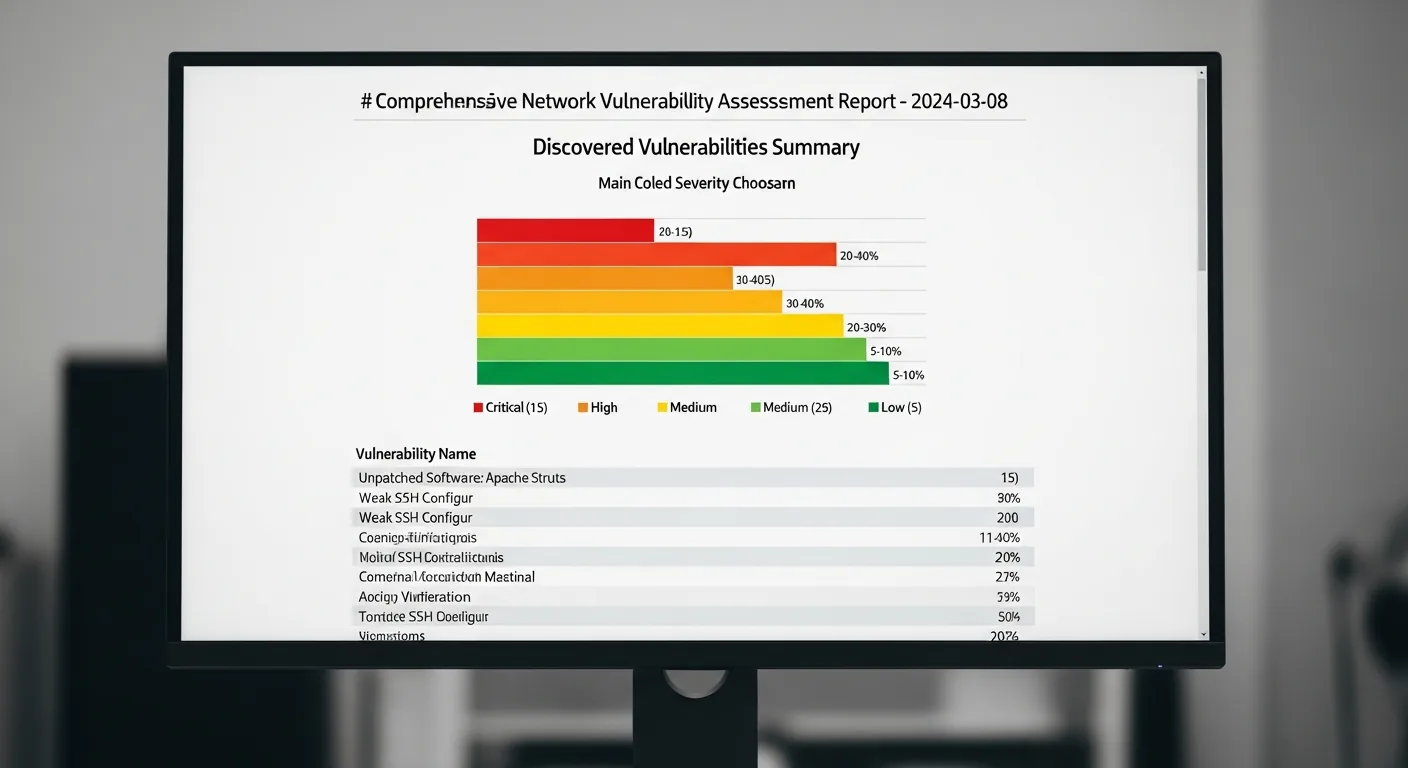
    Penetration testing — also known as ethical hacking or pen testing — is a controlled cyberattack simulation conducted against an organization’s systems, networks, and applications to identify exploitable vulnerabilities before malicious actors do. This visual guide provides a comprehensive gallery of penetration testing environments, tools, methodologies, and deliverables used by cybersecurity professionals worldwide. With average engagement costs ranging from $10,000 to $100,000+ for enterprise assessments, penetration testing represents one of the highest-value services in the cybersecurity industry.

    Penetration Testing Photo Gallery: Tools, Environments, and Methodologies

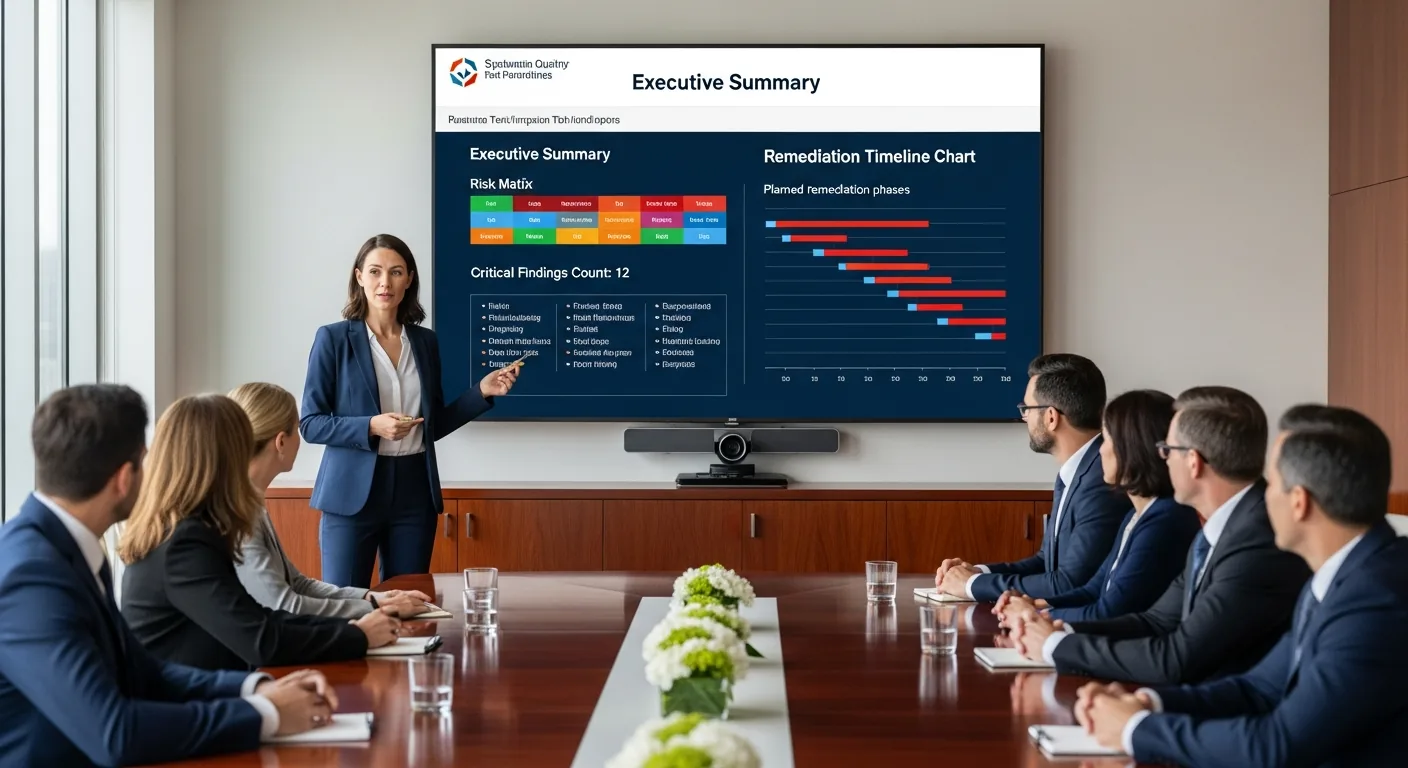
    The following images document the complete penetration testing lifecycle — from the Security Operations Center where monitoring begins, through the ethical hacker’s workstation and toolkit, to the executive boardroom where findings are presented to stakeholders. Each image represents a critical phase of a professional penetration testing engagement.

    The Five Phases of Penetration Testing

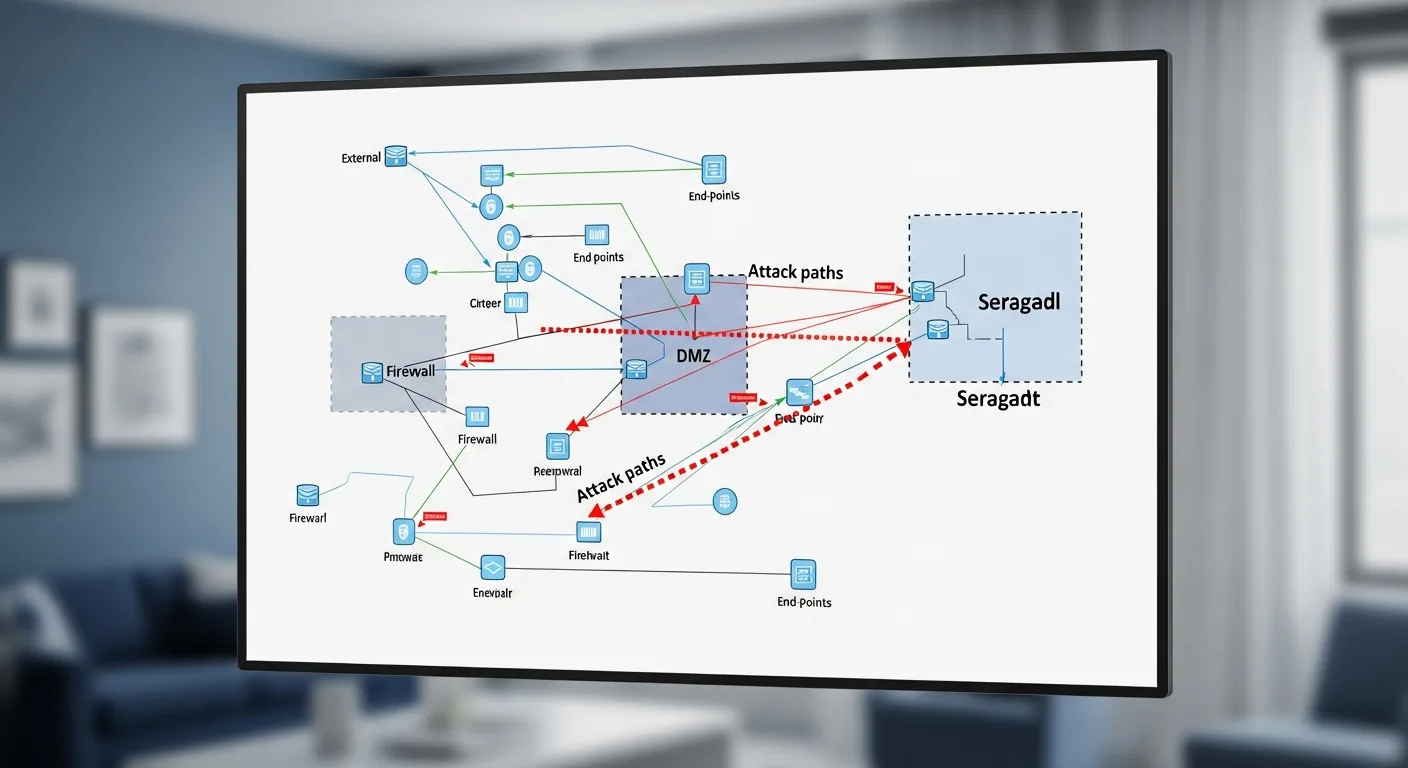
    Professional penetration testing follows a structured methodology defined by frameworks like the PTES (Penetration Testing Execution Standard) and OWASP Testing Guide. The five phases are: Reconnaissance (passive and active information gathering about the target), Scanning (port scanning, vulnerability scanning, and service enumeration using tools like Nmap and Nessus), Exploitation (attempting to breach identified vulnerabilities using frameworks like Metasploit), Post-Exploitation (privilege escalation, lateral movement, and data exfiltration simulation), and Reporting (documenting findings with CVSS severity scores and remediation recommendations).

    Red Team vs Blue Team: Adversarial Security Testing

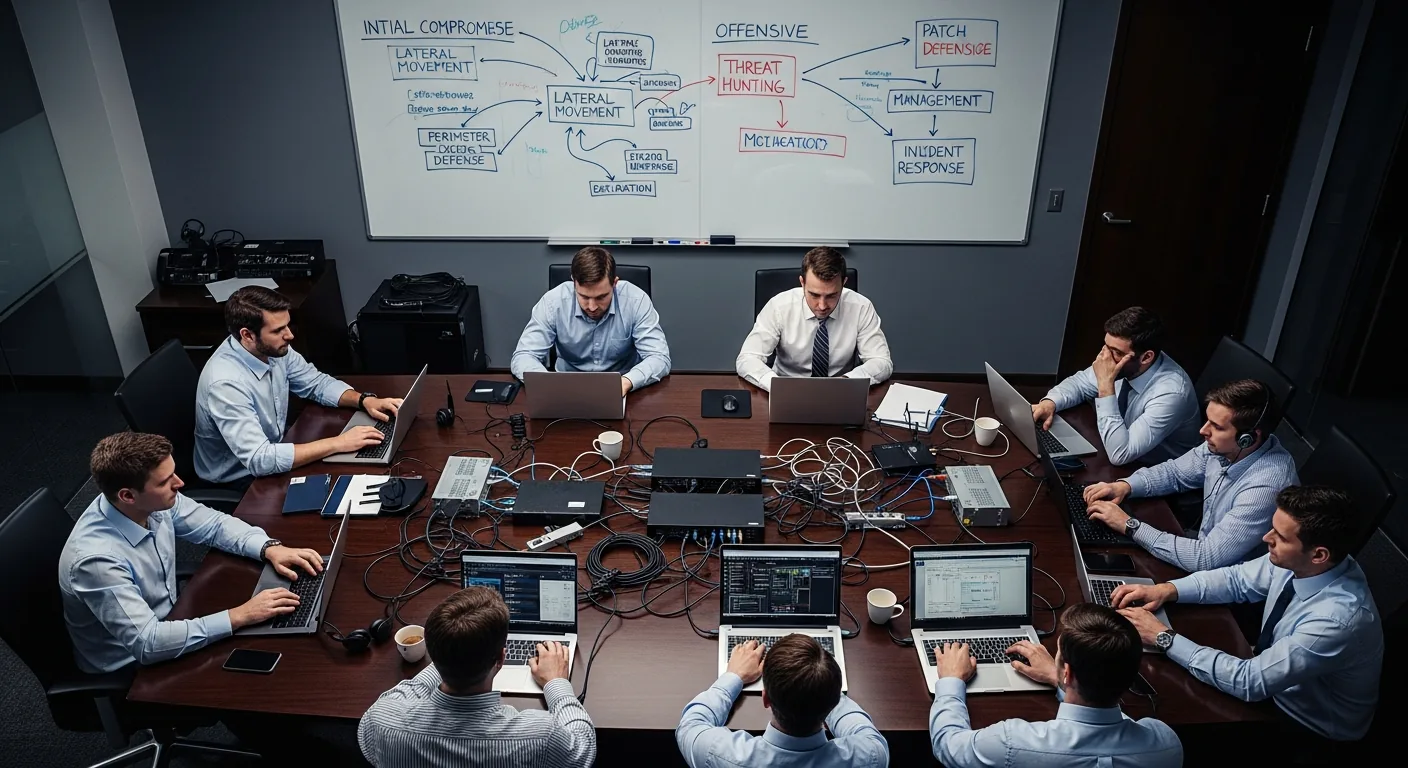
    Beyond traditional penetration testing, many organizations conduct red team engagements — extended adversarial simulations where an offensive team (red) attempts to breach the organization’s defenses while the defensive team (blue) works to detect and respond to the attacks in real time. Purple team exercises combine both perspectives, with the red team sharing techniques and the blue team improving detection capabilities. These exercises test not just technical controls but also the organization’s incident response procedures, employee security awareness, and communication protocols under pressure.

    Essential Penetration Testing Tools and Equipment

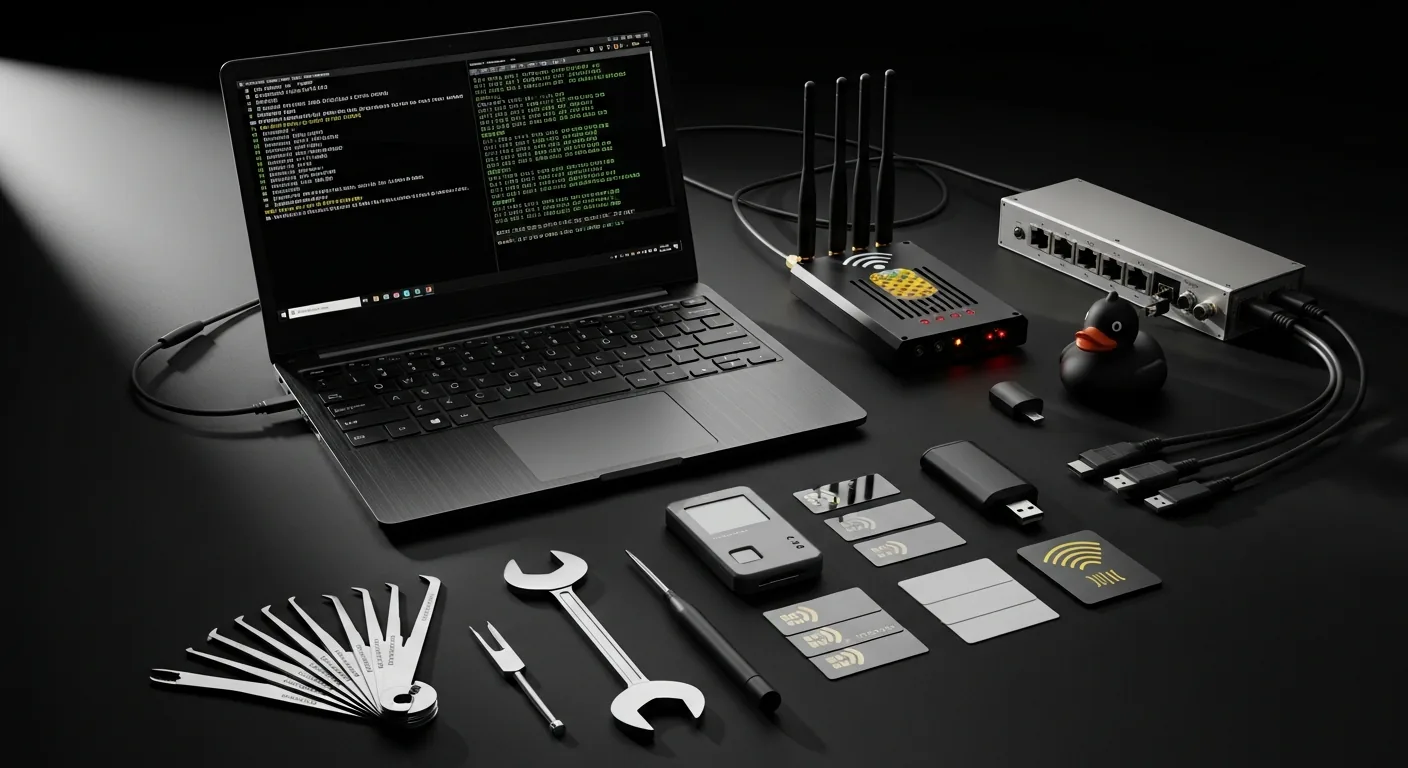
    A professional penetration tester’s arsenal includes both software and hardware tools. On the software side, Kali Linux serves as the primary operating system, bundling over 600 security tools including Burp Suite for web application testing, Metasploit for exploitation, Wireshark for network analysis, and John the Ripper for password cracking. Physical penetration testing adds hardware devices like the WiFi Pineapple for wireless attacks, USB Rubber Ducky for keystroke injection, Proxmark for RFID cloning, and traditional lock picks for physical access testing. The complete toolkit shown in this gallery represents approximately $5,000-$15,000 in equipment investment.

    Frequently Asked Questions About Penetration Testing

    How much does a penetration test cost?

    Penetration testing costs vary significantly based on scope, complexity, and the type of assessment. A basic web application pen test typically ranges from $5,000 to $25,000. A comprehensive network penetration test for a mid-size enterprise costs $15,000 to $50,000. Red team engagements with physical testing, social engineering, and extended timelines can exceed $100,000. Organizations in regulated industries like healthcare (HIPAA), finance (PCI DSS), and government (FedRAMP) often require annual penetration testing as a compliance requirement.

    What is the difference between a vulnerability scan and a penetration test?

    A vulnerability scan is an automated process that identifies known vulnerabilities in systems using databases like the CVE (Common Vulnerabilities and Exposures) list — it finds potential weaknesses but does not attempt to exploit them. A penetration test goes further by having skilled security professionals actively attempt to exploit those vulnerabilities, chain multiple findings together, and demonstrate the real-world impact of a successful attack. Vulnerability scans cost $1,000-$5,000 and take hours; penetration tests cost $10,000-$100,000+ and take days to weeks.

    How often should an organization conduct penetration testing?

    Industry best practice and most compliance frameworks recommend penetration testing at least annually, with additional testing after significant infrastructure changes, application deployments, or security incidents. Organizations handling sensitive data should consider quarterly testing. PCI DSS requires annual penetration testing and retesting after significant changes. Many mature security programs implement continuous penetration testing programs that combine automated scanning with periodic manual assessments.

    What certifications should a penetration tester hold?

    The most respected penetration testing certifications include OSCP (Offensive Security Certified Professional), widely considered the gold standard due to its hands-on 24-hour exam; GPEN (GIAC Penetration Tester) from SANS; CEH (Certified Ethical Hacker) from EC-Council; and CREST CRT/CCT recognized internationally. For web application testing specifically, the OSWE (Offensive Security Web Expert) and BSCP (Burp Suite Certified Practitioner) are highly valued. When selecting a penetration testing firm, verify that their testers hold at minimum OSCP or equivalent hands-on certifications.

  • The $0 Marketing Stack: Open Source AI, Free APIs, and Cloud Credits

    The $0 Marketing Stack: Open Source AI, Free APIs, and Cloud Credits

    We built an enterprise-grade marketing automation stack that costs less than $50/month using open-source AI, free API tiers, and Google Cloud free credits. If you’re a small business or bootstrapped startup, you don’t need to justify expensive tools.

    The Stack Overview
    – Open-source LLMs (Llama 2, Mistral) via Ollama
    – Free API tiers (DataForSEO free tier, NewsAPI free tier)
    – Google Cloud free tier ($300 credit + free-tier resources)
    – Open-source WordPress (free)
    – Open-source analytics (Plausible free tier)
    – Zapier free tier (5 zaps)
    – GitHub Actions (free CI/CD)

    Total cost: $47/month for production infrastructure

    The AI Layer: Ollama + Self-Hosted Models
    Ollama lets you run open-source LLMs locally (or on cheap cloud instances). We run Mistral 7B (70 billion parameters, strong reasoning) on a small Cloud Run container.

    Cost: $8/month (vs. $50+/month for Claude API)
    Tradeoff: Slightly slower (3-4 second latency vs. <1 second), less sophisticated reasoning (but still good)

    What it’s good for:
    – Content summarization
    – Data extraction
    – Basic content generation
    – Classification tasks
    – Brainstorming outlines

    What it struggles with:
    – Complex multi-step reasoning
    – Code generation
    – Nuanced writing

    Our approach: Use Mistral for 60% of tasks, Claude API (paid) for the 40% that really need it.

    The Data Layer: Free API Tiers
    DataForSEO Free Tier:
    – 5 free API calls/day
    – Useful for: one keyword research query per day
    – For more volume, pay per API call (~$0.01-0.02)

    We use the free tier for daily keyword research, then batch paid requests on Wednesday nights when it’s cheapest.

    NewsAPI Free Tier:
    – 100 requests/day
    – Get news for any topic
    – Useful for: building news-based content calendars, trend detection

    We query trending topics daily (costs nothing) and surface opportunities.

    SerpAPI Free Tier:
    – 100 free searches/month
    – Google Search API access
    – Useful for: SERP analysis, featured snippet research

    We budget 100 searches/month for competitive analysis.

    The Infrastructure: Google Cloud Free Tier
    – Cloud Run: 2 million requests/month free (more than enough for small site)
    – Cloud Storage: 5GB free storage
    – Cloud Logging: 50GB logs/month free
    – Cloud Scheduler: unlimited free jobs
    – Cloud Tasks: unlimited free queue
    – BigQuery: 1TB analysis/month free

    This covers:
    – Hosting your WordPress instance
    – Running automation scripts
    – Logging everything
    – Analyzing traffic patterns
    – Scheduling batch jobs

    The WordPress Setup
    – WordPress.com free tier: Start free, upgrade as you grow
    – OR: Self-host on Google Cloud ($15/month for small VM)
    – Open-source plugins: Jetpack (free features), Akismet (free tier), WP Super Cache (free)

    We use self-hosted on GCP because we want plugin control, but WordPress.com free is perfectly viable for starting out.

    The Analytics: Plausible Free Tier
    – 50K pageviews/month free
    – Privacy-focused (no cookies, no tracking headaches)
    – Clean, readable dashboards

    Cost: Free (or $10/month if you exceed 50K)
    Tradeoff: Less detailed than Google Analytics, but you don’t need detail at the beginning

    The Automation Layer: Zapier Free Tier**
    – 5 zaps (automations) free
    – Each zap can trigger actions across 2,000+ services

    Examples of free zaps:
    1. New WordPress post → send to Buffer (post to social)
    2. New lead form submission → create Notion record
    3. Weekly digest → send to email list
    4. Twitter mention → Slack notification
    5. New competitor article → Google Sheet (tracking)

    Cost: Free (or $20/month for unlimited zaps)
    We use 5 free zaps for core workflows, then upgrade if we need more.

    The CI/CD: GitHub Actions**
    – Unlimited free CI/CD for public repositories
    – Run scripts on schedule (content generation, data analysis)
    – Deploy updates automatically

    We use GitHub Actions to:
    – Generate daily content briefs (runs at 6am)
    – Analyze trending topics (runs at 8am)
    – Summarize competitor content (runs nightly)
    – Publish scheduled posts (runs at optimal times)

    Example: The Free Marketing Stack In Action
    Daily workflow (costs $0):
    1. GitHub Actions triggers at 6am (free)
    2. Queries DataForSEO free tier for trending keywords (free)
    3. Queries NewsAPI for trending topics (free)
    4. Passes data to Mistral on Cloud Run ($.0005 per call)
    5. Mistral generates 3 content ideas and a brief ($.001 total)
    6. Brief goes to Notion (free tier)
    7. When you publish, WordPress post triggers Zapier (free)
    8. Zapier sends to Buffer (free tier posts 5 posts/day)
    9. Buffer posts to Twitter, LinkedIn, Facebook (free Buffer tier)

    Result: Automated content ideation → publishing → social distribution. Cost: $0.001/day = $0.03/month

    The Cost Breakdown
    – Google Cloud ($300 credit = first 10 months): $0
    – After credit: $15-30/month (small VM)
    – DataForSEO free tier: $0
    – WordPress self-hosted or free: $0-15/month
    – Plausible: $0 (free tier)
    – Zapier: $0 (free tier)
    – Ollama/Mistral: $0 (self-hosted)

    First year: ~$180 (almost all Google Cloud credit)
    Year 2 onwards: ~$45-60/month

    When To Upgrade
    When you have paying customers or real revenue (not “I want to scale”, but “I have actual income”):
    – Upgrade to Claude API (adds $50-100/month)
    – Upgrade to Zapier paid ($20/month for unlimited)
    – Upgrade to Plausible paid ($10/month)
    – Consider paid DataForSEO plan ($100/month)

    But by then you have revenue to cover it.

    The Advantage**
    Most bootstrapped founders tell themselves “I can’t start without expensive tools.” That’s a limiting belief. You can build a sophisticated marketing stack for nearly free.

    What expensive tools give you: convenience and slightly better performance. What free tools give you: legitimacy and survival on limited budget.

    The Tradeoff Philosophy
    – On LLM quality: Use Mistral (90% as good, 1/5 the cost)
    – On API quotas: Use free tiers aggressively, pay for specific high-volume operations
    – On infrastructure: Use free cloud tiers for 6+ months, upgrade when you have revenue
    – On automation: Use Zapier free tier, build custom automations later if you need more

    The Takeaway**
    You don’t need a $3K/month marketing stack to start. You need understanding of what each tool does, free tiers of multiple services, and strategic thinking about where to spend when you have money.

    Build on free. Graduate to paid only when you have revenue or specific bottlenecks that free tools can’t solve.

    {
    “@context”: “https://schema.org”,
    “@type”: “Article”,
    “headline”: “The $0 Marketing Stack: Open Source AI, Free APIs, and Cloud Credits”,
    “description”: “Build an enterprise marketing stack for $0 using open-source AI, free API tiers, and Google Cloud credits. Here’s exactly what we use.”,
    “datePublished”: “2026-03-30”,
    “dateModified”: “2026-04-03”,
    “author”: {
    “@type”: “Person”,
    “name”: “Will Tygart”,
    “url”: “https://tygartmedia.com/about”
    },
    “publisher”: {
    “@type”: “Organization”,
    “name”: “Tygart Media”,
    “url”: “https://tygartmedia.com”,
    “logo”: {
    “@type”: “ImageObject”,
    “url”: “https://tygartmedia.com/wp-content/uploads/tygart-media-logo.png”
    }
    },
    “mainEntityOfPage”: {
    “@type”: “WebPage”,
    “@id”: “https://tygartmedia.com/the-0-marketing-stack-open-source-ai-free-apis-and-cloud-credits/”
    }
    }

  • How to Run 7 Businesses From One Notion Dashboard

    How to Run 7 Businesses From One Notion Dashboard

    The Problem With Running Multiple Businesses

    When you operate seven companies across different industries – restoration, luxury lending, comedy streaming, cold storage, automotive training, and digital marketing – the natural instinct is to build seven separate operating systems. That instinct will destroy you.

    Separate project management tools, separate CRMs, separate content calendars. Before you know it, you’re spending more time switching contexts than actually building. We learned this the hard way across a restoration company, a luxury lending firm Company, a live comedy platform, a cold storage facility, an automotive training firm, and Tygart Media.

    The fix wasn’t hiring more people. It was architecture. One Notion workspace, six databases, and a triage system that routes every task, every client communication, and every content piece to the right place without human sorting.

    The 6-Database Architecture That Powers Everything

    Our Notion Command Center runs on exactly six databases that talk to each other. Not sixty. Not six per company. Six total.

    The Master Task Database handles every action item across all seven businesses. Each task gets a Company property, a Priority score, and an Owner. When a new task comes in – whether it’s a client request from a luxury asset lender or a content deadline for a storm protection company – it enters the same pipeline.

    The Client Portal Database creates air-gapped views so each client sees only their work. A restoration company in Houston never sees data from a luxury lender in Beverly Hills. Same database, completely isolated views.

    The Content Calendar Database manages editorial across 23 WordPress sites. Every article brief, every publish date, every SEO target lives here. When we run our AI content pipeline, it checks this database to avoid duplicate topics.

    The Agent Registry, Revenue Tracker, and Meeting Notes databases round out the system. Together, they give us a single pane of glass across a portfolio that would otherwise require a dozen tools and a full-time operations manager.

    Why Single-Workspace Architecture Beats Multi-Tool Stacks

    The average small business uses 17 different SaaS tools. When you run seven businesses, that number can balloon to 50+ subscriptions. Beyond the cost, the real killer is context fragmentation – critical information lives in five different places, and no one knows which version is current.

    A single Notion workspace eliminates this entirely. Every team member, contractor, and AI agent pulls from the same source of truth. When our Claude agents generate content briefs, they query the same database that tracks client deliverables. When we review monthly revenue, it’s the same workspace where we plan next month’s campaigns.

    This isn’t about Notion specifically – it’s about the principle that operational architecture should consolidate, not fragment. We chose Notion because its database-relation model maps naturally to multi-entity operations.

    The Custom Agent Layer

    The real leverage comes from building AI agents that operate inside this architecture. We run Claude-powered agents that can read our Notion databases, check WordPress site status, generate content briefs, and triage incoming tasks – all without human intervention for routine operations.

    Each agent has a specific scope: one handles content pipeline operations, another monitors SEO performance across all 23 sites, and a third manages social media scheduling through Metricool. They don’t replace human judgment for strategic decisions, but they eliminate 80% of the repetitive coordination work that used to eat 15+ hours per week.

    The key insight: agents are only as good as the data architecture they sit on top of. Build the databases right, and the automation layer practically writes itself.

    Frequently Asked Questions

    Can Notion really handle enterprise-level multi-business operations?

    Yes, with proper architecture. The limiting factor isn’t Notion’s capability – it’s how you structure your databases. Flat databases with 50 properties break down fast. Relational databases with clean property schemas scale to thousands of entries across multiple companies without performance issues.

    How do you keep client data separate across businesses?

    We use Notion’s filtered views and relation properties to create air-gapped client portals. Each client view is filtered by Company and Client properties, so a restoration client never sees lending data. It’s the same database, but the views are completely isolated.

    What happens when one business needs a different workflow?

    Every business has unique needs, but the underlying data model stays consistent. We handle workflow variations through database views and templates, not separate databases. A restoration project and a luxury lending deal both flow through the same task pipeline with different templates and automations attached.

    How many people can use this system before it breaks?

    We currently have 12+ users across all businesses plus AI agents accessing the workspace simultaneously. Notion handles this well. The bottleneck isn’t users – it’s database design. Keep your relations clean and your property counts reasonable, and the system scales.

    The Bottom Line

    Running multiple businesses doesn’t require multiple operating systems. It requires one well-architected system that treats each business as a filtered view of a unified dataset. Build the architecture once, and every new business you add becomes a configuration change – not a rebuild. If you’re drowning in tools and context-switching, the fix isn’t better tools. It’s better architecture.

    {
    “@context”: “https://schema.org”,
    “@type”: “Article”,
    “headline”: “How to Run 7 Businesses From One Notion Dashboard”,
    “description”: “How one Notion workspace with six databases runs seven businesses across restoration, lending, comedy, and marketing.”,
    “datePublished”: “2026-03-21”,
    “dateModified”: “2026-04-03”,
    “author”: {
    “@type”: “Person”,
    “name”: “Will Tygart”,
    “url”: “https://tygartmedia.com/about”
    },
    “publisher”: {
    “@type”: “Organization”,
    “name”: “Tygart Media”,
    “url”: “https://tygartmedia.com”,
    “logo”: {
    “@type”: “ImageObject”,
    “url”: “https://tygartmedia.com/wp-content/uploads/tygart-media-logo.png”
    }
    },
    “mainEntityOfPage”: {
    “@type”: “WebPage”,
    “@id”: “https://tygartmedia.com/how-to-run-7-businesses-from-one-notion-dashboard/”
    }
    }

  • I Reorganized My Entire Notion Workspace in One Session. Here Is the Architecture.

    I Reorganized My Entire Notion Workspace in One Session. Here Is the Architecture.

    The Workspace Was Collapsing Under Its Own Weight

    My Notion workspace had grown organically for two years. Pages nested inside pages nested inside pages. Duplicate databases. Orphaned notes. Three different task lists that each tracked a subset of the same tasks. A page hierarchy so deep that finding anything required knowing the exact path – or giving up and using search.

    The workspace worked when I ran two businesses. At seven businesses with 18 managed websites, it was actively slowing me down. Every search returned duplicates. Every new entry required deciding which of three databases to put it in. The structure that was supposed to organize my work was generating more overhead than the work itself.

    So I burned it down and rebuilt it. One Cowork session. New architecture from the ground up. Six core databases, three operational layers, and a design philosophy that scales to 20 businesses without adding structural complexity.

    The Three-Layer Architecture

    Layer 1: Master Databases. Six databases that hold every record across every business: Master Actions (tasks), Content Calendar, Master Entities (clients and businesses), Knowledge Lab, Contact Profiles, and Agent Registry. These are the canonical data stores. Every record lives in exactly one place.

    Layer 2: Autonomous Engine. The automation layer – triage agent configuration, air-gap sync agent rules, scheduled task definitions, and agent monitoring dashboards. This layer reads from and writes to the master databases but operates independently. It is where the AI agents interface with the workspace.

    Layer 3: Command Centers. Focus rooms for each business entity – Tygart Media, Engage Simply, a restoration company, a restoration company, Restoration Golf League, BCESG, and Personal. Each focus room contains filtered views of the master databases showing only records tagged with that entity. Plus client portals accessed from this layer.

    The key principle: data lives in Layer 1, automation lives in Layer 2, and humans interact through Layer 3. No layer duplicates another. Every view is a window into the same underlying data, filtered by context.

    The Entity Tag System

    Every record in every database has an Entity property – a relation to the Master Entities database. This single property is what makes the entire architecture work. When I create a task, I tag it with an entity. When content is published, it is tagged with an entity. When an agent logs activity, it is tagged with an entity.

    The entity tag enables three capabilities: filtered views per business (Layer 3 focus rooms show only their entity’s records), air-gapped client portals (sync only records matching the client’s entity), and cross-business reporting (roll up all entities for portfolio-level metrics).

    Before the reorg, switching between businesses meant navigating to different sections of the workspace. After the reorg, switching is a single click – each focus room is a filtered lens on the same unified data.

    The Triage Agent

    New records entering the system need to be classified. The Triage Agent is a Notion automation that watches for new entries in Master Actions and auto-assigns entity, priority, and status based on content analysis. A task mentioning “golf” or “restoration golf” gets tagged to Restoration Golf League. A task referencing “engage” gets tagged to Engage Simply.

    The triage agent handles approximately 70% of record classification automatically. The remaining 30% are ambiguous entries that get flagged for manual entity assignment. This means most of my task creation workflow is: describe the task in one sentence, let the triage agent classify it, and move on.

    What the Reorg Eliminated

    Duplicate databases: from 14 to 6. Orphaned pages: 40+ archived or deleted. Average depth of page hierarchy: from 7 levels to 3. Time to find a specific record: from 2-3 minutes of searching to under 10 seconds via entity-filtered views. Weekly overhead maintaining the workspace: from approximately 3 hours to under 30 minutes.

    The reorg also eliminated the psychological overhead of a messy system. When your workspace is disorganized, every interaction carries a tiny cognitive tax – “where does this go? Did I already capture this somewhere else? Is this the current version?” Multiply that by hundreds of daily interactions and the cumulative drain is significant. A clean architecture removes the tax entirely.

    Frequently Asked Questions

    How long did the full reorganization take?

    One extended Cowork session, approximately 4 hours of active work. This included architecting the new structure, creating the six databases with proper schemas, migrating critical records from old databases, configuring the triage agent, setting up entity tags, and creating the Layer 3 focus rooms. The archive of old pages was done in a separate cleanup pass.

    Can this architecture work for a single business?

    Yes – and it is simpler. A single business needs the same six databases but without the entity tag complexity. The three-layer architecture still applies: data in master databases, automation in the engine layer, and human interaction through focused views. The architecture is the same regardless of scale.

    What tool did you use for the migration?

    Notion’s native relation properties and the Notion API via Cowork mode. The API allowed bulk operations – creating database entries, updating properties, moving pages – that would have taken days to do manually through the UI. The Cowork session treated the reorg as a technical migration, not a manual reorganization.

    Architecture Is Strategy

    Most people treat their workspace as a filing cabinet – a place to put things so they can find them later. That model breaks at scale. A workspace that manages seven businesses needs to be an operating system, not a filing cabinet. The three-layer architecture, entity tagging, and autonomous triage agent transform Notion from a note-taking app into a business operating system that scales horizontally without adding complexity. The architecture is the strategy. Everything else is just typing.

    {
    “@context”: “https://schema.org”,
    “@type”: “Article”,
    “headline”: “I Reorganized My Entire Notion Workspace in One Session. Here Is the Architecture.”,
    “description”: “Seven businesses, six databases, three operational layers, air-gapped client portals, and autonomous agent tracking – all unified in a single Notion works”,
    “datePublished”: “2026-03-21”,
    “dateModified”: “2026-04-03”,
    “author”: {
    “@type”: “Person”,
    “name”: “Will Tygart”,
    “url”: “https://tygartmedia.com/about”
    },
    “publisher”: {
    “@type”: “Organization”,
    “name”: “Tygart Media”,
    “url”: “https://tygartmedia.com”,
    “logo”: {
    “@type”: “ImageObject”,
    “url”: “https://tygartmedia.com/wp-content/uploads/tygart-media-logo.png”
    }
    },
    “mainEntityOfPage”: {
    “@type”: “WebPage”,
    “@id”: “https://tygartmedia.com/i-reorganized-my-entire-notion-workspace-in-one-session-here-is-the-architecture/”
    }
    }

  • The Monday Status Report: How a Weekly Operating Rhythm Keeps a Multi-Business Portfolio on Track

    The Monday Status Report: How a Weekly Operating Rhythm Keeps a Multi-Business Portfolio on Track

    Monday Morning Is Not for Email

    Every Monday morning at 7 AM, before I open email, before I check Slack, before I look at a single notification, I read one document: the Weekly Executive Briefing. It is a synthesized status report that covers every business in the portfolio, every active project, every metric that matters, and every decision that needs my attention that week.

    I do not write this report. An AI agent writes it. It pulls data from Notion, cross-references project statuses, flags overdue tasks, summarizes completed work from the previous week, and identifies the three to five decisions that will have the most impact in the coming seven days.

    This single document replaced six separate status meetings, four different dashboards, and approximately ten hours per week of context-gathering that I used to do manually.

    What the Briefing Contains

    The briefing follows a rigid structure. First section: portfolio health. A one-line status for each business entity – green, yellow, or red – with a two-sentence explanation of why. If a restoration company had a record week in leads, that shows up as green with the number. If a client site had a technical issue, that shows up as yellow with the remediation status.

    Second section: completed work. Every task that was marked done in Notion during the previous week, grouped by business and project. This is not a vanity list. It is an accountability record. I can see exactly what the AI agents accomplished, what I accomplished, and what fell through the cracks.

    Third section: priority decisions. These are the items that require my judgment – not my labor. Should we publish the next content batch for this client? Should we escalate this technical issue? Should we accept this new project? The briefing presents the context and options. I make the call.

    Fourth section: metrics. Revenue, traffic, content output, optimization scores, and any anomalies in the data. The agent highlights anything that deviated more than 15 percent from the trailing four-week average in either direction.

    Why Structure Beats Hustle

    I spent years running businesses on adrenaline and reactive energy. Something would break, I would fix it. A client would call, I would drop everything. An opportunity would appear, I would chase it without evaluating whether it fit the strategy.

    The Monday briefing killed that pattern. When you start every week with a clear picture of where everything stands, you stop reacting and start deciding. The difference is enormous. Reactive operators work harder and accomplish less. Structured operators work fewer hours and accomplish more because every action is aligned with the highest-leverage opportunity.

    The Notion Architecture Behind It

    The briefing is powered by a six-database Notion architecture that tracks projects, tasks, contacts, content, metrics, and decisions across all seven business entities. Every database uses consistent properties – status, priority, entity tag, due date, owner – so the AI agent can query across the entire system with uniform logic.

    The agent runs a series of database queries every Sunday night. It pulls incomplete tasks, recently completed tasks, upcoming deadlines, and flagged items. It then synthesizes these into the briefing format and drops it into a dedicated Notion page that I read Monday morning.

    The key insight is that the Notion architecture was designed for machine readability from the start. Most people build Notion workspaces for human consumption – pretty pages, nested toggles, visual dashboards. I built mine for agent consumption. Clean properties, consistent naming, no nested complexity. The visual layer is secondary to the data layer.

    The Decision Log

    Every decision I make from the Monday briefing gets logged. Not in a meeting note. Not in an email. In a dedicated decision database with the date, the context, the options considered, and the rationale. Six months later, when I want to understand why we took a particular direction, the answer is there.

    This is institutional memory that does not depend on my memory. The AI agent can reference past decisions when generating future briefings. If I decided three months ago to pause content production on a particular site, the agent knows that and factors it into current recommendations.

    Replicating the Rhythm

    The Monday briefing is not a product. It is a pattern. Any operator managing multiple projects, businesses, or teams can build a version of this with Notion and an AI agent. The requirements are simple: structured data, consistent properties, and a synthesis prompt that knows how to prioritize.

    The hard part is not the technology. It is the discipline to read the briefing every Monday and actually make the decisions it surfaces. Most people would rather stay busy than be strategic. The briefing forces strategy by putting the right information in front of you at the right time.

    FAQ

    How long does it take to read the Monday briefing?
    Fifteen to twenty minutes. It is designed to be comprehensive but scannable. The priority decisions section is usually three to five items.

    What happens when the briefing flags something urgent?
    Urgent items get a red flag and move to the top of the priority decisions section. I address those first, before anything else that week.

    Can this work for a single business?
    Yes. The structure scales down. Even a single-business operator benefits from a weekly synthesis that separates signal from noise.

    {
    “@context”: “https://schema.org”,
    “@type”: “Article”,
    “headline”: “The Monday Status Report: How a Weekly Operating Rhythm Keeps a Multi-Business Portfolio on Track”,
    “description”: “Inside the weekly executive briefing that synthesizes operations across seven businesses into one actionable status report every Monday.”,
    “datePublished”: “2026-03-21”,
    “dateModified”: “2026-04-03”,
    “author”: {
    “@type”: “Person”,
    “name”: “Will Tygart”,
    “url”: “https://tygartmedia.com/about”
    },
    “publisher”: {
    “@type”: “Organization”,
    “name”: “Tygart Media”,
    “url”: “https://tygartmedia.com”,
    “logo”: {
    “@type”: “ImageObject”,
    “url”: “https://tygartmedia.com/wp-content/uploads/tygart-media-logo.png”
    }
    },
    “mainEntityOfPage”: {
    “@type”: “WebPage”,
    “@id”: “https://tygartmedia.com/the-monday-status-report-how-a-weekly-operating-rhythm-keeps-a-multi-business-portfolio-on-track/”
    }
    }

  • Stop Building Dashboards. Build a Command Center.

    Stop Building Dashboards. Build a Command Center.

    Dashboards Are Where Action Goes to Die

    Every business tool sells you a dashboard. Google Analytics has one. Ahrefs has one. Your CRM has one. Your project management tool has one. Before you know it, you have 12 tabs open across 8 platforms, each showing you a slice of reality that you have to mentally assemble into a coherent picture.

    That’s not a system. That’s a scavenger hunt.

    I spent two years building dashboards. Beautiful ones — custom Google Data Studio reports, Notion views with rollups and filters, Metricool analytics summaries. They looked professional. Clients loved them. And I almost never looked at them myself, because dashboards require you to go to the data. A command center brings the data to you.

    What a Command Center Actually Is

    A command center is not a prettier dashboard. It’s a fundamentally different architecture for how information flows through your business.

    A dashboard is a destination. You navigate to it, look at charts, interpret numbers, decide what to do, then go somewhere else to do it. The gap between seeing and doing is where things fall through the cracks.

    A command center is a routing layer. Information arrives, gets classified, and gets sent to the right place — either to you (if it requires human judgment) or directly to an automated action (if it doesn’t). You don’t go looking for signals. Signals come to you, pre-prioritized, with recommended actions attached.

    My command center has two layers: Notion as the persistent operating system, and a desktop HUD (heads-up display) as the real-time alert surface.

    The Notion Operating System

    I run seven businesses through a single Notion workspace organized around six core databases:

    Tasks Database: Every task across every business, with properties for company, priority, status, due date, assigned agent (human or AI), and source (where the task originated — email, meeting, audit, agent alert). This is not a simple to-do list. It’s a triage system. Tasks arrive from multiple sources — Slack alerts from my AI agents, manual entries from meetings, automated creation from content audits — and get routed by priority and company.

    Content Database: Every piece of content across all 18 WordPress sites. Published URL, status, SEO score, last refresh date, target keyword, assigned persona, and content type. When SD-06 flags a page for drift, the content database entry gets updated automatically. When a new batch of articles is published, entries are created automatically.

    Client Database: Air-gapped client portals. Each client sees only their data — their sites, their content, their SEO metrics, their task history. No cross-contamination between clients. The air-gapping is enforced through Notion’s relation and rollup architecture, not through permissions alone.

    Agent Database: Status and performance tracking for all seven autonomous AI agents. Last run time, success/failure rate, alert count, and operational notes. When an agent fails, this database is the first place I check for historical context.

    Project Database: Multi-step initiatives that span weeks — site launches, content campaigns, infrastructure builds. Each project links to relevant tasks, content entries, and client records. This is the strategic layer that sits above daily operations.

    Knowledge Database: Accumulated decisions, configurations, and institutional knowledge. When we solve a problem — like the SiteGround blocking issue or the WinError 206 fix — the resolution gets logged here so it’s findable the next time the problem surfaces.

    The Desktop HUD

    Notion is the operating system. But Notion is a web app — it requires opening a browser, navigating to a workspace, clicking into a database. For real-time operational awareness, that’s too much friction.

    The desktop HUD is a lightweight notification layer that surfaces critical information without requiring me to open anything. It pulls from three sources:

    Slack channels where my AI agents post alerts. The VIP Email Monitor, SEO Drift Detector, Site Monitor, and Nightly Brief Generator all post to dedicated channels. The HUD aggregates these into a single feed, color-coded by urgency — red for immediate action, yellow for review within the day, green for informational.

    Notion API queries that pull today’s priority tasks, overdue items, and any tasks auto-created by agents in the last 24 hours. This is a rolling snapshot of “what needs my attention right now” without opening Notion.

    System health checks — are all agents running? Is the WP proxy responding? Are the GCP VMs healthy? A quick glance tells me if any infrastructure needs attention.

    The HUD doesn’t replace Notion. It’s the triage layer that tells me when to open Notion and where to look when I do.

    Why This Architecture Works for Multi-Business Operations

    The key insight is separation of concerns applied to information flow.

    Real-time alerts go to Slack and the HUD. I see them immediately, assess urgency, and act or defer. This is the reactive layer — things that just happened and might need immediate response.

    Operational state lives in Notion. Task lists, content inventories, client records, agent status. This is the proactive layer — where I plan, prioritize, and track multi-day initiatives. I open Notion 2-3 times per day for focused work sessions.

    Historical knowledge lives in the vector database and the Notion Knowledge Database. This is the reference layer — answers to “how did we handle X?” and “what’s the configuration for Y?” Accessed on demand when I need to recall a decision or procedure.

    No single tool tries to do everything. Each layer handles one type of information flow, and they’re connected through APIs and automated updates. When an agent creates a Slack alert, it also creates a Notion task. When a Notion task is completed, the agent database updates. When a content refresh is published, the content database entry and the vector index both update.

    This is what I mean by command center vs. dashboard. A dashboard is a single pane of glass. A command center is an interconnected system where information flows to the right place at the right time, and every signal either triggers action or gets stored for future retrieval.

    The Cost of Not Having This

    Before the command center, I lost approximately 5-7 hours per week to what I call “information archaeology” — digging through tools to find context, manually checking platforms for updates, and reconstructing the state of projects from scattered sources. That’s 25-30 hours per month of pure overhead.

    After the command center, information archaeology dropped to under 2 hours per week. The system surfaces what I need, when I need it, in the format I need it. The 20+ hours per month I reclaimed went directly into building — more content, more automations, more client work.

    The setup cost was significant — roughly 40 hours over two weeks to build the Notion architecture, configure the API integrations, and set up the HUD. But the payback period was under 8 weeks, and the system compounds every month as more agents, more data, and more workflows feed into it.

    Frequently Asked Questions

    Can I build this with tools other than Notion?

    Yes. The architecture is tool-agnostic. The persistent OS could be Airtable, Coda, or even a PostgreSQL database with a custom frontend. The HUD could be built with Electron, a Chrome extension, or even a terminal dashboard using Python’s Rich library. The principle — separate real-time alerts, operational state, and historical knowledge into distinct layers — works regardless of tooling.

    How do you prevent information overload with all these alerts?

    Aggressive filtering. Not every agent output becomes an alert. The VIP Email Monitor only pings for urgency 7+ or VIP matches — about 8% of emails. The SEO Drift Detector sends red alerts only for 5+ position drops — maybe 2-3 per month across all sites. The system is designed to be quiet most of the time and loud only when it matters. If you’re getting more than 5-10 alerts per day, your thresholds are wrong.

    How long does it take to onboard a new business into the command center?

    About 4 hours. Create the company entry in the client database, set up the relevant Notion views, configure any site-specific agent monitoring, and connect the WordPress site to the content tracking system. The architecture scales horizontally — adding a new business doesn’t increase complexity for existing ones because of the air-gapped database design.

    What’s the most important database to set up first?

    Tasks. Everything else — content, clients, agents, projects — is useful but secondary. If you can only build one database, make it a task triage system that captures inputs from multiple sources and lets you prioritize across businesses in a single view. That alone eliminates the worst of the “scattered tools” problem.

    Build for Action, Not for Looking

    The difference between operators who scale and those who plateau is rarely talent or effort. It’s information architecture. The person drowning in 12 dashboard tabs and 6 notification channels is working just as hard as the person with a command center — they’re just spending their energy on finding information instead of acting on it.

    Stop building dashboards that look impressive in client presentations. Build command centers that make you faster every day. The clients will be more impressed by the results anyway.

    {
    “@context”: “https://schema.org”,
    “@type”: “Article”,
    “headline”: “Stop Building Dashboards. Build a Command Center.”,
    “description”: “Dashboards show you data. A command center lets you act on it. I replaced scattered analytics tabs with a unified Notion OS and a desktop HUD that routes.”,
    “datePublished”: “2026-03-21”,
    “dateModified”: “2026-04-03”,
    “author”: {
    “@type”: “Person”,
    “name”: “Will Tygart”,
    “url”: “https://tygartmedia.com/about”
    },
    “publisher”: {
    “@type”: “Organization”,
    “name”: “Tygart Media”,
    “url”: “https://tygartmedia.com”,
    “logo”: {
    “@type”: “ImageObject”,
    “url”: “https://tygartmedia.com/wp-content/uploads/tygart-media-logo.png”
    }
    },
    “mainEntityOfPage”: {
    “@type”: “WebPage”,
    “@id”: “https://tygartmedia.com/stop-building-dashboards-build-a-command-center/”
    }
    }

  • Air-Gapped Client Portals: How I Give Clients Full Visibility Without Giving Them Access to Everything

    Air-Gapped Client Portals: How I Give Clients Full Visibility Without Giving Them Access to Everything

    The Transparency Problem

    Clients want to see what you are doing for them. They want dashboards, reports, progress updates. They want to log in somewhere and see the work. This is reasonable. What is not reasonable is giving every client access to a system that contains every other client’s data.

    Most agencies solve this with separate tools per client — a dedicated Trello board, a shared Google Drive folder, a client-specific reporting dashboard. This works until you manage 15+ clients and the overhead of maintaining separate systems per client exceeds the time spent on actual work.

    I needed a single operational system — one Notion workspace running all seven businesses — with the ability to give individual clients a window into their own data without seeing anyone else’s. Not reduced access. Zero access. Air-gapped.

    What Air-Gapping Means in Practice

    An air-gapped client portal is a standalone view that contains only data related to that specific client. It is not a filtered view of a shared database — it is a separate surface populated by a sync agent that copies approved data from the master system to the portal.

    The distinction matters. A filtered view relies on permissions to hide other clients’ data. Permissions can be misconfigured. Filters can be removed. A shared database with client-specific views is one misconfigured relation property away from showing Client A’s revenue numbers to Client B.

    An air-gapped portal has no connection to other clients’ data because the data was never there. The sync agent selectively copies only approved records — tasks completed, content published, metrics achieved — from the master database to the portal. The portal is structurally incapable of displaying cross-client information because it never receives it.

    The Architecture

    The master system runs on six core databases: Tasks, Content, Clients, Agents, Projects, and Knowledge. These databases contain everything — all clients, all businesses, all operational data. This is where I work.

    Each client portal is a separate Notion page containing embedded database views that pull from a client-specific proxy database. The proxy database is populated by the Air-Gap Sync Agent — an automation that runs after each work session and copies relevant records with client-identifying metadata stripped.

    The sync agent applies three rules: 1. Only copy records tagged with this specific client’s entity. 2. Remove any cross-references to other clients (relation properties, mentions, linked records). 3. Sanitize descriptions that might contain references to other clients or internal operational details.

    What Clients See

    A client portal shows exactly what the client needs and nothing more:

    Work completed: A timeline of tasks finished on their behalf — content published, SEO audits completed, technical fixes applied, schema injected, internal links built. Each entry has a date, description, and result.

    Content inventory: Every piece of content on their site with status, SEO score, last refresh date, and target keyword. They can see what exists, what is performing, and what is scheduled for refresh.

    Metrics snapshot: Key performance indicators relevant to their goals — organic traffic trend, keyword rankings for target terms, site health score, content velocity.

    Active projects: Any multi-step initiative in progress with current status and next milestones.

    What they do not see: other clients’ data, internal pricing discussions, agent performance metrics, operational notes, or any system-level information about how the sausage is made. The portal presents results, not process.

    Why Not Just Use a Client Reporting Tool

    Dedicated reporting tools like AgencyAnalytics or DashThis are designed for this. They work well for metrics dashboards. But they only show analytics data. They do not show the work — the tasks completed, the content created, the technical optimizations applied.

    Client portals in Notion show the full picture: what was done, what it achieved, and what is planned next. The client sees the cause and the effect, not just the effect. This changes the conversation from “what are my numbers?” to “what did you do and how did it impact my numbers?” That level of transparency builds retention.

    The Scaling Advantage

    Adding a new client portal takes about 20 minutes. Duplicate the template, configure the entity tag, run the initial sync, share the page with the client. The air-gap architecture means each new portal adds zero complexity to existing portals. There is no permission matrix to update, no shared database to reconfigure, no risk of breaking another client’s view.

    At 15 clients, manual reporting would require 15+ hours per month just producing reports. The automated portal system requires about 2 hours per month of oversight. And the portals are live — clients can check status any time, not just when a report is delivered.

    Frequently Asked Questions

    Can clients edit anything in their portal?

    No. Portals are read-only. The data flows one direction — from the master system to the portal. This prevents clients from accidentally modifying records and ensures the master system remains the single source of truth.

    How often does the sync agent update the portal?

    After every significant work session and at minimum once daily. For active projects with client visibility expectations, the sync can run more frequently. The agent checks for new records in the master database tagged with the client’s entity and copies them to the portal within minutes.

    What prevents internal notes from leaking into the portal?

    The sync agent has an explicit exclusion list for property types and content patterns that should never appear in portals. Internal notes, pricing discussions, competitor analysis, and cross-client references are filtered at the sync level. If a record contains excluded content, it is either sanitized before copying or excluded entirely.

    Trust Is a System, Not a Promise

    Telling a client “your data is secure” is a promise. Building an architecture where cross-client data exposure is structurally impossible is a system. The air-gapped portal is not just a nice feature for client relationships. It is the foundation that lets me scale to dozens of clients without the trust model breaking under its own weight.

    {
    “@context”: “https://schema.org”,
    “@type”: “Article”,
    “headline”: “Air-Gapped Client Portals: How I Give Clients Full Visibility Without Giving Them Access to Everything”,
    “description”: “Using Notion’s relational database architecture, I built air-gapped client portals where each client sees only their data – sites, content, metrics,”,
    “datePublished”: “2026-03-21”,
    “dateModified”: “2026-04-03”,
    “author”: {
    “@type”: “Person”,
    “name”: “Will Tygart”,
    “url”: “https://tygartmedia.com/about”
    },
    “publisher”: {
    “@type”: “Organization”,
    “name”: “Tygart Media”,
    “url”: “https://tygartmedia.com”,
    “logo”: {
    “@type”: “ImageObject”,
    “url”: “https://tygartmedia.com/wp-content/uploads/tygart-media-logo.png”
    }
    },
    “mainEntityOfPage”: {
    “@type”: “WebPage”,
    “@id”: “https://tygartmedia.com/air-gapped-client-portals-how-i-give-clients-full-visibility-without-giving-them-access-to-everything/”
    }
    }

  • 16 Sites, One Week, Zero Guesswork: How I Run a Content Swarm Across an Entire Portfolio

    16 Sites, One Week, Zero Guesswork: How I Run a Content Swarm Across an Entire Portfolio

    The Problem Nobody Talks About

    Managing one WordPress site is straightforward. Managing sixteen is a logistics nightmare — unless you build the infrastructure to treat them as a single organism. That is exactly what I did, and every week I run what I call a content swarm: a coordinated optimization pass across every site in the portfolio, from a cold storage facility in Madera to a luxury lending platform in Beverly Hills.

    The swarm is not a metaphor. It is a literal sequence of automated audits, content refreshes, taxonomy fixes, schema injections, and interlink passes that hit every site in rotation. The output is a stack of site-specific optimization reports that tell me exactly what changed, what improved, and what needs human attention.

    The Architecture Behind the Swarm

    Every site connects through a single Cloud Run proxy on GCP. One endpoint, one authentication layer, eighteen different WordPress installations behind it. The proxy handles credential routing, rate limiting, and error logging. No site talks directly to the internet during optimization — everything flows through the proxy.

    Each site has a registered credential set in a unified skill registry. When the swarm kicks off, it pulls the site list, authenticates through the proxy, and begins the audit sequence. The sequence is always the same: fetch all posts, score content health, identify thin pages, check taxonomy coverage, verify schema markup, scan internal links, and flag orphan pages.

    The results land in Notion. Every site gets its own optimization log entry with post-level detail. I can see at a glance which sites are healthy, which need content, and which have technical debt piling up.

    What a Typical Swarm Week Looks Like

    Monday: trigger the audit across all sixteen sites. The agent pulls every published post, scores it against the SEO/AEO/GEO framework, and generates a prioritized action list. By Monday afternoon, I have sixteen reports sitting in Notion.

    Tuesday through Thursday: execute the highest-priority actions. This might mean running a full refresh on ten posts across three sites, injecting FAQ schema on twenty pages, or publishing a batch of new articles to fill content gaps. The agent handles the execution. I handle the editorial judgment calls.

    Friday: verification pass. Re-audit the sites that received changes, compare before-and-after scores, and log the delta. This closes the loop and gives me a week-over-week trend line for every property in the portfolio.

    Why Most Agencies Cannot Do This

    The barrier is not talent. It is infrastructure. Most agencies manage sites one at a time, with separate logins, separate dashboards, separate reporting tools. They context-switch between properties all day and lose hours to authentication friction alone.

    The swarm model eliminates context switching entirely. One command center, one proxy, one agent, sixteen sites. The agent does not care whether it is optimizing a restoration company or a comedy streaming platform. It follows the same protocol, applies the same standards, and logs to the same database.

    This is what scalable content operations actually looks like. Not more people. Not more tools. One system that treats every site as a node in a network.

    The Sites in the Swarm

    The portfolio spans wildly different verticals: disaster restoration, luxury asset lending, cold storage logistics, comedy entertainment, automotive training, storm damage mitigation, interior design, and more. Each site has its own content strategy, its own keyword targets, its own audience. But the optimization infrastructure is identical across all of them.

    That uniformity is the competitive advantage. When I discover a new optimization technique — say, a better way to structure FAQ schema for voice search — I can deploy it across all sixteen sites in a single session. The improvement compounds across the entire portfolio simultaneously.

    The Compounding Effect

    After twelve weeks of swarm cycles, the aggregate improvement is staggering. Posts that were thin get expanded. Orphan pages get linked. Schema coverage goes from patchy to comprehensive. Internal link density increases across every site. And because every change is logged, I can trace the exact moment each improvement was made and correlate it with traffic changes.

    This is not a one-time audit. It is an operating rhythm. The swarm runs every week whether I feel like it or not, because the system does not depend on my motivation. It depends on my infrastructure.

    FAQ

    How long does a full swarm take?
    The automated audit across all sixteen sites completes in under two hours. Execution of the priority actions takes the rest of the week, depending on volume.

    Do you use the same optimization standards for every site?
    Yes. The SEO, AEO, and GEO framework is universal. What changes is the content strategy and keyword targeting, which are site-specific.

    Can this approach work for smaller portfolios?
    Absolutely. The infrastructure scales down just as easily. Even managing three sites through a unified proxy and command center eliminates massive inefficiency.

    {
    “@context”: “https://schema.org”,
    “@type”: “Article”,
    “headline”: “16 Sites, One Week, Zero Guesswork: How I Run a Content Swarm Across an Entire Portfolio”,
    “description”: “Running optimization reports across 16 WordPress sites in a single week using AI agents, proxy routing, and a unified command center.”,
    “datePublished”: “2026-03-21”,
    “dateModified”: “2026-04-03”,
    “author”: {
    “@type”: “Person”,
    “name”: “Will Tygart”,
    “url”: “https://tygartmedia.com/about”
    },
    “publisher”: {
    “@type”: “Organization”,
    “name”: “Tygart Media”,
    “url”: “https://tygartmedia.com”,
    “logo”: {
    “@type”: “ImageObject”,
    “url”: “https://tygartmedia.com/wp-content/uploads/tygart-media-logo.png”
    }
    },
    “mainEntityOfPage”: {
    “@type”: “WebPage”,
    “@id”: “https://tygartmedia.com/16-sites-one-week-zero-guesswork-how-i-run-a-content-swarm-across-an-entire-portfolio/”
    }
    }

  • The White-Label AEO and GEO Playbook for SEO Agencies That Want to Add Capability Without Adding Headcount

    The White-Label AEO and GEO Playbook for SEO Agencies That Want to Add Capability Without Adding Headcount

    The Build-or-Partner Decision

    You have decided your agency needs AEO and GEO capability. The next question is how to get it. Building from scratch means hiring specialists — who are scarce and expensive — developing methodology through trial and error, and accepting a 4 to 6 month ramp before you have anything to sell. For most agencies under million in annual revenue, that is a bet you cannot afford to make wrong.

    The alternative is a white-label delivery partnership. A specialized firm delivers the AEO and GEO work under your brand. You own the client relationship, the strategy, and the billing. They handle the specialized execution — content restructuring, schema implementation, factual density enhancement, AI citation monitoring. Your client never knows a partner is involved. Your P&L shows the margin.

    This model is not new. Agencies have used white-label delivery for web development, paid media management, and link building for years. The AEO/GEO version follows the same structure with one critical difference: the partner needs genuine methodology, not just labor. This is a specialized discipline, and the quality of the delivery partner’s framework determines whether the service produces results or embarrasses your agency.

    What Good White-Label AEO/GEO Delivery Includes

    A legitimate delivery partner provides five components. First: a documented methodology that your team can understand, explain to clients, and oversee. You should be able to articulate what the partner does and why it works, even if you are not doing the hands-on execution.

    Second: an audit framework that produces client-ready reports. The AI visibility audit, the content readiness scorecard, and the competitive gap analysis should be formatted for your brand and ready to present in client meetings.

    Third: content enhancement deliverables — restructured headings, direct answer blocks, factual density upgrades, FAQ sections — delivered as either completed content changes applied directly in the client’s CMS or as detailed specifications your team can implement.

    Fourth: schema markup code — validated JSON-LD for Article, FAQPage, HowTo, Speakable, and entity schema types — ready to deploy on client pages.

    Fifth: measurement and reporting — monthly tracking of featured snippet positions, AI Overview citations, PAA placements, and AI platform referral traffic, formatted in your agency’s reporting template.

    How to Evaluate a Potential Partner

    Not every firm claiming AEO and GEO expertise can actually deliver. Evaluate partners on four criteria. First: ask to see their methodology documentation. A real practitioner has a written process with specific standards — factual density targets, answer block word counts, schema property requirements. If they cannot show you the playbook, they are making it up as they go.

    Second: ask for a sample audit on a site you know well. Give them a URL and ask for the AI visibility scorecard. The quality of the audit reveals the quality of the methodology. If the audit is generic and surface-level, the delivery will be too.

    Third: ask about their content enhancement process. How do they increase factual density? What sources do they use for citations? How do they determine which FAQ questions to target? The answers should be specific and systematic, not vague and improvisational.

    Fourth: ask about their schema expertise. Can they generate stacked schema — multiple types on a single page — in JSON-LD format? Do they validate against Google’s Rich Results requirements? Can they implement schema programmatically for large sites? Schema implementation is the technical bridge between AEO and GEO, and weak schema work undermines both layers.

    The Commercial Model

    White-label AEO/GEO delivery typically operates on one of three pricing models. Per-page pricing — a fixed fee per page enhanced, typically ranging from to per page depending on scope and depth. This works well for project-based engagements. Monthly retainer — a fixed monthly fee covering a defined scope of pages and deliverables. This works for ongoing optimization engagements. Revenue share — the partner takes a percentage of the incremental revenue the agency generates from AEO/GEO services. This works for agencies testing the market before committing to volume.

    The agency’s margin on white-label delivery typically ranges from 40 to 60 percent. If you charge the client ,000 per month for AEO/GEO services and your delivery partner costs ,200 to ,800, you are adding ,200 to ,800 in monthly gross margin per client with no incremental headcount.

    Transitioning from Partner to In-House

    The healthiest partnership model includes a knowledge transfer pathway. As your team absorbs the methodology through oversight and collaboration, you gradually build internal capability. The partner’s role shifts from full delivery to quality assurance and specialized work. Over time, your team handles routine AEO/GEO optimization while the partner focuses on complex engagements, methodology updates, and advanced GEO strategies.

    This transition protects both parties. The agency builds genuine internal expertise rather than permanent dependency. The partner maintains a role in high-value work rather than being commoditized. The client benefits from an improving service as internal and external expertise compound.

    FAQ

    How do you maintain quality control on white-label delivery?
    Review every deliverable before it reaches the client. Run schema validation independently. Spot-check factual density claims against cited sources. The oversight workload is minimal per client per month — a fraction of the delivery cost.

    What if the client wants to meet the delivery team?
    Structure the relationship so your team is the strategic layer and the partner is the production layer. Clients typically do not need to meet production resources if the strategic oversight is strong and the results are visible.

    How fast can a white-label partnership produce client-facing results?
    First audit delivered in week one. First content enhancements live in weeks two through three. First featured snippet wins typically visible within 30 to 60 days. This is dramatically faster than building internally.

    {
    “@context”: “https://schema.org”,
    “@type”: “Article”,
    “headline”: “The White-Label AEO and GEO Playbook for SEO Agencies That Want to Add Capability Without Adding Headcount”,
    “description”: “How to add AEO and GEO to your agency’s service offering through a white-label delivery partnership without hiring specialists or building from scratch.”,
    “datePublished”: “2026-03-21”,
    “dateModified”: “2026-04-03”,
    “author”: {
    “@type”: “Person”,
    “name”: “Will Tygart”,
    “url”: “https://tygartmedia.com/about”
    },
    “publisher”: {
    “@type”: “Organization”,
    “name”: “Tygart Media”,
    “url”: “https://tygartmedia.com”,
    “logo”: {
    “@type”: “ImageObject”,
    “url”: “https://tygartmedia.com/wp-content/uploads/tygart-media-logo.png”
    }
    },
    “mainEntityOfPage”: {
    “@type”: “WebPage”,
    “@id”: “https://tygartmedia.com/the-white-label-aeo-and-geo-playbook-for-seo-agencies-that-want-to-add-capability-without-adding-headcount/”
    }
    }