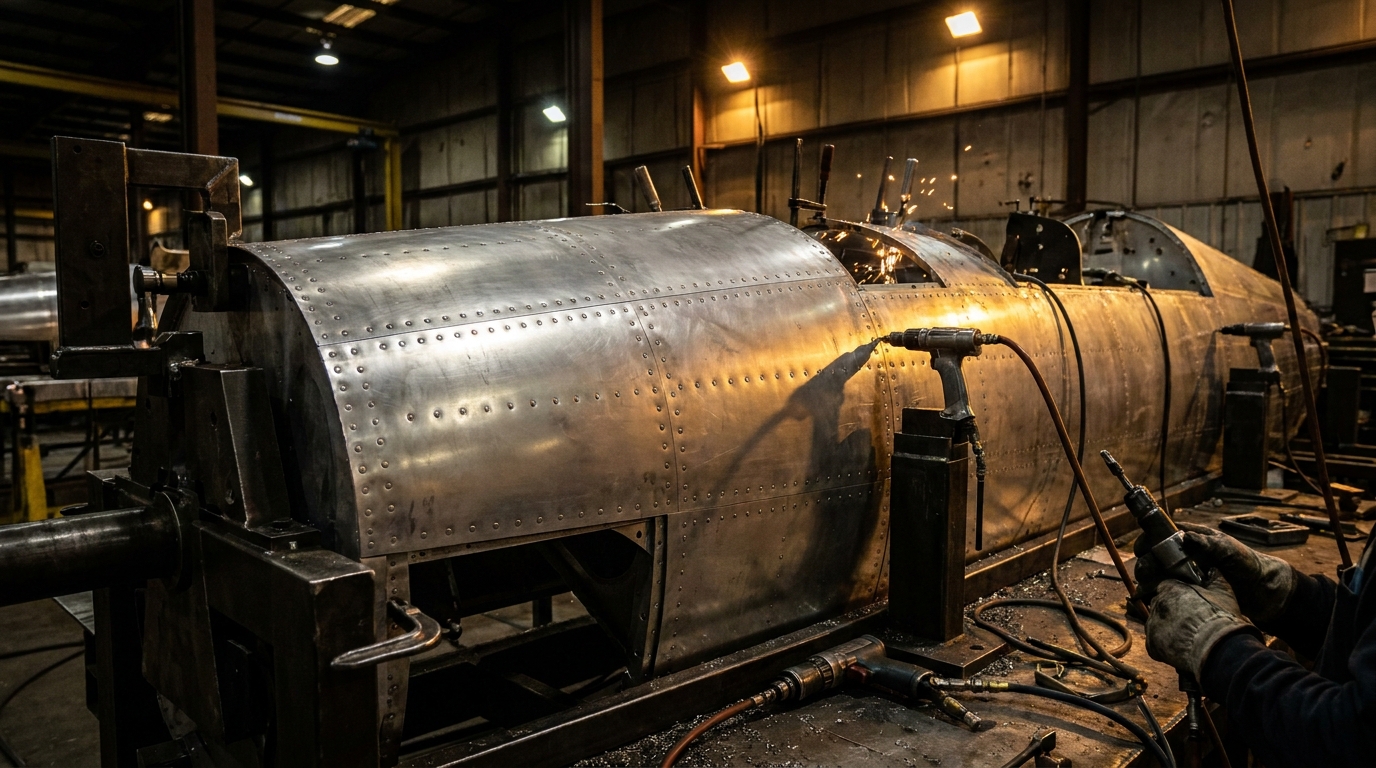
Author: Will Tygart

  • Silvertips Advance to Western Conference Final: Landon DuPont’s OT Winner Sends Everett Past Kelowna

    Silvertips Advance to Western Conference Final: Landon DuPont’s OT Winner Sends Everett Past Kelowna

    Quick answer: The Everett Silvertips beat the Kelowna Rockets 2-1 in overtime on April 17 to close out their second-round playoff series 4-1 and punch their ticket to the WHL Western Conference Final against the Penticton Vees. Defenseman Landon DuPont scored the series-clinching goal 29 seconds into overtime. Game 1 is Thursday, April 23 at Angel of the Winds Arena.

    Landon DuPont Closes It. Again.

    Twenty-nine seconds into overtime. That’s all the Everett Silvertips needed on Friday night to end the Kelowna Rockets’ season and send themselves to the Western Conference Final for the first time since 2022.

    Landon DuPont, the Silvertips’ 17-year-old blueliner and the player the whole hockey world is already watching, ripped a shot from the point that caught a redirection off a Kelowna defensive skate and beat Rockets goaltender Josh Banini. Game over. Series over. On to Penticton.

    If you were at Angel of the Winds Arena on Friday, you know the sound that place made. Five thousand people going absolutely sideways at once. That sound only happens here when the Tips do something that matters in April, and this one absolutely mattered.

    How Game 5 Went Down

    This was a goaltending duel through two periods. Scoreless into the third, with Kelowna’s Banini standing on his head and Everett’s Anders Miller matching him every step of the way. Miller finished with 30 saves on 31 shots. Banini ended the night at 53 saves on 55 shots — a heroic effort that just barely wasn’t enough.

    The scoring didn’t start until 11:34 of the third, when Carter Bear — the Tips’ captain and heart — broke the deadlock with a shorthanded goal. Shorthanded. In Game 5. With everything on the line. That’s the kind of moment that ends up on the highlight reel for a decade.

    But Kelowna wasn’t done. With 1:13 left in regulation and their net empty, Shane Smith snuck one past Miller to tie it at 1-1 and force overtime. You could feel the arena tighten up. Twenty-four hours earlier, the Tips had coughed up a 3-0 lead in Game 4 and lost in OT to Tij Iginla. The ghost of that collapse was right there in the building.

    And then DuPont ended it.

    The Series in Five Lines

    • Game 1 (Everett): Tips 4, Rockets 1
    • Game 2 (Everett): Tips 4, Rockets 2
    • Game 3 (Kelowna): Tips 4, Rockets 1
    • Game 4 (Kelowna): Rockets 4, Tips 3 (OT) — the 3-0 collapse
    • Game 5 (Everett): Tips 2, Rockets 1 (OT) — DuPont in overtime

    Series: Everett 4, Kelowna 1. Postseason record: 9-1-0-0. The regular-season champs are playing the hockey we all thought they would.

    Next Up: The Penticton Vees in the Western Conference Final

    Here’s what we know about the Western Conference Championship matchup:

    The Penticton Vees advanced by sweeping the Prince George Cougars in four games in their own second round. That’s the kind of detail that tells you Penticton is not a cupcake draw. Sweeping anyone in the WHL playoffs takes something real.

    Game 1 is Thursday, April 23 at 7:05 PM at Angel of the Winds Arena. Game 2 is Saturday, April 25 at 6:30 PM, also in Everett. Tickets are available through the Silvertips’ playoff ticket central page. For the team that just won the Scotty Munro Memorial Trophy as WHL regular-season champions with a franchise-best 57-8-2-1 record, home ice advantage all the way through the Western Conference Final is exactly what you’d expect. Use it.

    Why This Silvertips Team Is Different

    The Landon DuPont story alone is enough to draw fans from outside the arena’s normal catchment. DuPont is playing his first season of major junior at 17 after receiving exceptional status — the same designation given to John Tavares, Connor McDavid, Shane Wright, and Connor Bedard. He has lived up to the billing and then some. The game-winners in the playoffs are becoming a pattern, not a coincidence.

    Around him, Carter Bear is having the captain’s postseason that Everett fans have been waiting for. Anders Miller in net has quietly been one of the best goaltenders still playing in the WHL. And the depth that got Everett to a franchise-record regular season is showing up when it matters.

    Four wins from the WHL Championship Final. Eight wins from a Memorial Cup berth. That’s where we are.

    Get to the Arena

    If you’ve been waiting for a reason to go see this team before the Funko Field stadium conversation, the Conference Final is it. Angel of the Winds Arena is going to be loud on the 23rd. It’s going to be louder on the 25th. If the Tips take care of business at home, we’re looking at a potential series-clinching game back in Everett by early May.

    Tickets, parking, and clear bag policy details are all at everettsilvertips.com. Pregame warmups start 20 minutes before puck drop. Get there early. This is the run we’ve been waiting for.

    Frequently Asked Questions

    When does the Silvertips-Vees Western Conference Final start?

    Game 1 is Thursday, April 23 at 7:05 PM at Angel of the Winds Arena in Everett. Game 2 is Saturday, April 25 at 6:30 PM, also in Everett.

    Who scored the overtime winner in Game 5?

    Defenseman Landon DuPont scored 29 seconds into overtime, sending the Silvertips past Kelowna 2-1 and clinching the second-round series 4-1.

    What is the Silvertips’ playoff record so far?

    Everett is 9-1 in the 2026 playoffs after sweeping Portland in the first round 4-0 and beating Kelowna 4-1 in the second round.

    Why is Landon DuPont such a big deal?

    DuPont, 17, is playing his first WHL season under exceptional status — a designation previously granted to players including John Tavares, Connor McDavid, Shane Wright, and Connor Bedard. He is widely projected as a top pick in the 2027 NHL Draft.

    Did the Silvertips have home ice advantage?

    Yes. Everett finished the regular season at 57-8-2-1, the best record in the WHL, and won the Scotty Munro Memorial Trophy. That earned them home ice through the Western Conference Final.

    How did Kelowna get eliminated?

    The Rockets lost the series 4-1. After dropping the first three games, Kelowna won a wild Game 4 in overtime before losing Game 5 at Angel of the Winds Arena 2-1 in OT. Kelowna’s focus now shifts to the Memorial Cup, which they are hosting.

    Where can I buy tickets for the Western Conference Final?

    Tickets are available at everettsilvertips.com through the playoff ticket central page. Single-game tickets for Games 1 and 2 at Angel of the Winds Arena are on sale now.

  • NAVSTA Everett Begins Scheduled Training Exercise April 20–28: What Residents Should Know

    NAVSTA Everett Begins Scheduled Training Exercise April 20–28: What Residents Should Know

    What’s happening at Naval Station Everett April 20–28, 2026? Naval Station Everett is conducting a scheduled training exercise from April 20 through April 28, 2026. Residents in surrounding communities — including parts of Everett, Mukilteo, and the waterfront areas — may hear noise from blank ammunition during the exercise. The Navy has confirmed it is a regularly scheduled readiness drill and is not in response to any specific threat.

    NAVSTA Everett Begins Eight-Day Training Exercise This Week

    Naval Station Everett kicked off a scheduled training exercise on Monday, April 20, 2026, that will continue through Tuesday, April 28. Over the next nine days, residents living near the base — particularly along the Everett waterfront, in north Everett, and in parts of Mukilteo — may hear sounds associated with security drills, including blank ammunition fire, and may notice increased activity around the base perimeter.

    According to the public notice issued for the exercise, the training is described as a regularly scheduled, annual readiness event designed to ensure Navy personnel are trained and prepared to respond appropriately, quickly, and with confidence to a security threat. The Navy has emphasized that the exercise is not in response to any specific threat and is built on realistic scenarios designed to increase readiness.

    For neighbors who have lived near the base for years, this kind of advisory is familiar. Naval Station Everett conducts force protection and security training on a recurring basis, and the same baseline message accompanies each one: the noise is real, the scenarios are realistic, and the threat being trained against is not.

    What Residents in Surrounding Communities May Notice

    Based on the public advisory and on past exercises of similar scope, residents in the communities closest to Naval Station Everett can expect a few things over the eight-day window:

    • Noise from blank ammunition. Blanks produce a sharp, percussive sound that can carry across the water and through downtown Everett, particularly in the early morning or late afternoon when ambient noise is lower. The rounds contain no projectile and pose no risk to people or property outside the base.
    • Visible base activity. Residents and commuters along West Marine View Drive may see additional security personnel, simulated incident response, and emergency vehicles moving in and out of base gates as part of the drills.
    • Possible gate impacts. During training windows, the Navy sometimes adjusts gate operations to support exercise scenarios. Drivers with base access should plan for possible delays and follow any temporary signage or instructions from base security.

    None of these activities indicate an actual emergency. They are part of a planned exercise. If you see something during the exercise window that does not appear to be part of normal base operations and feels genuinely off — for example, smoke or activity that extends beyond base perimeter — local emergency services and base public affairs are still the right point of contact.

    Why This Matters for Everett

    Naval Station Everett is the only homeport of its kind on Puget Sound’s eastern shore, and the base’s training cycle is one of the regular rhythms of life in this part of Snohomish County. The base sits at the north end of the Everett waterfront, just a few minutes from downtown, and its presence is woven into the city’s economy, its housing market, its restaurants, and its identity.

    That proximity is exactly why the Navy publishes advisories like this one. A loud, unexplained noise from a military base ten minutes from your living room is unsettling. A loud, expected noise from a base that warned you a week earlier is just Tuesday in a Navy town.

    The base is currently the homeport for a group of Arleigh Burke-class destroyers and serves as a Pacific Northwest support facility for fleet operations. It is also at the center of a much larger ongoing conversation about its long-term future — one that has dominated Everett military coverage over the past several months as the Constellation-class frigate program was cancelled at the federal level and as Snohomish County’s recently rebooted Military Affairs Committee has begun pushing for the base to remain a homeport for whatever the Navy builds next under the FF(X) program.

    Against that backdrop, a routine training exercise is a small story. But it is also a reminder that the operational mission of the base continues regardless of program-level uncertainty. Sailors still train. Security teams still drill. The base still runs.

    How NAVSTA Everett Communicates Exercises to the Public

    The Navy typically announces these exercises through a standard set of channels:

    • Official press releases distributed to local media and posted to Commander, Navy Region Northwest news pages
    • The Naval Station Everett Facebook page, which posts community advisories about gate closures, exercises, and special events
    • Coordination with local outlets including The Daily Herald, My Everett News, and the Edmonds Beacon, which carry the advisories to readers in surrounding communities
    • Direct notice to local emergency services, so 911 dispatchers know to expect calls about noises that turn out to be exercise-related

    This week’s exercise follows a pattern Everett residents have seen before. Earlier this year, the base participated in Exercise Citadel Shield-Solid Curtain, the Navy-wide anti-terrorism and force protection exercise that ran January 26 through February 6, 2026. That exercise, which involves nearly every Navy installation in the country, brought louder and more visible activity, including simulated explosions and emergency vehicle movement. The April 20–28 exercise appears to be smaller in scope and more locally focused, but the underlying purpose is the same: training Navy security forces to respond to scenarios they hope never to face for real.

    What to Do If You Have Concerns During the Exercise

    For most neighbors, the right response to exercise-related noise is simply to know that it is happening. The Navy’s standard guidance for these training windows is straightforward: residents do not need to take any action.

    If you live close enough to the base that the noise is genuinely disruptive — for example, if it interferes with sleep schedules, with pets, or with someone in your household who is sensitive to sudden sounds — Naval Station Everett’s public affairs office is the appropriate point of contact for questions about timing, scope, or expected duration of specific drills.

    For commuters who cross near base gates during the exercise window, allow a few extra minutes during morning and evening peak times in case temporary security adjustments are in place.

    The Bigger Picture: A Community Used to Living Alongside the Fleet

    Everett has been a Navy town since Naval Station Everett officially commissioned in 1994. Over three decades, residents have learned to read the rhythms of the base: when destroyers leave for deployment, when they come home, when carriers visit, when training cycles intensify. The April 20–28 exercise is a small entry in that ongoing rhythm.

    The fact that the Navy publishes these advisories — and that local media run them — is itself part of what makes the relationship between the base and the city work. The base does not operate as an island. It operates as a neighbor. Neighbors warn each other when they are about to make noise.

    If you hear blanks across the waterfront this week, that is what is happening. The exercise concludes Tuesday, April 28.

    Frequently Asked Questions

    When is the Naval Station Everett training exercise happening?

    The exercise runs from Monday, April 20, 2026 through Tuesday, April 28, 2026 — a nine-day window covering one full work week and the surrounding weekends.

    Will I hear gunfire from Naval Station Everett?

    You may hear sounds from blank ammunition, which produces a sharp, percussive noise but contains no projectile. The sounds can carry across the water and through nearby neighborhoods, particularly during quieter times of day. There is no risk to people or property outside the base.

    Is the exercise in response to a specific threat?

    No. The Navy has explicitly stated this is a regularly scheduled training exercise and is not in response to any specific threat. It is built on realistic scenarios to ensure security personnel are prepared to respond effectively if a real situation ever arose.

    Will base gates be affected during the exercise?

    Gate operations may be temporarily adjusted during specific drill windows. People with base access should plan for possible delays, follow signage and instructions from base security, and allow extra time during peak commute hours.

    What should I do if I hear noise from the base this week?

    For most residents, no action is needed. The noise is expected. If the noise is genuinely disruptive or you have specific concerns, Naval Station Everett’s public affairs office is the appropriate point of contact for questions about the exercise.

    How will I know when the exercise is over?

    The exercise ends Tuesday, April 28, 2026. The Navy and local media typically publish a follow-up notice if any portion of the exercise is extended or rescheduled.

    Does this exercise affect ship movements at Naval Station Everett?

    The Navy does not typically share specific operational details about homeported ships during training windows. Routine ship movements continue on their own schedules independent of base security exercises.

    Has Naval Station Everett held similar exercises this year?

    Yes. Naval Station Everett participated in Exercise Citadel Shield-Solid Curtain, the Navy-wide anti-terrorism and force protection exercise, January 26 through February 6, 2026. That exercise was larger in scope. The April 20–28 training is a smaller, more locally focused readiness drill.

  • Cortex, Hippocampus, and the Consolidation Loop: The Neuroscience-Grounded Architecture for AI-Native Workspaces

    Cortex, Hippocampus, and the Consolidation Loop: The Neuroscience-Grounded Architecture for AI-Native Workspaces

    I have been running a working second brain for long enough to have stopped thinking of it as a second brain.

    I have come to think of it as an actual brain. Not metaphorically. Architecturally. The pattern that emerged in my workspace over the last year — without me intending it, without me planning it, without me reading a single neuroscience paper about it — is structurally isomorphic to how the human brain manages memory. When I finally noticed the pattern, I stopped fighting it and started naming the parts correctly, and the system got dramatically more coherent.

    This article names the parts. It is the architecture I actually run, reported honestly, with the neuroscience analogy that made it click and the specific choices that make it work. It is not the version most operators build. Most operators build archives. This is closer to a living system.

    The pattern has three components: a cortex, a hippocampus, and a consolidation loop that moves signal between them. Name them that way and the design decisions start falling into place almost automatically. Fight the analogy and you will spend years tuning a system that never quite feels right because you are solving the wrong problem.

    I am going to describe each part in operator detail, explain why the analogy is load-bearing rather than decorative, and then give you the honest version of what it takes to run this for real — including the parts that do not work and the parts that took me months to get right.


    Why most second brains feel broken

    Before the architecture, the diagnosis.

    Most operators who have built a second brain in the personal-knowledge-management tradition report, eventually, that it does not feel right. They can not put words to exactly what is wrong. The system holds their notes. The search mostly works. The tagging is reasonable. But the system does not feel alive. It feels like a filing cabinet they are pretending is a collaborator.

    The reason is that the architecture they built is missing one of the three parts. Usually two.

    A classical second brain — the library-shaped archive built around capture, organize, distill, express — is a cortex without a hippocampus and without a consolidation loop. It is a place where information lives. It is not a system that moves information through stages of processing until it becomes durable knowledge. The absence of the other two parts is exactly why the system feels inert. Nothing is happening in there when you are not actively working in it. That is the feeling.

    An archive optimized for retrieval is not a brain. It is a library. Libraries are excellent. You can use a library to do good work. But a library is not the thing you want to be trying to replicate when you are trying to build an AI-native operating layer for a real business, because the operating layer needs to process information, not just hold it, and archives do not process.

    This diagnosis was the move that let me stop tuning my system and start re-architecting it. The system was not bad. The system was incomplete. It had one of the three parts built beautifully. It had the other two parts either missing or misfiled.


    Part one: the cortex

    In neuroscience, the cerebral cortex is the outer layer of the brain responsible for structured, conscious, working memory. It is where you hold what you are actively thinking about. It is not where everything you have ever known lives — that is deeper, and most of it is not available to conscious access at any given moment. The cortex is the working surface.

    In an AI-native workspace, your knowledge workspace is the cortex. For me, that is Notion. For other operators, it might be Obsidian, Roam, Coda, or something else. The specific tool is less important than the role: this is where structured, human-readable, conscious memory lives. It is where you open your laptop and see the state of the business. It is where you write down what you have decided. It is where active projects live and active clients are tracked and active thoughts get captured in a form you and an AI teammate can both read.

    The cortex has specific design properties that differ from the other two parts.

    It is human-readable first. Everything in the cortex is structured for you to look at. Pages have titles that make sense. Databases have columns that answer real questions. The architecture rewards a human walking through it. Optimize for legibility.

    It is relatively small. Not everything you have ever encountered lives in the cortex. It is the active working surface. In a human brain, the cortex holds at most a few thousand things at conscious access. In an AI-native workspace, your cortex probably wants to hold a few hundred to a few thousand pages — the active projects, the recent decisions, the current state. If it grows to tens of thousands of pages with everything you have ever saved, it is trying to do the hippocampus’s job badly.

    It is organized around operational objects, not knowledge topics. Projects, clients, decisions, deliverables, open loops. These are the real entities of running a business. The cortex is organized around them because that is what the conscious, working layer of your business is actually about.

    It is updated constantly. The cortex is where changes happen. A new decision. A status flip. A note from a call. The consolidation loop will pull things out of the cortex later and deposit them into the hippocampus, but the cortex itself is a churning working surface.

    If you have been building a second brain the classical way, this is probably the part you built best. You have a knowledge workspace. You have pages. You have databases. You have some organizing logic. Good. That is the cortex. Keep it. Do not confuse it for the whole brain.


    Part two: the hippocampus

    In neuroscience, the hippocampus is the structure that converts short-term working memory into long-term durable memory. It is the consolidation organ. When you remember something from last year, the path that memory took from your first experience of it into your long-term storage went through the hippocampus. Sleep plays a large role in this. Dreams may play a role. The mechanism is not entirely understood, but the function is: short-term becomes long-term through hippocampal processing.

    In an AI-native workspace, your durable knowledge layer is the hippocampus. For me, that is a cloud storage and database tier — a bucket of durable files, a data warehouse holding structured knowledge chunks with embeddings, and the services that write into it. For other operators it might be a different stack: a structured database, an embeddings store, a document warehouse. The specific tool is less important than the role: this is where information lives when it has been consolidated out of the cortex and into a durable form that can be queried at scale without loading the cortex.

    The hippocampus has different design properties than the cortex.

    It is machine-readable first. Everything in the hippocampus is structured for programmatic access. Embeddings. Structured records. Queryable fields. Schemas that enable AI and other services to reason across the whole corpus. Humans can access it too, but the primary consumer is a machine.

    It is large and growing. Unlike the cortex, the hippocampus is allowed to get big. Years of knowledge. Thousands or tens of thousands of structured records. The archive layer that the classical second brain wanted to be — but done correctly, as a queryable substrate rather than a navigable library.

    It is organized around semantic content, not operational state. Chunks of knowledge tagged with source, date, embedding, confidence, provenance. The operational state lives in the cortex; the semantic content lives in the hippocampus. This is the distinction most operators get wrong when they try to make their cortex also be their hippocampus.

    It is updated deliberately. The hippocampus does not change every minute. It changes on the cadence of the consolidation loop — which might be hourly, nightly, or weekly depending on your rhythm. This is a feature. The hippocampus is meant to be stable. Things in it have earned their place by surviving the consolidation process.

    Most operators do not have a hippocampus. They have a cortex that they keep stuffing with old information in the hope that the cortex can play both roles. It cannot. The cortex is not shaped for long-term queryable semantic storage; the hippocampus is not shaped for active operational state. Merging them is the architectural choice that makes systems feel broken.


    Part three: the consolidation loop

    In neuroscience, the process by which information moves from short-term working memory through the hippocampus into long-term storage is called memory consolidation. It happens constantly. It happens especially during sleep. It is not a single event; it is an ongoing loop that strengthens some memories, prunes others, and deposits the survivors into durable form.

    In an AI-native workspace, the consolidation loop is the set of pipelines, scheduled jobs, and agents that move signal from the cortex through processing into the hippocampus. This is the part most operators miss entirely, because the classical second brain paradigm does not include it. Capture, organize, distill, express — none of those stages are consolidation. They are all cortex-layer activities. The consolidation loop is what happens after that, to move the durable outputs into durable storage.

    The consolidation loop has its own design properties.

    It runs on a schedule, not on demand. This is the most important design choice. The consolidation loop should not be triggered by you manually pushing a button. It should run on a cadence — nightly, weekly, or whatever fits your rhythm — and do its work whether you are paying attention or not. Consolidation is background work. If it requires attention, it will not happen.

    It processes rather than moves. Consolidation is not a file-copy operation. It extracts, structures, summarizes, deduplicates, tags, embeds, and stores. The raw cortex content is not what ends up in the hippocampus; the processed, structured, queryable version is. This is the part that requires actual engineering work and is why most operators do not build it.

    It runs in both directions. Consolidation pushes signal from cortex to hippocampus. But once information is in the hippocampus, the consolidation loop also pulls it back into the cortex when it is relevant to current work. A canonical topic gets routed back to a Focus Room. A similar decision from six months ago gets surfaced on the daily brief. A pattern across past projects gets summarized into a new playbook. The loop is bidirectional because the brain is bidirectional.

    It has honest failure modes and health signals. A consolidation loop that is not working is worse than no loop at all, because it produces false confidence that information is getting consolidated when actually it is rotting somewhere between stages. You need visible health signals — how many items were consolidated in the last cycle, how many failed, what is stale, what is duplicated, what needs human attention. Without these, you do not know whether the loop is running or pretending to run.

    When I got the consolidation loop working, the cortex and hippocampus started feeling like a single system for the first time. Before that, they were two disconnected tools. The loop is what turns them into a brain.


    The topology, in one diagram

    If I were drawing the architecture for an operator who is considering building this, it would look roughly like this — and it does not matter which specific tools you use; the shape is what matters.

    Input streams flow in from the things that generate signal in your working life. Claude conversations where decisions got made. Meeting transcripts and voice notes. Client work and site operations. Reading and research. Personal incidents and insights that emerged mid-day.

    Those streams enter the consolidation loop first, not the cortex directly. The loop is a set of services that extract structured signal from raw input — a claude session extractor that reads a conversation and writes structured notes, a deep extractor that processes workspace pages, a session log pipeline that consolidates operational events. These run on schedule, produce structured JSON outputs, and route the outputs to the right destinations.

    From the consolidation loop, consolidated content lands in the cortex. New pages get created for active projects. Existing pages get updated with relevant new information. Canonical topics get routed to their right pages. This is how your working surface stays fresh without you having to manually copy things into it.

    The cortex and hippocampus exchange signal bidirectionally. The cortex sends completed operational state — finished projects, finalized decisions, archived work — down to the hippocampus for durable storage. The hippocampus sends back canonical topics, cross-references, and AI-accessible content when the cortex needs them. This bidirectional exchange is the part that most closely mirrors how neuroscience describes memory consolidation.

    Finally, output flows from the cortex to the places your work actually lands — published articles, client deliverables, social content, SOPs, operational rhythms. The cortex is also the execution layer I have written about before. That is not a contradiction with the cortex-as-conscious-memory framing; in a human brain, the cortex is both the working memory and the source of deliberate action. The analogy holds.


    The four-model convergence

    I want to pause and tell you something I did not know until I ran an experiment.

    A few weeks ago I gave four external AI models read access to my workspace and asked each one to tell me what was unique about it. I used four models from different vendors, deliberately, to catch blind spots from any single system.

    All four models converged on the same primary diagnosis. They did not agree on much else — their unique observations diverged significantly — but on the core architecture, they converged. The diagnosis, in their words translated into mine, was:

    The workspace is an execution layer, not an archive. The entries are system artifacts — decisions, protocols, cockpit patterns, quality gates, batch runs — that convert messy work into reusable machinery. The purpose is not to preserve thought. The purpose is to operate thought.

    This was the validation of the thesis I have been developing across this body of work, from an unexpected source. Four models, evaluated independently, landed on the same architectural observation. That was the moment I knew the cortex / hippocampus / consolidation-loop framing was not just mine — it was visible from the outside, to cold readers, as the defining feature of the system.

    I bring this up not to show off but to tell you that if you build this pattern correctly, external observers — human or AI — will be able to see it. The architecture is not a private aesthetic. It is a thing a well-designed system visibly is.


    Provenance: the fourth idea that makes the whole thing work

    There is a fourth component that I want to name even though it does not have a neuroscience analog as cleanly as the other three. It is the concept of provenance.

    Most second brain systems — and most RAG systems, and most retrieval-augmented AI setups — treat all knowledge chunks as equally weighted. A hand-written personal insight and a scraped web article are the same to the retrieval layer. A single-source claim and a multi-source verified fact carry the same weight. This is an enormous problem that almost nobody talks about.

    Provenance is the dimension that fixes it. Every chunk of knowledge in your hippocampus should carry not just what it means (the embedding) and where it sits semantically, but where it came from, how many sources converged on it, who wrote it, when it was verified, and how confident the system is in it. With provenance, a hand-written insight from an expert outweighs a scraped article from a low-quality source. With provenance, a multi-source claim outweighs a single-source one. With provenance, a fresh verified fact outweighs a stale unverified one.

    Without provenance, your second brain will eventually feed your AI teammate garbage from the hippocampus and your AI will confidently regurgitate it in responses. With provenance, your AI teammate knows what it can trust and what it cannot.

    Provenance is the architectural choice that separates a second brain that makes you smarter from one that quietly makes you stupider over time. Add it to your hippocampus schema. Weight every chunk. Let the retrieval layer respect the weights.


    The health layer: how you know the brain is working

    A brain that is working produces signals you can read. A brain that is broken produces silence, or worse, false confidence.

    I build in explicit health signals for each of the three components. The cortex is healthy when it is fresh, when pages are recently updated, when active projects have recent activity, and when stale pages are archived rather than accumulating. The hippocampus is healthy when the consolidation loop is running on schedule, when the corpus is growing without duplication, and when retrieval returns relevant results. The consolidation loop is healthy when its scheduled runs succeed, when its outputs are being produced, and when the error rate is low.

    I also track staleness — pages that have not been updated in too long, relative to how load-bearing they are. A canonical document more than thirty days stale is treated as a risk signal, because the reality it documents has almost certainly drifted from what the page describes. Staleness is not the same as unused; some pages are quietly load-bearing and need regular refreshes. A staleness heatmap across the workspace tells you which pages are most at risk of drifting out of reality.

    The health layer is the thing that lets you trust the system without having to re-check it constantly. A brain you cannot see the health of is a brain you will eventually stop trusting. A brain whose health is visible is one you can keep leaning on.


    What this costs to build

    I want to be honest about what actually getting this working takes. Not because it is prohibitive, but because the classical second-brain literature underestimates it and operators get blindsided.

    The cortex is the easy part. Any capable workspace tool, a few weeks of deliberate organization, and a commitment to keeping it small and operational. Cost: low. Most operators have some version of this already.

    The hippocampus is harder. You need durable storage. You need an embeddings layer. You need schemas that capture provenance and not just content. For a solo operator without technical capability, this is a real build project — probably a few weeks to months of focused work or a partnership with someone technical. It is also the part that, once built, becomes genuinely durable infrastructure.

    The consolidation loop is hardest. Because the loop is a set of services that extract, process, structure, and route, it is the most engineering-intensive part. This is where most operators stall. The solve is either to use tools that ship consolidation-like capabilities natively (Notion’s AI features are approximately this), or to build a small set of extractors and pipelines yourself with Claude Code or equivalent. For me, the loop took months of iteration to run reliably. It is now the highest-leverage part of the whole system.

    Total cost for an operator with moderate technical capability: a few months of evenings and weekends, some cloud infrastructure spend, and an ongoing maintenance commitment of maybe eight to ten percent of working hours. In exchange, you get an operating system that compounds with use rather than decaying.

    For operators who do not want to build the hippocampus and loop themselves, the vendor-shaped version of this architecture is starting to become available in 2026 — Notion’s Custom Agents edge toward a consolidation loop, Notion’s AI offers hippocampus-like capability at small scale, and various startups are working on the layers. None are complete yet. Most operators serious about this will need to build some of it.


    What goes wrong (the honest failure modes)

    Three failure modes are worth naming, because I have hit all three and the pattern recovered only because I caught them.

    The cortex that tries to be the hippocampus. Operators who get serious about a second brain often try to put everything in the cortex — every article they have ever read, every transcript of every meeting, every bit of research. The cortex then gets too big to be legible, starts running slowly, and the search stops returning useful results. The fix is to build the hippocampus separately and move the bulk of the corpus there. The cortex should be small.

    The hippocampus that gets polluted. Without provenance weighting and without deduplication, the hippocampus accumulates low-quality content that then gets retrieved and surfaced in AI responses. The fix is provenance, deduplication, and periodic hippocampal pruning. The archive is not sacred; some things earn their place and some things do not.

    The consolidation loop that nobody maintains. The loop is background infrastructure. Background infrastructure rots if nobody owns it. A consolidation loop that was working six months ago might be quietly broken today, and you only notice because your cortex is drifting out of sync with your operational reality. The fix is health signals, monitoring, and a weekly ritual of checking that the loop is running.

    None of these are dealbreakers. All of them are things the pattern has to work around.


    The one sentence I want you to walk away with

    If you take nothing else from this piece:

    A second brain is not a library. It is a brain. Build it with the three parts — cortex, hippocampus, consolidation loop — and it will behave like one.

    Most operators have built the cortex and called it a second brain. They have a library with the sign out front updated. The system feels broken because it is not a brain yet. Build the other two parts and the system stops feeling broken.

    If you can only add one part this month, add the consolidation loop, because the loop is the thing that makes everything else work together. A cortex without a loop is still a library. A cortex with a loop but no hippocampus is a library whose books walk into the back room and disappear. A cortex with a loop and a hippocampus is a brain.


    FAQ

    Is this just a metaphor, or does the neuroscience actually apply?

    It is a metaphor at the level of mechanism — the way neurons consolidate memories is not identical to the way a scheduled pipeline does. But the functional role of each component maps cleanly enough that the analogy is load-bearing rather than decorative. Where the architecture borrows from neuroscience, it inherits genuine design principles that compound the system’s coherence.

    Do I need all three parts to benefit?

    No. A well-built cortex alone is better than no system. A cortex plus a consolidation loop is significantly more powerful. Add the hippocampus when you have enough volume to justify it — usually once your cortex starts straining under its own weight, somewhere in the low thousands of pages.

    Which tool should I use for the cortex?

    The tool is less important than how you organize it. Notion is what I use and what I recommend for most operators because its database-and-template orientation maps cleanly to object-oriented operational state. Obsidian and Roam are better for pure knowledge work but weaker for operational state. Coda is similar to Notion. Pick the one whose grain matches how your brain already organizes work.

    Which tool should I use for the hippocampus?

    Any durable storage that supports embeddings. Cloud object storage plus a vector database. A cloud data warehouse like BigQuery or Snowflake if you want structured queries alongside semantic search. Managed services like Pinecone or Weaviate for pure vector workloads. The decision depends on what else you are running in your cloud environment and how technical you are.

    How do I actually build the consolidation loop?

    For operators with technical capability, a combination of Claude Code, scheduled cloud functions, and a few targeted extractors will get you there. For operators without technical capability, Notion’s built-in AI features approximate parts of the loop. For true coverage, you will eventually either need technical help or to wait for the vendor-shaped version to mature.

    Does this mean I need to rebuild my whole system?

    Not necessarily. If your existing workspace is serving as a cortex, keep it. Add a hippocampus as a separate layer underneath it. Build the consolidation loop between them. The cortex does not have to be rebuilt for the pattern to work; it has to be complemented.

    What if I just want a simpler version?

    A simpler version is fine. A cortex plus a lightweight consolidation loop that runs once a week is already far better than what most operators have. Do not let the fully-built pattern be the enemy of the partially-built version that still earns its place.


    Closing note

    The thing I want to convey in this piece more than anything else is that the architecture revealed itself to me over time. I did not sit down and design it. I built pieces, noticed they were not enough, built more pieces, noticed something was still missing, and eventually the neuroscience analogy clicked and the three-part structure became obvious.

    If you are building a second brain and it does not feel right, you are probably missing one or two of the three parts. Find them. Name them. Build them. The system starts feeling like a brain when it actually has the parts of a brain, and not before.

    This is the longest-running architectural idea in my workspace. I have been iterating on it for over a year. The version in this article is the one I would give a serious operator who was willing to do the work. It is not a quick start. It is an operating system.

    Run it if the shape fits you. Adapt it if some of the parts translate better to a different context. Reject it if you honestly think your current pattern works better. But if you are in the large middle ground where your system kind of works and kind of does not, the missing part is usually the hippocampus, the consolidation loop, or both.

    Go find them. Name them. Build them. Let your second brain actually be a brain.


    Sources and further reading

    Related pieces from this body of work:

    On the external validation: the cross-model convergent analysis referenced in this article was conducted using multiple frontier models evaluating workspace structure independently. The finding that the workspace behaves as an execution layer rather than an archive was independently surfaced by all evaluated models, which I took as meaningful corroboration of the internal architectural thesis.

    The neuroscience analogy is drawn from standard memory-consolidation literature, particularly work on hippocampal consolidation during sleep and the role of the cortex in conscious working memory. This article does not attempt to make rigorous claims about neuroscience; it borrows the functional analogy where the analogy is useful and drops it where it is not.

  • Boeing 777X First Production Flight Targets Paine Field in April

    Boeing 777X First Production Flight Targets Paine Field in April

    Q: When is Boeing’s first production 777X expected to fly from Paine Field?
    A: Boeing has set April 2026 as the target month for the first flight of a production-standard 777X aircraft. The jet is destined for launch customer Lufthansa, is currently undergoing fuel system testing at Paine Field in Everett, and represents a major milestone in a widebody program that began in 2013 and is now targeting first delivery in early 2027.

    If you live near Paine Field, the next few weeks are worth watching the sky. Boeing has set April 2026 as the target window for the first flight of a production-standard 777X — the first one built to enter commercial service rather than to wear test instrumentation — and it will lift off from the runway most Everett residents drive past every day.

    The aircraft, currently undergoing fuel system testing at the Everett factory’s flight line, is destined for launch customer Lufthansa. Reuters, Aerotime, and AeroXplorer have all reported the April 2026 target, and Boeing has not pushed back on the timeline. The flight, when it happens, will mark a quiet but significant turning point for a program the industry has been waiting on for the better part of a decade.

    What Makes This Flight Different

    Boeing has been flight-testing 777X aircraft for years — but every previous flight involved a test airframe loaded with sensors, ballast, and engineering instrumentation. The April flight is different. It is a production-standard airplane, built to the exact specification a paying customer will receive, fueled and tested as a delivery-ready jet rather than as a test bed.

    That distinction matters for two reasons. First, it signals Boeing has translated test-program learning into a repeatable production build — the airplane on the runway is the airplane that comes off the line going forward. Second, it advances the path to certification later in 2026, with first deliveries to airlines targeted for early 2027.

    For Paine Field watchers, the visual cue will be simple: the long folding wingtips that distinguish every 777X, the GE9X engines that are the largest commercial jet engines ever built, and Lufthansa’s livery painted on a fuselage that has spent years inside the Everett factory.

    The Long Road to This Runway

    The 777X program launched in 2013 with first delivery originally anticipated within the decade. The reality has been harder. Industry coverage has detailed roughly six years of cumulative delay and more than $15 billion in development charges, including a $4.9 billion charge Boeing recorded in the third quarter of 2025. The program has navigated supplier issues, certification rework, and the ripple effects of broader Boeing program challenges.

    None of that erases what the April flight represents: the program is still moving. The aircraft is built. The fuel system is being verified at the docks. The flight test team is preparing. After years of delay reporting, the cadence has shifted to delivery preparation.

    Why Everett Has the Front-Row Seat

    The 777X has always been an Everett story. The aircraft is assembled inside the same Everett factory building that has produced every 747, 767, and 777 in the program’s history. The composite wings — at 235 feet across when fully extended, the widest of any commercial jet — are built at Boeing’s Composite Wing Center in Everett, then mated to the fuselage on-site. Final assembly, paint, fueling, and flight test all happen at Paine Field before any 777X heads to a customer.

    That means every milestone for this airplane is, in practical terms, an Everett milestone. The Lufthansa first flight will lift off from Paine Field. It will be flown by Boeing test pilots based in Everett. The team that gets it ready works inside the same complex of buildings that anchors Snohomish County’s aerospace economy.

    What It Means for Lufthansa — and for Everett’s Reputation

    Lufthansa is the launch customer for the 777-9, the larger of the two 777X variants. The German flag carrier has been waiting on its first 777X for years and is positioned to be among the first commercial operators of the type, with delivery now targeted for 2027. For Lufthansa, the airplane represents long-haul fleet renewal at a scale most airlines plan over decades.

    For Everett, the symbolism runs in a different direction. The 777X is the city’s calling card to the global aviation industry — proof that even after years of program turbulence, the world’s most ambitious twin-engine widebody is still being built here. A successful Lufthansa first flight from Paine Field puts Everett back in the conversation it has dominated since the original 747 rolled out of the same hangars in 1968.

    The Practical View From the Ground

    For residents in Mukilteo, Harbour Pointe, the neighborhoods near the Boeing perimeter road, and the bluffs along Mukilteo Speedway, first flights are familiar events. They tend to draw crowds at the Future of Flight observation deck, the Mukilteo waterfront, and the public viewing areas around Paine Field. Spotting communities on social media will likely flag the aircraft’s tail number and movement well in advance of takeoff.

    Local plane spotters have been documenting the Lufthansa airframe at the fuel docks for weeks, and once the aircraft moves to engine runs and taxi tests, the pace toward first flight typically picks up. Boeing has not publicly named the exact date, in keeping with the company’s usual approach to test program timing.

    What Comes Next

    After the production-standard first flight, the path to commercial service runs through several remaining gates: continued FAA certification work, additional production aircraft completing fuel and flight tests, type certification, customer airline crew training, and finally the first delivery itself. Boeing has reaffirmed its expectation of first delivery in early 2027, with Lufthansa positioned to take the lead aircraft.

    For now, the story is the runway. After more than a decade of program development, after billions in charges, after years of delay headlines, Boeing is putting a customer-ready 777X in the air from Paine Field. That happens in Everett, on Everett’s runway, with Everett-built wings and an Everett-assembled fuselage. It’s a story this city has earned the right to tell — and the chance to watch firsthand.

    Frequently Asked Questions

    What is a “production-standard” 777X?
    A production-standard aircraft is built to the exact specification a paying customer will receive, with no test instrumentation or ballast — distinct from earlier flight test aircraft.

    Who is the launch customer for the 777X?
    Lufthansa is the launch customer for the 777-9, the larger 777X variant, with first delivery targeted for early 2027.

    Where is the 777X assembled?
    The 777X is assembled at Boeing’s Everett factory, with composite wings produced at the on-site Composite Wing Center and final assembly, paint, fueling, and flight test all at Paine Field.

    When did the 777X program begin?
    The 777X program launched in 2013 with first delivery originally anticipated by the end of that decade. Multiple delays have pushed first delivery to early 2027.

    How big is the 777X compared to other widebodies?
    The 777X has a 235-foot folding wingspan when fully extended — the widest of any commercial jet — and is powered by GE9X engines, the largest commercial jet engines ever built.

    Where can I watch the first flight from Paine Field?
    Common viewing areas include the Future of Flight observation deck, the Mukilteo waterfront, and public spotter locations around the airport perimeter.

    Will the first flight happen on a specific date?
    Boeing has set April 2026 as the target month but, in keeping with standard practice, has not announced a specific date. Aircraft fuel and engine tests typically precede first flight by days to weeks.

    What does the first flight mean for Boeing’s certification timeline?
    A successful production-standard first flight advances the program toward FAA type certification later in 2026 and supports Boeing’s stated target of first delivery in early 2027.

  • Boeing’s 737 North Line Hiring Hits 100+ Assemblers Per Day in Everett

    Boeing’s 737 North Line Hiring Hits 100+ Assemblers Per Day in Everett

    Q: How many people is Boeing hiring for the new 737 North Line in Everett?
    A: As of April 2026, Boeing is onboarding more than 100 assemblers per day for the North Line, with hundreds of additional roles open across mechanics, inspectors, manufacturing engineers, quality, supply chain, and logistics. The line is targeted to begin operating midsummer 2026 and will combine new hires with experienced teammates from Renton, Everett, and Moses Lake.

    For the first time since the original 737 rolled off a Renton line in the late 1960s, the world’s most-built jetliner is about to be assembled in Everett — and the hiring wave that comes with it is reshaping the daily rhythm of Snohomish County’s aerospace workforce.

    Boeing confirmed this month that the new 737 MAX assembly line at the Everett factory — internally called the “North Line” — is on track to open midsummer 2026. The company is currently onboarding more than 100 assemblers per day, according to an April 20 industry report, and has posted hundreds of roles across mechanics, inspectors, manufacturing engineers, quality, supply chain, tooling, transportation, and storage. Boeing’s own April feature on the program describes a team being built from a deliberate mix of newly hired employees and experienced teammates pulled from Renton, Everett, and Moses Lake.

    What the North Line Actually Is

    The North Line is Boeing’s fourth 737 MAX final-assembly line and the first one ever located outside Renton. It will be capable of producing every 737 MAX variant, with initial focus on the 737-8, 737-9, and 737-10. Boeing has said the build process will replicate Renton’s, with one significant exception: a new 737 Wing Transport Tool will ferry partially completed wings from the wing facility for final assembly inside the Everett factory.

    Production leader Jennifer Boland-Masterson described the ramp-up philosophy in plain terms in Boeing’s company feature: “It’s like running. You don’t start with a marathon. You start with shorter distances and build up from there.” That posture — slow, deliberate, training-first — is by design. Boeing has publicly committed to a Low Rate Initial Production phase before the line is folded into the broader 737 MAX flow, which is targeted to push monthly output above 47 airplanes once the North Line is integrated.

    The People Side: 12 Weeks of Training Before a Single Wrench Turns

    What Everett residents may not realize is how much work happens before any North Line aircraft moves through the factory. Boeing has built a 12-week Foundational Training program for North Line hires, paired with structured on-the-job training in Renton where new mechanics shadow experienced teammates on live 737 builds. The company has stated all North Line training is being completed before production begins on the new line.

    That model — train in Renton, build in Everett — explains why hiring numbers are climbing now even though the first North Line airplane is months away. The pipeline has to be primed. For families in Everett, Mukilteo, Marysville, Mill Creek, and Lake Stevens who have someone applying to Boeing this spring, that timeline matters: a job offer in April or May likely means weeks of training before a regular shift assignment, with North Line work coming later in the summer.

    Why This Matters Beyond the Factory Fence

    Roughly 30,000 people work at the Everett site, and aerospace anchors the regional economy in ways that ripple far past the Boeing parking lots. Every additional hundred assemblers means more apartments leased in south Everett, more cars on Highway 526, more demand at the food trucks that line up off Seaway Boulevard at lunch, and more enrollment pressure on Mukilteo and Everett school districts as families relocate.

    The North Line also changes the Everett factory’s identity. For decades, Everett has been the widebody plant — the home of the 747, the 767, the 777, and the 777X. Adding a single-aisle program puts Boeing’s two highest-volume aircraft families under the same roof for the first time. It diversifies what happens inside the building, and it deepens the workforce skills required on-site.

    What’s Open Right Now

    Recent hiring postings tied to the North Line include shift managers (1st and 2nd shift), manufacturing managers, quality inspectors, supply chain roles, and engineering positions. The April industry coverage described the broader hiring footprint as covering not just the line itself but the support structure around it: parts handling, logistics, tooling, transportation, and storage. Boeing’s careers portal at jobs.boeing.com remains the official posting source.

    For experienced Renton mechanics weighing a transfer, the North Line is being framed by Boeing as a chance to help launch a new line — the kind of resume entry that doesn’t come around often. For Moses Lake teammates, the relocation question is more practical, but Boeing has signaled the cross-facility mix is intentional to preserve safety and quality consistency from day one.

    The Honest Context

    Boeing has had a turbulent two years. The North Line itself has slipped from earlier targets, and Wall Street has watched the program closely as a marker of the broader 737 MAX recovery. The hiring ramp now underway is real, but the broader picture — production rates, certification pacing, supplier health, union contracts — still has open questions. Two of those questions land directly in Everett: SPEEA’s contract negotiations leading up to the October 6, 2026 expiration, and the ongoing IAM 751 workforce dynamics on the factory floor.

    None of that diminishes what the hiring wave means for Everett today. New paychecks are landing in Snohomish County. New shifts are being scheduled. New people are showing up to orientation at Everett’s largest single employer. That’s tangible, and it’s happening now.

    What to Watch in the Next 60 Days

    The next milestones to track: the formal LRIP start date for the North Line (expected after the current training waves complete), the first North Line aircraft entering final assembly, and whether Boeing publicly updates its production-rate target for late 2026. Each of those will mean another round of hiring announcements, and each will land in Everett before it lands anywhere else.

    For now, the practical takeaway for the city is straightforward: if you’ve ever wondered when “Boeing is hiring” stops being a headline and starts being a job offer, the answer in spring 2026 is — right now, in waves, at a pace the Everett factory hasn’t seen in years.

    Frequently Asked Questions

    When will the 737 North Line officially open in Everett?
    Boeing has confirmed a midsummer 2026 target for the line to begin operating, following a Low Rate Initial Production (LRIP) phase.

    How many people is Boeing hiring for the North Line?
    Industry reporting in April 2026 indicates Boeing is onboarding more than 100 assemblers per day, with hundreds of additional roles across multiple disciplines.

    What 737 models will the North Line build?
    The line is capable of producing every 737 MAX variant and will initially focus on the 737-8, 737-9, and 737-10.

    Where can I apply for a North Line job?
    Boeing posts all openings on its official careers portal at jobs.boeing.com under Everett, Washington locations.

    Will North Line hires train in Everett or Renton?
    Boeing has built a 12-week Foundational Training program plus structured on-the-job training in Renton before North Line work begins in Everett.

    How will the North Line affect Everett’s daily traffic and housing?
    Adding hundreds of new aerospace workers compounds existing pressure on south Everett housing, Highway 526 commute volumes, and Mukilteo and Everett school enrollment as families relocate for jobs.

    Does the North Line replace Renton 737 production?
    No. The North Line adds capacity on top of Renton’s existing 737 lines and is intended to push combined monthly output above 47 airplanes once integrated.

    What happens to Boeing’s widebody work in Everett?
    Widebody programs, including the 777X, KC-46, and remaining 767 freighters, continue at Everett. The North Line adds single-aisle production alongside, not instead of, widebody work.

  • The Exit Protocol: The Section of Your Digital Life You Haven’t Written Yet

    The Exit Protocol: The Section of Your Digital Life You Haven’t Written Yet

    Every tool you enter, you will someday leave. Most operators don’t plan the exit until the exit is already happening. This is the protocol written before the catastrophe, not after.

    Target keyword: digital exit protocol Secondary: tool exit strategy, digital legacy planning, AI tool offboarding, operator continuity planning Categories: AI Hygiene, AI Strategy, Notion Tags: exit-protocol, ai-hygiene, operator-playbook, continuity, digital-legacy


    Every tool you enter, you will someday leave.

    You don’t know which exit you’ll face first. The breach that ends a Tuesday. The policy change that ends a vendor relationship in thirty days. The voluntary migration to something better. The one nobody plans for — the terminal one, where you’re gone or incapacitated and someone else has to figure out how your digital life was organized.

    The cheapest time to plan any of those exits is at the moment of entry. The most expensive time is the moment the exit is already underway.

    Most operators never write this section of their digital life. They enter tools. They stack data. They accumulate credentials. They build automations that depend on twelve other automations that depend on accounts they don’t remember creating. And if you asked them today, “if this specific tool vanished tomorrow, what happens?” — the honest answer is usually I don’t know, I’ve never looked.

    That’s the section this article is about. The exit protocol. The will-and-testament layer of digital life, written before the catastrophe rather than after.

    I’m going to describe the four exits every operator faces, the runbook for each, and the pre-entry checklist that keeps the whole stack from becoming a trap you can’t get out of. None of this is theoretical — it’s the protocol I actually run, cleaned up enough to be useful to someone else building their own version.


    Why this matters more in 2026 than it did in 2020

    For most of the personal-computing era, “exit” meant closing a browser tab. You used a tool, you were done, you left. The consequences of not planning the exit were small because the surface was small.

    That’s not the shape of digital life in 2026. The operator running a real business now sits on top of a stack that typically includes:

    • A knowledge workspace (Notion, Obsidian, or similar) holding years of operational state
    • An AI layer (Claude, ChatGPT, or similar) with memory, projects, and connections to your workspace
    • A cloud provider account running compute, storage, and services
    • Web properties with published content and user data
    • Scheduling, CRM, and communication tools with their own data stores
    • A password manager sitting behind all of it
    • An identity root (usually a Google or Apple account) holding the keys

    Any one of these can end. By breach. By policy change. By price increase you can’t absorb. By vendor shutdown. By personal rupture that isn’t business at all. By death, which is the scenario nobody wants to write about and exactly the one that makes the planning most valuable.

    And every piece is entangled with the pieces above and below it. Your Notion workspace references your Gmail. Your Gmail authenticates your cloud provider. Your cloud provider runs the services your web properties depend on. Your password manager holds the recovery codes for everything. The stack is a single living system with many failure modes, and the only version of “exit planning” that works is the one that treats the stack as a whole.


    The seven questions

    Before you can plan an exit, you need to be able to answer seven questions about every tool in your stack. If you can’t answer them, the exit plan is a fiction.

    1. What lives there? Data, credentials, intellectual property. Not “everything” — specifically, what is in this tool that doesn’t exist anywhere else?

    2. Who else has access? Human collaborators. Service accounts. OAuth connections. API keys you gave out and forgot about. Every form of access is a potential inheritance path.

    3. How does it get out? The export surface. Format. Cadence. Whether the export includes everything or just some things. Whether the export requires the UI or has an API.

    4. What deletes on what trigger? Vendor retention policies. Your own rotation schedule. End-of-engagement deletion for client work. What happens to data if you stop paying.

    5. Who inherits what? Family. Team. Clients. The answer is usually “nobody, by default” — and that default is the whole problem.

    6. How do downstream systems keep working? If this tool ends, what else breaks? What continuity can be preserved without handing over live credentials to somebody who shouldn’t have them?

    7. How do I know the exit still works? Drill cadence. When was the last time you actually exported the data and opened the export on a clean machine to verify it was intact?

    If you answer these seven questions for every tool in your stack, you will find things that surprise you. Credentials that have been in live rotation for three years. Tools whose “export” button produces a file that can’t be opened by anything else. Dependencies on your Gmail that would make inheritance a nightmare. That’s fine — finding those things is the point. You can’t fix what you haven’t looked at.


    The four exit scenarios

    Every exit fits into one of four shapes. The shape determines the runbook. Getting this taxonomy right is what lets the rest of the protocol be specific.

    Sudden: breach or compromise

    The credential leaked. The account got taken over. A vendor breach exposed data you didn’t know was even there. Minutes matter. The goal is to contain the damage, not to plan the migration.

    Forced: policy or shutdown

    The vendor killed the product. The terms changed in a way you can’t live with. The price went up by an order of magnitude. Days to weeks, usually. The goal is to export cleanly and migrate to a successor before the window closes.

    Terminal: death or incapacity

    You are gone or can’t operate. Someone else has to keep things running or wind them down cleanly. This is the scenario most operators never plan for, and it’s the one with the highest cost if the plan doesn’t exist.

    Voluntary: better option or done

    You chose to leave. Migration to a new tool. End of a client engagement. Lifestyle change. Weeks to months of runway. The goal is a clean handoff with no orphan state left behind.

    Each of these has its own runbook. Running the wrong one for the situation is a common failure — treating a forced shutdown like a voluntary migration wastes the window; treating a breach like a forced shutdown fails to contain the damage.


    Runbook: Sudden

    The situation is: something leaked or got taken over. You find out either because a monitoring alert fired or because something visibly broke. Either way, the clock started before you noticed.

    1. Contain. Pull the compromised credential immediately. Rotate the key. Revoke every token you issued through that credential. Sign out of every active session. This is the first ten minutes.

    2. Scope. List every system the credential touched in the last thirty days. Assume the blast radius is wider than it looks — adjacent systems often share trust in ways you forgot about. The goal is to understand what the attacker could have done, not just what they did do.

    3. Notify. If client or customer data is in scope, notify according to your contracts and any applicable law. Today, not tomorrow. Breach disclosure windows are tight and getting tighter; the legal risk of delay is usually worse than the embarrassment of early notification.

    4. Rebuild. Issue a new credential. Scope it to minimum permissions. Never restore the old credential — the temptation to “reuse it once we figure out what happened” is how re-compromise works.

    5. Postmortem. Write it the same week. Not a blameless postmortem for PR purposes; a real one, for your own internal knowledge. What was the failure mode? What signal did you miss? What changes to the protocol would have caught it earlier? The postmortem is the only way the Sudden scenario makes the rest of the stack safer instead of just more anxious.


    Runbook: Forced

    A vendor is shutting down the product, changing the terms in an unacceptable way, or pricing you out. You have some window of runway — days to weeks — before the tool goes dark.

    1. Triage. How long until the tool goes dark? What is the critical-path data — the stuff that doesn’t exist anywhere else? Separate that from everything else.

    2. Export. Run the full export immediately, even before you’ve decided what to migrate to. A cold archive is cheap; a missed export window is permanent. This is the most common failure mode of the Forced scenario — operators wait until they’ve chosen a successor before exporting, and the window closes.

    3. Verify. Open the export on a clean machine. Not the one you usually work on. A clean machine, with no existing context, so you can confirm that the export is actually usable without the source system. Many “export” features produce files that look complete but reference data that only exists in the source system.

    4. Choose a successor. Match on data shape, not feature list. The data is the asset; the UI is rentable. A successor tool that imports your data cleanly but doesn’t have every feature you liked is a better choice than one with more features and a lossy import path.

    5. Cutover. Migrate. Run both systems in parallel for one full operational cycle. Then decommission the old one. The parallel cycle is where you discover what the export missed.


    Runbook: Terminal

    This is the runbook most operators never write. Writing it is the whole point of this article.

    If you are gone or can’t operate, someone else needs to know: what’s running, who depends on it, and how to either keep things going or wind them down cleanly. The default state — no plan — is a nightmare for whoever inherits the problem.

    The Terminal runbook has five components, and each one can be written in an evening. Don’t let the scope of the topic talk you out of writing the simple version now.

    Primary steward. One named person who becomes the point of contact if you can’t operate. Usually a spouse, partner, or trusted family member. They don’t need to understand how the stack works. They need to know where the instructions are and who the operational steward is.

    Operational steward. A named professional who can keep systems running during the transition. For technical infrastructure, this is typically a trusted developer or consultant who already knows your stack. For legal and financial, this is an attorney and accountant. Name them. Have the conversation with them before you need it.

    What the primary steward gets immediately. A one-page document describing the situation. Access to a password manager recovery kit. A list of active clients and the minimum needed to pause operations gracefully. Contact information for the operational steward. Nothing more than this. Specifically, they do not get live admin credentials to client systems, live cloud provider keys, or live AI project memory — those are inheritance paths that go through the operational steward or the attorney, not into a drawer.

    Trigger documents. A signed letter of instruction, stored with the attorney and copied to a trusted location at home. It references the operational runbook by URL or location. It names who is authorized to do what, under what conditions, for how long.

    Digital legacy settings. Most major platforms have inactive-account or legacy-contact features built in. Configure them. Google has Inactive Account Manager. Apple has Legacy Contact. Notion has workspace admin inheritance. Configuring these is fifteen minutes per platform and they do real work when they’re needed.

    Crucial: do not store live credentials in a will. Wills become public record in probate. The recovery path is a letter of instruction pointing at a password manager whose emergency kit is held by a trusted professional, not credentials written into a legal document.


    Runbook: Voluntary

    You chose to leave. Good. This is the least stressful exit because you have runway, you chose the timing, and the data is not under siege.

    1. Announce the exit window. To yourself. To your team. To any client whose work touches this tool. Set a specific date and commit to it.

    2. Freeze net-new. Stop adding data to the system being retired. New data goes to the successor; old data stays put until migration.

    3. Export and verify. Same as the Forced runbook. Full export, clean machine, integrity check.

    4. Migrate. Move data to the successor. Re-point automations, integrations, and any external references. Update documentation and internal links.

    5. Archive. Keep a cold copy of the old system’s export in durable storage, labeled with the exit date. Do not delete the original account for at least ninety days. Things you forgot about will surface during that window and you will want the ability to recover them.

    6. Decommission. Revoke remaining keys. Cancel billing. Close the account. Remove the tool from your password manager. Update any documentation that still mentioned it.


    The drill cadence (the thing that actually makes the protocol real)

    A protocol nobody practices is a protocol that doesn’t exist. The only way to know your exit plan works is to test it, repeatedly, on a schedule that makes failures cheap.

    Quarterly — thirty minutes. Pick one tool. Run its export. Open the export on a clean machine. Log the result. If the export is broken, fix it now, while there’s no emergency. Thirty minutes, four times a year. That’s two hours of investment to know your stack is actually recoverable.

    Semi-annual — two hours. Rotate every credential in the stack. Prune AI memory down to what’s actually load-bearing. Re-read the exit protocol end-to-end and update anything that’s drifted out of date. The credential rotation alone catches more problems than any other single practice in the hygiene layer.

    Annual — half a day. Run a full Terminal scenario dry run. Sit with your primary steward. Walk through the letter of instruction. Verify that your attorney has the current version. Update the digital legacy settings on every major platform. Confirm that the operational steward is still willing and available.

    These cadences add up to roughly eight hours of exit-related work per year. Eight hours against the cost of a stack that could otherwise catastrophically collapse on the worst day of your life. It’s a trade you want to make.


    The pre-entry checklist

    The most important protocol move is the one that happens before the tool enters the stack at all. Every new tool you adopt creates an exit you’ll eventually need. Planning it at entry is radically cheaper than planning it in crisis.

    Before adopting any new tool, answer these questions:

    What is the export format, and have you opened a sample export? If the vendor doesn’t offer export, or the export is a proprietary format nothing else reads, the tool is a data trap. Accept the tradeoff knowingly or pick a different tool.

    Is there an API that would let you back up without the UI? UI-only exports scale poorly. An API you can call on a schedule gives you durable backup without depending on the vendor to maintain the export feature.

    What is the vendor’s retention and deletion policy? How long does data stick around after you stop paying? What happens to the data if the vendor is acquired? What’s their policy on third-party data processing?

    What credentials or tokens will this tool hold, and where do they rotate? A tool that holds an OAuth token to your primary email is a very different risk profile from one that holds only its own password. Inventory the credentials at entry.

    If the vendor raises the price ten times, what is your Plan B? This question sounds paranoid. Vendors raise prices tenfold more often than you’d expect. Having a Plan B in mind at entry is very different from scrambling for one at the three-week mark of a forced migration.

    If you died tomorrow, how would someone downstream keep this working or shut it down cleanly? If the answer is “they couldn’t,” you haven’t finished adopting the tool. Keep this in mind particularly for anything where you’re the only person with access.

    Does this tool belong in your knowledge workspace, your compute layer, or neither? Not every new tool earns a place in the stack. Some are better rented briefly for a specific project and then left behind. The pre-entry moment is when you decide which tier this tool lives in.

    Seven questions. Fifteen minutes of thinking. The return on those fifteen minutes is everything you don’t have to untangle later.


    What this protocol is not

    Three clarifications to close the frame correctly.

    This isn’t paranoid. It’s ordinary due diligence applied to a category of risk that most operators have not caught up to yet. Every legal entity has a wind-down plan. Every serious business has a disaster recovery plan. The digital life of a one-human operator running a real business has the same obligations; it just hasn’t had them named before.

    This isn’t purely defensive. The exit protocol produces upside beyond catastrophe avoidance. The discipline of knowing what’s in every tool, who has access, and how to get data out makes the whole stack more coherent. Operators who run this protocol find themselves making cleaner choices about new tools, which means less sprawl, which means less hygiene debt. The protocol pays rent every month, not just when things break.

    This isn’t a one-time project. It’s a standing practice. The stack changes. Tools enter. Tools leave. Credentials rotate. Family situations evolve. The protocol is never finished; it’s maintained. That’s why the drill cadence matters. The one-time-project version of this decays into fiction within a year. The standing-practice version stays alive because it gets touched regularly.


    The one thing I’d want you to walk away with

    One sentence. If you only remember one, let it be this:

    Every tool you enter, you will someday leave — and the cheapest time to plan the leaving is at entry.

    If that sentence changes how you approach the next tool you consider adopting, it changed the shape of your stack. Not in a dramatic way. In the small, compounding way that good hygiene always works.

    The operators I know who have survived the roughest exits — the breaches, the vendor shutdowns, the personal emergencies — all share one thing in common. They planned the exit before they needed it. Not because they expected the catastrophe. Because they understood that the exit was coming, eventually, in some form, for every single thing they’d built, and that planning it in calm was radically cheaper than planning it in crisis.

    The exit is coming. For every tool. For every account. For every service. For every credential. Eventually.

    Plan it now.


    FAQ

    What’s the most important piece of this protocol if I only have an hour to spend?

    Write the one-page Terminal scenario letter. Name your primary steward. Name your operational steward. Put the password manager emergency kit in a place they can find. That one hour, invested now, is the highest-leverage thing in the entire protocol.

    I’m a solo operator with no family. Does the Terminal runbook still apply?

    Yes, and it’s more important for you than for operators with a family who would step in by default. You need an operational steward — a professional or trusted peer — who can wind things down if you can’t. Without that named person, client work will orphan in a way that creates real harm for people who depended on you.

    How often should I rotate credentials?

    Every six months at a minimum for anything load-bearing, immediately on any suspected compromise, and whenever someone with access leaves a collaboration. The Quarterly drill cadence catches stale credentials on a regular rhythm; full rotation on Semi-annual catches the long-tail.

    What about AI-specific exits — Claude, ChatGPT, Notion’s AI?

    Treat AI memory as a liability to be pruned, not an asset to be preserved. Export what’s genuinely valuable (artifacts, specific conversations you want as reference), then prune aggressively. AI memory that sits around accumulating is increasing your blast radius in every other exit scenario. The hygiene move is minimal memory, not maximum memory.

    Do I need an attorney for this?

    For the Terminal scenario specifically, yes. The letter of instruction and any trigger documents that grant authority in your absence are legal documents and should be reviewed by a professional. The rest of the protocol (exports, credential rotation, drill cadence) doesn’t need legal help.

    What about my password manager? What happens if I lose access to it?

    Every major password manager has an emergency access feature — a trusted contact who can request access to your vault after a waiting period. Configure it. It’s the single most important configuration item in the entire protocol, because the password manager is the root of recovery for everything else.

    How do I know when my export is actually complete?

    Open it on a different machine, in a different tool, and try to answer three specific questions using only the export: “What was the state of X project?”, “Who had access to Y?”, “When did Z happen?” If you can answer all three, the export is usable. If any question requires reaching back to the source system, the export is incomplete.

    What if my spouse or partner isn’t technical? Can they still be the primary steward?

    Yes. The primary steward’s job is not to operate the systems. Their job is to know where the instructions are and who to call. If you write the operational runbook clearly enough that a non-technical person can follow it to the operational steward, the division of responsibility works.


    Closing note

    The section of your digital life you haven’t written yet is the exit. Almost nobody writes it until they need it, and the moment you need it is the worst moment to write it.

    Write it now, in calm, with time to think. Don’t try to write it perfectly. A rough version that exists is infinitely better than a perfect version that doesn’t. The drill cadence will improve the rough version over years; the blank document never improves at all.

    If this article leads you to spend a single evening on a single runbook — even just the Terminal scenario, even just the one-page letter to your primary steward — it has done its job. The rest of the protocol can build from there.

    Every tool you enter, you will someday leave. Leave on purpose.


    Sources and further reading

    Related pieces from this body of work:

    On the Terminal scenario specifically, the Google Inactive Account Manager and Apple Legacy Contact features are both worth configuring today. Fifteen minutes apiece. Search your account settings for “inactive” or “legacy.”

  • Archive vs Execution Layer: The Second Brain Mistake Most Operators Make

    Archive vs Execution Layer: The Second Brain Mistake Most Operators Make

    I owe Tiago Forte a thank-you note. His book and the frame he popularized saved a lot of people — including a younger version of me — from living entirely inside their email inbox. The second brain concept was the right idea for the era it emerged in. It taught a generation of knowledge workers that their thinking deserved a system, that notes were worth taking seriously, that personal knowledge management was a discipline and not a character flaw.

    But the era changed.

    Most operators still building second brains in April 2026 are investing in the wrong thing. Not because the second brain was ever a bad idea, but because the goal it was built around — archive your knowledge so you can retrieve it later — has been quietly eclipsed by a different goal that the same operators actually need. They haven’t noticed the eclipse yet, so they’re spending evenings tagging notes and building elaborate retrieval systems while the job underneath them has shifted.

    This article is about the shift. What the second brain was for, what it isn’t for anymore, and what it should be replaced with — or rather, what it should be promoted to, because the new goal isn’t the opposite of the second brain; it’s the next version.

    I’m going to use a single distinction that has saved me more architecture mistakes than any other in the last year: archive versus execution layer. Once you can tell them apart, most of the confusion about knowledge systems resolves itself.


    What the second brain actually was (and why it worked)

    Before the critique, credit where credit is due.

    The second brain frame, as Tiago Forte articulated it starting around 2019 and formalized in his 2022 book, was a response to a specific problem. Knowledge workers were drowning in information — articles to read, books to remember, meetings to process, ideas to capture. The brain, the original one, is not great at holding all of that. Things slipped. Valuable thinking got lost. The second brain proposed a systematic external memory: capture widely, organize intentionally (the PARA method — Projects, Areas, Resources, Archives), distill progressively, express creatively.

    It worked because it named the problem correctly. For someone whose job required integrating lots of information into creative output — writers, researchers, analysts, knowledge workers — the capture-organize-distill-express loop produced real leverage. Over 25,000 people took the course. The book was a bestseller. An entire productivity-content ecosystem grew up around it. Notion became popular partly because it was a good place to build a second brain. Obsidian and Roam Research exploded for the same reason.

    I want to be unambiguous: the second brain frame was a good idea, correctly articulated, in the right moment. If you built one between 2019 and 2023 and it served you, it served you. You weren’t wrong to do it.

    You just might be wrong to still be doing it the same way in 2026.


    The thing that quietly changed

    Here’s what shifted between the era the second brain frame emerged and now.

    In 2019, the bottleneck was retrieval. If you had captured a piece of information — an article, a quote, an insight — the question was whether you could find it again when you needed it. Your system had to help the future-you pull the right thing out of the archive at the right time. Tagging mattered. Folder structure mattered. Search mattered. The whole architecture was designed to solve the retrieval bottleneck.

    In 2026, retrieval is no longer a meaningful bottleneck. Claude can read your entire workspace in seconds. Notion’s AI can search across everything you’ve ever put in the system. Semantic search finds things your tagging couldn’t. If you captured it, you can find it — without ever having to think about where you put it or what you called it.

    The retrieval problem got solved.

    So now the question is: what is the knowledge system actually for?

    If its job was to help you retrieve things, and retrieval is a solved problem, then the whole architecture of a second brain — the capture discipline, the PARA hierarchy, the progressive summarization — is solving a problem that is no longer the binding constraint on your productivity.

    The new bottleneck, the one that actually determines whether an operator ships meaningful work, is not retrieval. It’s execution. Can you actually act on what you know? Can your system not just surface information but drive action? Can the thing you built help you run the operation, not just remember it?

    That’s a different job. And a system optimized for the first job is not automatically good at the second job. In fact, it’s often actively bad at it.


    Archive vs execution layer: the distinction

    Let me name the distinction clearly, because the whole article depends on it.

    An archive is a system whose primary job is to hold information faithfully so that it can be retrieved later. Libraries are archives. Filing cabinets are archives. A well-organized Google Drive is an archive. A second brain, in its classical formulation, is an archive — a carefully indexed personal library of captured thought.

    An execution layer is a system whose primary job is to drive the work actually happening right now. It holds the state of what’s in flight, what’s decided, what’s next. It surfaces what matters for current action. It interfaces with the humans and AI teammates who are doing the work. An operations console is an execution layer. A well-designed ticketing system is an execution layer. A Notion workspace set up as a control plane (which I’ve written about elsewhere in this body of work) is an execution layer.

    Both have their place. They are not competing for the same real estate. You need some archive capability — legal records, signed contracts, historical decisions worth preserving. You need some execution layer — for the actual work in motion.

    The mistake most operators make in 2026 is treating their entire knowledge system like an archive, when their bottleneck has become execution. They pour energy into capture, organization, and retrieval. They get very little back because those activities no longer compound into leverage the way they used to. Meanwhile, their execution layer — the thing that would actually move their work forward — is underbuilt, undertooled, and starved of attention.

    The shift isn’t abandoning archiving. It’s recognizing that archiving is now the boring, solved utility layer underneath, and the real system design question is about the execution layer above it.


    Why the second brain architecture actively gets in the way

    This is the part that’s going to be uncomfortable for some readers, and I want to name it directly.

    The classical second-brain architecture doesn’t just fail to produce leverage for operators. It actively fights against what you actually need your system to do.

    Capture everything becomes capture too much. The core discipline of a second brain is wide capture — save anything that might be useful, sort it out later. In a retrieval-bound world this was fine because the downside of over-capture was only disk space. In an AI-read world, over-capture has a new cost: the AI you’ve wired into your workspace now has to reason across a corpus full of things you shouldn’t have saved. Old half-formed ideas. Articles that turned out not to matter. Drafts of thinking you would never let see daylight. Your AI teammate is seeing all of it, weighting it in responses, occasionally surfacing it in ways that are embarrassing.

    PARA optimizes for archive navigation, not current action. Projects, Areas, Resources, Archives. It’s a taxonomy for finding things. A taxonomy for doing things looks different: what’s active, what’s on deck, what’s blocked, what’s decided, what’s watching. Many people’s PARA systems silently morph into graveyards where active projects die because the structure doesn’t surface them — it files them.

    Progressive summarization trains the wrong reflex. The Forte method of progressively bolding, highlighting, and distilling notes is brilliant for a future-retrieval world. The reflex it trains — “I’ll process this later, the value is in the distillation” — is poisonous for an execution world. The value now is in doing the work, not in preparing the notes for the work.

    The system becomes the job. The most common failure mode I’ve watched play out is operators who spend more time tending their second brain than they spend on actual output. Tagging. Reorganizing. Restructuring their PARA hierarchy for the fourth time this year. The second brain becomes a hobby that feels productive because it’s complicated, but produces nothing the world actually sees. This has always been a risk of personal knowledge management, but it compounds dramatically in 2026 because the system-tending is now competing with a different, higher-leverage use of the same time: building the execution layer.

    I am not saying these failure modes are inherent to Tiago’s teaching. He’s explicit that the system should serve the work, not become the work. But the architecture makes the wrong path easier than the right one, and a lot of practitioners take it.


    What an execution layer actually looks like

    If you’ve followed the rest of my writing this month, you’ve seen pieces of it. Let me name it directly now.

    An execution layer is a workspace organized around the actual objects of your business — projects, clients, decisions, open loops, deliverables — rather than around categories of knowledge. Each object has a status, an owner, a next action, and a surface where it lives. The system exists to drive those objects forward, not to hold them for contemplation.

    A functioning execution layer has:

    A Control Center. One page you open first every working day that surfaces the live state — what’s on fire, what’s moving, what needs your call. Not a dashboard in the BI sense. A living summary updated continuously, readable in ninety seconds.

    An object-oriented database spine. Projects, Tasks, Decisions, People (external), Deliverables, Open Loops. Each one a real operational entity. Each one with a clear status taxonomy. Each one answerable to the question “what changed recently and what does that mean I should do?”

    Rhythms embedded in the system itself. A daily brief that writes itself. A weekly review that drafts itself. A triage that sorts itself. The system does the operational rhythm work so the human can do the judgment work.

    A small, deliberate archive underneath. Yes, you still need to preserve some things. Completed project records. Signed contracts. Important decisions for the historical record. But the archive is the sub-basement of the execution layer, not the whole building. You visit it occasionally. You don’t live there.

    Wired-in intelligence. Claude, Notion AI, or whatever intelligence layer you’ve chosen, reading from and writing to the execution layer so it can actually participate in the work rather than just answering questions about your notes.

    Compare that to what a classical second brain prioritizes — capture discipline, PARA hierarchy, progressive summarization — and you can see the difference immediately. The second brain is a library. The execution layer is a workshop.

    Operators need workshops, not libraries. Libraries are lovely. Workshops get things built.


    The migration path (how to change without blowing up what you have)

    If this article has landed and you’re looking at your own carefully-built second brain and realizing it’s mostly an archive, here’s how I’d approach the transition. I’ve done this in my own system, so this isn’t theoretical.

    Don’t delete anything yet. The worst move is to blow up the existing structure and rebuild from scratch. You have years of context in there. You’ll lose some of it even if you try to be careful. The right move is a layered transition, where you build the execution layer above the archive while leaving the archive intact underneath.

    Build the Control Center first. Before you touch any existing content, create the new anchor. One page. Two screens long. Links to the databases you actually work from. Live state at the top. This is the new front door to your workspace.

    Identify the active objects. What are you actually working on? Which clients, projects, deliverables, decisions? Make clean new databases for those, separate from whatever PARA folders you’ve accumulated. Move live work into those new databases. Let dead work stay in the archive where it already is.

    Install one rhythm agent. Pick the one operational rhythm that costs you the most attention — usually the morning context-gathering. Build a Custom Agent that handles it. See what it changes. Add another agent only after the first one is actually working.

    Gradually migrate what matters, archive what doesn’t. Over time, anything in your old second-brain structure that you actually reference will reveal itself by showing up in searches and references. Move those into the execution layer. Anything that doesn’t come up in a year genuinely belongs in the archive, not in your working system.

    Accept that the archive will shrink in importance over time. Not because it’s useless, but because its role changes from “primary workspace” to “occasional reference.” That’s fine. The archive was never the point. You just thought it was because the frame you were working from told you so.

    The whole transition can happen over a month of evenings. It doesn’t require a weekend rebuild. It requires a mental shift from “the system is a library” to “the system is a workshop with a small library attached.”


    What this is not

    A few clarifications before the critique side of this article leaves the wrong impression.

    I’m not saying don’t take notes. Taking notes is still valuable. Capturing thinking is still valuable. The shift isn’t away from writing things down; it’s away from treating the collection of written-down things as the system’s point.

    I’m not saying Tiago Forte was wrong. He was right for the era. He’s also shifted with the era — his AI Second Brain announcement in March 2026 is an explicit acknowledgment that the frame needs to evolve. Anyone still teaching the pure 2022 version of second-brain methodology without integrating what AI changed is the one not keeping up. Tiago himself is keeping up.

    I’m not saying archives are obsolete. Some things deserve archiving. Legal records, contracts, finished projects you might revisit, historical decisions, creative work you’ve produced. Archives are still a useful subcomponent of a functioning operator system. They just aren’t the system anymore.

    I’m not saying everyone who built a second brain made a mistake. If yours is working for you, keep it. The question is whether, if you sat down to design a knowledge system from scratch in April 2026 knowing what you now know about AI-as-teammate, you would build the same thing. My guess is most operators honestly answering that question would say no. If that’s your answer, this article is for you. If it isn’t, you can ignore me and carry on.


    The generalization: every layer eventually gets demoted

    There’s a broader pattern here worth naming because it keeps happening and most operators don’t see it coming.

    Every system that was load-bearing in one era gets demoted to a utility layer in the next. This isn’t a failure of the old system; it’s evidence that something else got built on top.

    Filing cabinets were a primary interface to knowledge work in the mid-20th century. They’re now a sub-basement of most offices. Email was a revolution in the 1990s. It’s now a backchannel for notifications from actual productivity systems. Spreadsheets were the original personal computing killer app. They’re now mostly a data-plumbing layer underneath dashboards and applications.

    The second brain is on the same arc. In 2019 it was revolutionary. In 2026 it’s becoming the quiet plumbing underneath the actual workspace. The frame that wanted it to be the whole system is going to age badly. The frame that treats archiving as a useful utility layer under something more alive is going to age well.

    The prediction that matters: five years from now, the operators who get the most leverage will be running execution layers with archives attached, not archives with execution layers grafted on. The architecture will be inverted from the second-brain orientation, and the second-brain era will look like the phase where people learned they needed a system — before the system learned what it was for.


    The one thing I want you to walk away with

    If you only remember one sentence from this article, let it be this:

    Your system’s job is to drive action, not to preserve context.

    Preserving context is a useful secondary function. The whole point of the system — the thing that justifies the time, the maintenance, the architectural decisions, the discipline — is that it helps you act. Not remember. Not retrieve. Not feel organized. Act.

    Every design decision you make about your knowledge system should be tested against that criterion. Does this help me act on what matters? If yes, keep it. If no, archive it or remove it. The discipline is ruthless about what earns its place, because everything that doesn’t earn its place is stealing attention from the thing that would.

    Most second brains I see in 2026 fail that test for most of their bulk. That’s the polite version. The honest version is that many operators have built elaborate systems that feel productive to maintain but produce nothing measurable in the world.

    The execution layer is the fix. Not as a replacement for archiving, but as the shift in orientation: from “preserve knowledge” to “drive work,” from library to workshop, from the discipline of capture to the discipline of action.

    If you take one evening this week and spend it rebuilding your workspace around that question, you will get more leverage from that evening than from a month of tagging.


    FAQ

    Is the second brain dead? No. The frame — “build a system that serves as external memory for your thinking” — is still useful. What’s changed is that the architecture Tiago Forte taught was optimized for a retrieval-bound world, and retrieval is no longer the binding constraint. The concept lives on; the implementation has evolved.

    What about Tiago’s new AI Second Brain course? It’s an honest update to the frame. Tiago announced his AI Second Brain program in March 2026 as a response to the same shift this article describes — Claude Code, agent harnesses, and AI that can actually read and act on your files. His version and mine may differ in emphasis, but we’re pointing at the same underlying change.

    Should I delete my existing second brain? No. Build the execution layer on top of it, migrate what matters, let the rest stay archived. Deleting your historical work is a loss you can’t undo. Reorienting what you focus on going forward is a gain that doesn’t require destroying what you have.

    What if I’m not an operator? What if I’m a student, writer, or creative? The archive-versus-execution-layer distinction still applies but weights differently. Students and creatives may still benefit from an archive orientation because their work actually does involve deep research and synthesis that’s retrieval-bound. Operators running businesses have a different bottleneck. Match the system to the actual bottleneck in your specific work.

    What do you use for your own execution layer? Notion, with Claude wired in via MCP, and a handful of operational agents running in the background. The specific stack is described in my earlier articles in this series; the pattern is tool-independent. Any capable workspace plus a capable AI layer can implement it.

    What about systems like Obsidian, Roam, or Logseq? All excellent archives. Less suited to the execution-layer role because they were designed around the knowledge-graph-and-retrieval use case. You can build execution layers in them, but you’re fighting the grain of the tool. Notion’s database-and-template orientation is a better fit for the operator pattern.

    Isn’t this just reinventing project management? Partially, yes. The execution layer shares DNA with project management systems. The difference is that project management systems are typically built for teams coordinating across many people, while the operator execution layer is built for one human (or a very small team) leveraged by AI. The priorities and design choices differ accordingly.

    How long does this transition take? The minimum viable version — Control Center, object-oriented databases, one rhythm agent — is a week of part-time work. The full transition from a classical second brain to a working execution layer is usually two to three months of gradual iteration. You don’t have to do it all at once.


    Closing note

    I wrote this knowing some readers will push back, and pushback on this one will be easier to dismiss than to engage with. That’s worth flagging up front.

    The easy dismissal: “You’re attacking Tiago Forte.” I’m not. I’m updating the frame he built, using tools he didn’t have access to, for problems that weren’t the binding constraint when he built it. If he’s updated his own frame — and he has — then updating mine is just keeping honest.

    The harder dismissal: “My second brain works for me.” Great. Keep it. If it actually produces leverage you can measure, the article doesn’t apply to you. If you’re being defensive because you’ve invested time in something you suspect isn’t paying rent, sit with that honestly before rejecting the argument.

    The operators I most want to reach with this piece are the ones who have a working second brain but feel a quiet sense that it isn’t quite delivering what they thought it would. That feeling is signal. It’s telling you the bottleneck has moved. The system you built was right for the problem it was solving; the problem has shifted underneath it.

    Promote the archive to a utility. Build the execution layer above. Let the system drive the work instead of holding it for review. That’s the whole move.

    Thanks for reading. If this one lands for you, the rest of this body of work goes deeper into how to actually build what I’m describing. If it doesn’t, no harm — there are plenty of places to read the traditional frame, and I’m not trying to convert anyone who’s still getting value from that version.

    The point is to have the argument out loud, because most operators haven’t heard it yet, and knowing what the argument is gives you the ability to decide for yourself.


    Sources and further reading

    Related pieces from this body of work:

  • What Notion Agents Can’t Do Yet (And When to Reach for Claude Instead)

    What Notion Agents Can’t Do Yet (And When to Reach for Claude Instead)

    Last refreshed: May 15, 2026

    Update — May 15, 2026: On May 13, 2026, Notion shipped the Notion Developer Platform (version 3.5), with Claude as a launch partner. The platform adds Workers, database sync, an External Agents API, and a Notion CLI. The patterns described in this article still work, but there is now a native, sanctioned alternative for some of what previously required custom MCP wiring or third-party automation. For the full breakdown of what changed and what it means for the Notion + Claude stack, see Notion Developer Platform Launch (May 13, 2026). For the underlying operating philosophy, see The Three-Legged Stack.

    I run both Notion Custom Agents and Claude every working day. I have opinions about when each one earns its place and when each one doesn’t. This article is those opinions, named clearly, with no vendor fingers on the scale.

    Most comparative writing about AI tools is written by people with an incentive to recommend one over the other — affiliate programs, platform partnerships, the writer’s own consulting practice specializing in one side. This piece doesn’t have that problem. I use both, I pay for both, and if one of them got replaced tomorrow, the pattern I run would survive with a different tool slotted into the same role. The tools are interchangeable. The judgment about which one to reach for is not.

    Here’s the honest map.


    The short version

    Use Notion Custom Agents when: the work is a recurring rhythm, the context lives in Notion, the output is a Notion page or database change, and you’re willing to spend credits on it running in the background.

    Use Claude when: the work needs real judgment, the context is complex or contested, the output is something that needs a human’s voice and review, or the workflow crosses enough systems that the agent’s world is too small.

    Those two sentences will save most operators ninety percent of the architecture mistakes I see people make. The rest of this article is specificity about why, because general rules only take you so far before you need to know what’s actually going on under the hood.


    Where Notion Custom Agents genuinely shine

    I’m going to start with the positive because anyone who only reads the critical part of a comparative article will walk away with a warped picture. Custom Agents are genuinely impressive when they fit the job.

    Recurring synthesis tasks across workspace data. The daily brief pattern I’ve written about works better in a Custom Agent than in Claude. The agent runs on schedule, reads the right pages, writes the synthesis back into the workspace, and is done. Claude can do this too, but Custom Agents do it without you remembering to prompt them. That’s the whole point of the “autonomous teammate” framing, and for rhythmic synthesis work, it genuinely delivers.

    Inbox triage. An agent watching a database with a clear decision tree — categorize incoming requests, assign a priority, route to the right owner — is a sweet-spot Custom Agent. It does the boring sort every day, flags the ones it’s unsure about, and keeps the pile from growing. Real teams are reportedly triaging at over 95% accuracy on inbound tickets with this pattern.

    Q&A over workspace knowledge. Agents that answer company policy questions in Slack or provide onboarding guidance for new hires are quietly some of the most valuable agents in production. They replace hours of repetitive answer-the-same-question work, and because the answers come from actual workspace content, the accuracy is high when the workspace is well-maintained.

    Database enrichment. An agent that watches for new rows in a database, looks up additional context, and fills in fields automatically is a beautiful fit. The agent is doing deterministic-adjacent work with just enough judgment to handle edge cases. This is exactly what Custom Agents were designed for.

    Autonomous reporting. Weekly sprint recaps, monthly OKR reports, Friday retrospectives. Reports that would otherwise require someone to sit down and write them, now drafted automatically from the workspace state.

    For these categories, Custom Agents are the right tool, and Claude is the wrong tool even though Claude would technically work. The wrong-tool-even-though-it-works framing matters because operators often default to Claude for everything, which is expensive in different ways.


    Where Notion Custom Agents break down

    Now the honest part. Custom Agents have real limits, and pretending otherwise is how operators get burned.

    1. Anything that requires serious reasoning across contested information

    Custom Agents are capable of synthesis, but the quality of their synthesis degrades when the inputs disagree with each other, when the right answer isn’t on the page, or when the task requires actually thinking through a problem rather than summarizing existing context.

    The signal that you’ve hit this limit: the agent produces an output that sounds plausible, reads well, and is subtly wrong. If you need to double-check every agent output in a category of work because you can’t trust the judgment, that category of work shouldn’t be going through an agent. Use Claude in a conversation where you can actually interrogate the reasoning.

    Specific examples where this shows up: strategic decisions, conflicting client feedback, legal or compliance-adjacent questions, anything that involves weighing tradeoffs. The agent will produce an answer. The answer will often be wrong in a specific way.

    2. Long-horizon work that needs to hold nuance across steps

    Custom Agents are designed for bounded tasks with clear inputs and clear outputs. When you try to use them for work that requires holding nuance across many steps — drafting a long document, executing a multi-stage strategic plan, navigating a complex workflow — the wheels come off.

    Part of this is architectural: agents have limited ability to carry state across runs in the way an extended Claude conversation can. Part of it is practical: the “one agent, one job” principle Notion itself recommends is a hard constraint, not a style guideline. When you try to make an agent do multiple things, you get an agent that does each of them worse than a single-purpose agent would.

    If the job you’re thinking about is genuinely one coherent thing that happens to have many steps, and the steps inform each other, it’s probably a Claude conversation, not a Custom Agent.

    3. Work that needs a specific human voice

    This one is more important than most operators realize. Agents write in a synthesized style. It’s a perfectly fine style. It’s also recognizable as a perfectly fine style, which is the problem.

    If the output is going to have your name on it — client communications, thought leadership, outbound that should sound like you — the agent’s default voice will flatten whatever was distinctive about your writing. You can push back on this with instructions, and good instructions help a lot. But the underlying truth is that Custom Agents optimize for “sounds like a competent business writer,” and competent business writing is a commodity. If you sell distinctiveness, the agent is a liability.

    Claude in a conversation, with your active voice-shaping, produces writing that can actually sound like you. Custom Agents optimize for a different thing.

    4. Anything requiring real-time web context

    Custom Agents can reach external tools via MCP, but they don’t have a general ability to browse the live web and integrate what they find into their reasoning. If the work requires recent news, real-time market data, or anything that isn’t in a known database the agent can query, the agent will either fail, hallucinate, or return stale information from whatever workspace snapshot it had.

    Claude — with web search enabled, with the ability to fetch arbitrary URLs, with research capabilities — handles this class of work dramatically better. The right architectural response: use Claude for anything with a live-web dependency, let Custom Agents handle the parts that don’t.

    5. Deep technical work

    Custom Agents can technically do technical work. They should mostly not be asked to. Writing code, debugging failures, analyzing logs, reasoning through system architecture — these live in Claude Code’s territory, not Custom Agents’ territory. The Custom Agent framework was built for operational workflows, and while it will attempt technical tasks, it attempts them at the quality of a generalist, not a specialist.

    The sign you’ve crossed this line: the agent is producing code or technical reasoning that a competent human reviewer would push back on. Move the work to Claude Code, which was built for exactly this.

    6. High-stakes writes with permanent consequences

    Agents execute. They don’t second-guess themselves. An agent configured to send emails will send emails. An agent configured to update client records will update client records. An agent configured to delete rows will delete rows.

    When the cost of the agent doing the wrong thing is high — sending a message you can’t unsend, overwriting data you can’t recover, triggering a payment you can’t reverse — the discipline is: don’t let the agent do it without human approval. Use “Always Ask” behavior. Use a draft-and-review pattern. Use anything that puts a human in the loop before the irreversible action.

    Operators who ship fast and iterate freely tend to underweight this category. The day you discover it’s been quietly overwriting the wrong database field for two weeks is the day you wish you’d built the review gate.

    7. Credit efficiency for genuinely reasoning-heavy work

    This one is practical rather than architectural. Starting May 4, 2026, Custom Agents run on Notion Credits at roughly $10 per 1,000 credits. Internal Notion data suggests Custom Agents run approximately 45–90 times per 1,000 credits for typical tasks — meaning tasks that require more steps, more tool calls, or more context cost proportionally more credits per run. That means simple recurring tasks are cheap. Complex reasoning-heavy tasks add up.

    If you’re building an agent that does heavy reasoning work many times per day, the credit cost can exceed what the same work would cost through Claude’s API directly, especially on higher-capability Claude models called directly without the Notion overhead. For high-frequency reasoning work, run the math before you commit to the agent architecture.


    Where Claude genuinely wins

    The other side of the honest comparison. Claude earns its place in categories where Custom Agents either can’t operate or operate poorly.

    Strategic thinking conversations. When you’re working through a decision, evaluating a tradeoff, or thinking through a strategy, Claude in an extended conversation is the right tool. The back-and-forth is the whole point. You can interrogate reasoning, push back on conclusions, reframe the problem mid-conversation. An agent that produces a one-shot answer, no matter how good, is the wrong shape for this kind of work.

    Drafting with voice. Writing that needs to sound like a specific person is Claude’s territory. You can load up Claude with context about your voice — past writing, tonal preferences, things to avoid — and get output that actually reads as yours. Notion Custom Agents will always produce generic-flavored writing. That’s fine for internal reports. It’s a problem for anything external.

    Code and technical work. Claude Code specifically is built for technical depth. It reads codebases, executes in a terminal, calls tools, iterates on failures. Custom Agents will flail at the same work.

    Research synthesis across live sources. Claude with web search and fetch capabilities handles “go read this, this, and this, and tell me what the current state actually is” in a way Custom Agents structurally can’t. Anything that requires reaching outside a known data universe is Claude.

    Work that crosses many systems. When a workflow needs to touch code, Notion, a database, an external API, and a human review, Claude Code with the right MCP servers connected coordinates across them better than a Custom Agent inside Notion does. The agent’s world is Notion-plus-connected-integrations. Claude’s world is wider.

    Anything requiring judgment about whether to proceed. Agents execute. Claude in a conversation can pause, check with you, and ask “should I actually do this?” That judgment layer is frequently the most important part of the workflow.


    The pattern that actually works (both, in the right places)

    The operators who get this right aren’t choosing one tool over the other. They’re running both, in specific roles, with clear handoffs.

    The pattern I run:

    Rhythmic operational work lives in Custom Agents. Morning briefs, triage, weekly reviews, database enrichment, Q&A over workspace knowledge. Things that happen repeatedly, have clear inputs, and produce workspace-shaped outputs.

    Judgment-heavy work lives in Claude conversations. Strategic decisions, drafting with voice, research, anything requiring back-and-forth. I do this work in Claude chat sessions with the Notion MCP wired in, so Claude has real context when I need it to.

    Technical work lives in Claude Code. Building scripts, managing infrastructure, debugging, writing code. Custom Agents don’t touch this.

    Handoffs are explicit. When I make a decision in Claude that needs to become operational, it lands as a task or brief in a Notion database, and from there a Custom Agent can pick it up. When a Custom Agent surfaces something that needs judgment, it creates an escalation entry that shows up on my Control Center, where I engage Claude to think through it.

    The two systems pass work back and forth through the workspace. Neither tries to do the other’s job. The seams are the Notion databases where state lives.

    This is not the vendor-shaped pattern. The vendor-shaped pattern says “Custom Agents can handle everything.” The operator-shaped pattern says “Custom Agents handle what they’re good at, and when the work exceeds their reach, another tool takes over with a clean handoff.”


    The decision tree, when you’re not sure

    For a specific piece of work, run these questions in order. Stop at the first “yes.”

    Does this task need a specific human voice, or could it be written by any competent person? If it needs your voice, reach for Claude. If it doesn’t, move on.

    Does this task require reasoning across contested or ambiguous information? If yes, Claude. If no, move on.

    Does this task need real-time web context, live external data, or information not already in a known database? If yes, Claude. If no, move on.

    Does this task involve code, system architecture, or technical depth? If yes, Claude Code. If no, move on.

    Does this task have high-stakes irreversible consequences? If yes, wrap it in a human-approval gate — either run it through Claude where the human is in the loop, or use Custom Agents with “Always Ask” behavior.

    Does this task happen repeatedly on a schedule or in response to workspace events? If yes, Custom Agent. This is the sweet spot.

    Is the output a Notion page, database row, or something that stays in the workspace? If yes, Custom Agent is usually the right call.

    Is the task bounded enough that it could be described in a couple of clear sentences? If yes, Custom Agent. If it’s sprawling, it’s probably too big for an agent.

    If you’re through the tree and still not sure, default to Claude. Claude is more expensive in money and cheaper in hidden cost than a Custom Agent running the wrong job.


    The failure modes I’ve seen

    Specific patterns that go wrong, in my observation:

    The “agent for everything” operator. Someone who just got access to Custom Agents and is building agents for tasks that don’t need agents. The agents mostly work. The ones that mostly work waste credits on tasks a template or a simple automation would handle. The ones that partially work produce quiet low-grade mistakes that accumulate.

    The “Claude for everything” operator. The inverse. Someone who got comfortable with Claude and hasn’t made the leap to letting agents handle the rhythmic work. They’re paying the context-loss tax every morning, doing the triage manually, writing every brief from scratch. Claude is too expensive a tool — in attention, if not dollars — to run routine work through.

    The operator who built one giant agent. Custom Agents are meant to be narrow. Someone violates the “one agent, one job” principle by building an agent that does inbox triage and database updates and weekly reports and client communications. The agent becomes hard to debug, expensive to run, and unreliable across its many hats. The fix is almost always breaking it into three or four single-purpose agents.

    The operator who didn’t build review gates. An agent sending emails without human approval. An agent deleting rows based on inferred criteria. An agent updating client-facing pages from an unchecked data source. The cost of the first real mistake exceeds the cost of the review gate that would have prevented it, every time.

    The operator who never checked credit consumption. Custom Agents consume credits based on model, steps, and context size. An operator who built ten agents and never looked at the dashboard ends up surprised when the monthly bill is much higher than expected. The fix is easy — Notion ships a credits dashboard — but it has to actually get checked.


    The timing honest note

    A piece of this article that ages. These comparisons are true in April 2026. Custom Agents are new enough that the feature set will expand significantly over the next year. Claude is evolving rapidly. The specific gaps I’ve named may close; new gaps may open in different directions.

    What won’t change is the pattern: some work wants a specialized tool, some work wants a general-purpose one. Some work is rhythmic, some is judgment-driven. Some work lives inside a workspace, some crosses systems. The vocabulary for when to use which tool will evolve; the underlying truth that different shapes of work deserve different tools will not.

    If you’re reading this in 2027 and Custom Agents have shipped fifteen new capabilities, the specific “can’t do” list will be shorter. The decision tree at the top of this article will still work. That’s the part worth holding onto.


    What I’m not saying

    A few clarifications because I want to be clear about what this article is and isn’t.

    I’m not saying Custom Agents are bad. They’re genuinely good at what they’re good at. They’re saving me hours per week on work I used to do manually.

    I’m not saying Claude is strictly better. Claude is more capable at a broader set of tasks, but it also costs more, requires active operator engagement, and can’t sit in the background running overnight rhythms the way Custom Agents can.

    I’m not saying there’s one right answer for every operator. Different operators with different businesses and different workflows will land on different splits. The decision tree helps, but it’s a starting point, not a conclusion.

    I’m not saying this is permanent. Tool landscapes change fast. Six months from now there may be categories where Custom Agents beat Claude that don’t exist today, and vice versa. What matters is developing the habit of asking “which tool is this work actually shaped for?” instead of defaulting to whichever one you learned first.


    The one thing I’d want you to walk away with

    If you read nothing else in this article, this is the sentence I’d want in your head:

    Rhythmic operational work wants an agent; judgment-heavy work wants a conversation.

    That distinction — rhythm versus judgment — cuts through almost every architecture question you’ll have when deciding what to route where. It’s not the only dimension that matters, but it’s the one that settles the most decisions correctly.

    Work that happens on a schedule or in response to an event, with bounded inputs and clear outputs? That’s rhythm. Build a Custom Agent.

    Work that requires thinking through tradeoffs, integrating disparate information, or producing output with specific voice and judgment? That’s a conversation. Engage Claude.

    Get that right for most of your workflows and the rest of the architecture tends to sort itself out.


    FAQ

    Can’t Custom Agents do everything Claude can do, just inside Notion? No. Custom Agents are optimized for bounded, rhythmic, workspace-shaped tasks. They can technically attempt work that requires deep reasoning, specific voice, or live external context, but the results degrade in predictable ways. Claude — in a conversation or in Claude Code — handles those categories better.

    Should I just use Claude for everything then? No. Rhythmic operational work — morning briefs, triage, weekly reports, database enrichment — is genuinely better in Custom Agents than in Claude, because the “autonomous teammate running while you sleep” property matters. The right answer is running both, in their respective sweet spots.

    What’s the cost comparison? Starting May 4, 2026, Custom Agents cost roughly $10 per 1,000 Notion Credits. Internal Notion data suggests agents run approximately 45–90 times per 1,000 credits depending on task complexity. Claude’s subscription pricing is flat. For high-frequency simple tasks, Custom Agents are usually cheaper. For heavy reasoning work done many times per day, running Claude directly can be more cost-efficient.

    What about Notion Agent (the personal one) versus Claude? Notion Agent is Notion’s on-demand personal AI — you prompt it, it responds. It’s fine for in-workspace tasks where you need AI help with content you’re already looking at. For deeper reasoning, complex drafting, or cross-tool work, Claude is more capable. Notion Agent is a good ambient utility; Claude is a general-purpose intelligence layer.

    Which should I learn first if I’m new to both? Claude. Learn to think with an AI as a thinking partner before you try to build autonomous agents. Once you understand what AI can and can’t do in a conversation, the design decisions for Custom Agents become much clearer. Jumping to Custom Agents without the Claude foundation is how operators end up with agents that don’t work as expected.

    Can Custom Agents use Claude models? Yes. Custom Agents let you pick the AI model they run on. Claude Sonnet 4.6 and Claude Opus 4.7 are both available, along with GPT-5 and various other models. This means the underlying intelligence of a Custom Agent can be Claude — you’re choosing between Claude-as-conversation (claude.ai, Claude Desktop, Claude Code) and Claude-as-embedded-agent (Custom Agent running Claude). Different interfaces, same underlying model in that case.

    What if I want Claude to work autonomously on a schedule like Custom Agents do? Possible, but requires more work. Claude Code can be scripted; you can run it on a cron job; you can set up headless workflows. But the “out of the box autonomous teammate” experience is Notion’s current strength, not Anthropic’s. If you want autonomous-background-work without building your own infrastructure, Custom Agents are easier.

    How do I decide for my specific situation? Run the decision tree in the article. If you’re still unsure, default to Claude — it’s the more general-purpose tool, and the cost of using the wrong tool for judgment-heavy work is higher than the cost of using the wrong tool for rhythmic work. You can always migrate a recurring workflow to a Custom Agent once you understand the shape.


    Closing note

    The honest comparison isn’t one tool versus the other. It’s understanding that different shapes of work want different shapes of tool, and that most operators lose more time to the mismatch than to any individual tool’s limitations.

    Custom Agents are good at being Custom Agents. Claude is good at being Claude. Neither is good at being the other. Use both, in the places each belongs, with clean handoffs between them, and the stack hums.

    Skip the vendor narratives. Read your own workflows. Route each piece to the tool it’s actually shaped for. That’s the whole game.


    Sources and further reading

    Related Tygart Media pieces:

  • Dick’s Drive-In, Cathouse Pizza and 2 More Food Trucks Are Rolling Into Downtown Everett on April 25 for the Energy Block Party

    Dick’s Drive-In, Cathouse Pizza and 2 More Food Trucks Are Rolling Into Downtown Everett on April 25 for the Energy Block Party

    Q: When and where is the Snohomish PUD Energy Block Party 2026?
    A: Saturday, April 25, 2026, from 10:00 AM to 2:00 PM at the Snohomish County PUD Electric Building headquarters, 2320 California Street, Everett, WA 98201. Free admission, no RSVP required. Food trucks for the 4th annual event include Dick’s Drive-In, Ryan’s Rezipes, Cathouse Pizza, Miller Meats, and Baker’s Dozen Mini Donuts. Rain or shine.

    The Best Free Food Event in Everett This Spring Is Also a Block Party About Electricity

    Hear us out. Snohomish PUD’s Energy Block Party is on its 4th year, and what started as a utility open house has quietly become one of the most interesting free community events on the spring calendar — largely because they figured out something other community events haven’t: if you put good food trucks in the parking lot, people will show up for reasons that have nothing to do with the official programming.

    This year’s edition rolls out Saturday, April 25, 2026, from 10 AM to 2 PM at the PUD’s Electric Building at 2320 California Street in downtown Everett. The food lineup is better than it has any right to be. And if you’ve been waiting for a Saturday where you can get Dick’s Drive-In without the Seattle line, this is your morning.

    The Food Truck Lineup

    Dick’s Drive-In Food Truck

    This is the big one. Dick’s Drive-In — the Seattle institution that has been serving Deluxes, Dick’s Specials, and hand-cut fries since 1954 — brings its mobile truck to the Everett waterfront for the first time in a long time. The permanent north-end Dick’s location is in Edmonds (the closest brick-and-mortar), so getting the full menu at a truck in downtown Everett is not a weekly occurrence. Expect a line. Bring cash or be ready for the card reader; either works.

    What to order: The Deluxe burger, hand-cut fries, and a chocolate shake. That’s the classic trio and that’s what they do best. Don’t overthink it.

    Cathouse Pizza

    Handcrafted New York-style 10-inch personal pizzas with a serious twist — Cathouse specializes in vegan, dairy-free, and egg-free dough and sauces. That doesn’t mean the pizza is only for vegans; it means everyone at the table can eat it, which is the whole point. The crust is proper thin, the sauce is proper red, and the pizzas are sized for one hungry human each.

    What to order: Whatever the daily special is. Cathouse rotates their specials based on what produce they picked up that week. Ask the window; they’ll tell you what’s worth it.

    Miller Meats

    The carnivore counter to Cathouse. Miller Meats is a Snohomish County-based operation doing the heavy meat lifting — burgers, sandwiches, smoked items. Good pick for anyone who looked at the pizza lineup and said “where’s the beef.”

    Ryan’s Rezipes

    Local family-run food truck with a rotating menu of comfort food — think hand-held sandwiches and creative takes on diner classics. Ryan’s Rezipes shows up on the Snohomish County food truck circuit regularly and has a loyal following. Good “I don’t know what I want” option because the menu covers a lot of ground.

    Baker’s Dozen Mini Donuts

    Fresh mini donuts made to order. Sugar, cinnamon, chocolate, or whatever seasonal topping they’re running that day. Bring a bag home for the kids. Bring a second bag for yourself.

    Coffee

    A coffee vendor will be on site — which matters, because this is a 10 AM event. Details on the specific roaster haven’t been announced, but you’ll be able to grab a latte without walking three blocks to downtown.

    What Else Is Going On

    The Energy Block Party is, technically, about energy. Snohomish PUD uses the event to show off the utility side of what they do — which, if you’re curious about how the grid works, is actually more interesting than it sounds.

    • Touch-a-truck: The line trucks are there, bucket trucks are there, and kids can climb on them. This is the reason every family with an under-10 in Snohomish County shows up.
    • High-voltage demo trailer: A PUD-run demonstration that shows what electricity actually does in the real world. Loud, smoky, safe. Very popular.
    • Line worker demonstrations: Real line workers in gear explaining how they keep the lights on.
    • Info booths: Solar power, lowering your bills, electric vehicles, and — new this year — booths on future energy tech including small modular nuclear and fusion. If you’ve been meaning to learn how to lower your bill or install rooftop solar, this is the one-stop shop.
    • Electric vehicle showcase: EVs on display, conversations with owners, and PUD staff available to answer rebate and installation questions.

    The Practical Details

    Date: Saturday, April 25, 2026
    Time: 10:00 AM – 2:00 PM
    Location: Snohomish County PUD Electric Building, 2320 California Street, Everett, WA 98201
    Admission: Free
    RSVP: Not required
    Parking: Free street parking on California Street and in the surrounding blocks; PUD lots open to visitors during the event
    Kids: Yes, it’s kid-central
    Dogs: Leashed dogs generally welcome outdoors
    Weather: Rain or shine (the food trucks will be out; some of the demos are outdoors)

    How to Work This Saturday

    Get there at 10:15 AM. Grab coffee first, hit Dick’s before the line gets long (and it will), then rotate through the info booths while you eat. The mini donuts are the dessert move. The touch-a-truck area peaks around 11:30 AM, so if you have kids, plan to be done eating by then so you can enjoy the stuff they care about.

    If you’re on an EV and thinking about solar or a home charger, get there early and actually spend time at the info booths — PUD staff are not trying to sell you anything, and the rebate and tax credit landscape in 2026 has real money in it if you know where to look.

    Why This Event Matters for Everett

    The Energy Block Party has become one of those quietly great downtown events that does several things at once: it pulls people into downtown Everett on a Saturday morning, it puts independent food trucks in front of a captive audience, and it makes the PUD — a utility that most people only interact with when they pay a bill — feel like a neighbor. That’s a rare combination.

    It also lines up perfectly with the Everett Farmers Market’s Get Ready Market week and the broader spring-into-downtown push the city has been running. If you’ve been looking for an excuse to spend a Saturday morning in Everett that isn’t just a coffee run, this is the one.

    Go hungry. Bring cash for the smaller trucks. And yes — order the Dick’s Deluxe.

    Frequently Asked Questions

    Is the Snohomish PUD Energy Block Party free?

    Yes. Admission is free, and no RSVP is required. Food and drink from the trucks is at your own expense.

    What time does the Energy Block Party 2026 start?

    The event runs from 10:00 AM to 2:00 PM on Saturday, April 25, 2026.

    Where is the PUD Electric Building?

    2320 California Street, Everett, WA 98201. It’s in downtown Everett, a few blocks east of the waterfront and within walking distance of the Everett Transit Station.

    Is Dick’s Drive-In really coming to Everett for this?

    Yes — Dick’s is sending their food truck to the event. The closest permanent Dick’s Drive-In location is in Edmonds, so this is one of the few times per year the Dick’s truck is easily accessible from Everett without a drive down I-5.

    Are dogs allowed at the Energy Block Party?

    Leashed dogs are generally welcome in the outdoor areas. The demo trailer and some info booth tents may not allow pets inside — use judgment and keep your dog away from the high-voltage demo area.

    Is the event kid-friendly?

    Yes. This is arguably the most kid-friendly free event in downtown Everett in April. Touch-a-truck with real utility line trucks, the high-voltage demo, and the mini donut truck make it a strong family pick.

    Can you still go if it’s raining?

    Yes — the event happens rain or shine. The food trucks will be there, and most of the info booths are under tents. The touch-a-truck and outdoor demos may have modified schedules if the weather is severe.

    Will there be vegan food at the Energy Block Party?

    Yes. Cathouse Pizza specializes in vegan, dairy-free, and egg-free pizza dough and sauces. You can get a full vegan meal at this event — which is more than you can say about most food truck festivals.

  • Tabby’s Coffee at the Everett Public Library Is the City’s Most Underrated Coffee Shop

    Tabby’s Coffee at the Everett Public Library Is the City’s Most Underrated Coffee Shop

    Q: Where is Tabby’s Coffee in Everett, WA?
    A: Tabby’s Coffee is inside the Everett Public Library main branch at 2702 Hoyt Ave, Everett, WA 98201. It’s open Monday through Wednesday 10:00 AM–7:30 PM, Thursday and Friday 10:00 AM–5:30 PM, and Saturday 10:00 AM–4:30 PM. Closed Sunday. Phone: (425) 623-6030.

    The Best Coffee Shop in Everett Is Inside a Library

    If you’ve lived in Everett for more than a year and you’ve never had a coffee at Tabby’s, you’ve been missing the most peaceful caffeine experience downtown. The space is a former reading room inside the main branch of the Everett Public Library at 2702 Hoyt Avenue — a building that has anchored the corner of Hoyt and Wall since 1934 and still feels like the most quietly civilized place in the city.

    The coffee program is real. The atmosphere is unmatched. And almost no one outside of regulars and library staff seems to know the place exists.

    The Basics

    Address: 2702 Hoyt Ave, Everett, WA 98201 (inside the Everett Public Library main branch)
    Phone: (425) 623-6030
    Hours: Monday–Wednesday 10:00 AM–7:30 PM, Thursday–Friday 10:00 AM–5:30 PM, Saturday 10:00 AM–4:30 PM, Sunday closed
    Price range: $ (drinks $4–$7; pastries $3–$5)
    Parking: Free street parking on Hoyt and Wall; library parking lot directly behind the building
    Wi-Fi: Yes (the library’s free public Wi-Fi)

    What’s on the Menu

    The drink menu does not pretend to be La Marzocco-pulled artisan coffee. What it does is pull a clean espresso shot, steam milk competently, and offer a bunch of fun options you won’t find at the chains.

    The hot menu covers the standard espresso lineup — lattes, cappuccinos, cortados, mochas, americanos, and drip coffee. The cold menu is where things get interesting: nitro cold brew on tap with the heavy cascading head when it’s poured right, and Lotus Energy drinks made from a botanical concentrate that blends coffee fruit, green coffee beans, and lotus flower extract. They’re sweeter than coffee but lighter than an energy drink, and they’re the most-ordered cold drink at the shop.

    Pastries and snacks include bagels, muffins, cookies, bagged chips, pretzels, candy bars, and cheese sticks. It’s not a bakery — manage expectations on food. You’re here for the coffee and the room.

    The Real Reason to Come Is the Room

    The Everett Public Library was built in the 1930s with the kind of money cities used to spend on civic buildings — high ceilings, dark wood paneling, leaded windows, and a quiet that feels physical. Tabby’s occupies a corner of the building that used to be one of the original reading rooms, and the original architecture is preserved. Wood-beamed ceiling. Tall windows looking onto Hoyt. Hushed voices because everyone in the building is reading.

    If you work from home in Everett and you need a change of scenery that isn’t another chain coffee shop with a soundtrack, Tabby’s is the answer. Bring a laptop. Sit at one of the heavy library tables in the next room over. Stay for four hours and refill twice. No one will bother you. The library is a public space, and your coffee buys you the right to occupy it without buying you a strict timer.

    What to Order

    The Lotus Energy. Order it iced. Pick a flavor — strawberry, peach, blueberry, or one of the rotating seasonal options — and it comes back as a tall, bright, slightly fizzy drink that has more caffeine than a double espresso. We are coffee snobs and we still love them. They’re $5–$6 and worth it.

    The nitro cold brew. Poured from a tap with the proper foam crown. Comes out smoother than most cold brews in town, and at $4.50 it’s one of the best deals downtown.

    The vanilla latte with edible glitter. Yes, edible glitter. The baristas decorate the foam on a number of drinks for fun, and yes it’s a little corny, and yes it’s delightful. If you have a kid in tow, this is the move.

    A bagel and a drip coffee. Cheap, easy, and gives you an excuse to sit for an hour before you head into the stacks.

    The People Who Run It

    Tabby’s is locally owned and operated and the staff have been featured in the local press for the kind of hospitality that doesn’t show up at chains. The Everett Herald wrote a profile years back titled “The customer is king at Tabby’s Coffee” — that kind of customer-first reputation is rare and worth supporting. The baristas remember regulars’ orders. They take time with kids. They’ll make a recommendation if you ask.

    When to Go

    Mornings (10 AM–noon) are the quietest, especially on weekdays. The library hasn’t filled up yet, the baristas have time to chat, and you can grab any of the big tables in the adjacent reading area for laptop work.

    Lunchtime (noon–2 PM) picks up with downtown workers from the county courthouse, City Hall, and the surrounding office buildings.

    Afternoon (2–5 PM) is when the library fills with after-school readers and homework crews. Quieter at the coffee bar, busier in the stacks.

    Mon/Tue/Wed late afternoon (5–7:30 PM) is the secret slot. Most coffee shops in Everett close by 4 or 5; Tabby’s stays open until 7:30 three days a week, which is the only place downtown to grab a real espresso drink past 5 PM.

    Where Tabby’s Fits in the Everett Coffee Map

    Everett’s coffee scene has gotten genuinely good. Narrative Coffee on Wetmore is the city’s destination roaster and the place serious coffee nerds pilgrimage to. Makario Coffee Roasters downtown does the heavy single-origin lifting on the espresso side. The Muse Whiskey & Coffee in the historic Weyerhaeuser building near the waterfront pulls double duty as a daytime coffee shop and a nighttime speakeasy. Bargreen Coffee Co. has been roasting in Everett since 1898 and is woven into the fabric of the city.

    Tabby’s doesn’t compete with any of those — it complements them. Tabby’s is where you go when you want to be somewhere quiet for two hours, drink something solid, and not have to talk to anyone. It’s the working-from-anywhere coffee shop. The studying coffee shop. The reading coffee shop. The civic-pride coffee shop in a building Everett built when it still believed libraries were monuments.

    If you live or work downtown and you’ve been driving past it on the way to a chain, walk in once. You’ll be back.

    Frequently Asked Questions

    Is Tabby’s Coffee inside the Everett Public Library?

    Yes. Tabby’s Coffee operates inside the main branch of the Everett Public Library at 2702 Hoyt Avenue. It occupies a former reading room in the historic 1934 library building.

    What are Tabby’s Coffee hours?

    Monday through Wednesday from 10:00 AM to 7:30 PM, Thursday and Friday from 10:00 AM to 5:30 PM, and Saturday from 10:00 AM to 4:30 PM. Closed Sundays.

    Can you study at Tabby’s Coffee?

    Yes — and it’s one of the best places downtown to do it. Free Wi-Fi from the library, ample seating in the adjacent reading rooms, and an atmosphere designed for quiet focus. Bring a laptop and stay as long as you need.

    Is there parking at Tabby’s Coffee?

    Yes. Free street parking is available on Hoyt Ave and Wall Street, and the library has a parking lot directly behind the building.

    Does Tabby’s serve food?

    Yes, but it’s a limited snack menu — bagels, muffins, cookies, bagged chips, pretzels, and similar packaged items. It’s not a full café food program. Come for coffee, stay for a snack, but don’t expect a meal.

    What is the Lotus Energy drink at Tabby’s?

    Lotus Energy is a botanical-based energy concentrate made from coffee fruit, green coffee beans, lotus flower extract, and various super fruits. At Tabby’s it’s served iced with flavored syrups. It has more caffeine than a typical espresso drink and is one of the shop’s most popular menu items.

    Is Tabby’s Coffee kid-friendly?

    Yes. The library is a family destination, and Tabby’s caters to families with kids’ drinks, glittery decorations on lattes, and a generally welcoming atmosphere. Combine a coffee stop with a trip to the library’s children’s section for a great Saturday morning.