Author: will_tygart

  • I Gave Claude a Video File and It Became My Editor, Compressor, and Web Developer

    I Gave Claude a Video File and It Became My Editor, Compressor, and Web Developer

    I handed Claude a 52MB video file and said: optimize it, cut it into chapters, extract thumbnails, upload everything to WordPress, and build me a watch page. No external video editing software. No Premiere. No Final Cut. Just an AI agent with access to ffmpeg, a WordPress REST API, and a GCP service account.

    It worked. Here is exactly what happened and what it means.

    The Starting Point

    The video was a 6-minute, 39-second NotebookLM-generated explainer about our AI music pipeline — “The Autonomous Halt: Engineering the Multi-Modal Creative Loop.” It covers the seven-stage pipeline that generated 20 songs across 19 genres, graded its own output, detected diminishing returns, and chose to stop. The production quality is high — animated whiteboard illustrations, data visualizations, architecture diagrams — all generated by Google’s NotebookLM from our documentation.

    The file sat on my desktop. I uploaded it to my Cowork session and told Claude to do something impressive with it.

    What Claude Actually Did

    Step 1: Video Analysis

    Claude ran ffprobe to inspect the file — 1280×720, H.264, 30fps, AAC audio, 52.1MB. Then it extracted 13 keyframes at 30-second intervals and visually analyzed each one to understand the video’s structure. No transcript needed. Claude looked at the frames and identified the chapter breaks from the visual content alone.

    ffprobe → 399.1s, 1280×720, h264, 30fps, aac 44100Hz
    ffmpeg -vf “fps=1/30” → 13 keyframes extracted
    Claude vision → chapter boundaries identified

    Step 2: Optimization

    The raw file was 52MB — too heavy for web delivery. Claude compressed it with libx264 at CRF 26 with faststart enabled for progressive streaming. Result: 21MB. Same resolution, visually identical, loads in half the time.

    52MB
    Original
    21MB
    Optimized
    60%
    Reduction

    Step 3: Chapter Segmentation

    Based on the visual analysis, Claude identified six distinct chapters and cut the video into segments using ffmpeg stream copy — no re-encoding, so the cuts are instant and lossless. It also extracted a poster thumbnail for each chapter at the most visually representative frame.

    The chapters:

    1. The Creative Loop (0:00–0:40) — Overview of the multi-modal engine
    2. The Nuance Threshold (0:50–1:30) — The diminishing returns chart
    3. Seven-Stage Pipeline (1:30–2:20) — Full architecture walkthrough
    4. Multi-Modal Analysis (2:50–3:35) — Vertex AI waveform analysis
    5. 20-Song Catalog (4:10–5:10) — The evaluation grid
    6. The Autonomous Halt (5:40–6:39) — sys.exit()

    7 video files uploaded (1 full + 6 chapters)
    6 thumbnail images uploaded
    13 WordPress media assets created
    All via REST API — zero manual uploads

    Step 4: WordPress Media Upload

    Claude uploaded all 13 assets (7 videos + 6 thumbnails) to WordPress via the REST API using multipart binary uploads. Each file got a clean SEO filename. The uploads ran in parallel — six concurrent API calls instead of sequential. Total upload time: under 30 seconds for all assets.

    Step 5: The Watch Page

    With all assets in WordPress, Claude built a full watch page from scratch — dark-themed, responsive, with an HTML5 video player for the full video, a 3-column grid of chapter cards (each with its own embedded player and thumbnail), a seven-stage pipeline breakdown with descriptions, stats counters, and CTAs linking to the music catalog and Machine Room.

    12,184 characters of custom HTML, CSS, and JavaScript. Published to tygartmedia.com/autonomous-halt/ via a single REST API call.

    The Tools That Made This Possible

    Claude did not use any video editing software. The entire pipeline ran on tools that already existed in the session:

    ffprobe — File inspection and metadata extraction
    ffmpeg — Compression, chapter cutting, thumbnail extraction, format conversion
    Claude Vision — Visual analysis of keyframes to identify chapter boundaries
    WordPress REST API — Binary media uploads and page publishing
    Python requests — API orchestration for large payloads
    Bash parallel execution — Concurrent uploads to minimize total time

    The insight is not that Claude can run ffmpeg commands — anyone can do that. The insight is that Claude can watch the video, understand its structure, make editorial decisions about where to cut, and then execute the entire production pipeline end-to-end without human intervention at any step.

    What This Means

    Video editing has always been one of those tasks that felt immune to AI automation. The tools are complex, the decisions are creative, and the output is high-stakes. But most video editing is not Spielberg-level craft. Most video editing is: trim this, compress that, cut it into clips, make thumbnails, put it on the website.

    Claude handled all of that in a single session. The key ingredients were:

    Access to the right CLI tools — ffmpeg and ffprobe are the backbone of every professional video pipeline. Claude already knows how to use them.
    Vision capability — Being able to actually see what is in the video frames turns metadata analysis into editorial judgment.
    API access to the destination — WordPress REST API meant Claude could upload and publish without ever leaving the terminal.
    Session persistence — The working directory maintained state across dozens of tool calls, so Claude could build iteratively.

    The Bigger Picture

    This is one video on one website. But the pattern scales. Connect Claude to a YouTube API and it becomes a channel manager. Connect it to a transcription service and it generates subtitles. Connect it to Vertex AI and it generates chapter summaries from audio. Connect it to a CDN and it handles global distribution.

    The video you are watching on the watch page was compressed, segmented, thumbnailed, uploaded, and presented by the same AI that orchestrated the music pipeline the video is about. That is the loop closing.

    Claude is not a video editor. Claude is whatever you connect it to.

  • I Let Claude Build a 20-Song Music Catalog in One Session — Here’s What Happened

    I Let Claude Build a 20-Song Music Catalog in One Session — Here’s What Happened

    I wanted to test a question that’s been nagging me since I started building autonomous AI pipelines: how far can you push a creative workflow before the quality falls off a cliff?

    The answer, it turns out, is further than I expected — but the cliff is real, and knowing where it is matters more than the output itself.

    The Experiment: Zero Human Edits, 20 Songs, 19 Genres

    The setup was straightforward in concept and absurdly complex in execution. I gave Claude one instruction: generate original songs using Producer.ai, analyze each one with Gemini 2.0 Flash, create custom artwork with Imagen 4, build a listening page with a custom audio player, publish it to this site, update the music hub, log everything to Notion, and then loop back and do it again.

    The constraint that made it real: Claude had to honestly assess quality after every batch and stop when diminishing returns hit. No padding the catalog with filler. No claiming mediocre output was good. The stakes had to be real or the whole experiment was theater.

    Over the course of one extended session, the pipeline produced 20 original tracks spanning 19 distinct genres — from heavy metal to bossa nova, punk rock to Celtic folk, ambient electronic to gospel soul.

    How the Pipeline Actually Works

    Each song passes through a 7-stage autonomous pipeline with zero human intervention between stages:

    1. Prompt Engineering — Claude crafts a genre-specific prompt designed to push Producer.ai toward authentic instrumentation and songwriting conventions for that genre, not generic “make a song in X style” requests.
    2. Generation — Producer.ai generates the track. Claude navigates the interface via browser automation, waits for generation to complete, then extracts the audio URL from the page metadata.
    3. Audio Conversion — The raw m4a file is downloaded and converted to MP3 at 192kbps for the full version, plus a trimmed 90-second version at 128kbps for AI analysis.
    4. Gemini 2.0 Flash Analysis — The trimmed audio is sent to Google’s Gemini 2.0 Flash model via Vertex AI. Gemini listens to the actual audio and returns a structured analysis: song description, artwork prompt suggestion, narrative story, and thematic elements.
    5. Imagen 4 Artwork — Gemini’s artwork prompt feeds into Google’s Imagen 4 model, which generates a 1:1 album cover. Each cover is genre-matched — moody neon for synthwave, weathered wood textures for Appalachian folk, stained glass for gospel soul.
    6. WordPress Publishing — The MP3 and artwork upload to WordPress. Claude builds a complete listening page with a custom HTML/CSS/JS audio player, genre-specific accent colors, lyrics or composition notes, and the AI-generated story. The page publishes as a child of the music hub.
    7. Hub Update & Logging — The music hub grid gets a new card with the artwork, title, and genre badge. Everything logs to Notion for the operational record.

    The entire stack runs on Google Cloud — Vertex AI for Gemini and Imagen 4, authenticated via service account JWT tokens. WordPress sits on a GCP Compute Engine instance. The only external dependency is Producer.ai for the actual audio generation.

    The 20-Song Catalog

    You can listen to every track on the Tygart Media Music Hub. Here’s the full catalog with genre and a quick take on each:

    # Title Genre Assessment
    1 Anvil and Ember Blues Rock Strong opener — gritty, authentic tone
    2 Neon Cathedral Synthwave / Darkwave Atmospheric, genre-accurate production
    3 Velvet Frequency Trip-Hop Moody, textured, held together well
    4 Hollow Bones Appalachian Folk Top 3 — haunting, genuine folk storytelling
    5 Glass Lighthouse Dream Pop / Indie Pop Shimmery, the lightest track in the catalog
    6 Meridian Line Orchestral Hip-Hop Surprisingly cohesive genre fusion
    7 Salt and Ceremony Gospel Soul Warm, emotionally grounded
    8 Tide and Timber Roots Reggae Laid-back, authentic reggae rhythm
    9 Paper Lanterns Bossa Nova Gentle, genuine Brazilian feel
    10 Burnt Bridges, Better Views Punk Rock Top 3 — raw energy, real punk attitude
    11 Signal Drift Ambient Electronic Spacious instrumental, no lyrics needed
    12 Gravel and Grace Modern Country Solid modern Nashville sound
    13 Velvet Hours Neo-Soul R&B Vocal instrumental — texture over lyrics
    14 The Keeper’s Lantern Celtic Folk Top 3 — strong closer, unique sonic palette

    Plus 6 earlier experimental tracks (Iron Heart variations, Iron and Salt, The Velvet Pour, Rusted Pocketknife) that preceded the formal pipeline and are also on the hub.

    Where Quality Held Up — and Where It Didn’t

    The pipeline performed best on genres with strong structural conventions. Blues rock, punk, folk, country, and Celtic music all have well-defined instrumentation and songwriting patterns that Producer.ai could lock into. The AI wasn’t inventing a genre — it was executing within one, and the results were genuinely listenable.

    The weakest output came from genres that rely on subtlety and human nuance. The neo-soul track (Velvet Hours) ended up as a vocal instrumental — beautiful textures, but no real lyrical content. It felt more like a mood than a song. The synthwave track was competent but slightly generic — it hit every synth cliché without adding anything distinctive.

    The biggest surprise was Meridian Line (Orchestral Hip-Hop). Fusing a full orchestral arrangement with hip-hop production is hard for human producers. The AI pulled it off with more coherence than I expected.

    The Honest Assessment: Why I Stopped at 20

    After 14 songs in the formal pipeline (plus the 6 experimental tracks), I evaluated what genres remained untapped. The answer was ska, reggaeton, polka, zydeco — genres that would have been novelty picks, not genuine catalog additions. Each of the 19 genres I covered brought a distinctly different sonic palette, vocal style, and emotional register. Song 20 was the right place to stop because Song 21 would have been padding.

    This is the part that matters for anyone building autonomous creative systems: the quality curve isn’t linear. You don’t get steadily worse output. You get strong results across a wide range, and then you hit a wall where the remaining options are either redundant (too similar to something you already made) or contrived (genres you’re forcing because they’re different, not because they’re good).

    Knowing where that wall is — and having the system honestly report it — is the difference between a useful pipeline and a content mill.

    What This Means for AI-Driven Creative Work

    This experiment wasn’t about proving AI can replace musicians. It can’t. Every track in this catalog is a competent execution of genre conventions — but none of them have the idiosyncratic human choices that make music genuinely memorable. No AI song here will be someone’s favorite song.

    What the experiment does prove is that the full creative pipeline — from ideation through production, analysis, visual design, web publishing, and catalog management — can run autonomously at a quality level that’s functional and honest about its limitations.

    The tech stack that made this possible:

    • Claude — Pipeline orchestration, prompt engineering, quality assessment, web publishing, and the decision to stop
    • Producer.ai — Audio generation from text prompts
    • Gemini 2.0 Flash — Audio analysis (it actually listened to the MP3 and described what it heard)
    • Imagen 4 — Album artwork generation from Gemini’s descriptions
    • Google Cloud Vertex AI — API backbone for both Gemini and Imagen 4
    • WordPress REST API — Direct publishing with custom HTML listening pages
    • Notion API — Operational logging for every song

    Total cost for the entire 20-song catalog: a few dollars in Vertex AI API calls. Zero human edits to the published output.

    Listen for Yourself

    The full catalog is live on the Tygart Media Music Hub. Every track has its own listening page with a custom audio player, AI-generated artwork, the story behind the song, and lyrics (or composition notes for instrumentals). Pick a genre you like and judge for yourself whether the pipeline cleared the bar.

    The honest answer is: it cleared it more often than it didn’t. And knowing exactly where it didn’t is the most valuable part of the whole experiment.


  • The Human Knowledge Distillery: What Tygart Media Actually Is

    The Human Knowledge Distillery: What Tygart Media Actually Is

    I’ve been building Tygart Media for a while now, and I’ve always struggled to explain what we actually do. Not because the work is complicated — it’s not. But because the thing we do doesn’t have a clean label yet.

    We’re not a content agency. We’re not a marketing firm. We’re not an SEO shop, even though SEO is part of what happens. Those are all descriptions of outputs, and they miss the thing underneath.

    The Moment It Clicked

    I was working with a client recently — a business owner who has spent 20 years building expertise in his industry. He knows things that nobody else knows. Not because he’s secretive, but because that knowledge lives in his head, in his gut, in the way he reads a situation and makes a call. It’s tacit knowledge. The kind you can’t Google.

    My job wasn’t to write blog posts for him. My job was to extract that knowledge, organize it, structure it, and put it into a format that could actually be used — by his team, by his customers, by AI systems, by anyone who needs it.

    That’s when I realized: Tygart Media is a human knowledge distillery.

    What a Knowledge Distillery Does

    Think about what a distillery actually does. You take raw material — grain, fruit, whatever — and you run it through a process that extracts the essence. You remove the noise. You concentrate what matters. And you put it in a form that can be stored, shared, and used.

    That’s exactly what we do with human expertise. Every business leader, every subject matter expert, every operator who has been doing this work for years — they are sitting on enormous reserves of knowledge that is trapped. It’s trapped in their heads, in their habits, in their decision-making patterns. It’s not written down. It’s not structured. It can’t be searched, referenced, or built upon by anyone else.

    We extract it. We distill it. We put it into structured formats — articles, knowledge bases, structured data, content architectures — that make it usable.

    The Media Is the Knowledge

    Here’s the shift that changed everything for me: the word “media” in Tygart Media doesn’t mean content. It means medium — as in, the thing through which knowledge travels.

    When we publish an article, we’re not creating content for content’s sake. We’re creating a vessel for knowledge that was previously locked inside someone’s brain. The article is just the delivery mechanism. The real product is the structured intelligence underneath it.

    Every WordPress post we publish, every schema block we inject, every entity we map — those are all expressions of distilled knowledge being put into circulation. The websites aren’t marketing channels. They’re knowledge infrastructure.

    Content as Data, Not Decoration

    Most agencies look at content and see marketing material. We look at content and see data. Every piece of content we create is structured, tagged, embedded, and connected to a larger knowledge graph. It’s not sitting in a silo waiting for someone to stumble across it — it’s part of a living system that AI can read, search engines can parse, and humans can navigate.

    When you start treating content as data and knowledge rather than decoration, everything changes. You stop asking “what should we blog about?” and start asking “what does this organization know that nobody else does, and how do we make that knowledge accessible to every system that could use it?”

    Where This Goes

    Right now, we run our own operations out of this distilled knowledge. We manage 27+ WordPress sites across wildly different industries — restoration, luxury lending, cold storage, comedy streaming, veterans services, and more. Every one of those sites is a node in a knowledge network that gets smarter with every engagement.

    But here’s where it gets interesting. The distilled knowledge we’re building — stripped of personal information, structured for machine consumption — could become an open API. A knowledge layer that anyone could plug into. Your AI assistant, your search tools, your internal systems — they could all connect to the Tygart Brain and immediately get smarter about the domains we’ve mapped.

    That’s not a fantasy. The infrastructure already exists. We already have the knowledge pages, the embeddings, the structured data. The question isn’t whether we can open it up — it’s when.

    Some people call this democratizing knowledge. I just call it doing the obvious thing. If you’ve spent the time to extract, distill, and structure expertise across dozens of industries, why would you keep it locked in a private database? The whole point of a distillery is that what comes out is meant to be shared.

    What This Means for You

    If you’re a business leader sitting on years of expertise that’s trapped in your head — that’s the raw material. We can extract it, distill it, and turn it into a knowledge asset that works for you around the clock.

    If you’re someone who wants to build AI-powered tools or systems — eventually, you’ll be able to plug into a growing, curated knowledge network that’s been distilled from real human expertise. Not scraped. Not summarized. Distilled.

    Tygart Media isn’t a content agency that figured out AI. It’s a knowledge distillery that happens to express itself as content. That distinction matters, and I think it’s going to matter a lot more very soon.


  • From 200+ Episodes to a Searchable AI Brain: How We Built an Intelligence Layer for a Consulting Empire

    From 200+ Episodes to a Searchable AI Brain: How We Built an Intelligence Layer for a Consulting Empire

    The Problem Nobody Talks About: 200+ Episodes of Expertise, Zero Searchability

    Here’s a scenario that plays out across every industry vertical: a consulting firm spends five years recording podcast episodes, livestreams, and training sessions. Hundreds of hours of hard-won expertise from a founder who’s been in the trenches for decades. The content exists. It’s published. People can watch it. But nobody — not the team, not the clients, not even the founder — can actually find the specific insight they need when they need it.

    That’s the situation we walked into six months ago with a client in a $250B service industry. A podcast-and-consulting operation with real authority — the kind of company where a single episode contains more actionable intelligence than most competitors’ entire content libraries. The problem wasn’t content quality. The problem was that the knowledge was trapped inside linear media formats, unsearchable, undiscoverable, and functionally invisible to the AI systems that are increasingly how people find answers.

    What We Actually Built: A Searchable AI Brain From Raw Content

    We didn’t build a chatbot. We didn’t slap a search bar on a podcast page. We built a full retrieval-augmented generation (RAG) system — an AI brain that ingests every piece of content the company produces, breaks it into semantically meaningful chunks, embeds each chunk as a high-dimensional vector, and makes the entire knowledge base queryable in natural language.

    The architecture runs entirely on Google Cloud Platform. Every transcript, every training module, every livestream recording gets processed through a pipeline that extracts metadata using Gemini, splits the content into overlapping chunks at sentence boundaries, generates 768-dimensional vector embeddings, and stores everything in a purpose-built database optimized for cosine similarity search.

    When someone asks a question — “What’s the best approach to commercial large loss sales?” or “How should adjusters handle supplement disputes?” — the system doesn’t just keyword-match. It understands the semantic meaning of the query, finds the most relevant chunks across the entire knowledge base, and synthesizes an answer grounded in the company’s own expertise. Every response cites its sources. Every answer traces back to a specific episode, timestamp, or training session.

    The Numbers: From 171 Sources to 699 in Six Months

    When we first deployed the knowledge base, it contained 171 indexed sources — primarily podcast episodes that had been transcribed and processed. That alone was transformative. The founder could suddenly search across years of conversations and pull up exactly the right insight for a client call or a new piece of content.

    But the real inflection point came when we expanded the pipeline. We added course material — structured training content from programs the company sells. Then we ingested 79 StreamYard livestream transcripts in a single batch operation, processing all of them in under two hours. The knowledge base jumped to 699 sources with over 17,400 individually searchable chunks spanning 2,800+ topics.

    Here’s the growth trajectory:

    Phase Sources Topics Content Types
    Initial Deploy 171 ~600 Podcast episodes
    Course Integration 620 2,054 + Training modules
    StreamYard Batch 699 2,863 + Livestream recordings

    Each new content type made the brain smarter — not just bigger, but more contextually rich. A query about sales objection handling might now pull from a podcast conversation, a training module, and a livestream Q&A, synthesizing perspectives that even the founder hadn’t connected.

    The Signal App: Making the Brain Usable

    A knowledge base without an interface is just a database. So we built Signal — a web application that sits on top of the RAG system and gives the team (and eventually clients) a way to interact with the intelligence layer.

    Signal isn’t ChatGPT with a custom prompt. It’s a purpose-built tool that understands the company’s domain, speaks the industry’s language, and returns answers grounded exclusively in the company’s own content. There are no hallucinations about things the company never said. There are no generic responses pulled from the open internet. Every answer comes from the proprietary knowledge base, and every answer shows you exactly where it came from.

    The interface shows source counts, topic coverage, system status, and lets users run natural language queries against the full corpus. It’s the difference between “I think Chris mentioned something about that in an episode last year” and “Here’s exactly what was said, in three different contexts, with links to the source material.”

    What’s Coming Next: The API Layer and Client Access

    Here’s where it gets interesting. The current system is internal — it serves the company’s own content creation and consulting workflows. But the next phase opens the intelligence layer to clients via API.

    Imagine you’re a restoration company paying for consulting services. Instead of waiting for your next call with the consultant, you can query the knowledge base directly. You get instant access to years of accumulated expertise — answers to your specific questions, drawn from hundreds of real-world conversations, case studies, and training materials. The consultant’s brain, available 24/7, grounded in everything they’ve ever taught.

    This isn’t theoretical. The RAG API already exists and returns structured JSON responses with relevance-scored results. The Signal app already consumes it. Extending access to clients is an infrastructure decision, not a technical one. The plumbing is built.

    And because every query and every source is tracked, the system creates a feedback loop. The company can see what clients are asking about most, identify gaps in the knowledge base, and create new content that directly addresses the highest-demand topics. The brain gets smarter because people use it.

    The Content Machine: From Knowledge Base to Publishing Pipeline

    The other unlock — and this is the part most people miss — is what happens when you combine a searchable AI brain with an automated content pipeline.

    When you can query your own knowledge base programmatically, content creation stops being a blank-page exercise. Need a blog post about commercial water damage sales techniques? Query the brain, pull the most relevant chunks from across the corpus, and use them as the foundation for a new article that’s grounded in real expertise — not generic AI filler.

    We built the publishing pipeline to go from topic to live, optimized WordPress post in a single automated workflow. The article gets written, then passes through nine optimization stages: SEO refinement, answer engine optimization for featured snippets and voice search, generative engine optimization so AI systems cite the content, structured data injection, taxonomy assignment, and internal link mapping. Every article published this way is born optimized — not retrofitted.

    The knowledge base isn’t just a reference tool. It’s the engine that feeds a content machine capable of producing authoritative, expert-sourced content at a pace that would be impossible with traditional workflows.

    The Bigger Picture: Why Every Expert Business Needs This

    This isn’t a story about one company. It’s a blueprint that applies to any business sitting on a library of expert content — law firms with years of case analysis podcasts, financial advisors with hundreds of market commentary videos, healthcare consultants with training libraries, agencies with decade-long client education archives.

    The pattern is always the same: the expertise exists, it’s been recorded, and it’s functionally invisible. The people who created it can’t search it. The people who need it can’t find it. And the AI systems that increasingly mediate discovery don’t know it exists.

    Building an AI brain changes all three dynamics simultaneously. The creator gets a searchable second brain. The audience gets instant, cited access to deep expertise. And the AI layer — the Perplexitys, the ChatGPTs, the Google AI Overviews — gets structured, authoritative content to cite and recommend.

    We’re building these systems for clients across multiple verticals now. The technology stack is proven, the pipeline is automated, and the results compound over time. If you’re sitting on a content library and wondering how to make it actually work for your business, that’s exactly the problem we solve.

    Frequently Asked Questions

    What is a RAG system and how does it differ from a regular chatbot?

    A retrieval-augmented generation (RAG) system is an AI architecture that answers questions by first searching a proprietary knowledge base for relevant information, then generating a response grounded in that specific content. Unlike a general chatbot that draws from broad training data, a RAG system only uses your content as its source of truth — eliminating hallucinations and ensuring every answer traces back to something your organization actually said or published.

    How long does it take to build an AI knowledge base from existing content?

    The initial deployment — ingesting, chunking, embedding, and indexing existing content — typically takes one to two weeks depending on volume. We processed 79 livestream transcripts in under two hours and 500+ podcast episodes in a similar timeframe. The ongoing pipeline runs automatically as new content is created, so the knowledge base grows without manual intervention.

    What types of content can be ingested into the AI brain?

    Any text-based or transcribable content works: podcast episodes, video transcripts, livestream recordings, training courses, webinar recordings, blog posts, whitepapers, case studies, email newsletters, and internal documents. Audio and video files are transcribed automatically before processing. The system handles multiple content types simultaneously and cross-references between them during queries.

    Can clients access the knowledge base directly?

    Yes — the system is built with an API layer that can be extended to external users. Clients can query the knowledge base through a web interface or via API integration into their own tools. Access controls ensure clients see only what they’re authorized to access, and every query is logged for analytics and content gap identification.

    How does this improve SEO and AI visibility?

    The knowledge base feeds an automated content pipeline that produces articles optimized for traditional search, answer engines (featured snippets, voice search), and generative AI systems (Google AI Overviews, ChatGPT, Perplexity). Because the content is grounded in real expertise rather than generic AI output, it carries the authority signals that both search engines and AI systems prioritize when selecting sources to cite.

    What does Tygart Media’s role look like in this process?

    We serve as the AI Sherpa — handling the full stack from infrastructure architecture on Google Cloud Platform through content pipeline automation and ongoing optimization. Our clients bring the expertise; we build the system that makes that expertise searchable, discoverable, and commercially productive. The technology, pipeline design, and optimization strategy are all managed by our team.

  • How We Built an AI Image Gallery Pipeline Targeting $1,000+ CPC Keywords

    How We Built an AI Image Gallery Pipeline Targeting $1,000+ CPC Keywords

    We just built something we haven’t seen anyone else do yet: an AI-powered image gallery pipeline that cross-references the most expensive keywords on Google with AI image generation to create SEO-optimized visual content at scale. Five gallery pages. Forty AI-generated images. All published in a single session. Here’s exactly how we did it — and why it matters.

    The Thesis: High-CPC Keywords Need Visual Content Too

    Everyone in SEO knows the water damage and penetration testing verticals command enormous cost-per-click values. Mesothelioma keywords hit $1,000+ CPC. Penetration testing quotes reach $659 CPC. Private jet charter keywords run $188/click. But here’s what most content marketers miss: Google Image Search captures a significant share of traffic in these verticals, and almost nobody is creating purpose-built, SEO-optimized image galleries for them.

    The opportunity is straightforward. If someone searches for “water damage restoration photos” or “private jet charter photos” or “luxury rehab center photos,” they’re either a potential customer researching a high-value purchase or a professional creating content in that vertical. Either way, they represent high-intent traffic in categories where a single click is worth $50 to $1,000+ in Google Ads.

    The Pipeline: DataForSEO + SpyFu + Imagen 4 + WordPress REST API

    We built this pipeline using four integrated systems. First, DataForSEO and SpyFu APIs provided the keyword intelligence — we queried both platforms simultaneously to cross-reference the highest CPC keywords across every vertical in Google’s index. We filtered for keywords where image galleries would be both visually compelling and commercially valuable.

    Second, Google Imagen 4 on Vertex AI generated photorealistic images for each gallery. We wrote detailed prompts specifying photography style, lighting, composition, and subject matter — then used negative prompts to suppress unwanted text and watermark artifacts that AI image generators sometimes produce. Each image was generated at high resolution and converted to WebP format at 82% quality, achieving file sizes between 34 KB and 300 KB — fast enough for Core Web Vitals while maintaining visual quality.

    Third, every image was uploaded to WordPress via the REST API with programmatic injection of alt text, captions, descriptions, and SEO-friendly filenames. No manual uploading through the WordPress admin. No drag-and-drop. Pure API automation.

    Fourth, the gallery pages themselves were built as fully optimized WordPress posts with triple JSON-LD schema (ImageGallery + FAQPage + Article), FAQ sections targeting featured snippets, AEO-optimized answer blocks, entity-rich prose for GEO visibility, and Yoast meta configuration — all constructed programmatically and published via the REST API.

    What We Published: Five Galleries Across Five Verticals

    In a single session, we published five complete image gallery pages targeting some of the most expensive keywords on Google:

    • Water Damage Restoration Photos — 8 images covering flooded rooms, burst pipes, mold growth, ceiling damage, and professional drying equipment. Surrounding keyword CPCs: $3–$47.
    • Penetration Testing Photos — 8 images of SOC environments, ethical hacker workstations, vulnerability scan reports, red team exercises, and server infrastructure. Surrounding CPCs up to $659.
    • Luxury Rehab Center Photos — 8 images of resort-style facilities, private suites, meditation gardens, gourmet kitchens, and holistic spa rooms. Surrounding CPCs: $136–$163.
    • Solar Panel Installation Photos — 8 images of rooftop arrays, installer crews, commercial solar farms, battery storage, and thermal inspections. Surrounding CPCs up to $193.
    • Private Jet Charter Photos — 8 images of aircraft at sunset, luxury cabins, glass cockpits, FBO terminals, bedroom suites, and VIP boarding. Surrounding CPCs up to $188.

    That’s 40 unique AI-generated images, 5 fully optimized gallery pages, 20 FAQ questions with schema markup, and 15 JSON-LD schema objects — all deployed to production in a single automated session.

    The Technical Stack

    For anyone who wants to replicate this, here’s the exact stack: DataForSEO API for keyword research and CPC data (keyword_suggestions/live endpoint with CPC descending sort). SpyFu API for domain-level keyword intelligence and competitive analysis. Google Vertex AI running Imagen 4 (model: imagen-4.0-generate-001) in us-central1 for image generation, authenticated via GCP service account. Python Pillow for WebP conversion at quality 82 with method 6 compression. WordPress REST API for media upload (wp/v2/media) and post creation (wp/v2/posts) with direct Basic authentication. Claude for orchestrating the entire pipeline — from keyword research through image prompt engineering, API calls, content writing, schema generation, and publishing.

    Why This Matters for SEO in 2026

    Three trends make this pipeline increasingly valuable. First, Google’s Search Generative Experience and AI Overviews are pulling more image content into search results — visual galleries with proper schema markup are more likely to appear in these enriched results. Second, image search traffic is growing as visual intent increases across all demographics. Third, AI-generated images eliminate the cost barrier that previously made niche image content uneconomical — you no longer need a photographer, models, locations, or stock photo subscriptions to create professional visual content for any vertical.

    The combination of high-CPC keyword targeting, AI image generation, and programmatic SEO optimization creates a repeatable system for capturing valuable traffic that most competitors aren’t even thinking about. The gallery pages we published today will compound in value as they index, earn backlinks from content creators looking for visual references, and capture long-tail image search queries across five of the most lucrative verticals on the internet.

    This is what happens when you stop thinking about content as articles and start thinking about it as systems.

  • Private Jet Charter Photos — Luxury Aviation Visual Guide [2026]

    Private Jet Charter Photos — Luxury Aviation Visual Guide [2026]

    Private jet charter represents the ultimate in luxury travel — bypassing commercial airports entirely for a seamless door-to-door experience. With hourly rates ranging from $3,000 for light jets to $15,000+ for ultra-long-range heavy aircraft, the private aviation industry generates over $30 billion annually in the United States alone. This photo gallery takes you inside the world of private jet charter — from the tarmac and cockpit to the luxury cabin and FBO terminal.

    Private Jet Charter Photo Gallery

    Understanding Private Jet Categories

    Private jets are classified into categories based on size, range, and cabin configuration. Very Light Jets (VLJs) like the Cessna Citation M2 carry 4-5 passengers up to 1,200 nautical miles. Light jets like the Phenom 300 accommodate 6-8 passengers with 2,000 nm range. Midsize jets like the Citation Latitude offer stand-up cabins for 8-9 passengers. Super-midsize aircraft like the Challenger 350 provide coast-to-coast range. Heavy jets like the Gulfstream G650 deliver transcontinental capability for 12-16 passengers. Ultra-long-range aircraft like the Global 7500 and Gulfstream G700 can fly 7,500+ nm nonstop — New York to Tokyo — with full bedroom suites, showers, and conference rooms.

    The Private Jet Charter Experience

    Charter passengers arrive at a Fixed Base Operator (FBO) — a private terminal with luxury lounges, concierge service, and direct tarmac access. There are no TSA security lines, no boarding groups, and no checked baggage restrictions. Passengers drive directly to their aircraft, with luggage loaded by ground crew. Most FBOs offer catering, ground transportation coordination, customs pre-clearance for international flights, and pet-friendly policies. The entire experience from car to cabin takes under 15 minutes — compared to the 2-3 hours typical of commercial air travel.

    Frequently Asked Questions About Private Jet Charter

    How much does it cost to charter a private jet?

    Charter costs vary by aircraft category: Light jets run $3,000-$6,000 per flight hour, midsize jets cost $4,500-$8,000/hour, super-midsize aircraft range from $6,000-$10,000/hour, and heavy/ultra-long-range jets command $8,000-$15,000+ per hour. A New York to Miami trip on a midsize jet costs approximately $18,000-$28,000 one-way. Empty leg flights — when aircraft reposition without passengers — are available at 25-75% discounts.

    How far in advance should you book a private jet?

    Same-day charter is possible through the spot market, though availability and pricing are less favorable. Optimal pricing requires 1-2 weeks advance notice. Peak travel periods — holidays, Super Bowl, Aspen ski season, Art Basel — may require 30+ days. Jet card and membership programs guarantee availability within 24-48 hours at fixed rates regardless of market conditions.

    What is an FBO terminal?

    A Fixed Base Operator (FBO) is a private aviation facility at an airport providing services exclusively to private jet passengers and crew. Premier FBOs like Signature Flight Support, Atlantic Aviation, and Jet Aviation offer luxury lounges, conference rooms, concierge services, customs/immigration processing, crew rest areas, aircraft fueling and maintenance, and direct ramp access. Passengers bypass the commercial terminal entirely — driving directly to their aircraft on the tarmac.

    How many passengers can a private jet carry?

    Passenger capacity ranges from 4 seats on very light jets to 19 seats on ultra-long-range heavy aircraft. Light jets (Phenom 300, Citation CJ4) carry 6-8 passengers. Midsize jets (Citation Latitude, Learjet 75) carry 8-9. Super-midsize (Challenger 350, Citation Longitude) carry 9-12. Heavy jets (Gulfstream G650, Falcon 8X) carry 12-16. The largest ultra-long-range aircraft like the Global 7500 and Gulfstream G700 accommodate up to 19 passengers in configurations that include bedrooms, showers, and full dining areas.

  • Solar Panel Installation Photos — Complete Visual Guide [2026]

    Solar Panel Installation Photos — Complete Visual Guide [2026]

    Solar panel installation has become the fastest-growing segment of the U.S. energy market, with residential installations exceeding 1 million homes annually. The average system costs $15,000 to $35,000 before the 30% federal tax credit, delivering 25-30 years of clean energy and typical payback periods of 6-10 years. This comprehensive photo gallery documents every aspect of solar installation — from aerial views of completed rooftop arrays to the technical details of micro-inverters, battery storage, and thermal inspection.

    Solar Panel Installation Photo Gallery

    The Solar Installation Process

    A professional solar installation follows a structured process: site assessment evaluates roof orientation, pitch, shading, and structural capacity; system design determines optimal panel placement using satellite imagery and shade analysis tools like Aurora Solar; permitting secures local building and electrical permits (typically 2-6 weeks); installation involves mounting racking systems, securing panels, running conduit, and connecting inverters (1-3 days); inspection by local building officials verifies code compliance; and interconnection with the utility company activates net metering and powers on the system. The total timeline from contract to activation averages 2-4 months.

    Solar Technology: Panels, Inverters, and Battery Storage

    Modern residential solar systems use monocrystalline silicon panels with efficiencies of 20-23%, producing 370-430 watts per panel. Inverter technology has evolved from single string inverters to microinverters (one per panel) and DC optimizers, which maximize output and enable panel-level monitoring. Battery storage systems like the Tesla Powerwall (13.5 kWh), Enphase IQ Battery (10.1 kWh), and Franklin WH (13.6 kWh) provide backup power and enable time-of-use arbitrage. The combination of solar panels and battery storage enables true energy independence — generating, storing, and consuming your own electricity 24/7.

    Frequently Asked Questions About Solar Installation

    How much do solar panels cost to install?

    The average residential solar installation costs $15,000 to $35,000 before incentives, depending on system size and equipment quality. The federal Investment Tax Credit (ITC) reduces this by 30%, bringing net costs to $10,500-$24,500. Cost per watt installed ranges from $2.50 to $4.00. Premium panel brands like SunPower and REC command higher prices but offer superior warranties and efficiency.

    How long does solar panel installation take?

    Physical installation typically takes 1-3 days for a standard residential system. However, the complete process from signed contract to system activation — including engineering review, permitting, installation, inspection, and utility interconnection — takes 2-4 months in most markets. Permitting timelines vary significantly by jurisdiction.

    Do solar panels work on cloudy days?

    Yes. Solar panels generate electricity under cloud cover at 10-25% of rated capacity. Modern panels with half-cut cell technology and PERC (Passivated Emitter and Rear Contact) architecture perform significantly better in diffuse light than older poly-crystalline panels. Germany, one of the cloudiest countries in Europe, is also one of the world’s largest solar markets — proving that solar works effectively in less-than-ideal conditions.

    How long do solar panels last?

    Modern solar panels carry 25-30 year performance warranties guaranteeing at least 80-85% of original output at warranty end. Studies from NREL show most panels degrade at only 0.3-0.5% per year, meaning a panel producing 400W today will still produce 340-360W after 30 years. Panels continue generating power well beyond their warranty period. String inverters typically need replacement at 10-15 years ($1,500-$3,000), while microinverters carry 25-year warranties matching the panels.

  • Luxury Rehab Center Photos — Inside World-Class Recovery Facilities [2026]

    Luxury Rehab Center Photos — Inside World-Class Recovery Facilities [2026]

    Luxury rehabilitation centers represent the highest tier of addiction and mental health treatment, combining evidence-based clinical care with world-class resort amenities. With monthly costs ranging from $30,000 to $120,000+, these facilities offer private suites, gourmet nutrition, holistic therapies, and client-to-therapist ratios that standard treatment centers cannot match. This gallery showcases what the luxury rehab experience actually looks like — from the architecture and grounds to the therapy spaces and wellness amenities.

    Luxury Rehab Photo Gallery: Inside World-Class Recovery Facilities

    The following images document the environments, amenities, and therapeutic spaces found at premier luxury rehabilitation centers. From resort-style campuses with ocean views to chef-staffed kitchens and holistic spa treatment rooms, these facilities redefine what recovery looks like.

    What Makes Luxury Rehab Different

    The distinction between standard rehabilitation and luxury treatment extends far beyond aesthetics. Premium facilities maintain client-to-therapist ratios of 2:1 or 3:1 compared to 10:1 or higher at standard centers. Treatment modalities include cognitive behavioral therapy (CBT), dialectical behavior therapy (DBT), EMDR, neurofeedback, ketamine-assisted therapy, and comprehensive dual-diagnosis protocols. The physical environment — from private suites and meditation gardens to gourmet nutrition programs — is designed around the evidence that environment significantly impacts recovery outcomes. The Joint Commission and CARF International provide accreditation for facilities meeting the highest clinical standards.

    The Holistic Approach to Luxury Recovery

    Modern luxury rehabilitation integrates multiple therapeutic modalities: clinical therapy (individual and group sessions with licensed psychologists and psychiatrists), physical wellness (personal training, yoga, and outdoor adventure therapy), nutritional therapy (chef-prepared organic meals designed by registered dietitians), holistic bodywork (massage therapy, acupuncture, and breathwork), and mindfulness practices (guided meditation, sound healing, and art therapy). This comprehensive approach addresses the root causes of addiction and mental health challenges rather than symptoms alone.

    Frequently Asked Questions About Luxury Rehab

    How much does luxury rehab cost?

    Luxury rehabilitation centers typically cost $30,000 to $100,000+ per month. Premium facilities with private suites, gourmet dining, and holistic therapies range from $50,000 to $120,000 for a 30-day program. Some ultra-luxury centers with celebrity clientele exceed $200,000 per month. Most programs recommend a minimum 30-day stay, with 60-90 day programs showing significantly better long-term outcomes.

    What amenities do luxury rehab centers offer?

    Common amenities include private suites with ocean or mountain views, chef-prepared organic meals, infinity pools, state-of-the-art fitness centers with personal trainers, full-service spas, meditation gardens and zen spaces, equine therapy programs, yoga and Pilates studios, art therapy studios, and outdoor adventure activities. Many also offer concierge services, private transportation, and executive business centers for clients who need to remain connected to work.

    Are luxury rehab centers more effective than standard treatment?

    Research published in the Journal of Substance Abuse Treatment shows that treatment environment significantly impacts recovery outcomes. Luxury facilities achieve higher completion rates due to lower client-to-therapist ratios (often 2:1), longer average stays, comprehensive dual-diagnosis treatment, and environments that reduce the stress and stigma associated with recovery. The combination of clinical excellence and comfort creates conditions where clients can focus entirely on healing.

    Does insurance cover luxury rehab?

    Most PPO insurance plans provide partial coverage for substance abuse and mental health treatment under the Mental Health Parity and Addiction Equity Act. However, insurance typically reimburses at in-network rates, covering $500-$1,500 per day against daily rates of $1,000-$4,000+ at luxury facilities. The remaining balance is covered out-of-pocket, through financing plans, or via specialty insurance providers that cater to high-net-worth individuals.

  • Watch: Build an Automated Image Pipeline That Writes Its Own Metadata

    Watch: Build an Automated Image Pipeline That Writes Its Own Metadata

    This video was generated from the original Tygart Media article using NotebookLM’s audio-to-video pipeline. The article that describes how we automate image production became the script for an AI-produced video about that automation — a recursive demonstration of the system it documents.


    Watch: Build an Automated Image Pipeline That Writes Its Own Metadata

    The Image Pipeline That Writes Its Own Metadata — Full video breakdown. Read the original article →

    What This Video Covers

    Every article needs a featured image. Every featured image needs metadata — IPTC tags, XMP data, alt text, captions, keywords. When you’re publishing 15–20 articles per week across 19 WordPress sites, manual image handling isn’t just tedious; it’s a bottleneck that guarantees inconsistency. This video walks through the exact automated pipeline we built to eliminate that bottleneck entirely.

    The video breaks down every stage of the pipeline:

    • Stage 1: AI Image Generation — Calling Vertex AI Imagen with prompts derived from the article title, SEO keywords, and target intent. No stock photography. Every image is custom-generated to match the content it represents, with style guidance baked into the prompt templates.
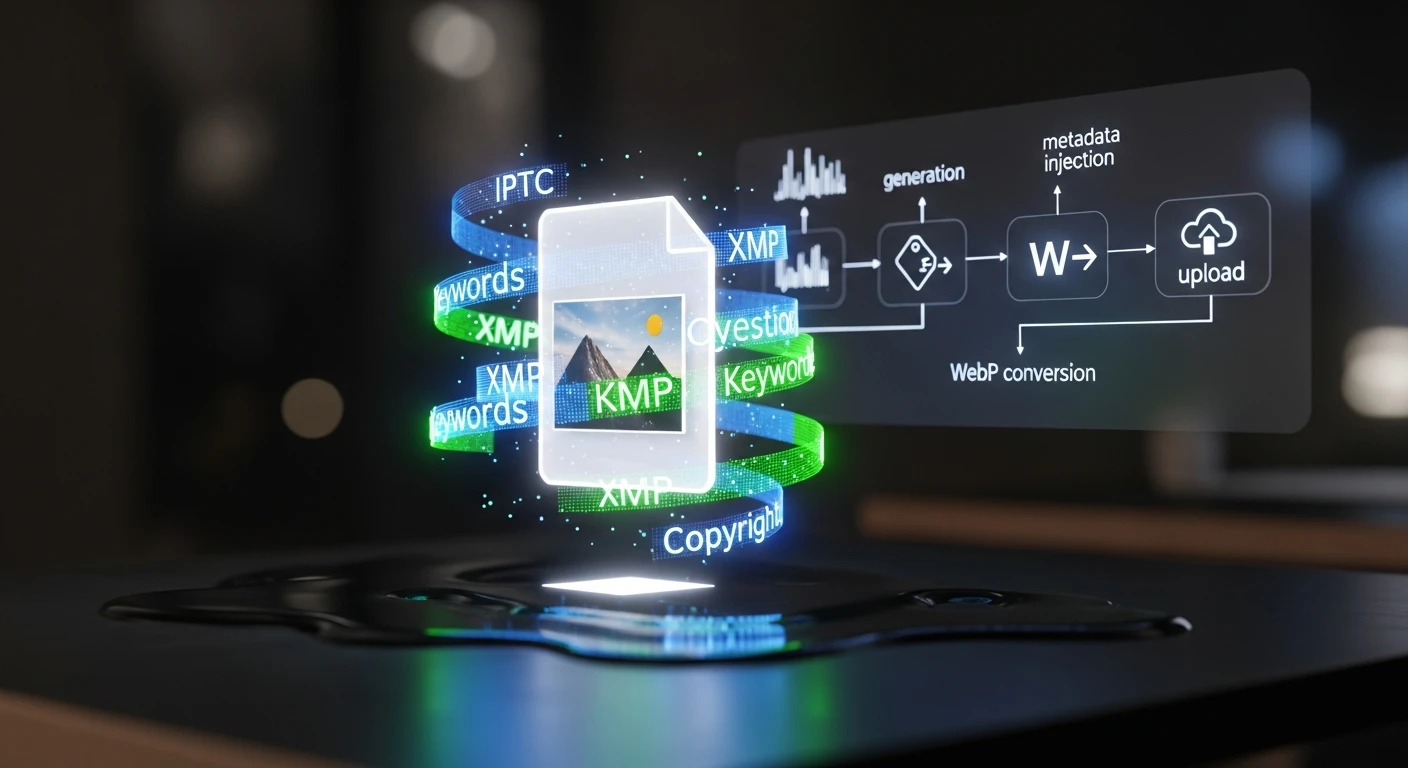
    • Stage 2: IPTC/XMP Metadata Injection — Using exiftool to inject structured metadata into every image: title, description, keywords, copyright, creator attribution, and caption. XMP data includes structured fields about image intent — whether it’s a featured image, thumbnail, or social asset. This is what makes images visible to Google Images, Perplexity, and every AI crawler reading IPTC data.
    • Stage 3: WebP Conversion & Optimization — Converting to WebP format (40–50% smaller than JPG), optimizing to target sizes: featured images under 200KB, thumbnails under 80KB. This runs in a Cloud Run function that scales automatically.
    • Stage 4: WordPress Upload & Association — Hitting the WordPress REST API to upload the image, assign metadata in post meta fields, and attach it as the featured image. The post ID flows through the entire pipeline end-to-end.

    Why IPTC Metadata Matters Now

    This isn’t about SEO best practices from 2019. Google Images, Perplexity, ChatGPT’s browsing mode, and every major AI crawler now read IPTC metadata to understand image context. If your images don’t carry structured metadata, they’re invisible to answer engines. The pipeline solves this at the point of creation — metadata isn’t an afterthought applied later, it’s injected the moment the image is generated.

    The results speak for themselves: within weeks of deploying the pipeline, we started ranking for image keywords we never explicitly optimized for. Google Images was picking up our IPTC-tagged images and surfacing them in searches related to the article content.

    The Economics

    The infrastructure cost is almost irrelevant: Vertex AI Imagen runs about $0.10 per image, Cloud Run stays within free tier for our volume, and storage is minimal. At 15–20 images per week, the total cost is roughly $8/month. The labor savings — eliminating manual image sourcing, editing, metadata tagging, and uploading — represent hours per week that now go to strategy and client delivery instead.

    How This Video Was Made

    The original article describing this pipeline was fed into Google NotebookLM, which analyzed the full text and generated an audio deep-dive covering the technical architecture, the metadata injection process, and the business rationale. That audio was converted to this video — making it a recursive demonstration: an AI system producing content about an AI system that produces content.

    Read the Full Article

    The video covers the architecture and results. The full article goes deeper into the technical implementation — the exact Vertex AI API calls, exiftool commands, WebP conversion parameters, and WordPress REST API patterns. If you’re building your own pipeline, start there.


    Related from Tygart Media


  • Watch: The $0 Automated Marketing Stack — AI-Generated Video Breakdown

    Watch: The $0 Automated Marketing Stack — AI-Generated Video Breakdown

    This video was generated from the original Tygart Media article using NotebookLM’s audio-to-video pipeline — a live demonstration of the exact AI-first workflow we describe in the piece. The article became the script. AI became the production team. Total production cost: $0.


    Watch: The $0 Automated Marketing Stack

    The $0 Automated Marketing Stack — Full video breakdown. Read the original article →

    What This Video Covers

    Most businesses assume enterprise-grade marketing automation requires enterprise-grade budgets. This video walks through the exact stack we use at Tygart Media to manage SEO, content production, analytics, and automation across 18 client websites — for under $50/month total.

    The video breaks down every layer of the stack:

    • The AI Layer — Running open-source LLMs (Mistral 7B) via Ollama on cheap cloud instances for $8/month, handling 60% of tasks that would otherwise require paid API calls. Content summarization, data extraction, classification, and brainstorming — all self-hosted.
    • The Data Layer — Free API tiers from DataForSEO (5 calls/day), NewsAPI (100 requests/day), and SerpAPI (100 searches/month) that provide keyword research, trend detection, and SERP analysis at zero recurring cost.
    • The Infrastructure Layer — Google Cloud’s free tier delivering 2 million Cloud Run requests/month, 5GB storage, unlimited Cloud Scheduler jobs, and 1TB of BigQuery analysis. Enough to host, automate, log, and analyze everything.
    • The WordPress Layer — Self-hosted on GCP with open-source plugins, giving full control over the content management system without per-seat licensing fees.
    • The Analytics Layer — Plausible’s free tier for privacy-focused analytics: 50K pageviews/month, clean dashboards, no cookie headaches.
    • The Automation Layer — Zapier’s free tier (5 zaps) combined with GitHub Actions for CI/CD, creating a lightweight but functional automation backbone.

    The Philosophy Behind $0

    This isn’t about being cheap. It’s about being strategic. The video explains the core principle: start with free tiers, prove the workflow works, then upgrade only the components that become bottlenecks. Most businesses pay for tools they don’t fully use. The $0 stack forces you to understand exactly what each layer does before you spend a dollar on it.

    The upgrade path is deliberate. When free tier limits get hit — and they will if you’re growing — you know exactly which component to scale because you’ve been running it long enough to understand the ROI. DataForSEO at 5 calls/day becomes DataForSEO at $0.01/call. Ollama on a small instance becomes Claude API for the reasoning-heavy tasks. The architecture doesn’t change. Only the throughput does.

    How This Video Was Made

    This video is itself a demonstration of the stack’s philosophy. The original article was written as part of our content pipeline. That article URL was fed into Google’s NotebookLM, which analyzed the full text and generated an audio deep-dive. That audio was then converted to video — an AI-produced visual breakdown of AI-produced content, created from AI-optimized infrastructure.

    No video editor. No voiceover artist. No production budget. The content itself became the production brief, and AI handled the rest. This is what the $0 stack looks like in practice: the tools create the tools that create the content.

    Read the Full Article

    The video covers the highlights, but the full article goes deeper — with exact pricing breakdowns, tool-by-tool comparisons, API rate limits, and the specific workflow we use to batch operations for maximum free-tier efficiency. If you’re ready to build your own $0 stack, start there.


    Related from Tygart Media