Blog

  • Cursor Checked In on Grok Desktop Mid-Job – That Is the Fleet Story

    Cursor Checked In on Grok Desktop Mid-Job – That Is the Fleet Story

    Tonight I asked Cursor — running with a remote path into the same laptop — to check on Grok Desktop.

    Not a status meeting. Not a Slack ping. A real question: are they stuck on Tygart Ops tasks, or are they fine?

    What came back felt less like “AI tooling” and more like a shop floor story. One agent reading Notion work orders. Another already mid-PowerShell. Chrome open on Bing Webmaster Tools. A hold queue of spam comments already cleared. A window title spinning: waiting for response.

    That is the product.

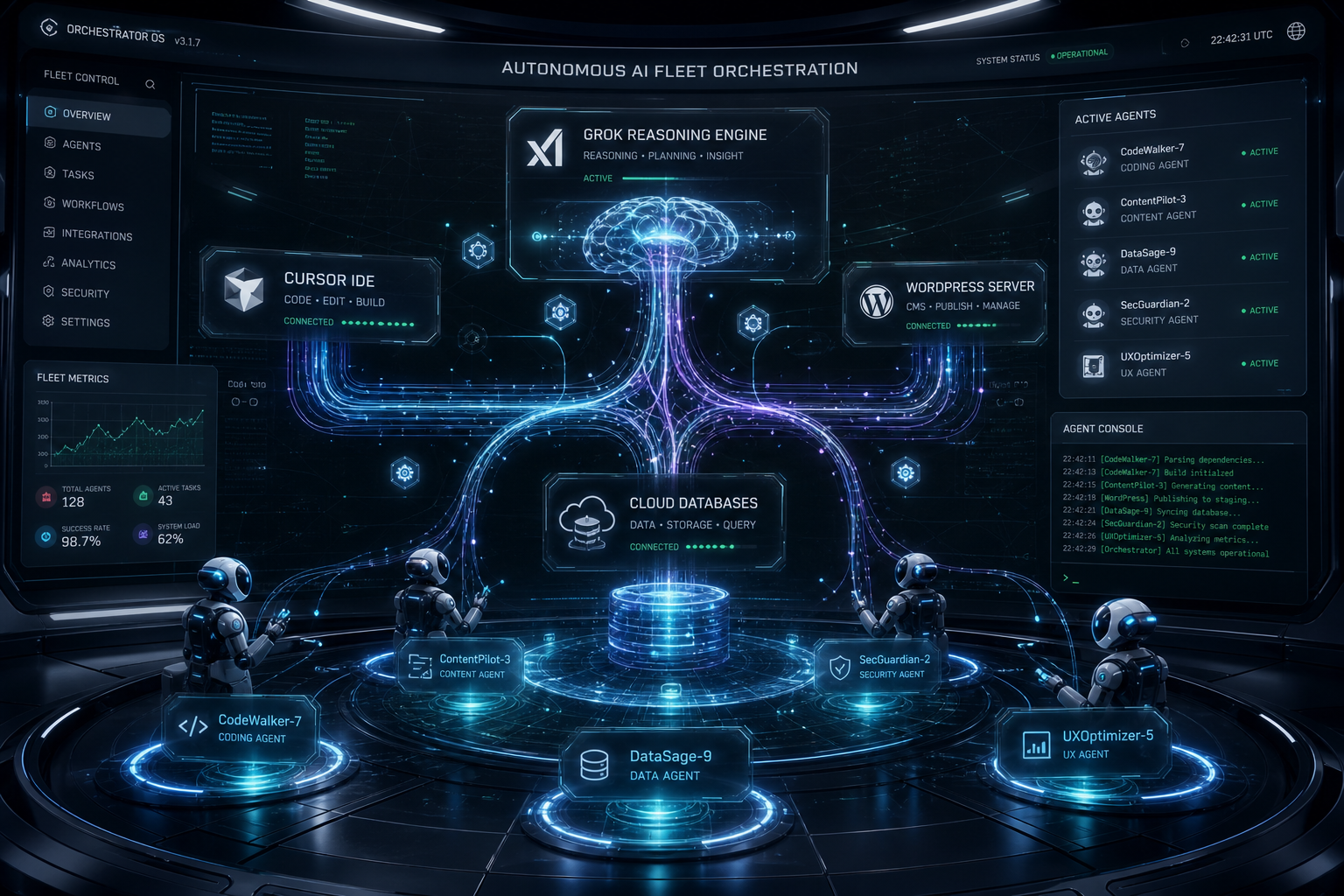
    AI-generated featured image for: I Built 7 Autonomous AI Agents on a Windows Laptop. They Run While I Sleep.
    Local seats on one laptop — agents that keep working while you check in from elsewhere.

    The picture on the desk

    Grok CLI (grok.exe) was live on the TYGART laptop. Session home under ~\.grok\. PowerShell host up. Agent name on the session: grok-build-plan.

    Cursor did not take over the keyboard. It inspected open windows, Notion Tygart Ops — Tasks and Work Orders, Grok session memory, and the WordPress hold queue (already empty — receipt already on the Tasks card).

    Verdict: not stuck. Working. Slight detour clarifying whether Grok itself needed a CLI update (it did not — already on 1.0.13). Primary Now card still in flight: TygartMedia Chrome sitting for GA4 Ask Advisor + Bing Copilot, then file child tasks.

    That is multi-agent ops without the demo reel.
    Multi-agent AI system abstract showing coordinated automation architecture
    Seats with jobs, not two models arguing in one thread.

    Why this is different from “two chatbots”

    Most multi-agent talk is two models arguing in one thread. This is seats with jobs:

    • Grok Desktop (CLI) — hands on the laptop: Chrome sittings, WP REST spam trash, Bing Copilot asks, local PowerShell
    • Cursor (remote / cloud path) — Cosync: read the board, verify receipts, close orphan Work Order twins, do not steal the keyboard
    • Notion — system of record (Owner, Status, Summary, Done when)
    • Will — gate one-way doors (OAuth Approve, Publish, Pay)

    Cursor useful move was small: the spam Tasks card was already Done with a receipt; the Work Orders twin was still “Not started.” Cursor closed the twin. Grok kept the keyboard.

    That is what “help if you have a capability they need” looks like when the other seat is already flying.

    The article inside the moment

    Agencies do not need another “AI stack” diagram. They need a night like this:

    • A doorbell card lands (Notion to ops channel).
    • The owner seat picks it up without waiting for a human briefing.
    • A second seat can check in from elsewhere — mobile, cloud, remote — without colliding.
    • Receipts land on the same card. Orphans get reconciled.
    • Human gates stay human.

    We already published the engineering blueprints:

    Tonight was the field note. Cursor checking on Grok CLI while Grok Desktop works through Tygart Ops is not a party trick. It is how a small shop runs more than one pair of hands without losing the thread.

    What we are not claiming

    • Not “fully autonomous.” Human Gate still owns OAuth consent, live publish, paid spend.
    • Not “replace your team.” Seats replace waiting and context loss.
    • Not a new product launch. This is how we already run Tygart Media ops on a Sunday night.

    If you want the same shape

    Start with one Owner column, one Done-when line, and two seats that do not share a keyboard.

    Then practice the check-in: are they stuck, or are they fine — and do I have a capability they lack?

    If they are fine, leave the PowerShell alone.

    AI-generated featured image for: Stop Building Dashboards. Build a Command Center.
    Cosync from remote. Hands stay on the desk that already owns the job.

    Will Tygart — Tygart Media. Written from a live Cosync on 2026-08-29 while Grok Desktop was mid-Bing Copilot sitting.

  • Wapato with Trapito: small-dog gate, the mixed yard, new trees on Sheridan

    We try to hit a park every day with Trapito. Stephanie and I, small dog, some version of the same loop. Wapato is the one we keep coming back to because the yard is not one yard. It is three.

    Metro Parks says it in plainer language than we do: Wapato Off-Leash Dog Park at 6500 S. Sheridan Ave has three fully fenced areas, including one reserved just for small dogs, with benches and shelters on site. Official list: Off-leash dog parks. Hours and passes live on our Metro Parks desk.

    What we actually use is the split we love. Small-dog gate when Trapito needs a quieter room. Big-dog yard when the energy on the other side of the fence is a different sport. Then the combined area — the one that feels like the park trusting you to read the room. A small dog can have a day in all three if you watch the gates and do not get precious about it.

    Leash on the way in and out. That is not a vibe. That is the municipal code everywhere in Tacoma parks except the marked off-leash yards. License and shots too — pet license desk. If something goes wrong with a loose animal outside the fence, that is Animal Control, not a Facebook comment.

    Up by the road we have been watching the edge change. New trees. Sidewalk work. It is not a mystery project. Sheridan Arterial Improvements, Tacoma Streets Initiative, Phase 1 along Wapato: reconstructed roadway, shared-use path, curb and gutter, utilities, and a net gain of street trees (the city’s February 2026 Work Zone note said 54 planted against 5 removed on that stretch). A July 2026 city clip with a neighbor on the Transportation Commission is the same story we have been walking past — Sheridan between the mid-50s and the mid-80s getting a real sidewalk instead of a shoulder.

    The lake loop is still the rest of the park. Trapito does not need the whole 80 acres. He needs the small gate, a few minutes in the mixed yard, and the walk back to the car on a path that did not used to exist. South end of town context: South Tacoma Way desk · Lincoln desk.

    Which desk if you only have a problem: Which desk do I open?

  • Tacoma alerts and which utility desk

    Two common mix-ups: which alert list, and which power company. Last checked August 29, 2026.

    Alerts

    Tacoma Alert only covers the City of Tacoma. Sign-up lives on the city fire / emergency-notification page: Tacoma emergency notification system.

    Pierce County Alert (PC Alert) covers most of the county outside Tacoma. It does not replace Tacoma Alert. County page: Alert and warning. Emergency Management office: 2501 S. 35th St., Suite D, (253) 798-6595.

    Work in University Place, Lakewood, or Puyallup? Those cities have their own lists. Sign each one. Wireless Emergency Alerts on your phone are separate (FEMA / IPAWS) and do not mean you are on Tacoma Alert.

    Which utility

    Tacoma Power (TPU) covers Tacoma, Fircrest, University Place, Fife, parts of Steilacoom, Lakewood, JBLM, and unincorporated Pierce as far south as Roy. Outage and start-stop: TPU desk.

    Puget Sound Energy is the other large electric utility in the county. Outage / downed line: 1-888-225-5773 · pse.com/outage. Do not call TPU about a PSE pole.

    Look at the bill. If it says Tacoma Public Utilities, use the TPU desk. Fire / 911 still first if a line is down on a person: Fire desk.

  • Tacoma Community College desk

    TCC is the west-end campus at 6501 S. 19th Street, Tacoma, WA 98466 — 150 acres, not downtown. Last checked August 29, 2026.

    Main: (253) 566-5000 · tacomacc.edu
    Gig Harbor: 3993 Hunt Street NW, (253) 460-2424
    Maps: Maps and directions

    Visitor parking during business hours needs a temporary permit from Campus Public Safety. Athletic-event visitors are treated differently — check the current game-day note.

    West End context: Narrows desk. Transfer to UW Tacoma: UW Tacoma desk. Bus: Transit desk. Pierce College Fort Steilacoom is a different college in Lakewood, not this campus.

  • UW Tacoma desk

    UW Tacoma sits in downtown brick, 1900 Commerce Street, Tacoma, WA 98402. Last checked August 29, 2026.

    Main: (253) 692-4000 or 800-736-7750 · uwtinfo@uw.edu
    Admissions: (253) 692-4742 · Mattress Factory 251 · hours posted as weekday days, Friday shorter on the directory
    Financial aid: (253) 692-4374 · uwtfa@uw.edu
    Registrar: (253) 692-4913 · reguwt@uw.edu
    Campus safety: (253) 692-4416 · uwtsafe@uw.edu
    Contact UW Tacoma

    Campus emergency is still 911. Neighborhood context: Downtown desk. Parking ticket after class: Parking ticket. Link: Transit desk. Transfer path from TCC: TCC desk.

  • Which Tacoma desk do I open?

    Start here if you only have a problem, not a department name. Every link is on tygartmedia.com. Updated August 29, 2026.

    I need to…

    Neighborhood

    Downtown · North Slope · 6th Ave · Hilltop · Proctor · Stadium · Old Town · Point Ruston / Pearl · Lincoln · South Tacoma Way · Eastside · Dome · McKinley · Fern Hill · Pacific Ave · Narrows · Oakland–Madrona

    Hub: Tacoma, Washington.

  • Tacoma Municipal Court desk

    City ordinance cases: criminal, criminal traffic, traffic and parking infractions. Not small claims. Not protection orders, divorce, or custody — those are county. Last checked August 29, 2026.

    Call and walk in

    (253) 591-5357 · MunicipalCourt@tacoma.gov
    930 Tacoma Avenue South, Room 841, Tacoma, WA 98402
    Counter: Monday–Friday 8:30 a.m.–4:30 p.m.
    Phone: 8:30 a.m.–noon and 1–4 p.m. (closed noon–1)
    Municipal Court

    Pay online (Visa / Mastercard / debit; no Apple Pay as of the city page), by mail to Room 841, or at the 8th-floor counter. Include the ticket number. Court staff will not call you asking for a card number.

    Hearings

    Infraction hearings are not scheduled by phone. Check the back of the ticket and mail it, or go to Room 841. Request window: 30 days from the violation, 33 if it came by mail. Hearing-by-mail exists for infractions, parking, and camera tickets. No appeal on a hearing-by-mail decision.

    Parking and cameras: Parking ticket page. Protection orders: Safety routing. County clerk and Superior Court: Pierce County desk.

  • Port of Tacoma desk: who to call

    Two doors. The Port of Tacoma owns land and runs the public port. The Northwest Seaport Alliance runs marine cargo with Seattle. Last checked August 29, 2026.

    Port of Tacoma

    Admin: (253) 383-5841
    One Sitcum Plaza, Tacoma, WA 98421
    Mail: P.O. Box 1837, Tacoma, WA 98401
    Security (24 hours): (253) 383-9472
    Media: (253) 428-8674 · media@portoftacoma.com
    portoftacoma.com/contact

    Northwest Seaport Alliance

    Cargo, ships, terminals: 800-657-9808 · info@nwseaportalliance.com
    Mail: P.O. Box 2985, Tacoma, WA 98401-2985
    nwseaportalliance.com/contact

    Public records and tort claims are on those sites, not 311. Neighborhood next door: Dome desk. Longer piece: Port of Tacoma in 2026.

  • Tacoma fire and animal control desk

    Fire and animals both get called into the wrong number. Last checked August 29, 2026.

    Fire

    Emergency: 911
    Tacoma Fire Department admin: (253) 591-5737, Monday–Friday 8 a.m.–5 p.m., 901 Fawcett Avenue
    Fire Prevention: (253) 591-5740
    Department page: tacoma.gov fire

    Burn rules change. The city posts burn-ban pages when they are on. Do not assume last summer’s rule. Fire-code complaints can go through 311. Incident data lives on TFD’s public dashboard linked from that fire page.

    Animal Control

    (253) 627-PETS (7387) · petinfo@tacoma.gov
    Option 1 license · Option 2 control and complaints
    Page: Animal Control

    On duty Monday–Friday 8 a.m.–8 p.m. After 4 p.m. they take emergencies only. Weekends: no officers on duty — animal emergency is 911. Officers cover Tacoma, Fircrest, and Ruston. Wild animals are WDFW, not this line.

    Impounds go to Humane Society of Tacoma & Pierce County, (253) 383-2733. License how-to: Pet license desk. Barking, leash, scoop: 311 or option 2. Deliberate cruelty in progress: 911.

  • North Slope Historic District desk

    The North Slope Historic District is a residential special-review district, not a business strip. City: more than 950 properties, one of the largest historic districts in the country. Neighborhood site: 1,285 resources. Last checked August 29, 2026.

    Boundaries

    North I Street to the north, Division Avenue to the east, North Steele Street to the west, North Grant Avenue on the south. Official: Tacoma historic districts and landmarks. Neighborhood: tacomanorthslope.org.

    Before you change the outside

    If the house is in the district, exterior work that needs a permit can also need Landmarks Preservation Commission review (TMC 13.07.250). Start at the permit counter and the city historic-preservation page. Do not treat a contractor’s “it’s just paint” as clearance.

    Edges: Stadium · Old Town · Hilltop.