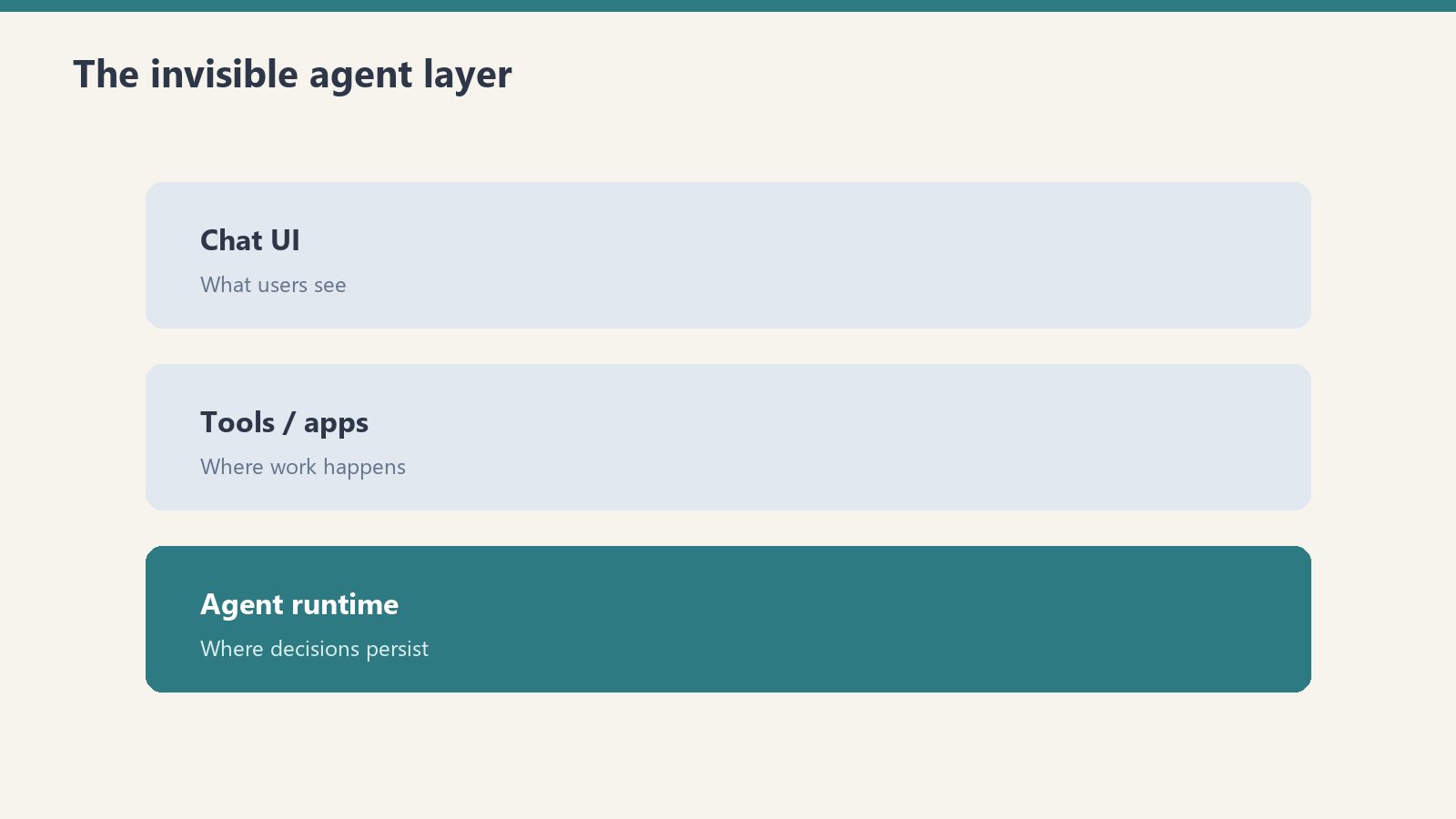
Generative Engine Optimization (GEO) is the new shape of getting found: instead of ranking a blue link, you make your content legible to AI assistants so they recognize, trust, and cite it. The engine room of that work is entity extraction — pulling the named entities and key phrases out of your content so you can saturate it with the concepts an AI system uses to decide what a page is about.
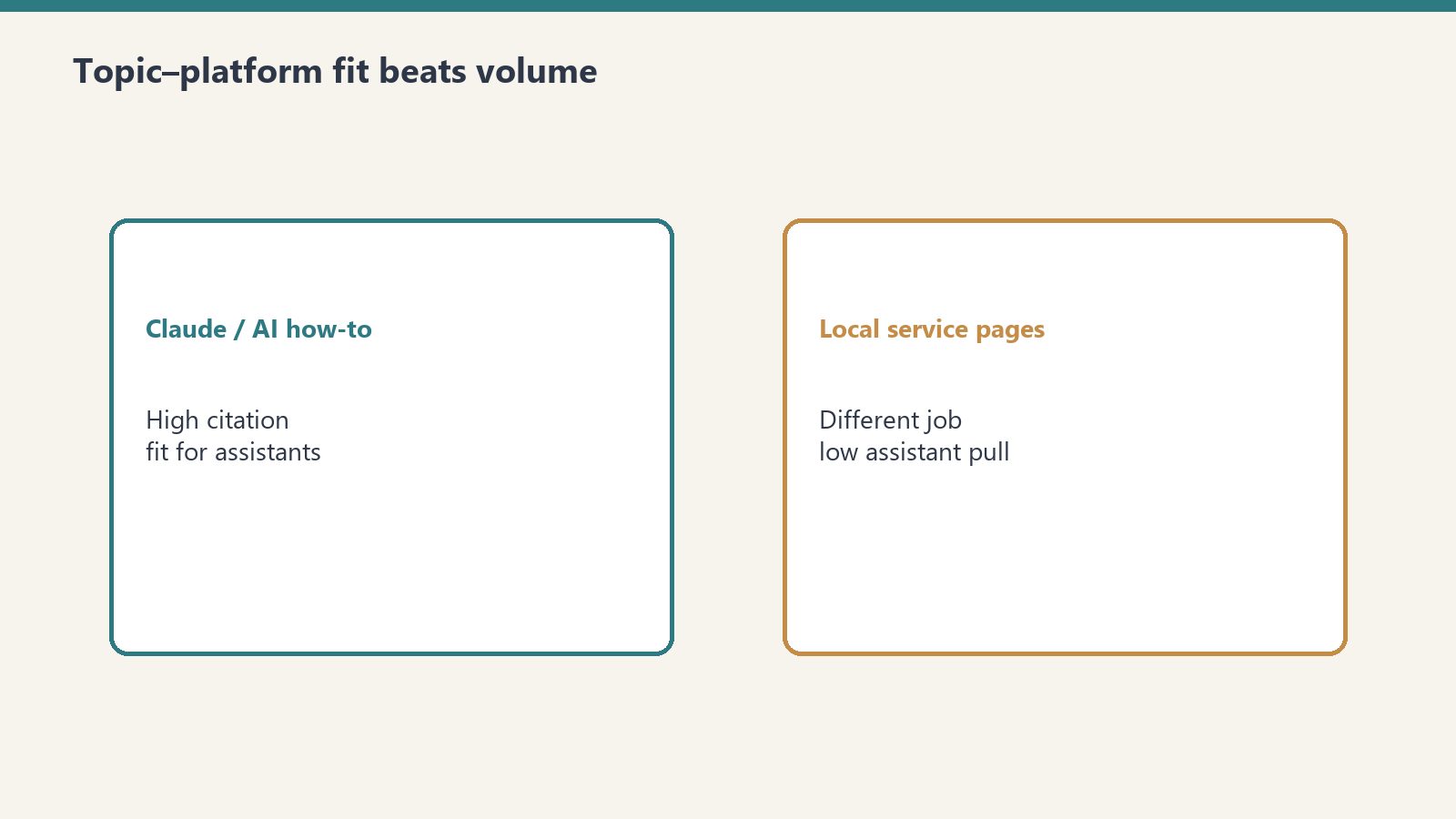
We run the same articles through both Azure AI Language and Google Cloud Natural Language, on the free tiers, and compare what each one sees. Short answer: for GEO aimed at Bing and Copilot, Azure AI Language is the pick — not because its NLP is categorically better, but because you’re extracting entities with Microsoft’s own signal family to optimize for Microsoft’s own AI. Google Natural Language is an excellent general-purpose NLP API; it’s just optimizing toward a different reader.
This is the breakdown from the running lab on tygart.media — entity quality, key phrases, sentiment, free-tier ceilings, and the strategic point underneath all of it.
The free-tier ceilings
Free-tier ceilings for entity extraction.
How we do it
Azure
Google Cloud
Verdict
Service
Azure AI Language
Cloud Natural Language API
—
Free ceiling
5,000 text records/month
First 5,000 units/month free per feature
Toss-up on raw volume
“Record” definition
Up to 1,000 chars = 1 record
Per 1,000 chars = 1 unit, per feature
Watch Google — billed per feature
Cost after free
Per record
Per 1,000 chars, per feature called
Azure simpler to predict
Always free?
Perpetual free tier
Free monthly allotment, then billed
Tie — both have monthly free
The subtlety: Google bills per feature — entity analysis, sentiment, and syntax each consume their own free allotment and then their own meter. Azure’s 5,000 text records/month is a cleaner mental model for a content pipeline that runs every article through the same extraction pass. At ~300–400 articles a month, both stay at $0; Azure is just easier to reason about.
Entity extraction quality
Entity extraction quality head-to-head.
This is the line that matters most for GEO.
How we do it
Job
Azure
Google Cloud
Verdict
Named entity recognition
Strong, typed categories + subcategories
Strong, with entity types
Toss-up on accuracy
Entity linking
Links entities to a knowledge base
Wikipedia/Knowledge Graph links
Google for KG links; Azure for Bing alignment
Key-phrase extraction
First-class, clean
Not a dedicated feature (infer from entities/salience)
Azure — dedicated key phrases
Salience / ranking
Confidence scores
Salience score per entity
Google — salience is genuinely useful
Sentiment
Document + sentence + aspect-based
Document + entity-level
Toss-up; both solid
Both APIs find the obvious entities. The differences are at the edges: Google’s salience score (how central an entity is to the document) is a genuinely useful GEO signal — it tells you which entities the content is actually about, not just which appear. Azure’s dedicated key-phrase extraction is the cleaner input for content saturation — it hands you the phrases to weave back in, where Google makes you infer them.
For our pipeline, we use Azure’s key phrases as the editing checklist and lean on its typed entity categories to confirm an article is “saturated” with the right concepts before it publishes.
Sentiment and the extra features
Both do document- and sentence-level sentiment well. Azure’s aspect-based sentiment (sentiment tied to specific targets within a sentence) is the richer feature if you’re analyzing reviews or feedback. Google’s entity-level sentiment is comparable for most content work. For a media site doing GEO, sentiment is secondary — entity and key-phrase extraction is the main event — but if you also do feedback analysis, Azure’s aspect-based model edges ahead.
The strategic point — extract with Microsoft’s tooling, optimize for Microsoft’s AI
Here’s the whole game. When you extract entities to optimize content, you’re implicitly choosing a definition of what counts as an entity. Those definitions aren’t universal — Microsoft’s and Google’s models were trained on different data and tuned toward different downstream systems.
Bing and Copilot select and ground content using Microsoft’s signal family — the same lineage that powers Azure AI Language. So when we extract entities with Azure and saturate our articles with what it recognizes, we’re tuning content to the exact signals Microsoft’s own AI uses to decide what to surface and cite. That’s not a coincidence we’re exploiting; it’s the most direct alignment available. With ~84% of our traffic from Bing, optimizing toward Google’s entity model would be optimizing for the wrong reader.
What surprised us
Google’s salience score is the feature we wish Azure had. Knowing which entity is central (not just present) is a sharper GEO signal than a flat confidence list.
Google bills per feature — that’s the budget trap. Calling entities + sentiment + syntax on one document is three metered features, not one. Azure’s per-record model is harder to accidentally triple.
Key-phrase extraction is an Azure advantage that’s easy to miss. Google has no dedicated key-phrase feature; you reconstruct it from entities and salience. Azure just hands you the phrases.
Both miss niche industry entities. Neither model reliably tags specialized restoration-industry or proprietary-standard terms. Custom NER (Azure) or a custom dictionary closes that gap — worth it if your content is jargon-dense.
The takeaway
The takeaway from the NLP bakeoff.
These are both strong NLP APIs, and at our volume both run at $0. The decision is about which AI you’re feeding.
Pick Azure AI Language if your GEO target is Bing and Copilot, you want dedicated key-phrase extraction as a content checklist, and you’d rather extract entities with the same signal family your search traffic actually flows through. That’s us.
Pick Google Cloud Natural Language if you want the salience score, you’re optimizing for Gemini and Google’s Knowledge Graph, or you need general-purpose NLP across mixed workloads. It’s an excellent API — it’s just tuned toward a different reader than the one sending us traffic.
If most of your audience arrives through Bing, extracting your entities with Google’s model is optimizing for the wrong index. We extract with Microsoft’s tooling, on purpose.
This is part of our “Two Clouds, One Site” series — we run the same media property on Azure and Google Cloud, on the free tiers, and publish what the two ecosystems actually do with the same content. The lab lives on tygart.media; the findings publish here.
What is entity extraction and why does it matter for SEO?
Entity extraction (named entity recognition) identifies the people, places, organizations, and concepts in your text. It matters for modern SEO and GEO because search engines and AI assistants understand pages by the entities they contain — saturating content with the right, correctly-recognized entities helps those systems classify and cite it accurately.
Is Azure AI Language free?
Azure AI Language includes a perpetual free tier of 5,000 text records per month, where one record is up to 1,000 characters. For a content site processing a few hundred articles a month, that’s enough to run entity and key-phrase extraction on every piece at $0.
What’s the difference between Azure AI Language and Google Natural Language?
Both extract entities, key concepts, and sentiment, but they differ at the edges: Azure offers dedicated key-phrase extraction and aspect-based sentiment, while Google offers a salience score that ranks how central each entity is to the document. Google also bills per feature, where Azure bills per text record. They’re tuned toward different downstream AI systems — Azure toward Microsoft/Bing, Google toward Gemini and the Knowledge Graph.
What is GEO (Generative Engine Optimization)?
GEO is optimizing content so generative AI assistants recognize, trust, and cite it, rather than optimizing only for blue-link rankings. In practice it means structuring content and saturating it with the right entities and key phrases so the models that answer user questions pull from your pages.
Which NLP API is better for optimizing for Bing and Copilot?
Azure AI Language, because it shares Microsoft’s signal lineage — the same family Bing and Copilot use to select and ground content. Extracting entities with Azure and saturating your articles with what it recognizes aligns your content with the exact signals Microsoft’s AI uses, which is the higher-leverage choice when Bing drives your traffic.
Vendor sovereignty is the structural principle that no single provider should hold simultaneous visibility into a business’s cloud infrastructure, procurement, shipping, payments, and customer data. Amazon’s expansion into LTL freight — announced June 10, 2026, as part of Amazon Supply Chain Services — completes a vertical stack that makes this question urgent for every business owner.
The Real Story Behind Amazon’s LTL Freight Play
The real story behind Amazon’s LTL freight play.
Yesterday, Amazon announced that its less-than-truckload freight service is now open to all businesses, shipping to any destination nationwide. The logistics press covered the obvious angles: disruption to Old Dominion and Saia, competitive pricing, 80,000 trailers.
But here is the story nobody is writing: Amazon is not entering freight. Amazon is completing a vertical stack that should concern every business owner who values operational independence.
When Your Shipping Company Is Also Your Cloud Provider
Consider what Amazon now offers a mid-market business. AWS runs your cloud infrastructure. Amazon Business handles your procurement — serving 96 of the Fortune 100 with a platform that processed an estimated $35 billion in gross merchandise volume in 2024, according to Modern Retail. Amazon Supply Chain Services, launched in May 2026 under the ASCS brand, now moves your freight via full truckload, LTL, and intermodal rail across more than 80,000 trailers and 24,000 intermodal containers.
Add Amazon Pay for payments. Amazon Ads for marketing. And behind all of it, the data infrastructure that connects every transaction, every shipment, every server request back to the same company.
This is not a logistics announcement. This is a consolidation event. And the question every business owner needs to ask is simple: what happens when one company can see your compute costs, your purchase history, your shipping volumes, and your customer data — all at once?
The Vertical Stack Nobody Is Mapping
The vertical stack nobody is mapping.
Here is the Amazon vertical stack as it exists after the June 10, 2026, LTL expansion:
Cloud computing: AWS holds roughly 28% of the global cloud infrastructure market as of Q1 2026, according to Synergy Research Group. Your servers, databases, AI workloads, and backups.
Procurement: Amazon Business serves over 8 million organizations worldwide. Your office supplies, equipment, MRO inventory, and operational purchases.
Freight and logistics: Amazon Freight LTL now ships palletized loads to any destination with real-time GPS tracking, sensor-equipped trailers, and EDI integrations. Your physical supply chain.
Payments: Amazon Pay processes transactions across e-commerce. Your revenue flow.
Advertising: Amazon Ads has become one of the largest digital ad platforms globally. Your customer acquisition spend.
Each of these services is excellent on its own merits. The LTL announcement specifically highlights faster transit times and lower costs than traditional providers — Pattern, a global ecommerce accelerator, confirmed that in Amazon’s own press release. That is not the concern.
The concern is what happens when a single entity holds position across all five layers simultaneously.
The Sovereignty Question
The sovereignty question.
Sovereignty is not a buzzword. It is a structural question about who controls your operational data and what they can infer from it.
When your cloud provider can correlate your server scaling patterns with your procurement volume, your shipping frequency, and your payment processing — they have a composite view of your business that no competitor, no regulator, and frankly no board member possesses. They can see when you are growing before your quarterly report drops. They can see when you are contracting before your suppliers do.
This is not theoretical. AWS already offers its own data sovereignty frameworks, including the European Sovereign Cloud announced specifically to address concerns about U.S.-headquartered companies having access to European business data. If the concern is significant enough for entire continents to architect around it, it is significant enough for a restoration contractor in Houston or a cold storage operator in California to think about.
Why I Chose Google Cloud Over AWS
I run a portfolio of WordPress sites for clients across multiple industries — restoration, luxury lending, healthcare facility management, local media. Every one of those clients generates data that belongs to them, not to me, and certainly not to their infrastructure provider.
I made a deliberate decision to build on Google Cloud Platform instead of AWS. Not because GCP is categorically better — both are world-class infrastructure. But because Google is not simultaneously my clients’ procurement platform, shipping provider, payment processor, and advertising engine.
The architecture I use is what I call fortress architecture: isolated VPCs per client, air-gapped environments where one client’s data has zero crossover with another’s, and infrastructure designed so that no single vendor can build a composite profile of any client’s operations. The cloud provider sees compute usage. That is it. They do not see what the client is buying, shipping, selling, or spending on ads, because those functions run through different providers with no data-sharing agreements between them.
This is not paranoia. This is vendor diversification applied to data exposure — the same principle that any competent CFO applies to banking relationships, any supply chain manager applies to sourcing, and any IT director should apply to infrastructure.
The Sleepwalk Scenario
Here is what concerns me about the LTL announcement specifically: it makes the full-stack adoption path frictionless.
A business already on AWS gets a pitch for Amazon Business. The procurement integration is seamless — same account, same billing, same dashboard. Then Amazon Freight shows up with LTL pricing that undercuts traditional carriers by a meaningful margin, with better tracking technology. Each individual decision is rational. Each individual service is competitive.
But the aggregate result is that one company now has a multi-dimensional view of your operations that no single vendor should possess. And unlike a consulting firm that might see inside your business temporarily, Amazon has this view in real time, continuously, across every dimension of your operations.
The restoration contractors I work with are particularly vulnerable to this. They buy supplies through Amazon Business. They might already use AWS for their management software. Now Amazon offers to ship their equipment. At what point does a business owner stop and ask: is the convenience worth the visibility I am granting?
What Business Owners Should Actually Do
I am not arguing that Amazon’s services are bad. They are demonstrably good — the LTL service specifically offers next-day live pickup, real-time GPS tracking, and sensor-equipped trailers that most regional carriers cannot match. Jim Ruiz, director of Amazon Freight, was right when he said businesses wanted to use the service more broadly.
But good services from a single provider create a different kind of risk than good services from diversified providers. Here is what I recommend:
Map your Amazon exposure. List every Amazon service your business uses — AWS, Amazon Business, any Amazon logistics or shipping, Amazon Pay, Amazon Ads. See the full picture before you add another layer.
Understand the data correlation risk. Ask yourself: if one company could see all of this data simultaneously, what could they infer about my business that I would not want a competitor, a vendor, or a platform to know?
Diversify deliberately. You do not need to leave AWS. But if you are on AWS, maybe your procurement runs through a different vendor. If Amazon handles your procurement, maybe your freight uses a carrier that is not connected to your cloud and purchasing data. The goal is to ensure that no single entity can build a composite operational profile.
Ask the hard question about data walls. Amazon has internal policies about data separation between business units. But policies are not architecture. Policies can change. Architecture — actual infrastructure isolation, different legal entities, separate data stores — is harder to undo. When you evaluate any vendor’s data practices, look at the architecture, not the policy page.
The Bigger Pattern
Amazon’s LTL expansion is not happening in isolation. This is part of a broader trend where cloud-native companies extend into physical operations: logistics, payments, hardware, telecommunications. The value is in the data layer that connects all of these services, not in any individual service margin.
The companies that will maintain operational independence over the next decade are the ones making deliberate infrastructure decisions today. Not the ones that sleepwalked into a single-vendor stack because each individual integration was marginally cheaper or more convenient.
Convenience is a feature. Sovereignty is a strategy. Know which one you are optimizing for.
Amazon Freight LTL, part of Amazon Supply Chain Services (ASCS), allows businesses to ship palletized loads — typically one to six pallets or 150 to 15,000 pounds — to any destination in the United States. Announced on June 10, 2026, the service is powered by more than 80,000 trailers and 24,000 intermodal containers, with real-time GPS tracking and next-day pickup options.
What is vendor sovereignty and why does it matter?
Vendor sovereignty is the principle that no single provider should have simultaneous visibility into your cloud infrastructure, procurement, logistics, payments, and customer data. When one company holds all these positions, they can build a composite operational profile of your business that creates competitive intelligence risk and dependency that is difficult to unwind.
Why is Amazon’s vertical stack different from other large vendors?
Most enterprise vendors dominate one or two categories. Amazon is unique in offering cloud computing (AWS, 28% global market share), B2B procurement (Amazon Business, serving 8 million organizations), freight logistics (Amazon Freight), payments (Amazon Pay), and advertising (Amazon Ads) under one corporate entity. No other company spans all five operational layers.
Should businesses stop using AWS because of this?
Not necessarily. AWS is world-class infrastructure. The recommendation is to diversify deliberately — if you use AWS for cloud, consider non-Amazon options for procurement, shipping, and payments. The goal is preventing any single vendor from building a multi-dimensional view of your entire operation.
What is fortress architecture?
Fortress architecture is a cloud infrastructure design pattern using isolated Virtual Private Clouds (VPCs) per client with air-gapped environments, ensuring zero data crossover between clients and limiting what any single vendor can observe about a business’s operations. It applies vendor diversification principles to data exposure.
How does Amazon’s LTL service compare to traditional carriers?
Amazon Freight LTL offers competitive pricing, real-time GPS tracking from pickup through delivery, sensor-equipped trailers, automated appointment scheduling, EDI integrations, and next-day live pickup for orders placed by 5 p.m. Pattern, a global ecommerce accelerator, reported faster transit times and lower costs compared to traditional LTL providers.
Companion piece: This article describes how the three-legged stack came together over fourteen months. For the full operating doctrine — why three legs specifically, what each leg’s job is, and how they hold each other up — see The Three-Legged Stack: Why I Run Everything on Notion, Claude, and Google Cloud. The two pieces complement each other; this one is the journey, that one is the doctrine.
I almost got excited about Google’s Googlebook last week. Then I caught myself. I have a stack that’s starting to feel like a broken-in baseball glove — pocket exactly where I want it, leather oiled, laces holding. The last thing I need is a new glove.
This is the operating philosophy I’ve landed on after a year of building Tygart Media as an AI-native content operation. It’s not a tech-stack post. It’s a posture. The stack I use — Claude as the intelligence layer, Notion as the control plane, GCP as the compute plane — happens to be the visual the rest of this piece is built around, but the real point is what holding still does to leverage.
The temptation in any AI-adjacent business right now is to chase. Every week there is a new model, a new IDE, a new agent framework, a new laptop category. Googlebook arrives this fall promising Gemini at the kernel and an AI-powered cursor. OpenRouter sits there offering me every model in the world through one API. Six months ago I would have been wiring both of them in before the announcements cooled.
I’m not doing that anymore. Here’s why, in seven images.
The Three-Legged Stool
Three legs is the minimum number for stability. Add a fourth and you haven’t added strength — you’ve added wobble. A three-legged stool sits flat on any surface, no matter how uneven, because three points define a plane. A four-legged stool needs the floor to be perfect, and if it isn’t, one leg is always lifting.
My stack has three legs. Claude is the intelligence layer — every reasoning step, every draft, every architectural decision passes through it. Notion is the control plane — every project, client, task, ledger, and standard operating procedure lives there. Google Cloud Platform is the compute plane — Cloud Run services, BigQuery ledgers, Workload Identity Federation, the publisher infrastructure that moves content to 27 client sites without a single stored API key.
People keep asking me when I’ll add a fourth leg. Will I move to OpenRouter for model diversity? Will I switch to Linear for project management? Will I migrate compute to AWS for the better startup credits? The honest answer is that adding a fourth leg right now would not make me more stable. It would make me less. I haven’t mastered the three I have.
The Anvil and the Glove
Roots. Operations is operations. The discipline learned in restoration carries straight into AI-native content work.
Before Tygart Media, I spent years in property damage restoration operations — Munters, Polygon, the kind of work where a phone call at 2 AM means a water line burst at a hotel and a crew needs to be on-site in forty-five minutes with the right equipment and the right paperwork. That world taught me everything I now use to run an AI-native content business. It taught me to batch. It taught me to absorb scope rather than push it back on the client. It taught me that subcontracting is a form of collaboration, not a failure mode. It taught me that operations is operations — the substrate changes, the discipline doesn’t.
The baseball glove on top of the anvil is the metaphor I keep returning to. A new glove is stiff. It catches awkwardly. The webbing is too tight, the leather hasn’t formed to your hand yet, and every ball that comes in feels foreign. A broken-in glove is the opposite. It closes around the ball before you’ve consciously decided to squeeze. You don’t think about catching. You just catch.
That’s what fourteen months on the same stack has done. I don’t think about how to publish to WordPress anymore. I don’t think about how to route a model decision between Haiku, Sonnet, and Opus. I don’t think about whether a new automation belongs in Cloud Run or as a Notion Worker. The catching is automatic. Every hour spent in the same three tools is another stitch in the glove.
The Surveyor’s Tripod
Precision. The stack as a measurement instrument. Three legs, one truth.
A tripod is a stool that measures. It’s the same three-legged geometry, but you put a sextant on top, or a transit, or a telescope, and suddenly the stability isn’t ornamental — it’s the whole point. If the legs aren’t planted, the measurement is wrong. If the measurement is wrong, you build in the wrong place.
The three-legged stack as a measurement instrument is how I now think about content operations. Claude measures what to say. Notion measures what’s been said, what’s been promised, what’s been promoted, what’s been demoted. GCP measures what’s been deployed and what’s been logged. Together they make a single coherent reading of where the business actually is — not where I imagine it to be, not where I hope it is, but where it actually stands at 3 AM on a Tuesday.
That reading is what lets me trust the work. The Promotion Ledger inside Notion tracks every autonomous behavior the system runs — content publishes, schema injections, taxonomy fixes, image optimizations — by tier and by clean-day count. Seven clean days on a tier means a candidate for promotion. A failure resets the clock. The instrument doesn’t lie. It either reads green or it doesn’t.
The Trefoil
Synthesis. Three loops meeting at the center. The synthesis point is where knowledge becomes a distillery.
The trefoil is an ancient symbol — three interlocking loops meeting at a single point in the center. Heraldic shields use it. Cathedral architecture uses it. The Celtic version goes back to the Iron Age. It shows up everywhere because it answers a question every human system eventually asks: how do you get three independent things to produce a fourth thing that none of them could produce alone?
Synthesis is the answer. Where the loops meet, the third thing happens. Claude alone is a smart conversation. Notion alone is a well-organized library. GCP alone is a pile of compute. None of those by themselves is a business. But the place where the three loops overlap — that’s where a client brief becomes a draft becomes an optimized article becomes a scheduled publish becomes a tracked outcome — and that center point is where the work actually lives.
I think of Tygart Media as a Human Knowledge Distillery. The raw material is messy human knowledge — a client’s twenty years of trade experience, my own restoration background, a comedian’s stage instincts, a recovery contractor’s job-site stories. The distillery boils that down into something that can travel: an article, a schema block, a social post, a referral asset. The three legs aren’t doing the distilling. The synthesis at the center is.
The Pocket Watch
Mastery. Mechanism over magic. The watch doesn’t get better because a new watch came out.
Independent horology — the world of small, fiercely independent watchmakers who build their movements by hand — is one of my private obsessions, and it has shaped how I think about AI tooling more than I expected. The watchmakers I admire most don’t release a new caliber every year. They spend a decade on one movement. They refine the escapement, balance the wheel, polish the bridges, and over time the watch gets better not because the parts are new but because the maker understands the parts better.
This is the opposite of how most of the AI industry operates. The cadence is: ship a new model, ship a new agent, ship a new IDE, ship a new laptop. The implicit promise is that the latest thing will do more than the previous thing, and the implicit demand is that you keep up. Mastery is impossible in that mode. By the time you’ve learned the mechanism, the mechanism has been replaced.
Holding still is a competitive advantage exactly because most people can’t. While everyone else is unboxing their Googlebook in October and figuring out where Gemini’s Magic Pointer fits into their workflow, my workflow won’t have changed — because the workflow doesn’t live on the laptop. It lives in the stack. The laptop is just a window into the stack. A new laptop is a new window. The view is the same.
The Lighthouse
Signal. Authority compounds when you stay put and keep the light on.
Lighthouses don’t move. That’s the whole point of them. A lighthouse that wandered around the coastline trying to find the best vantage would not be useful to anyone — ships wouldn’t know where it was, the beam would never settle, and the entire purpose of having a fixed reference point in a foggy world would collapse.
Content authority works the same way. The sites that get cited by AI models — that show up in Google’s AI Overviews, in Perplexity’s citations, in Claude’s own retrieval — are not the sites that pivoted the most. They are the sites that have been on the same beam for years, publishing the same kind of work, building the same kind of entity recognition, and giving language models a stable reference point to anchor to.
This is true at the stack level too. The reason my content operations get more efficient month over month is not because I’m using new tools — it’s because Claude, Notion, and GCP have learned each other inside my workspace. The skill files in Claude know exactly which Notion databases to write to. The Notion routers know exactly which GCP services to dispatch. The GCP services know exactly which WordPress sites to publish to and how each one wants its content shaped. The beam is on. It keeps being on. Authority compounds in the version of you that didn’t move.
The Hourglass
Compounding. Time spent doesn’t drain. It crystallizes into something more valuable.
This is the image that closes the piece, and it’s the one that took me the longest to understand. An hourglass usually represents time running out. Sand falls. The bulb empties. Eventually you’re done. The version I commissioned reframes it: golden sand falls into a bed of polished gemstones. Time doesn’t disappear into nothing. It compounds into something more valuable.
That is the entire thesis of the broken-in glove. Time spent on the same stack does not drain. It crystallizes. Every additional week with Claude, Notion, and GCP makes the next week more leveraged, because the pattern library is bigger, the muscle memory is deeper, and the surface area I can act on without re-learning is wider. The opposite path — switching stacks, chasing the new thing, restarting the muscle memory — is the path where time actually drains. The bulb empties and there is no gemstone bed underneath.
So when Googlebook launches in fall 2026 and people ask me whether I’m getting one, the answer is: maybe, eventually, as a window into the stack I already have. But not as a replacement for anything. The stool is the stool. The legs are the legs. And the glove is finally starting to feel like mine.
The three-legged stack is the operating system Tygart Media uses to run an AI-native content and SEO agency across 27+ client sites. The three legs are Claude as the intelligence layer, Notion as the control plane, and Google Cloud Platform as the compute plane. The architecture follows an Integration Spine: GitHub stores the source of truth, GitHub Actions plus Workload Identity Federation move work to Cloud Run with no stored credentials, and Cloud Run reports back to Notion.
Why three tools instead of more?
Three is the minimum number of points required to define a plane, which makes a three-legged structure inherently stable on any surface. Adding a fourth tool before mastering the first three adds switching cost and surface area without adding capability. Depth in three tools produces more leverage than breadth across six.
How does the stack handle a 27-site content operation?
Claude generates and optimizes content via skills that encode the standards for SEO, AEO, and GEO. Notion stores the editorial calendar, client briefs, Promotion Ledger, and the operating manual. GCP runs the Cloud Run publisher services that push optimized articles into WordPress sites via REST API, with all publishing actions logged back to Notion for audit. The stack is designed so that any single article passes through all three legs before going live.
Is Tygart Media planning to adopt Googlebook when it launches?
Not as a replacement for any part of the current stack. Googlebook will likely become useful as a thicker client surface over the same backend, but the actual operating system — Claude, Notion, GCP, and the Integration Spine — does not live on the laptop. The laptop is just a window into the stack. Switching laptops doesn’t change the view.
What does “broken-in advantage” mean in an AI context?
Broken-in advantage is the compounding effect that comes from sustained mastery of a single toolchain. Skills, automations, and muscle memory build on each other when the underlying tools stay constant. Operators who switch stacks frequently never reach the inflection point where the system becomes leveraged. Operators who hold still long enough to master the same three tools build a moat that’s harder to copy than any individual feature.
Where does the restoration industry background fit in?
Years of property damage restoration operations at Munters and Polygon taught the discipline that the AI-native content stack now runs on — batching, scope absorption, subcontracting as collaboration, and tiered trust systems. The thesis is that operations is operations. The substrate (restoration crews then, AI agents now) changes. The operating discipline doesn’t.
How does the Promotion Ledger fit into the stack?
The Promotion Ledger is a Notion database under a top-level page called The Bridge. Every autonomous behavior the system runs is tracked there by tier — A for proposed, B for human-flown, C for autonomous — with a clean-day counter and a failure log. Seven clean days on a tier qualifies a behavior for promotion. A failure resets the clock and demotes the behavior one tier. The Ledger is how the stack proves to itself that it can be trusted.
{“@context”: “https://schema.org”, “@type”: “Article”, “headline”: “The Three-Legged Stack: Why I Stopped Shopping for New Tools”, “description”: “After fourteen months building an AI-native content operation, the operating philosophy at Tygart Media is to hold still and deepen what works. Seven images and a manifesto.”, “author”: {“@type”: “Person”, “name”: “Will Tygart”, “url”: “https://tygartmedia.com/about/”}, “publisher”: {“@type”: “Organization”, “name”: “Tygart Media”, “url”: “https://tygartmedia.com”}, “image”: “https://tygartmedia.com/wp-content/uploads/2026/05/three-legged-stack-tygart-media-claude-notion-gcp.webp”, “datePublished”: “2026-05-14”, “mainEntityOfPage”: “https://tygartmedia.com/the-three-legged-stack/”}
{“@context”: “https://schema.org”, “@type”: “FAQPage”, “mainEntity”: [{“@type”: “Question”, “name”: “What is the three-legged stack at Tygart Media?”, “acceptedAnswer”: {“@type”: “Answer”, “text”: “The three-legged stack is the operating system Tygart Media uses to run an AI-native content and SEO agency across 27+ client sites. The three legs are Claude as the intelligence layer, Notion as the control plane, and Google Cloud Platform as the compute plane. The architecture follows an Integration Spine: GitHub stores the source of truth, GitHub Actions plus Workload Identity Federation move work to Cloud Run with no stored credentials, and Cloud Run reports back to Notion.”}}, {“@type”: “Question”, “name”: “Why three tools instead of more?”, “acceptedAnswer”: {“@type”: “Answer”, “text”: “Three is the minimum number of points required to define a plane, which makes a three-legged structure inherently stable on any surface. Adding a fourth tool before mastering the first three adds switching cost and surface area without adding capability. Depth in three tools produces more leverage than breadth across six.”}}, {“@type”: “Question”, “name”: “How does the stack handle a 27-site content operation?”, “acceptedAnswer”: {“@type”: “Answer”, “text”: “Claude generates and optimizes content via skills that encode the standards for SEO, AEO, and GEO. Notion stores the editorial calendar, client briefs, Promotion Ledger, and the operating manual. GCP runs the Cloud Run publisher services that push optimized articles into WordPress sites via REST API, with all publishing actions logged back to Notion for audit.”}}, {“@type”: “Question”, “name”: “Is Tygart Media planning to adopt Googlebook when it launches?”, “acceptedAnswer”: {“@type”: “Answer”, “text”: “Not as a replacement for any part of the current stack. Googlebook will likely become useful as a thicker client surface over the same backend, but the actual operating system does not live on the laptop. The laptop is just a window into the stack.”}}, {“@type”: “Question”, “name”: “What does broken-in advantage mean in an AI context?”, “acceptedAnswer”: {“@type”: “Answer”, “text”: “Broken-in advantage is the compounding effect that comes from sustained mastery of a single toolchain. Skills, automations, and muscle memory build on each other when the underlying tools stay constant. Operators who switch stacks frequently never reach the inflection point where the system becomes leveraged.”}}, {“@type”: “Question”, “name”: “Where does the restoration industry background fit in?”, “acceptedAnswer”: {“@type”: “Answer”, “text”: “Years of property damage restoration operations at Munters and Polygon taught the discipline that the AI-native content stack now runs on: batching, scope absorption, subcontracting as collaboration, and tiered trust systems. Operations is operations. The substrate changes, the discipline doesn’t.”}}, {“@type”: “Question”, “name”: “How does the Promotion Ledger fit into the stack?”, “acceptedAnswer”: {“@type”: “Answer”, “text”: “The Promotion Ledger is a Notion database under a top-level page called The Bridge. Every autonomous behavior the system runs is tracked there by tier with a clean-day counter and a failure log. Seven clean days qualifies a behavior for promotion. A failure resets the clock and demotes the behavior one tier.”}}]}
Most teams have content split between Notion and Google Drive. Drive holds the “I’m collaborating in real-time with five people” docs; Notion holds the structured workspace and database content. The Drive integration lets agents read across both. The result: synthesis that pulls from “the project doc in Drive” plus “the project page in Notion” plus “the related research in Notion’s research database” without manual copy-paste.
Three patterns that work
Three patterns that work for Drive + Notion AI.
1. Cross-source synthesis. “Summarize the state of project X” pulls from the Notion project page, the Google Doc collaborators are working in, and the Sheets file with the metrics. Agent produces one synthesis from three sources. 2. Drive-content-as-source for Notion drafts. Drafting a Notion document, agent pulls from a Drive Doc as reference. Useful when the source-of-truth lives in Drive but the deliverable lives in Notion. 3. Migration assistance. Teams moving from Drive to Notion can use the integration to surface “what’s still in Drive that should be in Notion.” Helps the migration without forcing it.
What stays manual
What stays manual.
The actual collaboration in Drive (real-time editing isn’t an agent task)
Decisions about which content lives where (organizational, not synthesis)
Sensitive Drive content the agent shouldn’t see (don’t connect it)
Permission inheritance
Permission inheritance.
The Drive integration uses the connected user’s permissions. The agent sees what you see. Two practical implications:
– For org-wide Drive content, connect through an account with broad access
– For personal Drive, connect your personal account; the agent sees only your stuff
Where this goes wrong
1. Connecting too broadly. A Drive integration that gives the agent access to your entire org’s Drive includes things you didn’t think about (HR docs, finance, executive). Scope tightly. 2. Letting Drive content lag behind Notion content. When a Notion page is canonical, the agent should reference it, not the Drive doc. Mark canonical sources clearly. 3. Treating Drive as substrate without organization. A messy Drive feeds an agent that produces messy synthesis. The Editorial Surface Area thesis applies to Drive too.
Who this is for: Your IT person, your developer, or a technical contractor. This brief describes a production-grade automation architecture for the restoration company CRM touch calendar using Google Cloud Platform (GCP). It assumes basic familiarity with cloud infrastructure, command line tools, and web APIs. It does not require deep expertise in any single area — the implementation is intentionally modular so that each component can be handed to a different person if needed.
The business strategy this automates is in Your CRM Is Not a Lead Database. The manual version of this system is in the Email Automation Setup Guide. This brief is for teams who want to reduce ongoing manual work and build a more robust, scalable version of the same workflow.
The manual system requires a person to: export contacts from the CRM, validate emails, import to Mailchimp or Brevo, configure each campaign, schedule it, and log results back to Notion. For 4–6 campaigns per year, this is manageable manually. For a company running 10–15 campaigns across multiple divisions or service areas, or for an agency running this system for multiple restoration clients, a GCP automation layer eliminates the recurring labor.
What this architecture handles automatically:
Scheduled contact export from ServiceTitan or Jobber via API
Segmentation and deduplication logic
Email validation pass before import
Contact import to Mailchimp or Brevo
Campaign creation from template stored in Cloud Storage
Campaign scheduling per the calendar in Notion
Results logging back to Notion after send
What still requires human review:
Email copy review before scheduling (always — no automation should skip this)
Reply triage and qualitative logging
Warmth scoring and super-connector identification
Prerequisites
A Google Cloud Platform account with billing enabled (new GCP accounts include $300 in free credits)
ServiceTitan or Jobber API access (ServiceTitan requires contacting their enterprise team; Jobber API is available on Connect plan and above at $139–$399/month depending on team size)
Mailchimp account with API access (available on all paid plans) OR Brevo with API access (all plans)
Notion account with Notion API integration enabled (free at notion.com/my-integrations)
# Install gcloud CLI and authenticate
gcloud auth login
gcloud projects create restoration-crm-[yourcompany] --name="Restoration CRM Automation"
gcloud config set project restoration-crm-[yourcompany]

# Enable required APIs
gcloud services enable \
  run.googleapis.com \
  cloudscheduler.googleapis.com \
  secretmanager.googleapis.com \
  storage.googleapis.com

# Create service account for the automation
gcloud iam service-accounts create crm-automation-sa \
  --display-name="CRM Automation Service Account"

# Grant necessary permissions
gcloud projects add-iam-policy-binding restoration-crm-[yourcompany] \
  --member="serviceAccount:crm-automation-sa@restoration-crm-[yourcompany].iam.gserviceaccount.com" \
  --role="roles/run.invoker"
Component 2: Secret Manager for API Credentials
Secret Manager for API credentials.
Store all API credentials in GCP Secret Manager. Never hardcode credentials in source code.
# Store each credential as a separate secret
echo -n "your-servicetitan-api-key" | gcloud secrets create servicetitan-api-key \
  --data-file=-

echo -n "your-jobber-api-key" | gcloud secrets create jobber-api-key \
  --data-file=-

echo -n "your-mailchimp-api-key" | gcloud secrets create mailchimp-api-key \
  --data-file=-

echo -n "your-notion-token" | gcloud secrets create notion-token \
  --data-file=-

# In Python, access secrets like this:
# from google.cloud import secretmanager
# client = secretmanager.SecretManagerServiceClient()
# name = f"projects/{project_id}/secrets/{secret_id}/versions/latest"
# response = client.access_secret_version(request={"name": name})
# secret_value = response.payload.data.decode("UTF-8")
Component 3: Contact Sync Service
This Cloud Run service handles the contact export → segment → validate → import pipeline. Deploy as a container triggered by the orchestration layer.
# contact_sync/main.py

import os
import json
import requests
from google.cloud import secretmanager

def get_secret(secret_id):
    client = secretmanager.SecretManagerServiceClient()
    project_id = os.environ.get("GCP_PROJECT_ID")
    name = f"projects/{project_id}/secrets/{secret_id}/versions/latest"
    response = client.access_secret_version(request={"name": name})
    return response.payload.data.decode("UTF-8")

def export_jobber_contacts():
    """Export residential clients from Jobber API"""
    api_key = get_secret("jobber-api-key")

    # Jobber uses GraphQL API
    query = """
    query GetClients($after: String) {
      clients(first: 100, after: $after) {
        nodes {
          id
          firstName
          lastName
          emails { address isPrimary }
          tags { label }
          jobs(first: 1) {
            nodes { jobType completedAt }
          }
        }
        pageInfo { hasNextPage endCursor }
      }
    }
    """

    headers = {
        "Authorization": f"Bearer {api_key}",
        "Content-Type": "application/json"
    }

    contacts = []
    cursor = None

    while True:
        variables = {"after": cursor} if cursor else {}
        response = requests.post(
            "https://api.getjobber.com/api/graphql",
            headers=headers,
            json={"query": query, "variables": variables}
        )
        data = response.json()
        clients = data["data"]["clients"]

        for client in clients["nodes"]:
            email = next(
                (e["address"] for e in client["emails"] if e["isPrimary"]),
                client["emails"][0]["address"] if client["emails"] else None
            )
            if not email:
                continue

            # Determine segment based on tags
            tags = [t["label"].lower() for t in client["tags"]]
            if "residential" in tags or not any(t in tags for t in ["commercial", "adjuster", "vendor"]):
                segment = "Homeowner"
            elif any(t in tags for t in ["adjuster", "agent", "insurance"]):
                segment = "Industry"
            else:
                segment = "Trade"

            # Get most recent job type
            job_type = None
            if client["jobs"]["nodes"]:
                job_type = client["jobs"]["nodes"][0].get("jobType", "")

            contacts.append({
                "first_name": client["firstName"],
                "last_name": client["lastName"],
                "email": email.lower().strip(),
                "segment": segment,
                "job_type": job_type or ""
            })

        if not clients["pageInfo"]["hasNextPage"]:
            break
        cursor = clients["pageInfo"]["endCursor"]

    return contacts

def deduplicate_contacts(contacts):
    """Remove duplicate emails, keep most recent record"""
    seen = {}
    for contact in contacts:
        email = contact["email"]
        if email not in seen:
            seen[email] = contact
    return list(seen.values())

def segment_contacts(contacts):
    """Split into three segment lists"""
    segments = {"Homeowner": [], "Industry": [], "Trade": []}
    for contact in contacts:
        seg = contact.get("segment", "Homeowner")
        if seg in segments:
            segments[seg].append(contact)
    return segments

def import_to_mailchimp(contacts, tag, api_key, list_id):
    """Batch import contacts to Mailchimp with tag"""

    # Mailchimp batch operations (max 500 per call)
    batch_size = 500

    for i in range(0, len(contacts), batch_size):
        batch = contacts[i:i+batch_size]

        operations = []
        for contact in batch:
            operations.append({
                "method": "PUT",
                "path": f"/lists/{list_id}/members/{contact['email'].encode().hex()}",
                "body": json.dumps({
                    "email_address": contact["email"],
                    "status_if_new": "subscribed",
                    "merge_fields": {
                        "FNAME": contact.get("first_name", ""),
                        "LNAME": contact.get("last_name", ""),
                        "JOB_TYPE": contact.get("job_type", "")
                    },
                    "tags": [tag]
                })
            })

        response = requests.post(
            "https://us1.api.mailchimp.com/3.0/batches",
            auth=("anystring", api_key),
            json={"operations": operations}
        )

        if response.status_code not in [200, 201]:
            raise Exception(f"Mailchimp batch import failed: {response.text}")

    return len(contacts)

def run_contact_sync(request):
    """Main Cloud Run handler"""
    mailchimp_api_key = get_secret("mailchimp-api-key")
    mailchimp_list_id = os.environ.get("MAILCHIMP_LIST_ID")

    contacts = export_jobber_contacts()
    contacts = deduplicate_contacts(contacts)
    segments = segment_contacts(contacts)

    results = {}
    for segment_name, segment_contacts in segments.items():
        count = import_to_mailchimp(
            segment_contacts,
            tag=segment_name,
            api_key=mailchimp_api_key,
            list_id=mailchimp_list_id
        )
        results[segment_name] = count

    return json.dumps({"status": "success", "imported": results})
Component 4: Cloud Scheduler Trigger
Cloud Scheduler runs the orchestration service on the campaign dates stored in your Notion calendar. The scheduler checks Notion weekly for upcoming campaigns and pre-triggers the contact sync 7 days before each scheduled send.
The orchestration service reads your Notion Campaign Calendar database, finds any campaigns with a send date within the next 7 days and a Status of “Scheduled,” and triggers the contact sync and campaign creation pipeline for each one.
Component 5: Results Logger
After each campaign sends, this service polls the Mailchimp or Brevo API for campaign analytics and writes them back to your Notion Campaign Calendar database.
For a single restoration company running 6 campaigns per year:
Service
Usage
Monthly Cost
Cloud Run (contact sync)
6 invocations/year, <5min each
<$1
Cloud Scheduler
52 weekly checks/year
$0.10
Cloud Storage (templates)
Minimal storage
<$0.01
Secret Manager
4 secrets, <1000 accesses/month
<$0.10
Total
<$2/month
For an agency running this system for 10 restoration clients simultaneously, the cost scales linearly — approximately $15–20/month in GCP costs for the full multi-client operation. The manual labor savings at that scale are significant: an estimated 8–12 hours per month of manual campaign setup eliminated.
Deployment Checklist
GCP project created and APIs enabled
Service account created with appropriate permissions
All API credentials stored in Secret Manager
Contact sync service containerized and deployed to Cloud Run
Cloud Scheduler job created and tested
Notion Campaign Calendar database connected
Results logger deployed and tested with a historical campaign
Full end-to-end test run on a staging contact list before live deployment
Full documentation for each GCP service referenced here: cloud.google.com/run/docs, cloud.google.com/scheduler/docs, cloud.google.com/secret-manager/docs.
About this image. This image was generated by Google’s Vertex AI Imagen 4 model as the featured visual for The 4% Problem: Why Almost Nobody in Restoration Is Using the AI That’s Already in Their CRM. Every image in the Tygart Media visual library is AI-generated, converted to WebP for optimal performance, and enriched with IPTC/XMP metadata for search engine discoverability.
Model: Vertex AI Imagen 4 Standard (imagen-4.0-generate-001)
{“@context”: “https://schema.org”, “@type”: “Article”, “headline”: “The Company OS: What If I Just Ran Your Entire Business and Took a Cut?”, “url”: “https://tygartmedia.com/the-company-os-revenue-infrastructure/”, “datePublished”: “2026-04-04T16:24:41”, “dateModified”: “2026-04-04T16:24:41”, “author”: {“@type”: “Person”, “name”: “Will Tygart”}, “publisher”: {“@type”: “Organization”, “name”: “Tygart Media”, “url”: “https://tygartmedia.com”}}{“@context”: “https://schema.org”, “@type”: “BreadcrumbList”, “itemListElement”: [{“@type”: “ListItem”, “position”: 1, “name”: “Home”, “item”: “https://tygartmedia.com”}, {“@type”: “ListItem”, “position”: 2, “name”: “The Company OS: What If I Just Ran Your Entire Business and Took a Cut?”, “item”: “https://tygartmedia.com/the-company-os-revenue-infrastructure/”}]}
I’ve been the outside SEO guy for a while now. The vendor. The person you call when your rankings drop or your Google Ads are bleeding money. You pay a retainer, I do the work, and at the end of the month you squint at a report trying to figure out if it was worth it.
I’ve been thinking about burning that model down.
Not because it doesn’t work — it does. But because it fundamentally undersells what I can actually do, and it puts me in a position where I’m always justifying my existence to someone who doesn’t fully understand what I built for them. There’s a better arrangement. And I think I finally figured out what it looks like.
Here’s the idea: instead of being your marketing vendor, what if I became your entire revenue infrastructure?
What I’m Calling the Company OS
I build a lot of things for the businesses I work with. Websites. Content engines. Ad campaigns. Call tracking. CRM setups. AI agents that handle intake and follow-up. I’ve been doing all of this across multiple companies at once. At some point I started noticing that the companies where I’m most involved — where I’m running the full stack, not just one piece — perform dramatically better than the ones where I’m just “doing SEO.”
So I started asking: what if I just owned the whole stack, hosted it, and took a percentage of what I could prove I drove?
That’s the Company OS. Here’s what’s in the box:
A dedicated Google Cloud VM — your company’s own server environment that I host and manage
Your website, fully built and optimized by me
AI-generated content at scale — the kind that dominates local search
Google Ads and Local Service Ads managed by me
Call Track Metrics wired to every traffic source — every call tracked to the page, the keyword, the campaign, the full journey
A CRM and project management tools for your crew
AI agents handling intake, follow-up, and estimate coordination
Every node in the network — website, ads, calls, CRM, AI agents — connected and managed as one system.
The contractor pays nothing upfront. No retainer. No setup fee. They owe me a percentage of every verified dollar of revenue that came through my system. Call Track Metrics makes it provable. We both look at the same data.
The Numbers I’m Working With
I started this in the restoration contracting space because that’s the vertical I know cold, but the model generalizes to any business where the lead is a phone call.
A mid-size restoration contractor doing $150,000/month in revenue is not unusual in a decent market. Here’s what my costs look like to run the OS for one client: the Google Cloud VM runs about $60–90/month, Call Track Metrics is $150–250/month, content production runs $200–400/month, CRM and project management tools are another $100–200/month. The big variable is Google Ads spend, which I front — somewhere between $2,000–5,000/month depending on the market.
All in, I’m spending $4,000–7,500/month to run the OS for one contractor, including ad spend I’m fronting out of pocket.
At 15% commission on a $150K/month contractor, I’m making $22,500 gross and netting around $15,000–18,000 after fully-loaded costs. Three contractors at that level is $45,000–54,000/month net. Five is north of $80,000/month.
Compare that to what contractors are currently paying for leads. HomeAdvisor sells the same lead to four contractors at $80–200 per lead with a 15–25% close rate — your effective cost per job is $400–1,200, and there’s zero attribution on whether it was a good lead or junk. Thumbtack is similar. My model: you pay nothing unless revenue comes in, and we both know exactly where it came from.
What Makes This Actually Different
There are agencies that do some of this. There are MSPs that host infrastructure. There are lead gen companies that take a fee per lead. What makes this different is that all three things have to be true at the same time.
I own the full stack. Not just ads, not just SEO — the website, the content, the tracking, the CRM, the AI agents. When you remove a piece, the whole thing works less well. That integration is the moat.
Attribution is verifiable. Call Track Metrics is the key that makes the commission model honest. Without traceable data, a performance arrangement is a trust exercise. With CTM, it’s just math. Every party sees the same numbers.
I absorb the cost and the risk. I front the ad spend. I pay for the infrastructure. This is not a retainer with a performance kicker — this is genuinely performance-only. That’s a fundamentally different ask of the client and a fundamentally different commitment from me.
Every call verified. Every dollar attributed. Call Track Metrics makes the commission model honest — no arguments about where the revenue came from.
I haven’t seen anyone do all three cleanly. There are pieces of it everywhere. But not the whole thing, not in one managed system, not with the attribution layer that makes it honest.
What Could Go Wrong (Because I Should Be Honest About This)
The scariest scenario: I front $3,000–5,000 in Google Ads for a contractor and their office can’t close the calls I send them. The leads are real — qualified calls from people with water damage or fire damage — but if the contractor answers poorly or doesn’t follow up, those jobs don’t close and my commission is zero. I’ve eaten the ad spend.
Mitigation: I don’t take on clients whose operations are a mess. I build an AI intake agent so the first response to every inbound call is handled by my system. And I put a close-rate floor in the contract — if it drops below a threshold, we either fix it or I exit.
The second risk: at some point a contractor doing $300K/month realizes they’re paying me $45K/month, every month, and they start looking for the exit. The answer is that the infrastructure I’ve built is genuinely hard to replicate — the domain authority, the content history, the CTM data — and I should be open to renegotiating toward a hybrid model as relationships mature. Don’t be greedy enough to kill a good thing.
Third: Google changes local search. This is always true and always real. But the moat isn’t just SEO. The call tracking, the CRM, the AI intake — I own the communication infrastructure. Even if search displays change, I still own the pipeline.
The Bigger Picture
One VM. One system. Scalable to any vertical where the lead is a phone call and the conversion is trackable.
This started as a restoration contracting idea but I keep thinking about the generalization. The Company OS is not vertical-specific. Anything with a traceable phone-call revenue model could work. HVAC. Plumbing. Roofing. Personal injury law. Dental. Any business where the lead is a call and the conversion is trackable.
The risk of thinking too broadly too early is that I spread myself before I’ve proven the model in one vertical. Restoration is where I have the deepest knowledge and the most infrastructure already built. That’s where this starts.
But the generalization potential is real. If the model works in restoration, the playbook exists. Every vertical is just a new instance of the OS spun up on a new VM with vertical-specific content and keyword strategy.
I’m writing this publicly because I want the pressure of having said it out loud. This is a big change in how I think about my work and my offer. I’m not an SEO vendor anymore — or at least, I don’t want to be. The Company OS is the more honest version of what I’ve actually been building toward.
Tygart Media gallery visualization of the Fortress Architecture — Google Cloud Platform security model where AI agents operate inside a protected virtual private cloud. Part of the Tygart Media Studio visual collection.
Technical Details
Model: Imagen 4.0 Ultra (Vertex AI)
Format: WebP with full IPTC/XMP metadata
Metadata: DC Title, Description, Creator, Rights, Subject keywords, Photoshop Credit/Source/Headline/Geo
Generated: April 2026
The Tygart Media Studio
Every image in the Tygart Media Studio collection is generated with Vertex AI, converted to WebP for optimal web performance, and injected with comprehensive IPTC/XMP metadata for maximum discoverability across Google Images, AI search systems, and content platforms. These aren’t stock photos — they’re purpose-built visual assets that tell the story of AI-native content operations.
TL;DR: We replaced 100+ isolated Cloud Run services with a single Compute Engine VM running 23 WordPress sites, a unified Content Engine, and autonomous AI workflows — cutting hosting costs to $15-25/site/month while launching new client sites in under 10 minutes.
The Problem With One Site, One Stack
When we started managing WordPress sites for clients at Tygart Media, each site got its own infrastructure: a Cloud Run container, its own database, its own AI pipeline, its own monitoring. At 5 sites, this was manageable. At 15, it was expensive. At 23, it was architecturally insane — over 100 Cloud Run services spinning up and down, each billing independently, each requiring separate deployments and credential management.
The monthly infrastructure cost was approaching $2,000 for what amounted to medium-traffic WordPress sites. The cognitive overhead was worse: updating a single AI optimization skill meant deploying it 23 times.
So we built the Site Factory.
Three-Layer Architecture
The Site Factory runs on a three-layer model that separates shared infrastructure from per-site WordPress instances and AI operations.
Layer 1: Shared Platform (GCP). A single Compute Engine VM hosts all 23 WordPress installations with a shared MySQL instance and a centralized BigQuery data warehouse. A single Content Engine — one Cloud Run service — handles all AI-powered content operations across every site. A Site Registry in BigQuery maps every site to its credentials, hosting configuration, and optimization schedule.
Layer 2: Per-Site WordPress. Each WordPress installation lives in its own directory on the VM with its own database. They share the same PHP runtime, Nginx configuration, and SSL certificates, but their content and configurations are completely isolated. Hosting cost per site: $15-25/month, compared to $80-150/month on containerized Cloud Run.
Layer 3: Claude Operations. This is where the Expert-in-the-Loop architecture meets WordPress at scale. Routine operations — SEO scoring, schema injection, internal linking audits, AEO refreshes — run autonomously via Cloud Scheduler. Strategic operations — content strategy, complex article writing, taxonomy redesign — route to an interactive AI session where Claude operates as a system administrator with full context about every site in the registry.
The Model Router
Not every AI task requires the same model. Schema injection? Haiku handles it in 2 seconds at $0.001. A nuanced 2,000-word article on luxury asset lending? That’s Opus territory. SERP data extraction? Gemini is faster and cheaper.
The Model Router is a centralized Cloud Run service that accepts task requests and dynamically routes them to the cheapest capable model on Vertex AI. It evaluates task complexity, required output length, and domain specificity, then selects the optimal model. This alone cut our AI compute costs by 40% compared to routing everything through a single frontier model.
10-Minute Site Launch
Adding a new client site to the factory takes 5 configuration steps and under 10 minutes:
Register the domain and SSL certificate in Nginx. Create the WordPress database and installation directory. Add the site to the BigQuery Site Registry with credentials and vertical classification. Run the initial site audit to establish a content baseline. Enable the autonomous optimization schedule.
From that point, the site receives the same AI optimization pipeline as every other site in the factory: daily content scoring, weekly SEO/AEO refreshes, monthly schema audits, and continuous internal linking optimization. No additional infrastructure. No new Cloud Run services. No incremental hosting cost beyond the shared VM allocation.
Self-Healing Loop
At 23 sites, things break. APIs rate-limit. WordPress plugins conflict. SSL certificates expire. The Self-Healing Loop monitors every site and every API endpoint continuously.
When a WordPress REST API call fails, the system retries with exponential backoff. If the failure persists, it falls back to WP-CLI over SSH. If the site is completely unreachable, it triggers a Slack alert to the operations channel and pauses that site’s optimization schedule until the issue is resolved.
For AI model failures, the Model Router implements automatic fallback: if Opus returns a 429 (rate limited), the task routes to Sonnet. If Sonnet fails, it queues for batch processing overnight at reduced rates. No task is ever dropped — only deferred.
Cross-Site Intelligence
The real power of the Site Factory isn’t cost reduction — it’s the intelligence layer that emerges when 23 sites share a single data warehouse. BigQuery holds content performance data, keyword rankings, schema coverage, and information density scores for every post on every site.
This enables cross-site pattern recognition that’s impossible when sites operate in isolation. When an article format performs well on one site, the system can identify similar opportunities across all 22 other sites. When a keyword strategy drives organic growth in one vertical, the Content Engine can adapt that strategy for adjacent verticals automatically.
About this image. This image is part of the AI & Technology Concepts collection in the Tygart Media visual library. Every image produced by Tygart Media is AI-generated using Google Vertex AI (Imagen), converted to WebP format, and injected with full IPTC/XMP metadata before publication.
Format: WEBP
Collection: AI & Technology Concepts
Pipeline: Vertex AI Imagen → WebP → IPTC/XMP → WordPress
For regulated verticals (HIPAA, financial services, legal), we build isolated AI infrastructure on Google Cloud using service accounts, VPCs, and restricted APIs. This gives us Vertex AI and Claude capabilities without compromising data isolation or compliance requirements.
The Compliance Problem Some clients operate in verticals where data can’t flow through public APIs. A healthcare client can’t send patient information to Claude’s public API. A financial services client can’t route transaction data through external language models.
But they still want AI capabilities: document analysis, content generation, data extraction, automation.
The solution: isolated GCP infrastructure that clients own, that uses service accounts with restricted permissions, and that keeps data inside their VPC.
The Architecture For each regulated client, we build:
1. Isolated GCP Project Their own Google Cloud project, separate billing, separate service accounts, zero shared infrastructure with other clients.
2. Service Account with Minimal Permissions A service account that can only: – Call Vertex AI APIs (nothing else) – Write to their specific Cloud Storage bucket – Log to their Cloud Logging instance – No ability to access other projects, no IAM changes, no network modifications
3. Private VPC All Vertex AI calls happen inside their VPC. Data never leaves Google’s network to hit public internet.
4. Vertex AI for Regulated Workloads We use Vertex AI’s enterprise models (Claude, Gemini) instead of the public APIs. These are deployed to their VPC and their service account. Zero external API calls for language model inference.
The Data Flow Example: A healthcare client wants to analyze patient documents. – Client uploads PDF to their Cloud Storage bucket – Cloud Function (with restricted service account) triggers – Function reads the PDF – Function sends to Vertex AI Claude endpoint (inside their VPC) – Claude extracts structured data from the document – Function writes results back to client’s bucket – Everything stays inside the VPC, inside the project, inside the isolation boundary
The client can audit every API call, every service account action, every network flow. Full compliance visibility.
Why This Matters for Compliance – HIPAA: Patient data never leaves the healthcare client’s infrastructure – PCI-DSS: Payment data stays inside their isolated environment – GDPR: EU data can be processed in their EU GCP region – FedRAMP: For government clients, we can build on GCP’s FedRAMP-certified infrastructure
The Service Account Model Service accounts are the key to this. Instead of giving Claude/Vertex AI direct access to client data, we create a bot account that:
1. Has zero standing permissions 2. Can only access specific resources (their bucket, their dataset) 3. Can only run specific operations (Vertex AI API calls) 4. Permissions are short-lived (can be revoked immediately) 5. Every action is logged with the service account ID
So even if Vertex AI were compromised, it couldn’t access other clients’ data. Even if the service account was compromised, it couldn’t do anything except Vertex AI calls on that specific bucket.
The Cost Trade-off – Shared GCP account: ~$300/month for Claude/Vertex AI usage – Isolated GCP project per client: ~$400-600/month per client (slightly higher due to overhead)
That premium ($100-300/month per client) is the cost of compliance. Most regulated clients are willing to pay it.
What This Enables – Healthcare clients can use Claude for chart analysis, clinical note generation, patient data extraction – Financial clients can use Claude for document analysis, regulatory reporting, trade summarization – Legal clients can use Claude for contract analysis, case law research, document review – All without violating data residency, compliance, or isolation requirements
The Enterprise Advantage This is where AI agencies diverge from freelancers. Most freelancers can’t build compliant AI infrastructure. You need GCP expertise, service account management knowledge, and regulatory understanding.
But regulated verticals are where the money is. A healthcare data extraction project can be worth $50K+. A financial compliance project can be $100K+. The infrastructure investment pays for itself on the first client.
If you’re only doing public API integrations, you’re leaving regulated verticals entirely on the table. Build the fortress. The clients are waiting.
{
“@context”: “https://schema.org”,
“@type”: “Article”,
“headline”: “Service Account Keys, Vertex AI, and the GCP Fortress”,
“description”: “For regulated verticals, we build isolated GCP projects with service accounts and restricted Vertex AI access. Here’s the compliance architecture for heal”,
“datePublished”: “2026-03-30”,
“dateModified”: “2026-04-03”,
“author”: {
“@type”: “Person”,
“name”: “Will Tygart”,
“url”: “https://tygartmedia.com/about”
},
“publisher”: {
“@type”: “Organization”,
“name”: “Tygart Media”,
“url”: “https://tygartmedia.com”,
“logo”: {
“@type”: “ImageObject”,
“url”: “https://tygartmedia.com/wp-content/uploads/tygart-media-logo.png”
}
},
“mainEntityOfPage”: {
“@type”: “WebPage”,
“@id”: “https://tygartmedia.com/service-account-keys-vertex-ai-and-the-gcp-fortress/”
}
}