
Tag: Digital Marketing

  • Restoration Local Services Ads: How to Win LSA Leads

    Restoration Local Services Ads: How to Win LSA Leads

    Is Google Local Services Ads worth it for restoration companies? LSA earns its spot when the underlying review practice is strong — high review count, high star average, high review recency — because the LSA algorithm prioritizes those signals for placement. A restoration company with a disciplined review practice can dominate LSA in its service area for a reasonable cost per lead. A restoration company without the review foundation will bid against competitors and lose the cost-per-lead math. LSA is getting more competitive in most markets, and the companies that win it are the ones whose organic review asset makes them efficient.


    Google Local Services Ads — LSA — sits in a distinct position in the restoration paid mix. It is the highest-intent placement available on Google for local services. It appears above the paid search results and above the map pack, with a “Google Screened” or “Google Guaranteed” badge, and most importantly with the company’s review count, star average, and photos visible directly in the unit.

    When it works, it is one of the best lead sources a restoration company has. When it does not, it is one of the most expensive channels in the paid mix. The difference between the two outcomes is almost entirely about the underlying organic review asset the LSA is built on top of.

    This article sits inside the broader organic-asset-paid-rent doctrine and focuses specifically on how LSA fits.

    How LSA Works for Restoration
    Three cards: verify business facts, respond to disputes fast, protect with job quality
    How Local Services Ads work for restoration.

    LSA is a pay-per-lead product (not pay-per-click). A homeowner searches for a restoration service — “water damage restoration near me” is a typical query — and Google surfaces a small set of LSA units at the top of the results. The homeowner sees a short list of companies with a badge, a star rating, a review count, a phone number, and a “contact” button.

    When the homeowner calls or messages through the LSA unit, the advertiser pays for the lead. The cost per lead varies by service, geography, and competition, typically ranging from $30 to $150+ for restoration-related services, with emergency services on the higher end and specialty services on the lower end.

    The ranking in the LSA unit is not primarily bid-based the way Google Ads is. It is heavily weighted toward:

    • Review count — the total number of Google reviews on the linked GBP
    • Review star average — the rating across those reviews
    • Review recency — how fresh the most recent reviews are
    • Response rate — how quickly the advertiser responds to LSA inquiries
    • Proximity — the searcher’s distance from the business
    • Service and category match — how closely the advertiser’s profile matches the query
    • Hours — whether the business is currently open (especially important for emergency services)
    • Budget — the daily cap the advertiser set (affects volume but not ranking directly)

    The practical implication: a company with a strong review practice wins LSA placement efficiently. A company with a weak review practice cannot win at any budget level.

    When LSA Earns Its Spot
    Three ranked panels: intent near need, catch overflow, compound trust
    When LSA earns its spot in the paid mix.

    LSA is a smart channel to run when:

    The review asset is strong. 100+ reviews, 4.8+ star average, consistent review recency (fresh reviews every week), and a response pattern on every review. This is the pre-condition. Without it, budget burns without producing placement.

    The response capacity is real. LSA leads require fast response. The inbound call or message needs to be picked up within minutes. Response time is a measured signal. Slow response reduces ranking and wastes the budget on leads that would otherwise convert.

    The service area is well-defined and maintained. LSA uses the service area set in the advertiser’s LSA account, which should mirror the GBP service area. Inconsistency between the two channels confuses the delivery.

    The service mix is covered correctly. LSA has distinct service categories (water damage, fire damage, mold, etc.). Each service the company offers should have its own LSA coverage configured.

    The conversion economics work. Cost per lead × lead-to-job conversion rate × average job value × gross margin. If the math works at current CPL and current conversion rate, the channel is profitable. If it does not, the channel is not earning its spot regardless of how strong the placement is.

    When all of those conditions are met, LSA is one of the highest-value placements in restoration paid. Many companies see LSA as their single largest source of residential emergency-service leads.

    When LSA Does Not Earn Its Spot

    LSA is a bad fit when:

    The review asset is weak. Under 50 reviews, star average below 4.6, inconsistent recency. The company will show up in the LSA unit at a rate that makes the cost per lead math impossible to justify.

    The response capacity is not there. If the company cannot pick up LSA leads within minutes, the ranking degrades and the channel gets starved.

    The service area is not right-sized. Advertisers who over-extend service area on LSA end up paying for leads in geographies where they cannot respond fast or cannot complete the work profitably. Tighter is usually better.

    The job mix is wrong. LSA is best for emergency services — the 2 AM water loss, the weekend fire. It is less efficient for services with longer decision cycles (reconstruction, mold inspection) where the homeowner will research and compare before calling. Those services are better served by a mix of organic, paid search, and referred flow.

    Competition in the market is prohibitively intense. In some highly saturated metros, the CPL has risen to a level where the math no longer works for smaller operators. In those markets, LSA becomes a channel the biggest regional players dominate and everyone else competes around.

    Operating LSA Well

    For the companies where LSA fits, a few operating disciplines separate the efficient from the inefficient.

    Feed the GBP religiously. Since LSA ranking is driven by the review signals on GBP, every improvement to the GBP playbook is also an improvement to LSA performance.

    Review every LSA lead. Google allows advertisers to dispute leads that are not legitimate — wrong service, wrong area, spam, sales calls, wrong number. Disputing legitimately bad leads recovers budget. The process takes a few minutes per disputed lead. Make it a weekly habit.

    Monitor response time. LSA dashboards show response rate and response time. Set a target (e.g., answer 95 percent of LSA calls within 60 seconds) and hold to it. A response problem kills channel performance regardless of anything else.

    Set a daily budget that matches capacity. A budget too high relative to response capacity produces missed calls and degraded ranking. A budget too low relative to conversion opportunity leaves volume on the table. The right budget is the one that captures available leads your team can actually service.

    Segment by service where possible. Running LSA across all services uniformly treats water and mold and reconstruction as the same opportunity. They are not. Use the service-specific settings to tune each.

    Check the weekly report. Every week, look at spend, leads, qualified leads, disputed leads, response rate, booking rate. This is a managed channel, not an autopilot channel. Twenty minutes a week keeps it tuned.

    The Trajectory of LSA Costs

    LSA in restoration has been getting more competitive. Cost per lead has risen in most markets over the last few years as more restoration companies have entered the channel and Google has added features that let advertisers increase bids.

    A company that was producing leads at $40 CPL two years ago might now be at $75. A company that was at $75 might be at $110. The direction is consistent.

    This has implications for how the channel fits in the overall mix. It is no longer the case that LSA is unambiguously cheap. It is still highly efficient relative to Google Ads and most lead aggregators for matched services. But the margin is thinner than it was. Operators need to watch the numbers and adjust.

    The companies that continue to win LSA economics as costs rise are the ones with the strongest organic review foundation — because their placement efficiency stays high even as the baseline CPL rises. The companies without that foundation get priced out.

    This is another case where the organic is asset, paid is rent doctrine holds. LSA looks like a paid channel. It is really a channel whose performance is directly proportional to the organic review asset underneath it.

    Integrating LSA With the Rest of the Paid Mix
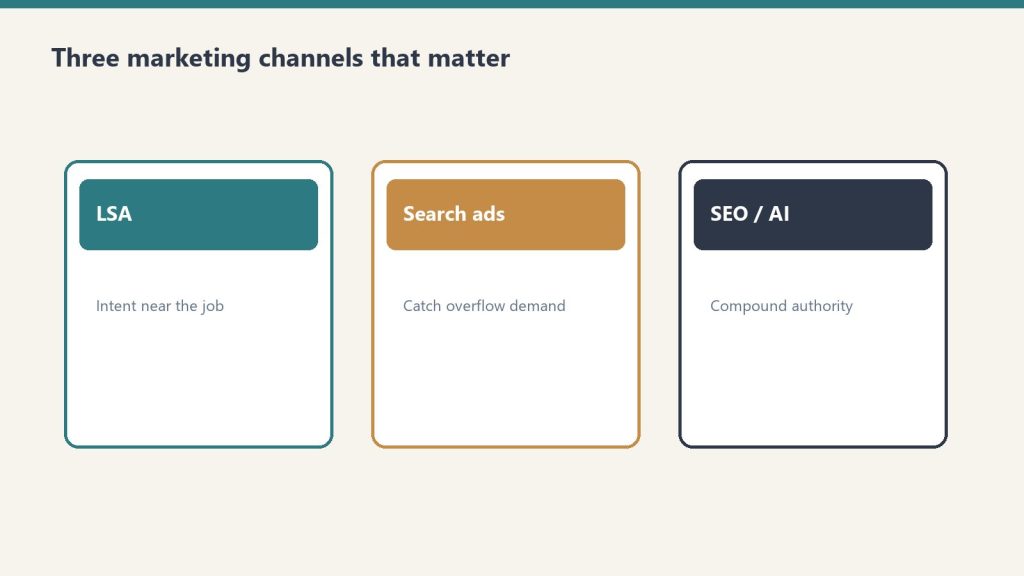
    Three cards for LSA, search ads, and SEO/AI authority channels
    Integrate LSA with the rest of paid acquisition.

    LSA is not the whole paid mix. It fills the highest-intent emergency service slot. The rest of the paid mix covers complementary slots.

    Google Ads / Performance Max / AI Max covers branded search protection, non-emergency service queries, and upper-funnel reach that LSA does not serve.

    Meta / Advantage+ covers broader awareness, community targeting, and services with longer decision cycles where social creative earns more attention than search.

    YouTube covers specific targeted intent against video-searching audiences and residential homeowner demographics.

    LSA sits at the bottom of the funnel — highest intent, highest cost per lead, highest conversion. The rest of the mix fills the middle and top. A well-run paid program has each layer and understands the role of each.

    Common Mistakes

    A few consistent LSA mistakes cost restoration companies budget.

    Running LSA without the GBP foundation. Unprofitable almost immediately. Build the GBP first.

    Setting service area too broad. Paying for leads in geographies where response time is poor.

    Ignoring lead disputes. Leaving recoverable budget on the table, sometimes thousands of dollars a quarter.

    Treating LSA as a set-and-forget. Drift in response time, review freshness, or service area produces slow degradation that is only caught on review.

    Assuming LSA will grow indefinitely at constant CPL. Costs have risen. Plan for them to continue rising. Efficiency has to come from strengthening the organic foundation, not from hoping prices plateau.

    How This Pairs With the Rest of the Stack

    LSA sits at the intersection of the digital three-legged stool — because it depends on GBP and reviews — and the paid layer. It is where the review practice converts directly into lead flow. It is the clearest demonstration of why the review-as-comp-driver program pays for itself many times over.

    Every new five-star review is more than a trust signal. It is a direct input to LSA ranking, and therefore a direct input to emergency-services lead cost.

    Where to Start

    Audit the current state. What is the review count, star average, recency pattern? What is the GBP completeness? What is the current response time for inbound emergency calls? Those numbers are the prerequisites for LSA performance.

    If the review asset is not strong enough yet, LSA is the wrong first move. Build the review practice first (see the reviews-as-comp article) and come back to LSA when the foundation is in place.

    If the review asset is strong, set up the LSA account. Configure service coverage correctly. Set a modest daily budget to start (something the team can actually service). Commit to the weekly review rhythm: disputes, response time, lead quality, conversion rate.

    In ninety days, the channel either produces profitable lead flow or it does not. If it does, scale the budget to match capacity. If it does not, the likely cause is in the foundation — review velocity, GBP completeness, response time — and those are where the fix lives.


    Frequently Asked Questions

    Is Google Local Services Ads worth it for restoration companies? Yes, when the underlying review practice is strong. LSA ranking is heavily weighted toward review count, star average, review recency, and response time. A company with a disciplined review practice wins LSA efficiently. A company without the review foundation cannot win at any budget level.

    How much does an LSA lead cost for restoration? Varies by service, geography, and competition. Restoration-related CPLs typically range from $30 to $150+, with emergency services on the higher end. Costs have been rising in most markets as competition intensifies. The operator’s review asset determines whether the CPL converts profitably or not.

    What determines LSA ranking for restoration companies? Review count, review star average, review recency, response rate, response time, proximity, service and category match, hours (especially for emergency), and daily budget. Most ranking weight sits on the review signals and response discipline.

    Should restoration companies run LSA if they have under 50 reviews? Usually no. The channel math rarely works with a weak review foundation because placement rates are too low and CPL becomes prohibitive. The better first move is to build the review practice — systematic ask, frictionless submission, staff comp tied to outcomes — and deploy LSA once the foundation supports it.

    Can LSA leads be disputed? Yes. Google allows advertisers to dispute leads that are wrong service, wrong area, spam, sales calls, or wrong number. Legitimate disputes recover budget. Running the dispute process weekly is worth the time. Many restoration companies leave significant recoverable budget on the table by not disputing.

    How does LSA fit with other paid channels? LSA covers the bottom of the funnel — highest-intent emergency service queries. Google Ads and Performance Max cover branded protection and upper-funnel intent. Meta covers broader awareness and longer decision cycles. YouTube covers targeted video intent. LSA is a slot in the paid mix, not the whole paid mix.


    Tygart Media on restoration — an analyst-operator body of work on the systems that separate compounding restoration companies from busy ones. No client names. No brand placements. Just the operating standard.


  • Claude Cowork Marketing Training: Break Channel Silos

    Claude Cowork Marketing Training: Break Channel Silos

    Last refreshed: May 15, 2026

    A marketing department runs ads, manages social media, sends email campaigns, produces content, tracks analytics, and coordinates with sales — and the person running it is usually the only one who sees how all those pieces connect.

    That is the bottleneck nobody names: the marketing director is the orchestration layer. When they leave, get sick, or go on vacation, the department does not stop working — but it stops being coordinated. The social person keeps posting. The email person keeps sending. The ad person keeps spending. But nobody is conducting the orchestra.

    Claude Cowork makes the orchestration visible. And when the orchestration is visible, anyone on the team can learn it.

    The short answer: Claude Cowork decomposes marketing campaigns into coordinated workstreams — ads, social, email, content, analytics — and shows how they depend on each other. That visible coordination teaches every marketing team member how their channel connects to the larger campaign, turning channel specialists into campaign thinkers.

    The Channel Silo Problem

    Comparison of Claude how-to fit versus local service page fit for assistants
    The channel silo problem.

    Most marketing teams are organized by channel: one person does social, one does email, one manages ads, one writes content. Each person becomes excellent at their channel. But they rarely understand how their channel’s timing, messaging, and audience targeting should coordinate with the other channels on the same campaign.

    The result is campaigns that look coordinated on the surface — same brand, same general message — but are not actually orchestrated. The email goes out before the landing page is ready. The social posts promote a feature the ad copy does not mention. The content piece that should be driving traffic gets published two days after the ad campaign ended.

    How Cowork Trains Each Marketing Role

    Side-by-side cards defining what Claude Code is and is not
    How Cowork trains each marketing role.

    The Social Media Manager

    Give Cowork a campaign task: “We are launching a product update in two weeks. Build me the complete social media plan that coordinates with our email announcement, landing page update, paid ad campaign, and blog post.”

    Cowork does not build a social calendar in isolation. It builds a social plan that references the other channels: pre-launch teaser posts that build anticipation before the email goes out, launch-day posts timed to fire after the email sends (so early adopters amplify the message), post-launch engagement posts that reference the blog content, and paid social ads that retarget people who visited the landing page but did not convert. The social manager sees their channel as part of a system — not a standalone publishing schedule.

    The Email Marketer

    Give Cowork: “Build me the email sequence for this product launch. We have a general subscriber list, a segment of active users, and a segment of churned users. Each segment needs different messaging. Coordinate the send times with our social and ad schedules.”

    Cowork breaks the email plan into segment-specific tracks with timing that accounts for the other channels. The general list gets the announcement after social has been teasing it. Active users get early access before the public launch. Churned users get a re-engagement angle timed after the launch buzz has created social proof. The email marketer sees that send timing is a strategic decision connected to the whole campaign — not just “Tuesday morning works best.”

    The Paid Media Specialist

    Give Cowork: “Build me the paid advertising plan for this launch across Google Ads and social platforms. Budget is limited so every dollar needs to coordinate with organic efforts.”

    Cowork plans ad spend around organic momentum: heavy spend when organic buzz is generating search interest, retargeting campaigns that capture visitors driven by email and social, and budget reallocation triggers based on what channels are performing. The paid specialist sees that ad strategy is not just bidding and targeting — it is timing spend to amplify what the rest of the marketing machine is already doing.

    The Content Marketer

    Give Cowork: “Build me the content plan that supports this launch. We need a blog post, a case study update, and landing page copy. Each piece needs to serve a different stage of the buyer journey and coordinate with the distribution channels.”

    Cowork maps each content piece to a funnel stage and a distribution channel: the blog post drives top-of-funnel awareness and gets distributed via social and email, the case study serves mid-funnel consideration and gets linked from the landing page and ad copy, and the landing page serves bottom-funnel conversion and receives traffic from all other channels. The content marketer sees that content creation is half the job — distribution strategy is the other half.

    Why This Matters for Marketing Leaders

    Desk with laptop, checklist notebook, and billing card ready before creating an Anthropic API key
    Why this matters for marketing leaders.

    The most expensive problem in marketing is not bad creative or wrong targeting. It is lack of coordination. Campaigns underperform not because the individual pieces are weak but because the pieces do not reinforce each other.

    Cowork makes coordination teachable. When every team member watches a campaign get decomposed into interdependent workstreams, they absorb the orchestration logic that usually lives only in the marketing director’s head. That does not just improve the current campaign. It makes the team capable of running coordinated campaigns even when the director is not in the room — which is the definition of a scalable marketing operation.

    Related on Tygart Media: staff training · Cowork for agencies · LinkedIn content strategy.

    Frequently Asked Questions

    How does Claude Cowork help marketing teams specifically?

    Cowork decomposes marketing campaigns into coordinated workstreams — ads, social, email, content, analytics — and shows how they depend on each other. That visible coordination teaches every team member how their channel connects to the larger campaign.

    Can Cowork plan a full marketing campaign?

    Cowork can decompose a campaign into detailed workstreams with timing, dependencies, and channel coordination. The plans it generates serve as teaching artifacts and coordination frameworks. Execution still happens in your existing marketing tools.

    Does this replace a marketing director?

    No. A marketing director brings strategic judgment, brand understanding, and relationship context that Cowork does not have. What Cowork does is make the orchestration skill visible so other team members can learn it — reducing the bottleneck on one person being the only one who sees the whole picture.

    Which marketing role benefits most?

    Channel specialists benefit most — social media managers, email marketers, ad specialists, and content marketers. These roles are typically trained on their channel in isolation. Watching Cowork plan a coordinated campaign teaches them how their channel fits into the system.

  • Experiential Marketing Lessons From a March Madness Guinness

    Experiential Marketing Lessons From a March Madness Guinness

    I was at Doyle’s last night for my wife’s birthday when the bartender slid a Guinness in front of me. On the foam head: the NCAA March Madness logo, printed in caramel brown like it belonged there. I forgot they did this. And then I couldn’t stop thinking about what it actually meant.

    Let me be clear about what I saw. A neighborhood bar in Tacoma had executed a national brand partnership — NCAA licensing, custom logo printing technology, a real experiential moment — and delivered it to me in a pint glass for maybe twelve bucks. The NCAA didn’t have to run a TV spot to get in front of me. They got in front of me at the exact moment I was already in a good mood, already spending money, already present.

    That’s not marketing. That’s infiltration. And it was brilliant.

    The Technology Behind the Pour

    The machine doing the printing is called a Ripple Maker. It’s a countertop device that uses food-safe ink and an inkjet-style system to print images directly onto foam — coffee, cocktails, beer heads. The company behind it, Ripples, has been running since around 2016. You can print anything: a logo, a photo, a QR code, a personalized message.

    For a bar like Doyle’s, it’s a few hundred dollars a month to run. For a national brand like the NCAA, it’s a scalable ambient media buy — get into bars running March Madness watch parties across the country, put your brand on every beer ordered during the game, and make it feel organic instead of promotional.

    The NCAA didn’t buy an ad. They bought a moment. There’s a meaningful difference between those two things.

    The NCAA didn’t buy an ad. They bought a moment. There’s a meaningful difference. An ad interrupts. A moment becomes part of the memory. I’m writing about this the next day. Nobody writes about a banner ad the next day.

    What Local Businesses Can Take From This

    Bartender using Ripple Maker foam printer to create branded beer at a bar
    The Ripple Maker prints directly onto foam — coffee, beer, cocktails. A $300/month experiential media channel most brands haven’t touched.

    Here’s where I start thinking about the businesses I work with — restoration contractors, lenders, cold storage operators, B2B service companies. Most of them are buying the same tired channels: Google Ads, Yelp, direct mail. They’re paying to interrupt people.

    What Doyle’s pulled off — even if they didn’t frame it this way — was contextual experiential marketing. The right message, delivered through the right medium, at the right moment, in a way that felt native to the environment. That’s the playbook. The technology is almost incidental.

    Small venues can execute national-brand-level experiential marketing for a few hundred dollars a month. The tech is there. The question is whether you have the creativity to find the right moment for your audience — and whether you’re willing to pay for a moment instead of an impression.

    The restoration contractor who sponsors the coffee at a claims adjuster’s office every Monday morning is doing the same thing. The cold storage company that puts their logo on the temperature monitoring printout that goes to the produce buyer every week is doing the same thing. You find the moment your customer is already present and mentally open, and you show up there — without asking anything of them.

    Why This Matters for Content Strategy

    I run a content agency. We build articles, landing pages, entity clusters — things designed to get found. And I believe in that work. But what Doyle’s reminded me is that not everything distributable is digital.

    The Guinness moment became a story I’m telling today. That story will probably become a LinkedIn post. That post might become a case study in a pitch deck. The physical moment seeded a digital content chain — and the NCAA got attribution in all of it without ever asking for it.

    That’s the loop worth understanding: physical moments, done well, generate organic digital content from the people who experience them. You don’t need to manufacture virality. You need to manufacture memorability.

    Physical moments, done well, generate organic digital content from the people who experience them. Manufacture memorability, not virality.

    I don’t know how much Doyle’s pays for the Ripple Maker. I don’t know what the NCAA paid for the partnership. What I know is that it worked on me — a guy who builds content systems for a living and should theoretically be immune to this stuff. That’s the tell. When the marketing works on the skeptic, it’s really working.


    Happy birthday to my wife, Stef. Best Guinness I’ve had in a while — even if I spent most of it thinking about marketing instead of the moment. She’s used to it.

  • SEO Tool Comparison: SpyFu vs Ahrefs vs Semrush vs Moz

    SEO Tool Comparison: SpyFu vs Ahrefs vs Semrush vs Moz

    Related on Tygart Media: SpyFu API starter · replace your SEO agency kit · information density.

    You don’t need a $250/month SEO platform. You need the right $79/month tool, a $20 Claude subscription, and a workflow that connects them.

    2026 Pricing — Full Matrix

    Four-stage funnel: citation, click, engage, convert
    2026 SEO tool pricing — the full comparison matrix.
    Tool Entry Mid Pro Key Limitation
    SpyFu Basic $39/mo — — Best for: competitor keyword + PPC research
    SpyFu Pro — $79/mo — Adds API, unlimited exports, 10+ yr history
    Ahrefs Lite $129/mo — — Best for: backlink monitoring
    Ahrefs Standard — $249/mo — Most popular — adds Content Explorer
    Semrush Pro $139.95/mo — — 5 projects, 500 keywords, no historical data
    Semrush Guru — $249.95/mo — Historical data + content toolkit
    Semrush Business — — $499.95/mo API access — required for data integration
    Moz Pro Starter $49/mo — — Best for: site health + DA tracking
    Moz Pro Medium — $179/mo — 1,500 keywords, 2M pages, API access

    Feature Matrix by Use Case

    Comparison of Claude how-to fit versus local service page fit for assistants
    Feature matrix by use case — pick tools by job, not brand.
    Use Case SpyFu Ahrefs Semrush Moz
    Competitor keyword research Best Good Good Adequate
    PPC competitor intelligence Best Limited Good Minimal
    Backlink analysis Adequate Best Good Good
    Technical site auditing Limited Best Best Good
    Content strategy tools Limited Good Best Adequate
    Historical data depth Best Good Adequate Adequate
    Value per dollar Best Adequate Poor Good

    Recommended Stacks by Budget

    Desk with laptop, checklist notebook, and billing card ready before creating an Anthropic API key
    Recommended stacks by budget band.

    Under $100/mo: SpyFu Pro ($79) + Claude Pro ($20) = $99/mo. Best competitor intelligence at this price combined with an AI layer that interprets the data. Beats any single tool under $250/mo for daily operational intelligence.

    Under $200/mo: SpyFu Basic ($39) + Moz Pro Standard ($99) + Claude Pro ($20) = $158/mo. Competitor research + domain authority tracking + site health + AI. Covers 90% of small agency workflows.

    Under $300/mo: SpyFu Pro ($79) + Ahrefs Lite ($129) + Claude Pro ($20) = $228/mo. Full stack: competitor intelligence, backlink analysis, and AI interpretation. Covers everything except content toolkit.

    The Honest Verdict

    Semrush and Ahrefs are excellent tools. The question is whether the premium is justified for your specific workflow. Most small businesses use 20% of features on a $249/month plan. SpyFu covers the 20% that matters most — competitor intelligence — at a third of the price. Claude covers the interpretation layer none of the traditional tools provide. That combination beats any single tool at any price for operators who don’t have time to become full-time SEO analysts.

    Want This Stack Set Up For You?

    We configure the SpyFu + Claude competitive intelligence stack for your specific business overnight.

    will@tygartmedia.com

    Email only. We respond within 24 hours.

  • SpyFu vs Moz Pro 2026 — Pricing, Features & Honest Verdict

    SpyFu vs Moz Pro 2026 — Pricing, Features & Honest Verdict

    SpyFu and Moz Pro start at similar prices but do different things. Here’s which one — or which combination — you actually need.

    Bottom Line

    SpyFu is built for competitor intelligence. Moz Pro is built for site health management. If you only have budget for one, choose based on your primary need. If you have budget for both: SpyFu Basic ($39) + Moz Pro Standard ($99) = $138/mo — roughly the same as Semrush Pro alone, which does both less well.

    2026 Pricing

    Tool Entry Mid Pro Key Limitation
    SpyFu Basic $39/mo — — Competitor keywords, 6-month history
    SpyFu Pro — $79/mo — API, unlimited, 10+ year history
    Moz Pro Starter $49/mo — — 50 keywords, 20K pages, 1 site
    Moz Pro Standard — $99/mo — 300 keywords, 400K pages crawled
    Moz Pro Medium — $179/mo — 1,500 keywords, 2M pages, API
    Moz Pro Large — — $299/mo 3,000 keywords, 5M pages crawled

    SpyFu Wins On

    • Competitor research — SpyFu was built for this. Moz’s competitor tools are secondary features.
    • PPC and paid search intelligence — SpyFu tracks competitor ad history and spend estimates. Moz Pro doesn’t.
    • Historical keyword data — A decade-plus of competitor keyword histories with no Moz equivalent.

    Moz Pro Wins On

    • Domain Authority metric — Moz DA is the most widely referenced domain strength metric. If clients, partners, or editorial standards reference DA, you need Moz.
    • Site auditing — Moz Pro’s crawl is excellent. Medium plan crawls 2M pages/month — more than comparable Semrush tiers.
    • On-page optimization scoring — Specific, prioritized recommendations for improving individual pages.

    Best Combined Stack

    SpyFu Basic ($39/mo) + Moz Pro Standard ($99/mo) + Claude Pro ($20/mo) = $158/mo. Competitor intelligence + domain authority tracking + site management + AI interpretation. Better than Semrush Pro at $139.95/mo for most small business workflows.

    Want This Stack Set Up For You?

    We configure the SpyFu + Claude competitive intelligence stack for your specific business overnight.

    will@tygartmedia.com

    Email only. We respond within 24 hours.

    FAQ

    Which is better for a small business just starting with SEO?

    Moz Pro Starter at $49/mo for understanding your own site performance. Add SpyFu Basic when you’re ready to research competitors systematically.

    Is Moz Domain Authority still relevant in 2026?

    Yes. Despite competitor metrics (Ahrefs DR, Semrush Authority Score), Moz DA remains the most commonly referenced metric in link building outreach, client reporting, and editorial standards.

    Does SpyFu track domain authority?

    SpyFu has its own domain strength metrics but does not use Moz DA. If DA is important to your workflow, you need Moz or a tool that pulls Moz data.

  • SpyFu vs Semrush 2026 — Pricing, Features & Which Tool Wins

    SpyFu vs Semrush 2026 — Pricing, Features & Which Tool Wins

    Semrush’s cheapest plan costs 3.5x more than SpyFu’s. Here’s exactly what you get for the difference.

    Bottom Line

    Semrush is the most comprehensive all-in-one SEO platform. SpyFu is the best competitor intelligence tool for the money. For most small businesses and independent operators, SpyFu covers the core workflows at a fraction of the cost — and SpyFu Pro ($79/mo) + Claude ($20/mo) = $99/mo beats Semrush Pro ($139.95/mo) for daily competitive intelligence.

    2026 Pricing

    Tool Entry Mid Pro Key Limitation
    SpyFu Basic $39/mo — — 6-month history, limited exports
    SpyFu Pro — $79/mo — Unlimited, API, 10+ year history
    SpyFu Team — — $249/mo Multi-user, white-label
    Semrush Pro $139.95/mo — — 5 projects, 500 keywords, no history
    Semrush Guru — $249.95/mo — Historical data, content toolkit
    Semrush Business — — $499.95/mo API access, 40 projects, 5,000 keywords

    The Hidden Cost of Semrush

    One user per account — adding a second costs $45-$100/month. API access requires Business at $499.95/mo. Historical data requires Guru at $249.95/mo. A working multi-user agency setup with API and history costs $600-$800+/month on Semrush alone.

    SpyFu Wins On

    • Value per dollar — SpyFu Pro gives API and unlimited data at $79/mo. Semrush requires $499.95/mo for API access.
    • PPC competitor intelligence — SpyFu’s paid search data is deeper and historically richer at comparable tiers.
    • Historical data access — 10+ year keyword history at $79/mo vs $249.95/mo on Semrush.
    • Rank tracking volume — SpyFu Pro tracks 15,000 keywords. Semrush Pro tracks 500 keywords at nearly double the price.

    Semrush Wins On

    • All-in-one breadth — SEO + PPC + social + content + local + brand monitoring in one platform.
    • Content marketing toolkit — Topic research, SEO writing assistant, content audit. No SpyFu equivalent.
    • Local SEO tools — Dedicated local SEO features not available in SpyFu.

    Want This Stack Set Up For You?

    We configure the SpyFu + Claude competitive intelligence stack for your specific business overnight.

    will@tygartmedia.com

    Email only. We respond within 24 hours.

    FAQ

    Does SpyFu track rankings?

    Yes. SpyFu Pro includes tracking for up to 15,000 keywords. Semrush Pro tracks 500 at $139.95/mo — SpyFu tracks 30x more for 56% less.

    Is Semrush worth it for a small business?

    At Guru ($249.95/mo) or higher, Semrush becomes genuinely powerful. At Pro ($139.95/mo), you’re paying premium pricing for limited features. SpyFu covers the core competitor research use case for $60-$100/mo less.

    What does Semrush have that SpyFu doesn’t?

    Content marketing toolkit, local SEO tools, social media management, brand monitoring, and more comprehensive site auditing. If you need those, Semrush is right. If you primarily need competitor intelligence, SpyFu saves $60-$420/month.

  • SpyFu vs Ahrefs 2026 — Full Comparison, Pricing & Verdict

    SpyFu vs Ahrefs 2026 — Full Comparison, Pricing & Verdict

    SpyFu starts at $39/month. Ahrefs starts at $29/month. But the useful version of Ahrefs costs 3-6x more. Here’s the honest breakdown.

    Bottom Line

    For competitor keyword and PPC research, SpyFu wins at every price tier. For backlink analysis and content research at scale, Ahrefs is better — but only at Standard ($249/mo) or higher. For most small businesses: SpyFu Pro ($79/mo) + Claude Pro ($20/mo) beats both at $99/mo total.

    2026 Pricing

    Tool Entry Mid Pro Key Limitation
    SpyFu Basic $39/mo — — 6-month history, limited exports
    SpyFu Pro — $79/mo — API, unlimited exports, 10+ year history
    SpyFu Team — — $249/mo Multi-user, white-label reports
    Ahrefs Starter $29/mo — — 1 project only, heavily capped
    Ahrefs Lite — $129/mo — No Content Explorer, 5 projects
    Ahrefs Standard — $249/mo — Content Explorer included, most popular
    Ahrefs Advanced — — $449/mo 5 users, Looker Studio integration

    SpyFu Wins On

    • Competitor keyword research — SpyFu was built for this. 10+ years of competitor history at $79/mo.
    • PPC ad history — SpyFu’s competitor ad database is unmatched at this price. See every ad a competitor has run, how long they ran it, and what keywords triggered it.
    • API access cost — SpyFu includes API at $79/mo. Ahrefs requires $249/mo minimum for comparable access.
    • Value per dollar — SpyFu Pro at $79/mo gives unlimited searches, unlimited exports, and 10+ years of data. Ahrefs Lite at $129/mo gives you 5 projects and no Content Explorer.

    Ahrefs Wins On

    • Backlink database — Larger, more frequently updated, more comprehensive. Essential for serious link building.
    • Content Explorer — Billion-page research database for finding content opportunities. Requires Standard ($249/mo).
    • Technical site auditing — More comprehensive than SpyFu’s technical tools.
    • Data freshness — Backlinks updated every 15-30 minutes at higher tiers.

    The Stack That Beats Both

    SpyFu Pro ($79) + Claude Pro ($20) + DataForSEO for rank data (~$30) = $129/month. Competitor intelligence, AI interpretation, and rank tracking for less than Ahrefs Lite alone. The difference: instead of a dashboard, you have Claude telling you what to do with the data.

    Want This Stack Set Up For You?

    We configure the SpyFu + Claude competitive intelligence stack for your specific business overnight.

    will@tygartmedia.com

    Email only. We respond within 24 hours.

    FAQ

    Is Ahrefs Starter worth it?

    For most use cases, no. It’s heavily limited to 1 project and capped reports. Lite at $129/mo is the real Ahrefs entry point.

    Does SpyFu have an API?

    Yes, included from the Pro plan ($79/mo). Programmatic access to domain data, keyword rankings, and competitor overlap.

    Can I use both SpyFu and Ahrefs together?

    Yes — SpyFu for competitor/PPC research, Ahrefs for backlinks. Many professional SEOs do this. Combined cost is $128-$208/mo, still less than Ahrefs Standard alone.

  • SiteBoost for Fractional CMO Services and Independent Marketing Leadership

    SiteBoost for Fractional CMO Services and Independent Marketing Leadership

    What SiteBoost for Fractional CMO Practices Is: A structured SEO and content program for fractional CMOs and independent marketing leadership consultants who need to be found by the founders and CEOs searching for senior marketing strategy — not just another marketing agency. We build content around the searches growth-stage companies use at the exact moment they realize they need strategic marketing leadership but cannot yet justify a full-time CMO hire.

    The Search Opportunity for Fractional Marketing Leadership

    The fractional executive market has expanded significantly, and the CMO category is no exception. Growth-stage companies — particularly in B2B SaaS, professional services, and technology — have a well-documented marketing leadership gap between what a junior marketing manager can execute and what a full-time CMO would cost. The fractional CMO fills that gap. The problem is that most fractional CMOs have no content program that helps those companies find them.

    The searches that signal real buying intent in this category are highly specific. A CEO who searches “fractional CMO for B2B SaaS” or “how much does a fractional CMO cost” or “part-time CMO for Series A startup” is not browsing. They are in evaluation mode with a real need and a budget. Most fractional CMO websites cannot be found for those searches.

    >
    The competitive gap: The fractional CMO category has grown substantially in demand but almost no players have built serious SEO infrastructure. The same dynamic that exists in fractional CFO applies here — enormous market growth, near-zero content investment from practitioners, and a buyer who researches extensively before making contact. The content program you build now captures demand that has no incumbent to compete with.

    What Companies Searching for Fractional CMOs Actually Type

    • “Fractional CMO for B2B SaaS” — the most specific and most qualified search in the category
    • “When to hire a CMO vs fractional CMO” — comparison search from a CEO in active evaluation
    • “Fractional CMO cost” or “fractional CMO pricing” — budget-qualification search with high intent
    • “Part-time CMO services” — alternative phrasing with the same intent
    • “How to build a marketing strategy for startup” — awareness-stage search that becomes a CMO client
    • “Go-to-market strategy consultant” — adjacent search for the same buyer type
    • “Fractional CMO for professional services firm” — sector-specific qualification

    What We Build for Fractional CMO Practices

    • Industry vertical pages — Dedicated pages for each vertical you serve: B2B SaaS, professional services, fintech, healthcare, manufacturing, e-commerce — each demonstrating sector-specific marketing fluency and targeting vertical-specific searches
    • Company stage content — Content calibrated to the growth stages where fractional CMO engagement is most valuable: seed to Series A, Series B to growth, PE-backed scale-up, professional services expansion
    • Comparison and pricing content — Transparent content about how fractional CMO engagements work, what they cost, how they differ from agencies and full-time hires — the content that captures the CEO doing serious research
    • GEO visibility for AI search — Structured so that when a CEO asks an AI assistant about fractional CMO options for their specific industry and stage, your practice is named
    • Methodology content — Content that names and explains your specific marketing leadership approach — not generic strategy language, but the actual frameworks that define how you work

    The Comparison

    Dimension Typical Fractional CMO Website SiteBoost for Fractional CMO
    Search visibility Own name, generic “marketing consultant” Vertical + stage + intent-specific searches that buyers actually use
    Buyer funnel coverage Ready-to-hire only Awareness → comparison → evaluation content at every stage
    Vertical differentiation Generic marketing expertise Industry-specific pages that qualify the right clients before first contact
    AI search visibility Not considered GEO optimization for ChatGPT, Perplexity, Google AI Overviews
    Pipeline diversification Network and referral only Organic search as a parallel channel that runs between engagements

    Who This Is For

    Independent fractional CMOs who get every engagement through network referrals but want an inbound channel that works between projects. Fractional CMO practices with two to five practitioners who serve a specific company tier or industry and want to own the search results for that niche. Former CMOs who have launched fractional practices and need a digital presence that reflects their experience. Marketing consultants who have evolved from project work to fractional leadership and need content that positions that transition clearly.

    Ready to talk about your practice?

    Tell us the industries you serve, the company stages you work with, and what your current client acquisition looks like. We will give you a straight read on the search opportunity.

    will@tygartmedia.com

    Frequently Asked Questions

    Is the fractional CMO SEO market competitive?

    The demand side has grown substantially — search interest in fractional CMO services has risen sharply over the past three years. The supply side has not invested in content to match. Most fractional CMO websites have minimal organic keyword presence. The competitive gap between demand growth and content investment is the opportunity.

    Does this work for a solo fractional CMO or only for practices with multiple people?

    Solo practitioners often see the best results. A solo fractional CMO with a defined vertical focus and a well-built content program can generate more qualified inbound inquiries than a larger but unfocused practice. The key is specificity — the more precisely you have defined who you serve, the more precisely the content can target the searches that buyer uses.

    What makes fractional CMO content different from regular marketing agency content?

    The buyer is fundamentally different. A company hiring a fractional CMO is looking for a strategic peer, not a service vendor. The content needs to demonstrate executive-level thinking — market positioning, go-to-market architecture, revenue growth frameworks — not tactical marketing deliverables. We write at the level of the buyer’s own sophistication.

  • LinkedIn Content Strategy: SEO & Frequency Playbook

    LinkedIn Content Strategy: SEO & Frequency Playbook

    Tygart Media / Content Strategy
    The Practitioner Journal Field Notes
    By Will Tygart · Practitioner-grade · From the workbench

    There is a lot of noise about LinkedIn content strategy and almost none of it accounts for the two most important constraints: the posting frequency cliff where more becomes worse, and the hard API limitation that means no tool can automate your long-form content for you.

    This is the practical playbook — grounded in data from 2 million-plus posts and LinkedIn’s actual API capabilities.

    The Frequency Cliff: Where More Becomes Worse

    Comparison of Claude how-to fit versus local service page fit for assistants
    The frequency cliff — where more becomes worse.

    Buffer analyzed over 2 million posts across 94,000 LinkedIn accounts to map the relationship between posting frequency and per-post performance. The findings are clear and counterintuitive above a certain threshold.

    Moving from once a week to 2–5 times a week produces the steepest performance gains — this is the activation zone where LinkedIn’s algorithm begins recognizing an account as an active, consistent publisher and distributing its content more broadly. Moving to daily posting, meaning 5–7 times a week, continues to improve per-post performance for publishers who can maintain content quality at that cadence.

    Above once per day, returns turn sharply negative. When a second post goes live within 24 hours, LinkedIn’s algorithm halts distribution of the first post to evaluate the new one. The publisher competes against themselves. The median reach per post drops over 40% for accounts posting multiple times daily.

    The 2025 algorithm update made this worse. LinkedIn now pre-filters and rejects over 50% of all posts before they reach any audience — up from 40% in 2024. High posting volume with declining content quality accelerates that filtering. The algorithm is actively penalizing low-quality volume.

    The practical sweet spots are 3–5 posts per week for personal profiles and 2–3 posts per week for company pages. Company page content faces steeper organic reach challenges than personal profiles, so the economics of volume are even less favorable for brand accounts.

    The SEO Math Behind Feed Post Frequency

    Four-stage funnel: citation, click, engage, convert
    The SEO math behind feed post frequency.

    Here is the part most LinkedIn content guides miss entirely: feed posts have zero direct Google SEO value because they are not indexed by Google. They live at /posts/ URLs behind LinkedIn’s login wall. Googlebot cannot crawl them.

    The SEO value chain from feed post frequency is entirely indirect. More posts generate more engagement, which builds profile authority signals, which improves the indexation probability and ranking performance of your LinkedIn Articles and Newsletters — the content that actually lives at crawlable /pulse/ URLs and inherits LinkedIn’s domain authority of 98.

    This means optimizing posting frequency for SEO purposes is really two separate questions: how often to post in the feed for engagement and authority signals, and how often to publish Articles or Newsletters for direct search value. The second question matters more for SEO outcomes. Consistent long-form publishing — even at one Article or Newsletter per week — builds the topical authority signals that both Google and AI citation systems reward over time.

    The Automation Constraint You Cannot Work Around

    LinkedIn’s API does not expose any endpoint for publishing native Articles or Newsletters. This has been confirmed by every major scheduling and automation tool — Buffer, Hootsuite, Metricool, Sprout Social, Later — and no change is planned. The LinkedIn Community Management API supports feed posts only.

    Zapier and Make workflows that claim LinkedIn “article” functionality are sharing external URLs as link-preview feed posts. That is not the same as publishing a native LinkedIn Article at a /pulse/ URL with DA-98 authority.

    Browser automation via Selenium or Puppeteer can technically interact with LinkedIn’s article editor, but LinkedIn actively detects and blocks this, the dynamic JavaScript editor is fragile, and it violates LinkedIn’s Terms of Service with real account suspension risk. It is not a viable strategy.

    The unavoidable manual step in any LinkedIn long-form content workflow is the paste. You write the article, you optimize it, you format it — and then a human opens LinkedIn’s article editor and pastes it in.

    The Practical Workflow That Minimizes Lift

    Desk with laptop, checklist notebook, and billing card ready before creating an Anthropic API key
    The practical workflow that minimizes lift.

    The goal is to make the unavoidable manual step as frictionless as possible while automating everything around it.

    The workflow that minimizes lift looks like this. First, write the article using AI — structured, 800–1,200 words, educational, with specific data points and clear H2 headings that will perform well in both Google search and AI citation systems. Second, publish the article on your primary domain simultaneously — this establishes the canonical version and generates the direct SEO value on your own site. Third, prepare the LinkedIn-formatted version with the SEO title and meta description already written, ready to paste. Fourth, automate the feed post that will promote the LinkedIn Article once it is live, using Metricool or a similar scheduler.

    The only steps that require human time are the LinkedIn paste and the SEO field entry. Everything else — writing, optimization, domain publishing, feed post scheduling — can be automated or batched.

    LinkedIn Newsletters as a Force Multiplier

    If you are going to invest in LinkedIn long-form content, Newsletters are worth the additional setup compared to standalone Articles. The Google indexing and SEO authority are identical — both use /pulse/ URLs with full SEO title and meta description controls. But Newsletters add subscriber push notifications converting at 50% or higher, a compounding audience that grows with each edition, and recurring publishing signals that build topical authority faster than sporadic standalone Articles.

    The most efficient structure for a LinkedIn newsletter strategy is one newsletter per vertical or topic area, published on a consistent weekly or biweekly cadence. For an AI-native content agency, that might mean one newsletter on AI strategy for business leaders, one on SEO and GEO for marketing practitioners, and one on industry-specific applications for verticals you serve. Each builds its own subscriber base and topical authority without competing with the others.

    What Not to Do

    The most common LinkedIn content mistakes from an SEO and GEO perspective are publishing all long-form content as feed posts instead of Articles, cross-posting identical content from your blog to LinkedIn without accounting for the duplicate content issue, posting multiple times per day and triggering the reach suppression cliff, and optimizing for feed engagement metrics like reactions and comments at the expense of content structure and depth that drives AI citation.

    The brands winning the LinkedIn SEO and GEO game in 2026 are publishing less frequently than the viral advice suggests, producing content that is structurally optimized for AI parsing rather than social sharing, and maintaining consistent newsletter cadences that compound topical authority over months rather than chasing weekly reach numbers.

    The tool limitation is real. The manual paste is unavoidable. But the opportunity it unlocks — DA-98 Google rankings and AI citation across every major platform — is substantial enough to be worth the friction.

    Related on Tygart Media: LinkedIn articles vs posts · restoration LinkedIn selling · cross-pollination strategy.

    Frequently Asked Questions

    How often should you post on LinkedIn for SEO?

    For feed posts, 3–5 times per week is the sweet spot for personal profiles and 2–3 for company pages. Posting more than once per day triggers a reach suppression cliff where median reach drops over 40% per post. For direct SEO value, consistent Article or Newsletter publishing frequency matters more than feed post volume.

    Can you schedule LinkedIn Articles with Buffer or Hootsuite?

    No. LinkedIn’s API does not support publishing native Articles or Newsletters. Buffer, Hootsuite, Metricool, and all major scheduling tools can only schedule standard feed posts. LinkedIn Articles require manual publishing through LinkedIn’s editor.

    What is the LinkedIn posting frequency cliff?

    When a second post goes live within 24 hours, LinkedIn’s algorithm halts distribution of the first post. Accounts posting multiple times per day see median reach drop over 40% per post. LinkedIn also now pre-filters and rejects over 50% of all posts before they reach any audience.

    Should you use LinkedIn Newsletters or LinkedIn Articles?

    Newsletters are generally the higher-leverage format. Both use identical /pulse/ URLs with the same Google indexing and SEO controls. Newsletters add subscriber push notifications at 50%+ open rates, a growing subscriber base, and consistent publishing cadence that builds topical authority faster than sporadic standalone Articles.

  • LinkedIn Articles vs Posts: SEO Differences Explained

    LinkedIn Articles vs Posts: SEO Differences Explained

    Tygart Media / Content Strategy
    The Practitioner JournalField Notes
    By Will Tygart · Practitioner-grade · From the workbench

    Most people treat LinkedIn as a single publishing platform. It is not. Under the hood there are two completely different content surfaces with completely different relationships to Google — and mixing them up is costing marketers real SEO value every day.

    The distinction is simple once you see it, and it changes how you should think about every piece of content you publish on the platform.

    The Core Technical Difference

    Comparison of Claude how-to fit versus local service page fit for assistants
    The core technical difference.

    LinkedIn Articles and Newsletters live at /pulse/ URLs — fully public, fully crawlable by Googlebot, and eligible to appear in Google search results. Feed posts live at /posts/ URLs — behind LinkedIn’s login wall, invisible to Googlebot, and never appearing in any Google SERP.

    Feed posts have zero direct Google SEO value. Full stop.

    This is not a minor distinction. It determines whether your content compounds as a search asset over time or evaporates the moment it scrolls out of your followers’ feeds.

    What Google Actually Indexes on LinkedIn

    Four-stage funnel: citation, click, engage, convert
    What Google actually indexes on LinkedIn.

    Based on Ahrefs data from 2025–2026, here is the monthly organic traffic breakdown by LinkedIn content type:

    • Personal profiles (/in/ URLs): 27.3 million monthly organic clicks — fully indexed
    • Company pages (/company/ URLs): 23.1 million monthly organic clicks — fully indexed
    • Articles and Newsletters (/pulse/ URLs): 7.4 million monthly organic clicks — fully indexed
    • Feed posts (/posts/ URLs): 2 million monthly organic clicks — not indexed by Google, traffic comes from LinkedIn’s internal search

    The feed post number is misleading. Those 2 million clicks come from LinkedIn’s own internal search engine, not Google. From a traditional SEO perspective, feed posts are a closed loop.

    Why LinkedIn Articles Punch Above Their Weight in Search

    LinkedIn’s Moz Domain Authority sits at 98 out of 100 — the same tier as Wikipedia, YouTube, and Facebook. It is one of the five highest-authority domains on the internet.

    When you publish an Article on LinkedIn, that content inherits DA-98 authority. A well-optimized LinkedIn Article on a competitive keyword can outrank independent blog posts from sites with domain authorities in the 30s, 40s, or even 50s, simply because it lives on linkedin.com.

    LinkedIn has also added full SEO controls to the Article and Newsletter editor: a custom SEO title field capped at 60 characters, a meta description field at 140–160 characters, and support for H1/H2 heading structure. These are not afterthoughts — LinkedIn is actively positioning its long-form publishing surface as a search-indexed content platform.

    One significant gap: LinkedIn does not support canonical tags. If you cross-publish content from your own blog to LinkedIn, you create a duplicate content situation with no clean resolution. The workaround is to either publish unique content natively on LinkedIn or publish on your domain first and share as a feed post link rather than republishing the full article.

    Indexation Is Not Guaranteed

    Google does not automatically index every LinkedIn Article. LinkedIn applies internal quality thresholds before allowing its content to be crawled, and those thresholds appear to be tied to account signals: profile age, connection count, engagement history, and overall account authority.

    New accounts and new company pages may see “Robots are blocked” errors on early articles. Established profiles with strong engagement histories typically see indexation within 48 hours. The pattern suggests LinkedIn gates crawlability based on whether the publishing account has earned sufficient trust signals — a reasonable stance for a platform trying to prevent SEO spam from exploiting its domain authority.

    Newsletters vs Standalone Articles: Which Wins?

    LinkedIn Newsletters are built on the same /pulse/ infrastructure as standalone Articles. The Google indexing is identical. The SEO title and meta description controls are identical. From a pure search perspective, there is no difference.

    Where Newsletters diverge is distribution. Newsletter subscribers receive push notifications when a new edition publishes, and those notifications convert at 50% or higher — significantly better than the 20–25% open rates typical of email marketing. Newsletters also build a subscriber base that compounds over time: each edition you publish reaches a larger audience than the last, as long as you maintain quality.

    For most publishers, Newsletters are the higher-leverage format. You get the same Google indexing and DA-98 authority as standalone Articles, plus built-in audience growth mechanics, subscriber retention incentives, and the topical authority signals that come from consistently publishing in a defined niche over time.

    The Practical Implication

    Desk with laptop, checklist notebook, and billing card ready before creating an Anthropic API key
    The practical implication.

    If you are publishing on LinkedIn with the intention of generating Google search visibility, every piece of content needs to be published as an Article or Newsletter — not as a feed post.

    Feed posts serve a real purpose: they drive engagement, build network relationships, and contribute indirectly to the profile authority signals that improve indexation for your long-form content. But they do not directly compound as search assets. The SEO pipeline runs exclusively through /pulse/ URLs.

    For content teams managing LinkedIn as part of an SEO strategy, this means maintaining two distinct content tracks: a feed post cadence for engagement and audience building, and an Article or Newsletter publishing schedule for search authority and AI citation. The first feeds the second. Neither replaces the other.

    Related on Tygart Media: LinkedIn content strategy · restoration LinkedIn selling · SEO vs social impressions.

    Frequently Asked Questions

    Do LinkedIn feed posts get indexed by Google?

    No. LinkedIn feed posts live at /posts/ URLs behind LinkedIn’s login wall. Googlebot cannot crawl them and they do not appear in Google search results. Only LinkedIn Articles and Newsletters, which live at public /pulse/ URLs, are indexed by Google.

    What is LinkedIn’s domain authority?

    LinkedIn’s Moz Domain Authority is 98 out of 100, placing it in the same tier as Wikipedia, YouTube, and Facebook — one of the highest-authority domains on the internet. Content published as LinkedIn Articles inherits this authority.

    Are LinkedIn Newsletters better than LinkedIn Articles for SEO?

    They are equivalent from a Google SEO perspective — both use /pulse/ URLs and have identical indexing and SEO controls. Newsletters have a distribution advantage through subscriber notifications at 50%+ open rates, making them the higher-leverage format for most publishers.

    Does LinkedIn have SEO title and meta description fields?

    Yes. LinkedIn’s Article and Newsletter editor includes a custom SEO title field (60 characters) and a meta description field (140–160 characters), allowing publishers to control how their content appears in Google search results.

    Can LinkedIn Articles rank on Google?

    Yes. LinkedIn Articles on established accounts with strong engagement histories typically index within 48 hours and can rank competitively for professional keywords, leveraging LinkedIn’s DA-98 authority even against established independent blogs with lower domain authority.