Tag: Compliance Services

  • Claude Code Server-Managed Settings: The Admin Console Push That Replaces Your MDM Pipeline

    Claude Code Server-Managed Settings: The Admin Console Push That Replaces Your MDM Pipeline

    Last week I argued that if you have more than a handful of engineers on Claude Code, repo-level .claude/settings.json is not enough — you need managed-settings.json deployed through MDM. That is still true. What changed in 2026 is that you no longer need an MDM team to roll it out.

    Claude Code now supports server-managed settings: a remote configuration tier pushed from the Claude.ai admin console, with no file on disk and no MDM involvement. If you are on the Team plan running Claude Code 2.1.38+ or the Enterprise plan running 2.1.30+, this is available to you today, and most platform teams I talk to are still treating MDM-deployed managed-settings.json as the only option.

    It is not. And the precedence rules matter.

    The New Top of the Settings Hierarchy

    Claude Code’s settings stack already had a clear order — repo > user > project > local — with managed settings sitting on top of all of them as the unoverridable tier. Server-managed settings now sit at the same top tier alongside MDM and the on-disk managed-settings.json file. Within that managed tier, the documented precedence is:

    1. Server-managed settings (admin console push)
    2. MDM / OS-level policies (Jamf, Kandji, Group Policy, Intune)
    3. managed-settings.json on disk (the file we deployed last week)
    4. HKCU registry (Windows)

    Server-managed wins. If you push a policy from the admin console that conflicts with a fleet managed-settings.json deployed by MDM, the server policy applies. That is the entire point.

    What This Actually Replaces

    For organizations without a mature endpoint management pipeline — which is most companies smaller than a couple hundred engineers — the old path looked like this: get IT to package a JSON file, push it through Jamf or Group Policy, verify on a pilot machine, then deploy fleet-wide. Two-week ticket minimum.

    Server-managed settings collapse that to: log into the admin console, write the policy in the UI, save. Claude Code clients fetch the new policy at startup and re-poll hourly during active sessions. No reboot. No reinstall. No ticket.

    This is a real change in posture. The friction that kept smaller teams from deploying any managed policy at all just dropped to near zero.

    The Approval Gate Most Teams Will Hit

    Server-managed settings have one behavior MDM-deployed settings do not: certain categories require explicit user approval before they apply on a given machine. The current list per the docs:

    • Shell command settings (custom commands surfaced to the model)
    • Custom environment variables (anything injected into the model’s process env)
    • Hook configurations (pre/post-tool-use hooks)

    These three need the user to click through an approval prompt the first time the new policy hits their client. Deny rules in permissions.deny, the audit log path, telemetry settings, default model — those apply silently.

    The reasoning here is sound: a malicious admin (or a compromised admin account) could otherwise inject a hook that exfiltrates every prompt or a shell command that pipes diffs to an external endpoint. Approval gating those three categories means a developer at least sees the change before it takes effect. It also means your “push the new hook policy fleet-wide” plan has a manual confirmation step you cannot skip.

    If you need silent enforcement of hooks or shell commands, MDM-deployed managed-settings.json still does that without the prompt. Use the right tool for the right setting.

    What Belongs on the Server, What Belongs in MDM

    After running both for two weeks across a small fleet, the split that has held up:

    Push from the admin console:

    • permissions.deny rules that should be hot-updatable when a new exfil vector is discovered
    • Default model pinning (when you want to change it without re-deploying)
    • Telemetry and audit log endpoints
    • Anything you want to A/B across user groups (more on this in a second)

    Keep in MDM managed-settings.json:

    • Hook configurations you need to enforce silently
    • Shell command allowlists that must apply before first launch
    • Anything that needs to survive the user being signed out of their org account

    The reason for the second list is that server-managed settings only apply once the user authenticates with org credentials. A fresh laptop with a developer running claude before signing in gets no server policy. MDM-deployed settings apply from the first invocation.

    Group-Targeted Policies Are the Sleeper Feature

    Anthropic added user groups to the admin console earlier in 2026. Groups can be created manually or synced from an IdP via SCIM, and each group can be assigned a custom role plus its own spend limit. The piece most teams have not connected yet: server-managed settings respect group membership.

    This means you can push one permissions.deny policy to the “Security” group and a different one to the “Platform” group without writing two separate managed-settings.json files and pushing them through MDM with different scoping. Write two policies in the console, assign to groups, done. Group membership changes via SCIM propagate within the hour-long polling window.

    For a 200-engineer org that previously needed Jamf smart groups + MDM JSON variants to do the same thing, this is significant.

    Verification Workflow

    The same verification workflow from the MDM-deployed setup still applies, with one addition:

    1. Push the policy in the admin console
    2. On a test machine, run claude config list — server-managed settings should appear flagged as such
    3. Attempt a denied action, confirm immediate block
    4. If hooks or shell commands are in the policy, walk through the approval prompt
    5. Sign the test user out, sign back in, confirm policy reapplies

    The sign-out test matters because that is where server-managed differs most from on-disk managed settings — the policy is bound to the org-authenticated session, not the machine.

    Model Versions for Org-Wide Pinning

    If you pin a default model via server-managed settings, the current strings are: claude-opus-4-7 (flagship), claude-sonnet-4-6 (workhorse), and claude-haiku-4-5-20251001 (fast). Verify against the live model list at docs.anthropic.com/en/docs/about-claude/models before deploying — model strings change frequently and pinning to a deprecated one will silently break agent runs.

    Where Server-Managed Settings Lose

    Three real limitations:

    1. No silent hook/shell-command enforcement. User approval is mandatory for those three categories.
    2. No effect before org auth. Pre-auth sessions ignore server policy entirely.
    3. No fine-grained rollback. Console changes apply globally within the hour. There is no canary group, no staged rollout percentage, no “apply to 10% of fleet for 24 hours” toggle. If you push a bad deny rule, every active session picks it up at next poll.

    Mitigate the third one by maintaining a single non-production test group that you deploy to first, wait 90 minutes, then promote the policy to broader groups. It is a manual canary, but it is the canary you have.

    The 20-Minute Rollout for a Team Already on Team Plan v2.1.38+

    1. Open the admin console at claude.ai → Settings → Claude Code policies
    2. Write a minimum-viable policy: deny curl, wget, rm -rf /, .env reads, credential files
    3. Assign to a single test group (one user)
    4. On that user’s machine, run claude config list — confirm the server policy appears
    5. Try three denied actions, confirm all blocked
    6. Expand assignment to one team
    7. Wait 24 hours, watch for tickets
    8. Roll org-wide

    The whole sequence takes longer than it runs because of the wait windows, not because of the work. The actual work is twenty minutes.

    Why This Article Exists

    The MDM-deployed managed-settings.json approach from last week is still the right answer for orgs that need silent, pre-auth policy enforcement. For everyone else — which is most teams adopting Claude Code in 2026 — server-managed settings are the easier path and most platform teams I talk to do not know they exist yet. Admin console push, no on-disk file, no MDM dependency, group-scoped via SCIM. If you are on a recent Team or Enterprise plan, this is the deployment posture you actually want.

    Sources

    • docs.anthropic.com/en/docs/about-claude/models (model version strings)
    • code.claude.com/docs/en/server-managed-settings (server-managed settings docs)
    • code.claude.com/docs/en/admin-setup (admin setup reference)
    • support.claude.com/en/articles/11845131-use-claude-code-with-your-team-or-enterprise-plan (Team/Enterprise Claude Code usage)
    • support.claude.com/en/articles/13799932-manage-groups-and-group-spend-limits-on-enterprise-plans (group management + spend limits)
    • support.claude.com/en/articles/13133195-set-up-jit-or-scim-provisioning (SCIM provisioning)
    • claude.com/product/claude-code/enterprise (Enterprise plan overview)
    • anthropic.com/news/claude-code-on-team-and-enterprise (admin controls launch)

  • How to Build a Scope 3 Contractor Compliance Checklist for Your FM Program

    How to Build a Scope 3 Contractor Compliance Checklist for Your FM Program

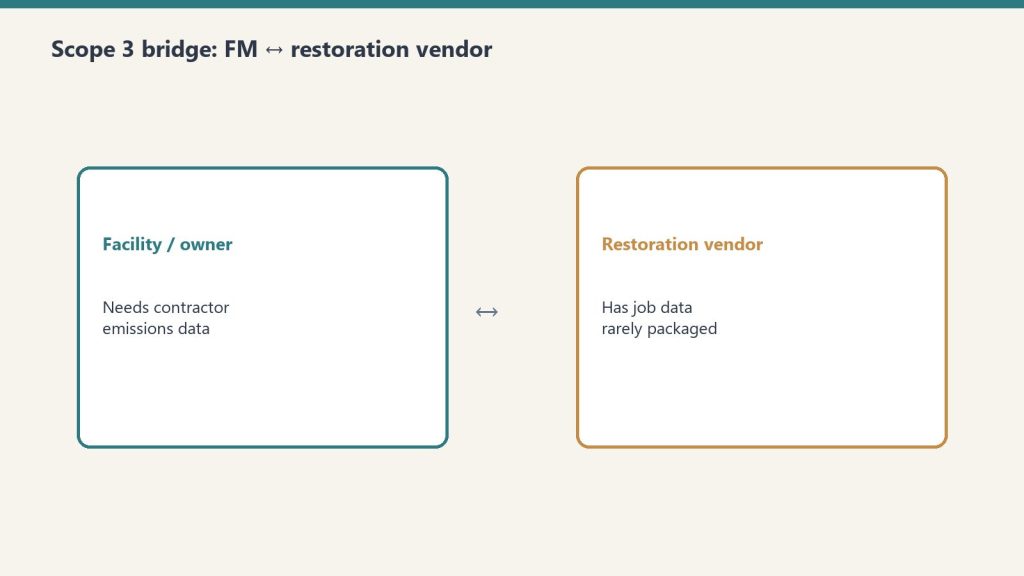
    Scope 3 compliance for facility managers is fundamentally a vendor management problem. You cannot calculate your Category 1 emissions without data from your contractors, and you cannot get data from contractors without a systematic process for requesting, receiving, and storing it. This article provides a practical checklist for building that process — one that works for FM teams of any size and scales as your contractor pool grows.

    Free Interactive Workbook

    Use the live Scope 3 contractor compliance workbook

    Map your contractor categories, tier vendors, generate the contract clause, and export a complete program summary. Five phases. Live calculations. No signup.

    Open the workbook →

    Phase 1: Vendor Inventory and Prioritization

    Before you can build a Scope 3 data collection process, you need to know which contractors generate material emissions on your behalf. Not all vendors are equal Scope 3 risks — prioritize based on emission intensity and spend.

    Step 1: Map your contractor categories

    List every category of contractor your FM program engages. For most corporate FM teams, the highest emission-intensity contractor categories are:

    • Emergency restoration (water, fire, mold, hazmat) — diesel-heavy equipment, waste streams, episodic but high-intensity
    • Construction and tenant improvements — embodied carbon in materials, significant waste
    • HVAC maintenance and retrofits — refrigerant handling, combustion equipment
    • Grounds and landscaping — fuel-burning equipment, fertilizer (N₂O emissions)
    • Janitorial and facility services — lower intensity but high volume

    Step 2: Score by emission intensity × annual spend

    Multiply each category’s estimated emission intensity (high/medium/low) by your annual spend in that category. The highest-scoring categories are your priority Scope 3 data gaps. Emergency restoration typically scores high on intensity even when annual spend is variable, because a single large water damage event can generate a meaningful emissions figure.

    Phase 2: Vendor Qualification Updates

    Step 3: Add Scope 3 capability questions to RFP and vendor qualification forms

    For new vendor solicitations, add the following questions to your qualification criteria:

    • Does your organization track greenhouse gas emissions associated with individual project work?
    • Are you familiar with GHG Protocol Scope 3 Category 1 methodology?
    • Have you adopted the Restoration Carbon Protocol (for restoration vendors)?
    • Can you provide a per-project emissions summary upon project completion?
    • What job management system do you use, and does it support emissions data export?

    Step 4: Tier your existing vendors

    Survey your existing contractor pool with the same questions. Categorize vendors into three tiers: Tier 1 (already tracking emissions data), Tier 2 (willing to adopt a framework with support), and Tier 3 (unable or unwilling to provide data). Tier 3 vendors become a procurement risk factor — flag for transition to Tier 1 or 2 alternatives at contract renewal.

    Phase 3: Contract Language

    Step 5: Add Scope 3 data provisions to new contracts

    For restoration contractors specifically, reference the Restoration Carbon Protocol as the accepted methodology standard. For other contractor categories, reference GHG Protocol Scope 3 Category 1 methodology and specify the data fields required. Include:

    • Obligation to provide a per-project emissions summary within 30 days of completion
    • Minimum data fields required (fuel, vehicle miles, waste type and weight, equipment hours)
    • Accepted methodology standard (RCP for restoration; GHG Protocol Category 1 for others)
    • Data format and delivery method (PDF report, CSV, or API-compatible format)
    • Right to audit contractor data collection processes during the contract term

    Phase 4: Data Collection and Storage

    Step 6: Establish a receiving process for contractor emissions reports

    Decide where contractor emissions data will live in your FM systems. Options include: a dedicated folder in your CMMS work order system attached to each job record, a shared ESG data repository managed by your sustainability team, or a direct integration with your ESG reporting platform. The key is that every restoration job has an associated emissions record — not a separate tracking system you have to reconcile at year-end.

    Step 7: Build a gap-filling protocol for missing data

    Some contractors will not provide data even after you request it. Build a proxy calculation protocol for data gaps using spend-based or activity-based estimation. The RCP provides proxy tables for restoration jobs. For other categories, the GHG Protocol’s Scope 3 Calculation Guidance provides spend-based emission factors you can apply to invoice data.

    Phase 5: ESG Inventory Integration

    Step 8: Integrate contractor data into your annual Scope 3 Category 1 calculation

    At the end of each fiscal year, compile all contractor emissions reports and proxy estimates into your Scope 3 Category 1 input. Document your methodology, note which vendors provided primary data and which required proxy estimation, and flag any material gaps for disclosure in your ESG report. Most third-party ESG auditors will accept a documented methodology with known limitations more readily than an unexplained data gap.

    The Checklist Summary

    • ☐ Map contractor categories by emission intensity and annual spend
    • ☐ Score and prioritize: emergency restoration at the top
    • ☐ Add Scope 3 capability questions to vendor qualification forms
    • ☐ Tier existing vendors (1=tracking, 2=willing, 3=unable)
    • ☐ Add Scope 3 data provision clause to new contracts (reference RCP for restoration)
    • ☐ Establish data receiving process in your CMMS or ESG platform
    • ☐ Build proxy protocol for data gaps
    • ☐ Integrate into annual Scope 3 Category 1 calculation with documented methodology

    Part of the IFMA Scope 3 series on tygartmedia.com.

  • Regulated Specialist Seed Kit — Claude AI Starter Pack

    Regulated Specialist Seed Kit — Claude AI Starter Pack

    Use AI without the compliance headaches.

    Who This Is For

    Built for professionals in regulated fields — healthcare, legal, financial services, environmental services, construction — who want to use AI but need it to operate within real-world constraints.

    The Problem

    Generic AI prompts are written for people who have no compliance obligations. They are not written for someone who needs to be careful about what goes in a client file, who cannot make specific legal or medical claims, and who works in an industry where documentation has real consequences. This kit is built around what regulated professionals can actually do with AI — and is honest about what they should not do.

    What You Get

    • Notion workspace template for regulated practice management: client files, compliance checklists, documentation logs, and renewal reminders
    • 10 pre-built Claude skills designed for compliance-aware use: documentation drafting, regulatory language lookup, client communication templates, audit preparation, and training content
    • 50 prompts that account for regulated context — written to get useful output without crossing professional lines
    • Compliance guardrail guide: what Claude can and cannot reliably do in your specific field
    • Quick-start guide: operational in under an hour

    Regulated Specialist Seed Kit

    $47

    Delivered to your inbox within 24 hours — no shipping, no waiting

    Buy Now →

    Secure checkout via Square — all major cards accepted

    Frequently Asked Questions

    How is this delivered?

    Within 24 hours of purchase via email from will@tygartmedia.com. You will receive a download link for the ZIP file and/or Notion duplicate link immediately.

    Do I need any special software?

    A free Notion account is required. No other software needed.

    Can I customize this for my specific business?

    Yes — that is the point. Everything is built to be edited. Swap in your company name, add your specific workflows, remove anything that does not apply. It is a starting point, not a locked template.

    Is there a refund policy?

    Because this is a digital product, all sales are final. If you have a problem with your purchase, email will@tygartmedia.com and we will sort it out.

  • Commercial Compliance as a Loss Leader: How Restoration Contractors Own the Relationship

    Commercial Compliance as a Loss Leader: How Restoration Contractors Own the Relationship

    The Machine Room · Under the Hood

    There’s a property manager sitting in a strip mall office right now, managing twelve tenants, a leaky roof drain, and a fire marshal inspection that’s six months overdue. She’s not looking for a restoration company. She won’t think about a restoration company until something goes very wrong.

    That’s the problem — and the opportunity.

    The restoration industry runs almost entirely on reactive marketing. Someone floods, someone calls. Someone burns, someone calls. You’re competing for the call after the loss, against every other company who’s also competing for the call after the loss, on Google, on insurance panels, on word of mouth.

    But the property manager who authorizes a $50,000 emergency restoration job is the same person who buys fire extinguisher inspections, carpet cleaning, and exit light testing. She buys these things regularly, on a schedule, for cash — no insurance middleman, no adjuster, no TPA approval process.

    Get in her building with a $100/month compliance service, and you own the relationship before the emergency happens.

    The Compliance Walk

    Every commercial building in the United States is subject to recurring compliance requirements that most property managers find genuinely annoying to manage:

    • Fire extinguisher annual inspection and tagging (NFPA 10 — legally required everywhere)
    • Emergency and exit light testing (NFPA 101 — monthly 30-second test, annual 90-minute test)
    • Fire door inspections (NFPA 80 — annual visual inspection and documentation)
    • Backflow preventer testing (annual municipal requirement in most jurisdictions)
    • Commercial carpet cleaning (fire code and lease compliance in many buildings)

    These aren’t optional. They’re not upsells. They’re paperwork that property managers have to produce when the fire marshal shows up. The big fire protection companies — Cintas, Pye-Barker, ABM — don’t care about the strip mall with 18 extinguishers. Their route economics don’t work below a certain account size.

    That’s the gap. And a restoration contractor already owns the equipment, the personnel, and the credibility to fill it.

    What the Quarterly Visit Actually Buys You

    Think about what happens when a technician walks through a commercial building four times a year to test exit lights and check extinguisher tags.

    They see the water stain on the ceiling tile in unit 7. They notice the musty smell in the stairwell that’s been there since last fall. They observe that the roof drain on the north side is partially blocked. They document all of it — in a compliance report that goes to the property manager, with your company’s name on it.

    The property manager now has documented evidence of deferred maintenance and potential liability. You found it. You’re the expert she trusts. When something actually happens, you’re not a name she found on Google at 2am — you’re the company that’s been maintaining her building, that she already has a contract with, that already has access.

    This is not a marketing strategy. This is a relationship architecture.

    The Numbers That Make It Real

    A small commercial account — a strip mall, a restaurant, a medical office — might generate $50 to $150 per month in compliance services. That’s not the revenue story.

    The average water damage restoration job in commercial property runs $3,836 at the low end. Significant losses start at $15,000. Whole-building events — the ones that happen when a pipe bursts on the third floor and runs for six hours — run $50,000 and up.

    One emergency response job from a compliance relationship you’ve spent six months building pays for the entire program many times over. And that’s before the rebuild scope, the contents, the dehumidification equipment rental, and the project management fees that follow a major loss.

    The compliance service isn’t the product. It’s the acquisition cost.

    How to Structure the Offer

    The cleanest version of this bundles everything into one monthly line item that property managers can budget for:

    • Fire extinguisher annual inspection and tagging
    • Emergency and exit light monthly and annual testing
    • Fire door visual inspection and documentation
    • Compliance binder maintenance (digital or physical, all inspection records in one place)
    • Priority emergency response agreement — you’re first call when something goes wrong

    One vendor. One monthly fee. One quarterly visit. Everything documented, everything current, fire marshal ready.

    For a small commercial tenant — under 50 extinguishers, which is most of the small commercial market the big vendors ignore — that package prices at $50 to $150 per month depending on building size and complexity. Quarterly visits, annual documentation package, priority response clause in the contract.

    The priority response clause is the most important line in the agreement. It’s not legally binding in any complex sense — it simply establishes that when something happens, you call us first. You’ve already signed the paperwork. We’re already in your system. No one has to go find a contractor at 2am.

    The Certification Question

    Fire extinguisher inspection requires certification. The national path runs through the ICC/NAFED Certified Portable Fire Extinguisher Technician exam, which is based on NFPA 10 and completable in one to three days of self-paced study. Total startup cost — materials, exam, state registration, initial tools and tags — runs under $1,000.

    Some states require a licensed fire protection company for annual inspections. Washington, for example, requires both state and local licensing. Texas requirements vary by jurisdiction. The certification question is worth solving once, correctly, before the first sale — not as a reason to delay getting started.

    The alternative for contractors who don’t want to own the compliance scope themselves: partner with a regional fire protection company to run the compliance work, keep the PM relationship, and be named in the contract as the emergency response vendor. The fire protection company gets route density they want. You get the access and the relationship.

    Starting Without the Certification

    You don’t need certification to start. You need content and a phone call.

    Write about commercial fire code compliance for property managers. Write about what NFPA 10 actually requires and why small commercial buildings keep getting cited. Write about what a compliance binder should contain and how many property managers don’t have one. Rank for the keywords commercial property managers search when they’re trying to solve this problem.

    Leads come in. You call them. You ask them what their current compliance situation looks like. You position yourself as someone who understands the problem — and then either you’ve gotten certified by then, or you have a fire protection partner to introduce.

    The digital presence creates the warm lead. The relationship closes the deal. The quarterly visit owns the building.

    The Larger Play

    This isn’t just a retention strategy for one contractor. It’s the skeleton of a commercial PM ecosystem.

    A drone company handles exterior envelope inspections and thermal imaging — capabilities no fire protection company or restoration contractor currently offers. A fire protection company handles the interior compliance walk. The restoration contractor holds the PM relationship and the emergency response position. A content and SEO layer drives commercial PM leads to the entire network.

    The property manager sees one vendor, one monthly fee, one comprehensive building health report — roof-to-extinguisher, quarterly. Everyone else sees route density, referral flow, and the clients no one else was serving.

    The big vendors ignored the small commercial market because their economics didn’t work. That’s not a problem. That’s an opening.


    Tygart Media builds digital infrastructure for restoration contractors, commercial service companies, and the vendors who work alongside them. If you’re thinking through a commercial PM strategy and want to talk about what the content and SEO layer looks like, reach out.

    {
    “@context”: “https://schema.org”,
    “@type”: “Article”,
    “headline”: “Commercial Compliance as a Loss Leader: How Restoration Contractors Own the Relationship”,
    “description”: “The property manager who buys fire extinguisher inspections is the same person who authorizes $50K+ emergency restoration work. Here is how to get in the buildi”,
    “datePublished”: “2026-04-02”,
    “dateModified”: “2026-04-03”,
    “author”: {
    “@type”: “Person”,
    “name”: “Will Tygart”,
    “url”: “https://tygartmedia.com/about”
    },
    “publisher”: {
    “@type”: “Organization”,
    “name”: “Tygart Media”,
    “url”: “https://tygartmedia.com”,
    “logo”: {
    “@type”: “ImageObject”,
    “url”: “https://tygartmedia.com/wp-content/uploads/tygart-media-logo.png”
    }
    },
    “mainEntityOfPage”: {
    “@type”: “WebPage”,
    “@id”: “https://tygartmedia.com/commercial-compliance-loss-leader-restoration/”
    }
    }