Tag: AI Productivity

  • Notion AI vs Microsoft Copilot: Two Philosophies of Embedded AI

    Notion AI vs Microsoft Copilot: Two Philosophies of Embedded AI

    Notion AI vs Microsoft Copilot: Two Philosophies of Embedded AI

    The 60-second version

    The choice is philosophical, not feature-by-feature. Notion AI says: “build your work in one structured workspace and let AI flow through everything.” Microsoft Copilot says: “use the tools you already use and let AI sit inside each one.” Both are valid. Both work. Which fits depends on whether your team’s pattern is consolidated workspace or distributed productivity suite.

    When Notion AI wins

    • You want one unified workspace
    • Custom Agents and scheduled autonomous work matter
    • Database-driven workflows and Autofill are core
    • Smaller teams (under ~200) where Notion’s collaboration model fits
    • Teams that haven’t deeply invested in Microsoft 365

    When Microsoft Copilot wins

    • You’re already deep in Microsoft 365
    • Excel-heavy analysis is core to your workflow
    • Outlook + Teams is your primary collaboration surface
    • Enterprise IT requirements favor Microsoft (compliance, identity, security)
    • Larger orgs where Microsoft’s enterprise plumbing matters

    What Copilot does that Notion AI doesn’t

    • Native deep integration into Excel, Word, PowerPoint, Outlook, Teams
    • Enterprise identity and compliance posture (Azure AD, Purview)
    • Strong Excel-native data analysis with formula generation
    • Teams meeting transcription and recap as a primary surface

    What Notion AI does that Copilot doesn’t

    • Custom Agents running on schedules
    • Workers for code execution
    • The Notion-style structured knowledge graph
    • MCP and n8n integrations
    • More flexible workspace shape

    The IT-procurement layer

    Larger organizations often have IT and procurement preferences that drive this decision more than feature comparison. Microsoft enterprise contracts, identity integration, and compliance posture are real factors. Notion’s enterprise story is improving but Microsoft has decades of head start in that lane.

    Where comparisons go wrong

    1. Comparing feature lists in isolation. Real value is integration depth into the platform you actually use.
    2. Underestimating Microsoft’s enterprise plumbing. For large orgs, identity and compliance are not afterthoughts.
    3. Underestimating Notion’s flexibility. For smaller teams, Notion’s malleability beats Microsoft’s rigidity.

    What to read next

    Notion AI vs Gemini, Notion AI vs ChatGPT, Editorial Surface Area, AI-Native Company Patterns.

  • Mobile AI in Notion: The Real Test of Whether Agents Are Ready for Daily Use

    Mobile AI in Notion: The Real Test of Whether Agents Are Ready for Daily Use

    Mobile AI in Notion: The Real Test of Whether Agents Are Ready for Daily Use

    The 60-second version

    The real test of any AI feature is whether it survives the move to mobile. Notion 3.2 made that move in January 2026 — agents on mobile, full Custom Agent support, the same auto-model selection across Claude, GPT, and Gemini. The honest assessment after a few months in the wild: it works, but mobile AI is best for consumption and quick interaction, not heavy production. Voice input for prompts is a desktop-only feature so far. Mobile is where you check on agent runs, approve drafts, and ask quick questions — not where you set up complex skills or build workflows.

    What works well on mobile

    Three patterns that genuinely shine on the phone:
    1. Quick agent queries during in-between moments. Walking between meetings, in line for coffee, on a train. “What’s the status of project X” or “summarize this thread for me.” Phone-sized interaction, phone-friendly output.
    2. Approving and editing agent output. Custom Agent runs overnight, drops a draft in your workspace, you wake up, you read on your phone, you tap-edit a few sentences, you send it. The mobile review pattern is solid.
    3. Quick capture into AI-enriched databases. Voice memo or quick note drops into a Notion database, Autofill fills in summary, tags, owner, date. The phone is the input device; the agent is the cleanup crew.

    What’s painful on mobile

    Equally important to name:
    Building skills. Notion Skills require defining instructions, scope, and triggers. The mobile UI for this is functional but slow. Build skills on desktop; run them everywhere.
    Long-context work. Mobile screens make it hard to verify whether the AI pulled from the right pages. If the task involves cross-referencing or fact-checking a synthesis, do it on desktop.
    Multi-step debugging. When an agent run goes sideways and you need to trace why, mobile makes it hard to inspect the trail. The fix is rarely on mobile.
    Voice input. Currently desktop-only on macOS and Windows. Even on those platforms, voice works only inside AI prompt fields, not for general document dictation. Mobile voice is on the roadmap but unannounced as of April 2026.

    How operators are actually using mobile AI

    Patterns that have settled into real use:
    The morning check-in. Open Notion on mobile first thing. Read the overnight Custom Agent digest. Approve, edit, or escalate. Closes the inbox before the day starts.
    The drive-time capture. Voice memo into a quick capture database during a drive. Agent processes it later. The phone is the input; the desktop is where you act on it.
    The travel survival mode. When your only device is your phone for a few days, Notion AI on mobile is enough to keep workflows running. Not optimal, but operational.

    The honest limitation

    Mobile AI is good. Mobile AI isn’t a desktop replacement.
    If you’re trying to make your phone the primary tool for Notion AI work, you’ll feel friction. The screen is the bottleneck — not the AI capability, not the model selection, not the agent. Reading multi-paragraph synthesis on a 6-inch screen is what creates the strain.
    The right mental model: desktop is where you build, mobile is where you maintain. Skills, complex prompts, agent configurations, Worker setup — desktop. Daily interaction, approvals, quick captures, drive-time inputs — mobile.

    What to expect next

    Voice input on mobile is the obvious next shoe to drop. The desktop version exists; extending it to mobile is engineering, not strategy. Reasonable timeline: by end of 2026.
    Beyond voice, the more interesting mobile question is whether Custom Agent triggers can fire from mobile-specific events — location, motion, calendar proximity. Notion hasn’t announced anything here, but the “agent that wakes up when I land at the airport” workflow is a natural mobile pattern.

    What to read next

    Corpus follow-ups: Auto Model Selection (how mobile picks models), Custom Agents foundation piece (mobile inherits all the same Custom Agent capabilities), and the Solo Operator workflow article (the real-world mobile pattern).

  • How Notion Skills Work: Turning Repeated Prompts Into Reusable Commands

    How Notion Skills Work: Turning Repeated Prompts Into Reusable Commands

    How Notion Skills Work: Turning Repeated Prompts Into Reusable Commands

    The 60-second version

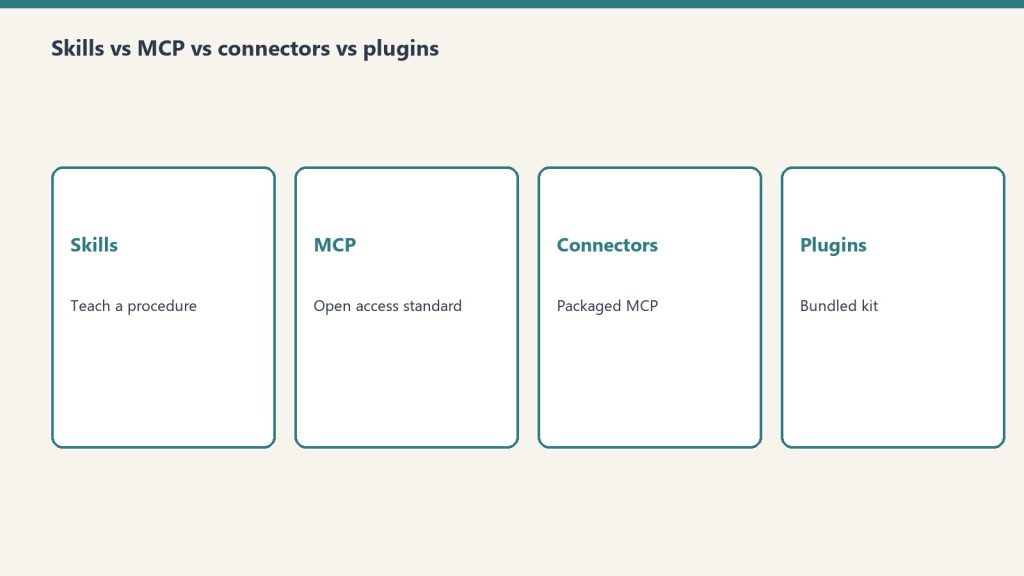
    Skills are how you stop re-prompting. If you find yourself typing the same instructions to your Notion Agent every Friday — “summarize this week’s project updates in our team format with a green/yellow/red status and an action items list” — that’s a skill waiting to be saved. Once captured, you call it by name and the agent runs the workflow. Skills became prominent with Notion 3.3 in February 2026 and they’re the bridge between “I have an AI assistant” and “I have an AI teammate that knows how we do things here.”

    What a skill actually is

    A skill is three things bundled:
    1. A trigger phrase or name — what you call it when you want it run
    2. The instructions — the prompt logic the agent follows
    3. The context boundaries — which databases, pages, or sources the agent can pull from
    That last piece is what separates a skill from a saved prompt. A saved prompt is just text. A skill is text with scope. The agent knows where to look, what format to produce, and which pages to update.

    The four skills every operator should build first

    If you’re new to skills, these four pay back the time investment within a week.
    1. The weekly digest skill. Reads your project database, your meeting notes, and your Slack archive. Produces a one-page digest in your team’s format. Run it Friday afternoon. You stop writing weekly updates.
    2. The brief-prep skill. Triggered before a meeting. Pulls the relevant project page, the last meeting notes with this person or team, any open action items, and synthesizes a one-page brief. Run it 30 minutes before the meeting. You stop showing up cold.
    3. The inbox-to-action skill. Reads new entries in a specified database (support requests, sales leads, content pitches). Categorizes them, assigns owners based on rules you set, and drafts a first response. You stop processing inbound manually.
    4. The doc-reshape skill. Takes any document and reformats it into your team’s house style — your headings, your sections, your tone. Solves the “we have great content from a partner but it doesn’t read like us” problem.

    How to build a skill that actually works

    Three rules, learned the hard way:
    Be specific about format. “Summarize” produces wildly different outputs depending on the agent’s mood. “Produce a one-page summary with these five sections in this order, max two sentences per section, in active voice” produces consistent outputs. Specificity is the difference between a skill you trust and a skill you babysit.
    Bound the context tightly. The temptation is to give the agent access to everything. The result is slower runs, more credits consumed, and outputs that pull from irrelevant sources. Pin the skill to specific databases or page trees. You can always expand later.
    Test it five times before you trust it. Run the skill against five different inputs and look at the outputs side by side. The variance you see is the variance you’ll get in production. If the spread is too wide, tighten the instructions until the outputs converge.

    What skills can’t do well yet

    Skills inherit the limits of the underlying agent. They struggle with:
    Tasks that require fresh judgment. A skill that’s supposed to “decide whether this lead is qualified” produces inconsistent results because the criteria aren’t fully explicit. Better to have the skill score the lead on five named dimensions and let a human make the call.
    Long autonomous chains. A skill that triggers another skill that triggers another skill is a debugging nightmare. Keep skills atomic. Compose them in workflows outside the skill itself.
    Cross-workspace work. A skill in one Notion workspace can’t reach into another. If you operate across multiple workspaces, you need parallel skills, not one shared skill.

    Skills and the May 3 cliff

    After May 3, 2026, every Custom Agent run consumes Notion Credits. That includes skills run by Custom Agents. The implication: a well-built skill that takes 30 seconds to run is cheap; a sloppy skill that takes 8 minutes because the context isn’t bounded is expensive.
    This is why “specificity” and “context boundaries” graduated from style advice to financial advice. Tight skills cost less. Sloppy skills bleed credits. The audit you should be doing on your skills before May 4 is the same audit you’d do on any line item: is the output worth the cost?

    What to read next

    If skills are interesting to you, the natural follow-up reads in this corpus are the Custom Agents foundation piece (skills run on Custom Agents), the May 3 cliff (when skill costs become real), and the Building Your First Notion Skill walkthrough in Deep Technical (step by step).

  • Pay for the Compute Once: How Saving Your AI Work Saves You Money

    Pay for the Compute Once: How Saving Your AI Work Saves You Money

    The Compute-Once Principle: Every AI response costs real infrastructure — GPU time, inference compute, and engineering overhead. When you discard that output without saving it, you pay the same cost again the next time the same question arises. Saving AI work to a structured knowledge base converts a recurring compute cost into a one-time investment.

    Pay for the Compute Once: How Saving Your AI Work Saves You Money

    Every time you open a new AI conversation and ask Claude or ChatGPT to research something, write something, or figure something out — you are paying for compute. Maybe you’re on a flat-rate subscription, so it doesn’t feel like a direct cost. But it is. The servers running inference on your query cost real money, and that cost is baked into whatever you’re paying monthly. More importantly, your time has a cost too. When you close that tab and that work disappears into the void, you’ve paid twice for the same problem the next time it comes up.

    This is the “pay for the compute twice” trap — and most people using AI tools are stuck in it without realizing it.

    What Does “Compute” Actually Mean in Plain Terms?

    When you send a message to an AI model, a server somewhere processes your request. It runs inference — meaning it uses a large language model to generate a response token by token. That inference costs electricity, GPU time, and engineering infrastructure. Whether you’re on a $20/month Claude Pro plan or building with the Anthropic API at $3 per million tokens, every response has a real compute cost attached to it.

    For API users, this is explicit — you see it on your bill. For subscription users, it’s implicit — it’s why your plan has usage limits and why the pricing tiers exist. The compute is never free. You are always paying for it, one way or another.

    The problem isn’t that compute costs money. The problem is that most people treat AI like a search engine — ask, get answer, close tab, repeat. That workflow throws away the value you just paid to generate.

    The Real Cost of Starting Over

    Here’s a real scenario. You spend 45 minutes with Claude building a competitive analysis for a new market you’re entering. Claude pulls together the key players, the positioning gaps, the pricing dynamics. It’s good work. You read it, feel informed, close the tab.

    Three weeks later, a colleague asks about that same market. You open a new Claude conversation and start over. Same 45 minutes. Same compute. Same cost. You’ve now paid for that analysis twice.

    Now multiply that across a team of five people over a year. The same research gets regenerated dozens of times. The same frameworks get rebuilt from scratch in every new session. The same onboarding context gets re-explained to the AI in every conversation. This is the silent tax on AI-native work — and it compounds fast.

    The Fix: Notion as Your AI Memory Layer

    The solution is deceptively simple: save the output before you close the tab. But simple doesn’t mean thoughtless. The way you save matters as much as whether you save.

    At Tygart Media, we use Notion as the AI memory layer for everything we build. The principle is straightforward: Notion is the storage layer, the publishing platform is the distribution layer, and cloud compute is where the inference happens. Nothing that Claude generates disappears without a home. Every research output, every strategic framework, every content brief, every integration spec — it goes to Notion first.

    This isn’t just about saving money on API calls. It’s about building institutional memory that compounds over time. When a piece of research lives in Notion with proper structure and tagging, it becomes a retrieval asset. Future conversations can reference it. Future team members can learn from it. Future AI sessions can build on it rather than rebuilding it.

    What’s Actually Worth Saving — and How to Structure It

    Not everything needs to be saved. A throwaway brainstorm session doesn’t need a permanent home. But anything that required real reasoning — research synthesis, strategic analysis, technical architecture decisions, content strategy frameworks — that’s compute you want to pay for exactly once.

    When you save AI work to Notion, structure matters. A flat dump of the conversation isn’t useful. What you want is:

    • A clear title that describes what was produced, not what was asked
    • Context at the top — what problem was being solved, what constraints existed
    • The actual output — the research, the framework, the decision, the artifact
    • Status and date — so you know if it’s still current
    • Next steps or open questions — so the work isn’t just archived but actionable

    This structure transforms a one-time AI output into a living knowledge asset. It’s the difference between a file you’ll never open again and a resource that actively makes future work faster.

    The ROI Math: What You Actually Save

    Let’s be concrete. If you’re on the Claude Max plan at $100/month and you spend an average of two hours per day doing meaningful AI-assisted work, your effective hourly compute rate is roughly $1.50/hour — just for the subscription cost, not counting your own time.

    If half of that work is regenerating things you’ve already generated — research you’ve lost, frameworks you’ve rebuilt, context you’ve re-explained — you’re burning roughly $50/month on duplicate compute. Over a year, that’s $600 in subscription costs paying for work you’ve already done.

    For a team of five using AI at similar intensity, duplicate compute waste can easily reach $3,000–$5,000 annually — just from not saving outputs systematically.

    But the time cost is the bigger number. A knowledge worker billing at $100/hour who regenerates 30 minutes of AI work three times per week is losing significant billable time to the compute-twice trap every month. The subscription cost is the small number. Your time is the big one.

    How to Build the Save Habit

    The save habit is behavioral before it’s technical. The hardest part isn’t setting up Notion — it’s remembering to save before you close the tab. A few practices that help:

    End every meaningful AI session with a save step. Before you close the conversation, ask yourself: did this session produce something I might need again? If yes, it goes to Notion before the tab closes. This takes 60 seconds and eliminates the compute-twice problem for that piece of work.

    Build a lightweight intake structure. Create a Notion database with a “Research & AI Outputs” category. Give it a Status field (Draft, Active, Archived) and a Date field. That’s enough to make your saved work searchable and retrievable without turning saving into a second job.

    Use the AI to write its own summary. At the end of a useful session, ask Claude: “Summarize what we just figured out in a format I can save to my knowledge base.” It will produce a clean, structured summary ready to paste into Notion. You paid for the compute to produce the work — use a few cents more of compute to make it saveable.

    Tag by problem type, not by date. Date is useful metadata, but problem type is what makes retrieval fast. “Competitive analysis,” “integration architecture,” “content strategy,” “cost modeling” — these are the tags that let you find the right output in six months when you need it again.

    Beyond Saving: Feeding Outputs Back to the AI

    Saving is the first half. The second half is retrieval — and this is where the real compounding happens.

    When you start a new AI session that needs context from previous work, you can paste the saved Notion output directly into the conversation. Claude can read it, build on it, and extend it without you having to re-explain everything from scratch. You’ve effectively given the AI persistent memory across sessions — something it doesn’t have natively.

    At scale, this is the difference between an AI that feels like a perpetual intern who never learns your business and an AI that feels like a senior colleague who knows your entire history. The AI gets smarter about your specific context with every session — because the outputs accumulate rather than evaporate.

    The Philosophy: Treat AI Output as an Asset

    The underlying shift here is philosophical. Most people treat AI conversations as disposable — a means to an end, like a Google search. You get the answer, you move on.

    The businesses that will build durable competitive advantage with AI are the ones that treat AI output as an asset class. Research is an asset. Frameworks are assets. Decision logs are assets. Competitive intelligence is an asset. Every meaningful AI conversation produces something that has value — and that value compounds when it’s saved, structured, and retrievable.

    Compute is a commodity. Knowledge is not. When you pay for compute once and preserve the knowledge it produces, you’re converting a recurring cost into a one-time investment. That’s the real economics of AI-native work — and it’s available to anyone willing to close the tab two minutes later than usual.

    Getting Started Today

    You don’t need a complex system to start capturing compute value. Start with this: create a single Notion page called “AI Research & Outputs.” Every time you have a meaningful AI conversation this week, paste the key output there before you close the tab. Do it for one week and look at what you’ve built. You’ll have a knowledge base worth more than the subscription that generated it — and you’ll never pay for the same compute twice again.

    Frequently Asked Questions

    What does “paying for AI compute” mean for subscription users?

    Even on flat-rate plans like Claude Pro or ChatGPT Plus, compute costs are real — they’re built into the subscription price. Usage limits, tier pricing, and rate caps all reflect the underlying infrastructure cost. Every conversation consumes real resources, whether you see an itemized bill or not.

    Why is Notion a good place to save AI outputs?

    Notion combines structured databases, free-form pages, searchable content, and team-sharing in one place. More importantly, it integrates with AI tools via API, meaning future AI sessions can read from your Notion knowledge base directly — turning saved outputs into active context rather than archived files.

    What types of AI work are worth saving?

    Anything that required substantive reasoning: competitive research, strategic frameworks, technical architecture decisions, content briefs, cost models, process documentation, and integration specs. Casual brainstorming and one-off quick answers generally aren’t worth the overhead of saving.

    How do I get Claude to summarize a session for saving?

    At the end of any useful conversation, simply ask: “Summarize the key outputs from this session in a structured format I can save to my knowledge base.” Claude will produce a clean, titled summary with context, outputs, and next steps — ready to paste directly into Notion.

    Can I feed saved Notion content back into future AI conversations?

    Yes. Paste the Notion content directly into a new Claude conversation as context. Claude will read it, build on it, and extend it without requiring you to re-explain the background. This is how you give AI persistent memory across sessions — something it doesn’t have natively.

    How much money does the compute-twice trap actually cost?

    For individual users, duplicate compute waste typically runs $50–$100/month in subscription value plus several hours of time. For teams of five or more using AI intensively, the annual cost of not saving outputs systematically can reach $5,000–$10,000 when both subscription waste and time cost are included.


  • Proposal & Scope of Work Builder — Claude AI Skill for Service Businesses

    Proposal & Scope of Work Builder — Claude AI Skill for Service Businesses

    Describe the engagement. Get a professional proposal and scope of work in under ten minutes.

    Who This Is For

    Built for consultants, agencies, freelancers, and service businesses who spend hours writing proposals that should take minutes — and lose deals while their proposal is still being drafted.

    The Problem

    Speed matters in proposal writing. The business that responds with a professional, complete proposal within 24 hours of a conversation has a material advantage over the one that takes a week. Most service businesses take a week because writing proposals is slow, tedious work that requires assembling the same components in slightly different form for every engagement. This skill makes it fast.

    What It Does

    • Executive summary: frames the client’s problem and your solution in the language that wins deals
    • Detailed scope of work: included deliverables, excluded deliverables, and assumptions — the clarity that prevents disputes later
    • Timeline with milestones and key dependencies
    • Investment summary with payment schedule options
    • Terms and conditions framework covering intellectual property, revisions, and termination
    • Professional cover letter you can personalize before sending

    What You Get

    The complete skill file in Claude-compatible format, a prompt library specific to the use case, and a setup guide that gets you running in under five minutes. After purchase, everything downloads instantly.

    Proposal & Scope of Work Builder — Claude AI Skill for Service Businesses

    $47

    Delivered to your inbox within 24 hours — skill file, prompt library, and setup guide

    Buy Now →

    Secure checkout via Square — all major cards accepted

    Want a custom version built specifically for your business? Email will@tygartmedia.com

    Frequently Asked Questions

    Does the skill write the proposal in my voice?

    The output is professional and neutral by default. For a version tuned to your specific voice and positioning, consider The Fitting — the overnight Claude deployment service — which includes voice calibration as part of the setup.

    Can I use this for different engagement types?

    Yes — the skill adapts to the engagement you describe. Fixed-price projects, retainers, hourly engagements, and hybrid models all produce different scope and investment structures.

    How long does a complete proposal take to generate?

    Under ten minutes for a typical engagement. The skill asks clarifying questions for anything that is ambiguous, then generates all six sections in one output.

    How is this delivered?

    Within 24 hours of purchase via email from will@tygartmedia.com. Skill file, prompt library, and setup guide delivered as a ZIP download.

    Does this require a paid Claude subscription?

    A Claude account is required. The free tier works for light use. Claude Pro ($20/mo) is recommended for regular use. The skill works with both.

    Can I get a custom version built for my specific business?

    Yes. Email will@tygartmedia.com with a description of your business and workflows. Custom skill builds are available as part of The Fitting service.

  • Weekly Business Review Builder — Claude AI Skill for Business Owners

    Weekly Business Review Builder — Claude AI Skill for Business Owners

    Your numbers, your wins, your priorities — formatted for a 15-minute CEO review every week.

    Who This Is For

    Built for business owners and operators who want to run a structured weekly review but keep skipping it because assembling the inputs takes longer than the review itself.

    The Problem

    The weekly business review is one of the highest-leverage operating habits a business owner can build. Fifteen minutes with the right data tells you whether you are on track, what is blocked, what decisions need to be made, and what matters most this week. The problem is that most owners skip it because pulling together the numbers, the wins, the issues, and the priorities from wherever they live is itself a 30-minute task. This skill makes it a two-minute input.

    What It Does

    • Weekly revenue and pipeline summary — actual vs. target, current vs. prior period
    • Top wins and completed deliverables — what got done and what it means
    • Open issues and blockers with owner and status — nothing falls through
    • Key decisions needed this week — surfaces them explicitly so they get made
    • Priorities for the coming week, ranked by impact
    • Team pulse check summary — a lightweight read on how the team is doing

    What You Get

    The complete skill file in Claude-compatible format, a prompt library specific to the use case, and a setup guide that gets you running in under five minutes. After purchase, everything downloads instantly.

    Weekly Business Review Builder — Claude AI Skill for Business Owners

    $47

    Delivered to your inbox within 24 hours — skill file, prompt library, and setup guide

    Buy Now →

    Secure checkout via Square — all major cards accepted

    Want a custom version built specifically for your business? Email will@tygartmedia.com

    Frequently Asked Questions

    What inputs do I need to provide?

    Whatever you have — revenue numbers, a list of wins, a brain dump of issues, your priorities. The skill accepts messy input and formats it into a clean review document. The input template guides you through what to include.

    How long does the review document take to generate?

    Under five minutes once you have your weekly inputs. The skill formats and organizes. You review and decide.

    Can I share the review document with my team?

    Yes. The output is a clean document you can copy into Notion, email, or share in Slack. Several owners use it as their weekly team standup agenda.

    How is this delivered?

    Within 24 hours of purchase via email from will@tygartmedia.com. Skill file, prompt library, and setup guide delivered as a ZIP download.

    Does this require a paid Claude subscription?

    A Claude account is required. The free tier works for light use. Claude Pro ($20/mo) is recommended for regular use. The skill works with both.

    Can I get a custom version built for my specific business?

    Yes. Email will@tygartmedia.com with a description of your business and workflows. Custom skill builds are available as part of The Fitting service.

  • Client Onboarding Generator — Claude AI Skill for Service Businesses

    Client Onboarding Generator — Claude AI Skill for Service Businesses

    Notes from the intake call in. Complete client onboarding package out.

    Who This Is For

    Built for consultants, agencies, and service business owners who want every new client to feel like they hired a firm three times their size — starting from the first document they receive.

    The Problem

    Client onboarding is a first impression that most service businesses give too little attention. The engagement is sold. The contract is signed. And then the client waits — sometimes days — for documentation that tells them what happens next, who to contact, what to expect, and when. That wait erodes confidence. A professional, complete onboarding package delivered within hours of signing tells a different story about how you operate.

    What It Does

    • Welcome letter personalized to the client, the engagement, and the first milestone
    • Project brief: scope, goals, success metrics, and how you will measure them
    • Communication preferences document: primary channels, expected response times, escalation path
    • Key contacts and responsibilities matrix — who owns what on both sides
    • Deliverables list with timeline and owner assigned
    • Client first-week checklist: what you need from them and when

    What You Get

    The complete skill file in Claude-compatible format, a prompt library specific to the use case, and a setup guide that gets you running in under five minutes. After purchase, everything downloads instantly.

    Client Onboarding Generator — Claude AI Skill for Service Businesses

    $47

    Delivered to your inbox within 24 hours — skill file, prompt library, and setup guide

    Buy Now →

    Secure checkout via Square — all major cards accepted

    Want a custom version built specifically for your business? Email will@tygartmedia.com

    Frequently Asked Questions

    Can I use this for different types of service engagements?

    Yes — the skill adapts the onboarding package to whatever engagement type you describe. A retainer engagement gets different documentation than a project-based one.

    How long does it take to generate a complete onboarding package?

    Under ten minutes from intake notes to complete package. The skill asks a few clarifying questions if needed, then generates all six documents in one output.

    Can I white-label this for client delivery?

    Yes. The output is yours to use however you like. Add your letterhead, your brand, your signature. The content is generated for your specific engagement.

    How is this delivered?

    Within 24 hours of purchase via email from will@tygartmedia.com. Skill file, prompt library, and setup guide delivered as a ZIP download.

    Does this require a paid Claude subscription?

    A Claude account is required. The free tier works for light use. Claude Pro ($20/mo) is recommended for regular use. The skill works with both.

    Can I get a custom version built for my specific business?

    Yes. Email will@tygartmedia.com with a description of your business and workflows. Custom skill builds are available as part of The Fitting service.

  • Weekly Content Calendar System for Local Businesses

    Weekly Content Calendar System for Local Businesses

    Stop improvising your marketing. A 52-week system that takes 30 minutes a week.

    Who This Is For

    Built for local business owners who know they should be posting consistently but never have a plan, always improvise, and eventually just stop posting entirely.

    The Problem

    Content consistency is not a creativity problem — it is a system problem. The business owner who posts three times a week for a month and then goes silent for six weeks does not lack ideas. They lack a machine that produces the next thing automatically. This calendar is that machine: it tells you what to post this week, gives you the prompts to draft it with AI, and shows you how to turn one piece of content into five platform-specific posts without starting from scratch.

    What You Get

    • 52-week Notion content calendar: pre-filled with content themes by week so you are never starting from a blank page
    • 5-platform content matrix: how one core piece becomes a Google Business Profile post, a Facebook post, an Instagram caption, a LinkedIn update, and an email
    • 30-minute weekly workflow: the exact steps in the exact order, every week
    • AI prompt set for each content type: copy the prompt, get a draft, edit lightly, post
    • Local business content idea bank: 200 topic starters organized by industry type

    Weekly Content Calendar System

    $29

    Delivered to your inbox within 24 hours — no shipping, no waiting

    Buy Now →

    Secure checkout via Square — all major cards accepted

    Frequently Asked Questions

    How is this delivered?

    Within 24 hours of purchase via email from will@tygartmedia.com. You will receive a download link for the ZIP file and/or Notion duplicate link immediately.

    Do I need any special software?

    A free Notion account is required. No other software needed.

    Can I customize this for my specific business?

    Yes — that is the point. Everything is built to be edited. Swap in your company name, add your specific workflows, remove anything that does not apply. It is a starting point, not a locked template.

    Is there a refund policy?

    Because this is a digital product, all sales are final. If you have a problem with your purchase, email will@tygartmedia.com and we will sort it out.

  • AI Prompt Library for Service Businesses — 100 Tested Prompts

    AI Prompt Library for Service Businesses — 100 Tested Prompts

    100 prompts that actually work. Organized so you can find what you need in 30 seconds.

    Who This Is For

    Built for service business owners and operators who are using AI occasionally but getting inconsistent results — sometimes great, sometimes useless — and want a reliable library of prompts that produce good output the first time.

    The Problem

    Prompting AI is a skill, and most people are learning it one bad output at a time. The difference between a prompt that produces something usable and one that produces generic filler is usually the framing — how you give context, what format you ask for, what constraints you set. This library is the shortcut. Every prompt has already been tested, refined, and confirmed to produce useful output for the situation it is built for.

    What You Get

    • 20 sales and business development prompts: proposals, follow-up sequences, objection handling scripts, cold outreach
    • 20 marketing and content prompts: blog post frameworks, social captions, email sequences, ad copy
    • 20 operations prompts: SOP drafting, meeting summaries, process documentation, hiring templates
    • 20 client communication prompts: onboarding emails, project update messages, difficult conversation scripts
    • 20 research and analysis prompts: competitor analysis, market research, summarization, decision frameworks
    • Delivered as a searchable Notion database plus a plain text file — use however you like

    AI Prompt Library — 100 Tested Prompts

    $27

    Delivered to your inbox within 24 hours — no shipping, no waiting

    Buy Now →

    Secure checkout via Square — all major cards accepted

    Frequently Asked Questions

    How is this delivered?

    Within 24 hours of purchase via email from will@tygartmedia.com. You will receive a download link for the ZIP file and/or Notion duplicate link immediately.

    Do I need any special software?

    Works with any modern AI assistant including Claude, ChatGPT, and Gemini. A free Notion account is recommended for the database format.

    Can I customize this for my specific business?

    Yes — that is the point. Everything is built to be edited. Swap in your company name, add your specific workflows, remove anything that does not apply. It is a starting point, not a locked template.

    Is there a refund policy?

    Because this is a digital product, all sales are final. If you have a problem with your purchase, email will@tygartmedia.com and we will sort it out.

  • Solo Builder Seed Kit — Claude AI Starter Pack

    Solo Builder Seed Kit — Claude AI Starter Pack

    You are building something. Claude should be your first hire.

    Who This Is For

    Built for solo founders, freelancers, indie builders, and one-person businesses who want to move faster without adding headcount.

    The Problem

    Running a business alone means doing everything: sales, delivery, marketing, administration, client management. The bottleneck is always you. AI promises to change this — and it can — but only if it is configured for how you actually work. A solo freelancer’s needs are different from a corporation’s. This kit is built for the person who does everything themselves and needs AI that can step into any of those roles on demand.

    What You Get

    • Notion Second Brain for solo builders: projects, clients, content pipeline, finances, and personal productivity — all connected
    • 10 pre-built Claude skills: proposal drafting, client onboarding, content creation, research synthesis, invoicing language, and follow-up sequences
    • 50 prompts for solo operators: sales, delivery, marketing, and business development
    • Connector guide: wire Claude into your existing stack in one afternoon
    • Quick-start guide: your first productive session, every step mapped out

    Solo Builder Seed Kit

    $47

    Delivered to your inbox within 24 hours — no shipping, no waiting

    Buy Now →

    Secure checkout via Square — all major cards accepted

    Frequently Asked Questions

    How is this delivered?

    Within 24 hours of purchase via email from will@tygartmedia.com. You will receive a download link for the ZIP file and/or Notion duplicate link immediately.

    Do I need any special software?

    A free Notion account is required. No other software needed.

    Can I customize this for my specific business?

    Yes — that is the point. Everything is built to be edited. Swap in your company name, add your specific workflows, remove anything that does not apply. It is a starting point, not a locked template.

    Is there a refund policy?

    Because this is a digital product, all sales are final. If you have a problem with your purchase, email will@tygartmedia.com and we will sort it out.