When your best traffic arrives. Day-of-week and hour-of-day patterns that tell you when to publish, when to promote, and when your audience is actually paying attention.
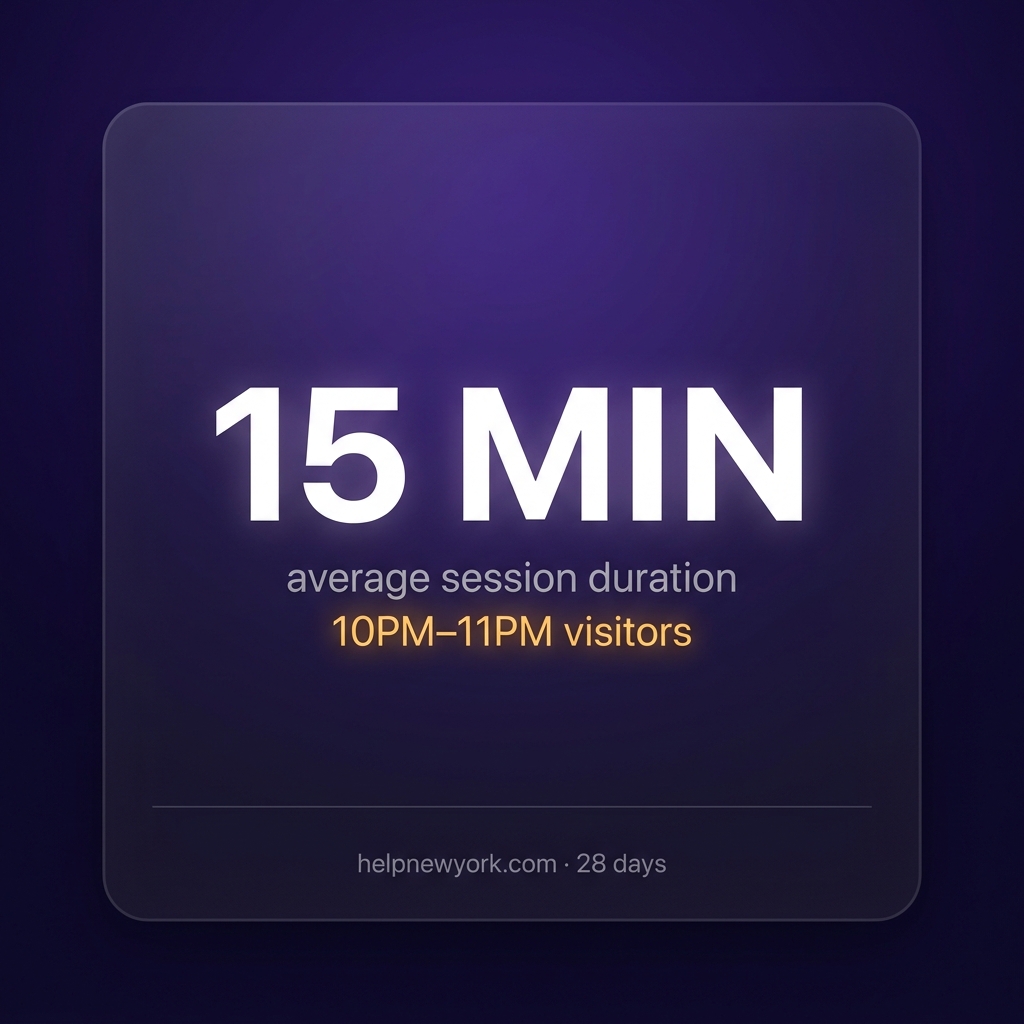
15 minutes Average session duration for 10PM–11PM visitors — your hidden audience
COMING SOON — $27
Most Teams Publish When It’s Convenient
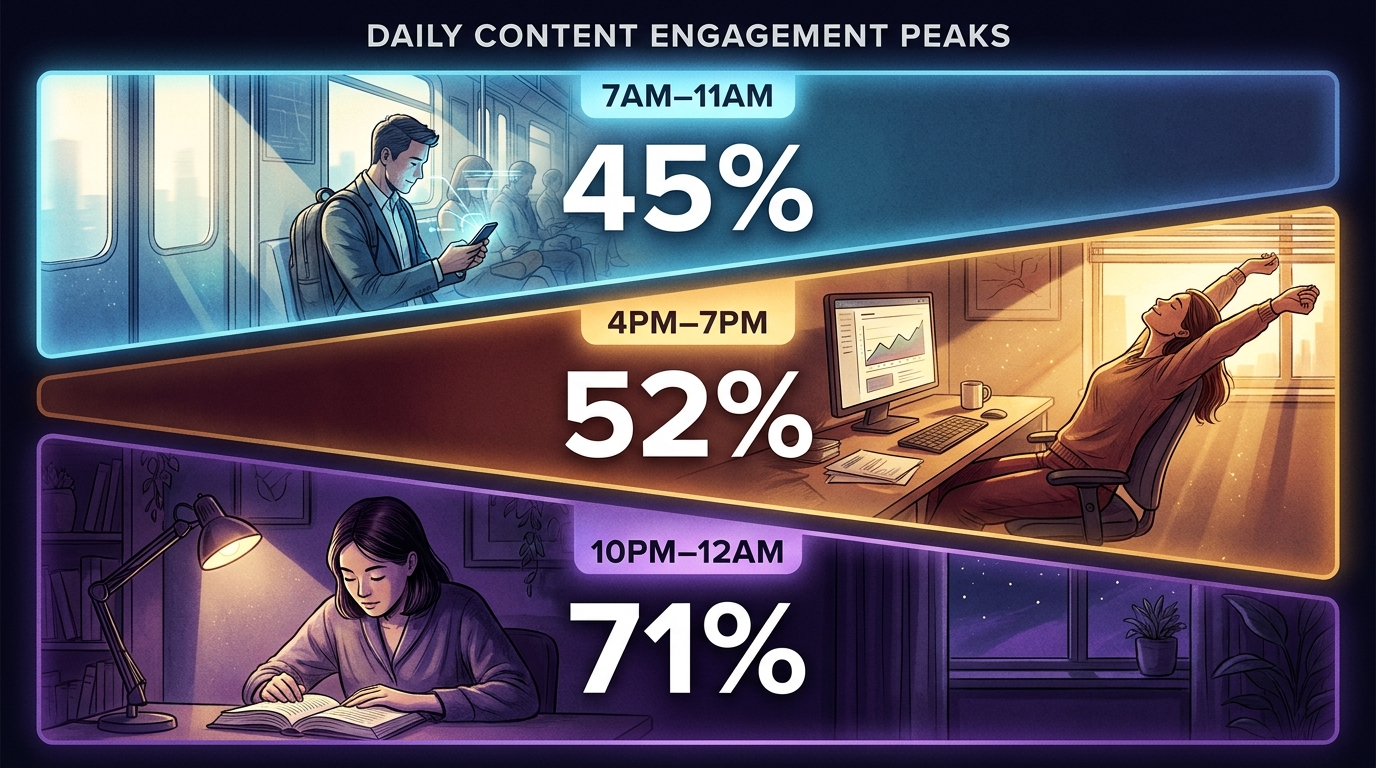
This kit tells you when your audience is actually paying attention — and those two things are rarely the same. One session against Analytics Advisor reveals your peak engagement windows by day and hour, your dead zones, and a hidden late-night audience almost no one is writing for.
FIELD FINDING — LIVE SESSION
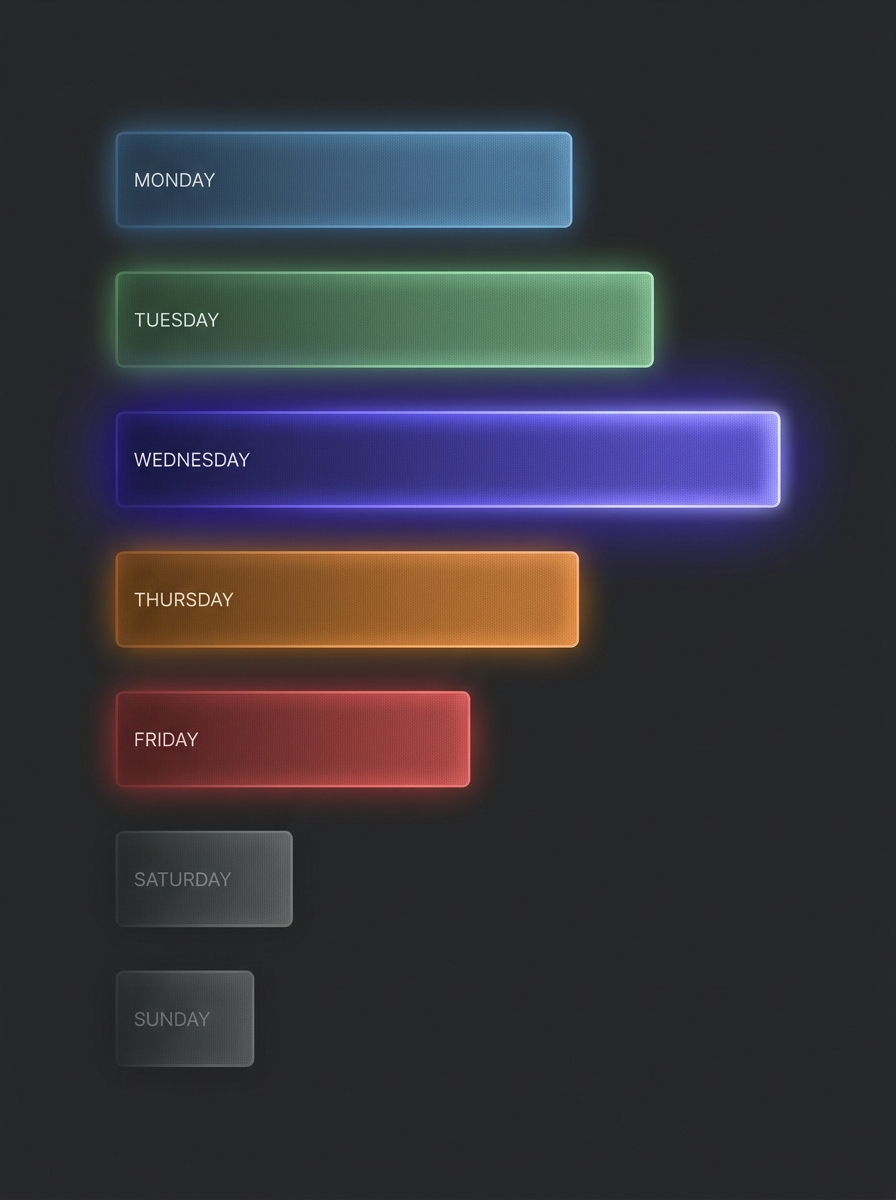
Wednesday produced the highest engagement rate and longest average session duration. Saturday and Sunday dropped below 20% engagement. The gap between best and worst day is larger than most teams expect.
What’s Inside
7 copy-paste queries for Analytics Advisor — one session
Day-of-week engagement ranking — all 7 days scored
Hour-of-day peak window identification — morning, afternoon, late night
Dead zone diagnosis — high volume, low quality windows
Late-night audience profiling — the segment nobody is writing for
Concrete publish timing recommendation from your actual property data
What You Need
Claude-in-Chrome — free from Anthropic
Editor or Analyst access to a GA4 property
Analytics Advisor (BETA) enabled
30–60 minutes
THE KEY INSIGHT
The scheduling insight from this kit is immediate and free to act on. You do not need to create new content. You need to redistribute what you already have into the windows where your audience is actually paying attention.
Individual Kit — Instant PDF Download
COMING SOON — $27
No subscription.
BETTER VALUE — BUNDLE
Get All 6 Kits for $97
Every GA4 intelligence methodology in one purchase. Save $65.
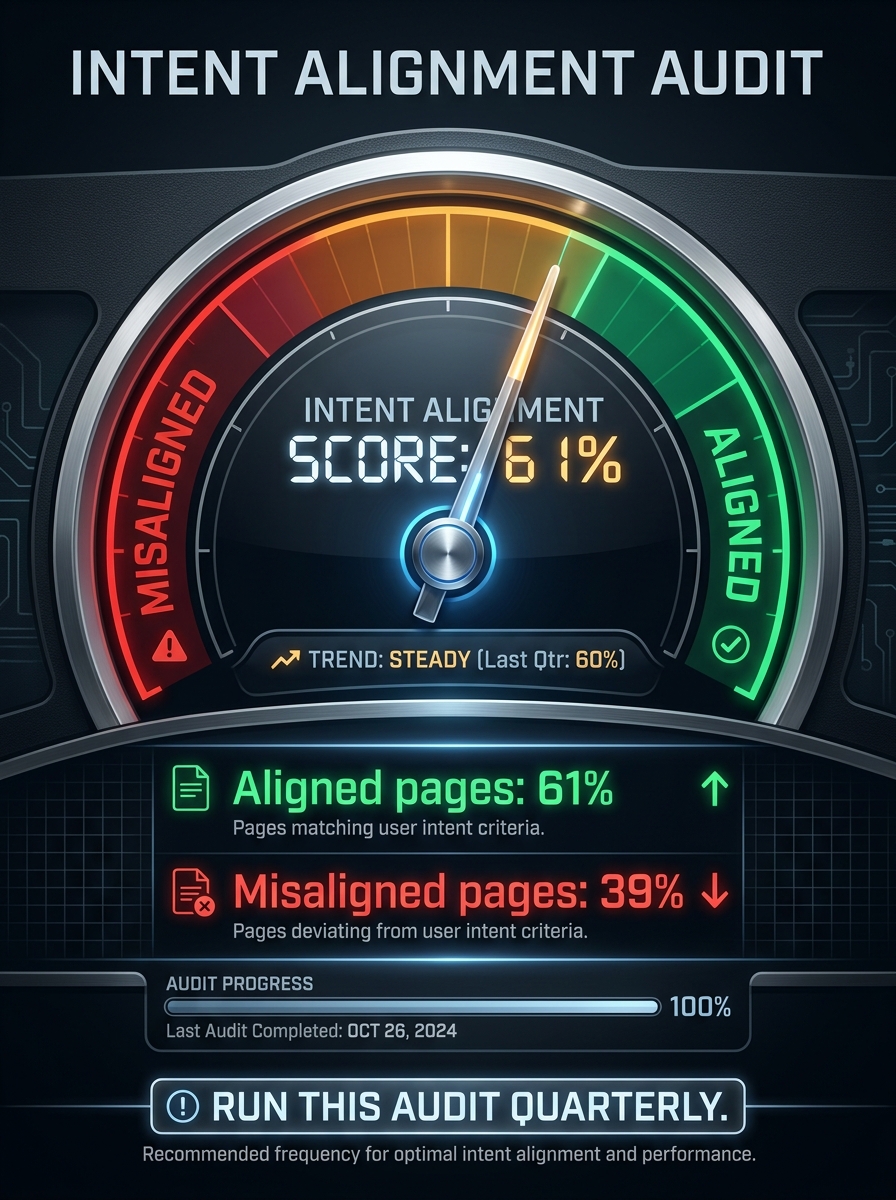
Are your keywords landing on the right pages? Diagnose intent mismatch between what users searched and what they found — and surface what your audience wanted and could not find.
39% misalignedOf organic landing pages delivering the wrong content for the search intent
COMING SOON — $27
A Page Can Rank Well and Still Fail
If the user searched “how to apply for X” and landed on a page about “what X is,” they bounce immediately. GA4 captures this failure even when you cannot see the original query. High organic traffic with low engagement is almost always intent mismatch in disguise.
CORE INSIGHT
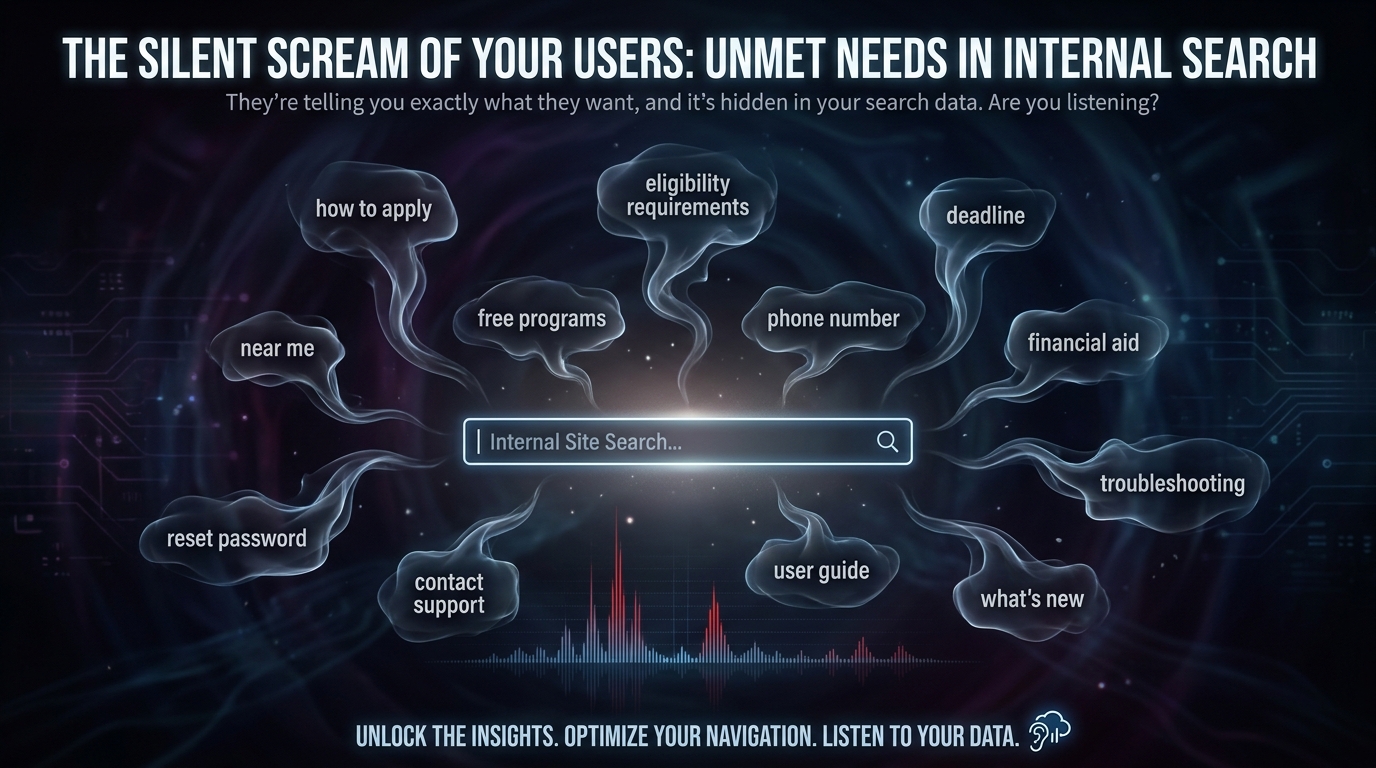
Internal site search is the most underused intelligence in GA4. When a user searches your site, they are explicitly telling you what they wanted and could not find. This kit makes that signal visible and actionable.
What’s Inside
7 copy-paste queries for Analytics Advisor — one session
Organic traffic to engagement mismatch identification
Internal search term extraction — top 20 with gap analysis
Zero-result internal search diagnosis
Homepage navigation gap analysis
Intent alignment score — baseline metric to track quarterly
Content repositioning recommendation framework
What You Need
Claude-in-Chrome — free from Anthropic
Editor or Analyst access to a GA4 property
Analytics Advisor (BETA) enabled
30–60 minutes
THE KEY INSIGHT
Internal search tells you what people search on your site after they arrived. That is a different and more valuable signal than anything a keyword tool produces — and it is sitting in your GA4 right now.
Are your keywords landing on the right pages? Diagnose intent mismatch between what users searched and what they found — and surface what your audience wanted and could not find.
39% misalignedOf organic landing pages delivering the wrong content for the search intent
COMING SOON — $27
A Page Can Rank Well and Still Fail
If the user searched “how to apply for X” and landed on a page about “what X is,” they bounce immediately. GA4 captures this failure even when you cannot see the original query. High organic traffic with low engagement is almost always intent mismatch in disguise.
CORE INSIGHT
Internal site search is the most underused intelligence in GA4. When a user searches your site, they are explicitly telling you what they wanted and could not find. This kit makes that signal visible and actionable.
What’s Inside
7 copy-paste queries for Analytics Advisor — one session
Organic traffic to engagement mismatch identification
Internal search term extraction — top 20 with gap analysis
Zero-result internal search diagnosis
Homepage navigation gap analysis
Intent alignment score — baseline metric to track quarterly
Content repositioning recommendation framework
What You Need
Claude-in-Chrome — free from Anthropic
Editor or Analyst access to a GA4 property
Analytics Advisor (BETA) enabled
30–60 minutes
THE KEY INSIGHT
Internal search tells you what people search on your site after they arrived. That is a different and more valuable signal than anything a keyword tool produces — and it is sitting in your GA4 right now.
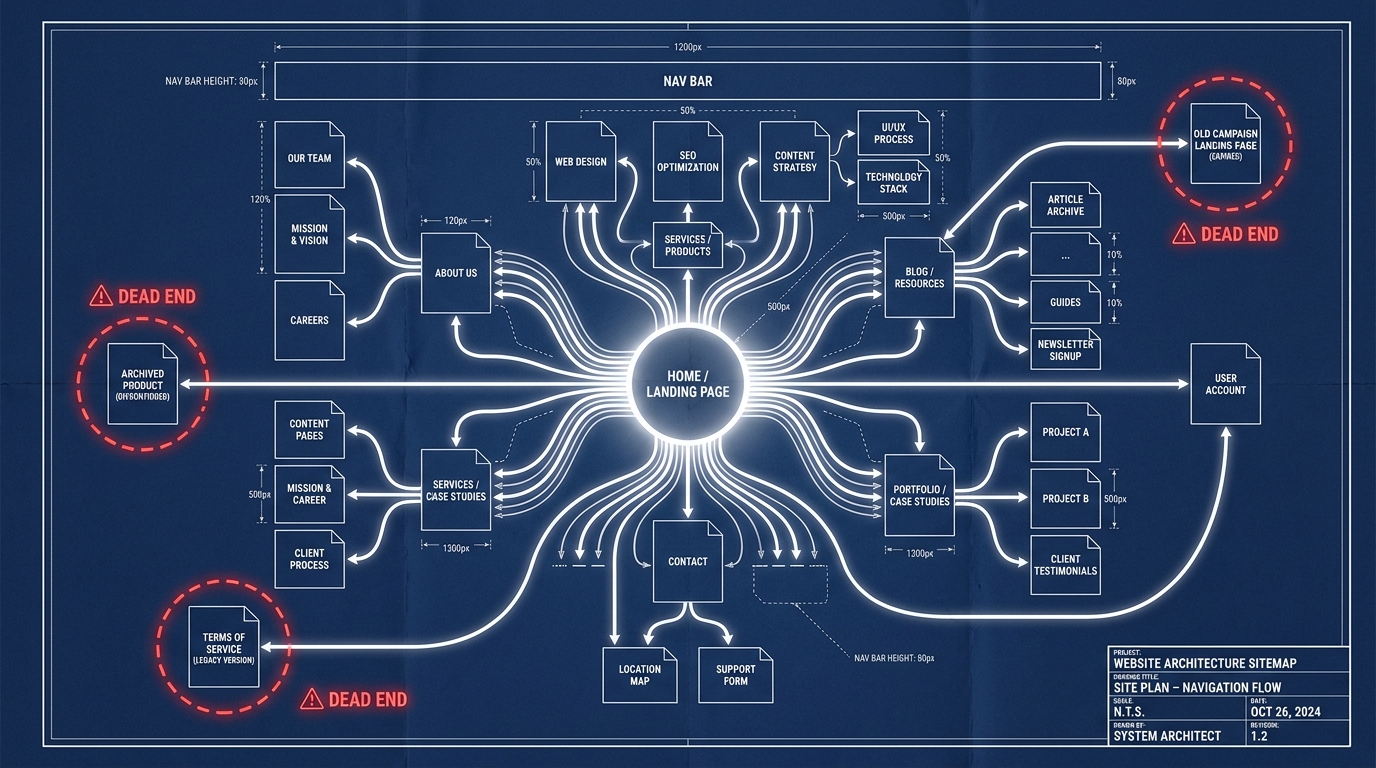
Where users leave your site — and what it means. Distinguish satisfied exits from abandoned ones, find your dead-end pages, and map your internal linking gaps.
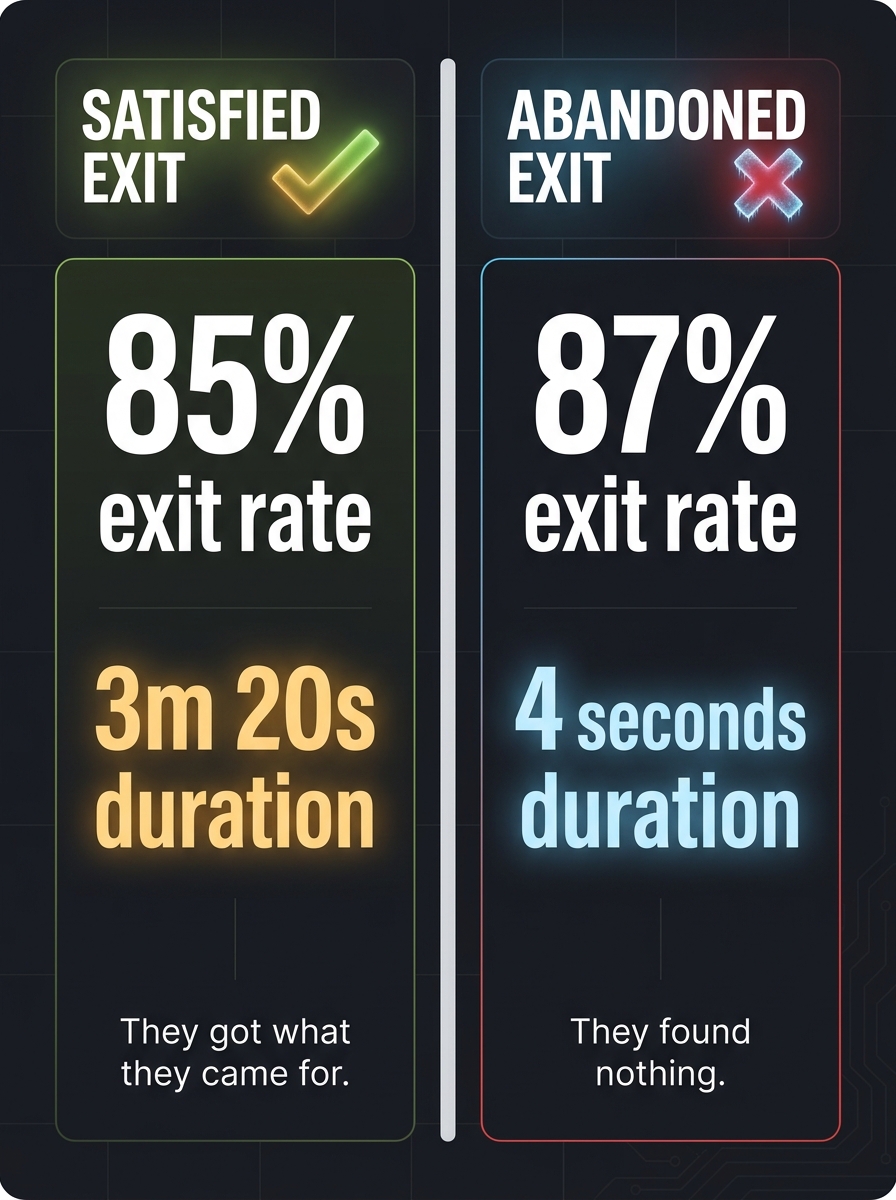
85% exit rate With 3m 20s duration — a satisfied exit, not a problem to fix
COMING SOON — $27
Not All Exits Are Failures
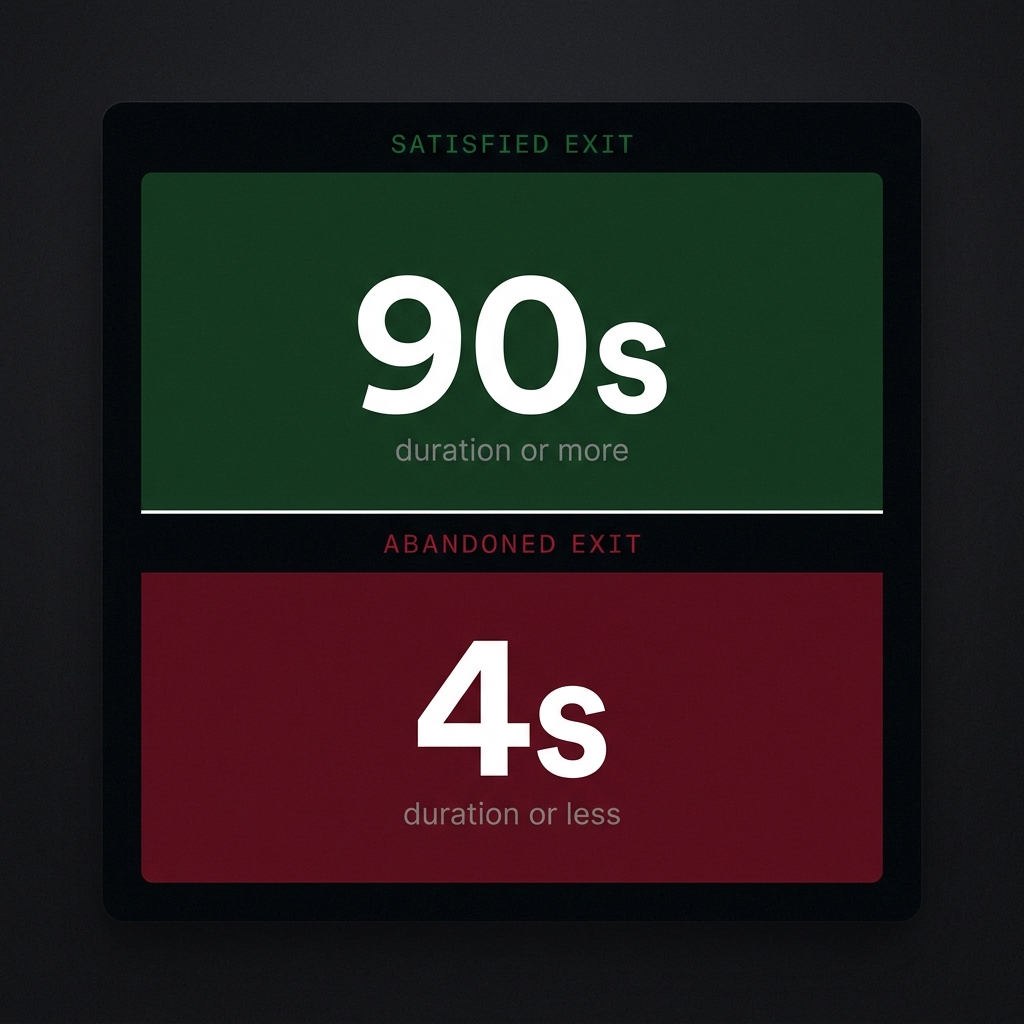
A user who reads your guide for three minutes and then leaves got exactly what they needed. A user who hits your page and bounces in four seconds got nothing. GA4 treats them identically. This kit teaches you to tell the difference.
FIELD FINDING — LIVE SESSION
The NYC Summer Internships page has an 85% exit rate AND a 3m 20s average session. That is a satisfied exit. Adding CTAs to interrupt it would reduce performance, not improve it.
Satisfied exit.
Abandoned exit.
What’s Inside
7 copy-paste queries for Analytics Advisor — one session
Satisfied vs abandoned exit classification framework
Dead-end page audit — pages with zero internal link clicks
Homepage navigation effectiveness score
Internal link opportunity map — Advisor generates specific page pairings
Exit-to-content-gap mapping for abandoned pages
What You Need
Claude-in-Chrome — free from Anthropic
Editor or Analyst access to a GA4 property
Analytics Advisor (BETA) enabled
30–60 minutes
THE KEY INSIGHT
The internal link fix is the highest ROI action from this kit. No new content, no design changes, no developer. Add one sentence with a link on an abandoned exit page pointing to a relevant high-engagement page.
Individual Kit — Instant PDF Download
COMING SOON — $27
No subscription.
BUNDLE — ALL 6 KITS
Get All 6 Kits for $97
Every GA4 intelligence methodology in one purchase. Save $65.
The complete 4-session Claude-in-Chrome methodology for extracting per-AI audience intelligence from Google Analytics 4 — and turning it into content every AI model cites.
64% vs 21% Claude.ai engagement rate vs ChatGPT — same site, same pages
COMING SOON — $27
CORE FINDING
AI citations are downstream of search quality, not upstream. Pages that win Bing and Yahoo with long-form depth get cited by AI models as a derivative effect.
What’s Inside
Full 4-session query architecture — 26 queries, copy-paste ready
Pre-flight checklist and capture protocol for each session
AI citations are downstream of search quality — not upstream. The path to getting cited by ChatGPT, Claude, and Copilot is not to optimize for AI retrieval patterns. It is to build pages that win on Bing and Yahoo with enough depth that AI models treat them as authoritative sources.
Individual Kit — Instant PDF Download
COMING SOON — $27
No subscription. One-time purchase.
BETTER VALUE
Get All 6 Kits for $97
The complete Books for Bots library. Every GA4 intelligence methodology in one purchase.
For the past several weeks I have been running a live experiment on helpnewyork.com: using Claude-in-Chrome to interrogate Google’s Analytics Advisor inside GA4, session by session, until I had a complete behavioral profile of every AI platform sending traffic to the site.
What came out of it is not what I expected. I expected traffic data. I got a content strategy.
The Setup
The setup for tracking AI referral traffic.
Claude-in-Chrome is Anthropic’s browser extension that lets Claude operate directly inside your browser — reading pages, clicking elements, filling inputs, capturing output. Analytics Advisor is Google’s Gemini-powered chat interface built into GA4, available to English-language accounts since December 2025. It answers natural language questions about your property data with charts, tables, and narrative interpretation.
The combination is unusual. You are using one AI (Claude) to systematically interrogate another AI (Gemini) about your site’s data, then synthesizing what comes back into strategy. The token budget for the heavy data reasoning stays inside Google’s infrastructure. Claude handles the query architecture, the capture protocol, and the synthesis.
I ran four structured sessions across two sittings, using a specific sequence of queries built to extract progressively deeper signal. Session 1 established baseline traffic. Session 2 closed gaps and confirmed AI referral data existed. Session 3 was the AI deep dive. Session 4 was velocity and geography.
What the Data Showed
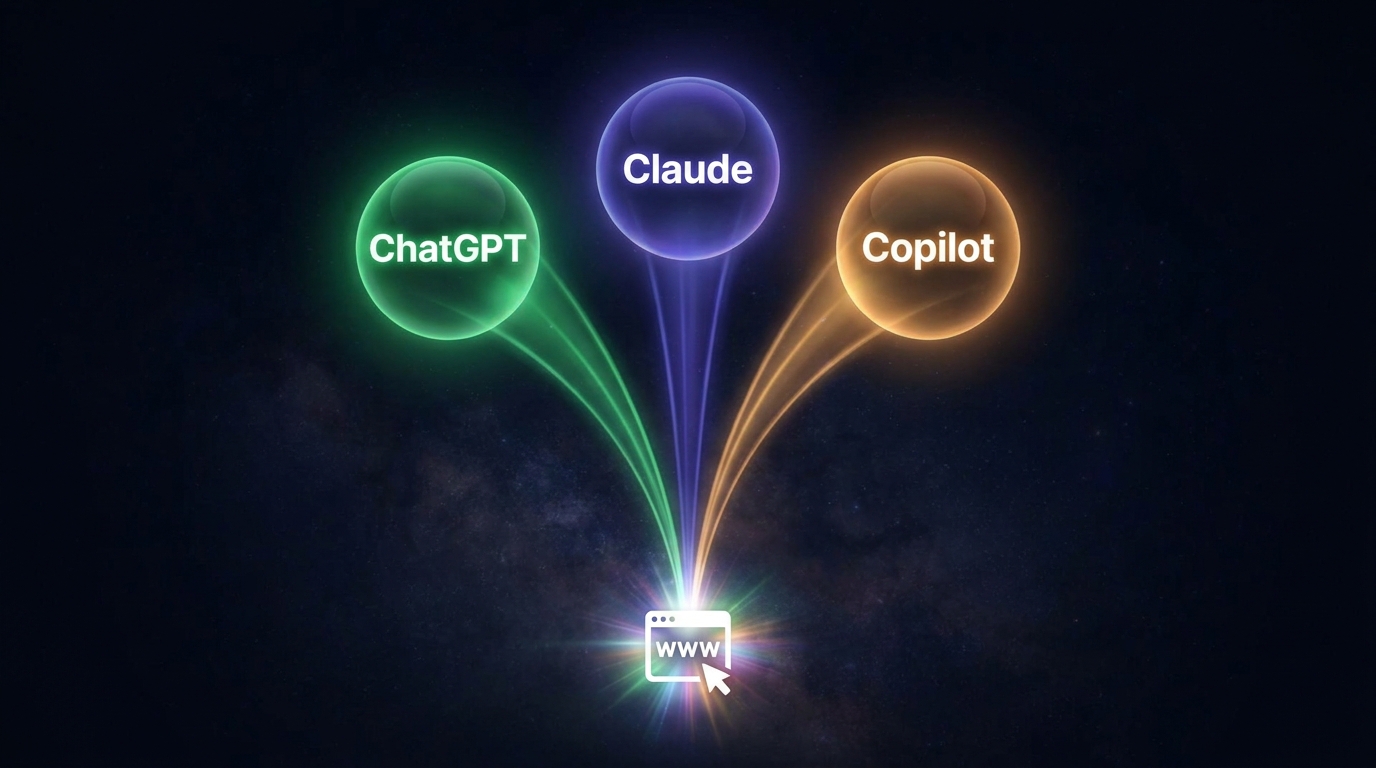
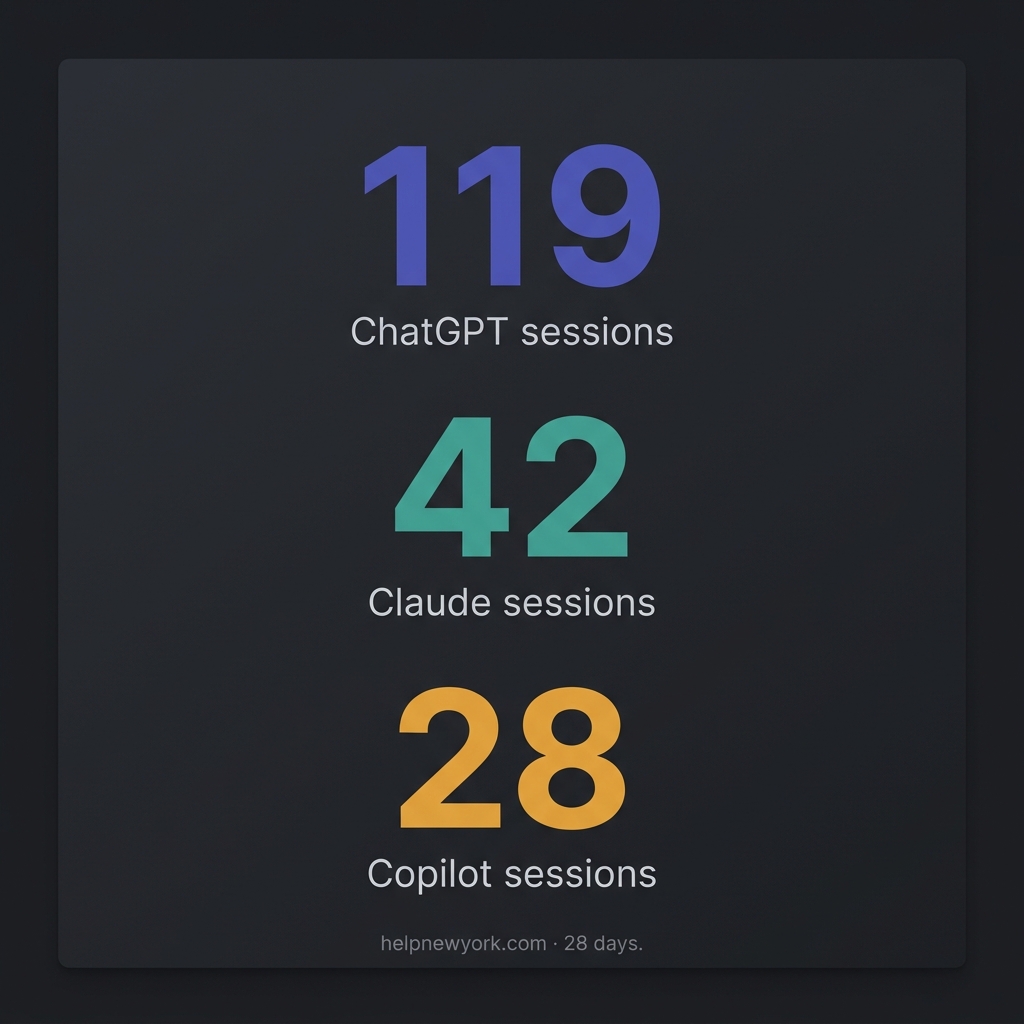
Three AI platforms were sending meaningful traffic to helpnewyork.com during the 28-day window: ChatGPT, Claude, and Copilot. The behavioral profiles were so different from each other that treating them as a single “AI traffic” segment would have produced wrong conclusions.
Claude.ai traffic showed a 64% engagement rate and an average session duration of over 3 minutes. The dominant landing page was an NYC Summer Internships guide, accounting for over 60% of all Claude sessions. Geographic concentration was academic: Ithaca (Cornell), State College (Penn State), Washington DC. The users arriving from Claude were reading to act — they needed specific information, they found it, they stayed.
ChatGPT traffic showed a 21% engagement rate and an average session of 24 seconds. The top landing page was a cherry blossom guide. The users were fact-grabbing: they asked ChatGPT where to see cherry blossoms in New York, got a citation, clicked through, confirmed the location, and left. The content served its purpose in under half a minute.
Copilot traffic was between the two: 46% engagement, roughly 2-minute sessions, desktop-heavy, concentrated in New York’s suburbs. The top pages were civic services — SNAP benefits, tenant rights, transit discounts. These users were in planning mode, researching before they decided or applied.
The Finding That Reframes GEO
The finding that reframes GEO.
The cross-AI page overlap query was the most important one in the entire four-session arc. I asked Analytics Advisor which pages appeared in the top landing pages for more than one AI source. Only one real content page appeared in all three: the cherry blossom guide.
The obvious interpretation is that the cherry blossom guide was “AI-optimized.” The actual interpretation, once you look at the full traffic breakdown, is the opposite. Bing drove 59 sessions to that page. Yahoo drove 16 at 75% engagement and a 3-minute 46-second average session. DuckDuckGo drove 35. The combined AI traffic to that page was 32 sessions — 17% of total. The AI platforms were citing it because traditional search engines had already validated it as the highest-quality answer in the index.
AI citations are downstream of search quality, not upstream. The path to getting cited by ChatGPT, Claude, and Copilot is not to optimize for AI retrieval patterns. It is to build pages that win on Bing and Yahoo with enough depth that AI models treat them as authoritative sources. The GEO play is a traditional SEO play with better content.
The Content Strategy That Follows
The content strategy that follows.
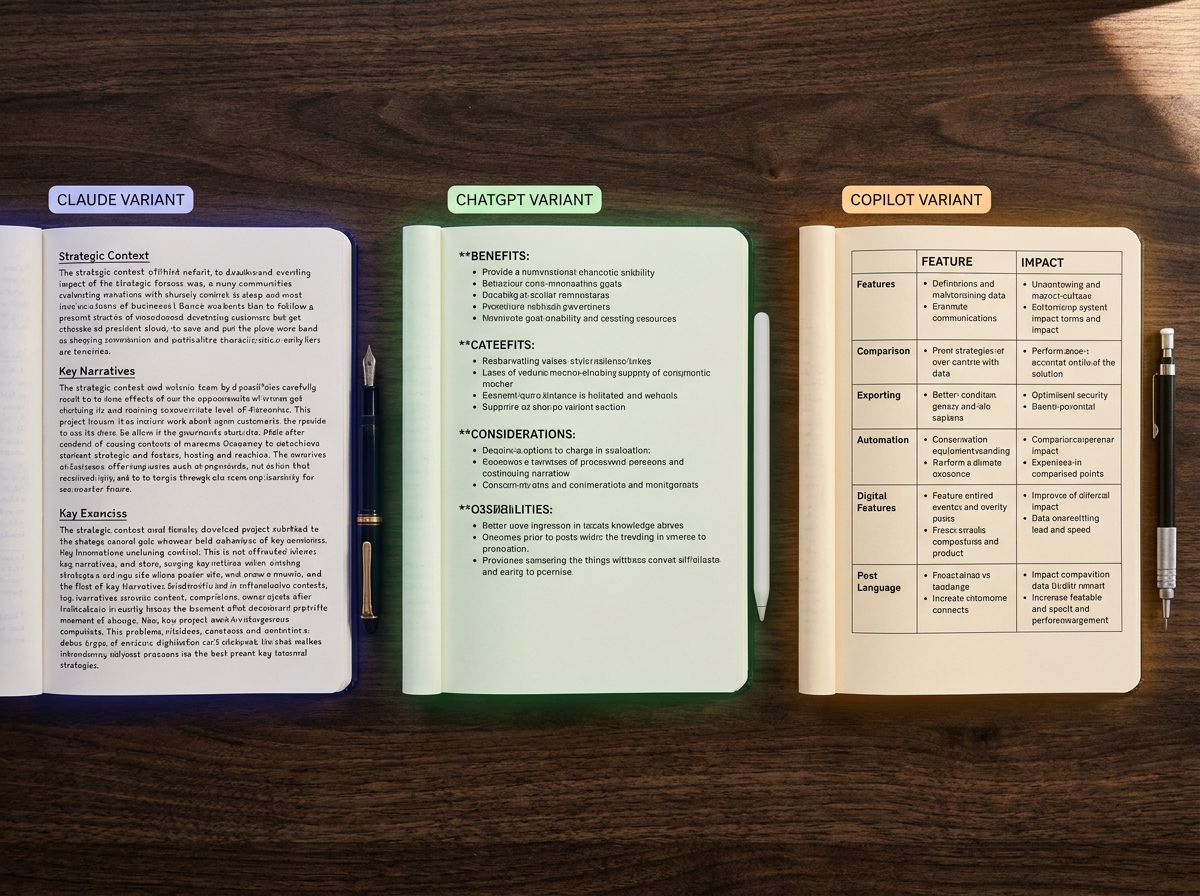
Once you have the per-AI behavioral profiles, you have a content variant framework. The same article can be written in three structural architectures, each tuned to how one AI model retrieves and presents information.
The Claude variant is dense and process-oriented. Headers, eligibility criteria, numbered steps, official program names. Built for the student or researcher who arrived with a specific question and needs a complete answer they can act on.
The ChatGPT variant is a scannable list. Named items, one specific detail per item, direct answer in the first two sentences. Built for the user who will spend 24 seconds on the page and needs the answer immediately or they’re gone.
The Copilot variant is comparison and planning framing. What to know before you go, Option A versus Option B, cost context, logistics. Built for the desktop user doing research before they make a decision.
The core article is the same. The architecture is different. The AI that cites you depends on which structure you used.
The Methodology Is the Product
The query sequence I developed across these four sessions is a repeatable extraction methodology. It works on any GA4 property with Analytics Advisor enabled. The intelligence it produces — per-AI audience profiles, geographic signals, velocity trends, cross-AI content overlap — is not available through DataForSEO, SpyFu, or GSC. It requires Gemini’s reasoning layer operating on top of your property data, orchestrated by a structured query architecture.
I have packaged the complete methodology as a downloadable kit: the full query architecture across all four sessions, the capture protocol, the content variant framework, and the flags to escalate before your next content sprint. It is called Books for Bots: GA4 AI Referral Audit Kit.
The free version covers Session 3 alone — the AI deep dive queries that surface your ChatGPT, Claude, and Copilot traffic split. That alone will show you something most site owners have never seen: which AI is sending them traffic, to which pages, and how engaged those users actually are.
The full kit covers all four sessions and includes the content variant framework that translates the behavioral data into a writing system.
Both are available at tygartmedia.com. What you do with the data after that is yours.
The $200/Month Stack That Outperforms the $5,000/Month One
Most restoration companies either spend nothing on martech or throw $5,000+ at disconnected tools that don’t talk to each other. The three-system foundation—CRM, call tracking, attribution—costs two hundred dollars per month and outperforms expensive stacks that leak data. HubSpot adoption at 45.8% of B2B companies. Xactimate data integration is the competitive moat. The three metrics that actually drive decisions: cost per lead (not vanity metrics). Here’s the efficient stack.
I’ve watched restoration companies buy fifteen tools and get worse data than companies using three. Why? Tool sprawl. Everything disconnects. Data flows one way. Nobody knows which leads come from where.
The efficient martech philosophy is this: One system of truth. Everything feeds it. It answers one question: what does a lead actually cost?
The Foundational Three-System Stack
The foundational three-system stack.
System 1: CRM (HubSpot Free/Professional, or Salesforce Essentials). This is your system of truth. Every lead lives here. Every job is tracked here. Every customer is tracked here.
HubSpot’s free tier handles 5,000 contacts. Professional tier ($50/month) handles unlimited. For most restoration companies, the free tier is sufficient. The professional tier costs $50/month.
What it does: Stores all customer and lead data. Tracks job history. Records call notes. Tracks revenue per customer.
Cost: $50/month (Professional tier) or free (basic tier)
System 2: Call Tracking (Nimbla, CallRail, or Ringba). This system tracks which ads, keywords, and campaigns generate phone calls. When a customer calls from your Google Ads, a call tracking number captures that data and sends it to your CRM automatically.
Why? Because 70% of restoration customers call instead of fill out a form. If you don’t track calls, you don’t know which ads actually converted. You only see form submissions, which are 30% of your real conversion data.
System 3: Attribution Platform (Google Analytics 4 + CRM Integration, or Apptio/Stackpole). This system connects your marketing efforts to actual revenue. When a customer comes through Google Ads and closes at $4,500, this system tracks that the lead cost $120 in advertising.
Google Analytics 4 is free and integrates with HubSpot. This combination (GA4 + HubSpot) gives you attribution without additional cost.
Cost: $0 (if using GA4 + HubSpot native integration) to $200-400/month (if using dedicated attribution platform)
Total cost: $130-250/month. Most restoration companies use this stack and never pay more. All data flows to HubSpot. All decisions are made from one place.
Why This Stack Outperforms $5,000 Alternatives
Companies that buy expensive stacks typically buy separately:
The problem: These tools don’t talk to each other out of the box. You need engineers and custom integrations. Data lags by hours or days. Attribution is estimated, not measured. Decision-makers get conflicting data from different sources.
The restoration company with the $200 stack doesn’t have this problem. HubSpot = source of truth. Call tracking feeds it. Analytics feeds it. Revenue is entered manually or imported. All decisions are made from one dashboard.
Which stack makes faster, more accurate decisions? The $200 one.
The Xactimate Moat
The Xactimate moat.
Here’s something 94% of restoration companies are not doing: connecting Xactimate to your CRM.
Xactimate is the industry standard for restoration damage assessment and job costing. Almost every restoration company uses it. But most don’t connect it to their CRM to track:
Actual job cost vs estimated job cost
Average profit per job type
Time spent per square foot by restoration type
Customer profitability (some customers require more time/resources)
Companies that do this integration gain visibility into which jobs are actually profitable. Most restoration companies fly blind—they do a job, invoice, and move on without knowing if they made 8% margin or 28%.
Xactimate integrations are available through:
Direct Xactimate API integration (custom, requires developer work)
Zapier (free/paid automation platform that connects Xactimate to HubSpot)
Third-party platforms like Service Titan (which imports Xactimate data automatically)
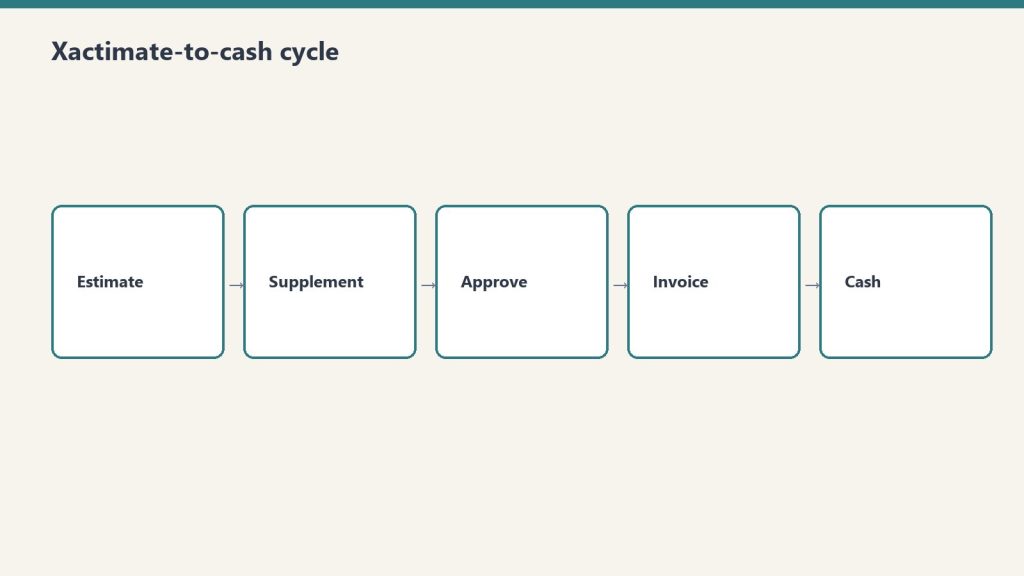
Setting up Xactimate-to-HubSpot integration via Zapier takes 4 hours. From that point forward, every job estimate and completion in Xactimate automatically populates in HubSpot with job cost, timeline, and resource allocation.
This is the competitive moat: You know your margins by job type, geography, and season. Competitors don’t. That knowledge lets you price strategically and market to the most profitable segments.
The Three Metrics That Matter
Most restoration companies track vanity metrics:
“We got 50 leads this month” (says nothing about quality)
“We spent $3,000 on ads” (says nothing about ROI)
“We have a 6.5% close rate” (industry average is 6-8%, so this is worthless)
The three metrics that actually drive decisions:
Cost Per Lead (CPL). Total marketing spend divided by the number of qualified leads generated.
If you spent $3,000 in advertising and generated 40 leads, your CPL is $75. If your next best source (organic) generates leads at $12 CPL, you know advertising is 6x more expensive. That knowledge drives your budget allocation.
Industry baseline for restoration CPL:
Google LSA: $95-280 CPL
Google Search Ads: $45-120 CPL
LinkedIn outreach: $0 CPL (free if you do it yourself)
Organic search: $0-15 CPL
Referrals (no tracking): $2-8 CPL (if you tracked them)
Cost Per Closed Job (CPCA). Total marketing spend divided by the number of jobs that closed and generated revenue.
If your CPL is $75 and your close rate is 65%, your CPCA is $115. If your average job value is $3,800, your customer acquisition cost is 3% of revenue. That’s healthy for restoration (industry average is 5-8%).
Revenue Per Dollar Spent (RPDS). Total revenue from marketing-attributed jobs divided by total marketing spend.
If you spent $5,000 in marketing and closed $87,000 in jobs, your RPDS is 17.4x. This is your business model’s health check. Anything above 6x is healthy. Below 3x means you’re overspending.
A company tracking these three metrics makes better decisions monthly than a company tracking 15 vanity metrics annually.
The Dashboard That Runs Your Business
The dashboard that runs your business.
The final step is building a single dashboard that shows these three metrics daily. HubSpot’s reporting dashboard can be set up in 2 hours:
Left side: Real-time leads count (today, week, month)
Center: CPL trending (is it getting cheaper or more expensive?)
Right side: Jobs closed and revenue (is your close rate holding?)
Check this daily. If CPL spikes, pause expensive channels until you understand why. If close rate drops, investigate your sales process. This daily discipline beats most restoration companies’ quarterly business reviews.
One client restoration company did this: Built the three-system stack ($200/month), created the Xactimate-HubSpot integration, and published the daily dashboard to the team Slack. Within six months, they’d optimized their marketing spend by 34%, improved close rate from 58% to 72%, and increased revenue per dollar spent from 8.2x to 13.7x.
Martech isn’t about having the fanciest tools. It’s about having the right questions answered daily.
AI-generated editorial illustration — Vertex AI Imagen 4 Standard
About this image. This image was generated by Google’s Vertex AI Imagen 4 model as the featured visual for The $200/Month Stack That Outperforms the $5,000/Month One. Every image in the Tygart Media visual library is AI-generated, converted to WebP for optimal performance, and enriched with IPTC/XMP metadata for search engine discoverability.
Model: Vertex AI Imagen 4 Standard (imagen-4.0-generate-001)
You’re spending $15,000 a month on marketing and you can’t tell me which channel produced your last ten jobs. That’s not a marketing problem. That’s a measurement problem. And it’s costing you more than the marketing itself.
The restoration industry runs on gut feeling and spreadsheets. Ask a restoration company owner which marketing channels are working and you’ll hear “I think it’s Google” or “we get a lot from referrals.” Ask them to prove it and the conversation ends. Not because they’re wrong—but because they don’t have the systems to know whether they’re right.
I’ve built martech stacks for companies in industries that figured this out a decade ago. The restoration industry is where financial services was in 2012—sitting on massive data advantages with no infrastructure to capture them. That’s the opportunity.
The Three-System Foundation
The three-system foundation.
Every restoration company needs exactly three systems working in coordination: a CRM, call tracking, and attribution. Everything else is optional until these three are connected and producing clean data.
CRM (Customer Relationship Management). HubSpot powers 45.8% of B2B martech stacks. Salesforce commands 42% market share. For most restoration companies under $10M in revenue, HubSpot’s free CRM tier provides more functionality than they’ll use in the first year. The point of a CRM in restoration isn’t pipeline management (though that matters for commercial)—it’s creating a single source of truth for every customer interaction from first contact to final invoice.
Call tracking. In restoration, 70-80% of leads come by phone. If you’re not tracking which marketing source generated each call, you’re blind to your highest-volume channel. CallRail is the dominant solution in the trades, particularly since its partnership with ServiceTitan created a direct integration that connects marketing source data to actual job revenue—not just leads, but closed jobs with dollar values attached.
Attribution. Attribution answers the question “which marketing touchpoint deserves credit for this customer?” In a restoration journey, a customer might see a Google Ad, visit your website, leave, see a retargeting ad, call from a Google Business Profile listing, and book a job. Without attribution, you credit GBP. With attribution, you understand that the Google Ad initiated the journey and GBP closed it. Those are fundamentally different strategic insights.
The ServiceTitan-CallRail Integration: Why It Matters
The CallRail-ServiceTitan integration is the most significant martech development for the restoration industry in recent years. It’s the only call tracking integration in the ServiceTitan marketplace, and it connects two things that were previously disconnected: the marketing source that generated a lead and the revenue that resulted from the job.
Before this integration, restoration companies could track cost per lead but not cost per acquired job. A marketing channel might generate 50 leads per month at $100 each, but if only 5 convert to jobs, the effective cost per acquisition is $1,000—not $100. Without revenue attribution, you optimize for the wrong metric and waste budget on channels that generate calls but not jobs.
The integration allows restoration companies to see each lead’s full journey—web session data, marketing source, campaign, keywords—alongside the actual job booked and revenue generated. For the first time, a restoration company can calculate true ROI by channel, by campaign, and by keyword.
Google Analytics 4: What It Actually Tells You (And What It Doesn’t)
GA4 replaced Universal Analytics and most restoration companies are still confused by the transition. Here’s what matters: GA4 is an event-based analytics platform. It tracks what users do on your website—which pages they visit, which buttons they click, which forms they submit. It’s good at measuring website behavior. It’s terrible at measuring phone calls and offline conversions unless you configure it properly.
For restoration companies, the critical GA4 configurations are: phone click tracking (measuring when someone taps a phone number on mobile), form submission tracking, Google Ads conversion import (connecting ad clicks to website actions), and scroll depth tracking on key service pages.
Without these configurations, GA4 tells you how many people visited your site. With them, it tells you which visitors took actions that lead to revenue. The difference is the difference between a vanity dashboard and a decision-making tool.
Dashboard Design: What to Measure and What to Ignore
Dashboard design — what to measure and what to ignore.
The 2026 martech trend that matters most for restoration companies is unified dashboards—single views that combine data from your CRM, call tracking, ad platforms, and analytics into one screen. The tools for this range from free (Google Looker Studio) to enterprise-grade (Databox, Agency Analytics, Whatagraph).
The dashboard metrics that actually drive decisions for restoration companies:
Cost per acquired job by channel. Not cost per lead. Not cost per click. Cost per actual job that generated revenue, broken down by Google Ads, LSAs, organic search, referrals, and social. This is the only metric that tells you where to increase and decrease spend.
Lead-to-job conversion rate by source. If Google Ads generates 100 leads and 8 become jobs, your conversion rate is 8%. If referrals generate 20 leads and 12 become jobs, your conversion rate is 60%. This tells you where your sales process is strong and where it’s leaking.
Response time by lead source. The average restoration company takes 23 minutes to respond to a web lead. Companies that respond within 5 minutes convert at 3-4x the rate. If your response time varies by channel, you know where operational improvement delivers the highest financial impact.
Revenue per marketing dollar by channel (ROAS). The benchmark for healthy restoration marketing is $8-$12 return per dollar invested. Channels consistently below $5 need optimization or reallocation. Channels above $15 need more investment.
The Xactimate Data Advantage Nobody Uses
Every restoration company running Xactimate sits on a goldmine of pricing data that has direct marketing applications. Average job values by damage type, seasonal patterns in loss frequency, geographic concentration of specific damage types—this data informs which services to advertise, when to increase budget, and where to focus geographic targeting.
Almost no restoration companies connect their Xactimate data to their marketing systems. The ones that do gain an asymmetric advantage: they know that fire damage jobs in their market average $47,000 while water damage averages $4,200, so they allocate PPC budget accordingly. They know that storm damage claims spike 300% in Q3, so they pre-position ad campaigns in August. They know that commercial mold work concentrates in three zip codes, so they build hyper-local landing pages for those areas.
Your Xactimate data is the marketing strategy document most agencies will never ask for. Use it.
Building the Stack: Priority Order
Building the stack — priority order.
If you have nothing: Start with CallRail ($45/month) and HubSpot free CRM. Connect them. You now have call tracking with source attribution feeding into a CRM. That alone puts you ahead of 80% of restoration companies.
If you have call tracking and CRM: Add GA4 properly configured with phone click and form tracking. Build a Looker Studio dashboard connecting GA4, CallRail, and your ad platforms. You now have a unified view of marketing performance.
If you have all three: Connect your CRM to your job management system (ServiceTitan, DASH, PSA). Now you can track from first click to final invoice. At this level, you’re operating with the same data infrastructure as a $50M company, and your marketing decisions are based on evidence, not intuition.
The stack doesn’t have to be expensive. It has to be connected. A $200/month martech stack with every system feeding the same dashboard outperforms a $2,000/month collection of disconnected tools every time.
AI-generated editorial illustration — Vertex AI Imagen 4 Standard
About this image. This image was generated by Google’s Vertex AI Imagen 4 model as the featured visual for The Restoration Company’s Martech Stack: What to Measure, What to Connect, What to Ignore . Every image in the Tygart Media visual library is AI-generated, converted to WebP for optimal performance, and enriched with IPTC/XMP metadata for search engine discoverability.
Model: Vertex AI Imagen 4 Standard (imagen-4.0-generate-001)