Tag: Dashboards

  • Running the Restoration Company as a Business: The Finance and Operations Discipline That Separates the Companies That Compound From the Ones That Plateau

    Running the Restoration Company as a Business: The Finance and Operations Discipline That Separates the Companies That Compound From the Ones That Plateau

    Direct answer: A restoration company is not just a service company. It is a working-capital-intensive, claims-cycle-dependent, equipment-rich, labor-leveraged business where gross margin varies from 70 percent on water mitigation to 10 percent on reconstruction, where net margin compresses as revenue grows, and where the gap between the average operator and the well-run operator is several multiples of profitability. The discipline that separates the two is not heroic effort; it is financial and operational rigor applied consistently to a small set of decisions about service mix, AR cycle, equipment leverage, crew structure, KPI hygiene, carrier-program exposure, multi-location structure, and exit posture. This pillar introduces those eight decisions and frames the cluster that explores each one in depth.

    The restoration industry sits in a strange place. Industry analysts cite a market range from $7.1 billion to $80 billion in U.S. revenue, depending on how the boundary is drawn — water mitigation only, all property restoration, all property and remediation including mold and biohazard, or the full disaster-recovery economy including reconstruction and contents. The Restoration Industry Association and Restoration & Remediation Magazine have referenced the wider range publicly, and the consensus growth rate sits at 4-6 percent CAGR. Within that aggregate market, the operator-level reality is that the industry is fragmented — thousands of independent shops in the $1M to $30M range, several hundred regional operators in the $30M to $200M range, and a small set of national consolidators with revenue over $200M. The fragmentation is the opportunity. It is also the trap.

    The opportunity is that no national brand has captured commodity property restoration the way ServiceMaster did in dry cleaning or Home Depot did in retail. Independent operators with discipline can build $5M to $50M businesses with strong margins and durable client relationships. The trap is that fragmentation lets bad businesses survive longer than they should. A restoration company can run for a decade with sloppy AR, undisciplined service mix, and informal operations and still pay the owner well in good years — until a CAT-event swing, a carrier-program change, or a key-employee departure exposes the underlying weakness and the business loses years of compounding to the cleanup. The well-run shop avoids this not by being smarter on the day of the event but by having installed financial and operational discipline before the event ever arrived.

    This article is the pillar for the cluster that follows. The cluster covers eight specific decisions where finance and operations rigor moves the needle the most: AR aging and the Xactimate-to-cash cycle, gross margin by service line, equipment economics, crew structure and labor cost, KPI dashboards, preferred-vendor program economics, multi-location growth, and M&A and exit dynamics. This pillar walks through each at altitude so an owner-operator can see how they connect before deciding which to attack first.

    The unit economics that actually drive a restoration company
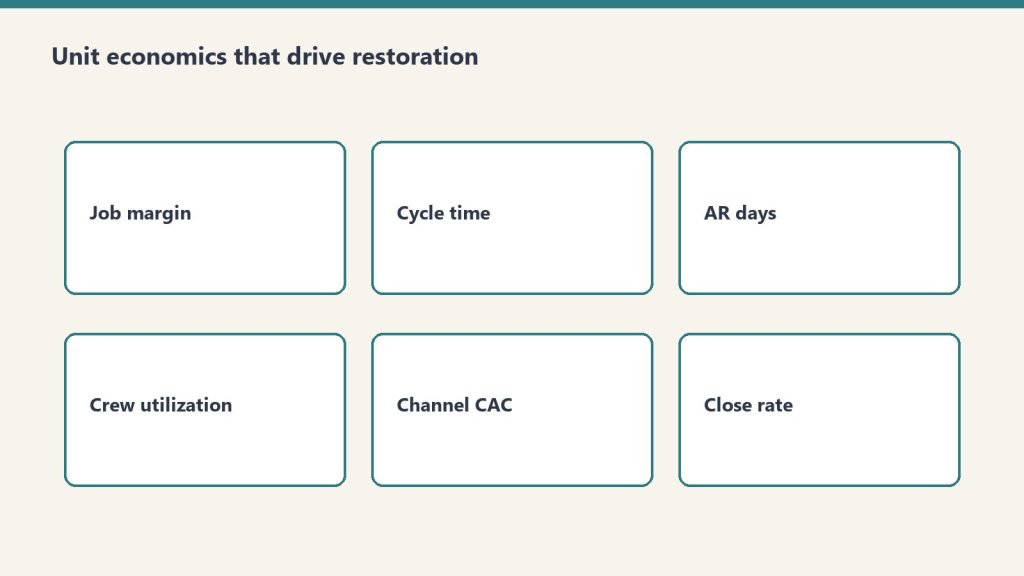
    The restoration industry’s unit economics are unusual in three specific ways that operators frequently miss until they are scaling and the math stops working.

    Service-line gross margin is wildly different by line. Water mitigation typically runs 70-80 percent gross margin because equipment does most of the work — air movers and dehumidifiers run on 24-hour cycles with limited human labor — and the Xactimate price list rewards this with strong unit pricing. Mold remediation runs 40-50 percent gross margin because the labor content is heavier and the protective and disposal cost is real. Fire damage restoration runs 25-30 percent gross margin because the work is labor-intensive, slow, and contents-heavy. Reconstruction runs around 10 percent gross margin because it is a construction business with construction margins layered on top of the restoration relationship.

    That spread — 70 percent on the front of the loss to 10 percent on the back — means that two restoration companies with the same revenue can have radically different profitability depending on the mix. A $5 million shop with 60 percent water and mold and 40 percent reconstruction makes meaningfully more money than a $5 million shop with 30 percent water and mold and 70 percent reconstruction, even if both are running competent operations. Mix is the single most important financial decision an operator makes, and it is rarely an explicit decision — it tends to drift based on what comes through the door. Treating mix as a deliberate strategic choice is the first move a finance-aware operator makes.

    Net margin compresses as revenue grows. Independent industry references — including operator surveys cited by Restoration & Remediation Magazine and analysis from restoration-industry CFO advisors like Kiwi Cashflow — show that smaller restoration shops under $1M revenue can sustain gross margins near 70 percent, while shops over $50M typically run net margins in the 6 percent range and shops in the $30-50M band typically run net margins around 15 percent. The shape of the curve is consistent across multiple sources: the smaller the shop, the higher the gross margin and the more variable the net margin; the larger the shop, the more compressed the gross margin and the more stable but lower the net margin.

    Why? Three structural reasons. First, smaller shops do less reconstruction proportionally — they pass it off — which keeps gross margin high. Second, smaller shops carry less overhead because the owner is doing the management work; larger shops require professional management layers that show up in SG&A. Third, larger shops carry more carrier-program exposure, which compresses pricing through preferred-vendor program rate negotiation. The implication for an operator is that the path to higher absolute dollars is real but does not produce proportional margin gains, and the operator who thinks scale will solve a margin problem is usually wrong.

    Working capital intensity is brutal. Restoration is a cash-out, cash-in-much-later business. The work is performed in days or weeks; the cash is collected in months. The operator advances labor cost, equipment depreciation, materials, and subcontractor payments out of pocket and waits for the carrier to settle the claim. AR aging in the 60-120 day range is normal in commercial work and not unusual in residential work either. A shop growing 30 percent year over year is funding that growth with working capital — and a shop that grows faster than its working capital cycle can support runs out of cash even while showing strong P&L performance. This is the most common silent killer of growing restoration companies, and it is the subject of the first article in the cluster that follows.

    The eight decisions that separate compounders from plateaued operators
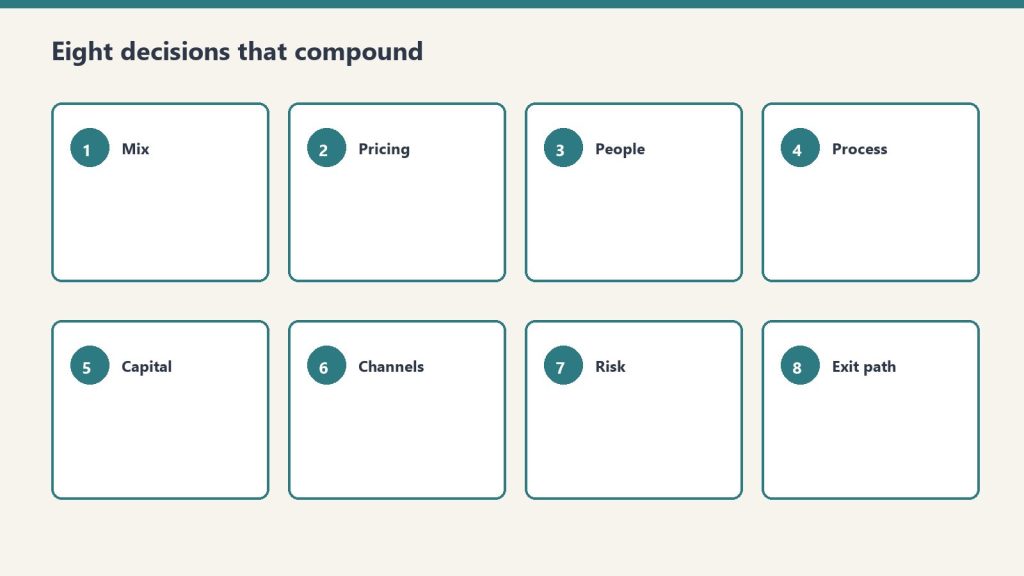
    The cluster that follows takes each of these decisions in depth. Here is the at-altitude framing of each so the operator can see the system before drilling into the parts.

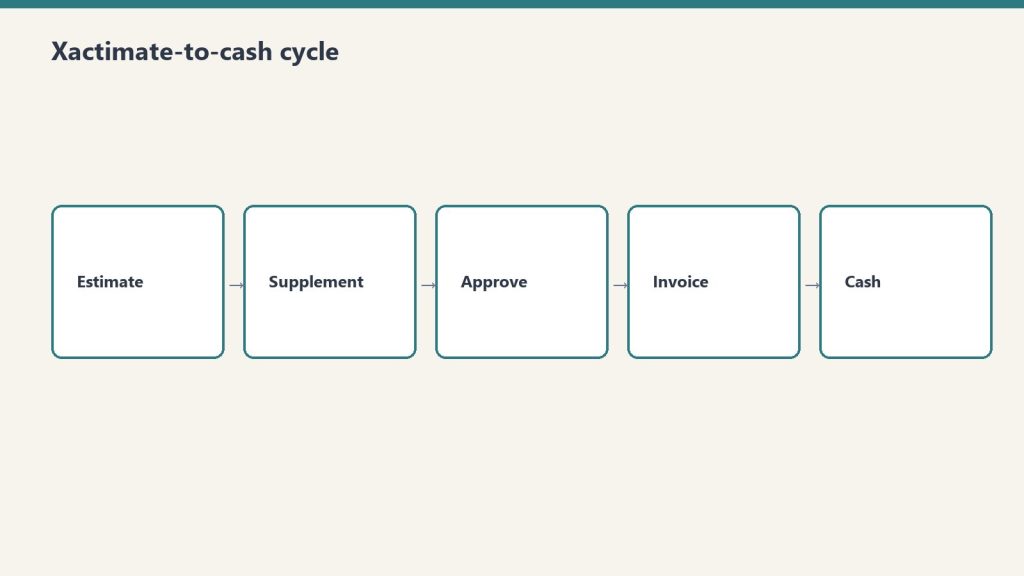
    AR aging and the Xactimate-to-cash cycle. The well-run shop measures Days Sales Outstanding by carrier, by service line, and by job size. It identifies the carrier programs whose AR cycle is acceptable and the ones that are not. It chooses to take or decline work based on cash-cycle math, not just margin math. It builds a working-capital reserve sized to the actual AR aging profile rather than the optimistic version. It treats AR as a strategic asset rather than a back-office annoyance.

    Gross margin by service line. The well-run shop knows its gross margin to within a few points on each service line and uses that knowledge to manage mix deliberately. It chooses which service lines to lead with, which to accept opportunistically, and which to refuse — and it makes those choices based on the gross margin profile and the overhead-absorption requirements of each line, not on which work happens to come through the phone today.

    Equipment economics. The well-run shop runs an equipment economic model that distinguishes between owning, leasing, and renting. It tracks equipment utilization, depreciation, and reinvestment cadence. It avoids both under-investment (forcing crews to wait for equipment that should already be on hand) and over-investment (carrying equipment that sits idle and burns capital). It treats the equipment fleet as a financial asset whose ROI is measurable rather than as a vague necessary cost.

    Crew structure and labor cost. The well-run shop has a deliberate org structure that includes lead-tech tracks, supervisor tracks, and project-management tracks with explicit progression criteria, compensation bands, and productivity targets. It measures revenue per technician hour by service line. It manages labor as the largest controllable cost and treats hiring, training, and retention as strategic activities rather than reactive ones.

    KPI dashboards. The well-run shop runs on a dashboard that includes job-level revenue, gross margin, AR aging, equipment utilization, labor productivity, customer acquisition cost by source, retention by source, and the small set of operational metrics that drive financial outcomes. The dashboard is simple, current, and reviewed weekly. It is the difference between an operator who is reacting to last quarter’s numbers and an operator who is steering against this week’s.

    Preferred-vendor program economics. The well-run shop knows the true economics of each carrier preferred-vendor program — the rate concessions, the volume commitments, the documentation overhead, the AR cycle, and the program’s strategic risk. It distinguishes programs that produce profitable revenue from programs that produce activity at margin levels that do not justify the operational overhead. It uses preferred-vendor work as one channel among several rather than as the foundation of the business, because the operator who is dependent on a single carrier’s program is one underwriting decision away from a revenue cliff.

    Multi-location growth. The well-run shop knows that the second location is structurally different from the first, the fifth is structurally different from the second, and the model that worked at $5 million breaks at $15 million and again at $50 million. It scales deliberately by building management depth ahead of revenue growth, by standardizing operations and financial reporting before geographic expansion, and by recognizing that multi-location restoration is a different business — a portfolio of operating businesses rather than a single business with multiple offices.

    M&A and the consolidator landscape. The well-run shop understands the consolidator landscape — the strategic acquirers including BluSky (Partners Group and Kohlberg), ATI Restoration (TSG Consumer Partners), BMS CAT (AEA Investors), BELFOR, First Onsite, ServiceMaster Restore, Paul Davis, PuroClean, DKI, and the broader set of more than fifty private-equity platforms that have entered restoration since 2018 — and the deal mechanics that drive valuations. It positions early so that when an exit makes sense, the company is sellable at a premium. Or it positions to acquire small competitors itself. Or it makes the deliberate choice to remain independent, with a clear understanding of what that choice means for the owner’s long-term wealth.

    These eight decisions are not equally important to every operator at every stage. An operator at $2 million revenue should focus on AR cycle, service mix, and labor cost — KPI dashboards and M&A are premature. An operator at $30 million revenue should focus on multi-location structure, preferred-vendor program economics, and exit positioning — basic AR discipline should already be in place. The cluster takes each decision in turn and explains the moves that matter most at each stage.

    What this pillar is not

    This pillar is not a financial-modeling primer. There are good resources for that — restoration-industry CFOs like Kiwi Cashflow publish accessible content for operators, and broader trade publications like Restoration & Remediation Magazine and Cleanfax run regular benchmarking surveys. The cluster references these where useful and does not duplicate them.

    This pillar is not a substitute for working with a CPA who understands the restoration industry. The tax structure of a restoration company — the choice of S-corp vs. C-corp, the equipment depreciation strategy, the inventory accounting for materials, the treatment of subcontractor versus W-2 labor — is jurisdiction-specific and operator-specific. An operator running a finance and operations discipline without a real CPA relationship is missing the most important piece of the system. Find one early.

    This pillar is not financial advice for any individual company. The numbers cited in the cluster are industry references, not specific recommendations. Every operator’s economics differ based on geography, mix, scale, carrier exposure, and dozens of other variables. Use the cluster as a framework to think with, not as a template to copy from.

    How to read the cluster

    The cluster of eight articles that follows can be read in sequence — and there is some logic to reading it that way, since AR cycle and service-line economics are the foundation that the later articles build on. But it can also be read selectively. An operator who already has clean AR discipline can skip article one. An operator at $3 million revenue can skip the multi-location and M&A articles for now. An operator who is exit-curious can skip directly to the M&A piece and work backwards from there.

    The articles share a structural pattern. Each opens with the operator-level question the article answers. Each names the specific moves the well-run shop makes on the question. Each acknowledges where the answer is genuinely operator-specific and where the answer is industry-generalizable. Each ends with what to read next inside this cluster and what to read elsewhere on Tygart Media.

    The cluster is meant to function as the operator’s reference library on the financial and operational side of running a restoration company — the way the Marketing Stack cluster functions as the reference library on the demand side, and the way the Specialty Restoration cluster functions as the reference library on commercial wedge strategy. Together those three clusters cover the major operating axes of the restoration business: how you get work, how you do high-margin commercial work, and how you run the company you have built.

    Where the consolidator industry is going

    A note on the broader industry context that frames the entire cluster, and especially the M&A article at the end. The restoration industry is in the middle of a consolidation cycle. As referenced by Cleanfax in operator coverage, approximately three brands operate above the $2 billion revenue threshold today, and industry leaders predict that by 2030 the count of $2 billion-plus brands will roughly double. Private equity has been active in the space for several years; industry M&A coverage from sources like The Deal Sheet and Hyde Park Capital identifies more than fifty PE platforms acquiring restoration operators since 2018, with deals at platform-level transacting in the 4x-7x EBITDA range and smaller-company deals transacting in the 3-4x range. The strategic acquirers — BluSky, ATI, BELFOR, BMS CAT, First Onsite, ServiceMaster Restore, Paul Davis, PuroClean, DKI — are buyers across multiple deal sizes. Carrier preferred-vendor programs reward national footprints, which structurally favors the consolidators. Insurance program economics increasingly require the documentation, technology, and reporting capabilities that smaller shops struggle to maintain.

    For owner-operators, this trajectory matters in two ways. First, it raises the value of independent shops that have built defensible operations — clean financial reporting, defensible service-mix discipline, durable customer relationships that are not dependent on a single carrier program, professional management depth — because these are the targets the consolidators want to buy. Second, it raises the difficulty of staying independent in a commodity-restoration market position, because the consolidators have scale advantages on carrier-program economics, technology, and back-office cost. The defensible independent posture is to specialize, professionalize, and build differentiated capability — the specialty wedge from the prior cluster, plus the operational discipline this cluster discusses.

    The owner-operator who reads this cluster should be doing so with a clear strategic intent. Either build to scale, build to exit, or build to remain durably independent in a defensible niche. All three are legitimate. None of them happen by accident, and all of them require the financial and operational discipline this cluster describes.

    Frequently asked questions

    What does this cluster cover that the marketing stack and partner industries clusters do not?
    The marketing stack covers demand generation — how a restoration company gets work in the door. The partner industries cluster covers referral relationships — how a restoration company gets work from adjacent service providers. The specialty restoration cluster covers the commercial-account wedge. This cluster covers what happens after work comes in: how the company is financed, how its operations are structured, how its profitability is managed, and how the owner positions the business for long-term value creation. All four clusters are needed to run a complete restoration business.

    What revenue range is this cluster aimed at?
    Primarily $2 million to $30 million in annual revenue — the owner-operator independent segment. The articles acknowledge what changes above $30 million and at $50-million-plus scale, particularly in the multi-location and M&A pieces, but the core advice is calibrated to operators who own the business they are running.

    Why are the gross margin numbers cited so different from what I see in my own books?
    Because every operator’s mix, geography, labor structure, and equipment posture is different. The numbers cited — water 70-80 percent, mold 40-50 percent, fire 25-30 percent, reconstruction around 10 percent — are industry directional ranges from public benchmarks and CFO commentary, not specific predictions for any individual company. Use them as a sanity check on your own numbers. If your water mitigation gross margin is 50 percent, that is a real signal worth investigating — likely a labor-cost issue, an Xactimate pricing issue, or an overhead-allocation issue. If your reconstruction margin is 25 percent, that is also a real signal worth investigating — likely a scoping or labor-attribution issue. The benchmarks are the start of a conversation, not the end of one.

    Should I be running this cluster’s discipline before pursuing the specialty wedge from the prior cluster?
    Yes, in most cases. The specialty wedge is a growth strategy for commercial accounts. The financial and operational discipline in this cluster is the foundation that lets a restoration company actually capture and sustain that growth. An operator who pursues commercial specialty work with sloppy AR, undisciplined service mix, and informal operations will win some accounts and then implode under the weight of work they cannot service profitably. The order is: get the operating system clean, then expand into commercial specialty. There are exceptions — operators who already have clean operations and are specifically growth-constrained should pursue the specialty wedge in parallel — but for most operators, the cluster sequencing is operations first, growth second.

    Do consolidators pay enough that an exit makes financial sense for an owner-operator?
    It depends on the company, the buyer, the structure, and the timing. Industry deal multiples in restoration vary widely — public references from Viking Mergers, Peak Business Valuation, and First Page Sage show small-shop SDE multiples typically in the 2.3x-3.5x range, smaller EBITDA deals in the 3x-4x range, and PE platform-level deals in the 4x-7x range, with the highest multiples reserved for differentiated, well-managed operators with national-scale appeal. The M&A article in this cluster covers what drives the spread and what an owner can do over a two-to-three-year horizon to position for the higher end. For most owner-operators, the answer is that exit is a real wealth-creation event when the company has been built deliberately for it, and a disappointment when the owner has run the business well operationally but never thought about exit value until they were ready to sell.

    What if my company is already at $50 million-plus revenue — is this cluster useful?
    The pillar and several articles still apply at any scale. The AR cycle, service-line economics, and KPI dashboard articles are scale-agnostic. The labor and crew article scales with adaptation. The equipment article scales with adaptation. The multi-location and M&A articles are written specifically for the upper end. The cluster is calibrated to the owner-operator segment but does not pretend that the lessons stop there.

    Why is this published on Tygart Media rather than packaged as a paid product?
    Because Tygart Media’s content thesis is that the most valuable operator-level intelligence in the restoration industry is given away to readers who become long-term operating partners with Tygart. The companies that read this cluster, find it useful, and hire Tygart for managed marketing operations are the ones who become five-year clients. The economics work. The cluster is free for the same reason the prior three clusters are free.

    What should I read after this pillar?
    Start with the AR aging and Xactimate-to-cash cycle article — it is the single highest-leverage operational improvement most restoration companies can make. From there, the gross margin by service line article naturally follows. After those two, sequencing is operator-dependent. An operator at $5 million should pick crew structure or KPI dashboards next. An operator at $25 million should pick multi-location growth or preferred-vendor program economics next. The cluster works in any order after the first two articles.

    Is this cluster going to be updated as industry conditions change?
    Yes. The restoration industry is in active consolidation, carrier-program economics are shifting, and the technology stack available to operators is changing rapidly. Tygart Media revisits the cluster on roughly an annual basis to update industry references, refresh the consolidator landscape, and incorporate new operator intelligence. Readers who subscribe via the email list at the bottom of any Tygart Media page will be notified when major updates occur.

    What is the single most important takeaway from this pillar?
    That a restoration company is a real business, not a service shop, and the operators who treat it as a real business — with deliberate financial discipline, deliberate operational structure, deliberate growth strategy, and deliberate exit positioning — compound their wealth at multiples of the operators who treat it as a service shop. The work is not glamorous. The discipline is not optional. The cluster that follows describes the work in detail.


  • The Pheromone Problem

    The Pheromone Problem

    There is a chemical sense of progress that comes from looking at a busy workspace. The columns are populated. The badges are colored. Something was edited eighteen minutes ago. The eye reports activity, and the body reports satisfaction, and the calendar has not actually moved.

    Call it the pheromone problem. Workspaces emit signals. Most of them are about other workspaces, not about whether anything has been delivered.

    The signals get stronger as the system gets better. A manual workspace with twenty open items feels like chaos. An intelligent workspace with twenty open items feels like leverage — same cardinality, opposite emotion. The leverage is sometimes real and sometimes a hallucination, and the workspace itself does not distinguish between the two.


    Earlier pieces in this series argued that capture is not commitment, that single-threading is the discipline most systems collapse on, and that waiting is its own practice. Each of those arguments assumes the operator can read the state of their own work accurately. The pheromone problem says they cannot. Not without help.

    The reason is that the surfaces meant to make work legible were optimized for visibility, not for honesty. Cards. Counts. Lanes. Last-edited timestamps. Each of those was added to a workspace because someone was tired of losing track of things. None of them was added to answer the question the operator actually needs answered, which is: am I shipping, or am I rearranging?

    A clean inbox is a particularly seductive lie. It implies disposition. The items left the inbox; therefore they were handled. But movement out of an inbox can mean delivered, or it can mean re-categorized, or it can mean buried under a category nobody opens. The inbox count goes to zero and the work survives intact, just elsewhere. The visible badge resolves; the underlying state does not.


    What makes the pheromone problem hard to solve is that the very act of looking at the workspace produces the sensation it is supposed to be measuring. Checking the queue feels like progress. Triaging the queue feels like progress. Adding a tag, splitting a card, opening a sub-task — each of those operations registers in the body as forward motion, and each of them moves nothing across the finish line. The workspace becomes a closed loop with the operator’s nervous system. It rewards interaction with itself.

    This is why people who are obviously busy can be genuinely confused about why nothing has shipped this month. The signal they were tracking was real. It was a signal of engagement. They mistook engagement for delivery.


    A healthier signal would have to do three things the current ones do not.

    It would have to be slower than the operator’s reflexes. Most workspace metrics update on the same timescale as a click. That is exactly the wrong timescale, because it lets a flurry of small grooming actions read as productivity. A useful signal moves on the timescale of finishing, which is hours and days, not seconds.

    It would have to count the right unit. Cards moved is the wrong unit. Cards opened is the wrong unit. Comments added is the wrong unit. The right unit is something like: artifacts that left this system and changed something downstream — which is a much smaller number, and a much more uncomfortable one to look at.

    It would have to be loss-averse. The current signals reward additions. They are silent about subtractions. A queue that grew by twelve and shrank by four reads as motion. The same queue is, accountingly, eight items more in debt than it was this morning. A healthier signal would surface the delta in a way that hurts.


    The honest version of a workspace dashboard would be small and embarrassing. A single number — items in progress longer than a week, declining or growing. A second number — items captured this week without an owner. A third — the median age of an open commitment. None of those numbers would be flattering. None of them would feel like leverage. Which is exactly why none of them get built.

    It is easier to ship a heatmap.


    From inside the system, the pheromone problem has a specific texture. The operator opens the workspace, scans the lanes, feels oriented, and then has to decide whether to do the small grooming work that the workspace is silently asking for, or to close the workspace and do the actual finishing work that does not live inside any tool.

    The grooming work is easier. It feels relevant. It produces visible results inside the surface that just rewarded the operator with a sense of orientation. The finishing work is harder. It usually requires leaving the workspace entirely, sitting with something difficult, and then producing an artifact that, when delivered, makes a single card disappear. One card. After hours. Against twenty cards groomed in the same time.

    The workspace is not neutral about this trade. Its ambient signals reward the easier choice. The discipline of finishing requires noticing the seduction and choosing the harder thing anyway, repeatedly, against an environment specifically designed to make that choice feel unnatural.


    This is where the autonomous side of the system has its own version of the same failure. An automation that runs nightly and produces a clean briefing creates the same chemical signal as a clean inbox. The dashboard is green. The summary is crisp. The body reports that the system is healthy. None of that says anything about whether the underlying work moved.

    A briefing that reports zero anomalies is doing one of two things — surfacing genuine quiet, or hiding the questions it was not built to ask. The operator cannot tell the difference from inside the briefing. The pheromone is just as strong either way. Which is why a system that prides itself on running cleanly has to be re-asked, periodically and adversarially, what it is failing to notice. Otherwise the cleanliness becomes its own form of opacity.


    The replacement signal will probably not look like a metric at all. It will look like a question the operator asks at a fixed time of day, the answer to which cannot be browsed. What did I send into the world today that someone on the other end is now responsible for? A name. An artifact. A change of state outside this system. If the answer is a list of grooming actions, the day produced pheromone and nothing else.

    This is unsentimental work. It cannot be delegated to a dashboard. The dashboard is the thing being audited.


    What follows from the pheromone problem is harder than it looks. The instinct, once it is named, is to build a better dashboard — one that surfaces the honest numbers, hides the seductive ones, and protects the operator from their own nervous system. That instinct is itself a pheromone. It feels like progress to design a dashboard. The dashboard is not the work. The work is whatever leaves the system and lands on someone else’s desk and changes their day.

    The interesting question is not what a healthier signal looks like. The interesting question is whether anyone would tolerate one.

  • Restoration Business KPI Dashboard

    Restoration Business KPI Dashboard

    Know your numbers. Run your business on data instead of gut feel.

    Who This Is For

    Built for restoration owners who are making decisions from memory and instinct because they have no clean view of what is actually happening in their business.

    The Problem

    Most restoration owners can tell you roughly how many jobs they have going. They cannot tell you their average job cycle time, their close rate by lead source, which equipment categories are underutilized, or whether this month is actually better than last year. Running a business without this data is not a strategy — it is luck management. The owners who grow intentionally know their numbers.

    What You Get

    • Revenue tracker: monthly totals by job type and lead source
    • Job count and average job value trending over time
    • Cycle time tracking: from FNOL to final invoice, average and by job type
    • Lead source attribution: where are your best jobs actually coming from
    • Equipment utilization rate by asset category
    • Crew productivity metrics
    • Weekly and monthly summary views — one glance, full picture

    Restoration Business KPI Dashboard

    $29

    Delivered to your inbox within 24 hours — no shipping, no waiting

    Buy Now →

    Secure checkout via Square — all major cards accepted

    Frequently Asked Questions

    How is this delivered?

    Within 24 hours of purchase via email from will@tygartmedia.com. You will receive a download link for the ZIP file and/or Notion duplicate link immediately.

    Do I need any special software?

    A free Notion account is required. No other software needed.

    Can I customize this for my specific business?

    Yes — that is the point. Everything is built to be edited. Swap in your company name, add your specific workflows, remove anything that does not apply. It is a starting point, not a locked template.

    Is there a refund policy?

    Because this is a digital product, all sales are final. If you have a problem with your purchase, email will@tygartmedia.com and we will sort it out.

  • Solar Energy Dashboard: What to Track, What It Means, and How to Build One

    Solar Energy Dashboard: What to Track, What It Means, and How to Build One

    The Lab · Tygart Media
    Experiment Nº 164 · Methodology Notes
    METHODS · OBSERVATIONS · RESULTS

    What is a solar energy dashboard? A solar energy dashboard is a monitoring interface — software, web-based, or mobile — that aggregates real-time and historical data from a solar photovoltaic system. At minimum, it displays energy production (kWh generated), consumption (kWh used), grid export/import, and battery state-of-charge if storage is present. More sophisticated dashboards track weather correlation, financial ROI, carbon offset, and predictive production forecasting.

    When we first put solar panels on the building, I did what most people do: checked the app for a week, thought “neat,” and then basically forgot it existed. The panels were doing their thing. The bill was lower. Life was good.

    Then one month the savings were noticeably smaller. Turned out two panels had a shading issue from a newly grown tree branch that hadn’t been there during installation. The installer’s default app hadn’t flagged anything because it was tracking overall system performance, not per-panel performance. I’d lost weeks of production I didn’t know I was losing.

    That’s when I started building a real solar monitoring dashboard. Not because I wanted another screen to look at — because the default visibility was too coarse to catch real problems.

    What a Solar Energy Dashboard Actually Needs to Show You

    Most manufacturer apps show you the basics: how much power you’re producing right now, how much you’ve produced today, and maybe a graph of production over time. That’s not nothing — but it’s not enough to actually manage a solar system intelligently.

    A useful solar energy dashboard tracks these four data streams:

    Production. How much energy your panels are generating, in real-time (watts) and cumulative (kWh). This should be broken down by inverter string or panel group where your hardware supports it — aggregate production numbers hide individual panel or string underperformance.

    Consumption. How much energy your building or home is using. Without consumption data, you can’t calculate self-consumption rate — the percentage of your solar production that you’re using directly rather than exporting to the grid. Self-consumption rate is the most important efficiency metric in solar systems that don’t have battery storage.

    Grid interaction. How much you’re importing from the grid (when solar isn’t covering demand) versus exporting (when solar is producing more than you’re using). In net metering arrangements, your utility credits you for exports — your dashboard should show you the financial value of that in real terms, not just kilowatt-hours.

    Battery state. If you have battery storage (Tesla Powerwall, Enphase IQ Battery, or similar), real-time state-of-charge and charge/discharge rate is critical. A battery dashboard tells you whether your storage strategy is working — are you filling the battery during peak production and discharging during peak rate hours?

    How to Build a Solar Energy Monitoring Dashboard

    Your path depends on what hardware you have. Most modern inverters and monitoring systems expose an API or local data feed that you can pull into a custom dashboard.

    1. Identify your data sources. What inverter brand do you have? Enphase, SolarEdge, Fronius, SMA, Huawei, and most other major brands have APIs — either cloud-based or local. Your installer’s documentation should list what data is accessible. If you have a smart meter or energy monitor (Emporia, Sense, Shelly EM), that’s your consumption data source.
    2. Choose your dashboard platform. Home Assistant is the most popular open-source option for residential systems — it has native integrations for Enphase, SolarEdge, and most major brands. Grafana is more powerful for custom visualization but requires more technical setup. If you want something with zero code, Powerwall owners get Tesla’s native app, and Enphase users get Enlighten — but both are read-only with limited customization.
    3. Set up data collection. For Home Assistant, install the relevant integration (e.g., the Enphase Envoy integration), configure your inverter’s local or cloud credentials, and set up data logging via InfluxDB or the native recorder. For Grafana, you’ll need a data collector (often Prometheus or InfluxDB) pulling from your inverter API on a 60-second interval.
    4. Build the panels. Start with five core panels: current production (gauge or power flow diagram), today’s production vs. expected (based on historical and weather), self-consumption rate, grid import/export balance, and a 30-day production trend. Everything else is bonus once these are working.
    5. Add alerting. This is the part most people skip — and the part that makes the dashboard actually useful. Set up alerts for: production dropping below expected by more than 15% (possible panel issue), grid import spiking unexpectedly during production hours (consumption anomaly), and battery not reaching target state-of-charge by end of day.

    The Metrics That Actually Tell You Something

    Raw kWh numbers are vanity metrics without context. These are the ratios and derived metrics that make a solar dashboard genuinely useful:

    Performance Ratio (PR). Actual energy produced divided by theoretical maximum production given your panel specs and measured irradiance. A healthy system runs 75-85% PR. If you’re consistently below 70%, something is wrong — shading, soiling, inverter clipping, or equipment degradation.

    Specific Yield. kWh produced per kWp of installed capacity, measured daily. This normalizes production across different system sizes and lets you compare your system’s performance against regional averages and your own historical baseline.

    Self-Consumption Rate. The percentage of your solar production consumed directly by your building versus exported to the grid. For systems without battery storage, you want this above 60% — if it’s lower, you’re producing energy at times when you can’t use it, and your net metering credit rate is probably lower than what you’d save by consuming it directly.

    Avoided Cost. What your solar production would have cost you at retail electricity rates. This is the most motivating number on the dashboard — it converts physics (kWh) into money (dollars), and it makes the ROI tangible every single day.

    Local vs. Cloud: Which Dashboard Approach Works Better

    There are two architectural choices for a custom solar dashboard, and the right one depends on your hardware and how much control you want over your data.

    Cloud-first dashboards (Enphase Enlighten, SolarEdge monitoring portal, Tesla app) give you zero setup — data flows automatically from your inverter to the manufacturer’s servers, and you get a polished interface immediately. The tradeoff: you’re dependent on the manufacturer’s infrastructure, the data granularity is capped at what they choose to expose, and you can’t customize what you see or set up your own alerts.

    Local-first dashboards (Home Assistant, Grafana + InfluxDB, Node-RED) give you complete control. Most modern inverters expose a local API — the Enphase Envoy, for example, has a local REST endpoint that returns per-microinverter production data at 5-minute intervals without any cloud dependency. Pull that into a local time-series database and you can build exactly the view you want, with exactly the alerts that matter to you.

    The main limitation of local-first monitoring is weather correlation — you need a separate weather data source (OpenWeatherMap works fine at the free tier) to calculate expected production versus actual production on any given day. Once you have that layer, the dashboard tells you not just what your system produced, but whether it produced what it should have given the day’s conditions. That’s the difference between a readout and a diagnostic tool.

    Frequently Asked Questions About Solar Energy Dashboards

    What is a solar energy dashboard?

    A solar energy dashboard is a monitoring interface that displays real-time and historical data from a solar photovoltaic system, including energy production, consumption, grid import/export, and battery state-of-charge. It helps system owners verify performance, catch problems early, and calculate financial returns.

    What data should a solar monitoring dashboard display?

    At minimum: current and cumulative production (kWh), current consumption, grid import/export balance, and performance ratio compared to expected output. Advanced dashboards add per-panel performance, weather correlation, self-consumption rate, avoided cost calculations, and battery charge/discharge history.

    What is the best free solar monitoring dashboard?

    Home Assistant with the relevant inverter integration (Enphase, SolarEdge, Fronius, etc.) is the most capable free option for residential systems. It supports local API connections, historical data logging, and custom dashboards without requiring a subscription. Grafana is more powerful for custom visualization but requires more technical setup and a separate data collection layer.

    How do I know if my solar panels are underperforming?

    Compare your actual daily production against expected production given your system’s rated capacity and the day’s measured solar irradiance. A Performance Ratio consistently below 70% indicates underperformance. Per-panel monitoring (available on microinverter systems like Enphase) can pinpoint which individual panels are underperforming and by how much.

  • Restoration Marketing Stack: $200/Mo Beats $5,000 Tools

    Restoration Marketing Stack: $200/Mo Beats $5,000 Tools

    The Machine Room · Under the Hood


    The $200/Month Stack That Outperforms the $5,000/Month One

    Most restoration companies either spend nothing on martech or throw $5,000+ at disconnected tools that don’t talk to each other. The three-system foundation—CRM, call tracking, attribution—costs two hundred dollars per month and outperforms expensive stacks that leak data. HubSpot adoption at 45.8% of B2B companies. Xactimate data integration is the competitive moat. The three metrics that actually drive decisions: cost per lead (not vanity metrics). Here’s the efficient stack.

    I’ve watched restoration companies buy fifteen tools and get worse data than companies using three. Why? Tool sprawl. Everything disconnects. Data flows one way. Nobody knows which leads come from where.

    The efficient martech philosophy is this: One system of truth. Everything feeds it. It answers one question: what does a lead actually cost?

    The Foundational Three-System Stack

    System 1: CRM (HubSpot Free/Professional, or Salesforce Essentials). This is your system of truth. Every lead lives here. Every job is tracked here. Every customer is tracked here.

    HubSpot’s free tier handles 5,000 contacts. Professional tier ($50/month) handles unlimited. For most restoration companies, the free tier is sufficient. The professional tier costs $50/month.

    What it does: Stores all customer and lead data. Tracks job history. Records call notes. Tracks revenue per customer.

    Cost: $50/month (Professional tier) or free (basic tier)

    System 2: Call Tracking (Nimbla, CallRail, or Ringba). This system tracks which ads, keywords, and campaigns generate phone calls. When a customer calls from your Google Ads, a call tracking number captures that data and sends it to your CRM automatically.

    Why? Because 70% of restoration customers call instead of fill out a form. If you don’t track calls, you don’t know which ads actually converted. You only see form submissions, which are 30% of your real conversion data.

    Cost: $79-199/month (Nimbla $79, CallRail $99, Ringba $199)

    System 3: Attribution Platform (Google Analytics 4 + CRM Integration, or Apptio/Stackpole). This system connects your marketing efforts to actual revenue. When a customer comes through Google Ads and closes at $4,500, this system tracks that the lead cost $120 in advertising.

    Google Analytics 4 is free and integrates with HubSpot. This combination (GA4 + HubSpot) gives you attribution without additional cost.

    Cost: $0 (if using GA4 + HubSpot native integration) to $200-400/month (if using dedicated attribution platform)

    Total cost: $130-250/month. Most restoration companies use this stack and never pay more. All data flows to HubSpot. All decisions are made from one place.

    Why This Stack Outperforms $5,000 Alternatives

    Companies that buy expensive stacks typically buy separately:

    • Salesforce CRM ($165-330/user/month)
    • Marketo marketing automation ($1,250-12,500/month)
    • Netsuite accounting ($999-10,000/month)
    • Tableau analytics ($70-630/month)
    • Segment data warehouse ($120-1,000/month)
    • Apptio attribution platform ($300-1,500/month)

    Total: $3,000-26,000/month depending on setup.

    The problem: These tools don’t talk to each other out of the box. You need engineers and custom integrations. Data lags by hours or days. Attribution is estimated, not measured. Decision-makers get conflicting data from different sources.

    The restoration company with the $200 stack doesn’t have this problem. HubSpot = source of truth. Call tracking feeds it. Analytics feeds it. Revenue is entered manually or imported. All decisions are made from one dashboard.

    Which stack makes faster, more accurate decisions? The $200 one.

    The Xactimate Moat

    Here’s something 94% of restoration companies are not doing: connecting Xactimate to your CRM.

    Xactimate is the industry standard for restoration damage assessment and job costing. Almost every restoration company uses it. But most don’t connect it to their CRM to track:

    • Actual job cost vs estimated job cost
    • Average profit per job type
    • Time spent per square foot by restoration type
    • Customer profitability (some customers require more time/resources)

    Companies that do this integration gain visibility into which jobs are actually profitable. Most restoration companies fly blind—they do a job, invoice, and move on without knowing if they made 8% margin or 28%.

    Xactimate integrations are available through:

    • Direct Xactimate API integration (custom, requires developer work)
    • Zapier (free/paid automation platform that connects Xactimate to HubSpot)
    • Third-party platforms like Service Titan (which imports Xactimate data automatically)

    Setting up Xactimate-to-HubSpot integration via Zapier takes 4 hours. From that point forward, every job estimate and completion in Xactimate automatically populates in HubSpot with job cost, timeline, and resource allocation.

    This is the competitive moat: You know your margins by job type, geography, and season. Competitors don’t. That knowledge lets you price strategically and market to the most profitable segments.

    The Three Metrics That Matter

    Most restoration companies track vanity metrics:

    • “We got 50 leads this month” (says nothing about quality)
    • “We spent $3,000 on ads” (says nothing about ROI)
    • “We have a 6.5% close rate” (industry average is 6-8%, so this is worthless)

    The three metrics that actually drive decisions:

    Cost Per Lead (CPL). Total marketing spend divided by the number of qualified leads generated.

    If you spent $3,000 in advertising and generated 40 leads, your CPL is $75. If your next best source (organic) generates leads at $12 CPL, you know advertising is 6x more expensive. That knowledge drives your budget allocation.

    Industry baseline for restoration CPL:

    • Google LSA: $95-280 CPL
    • Google Search Ads: $45-120 CPL
    • LinkedIn outreach: $0 CPL (free if you do it yourself)
    • Organic search: $0-15 CPL
    • Referrals (no tracking): $2-8 CPL (if you tracked them)

    Cost Per Closed Job (CPCA). Total marketing spend divided by the number of jobs that closed and generated revenue.

    If your CPL is $75 and your close rate is 65%, your CPCA is $115. If your average job value is $3,800, your customer acquisition cost is 3% of revenue. That’s healthy for restoration (industry average is 5-8%).

    Revenue Per Dollar Spent (RPDS). Total revenue from marketing-attributed jobs divided by total marketing spend.

    If you spent $5,000 in marketing and closed $87,000 in jobs, your RPDS is 17.4x. This is your business model’s health check. Anything above 6x is healthy. Below 3x means you’re overspending.

    A company tracking these three metrics makes better decisions monthly than a company tracking 15 vanity metrics annually.

    The Dashboard That Runs Your Business

    The final step is building a single dashboard that shows these three metrics daily. HubSpot’s reporting dashboard can be set up in 2 hours:

    • Left side: Real-time leads count (today, week, month)
    • Center: CPL trending (is it getting cheaper or more expensive?)
    • Right side: Jobs closed and revenue (is your close rate holding?)

    Check this daily. If CPL spikes, pause expensive channels until you understand why. If close rate drops, investigate your sales process. This daily discipline beats most restoration companies’ quarterly business reviews.

    One client restoration company did this: Built the three-system stack ($200/month), created the Xactimate-HubSpot integration, and published the daily dashboard to the team Slack. Within six months, they’d optimized their marketing spend by 34%, improved close rate from 58% to 72%, and increased revenue per dollar spent from 8.2x to 13.7x.

    Martech isn’t about having the fanciest tools. It’s about having the right questions answered daily.


  • The Restoration Company’s Martech Stack: What to Measure, What to Connect, What to Ignore

    The Restoration Company’s Martech Stack: What to Measure, What to Connect, What to Ignore

    The Machine Room · Under the Hood

    You’re spending $15,000 a month on marketing and you can’t tell me which channel produced your last ten jobs. That’s not a marketing problem. That’s a measurement problem. And it’s costing you more than the marketing itself.

    The restoration industry runs on gut feeling and spreadsheets. Ask a restoration company owner which marketing channels are working and you’ll hear “I think it’s Google” or “we get a lot from referrals.” Ask them to prove it and the conversation ends. Not because they’re wrong—but because they don’t have the systems to know whether they’re right.

    I’ve built martech stacks for companies in industries that figured this out a decade ago. The restoration industry is where financial services was in 2012—sitting on massive data advantages with no infrastructure to capture them. That’s the opportunity.

    The Three-System Foundation

    Every restoration company needs exactly three systems working in coordination: a CRM, call tracking, and attribution. Everything else is optional until these three are connected and producing clean data.

    CRM (Customer Relationship Management). HubSpot powers 45.8% of B2B martech stacks. Salesforce commands 42% market share. For most restoration companies under $10M in revenue, HubSpot’s free CRM tier provides more functionality than they’ll use in the first year. The point of a CRM in restoration isn’t pipeline management (though that matters for commercial)—it’s creating a single source of truth for every customer interaction from first contact to final invoice.

    Call tracking. In restoration, 70-80% of leads come by phone. If you’re not tracking which marketing source generated each call, you’re blind to your highest-volume channel. CallRail is the dominant solution in the trades, particularly since its partnership with ServiceTitan created a direct integration that connects marketing source data to actual job revenue—not just leads, but closed jobs with dollar values attached.

    Attribution. Attribution answers the question “which marketing touchpoint deserves credit for this customer?” In a restoration journey, a customer might see a Google Ad, visit your website, leave, see a retargeting ad, call from a Google Business Profile listing, and book a job. Without attribution, you credit GBP. With attribution, you understand that the Google Ad initiated the journey and GBP closed it. Those are fundamentally different strategic insights.

    The ServiceTitan-CallRail Integration: Why It Matters

    The CallRail-ServiceTitan integration is the most significant martech development for the restoration industry in recent years. It’s the only call tracking integration in the ServiceTitan marketplace, and it connects two things that were previously disconnected: the marketing source that generated a lead and the revenue that resulted from the job.

    Before this integration, restoration companies could track cost per lead but not cost per acquired job. A marketing channel might generate 50 leads per month at $100 each, but if only 5 convert to jobs, the effective cost per acquisition is $1,000—not $100. Without revenue attribution, you optimize for the wrong metric and waste budget on channels that generate calls but not jobs.

    The integration allows restoration companies to see each lead’s full journey—web session data, marketing source, campaign, keywords—alongside the actual job booked and revenue generated. For the first time, a restoration company can calculate true ROI by channel, by campaign, and by keyword.

    Google Analytics 4: What It Actually Tells You (And What It Doesn’t)

    GA4 replaced Universal Analytics and most restoration companies are still confused by the transition. Here’s what matters: GA4 is an event-based analytics platform. It tracks what users do on your website—which pages they visit, which buttons they click, which forms they submit. It’s good at measuring website behavior. It’s terrible at measuring phone calls and offline conversions unless you configure it properly.

    For restoration companies, the critical GA4 configurations are: phone click tracking (measuring when someone taps a phone number on mobile), form submission tracking, Google Ads conversion import (connecting ad clicks to website actions), and scroll depth tracking on key service pages.

    Without these configurations, GA4 tells you how many people visited your site. With them, it tells you which visitors took actions that lead to revenue. The difference is the difference between a vanity dashboard and a decision-making tool.

    Dashboard Design: What to Measure and What to Ignore

    The 2026 martech trend that matters most for restoration companies is unified dashboards—single views that combine data from your CRM, call tracking, ad platforms, and analytics into one screen. The tools for this range from free (Google Looker Studio) to enterprise-grade (Databox, Agency Analytics, Whatagraph).

    The dashboard metrics that actually drive decisions for restoration companies:

    Cost per acquired job by channel. Not cost per lead. Not cost per click. Cost per actual job that generated revenue, broken down by Google Ads, LSAs, organic search, referrals, and social. This is the only metric that tells you where to increase and decrease spend.

    Lead-to-job conversion rate by source. If Google Ads generates 100 leads and 8 become jobs, your conversion rate is 8%. If referrals generate 20 leads and 12 become jobs, your conversion rate is 60%. This tells you where your sales process is strong and where it’s leaking.

    Response time by lead source. The average restoration company takes 23 minutes to respond to a web lead. Companies that respond within 5 minutes convert at 3-4x the rate. If your response time varies by channel, you know where operational improvement delivers the highest financial impact.

    Revenue per marketing dollar by channel (ROAS). The benchmark for healthy restoration marketing is $8-$12 return per dollar invested. Channels consistently below $5 need optimization or reallocation. Channels above $15 need more investment.

    The Xactimate Data Advantage Nobody Uses

    Every restoration company running Xactimate sits on a goldmine of pricing data that has direct marketing applications. Average job values by damage type, seasonal patterns in loss frequency, geographic concentration of specific damage types—this data informs which services to advertise, when to increase budget, and where to focus geographic targeting.

    Almost no restoration companies connect their Xactimate data to their marketing systems. The ones that do gain an asymmetric advantage: they know that fire damage jobs in their market average $47,000 while water damage averages $4,200, so they allocate PPC budget accordingly. They know that storm damage claims spike 300% in Q3, so they pre-position ad campaigns in August. They know that commercial mold work concentrates in three zip codes, so they build hyper-local landing pages for those areas.

    Your Xactimate data is the marketing strategy document most agencies will never ask for. Use it.

    Building the Stack: Priority Order

    If you have nothing: Start with CallRail ($45/month) and HubSpot free CRM. Connect them. You now have call tracking with source attribution feeding into a CRM. That alone puts you ahead of 80% of restoration companies.

    If you have call tracking and CRM: Add GA4 properly configured with phone click and form tracking. Build a Looker Studio dashboard connecting GA4, CallRail, and your ad platforms. You now have a unified view of marketing performance.

    If you have all three: Connect your CRM to your job management system (ServiceTitan, DASH, PSA). Now you can track from first click to final invoice. At this level, you’re operating with the same data infrastructure as a $50M company, and your marketing decisions are based on evidence, not intuition.

    The stack doesn’t have to be expensive. It has to be connected. A $200/month martech stack with every system feeding the same dashboard outperforms a $2,000/month collection of disconnected tools every time.

    {
    “@context”: “https://schema.org”,
    “@type”: “Article”,
    “headline”: “The Restoration Company’s Martech Stack: What to Measure, What to Connect, What to Ignore”,
    “author”: {“@type”: “Organization”, “name”: “Tygart Media”},
    “publisher”: {“@type”: “Organization”, “name”: “Tygart Media”},
    “datePublished”: “2026-03-19”,
    “description”: “A practical guide to building a marketing technology stack for restoration companies covering CRM selection, call tracking, attribution, the ServiceTitan-CallRail integration, GA4 configuration, dashboard design, and the Xactimate data advantage.”
    }

    {
    “@context”: “https://schema.org”,
    “@type”: “FAQPage”,
    “mainEntity”: [
    {“@type”: “Question”, “name”: “What are the essential martech tools for restoration companies?”, “acceptedAnswer”: {“@type”: “Answer”, “text”: “Every restoration company needs three core systems: a CRM (HubSpot or Salesforce), call tracking (CallRail), and attribution software. These three systems working in coordination allow you to track from first marketing touchpoint to final job revenue. Everything else is optional until these three are connected.”}},
    {“@type”: “Question”, “name”: “How does the CallRail-ServiceTitan integration help restoration companies?”, “acceptedAnswer”: {“@type”: “Answer”, “text”: “The integration connects marketing source data directly to job revenue in ServiceTitan. For the first time, restoration companies can see which marketing channels produce actual jobs with dollar values—not just leads. This enables true ROI calculation by channel, campaign, and keyword, rather than optimizing for lead volume alone.”}},
    {“@type”: “Question”, “name”: “What marketing metrics should restoration companies track?”, “acceptedAnswer”: {“@type”: “Answer”, “text”: “Four metrics drive real decisions: cost per acquired job by channel (not cost per lead), lead-to-job conversion rate by source, response time by lead source, and revenue per marketing dollar (ROAS) by channel. The benchmark for healthy restoration marketing ROAS is $8-$12 return per dollar invested.”}},
    {“@type”: “Question”, “name”: “How much does a basic martech stack cost for a restoration company?”, “acceptedAnswer”: {“@type”: “Answer”, “text”: “A foundation stack starts at roughly $200/month: CallRail at $45/month for call tracking, HubSpot free CRM, and Google Analytics 4 (free) with proper configuration. Connected through a free Looker Studio dashboard, this setup provides more actionable data than most restoration companies currently have, regardless of their marketing budget.”}}
    ]
    }