Updated September 30, 2026.
Direct answer: In 2026 the serious enterprise choices still cluster on four vendors—Microsoft 365 Copilot, ChatGPT Enterprise, Gemini in Google Workspace, and Claude Team/Enterprise. Pick the one that matches where your people already work (M365 vs Google vs neither), then prove it with a weighted 6-axis scorecard and a 30-day pilot on your data—not a vendor slide deck.
Beyond the hype cycle
Most teams still pick from demos or executive pressure. That is how you pay for seats nobody uses. This is the scorecard I use before anyone signs a three-year add-on—and the same discipline matters if you also track LLM visibility measurement for how AI answers cite your brand.
The 6-axis evaluation model
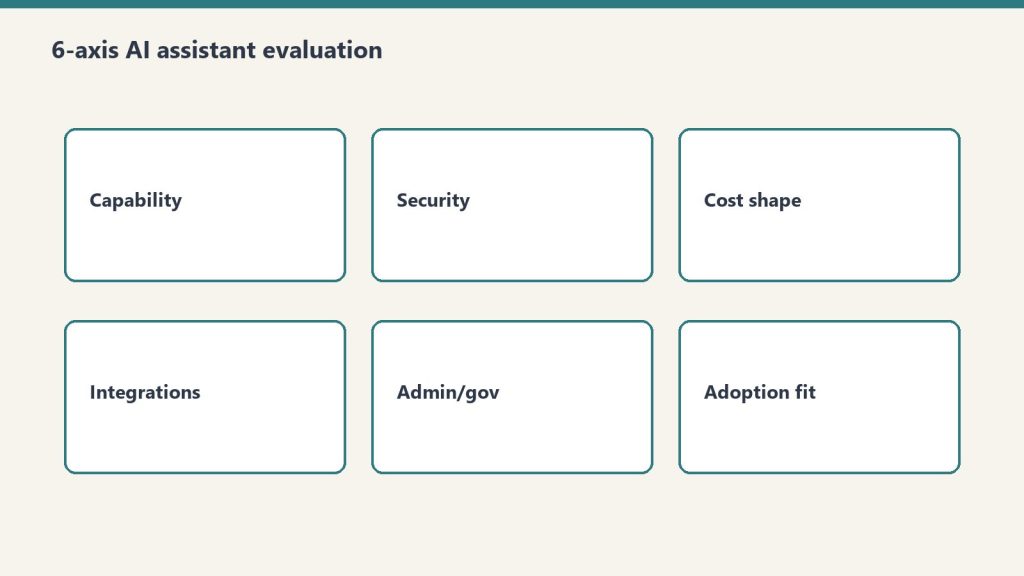
Score each finalist 1–5 on every axis using your stack, your compliance rules, and pilot data. Summaries below are directional; your weights decide what wins.
Axis 1: Ecosystem fit
Evaluate: Productivity suite, identity (Entra ID, Google Identity, Okta), cloud footprint, chat/collab standard, endpoint management.
- Microsoft 365 Copilot: M365, Teams, SharePoint, Entra ID default—org grounding inside Microsoft’s compliance boundary.
- ChatGPT Enterprise: Suite-agnostic; SSO/API/custom GPTs—no native in-outlook embed.
- Gemini in Workspace: Google-native; core AI in paid plans; higher limits via AI Expanded Access (admin pricing).
- Claude Team / Enterprise: Chat-first; pair with your suite for mail/docs.
Axis 2: Workflow coverage
Evaluate: Map your top 20 workflows by hours spent. For each, ask whether AI can cut time-to-done ~20% without breaking compliance.
- Microsoft 365 Copilot: Broad inside M365—mail, docs, spreadsheets, decks, meetings, SharePoint, Power Platform, Power BI.
- ChatGPT Enterprise: Deepest on open-ended research, drafting, data analysis (including code interpreter–class tools), and custom agents—weaker on native mail/meeting rails.
- Gemini: Parallels Copilot’s pattern inside Google apps; feature depth varies by plan and AI tier.
- Claude: Strong on long documents, synthesis, technical/legal-style writing, and careful reasoning; narrower suite automation.
Axis 3: Security and compliance
Evaluate: Residency, encryption, certifications (SOC 2, ISO 27001, HIPAA/FedRAMP where relevant), training-data use, audit logs, DLP/labels, admin controls.
- Microsoft 365 Copilot: Purview, labels, DLP, eDiscovery; no training on tenant data per Microsoft enterprise terms.
- ChatGPT Enterprise: SSO/SCIM, retention, optional residency; less native DLP than suite embeds.
- Gemini: Workspace/Google Cloud controls; enterprise tiers exclude content for model training.
- Claude Enterprise: SOC 2 Type II, SSO, audit APIs; usage at API rates on top of seats—model in TCO.
Axis 4: Total cost of ownership
License price is the easy part. Implementation, training, IT admin, and change management usually dominate the first year.
Direct license signals (verify in your quote):
- Microsoft 365 Copilot Enterprise add-on: $30/user/month annual (requires qualifying M365). Copilot Business for smaller tenants is often lower through promotional pricing into late 2026—check Microsoft’s current business pricing page.
- ChatGPT Business: published at $20/user/month annual (2-seat minimum). ChatGPT Enterprise: custom—seat fees plus credit- or token-based usage per contract; treat any per-seat rumor as unverified until sales confirms.
- Gemini in Workspace: core AI bundled into paid Workspace plans since 2025; budget the Workspace tier itself, not a legacy Gemini add-on. Optional AI Expanded Access for higher limits—price in Admin Console.
- Claude Team: about $20–25/user/month depending on billing (2-seat minimum, up to 150 seats). Claude Enterprise self-serve: published $20/seat/month annual plus usage at API rates; 20-seat minimum—model TCO with finance early.
Plan IT admin (~$3–8/user/month labor equivalent) and 15–20% of rollout for change management.
Axis 5: Organizational readiness
Low change capacity → embedded Copilot or Gemini. High AI literacy → ChatGPT Enterprise or Claude can win with more context switching. If three other rollouts are in flight, assume slower adoption.
Axis 6: Scalability and roadmap
Compare extensibility (Copilot agents + Power Platform, ChatGPT custom GPTs/Codex, Workspace Studio, Claude Code/Cowork) and whether the vendor’s roadmap matches your stack—not last month’s model headline.
Weighted scoring methodology
Starting weights—customize:
- Ecosystem fit 25%
- Workflow coverage 20%
- Security and compliance 20% (30% if regulated)
- TCO 15%
- Organizational readiness 10%
- Scalability/roadmap 10%
Multiply 1–5 scores by weights; highest total is your recommendation draft, not automatic procurement.
Platform profiles (short)
Microsoft 365 Copilot — ecosystem play
Ideal: 80%+ M365, Teams-first culture, SharePoint knowledge, Azure/Entra shop. Strongest: Grounding in org files inside Office apps. Weakest: Open-ended creative research outside M365.
ChatGPT Enterprise — flexibility play
Ideal: Mixed stacks, power users, research/content/analysis heavy roles. Strongest: Conversational depth, custom GPTs, flexible data work. Weakest: Users who refuse another browser tab.
Gemini in Google Workspace — workspace play
Ideal: Google-native operations. Strongest: In-app assistance without a separate AI SKU for baseline features. Weakest: Microsoft-partner-heavy industries needing Purview-class controls.
Claude Team / Enterprise — reasoning play
Ideal: Document review, consulting, research, technical writing. Strongest: Nuance and long-context analysis; Enterprise admin/compliance tooling. Weakest: “Replace our entire Office AI” expectations.
Three-question decision tree
1. Primary productivity suite? M365 at 80%+ → start with Microsoft 365 Copilot. Google Workspace at 80%+ → start with Gemini. Mixed → question 2.
2. Primary use case? Mail/docs/meetings inside a suite → Copilot or Gemini. Open research, analysis, custom agents → ChatGPT Enterprise. Heavy document reasoning → Claude.
3. Compliance intensity? Highly regulated → prefer deepest governance in your suite (Copilot + Purview or Gemini + Google admin controls). Moderate → any vendor with proper contract and config. Light → weight ecosystem and workflows higher.
Pilot program: 30 days, ~50 users
Roster: Enthusiasts, median users, skeptics, plus ~5 executives—across ≥3 departments.
Enablement: 2 hours upfront training, weekly 30-minute office hours, 20–30 vetted prompts by role.
Metrics: Daily active use (target 60%+ by week 3), feature breadth, timed benchmark tasks, weekly time-saved pulse. Qualitative: friction log, NPS, “what broke.”
Pre-commit thresholds: Example—≥50% report meaningful time savings and satisfaction ≥7/10 → recommend rollout.
Multi-platform reality
Two tools with clear lanes beats one forced into every job. Write rules for data types, retention, and which tool owns which workflow. If you publish expertise, track AI citations—AI citation monitoring and 2026 GEO case studies show what good looks like. Common pairs: M365 Copilot + GitHub Copilot; Copilot + limited ChatGPT Enterprise for analysts; Gemini + Claude in Google shops.
Common decision mistakes
- Demo-driven buys without your files and your slowest adopters in the room.
- Ecosystem denial—best model on paper, worst fit in Outlook or Gmail.
- Under-budgeting change management—prompting is a skill, not a toggle.
- Late security review that vetoes a finished evaluation.
- No use cases—“we need AI” is not a workflow.
15 vendor questions (condensed)
- Documented data flow for our tenant—not a diagram in a sales deck.
- Contractual guarantee: is our content used for training?
- Current SOC/ISO (or industry) audit letters, not logo slides.
- Data residency options for our regions.
- Security incident process and notification SLAs.
- Admin controls: SSO, SCIM, RBAC—show the admin UI.
- Audit log fields, retention, export.
- 12-month roadmap tied to our use cases.
- Rate limits, caps, and overage on Enterprise/API paths.
- IP indemnification for generated content.
- Volume pricing and renewal uplift caps.
- APIs/connectors we actually use.
- Support tier and SLA for production.
- Reference customers our size in our industry.
- Safety filters, allow/deny policies, and human review hooks.
90-day decision timeline
Days 1–30: Team, weights, vendor docs, security review; shortlist 2–3. Days 31–60: 30-day pilots, weekly metrics, focus groups. Days 61–90: Weighted scores, executive decision, contract and rollout plan.
Frequently Asked Questions
What is the best AI assistant for enterprise in 2026?
There is no single best AI assistant for every organization. Microsoft 365 Copilot fits Microsoft 365–first shops. ChatGPT Enterprise fits heterogeneous stacks and open-ended research. Gemini in Google Workspace fits Google-centric teams where core AI is already bundled into paid plans. Claude Team or Claude Enterprise fits document-heavy reasoning work and teams that accept usage-based billing on Enterprise. Match the platform to ecosystem, workflows, and compliance—not demo polish.
How should an organization evaluate AI assistants?
Use the 6-axis model: ecosystem fit, workflow coverage, security and compliance, total cost of ownership, organizational readiness, and scalability/roadmap. Weight each axis for your priorities, score finalists 1–5 per axis using your data and a structured pilot, then multiply by weights. Treat the score as input to a leadership decision, not a substitute for one.
How long should an AI assistant pilot program run?
Run at least 30 days with about 50 users across three or more departments. Weeks 1–2 surface novelty; weeks 3–4 show sustained use and credible time-savings signals. Pilots under 21 days rarely separate hype from habit.
Can organizations use multiple AI assistants simultaneously?
Yes. A common pattern is Microsoft 365 Copilot for suite-embedded work, GitHub Copilot for engineering, and ChatGPT Enterprise or Claude for specialized analysis—each with written rules for data types, retention, and which tool owns which workflow.
What are the most common mistakes when selecting an enterprise AI platform?
The usual failures: buying after a demo instead of a pilot, ignoring ecosystem fit, skipping change management, involving security late, and starting without named use cases and success metrics. Fixing those beats chasing the “smartest” model in isolation.